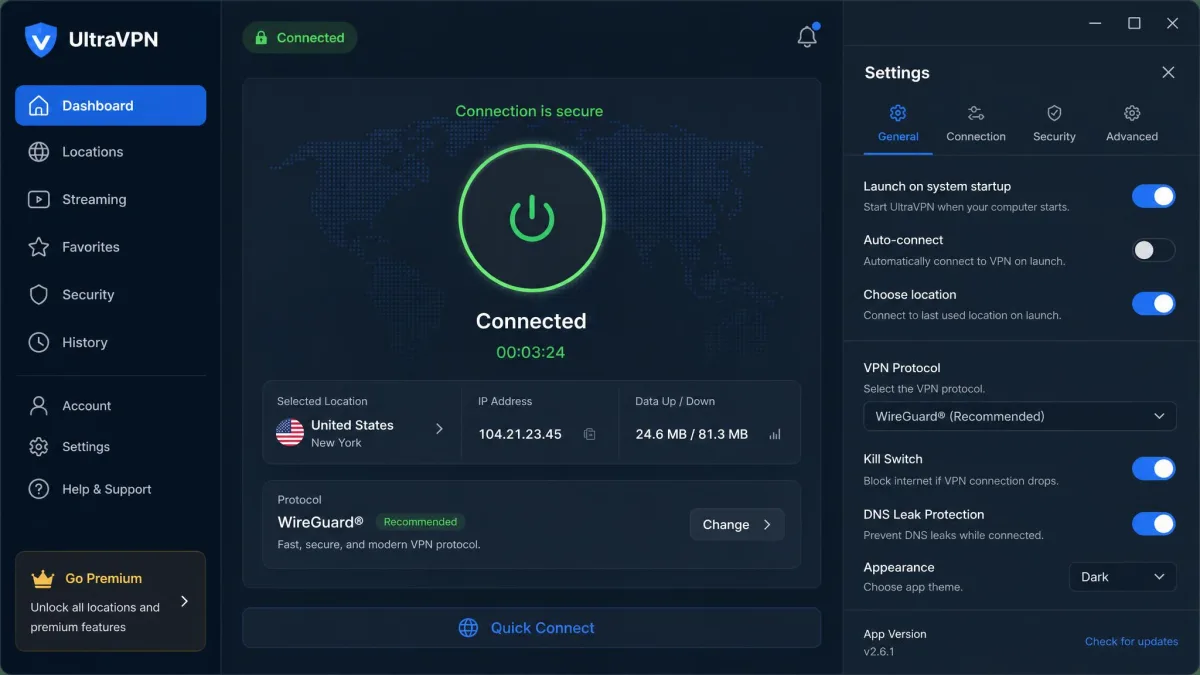
UltraVPN is a budget consumer VPN built for people who want one-click privacy without wading through settings. It leans on a cheap first-year price, a beginner-friendly app, and the proprietary Catapult Hydra protocol to pitch itself at casual users, streamers, and households that want to cover several devices at once. After putting it through our usual speed, leak, and streaming benchmarks, our verdict is simple: UltraVPN is a competent, easy-to-use service that is genuinely cheap up front, but a steep renewal price, an unaudited privacy policy, and a US ownership question hold it back from the top tier.
That is the short version. The longer version is a service that does the basics well and stumbles on the things privacy-focused users care about most. It works for light streaming and everyday browsing. It struggles the moment you push it on long-distance speed, advanced controls, or hard proof that it keeps no logs. This review walks through what we found on pricing, speed, security, privacy, streaming, apps, and support, then lands on who should buy it and who should look elsewhere.
We spend our days testing VPNs against real speed, leak, and streaming benchmarks rather than reading spec sheets. UltraVPN is a useful case study in what a budget price does and does not buy you. The apps look and feel like a premium product. The network, the audit history, and the renewal terms tell a more complicated story. Both halves of that picture matter, and both are covered below.
Verdict at a Glance (Key Findings + Rating)
UltraVPN earns a middle-of-the-road score. It is a polished, low-friction VPN that unblocks a useful slice of streaming libraries, and it is one of the cheaper options on the market for a first-year commitment. The reasons to hesitate are structural rather than cosmetic. The renewal pricing, the missing audit, and the ownership and jurisdiction picture all matter more than any single feature.
The score reflects that split personality. On usability, speed near home, and value in year one, UltraVPN performs like a service that costs more than it does. On the privacy assurances that separate a good VPN from a great one, it comes up short. Where you land on the buying question depends almost entirely on which of those two groups of buyers you belong to.
Pros
- Cheap first-year price and up to 10 simultaneous connections
- Beginner-friendly apps with essentially zero learning curve
- AES 256-bit encryption plus the fast proprietary Hydra protocol
- Unblocks Netflix in the US, UK, and Canada, plus Hulu, Max, and Peacock
- 30-day money-back guarantee with a straightforward refund process
Cons
- Subscription price roughly triples on renewal
- No independent no-logs audit to back the privacy policy
- Parent company Aura places jurisdiction inside the US
- Long-distance speeds drop sharply, and we saw an IP leak in testing
- Live chat can be slow and unhelpful, and there is no native Linux app
What Is UltraVPN?
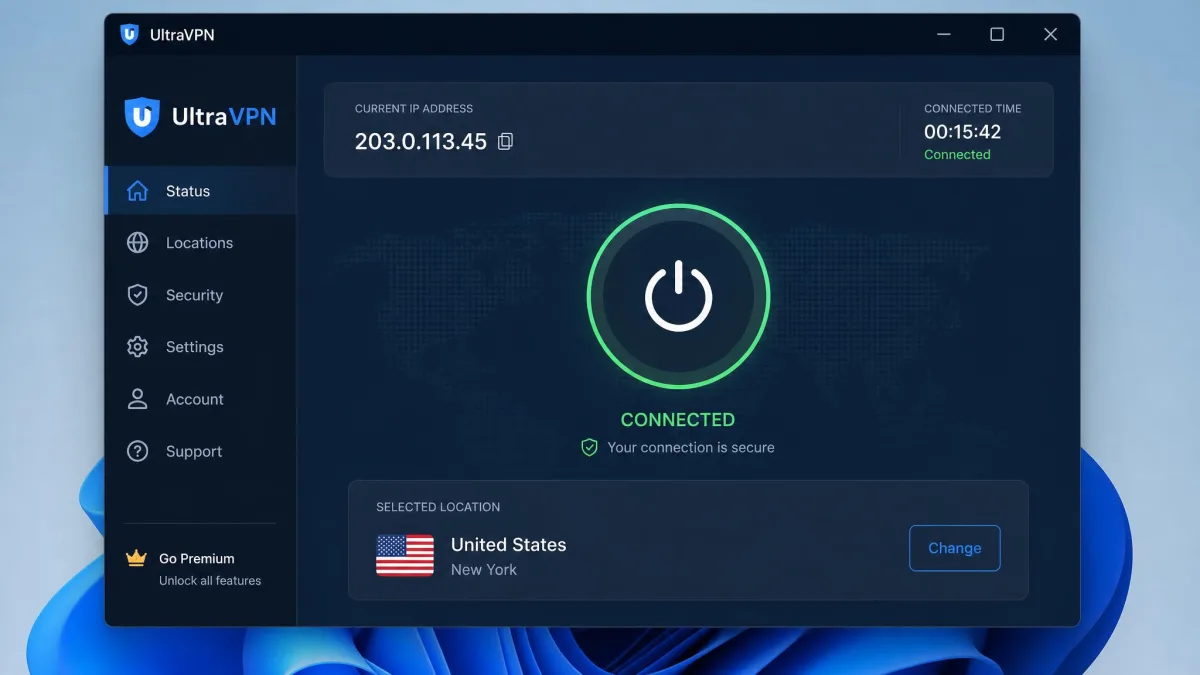
UltraVPN is a commercial virtual private network that encrypts your internet connection and routes it through a remote server, hiding your real IP address from the sites and networks you use. It targets mainstream users rather than tinkerers, so the app opens on a single large connect button and keeps advanced options to a minimum. In our testing, that focus paid off: the app is beginner-friendly with essentially zero learning curve, though it offers little customization for anyone who wants to fine-tune their connection.
The service is part of a wider security family. UltraVPN is owned by Aura through its Pango subsidiary, the same group behind Hotspot Shield, and it shares the Catapult Hydra protocol that Hotspot Shield helped popularize. That heritage shapes the whole experience. You get a fast proprietary protocol and a clean app, but you also inherit the trade-offs of a US-linked owner and a feature set tuned for simplicity over control.
It helps to be clear about who this VPN is for. UltraVPN suits a household that wants basic privacy on public Wi-Fi, an occasional streamer chasing a Netflix library in another country, and anyone who finds most VPN apps intimidating. It is a weaker fit for a power user who wants granular protocol control, verified no-logs privacy, or heavy torrenting. Knowing which camp you sit in answers most of the buying question before you read another word.
UltraVPN sells itself on three things: privacy, speed, and value. It delivers on the first two in a limited, casual sense and asks you to accept some compromises on the third once your intro term ends. The sections below test each claim in turn.
UltraVPN Pricing and Plans
Pricing is where UltraVPN makes its strongest first impression and its weakest long-term case. The headline number is low, and the renewal number is not.
Subscription Options and Renewal Pricing
On the longer annual or multi-year intro plan, UltraVPN works out to around $2.99 per month on UltraVPN's pricing page, which lands the standard VPN tier at about $35.88 for the first year. There is also a VPN+ tier at $47.88 for the first year, roughly $3.99 per month, which bundles extras like a password manager and dark-web scanning. Those first-year figures are competitive with almost anything on the market.
The catch arrives at renewal. The standard VPN tier renews at $99.99 per year. The VPN+ tier renews at $149.99 per year. In practice the subscription price roughly triples on renewal, though the exact jump depends on the tier and term you originally bought. That pattern is common across the industry. It is steep here, and it turns a genuine bargain into a merely average deal in year two.
How you handle that gap decides whether UltraVPN is a smart buy. The most sensible approach is to treat the first year as the value proposition. Enjoy the low price, then reassess before renewal instead of letting the subscription roll over at the full rate. Compared with NordVPN, which starts from about $3.49 per month, UltraVPN's entry price is slightly lower. The two providers move closer together the moment renewal enters the picture.
Set a calendar reminder before your renewal date. UltraVPN's first-year price and its renewal price are far apart, and unexpected renewal charges are a recurring complaint from customers, including billing after cancellation or after a card was thought to have expired.
Free Trial and Money-Back Guarantee
UltraVPN does not offer a standalone free trial. There is no persistent free tier, and the availability of any limited-time trial varies by campaign. The practical way to test the service risk-free is the 30-day money-back guarantee. That window covers every paid plan.
The guarantee is the safety net that makes the intro price easier to justify. When we looked at how refunds play out, the process itself is straightforward when requested within the 30-day window. The friction users report tends to come later, at automatic renewal, rather than during the initial guarantee period. That is an important distinction. The guarantee works as advertised, the complaints cluster around billing at renewal, and the risk is manageable if you stay on top of your dates.
Speed and Performance
Speed is the area where UltraVPN's Hydra protocol earns its keep, at least until distance gets involved. A VPN always adds some overhead. The question is how much, and where.
Local and Long-Distance Speed Tests
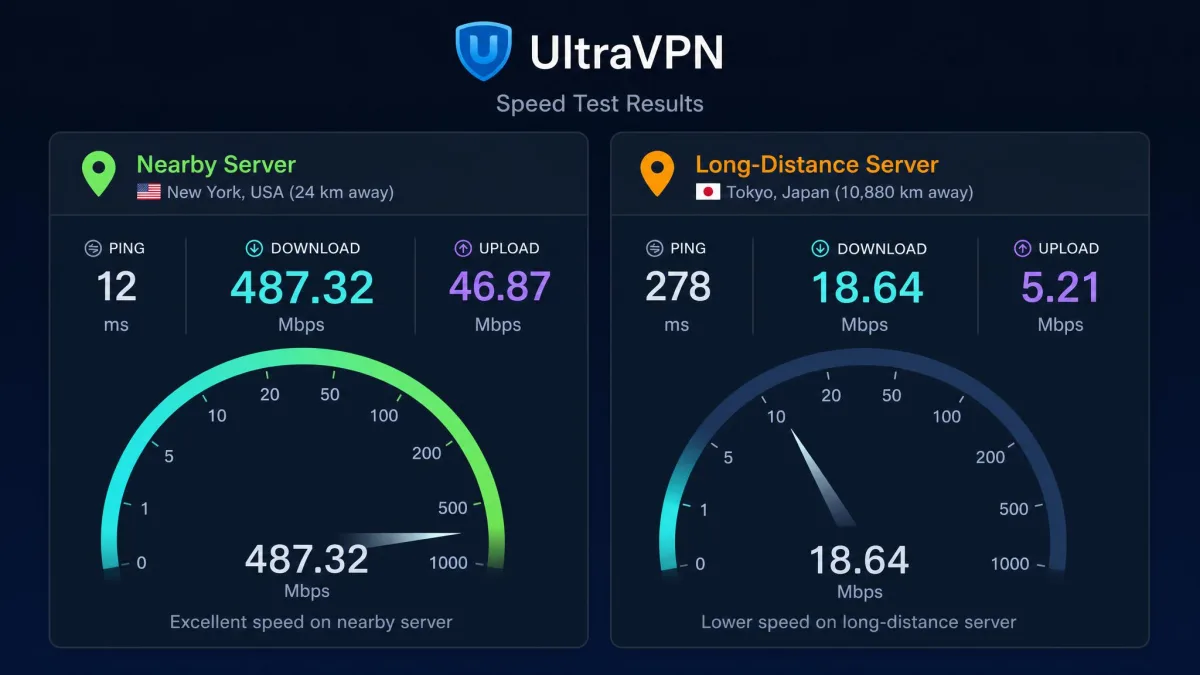
On nearby servers, UltraVPN is quick. Our benchmarks showed speeds holding up well on local connections. The best local server cost only a small fraction of our baseline throughput. Typical nearby servers landed around a 21% average drop. Speed loss varies heavily by test setup, server, and baseline connection, and some measurements run higher, so treat these as representative rather than absolute. The everyday experience on a close server is fast. Streaming and video calls run without a second thought.
Distance is a different story. On long-distance connections past roughly 5,000 km, the drop climbed to about 61% in our tests. The responsiveness gain from Hydra faded as latency stacked up. That pattern is normal for a VPN, but it is pronounced here. If you routinely connect to servers on the other side of the world, expect a noticeable slowdown.
We also looked at the two situations people actually run into rather than a single clean benchmark. The first was streaming and browsing on a nearby server during a busy evening. The connection stayed stable, HD playback started without stalls, and the small local overhead never got in the way. The second was pulling a large download through a distant server. Here the picture changed. Throughput sagged in line with that 61% long-distance figure. The transfer that felt instant on a local node turned into a wait. UltraVPN's speed is not one number but two very different experiences, and the distance your traffic travels decides which one you get.
What this means in daily use is straightforward. For browsing, HD streaming, and calls on a server in or near your own country, UltraVPN feels fast. You will rarely notice the VPN is on. For downloading large files through a distant server, or gaming on a faraway network, the overhead becomes obvious. Hydra is tuned for throughput close to the network's core rather than for low-latency long hauls. That is why UltraVPN rewards users who mostly connect near home. Connect one or two countries away and you are in the fast lane. Connect halfway around the globe and you should temper your expectations.
UltraVPN is fast where most people actually connect, and slow where enthusiasts push it. That gap defines the whole service.
— From our hands-on testing
Security and Encryption
UltraVPN covers the security fundamentals with military-grade encryption and a modern protocol lineup, though a couple of gaps show up under the hood.
Protocols (Hydra, WireGuard, IPSec)
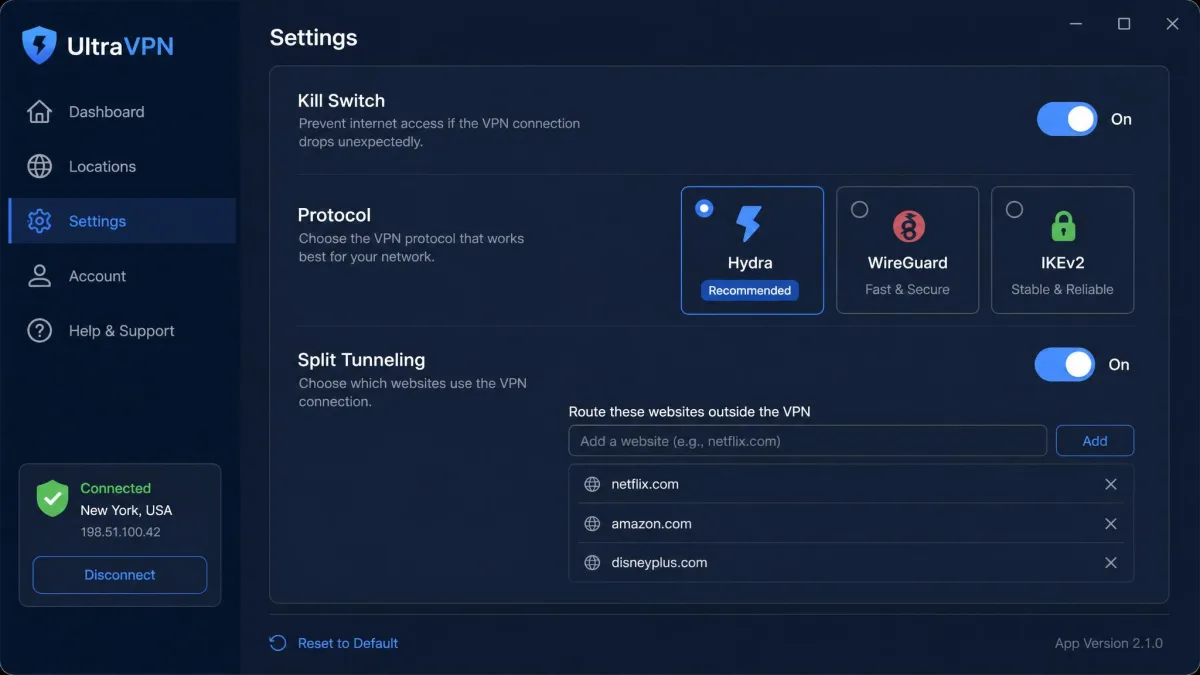
The service runs on AES 256-bit encryption, the same military-grade cipher the rest of the industry uses. For the tunnel itself, UltraVPN offers its proprietary Catapult Hydra protocol alongside WireGuard and IKEv2. Hydra is the default and the reason nearby speeds feel snappy, since it is tuned for throughput on the Aura and Hotspot Shield network. WireGuard gives you a modern open standard when you want it. IKEv2 is a dependable fallback that reconnects quickly when you switch between Wi-Fi and mobile data.
There is one notable omission. UltraVPN does not support OpenVPN. That protocol is the long-standing open-source standard many privacy users trust, because its code has been public and audited for years, and you can read our explainer on what OpenVPN is for the full picture. Relying on a proprietary protocol instead is not a security flaw by itself. It does mean you are trusting a closed system rather than an independently reviewed one. For most people the difference is academic. For privacy purists it matters, since the whole appeal of an open protocol is that anyone can inspect it.
The Android app is limited to the Hydra protocol only, unlike the desktop app, which lets you switch between Hydra, WireGuard, and IKEv2. If protocol choice matters to you, the desktop apps give you more control than mobile.
Kill Switch, Leak Protection and Split Tunneling
UltraVPN includes the protective features most users expect. There is a kill switch on desktop, which cuts your internet if the VPN connection drops so your real IP is never exposed. The mobile apps rely on an always-on connection to fill the same role. You also get DNS and IP leak protection and split tunneling for websites, which lets you route some sites through the VPN and others directly. The VPN+ tier adds a complimentary password manager and dark-web scanning on top, which nudges it toward an all-in-one security bundle rather than a plain VPN.
Leak protection is where our testing raised a flag. An IP leak surfaced during testing on an Austria server connection. That is exactly the kind of slip that undermines the point of a VPN. It was not present on every server. Even so, a single leak is enough to make us cautious about trusting UltraVPN for high-stakes privacy work until the behavior is consistent across the network. Leaks are the one failure a VPN cannot afford. They quietly expose the very address you are paying to hide.
Privacy, Logging and Jurisdiction
Privacy is the category where a cheap VPN has to prove itself, and it is where UltraVPN gives us the most to think about.
No-Logs Policy and Audits
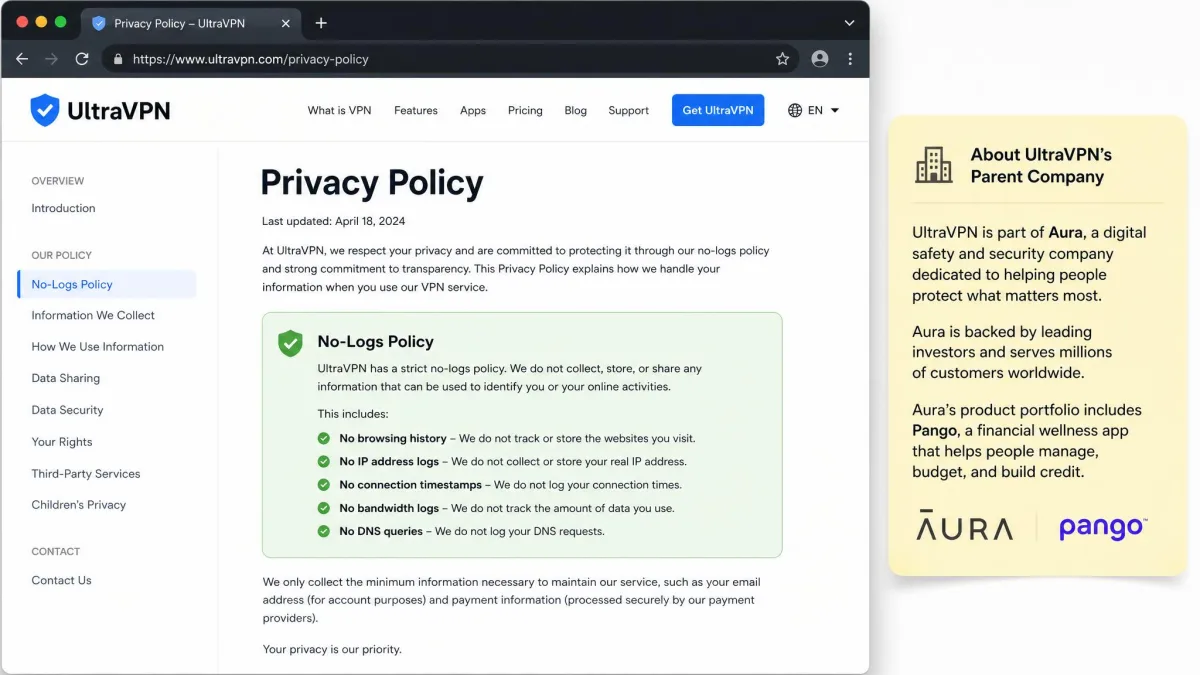
UltraVPN markets a zero-logs privacy policy, which is the baseline promise for any VPN worth using. The problem is proof. There is no completed independent no-logs or infrastructure audit behind the policy, so the claim rests on the company's word rather than an outside firm's verification.
That gap is easier to see in context. ExpressVPN has had its no-logs policy independently audited by Cure53 in 2024, covering both logs and server infrastructure, and NordVPN has been through similar audits. UltraVPN has not. For a privacy product, an unverified promise is a meaningful weakness rather than a minor footnote. An audit does not guarantee perfect behavior forever. It is the one piece of external evidence that separates a policy you can check from a policy you simply have to trust.
A no-logs policy without an independent audit is a claim, not a guarantee. If verified privacy is your main reason for buying a VPN, treat the missing audit as a serious mark against UltraVPN.
Who Owns UltraVPN?
UltraVPN is owned by Aura through its Pango subsidiary, which acquired the brand in 2020. That ownership sits at the center of a genuine jurisdiction conflict. UltraVPN's own site says it is registered outside the US, while independent reviews place the owner, Aura and Pango, in the US, inside the Five Eyes and 14 Eyes intelligence-sharing alliance.
We flag this rather than settle it, because the two accounts point in opposite directions and we cannot verify the corporate structure from the outside. What matters for you is the risk model. If you assume US jurisdiction, UltraVPN could in principle be subject to data requests, and the absence of an audit means you are trusting the no-logs policy to protect you. For casual privacy that is a reasonable bet. For anything sensitive, it is a reason to choose a provider with a clearer, audited privacy story. Jurisdiction only bites when there is data to hand over, which is exactly why the missing audit and the ownership question compound each other rather than standing alone.
Servers and Locations
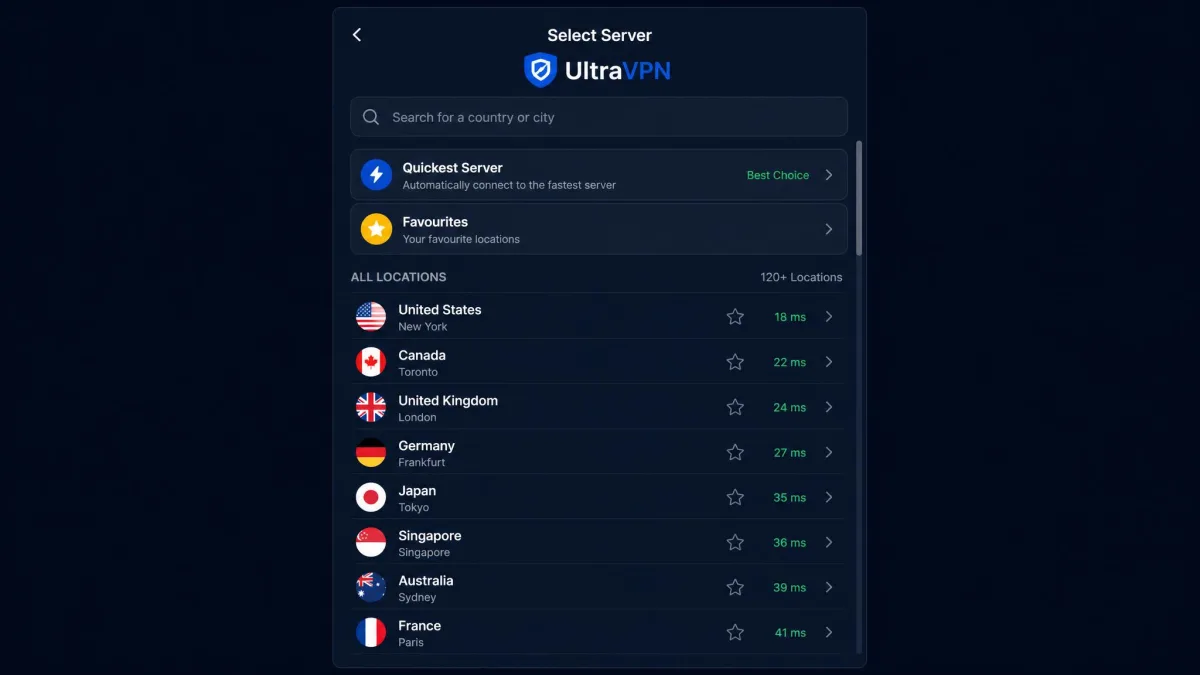
UltraVPN's network is mid-sized, and the exact size is hard to pin down. Recent reviews put the count at roughly 1,300 servers. The vendor markets 1,800 or more. Older reviews cite far fewer. Server-count figures vary widely across sources and vendor marketing, so we treat the number as a range rather than a fixed spec. Coverage spans about 125 locations by recent counts, though older reviews list closer to 85.
For everyday use, the practical takeaway is simple. UltraVPN has enough locations to find a fast nearby server and unblock major regional libraries. It is still a fraction of what the largest networks offer. NordVPN runs 9,300 or more servers across 137 countries. ExpressVPN runs 3,000 or more across 105 countries. UltraVPN's network is smaller and more concentrated than either.
It is worth looking at where those roughly 125 locations actually sit, because coverage is not spread evenly. The network is deepest across the places most subscribers connect from. That means the US and Canada in North America, plus the UK, Germany, France, and the Netherlands across Western Europe. All of those are easy to reach, and they back the regional Netflix libraries most people want. Coverage thins out as you move toward Eastern Europe, parts of Asia, South America, and Africa. In those regions you may find a single option in a country rather than a choice of cities. If your access needs sit there, open the location list and confirm your target country is present before you pay. The headline count says little about whether the one place you need is on it.
Network size is not everything, but it shapes two things you will feel. The first is how close a server is to wherever you are. The second is how crowded that server gets at peak times. A larger fleet spreads load and shortens the hop to a nearby node. UltraVPN's smaller network is adequate for popular regions like the US, UK, and Western Europe. It thins out once you go looking for a server in a less common country. If your access needs center on mainstream locations, the count will not bother you. If you need a specific, out-of-the-way country, check the list before you buy.
Streaming and Torrenting
Streaming is one of the most common reasons people buy a VPN, and UltraVPN delivers a partial win here.
Netflix and Other Platforms
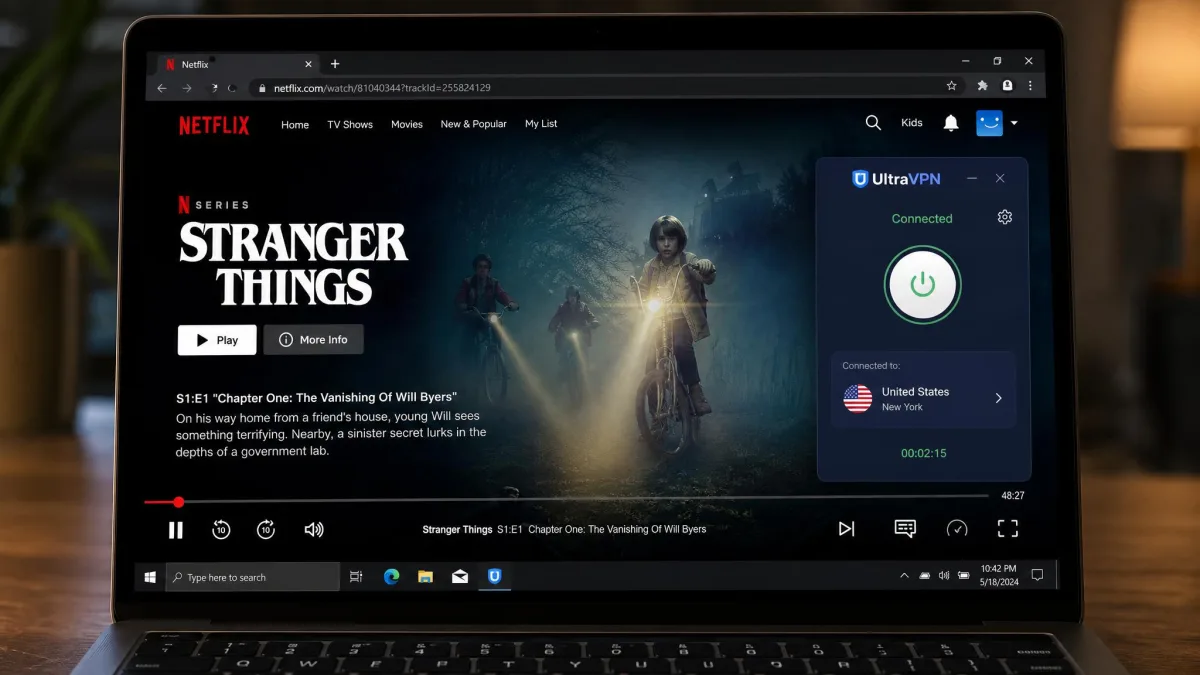
In our streaming tests, UltraVPN unblocked Netflix in the US, UK, and Canada, along with Hulu, Max, and Peacock. That is a solid roster for casual viewing. It handled these platforms without the constant reconnecting some cheaper services force on you. Playback started quickly on nearby servers. The Hydra protocol's local speed kept HD streams stable through our sessions.
The gaps are real and worth naming. Disney+, Amazon Prime Video, and BBC iPlayer often failed to unblock during testing. There are no dedicated streaming servers to fall back on. So UltraVPN is a fine choice if your must-watch platforms are Netflix, Hulu, Max, or Peacock. It is a frustrating one if your list leans on Disney+ or iPlayer. Because there is no streaming-optimized server list, unblocking is a matter of trying standard locations rather than picking a purpose-built one.
P2P Support
Torrenting is the softest part of UltraVPN's story. P2P support is not clearly confirmed, and there are no dedicated P2P servers advertised. We cannot say with confidence that the service is built for heavy torrenting. When we looked for the signals a torrent-friendly VPN usually advertises, they were absent. There is no labelled P2P server category in the location list. There is no port-forwarding option. There is no published policy that spells out how the service treats P2P traffic. That silence is telling on its own. A provider that welcomes torrenting almost always says so and points you at servers tuned for it. UltraVPN does neither. If P2P is central to how you use a VPN, we would treat UltraVPN as unproven here. Choose a provider that states its P2P policy plainly and offers servers tuned for it instead.
Apps, Ease of Use and Device Compatibility
Ease of use is UltraVPN's strongest suit. This is a VPN designed so that a first-time user can be protected in under a minute.
Setup and Installation
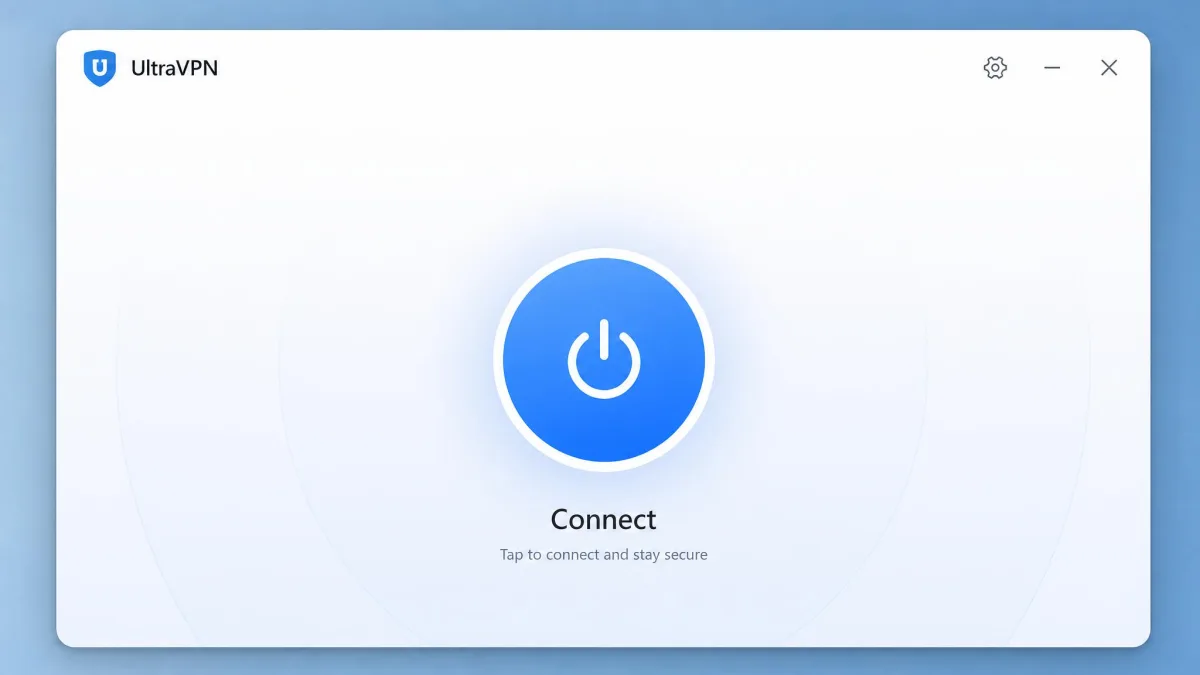
Installation is quick and unremarkable in the best way. You download the app, sign in, and press connect, and the service picks a fast server for you. The app is beginner-friendly with essentially zero learning curve, which is exactly what a mainstream audience wants. The trade-off is that it offers little customization for advanced users, and there are no extras like double-hop routing or port forwarding. If you have never used a VPN before, that simplicity is a feature. If you like to tune every setting, it will feel bare.
Supported Platforms and Simultaneous Connections
UltraVPN covers the platforms most households need: Windows, macOS, iOS, Android, and browser extensions. There is no native Linux app, which will rule it out for some technical users. A single subscription allows up to 10 simultaneous device connections, which is generous and matches NordVPN's allowance. One plan can realistically cover a whole family across phones, laptops, and tablets at the same time.
One quirk is worth repeating for mobile users. The Android app is limited to the Hydra protocol only, unlike the desktop app, so Android users trade protocol choice for simplicity. In practice most people leave the default protocol alone, so this matters mainly to users who specifically want WireGuard on their phone.
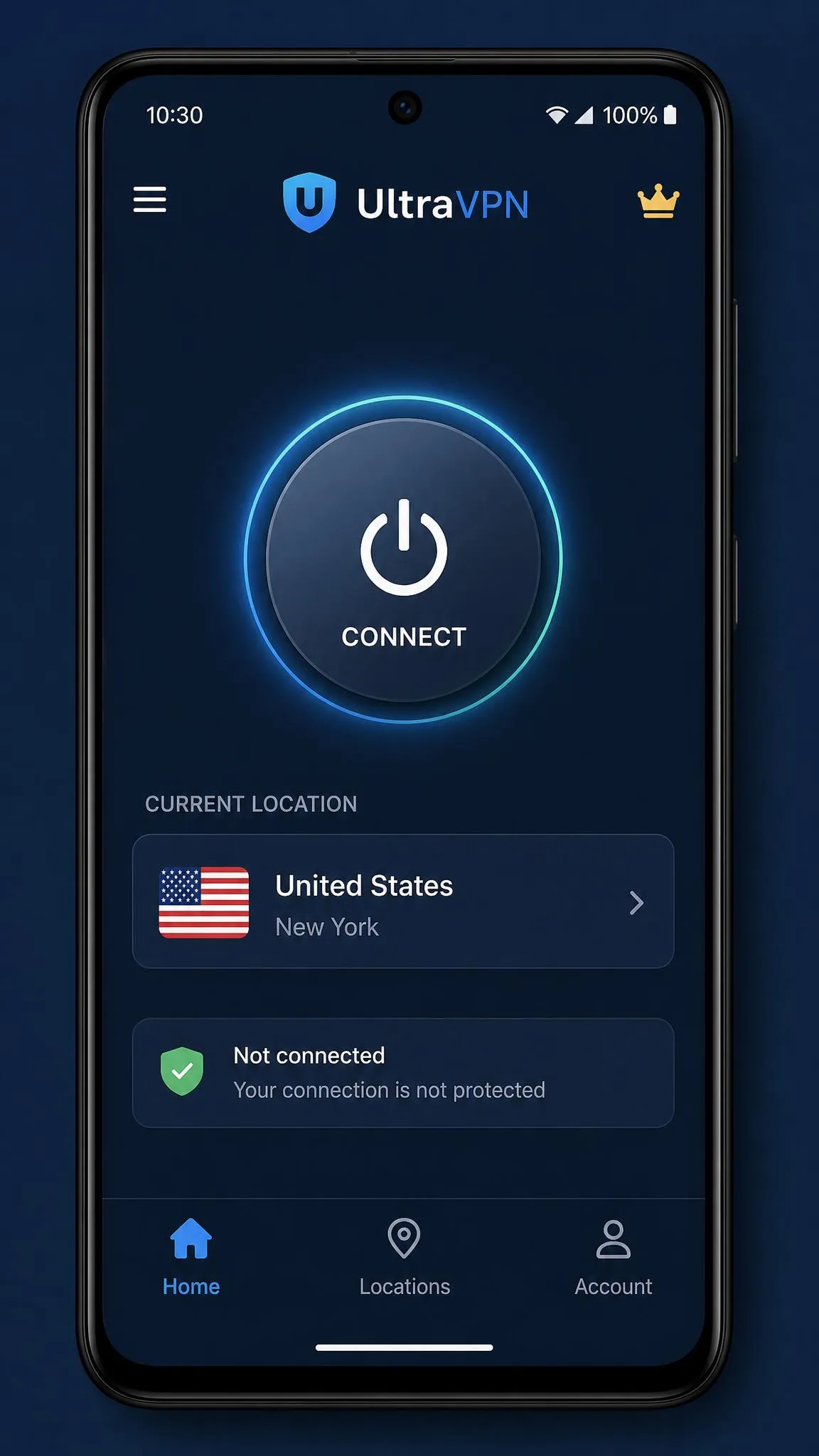
Our take after benchmarking the apps: UltraVPN nails the first ten minutes of ownership and asks harder questions in year two. The install-to-connected experience is among the smoothest in the budget tier, which is exactly why the renewal price and the missing audit deserve a second look before you commit long term.
Does UltraVPN Work in China?
China is the toughest test for any VPN, and UltraVPN does not pass it. The service uses obfuscation over the Hydra protocol that disguises traffic as HTTPS on port 443, but that obfuscation is only rudimentary and lacks what the Great Firewall demands. UltraVPN does not reliably connect inside China. The vendor's support reps will tell you it works there, but recent hands-on testing tells a different story, and connections in high-censorship regions are inconsistent at best.
If you are traveling to or living in a region with heavy censorship, we would not rely on UltraVPN. Providers that publicly document and regularly update their anti-censorship tools are a safer bet, and UltraVPN does not make strong claims here. The rudimentary obfuscation may work intermittently, but intermittent is not good enough when a working connection is the whole reason you are paying.
Customer Support
Support is a weak point. UltraVPN offers 24/7 live chat plus email support on paper, which sounds comprehensive.
In practice, live chat can be hard to reach. The answers are often unhelpful, and they sometimes route through sister-brand Hotspot Shield support rather than resolving the issue directly. For a service aimed at beginners, that is a meaningful shortfall. Beginners are exactly the users most likely to need help. The gap between the advertised support and the experience is one of the clearer marks against the service. It matters more here than it would on a VPN pitched at experts who can troubleshoot on their own.
Email is the second channel, and it behaves differently from chat in a way that works in your favor. It is slower to reply, so it is no use when you want an answer in the moment. It does create the written record that live chat does not. That matters most for anything financial. The recurring complaints against UltraVPN cluster around billing rather than connections. So use chat only for quick how-to questions. Put anything involving money, cancellations, or refunds in an email, where a timestamped thread protects you if a charge is later disputed.
Support quality also colors the billing complaints. A renewal charge lands unexpectedly. The fastest route to a human is a chat queue that is slow to answer. A small annoyance becomes a bad experience. If you buy UltraVPN, lean on email for anything with a paper trail, especially cancellations and refunds, so you have a record if a charge is disputed later.
For context on how customers rate the overall experience, Trustpilot's 771-review score sits at 2.4 out of 5, dominated by billing and cancellation complaints rather than connection quality.
How UltraVPN Compares to Top VPNs
Set against the two providers most buyers cross-shop, UltraVPN wins on first-year price and loses on almost everything privacy users weigh heavily. The comparison below lines up the specs that matter.
| Product | Buy | Intro price | Servers | Simultaneous connections | No-logs audit | Netflix |
|---|---|---|---|---|---|---|
 |
$2.99/mo | ~1,300 | 10 | No | Partial (US/UK/CA) | |
 |
Check price → | $3.49/mo | 9,300+ | 10 | Yes | Reliable |
 |
Check price → | $2.99/mo | 3,000+ | 8 (up to 14) | Yes (Cure53, 2024) | Reliable |
The pattern is clear. UltraVPN matches or beats its rivals on entry price and device count. NordVPN and ExpressVPN both carry independent audits, larger networks, and more reliable streaming. You are trading verified privacy and scale for a lower up-front cost. If your priority is spending as little as possible in year one, UltraVPN makes the case. If your priority is knowing your no-logs policy has been checked and your streaming will hold across every major platform, the extra dollars for an audited provider buy something concrete.
The device allowance is the one place UltraVPN keeps pace with the premium field. Both UltraVPN and NordVPN cover 10 simultaneous connections. ExpressVPN historically capped at 8 before its newer tiers raised the limit up to 14. For a household counting phones, laptops, tablets, and a smart TV, UltraVPN's allowance is enough to protect everyone under a single cheap plan. That is a genuine strength rather than a marketing line. Where it falls behind is not the number of devices but the confidence behind the network they connect to.
Final Verdict: Should You Buy UltraVPN?
The buying decision comes down to what you value and how long you plan to stay. For a casual user who wants cheap, one-click protection for a year, easy apps across a full household of devices, and enough streaming muscle for Netflix, Hulu, Max, and Peacock, UltraVPN is a reasonable pick at its intro price, backed by a 30-day money-back guarantee if it disappoints.
For everyone else, the compromises add up. If you need audited, no-logs privacy, if you connect across long distances often, if you rely on Disney+ or BBC iPlayer, or if you torrent seriously, a provider like NordVPN or ExpressVPN answers those needs more convincingly, even at a higher steady price. And whatever you choose, the smartest move with UltraVPN specifically is to treat year one as the deal and reassess before renewal, rather than letting it auto-renew at the full rate.