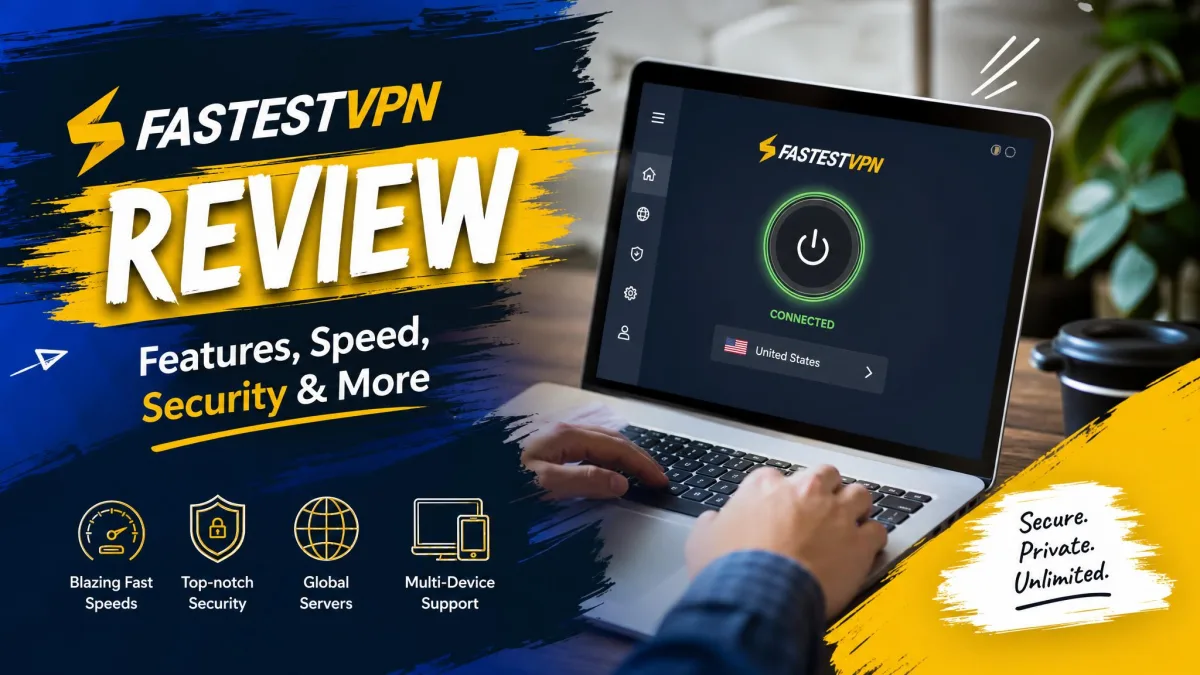
FastestVPN is a budget VPN built around one very tempting idea: pay once, use it forever. Its lifetime plan costs about as much as two months of a premium rival, and that headline price is the whole reason most people find the service in the first place. The name promises speed, the marketing promises value for money, and the Cayman Islands base promises privacy outside the usual surveillance alliances.
So the strength is obvious. The tradeoff is where the review gets interesting. A VPN that undercuts everyone else on price has to save that money somewhere, and in our testing those savings show up in a smaller server network and speeds that land closer to average than to fastest. Whether that matters depends entirely on what you need a VPN to do.
We spent time with FastestVPN across Windows and Mac, ran it against real speed, leak, and streaming tests, and pushed its support team on a live refund request. This review lays out exactly what we found, section by section, so you can decide whether the low price is a bargain or a compromise you will regret.
The short version, which we unpack throughout, is that FastestVPN is a better privacy tool than its price implies and a weaker speed tool than its name implies. Those two facts define the whole experience. If you treat it as an affordable, private, streaming-friendly VPN rather than a performance champion, it rarely disappoints. If you buy it expecting the quickest connection you have ever used, the name will set you up for a letdown.
We tested FastestVPN on Windows and macOS over multiple sessions, checking nearby and long-distance servers for speed loss, running DNS and WebRTC leak tests, loading several streaming libraries, and putting the 24/7 live chat through a genuine refund request. The lived results below come from that hands-on work.
FastestVPN at a Glance (verdict box + rating)
FastestVPN earns its recommendation on price and honesty rather than raw performance. It does the core VPN job reliably, unblocks most major streaming libraries, and backs its no-logs claim with an independent audit. It will not win a speed contest, and a few convenience features that rivals include as standard are missing here.
Features Overview
FastestVPN packs more into its cheap plans than the price suggests. The core is 256-bit AES encryption paired with a modern protocol lineup, but the extras are where it competes with pricier services. You get a kill switch, DNS and WebRTC leak protection, Double VPN for routing traffic through two servers, a NAT firewall, an ad blocker, and built-in malware protection.
For everyday use, a few smaller touches stand out. A dedicated streaming tab points you to servers optimized for popular platforms, and favorite-server bookmarking saves you from hunting through the list every time. Split tunneling lets you route only some apps through the VPN, though this feature is limited to Android and Windows.
Double VPN is a nice inclusion at this price. It routes your traffic through two servers instead of one, adding a second layer of encryption for anyone who wants extra cover at the cost of some speed. The NAT firewall and ad blocker are the kind of quality-of-life extras that reduce clutter and block a chunk of trackers before they reach your browser, and the malware protection adds a light safety net on top.
The feature set is broad enough that most users will not feel short-changed. What you are trading away for the low price is not features on paper, it is polish and performance in a few specific areas that we cover below. On a spec sheet, FastestVPN reads like a mid-tier service. In daily use, it mostly behaves like one too, with a handful of rough edges that the price makes easy to forgive. The one feature gap worth flagging early is split tunneling, which is present on Android and Windows but missing on iOS and macOS, so Apple users cannot route only select apps through the tunnel.
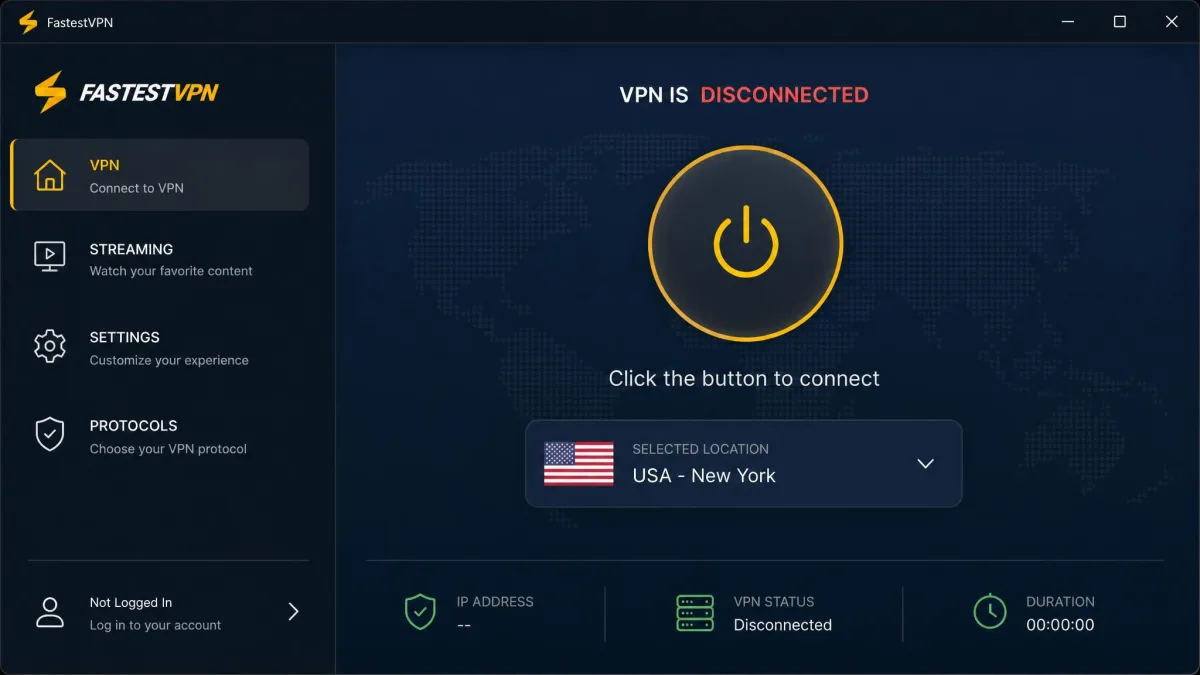
FastestVPN counts a dedicated IP as a paid add-on rather than a plan feature. It runs about $1.49 per month on top of your subscription, which is worth knowing if you need a static address for remote access or to avoid streaming-service IP blocks.
Server Network and Locations
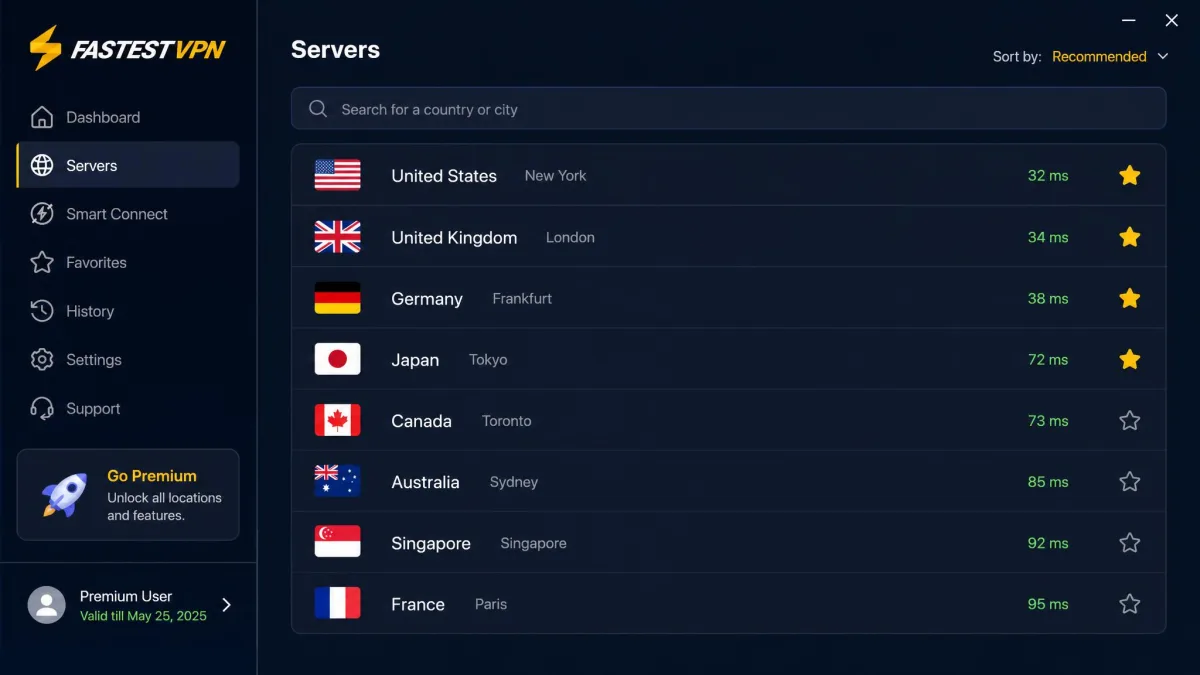
FastestVPN runs a network of 800+ servers across 49+ countries and more than 100 locations. That is a respectable spread for a budget provider, and it covers the regions most people connect to: North America, the UK and Western Europe, and the major Asia-Pacific hubs are all well represented.
The gaps appear once you look further afield. In our testing, coverage was thin across South America, Africa, and parts of Asia, so if you need a server in one of those regions specifically, check the live location list before you buy. A few individual servers also refused to connect on the first try. Hungary and Vietnam, for example, needed a second attempt or a switch to a nearby city.
Context matters here. NordVPN advertises well over 9,000 servers and ExpressVPN a similar figure, so FastestVPN's 800+ looks small on a spec sheet. For a single user streaming and browsing from a well-covered region, though, the raw count matters far less than whether your nearby servers are fast and stable, and mostly they were.
There is a practical upside to a smaller network too. FastestVPN's list is easy to scan, and the favorites system means you rarely have to browse the whole thing. Once we bookmarked the two or three servers that performed best for us, connecting became a one-click habit. If your usage is concentrated in a few countries, the modest network size is unlikely to bother you at all.
Speed and Connection Performance
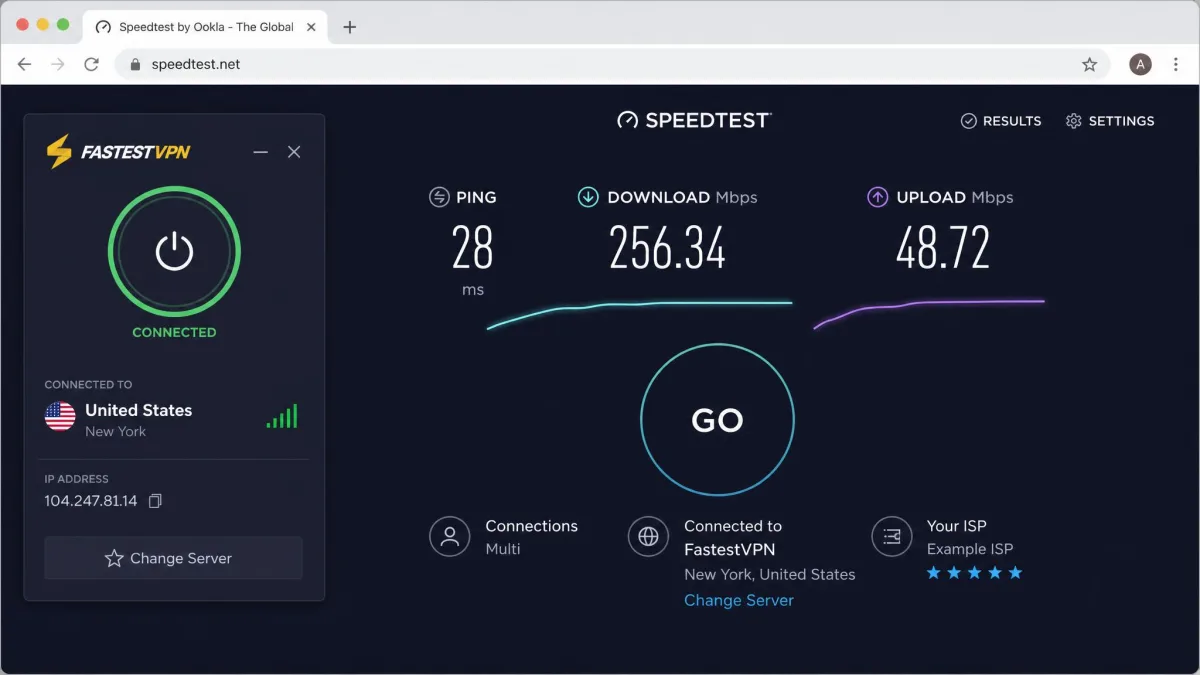
Speed is the promise baked into the name, so we held it to that standard. The honest result is that FastestVPN is average rather than exceptional. On nearby servers we saw download throughput drop by roughly a fifth from our unprotected baseline, which is fine for streaming, browsing, and video calls. Push out to distant servers and the loss grew, with some long-distance connections shedding more than half of the base speed.
Across a full session on both Windows and Mac, download throughput settled around a 45% reduction on average once we mixed nearby and distant servers. That is enough to notice on a large download or a fast home connection, but it rarely got in the way of everyday tasks. Latency stayed reasonable on regional servers, so gaming and calls felt responsive as long as we did not connect across the planet.
We ran our tests at different points across the day rather than in a single burst, because a VPN that looks quick at 7am can bog down when the whole region piles onto the same servers at night. FastestVPN followed that pattern. Our morning runs on nearby servers held to that one-fifth loss reliably, while evening peak hours nudged the reduction higher on the busier US and UK locations, and a couple of popular servers dipped further still when we suspect they were carrying more load. None of that swing was severe, but it is the reason we lean on the percentage picture rather than a single tidy number: your own result will move with the clock as much as with the map.
Protocol choice made the sharpest difference of all in our runs. WireGuard consistently returned the fastest and most stable numbers, and the contrast with OpenVPN was not subtle. Switching a nearby connection from WireGuard to OpenVPN visibly widened the throughput gap and made the speed test wobble more between attempts, while WireGuard held a steadier line run after run. OpenVPN still earns its place for restrictive networks that block newer protocols, but it trades real speed for that compatibility. If speed is your concern, leaving the app on WireGuard and picking a close server is the single most effective thing you can do. Do both and FastestVPN feels perfectly adequate; ignore both and the name starts to look like wishful thinking.
We deliberately avoid quoting a single headline megabit figure, because FastestVPN's absolute speeds vary widely depending on your own connection, the time of day, and how far the server sits from you. The percentage picture is the more useful guide, and it points to a service that keeps up with normal use without ever feeling quick. In practical terms, web pages loaded without lag, HD and 4K video started promptly on decent servers, and video calls held steady. The only time speed became an issue was on deliberately distant connections, where a large file download visibly slowed.
Speeds are average rather than class-leading. Nearby servers lose about a fifth of your base speed, and distant ones can shed more than half.
— From our hands-on speed testing
If speed matters to you, connect to the closest server rather than the one with the most appealing location. The distance between you and the server is the single biggest factor in how much throughput you keep.
Pricing and Plans (including the lifetime subscription)
Pricing is FastestVPN's whole pitch, and it is genuinely aggressive. The monthly plan runs about $5 per month if you pay month to month, which is average. The value appears on the longer commitments. A multi-year deal comes in around $19.95 for one year plus a second year free, working out to roughly $0.83 per month, one of the cheapest rates going.
Then there is the headline: the lifetime plan at a one-time $40. You pay once and keep access with no recurring bill. Over three or four years that undercuts almost every subscription rival, which is exactly why the plan draws people in. It is worth knowing that "lifetime" in the VPN world is a marketing term rather than a legal guarantee, so treat it as a long-term deal rather than an ironclad forever contract.
The math is what makes the lifetime plan so appealing. A premium rival can cost more in a single year than FastestVPN's one-time fee, so if the service does what you need, the savings over time are substantial. The risk is the flip side of that same coin: you are betting on a company continuing to run and support your plan for years, which is a bigger leap of faith than a monthly subscription you can cancel at will.
FastestVPN backs every plan with a 31-day money-back guarantee, which applies to your first purchase only and does not cover auto-renewals or payments made in cryptocurrency. That is a generous window on paper, but our real-world refund experience (covered under Customer Support below) took closer to 16 days of back-and-forth to clear, so request early and be prepared to push. You can review the current plans and terms on FastestVPN's official pricing page.

Apps, Installation and Ease of Use
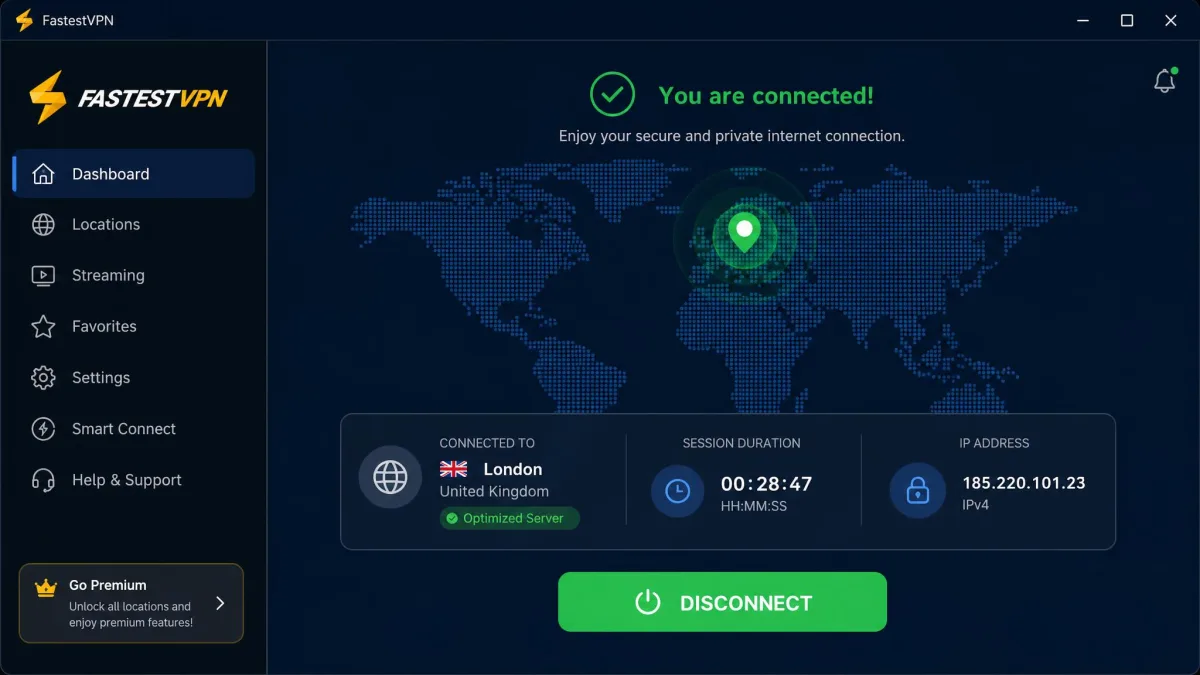
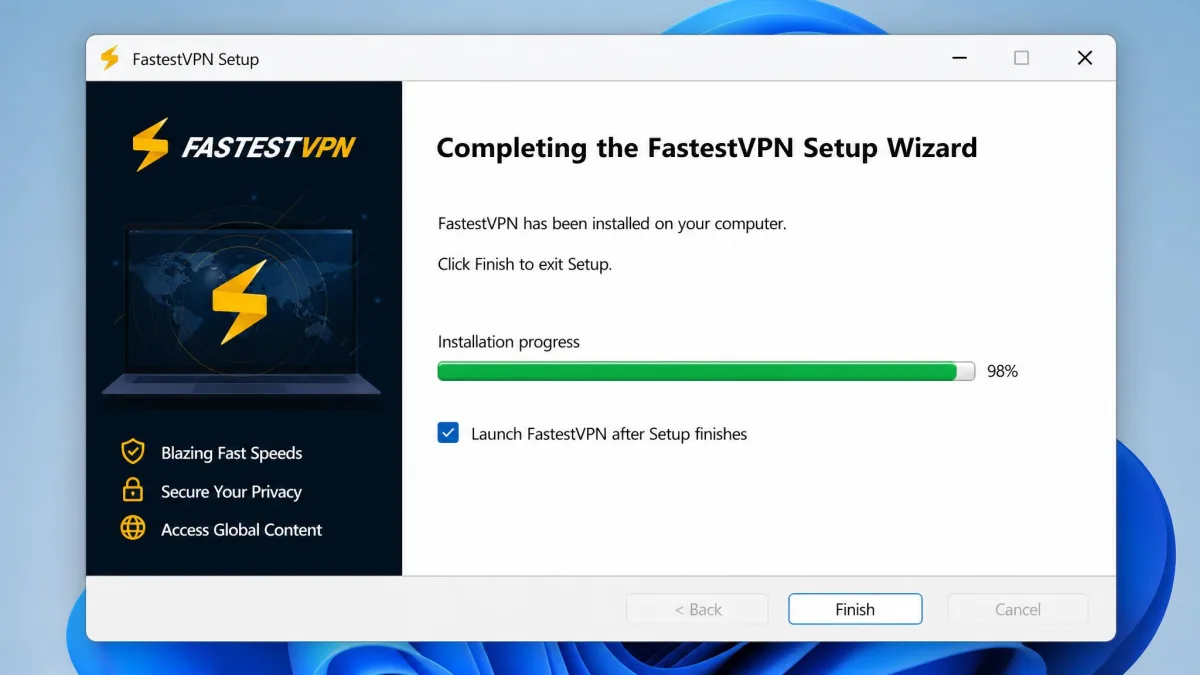
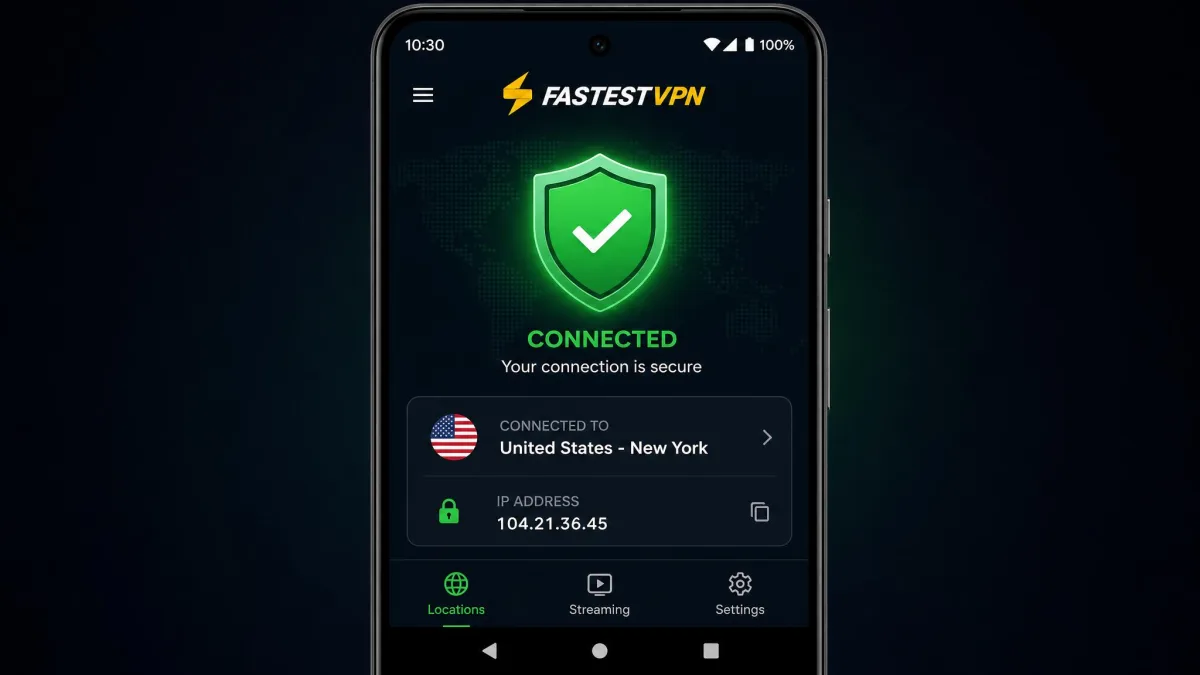
Getting started with FastestVPN is quick. In our testing the app installation never took more than about five minutes on any platform, and the first-connect flow is simple: sign in, pick a location or hit the quick-connect button, and you are protected. The interface is clean and beginner-friendly, with the streaming tab and favorites doing a good job of hiding the full server list until you want it.
The rough edges show up in manual configuration. Setting the service up by hand on certain devices, such as a router or a less common platform, got fiddly, and the documentation assumes a bit more comfort than a total newcomer might have. For the standard desktop and mobile apps, though, almost nobody will need to touch a config file.
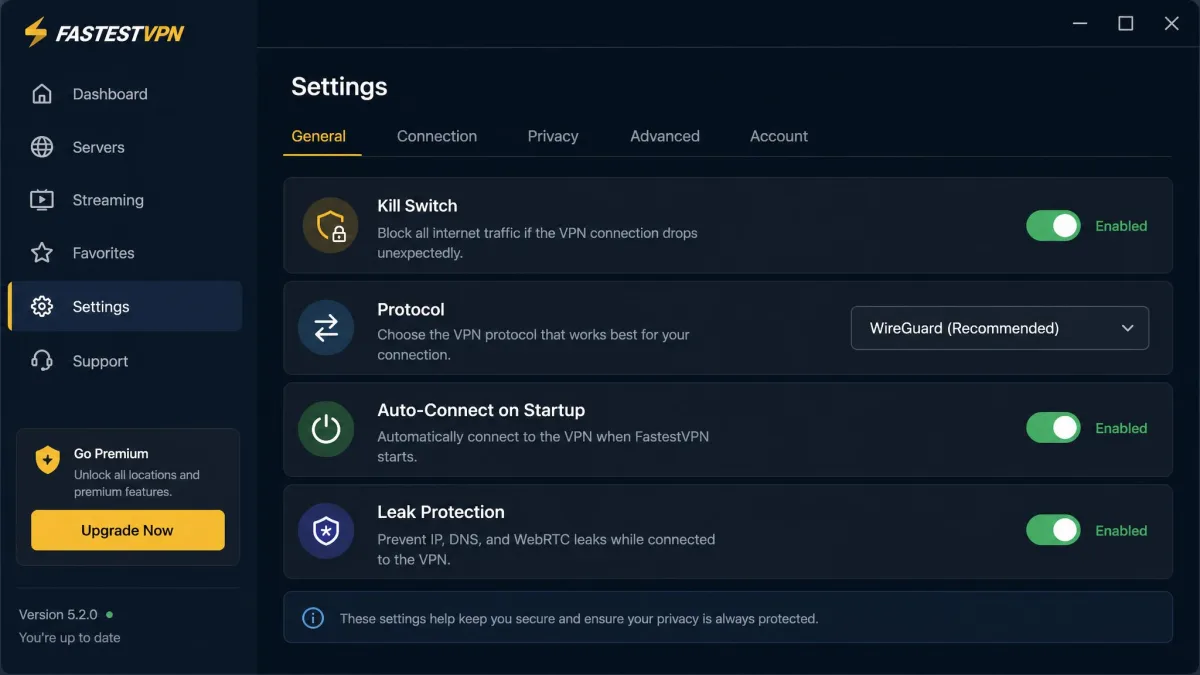
Day to day, the apps stayed out of the way. Auto-connect on startup meant the VPN was already running before we opened a browser, and reconnecting after a dropped Wi-Fi signal was reliable. The settings are laid out sensibly, with the kill switch, protocol picker, and leak protection all a click or two from the main screen rather than buried in menus.
We did note occasional stability complaints from the wider user base, including reports of the Windows client failing on some Windows 11 x64 setups. We did not hit that ourselves, but it is worth using the money-back window to confirm the app runs cleanly on your exact machine before committing to a lifetime plan.
Device Compatibility and Simultaneous Connections
FastestVPN offers native apps for Windows, Mac, iOS, Android, and Amazon Fire, plus browser extensions. There is no full native Linux GUI app, so Linux users are limited to command-line or manual setups rather than a polished client. If Linux is your daily driver, factor that in.
On connections, the service is generous. A single subscription covers 10 simultaneous connections, matching NordVPN and beating ExpressVPN's eight. If you need more, you can add extra device slots for about $1 each, which is handy for a large household without stepping up to an unlimited-device rival like Surfshark. For most families and individuals with a laptop, a phone, a tablet, and a streaming stick, 10 connections is plenty. We ran the service on several devices at once without any of them dropping, so household use is well within its comfort zone, and the browser extensions are handy for protecting a single browser without routing your whole system.
Streaming and Unblocking (Netflix, Prime Video, etc.)
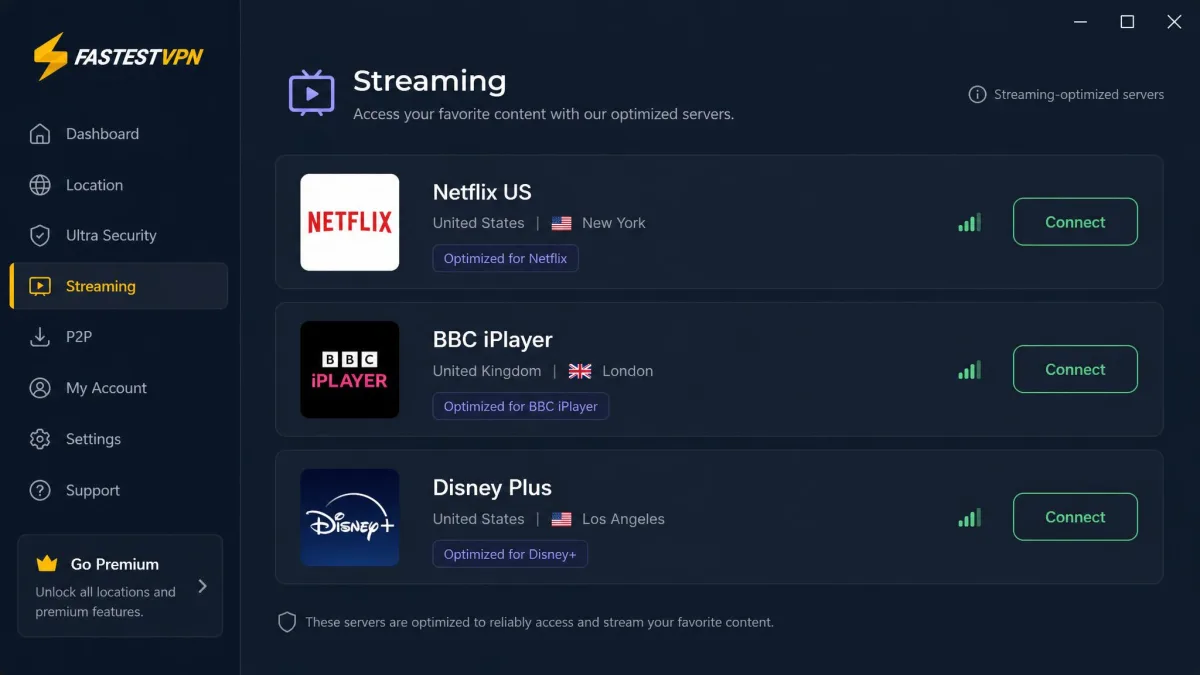
Streaming is where a cheap VPN often falls apart, and FastestVPN mostly holds together. In our testing it unblocked the major libraries we tried, including several Netflix regions, Disney+, Hulu, Amazon Prime Video, Max, and BBC iPlayer. The dedicated streaming tab genuinely helps here, steering you to servers that are more likely to work rather than leaving you to guess.
It is worth being concrete about what worked and what did not. US Netflix loaded reliably once we gave it that opening moment, and the UK library through BBC iPlayer came up cleanly, which is often the first thing a budget VPN gets wrong. Disney+ and Hulu played without fuss on their respective US servers, and Amazon Prime Video and Max both streamed once we were connected to a matching region. The catalogue that consistently defeated us was Australian Netflix, which stayed blocked no matter which nearby server we tried. That pattern, most of the big libraries open with one stubborn holdout, is exactly what you should expect at this price rather than a flawless clean sweep.
It is not flawless in the small details either. US Netflix sometimes took around 20 seconds to load after connecting, a pause long enough to notice but short enough to forgive. Once a stream did start, playback stayed smooth enough for 4K on servers with decent base speed, so the average performance did not translate into constant buffering, and we did not see the mid-episode quality drops that plague weaker services on distant servers.
The streaming tab is worth calling out again because it removes most of the trial and error. Instead of connecting to a general server and hoping, you pick the platform you want and the app routes you to a server chosen for it. That single feature turns streaming from a chore into something close to one-click, and it is a big reason FastestVPN punches above its price for cord-cutters.
For most people who want to watch their home catalogue while traveling, or reach a handful of foreign libraries, FastestVPN does the job. Power users chasing every regional library on every platform will hit more walls than they would with a top-tier service.
No VPN can promise permanent streaming access. Platforms actively block VPN IP addresses, so a server that unblocks a library today may be caught tomorrow. Treat streaming support as reliable-most-of-the-time rather than guaranteed.
Privacy and Security
Privacy is where FastestVPN quietly outperforms its price. The combination of strong encryption, a credible no-logs stance, and a favorable legal home means it takes the fundamentals seriously, and this is the area where we had the fewest complaints. You can read the specifics of what the company collects in FastestVPN's privacy policy.
Encryption and Protocols (WireGuard, OpenVPN)
FastestVPN protects your traffic with 256-bit AES encryption, the same standard used across the industry. On protocols, you get a modern lineup: WireGuard for the best balance of speed and security, OpenVPN over UDP and TCP for reliability and compatibility, and IKEv2/IPSec, which suits mobile devices that switch networks. An Auto option picks the best protocol for your connection if you would rather not choose.
WireGuard is the one most users should reach for, since it delivers noticeably better speeds than OpenVPN while keeping strong security. Having OpenVPN on hand is still useful for restrictive networks that block newer protocols, and IKEv2 is the smoother choice on a phone that hops between mobile data and Wi-Fi. The Auto setting is a fair default for anyone who does not want to think about it, though we preferred pinning WireGuard for the speed gain.
No-Logs Policy and Jurisdiction (Cayman Islands)
FastestVPN operates a no-logs policy, and importantly that claim has been independently audited by Altius IT rather than simply asserted. An external audit is the difference between a marketing line and a verified practice, and it puts FastestVPN ahead of many similarly priced rivals.
The company is based in the Cayman Islands, run by Fast Technology Limited. That jurisdiction sits outside the 5, 9, and 14 Eyes intelligence-sharing alliances and has no mandatory data-retention laws, which is genuinely good for privacy. It is one of the stronger reasons to trust the service with your traffic. For a service this cheap, having both an audit and a privacy-friendly home is unusual, and it is the main reason we rate its security highly despite the modest performance.
Kill Switch and Leak Protection
The security extras are present and correct. A kill switch cuts your internet if the VPN connection drops, so your real IP address never leaks during a reconnect. FastestVPN also includes DNS and WebRTC leak protection, and in our leak tests the service kept our real IP and DNS requests hidden across protocol switches and server changes. This is exactly the baseline you want, and FastestVPN clears it.
Torrenting and P2P
FastestVPN is friendly to torrenting. P2P traffic is allowed on all servers, so you will not have to hunt for a compatible location, and there are optimized torrenting servers in Finland, Germany, and Portugal for better performance. Combined with the kill switch and leak protection, that makes it a sensible pick for privacy-conscious downloading.
The one caveat is speed. Because throughput drops more on distant servers, choosing a nearby P2P-optimized location makes a real difference to your download times. For casual torrenting the setup is more than adequate, and the low price makes it an easy addition to a downloading toolkit. The kill switch matters most here: if the connection blips mid-download, it stops traffic instantly so your real IP is never exposed to the swarm.
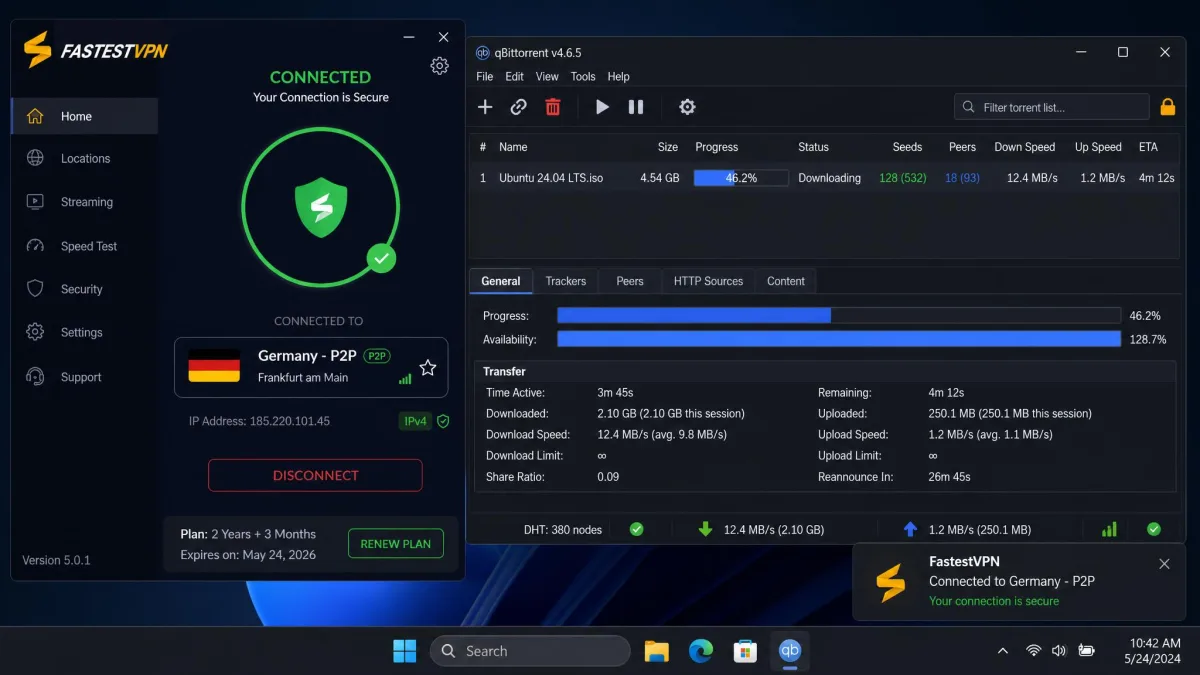
For the best torrenting speeds, connect to one of the optimized P2P servers closest to you rather than the nearest of the three by name. A shorter physical distance beats a dedicated label when it comes to throughput.
Customer Support
Support runs on 24/7 live chat, and in our testing the agents replied quickly. The answers tended to be brief and to the point, which is fine for a simple question but occasionally left us wanting more depth on a technical issue. When we asked a straightforward question about switching protocols, the reply came back within a minute and solved it. When we asked something more involved about manual router setup, the agent stayed fast but kept the answer thin, pointing us to a guide rather than walking us through the steps, so we ended up doing the legwork ourselves.
There is a knowledge base for self-service, though it varies in detail. For common setup questions the guides were enough to get us unstuck, and the desktop and mobile walkthroughs are clear and current. The thinner corners are the less common scenarios: manual configuration on a router or an unusual platform is where the articles ran out of depth and assumed knowledge a newcomer might not have, and that is precisely where we fell back on live chat to fill the gaps. If your needs are mainstream you will rarely need to open a ticket at all.
The friction point is refunds. Cancellation is not self-service; you have to request a refund through live chat rather than clicking a button in your account. When we pushed a real refund request, support pushed back before approving it. The first response tried to keep us on board with a counteroffer, and a second exchange questioned the reason before the request was finally accepted. The money did come through, but only after those couple of initial declines, and the full refund landed after about 16 days rather than instantly. We kept a record of every message and our original purchase date, which made the back-and-forth easier to hold the company to. That is worth knowing before you rely on the money-back guarantee as a no-questions safety net.
None of this is a dealbreaker, but it does temper the "risk-free trial" framing. Plan to be a little persistent if you decide the service is not for you. Keep your purchase details and dates handy, state your reason clearly, and do not be surprised if the first response tries to keep you on board. User sentiment overall is reasonably positive, and you can gauge the broader picture from FastestVPN's Trustpilot reviews.
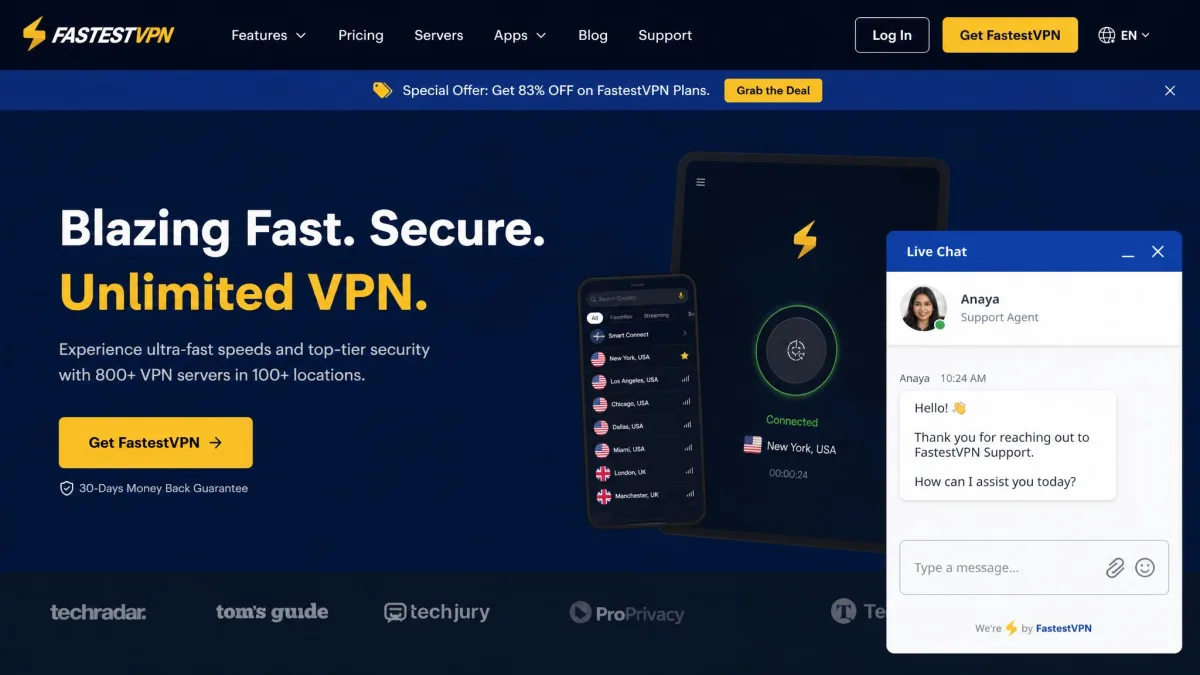
FastestVPN vs the Competition (alternatives)
Stacked against the premium field, FastestVPN wins on price and loses on scale. NordVPN and ExpressVPN offer far larger networks and slightly faster, more consistent speeds, while Surfshark matches the low pricing and adds unlimited device connections. What none of them offer is a one-time lifetime plan, which remains FastestVPN's unique hook.
| Product | Buy | Lowest price | Servers | No-logs audit | Simultaneous devices |
|---|---|---|---|---|---|
|
Check price → | $0.83/mo or $40 lifetime | 800+ | Altius IT | 10 |
 |
About $3 to $4/mo | 9,300+ | Deloitte (2026) | 10 | |
 |
About $8.32/mo | 9,200+ | KPMG (2025) | 8 | |
 |
About $1.99/mo | 3,200+ | Deloitte (2025) | Unlimited |
The comparison makes the tradeoff clear. NordVPN and ExpressVPN both carry recent independent audits, huge server counts, and speeds FastestVPN cannot match, but you pay for that every month, forever. Surfshark is the closest rival on value, undercutting even FastestVPN on the monthly rate while adding unlimited connections, yet it too runs on a subscription with no one-time option. FastestVPN's lifetime plan is the one feature that none of the bigger names will sell you.
If speed and server choice top your list, our ExpressVPN review and CyberGhost VPN review cover faster, larger networks. If price is the priority, our roundups of the best cheap VPNs and the best lifetime VPNs put FastestVPN in context against its closest rivals. For other budget-minded single-provider options, our Astrill VPN review and hide.me VPN review are worth a look.
Pros and Cons
FastestVPN's balance sheet is easy to read. The wins cluster around price and privacy; the compromises cluster around speed and a few missing conveniences.
Pros
- One-time lifetime plan that no major rival matches
- Very low long-term pricing, down to about $0.83 per month
- 256-bit AES encryption with an audited no-logs policy
- Privacy-friendly Cayman Islands jurisdiction, outside the Eyes alliances
- Unblocks most major streaming libraries, including Netflix and BBC iPlayer
- 10 simultaneous connections, with cheap add-ons for more
Cons
- Average speeds, with big drops on distant servers
- Small server network next to premium rivals
- Split tunneling missing on iOS and macOS
- No full native Linux app
- Refunds require live-chat requests and can meet resistance
Should You Use FastestVPN? (Final Verdict)
FastestVPN makes sense when you know what you are buying. It is a cheap, private, streaming-capable VPN that covers the fundamentals well and asks very little of your wallet, especially on the lifetime plan. The audited no-logs policy and Cayman Islands base give it real privacy credibility, and for casual browsing, streaming, and travel it does everything most people need.
It is not the right pick if raw speed or an enormous server list drives your decision. The average throughput and thin coverage in some regions are the price of that low price, and a couple of missing features, chiefly split tunneling on Apple devices, will frustrate power users. For everyone else, the value for money is hard to argue with.
To put it plainly, FastestVPN is a strong fit for students, travelers, and casual streamers who want private, affordable protection and are happy to keep connections regional. It is a weaker fit for remote workers on Apple hardware who rely on split tunneling, for anyone in a poorly covered region, and for gamers or heavy downloaders chasing the lowest possible latency. Match yourself to the right group and the verdict almost writes itself.
Our advice: buy on a shorter plan first, confirm the app runs cleanly on your device and reaches the libraries you care about, and only then commit to the lifetime deal. Used that way, FastestVPN is one of the strongest budget choices on the market. You can check current FastestVPN plans to see where the pricing sits today.