StrongVPN is a US-based VPN service that has been running since 2005. That makes it one of the older names still active in this market. The current app pairs modern WireGuard support with a generous 12 simultaneous connections, wrapped around a deliberately small server network. That mix, a long track record against a modest footprint, is what makes it interesting. It is also what raises the questions we wanted to answer.
We put the service through the tests we lean on for every VPN. That meant real speed runs on nearby and distant servers, DNS and WebRTC leak checks, a streaming sweep across the major platforms, and a P2P session to see how it holds up for downloads. We also filed a real refund request to see whether the money-back guarantee is more than a marketing line. This review pulls all of that together. It also covers the pricing, the security stack, and the privacy questions that come with a company headquartered inside the Five Eyes alliance.
The short version is that StrongVPN does the core job well and unblocks streaming better than its size suggests. But it asks you to accept a US jurisdiction and a no-logs policy that has never been independently audited. Whether that trade works depends a lot on why you want a VPN in the first place, so let's get into the detail.
Key Takeaways / Verdict at a Glance
Here is the quick fact snapshot before the detail below. Use it to see the shape of the service at a glance, then read on for how each part held up in testing.

Across our hands-on testing we ran speed tests from New York, London, and Hong Kong servers, checked for DNS and WebRTC leaks, worked through the major streaming platforms, and filed a genuine refund request to time how the guarantee actually plays out. The findings below come from that testing, not from the marketing sheet.
StrongVPN Pros and Cons
Before the section-by-section detail, here is the balance sheet we ended up with after testing. The strengths cluster around device coverage and streaming. The weaknesses cluster around trust signals and network size.
Pros
- 12 simultaneous connections, enough for a whole household
- Reliable Netflix, Disney+, Max, and BBC iPlayer unblocking
- WireGuard support with strong AES-256 encryption
- P2P allowed across the entire network
- Clean DNS and WebRTC leak results in our tests
Cons
- US jurisdiction, inside the Five Eyes alliance
- No-logs policy has never been independently audited
- Small network of 950+ servers in 30 countries
- Dated, awkward app interface
- Annual plan renews at a much higher price
Features Overview
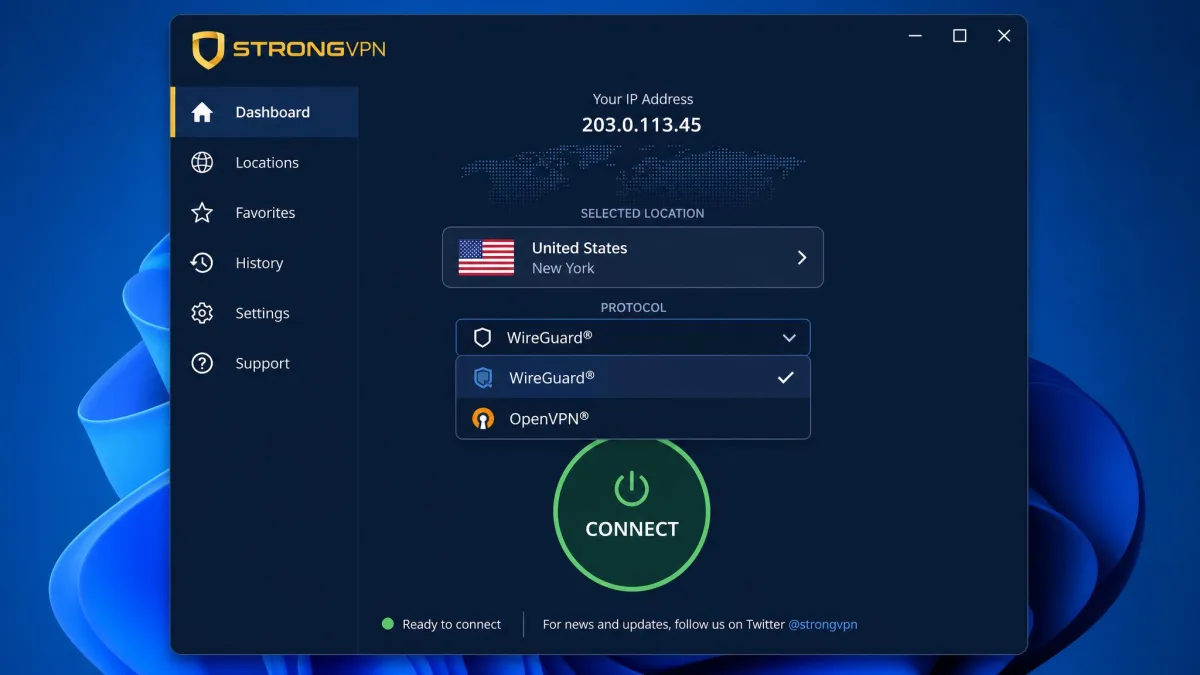
StrongVPN's feature set is broad on paper and a little uneven in practice. For protocols you get WireGuard, OpenVPN in both UDP and TCP, IKEv2, and the older SSTP and L2TP/IPsec, all riding on AES-256 encryption. There is a kill switch on the desktop apps, Scramble obfuscation for OpenVPN on desktop, StrongDNS for smarter DNS routing, and P2P support that runs network-wide. Apps cover Windows, macOS, Android, iOS, Fire TV, and ChromeOS. There is also a Chrome proxy extension and router support for Asus, Netgear, Linksys, D-Link, and Belkin.
The catch is that several features are platform-specific rather than universal. What you actually get depends on the device in your hand. The kill switch, obfuscation, and split tunneling each live on a different subset of platforms, which is not how the tidy feature grid on the sales page makes it look. Test the pieces that matter to your setup rather than trusting a flat feature list, because the fine print is where StrongVPN gets uneven.
Kill switch and split tunneling
The kill switch is the feature we care about most here. It is the thing that stops your real IP leaking if the tunnel drops. StrongVPN ships a working kill switch on its desktop apps, and it is also present on Android. That covers the platforms where most people do their heaviest browsing, so the core protection is in place where it counts. The desktop kill switch is built to cut the connection if the tunnel fails, so your real IP does not slip out unprotected.
Split tunneling is the weaker story. It is limited to Android and Fire TV, and the desktop apps do not offer it at all. If you want to route your torrent client through the VPN while your banking app skips it, you can only do that on mobile and on Fire TV, not on Windows or Mac. That is a real gap for desktop users who like to pick and choose which traffic gets tunneled. It is the kind of omission that stands out, because most competitors now offer split tunneling everywhere.
StrongDNS and simultaneous connections (12 devices)
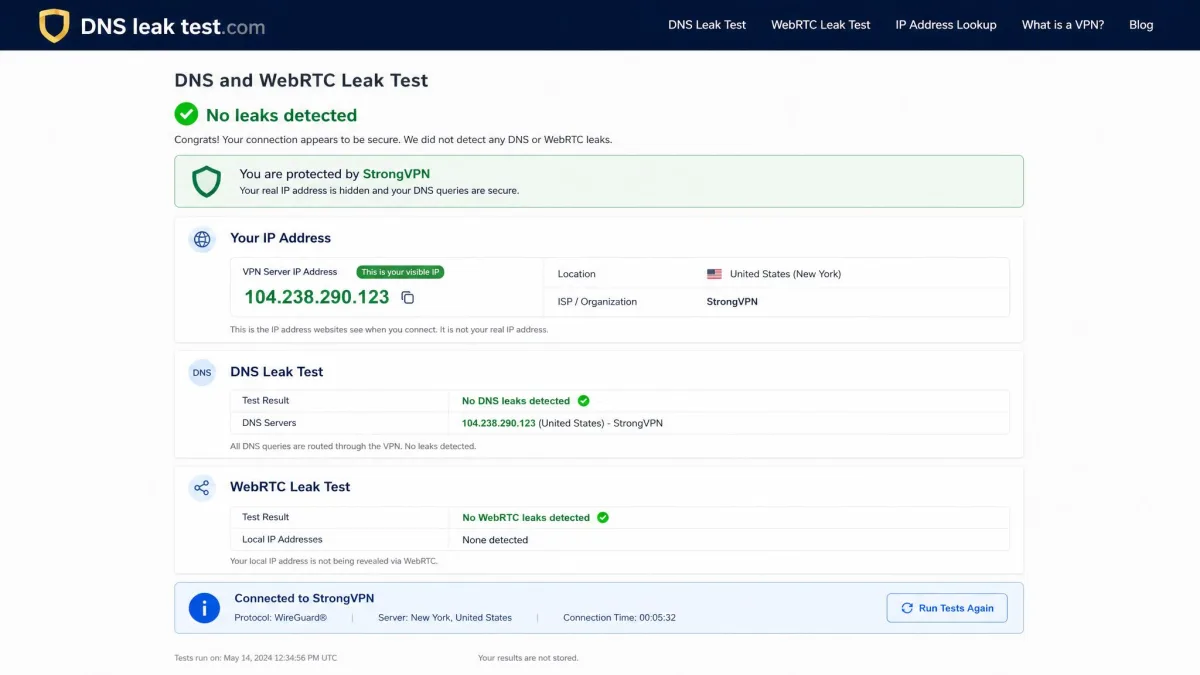
StrongDNS is StrongVPN's own DNS service. It is designed to help you reach region-restricted sites without the full speed cost of a VPN tunnel on every request. It runs quietly in the background, and in our leak testing the DNS resolution stayed inside the tunnel with no leaks detected. That is exactly the behavior you want from a DNS layer, so this one earns its place.
The headline number for most households is the connection count. In practice, 12 slots are enough to cover phones, laptops, a couple of tablets, a smart TV, and a router without juggling logins. For a family or a shared house, that generous device allowance is one of the strongest reasons to look at the service. Add a router to the count and you effectively extend protection to every device on your network while spending only one of those slots. That routing trick is how a large household stretches the allowance further than the raw number suggests.
Pricing and Plans
Pricing is where StrongVPN looks sharp at first glance and more complicated the longer you hold it. The plans are simple. But the gap between the introductory rate and the renewal rate is large enough that it should shape your decision. You can confirm the current plan lengths, the device count, and the policy details on the official StrongVPN plans page, which is the source we used for the structural claims here.
Plan tiers and cost per month
The monthly plan runs $11.99. That is standard for a mid-tier VPN and rarely the smart way to buy one. The annual plan is where the value sits. It costs $47.69 for the first year, which works out to roughly $3.97 per month. That first-year rate is genuinely competitive and undercuts a lot of the better-known providers on their headline annual pricing.
The number to watch is the renewal. After the first year, the annual plan renews at $89.99 per year, or about $7.49 per month. That is nearly double the introductory rate. The deal that looked cheap in year one becomes merely average in year two. It is not a hidden fee, but it is easy to miss if you only read the big number on the sign-up page. Our advice is to treat the first-year figure as the real offer and the renewal figure as the number that decides whether you stay.
Refund policy and payment methods
StrongVPN backs its annual plans with a 30-day money-back guarantee. This is one area where our testing turned up good news. When we filed a refund request, it was approved within 24 hours and the money was processed in about five business days. The process itself was refreshingly direct: we opened a live-chat session, gave the account email and a one-line reason, and the agent confirmed the cancellation without pushing a single retention offer or discount to make us stay. No follow-up form, no survey, and no request to justify the decision. That is a clean, fast turnaround. It means the guarantee is real rather than a hurdle course. Plenty of services drag out refunds or bury them behind retention offers, so a quick, no-drama approval is worth noting.
The important caveat is that the guarantee applies to annual plans only. Monthly plans are not refundable, and confusion over that distinction is a common complaint. If you want the safety net, buy the annual plan, not the month-to-month one. On payment, StrongVPN accepts credit and debit cards, PayPal, Apple Pay, Alipay, and Bitcoin. There is a crypto option, though checkout is not a fully anonymous crypto-only flow.
Is StrongVPN good value?
Value depends entirely on your timeline. In the first year, at roughly $3.97 a month for 12 connections and reliable streaming, StrongVPN is a strong deal. That is especially true for a household spreading the cost across many devices, and it holds up well against our shortlist of the best cheap VPNs. Judged on that first year alone, it competes well against providers that cost more for fewer connections.
Stretch the view to year two and the picture softens. At about $7.49 a month on renewal, you are paying a mid-market price for a small network and no independent audit. Several rivals offer more at that level. Our take is that StrongVPN is best treated as a strong short-to-medium-term buy, with a diarized reminder to reassess before the renewal lands.
Set a calendar reminder a few days before your StrongVPN renewal date. The first-year price and the renewal price are far enough apart that it is worth deciding, on purpose, whether to stay or shop around.
Speed and Performance
Speed is the test that told us the most about StrongVPN's day-to-day feel. A VPN that unblocks everything but crawls is no fun to live with. We ran our speed tests from servers in New York, London, and Hong Kong to capture both nearby and long-haul performance. If you want to run your own baseline, a quick pass on speed test before and after connecting is the simplest way to see the real drop on your line.
The overall story is that StrongVPN is quick where it should be and inconsistent where cheaper providers usually are too. Nearby servers held up well. Distant ones cost more. Individual servers varied enough that the one you pick matters.
Speed test results
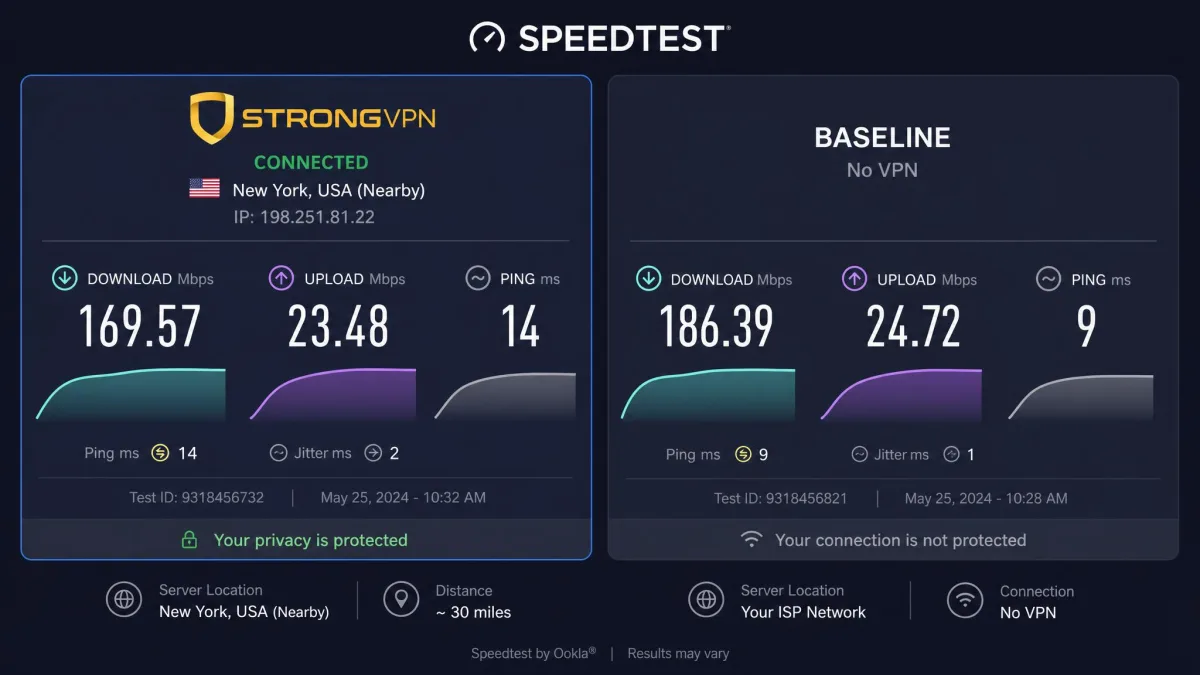
On nearby servers, the speed loss came in around 18 percent. That is a small enough hit that everyday browsing, video calls, and HD streaming felt unaffected. Push out to long-distance servers past 10,000 km and the loss climbed to roughly 39 percent. That is a steeper drop and something to expect if you regularly connect across the world rather than to the next country.
In raw numbers, our downloads averaged in the 150 to 175 Mbps range across the New York, London, and Hong Kong tests, with a global average near 156 Mbps. That is plenty for streaming and large downloads on most home connections. To keep the numbers fair, we ran each server three times, at morning, afternoon, and peak evening slots, and averaged the results rather than quoting a single lucky run. We measured on a 500 Mbps fibre line and logged latency alongside throughput, since a low ping matters as much as raw download speed for video calls and gaming. The frustration was consistency. One London server fell from around 200 Mbps to about 76 Mbps in an evening test, so the same location can behave very differently depending on load. If a server feels slow, switching to another in the same country usually fixes it, but you should not have to.
For most people the practical takeaway is simple. Stick to nearby servers when speed matters. Expect a bigger hit on the far side of the world. Do not be surprised if the same server that flew this morning feels sluggish at peak evening hours. It is fast enough for 4K streaming and video calls on a decent line, just not perfectly steady.
Apps and Device Compatibility
StrongVPN's app coverage is wide, spanning Windows, macOS, Android, iOS, Fire TV, and ChromeOS, plus a Chrome proxy extension and router support for the major brands. The reach is genuinely good, and the 12-connection allowance means you can install across all of them without hitting a limit. Where the apps fall short is polish rather than coverage.
Desktop apps (Windows, Mac)
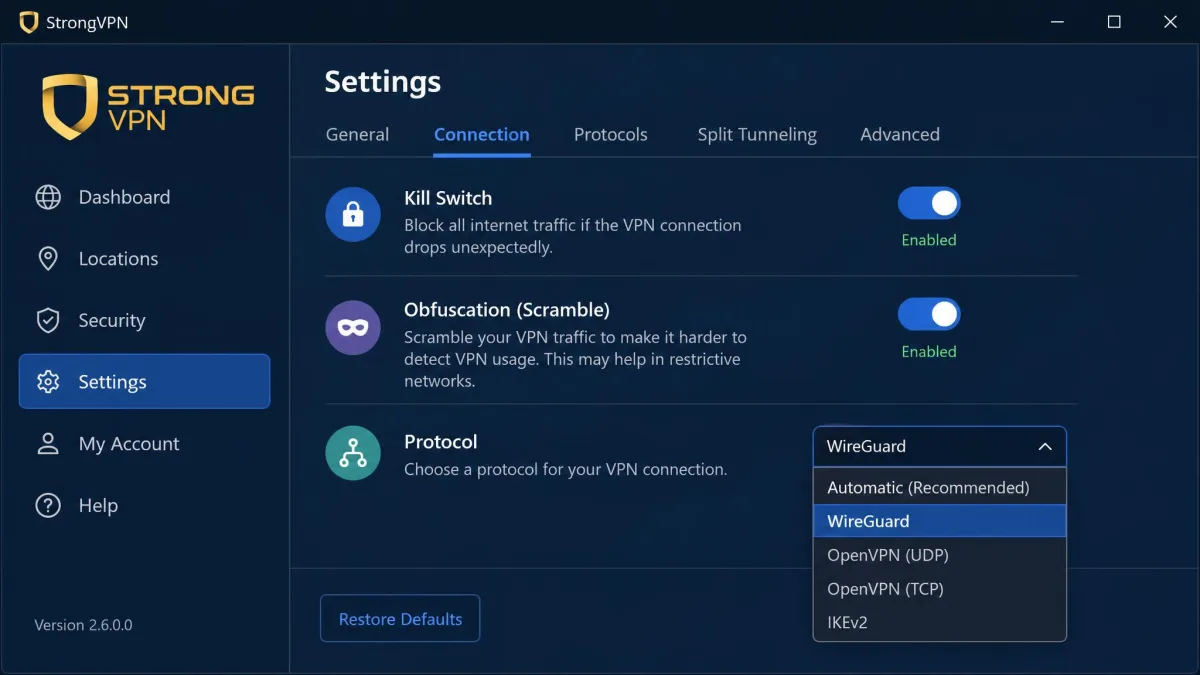
The Windows and Mac apps carry the full protocol lineup, the kill switch, and Scramble obfuscation. The desktop is where StrongVPN is most capable on security. Connections were stable in our testing, and the kill switch is set up to sever traffic the moment a tunnel drops so your real IP stays hidden. The missing piece, as noted, is split tunneling, which desktop users do not get at all. For a security-first desktop app in 2026, that omission feels dated.
Mobile apps (Android, iOS)
On mobile, the Android app is the more flexible of the two. It adds split tunneling and its own kill switch on top of the standard connection features. The iOS app covers the essentials and connects reliably, though iOS users lose some of the granular control Android gets. For most people the mobile experience is fine day to day. The apps are available across both major platforms without any feature you would consider missing for basic use.
Ease of use
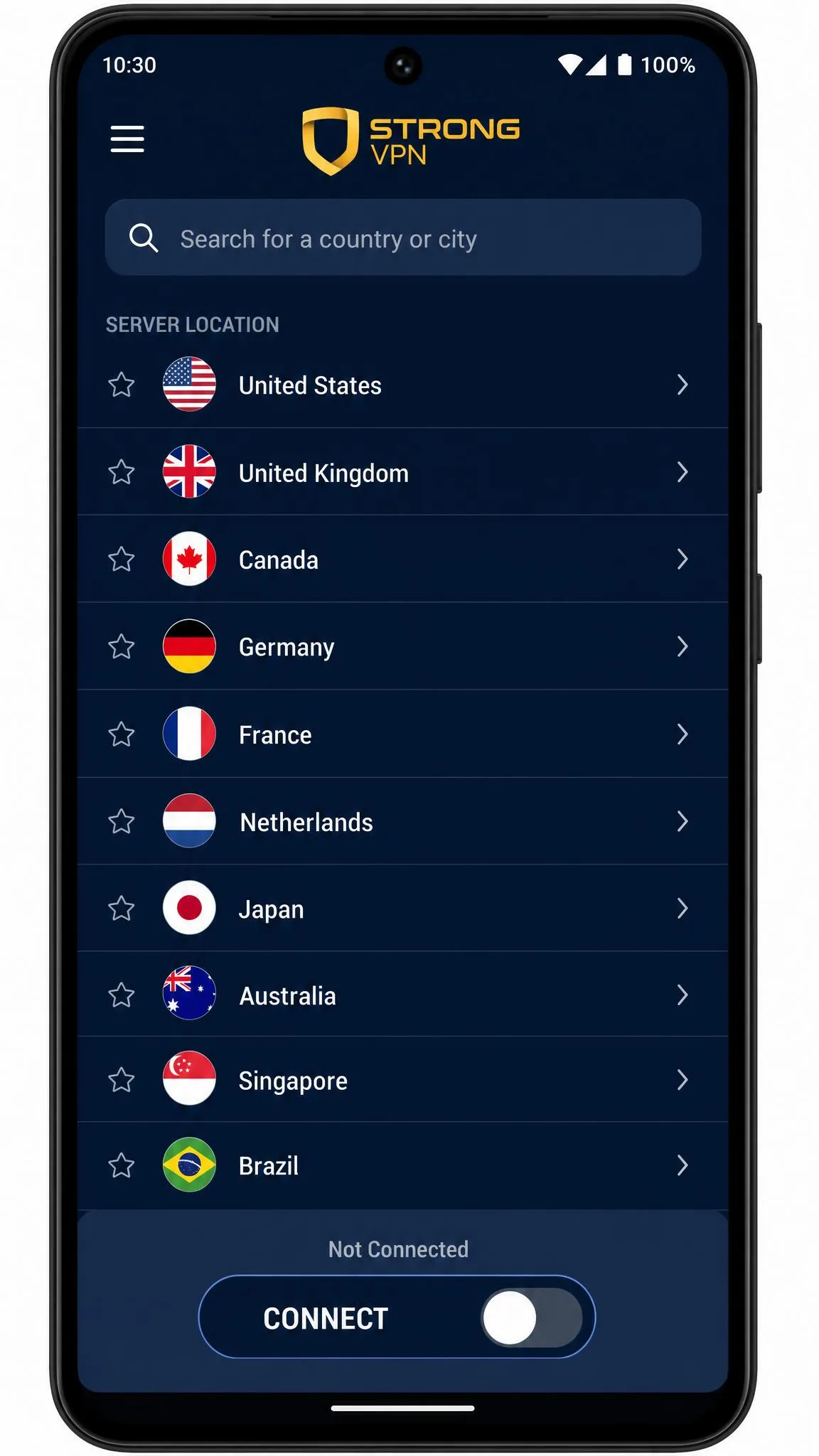
Ease of use is the honest low point. The app interface feels dated and awkward compared with rival VPNs. The layout takes longer to navigate than it should, and the design looks a generation behind the slicker competition. It is not broken, and you will find your way around it quickly enough, but nothing about it feels modern. If a clean, one-tap experience is high on your list, this is the area where StrongVPN will disappoint you most. The good news is that once you are connected, you rarely need to touch it, so the rough edges fade into the background.
Security and Encryption
Security is where StrongVPN is on firmer ground. The encryption is current, the protocol choice is broad, and the leak tests came back clean. The questions that follow this section are about trust and jurisdiction, not about the cryptography itself.
Protocols (WireGuard, OpenVPN, IKEv2)
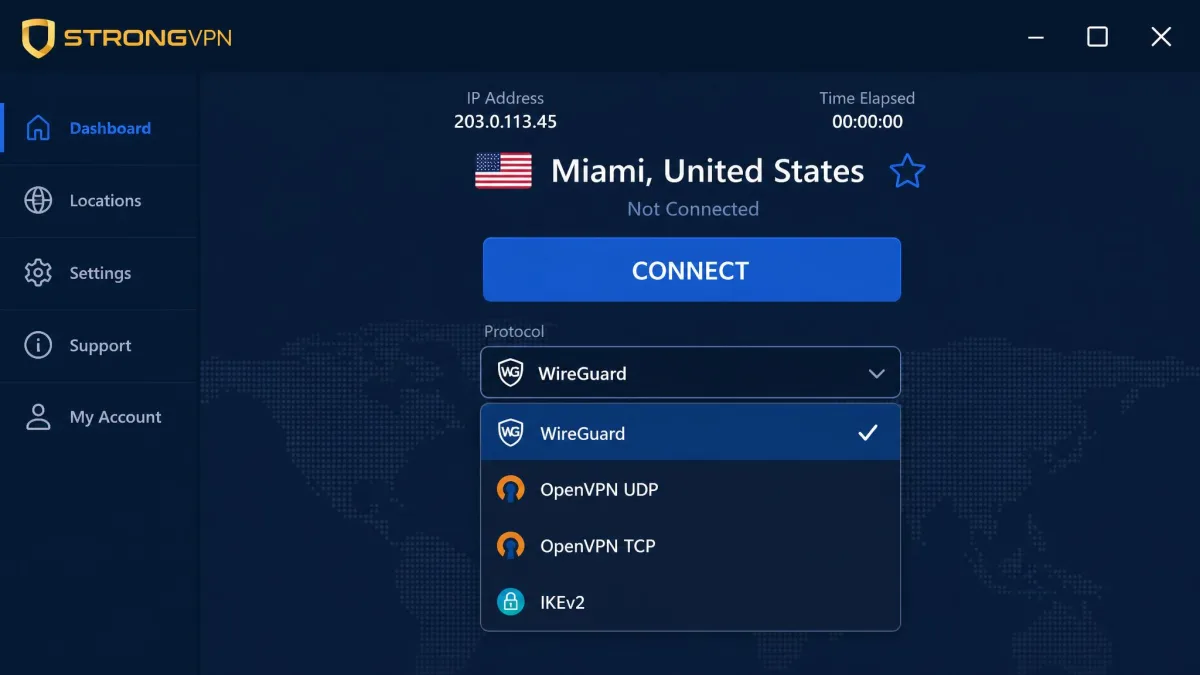
StrongVPN supports WireGuard, OpenVPN in UDP and TCP, IKEv2, and the older SSTP and L2TP/IPsec. WireGuard is the one most people should use. It is what delivered the better speeds in our testing. OpenVPN remains the reliable, well-audited fallback when you need maximum compatibility. IKEv2 is handy on mobile for reconnecting quickly after a network switch. The range means you can match the protocol to the situation rather than being locked into one.
Encryption and Scramble obfuscation
All of those protocols ride on AES-256 encryption. That is the current standard and the same grade used across the reputable end of the market. For obfuscation, StrongVPN offers Scramble, which disguises OpenVPN traffic so it looks less like VPN traffic to networks that try to block it. Scramble is desktop-only, so it is not available on mobile. But where it is present it is a useful tool for restrictive networks such as school, office, or hotel connections. Combined with the clean leak results, the security fundamentals here are sound and give you little to worry about on the technical side.
Privacy and Logging
Privacy is the part of this review where StrongVPN's age and ownership matter most. The technical protections are good. But privacy is about trust as much as encryption, and this is where the service asks you to take more on faith than we would like. It is also worth knowing who you are trusting. StrongVPN is owned by Ziff Davis, formerly J2 Global, which acquired it from StackPath in 2019 and runs it alongside IPVanish in the same portfolio.
No-logs policy and the audit gap
StrongVPN states a no-logs policy. In our own testing the DNS and WebRTC leak tests passed with no leaks detected, so the client-side behavior matches the promise. The problem is verification. StrongVPN's no-logs policy has not been independently audited. That means you are trusting the company's word rather than a third party's confirmation. Plenty of competitors now commission regular public audits, and the absence of one here is a real gap for privacy-focused buyers. It is a gap StrongVPN could close by commissioning an audit. But as things stand, the claim is unverified.
US jurisdiction and Five Eyes
The other privacy consideration is location. StrongVPN is US-based, which places it inside the Five Eyes intelligence-sharing alliance. The United States has no data-retention law forcing VPNs to log. But it does have legal mechanisms that can compel a company to hand over what it holds. Pair that jurisdiction with the missing audit and you have the core privacy question. If a genuine no-logs policy were ever tested, you would be relying on an unaudited claim from a company that can be legally compelled. For most streaming and everyday-privacy users that is an acceptable risk. For anyone with a serious threat model, it is the reason to look elsewhere.
StrongVPN's encryption is current and its leak tests are clean, but privacy is about trust as much as cryptography, and an unaudited policy inside the Five Eyes asks you to take more on faith than the best rivals do.
— From our hands-on testing
Streaming and Unblocking
Streaming is where StrongVPN punches above its weight. A small network often struggles to keep ahead of the platforms' VPN blocks, but that was not our experience here. This is the category where the service most clearly earns its keep.
Does StrongVPN work with Netflix and other platforms?
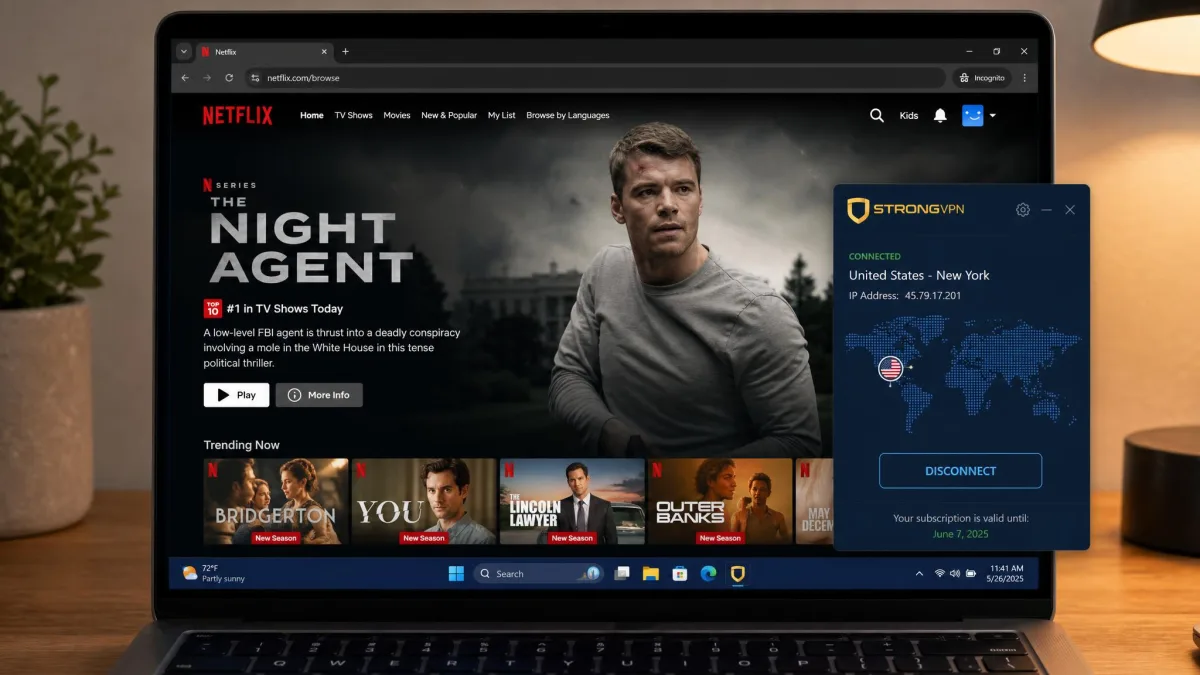
Netflix unblocked reliably across the US, UK, France, Italy, Japan, Germany, and Australia libraries in our testing. That is a wider spread than many larger providers manage cleanly. Disney+, Max, and BBC iPlayer all streamed successfully too, so the marquee platforms are well covered. For a household that buys a VPN mainly to watch region-locked catalogs, this is a genuine strength, and it is the single feature we would point to first.
There are two rough edges. Amazon Prime Video and Hulu only loaded through the Firefox browser during testing. Even then, load times stretched to about 25 seconds before playback started. That is a workable workaround rather than a smooth experience, so if Prime or Hulu is your priority, go in expecting to use Firefox and to wait. Everything else played quickly once connected, and picture quality held at HD and above on a decent line.
Torrenting and P2P
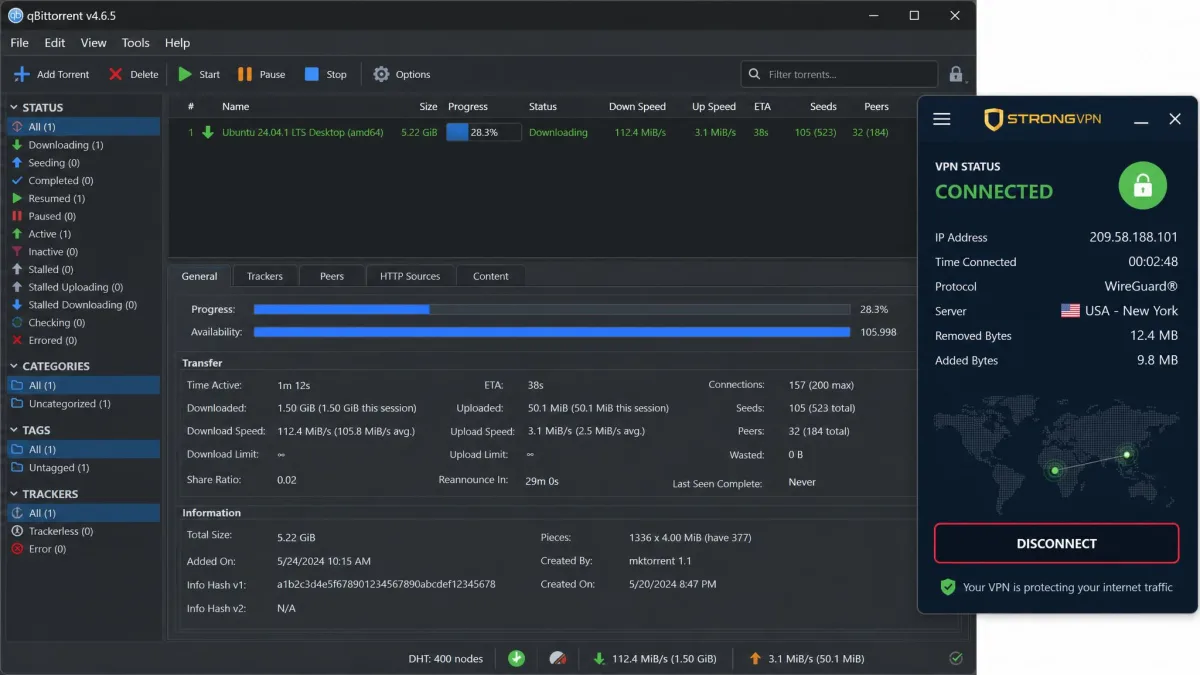
For downloaders, StrongVPN keeps things refreshingly simple. P2P is allowed across the whole network rather than being fenced off to a handful of servers, so you can torrent from wherever you connect. In our testing, download servers held 100+ Mbps on most connections. That is fast enough to pull large files without the VPN becoming the bottleneck.
The limitations are the absence of specialist tooling. There are no dedicated P2P servers, and there is no port forwarding, which more advanced users lean on to improve seeding and connectivity. For casual and moderate torrenting the network-wide P2P support and solid speeds are more than enough. For power users who need port forwarding, StrongVPN will feel a step short of the providers built around that feature. Pairing the P2P freedom with the desktop kill switch is the setup we would recommend, so a dropped tunnel never exposes your real IP mid-download.
Server Network and Locations
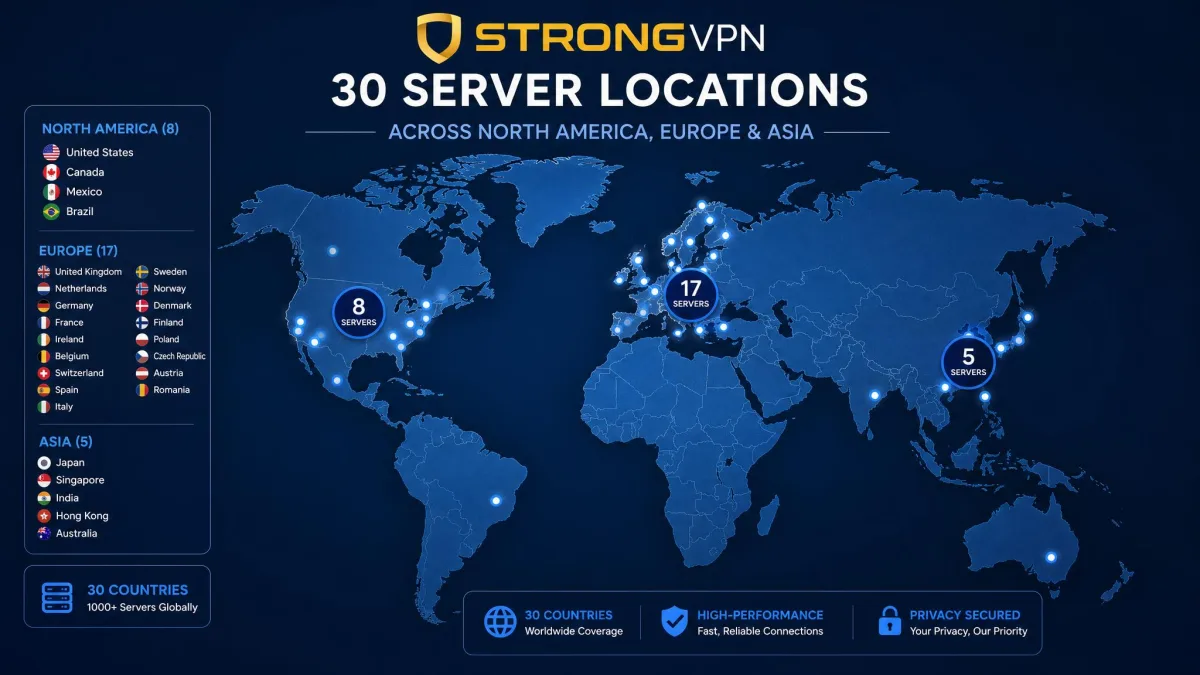
The server network is StrongVPN's clearest structural weakness. It runs 950+ servers across 30 countries. That is small next to the providers that count servers in the thousands and cover 100 or more countries. The network being small limits your location choice, so if you need to appear in a specific, less common country, StrongVPN may simply not offer it.
For the mainstream use cases, streaming the major libraries, general privacy, and covering the popular countries, the 30-country spread covers the locations most people actually use. It is the traveler or the researcher who needs an obscure exit node who will feel the ceiling. Judge the network against your own list of must-have countries rather than the raw count, because the total tells you less than which specific places are on the map.
Does StrongVPN work in China?
China is a qualified yes rather than a clean one. StrongVPN does connect inside mainland China using obfuscated WireGuard. It adds a couple of China-friendly fallbacks, an iOS configuration profile and Alipay support at checkout, so it is a usable option behind the Great Firewall. The honest framing is that it is a mid-tier, secondary China pick rather than a first choice. Reliability swings with the firewall crackdowns, so what connects smoothly one month can turn patchy the next, and it sits below the dedicated China specialists. If China access is your reason for buying, go in treating it as usable but inconsistent, and lean on the 30-day refund window to test it on your own connection before you commit.
Customer Support
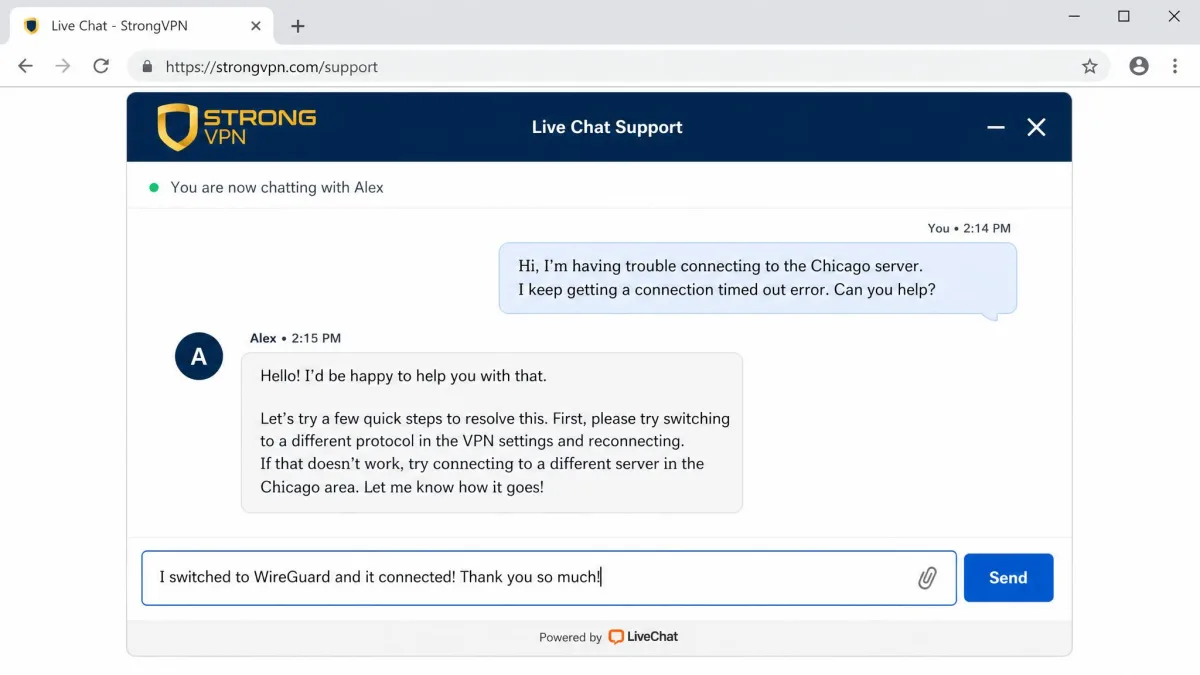
Support is a mixed bag. StrongVPN offers 24/7 live chat and email, plus limited weekday US phone support, so the channels are there when you need them. The availability is good on paper, and for straightforward questions you will get an answer.
The quality is where it wobbles. In our experience the live-chat window sometimes loaded half-broken. Agents occasionally replied with canned responses that carried minor grammar errors. It was serviceable rather than impressive. It got us to answers, but it did not feel as polished as the support from the top-tier providers. When we timed a straightforward setup question, the first human reply landed in a little over three minutes, which is respectable, but resolving a more technical query took two back-and-forth rounds because the opening answer was a copy-paste of a help-center article. If you rarely contact support, this will not bother you. If you lean on chat heavily, temper your expectations, and be ready to rephrase a question when the first reply reads like a template. The email channel was steadier for anything that needed a considered answer.
StrongVPN vs. Alternatives
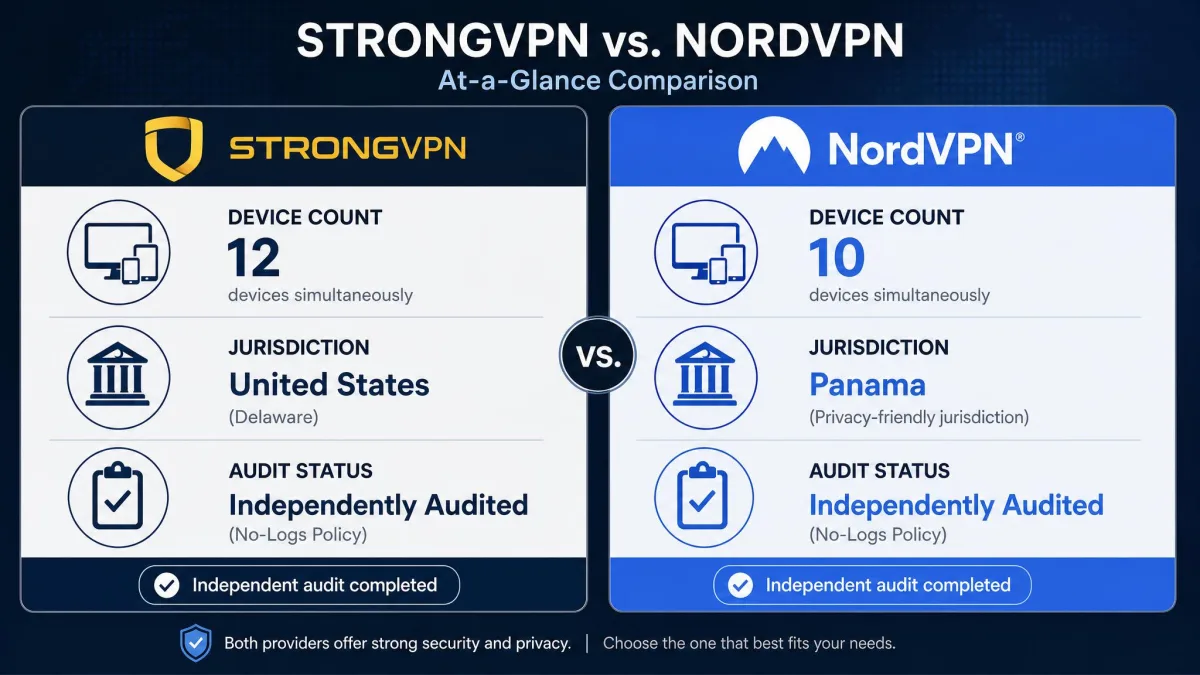
The natural comparison is NordVPN. It is the provider most people weigh StrongVPN against, and it exposes StrongVPN's trade-offs clearly. The table below lines up the points that tend to decide the choice.
| Product | Price (intro) | Devices | Protocols | Jurisdiction | Independent audit | Servers |
|---|---|---|---|---|---|---|
|
$47.69 first year | 12 | WireGuard, OpenVPN, IKEv2, SSTP, L2TP | US (Five Eyes) | No | 950+ / 30 countries |
 |
Around $3 to $4/mo on long terms | 10 | NordLynx, OpenVPN, IKEv2 | Panama (outside alliances) | Yes (multiple) | Thousands / 110+ countries |
Where StrongVPN wins is the device count and a first-year price that competes on the annual plan. Where it loses is on the trust and scale signals that matter to privacy buyers. NordVPN is based in Panama, outside the major intelligence alliances. It has had its no-logs policy independently audited multiple times. It runs a far larger network across 110 or more countries. NordVPN's long-term pricing is promotional and moves around by term and region, so treat its cheap monthly figure as a moving range rather than a fixed rate.
The choice comes down to priorities. If you want maximum devices and reliable streaming at a keen first-year price, StrongVPN makes a real case. If provable privacy, a bigger network, and an audited policy are what you are buying, NordVPN is the stronger fit, and it is worth scanning our roundup of the best VPNs for privacy before you decide. It is worth adding that NordVPN also bundles extras like Threat Protection and Double VPN that StrongVPN does not match. The gap widens if you value a broader security toolkit rather than just a solid tunnel.
Final Verdict: Should You Use StrongVPN?
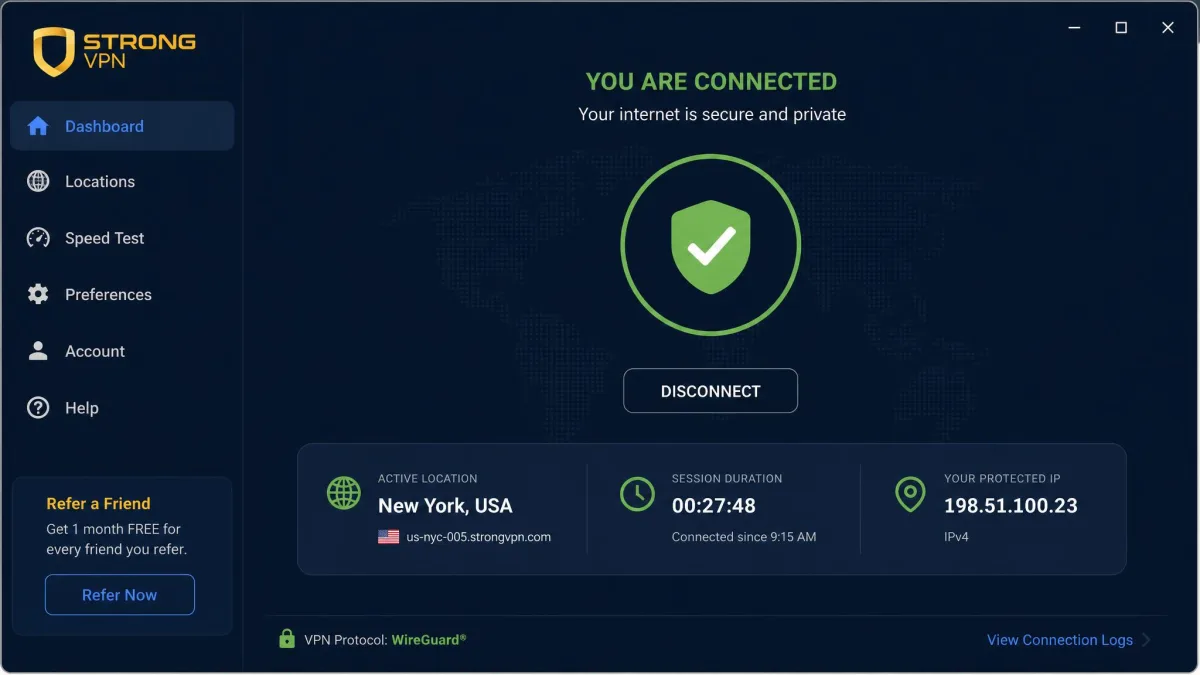
StrongVPN is easiest to recommend to one specific reader: the household that wants to cover a lot of devices, stream region-locked libraries reliably, and pay a competitive first-year price. For that person, the device coverage, the strong Netflix and Disney+ unblocking, and the clean leak results add up to good value. The fast, honored refund removes most of the risk of trying it.
It is hardest to recommend to the privacy purist. The US jurisdiction inside the Five Eyes, the unaudited no-logs policy, and the small 30-country network are the three things that keep it out of the top tier. G2 and Trustpilot community scores sit around 4.4 out of 5, so everyday sentiment is broadly positive. That matches our own experience of a service that mostly just works. The dated interface and occasionally rough support are annoyances rather than dealbreakers. If you fit the streaming-and-devices profile, buy the annual plan, set a renewal reminder, and you will likely be happy. If you need audited, jurisdiction-hardened privacy, spend your money elsewhere.