A GPS spoofer is a desktop or phone app that feeds your device a fake set of coordinates. Every app that reads your GPS location then believes you are somewhere else. MockGo vs LocaChange is the choice most people land on once they start shopping, and the two tools solve that same problem in noticeably different ways.
This comparison works through the three things that actually separate them. Those are price, the platforms each one runs on, and how reliably each one holds a connection to your phone.
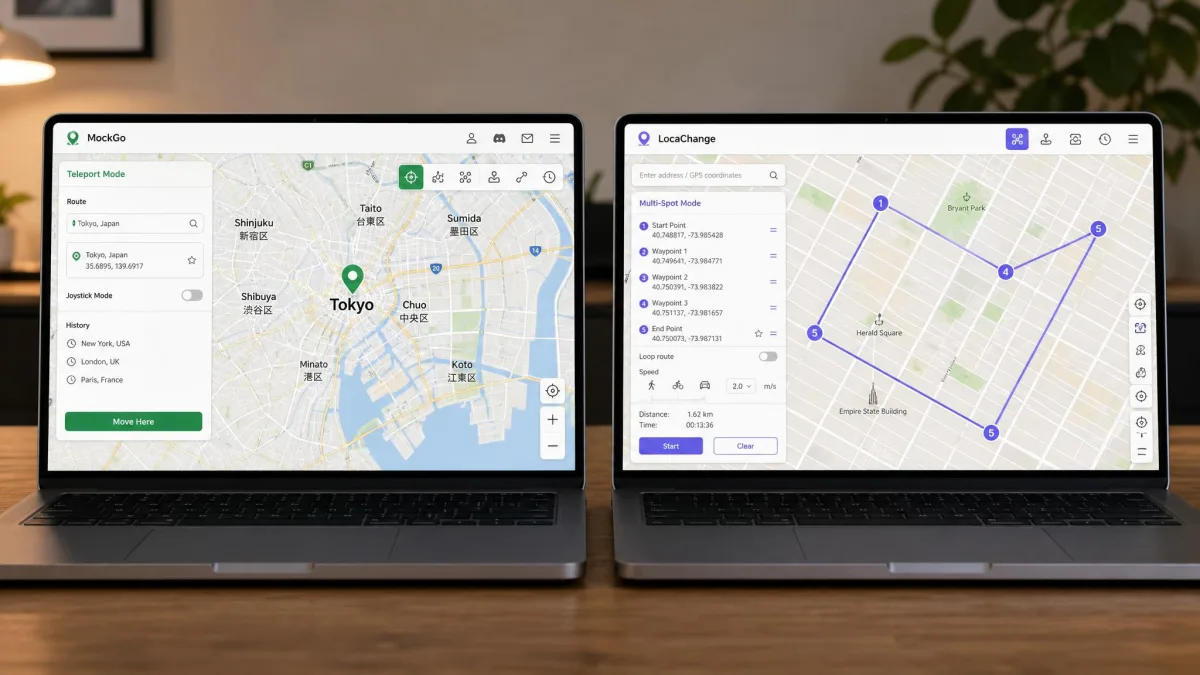
Both apps let you teleport in one click. Both give you a joystick for walking a route. Both simulate movement at an adjustable speed while your phone sits on the desk. The feature lists overlap heavily, so the decision lives in the details.
MockGo vs LocaChange at a Glance
MockGo is an iOS-only desktop app from Foneazy. LocaChange is a cross-platform tool. One LocaChange plan covers iPhone, Android, Windows and Mac.
We connected both apps to an iPhone over USB. We then worked through teleport, joystick and route modes on each. Setup with MockGo was short. You plug the phone into the computer and launch the app, and the device is recognised and dropped onto a Google Maps style interface. Spoofed coordinates were accepted cleanly by the apps on the phone. Transitions between points stayed smooth when we simulated movement. LocaChange got us to the same place. It needs its desktop client for the fullest control, though, and it sometimes failed to recognise the connected device until we restarted the session.
MockGo vs LocaChange: Side-by-Side Comparison Table
Here is the full specification picture before we get into how each tool behaves in use.
| Feature | MockGo | LocaChange |
|---|---|---|
| Supported platforms | Windows 11 to XP, macOS 10.12 to 15 | Windows 11 to 7, macOS 10.9 to 26, plus iOS and Android apps |
| iOS support | iOS 9 to iOS 26 | iOS 14 to iOS 27 beta |
| Android support | None | Android 8 to Android 17 |
| Jailbreak or root required | No | No |
| Teleport mode | Yes | Yes |
| Joystick | Yes, with keyboard control | Yes, 360-degree |
| Multi-spot and two-spot routes | Multi-stop routes | Two-spot and multi-spot |
| GPX import or export | Yes, GPX import | Yes, import and export on desktop, Android and iOS |
| Adjustable speed | 3.6 to 108 km/h | 3.6 to 120 km/h |
| Cooldown timer | Yes, in Teleport and Jump Teleport | Yes |
| Simultaneous devices | 5 devices plus 1 computer | 10 devices |
| Free trial | Yes, limited uses per mode | Yes, joystick capped at 15 minutes |
| Monthly price | $9.95 | $19.99 |
| Yearly price | $39.95 | $79.99 |
| Support | Email support with a 30-day money-back guarantee | Email and live chat with a 30-day money-back guarantee |
MockGo Overview
Foneazy MockGo is a tethered desktop app. It spoofs the GPS location of an iPhone, iPad or iPod touch. You install it on a Windows PC or a Mac, connect the device, and pick a spot on the map.
There is no Android client. There is no standalone phone app either. That is the single biggest limit on the tool, and it is worth knowing before you pay.
MockGo Key Features
Teleport mode drops your device anywhere on the map in one click. A cooldown countdown runs alongside it, and it exists to stop you moving faster than a real person could. The app can also auto-jump between saved points once that countdown clears. The countdown length changes with the distance of each jump, so the wait it imposes is not a fixed interval. A competing vendor claims the timer is not there at all.
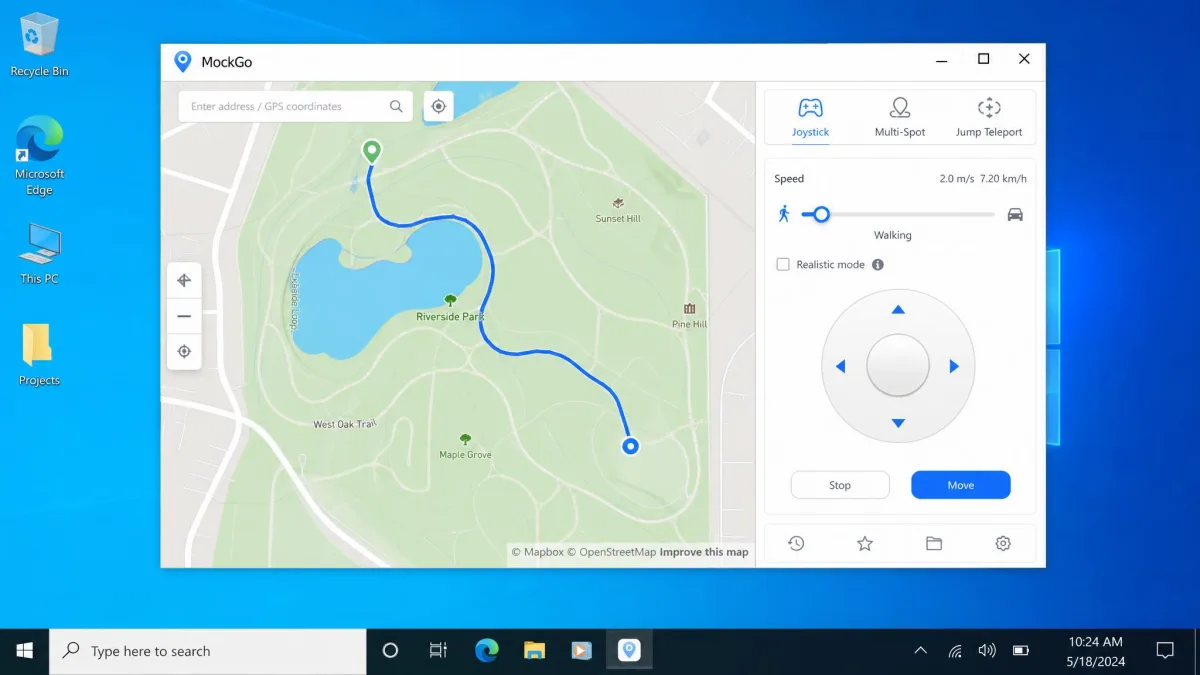
The GPS joystick gives you keyboard control for walking. Multi-stop route planning lets you set a chain of points and follow them automatically. MockGo also imports GPX files, so a route someone else recorded can be replayed on your device.
Movement speed is adjustable from 3.6 km/h up to 108 km/h. That covers walking, cycling and driving. A realistic mode randomises the movement pattern, so simulated walking does not look mechanically uniform on the map. Rounding it out are fluctuation mode, multi-device spoofing, a favourites list and location history. None of it needs a jailbreak.
MockGo Pros and Cons
Pros
- Cheapest of the two at every plan length, including a $59.95 lifetime licence
- Supports a very wide iOS range, from iOS 9 up to iOS 26
- GPX import for replaying recorded routes
- Realistic movement variance keeps simulated walking from looking uniform
- Runs on Windows versions as old as XP and on macOS 10.12 upward
Cons
- No Android support at all
- Needs a computer, so there is no phone-only workflow
- Getting your real GPS position back requires a reboot
- Occasional lag can show up during simulated movement
- Free trial allowances are tight and differ per mode
MockGo Pricing
MockGo costs $9.95 per month, down from a $14.95 list price. A three-month plan runs $19.95. The annual plan is $39.95, and a one-time lifetime licence is $59.95.
Every plan covers up to 5 devices plus one PC or Mac. All of them carry a 30-day money-back guarantee. Monthly and annual plans renew automatically until you cancel, and access continues to the end of the period you paid for. There is also a business tier at $59.95 per year covering 15 devices. That figure is discounted from a much higher list price and moves with promotions.

LocaChange Overview
Where MockGo narrows its focus to Apple hardware, LocaChange is the broader product. One plan covers Windows, Mac, iOS and Android, with no separate purchase per operating system. There are mobile builds as well as the desktop client. In practice the desktop client is still where the fullest control lives, so this is not a purely standalone phone app despite those mobile builds.
LocaChange Key Features
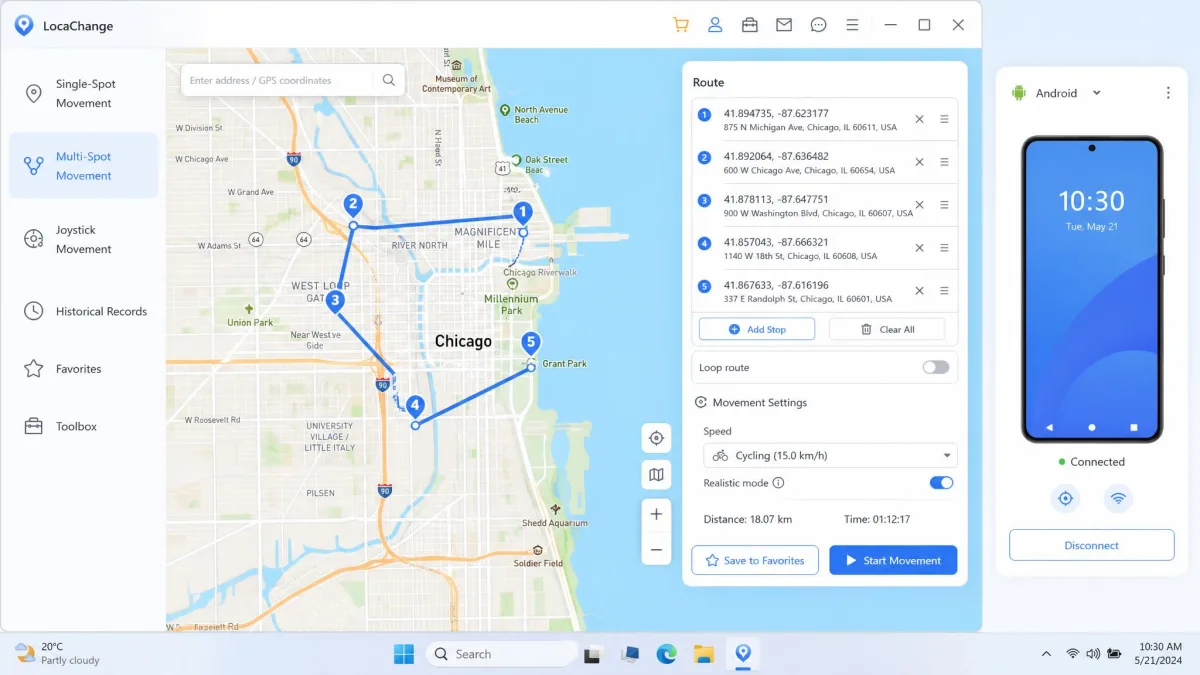
The movement set is close to MockGo's. You get teleport, Jump Teleport, a 360-degree joystick, two-spot routes and multi-spot routes. Speed is adjustable from 3.6 km/h to 120 km/h, slightly higher than MockGo's ceiling. A cooldown timer and a fluctuation mode for realistic movement are both built in. LocaChange then adds a Live Atlas map, a Pokemon information search, a favourites list and search history. Those extras are aimed squarely at game users.
LocaChange also handles GPX routes in both directions. The PC client has Import and Export icons for loading a GPX route onto the map and saving the current route back out, with batch export from the Manage menu. The Android app imports and exports GPX from its Favorite Routes list. The iOS app imports local GPX files and matches them to a movement pattern.
LocaChange Pros and Cons
Pros
- Covers iPhone, Android, Windows and Mac under a single plan
- Desktop licence stretches to 10 devices
- Highest speed ceiling of the two at 120 km/h
- GPX import and export on desktop, Android and iOS
- Live Atlas and Pokemon search built in for game users
Cons
- Roughly double MockGo's price at every tier
- Sometimes fails to recognise a connected device until the session restarts
- Route and snapshot features can glitch mid-run
- Cancelling and getting a refund processed can be slow and unclear
- Support quality is inconsistent, with some contacts waiting far longer than others
LocaChange Pricing
LocaChange costs $19.99 per month, $39.99 per quarter, $79.99 per year, or $119.99 for a lifetime licence. Like MockGo, it carries a 30-day money-back guarantee.
The desktop licence covers up to 10 devices. Note that the app tiers differ. The iOS app tier is limited to a single iPhone, while the Android app tier is sold without a device limit. The number you get depends on which build you buy.
Trustpilot's community rates locachange.com around 4 out of 5 across roughly 174 reviews. Praise concentrates on support and complaints concentrate on refunds. Published scores move as new reviews land, and figures quoted elsewhere disagree.
Movement Modes Compared: Teleport, Joystick, Two-Spot and Multi-Spot
Feature lists only get you so far, so here is how the four movement modes actually differ in use. Both apps cover the same four ways of faking movement. The differences are in the details.
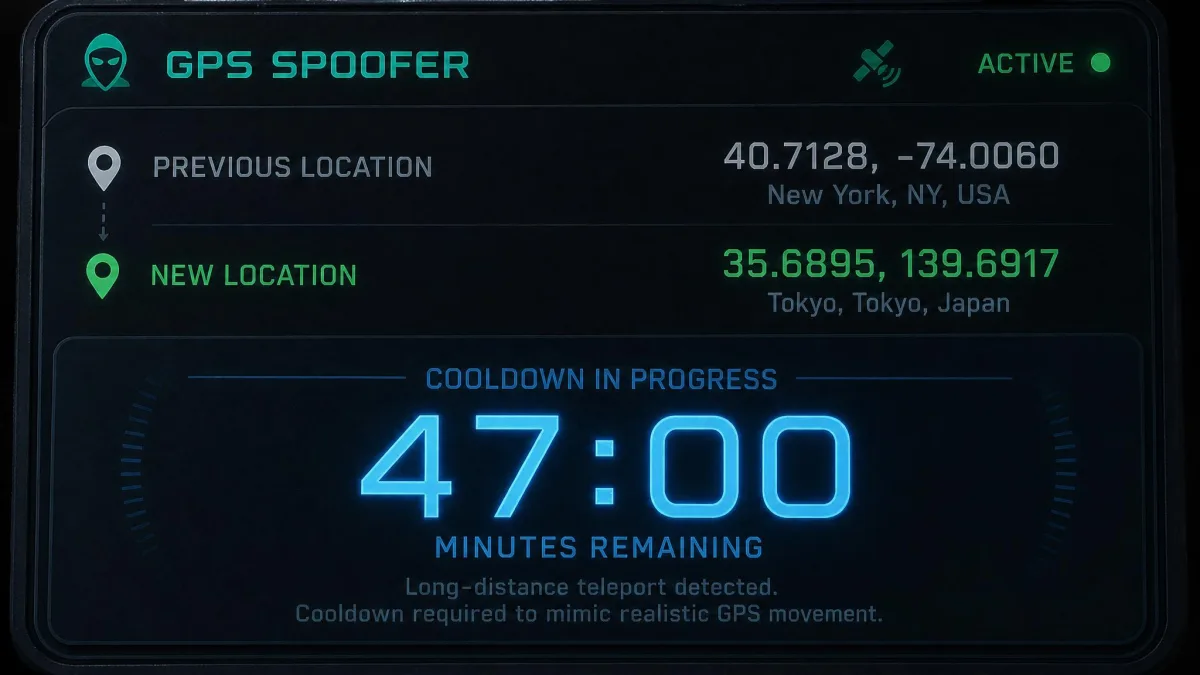
Teleport is the one-click jump. You search an address or click the map, confirm, and the device reports the new spot immediately. Jump Teleport is that same jump with a cooldown countdown attached. The app tells you how long to wait before your next hop looks plausible, and both tools include it.
The joystick is for walking. MockGo's version adds keyboard control, which is easier over long stretches. LocaChange's is a 360-degree pad you drag with the mouse. Routes are where the naming diverges. LocaChange splits them into two-spot routes, which run between a start and an end point, and multi-spot routes, which chain several stops. MockGo folds both into multi-stop route planning.
Speed is adjustable on both, from 3.6 km/h at the low end. MockGo tops out at 108 km/h and LocaChange at 120 km/h. That difference only matters if you are simulating motorway driving. Both also work with GPX files, so a route recorded elsewhere can be replayed. Only LocaChange writes routes back out to GPX as well as reading them in.
Set a walking speed that matches the terrain you are pretending to cross. A steady 60 km/h through a pedestrian plaza is the kind of movement data that stands out most.
Device and OS Compatibility (iPhone, Android, Windows, Mac)
Those movement differences matter less than what each app will actually run on. MockGo supports iOS 9 through iOS 26 on iPhone, iPad and iPod touch. The desktop app runs on Windows 11, 10, 8.1, 8, 7, Vista and XP, and on macOS 10.12 through macOS 15 Sequoia.
LocaChange supports iOS 14 up to the iOS 27 beta. It also supports Android 8 through Android 17. Its desktop client runs on Windows 11, 10, 8 and 7, and on macOS 10.9 through macOS 26.
Neither tool requires a jailbreak on iPhone, and LocaChange needs no root on Android. That matters, because jailbreaking is what historically made spoofing risky for the device itself. If you have an older Mac or a legacy Windows machine, MockGo reaches further back. If you have an Android phone, MockGo is not an option at all.
One caveat applies to both. Compatibility with a brand-new iOS or Android release can lag behind the OS launch. Upgrading your phone the week a major version ships may leave you waiting.
Ease of Use: How to Change Your GPS Location With Each App
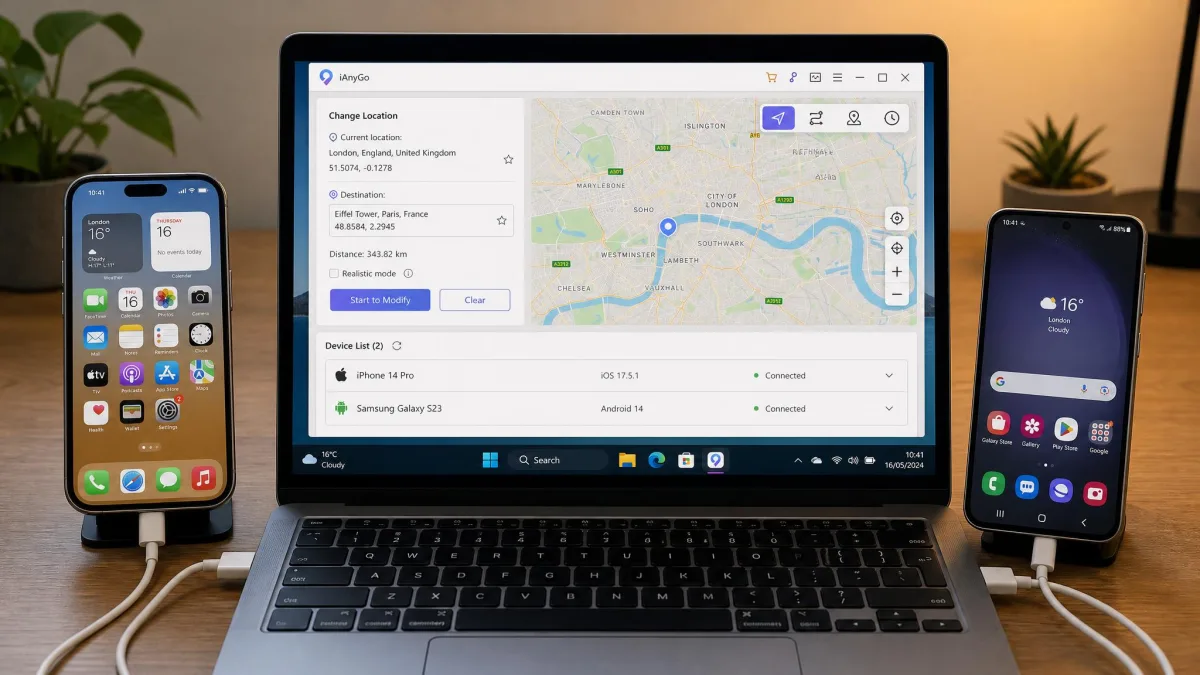
Supported versions are one thing, and the setup you sit through is another. Both apps follow the same shape. Install on the computer, connect the phone, trust the connection, pick a point, confirm. Neither asks you to touch a config file.
How to Use MockGo (Step by Step)
- Install MockGo on your Windows PC or Mac and open it.
- Connect your iPhone or iPad with a USB cable, then tap Trust on the phone when prompted.
- Wait for the device to appear on the map interface, which happens within a few seconds of connecting.
- Choose your mode: teleport for a single jump, joystick for walking, or multi-stop for a route.
- Search an address or click the map, set the speed if you are simulating movement, and confirm.
- To return to your real GPS location, close the app and reboot the phone.
The onscreen connection steps differ by iOS version. First-time setup on iOS 17 and newer takes more prompts than on older builds. Once you are through it, the flow is genuinely one-click. Coming back is the slower half. After a session the phone needs a reboot, and your true location can take several minutes to reappear.
How to Use LocaChange (Step by Step)
- Install the LocaChange desktop client and launch it.
- Connect your iPhone or Android phone by USB, or pair over Wi-Fi if you prefer.
- On Android, open Settings, tap About phone, then tap Build number seven times to unlock Developer options, and select LocaChange as the mock location provider. LocaChange's Android mock location setup walks through the same sequence, and it mirrors Android's mock location developer setting.
- Pick teleport, joystick, two-spot or multi-spot from the toolbar.
- Set your destination and speed, then start the simulation.
- Stop the session in the app to hand control back to the real GPS.
If the app does not see your phone, restart the session before you try anything else. That fixed it for us more than once.
Performance in Location-Based Games (Pokemon GO, Cooldown and Ban Risk)
Setup is easy on both, so the harder question is what happens once a game is watching. Location-based games are the reason most people buy either app. They are also where the rules are strictest.
The cooldown timer is the feature that matters, and both tools include one. MockGo's countdown sits in Teleport mode. It is built to keep your jumps inside the game's cooldown chart, with an auto-jump option that fires once the wait clears. That countdown scales with the distance of the jump, so it is not a fixed interval. One competing vendor claims MockGo has no timer at all. Our own use of the app matches the countdown Foneazy documents.
What keeps a session clean is respecting that wait before you touch the game again. Acting immediately after a long jump is what triggers a soft ban. A soft ban usually clears on its own within a few hours rather than needing any fix. No vendor, Niantic or independent source publishes a soft-ban rate for either app, so any percentage you see quoted is marketing rather than measurement.
Tethered desktop spoofing with the cooldown respected is the lower-risk approach. Modified game clients, the ones that patch the game itself, raise strike and ban risk considerably.
No spoofer can promise you will not be actioned. Niantic's terms of service prohibit falsifying location data, and enforcement is at the studio's discretion regardless of which app you use.
What Real Users Report
Experienced spoofers point to a specific habit that helps. Teleporting a long distance while the game is still open causes wild encounters to flee immediately. Closing the game before the jump, then reopening it after, avoids that behaviour entirely.
Reliability complaints cluster differently for each tool. MockGo draws occasional lag or stutter during simulated movement. LocaChange draws device-recognition failures, plus route and snapshot features glitching mid-run.
Other Use Cases: Dating Apps, Social Media and Geo-Restricted Content
Games are not the only reason to change your GPS location. Dating apps read location to build your match pool. Setting a different city ahead of a trip lets you see who is there before you land. Social media platforms tag posts and surface local content by GPS, so a spoofed position changes what you are shown. Some users also set a fake location purely for privacy, to keep a real home address out of app telemetry.
Geo-restricted content is the weakest case of the three. Many streaming services check your IP address rather than GPS, so a location changer alone will not unlock a regional catalogue. Both apps handle all of these identically. The spoof happens at the device level, and every app that reads GPS gets the same fake data. Your choice here comes down to platform and price, not features.
Safety, Detection and Legality of GPS Spoofing
Those use cases all raise the same underlying question, which is how safe any of this is. Neither tool needs a jailbreak or root, which removes the largest technical risk. Your device stays on stock software and keeps receiving updates.
Detection is a different question. Apps can compare GPS data against Wi-Fi networks, cell towers and IP addresses. A mismatch between those signals is what usually gives a spoofed location away. Apple's location services documentation describes how iOS combines those sources.
Spoofing your own device is not itself illegal in most places. What can create liability is what you do with it. Breaking a platform's terms of service, misrepresenting your location in a transaction, or using a fake location to deceive someone all carry consequences. Read the terms of any service you plan to spoof against. Terms-of-service breaches are handled by account penalties rather than courts, and losing a long-running account still stings.
Pricing and Value: Which Costs Less Over a Year
Over twelve months the gap is not close. MockGo's annual plan is $39.95 and LocaChange's is $79.99, so LocaChange costs almost exactly double. Month to month, MockGo is $9.95 against LocaChange's $19.99. On lifetime licences it is $59.95 against $119.99, which means MockGo's lifetime option costs less than one year of LocaChange.
Device counts partly justify that gap. LocaChange covers up to 10 devices where MockGo covers 5 plus one computer, and LocaChange's single plan spans Android as well.
Both give you 30 days to change your mind. Cancelling LocaChange and getting the refund processed can be slow and unclear, so start that request early rather than on day 29. Both also offer a free trial, and each is usage-limited rather than day-limited. MockGo's trial allows one-stop and multi-stop modes once, and teleport and joystick three times each. LocaChange caps joystick mode at 15 minutes, with most other modes limited to a single use. Those allowances differ per mode and per build, so what you get varies by version.
Alternatives Worth Considering
If neither app fits, several others cover the same ground. Dr.Fone Virtual Location is the best-known cross-platform option, and it bundles location changing into a wider phone toolkit. iAnyGo and iMyFone AnyTo are both closer in shape to MockGo. Each is a desktop client with an iOS focus, teleport and joystick modes.
Our roundups of the best GPS spoofing apps and the best location spoofers for Android go deeper on the wider field.
MockGo vs LocaChange: Which Should You Choose?
Beyond the spec sheet, two habits decide how happy you will be with either purchase.
The first is cooldown discipline. If you are buying for Pokemon GO, the wait you observe between jumps matters more than the badge on the app. Neither timer protects an account that ignores it.
The second is tolerance for a fiddly connection. LocaChange asked us to restart the session more than once before it would see a connected phone. If that would irritate you every time, the tethered simplicity of the cheaper tool is worth weighing.
Whichever you land on, budget a few minutes at the end of each session to get your real position back. On an iPhone that means a reboot, and the true location can take several minutes to settle. Our full MockGo review covers that tool in more depth if you want the long version.