If your phone's GPS position is the only thing standing between you and a game, an app, or a family tracker, a location changer is the fix. Pokémon GO, dating apps, and location-sharing services all read the same position your phone reports.
Tenorshare iAnyGo and LocaChange are the two names that come up most when people want to spoof an iPhone or Android phone without jailbreaking. We ran both on a test iPhone and a Windows machine and checked what other apps saw.
LocaChange came out ahead. It is easier to set up, and the faked position held everywhere we tested it. iAnyGo matches it on features and undercuts it on price, but setup friction cost it the win.
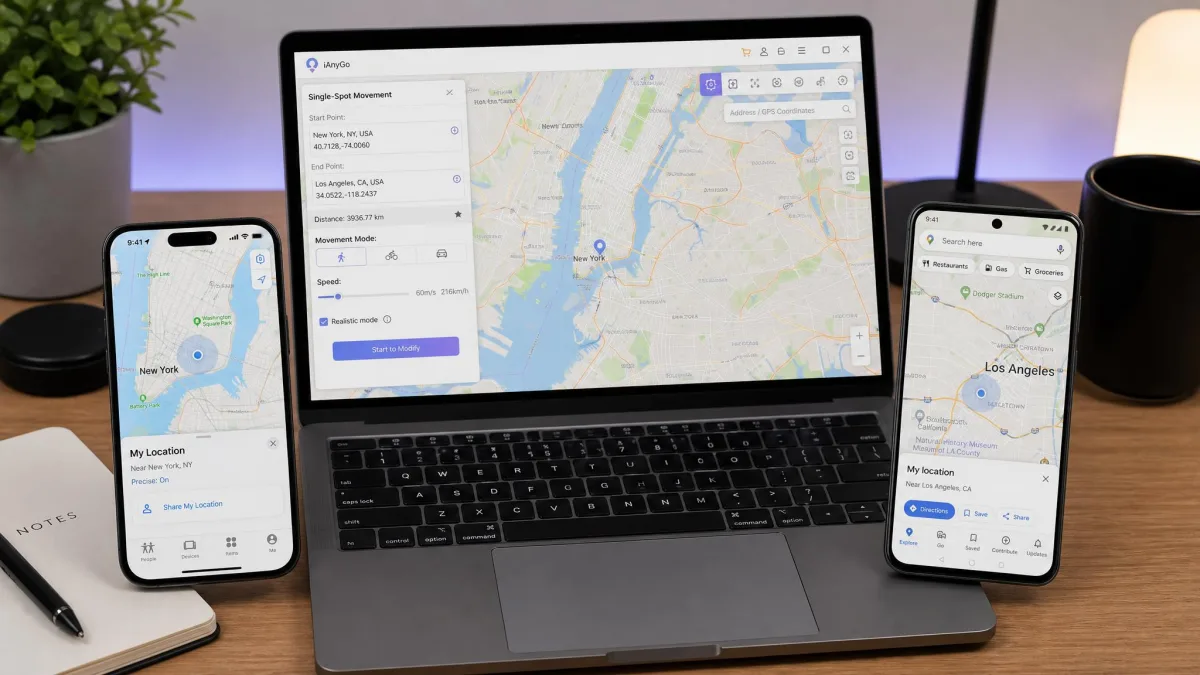
iAnyGo vs LocaChange: At a Glance
Here is how the two stack up. The ratings weight setup ease, spoof reliability, and value.
Quick Comparison Table
| Product | Buy | Price | Free trial | Teleport | Joystick | Multi-spot | Cooldown timer | Pokémon GO features | No-jailbreak | Max speed | Devices | Platforms | Support |
|---|---|---|---|---|---|---|---|---|---|---|---|---|---|
 |
Check price → | From $19.99/month | 1 use per mode, 15-min joystick | Yes | 360-degree | Yes | Yes | PoGo Search, PoGo Atlas, 50+ games | Yes | 120 km/h | Up to 10 (PC); 1 iPhone app-only | Windows, macOS, iOS, Android | 24/7, 48-hour replies |
 |
Check price | From $12.95/month (sale) | Limited, unlisted | Yes | 360-degree + keyboard | Yes | Yes | Auto-catch, PokéStop route generator, Bluetooth Game Mode | Yes | 108 km/h | 5 or 15 iOS + unlimited Android | Windows, macOS, iOS, Android | 24-hour weekday replies |
What Is LocaChange? Features, Pricing, and Verdict
Of the two, LocaChange is the one built around system-wide reliability. First-time setup took us under a minute: plug in over USB, allow Developer Mode, follow the steps. The phone then connects over Wi-Fi, no cable needed.
Teleports applied instantly, and when we moved to a new city, Apple Maps and Instagram location tags updated immediately. Life360, Find My, and Tinder all picked up the faked position.
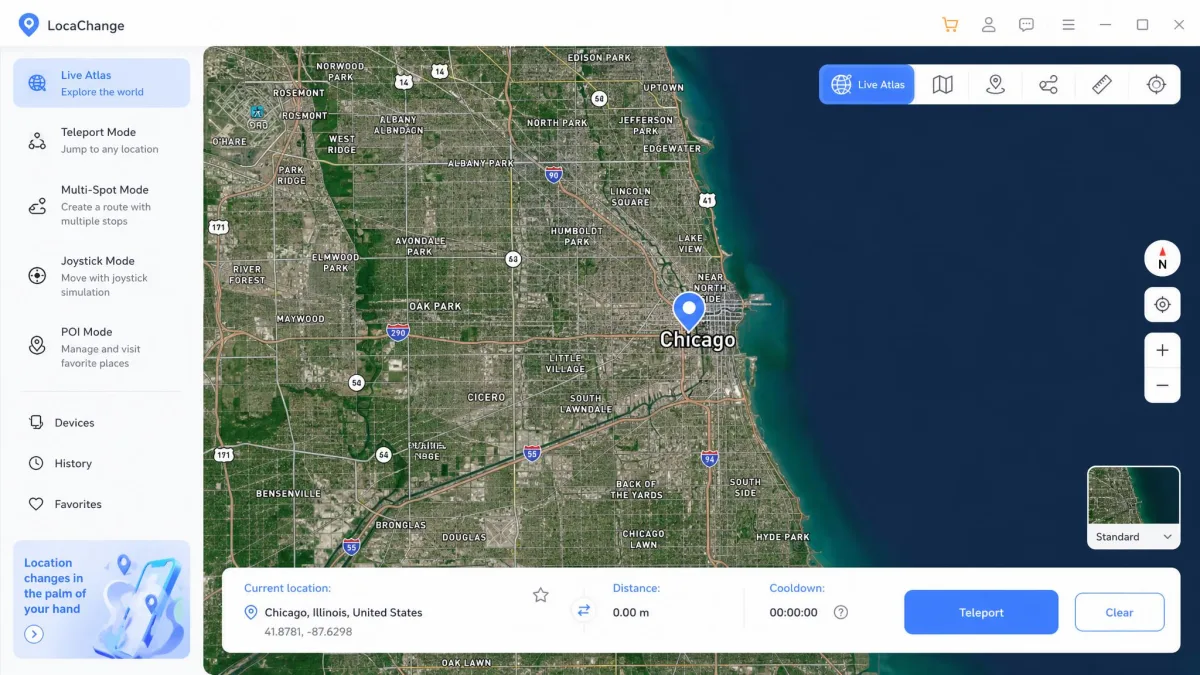
LocaChange Key Features
The feature set is generous:
- Teleport, Jump Teleport, and a 360-degree joystick
- Two-spot and multi-spot routes with adjustable speed from 3.6 to 120 km/h
- Fluctuation Mode, auto-walk, custom routes, and an AI anti-detection engine
- Pokémon Information Search, PoGo Atlas, and Game Mode for 50+ games
- Works with 7,635 location apps, Life360 and Find My included
LocaChange Pricing and Free Trial
LocaChange sells four plans: 1-month at $19.99, 1-quarter at $39.99, 1-year at $79.99, and lifetime at $119.99. One license covers every platform. The PC tier covers unlimited PCs and Macs plus up to 10 iOS or Android devices. The iOS app covers one iPhone and works with no PC. The free Android app is included.
The free version gives each mode once: one teleport, one jump teleport, one two-spot, one multi-spot, and 15 minutes of joystick. Any paid plan unlocks everything. Purchases carry a 30-day money-back guarantee, and subscriptions cancel anytime.
LocaChange Pros and Cons
Pros
- Fast first-time setup, then wireless connections
- Instant teleports with no reboot required
- System-wide spoofing verified in Life360, Find My, and Tinder
- Free version lets you test each mode before paying
Cons
- Pricier than iAnyGo on every tier
- Roughly 1.8/5 on Google Play before the app was removed
- Young company with a disputed founding date
For most people, it is the easier tool to live with.
What Is Tenorshare iAnyGo? Features, Pricing, and Verdict
Where LocaChange optimizes for system-wide reliability, Tenorshare iAnyGo optimizes for game tooling. It launched in 2020 from Tenorshare, founded in 2007.
The setup story is rougher. When we set up iAnyGo on the same test iPhone, Developer Mode was mandatory, and once enabled it cannot be turned off without a factory reset. The spoofed position also stays active until you restart the phone, and restoring the real location takes a separate in-app step.
iAnyGo Key Features
The tool list is deep:
- Teleport in three clicks and a 360-degree joystick with keyboard input
- Single-spot and multi-spot routes with pause and resume
- GPX import and export with saved favorite routes
- Auto-Catch Pokémon, a PokéStop route generator, and an IV calculator
iAnyGo Pricing and Free Trial
Sale pricing starts at $12.95 per month for one PC and five iOS devices, or $19.95 for 15. Quarterly, annual, and lifetime tiers run $22.95/$39.95, $42.95/$59.95, and $95.95. Lifetime is marked most popular. Two-PC plans start at $18.95 per month. List prices run up to $159.95.
Tenorshare publishes no exact free-trial limits. The figure most often cited is roughly one location change per day with movement tools locked. The 30-day money-back guarantee applies, and timed plans auto-renew unless you cancel.
iAnyGo Pros and Cons
Pros
- Cheaper than LocaChange on every tier
- Deepest Pokémon GO tooling of the two
- 4.8/5 Trustpilot score
- Unlimited Android devices on every plan
Cons
- Developer Mode is mandatory on iOS and permanent until a factory reset
- Map view fixed at 1020 by 640 pixels
- Licenses tied to the original PC and non-transferable
- Refund requests can stall in support loops
Its game toolkit is the strongest of the two, and the price makes it the value pick.
iAnyGo vs LocaChange: Head-to-Head Comparison
Ease of Use and Interface
LocaChange has the more user-friendly interface. Its joystick answers in real time, and the map is easy to browse.
iAnyGo's map is fixed at 1020 by 640 pixels, which makes browsing awkward. Switching between its movement modes is not smooth, and the walking speed is fixed, the kind of abrupt change detection systems notice.
Movement Modes and Feature Set
Both cover the core modes: teleport, a 360-degree joystick, two-spot and multi-spot routes, and adjustable speed. LocaChange adds Fluctuation Mode for route simulation. iAnyGo counters with GPX import, saved routes, pause and resume, and Coordinate Oscillation Mode. Its joystick presets cap at 72 km/h, while custom speeds stretch to around 108 km/h, the ceiling Geekflare's roundup of iOS location changer apps records. LocaChange's speed range is wider.
Device Compatibility: iPhone, Android, and PC
Both run on Windows, macOS, iOS, and Android, and neither needs a jailbreak or root. LocaChange's tech-requirements page lists iOS 14 through the iOS 27 beta and Android 8 through 17, while its FAQ lists slightly older versions. iAnyGo's Android client supports 6,000+ models; Bluetooth Game Mode needs a second Android device, and the primary Android connection runs over USB to a PC.
Safety, Security, and No-Jailbreak
Neither tool touches the iOS jailbreak or Android root. LocaChange claims an AI-powered anti-detection engine. iAnyGo claims no third-party apps and no jailbreak, which it says avoids account suspension.
The honest caveat: no spoofer is risk-free on apps that police location, Life360 and Pokémon GO included. Niantic's strike ladder runs warning, temporary suspension, then permanent ban. One wrinkle: after iOS 18 and iOS 26 updates, iAnyGo's spoofed position can snap back to the real location. Tenorshare's fix chains NextDNS blocklists, Game Mode, and an IPlocate check.
Pokémon GO and Location-Based Gaming
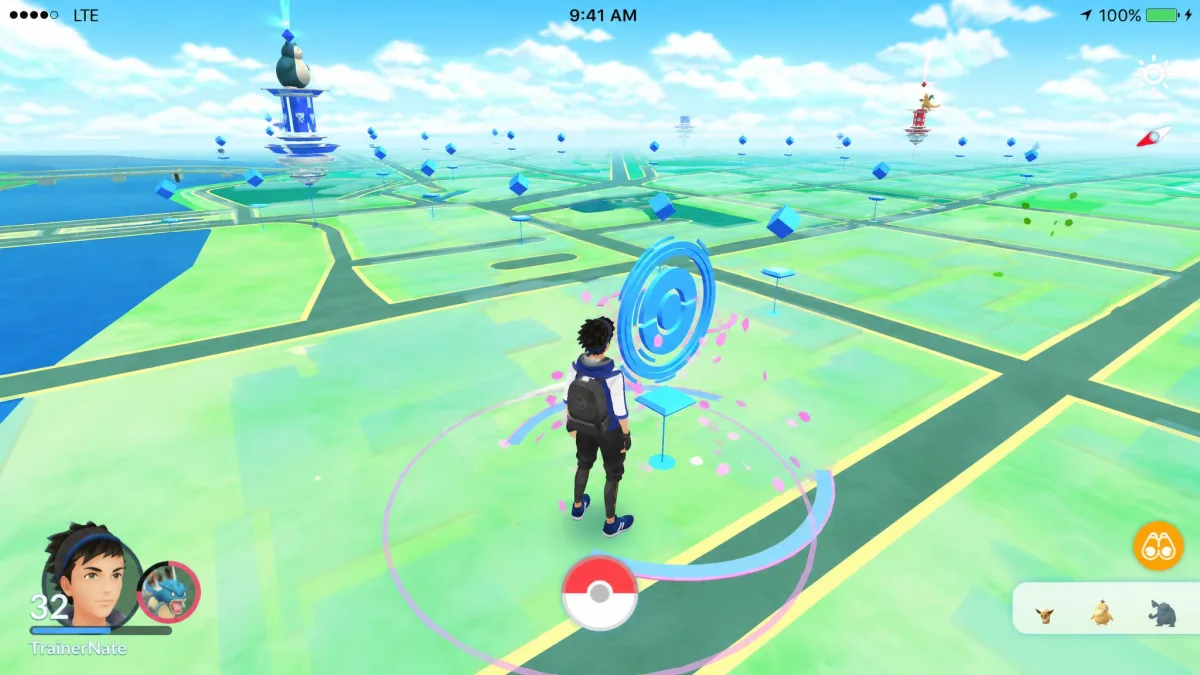
This is iAnyGo's home turf. Auto-Catch, a PokéStop route generator that scans 2,000+ PokéStops and Gyms, and an IV calculator give it the richer toolkit. LocaChange answers with Pokémon Information Search, PoGo Atlas, and Game Mode for Pokémon GO, Monster Hunter Now, Soundmap, and 50+ games. Both include cooldown timers and Error 12 workarounds for the anti-spoofing update Niantic pushed in June 2024, which broke many desktop spoofers.
iAnyGo's Bluetooth Game Mode and LocaChange's anti-detection engine are those workarounds, and neither is a guarantee.
Ban risk exists with any spoofer, no matter what the vendor claims. Cooldown discipline is the main safeguard: wait after long-distance jumps before catching, spinning, or battling, and keep Error 12 workarounds fresh after Niantic patches.
Pricing and Value for Money
iAnyGo undercuts LocaChange on every tier, and the lifetime gap is the clearest example: $95.95 against $119.99. The trial situation flips the value story. LocaChange's free version proves the tool works before you pay, while iAnyGo's limits stay unpublished. If price leads, iAnyGo saves you money; if verification matters, LocaChange is the safer buy.
Customer Support and Updates
LocaChange claims 24/7 support with 48-hour replies, free users included, and its Trustpilot page (4.7/5, Excellent) is full of praise for same-day resolutions and prompt refunds.
iAnyGo replies within 24 hours on weekdays, and our test query came back in about 22 hours. Its Trustpilot score is 4.8/5, and iAnyGo has stayed consistent through regular updates in long-term use.
The flip side: iAnyGo's Trustpilot page carries several refund complaints where support looped automated replies; LocaChange has its share too. Tenorshare has the deeper history, founded in 2007, with iAnyGo shipping since 2020. LocaChange dates its founding to May 2023, though its homepage claims eight years of experience.
How to Change Your GPS Location in 3 Easy Steps
Both tools follow the same workflow. Connect your phone, choose a mode, start moving.
Step 1: Connect Your Device to Your Computer
Install the desktop app and plug your phone in over USB. Both tools guide you through the iOS Developer Mode step on first launch; LocaChange connects over Wi-Fi afterwards, no cable needed.
Step 2: Choose a Mode and Pick a Location
Pick the mode that fits the task. Teleport is for a single jump, the joystick for free movement, and routes handle travel between stops. Drop a pin at the target spot. LocaChange's Live Atlas shows nearby points of interest; iAnyGo's route generator finds the shortest path. Match speed to the journey, and keep the cooldown timer in view.
Step 3: Start Moving
Hit start and watch the position move along the route. When you are done, use the restore option in the app to return to your real location. On iAnyGo, the spoofed position stays active until you restart the phone, so this matters more.
iAnyGo vs LocaChange: Which One Should You Choose?
The steps above look identical for both; the difference is in the details, and LocaChange is our pick for most people. The refund policy removes most of the buying risk, and nothing we tested matched its system-wide results.
Choose LocaChange for reliable system-wide spoofing with minimal setup friction, or when Life360 or dating apps matter. Choose iAnyGo when Pokémon GO tooling or the lower price leads; just plan for the setup quirks.
For other comparisons, see our FonesGo Location Changer vs LocaChange head-to-head, plus our Tenorshare iAnyGo review and LocaChange review.
Frequently Asked Questions
Can I change my iPhone location without jailbreaking?
Will iAnyGo or LocaChange get my Pokémon GO account banned?
Does LocaChange work with Life360?
What are the free trial limits for iAnyGo and LocaChange?
Can I use iAnyGo or LocaChange on Android?
The Bottom Line
Both tools do the same headline job, and both do it without a jailbreak. Neither Android app is worth building a workflow around, so plan to use them from a PC. LocaChange is the low-risk pick; iAnyGo is the value pick when game tooling leads. Buy the tier that matches how often you spoof, and confirm current prices before committing, since iAnyGo's listed figures are sale prices.