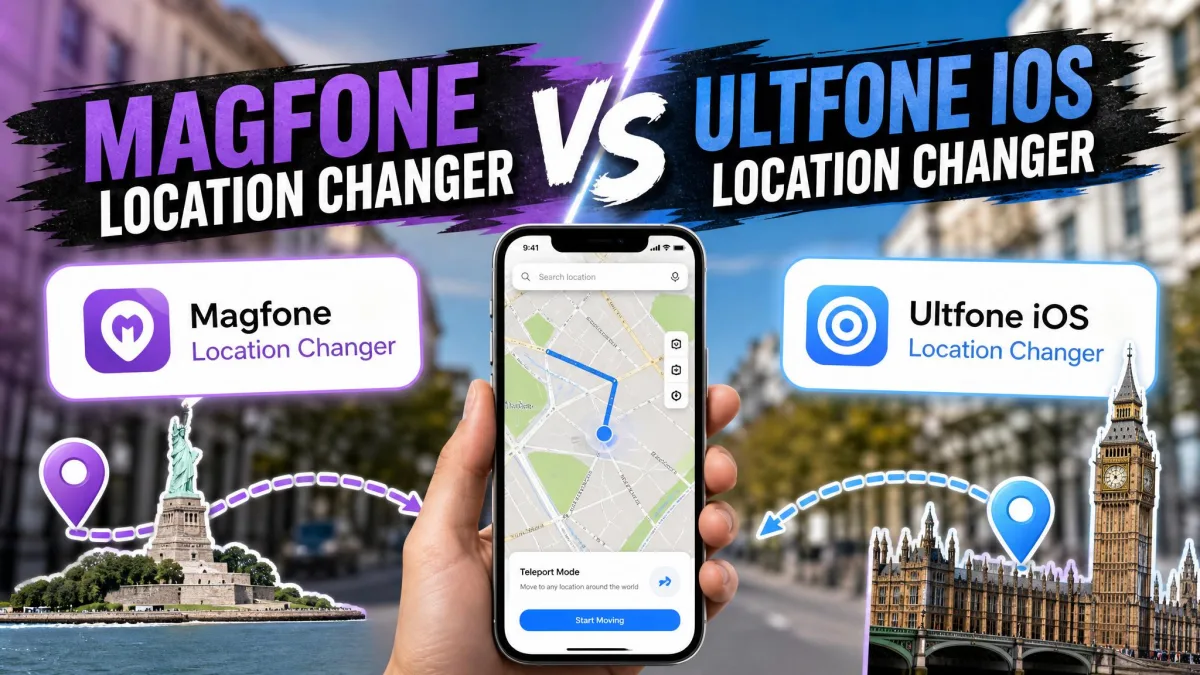
A location changer is a desktop program that replaces your phone's real GPS position with a fake one. MagFone Location Changer and UltFone iOS Location Changer are both GPS spoofing tools that let you change your iPhone or Android phone's location to anywhere, no jailbreak required. Pick a spot on the map and teleport there in one click.
The most common use is a location-based game like Pokemon GO, where players spoof to catch region-locked monsters. The same trick works for dating apps, geo-blocked content, and any app that checks where you are.
This guide compares spoofing modes, movement, app compatibility, setup, pricing, and safety.
MagFone vs UltFone: What Do They Do?
MagFone Location Changer is a desktop app for Windows and Mac that changes the GPS location of iPhones and Android phones. It spoofs your position with one click and simulates walking, cycling, or driving.
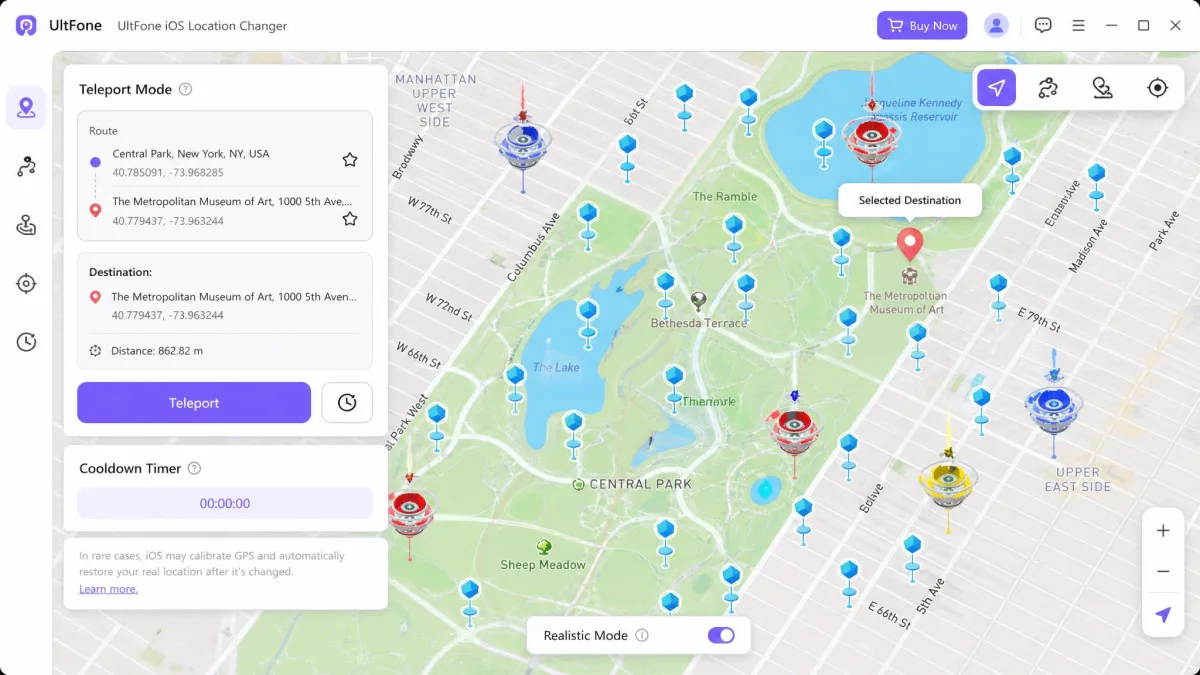
UltFone iOS Location Changer does the same core job on Windows and Mac. Its page counts 19,538,342 downloads worldwide and 12,343,232 satisfied customers.
Both tools fake your GPS with the same basic tricks.
Key Features Compared
The feature sets look similar on paper; the differences live in the details.
Location Spoofing Modes (Single-Spot, Multi-Spot, Jump Teleport)
Both tools offer a one-click location change plus route-based movement. MagFone's modes are Two-Spot Movement, Multi-Spot Movement, and Jump Teleport Movement, which hops between locations. UltFone names its equivalents Single-Spot, Multi-Spot, and Jump Teleport.
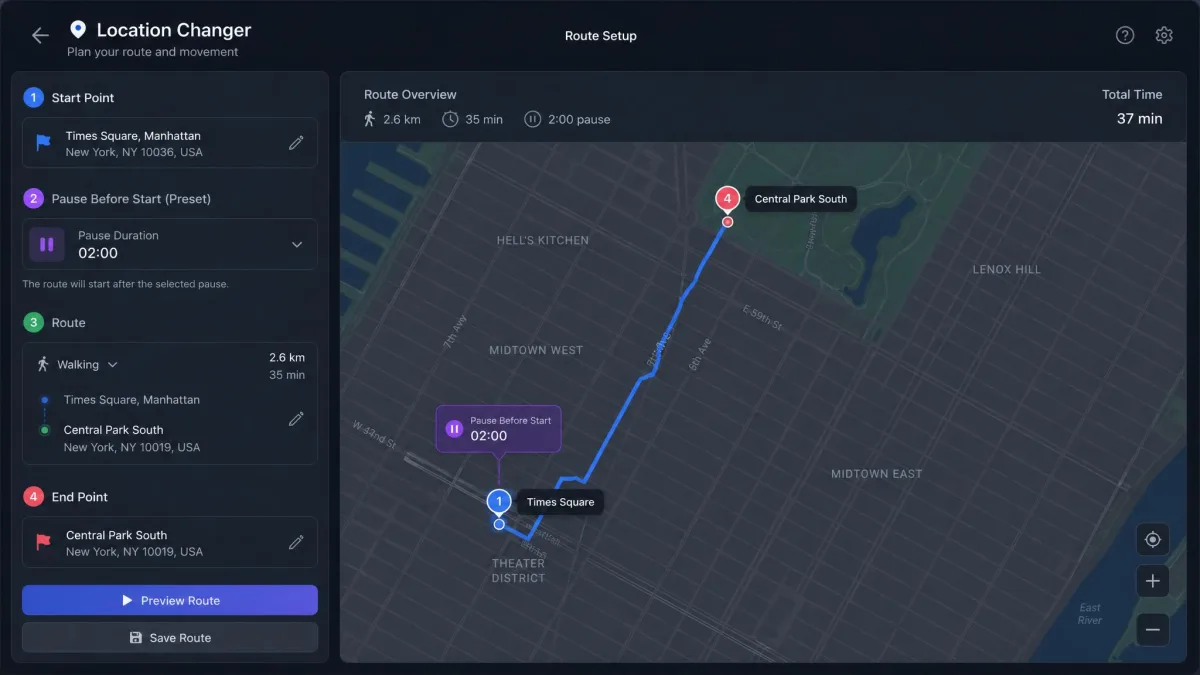
Movement Simulation (Joystick, 360-Degree, Keyboard Control)
MagFone's joystick adds automatic direction changes, 360-degree movement, and W, A, S, D or arrow-key control. UltFone's joystick follows custom paths at speeds up to 108 km/h. In our testing, UltFone's joystick was responsive, but it could freeze the connected game and reset the GPS to the real location.
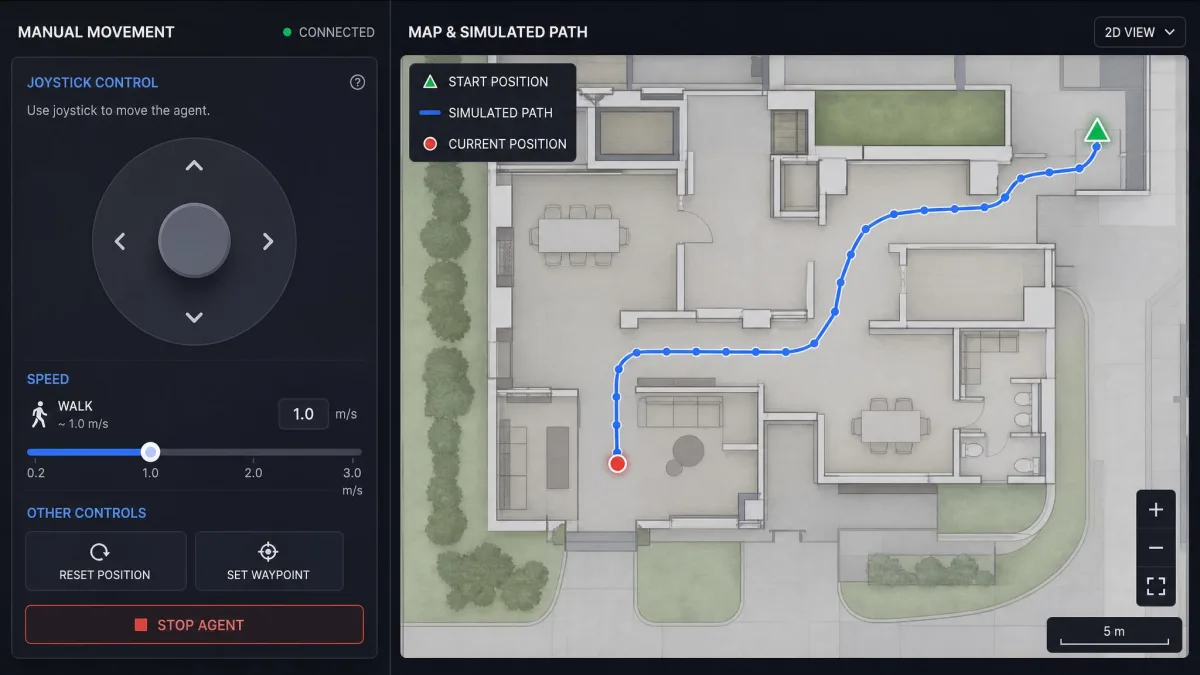
GPX Routes, Cooldown Timer, and Extra Features
Both tools import and export GPX files, so you can reuse favorite routes. MagFone adds route favorites, cycle and round-trip movement, and a cooldown timer that presets pauses between teleports.
Compatibility: Devices and Apps (Pokemon GO, Dating and Social Apps)
Both tools work with the apps people spoof in: Pokemon GO, Monster Hunter Now, Tinder, Bumble, Grindr, Instagram, Facebook, WhatsApp, Snapchat, and X. Geo-blocked content, like a streaming catalog locked to another country, follows the fake location too.
MagFone claims support for the latest iOS 27 and Android 16, while older documentation lists minimums from iOS 12 and Android 6.0. UltFone lists iOS 14 to iOS 27 and Android 16.
Ease of Use and Setup
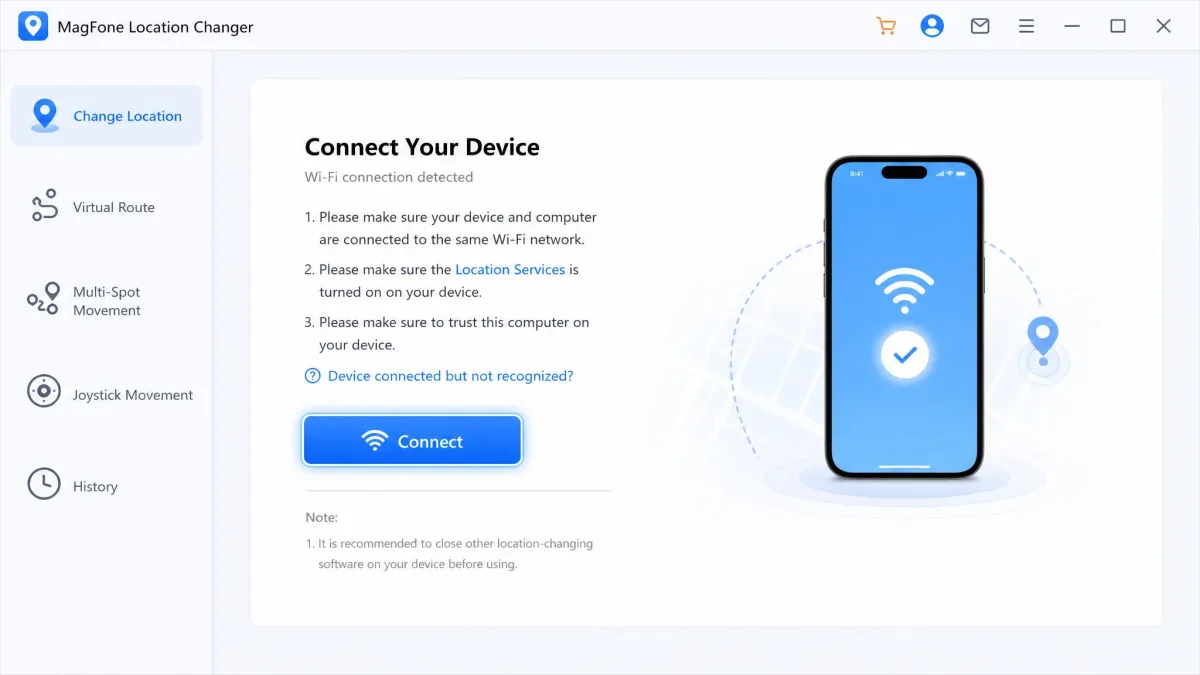
Initial setup is simple even for beginners: download the app, install it, connect the phone over USB, and tap Trust. The basic change-location job runs with ease on both.
MagFone is not fully plug-and-play, and it expects Developer Mode before it will pair. On our test iPhone, the app refused to connect until we opened Settings and turned on Developer Mode. Even then, a session on a newer iOS build dropped the connection mid-run, and the spoofed location stopped updating until we reconnected. MobiKin's MagFone review digs into the same issues in more detail.
UltFone uses the same USB connection, and stability is the trade-off. On an iPhone 15 running iOS 18.2, the spoofed location held for only about 3 to 5 minutes before snapping back. Find My and Apple Maps showed the fake spot at first, then the phone reverted. After major iOS updates, including iOS 18 and iOS 26, the tool was unreliable in our testing. TunesKit's hands-on UltFone review goes deeper into how it behaved across devices.
Use the cable your phone came with and tap Trust when the computer asks. On Android, enable USB debugging and select the location changer as the Mock Location app.
How to Use MagFone Location Changer (Step-by-Step)
- Install MagFone Location Changer on your PC or Mac and launch it.
- Connect your phone over USB or WiFi, and turn on Developer Mode on iPhone or select MagFone as the Mock Location app on Android.
- Search an address or enter GPS coordinates, pick a mode such as Two-Spot or Jump Teleport, set your speed, and start. Click Restore when done.
How to Use UltFone iOS Location Changer (Step-by-Step)
- Download and install UltFone iOS Location Changer on Windows or Mac.
- Connect your iPhone over USB and tap Trust This Computer.
- Pick a mode: Single-Spot, Multi-Spot, Jump Teleport, or joystick. Then teleport to a target and set a believable speed.
Pricing and Plans Compared
Both tools start at the same monthly price, and both back every license with a 30-day money-back guarantee.
MagFone's plans run $9.95 per month, $19.95 per quarter, $39.95 per year, or $89.95 for a lifetime license. Each license covers 1 PC or Mac with free technical support and free upgrades. Its aggregated user rating sits at 4.1 out of 5.

UltFone's Windows 1-PC plans run $9.95 per month, $19.95 per quarter, $39.95 per year, or $69.95 lifetime, and 2-PC plans start at $15.95 per month. Every plan includes free support and upgrades matching the license term. Mac plans price differently, and promos shift the figures, so treat the Windows 1-PC tier as the anchor.
Safety: Jailbreak, Detection Risk, and Cooldown
Both tools work on stock iPhones and Android phones, no jailbreak required. That does not make spoofing risk-free.
Pokemon GO actively scans for spoofing, and a flagged account can be banned. Neither vendor publishes detection or ban-rate data, so treat every session as carrying real account risk.
Using any location spoofer can compromise device security, so back up what you care about. The cooldown timer is the part people misunderstand most: Pokemon GO applies a cooldown after long teleports, and both tools include a timer to help you wait it out.
The cooldown timer is a reminder, not a safeguard. It will not stop a ban if you teleport across the world and then play immediately.
Expect the battery to drain noticeably while spoofing is active.
Pros and Cons
MagFone Location Changer Pros
- Covers iPhone and Android on a single license
- Keyboard control plus joystick and 360-degree movement
- Restores your true location in one click
MagFone Location Changer Cons
- Setup needs Developer Mode and Mock Location selection on Android
- Interface is English only
- Less reliable on newer iOS versions such as iOS 18
UltFone iOS Location Changer Pros
- Pokestop and Gym scanning with a quickest-route generator
- Bluetooth workaround for Pokemon GO's Error 12 and Monster Hunter Now
- iOS app that spoofs without a computer after a one-time setup
- 2-PC plans for households with more than one machine
UltFone iOS Location Changer Cons
- Spoofed location snapped back after 3 to 5 minutes on iOS 18.2 in our testing
- Joystick could freeze the connected game and reset the GPS
- Stability degraded after major iOS updates such as iOS 18 and iOS 26
Which Should You Choose?
Match the pick to the household. MagFone is the tool when more than one phone needs a fake location from one place. UltFone is the tool when a single iPhone does the spoofing and the game is the reason.
If neither fits, the nearest alternatives are TunesKit Location Changer, iMyFone AnyTo, and iToolab AnyGo. Our iMoveGo vs UltFone iOS Location Changer comparison covers another popular rival, and UltFone's Toolkit virtual location page is the alternate entry point for the same features.
Quick Verdict: MagFone vs UltFone
Both tools deliver the same core result: a one-click fake location with route movement on top. The differences show up in the extras each bundles, the setup each expects, and the price plans below.
| Product | Buy | Starting Price | Spoofing Modes | Speed Control | Device Support (iOS/Android) | Best For |
|---|---|---|---|---|---|---|
|
Check price → | $9.95/month (quarterly $19.95, yearly $39.95, lifetime $89.95) | Two-Spot, Multi-Spot, Jump Teleport, Joystick (auto, 360-degree, keyboard) | 0.4-108 km/h | iOS 27 & Android 16; up to 10 devices at once | Multi-device households (up to 10 devices on one license) |
|
Check price | $9.95/month (quarterly $19.95, yearly $39.95, lifetime $69.95, Windows 1-PC) | Single-Spot, Multi-Spot, Jump Teleport, Joystick | 3.6-108 km/h | iOS 14-27 & Android 16; 5 devices per license | Pokemon GO / Monster Hunter Now gamers (Error 12 fix, Pokestop scan, no computer after install) |
MagFone Location Changer at a Glance
MagFone's extras are the practical kind: a realistic fluctuation mode adds natural GPS drift, and you can enter GPS coordinates directly instead of hunting for a spot on the map. Its interface is English only, so check the layout before paying.
UltFone iOS Location Changer at a Glance
UltFone's quickest-route Pokestop generator plots the fastest line between nearby stops, so teleport sessions waste less time on map work. Its phone-only iOS app can keep spoofing without a computer after a one-time PC or Mac setup, and the desktop app stays the fuller workflow.
Frequently Asked Questions
Is it safe to use a location changer?
Does it require jailbreak or root?
Can I use it without a computer?
Does it work with Pokemon GO (Error 12 / cooldown)?
Which devices and iOS/Android versions are supported?
How accurate is the simulated location?
Is there a free trial / money-back guarantee?
Final Verdict
MagFone Location Changer is our pick for most people, and the capability per dollar is the best in this pairing. Whichever you choose, respect the cooldown, expect detection risk, and test before you commit.