If you are weighing PoGoskill against MagFone Location Changer, the two tools look more alike than their pricing pages suggest.
Both change your iPhone or Android location for Pokémon GO and other location-based apps.
The differences that matter sit below the surface. Movement modes, ban risk, and what you actually get for your money diverge sharply.
This head-to-head covers platform support, features, ease of use, safety, and pricing, and names a clear winner.
PoGoskill vs. MagFone: Overview
Both tools do the same headline job: fake your phone's GPS position so apps think you are somewhere else. Here is the quick look at each one.
What Is PoGoskill Location Changer?
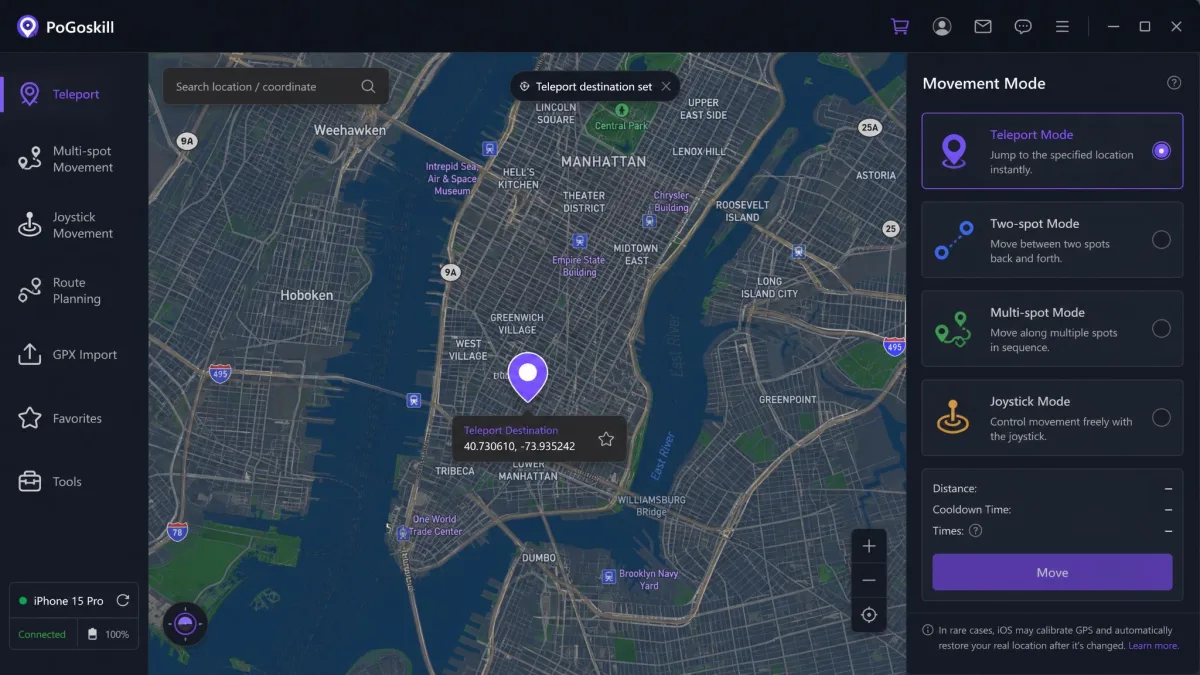
PoGoskill Location Changer is a GPS spoofing suite with a large install base; PoGoskill's official website claims nearly 30 million downloads. Trustpilot's main profile rates it 4.7/5, a separate Canadian profile shows 3.3/5, and its Google Play listing sits around 2.7/5 from about 1,100 ratings.

What Is MagFone Location Changer?
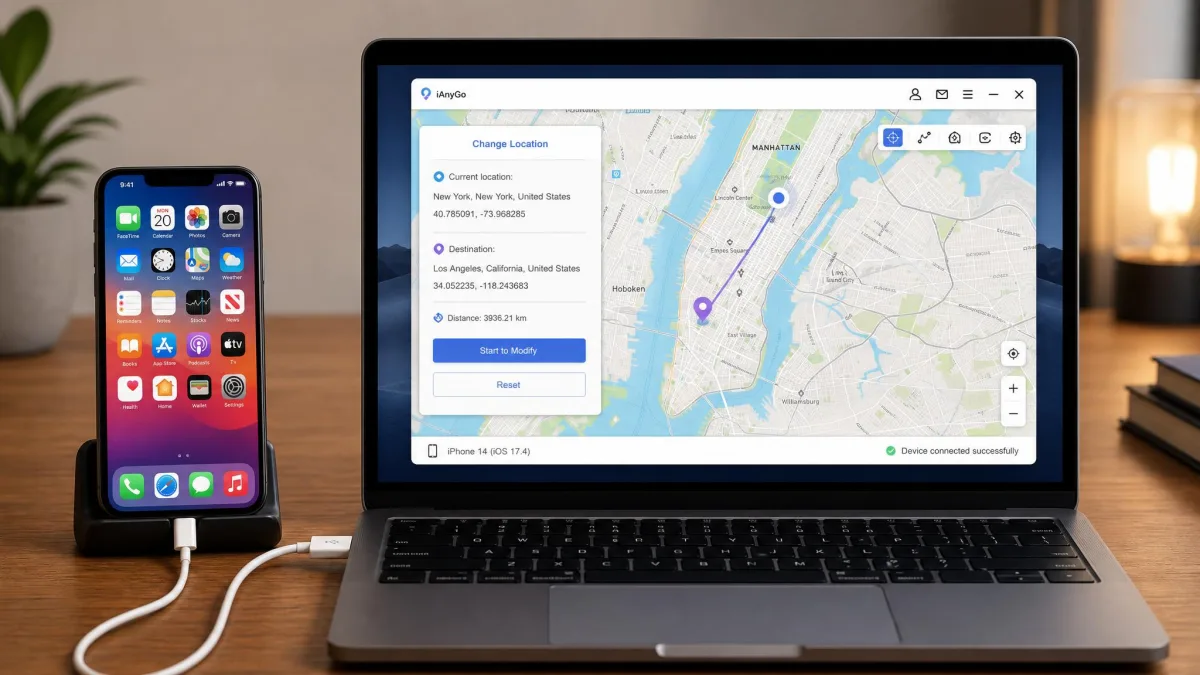
MagFone Location Changer is the newer challenger, founded in 2022 and launched on November 18, 2024. It is desktop software for Windows and macOS that connects your phone over USB or WiFi; there is no standalone phone app. MagFone Location Changer's official product page promotes one-click spoofing, up to 10 devices, and speeds from 0.4 to 108 km/h. Trustpilot's company-wide profile shows 4.4/5, though most reviews cover its other products.

Part 1: Platform & Device Compatibility
Platform support is the first axis where the two tools split.
iOS and Android support
Both cover iPhone and Android. PoGoskill's site lists iOS 14 through iOS 27 and Android 4 through Android 16, and the tool ships as a Windows or macOS companion plus standalone iOS and Android apps. MagFone lists iOS 27 and Android 16 too, but it is desktop software only: the desktop session must run the whole time while your phone stays connected over USB or WiFi. PoGoskill lets you spoof straight from the phone.
No jailbreak or root required
Neither tool requires a jailbroken iPhone or a rooted Android. That is the modern baseline for location changers, and it keeps your phone's security model intact.
Part 2: Key Features Compared
Feature depth is the second axis, and the gap widens here.
Teleport and movement modes (joystick, two-spot, multi-spot)
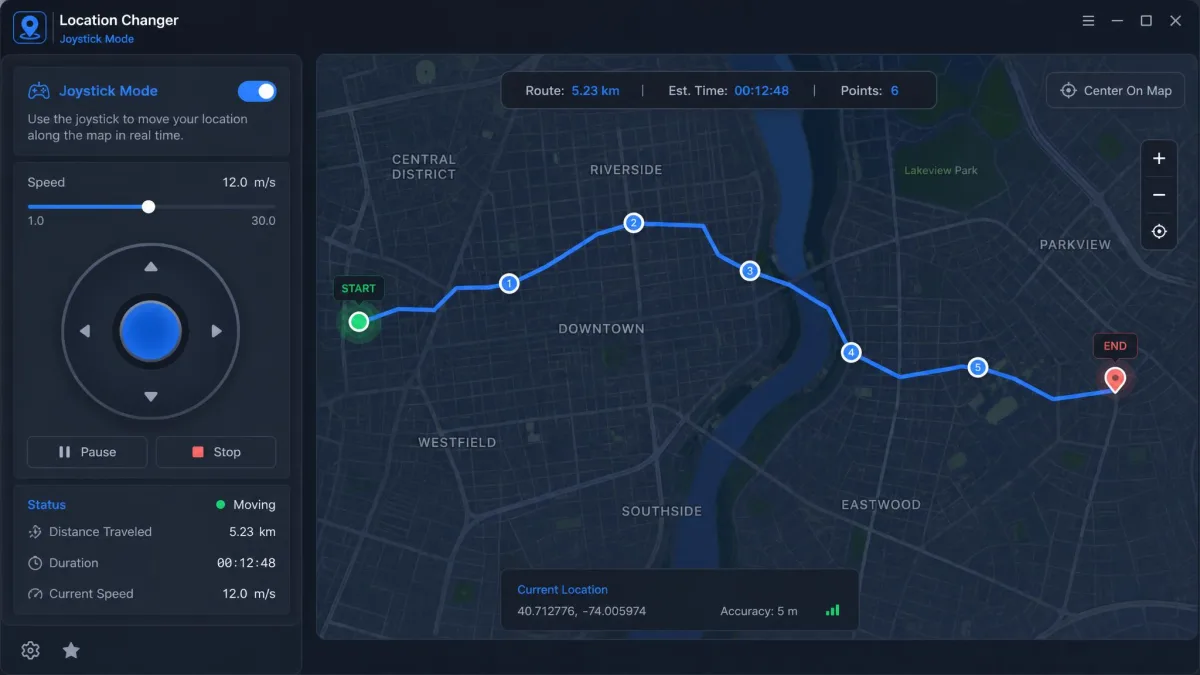
Both ship the same core movement set: teleport, two-spot, multi-spot, and joystick modes. PoGoskill's joystick uses a virtual on-screen stick. MagFone adds 360-degree directions and full keyboard control, so you can steer with W, A, S, D or the arrow keys, which is easier on the hand for long sessions.
Route simulation and customizable speed
Both simulate believable movement along a route. PoGoskill offers walking, cycling, and driving presets. MagFone covers 0.4 to 108 km/h and adds a realistic fluctuation mode with small GPS jitter, plus cycle and round-trip options and favorite routes for a daily loop.
GPX import/export, cooldown timer, multi-device control
Power users should look at the supporting features. Both offer GPX import and export, a cooldown timer, favorites, and historical records, though PoGoskill's iOS app is import-only for GPX files. MagFone adds direct GPS coordinate entry, route search, and map zoom. On multi-device control, PoGoskill's 15-device ceiling beats MagFone's 10-device cap.
Part 3: Ease of Use (3-Step Process)
Ease of use matters because you set these tools up mid-session, not in a calm afternoon.
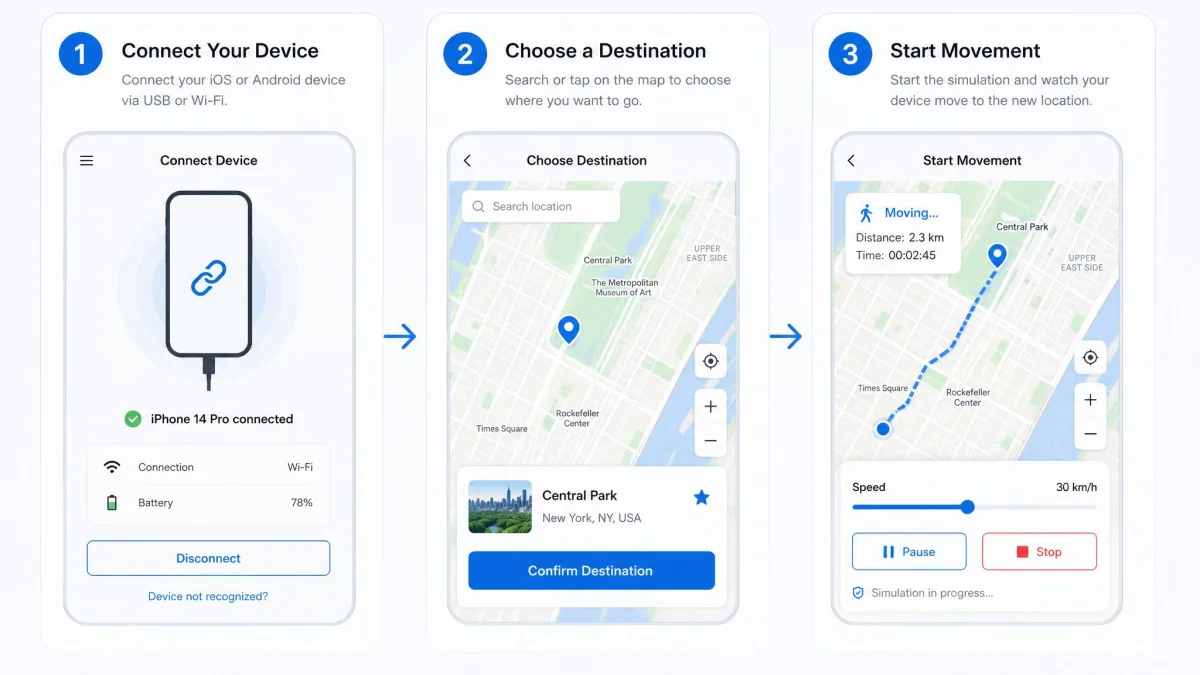
Both vendors pitch the same three-step flow, and it holds up:
- Connect your phone over USB or WiFi, or open PoGoskill's phone app.
- Pick a destination or route on the map.
- Start moving with teleport, joystick, or route simulation.
In our testing, MagFone's interface is clean and beginner-friendly, and setup is easy. Device detection was the one rough edge: on an iPhone running iOS 27 and an Android phone on Android 16, the app occasionally failed to see the device over WiFi. The connection could also drop mid-session, which made spoofing less reliable until we re-paired. Keep a USB cable handy for those sessions and re-pair over the wire when WiFi drops.
Part 4: Safety, Anti-Ban & Privacy
Safety is the axis that matters most, because a ban costs more than any subscription.
Spoofing always carries the risk of detection or ban. No tool in this category can guarantee your account is safe, and any vendor claim that says otherwise should be treated as marketing.
Pokémon GO ban risk and realistic movement
Pokémon GO is the reason most people buy these tools, and it is the strictest environment to spoof in. GPS spoofing is against the game's rules, and Niantic, which runs it, takes an official stance against third-party location tools. Pokémon GO bans accounts over this: in our testing, spoofing stayed stable only when we respected the teleport cooldown before catching or spinning. We reproduced the “failed to detect location 12” error on PoGoskill's Android app right after subscribing, and its claim of 100% fixes has no independent verification. Renewals are a second rough patch: after one renewal, the app stopped working entirely and kept us out of Pokémon GO for up to two days.
Respect the cooldown, keep movement speeds believable, and restore your real location before disconnecting.
Hiding location from Life360 / Find My
Both vendors market these tools for more than gaming. PoGoskill lists Find My iPhone, Life360, Tinder, Bumble, and Grindr; MagFone lists Life360, Google Maps, Tinder, and X. Hiding from a family location app is a different game: a sudden jump of hundreds of miles is obvious to anyone watching the map. Both tools include a one-click restore that snaps your phone back to your real location. On the privacy side, PoGoskill's Android build requests 25 permissions and embeds four trackers, per the Exodus Privacy report.
Part 5: Pricing & Free Trial
Pricing is the axis where the two tools look identical at first, then quietly diverge.
At list price, the plans mirror each other; the table below shows the full breakdown.
| Plan | PoGoskill | MagFone |
|---|---|---|
| Monthly | $14.95 (PC) or $14.99 (iOS) | $9.95 (sale, list $24.95) |
| Quarterly | $19.95 (PC) | $19.95 (sale, list $49.95) |
| Yearly | $39.95 (PC) | $39.95 (sale, list $129.95) |
| Lifetime | $89.95 (PC) | $89.95 (sale, list $179.95) |
Trial terms are inconsistent, so read carefully. PoGoskill's official page describes the trial as one hour of free use; a seven-day trial appears in some third-party write-ups; and the Android app offers no trial at all. PoGoskill's Google Play listing markets the Android app as free, but every core function sits behind a paid subscription. MagFone's free download locks the core features, so its 30-day money-back guarantee on individual plans is the counterweight.
Part 6: Pros and Cons
Here is how the trade-offs land, tool by tool.
PoGoskill pros and cons
Pros
- Deep Pokémon GO toolkit: Route Tasks, PokéStops and Gyms scanner, D-Max and Team Go Rocket modes
- GPX export, Bluetooth Game Mode, and route sharing via codes
- Up to 15 devices per license
Cons
- Android app marketed as free, but every core feature is paid
- 25 permission requests and four embedded trackers on Android
- Monster Hunter Now login failures right after subscribing
- Split Trustpilot profiles and vague refund terms
MagFone pros and cons
Pros
- Clean, beginner-friendly interface with easy setup
- Keyboard-controlled joystick with 360-degree directions
- Realistic fluctuation mode for believable movement
- GPX import and export with route search and naming
Cons
- Desktop-only: a PC or Mac is required, with no standalone phone app
- Free trial locks every core feature
- Young product with thin independent reviews
PoGoskill vs. MagFone: Comparison Table
Here is everything above in one table.
| Comparison6 key features |
Our pick
PoGoskill
|
MagFone
|
|---|---|---|
| Platform | Windows, macOS, standalone iOS and Android apps | Windows and macOS desktop only |
| Movement modes | Teleport, two-spot, multi-spot, joystick | Jump teleport, two-spot, multi-spot, joystick plus keyboard |
| iOS and Android support | iOS 14 to 27, Android 4 to 16, no jailbreak or root | iOS 27, Android 16, no jailbreak or root |
| Safety and anti-ban | Cooldown timer, believable speed presets | Cooldown timer, realistic fluctuation mode |
| Pricing | From $14.95 per month | From $9.95 per month (sale) |
| Free trial | One hour of free use (official page) | Free download, core features locked |
| Check price → | Check price |
FAQ
Do I need to jailbreak or root my phone to use PoGoskill or MagFone?
Can Pokémon GO detect GPS spoofing, and what is Error 12?
Is it safe to use a location changer?
Is there a free trial, and what do the paid plans include?
Conclusion: Which One Should You Choose?
So which one should you choose? For most players, PoGoskill.