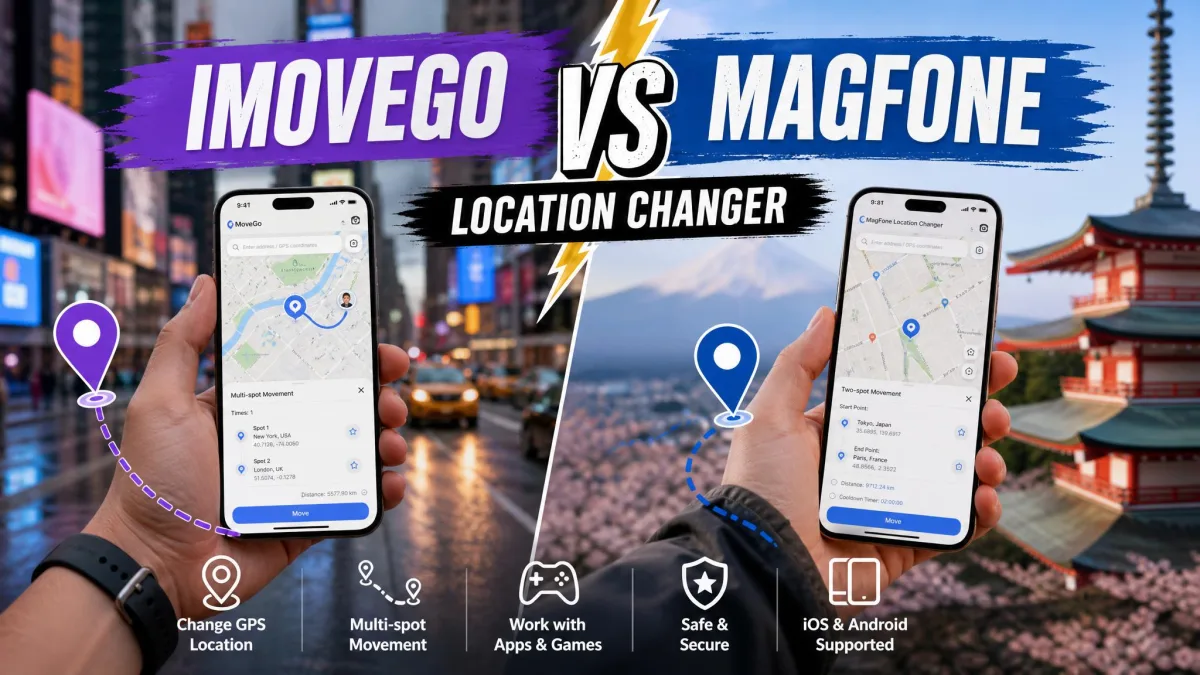
A desktop location changer is a small program that runs on your computer. It connects to your phone and feeds it a fake GPS position, and every app on the handset then believes it. WooTechy iMoveGo and MagFone Location Changer are two of the best known. Both change your location on iPhone and Android without jailbreak or root. Both let you teleport anywhere in the world in one click, walk a simulated route, or steer a joystick in real time.
This comparison decides which one is worth your money in 2026. We look at what each costs, how many devices you can connect, and which location-based apps and games they cover. We also look at how fast you can spoof your location the first time, and where each tool gets awkward.
iMoveGo vs MagFone at a Glance
WooTechy iMoveGo is the more feature-dense of the two. It gives you Teleport Mode for a one-click jump, Two-Spot and Multi-Spot movement, and a 360-degree joystick. You also get GPX import and export, a cooldown timer, favourites and a location history. Movement speed runs from 3.6 km/h up to 120 km/h.
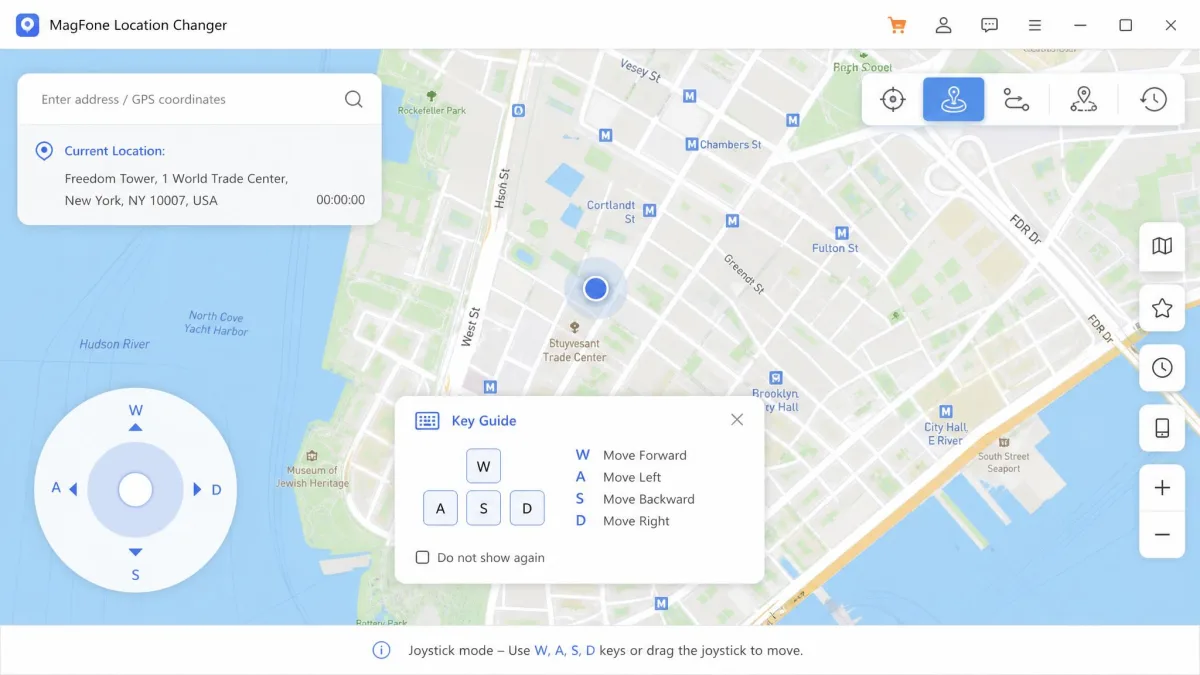
MagFone Location Changer covers the same ground in a different shape. It has Change Location and Jump Teleport, plus Two-Spot and Multi-Spot movement. The joystick is driven from the keyboard. Speed control runs from 0.4 km/h to 108 km/h, and there is GPX support, a location history and its own gaming cooldown timer. Windows and Mac builds are both available.
The practical difference is not the feature list. It is confidence on current phones, how many devices one licence covers, and how much you pay to find out whether the tool works for you.
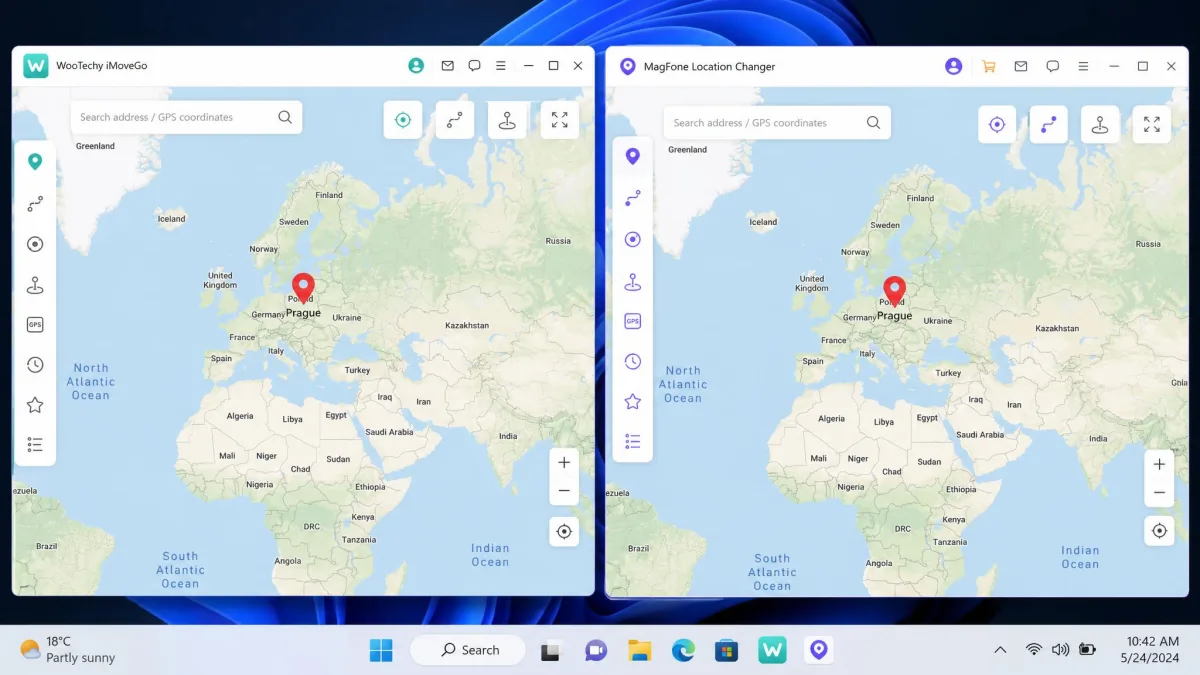
Head-to-Head Comparison Table
| Product | Buy | 1-month price | Lifetime price | Free trial | iOS support | Devices at once | Money-back |
|---|---|---|---|---|---|---|---|
 |
Check price → | $14.99VIP | $89.99VIP | Yes, before purchase | Up to iOS 26 | 5 on VIP, 10 on SVIP | 30-day |
 |
Check price | $9.95 | $89.95 | Metered per mode | Vendor claims iOS 27, disputed | 10 | 30-day |
Both answer the same way on the basics. No root, no jailbreak, and yes to teleport, two-spot routes, multi-spot routes, joystick and GPX import. MagFone adds a Jump Teleport variant. On supported apps, both name Pokemon GO and Life360. iMoveGo also names Find My and Snapchat, while MagFone's list stops at Life360, Google Maps, Tinder, Instagram and Spotify. Support is free with every MagFone plan, and iMoveGo handles support by email.
Changing Your Location: Teleport Mode Compared
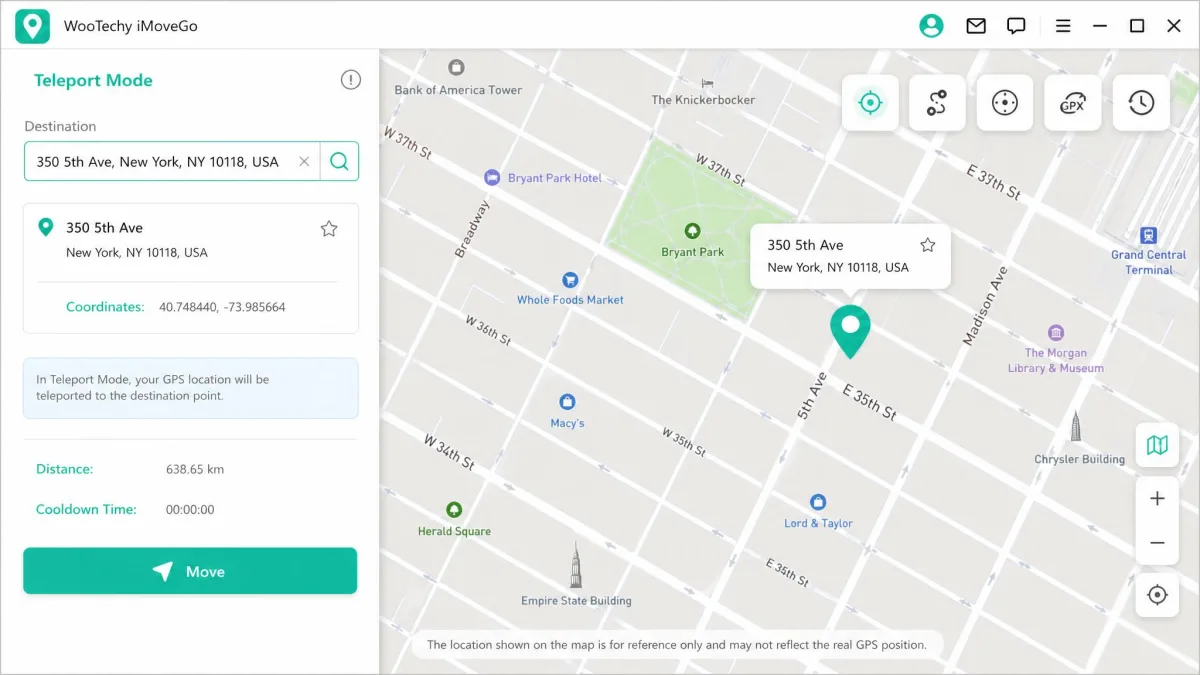
Teleport is the mode almost everyone uses first. You open the map, search for a city or drop a pin, and confirm. Your phone then reports that position to every app that asks. In iMoveGo this is Teleport Mode, and it is a single click once the map has loaded. MagFone splits the idea in two: Change Location for a straight jump, and Jump Teleport for hopping between saved points.
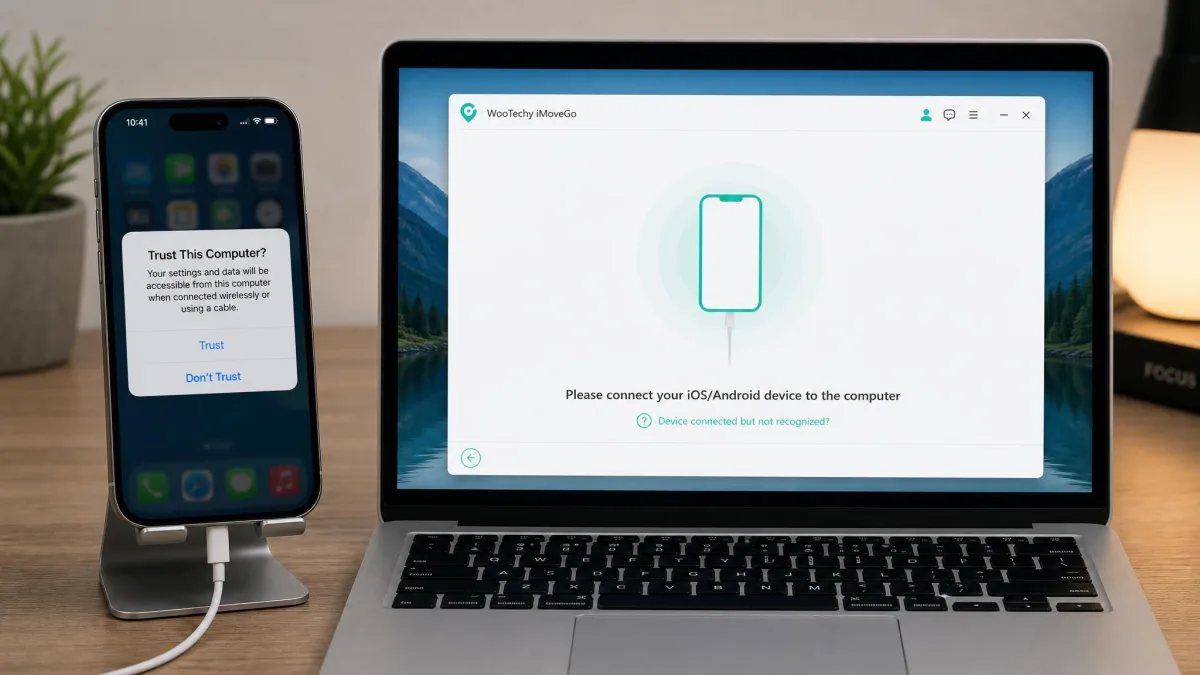
Neither tool shows a map until the handset is connected and trusted. iMoveGo will not load anything until you tap trust on the phone and authorise access. That first-run handshake is the most common place people get stuck. MagFone sometimes fails to detect a connected phone at all. The fix is almost always the same. Re-enable USB debugging on Android, re-trust the computer on iPhone, or swap the cable for a known-good one.
Use the cable that came with the phone for the first connection. Cheap charge-only cables carry power but no data, and they are the most common reason a location changer never sees your device.
Simulating GPS Movement: Routes, Speed and Multi-Spot Mode
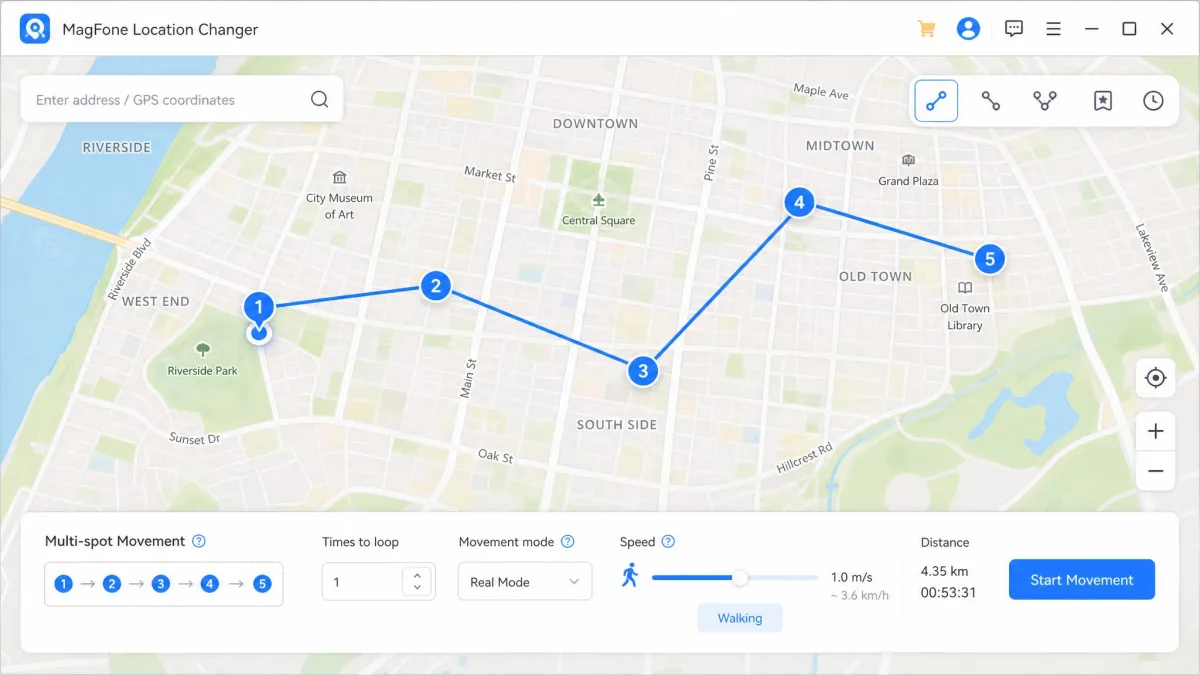
Teleporting is fine for a social app. Games and family trackers care about movement that looks plausible. Both tools handle this two ways. Two-spot mode walks a straight line between a start and an end point. Multi-spot mode strings waypoints into a route, and iMoveGo allows an unlimited number of them, so you can trace something as detailed as a city loop.
Speed control is where the two diverge. iMoveGo runs from 3.6 km/h to 120 km/h, and MagFone from 0.4 km/h to 108 km/h. MagFone's floor is the more useful end. At 0.4 km/h you look like someone standing near a shop window rather than jogging past it. Both accept GPX files, so a route recorded on a real walk can be imported and replayed.
Joystick Control and Real-Time Movement
The joystick is where Pokemon GO players spend the most time. It lets you steer continuously instead of committing to a fixed route. iMoveGo's joystick is a 360-degree on-screen control you drag with the mouse. MagFone's is driven from the keyboard, which frees the mouse for the game window.
iMoveGo's joystick is the more precise of the two, but long sessions expose its weak point. Extended joystick use can make the app lag, and the phone tends to run warm. There is a second quirk worth knowing. Hitting refresh in iMoveGo can close and relaunch it back at your home location instead of the spoofed one, which is startling mid-session.
Restoring your real location on either tool is not just a matter of closing the desktop program. You need to disconnect the phone and restart it before the handset stops reporting the fake position.
Supported Location-Based Apps and Games
Pokemon GO and AR games
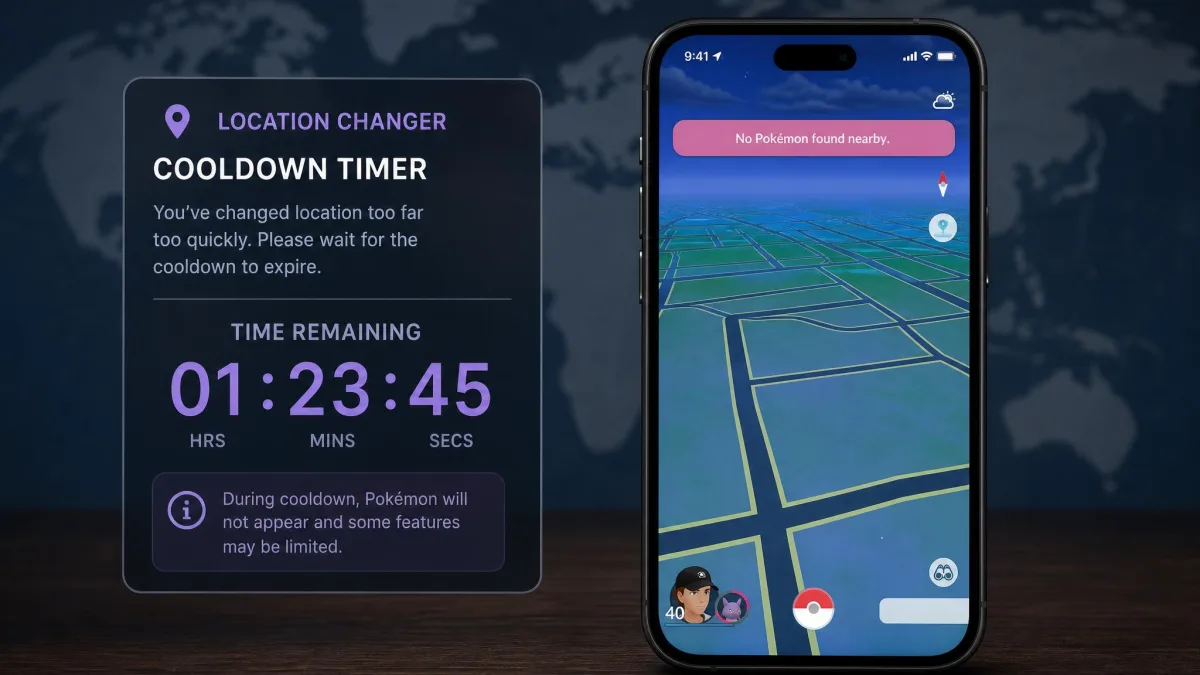
Both tools name Pokemon GO first, and both include a cooldown timer for one reason. Teleporting a long distance too quickly triggers a soft ban. The game stops spawning creatures and refuses your spins, and the timer tells you how long to wait before moving again. iMoveGo also lists Ingress Prime.
Life360, Find My and family trackers
Life360 is on both vendors' lists. Faking your Find My location is named by iMoveGo and is not listed on MagFone's page, so treat that support as implied rather than promised. These trackers read the same system location every other app reads. A spoofed position therefore reaches them without any extra step. That also means a sudden jump across a continent is visible to everyone in your circle.
Snapchat, Instagram and dating apps
iMoveGo names Snapchat, WhatsApp, iMessage, Tinder, Bumble, Grindr and Facebook. MagFone names Tinder, Instagram and Spotify. Any app that reads system location will follow along. But a social app that also checks your IP address or billing country can spot the mismatch between where your GPS says you are and where the rest of your data says you are.
Ease of Use and Setup Speed
MagFone's interface is straightforward. Once the phone is recognised, a first location change takes only a couple of minutes. iMoveGo asks for more up front because of the trust-and-authorise step, but the payoff is a denser set of controls. Neither program installs anything on the phone, and neither needs jailbreak or root.
How to Change Your Location: Step-by-Step
Using WooTechy iMoveGo
Install iMoveGo on your Windows or Mac computer and open it. Connect your iPhone or Android phone by USB, or pair it over Wi-Fi if both share a network. Tap trust on the handset and grant access. Choose Teleport Mode from the toolbar, type a destination in the search box or click the map, then press Move. Your GPS location changes immediately, and every location-based app follows.
Using MagFone Location Changer
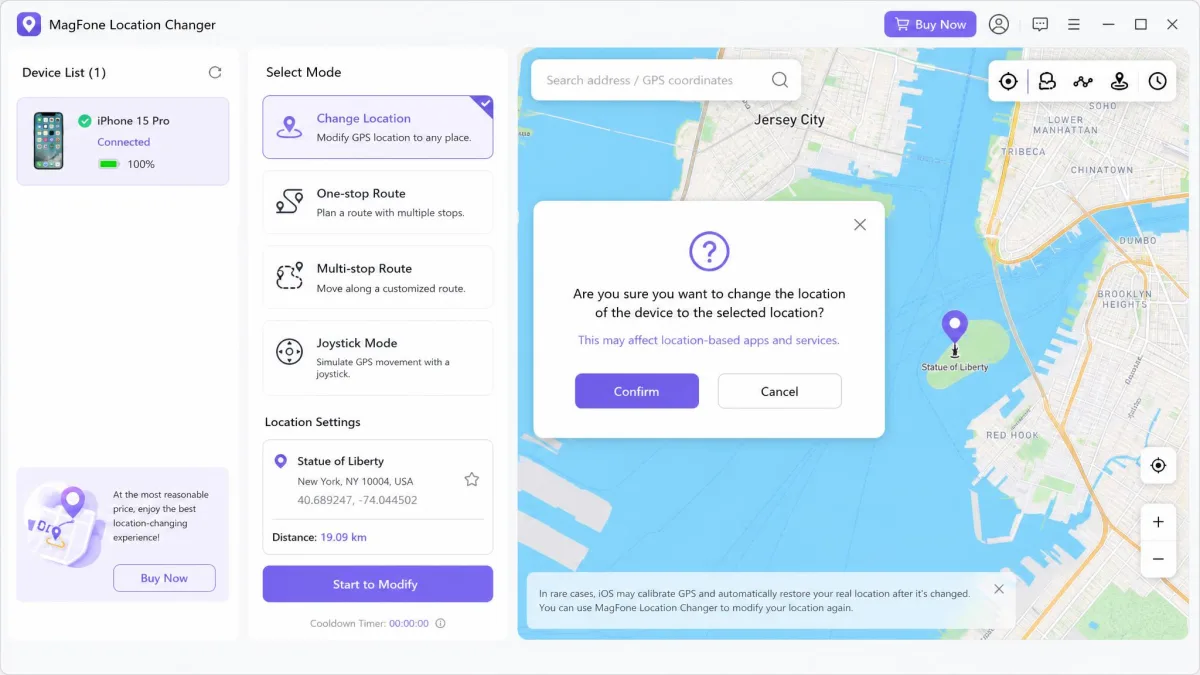
Install MagFone on your PC or Mac and launch it. Connect your device by USB. Enable USB debugging first on Android, and trust the computer on iPhone. Wait for the map to load, then pick Change Location from the mode selector. Search for the place you want, click the pin, and confirm the move. To go back, disconnect the phone and restart it.
Pricing and Free Trial: What Each One Actually Costs
WooTechy iMoveGo pricing
iMoveGo charges $14.99 for the 1-Month VIP plan and $29.99 for the 1-Quarter VIP plan. The Lifetime VIP licence is $89.99. A Lifetime SVIP licence is $119.99, which raises the device cap, and a 1-Month SVIP plan costs $19.99. No annual plan appears on the official purchase page. The jump is from a quarter straight to lifetime. Every plan carries a 30-day money-back guarantee.
A free trial is available before you pay, and it lets you test the main features. It is tightly capped, though. You get teleports to 5 different locations and 1 hour of joystick movement. Unrestricted use of the five movement modes and the location history are held back for paid licences. In practice the trial runs out fast. A handful of teleports plus a single hour on the joystick is barely enough to walk a route properly before the paywall lands.
MagFone Location Changer pricing
MagFone is cheaper at every subscription length: $9.95 per month, $19.95 per quarter and $39.95 per year. The lifetime licence is $89.95, and a lifetime PC and Mac bundle is $107.95. The refund window is also 30 days. Ignore the coupon and reseller pages circulating other figures. The official store price is the one that binds.
Which offers better value
If you need a tool for one weekend, MagFone at $9.95 is the obvious choice. If you expect to keep using it, the two lifetime licences are within a dollar of each other. The decision then moves back to features. MagFone's trial is metered per mode, so it is hard to judge the tool before you pay, and that pushes more of the risk onto the refund policy.
Device and OS Compatibility
iPhone and iOS support
iMoveGo supports iOS through iOS 26. MagFone's official page advertises iOS 27. Independent 2026 testing puts its supported range at iOS 12 to 18 and finds spoofing less dependable on the newest builds, so treat the vendor claim as unconfirmed. Apple documents how iOS handles location services if you want to see which settings a spoofer overrides.
Android support and whether root is required
Both tools support Android through Android 16, and neither needs root. On Android the change is applied through Android's mock location provider, the same mechanism Google exposes for testing. That is why no root is required. You do need USB debugging switched on.
How many devices you can connect at once
MagFone lets you connect and control up to 10 iOS and Android devices at once from one computer. iMoveGo's number depends on the licence. The cap is 5 on the standard VIP plan and 10 only on the higher SVIP tier. If you are spoofing for a household, read the plan detail before you pay.
Both tools are desktop-first. You need a Windows PC or a Mac in the loop every time you change or restore your location, so neither is practical if you only have a phone to hand.
Safety, Privacy and Account-Ban Risk
Faking GPS is not illegal in itself in most places. It usually does break the terms of the service you point it at. Niantic's Terms of Service prohibit falsifying your location, and enforcement runs from a temporary soft ban up to a permanent strike. Dating apps and family trackers have comparable rules.
No GPS spoofer removes that risk. A server-side update can start flagging spoofed movement at any time, whichever tool produced it. No credible figure exists for how often either leads to a ban. The cooldown timers reduce the most obvious tell, an impossible jump between distant points, but they cannot make spoofed movement invisible.
Never spoof the location on an account you cannot afford to lose. Use a secondary account for games, and remember that a fake position sent to Life360 or Find My is a message to real people relying on it.
Pros and Cons of Each Tool
WooTechy iMoveGo pros and cons
Pros
- Confirmed support for iOS 26 and Android 16
- GPX import and export for replaying a recorded walk
- Precise 360-degree joystick control
- Favourites and location history on paid plans
- 30-day money-back guarantee on every plan
Cons
- Can lag during long joystick sessions, and the phone runs warm
- Refreshing can relaunch the app at your real location
- Device cap is only 5 on the cheaper VIP tier
- No annual plan between quarterly and lifetime
- Support quality is inconsistent
MagFone Location Changer pros and cons
Pros
- Cheapest entry price at $9.95 per month
- Slower minimum walking speed at 0.4 km/h
- Jump Teleport for hopping between saved points
- Free technical support included with each plan
- Simple interface, and a first change takes a couple of minutes
Cons
- Newest-iOS support is disputed by independent testing
- Free trial is metered per mode and hard to judge the tool with
- Can fail to detect a connected handset
- Find My and Snapchat are not named on the vendor's app list
- Joystick is keyboard-driven rather than free-form
Which One Should You Choose?
That brings us to the split.
Choose iMoveGo if...
You are on a recent iPhone, you want the most control over simulated movement, or you want to try a tool properly before paying. It is also the better choice if you care about Find My and Snapchat, since those are named support rather than implied. Our iMoveGo vs iAnyGo comparison covers the next closest alternative.
Choose MagFone if...
You want the lowest price, you need more than five connected devices without buying a premium tier, or you are on an older iOS release where the disputed compatibility question does not apply. MagFone is also the easier of the two to get a first result from.