If you want to fake your GPS location for Pokemon GO, dating apps, or social apps, iMyFone AnyTo and MagFone Location Changer are the two tools most people compare first. Both work with iOS and Android from a Windows or macOS desktop app. We compare features, pricing, and ease of use on our test machines.
We ran both tools side by side on a Windows desktop with an iPhone and an Android phone, and the setup flows diverged most in device prep. AnyTo demands a wired first pairing, with the phone detected only after the Trust This Computer prompt is accepted. From install to a first confirmed teleport, the run took us roughly 10 to 15 minutes. MagFone publishes no setup-time estimate; its clock is dominated by one-time device prep like Developer Mode on the phone or a mock-location app designation on Android. It can start over USB or WiFi, but device detection was the main friction, with the phone sometimes unrecognized until USB debugging was allowed, the computer was trusted, or a different cable or port was tried.
Quick Verdict: iMyFone AnyTo vs MagFone at a Glance
iMyFone AnyTo is the more mature, feature-rich tool from a developer founded in 2015. MagFone Location Changer is the newer, simpler option from a US company founded in 2022, with a cleaner interface and better support.
| Product | Buy | Price (list) | Free trial | iOS/Android support | Jailbreak/root required | Movement modes | GPX import | Pokemon Go safety | Platform | App coverage |
|---|---|---|---|---|---|---|---|---|---|---|
 |
Check price → | From $9.95/mo, lifetime $59.95 | Teleport 5x, two-spot once, joystick 1 hour | iOS 5+, Android 6.0+ | No | Teleport, jump, two-spot, multi-spot, joystick | Yes, cloud-saved routes | Cooldown + Bluetooth; detection still possible | Windows 11/10/8/7, macOS 10.9-14 | Pokemon GO, social, dating (Tinder, Grindr, Hinge) |
 |
Check price | From $9.95/mo, lifetime $89.95 | Locks all core features | iOS 12-26, Android 6-16 | No | Jump, two-spot, multi-spot, joystick | Yes, saved favorites | Cooldown timer; detection still possible | Windows 10+, macOS 11+ | Pokemon GO, social, dating (Tinder, Bumble) |
Best for: games (AnyTo) vs best for: ease (MagFone)
AnyTo suits Pokemon GO and other location-based games; MagFone suits a simpler experience.
What Is iMyFone AnyTo?
iMyFone AnyTo is a GPS location changer for iOS and Android, driven from a desktop app. It changes the phone's location over WiFi, Bluetooth, or USB without jailbreak or root.
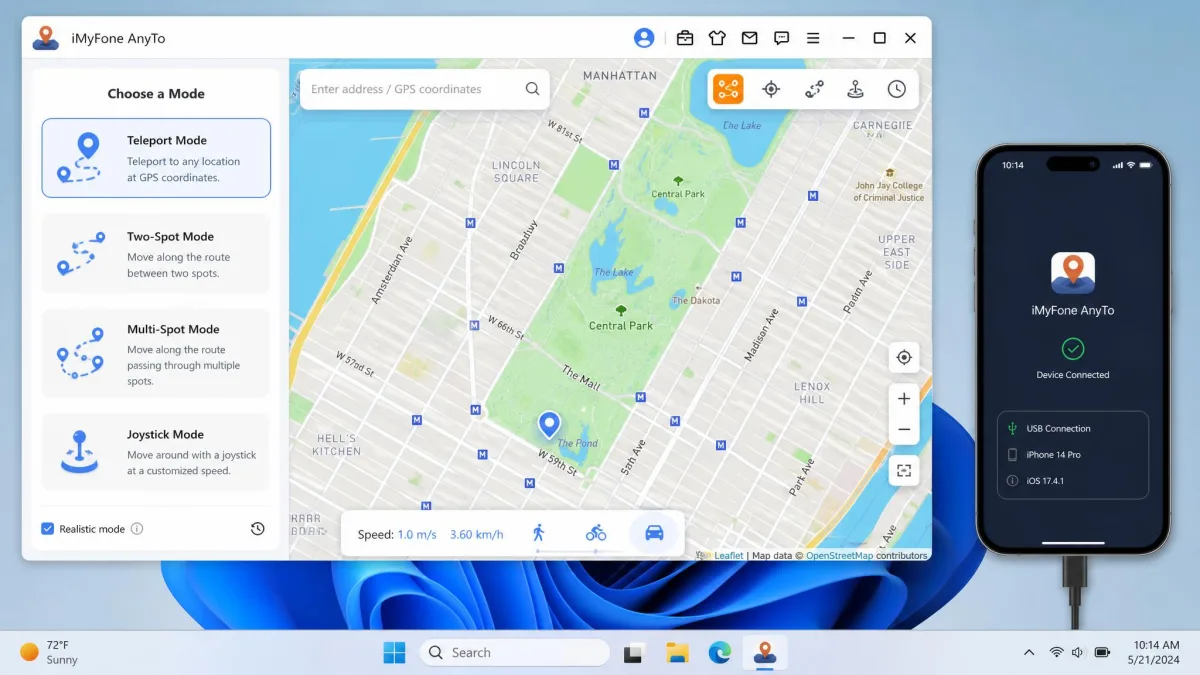
In our testing, the simulation did not always stick: Pokemon GO and Monster Hunter Now kept showing the real position while AnyTo's map showed the new one, and iOS phones sometimes snapped back to the true GPS. The Android app holds 2.9/5 on Google Play from roughly 3,880 reviews, and the android.imyfone.com Trustpilot page sits at 1.6/5, rated Bad. Refunds are sometimes rejected despite the 30-day guarantee, and support swings between silence and helpful responses; the wider record is on AnyTo user reviews on Trustpilot.
What Is MagFone Location Changer?
MagFone Location Changer is the younger competitor, a US-based tool that launched in November 2024. It runs on Windows or macOS and drives the phone over USB or WiFi.
The difference shows in polish, with a clean interface, quick support including license transfers, and a 4.4/5 Excellent rating on Trustpilot.
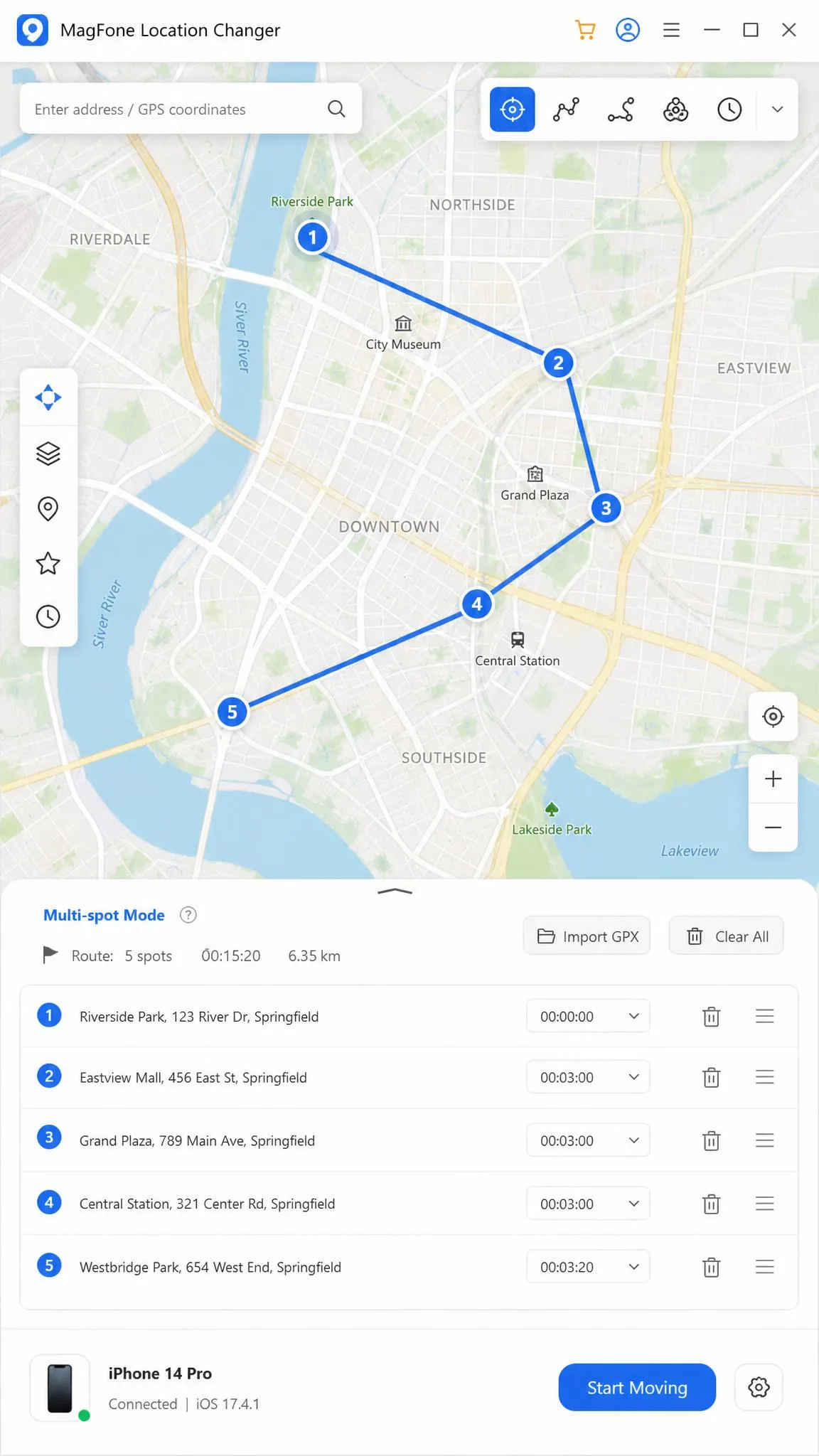
Getting connected was our first hurdle: the phone was sometimes not recognized by the PC, usually fixed by enabling USB debugging or switching cables. Once connected, the change is fast, and it moved a Xiaomi phone's GPS in seconds.
iMyFone AnyTo vs MagFone Location Changer: Feature Comparison
Location Change Modes (Teleport, Two-Spot, Multi-Spot, Joystick)
AnyTo offers six modes, from Teleport and Jump Teleport to Two-Spot, Multi-Spot, Joystick, and instant reset, with routes up to 100 waypoints. MagFone covers every mode except plain Teleport, using jump teleport for single jumps.
Joystick & Movement Simulation Quality
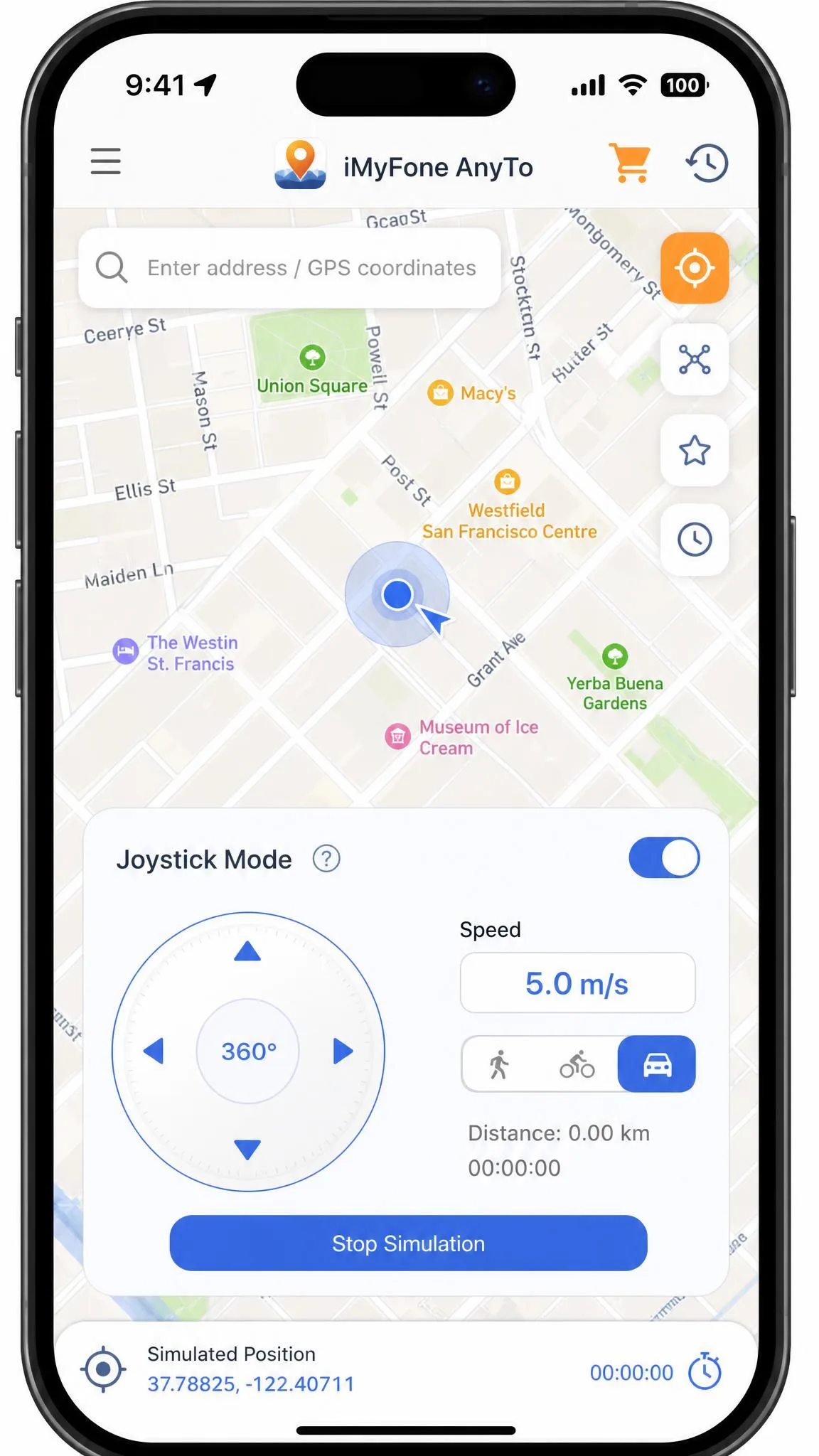
Both joysticks work in real time with a 360-degree dial. AnyTo adds dynamic speed from 3.6 to 120 km/h and can run on the iPhone over Bluetooth. MagFone counters with one-click automatic movement, W/A/S/D keyboard control, and presets from 0.4 to 108 km/h.
GPX Route Import and Custom Routes
Both tools import and export GPX route files, so you can replay a real walk or drive. AnyTo adds cloud-saved routes that sync between devices; MagFone keeps named favorites.
Extra Tools (10-Device Sync, Keyboard Control, Dynamic Speed)
AnyTo's extras target dedicated players, with an auto catcher, an IV scanner, game maps, and 10-device sync. MagFone matches the 10-device limit and adds a realistic fluctuation mode.
App Coverage: Pokemon Go, Social Apps, and Dating Apps
AnyTo lists Pokemon GO, Monster Hunter Now, Life360, Find My, Snapchat, WhatsApp, Instagram, Tinder, Grindr, and Hinge. MagFone covers Pokemon GO and Monster Hunter Now plus social and dating apps such as Tinder, Bumble, Instagram, X, Snapchat, TikTok, and Life360.
Supported Devices: iOS & Android, No Jailbreak or Root
Neither tool touches the phone's system. AnyTo's main page states iOS 5 and up and Android 6.0 and up, while its support FAQ quotes iOS 7.0 and later and Android 5.0 and later. MagFone states iOS 12 to iOS 26 and Android 6 to Android 16, on Windows 10 or later or macOS 11 or later. Spoofing also proved less reliable on newer iOS versions such as iOS 18 in our testing.
Pricing: Plans, Free Trial, and Value for Money
List pricing is identical at the subscription level: $9.95 a month, $19.95 a quarter, or $39.95 a year. The lifetime licenses diverge: AnyTo lists $59.95 one-time, MagFone $89.95 one-time or $107.95 for a PC plus Mac bundle, with a 30-day money-back guarantee.
AnyTo's price varies by promotion and by which page you land on; marketing copy quotes from $14.99, and promos have shown quarterly at $10, yearly at $20, and lifetime at $30. The free trial is usage-limited rather than time-limited, at five teleports, one two-spot run, and a 1-hour joystick session. On Android, the app pushes payment before any real trial use.
MagFone publishes no trial duration. Its own feature table shows the free version cannot change location, so try for free effectively means download and install only.
Safety and Detection Risk: What You Need to Know
AnyTo's official page claims a 0% ban rate. Treat that as marketing, not a guarantee. Apps can detect location spoofing, and bans remain possible.
Close the game before you teleport, wait out the cooldown before any in-game action, and reset to your true location when done.
Spoofing a location in Pokemon GO or any other game violates its terms of service. The realistic risk is a strike on your account. Respect the cooldown and keep the game closed during jumps.
How to Change Location with Each Tool (Step by Step)
Using iMyFone AnyTo
Step 1: Install the desktop app. Step 2: Connect your phone over USB, WiFi, or Bluetooth. Step 3: Pick a mode, from Teleport for a single jump to Multi-Spot for a route. Step 4: Search the map or import a GPX route. Step 5: Confirm the change, check the map, and use instant reset when done.
Using MagFone Location Changer
Step 1: Install the app on Windows or macOS. Step 2: Connect over USB or WiFi. Step 3: Choose Jump Teleport, Two-Spot, or Multi-Spot movement. Step 4: Enter an address or open a saved route. Step 5: Restore the true location when the session ends.
Which One Should You Choose? (Verdict)
If you play Pokemon GO or other location-based games, choose iMyFone AnyTo. It has more modes, wider app coverage, and a cheaper lifetime license. Choose MagFone Location Changer for the simplest experience and quick support. If we were buying today, we would start with a one-month plan and step up to a lifetime license only after a week of real use; a wrong $89.95 lifetime purchase is the expensive mistake here. For the closest rivals, see our FonesGo vs MagFone Location Changer and iMoveGo vs iMyFone AnyTo comparisons.