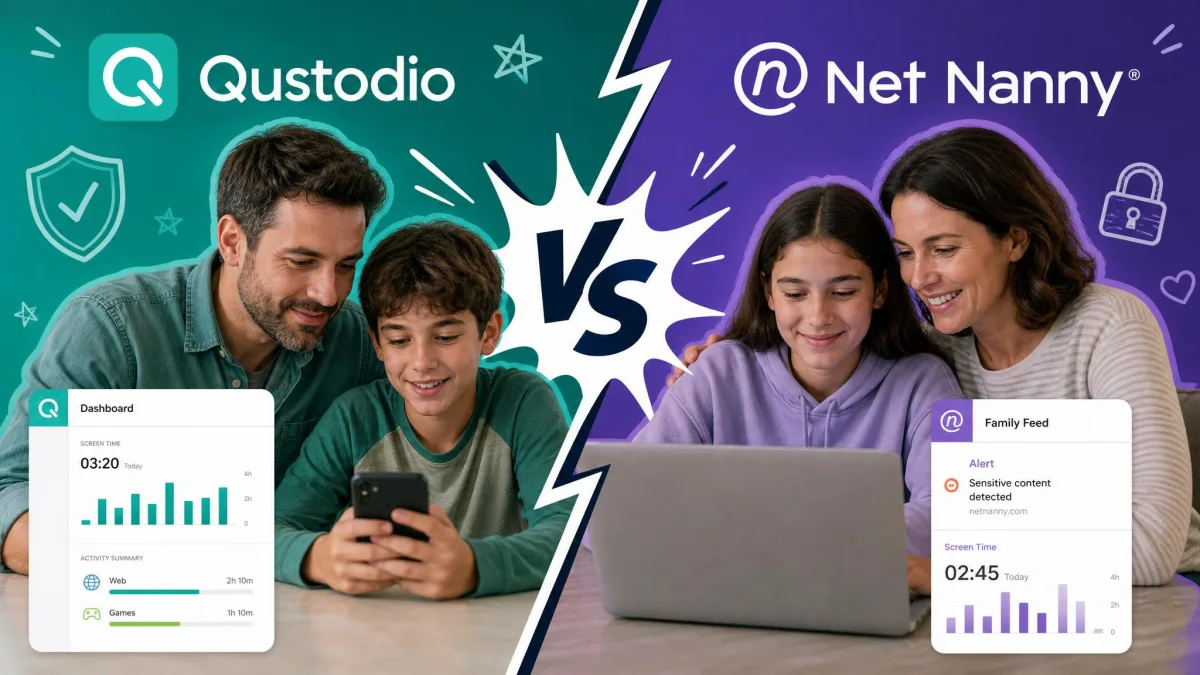
If you are trying to choose one parental control app for the whole family, the shortlist almost always narrows to these two. Qustodio and Norton Family are the names that keep surfacing when you compare features, prices, and platform support, and both promise the same core help: web filtering, screen time limits, and a way to know what your kids are doing online. The trouble is that they aim at slightly different families, and the wrong choice can cost you a year of frustration.
We spent our testing time running both apps on real family devices, the same way a parent would, rather than judging them from a spec sheet. We installed them on Windows, Android, and iOS, set up child profiles, and watched how activity flowed into each parent dashboard over ordinary daily use. Across that testing, a clear pattern emerged: one app is the better all-rounder for granular control, and the other is the smarter value if you already own the right security suite.
This comparison walks through the main differences, a full feature-by-feature breakdown, pricing, compatibility, and setup, then ends with a scored verdict so you can pick with confidence.
Main Differences Between Qustodio and Norton Family
The main differences between Qustodio and Norton Family are that Qustodio offers per-app screen time limits, call and SMS monitoring on Android, and a free single-device plan, whereas Norton Family is device-wide only, skips call and text tracking entirely, and comes free with a Norton 360 subscription.
Put simply, Qustodio is the more granular tool. It lets you cap individual apps, watch social activity more closely, and see a detailed activity timeline. Norton Family takes a broader, lighter approach: strong web supervision, device-wide schedules, and unlimited device connections, wrapped in a price that is hard to argue with when it is bundled.
Your decision usually comes down to two questions. Do you need fine-grained control over specific apps and messages, or do you mostly want reliable web filtering across a lot of devices for as little money as possible? Qustodio answers the first question best, and Norton Family answers the second.
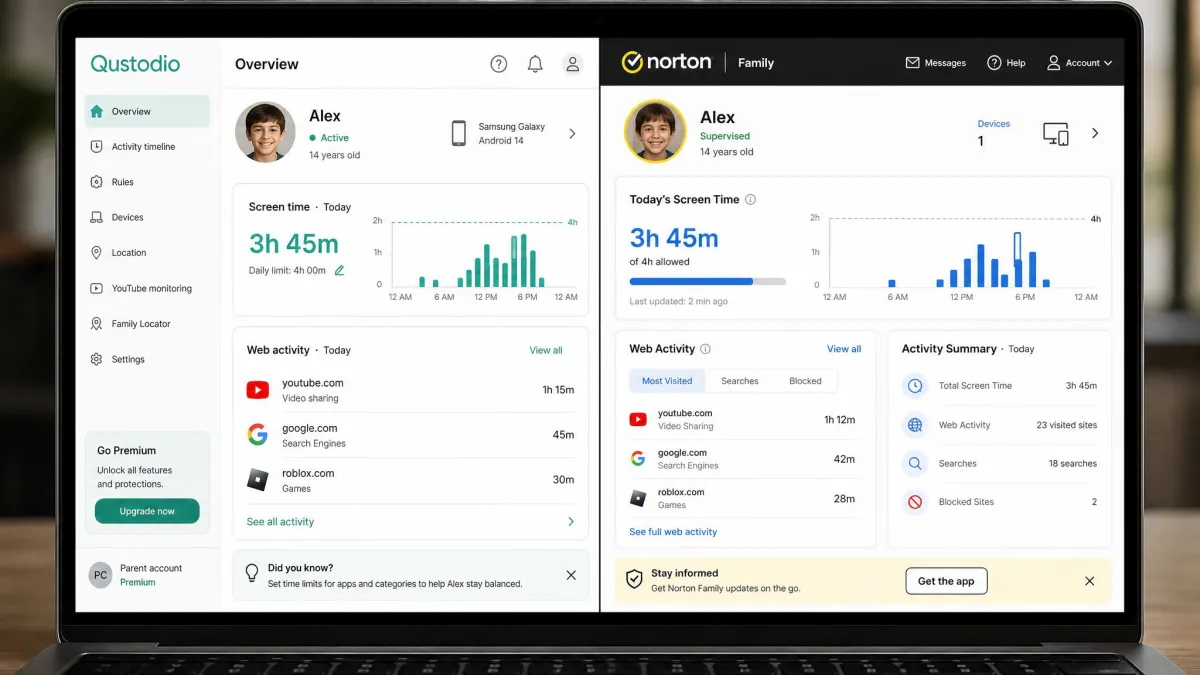
Qustodio Overview
Qustodio is a dedicated parental control platform that works across Windows, Mac, iOS, Android, Kindle, and Chromebook. It leads with control: you can filter the web across 29 categories, block or limit individual apps, set schedules, track location with geofencing, and on Android, monitor calls and SMS. In our testing, connecting several devices under one family account went quickly, and activity from each child profile started flowing into a single view without much fuss.
The trade-off is cost and a little polish. Qustodio can get pricey for larger families once you move past the free single-device plan, and we noticed it sometimes lagged when refreshing reports. Its Windows app also looks dated and threw the odd bug during our testing. None of that broke the core job, but it is worth knowing before you commit.
Key Features
- Web filtering across 29 categories, plus keyword blocking
- Per-app screen time limits in 15-minute increments, with daily schedules
- App blocking and app-usage insight
- Location tracking with geofencing alerts
- Call and SMS monitoring (Android only)
- Email and YouTube monitoring, AI-based alerts, daily digest emails, and an activity timeline
Pros
- Per-app time limits, not just device-wide caps
- Free plan available for a single device
- Email, YouTube, and social monitoring with a scrollable activity timeline
- Cleaner dashboard and quicker multi-device setup
- Broadest platform support, including Mac, Kindle, and Chromebook
Cons
- Gets expensive for larger families on paid tiers
- Reports can lag when refreshing
- Windows app looks dated and shows occasional bugs
- Activity takes roughly 10 to 15 minutes to appear in the dashboard

Norton Family Overview
Where Qustodio leads with granular control, Norton Family leads with value. Bought on its own it is inexpensive, and if you already own Norton 360 Deluxe or Premium, it is included at no extra cost. It supports unlimited device connections per subscription, filters the web across a wide set of categories, and handles device-wide schedules, School Time, search and video supervision, and location supervision with 30-day history.
In our testing the interface was user-friendly and straightforward once installed, and the web supervision was the strongest part of the package. The catches are what it leaves out. There is no call or text monitoring, screen time is device-wide rather than per-app, and macOS is not supported for Norton Family features. We also found the web filter could be overzealous, occasionally blocking harmless educational sites.
Norton's own product pages for Norton Family lay out the current supervision features and plan details.
Key Features
- Web supervision across 45+ content categories
- Device-wide time supervision with schedules and daily limits
- Search supervision and video/YouTube supervision
- App supervision on Android and Windows
- Location supervision with 30-day location history (Android and iOS)
- School Time, Instant Lock, access requests, and weekly or monthly email reports
Pros
- Included free with Norton 360 Deluxe and Premium
- Low standalone price
- Unlimited device connections per subscription
- Strong, wide-ranging web supervision
- Simple, user-friendly interface once set up
Cons
- No call or SMS monitoring
- Screen time is device-wide only, not per-app
- No macOS support for Norton Family features
- Web filter can be overzealous and block harmless sites

Qustodio vs Norton Family: Feature Comparison
Here is how the two apps line up on the features families ask about most. We have grouped them the way we tested them, starting with the web filtering that both apps build everything else around.
| Product | Web filtering | Screen time | Call/SMS | Free tier | Price | Buy |
|---|---|---|---|---|---|---|
|
29 categories, keyword blocking | Per-app limits, 15-min increments, schedules | Yes (Android) | Yes (1 device) | $54.95/yr | Check price → |
|
45+ categories, no keyword blocking | Device-wide schedules and daily limits | No | No | $49.99/yr | Check price |
Web Filtering and Content Blocking
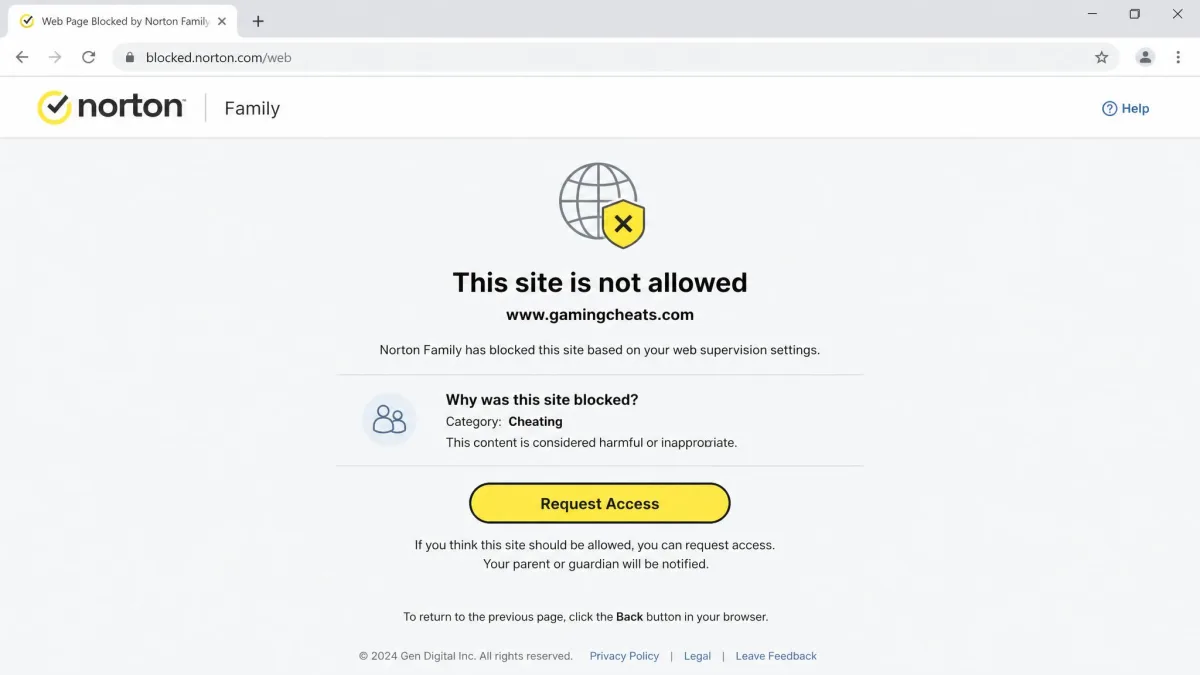
Both apps filter the web well, but they get there differently. Norton Family casts the wider net with 45+ content categories, while Qustodio covers 29 categories and adds keyword blocking, which Norton Family lacks. In practice, Norton Family's broader net came with a downside we saw in testing: it was sometimes overzealous, blocking harmless educational sites until we adjusted the settings. Qustodio's keyword blocking gives you a finer instrument when you want to catch specific terms rather than whole categories.
Whichever app you choose, spend the first week reviewing the block log. Both filters occasionally catch schoolwork sites, and a quick allow-list fixes most of the friction.
Screen Time Limits and Scheduling
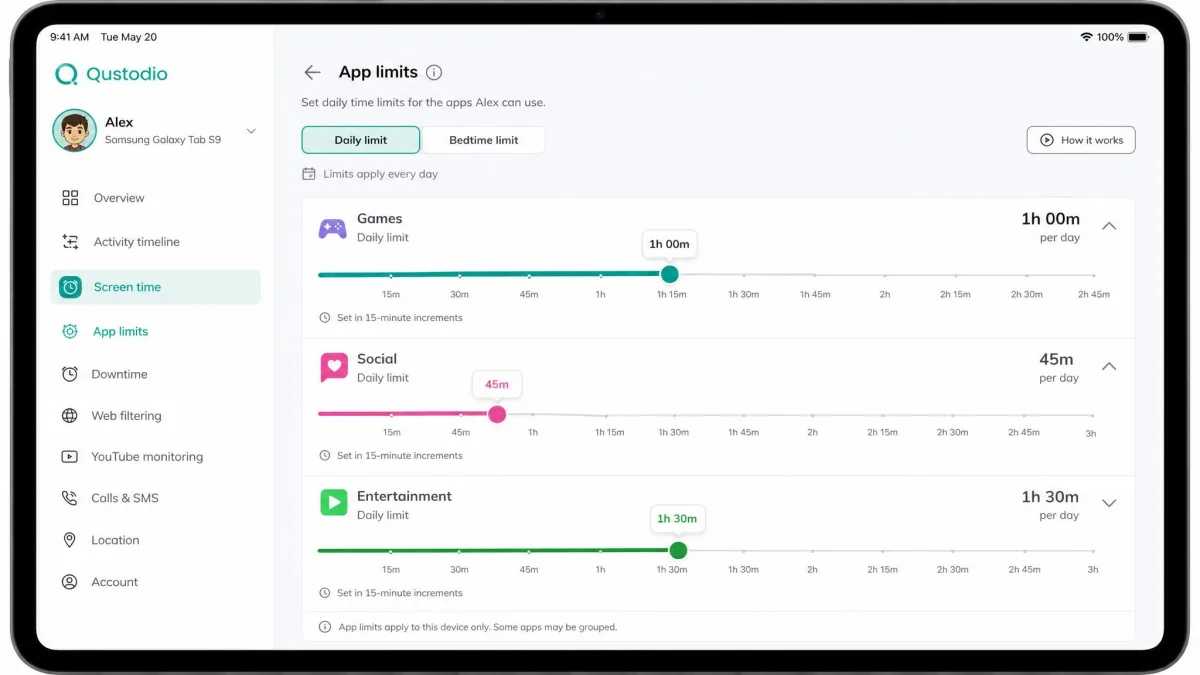
This is the clearest win for Qustodio. It sets limits per app, in 15-minute increments, alongside daily schedules, so you can cap one game without touching homework tools. Norton Family works device-wide only, offering schedules and daily limits for the whole device rather than individual apps. If your child's problem is one specific app, Qustodio gives you the scalpel and Norton Family gives you the switch.
Location Tracking and Geofencing
Qustodio includes location tracking with geofencing, so you can get an alert when a child arrives at or leaves a set place. Norton Family offers location supervision with 30-day location history on Android and iOS, which is handy for looking back at where a device has been. We did notice in testing that Qustodio's GPS tracking drained battery about 10 to 15% faster, especially with location running constantly, so that convenience has a small cost.
Social Media and App Monitoring
For families of tweens and teens, Qustodio is the stronger social monitor. It surfaces YouTube and Instagram activity by name, and the dashboard presents it more clearly, while Norton Family feels lighter on the social side. Norton Family still covers video and YouTube supervision and app supervision on Android and Windows, so it is not blind here, but Qustodio gives you more to work with when social apps are the concern.
Call and SMS Tracking
This is a straightforward split. Qustodio monitors calls and SMS, but only on Android, thanks to Apple's restrictions on iOS. Norton Family does not offer call or text monitoring at all. If message and call oversight matters to you and your child uses Android, Qustodio is the only one of the two that delivers it.
Reporting and Alerts
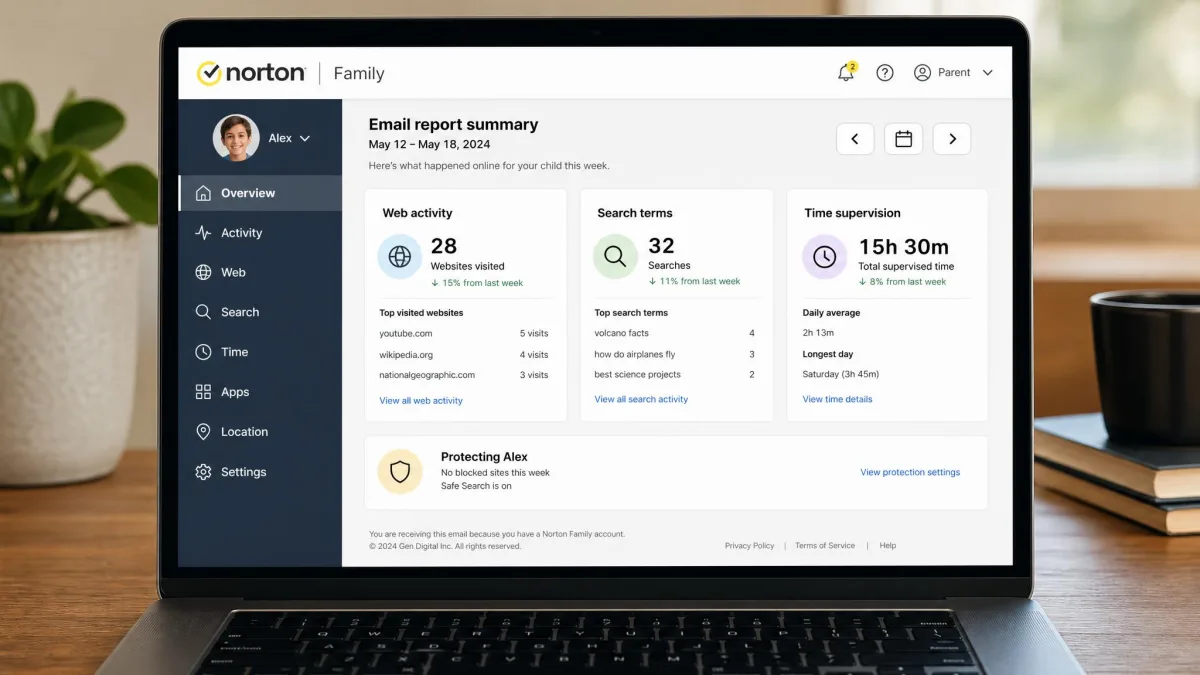
Qustodio leans toward frequent, detailed feedback: a daily digest email, AI-based alerts, and an activity timeline you can scroll. In our testing that activity took roughly 10 to 15 minutes to appear in the parent dashboard, which is normal but worth expecting. Norton Family sends weekly or monthly email reports, a lighter cadence that suits parents who prefer a periodic summary over a constant stream. We saw occasional delays in Norton Family's reports updating, so neither app is instant.
On an iPhone, both apps hand a chunk of control back to Apple, so the platform your child actually carries can matter as much as the app you pick.
Pricing and Plans Compared
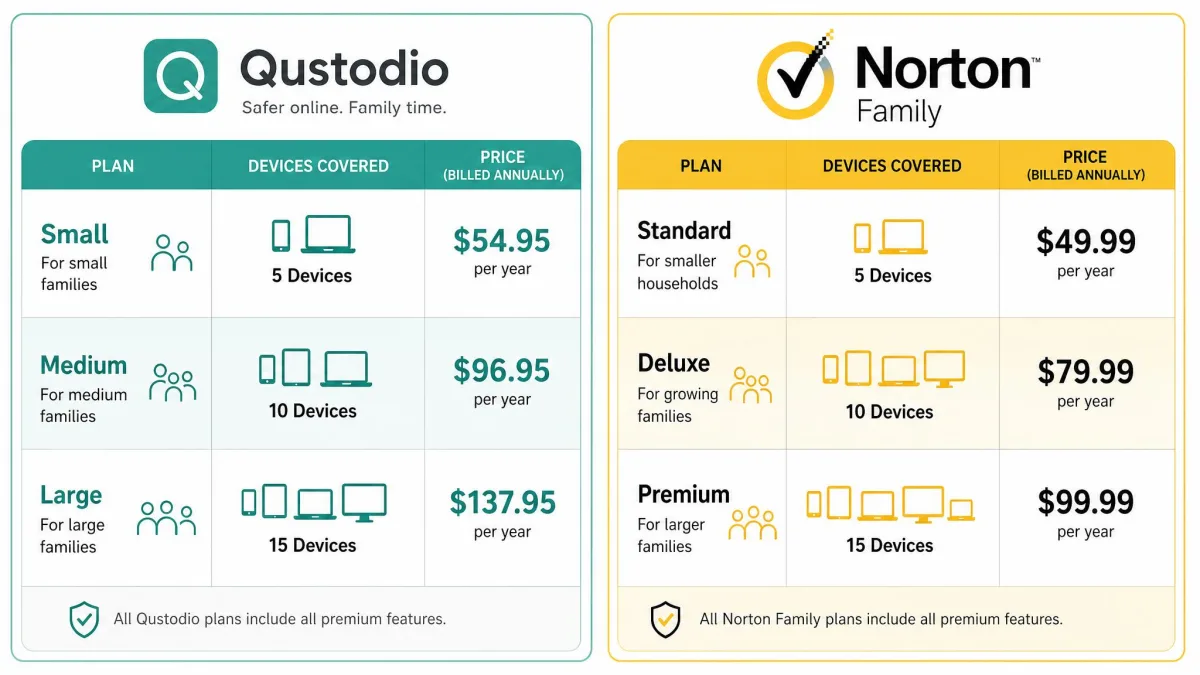
Pricing is where Norton Family makes its case. Qustodio offers a free plan that covers 1 device with core web filtering, time limits, and location, then steps up to a Basic plan at $54.95/year for up to 5 devices, and a Complete plan at $99.95/year for unlimited devices. Those paid tiers add up quickly for a larger family.
Norton Family costs $49.99/year as a standalone purchase for the first year, and it renews at a higher standard rate after that. The bigger draw is that it is included at no extra cost with Norton 360 Deluxe and Premium, so many families already own it without realizing. It also comes with a 60-day money-back guarantee on new purchases, which is generous room to test it.
Free trials break cleanly in Qustodio's favor. Qustodio gives you a 7-day free trial of its premium features with no credit card required to start, and its separate 30-day money-back guarantee still applies on top of that. Norton Family is murkier: its official product page publishes no Family-specific trial length, any Norton trial we found requires a payment method at signup and auto-charges unless you cancel, and the length varies by market and promotion, with third parties citing anywhere from 7 to 30 days. Confirm the exact trial offer on each signup page before you count on it.
If you are weighing Norton 360 for antivirus anyway, Norton Family effectively becomes free. That single fact tips a lot of purchasing decisions before feature lists even enter the picture.
Compatibility and Supported Devices
Qustodio supports the widest range: Windows, Mac, iOS and iPadOS, Android, Kindle, and Chromebook. Norton Family covers Windows 7 through 11 (but not S Mode), Android 8 and up, and current iOS plus the previous two versions. The important gap is macOS: Norton Family does not support its parental control features on Mac, so a Mac-heavy household should lean toward Qustodio.
Device counts differ too. Norton Family allows unlimited device connections per subscription, while Qustodio caps devices by plan tier until you reach the Complete plan. For a big family with many gadgets, Norton Family's unlimited model is the simpler math.
On iPhones and iPads, both apps lose depth to Apple's restrictions. Qustodio drops SMS monitoring, detailed app-usage insight, and granular app blocking on iOS, and the child can see the VPN configuration in Settings. Norton Family's app blocking on iOS is limited to VPN and web filtering. If you rely on deep iOS control, temper your expectations for either.
Ease of Use and Setup
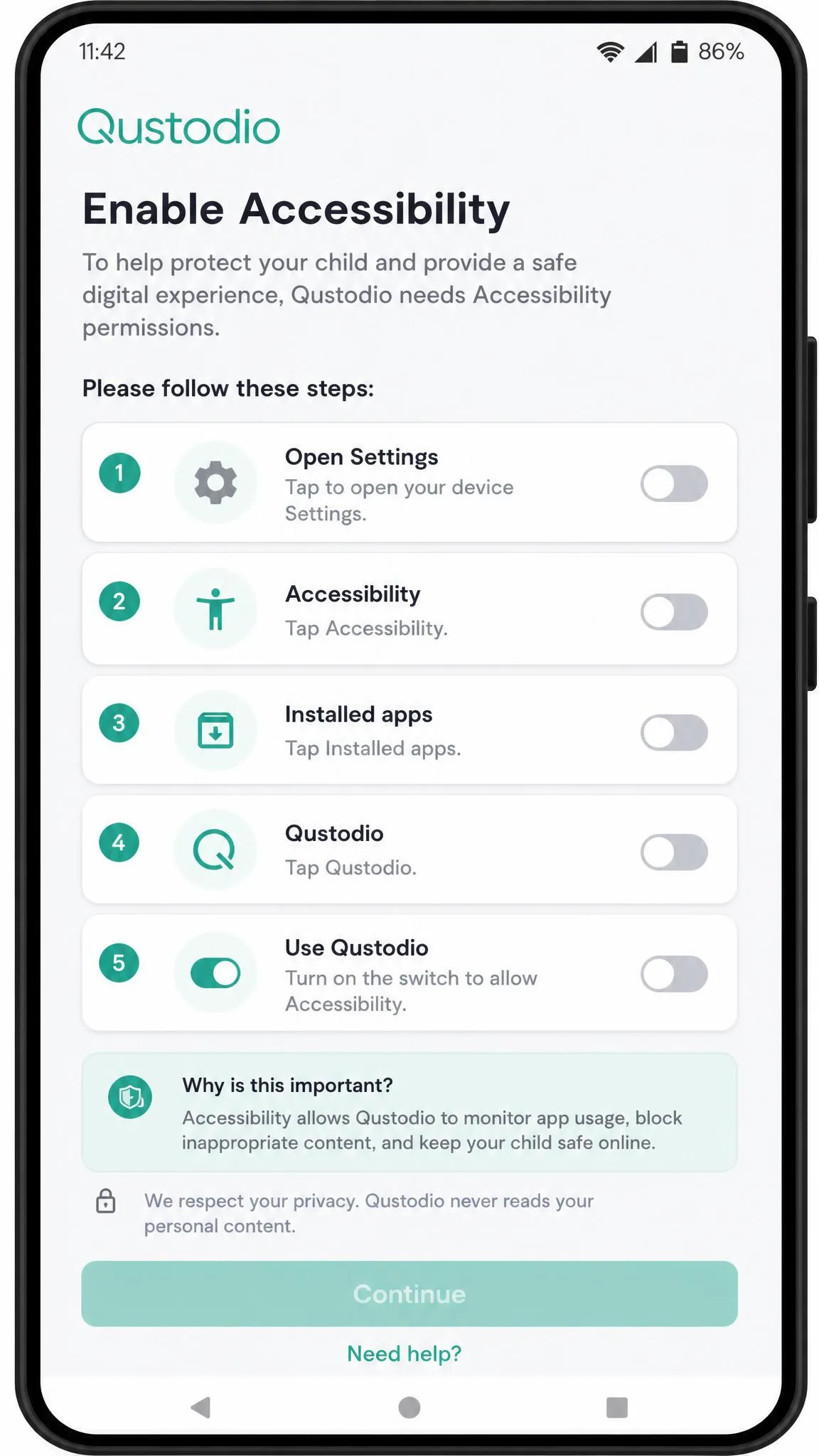
Setup is smoother with Qustodio overall. Installation was quickest on Windows, at about 10 minutes. Other platforms asked for more: Mac needed system-level permissions and multiple restarts, Android needed accessibility permissions, and iOS required installing a VPN profile. We also saw Qustodio occasionally become visible to the child instead of running quietly in the background.
Norton Family's interface was user-friendly and straightforward once installed, though its macOS support relies on clunky browser extensions and the iOS web filter, which uses a VPN, could be flaky during our testing. Onboarding felt a little clunkier than Qustodio's. Neither setup is hard, but Qustodio got us to a working family account faster.
Customer Support
Both companies offer help through knowledge bases, email, and support ticketing, with Norton backed by the larger support organization of its parent brand. Norton Family's 60-day money-back guarantee also acts as a practical safety net if support cannot resolve an issue in the first two months. Qustodio offers a money-back guarantee as well. For most families, the day-to-day support difference is small, and the choice should rest on features and price rather than help desks.
Bottom Line Up Front (Verdict)
Frequently Asked Questions
What can Qustodio see?
Is Norton Family included with Norton 360?
Which specific social platforms does each app actually surface?
Does Norton Family's price change when it renews?
Can my child disable Qustodio?
Conclusion: Which Should You Choose?
Both apps do the core job well, so the right pick depends on your family rather than a scoreboard. Choose Qustodio if you want the most control: per-app time limits, stronger social monitoring, and the broadest platform support, including Mac and Chromebook. It costs more for a big family and shows a few rough edges, but it is the more capable tool.
Choose Norton Family if value and simplicity lead your list, especially when you already own Norton 360 or need unlimited devices on a budget. You give up call and text tracking and per-app limits, but you gain strong web supervision and an unbeatable price when it is bundled. Match the app to the problem you are actually solving, and either one will serve your family well.