When a child owns a phone, a tablet, a school laptop, and a smart TV, an app-based filter that runs on one device leaves the other three wide open. A parental filter router answers at the network level instead, applying the same content rules to everything that joins your Wi-Fi at once. That covers devices apps can never reach, which is why more families start with the router rather than the phone.
We tested the best parental filter routers for 2026 to find the ones that filter well without wrecking your speeds or emptying your wallet. We set up ten models on our home test network and ran each through its companion app. We checked content filtering and screen-time scheduling, pushed back on VPN bypass, and compared subscription costs side by side. Our top pick is the Gryphon AX, the only router here built from the ground up for parental control. It costs real money, though, and several cheaper picks get close for far less, so keep reading before you buy.
At a Glance: Our Top 3 Parental Filter Router Picks
These three routers are where we would start your search, covering the two extremes of the category and the practical middle ground between them.
How We Tested Parental Filter Routers
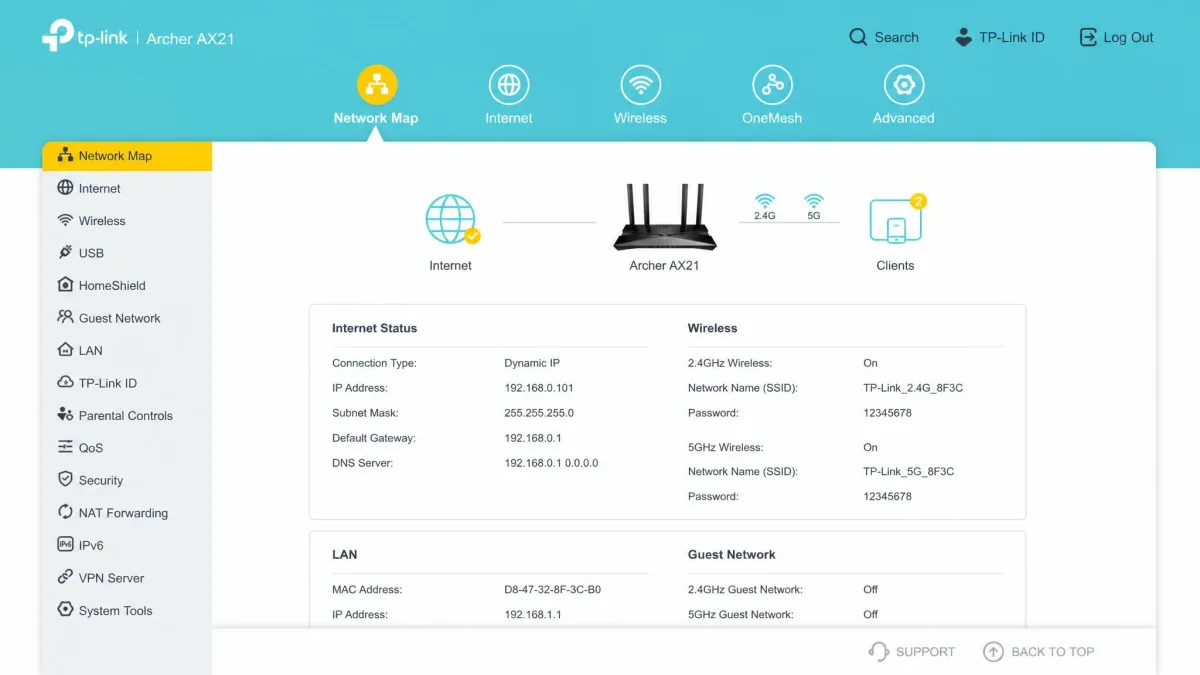
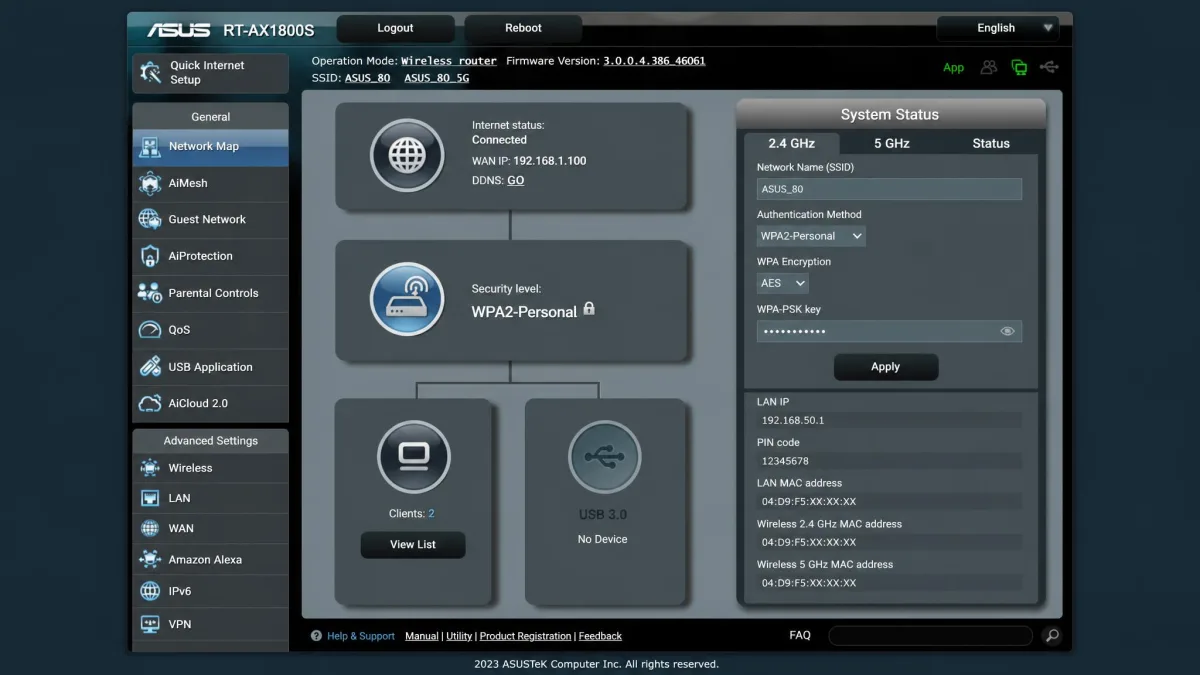
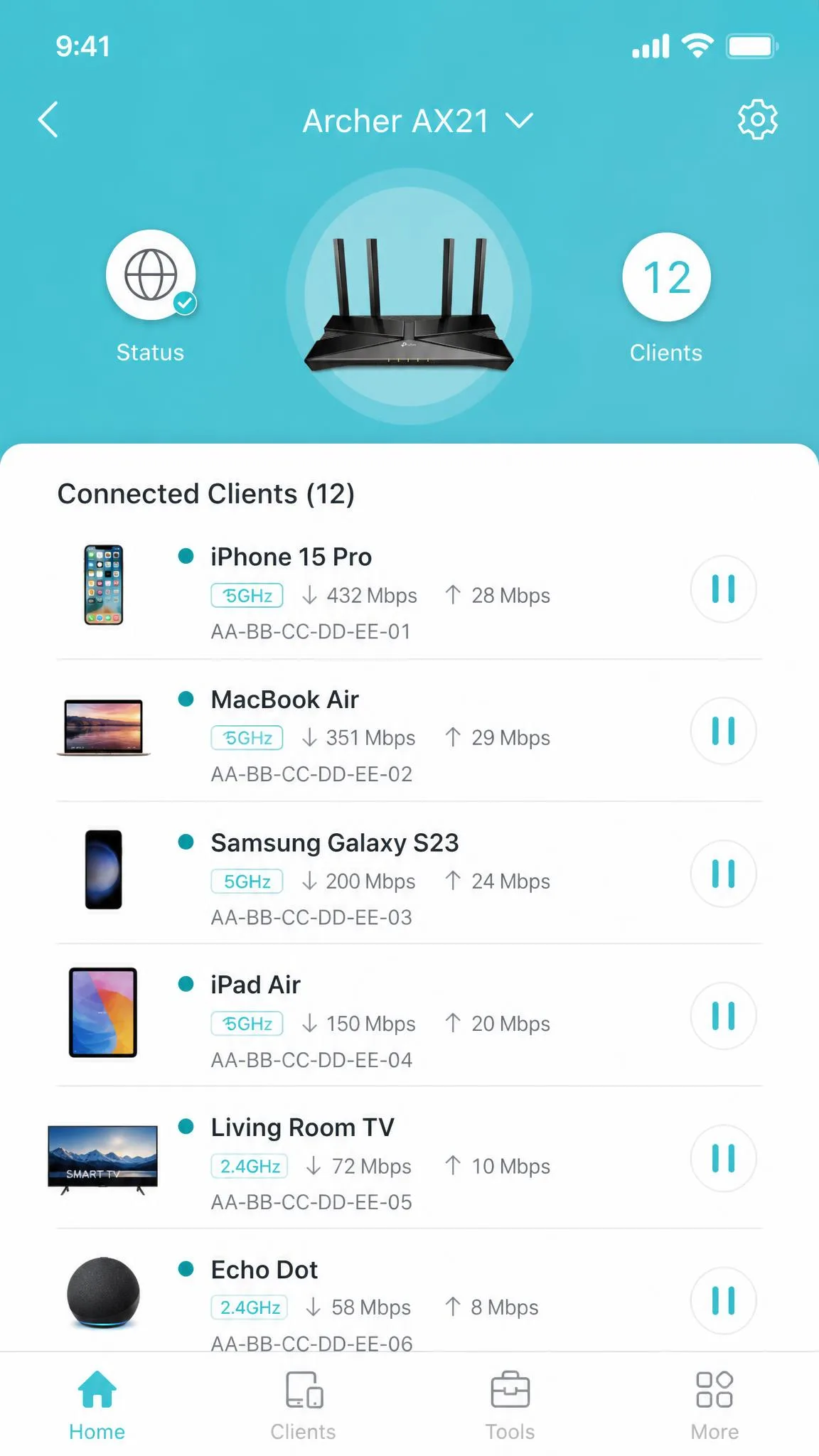
Every router in this roundup went through the same battery on our home test network. The network runs a gigabit fiber connection and a mix of phones, laptops, a tablet, a streaming box, and a smart TV. We started with a from-scratch setup for each unit, timing how long it took. We also noted where the instructions and companion apps made things harder than they should be. The Archer AX21, for example, needed several attempts and a modem reset before it connected. The ASUS RT-AX1800S came up within minutes on the first try.
From there we checked the parental-control features every family actually uses. We built two test profiles, one for a younger child and one for a teenager. We verified that content filtering, Safe Search, and screen-time schedules applied to the right devices at the right times. We tested pause and bedtime controls, and we pushed on the two workarounds kids try most often. Those are browsing through a VPN and hopping to a device the router does not recognize. We also compared the free tier of every router against its paid upgrade. The subscription line in each review reflects what you get before you pay a cent.
Range and throughput came next. We ran speed checks at several distances in a typical home layout. We measured close to the router, in the next room, and at the far end of the house. That is how we confirmed the Gryphon AX held 469 Mbps at forty feet. The Archer BE230 collapses past sixty feet. The Netgear Nighthawk RS300 trades close-range speed for distance. We also logged whether units dropped connections or needed reboots during the review window.
Finally, we priced everything, comparing street prices at the time of writing and checking each parental-control subscription against its free tier. We scored every router on setup, filtering depth, scheduling, range, and value. The scores on each review card reflect that full pass, not a single speed test.
We set up ten routers from scratch, ran range and throughput checks at several distances, and priced every subscription plan. In the end, the free-versus-subscription divide told us more than sticker price did.
Every router here was bought at retail with our own money, not supplied by a vendor for review. We ran the full group through weeks of hands-on testing on our home network before any score was set. That window matters. Parental-filtering problems rarely surface in the first hour, and several of the conclusions below only appeared after days of daily use.
Parental Filter Routers Compared: Quick Comparison Table
The table below lines up every router we tested on the numbers that matter most to parents: price, parental-control cost, content filtering, scheduling, and the wireless standard.
| Feature |  |
 |
 |
 |
 |
 |
 |
 |
 |
 |
|---|---|---|---|---|---|---|---|---|---|---|
| Price | $499 (1-pack) | $48-55 street | $69.99 MSRP | ~$96-150 (3-pack) | ~$110-120 | ~$100-120 | $279.99 | $139.99 | $220 | $409 |
| Parental-control cost | $89.99/yr Premium (free basics) | $17.99/yr HomeShield Pro | Free | $17.99/yr HomeShield Advanced | HomeShield Pro subscription | HomeShield Pro subscription | $69.99/yr Smart Parental + $99.99/yr Armor | $99.99/yr eero Plus | Free | Free (no subscription) |
| Content filtering | Free tier with content blocks | Free URL filtering; advanced in Pro | Basic, no per-site granularity | 4 age-based filter levels free | Free basic; advanced in Pro | Free basic; advanced in Pro | Requires paid subscription | Requires eero Plus | Free Safe Access category-based | Free category and app blocking |
| Screen-time scheduling | Free bedtimes, school hours, homework-time | Bedtime and off-time in paid tier | Time scheduling free | Time limits free; bedtime and off-time paid | Family Time and Bedtime free basic | Family Time and Bedtime free basic | Scheduling in paid tier | Downtime scheduling free; history in Plus | Quota and scheduling free | Per-device schedules and bandwidth limits free |
| WiFi standard | WiFi 6 AX4300 tri-band | WiFi 6 AX1800 | WiFi 6 AX1800 | WiFi 5 AC1900 | WiFi 6 AX3000 | WiFi 7 BE3600 (no 6 GHz) | WiFi 7 BE9300 tri-band | WiFi 6 AX3000 | WiFi 6 dual-band | Wired firewall (short-range Wi-Fi) |
| Mesh | Yes (Gryphon-only) | OneMesh-compatible | No | Yes (Deco mesh) | EasyMesh | EasyMesh | No | Yes (eero mesh) | Mesh-capable | No (inline firewall) |
| Best-for | Purpose-built parental-control mesh | Budget WiFi 6 | Free-controls value pick | Budget mesh coverage | Whole-home WiFi 6 | Budget WiFi 7 | WiFi 7 with parental subscription | Simple app and mesh | Deep free parental controls | Tech-savvy, no-subscription |
The 10 Best Parental Filter Routers in 2026
Here is every router we tested, led by our three top picks. The reviews after them are ordered by the value case they make, not raw score. Each review covers what the router does well, where it falls short, and who should buy it.
Gryphon AX
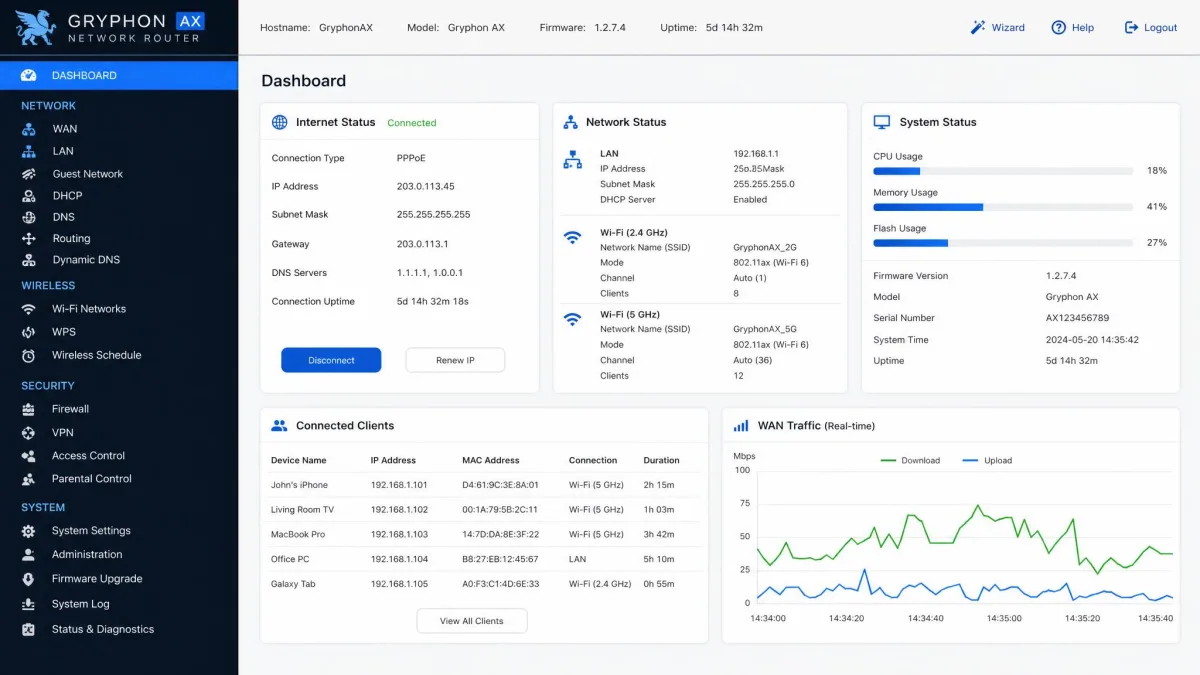
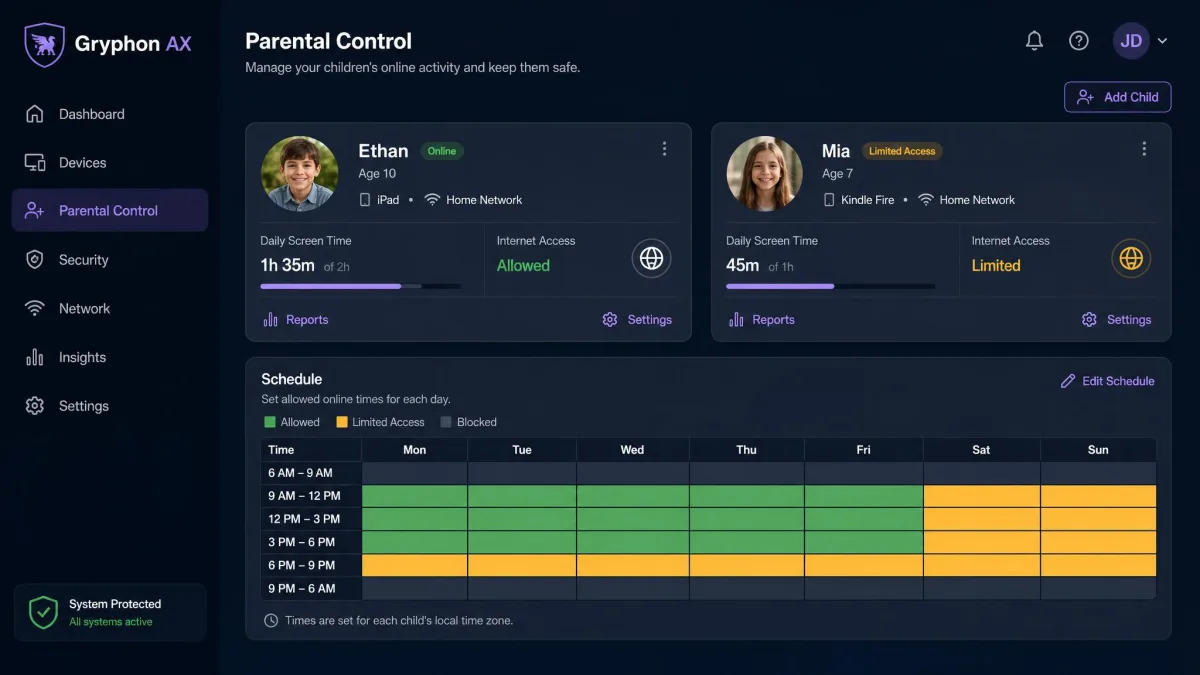
Setup on the Gryphon AX runs through the app and takes just a few minutes. The flow sours slightly when it pushes the 90-day Premium trial before you have finished connecting. In our range checks the single unit delivered 855 Mbps at two feet and 469 Mbps at forty feet. Those are the best averages we saw from any mesh router this round. Reliability was a non-issue across the review window, with no reboots, dropped connections, or crashes. That performance comes at a premium price, which is the real question parents have to answer. Gryphon's store lists the 1-pack at $499, while reviews from the 2022 launch quoted $299, so the figure moves around.
Pros
- Deepest free-tier parental controls we tested: bedtimes, school hours, content blocks, ad blocking, YouTube restrictions, Safe Search
- Tamper-resistant filtering kids cannot disable from the app
- Strong tri-band throughput in our range checks
Cons
- Premium security and off-network controls cost $7.99/month or $89.99/year
- Meshes only with other Gryphon AX units, and mesh mode hides the second 5 GHz radio
- Only two ethernet ports
Best for: Families who want the deepest built-in parental controls and are willing to pay for a purpose-built mesh. Skip if: Your budget tops out around $150, or you need one unit to cover a long single-story house on its own.
TP-Link Archer AX21
Where the Gryphon AX asks for a premium, the TP-Link Archer AX21 delivers the essentials for well under $60. It also gave us the roughest first setup of the group. It needed a few attempts and a modem reset before it joined our test network. Once the Tether app took over, the experience flipped, with clear step-by-step guidance and live device counts on a single screen. Its free tier is the point. URL filtering, time controls, and network pause all work with no subscription. That is more out of the box than the pricier eero gives you.
Pros
- Free HomeShield tier with URL filtering, time controls, and internet pause
- Around $48 to $55 street price for a WiFi 6 router
- Strong Tether app with clear guidance once it connects
Cons
- Setup is rocky for non-technical users and occasionally needs a modem reset
- Plastic build feels cheap and runs warm under load
- Real-world throughput tops out well below gigabit
Best for: Budget-minded families who want WiFi 6 and free parental controls for around $50. Skip if: You have a larger home or several simultaneous streamers. The Archer AX55 handles whole-home loads better.
ASUS RT-AX1800S
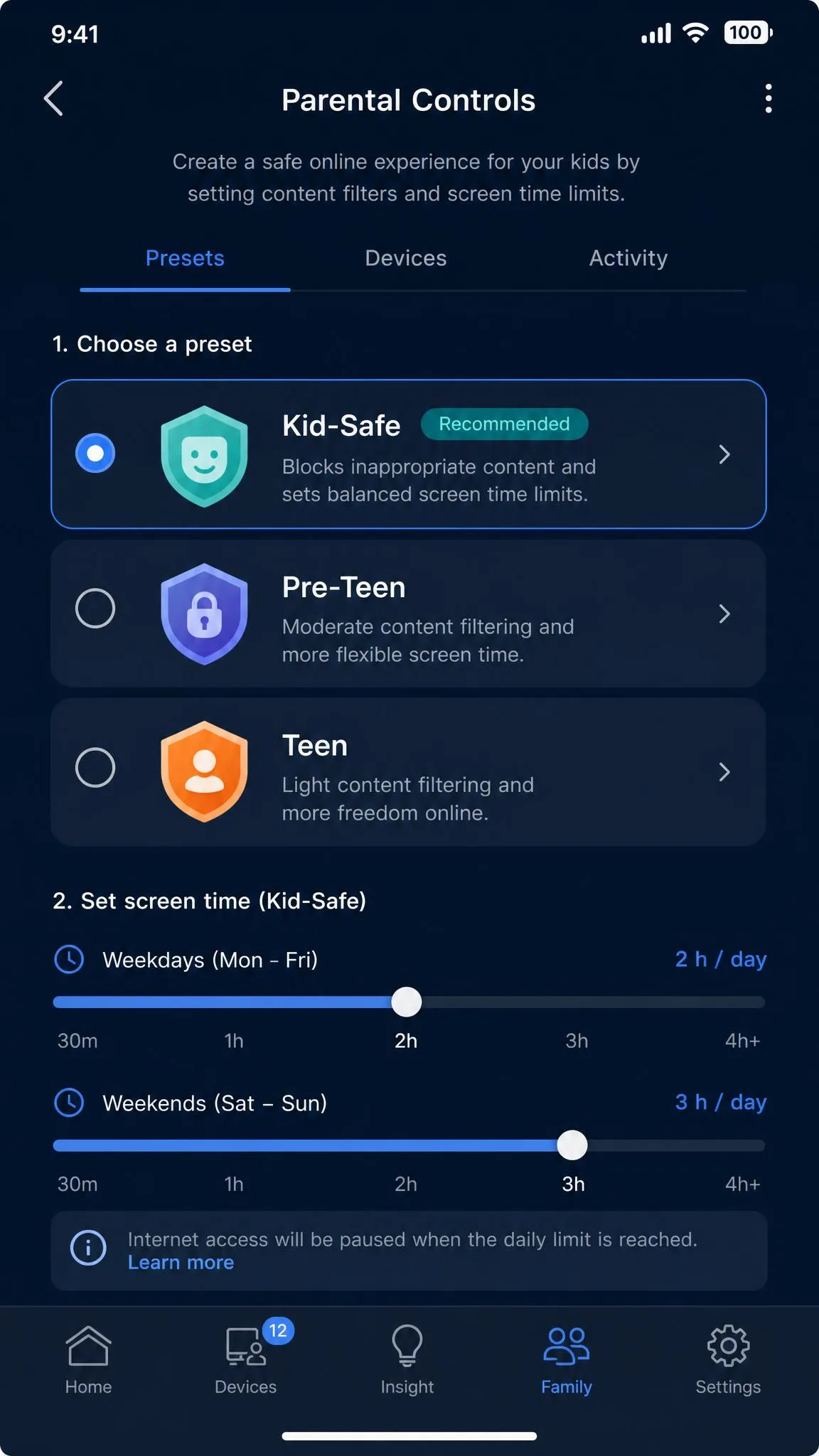
If the AX21 is the value pick on price, the ASUS RT-AX1800S earns the value crown on free features. It was also the easiest router to get online in this roundup. It came up within minutes, with no glitches. Its 2.4 GHz band is the standout, streaming 1080p video from 165 feet away. That is the farthest reach we recorded in its class. Free ASUS AiProtection adds malicious-site blocking and infected-device isolation, and you manage everything through the ASUS Router app or the full web interface.
Pros
- AiProtection network security included with no subscription
- Free parental controls with a Kid-Safe preset in the ASUS Router app
- Extremely easy setup on the first attempt
- 2.4 GHz band reaches farther than anything else in its class
Cons
- Parental controls are basic, with no per-site or per-app granularity
- 5 GHz band loses steam beyond about 35 feet
- No QoS, no USB port
Best for: Families who want solid security and controls for free and put setup ease above everything else. Skip if: You need detailed per-site or per-app filtering. The Gryphon AX or Synology WRX560 go much deeper.
TP-Link Deco S4
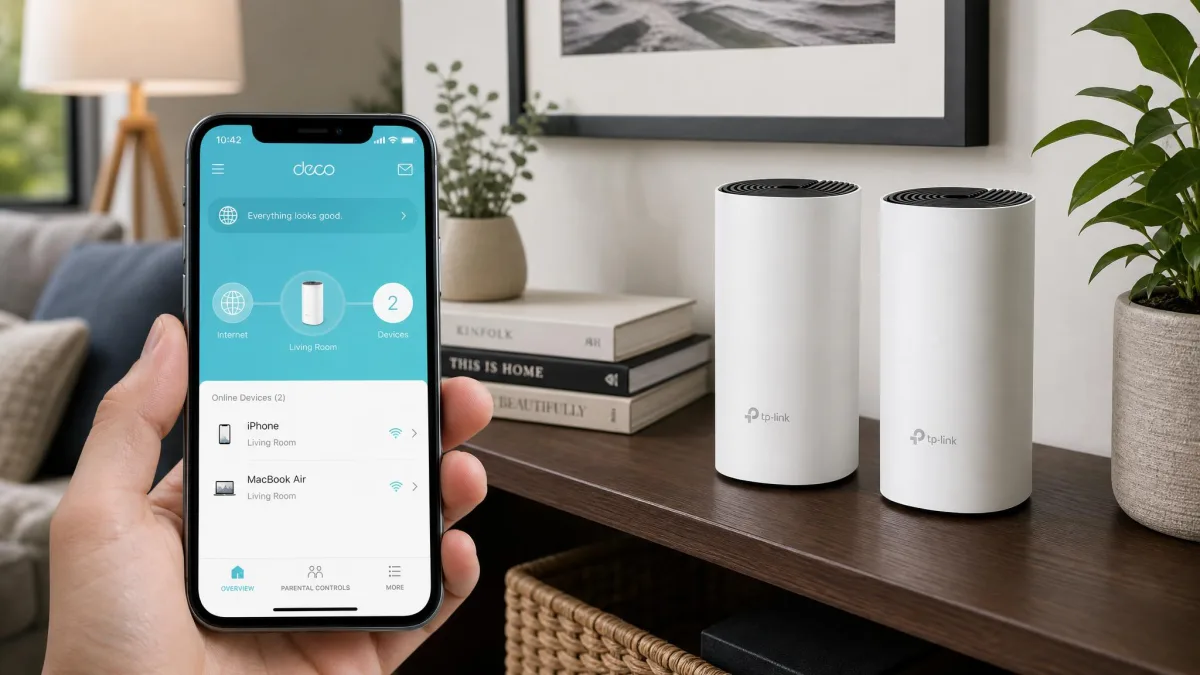
If you need whole-home coverage instead of a single box, the Deco S4 is the budget way into mesh. A 3-pack covers roughly 5,500 square feet for under $150, and each unit carries three Gigabit ports. We had the network running in about fifteen minutes through the Deco app, which lists every connected device with live download and upload speeds on one screen. The one stumble is TP-Link's split app library. The Deco app and the Tether app both exist, and we grabbed the wrong one first because the included quick-start card is small-print and easy to miss.
In practice the age-based filters preset themselves from the age you select and block by content category. They over-block more than they under-block. Our twelve-year-old test profile quietly blocked streaming services we never meant to touch. The only way to fix it was lifting the whole category from the History page. Range held up across our multi-floor test, with 423 Mbps still coming through at the farthest point upstairs. That is about a quarter below the 555 to 560 Mbps we measured next to the router.
Best for: Large homes on a tight budget that need whole-home coverage with basic filtering. Skip if: You want WiFi 6 now. The Archer AX21 is a better single-router investment.
TP-Link Archer AX55
Where the Deco S4 covers a big house with WiFi 5, the Archer AX55 upgrades the same idea to WiFi 6 in a single box. It was the strongest TP-Link performer on the 5 GHz band in our coverage checks. It kept excellent speed in rooms where the budget units dropped off. The 2.4 GHz side is the catch. The spec sheet rates that band at 574 Mbps, but our uploads on it crawled through every test, a known Qualcomm-chip trait.
The tradeoffs
- 5 GHz band: the best coverage of the TP-Link group, holding speed in rooms where the budget units dropped off
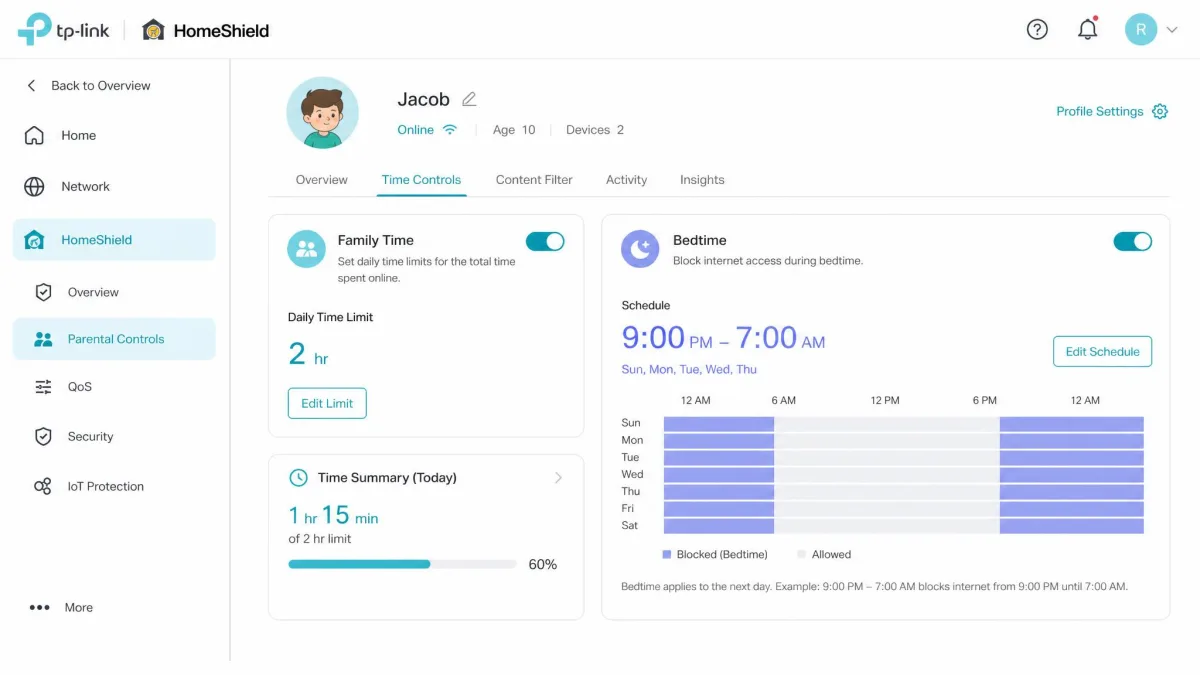
- Free HomeShield: profiles, content filters, Family Time, Bedtime, Off Time, and Pause Internet all included
- 2.4 GHz uploads: slow in every test, so keep file-syncing devices on the 5 GHz band
- Pro tier: the best HomeShield features sit behind the paid subscription
- USB 3.0: slow for network storage
Best for: Whole-home WiFi 6 families who want capable free parental controls in one router. Skip if: You want WiFi 7 for future-proofing. The Archer BE230 gets you there for about the same money.
TP-Link Archer BE230
Where the AX55 nails whole-home WiFi 6, the Archer BE230 brings WiFi 7 to a budget price. It posted the fastest close-range numbers of any budget unit we tested, averaging 993 Mbps on the 5 GHz band at ten feet. Walk past the sixty-foot mark and that figure collapses below 200 Mbps. This is a router for smaller homes and rooms near the box, not a whole-house coverage plan.
Setup requires an online account and runs through the Tether app. The same free basic HomeShield parental tier carries over from the AX21 and AX55.
What you trade for WiFi 7
- Close-range speed: the fastest 5 GHz throughput of the budget group
- 2.4 GHz reach: the strongest in its price class
- Ports: one 2.5 Gbps WAN and one 2.5 Gbps LAN
- Range: signal drops sharply past 60 feet, and multi-user throughput falls off at distance
- 6 GHz: the WiFi 7 label does not include a 6 GHz band
Best for: Small to medium homes that want WiFi 7 speeds today for the price of a mid-tier WiFi 6 router. Skip if: Your home needs range more than close-range speed.
Netgear Nighthawk RS300
The BE230 is budget WiFi 7, and the Nighthawk RS300 is what the standard looks like when money is less of a constraint. It was the fastest router at close range in our tests, averaging about 994 Mbit/s next to the bench. That lead thinned out across the house, dropping to roughly 195 Mbit/s on the first floor and about 115 Mbit/s on the second.
Basic profile creation and internet pausing are free. Content filtering and time limits, the controls parents actually want, sit behind Smart Parental Controls at $7.99 a month or $69.99 a year. Netgear Armor security is a separate $99.99-a-year add-on. The layered subscriptions add up, which is why this one lands mid-list.
Best for: Speed-first homes that want WiFi 7 today and are willing to pay for parental subscriptions. Skip if: You want parental controls without monthly costs. The Archer AX55 or Synology WRX560 are smarter buys.
eero 6+
Where Netgear hides its best features behind subscriptions, eero's app is the easiest to live with. The paywall comes as a surprise. Adding a profile or pausing the network is quick in the eero app. But when we tried to switch on content filtering for a child's profile, the app stopped us for an eero Plus subscription. That is $9.99 a month or $99.99 a year.
What costs extra
- Content filtering, per-app blocking, and usage history need eero Plus
- Two ethernet ports per node limit wired setups
- No QoS for traffic prioritization
- Free Wi-Fi downtime scheduling for kids covers the bedtime basics
Best for: Families who want a dead-simple app and will pay a subscription for full filtering. Skip if: You want parental controls with no monthly fee. The Archer AX21 and AX55 include the basics free.
Synology WRX560
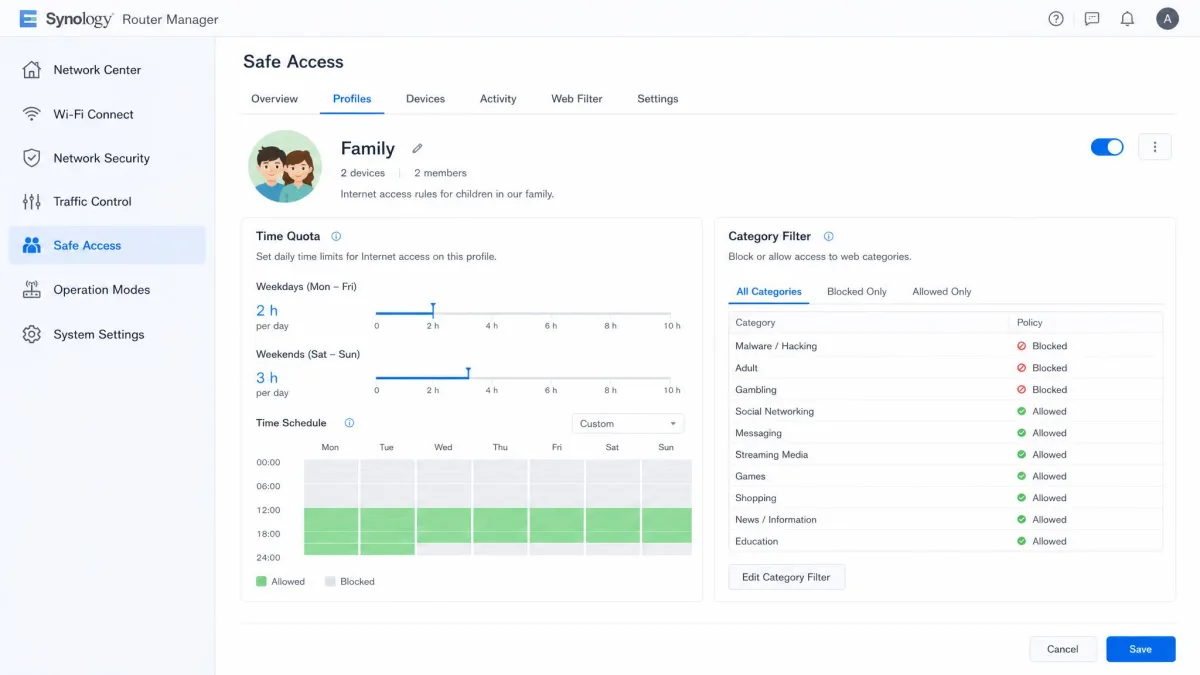
If the eero puts its controls behind a paywall, the Synology WRX560 is the opposite: serious parental controls with no monthly fee. Safe Access, its parental suite, costs nothing extra. Profile-based scheduling, time quotas, category-based content filtering, and Safe Search enforcement are all free. Mid-quota one school night, a homework site the profile needed came up blocked. We approved it from the phone app, and the block cleared without opening the web interface. That remote loop is the feature that sets this router apart.
The tradeoffs are modest. It is dual-band only, and some features want a side-mounted USB drive. This is not a speed-first router.
Best for: Families who want serious controls with no subscription and can live without flagship speeds. Skip if: You chase maximum throughput or want WiFi 7.
Firewalla Purple
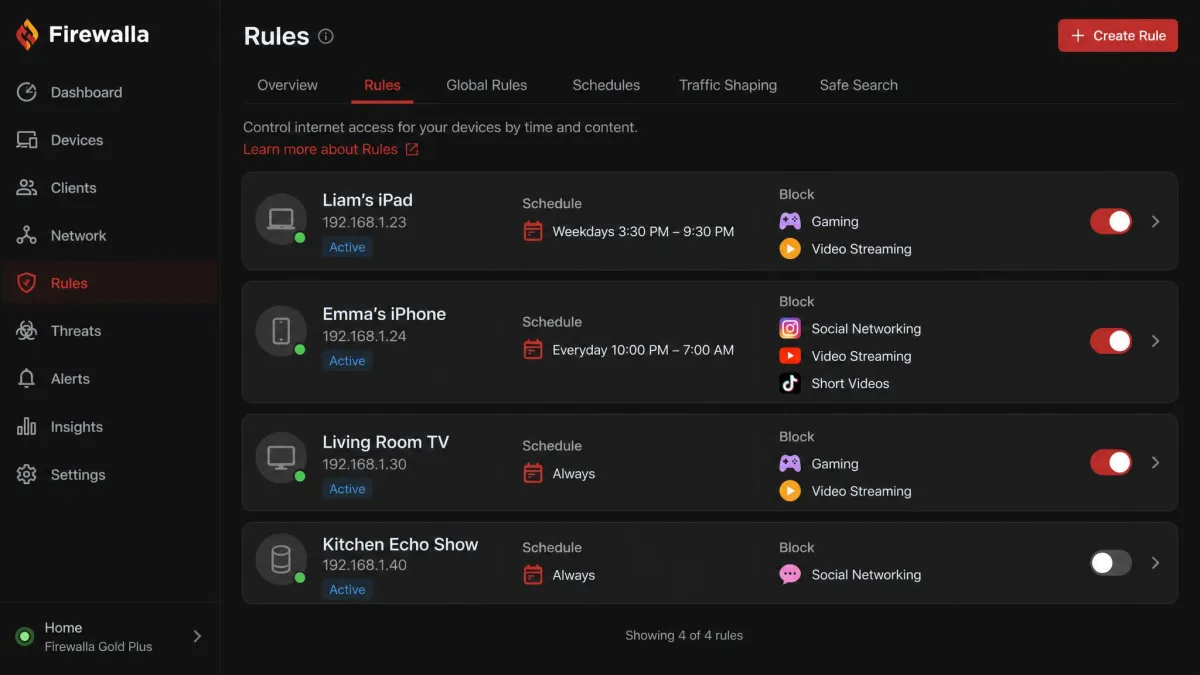
The Synology wins on free depth, but the Firewalla Purple goes further. It has no subscription at all, if you can handle the setup. It is a wired security box rather than a router, and it does more than anything else here without a monthly fee. Our first rule set proved the point about its personality. It blocked a streaming service the kids actually use, and the alerts flooded in. Some false blocks are inevitable here, so we learned to tighten the categories before turning the box loose.
Setting it up demands real networking knowledge. Because its built-in Wi-Fi is short-range, most homes run it in line with a separate router or access point. The Purple lists at $409, but sales have paused amid a component shortage. Firewalla is steering buyers to the Orange model, so check availability before you commit.
Best for: Tech-savvy families who want complete control with no monthly fees. Skip if: You want a router you can set up from the box. The Gryphon AX or Archer AX55 are far friendlier.
How to Choose a Parental Filter Router
Picking the right parental filter router comes down to a few honest questions about your home. Answer three first: how much you will pay per month, how technical you are, and how much space the router has to cover. The sections below walk through each decision.
Free vs Subscription Parental Controls
The biggest line in this category is not between brands. It is between the free and paid tiers. TP-Link routers bundle a generous free HomeShield tier with URL filtering, time controls, and internet pause. The deeper Family Time and Bedtime features sit behind HomeShield Pro at $2.99 a month or $17.99 a year. ASUS includes AiProtection security and basic parental controls with no subscription at all. The Synology WRX560 keeps its whole Safe Access suite free, and the Firewalla Purple has no monthly fee for standard features.
At the other end, Netgear locks content filtering and time limits behind Smart Parental Controls at $7.99 a month or $69.99 a year. eero puts the controls you actually want behind eero Plus at $9.99 a month or $99.99 a year. Add those figures across a few years, and a budget router can end up costing more than a purpose-built one. Decide your monthly budget before you shop, and treat the sticker price as half the cost.
Content Filtering: How It Works (DNS vs App-Based)
Router-level DNS filtering applies to every device on the home network. A child cannot remove it by uninstalling an app or resetting a browser. That is its great strength, and it has one real limit: it only works while the device is on your network. On cellular data, at school, or on a friend's Wi-Fi, the filter simply is not there.
App-based parental controls follow the child everywhere, but they have to be installed on each device. They can be uninstalled by anyone with admin access. The recommended approach is both layers together: the router as the always-on safety net for the home, and an app for the times the child leaves it. For app-based options on phones, see our guides to the best parental control apps for iPhone and the best parental control apps for Android.
In our testing, the age-based presets over-blocked more than they under-blocked, which is why checking the History page is part of any good setup.
— From our hands-on testing
WiFi Standard: WiFi 5 vs WiFi 6 vs WiFi 7
The wireless standard sets how fast your network runs and how well it handles many devices at once. WiFi 5 (802.11ac) is the oldest still on sale. The Deco S4 shows it can still cover a house, just without modern speeds. WiFi 6 (802.11ax) adds OFDMA and WPA3, which matter for homes with lots of connected devices. It is the standard we recommend for most families. WiFi 7 (802.11be) adds Multi-Link Operation and multi-gigabit ports, but it needs newer client devices to show its full speed. The 6 GHz band is still uncommon at budget prices.
Most routers in this roundup are WiFi 6, and that is the sweet spot for parental-filter duty. If you are future-proofing and have recent phones and laptops, the Archer BE230 or Nighthawk RS300 get you onto WiFi 7 now.
Mesh vs Single Router: Which Do You Need?
A single router is enough when the box can reach every room where your kids use devices. That covers a lot of apartments and smaller homes, and it is the cheaper route. Mesh systems shine when the router sits in one corner and the dead zones live on the other side of the house. That is exactly the setup where kids retreat to the far bedroom with a tablet.
The Gryphon AX is the purpose-built mesh pick here, though it only pairs with other Gryphon AX units. The Deco S4 is the budget whole-home mesh. The Archer AX21, AX55, and BE230 support OneMesh or EasyMesh if you want to add a satellite later. eero is the mesh option with the simplest app. If coverage is your pain point, read the mesh column in the comparison table above.
Screen Time Limits and Time Scheduling
Screen time controls come in two flavors: instant and scheduled. Every serious parental filter router can pause the internet for a device or a profile on demand. Most add scheduled windows like bedtime and school hours. Per-device limits are where a shared screen time budget comes together. One rule can cover a tablet, a console, and a phone at the same time.
Think about the actual rhythms of your house before you buy. If a set-it-and-forget-it bedtime window is all you need, the free tiers on the AX55, Synology WRX560, or ASUS RT-AX1800S handle it. If you want per-device quotas and bandwidth limits, the Synology and Firewalla go deepest.
Setup Ease and Companion Apps
Setup is where good parental-filter routers earn their keep, and the range in this roundup is wide. The ASUS RT-AX1800S was the easiest box we tested, online within minutes with no glitches. Everything lives in the ASUS Router app. The Archer AX21 fought us at first and then settled down with a strong Tether app. The Gryphon AX is quick but app-only, and it pushes the Premium trial on you during setup. The eero app is the easiest to live with day to day. The Firewalla Purple demands real networking knowledge and a separate access point for most homes.
If you are not comfortable with IP addresses and VLANs, that last sentence matters more than any spec. The official ASUS guides walk through both paths step by step: setting up parental controls in the app and parental controls in the web interface.
Preventing Bypass (VPN and Device-Level)
VPN bypass is the workaround parents ask us about most, and it works. A VPN encrypts all traffic and tunnels it to a remote server, so router DNS filtering cannot see inside the tunnel. Browsers with built-in secure DNS can also route around it. The practical defenses are straightforward. Block known VPN domains at the router, and use firewall port blocking where the router supports it. Keep non-admin accounts on the child's devices so they cannot install a VPN or change the DNS settings.
The honest goal is stopping casual bypass, not defeating a determined teenager. Kids with enough patience can find a way around almost any network filter. That is why the strongest setups pair router-level controls with app-based controls on the devices themselves. Treat the router as the first line, not the only line.
Frequently Asked Questions
Can you put parental controls on a router?
Which router has the best parental control?
Can your parents see your internet history through the router?
How do I block inappropriate content on my router?
Do parental controls work on gaming consoles?
Can parental controls be bypassed with a VPN?
Can I pause the internet with a parental control router?
Final Thoughts
Our testing pointed to one clear bottom line. The Gryphon AX is the best parental filter router we used this year. The gap between it and the rest of the field is easy to measure. The free tier handles the core parental jobs most families need. The tamper-resistant design means the filtering stays on. The $499 price and the push toward the $89.99-a-year Premium tier are the tradeoffs, and they are honest ones.
What we would do differently, depending on your situation, is spend less. Around $50, the Archer AX21 gives you free URL filtering and time controls on a solid WiFi 6 router. For deeper controls with no subscription, the Synology WRX560 at $220 is the best value in this roundup. The ASUS RT-AX1800S covers the basics free for about $58. If you are technical and want everything a box can do without monthly fees, the Firewalla Purple rewards the effort.
One final piece of advice: whatever you buy, layer it. A router filter is the strongest single move for online safety at home. Pairing it with app-level controls covers the gaps the network cannot see. That combination is what actually protects a curious kid on the go. Start with the router, add the app layer, and revisit the settings as your children get older. The right setup this year will not be the right setup in three. The routers above give you the headroom to adjust without replacing the hardware.
The subscription math matters more than the sticker price. A $50 router with a $70-a-year parental plan costs more over three years than a $220 router with free controls. Price the full three-year cost before you buy.