NordVPN is the best Browsec alternative overall, because its audited apps protect every device you own, and Proton VPN is the best free one, with no data cap on its free plan. The main reason people switch is scope: Browsec's browser extension only routes browser traffic, so every other app on your computer keeps using your real connection. Browsec now sells desktop apps too, but only with Premium.
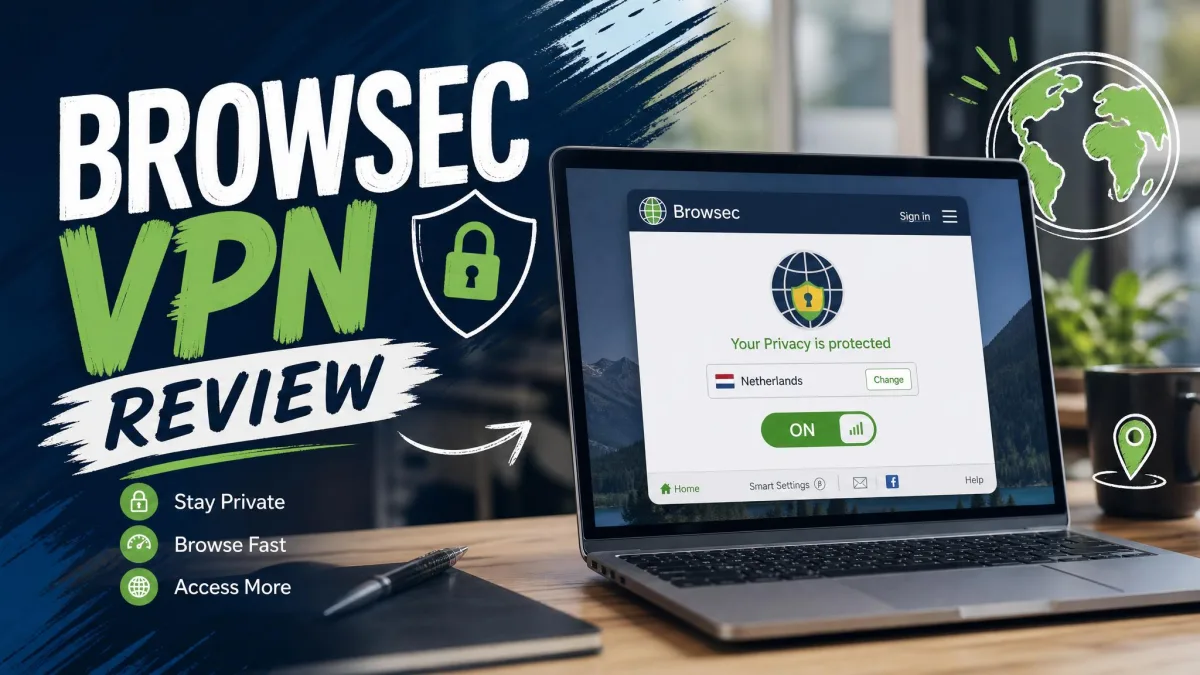
We compared nine alternatives against Browsec's own free and Premium plans on privacy, speed, streaming and price. Each score comes from our full review of that VPN, and "How We Picked" below explains what we weighed. Our Browsec VPN review covers the baseline in full.
Browsec Alternatives Compared at a Glance
The picks appear in score order, with Browsec as the last row for reference. Prices marked "promo" are introductory rates that renew higher.
| VPN | Buy | Best for | Free plan | Starting price | Browser extension | Server countries |
|---|---|---|---|---|---|---|
 |
Check price → | Overall | No | About $3.49/mo(2 yr, promo) | Yes, standalone | 118-167, by count method |
 |
Check price | Free plan | Yes, no data cap, 1 device | About $2.99/mo(2 yr, promo) | Yes, free accounts too | 140+ |
 |
Check price | Streaming, restrictive countries | No | About $2.79/mo(2 yr, promo) | Yes, app-linked or Proxy mode | 105-113 |
 |
Check price | Budget, unlimited devices | No (7-day mobile trial) | $2.49/mo(2 yr) | Yes, standalone | 100 |
 |
Check price | Free browser extension | Yes, 2GB/mo (10GB with email) | $69/yr | Yes, 4 browsers | 69 (Pro) |
 |
Check price | Privacy purists | No | €5/moflat | Firefox only, needs the app | About 50 |
 |
Check price | Beginners | Free Chrome proxy only | About $2.19/mo(26 mo, promo) | Yes, free 4-location proxy | 100 |
 |
Check price | Power users | No | About $2.03/mo(3 yr + 3 mo, promo) | Yes, standalone Chrome | 91 + 50 US states |
 |
Check price | Simplest free option | Yes, 2GB/mo | $3.33/mo(3 yr) | Yes, Chrome | 47-48 |
 |
Baseline | Yes, no data cap, 4 locations | $2.76/mo(2 yr) | Yes, Chrome, Firefox, Edge, Opera | 46+ locations |
1. NordVPN - Best Browsec Alternative Overall
NordVPN fixes the two things we liked least about Browsec: uneven speed and a thin privacy record. Deloitte has now checked its no-logs policy six times, and our NordVPN review scores it 9.0/10.
The speed gap showed up as soon as we connected. Nearby servers cost us only single-digit percentages of download and upload speed, and 4K streams played without buffering. Netflix, Hulu, BBC iPlayer, Prime Video, Disney+ and HBO Max all unblocked reliably. When we forced the tunnel to fail, the kill switch cut traffic straight away.
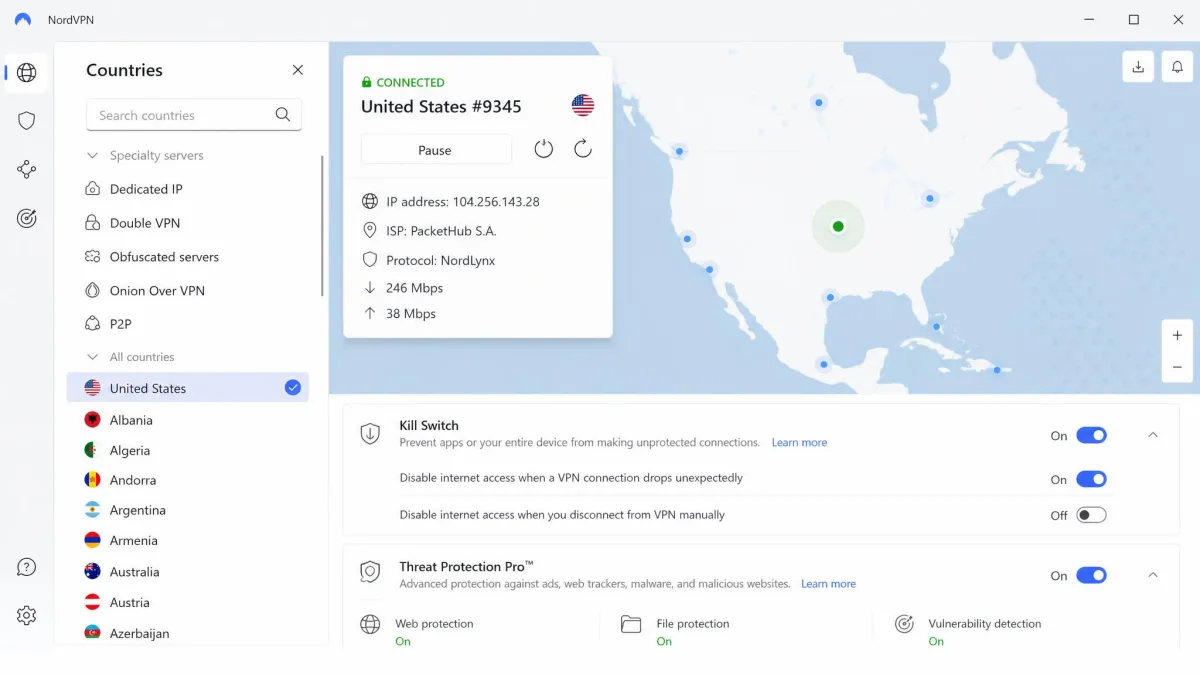
Free plan and price: there is no free plan. Monthly billing costs $14.99, and the two-year plan runs about $3.49 a month, a promotional rate that renews higher. Renewal charges land about two weeks before the term ends, and a 30-day money-back guarantee applies.
Platforms: Windows, macOS, Linux, Android, iOS, Apple TV and Fire TV, with 10 devices at once. The browser extension runs on its own and passed our WebRTC checks cleanly. NordVPN is based in Panama.
Best for:
- Covering every app on the device, not just the browser
- Obfuscated servers on NordWhisper, its in-house protocol
- Ad and tracker blocking inside the extension with Threat Protection Pro
2. Proton VPN - Best Free Browsec Alternative
Proton VPN ties NordVPN on score and is the only full VPN on this list whose free plan matches Browsec's unlimited data. Unlike Browsec's free extension, it covers the whole device. Our Proton VPN review scores it 9.0/10.
Installation took about two minutes, and the apps explain each setting in plain language. On the free tier we saw no throttling, though the app picks the server for you. After we upgraded to VPN Plus, nearby servers cut our download speed by under 10 percent. Support was the weak spot, with email replies taking about two days.
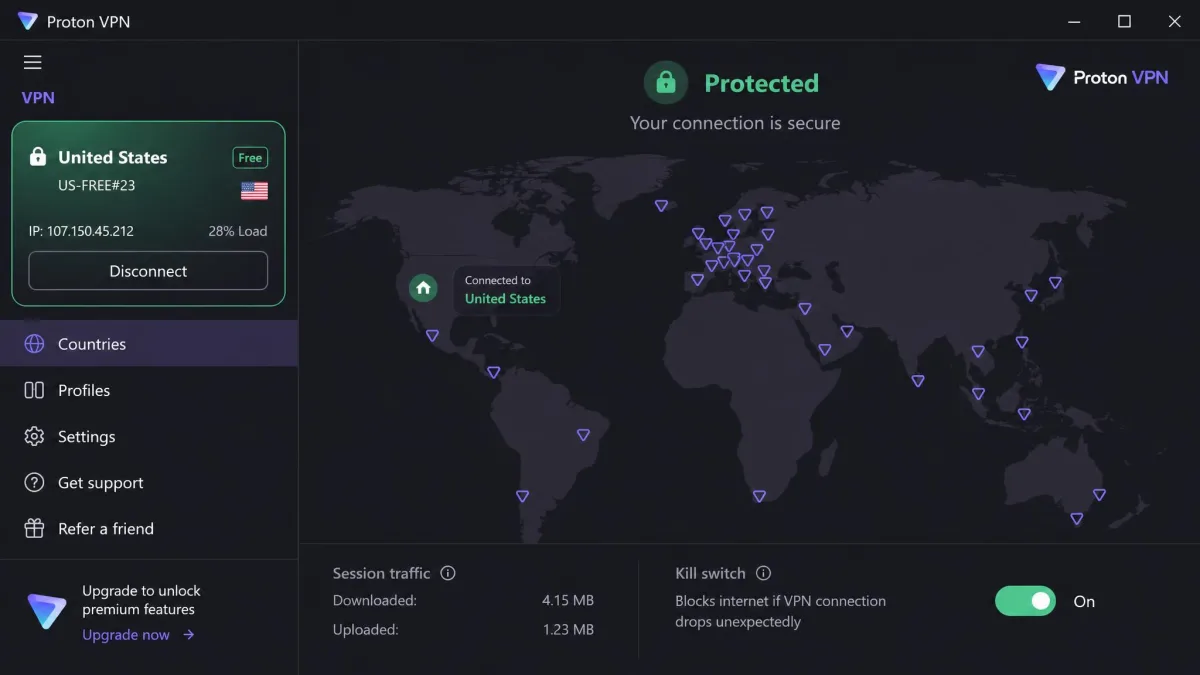
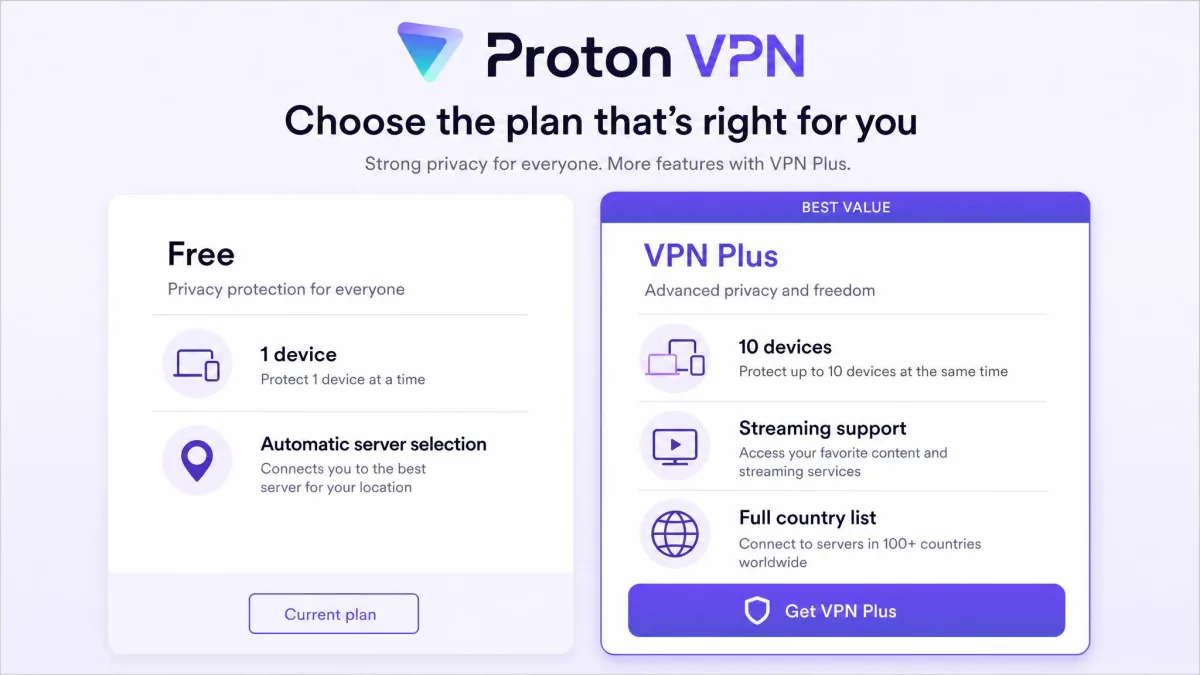
Free plan and price: the free plan has no ads and needs no credit card, but it covers 1 device and has no streaming or P2P. Free servers sit in a limited set of countries (Proton says 10, and the list keeps changing). VPN Plus costs $9.99 monthly or about $2.99 a month on the two-year plan, a promotional rate that renews higher. It covers 10 devices across 140+ countries, with a prorated 30-day money-back guarantee.
Platforms: Windows, macOS, Linux, Android and iOS, plus Chrome and Firefox extensions. It is based in Switzerland, and Proton's published no-logs audit by Securitum found full compliance.
Best for:
- NetShield ad and tracker blocking on VPN Plus
- Streaming on paid plans without server hopping
- Open-source apps with Secure Core routing
3. ExpressVPN - Best for Streaming and Restrictive Countries
ExpressVPN trails the top two by a fraction and wins on connection stability. Automatic obfuscation runs on every server, which helps on networks that block VPNs. Our ExpressVPN review scores it 8.8/10.
Connections stayed rock solid through long daily use, and Network Lock rarely tripped. Download speed dropped by roughly 37 to 39 percent on Windows and Mac, while ping rose only 5 to 6 ms. The extension caught us out on first install: it opened in Remote Control mode and did nothing until we installed the desktop app. Switch it to Proxy mode if you want it standalone.
Free plan and price: there is no free plan. Basic costs $12.99 monthly, or about $2.79 a month on the two-year plan, a rate that moves with promotions and renews at about $99.95 a year. It covers 10 devices with a 30-day money-back guarantee. The KPMG no-logs audit assessed its privacy policy as of February 28, 2025.
Platforms: Windows, macOS, Linux, iOS, Android, routers, Apple TV and consoles, plus extensions for Chrome, Firefox, Edge, Brave and Vivaldi. Servers cover 105 to 113 countries, as ExpressVPN keeps adding locations. It is owned by Kape and based in the British Virgin Islands.
Best for:
- Travel to countries that block VPNs
- Netflix, Hulu and ESPN+, which loaded without issues
- A router setup for smart TVs and consoles
4. Surfshark - Best Budget Alternative (Unlimited Devices)
Surfshark undercuts ExpressVPN on price and removes the device limit. Browsec Premium covers 5 sessions at once, while Surfshark covers every device in the house. Our Surfshark review scores it 8.6/10.
Download speed dropped about 17 percent on Windows and about 31 percent on macOS, with steady latency. We set it up on Android TV, Apple TV and Fire TV through native apps, and none needed a workaround. When we cut the VPN mid-session, the kill switch blocked internet access instantly.
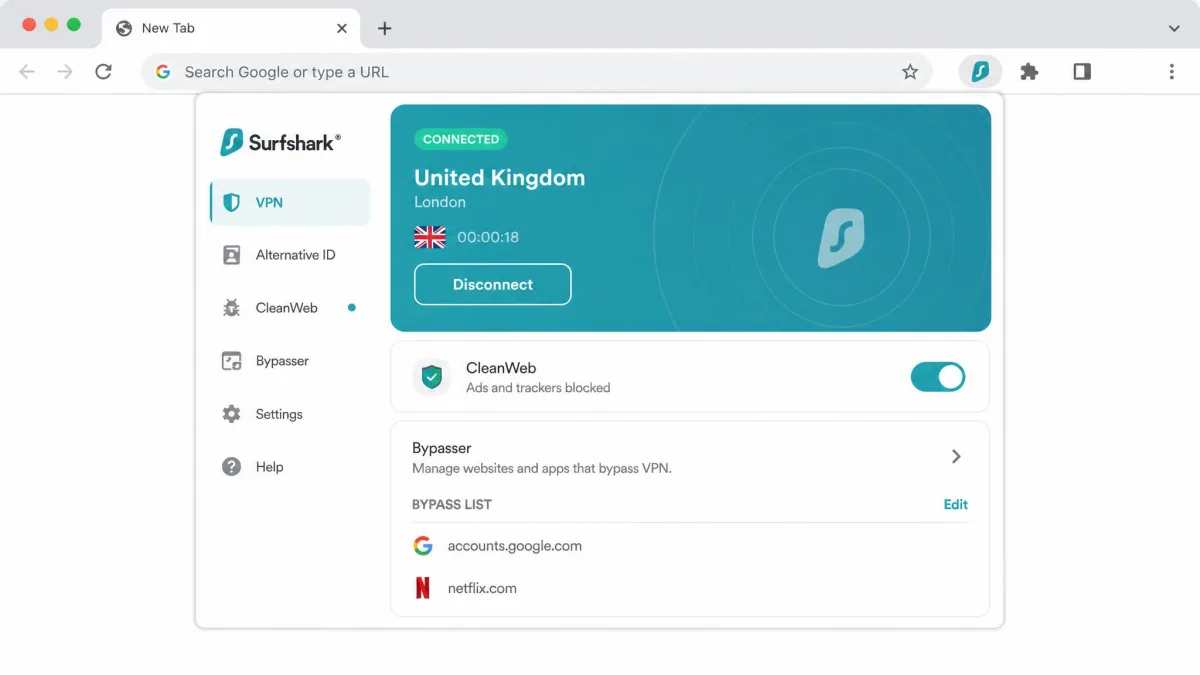
Free plan and price: there is no free plan, only a 7-day free trial through the mobile app stores. Starter costs $2.49 a month on the two-year plan and renews at $79 a year. Monthly billing costs about $15 to $16.45, depending on region. A 30-day money-back guarantee applies, and Deloitte verified its no-logs policy in 2023 and 2025.
Platforms: Windows, macOS, Linux, iOS, Android, Apple TV, Fire TV and consoles, with servers in 100 countries. The Chrome and Firefox extension works without the desktop app. Surfshark is based in the Netherlands.
Best for:
- Households with more than 5 devices
- Netflix across regions without VPN detection
- CleanWeb ad blocking in the app and extension
5. Windscribe - Best Free Browser Extension Alternative
Where Surfshark leans on its apps, Windscribe leans on its extension, which is the closest match to Browsec's format. Its extensions run in Chrome, Firefox, Edge and Opera, and they add privacy tools Browsec's lacks. Our Windscribe review scores it 8.5/10.
The free plan kept the full set of features in our testing, including R.O.B.E.R.T. blocking and the firewall. Free servers delivered roughly the same speeds as Pro. Congestion caused sudden drops of up to 90 percent, though, and Netflix access was inconsistent on distant servers.
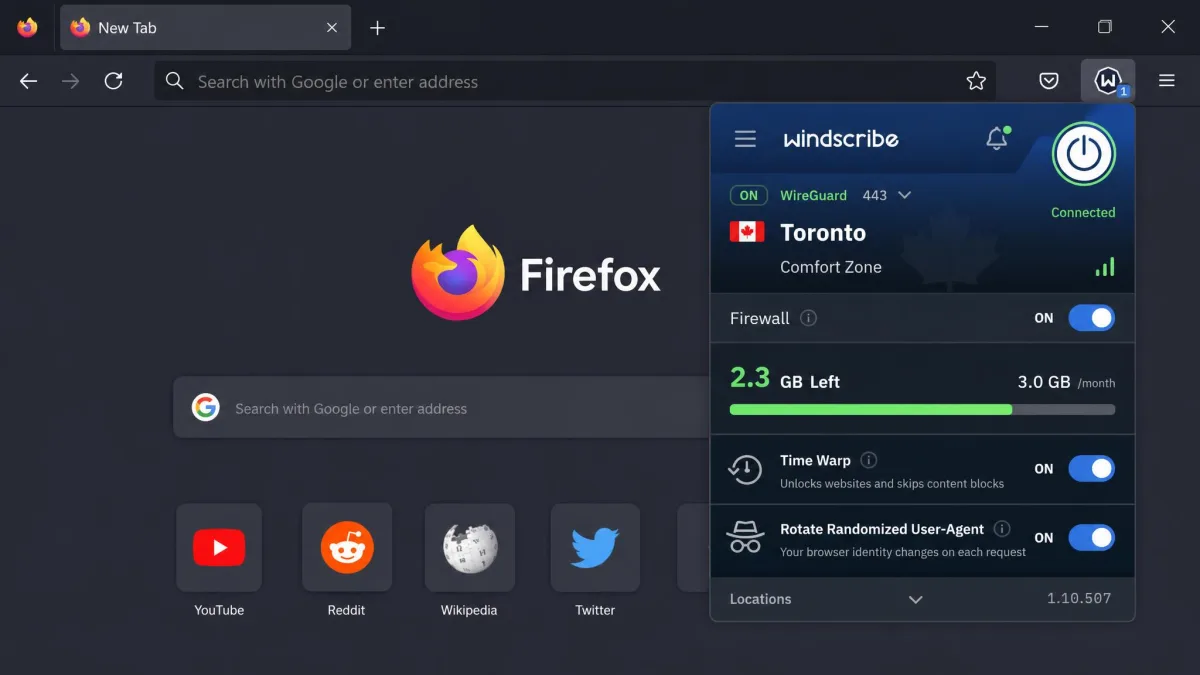
Free plan and price: the free plan gives 2GB a month, or 10GB after you confirm an email address, and the extension draws from that allowance. Free servers cover about 10 countries, a list Windscribe rotates. Pro costs $9 a month or $69 a year and covers 69 countries. Refunds apply within 7 days of the first purchase if you used less than 10GB.
Platforms: Windows, macOS, Linux, Android and iOS, with Unlimited devices even on the free plan. Windscribe is based in Canada. A Greek court dismissed charges against its CEO on April 11, 2025, accepting that it held no user logs.
Best for:
- Timezone spoofing and user-agent rotation in the browser
- Double Hop when paired with the desktop app
- Build-a-Plan, at $1 per location per month ($3 minimum)
6. Mullvad VPN - Best for Privacy Purists
Mullvad ties Windscribe on score and takes privacy much further than Browsec's anonymous Account ID. Our Mullvad review scores it 8.5/10.
Sign-up took seconds, since the only login is a random 16-digit account number. There is no email, username or password. Local speed loss was only around 6 percent, while distant servers slowed downloads noticeably. Streaming was hit or miss, since some servers reached Netflix and others were detected.
Free plan and price: there is no free plan or trial. It costs a flat €5 a month on any term, a price unchanged since 2009, and covers 5 devices. A 14-day refund applies to new payments, except cash, crypto and App Store purchases.
Platforms: Windows, macOS, Linux, Android and iOS, on WireGuard only. The Mullvad Browser Extension works only in Firefox-based browsers while the app is connected, so it is not a standalone proxy like Browsec's. Servers cover about 50 countries, and the live list changes often. Mullvad's audit reports include an X41 D-Sec review of its account and payment services in January 2026.
Best for:
- Paying in cash or crypto with no personal details
- DAITA and multihop routing, based in Sweden
- Ad and tracker blocking at the DNS level
7. CyberGhost - Easiest Alternative for Beginners
Where Mullvad strips everything back, CyberGhost labels everything for you. Our CyberGhost review scores it 8.4/10.
Setup was quick, and switching protocols on desktop took about four seconds. Netflix US, BBC iPlayer, Disney+ and Prime Video unblocked on the first try through its streaming servers, which are named by service. Nearby servers lost roughly 5 to 19 percent of speed, but long-distance servers dropped by about 44 to 59 percent. The Windows app looks dated, while the mobile apps are cleaner.
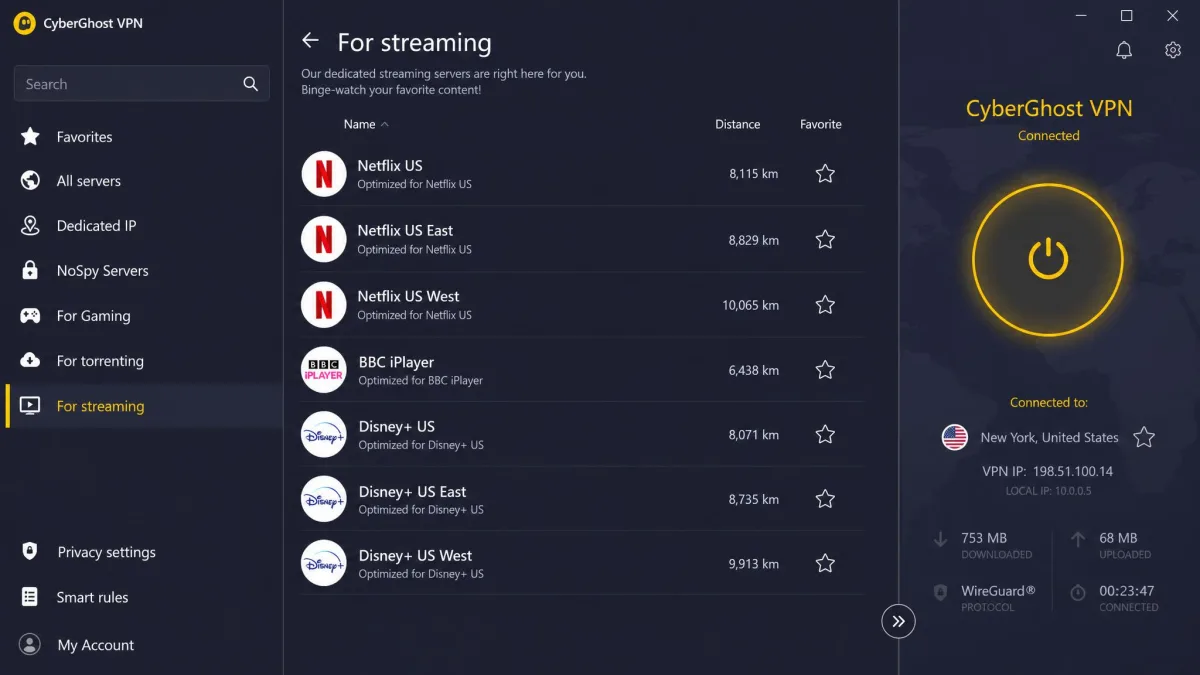
Free plan and price: the full VPN has no free plan. A separate free Chrome proxy needs no account, but it covers browser traffic only through 4 locations and has no kill switch. Monthly billing costs $12.99, and the 26-month plan runs about $2.19 a month, with promotions moving it between about $1.99 and $2.19. Long plans get a 45-day money-back guarantee, the longest here.
Platforms: Windows, macOS, Linux, Android and iOS, with servers in 100 countries and 24/7 live chat. It allows 7 devices, fewer than most rivals. CyberGhost is based in Romania and owned by Kape.
Best for:
- First-time VPN users moving up from an extension
- Streaming without testing servers one by one
- A third Deloitte no-logs audit, in Q4 2025
8. Private Internet Access - Best for Power Users
Private Internet Access sits at the other end from CyberGhost, with more settings than any VPN here. Our PIA review scores it 8.4/10.
Speed loss was small, about 4 percent on local servers and 18 percent internationally. The long settings list overwhelmed us at first but became easy once we tuned it. Port forwarding worked, but the forwarded port changed with every reconnect. Streaming was weak, as US and UK Netflix no longer unblocked.
Free plan and price: there is no free plan. Official pricing lists $11.95 a month or $79 for 3 years plus 3 months (about $2.03 a month), though PIA rotates deal lengths by date and region. A 30-day money-back guarantee applies.
Platforms: open-source apps for Windows, macOS, Linux, Android and iOS, plus a standalone Chrome extension. Unlimited devices connect at once across 91 countries. PIA is US-based and owned by Kape, and Deloitte completed its third no-logs audit on December 19, 2025.
Best for:
- Split tunneling by app or IP address
- Choosing between AES-128 and AES-256 encryption
- A full Linux GUI with MACE ad blocking
9. TunnelBear - Simplest Free Option
TunnelBear is the least technical option here, the opposite of PIA. Our TunnelBear review scores it 7.5/10, held back by its data cap and patchy streaming.
Connecting was a one-click tap on a country in the map-based app. On WireGuard, local speed loss was about 4 percent, while OpenVPN often faltered. US Netflix unblocked only on specific servers, and on others it stayed blocked. Leak tests passed, though HTML5 geolocation can leak in the browser.
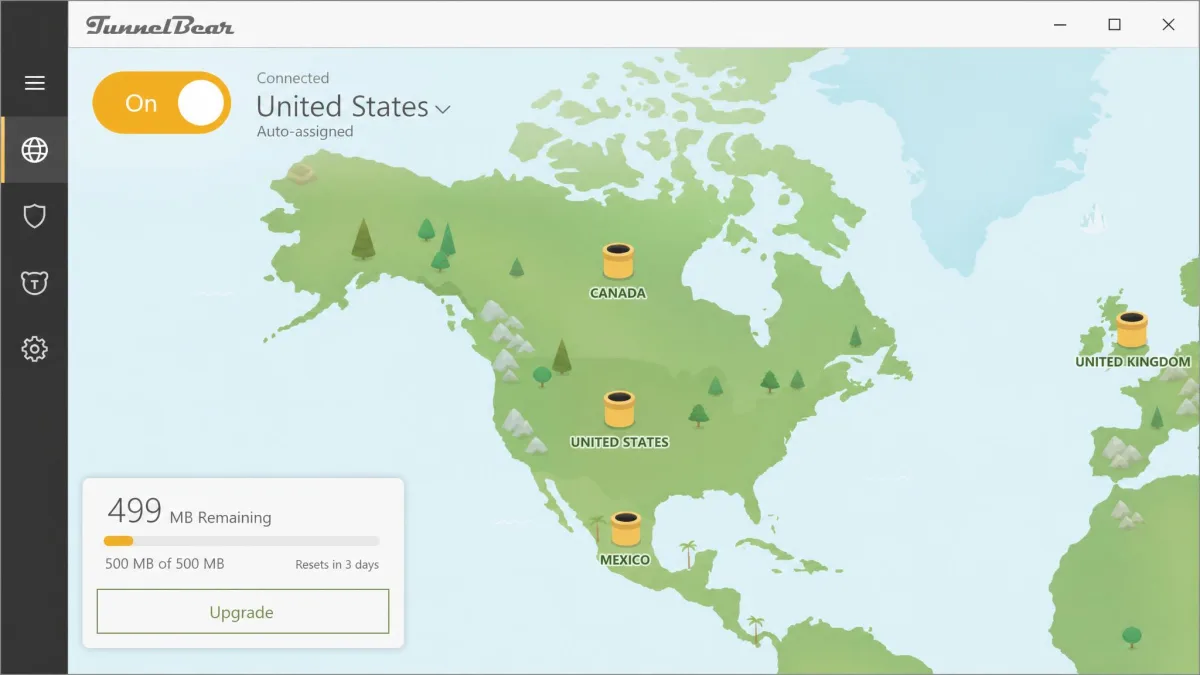
Free plan and price: the free plan gives 2GB a month with no credit card. That covers email and light browsing but runs out after a single HD film, and the app assigns your location. Unlimited costs $9.99 monthly or $3.33 a month on the 3-year plan. Teams costs $5.75 per user per month, and annual plans bought directly carry a 30-day refund.
Platforms: Windows, Mac, iOS and Android, with Unlimited devices, plus a Chrome extension (TunnelBear has trimmed other browsers over time). There are no router, TV or console apps. McAfee owns it, and Cure53 has audited it annually since 2016.
Best for:
- First-time users who want one-tap connections
- Occasional use on public Wi-Fi
- An account protected by two-factor authentication
What About Planet VPN, VeePN, Hotspot Shield, and Opera VPN?
These names show up on most Browsec alternative lists, but none scored high enough to make ours.
- Planet VPN offers free service with no account and no data cap on about five countries. It is a rebrand of RUSVPN with an unaudited no-logs policy, and our Planet VPN review scores it 6.5/10.
- VeePN starts at about $1.99 a month on a two-year plan, but its free extensions are proxy-only with 30 to 50 percent speed drops. Our VeePN review scores it 7.2/10.
- Hotspot Shield has an ad-supported free tier for one device and an unaudited privacy policy. Our Hotspot Shield review gives it 6.5/10.
- Opera VPN is free and built into Opera, but like Browsec's extension it covers browser traffic only. Our Opera VPN review scores it 6.0/10.
CactusVPN, a small Moldova-based service with no permanent free tier, scores 6.4/10 in our CactusVPN review.
Why Look for a Browsec Alternative?
None of those names beat our picks. Browsec itself, though, does several things well, which is why it has 8 million users. The free tier needs no account or email, and the extension installed in seconds for us. IP, DNS and WebRTC leak tests came back clean, and Premium downloads reached around 87 Mbps on a US server.
The trouble is speed and reach. Free servers crawled, with downloads under 2 Mbps, a loss of up to 97 percent against our baseline. Distant Premium servers in Germany, the US and Australia lost 50 to 69 percent, and servers in Brazil and Chile failed to connect reliably. Streaming was a coin toss. BBC iPlayer usually worked, but Netflix, Disney+ and Hulu failed more often than not, and on other runs Netflix loaded while iPlayer stayed blocked.
Privacy is the bigger question. Browsec's privacy policy says it stores brief information about your subscriptions and records some browser and client-software data for aggregate analysis. It names no retention period and is vague about data types, and Browsec has published no independent audit. Browsec Inc lists legal headquarters in Alexandria, Virginia, but its origins and team are widely described as Russian, so where its operations and data sit is not settled.
The Browsec extension has no dependable kill switch. If the proxy drops, your browser can fall back to your real connection without warning.
Support is email-only, and the 7-day refund window is short and requires a written reason.
Browser Extension vs Full VPN App: Which Do You Need?
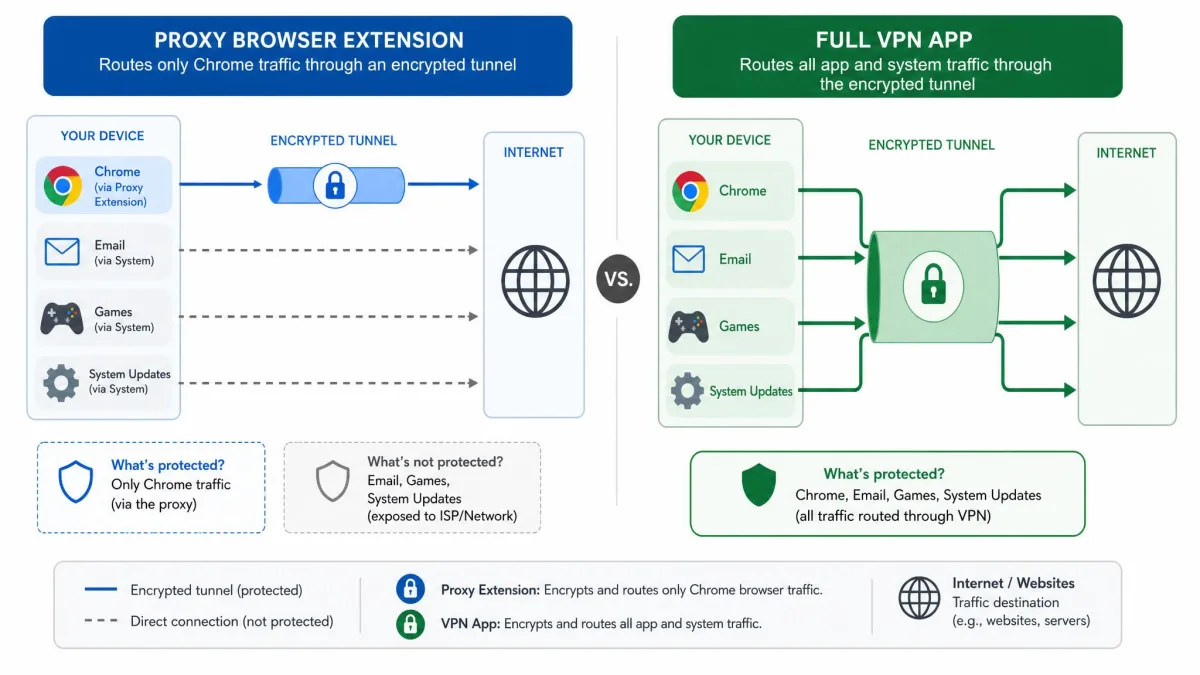
How much those weaknesses matter depends on how you use a VPN, so it helps to know how a VPN works. A VPN encrypts traffic between your device and a server, then sends it on from the server's IP address. A full VPN app provides that protection for every app on the device. A proxy-style extension, including Browsec's, runs an HTTP proxy over TLS inside one browser. Your email client, games and system updates stay outside the tunnel.
Our guide to proxy vs VPN covers the technical difference. In practice, an extension is enough to change your location in one browser. A full app is the better choice on public Wi-Fi, for torrenting, or whenever apps outside the browser need protection.
Browsec's mobile apps use IPSec IKEv2 and its XRay protocol, so they cover the whole phone. Its Windows (10 and 11), macOS and Linux apps add system-wide coverage with Smart Rules split tunneling, but only with Premium. On a computer, free Browsec stays browser-only.
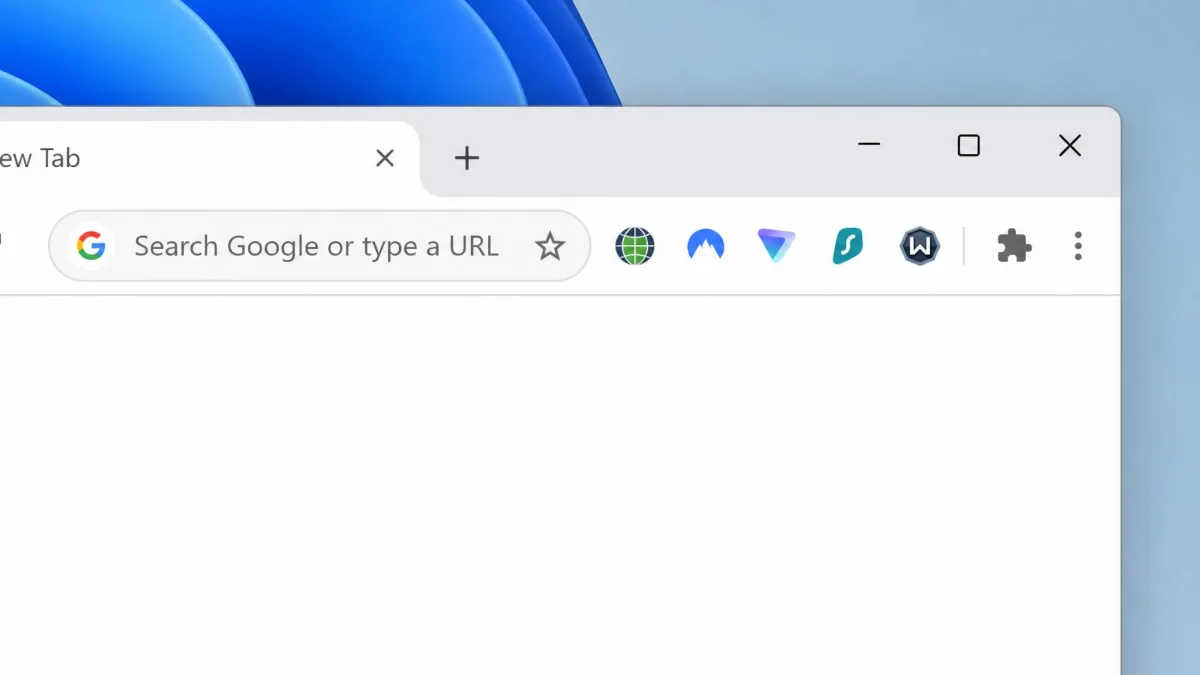
You do not have to give up the extension format to switch. NordVPN, Surfshark and Proton VPN extensions installed with one click from the Chrome Web Store and ran without the desktop app. Our roundup of the best free VPN Chrome extensions covers extension-only options.
How We Picked These Browsec Alternatives
We started from Browsec's own offer and looked for services that beat it on at least one point that matters. That offer is unlimited free data on 4 locations, Premium at $6.99 a month or $39.99 a year, 5 sessions at once and a 7-day refund. Whole-device protection came first, then audited no-logs policies, free-tier limits and long-term prices.
We also weighed speed loss on near and distant servers, leak tests, kill-switch behavior and streaming access. Because Browsec users start in the browser, we checked whether each service has an extension that runs without its desktop app. Every score comes from our full HTS review of that VPN, and the list follows those scores from highest to lowest.
Free vs Paid: Which Browsec Alternative Should You Choose?
With the extension question settled, the next choice is whether to pay. Pick a free alternative if you mostly browse and do not stream. Proton VPN's free plan is the only full VPN among our nine picks with no data cap, and it protects the whole device. Windscribe and TunnelBear cap free data at 10GB and 2GB a month, which suits light use. Our list of the best free VPN alternatives goes further on free-only options.
Pay if you stream, torrent or use several devices. Free plans restrict locations, devices or data, and a paid version adds more server countries and full streaming support. Long-term plans cut the cost sharply: Surfshark's two-year rate of $2.49 a month is already below Browsec's own $2.76. Check the renewal price before you commit.
Browsec Alternatives FAQ
Is Browsec safe?
Does Browsec keep logs?
Is there a free Browsec alternative with no data limit?
Is a browser-extension VPN as secure as a full VPN app?
What is the best Browsec alternative for Chrome or Firefox?
Does Browsec work in China?
Final Verdict
Most Browsec users should switch to NordVPN. It covers every device, stays fast on nearby servers and backs its no-logs policy with repeated audits. If you want to stay free, Proton VPN keeps Browsec's unlimited data and adds whole-device protection, though its free app chooses the server for you.
The rest depends on your needs. Surfshark is the best-value full VPN for a large household, and ExpressVPN is the one to take abroad. Windscribe keeps the extension feel with far more controls, Mullvad suits anyone who wants to share no personal details, and CyberGhost suits beginners who mainly stream.