You click a video, wait for it to load, and get the same flat message: "this video is not available in your country." Or you are on a school or office network where YouTube is blocked outright. Or you are traveling somewhere the app barely works. A VPN fixes all three. It routes your traffic through a server in another location, so YouTube sees a fresh IP address and serves you the content that region can watch.
That is the easy part to promise. The harder question is which VPN actually does it fast enough to stream in HD without buffering. It also has to be reliable enough that you are not switching servers every ten minutes. So we tested the popular picks the way you would use them. We connected to servers near and far, loaded geo-blocked clips, and pushed 4K playback to see what held up.
The short version is that a few services are clearly built for this. One stood out for both speed and the ability to unblock stubborn platforms. Below you will find our ranked picks, a full comparison table, hands-on reviews of each VPN, and practical help on setup, YouTube TV, free options, and what to do when a VPN stops working with YouTube.
We ran these tests across the range of devices people actually watch YouTube on - laptops, phones, and tablets - over an ordinary home broadband connection. Rather than trust a single quick check, we came back to each service repeatedly over an extended stretch of everyday use. We reconnected after drops and reloaded the same platforms on different days to see whether the results held up over time.
How we tested: our YouTube VPN criteria
We do not recommend a VPN until it earns it. Every service here was licensed by us and put through the same set of real-world checks. A spec sheet tells you almost nothing about how a VPN feels when you are actually trying to watch a video.
We care about one thing above marketing claims: does the video play, and does it keep playing? Every pick below cleared that bar before it made the list.
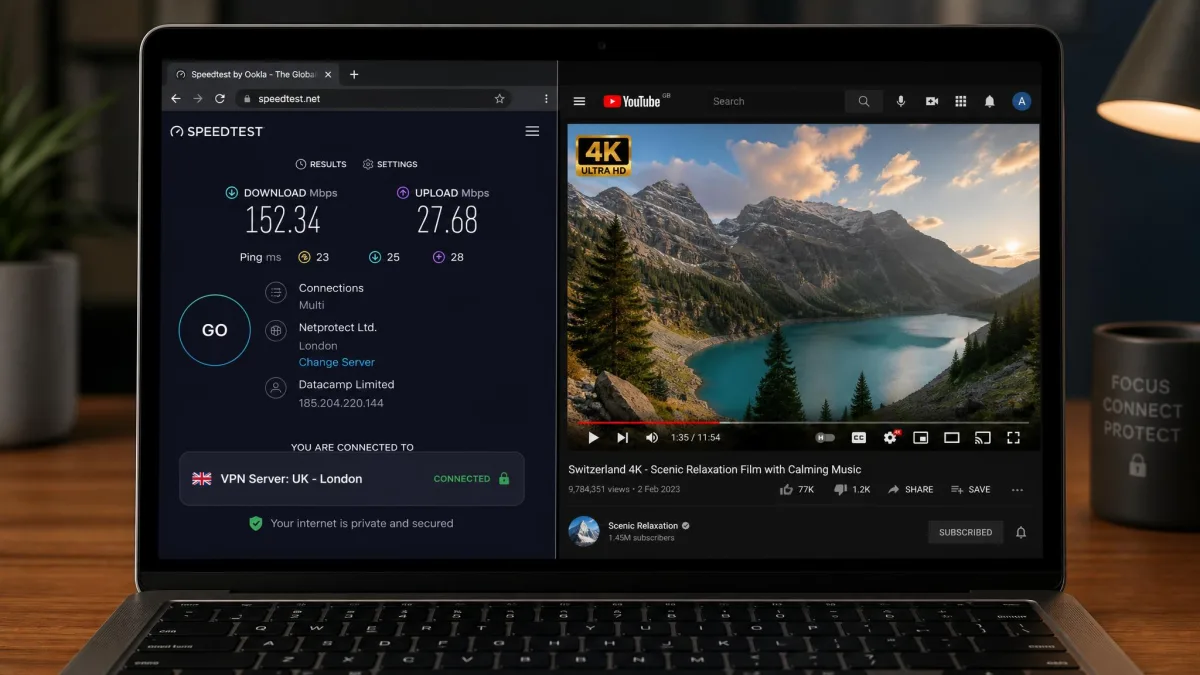
Speed came first. A VPN adds a step to your connection, so some slowdown is normal. But for YouTube you need enough headroom to stream in HD and 4K without the spinning wheel. We ran repeated speed tests on servers close to home and far away. Then we confirmed the numbers by loading real 4K clips rather than trusting a benchmark alone.
Unblocking was the second test. We connected to servers in different countries and tried to open videos that are geo-restricted, plus YouTube TV's US-only feeds. A VPN that posts great speeds but cannot beat the geo-block is useless for this job. Both had to pass together.
We also weighed the practical things you live with every day. That means how easy the app is to set up, how many devices one account covers, and whether it works on phones as well as a laptop. We looked at the strength of the encryption and privacy features, and the price against the money-back guarantee. We scored each VPN across all of these. The ranking below reflects the full picture, not any single number.
To keep the speed results comparable, we measured each VPN's slowdown against the same unencrypted baseline on our home broadband. Then we confirmed the picture by loading real 4K YouTube clips on both a laptop and a phone rather than trusting the raw numbers. A VPN that looked quick on a speed test but stuttered on an actual 4K stream did not get the benefit of the doubt.
Comparison table: best YouTube VPNs
Here is how the six VPNs we recommend stack up on the specs that matter most for YouTube: price, server network, the speeds we saw, how many devices you can connect, the money-back window, and YouTube TV support. Prices are the intro rates on the longer plans and shift with the current promotion, so treat them as a guide rather than a fixed number.
| Provider | Buy | Price/mo | Servers / Countries | Max speed | Simultaneous devices | Money-back guarantee | YouTube TV support |
|---|---|---|---|---|---|---|---|
 |
Check price → | ~$3.49 | ~8,900-9,300 / ~118-137 | ~211 Mbps | 10 | 30-day | Yes, US city servers |
 |
Check price | $2.49 | 4,500+ / 100 | ~200 Mbps | Unlimited | 30-day | Yes |
 |
Check price | ~$2.49-$4.99 | 105 countries | Fast, 4K stable | 8 (some plans 14) | 30-day | Yes, first attempt |
 |
Check price | ~$2.99 | 20,000+ / 140+ | Stable, ~91% retention | 10 | 30-day | Yes |
 |
Check price | $2.19 | ~7,500-11,500 / 100+ | ~149 Mbps | 7 | 45-day | Yes, US city servers |
 |
Check price | ~$1.33 | 35,000+ / ~91 | Not measured | Unlimited | 30-day | Yes, large US fleet |
The best VPNs for YouTube in 2026
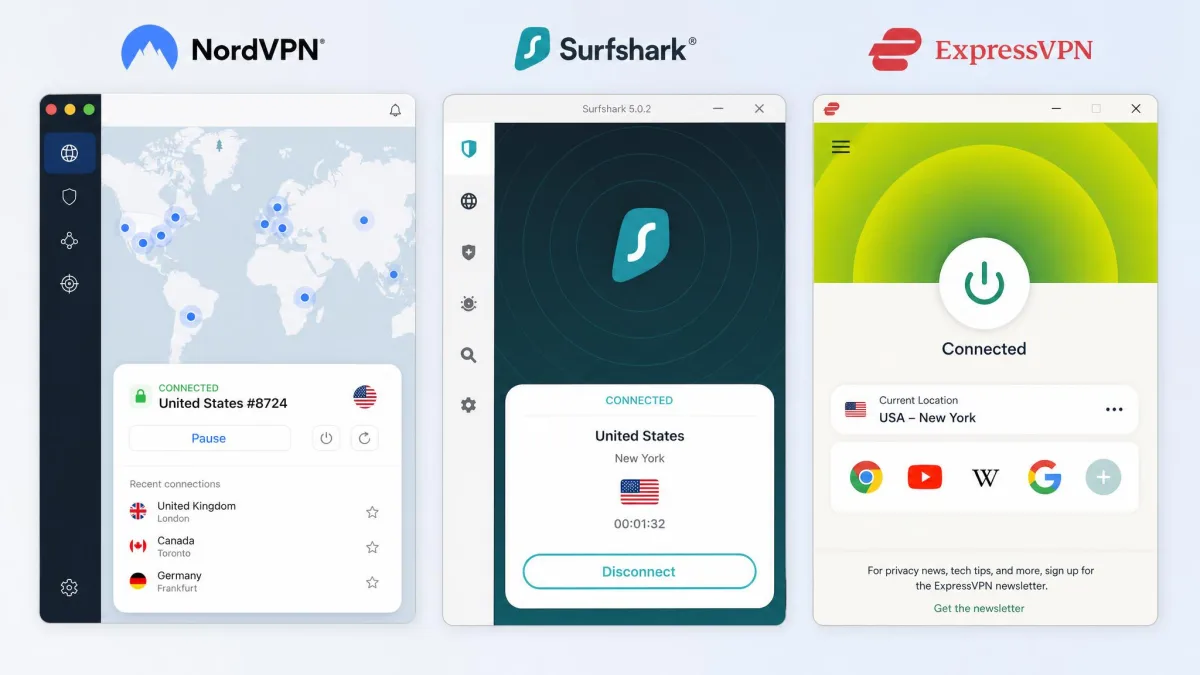
Six services made the cut. They are ranked in the order we would recommend them for YouTube, but the best one for you depends on whether you care most about raw speed, price, ease of use, or privacy. Each review below covers what using it was actually like, plus where it falls short.
1. NordVPN - Best overall VPN for YouTube
NordVPN
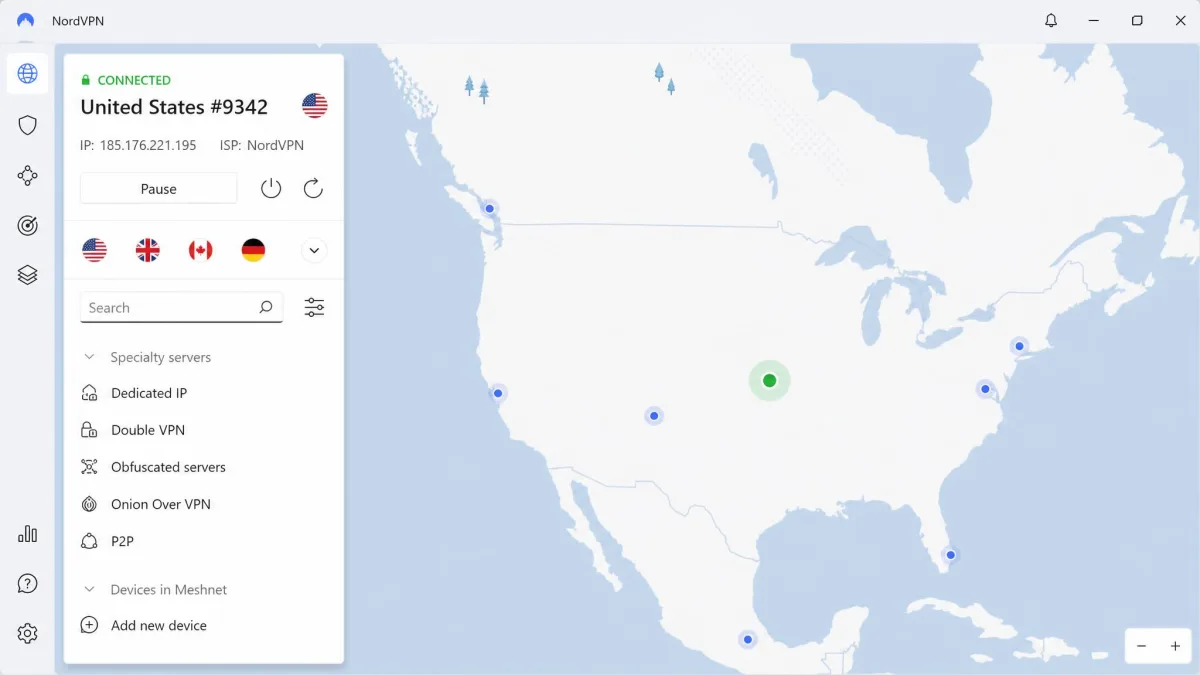
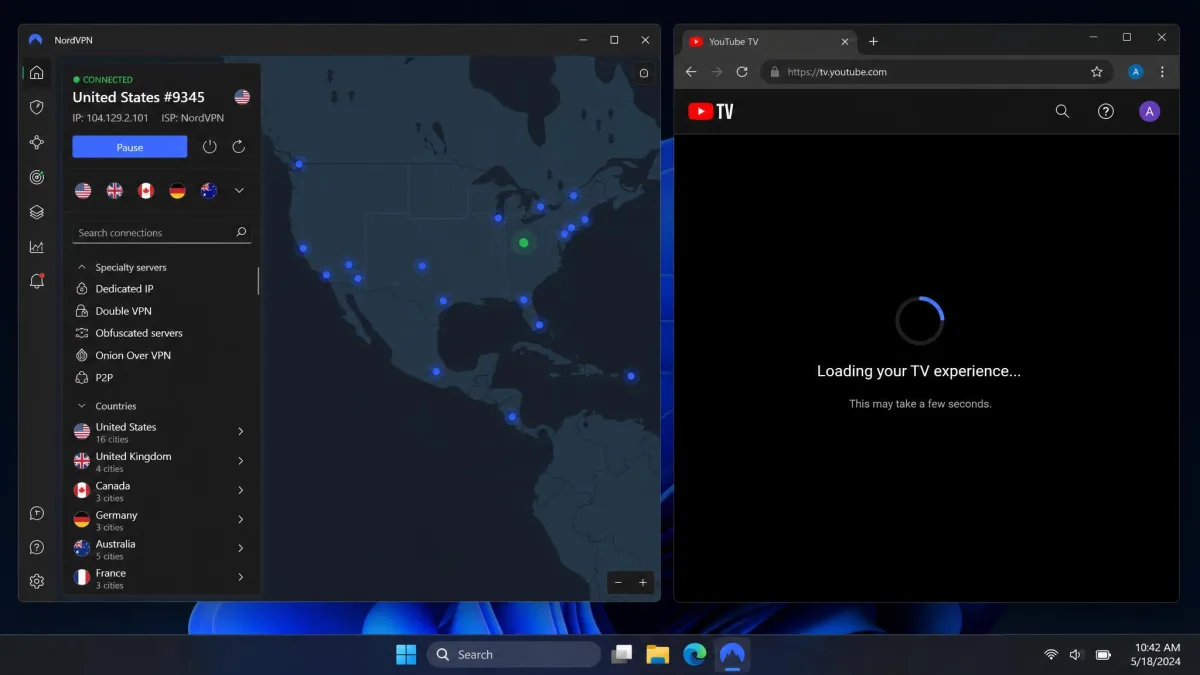
NordVPN was the fastest service we tested for YouTube. It averaged around 211 Mbps and was the only VPN to top 200 Mbps in more than one run. That is far more headroom than 4K playback needs, so videos loaded instantly and never stalled. It also handles the platforms that trip up weaker VPNs. In our testing it unblocked YouTube and YouTube TV cleanly, along with Netflix, Prime Video, and BBC iPlayer. You are not left hunting for a server that works. For YouTube TV specifically, its US city-level servers make it easy to match a regional feed. Connect to a server in the metro whose local channels you want, and the live guide loads the right lineup. One thing to know: speeds can be inconsistent on the OpenVPN protocol. So we kept it on NordLynx, its WireGuard-based option, which was faster and steadier across every route we tried. Beyond streaming, the extras earn their keep. Threat Protection strips ads and blocks malicious domains before they load. The no-logs policy has been independently audited, and split tunneling lets you route only YouTube through the VPN while the rest of your traffic stays local. You can read more on the NordVPN site.
Pros
- Fastest VPN in our testing, comfortably enough for 4K
- Unblocks YouTube TV plus Netflix, Prime Video, and iPlayer
- US city-level servers for regional YouTube TV feeds
- 10 simultaneous connections and an audited no-logs policy
Cons
- Speeds dip on OpenVPN, so you should switch to NordLynx
- Intro price climbs at renewal
Best for: Anyone who wants the fastest, most reliable all-round VPN for YouTube. Skip if: You need to cover more than 10 devices at once, where Surfshark is a better fit.
2. Surfshark - Best budget VPN for YouTube
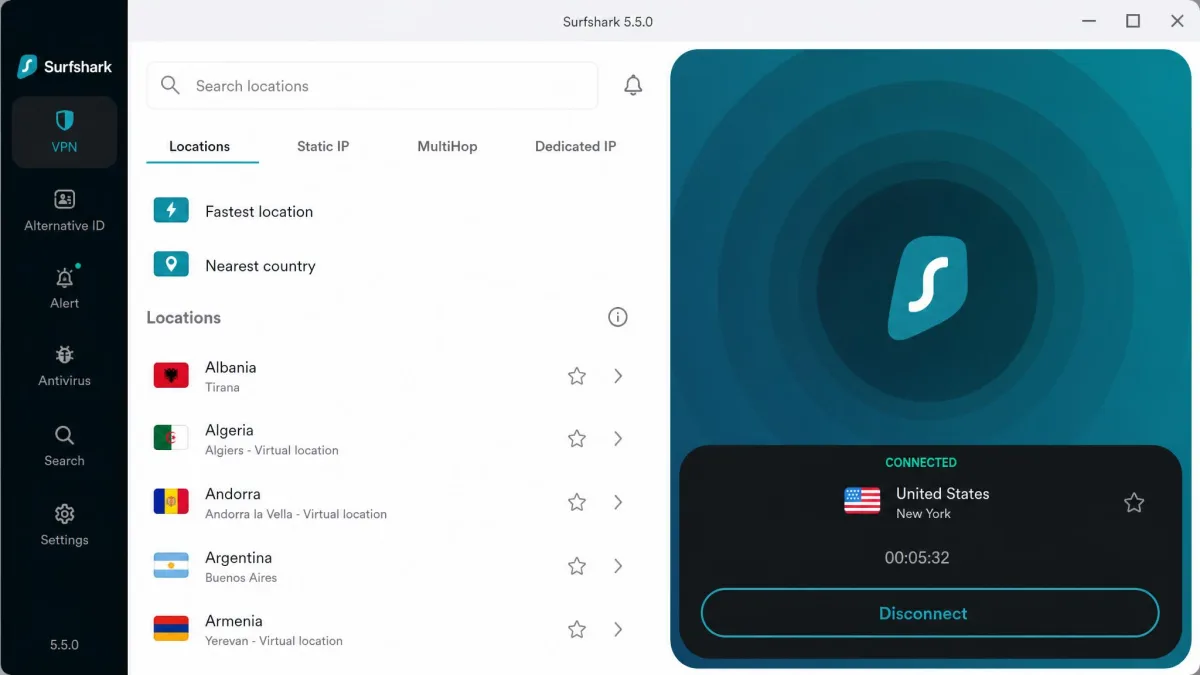
Surfshark
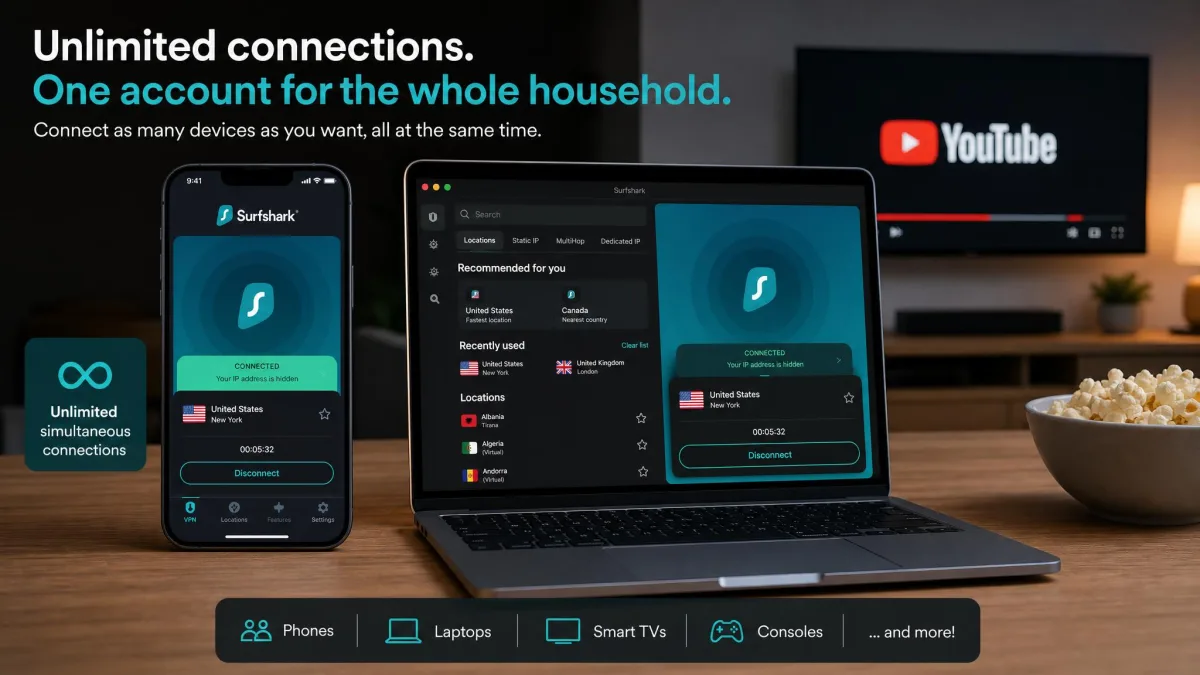
Surfshark is the pick if you want fast YouTube streaming without paying flagship prices. It starts at $2.49/mo on the two-year Starter plan. In our testing it held high speeds with low latency, barely dipping as the server distance grew. That meant smooth YouTube playback even on servers well outside our own country. Most budget services fall apart there. The standout feature is unlimited simultaneous connections. One account can cover every phone, laptop, and TV in a household streaming YouTube at the same time, which no other pick here matches. Families get real value from that, since a single subscription protects everyone at once. It is not flawless. A handful of Surfshark servers ran noticeably slower than the rest. Once in a while we had to disconnect and try another before landing on a fast one. That is a minor annoyance against the speed and price on offer. The CleanWeb feature quietly blocking ads and trackers on YouTube's web player is a welcome bonus. See the current plans on the Surfshark site.
Pros
- Fast, low-latency speeds that hold up over distance
- Unlimited simultaneous connections on one account
- Low intro price with a 30-day money-back guarantee
- CleanWeb ad and tracker blocking built in
Cons
- A few servers are slow, so you may need to switch
- The lowest price needs a long commitment
Best for: Households and anyone who wants to cover every device on one cheap account. Skip if: You want the absolute fastest single connection, where NordVPN edges ahead.
3. ExpressVPN - Best for beginners / ease of use
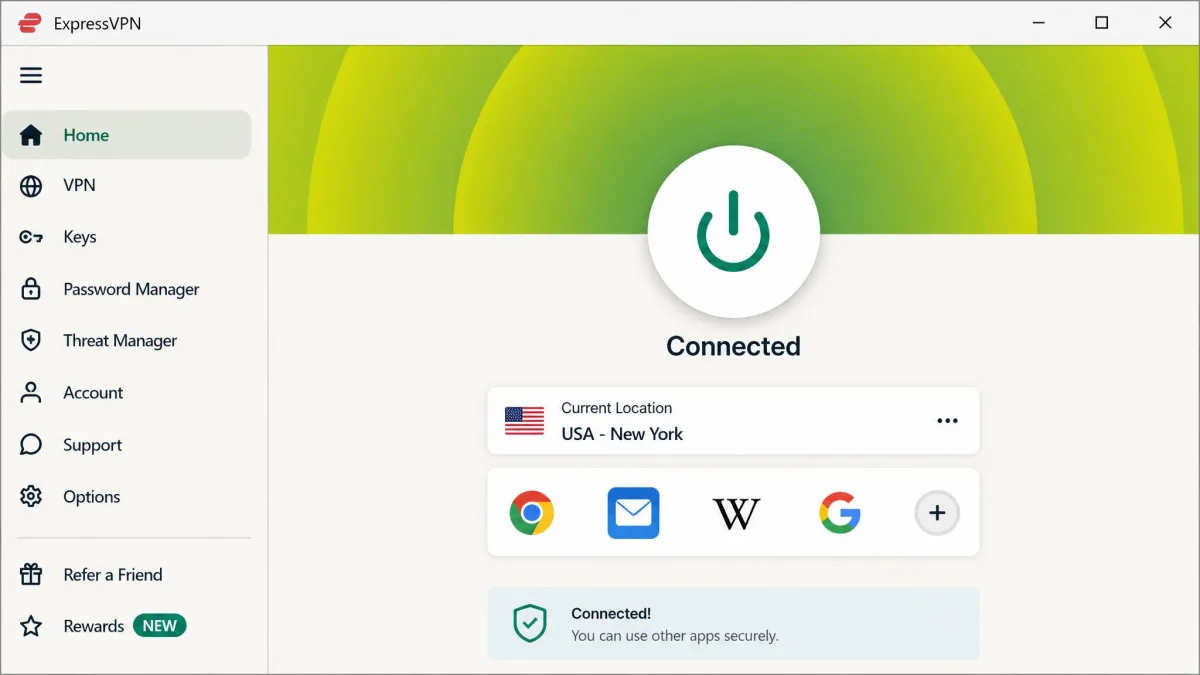
ExpressVPN
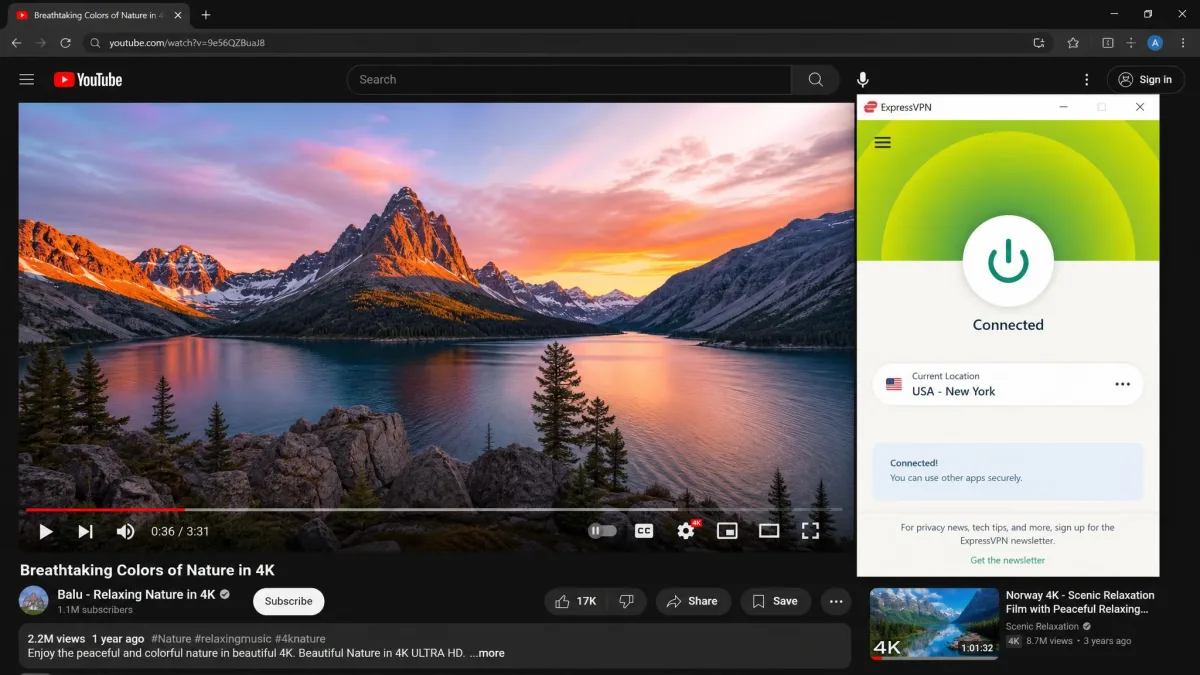
ExpressVPN is the one we would hand to someone who does not want to think about settings. It unblocked YouTube TV on the first attempt across every server we tried. It streamed 4K without interruptions, which is exactly the low-effort experience most people want. It also turns on obfuscation automatically, so it keeps working in restrictive regions without you touching a config screen. With servers in 105 countries and a clean app on every major platform, it is genuinely easy to point at a location and go. The Lightway protocol connects in a second or two and reconnects quickly if your network drops. A video rarely stalls when you move between Wi-Fi and mobile data. The catch is the price. ExpressVPN is one of the pricier options here, and that is its main drawback despite the strong performance. If a simple, dependable app matters more to you than saving a few dollars a month, it is worth it. The 30-day guarantee gives you a full billing cycle to decide. The ExpressVPN site lists current pricing.
Pros
- Unblocked YouTube TV on the first attempt, every time
- Automatic obfuscation works in restrictive regions
- Very easy setup on any device, ideal for beginners
- Servers in 105 countries with a 30-day guarantee
Cons
- One of the more expensive VPNs here
- Intro pricing varies widely by plan and promo
Best for: Beginners who want a VPN that just works with no tinkering. Skip if: You are on a tight budget, where Surfshark or CyberGhost cost far less.
4. Proton VPN - Best for privacy and consistent speeds
Proton VPN
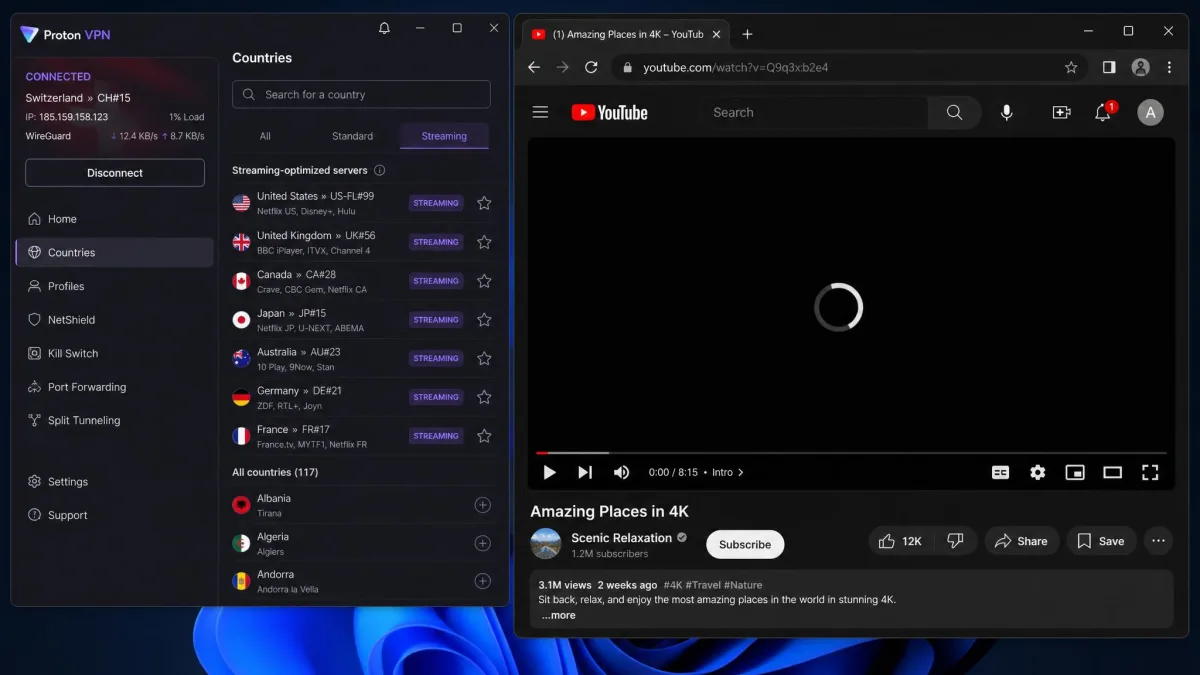
Proton VPN is the choice when privacy matters as much as playback. Run by the team behind Proton Mail, it is based in Switzerland. Its apps are open-source and independently audited, and it keeps a genuine no-logs stance. It streams well too. In our testing it kept a flat, stable download curve with about 91% speed retention. That prevented buffering during long YouTube sessions where a wobblier VPN would drop to a lower resolution. Finding a working server is simple. Proton marks its streaming-optimized servers directly in the app, so you are not guessing which location will unblock YouTube. NetShield blocks ads and trackers alongside the stream. The Secure Core option routes you through hardened servers for an extra privacy layer if you want it. It also runs a free tier, which we cover below. The one trade-off is that its very best speeds sit just behind Nord and Surfshark. For a privacy-first VPN the consistency is excellent. More detail is on the Proton VPN site.
Pros
- Open-source, audited apps and Swiss privacy jurisdiction
- Very stable speeds, about 91% retention, so no buffering
- Streaming-optimized servers labeled in the app
- Includes a genuinely usable free tier
Cons
- Top speeds trail NordVPN and Surfshark slightly
- The free tier is too limited for heavy streaming
Best for: Privacy-focused viewers who still want reliable YouTube playback. Skip if: You want the fastest possible connection above all else.
5. CyberGhost - Best dedicated streaming servers
CyberGhost
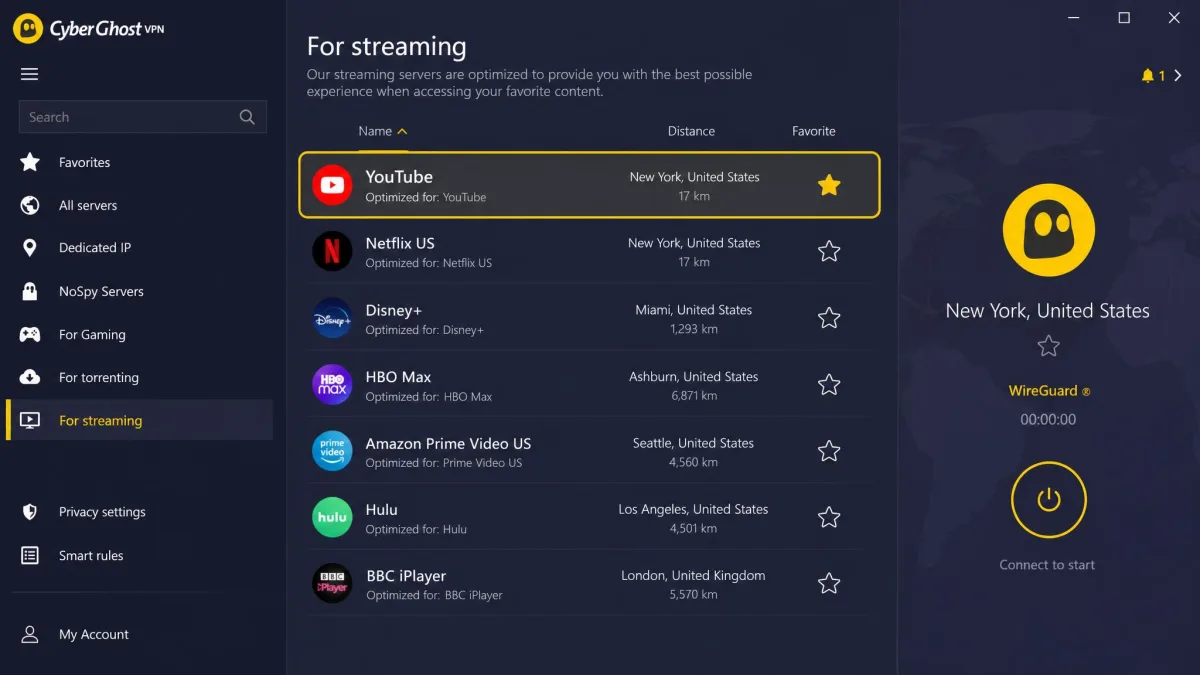
CyberGhost takes a different approach. Instead of making you guess, it offers streaming-optimized servers, including ones labeled specifically for YouTube, that unblock the platform reliably. You pick the YouTube server, connect, and it works. That is a nice touch for anyone who finds server lists overwhelming. The app even sorts these servers by the service they are tuned for, so you scroll to YouTube and click once. It also has dedicated US city servers that make YouTube TV's regional feeds easy to reach. At $2.19/mo on the two-year plan it is the cheapest headline price here. Two caveats keep it out of the top spots. Speeds can drop and turn inconsistent when you connect to distant servers, so a far-flung location may buffer where a nearby one plays cleanly. And while YouTube works well, it struggles with some other services such as BBC iPlayer, Hulu, and Amazon Prime Video. If YouTube is your main goal, none of that will bother you. The 45-day money-back guarantee is the most generous on this list, giving you a month and a half to put it through your own routine.
Pros
- Streaming servers labeled for YouTube take the guesswork out
- Dedicated US city servers for YouTube TV
- Lowest headline price, with a 45-day guarantee
- Built-in ad-blocker
Cons
- Speeds can turn inconsistent on distant servers
- Struggles with iPlayer, Hulu, and Prime Video
Best for: People who want a labeled, point-and-click YouTube server. Skip if: You also need to unblock iPlayer, Hulu, or Prime Video.
6. Private Internet Access - Best for US servers
Private Internet Access
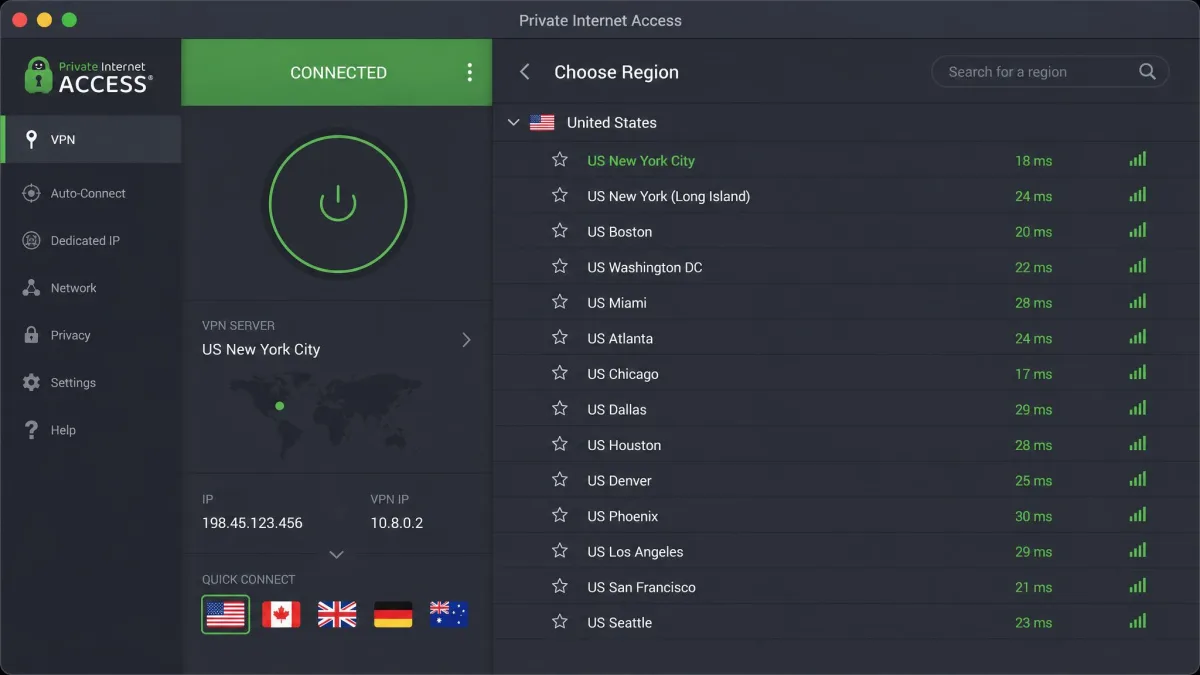
Private Internet Access, or PIA, earns its place on the strength of its US network. It runs a very large US server list with city-level selection. That makes it easy to match a specific region for YouTube TV or to load US-only clips. Like Surfshark, it allows unlimited simultaneous connections, so one subscription covers the whole house. Its apps are open-source and highly configurable, letting you dial encryption up or down. That appeals if you like control over your setup. You can trade a little security for more speed, or lock everything down when privacy matters more. The MACE feature blocks ads and trackers at the network level, and port forwarding is there for the advanced users who want it. We did not run our full speed benchmarks on PIA, so we cannot rank it on raw throughput here. Its interface also leans more technical than the polished apps from Nord or Express. But for anyone whose main need is precise US location control at a low price, it is a strong, flexible option.
Pros
- Huge US server network with city-level selection
- Unlimited simultaneous connections
- Open-source, highly configurable apps
- Very low intro price
Cons
- We did not run full speed tests, so throughput is unproven here
- The app is more technical than rivals
Best for: Viewers who need precise US city selection for YouTube TV. Skip if: You want a simple app with proven top-tier speeds.
How to choose the best VPN for YouTube
The list above narrows the field. But if you want to choose with confidence, focus on the handful of features that actually change your experience. Everything else is noise.
Speed is the one to weigh first. YouTube adjusts video quality to your connection, so a slow VPN means lower resolution and more buffering. For smooth HD you want plenty of spare bandwidth, and for 4K you want more. Every VPN here is fast enough for HD. Our top picks handle 4K without a stutter.
Server network matters next, in two ways. A wide spread of countries lets you unblock content from more places. A deep set of servers in each location keeps any single one from getting crowded and slow. If YouTube TV is your goal, look specifically for US city-level servers. That is what lets you match a regional feed.
Then think about how many devices you need to cover. If it is just your phone and laptop, any pick works. If you are covering a whole household of devices at once, Surfshark and PIA offer unlimited connections, while NordVPN and Proton allow 10.
Finally, weigh price against the money-back guarantee. Intro prices look great but climb at renewal, so check the second-year cost. Every VPN here offers at least a 30-day guarantee. CyberGhost gives you 45 days, which is enough time to test it against your own YouTube habits risk-free.
Always test a new VPN inside its money-back window. Connect, load your usual videos, try YouTube TV if you use it, and confirm the speed holds before the refund period ends.
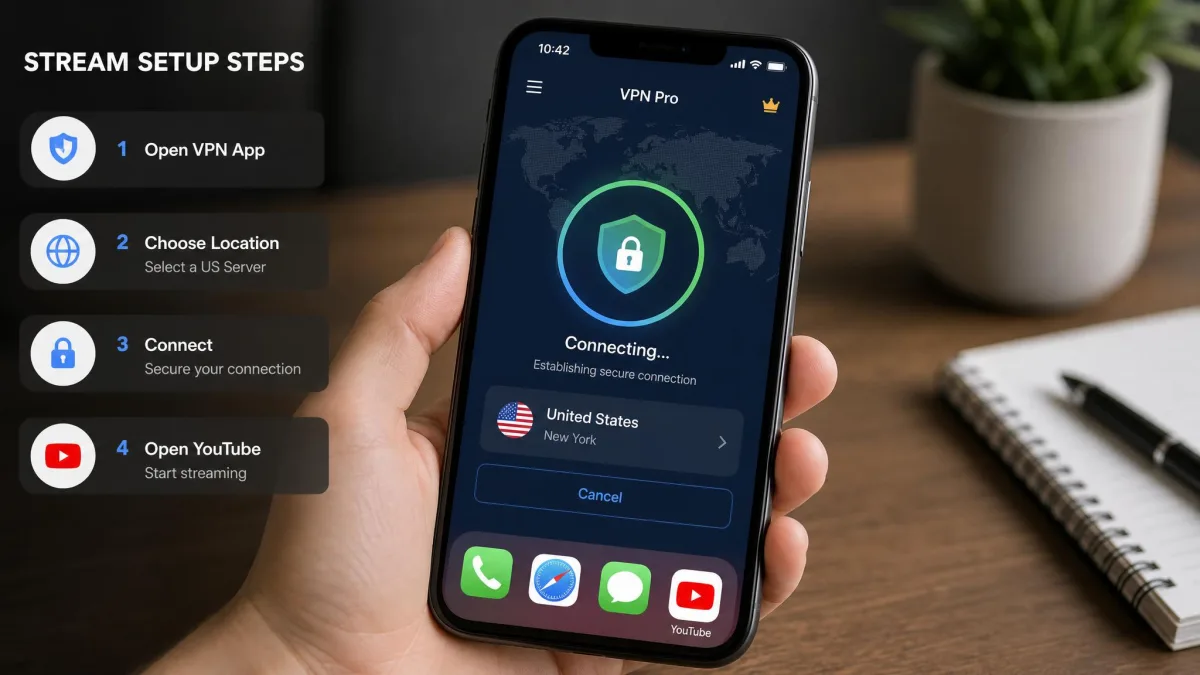
How to set up and use a VPN for YouTube (step by step)
Getting a VPN running for YouTube takes only a few minutes. The process is the same across the services here, and you do not need any networking knowledge to do it.
First, pick a VPN and sign up. Choose a plan, create an account, and note that the longer plans carry the low intro prices you see advertised. Because every pick here has a money-back guarantee, you can start on a longer plan and still get a refund if it does not suit you. Have your payment ready. Remember that the price you pay in year one usually rises at renewal, so make a note of the second-year cost before you commit.
Second, download the app for your device. Every VPN on this list has apps for Windows, macOS, Android, and iPhone, and most also cover Linux and smart TVs. Install the one that matches the device you watch YouTube on, then sign in with your new account. If you watch on more than one device, install it on each of them now. Your subscription covers several connections at once, and there is no reason to leave a phone or tablet unprotected.
Third, connect to a server. To unblock content from a specific country, choose a server in that country. For YouTube TV, pick a US server, ideally a city near the region whose feed you want. If your VPN has streaming-labeled servers, like CyberGhost or Proton, choose one of those for the best odds. Give the connection a moment to establish fully before you switch over to YouTube. A half-connected session can still leak your real location.
Fourth, open YouTube and play. Load the app or site as normal and start your video. If a clip was blocked before, it should now play. For the best quality, let it settle for a few seconds so YouTube can step the resolution up to HD or 4K. If you want to lock the quality manually, tap the settings gear on the player and choose your resolution rather than leaving it on auto.
On a phone, connect the VPN before you open the YouTube app. If YouTube is already running, close it fully and reopen it so it picks up your new location.
If you want the same protection on a device that cannot run a VPN app, such as a game console, you can install the VPN on your router instead. That covers every device on your home network at once, which is handy for a smart TV you watch YouTube on. Most of the providers here publish router setup guides, and a few sell pre-configured routers if you would rather skip the manual step. One router connection usually counts as a single device against your plan limit, even though it protects everything behind it. It is an efficient way to cover a busy household.
Why you need a VPN for YouTube (geo-blocks, China, throttling)
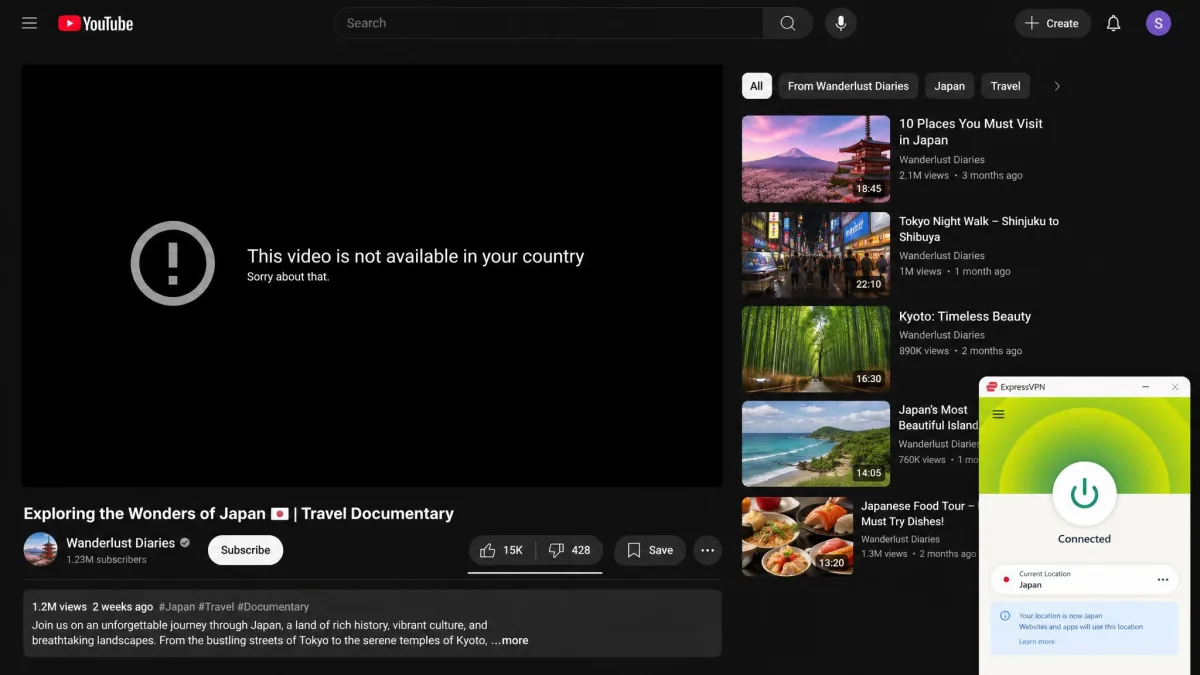
YouTube feels like it shows the same thing to everyone, but it does not. There are three common reasons a video will not play, and a VPN solves all of them.
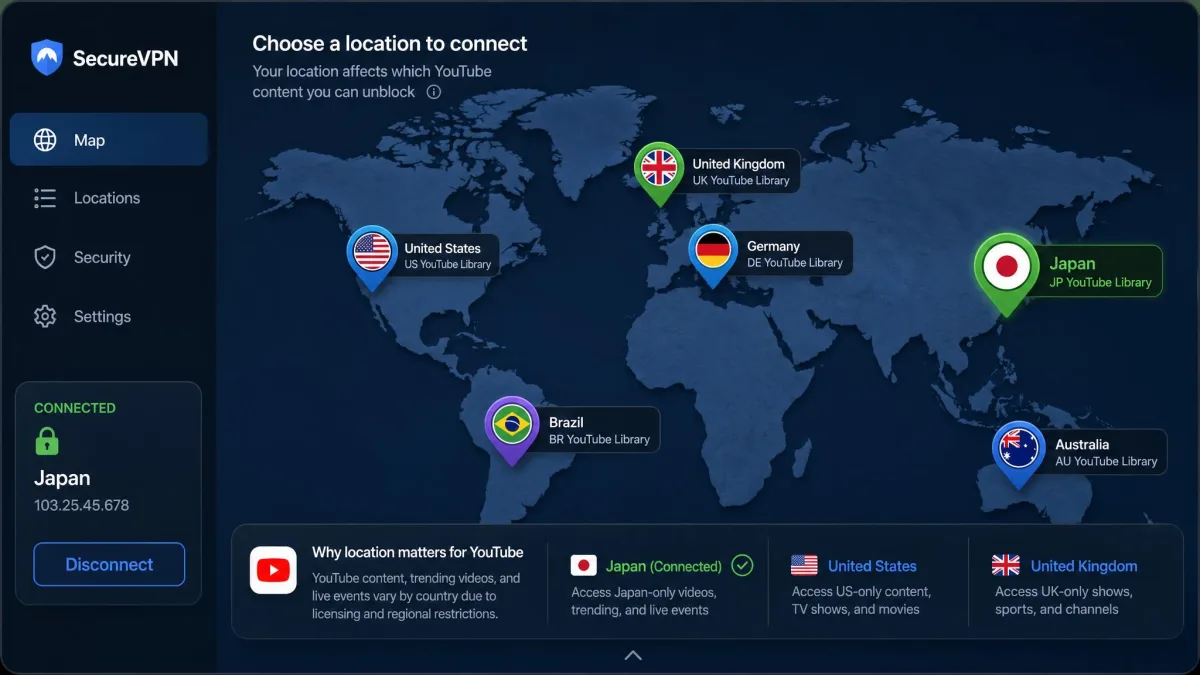
The most familiar is geo-blocking. Rights holders license music videos, shows, and clips region by region. A video available in one country returns "not available in your country" somewhere else. Music videos are the usual culprit, since labels often clear a track for one market before another. But sports highlights, comedy specials, and full films get fenced off the same way. Because a VPN gives you an IP address in the region you connect to, YouTube serves you that region's catalog instead of your own.
The second reason is a network block. Many schools, workplaces, and public networks block YouTube at the firewall to save bandwidth or keep people on task. A VPN encrypts your traffic and routes it out through its own server. The local network cannot see that you are reaching YouTube and cannot block it. In heavily censored regions such as China, access is restricted at the national level. There, a VPN with obfuscation is often the only way to reach the platform at all. Obfuscation matters because a plain VPN connection is itself detectable and can be blocked. Disguised traffic slips through looking like ordinary browsing.
The third reason is throttling. Some internet providers slow down video streaming during busy hours to manage their network. That shows up as constant buffering or a drop to low resolution, even though your connection tests fine otherwise. Because a VPN hides what kind of traffic you are sending, your provider cannot single out video to throttle it, and speeds often improve as a result. If your YouTube stutters every evening but a speed test still looks healthy, throttling is the likely cause. A VPN is the simplest way to rule it out.
A VPN does three jobs for YouTube at once: it beats regional geo-blocks, slips past network firewalls, and hides your streaming from an ISP that wants to throttle it.
— From our hands-on testing
There is a privacy angle too. A VPN encrypts your connection and masks your real IP address. That keeps your viewing away from your internet provider and anyone sharing a public network with you. On open Wi-Fi in a cafe or airport, the encryption also stops anyone on the same network from snooping on what you are doing. That security and peace of mind is a reason plenty of people keep a VPN on all the time, not just for unblocking.
Can I use a VPN for YouTube TV and YouTube Premium?
Yes to the first, with a caveat on the second. The difference is worth understanding before you buy.
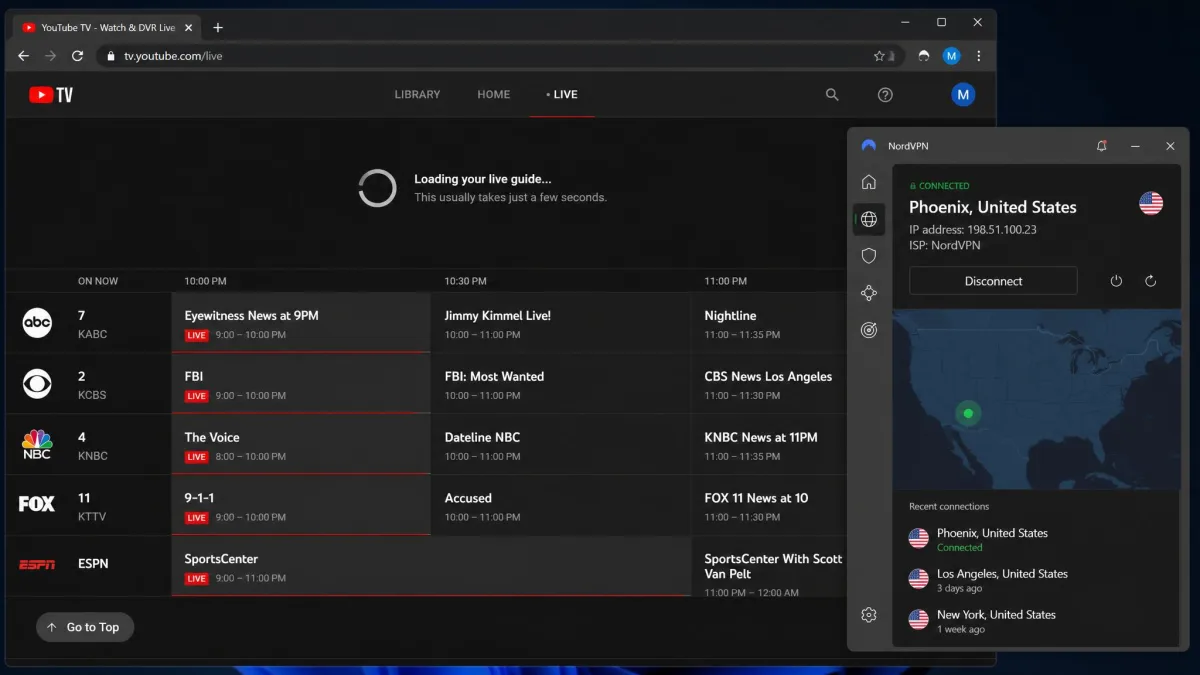
YouTube TV is a US-only live TV service, and its feeds are also localized by region within the country. A VPN handles both situations. Connect to a US server to reach YouTube TV from abroad, and choose a server in a specific US city to match a particular regional feed. Every VPN on this list supports YouTube TV. The ones with US city-level servers, NordVPN, CyberGhost, and PIA, make matching a region especially easy. In our testing ExpressVPN unblocked YouTube TV on the very first attempt, which is the smoothest experience if you switch regions often.
YouTube Premium is different because it is an account feature, not a geo-blocked stream. Premium removes ads and unlocks background play and downloads. It applies to your account wherever you sign in, so a VPN does not unlock it for free. Where a VPN can help is at sign-up. Premium is priced differently by country, and some viewers connect through a cheaper region to pay a lower rate. That works technically, but it can run against YouTube's terms, so approach it with that in mind rather than as a guaranteed discount.
A VPN changes your apparent location, not your account. Your YouTube login, subscriptions, and payment method still belong to your real account, so a VPN cannot make paid features free or bypass an account ban.
Should you use a free VPN for YouTube?
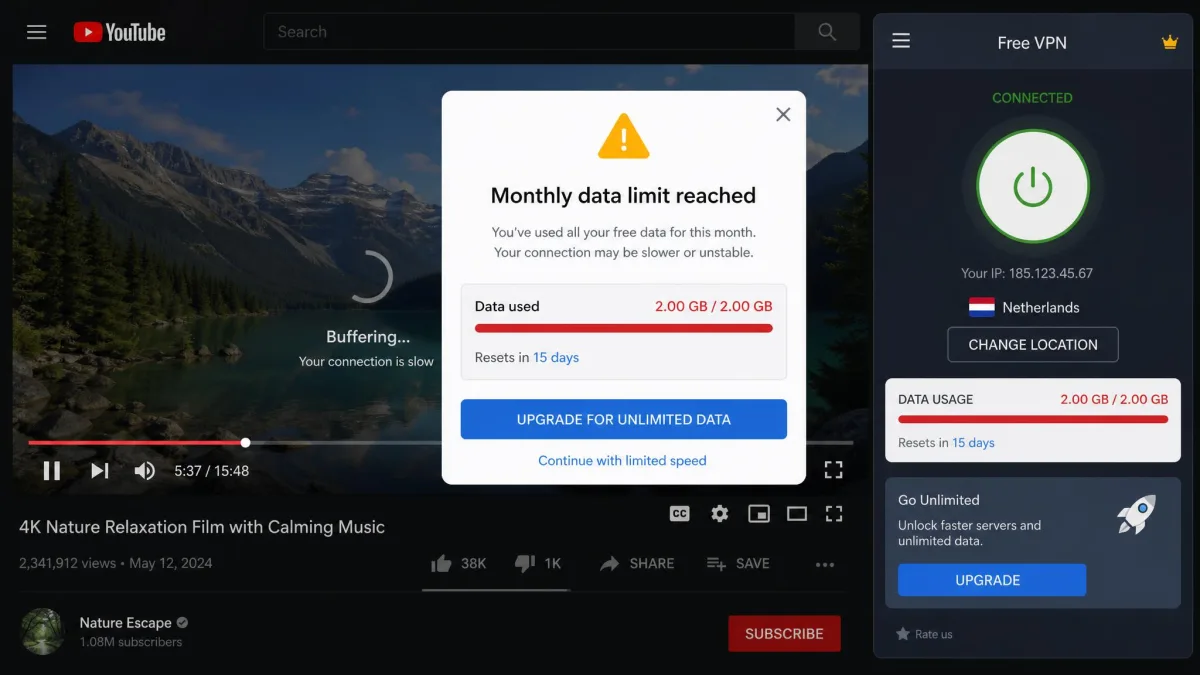
For casual, occasional use a free VPN can be fine. For regular YouTube streaming, most of them fall short, and some are worth avoiding entirely.
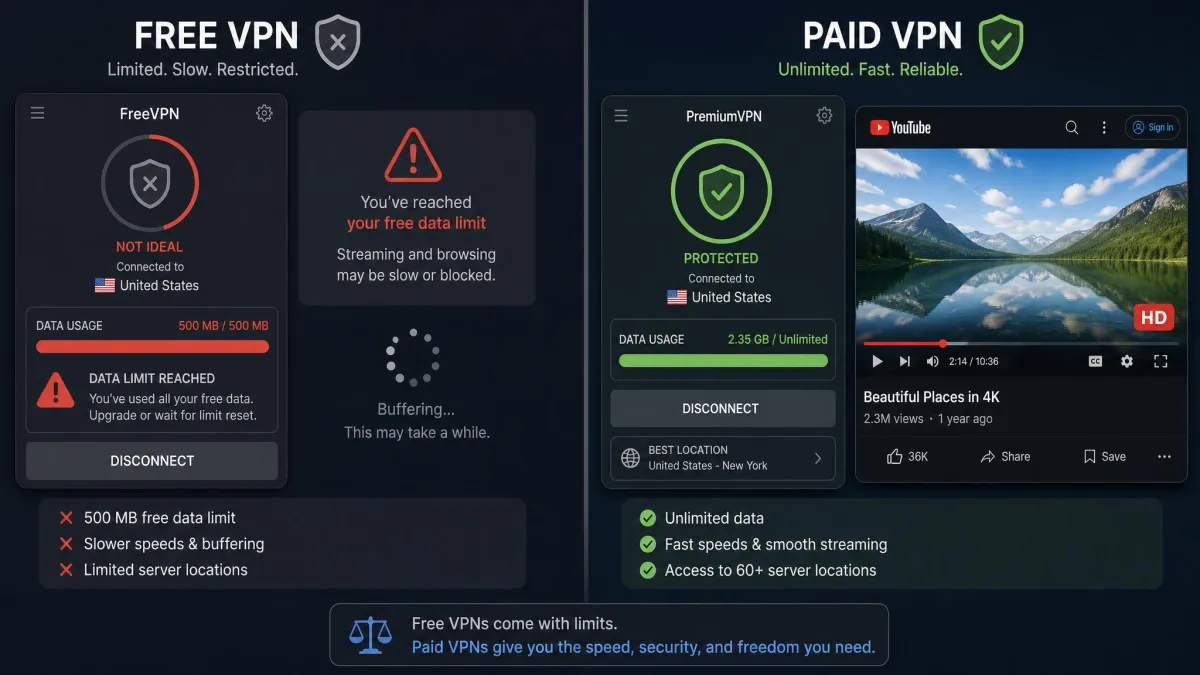
The practical problems are speed and data. Free VPNs usually run a small, crowded set of servers, so they are slow. That is the opposite of what streaming needs. Many also cap your monthly data, and video burns through a data allowance fast. You can hit the limit partway through a single evening. On top of that, plenty of free services simply cannot get past YouTube's geo-blocks, which defeats the purpose.
There is a safety concern too. A VPN sees all your traffic, and a free service has to make money somehow. Some log and sell browsing data or inject ads, which trades one privacy problem for a worse one. If you use a free VPN, stick to a reputable name.
The exception worth knowing is Proton VPN. Its free tier offers unlimited data on one device, backed by the same audited, no-logs company as its paid plans. It is genuinely safe to use. The limit is that the free tier is restricted to a small set of servers, so it is not ideal for heavy streaming. But it is the free option we would actually trust. If you stream YouTube more than occasionally, a cheap paid plan like Surfshark or CyberGhost will serve you far better than any free VPN.
What to do if your VPN isn't working with YouTube
Even a good VPN occasionally hits a wall where YouTube will not load or a video stays blocked. The fixes are quick, and you rarely need more than one or two.
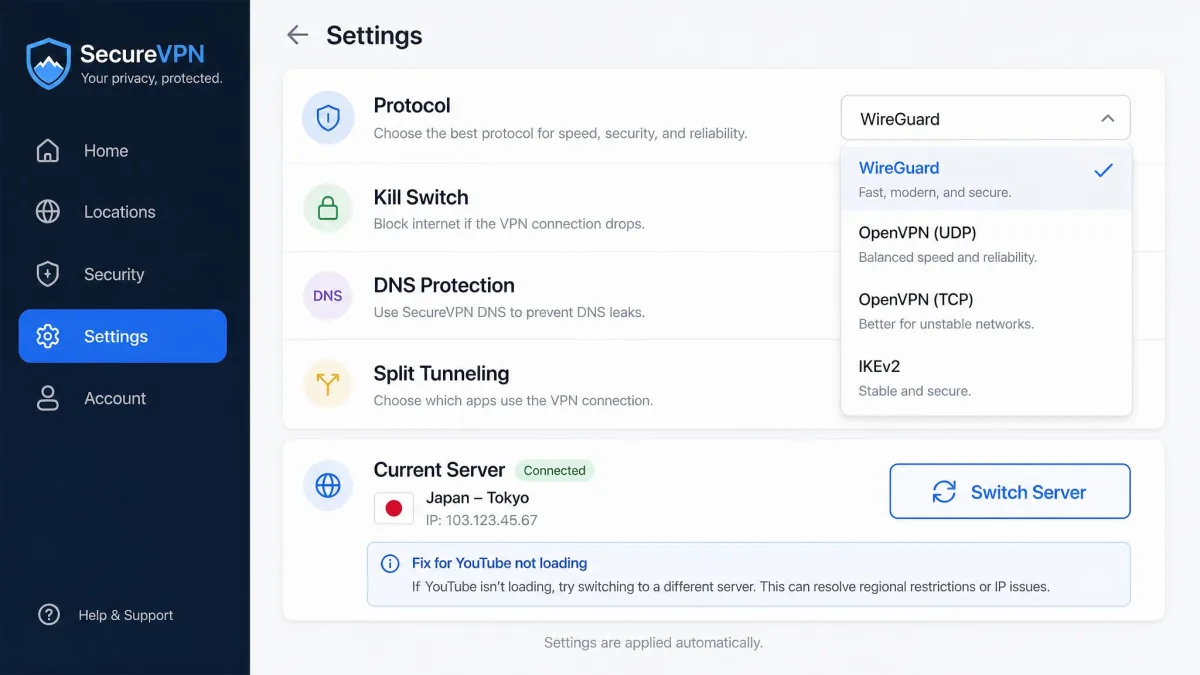
Start by switching servers. YouTube sometimes flags a specific VPN IP address. Disconnecting and connecting to a different server in the same country usually clears it. If your VPN has streaming-optimized servers, choose one of those, since they are refreshed to stay ahead of blocks. It is worth trying two or three servers before you give up on a location entirely. The block is tied to the individual address, not the whole country.
If that does not work, clear your browser cache and cookies, or force-close and reopen the YouTube app. YouTube stores location data locally, and old data can override your new VPN location until you clear it. On a phone, closing the app fully and reopening it after you connect does the same job. Signing out of your Google account and back in can also shake loose a stale location if the video still insists you are somewhere you are not.
Next, change the VPN protocol. If you are on OpenVPN and speeds are poor or the connection is unstable, switch to WireGuard. It is called NordLynx on NordVPN and Lightway on ExpressVPN. This was the single biggest reliability improvement we saw with NordVPN, and it helps across most services. If a video loads but keeps dropping to a lower resolution, the protocol switch alone often restores full HD.
Make sure your VPN's kill switch and, if available, its obfuscation feature are turned on. Obfuscation disguises VPN traffic as normal traffic, which is what gets you through the toughest network blocks, no matter where you are connecting from.
There are a couple of network-level culprits worth ruling out too. A DNS leak can hand your real location back to YouTube even while the VPN is connected. Run a quick leak test and make sure your VPN is set to use its own DNS. If you are on a phone that switches between Wi-Fi and mobile data, an IPv6 address can slip past the tunnel. Enabling your VPN's IPv6 protection or leak block closes that gap.
If YouTube still refuses to cooperate, restart the app or your device, and check that your VPN software is up to date. Providers push updates specifically to stay ahead of streaming blocks, so running the latest version genuinely matters. When all else fails, contact support. The paid services here offer live chat that can point you to a server known to be working with YouTube right now. That is far quicker than guessing your way through the list.
Final verdict
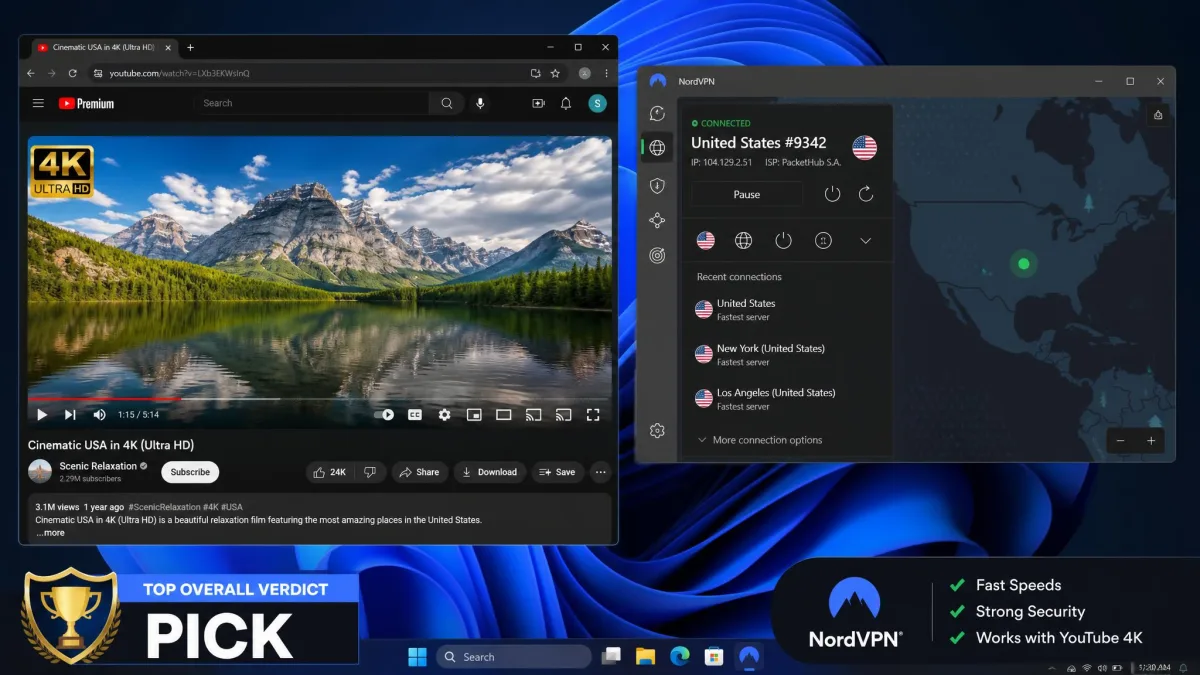
After testing all six, the ranking held up cleanly. NordVPN is the VPN we would pick for YouTube without hesitation. It was the fastest in our testing, and it unblocks YouTube, YouTube TV, and other tough platforms reliably. Its US city servers make regional feeds easy. Keep it on NordLynx and it does everything a YouTube VPN should, faster than the rest.
The runners-up each win a clear category. Surfshark is the best value and the household choice thanks to unlimited devices. ExpressVPN is the easiest to use and the most beginner-friendly. Proton VPN is the privacy pick with the most consistent speeds. CyberGhost gives you labeled, point-and-click YouTube servers and the longest guarantee. PIA offers the deepest US network for precise regional control. Whichever you choose, start inside the money-back window and test it against your own viewing before you commit.