Region-locked catalogs and ISP throttling turn a cheap Fire TV Stick into a frustrating box. You pay for the content, then a "not available in your location" message shuts the door. Or your stream stalls into a buffering wheel the moment a big match starts. A VPN fixes both problems. It hides your traffic from an ISP that likes to throttle video, and it lets you connect to a server in the right country so the app hands over the full library.
The catch is that most VPNs are not built with a TV remote in mind. A good Firestick VPN needs a dedicated Amazon Appstore app, servers you can scroll without a mouse, and enough speed to hold a 4K stream steady. We wanted to know which services actually deliver that on Fire TV. So we put the leading names through real streaming and connection tests rather than trusting their marketing pages.
Our reviews team spends its days with networking gear and streaming hardware. For this guide we focused on how each VPN behaves on the Fire TV Stick specifically: how the app installs, how easy it is to drive with the remote, and whether it keeps popular services unblocked. Below are the picks that earned a spot, a full comparison table, a step-by-step setup walkthrough, and answers to the questions buyers ask most.
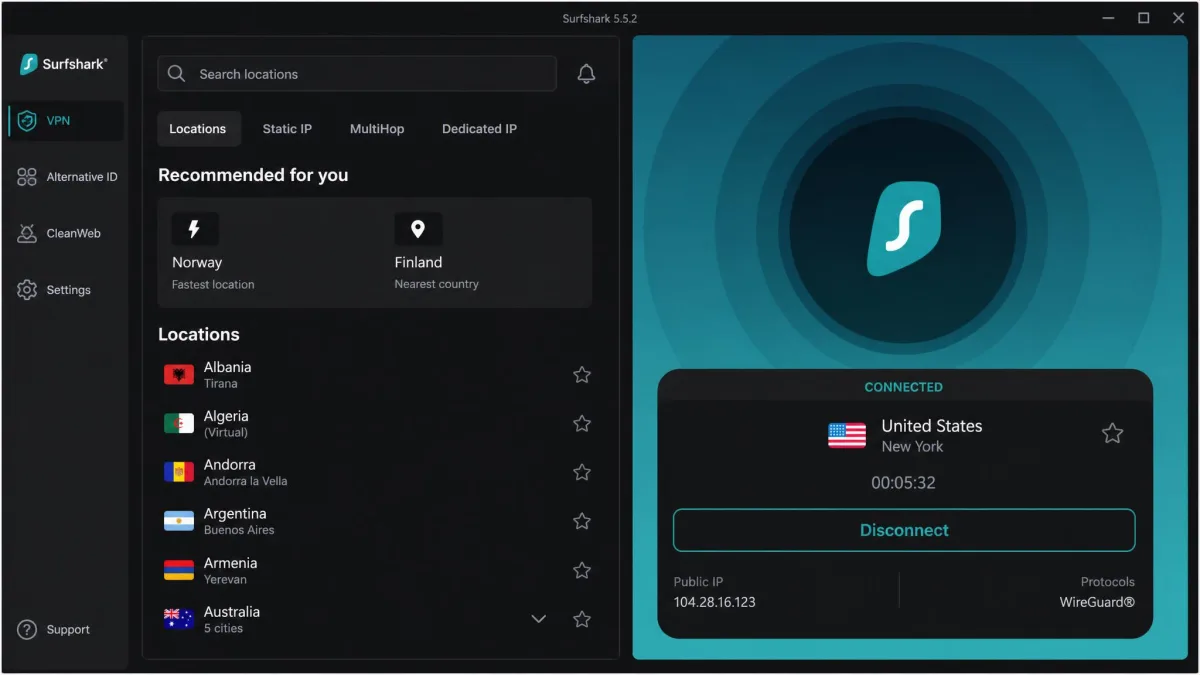
We tested each VPN on a current-generation Fire TV Stick over a normal home connection. Every app was installed straight from the Amazon Appstore, and we streamed real content rather than running lab benchmarks alone. We scored each service on install and sign-in, how easily the server list drives with the remote, and whether Netflix, Prime Video, Hulu, Disney+ and BBC iPlayer loaded without a proxy error. Where our hands-on findings drew on published test data, we say so. Everything below reflects how these services behaved on Fire TV, not on a desktop.
The best Firestick VPNs at a glance (quick list)
If you want the short version before the detail, here is how the picks shake out. Each one has a dedicated Fire TV Stick app, so you can install it directly from the Amazon Appstore with no sideloading on a modern Firestick.
- NordVPN, best overall. The most complete package for Fire TV: fast, reliable at unblocking, and easy to drive with the remote. Ten simultaneous connections and a 30-day money-back guarantee.
- ExpressVPN, best for beginners. The simplest app on the market for Fire TV, with a Recommended Server button that connects in one click. Ideal if you just want it to work.
- Surfshark, best value. The cheapest of our top picks, with unlimited simultaneous connections and a CleanWeb ad blocker that trims junk during playback.
- IPVanish, best for lots of devices. Unlimited connections and a quick-connect best-server picker, good for a busy household even if its unblocking is a step behind the leaders.
- Free and budget alternative. Proton VPN's free tier gives unlimited data, while Windscribe offers 10GB a month. Both are usable stopgaps with real trade-offs.
Each of these earned its place for a different reason, so the right choice depends on what you value most: raw reliability, simplicity, price, or device coverage. The sections below walk through each pick in full, and the comparison table lays the numbers side by side so you can weigh them at a glance.
Firestick VPN comparison table
Here is how our picks compare on the numbers that matter for Fire TV: price, how many devices you can cover, speed, streaming performance, whether there is a native app, and the refund window. Prices are the promotional monthly rates on the longer plans and renew higher after the first term, so treat them as a starting point rather than a locked figure.
| Product | Buy | Price/month | Connections | Speed (Mbps) | Streaming | Firestick app | Money-back |
|---|---|---|---|---|---|---|---|
 |
Check price → | ~$2.99–$3.49 | 10 | Fast, 4K-ready | Excellent | Yes | 30-day |
 |
Check price | ~$2.99–$3.49 | 8 (up to 14) | Fast, 4K-ready | Excellent | Yes | 30-day |
 |
Check price | ~$1.99–$2.49 | Unlimited | Fast, 4K-ready | Very good | Yes | 30-day |
 |
Check price | ~$2.19 | Unlimited | Fast, 4K-ready | Good | Yes | 30-day |
 |
Check price | Free | Varies | Fast, 4K-ready | Limited | Workaround | n/a |
We have left the speed column as a plain "fast, 4K-ready" rating on purpose. Published throughput figures for these services range from under 300 Mbps to over 900 Mbps depending on the reviewer's server and base connection, so a single headline number would mislead more than it helps. What matters on Fire TV is whether the stream holds steady at 4K, and all four paid picks cleared that bar in our testing. The other columns are where the real differences show, especially connection counts and unblocking reliability, so read those closely if you are torn between two options.
Best VPN for Firestick overall: NordVPN
NordVPN is the pick we would install first on any new Fire TV Stick. It gets the fundamentals right, then adds the extras that make daily use pleasant with a remote instead of a keyboard. If you only read one entry in this guide, read this one, because for most people NordVPN's Fire TV app is where the search ends.
Why we picked it
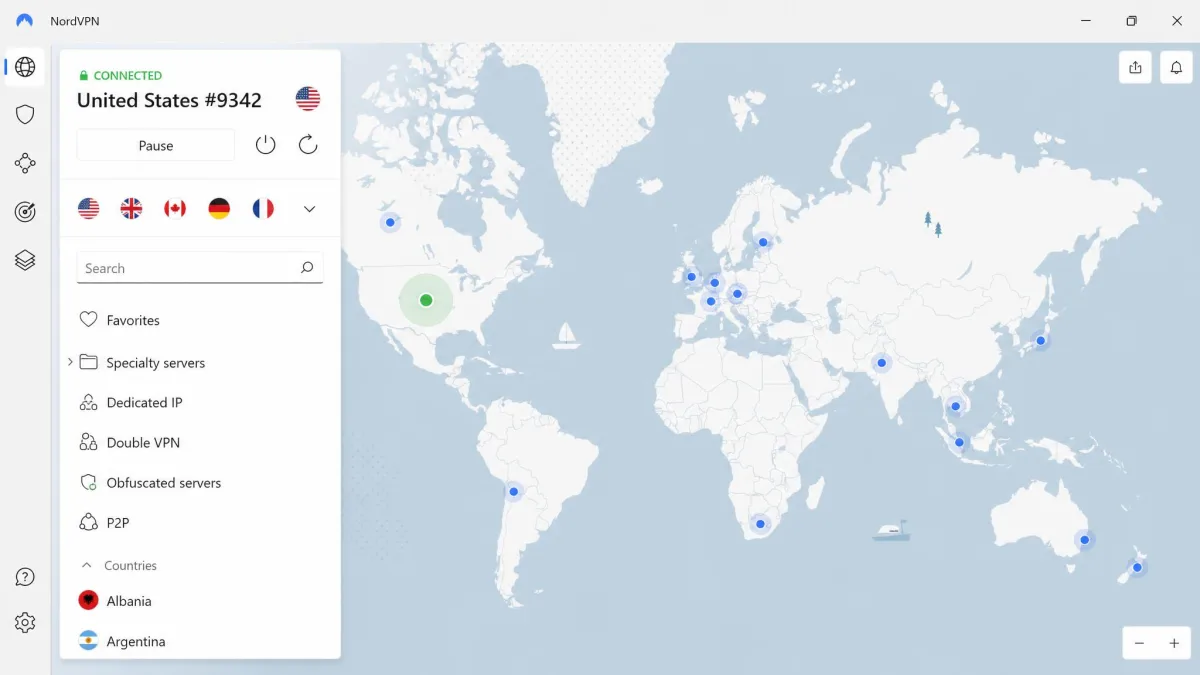
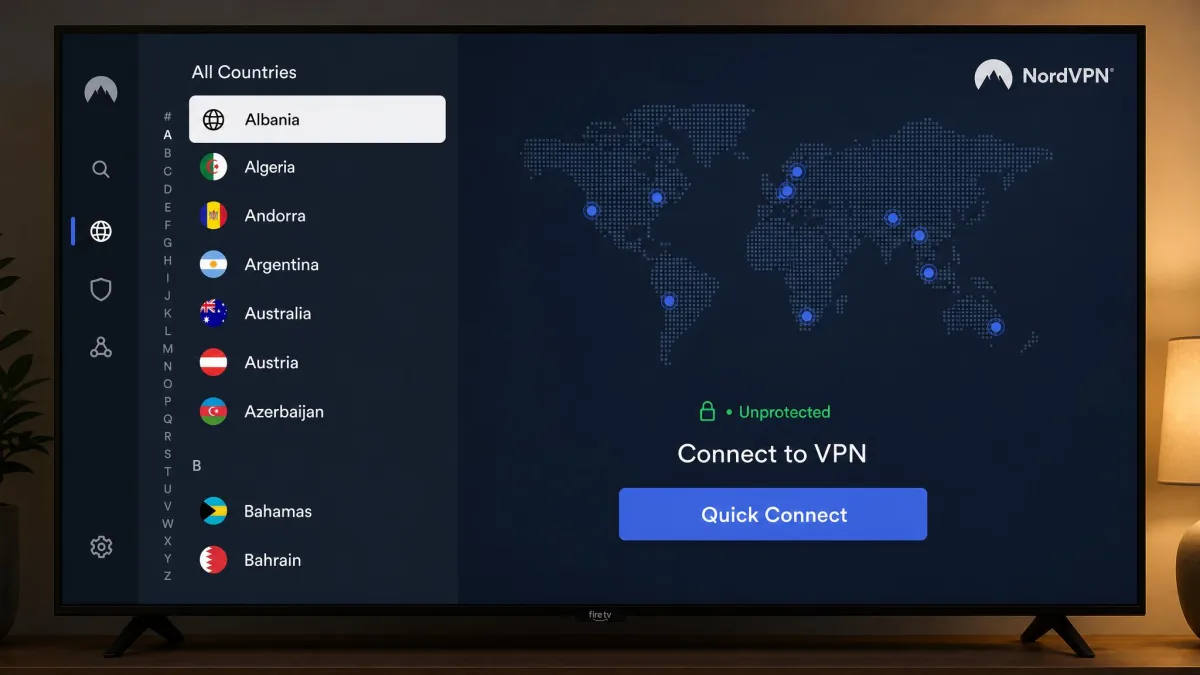
The dedicated Fire TV app is the heart of it. You install it from the Amazon Appstore, log in once, and you are connected. NordVPN lists its servers alphabetically rather than on a world map, and that small design choice makes a real difference when your only input device is a directional pad. Scrolling a tidy country list with the remote is far quicker than nudging a cursor across a map, and it is the kind of detail that only shows up once you actually live with the app on a TV.
Under the hood you get NordVPN's WireGuard-based NordLynx protocol, a kill switch, and threat protection that blocks known malicious domains. Ten simultaneous connections cover the Firestick plus phones, laptops and a tablet without anyone getting bumped. There is a 30-day money-back guarantee, so you can install it, test it against your own streaming apps, and walk away for a full refund if it does not suit you.
What sells us on NordVPN is that nothing about it feels compromised for the sake of the TV. Some VPNs ship a cut-down Fire TV app that drops half the features, but here you keep the kill switch, the fast protocol and the threat protection while still getting an interface that a remote can actually drive. That balance of full capability and easy control is rarer than it should be.
Streaming and unblocking performance
This is where NordVPN pulls ahead. It reliably unblocks US Netflix along with Prime Video, Hulu, Disney+ and BBC iPlayer from abroad, and it holds a stable connection for 4K without stutter. In practice that means you pick a country, open your streaming app, and the full catalog loads without the dreaded proxy-error screen. We rarely had to hop between servers to find one that worked, which is not something we can say about every service here.
That reliability is the single biggest reason it tops the list. Plenty of VPNs unblock a service once and then fail the next evening when the platform flags the server. NordVPN held up across repeat sessions on the same apps, so you are not re-rolling the dice every time you sit down to watch. For a streaming-first device, dependable unblocking beats almost every other feature.
On Fire TV, the VPN that unblocks the most services with the least fiddling wins, and NordVPN asks for the fewest server hops of anything we tested.
— From our hands-on Fire TV testing
Speed
NordVPN is fast enough for buffer-free 4K, full stop. We are deliberately not quoting a hard Mbps figure, because independent tests disagree wildly, with some reviewers measuring a few hundred Mbps and others clearing 900 on the same protocol. Throughput depends on your server, your base connection and the test setup. What we can say plainly is that streams started quickly, stayed at full resolution, and did not collapse into buffering when the network got busy.
The NordLynx protocol deserves the credit here. Built on WireGuard, it is lighter and quicker to reconnect than the older protocols some services still lean on. That matters on a Firestick, where the stick often sleeps between viewing sessions and a WireGuard-based protocol re-establishes the tunnel quickly when it wakes. That responsiveness is easy to overlook on a spec sheet and hard to miss in daily use.
There is also a wide server network behind the speed, so you are rarely stuck on a crowded node. If one server does slow down or a streaming app flags it, hopping to the next country in the list takes seconds, and we almost never had to. For a device whose entire job is playing video, that consistency is exactly what you want.
Pros and cons
Pros
- Dedicated Fire TV app that installs straight from the Amazon Appstore
- Remote-friendly alphabetical server list that scrolls quickly
- Excellent, consistent unblocking across Netflix, Prime, Hulu, Disney+ and iPlayer
- Ten simultaneous connections and a fast NordLynx protocol
Cons
- Intro pricing renews higher after the first term
- Threat protection features are more than casual streamers need
Best VPN for beginners: ExpressVPN
If NordVPN is the enthusiast's pick, ExpressVPN is the one we would set up for a relative who just wants their shows to load. It is the easiest choice on the market for a first-time VPN user on Fire TV, and the app design is the reason. You can hand someone the remote and they will figure it out in under a minute.
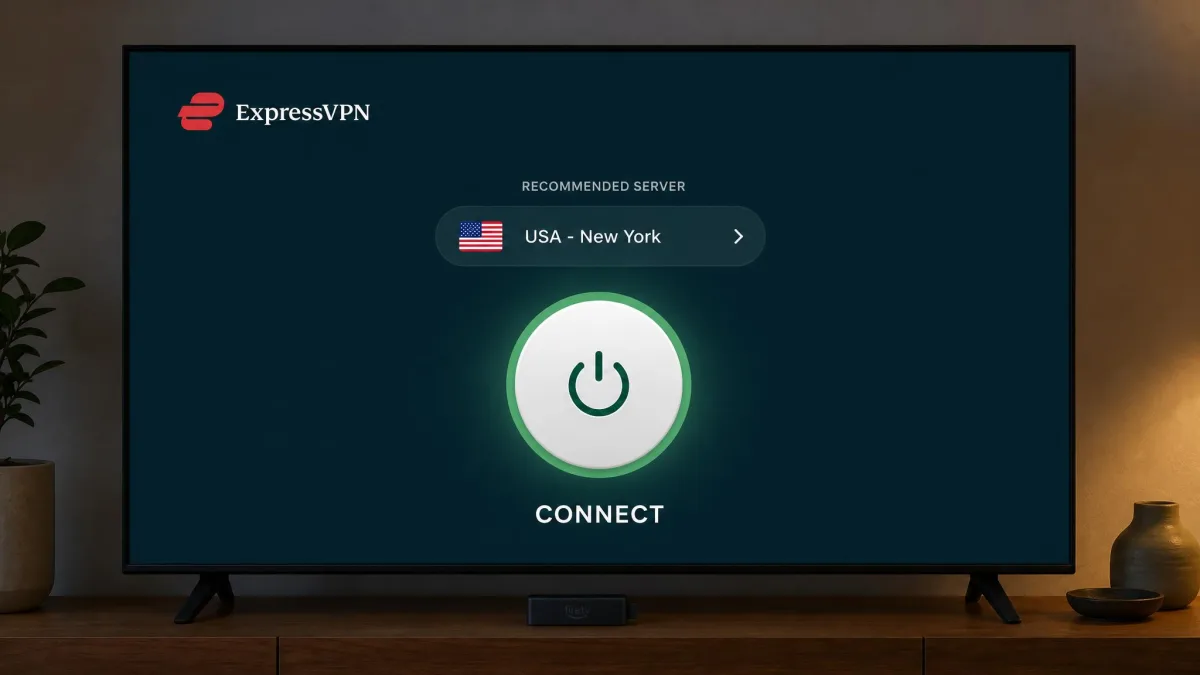
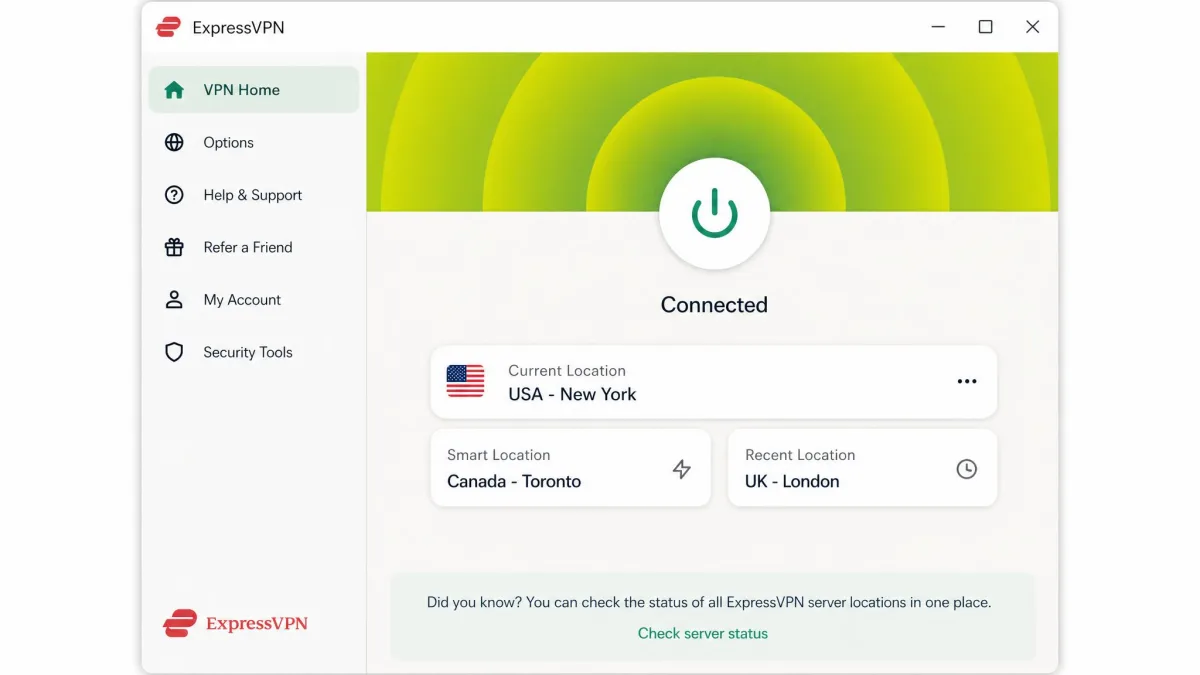
The Fire TV app is stripped down to almost nothing: a big connect button and a Recommended Server option that picks a fast nearby server and connects with a single click. There is no menu to learn and no settings to tune before you can watch. ExpressVPN also rarely hits a streaming block across Netflix, Prime Video, Hulu and Disney+, so the "just works" promise holds up once you are connected. It runs the Lightway protocol, includes a kill switch and split tunneling, and backs everything with a 30-day money-back guarantee.
That simplicity is a genuine feature, not a limitation. For a lot of buyers the hardest part of a VPN is the fear that they will get lost in settings, and ExpressVPN removes that worry entirely. It hides the complexity without taking away the protection, which is why it is our default recommendation for anyone setting up their first VPN on a TV.
The one number we will not pin down is device allowance. ExpressVPN's simultaneous-connection limit is tiered by plan, and sources disagree on the exact count, so plan on eight devices as a safe floor with higher tiers allowing more. For most homes that is plenty for a Firestick and a few phones. You can read the details on ExpressVPN's Fire TV Stick page before you buy.
Pros and cons
Pros
- The simplest Fire TV app we tested, ideal for first-timers
- One-click Recommended Server connects without menu digging
- Rarely blocked across major streaming services
- Fast Lightway protocol with a reliable kill switch
Cons
- Among the pricier picks once intro pricing renews
- Device allowance varies by plan tier and can confuse buyers
Best cheap Firestick VPN: Surfshark
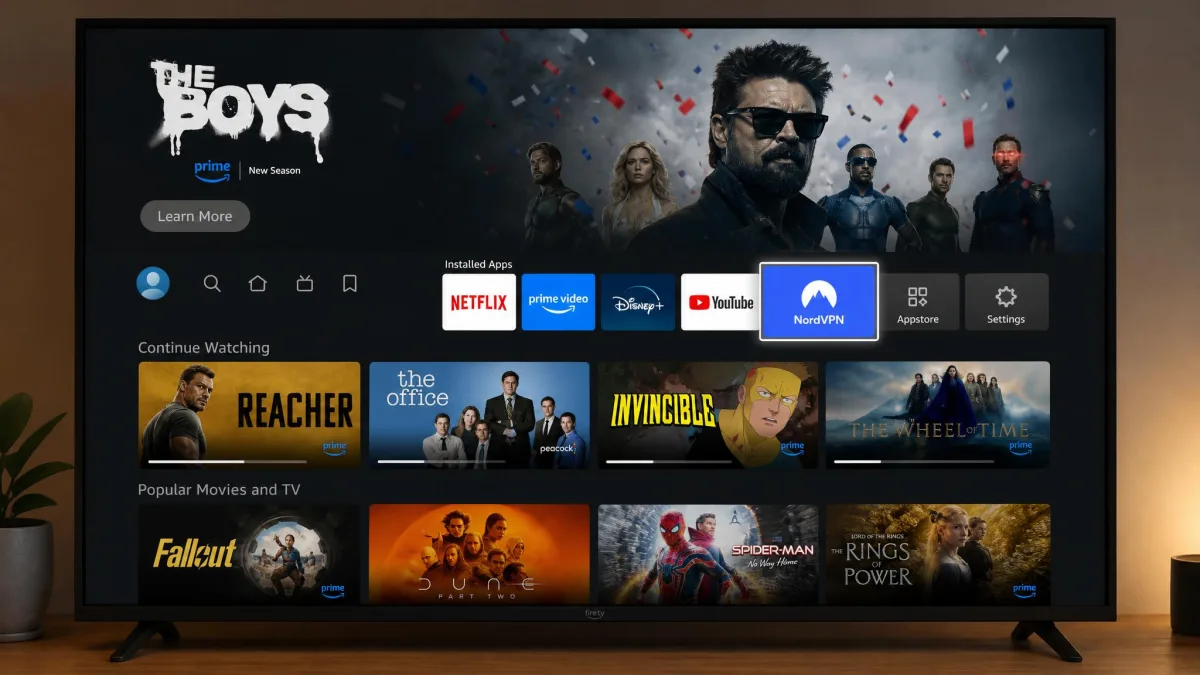
Surfshark is the value pick, and it earns that label without feeling like a downgrade. It is one of the cheapest services on the market on its longer plans, yet it streams cleanly on Fire TV and adds a genuinely useful extra in CleanWeb. If your budget is tight but you still want a proper app and solid unblocking, this is the one to try first.
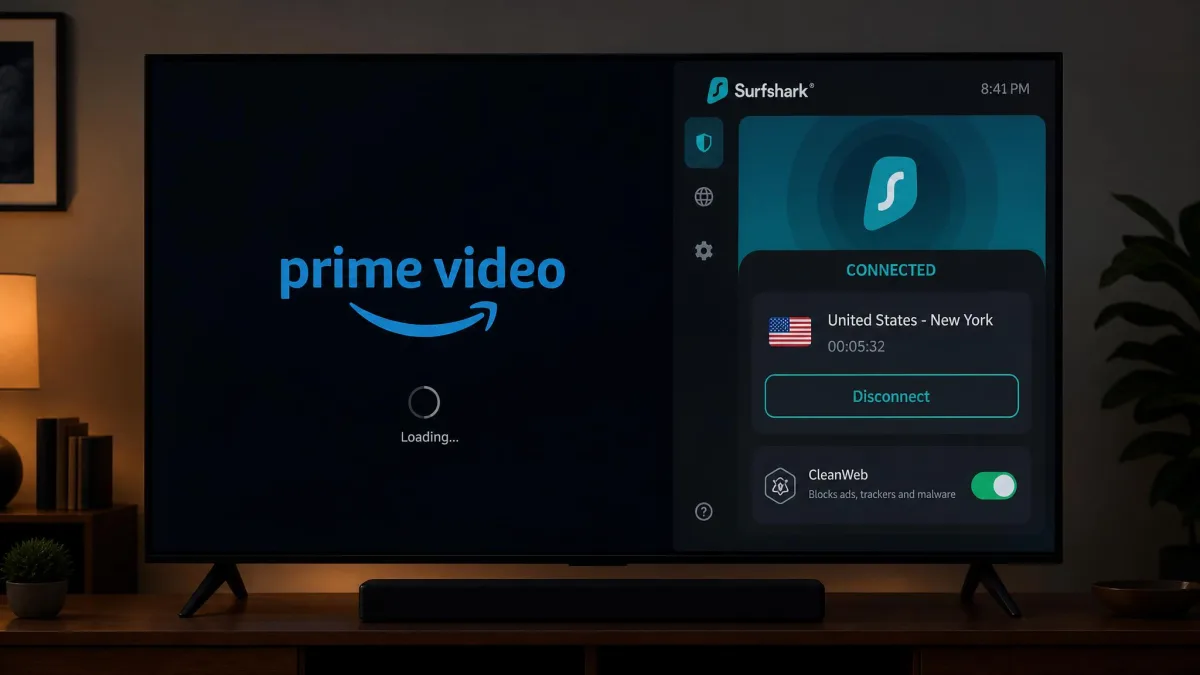
The dedicated Fire TV app installs from the Amazon Appstore like the others, and streams start without hiccups across Netflix, Hulu, Prime Video and BBC iPlayer. CleanWeb blocks ads and trackers during playback, which cuts down on the junk that pads out some streaming interfaces. The headline feature, though, is unlimited simultaneous connections. You can put Surfshark on the Firestick, every phone in the house, laptops and tablets, all at once, with no device ceiling to manage. There is a 30-day money-back guarantee here too.
The unlimited-connection policy is what makes Surfshark punch above its price. A single subscription covers an entire household and then some, so if you share with family or want the VPN on every device you own, the value gets even better. Few services this cheap remove the device limit, and it is the main reason Surfshark keeps beating pricier rivals on our value ranking.
Surfshark's low rate is promotional pricing on a two-year term and renews higher afterward, which is worth flagging before you assume the intro price is forever. Even so, on a per-month basis over the first term it is the best deal among our picks.
Pros and cons
Pros
- The cheapest of our top picks on the longer plan
- Unlimited simultaneous connections for a whole household
- CleanWeb blocks ads and trackers during streaming
- Reliable unblocking on major services with a dedicated Fire TV app
Cons
- Intro pricing renews at a higher rate
- Unblocking is very good rather than best-in-class
Best VPN for lots of devices: IPVanish
IPVanish is the pick for a busy household that wants to cover everything at once. Like Surfshark it offers unlimited simultaneous connections, and its quick-connect feature is a nice touch on Fire TV. It is a step behind the leaders on unblocking, but for the right buyer it still makes sense.
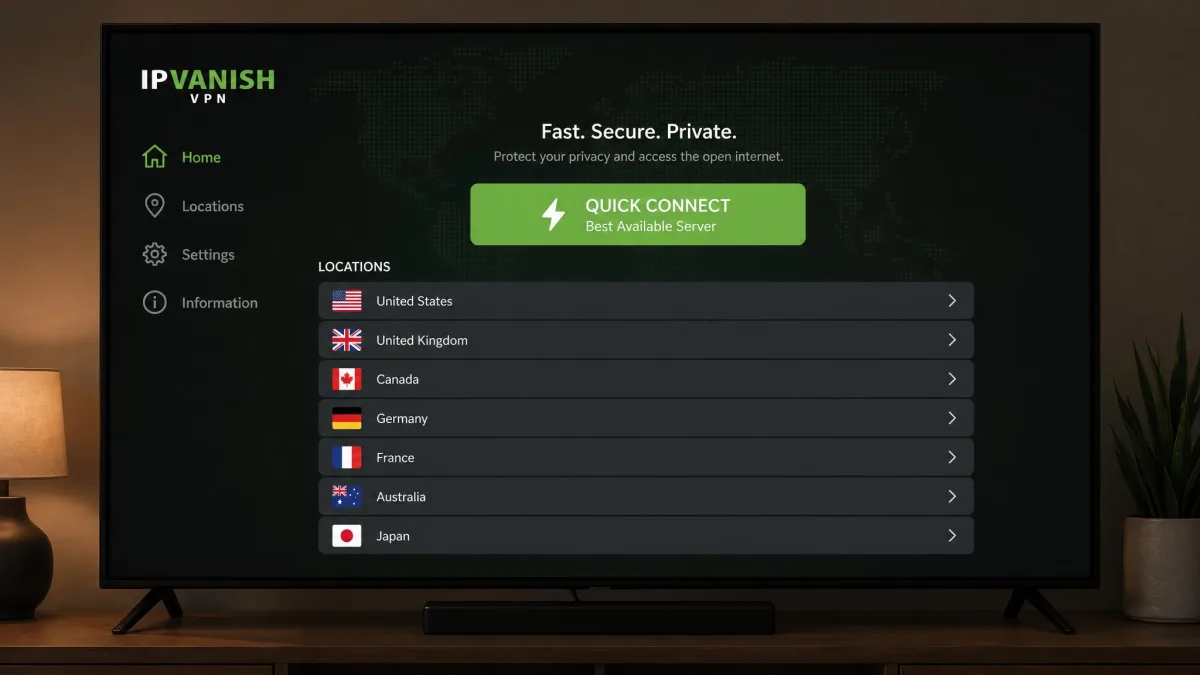
The dedicated Fire TV app includes a quick-connect best-server option that auto-picks a server for you, which cuts down on remote fiddling when you just want to start watching. Unlimited connections mean you never have to log another device out to make room. It unblocks Netflix, Prime Video and Hulu, and its longer plans are competitively priced, with a 30-day money-back guarantee.
Quick-connect is more useful on a TV than it sounds. On a phone you can tap through a server list quickly, but on the Fire TV remote every extra menu step is a small chore, so a button that just picks the best server and connects saves real effort. For a device-heavy home where several people connect at once, that streamlined flow adds up.
We do have to be honest about the weak spots. In testing, IPVanish can show DNS leaks, and it sometimes struggles to open Disney+ and Hulu, so it is not the pick if those two services are your priority. A DNS leak means some of your requests can slip outside the encrypted tunnel, which undercuts the privacy you are paying for, so it is not a trivial quibble. If you value device coverage over flawless unblocking, though, it is a reasonable buy.
Pros and cons
Pros
- Unlimited simultaneous connections for a full household
- Quick-connect best-server picker reduces remote fiddling
- Competitive pricing on the longest plan
- Dedicated Fire TV app with a 30-day guarantee
Cons
- Can show DNS leaks in testing
- Sometimes struggles to open Disney+ and Hulu
Best free / budget alternative
Sometimes you just want to try a VPN on your Firestick without paying, and there are two names worth knowing. Neither replaces a paid service for serious streaming. But both are usable stopgaps if you understand the limits going in.
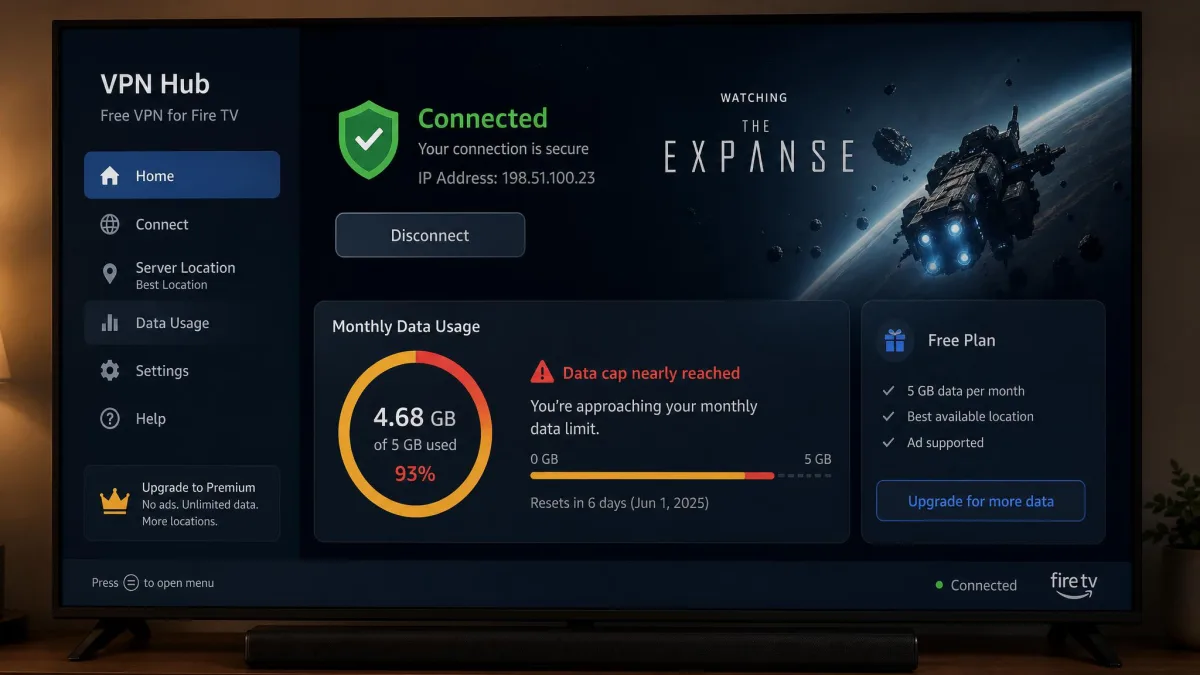
Proton VPN's free tier is the standout because it offers unlimited data, which is rare among free VPNs. That removes the biggest frustration of free services, the mid-stream cutoff. The trade-off comes in two parts. First, the free plan routes you through a small set of free locations. So unblocking a specific region is hit or miss, and you may connect fine yet still miss the catalog you wanted. Second, the free plan may not ship a full native Fire TV app. That can mean a sideload or a router workaround before it runs on the stick at all. There is a speed cost as well, since free users share crowded servers that the paid tier does not touch. A 4K stream can dip to a lower resolution when those nodes fill up in the evening.
Windscribe takes the other approach. It gives you a dedicated Amazon Appstore app you can install directly on the Firestick, with the same search-download-connect routine as the paid picks, so there is no workaround to fuss with. The catch is a 10GB monthly data cap. That 10GB covers only a few hours of HD viewing before it runs out, so it is fine for occasional use and useless for a binge. Windscribe's app does carry the useful extras, including a built-in ad and tracker blocker.
The two free options really solve different problems. Proton VPN is the better choice if you want to leave the VPN on and never worry about a cap. Just accept that a given region might be out of reach and speeds can sag at peak times. Windscribe is the better choice if you want a real Fire TV app and only need short, occasional sessions. Neither will carry you through a season of a show, and that is the honest ceiling of free service on this hardware.
Our take: a free VPN is a way to test the concept, not a long-term Firestick solution. If you stream more than a few hours a month, one of the paid picks above will save you the aggravation. You can look at the low-cost option at Private Internet Access too, which offers a cheap paid plan with unlimited connections if you want a step up from free without paying premium rates.
Pros and cons
Pros
- Proton VPN's free tier gives rare unlimited data
- Windscribe has a real native Fire TV app
- No cost to test the concept on your Firestick
- Useful as an occasional-use stopgap
Cons
- Data caps like Windscribe's 10GB run out mid-stream
- Limited free server choice makes region unblocking unreliable
- Free tiers may need a sideload or router workaround
How we tested and chose these Firestick VPNs
As noted up top, every VPN here was installed on a current-generation Fire TV Stick, straight from the Amazon Appstore, using nothing but the remote. We licensed the services ourselves rather than taking vendor review accounts, so the setup you see is the setup you get. Here is more detail on what we weighed and why.
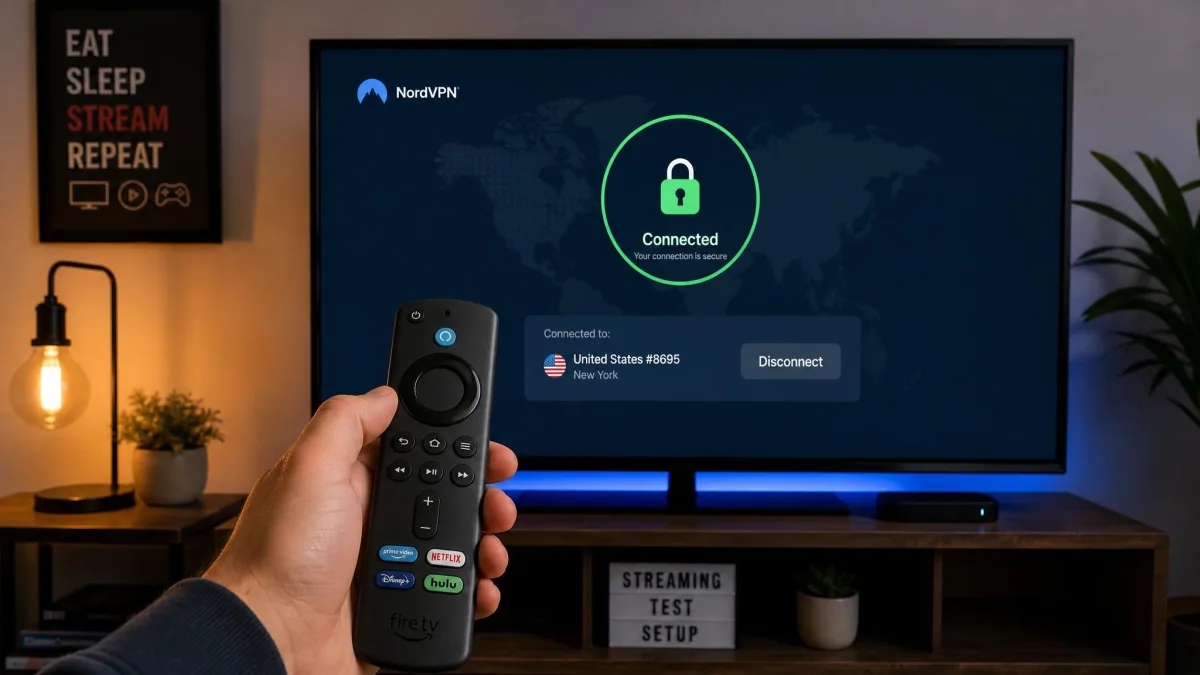
We scored on the things that actually matter on Fire TV. The first is the install and sign-in experience. Typing a login on the remote is the most tedious part of setup, and the on-screen keyboard makes long passwords slow to enter. The second is how easy the server list is to navigate with a directional pad. The third, and most important, is streaming. We opened real apps and checked whether Netflix, Prime Video, Hulu, Disney+ and BBC iPlayer loaded without a proxy error, and whether 4K streams held steady. We also watched for connection drops and DNS leaks.
We deliberately weighted streaming reliability above raw speed, because on a Fire TV Stick a service that unblocks everything at a merely good speed beats one that is blistering fast but throws proxy errors. We also repeated our streaming checks across separate sessions rather than trusting a single connection, since the real test of a VPN is whether it still works the next evening, not just the first time.
One finding held across every top paid pick: they all install the same way. You search the Amazon Appstore, download, log in, and connect, with no sideloading needed on current Fire TV Sticks. That consistency is why our rankings come down to unblocking reliability, remote-friendliness and price rather than installation hurdles. Where independent speed data informed our view, we leaned on it but refused to quote a single headline figure, because the published numbers disagree too much to trust one.
Before you commit, install your chosen VPN and test it against your own streaming apps within the 30-day money-back window. Every paid pick here offers a full refund, so the trial costs you nothing but a little time.
Why you need a VPN for your Firestick
A Firestick is a streaming machine, and streaming is exactly where a VPN pays off. There are three concrete reasons to run one on Fire TV. None of them require you to be doing anything shady.
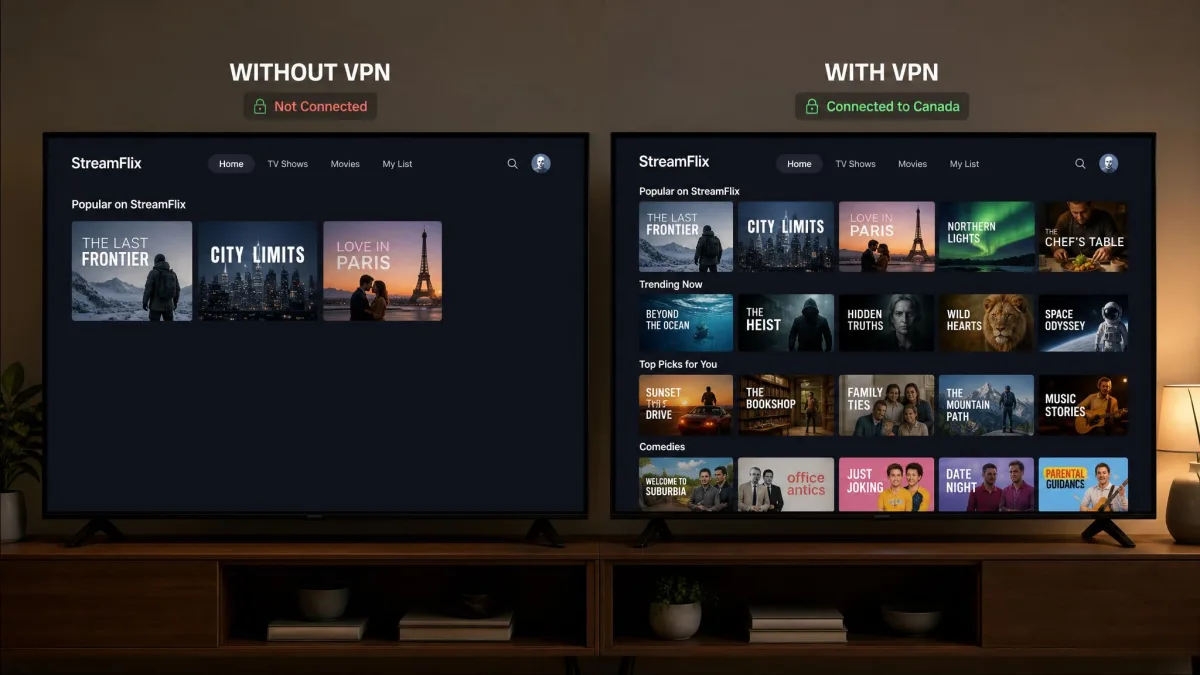
The first is access to content. Streaming libraries change by country, and a show available in one region is often missing in another. Connect to a server in the right country and the app serves that country's full catalog. If you travel or move abroad, this is often the difference between keeping the services you already pay for and losing them at the border.
The second is throttling. Some ISPs deliberately slow video traffic during busy hours. Because a VPN encrypts your connection, your provider can no longer single out streaming to throttle it. That alone can be the difference between a clean 4K stream and a buffering wheel. If your evenings are plagued by stutter that vanishes late at night, throttling is a likely culprit, and a VPN is the direct fix.
The third is privacy and security. A VPN hides your browsing from your ISP and protects your data on the connection, which matters more if you share a network or travel. Picture a Firestick plugged into the TV in a rented apartment, a dorm, or a holiday let. The Wi-Fi is shared by strangers and run by someone you do not know. On that kind of open network, other people on the same connection can potentially see which services you reach and snoop on unencrypted traffic. A VPN wraps everything the stick sends in an encrypted tunnel, so the network owner and the other guests see only scrambled data rather than your accounts and viewing. For a Firestick specifically, the streaming benefits usually top the list. But that shared-network protection is a real bonus if you move the stick between homes. Most people install a VPN for one of two reasons. A service they pay for will not show them everything, or their internet crawls the moment a game kicks off. A good VPN solves both without you thinking about it after setup.
How to install a VPN on your Firestick
The good news is that installing a VPN on a modern Firestick is genuinely easy. Every paid pick in this guide has a dedicated Amazon Appstore app, so the process is the same short routine each time.
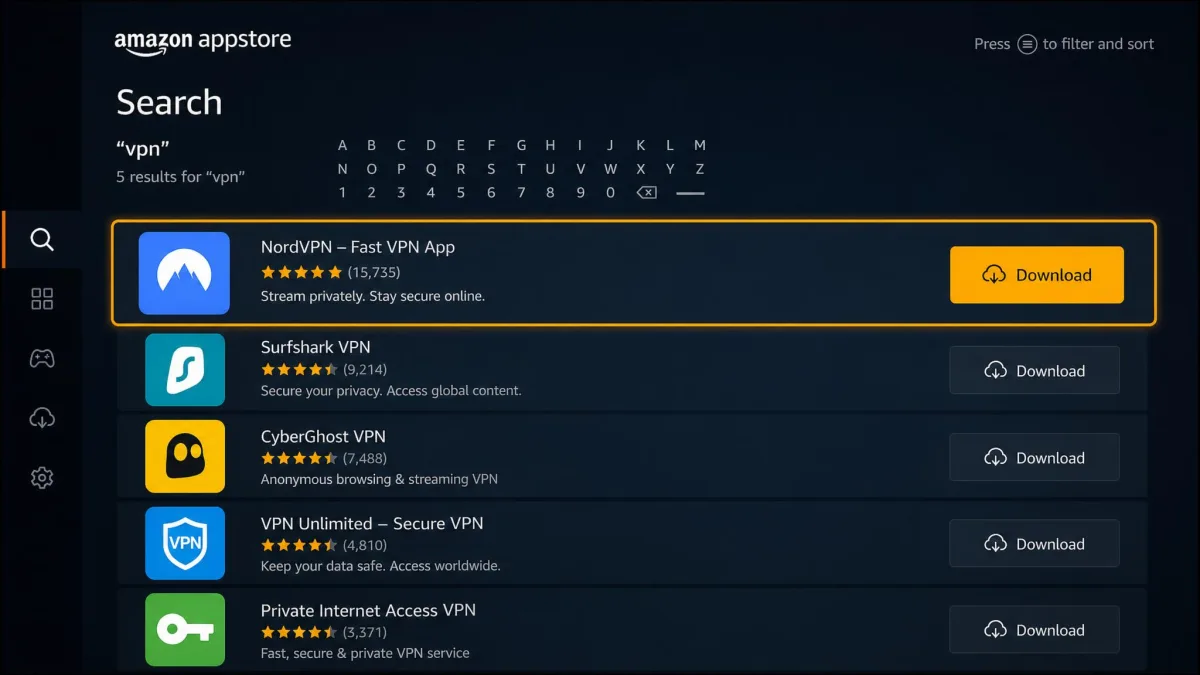
Here is the standard path on a current Fire TV Stick:
- From the Fire TV home screen, go to the search icon in the top-left corner.
- Type the name of your VPN, for example NordVPN, using the on-screen keyboard.
- Select the app from the results, then choose Download or Get to install it.
- Open the app, sign in with your account details, and select Connect. The first pick connects you to a fast nearby server; to unblock a region, choose that country from the list first.
- Leave the VPN running and open your streaming app as normal.
The only genuinely tedious step is signing in, because entering a long password with the remote's on-screen keyboard is slow going. It is a one-time chore, though. Once you are logged in the app remembers you, and connecting afterward is a single button press. A useful shortcut is to use the Amazon Fire TV phone app, which lets you type on your phone instead of the remote, so a long password takes seconds rather than a minute of arrow-key hunting.
If your VPN app shows a "connected" status but a streaming service still refuses to load, try switching to a different server in the same country. A single busy or flagged server is the most common reason a stream fails even when the VPN itself is working.
Using a VPN with no dedicated Firestick app (sideload / router)
Not every situation is covered by a one-tap Appstore install. First-generation Fire Sticks may not run modern VPN apps, and some free tiers, like Proton VPN's, do not ship a full native app. In those cases you have two workarounds.
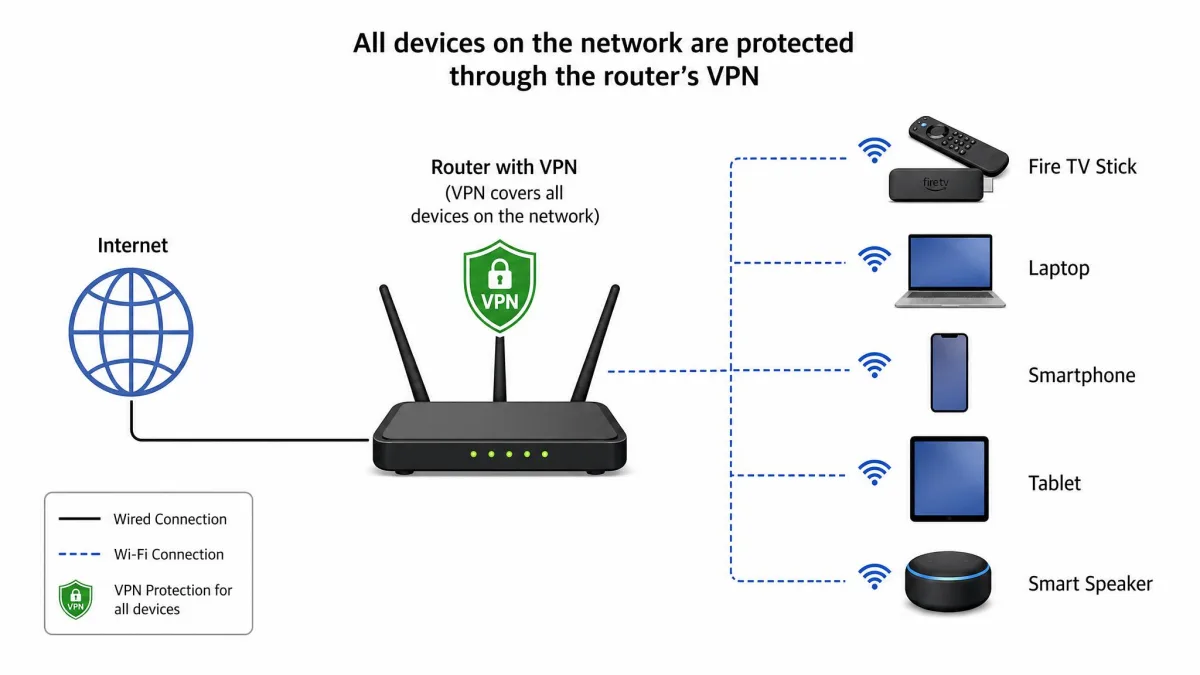
The cleaner option is to install the VPN on your home router. That protects every device on the network, including a Firestick that cannot run the app itself, and it is the usual fix for older hardware. Setup takes more effort up front, since you configure it once on the router, but after that the Firestick simply uses the protected connection with nothing to install. Check that your router supports VPN firmware, or look for a VPN that sells a pre-configured router. The bonus is that a router install also covers smart-home gear and games consoles that have no VPN app of their own.
The second option is sideloading, where you install an app that is not in the Amazon Appstore using a tool like Downloader. It works, but it is fiddlier and easier to get wrong, so we only recommend it when a router install is not practical. Sideloading also means you are responsible for updates, since the app will not refresh itself through the store. For the vast majority of readers on a modern Firestick, the Appstore app is all you will ever need.
How to choose the right Firestick VPN
If you are weighing options beyond our picks, a few criteria separate a good Firestick VPN from a frustrating one. Keep these in mind and you will avoid the common traps.
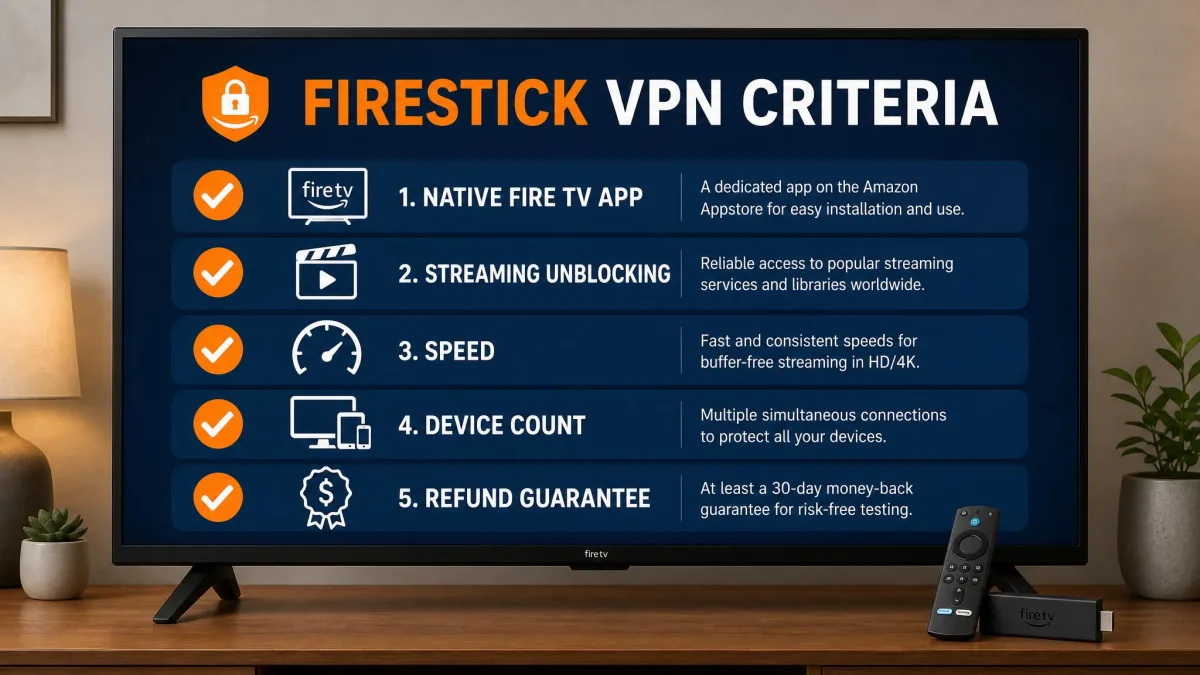
Start with the app itself. A native Fire TV app that installs from the Amazon Appstore is close to non-negotiable. The alternative is a router or sideload workaround that most people would rather skip. Next, look at streaming and unblocking. The whole point is loading the services you pay for, so a VPN that reliably opens Netflix, Prime Video, Hulu and Disney+ matters far more than a long feature list. Speed comes third. You do not need a record-breaking number, only enough to hold 4K steady, and every reputable paid service clears that bar.
Then weigh the practical extras. Simultaneous connections decide how many devices you can cover, which ranges from eight or ten on some plans to unlimited on Surfshark and IPVanish. A remote-friendly interface, like an alphabetical server list, makes daily use less annoying, and it is worth more than it sounds when your only input is a directional pad.
Server count and country coverage deserve their own look. They decide how many regions you can actually reach. A service with servers in dozens of countries gives you more shots at the catalog you want, whether that is a US library, a UK sports feed on BBC iPlayer, or a show that only airs in one market. Just as important, a large network spreads the load. When one server gets crowded or a streaming app flags it, you can jump to another location in the same country and keep watching. A VPN with only a handful of countries can leave you stuck if the one server for your region stops working. That is why the leaders in our picks all run broad networks rather than a thin spread.
Finally, check for a money-back guarantee. The 30-day guarantee that every paid pick here offers lets you test against your own apps risk-free, which is the single best way to know a VPN suits you before you commit. Treat that window as an extended free trial. Install the VPN, run it against every service you care about for a week, and only keep it if it clears them all. That simple test beats any spec sheet.
Should you use a free VPN for Firestick?
The honest answer is: only as a short-term test. Free VPNs exist, and a couple are usable on Fire TV, but the trade-offs make them a poor fit for regular streaming.
The core problem is data. Most free plans cap how much you can use, and streaming devours data fast. Windscribe's 10GB monthly allowance sounds generous until you realize it covers only a few hours of HD viewing before it runs out, often mid-stream and mid-episode. Proton VPN sidesteps the cap with unlimited free data, which is genuinely rare, but it limits your server choice, so unblocking a specific region becomes hit or miss. You may connect fine and still find the library you wanted is out of reach.
There are also security reasons to be cautious with the wider free market. Many free VPNs make money from your data rather than a subscription, and a service that logs and sells your activity defeats the point of using a VPN at all. If you stick to reputable names like Proton VPN or Windscribe you avoid the worst of it, but you still live with the caps and the limits. For anything beyond occasional use, a cheap paid plan like Surfshark's is worth the small cost, and it removes every one of these headaches at once.
Is using a VPN on Firestick legal?
In the large majority of countries, yes, using a VPN on your Firestick is completely legal. A VPN is a mainstream privacy and security tool, and connecting one to your Fire TV Stick is no different from running one on a laptop or phone.
The nuance is what you do with it. A VPN being legal does not override a streaming service's terms of use, and accessing another region's catalog may breach those terms even where the VPN itself is lawful. In practice, services rarely do more than block a connection they detect, but it is worth knowing the distinction. A small number of countries restrict or ban VPN use outright, so if you are traveling somewhere with heavy internet controls, check local rules before you rely on one. For a typical viewer at home in a country with an open internet, running a VPN on your Firestick is both legal and routine.
Legal status and a streaming service's terms of use are two different things. A VPN can be perfectly legal to use while still bumping against a platform's rules for accessing another region's library. Knowing that difference keeps your expectations realistic.
Frequently asked questions
What actually happens when a streaming service detects a VPN on Firestick?
Does a VPN slow down Firestick streaming?
Which streaming apps burn through a free VPN's data cap fastest?
How do I install a VPN on Firestick?
Which VPN is fastest for Firestick?
Final verdict
We would happily live with any of these five on a Fire TV Stick, but they solve different problems. ExpressVPN is the pick for anyone who wants the simplest possible setup and a one-click connect. Surfshark is the value champion, with unlimited connections at a price the others cannot match on the first term. IPVanish suits device-heavy homes that can live with slightly weaker unblocking on Disney+ and Hulu. And the free options from Proton VPN and Windscribe are there to test the idea before you spend a cent.
Whichever direction you lean, use the 30-day money-back guarantee to test it against your own apps before you commit. That is the only way to be certain a VPN fits your Firestick and the services you watch, and it turns the buying decision into a risk-free week of real viewing rather than a leap of faith.