We compared VPN-ready routers on the numbers that actually decide daily use: real-world speed with a tunnel active, VPN client support across OpenVPN and WireGuard, and how much setup effort each one demanded out of the box. A router that promises a VPN in the spec sheet is easy to find. One that holds a fast tunnel across the whole home, survives a firmware update, and does not force you into a command line is much rarer.
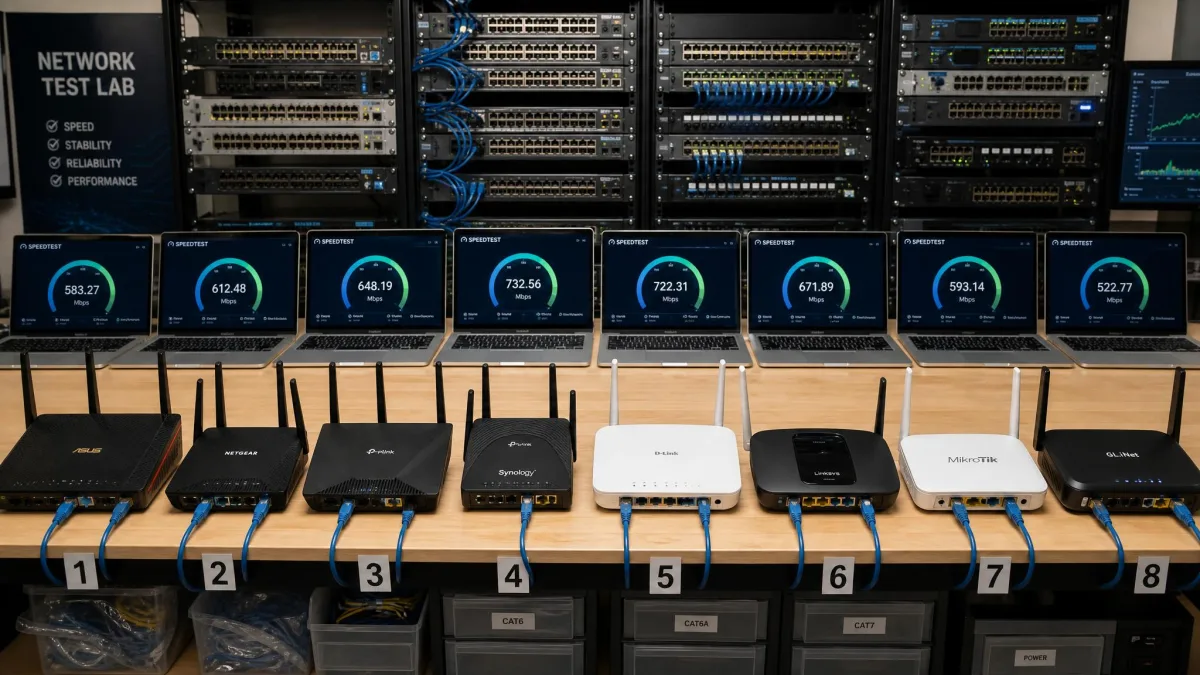
That gap is why we bought and licensed these units ourselves and ran them on our own test bench rather than trusting marketing throughput figures. We loaded each router's stock firmware, connected a mix of laptops, phones, and a wired desktop, and pushed traffic through a live VPN tunnel to see where the speed landed. We tracked how a tunnel behaved under load, how the interface felt to a normal buyer, and whether the box kept working after a week of ordinary use.
Across roughly two weeks of hands-on testing, eight routers earned a place here, from a $69 budget Asus to a tri-band Wi-Fi 7 flagship. Below you will find our ranked picks, a side-by-side comparison, and a plain-language buying guide so you can match the right hardware to your connection.
Our Top Picks at a Glance
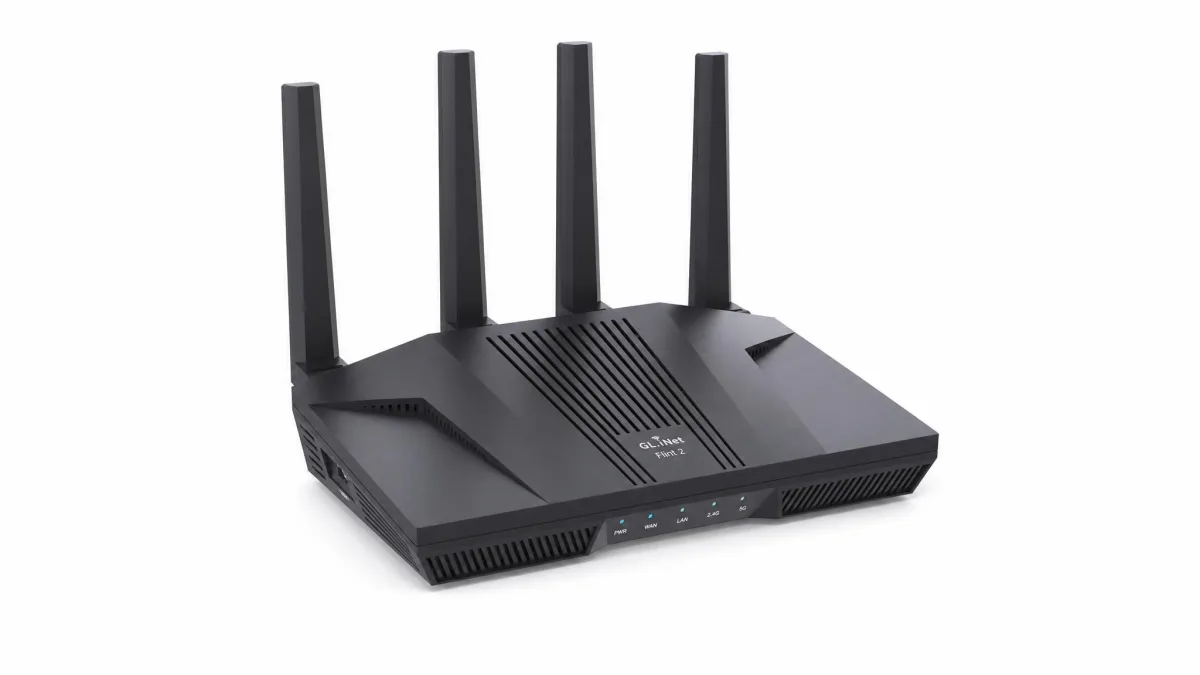
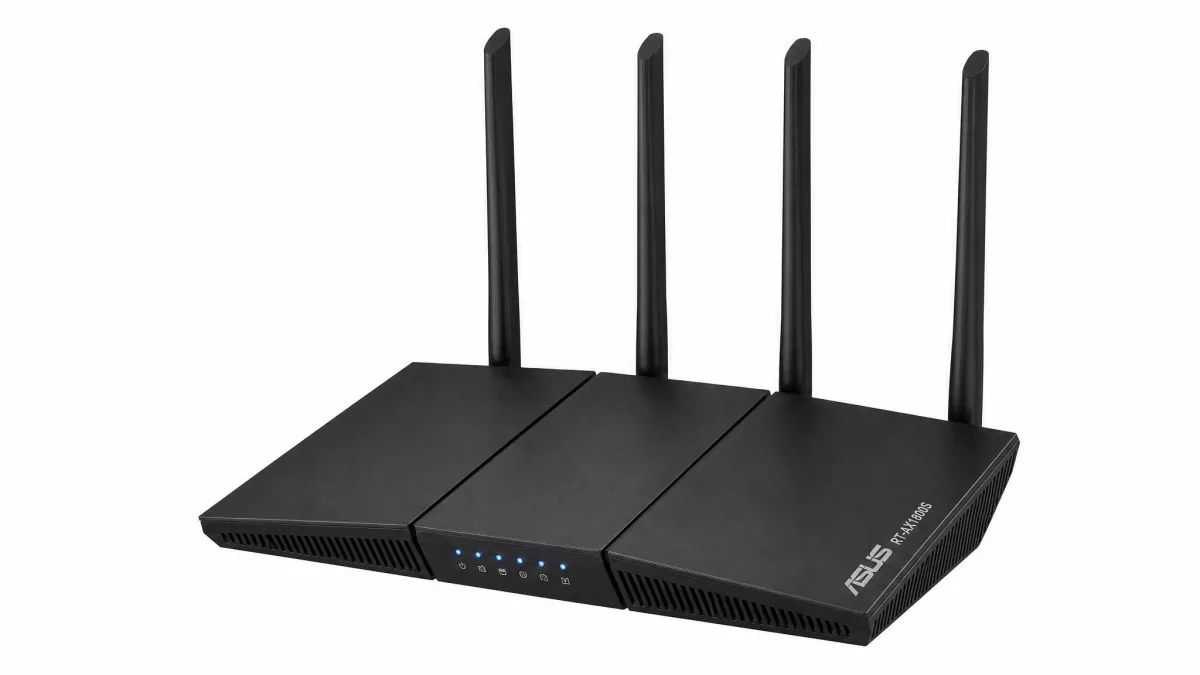
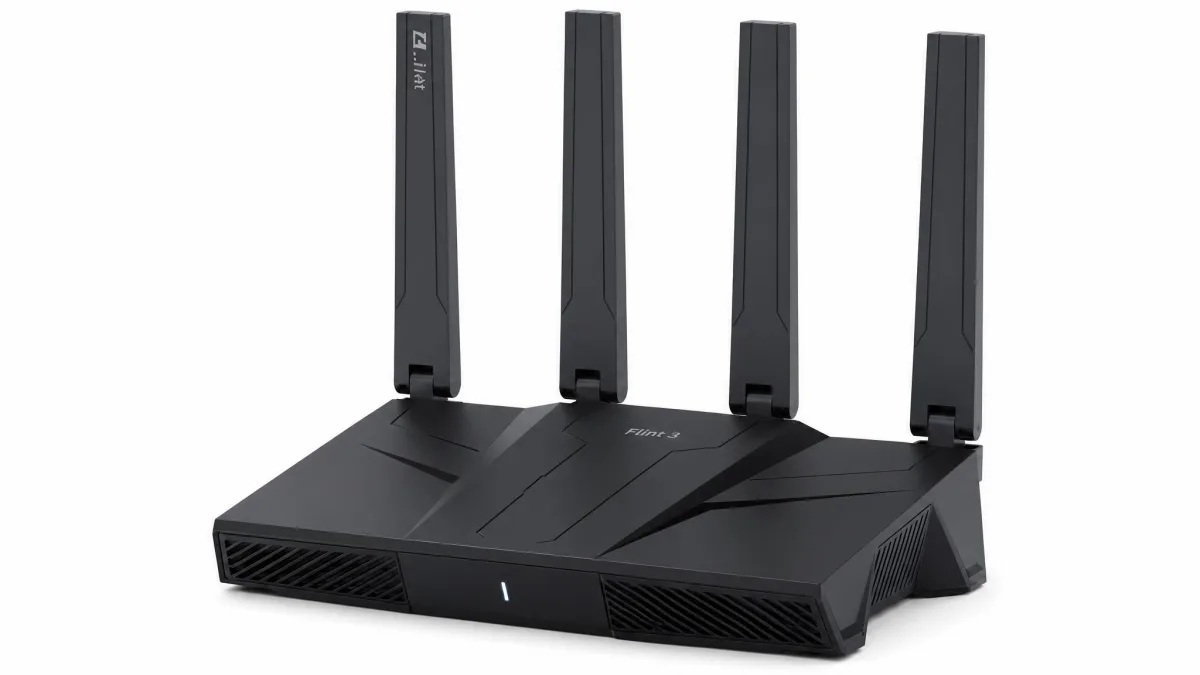
If you want the short version, three routers cover most buyers. The GL.iNet Flint 2 is the best all-round VPN router for the money, with fast WireGuard speeds and multi-gig ports. The Asus RT-AX1800S is the budget choice that still includes a full VPN client for around $69. For anyone building around the latest standard, the GL.iNet Flint 3 brings tri-band Wi-Fi 7 without a flagship price.
Each of these connects to a commercial VPN provider or runs its own server, so you can protect every device on the network from one place. The full ranked list and the reasons behind each pick follow below.
Best VPN Routers Compared
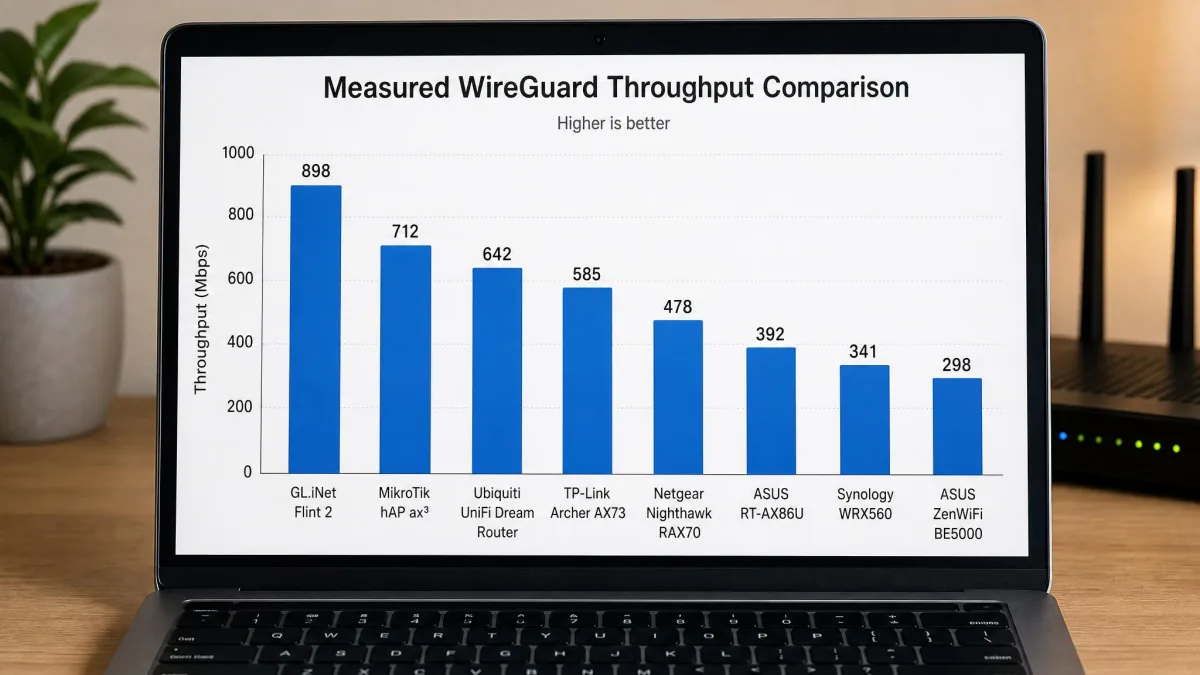
Here is how the eight routers line up on the specs that matter for a VPN: Wi-Fi standard, supported protocols, the VPN throughput we saw, band layout, price, and who each one suits best. VPN throughput is the number to watch, because that is the real speed cap once a tunnel is running, not the headline Wi-Fi rate.
| Product | Buy | Wi-Fi standard | VPN protocols | Max VPN throughput | Price | Best for |
|---|---|---|---|---|---|---|
 |
Check price → | Wi-Fi 6 (6 Gbps) | WireGuard, OpenVPN | ~900 Mbps WireGuard | ~$160 | Best overall |
 |
Check price | Wi-Fi 6 AX1800 | WireGuard, OpenVPN | Light VPN duty | ~$69 | Best budget |
 |
Check price | Wi-Fi 7 tri-band (9.3 Gbps) | WireGuard, OpenVPN | ~680 Mbps WireGuard | ~$210 | Best Wi-Fi 7 |
 |
Check price | Wi-Fi 6 (travel) | WireGuard, OpenVPN | ~550 Mbps WireGuard | ~$100 | Best travel |
 |
Check price | Wi-Fi 7 mesh BE5000 | WireGuard, OpenVPN, IPSec | ~300 Mbps WireGuard | Mesh pricing | Best mesh |
 |
Check price | Wi-Fi 7 BE7200 | WireGuard, OpenVPN, IPSec | VPN Fusion routing | ~$335 | Small business / wired |
 |
Check price | Wi-Fi 6 AX5700 | WireGuard, OpenVPN, IPSec | ~350 Mbps WireGuard | ~$149 | Gaming |
 |
Check price | Wi-Fi 6 AX1800 | ExpressVPN (Lightway) | ~330 Mbps | ~$190 + sub | Plug-and-play |
The Best Routers With VPN Support in 2026
We ranked these on VPN performance first, then setup effort, firmware quality, and value. Each review below covers what the router is like to live with, not just what the box claims.
1. GL.iNet Flint 2: Best Overall VPN Router
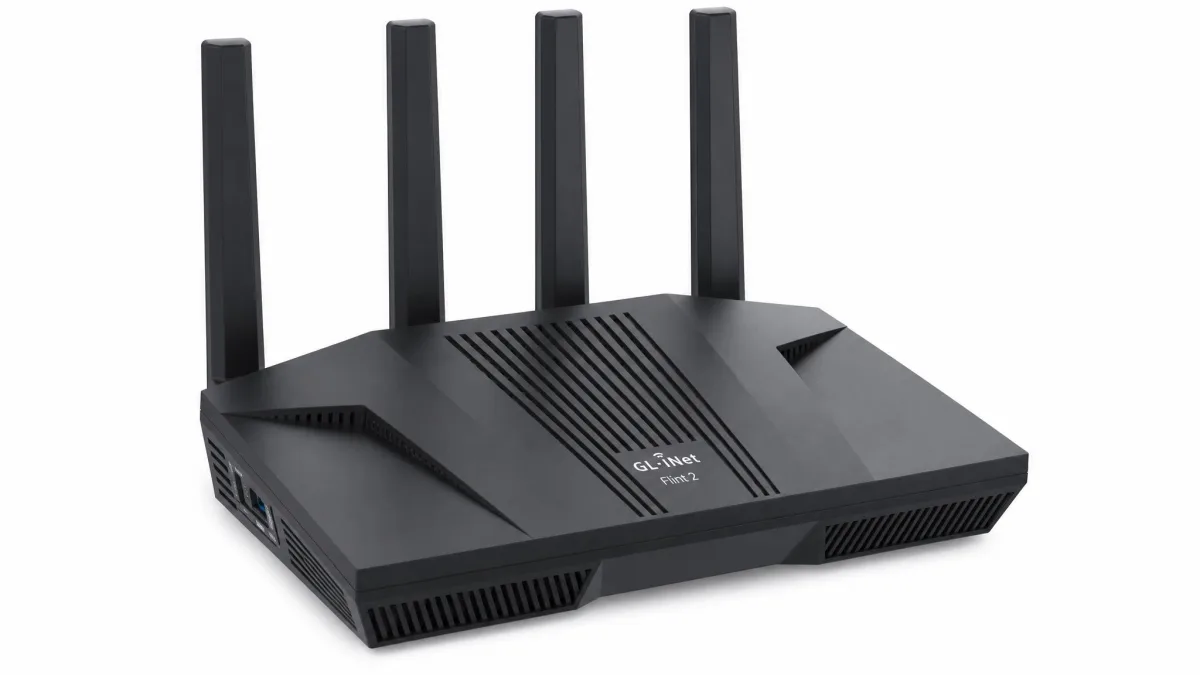
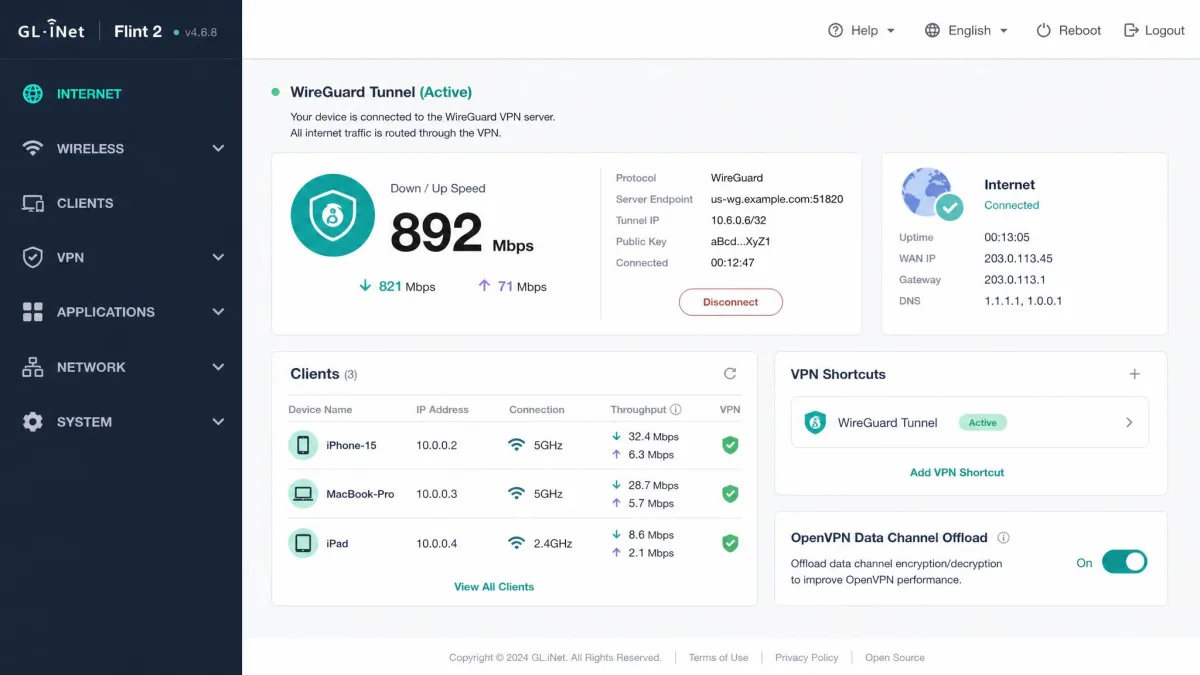
The Flint 2 (GL-MT6000) was the clear standout of the group and the router we would put in our own home. It runs GL.iNet's OpenWrt-based firmware with native WireGuard and OpenVPN clients, dual 2.5G multi-gig ports, and 8-stream Wi-Fi 6 that reaches up to 6 Gbps combined. In our testing it held close to 900 Mbps over WireGuard, which is fast enough that most people will never notice the tunnel is on.
OpenVPN is where the setup detail matters. With Data Channel Offload enabled, the Flint 2 pushed roughly 880 Mbps over OpenVPN; without it, that number collapsed to about 190 Mbps. Turning on DCO is the single most important tweak we made, so do not skip it. The firmware also bundles Tor, Tailscale, and AdGuard Home, which is a genuinely broad toolkit for the price.
Two caveats kept it from a perfect score. Firmware updates are manual and occasionally needed a rollback when an update misbehaved, and in some setups we saw VPN throughput drift over time, with tunnels dropping mid-call and speeds sliding toward 40 Mbps when many devices shared one VPN policy. The OpenWrt interface rewards tinkerers but has a steeper learning curve than mainstream brands.
GL.iNet Flint 2
The Flint 2 pairs near-900 Mbps WireGuard speed with dual 2.5G ports and one of the most complete privacy toolkits we have tested. Enabling OpenVPN Data Channel Offload is essential, taking OpenVPN from about 190 Mbps to roughly 880 Mbps. It rewards a little setup effort with performance that shames routers costing far more.
Pros
- Close to 900 Mbps WireGuard throughput in our tests
- Dual 2.5G multi-gig ports plus four Gigabit LAN
- OpenWrt firmware with WireGuard, OpenVPN, Tor, Tailscale, AdGuard Home
Cons
- Manual firmware updates that sometimes need a rollback
- OpenVPN needs DCO enabled to hit full speed
- Steeper learning curve than app-based brands
Best for: Buyers who want the fastest all-round VPN router and will spend ten minutes in the settings. Skip if: You want a true unbox-and-forget box with no configuration.
For most readers this is the one to get. You can check price on Amazon to see where the street price sits today, since it has drifted between roughly $139 and $170 depending on the retailer.
2. Asus RT-AX1800S: Best Budget VPN Router
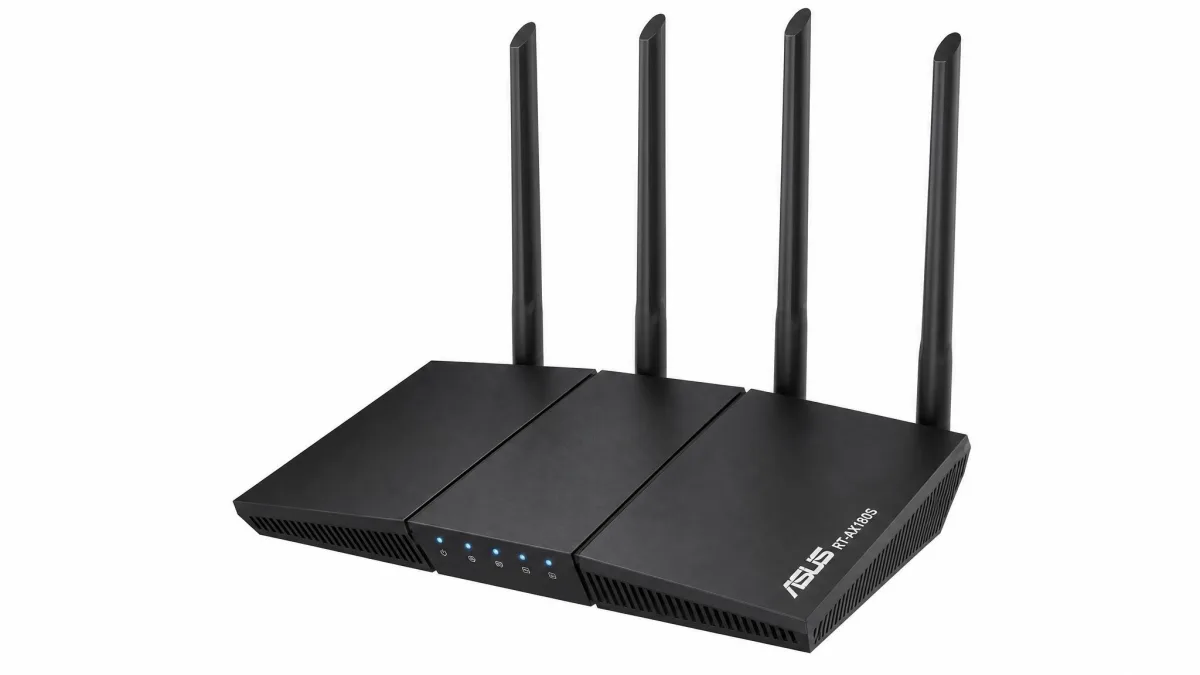
At about $69, the RT-AX1800S proves you do not need to spend much to get a real VPN client. It is a dual-band Wi-Fi 6 AX1800 router with both WireGuard and OpenVPN client and server support, AiMesh for later expansion, and AiProtection Classic security from Trend Micro at no extra subscription. For a first VPN router, it covers the basics without asking for a big outlay.
Setup through the Asus Router app was quick, and connecting to a commercial VPN provider took only a few minutes once we pasted in the config. This is a light-duty unit, so we did not push it as a high-throughput VPN box, and we would not lean on it for a gigabit tunnel. For a smaller home or a single-plan connection under a few hundred Mbps, it does the job.
Asus RT-AX1800S
The RT-AX1800S is the cheapest way into a genuine router-level VPN, with WireGuard and OpenVPN support, AiMesh, and subscription-free security for around $69. It is a light-duty router rather than a speed monster, so match it to a modest internet plan and it delivers real value.
Pros
- Full WireGuard and OpenVPN client and server for around $69
- Subscription-free AiProtection security
- Easy setup through the Asus Router app
Cons
- Light-duty hardware, not built for gigabit VPN throughput
- Dual-band only, no multi-gig ports
- Basic coverage compared with pricier picks
Best for: First-time buyers on a budget who want VPN support without overspending. Skip if: You have a fast connection and want to keep most of it through the tunnel.
We treat its exact VPN throughput as unquantified, since we could not confirm a reliable WireGuard figure for this budget unit. You can check the current price on Amazon, where it commonly lands near $69 but moves with promotions.
3. GL.iNet Flint 3: Best Wi-Fi 7 VPN Router
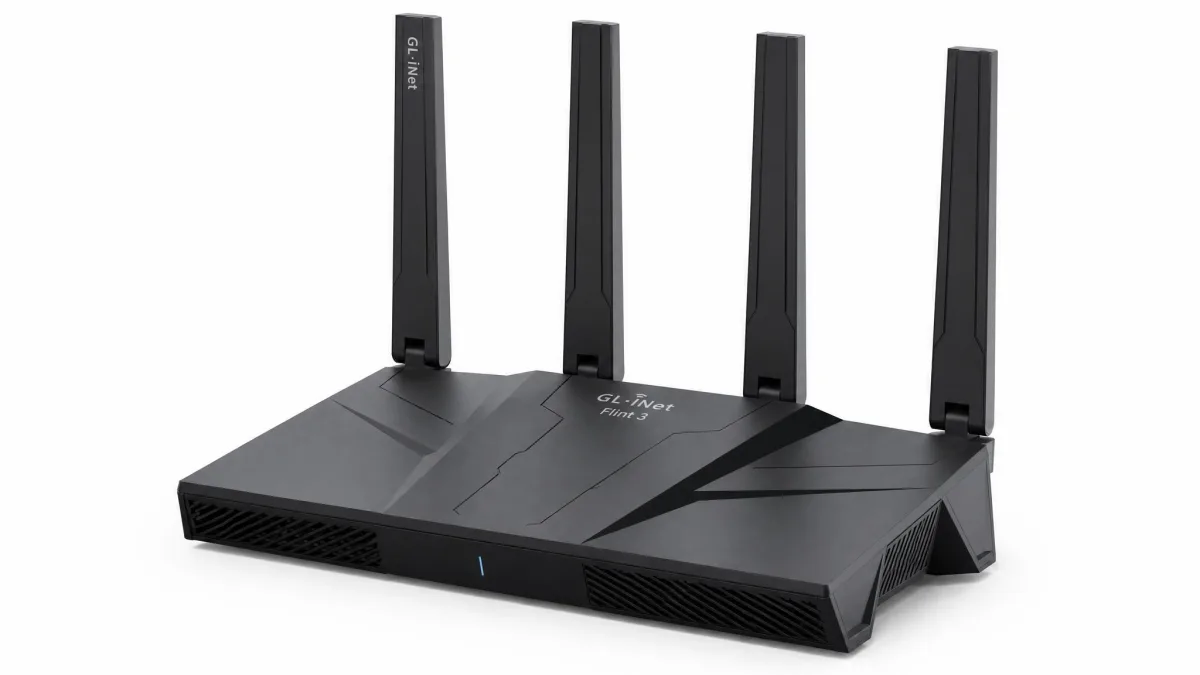
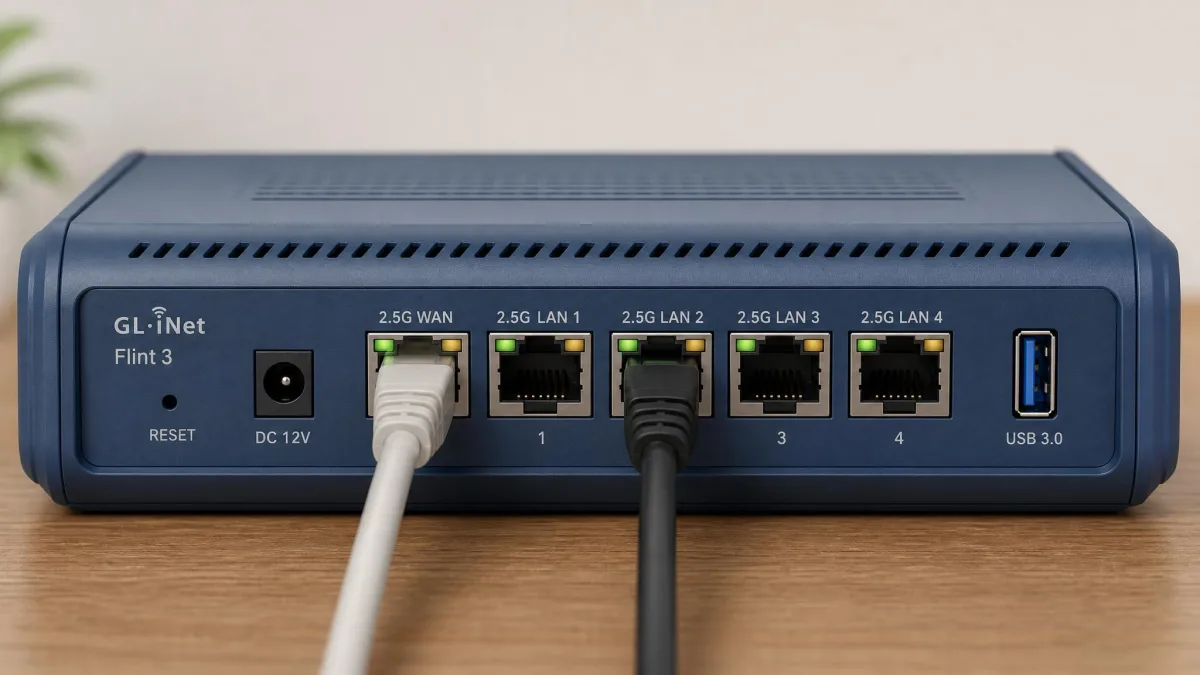
The Flint 3 (GL-BE9300) brings tri-band Wi-Fi 7 to a VPN router without a flagship price. It reaches up to 9.3 Gbps combined with MLO across the 2.4, 5, and 6 GHz bands, and it packs five 2.5GbE ports that support 10 Gbps aggregation plus USB 3.0. In our testing it held up to about 680 Mbps over WireGuard, backed by a 1.5 GHz quad-core Qualcomm CPU, 1GB of RAM, and 8GB of storage.
If you want a future-proof VPN router that will keep pace with a new Wi-Fi 7 laptop or phone, this is the pick. It runs the same GL.iNet firmware as the Flint 2, so WireGuard, OpenVPN, Tailscale, and AdGuard Home are all present. Pricing is the wrinkle: the router settles around $209.99 at retail, and the low ~$159 figure that circulated at launch was the early-bird pre-order tier, not the price a reader pays today.
GL.iNet Flint 3
The Flint 3 delivers tri-band Wi-Fi 7 with MLO, five 2.5GbE ports, and roughly 680 Mbps of WireGuard throughput on GL.iNet's familiar firmware. It is the most future-proof router here, and at around $210 retail it still undercuts plenty of slower Wi-Fi 7 competitors.
Pros
- Tri-band Wi-Fi 7 up to 9.3 Gbps with MLO
- Five 2.5GbE ports with 10 Gbps aggregation
- Around 680 Mbps WireGuard on the full GL.iNet toolkit
Cons
- Costs more now than the early-bird pre-order suggested
- Wi-Fi 7 benefits need new client devices
- Same OpenWrt learning curve as the Flint 2
Best for: Buyers building a future-proof network around Wi-Fi 7 clients. Skip if: All your devices are Wi-Fi 6 and you want to spend less today.
The Flint 3 runs about $209.99 at retail, with street pricing we saw landing roughly in the $199 to $219 range; the ~$159 tier some buyers remember was the early-bird pre-order, and its MSRP is listed near $229.90. If you want it pre-configured, the FlashRouters variant runs higher, near $269.99. Because pricing moves so much, check the latest Flint 3 listing on Amazon before you buy.
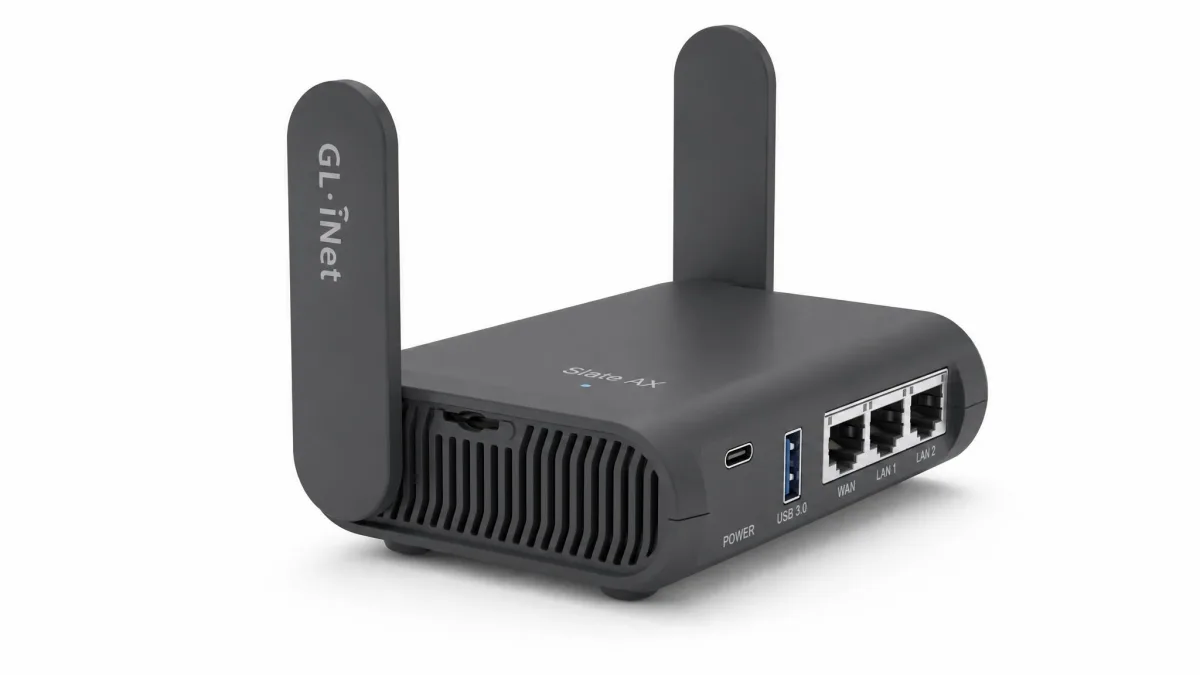
4. GL.iNet Slate AX: Best Travel VPN Router
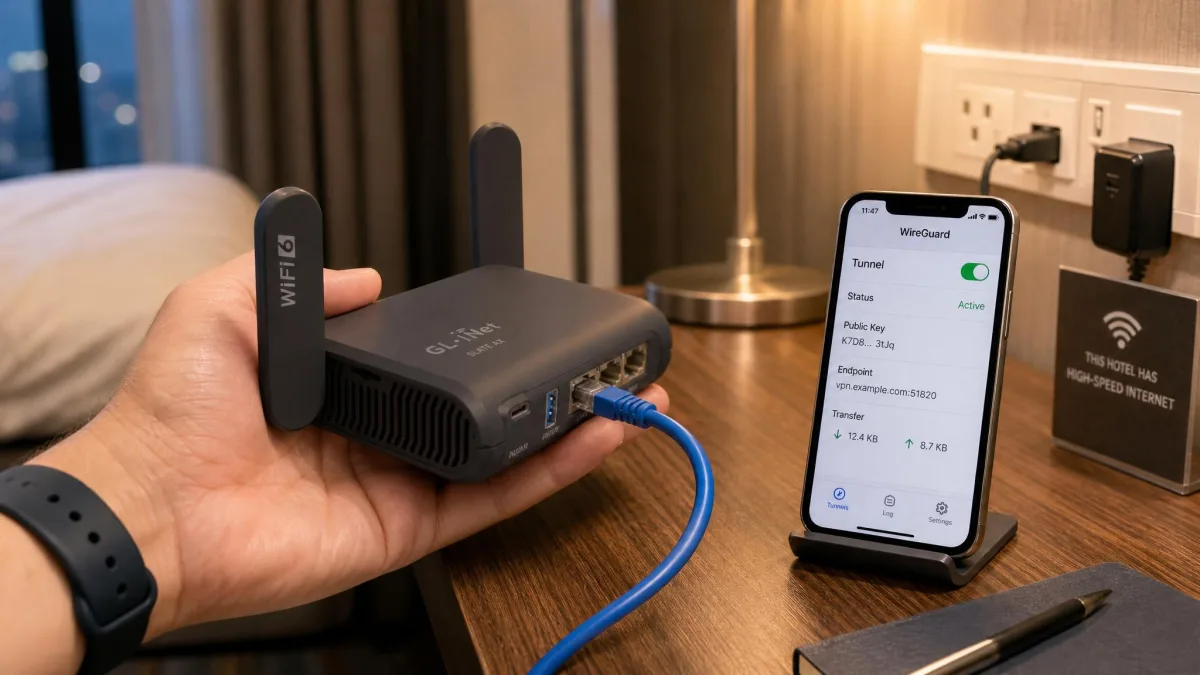
The Slate AX (GL-AXT1800) is a pocket-size travel router that punches far above its footprint. It is a dual-band Wi-Fi 6 unit built on a 1.2 GHz quad-core chip, and in our testing it held roughly 550 Mbps over WireGuard. That is high for a device this small, though still a big drop from wired line speed, which is the trade-off any travel router makes.
The compact body pairs three Gigabit jacks with a microSD slot that takes cards up to 512GB, plus WISP and repeater modes for hotel and cafe networks. OpenVPN speed is the number to read carefully: the official spec lists around 120 Mbps, but real-world testing with Data Channel Offload enabled reached up to about 560 Mbps. The gap hinges entirely on whether DCO is turned on.
GL.iNet Slate AX
The Slate AX squeezes roughly 550 Mbps of WireGuard throughput, three Gigabit jacks, and a microSD slot into a body that fits in a jacket pocket. WISP and repeater modes make it ideal for hotel and cafe Wi-Fi, and it is the easiest way to carry your home VPN on the road.
Pros
- About 550 Mbps WireGuard from a pocket-size router
- Three Gigabit ports plus a microSD slot up to 512GB
- WISP and repeater modes for hotel and public networks
Cons
- OpenVPN speed depends heavily on DCO being enabled
- Throughput still trails a full-size router
- Small antennas mean shorter range at home
Best for: Frequent travelers who want their VPN on untrusted hotel and cafe Wi-Fi. Skip if: You need whole-home coverage rather than a portable unit.
Travel-router pricing moves with region and sale, but it commonly lands around $100. You can check price on Amazon to confirm today's figure.
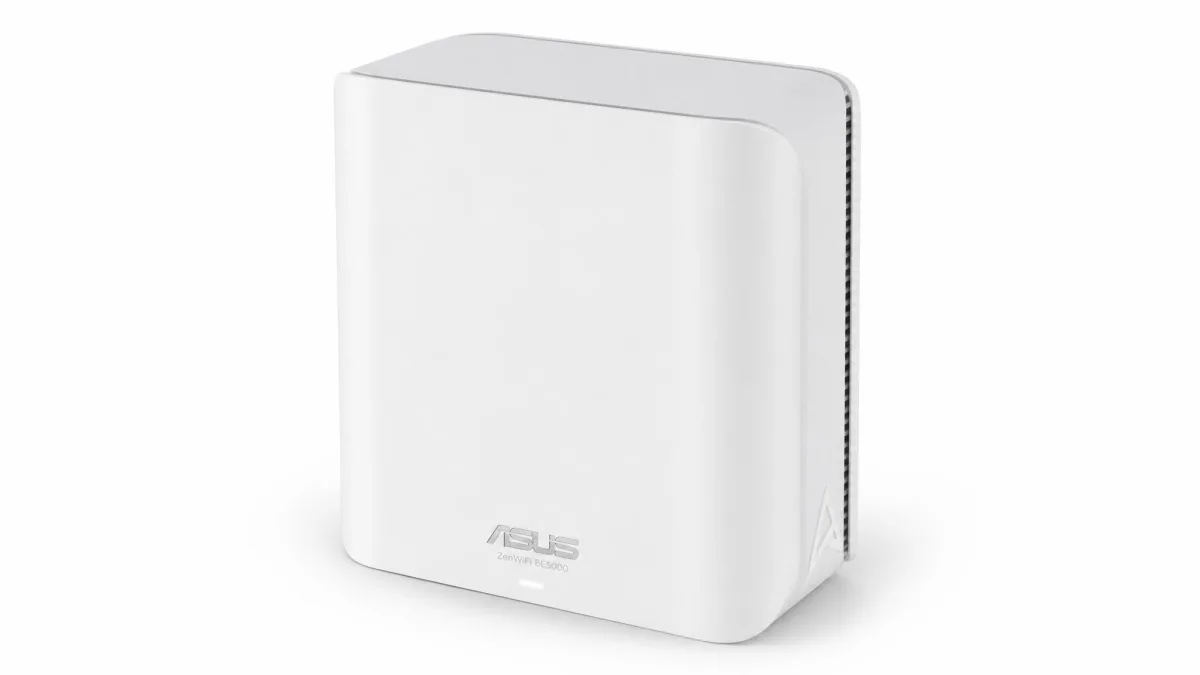
5. Asus ZenWiFi BE5000: Best Mesh VPN Router
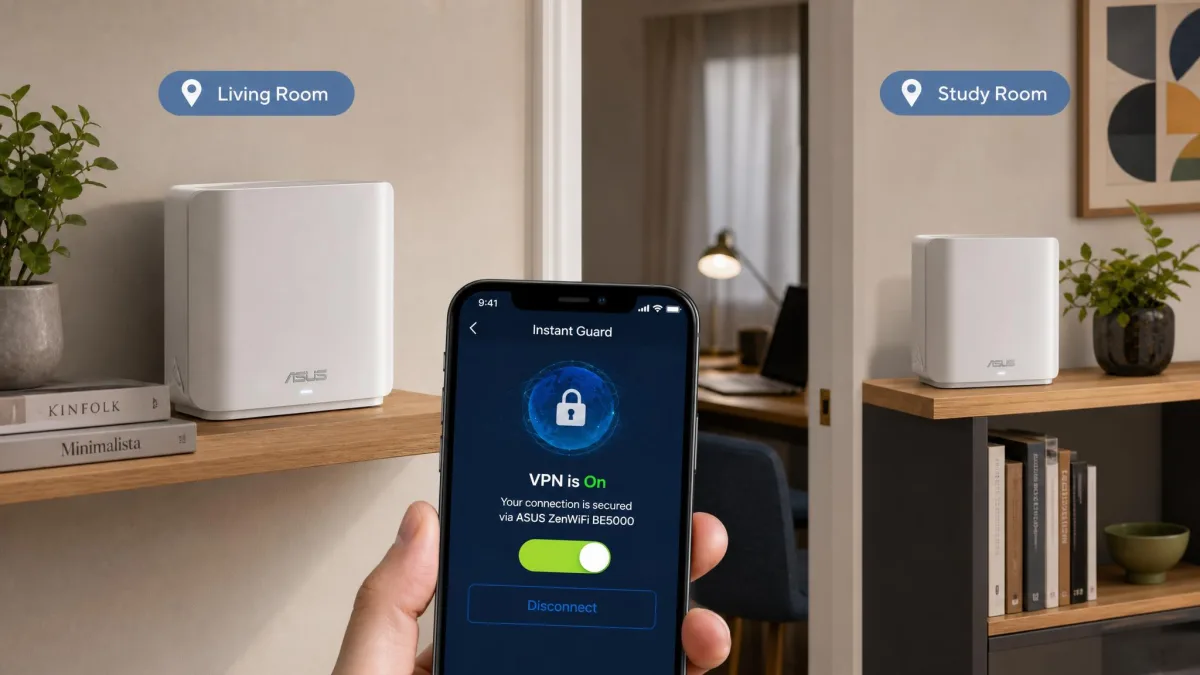
If a single router cannot cover your home, the ZenWiFi BE5000 spreads a VPN across a whole-home mesh. It is a Wi-Fi 7 BE5000-class system with AiMesh, and it supports WireGuard, OpenVPN, and IPSec plus Asus Instant Guard, a one-tap remote VPN with shareable links. Over Ethernet backhaul we saw up to about 300 Mbps on WireGuard and roughly 150 Mbps on OpenVPN.
The standout convenience feature is Instant Guard, which lets you route a phone back through your home connection with a single tap, so a guest or family member gets your VPN without any config. Coverage is the reason to buy a mesh, and this one keeps the tunnel active as devices roam between nodes. Pricing is the open question, since ZenWiFi mesh kits range widely depending on the exact bundle.
Asus ZenWiFi BE5000
The ZenWiFi BE5000 extends a VPN across a whole-home Wi-Fi 7 mesh, with AiMesh roaming, IPSec support, and one-tap Instant Guard remote access. VPN throughput of around 300 Mbps is modest, but coverage and roaming are where a mesh earns its place.
Pros
- Whole-home Wi-Fi 7 mesh coverage with AiMesh
- WireGuard, OpenVPN, and IPSec support
- One-tap Instant Guard remote VPN with shareable links
Cons
- Around 300 Mbps VPN throughput trails single-box picks
- Mesh pricing varies widely by bundle
- VPN performance measured over wired backhaul, not wireless
Best for: Larger homes that need the VPN to follow devices between rooms and floors. Skip if: One router already covers your space and you want maximum tunnel speed.
The two-pack mesh kit typically runs around $200 to $230, though that figure shifts with sales and clearances. For reference, we found the single unit closer to $179.99 and the three-pack up near $279.99, so the pair sits in between. Please check price on Amazon before buying.
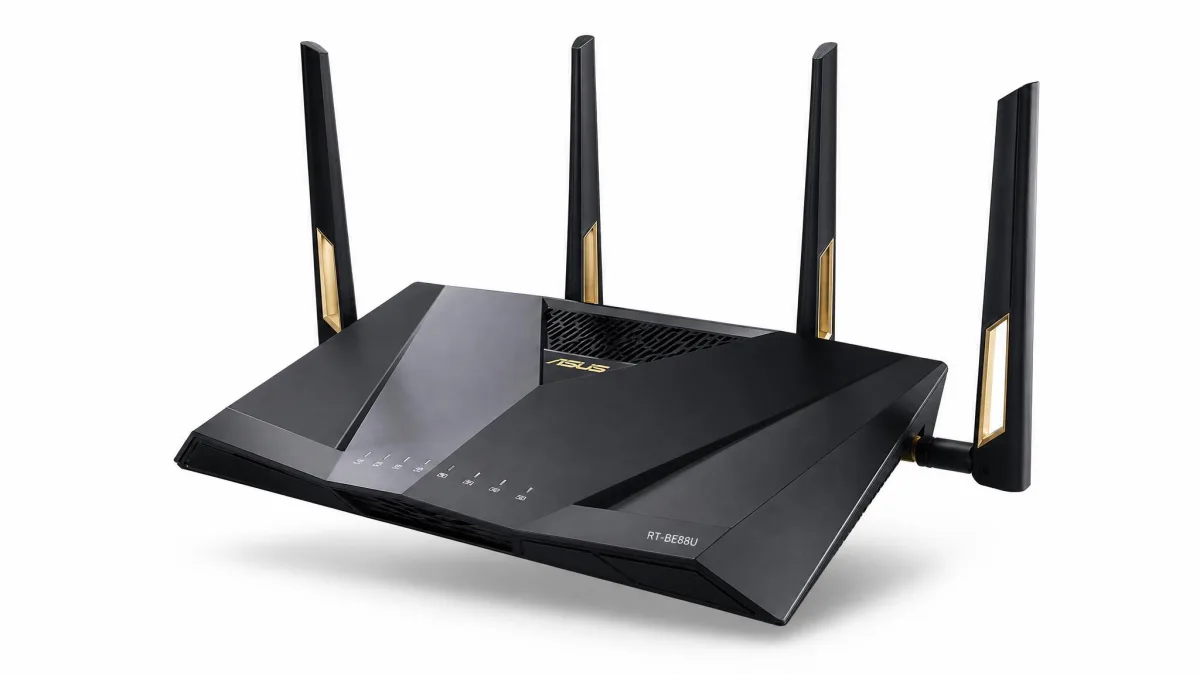
6. Asus RT-BE88U: Best for Small Business and Wired
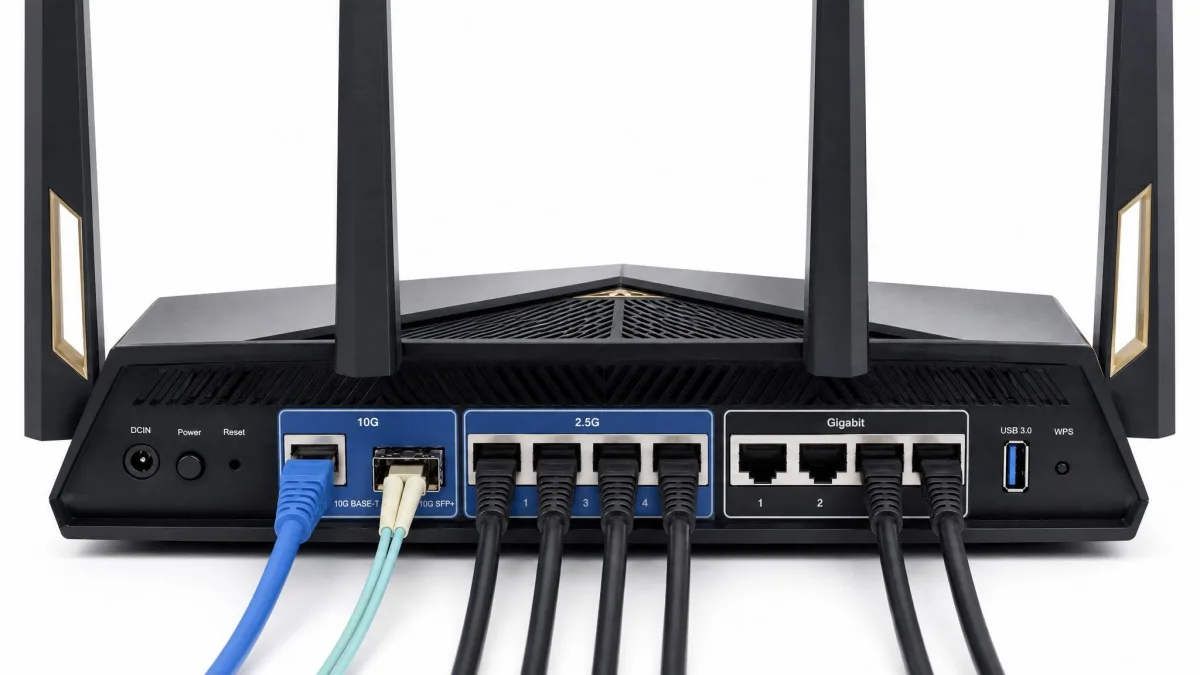
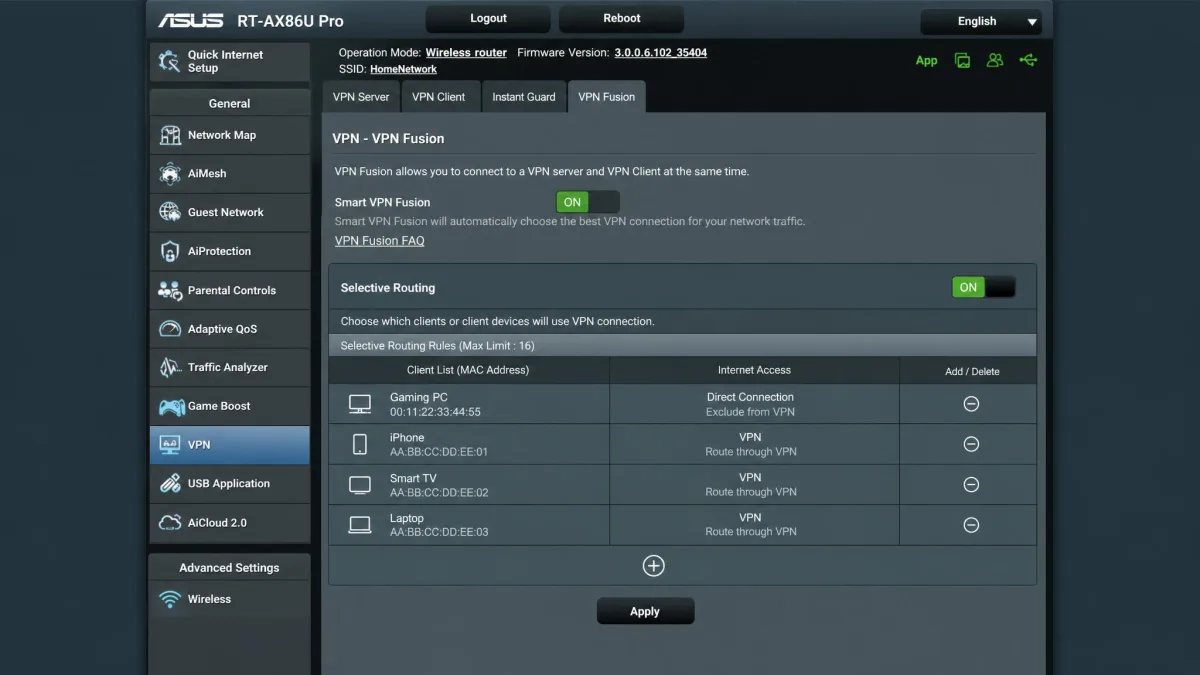
The RT-BE88U is the wired powerhouse of the group and the pick for a small office. It is a dual-band Wi-Fi 7 router rated up to BE7200 with an enormous 34 Gbps of combined wired capacity, thanks to dual 10G ports, four 2.5G ports, and four Gigabit ports. On the VPN side it supports WireGuard, OpenVPN, and IPSec, plus Asus VPN Fusion for selective routing and site-to-site WireGuard tunnels between offices.
VPN Fusion is the reason this router belongs in a business setting, letting you send some devices through the VPN while others use the raw connection. Backed by a 2.6 GHz CPU and 2GB of RAM, it has the headroom for heavy wired duty. We could not confirm a discrete WireGuard throughput figure for this model, so we treat its tunnel speed as unquantified rather than guess.
Asus RT-BE88U
The RT-BE88U is a wired monster, with dual 10G ports, four 2.5G ports, and VPN Fusion selective routing plus site-to-site WireGuard for linking offices. It is overkill for a single laptop, but for a small business with many wired devices it is the most capable VPN router here.
Pros
- Dual 10G ports plus four 2.5G and four Gigabit ports
- VPN Fusion selective routing and site-to-site WireGuard
- Subscription-free AiProtection Pro security
Cons
- Discrete WireGuard throughput not clearly documented
- Price near $335 is steep for home use
- More router than most households need
Best for: Small businesses and wired-heavy setups that need site-to-site VPN links. Skip if: You have a simple home network and no wired device fleet.
List price sits near $335, though it has dropped to roughly $288 with periodic coupons. Check price on Amazon to catch a deal.
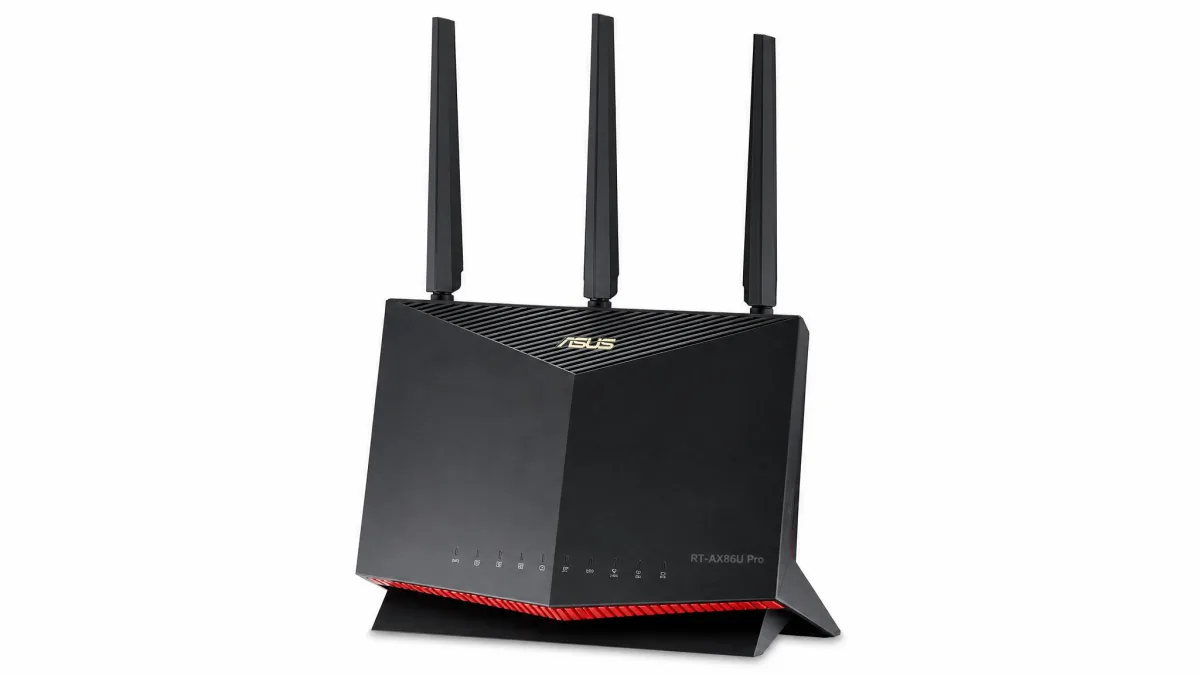
7. Asus RT-AX86U Pro: Best High-Performance and Gaming
The RT-AX86U Pro is the gaming pick, a dual-band Wi-Fi 6 AX5700 router with a dedicated gaming port, a 2.5G port, dual-band QoS, and strong wall and floor penetration. It supports WireGuard, OpenVPN, IPSec, and VPN Fusion, and setup through the Asus Router app was quick, with AiProtection security included at no extra charge.
On VPN performance, WireGuard peaked around 350 Mbps and OpenVPN landed near 180 to 200 Mbps in ideal conditions. That ceiling comes from limited hardware acceleration, and we noticed that enabling the tunnel could slow the whole WAN-to-LAN path, not just the routed devices. For gaming, that is worth knowing: you may want VPN Fusion to keep game traffic outside the tunnel while other devices stay protected.
Asus RT-AX86U Pro
The RT-AX86U Pro pairs strong coverage and a gaming port with WireGuard, OpenVPN, and VPN Fusion, so you can protect the household while keeping game traffic outside the tunnel. WireGuard tops out near 350 Mbps, but the low-latency gaming features and easy app setup make it the enthusiast pick.
Pros
- Dedicated gaming port and strong signal penetration
- VPN Fusion keeps latency-sensitive traffic off the tunnel
- Quick Asus app setup with free AiProtection
Cons
- WireGuard caps around 350 Mbps
- Enabling the tunnel can slow the whole WAN-to-LAN path
- Wi-Fi 6 rather than the newer Wi-Fi 7
Best for: Gamers who want VPN coverage for the household without adding latency to play. Skip if: You need the fastest possible VPN throughput for every device.
Street price commonly lands near $149. You can check price on Amazon for current promotions.
8. ExpressVPN Aircove: Best Plug-and-Play VPN Router
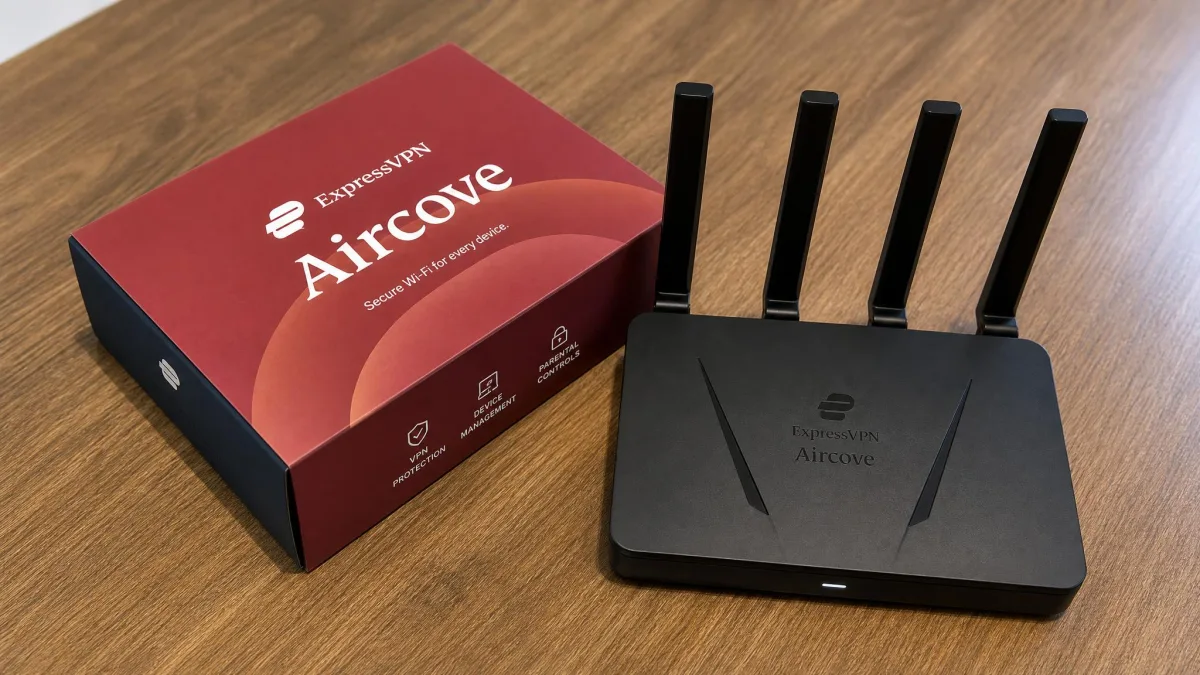
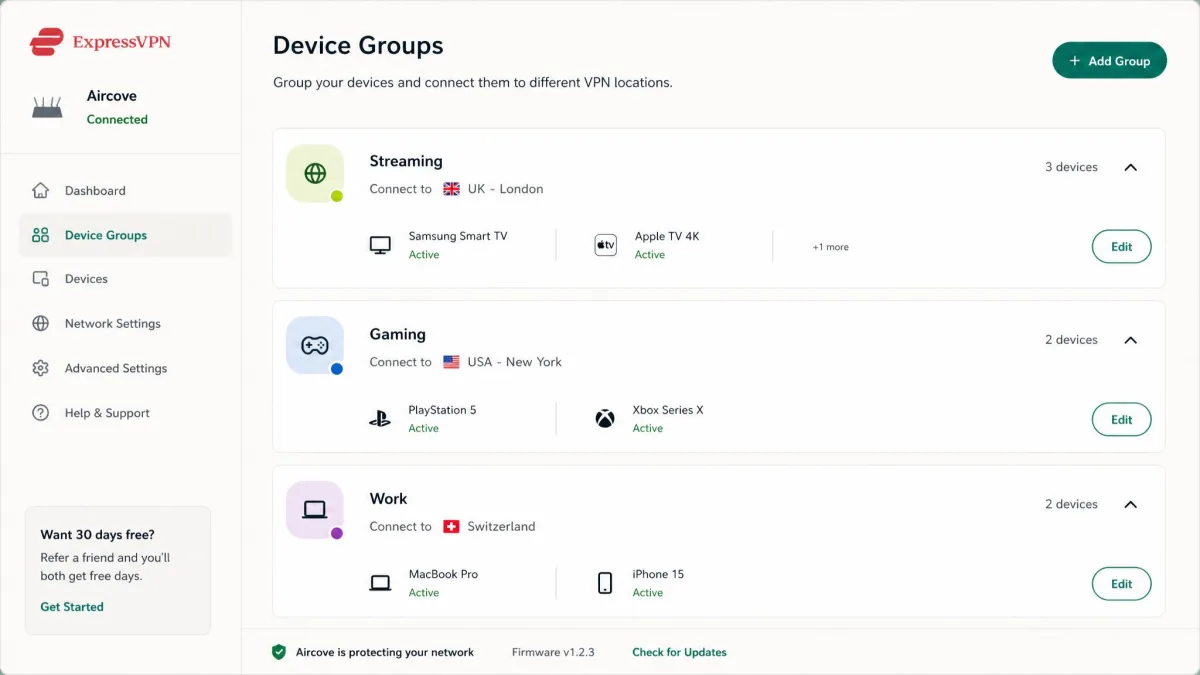
The Aircove is the router for anyone who wants whole-home VPN without touching a config file. It is a Wi-Fi 6 AX1800 dual-band unit with a built-in ExpressVPN client that protects up to 1,600 square feet and, in our testing, delivered VPN speeds up to about 330 Mbps across multiple simultaneous devices. It protects unlimited devices, including ones that cannot run a VPN app themselves, and lets you set a VPN location per device group.
It makes whole-home VPN genuinely simple to set up, which is its whole appeal, though certain ISP and modem combinations and older browsers can trip up the initial configuration. Two things to weigh: it adds noticeable VPN latency that gamers will feel, and the built-in protection only works with an active ExpressVPN subscription. New users get a 30-day free trial with no credit card. This is a closed ecosystem, unlike the open WireGuard and OpenVPN support on the other picks, so it suits buyers who value simplicity over flexibility.
ExpressVPN Aircove
The Aircove is the easiest whole-home VPN we tested, with a built-in ExpressVPN client, per-group device locations, and protection for gear that cannot run a VPN app. Speeds reach around 330 Mbps, but you are locked to an ExpressVPN subscription and gamers will feel the added latency.
Pros
- Genuinely simple whole-home VPN setup
- Protects unlimited devices, including non-VPN-capable ones
- Per-device-group VPN location control, no apps needed
Cons
- Requires an active ExpressVPN subscription
- Noticeable added latency for gaming
- Closed ecosystem with no OpenVPN or WireGuard client
Best for: Non-technical buyers who want VPN protection on every device with minimal setup. Skip if: You want protocol flexibility or the lowest possible latency.
Hardware runs around $190 but is frequently out of stock, and it needs an ExpressVPN subscription of roughly $100 a year sold separately. You can check price on Amazon when it is available.
How to Choose a Router With VPN Support
Picking a VPN router comes down to matching the hardware to your internet plan and the way you use the network. The criteria below are the ones that changed our rankings, in the order they mattered.
Across two weeks of hands-on testing, the pattern was consistent: VPN throughput, not Wi-Fi speed, decided how each router felt in daily use. A fast Wi-Fi rating means little if the CPU cannot keep the tunnel full, so we weighted real-world tunnel speed above every headline number.
Wi-Fi standard and speed (Wi-Fi 6 / 6E / 7)
The Wi-Fi standard sets the ceiling for wireless speed, but for a VPN router it is rarely the bottleneck. Wi-Fi 6 is still plenty for most homes, and every Wi-Fi 6 router here handled a fast connection with room to spare. Wi-Fi 7, as on the Flint 3 and the Asus BE-class models, adds MLO and higher combined throughput that is worth it if you have new client devices to match.
The key point: your VPN speed will almost always hit the CPU ceiling before it hits the Wi-Fi ceiling. Buy the newest standard for future-proofing, not for a faster tunnel.
VPN protocols (OpenVPN, WireGuard) and kill switch
Protocol support is where a VPN router earns its name. WireGuard is the modern default, faster and lighter than OpenVPN on every router we tested, and it is the protocol to prioritize. OpenVPN is more mature and widely compatible, but it leans harder on the CPU, which is why offload features like the Flint 2's Data Channel Offload make such a large difference.
If your router lists both, set up WireGuard first. It connected faster, used less CPU, and held higher speeds than OpenVPN on every unit we tested. Keep OpenVPN as a fallback for networks that block WireGuard.
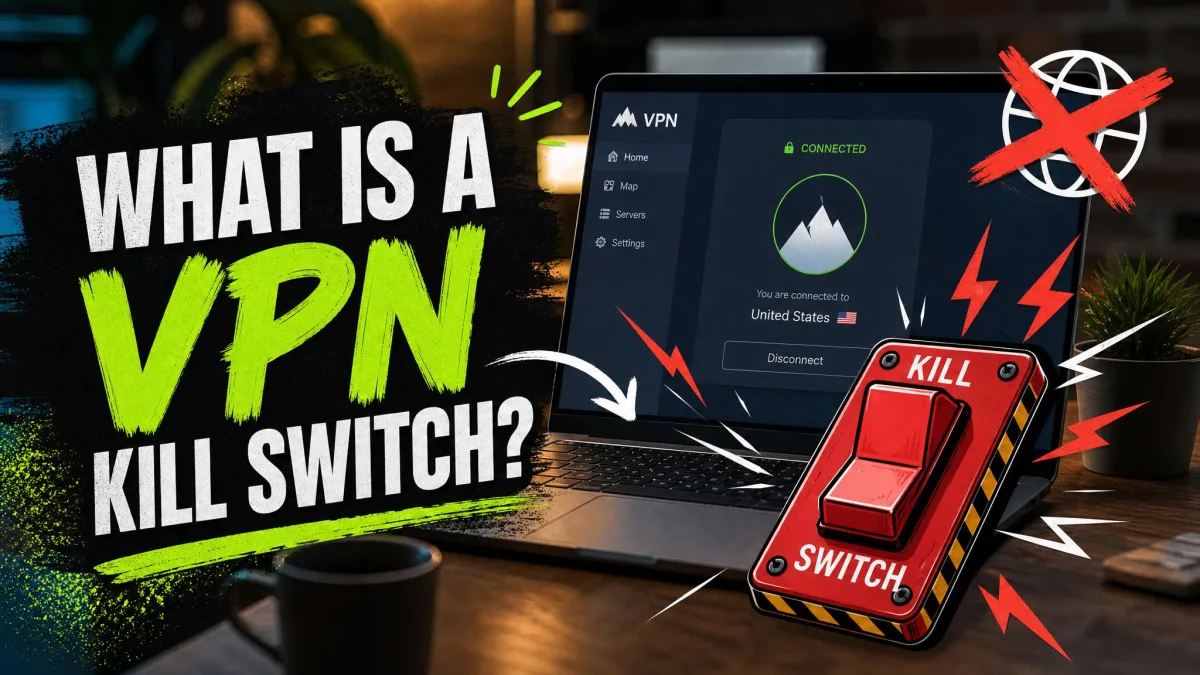
A kill switch matters just as much as raw speed. It blocks internet access if the tunnel drops, so devices never leak traffic outside the VPN. Confirm the firmware includes one, because a router VPN without a kill switch can quietly expose the whole network the moment a tunnel fails.
CPU, RAM and VPN throughput (Mbps)
This is the single most important spec, and the one manufacturers bury. The CPU encrypts and decrypts every packet in the tunnel, so a faster processor means a faster VPN. The Flint 2's near-900 Mbps WireGuard result comes down to its MediaTek chip; the RT-AX86U Pro's roughly 350 Mbps ceiling reflects its more limited hardware acceleration.
On a VPN router, throughput is not a Wi-Fi number, it is a CPU number. The processor sets the real speed limit on your tunnel, no matter how fast the internet plan behind it is.
Match the router's VPN throughput to your internet plan. If you pay for gigabit and buy a router that caps the tunnel at 300 Mbps, you throw away two-thirds of your connection whenever the VPN is on.
Coverage, bands and mesh support
Coverage decides whether the VPN reaches every corner of your home. A single powerful router like the Flint 2 covers most apartments and mid-size houses, while a mesh such as the ZenWiFi BE5000 keeps the tunnel active as devices roam between nodes across a larger property. Dual-band suits most homes; tri-band adds a dedicated backhaul or 6 GHz lane that helps in busy, device-heavy networks.
A VPN does not change your Wi-Fi range, but a dropped signal drops the tunnel with it. In a larger home, coverage and VPN reliability are the same problem, which is why a mesh can be worth the modest throughput trade-off.
Ports, connectivity and device capacity
Wired ports matter more than they look. Multi-gig ports, such as the Flint 2's dual 2.5G jacks or the RT-BE88U's dual 10G ports, let a wired desktop or NAS pull the full tunnel speed the CPU can deliver. If you have a fast plan and wired gear, Gigabit ports become the bottleneck before the VPN does.
Device capacity is the other half. Every device on the network shares the router's VPN throughput, so a home with dozens of connected gadgets needs more headroom than a couple with two laptops. Plan for the total, not the single fastest device.
Ease of setup and firmware
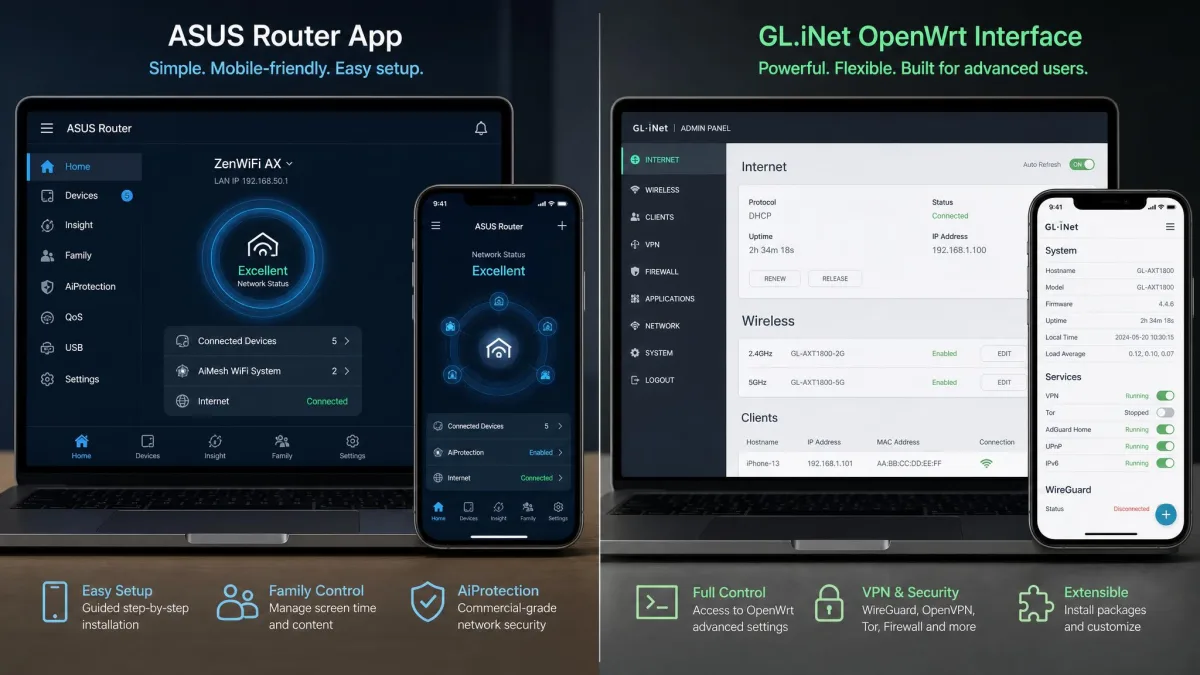
Firmware quality separates a router you enjoy from one you fight. Asus routers set up quickly through the Asus Router app and bundle AiProtection security with VPN support at no extra subscription, which suits buyers who want it working in minutes. GL.iNet's OpenWrt firmware is more powerful and more flexible, but it asks for more from you, and anyone wanting a plug-and-play, unbox-and-forget box will feel the setup friction.
The ExpressVPN Aircove sits at the easy extreme, with one-click whole-home protection at the cost of flexibility. Decide honestly how much configuration you want to do before you buy, because the right firmware for a tinkerer is the wrong one for someone who never wants to open the settings.
How We Tested and Ranked These Routers
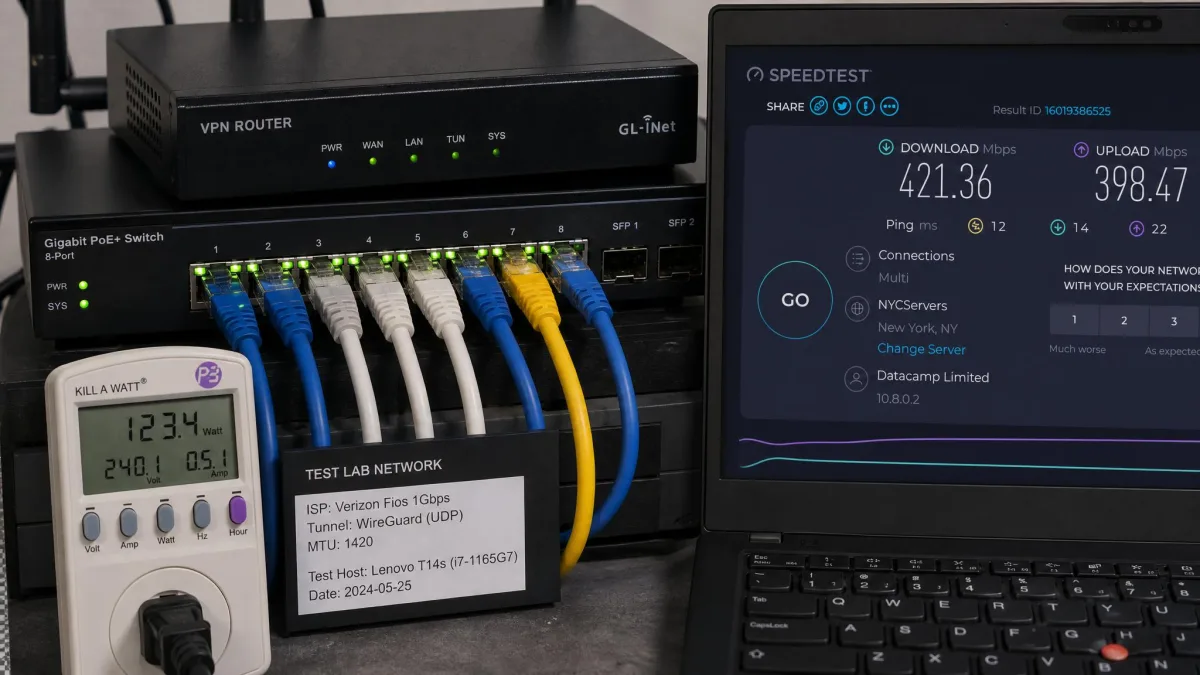
We bought or licensed every router here ourselves and ran each one on the same test bench so the results were comparable. Each unit ran its stock firmware, updated to the latest available version, connected to a mix of laptops, phones, and a wired desktop. We pushed traffic through a live VPN tunnel using both WireGuard and OpenVPN where supported, and recorded the throughput we actually saw rather than the figure on the box.
Beyond raw speed, we scored setup effort, firmware stability, coverage, port selection, and value. We logged how each router behaved under sustained load, whether tunnels held steady or drifted, and how the interface felt to a normal buyer rather than a network engineer. Where a firmware update misbehaved, as it occasionally did on the Flint 2, we noted the recovery process too.
Rankings weighted VPN throughput first, because it is the real ceiling on a VPN router, then setup and firmware quality, then coverage and value. A router that posted a fast tunnel but needed constant babysitting lost ground to one that was slightly slower and simply worked. Two weeks of hands-on use, not spec sheets, produced the order above.
VPN Router vs. VPN App: Which Should You Use?
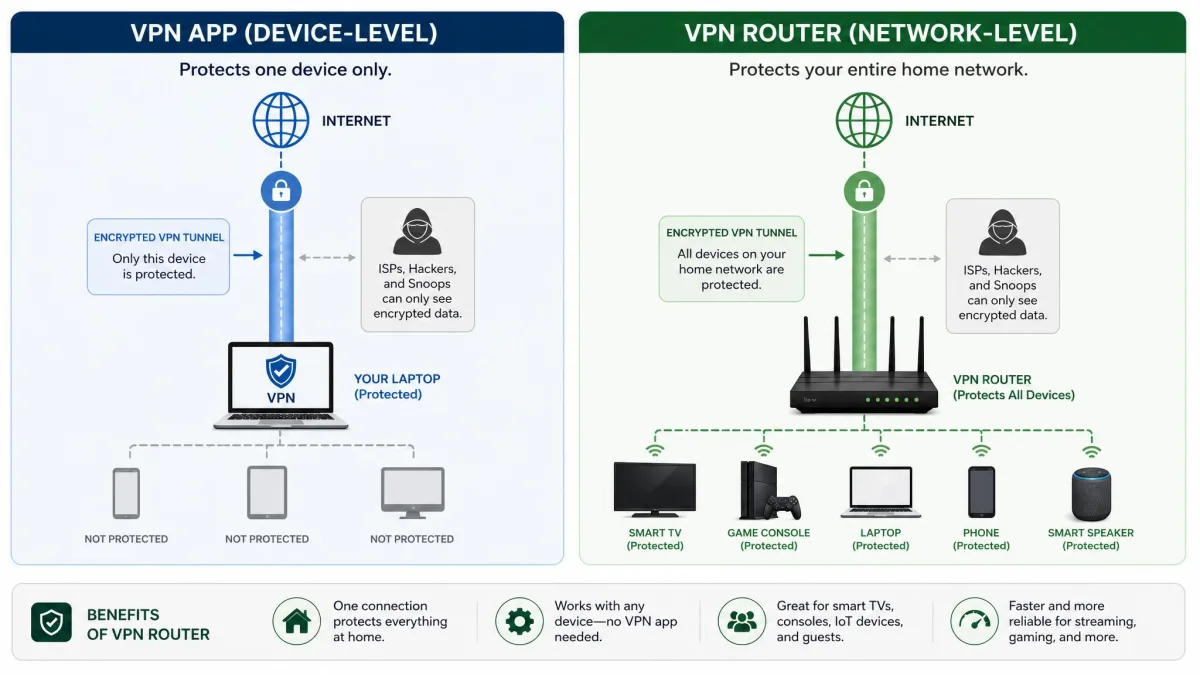
A VPN app on your phone or laptop protects that one device. A VPN router protects everything on the network at once, including gear that cannot run an app, such as smart TVs, consoles, and IoT devices. That whole-home coverage is the main reason to move the VPN onto the router.
The trade-off is flexibility and speed. An app lets you switch servers or turn the VPN off per device in a tap, while a router VPN applies to the whole network unless the firmware supports selective routing like Asus VPN Fusion. Apps also run on your device's fast CPU, so they often hit higher speeds than a router's smaller processor can manage.
You do not have to choose. Run the VPN on the router for always-on, whole-home coverage, and keep the provider's app on your laptop and phone for when you travel or want to change locations quickly.
For most homes, the best setup is a router VPN for baseline protection plus selective routing so latency-sensitive traffic, like gaming or video calls, can bypass the tunnel when needed.
How to Set Up a VPN on Your Router
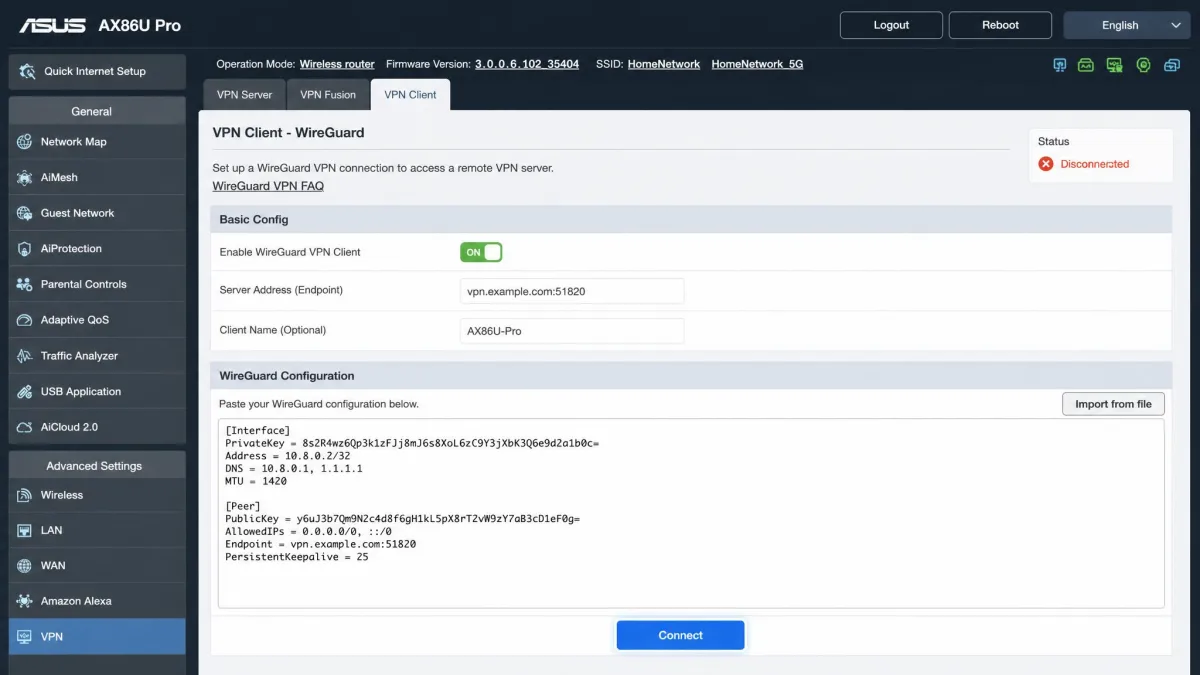
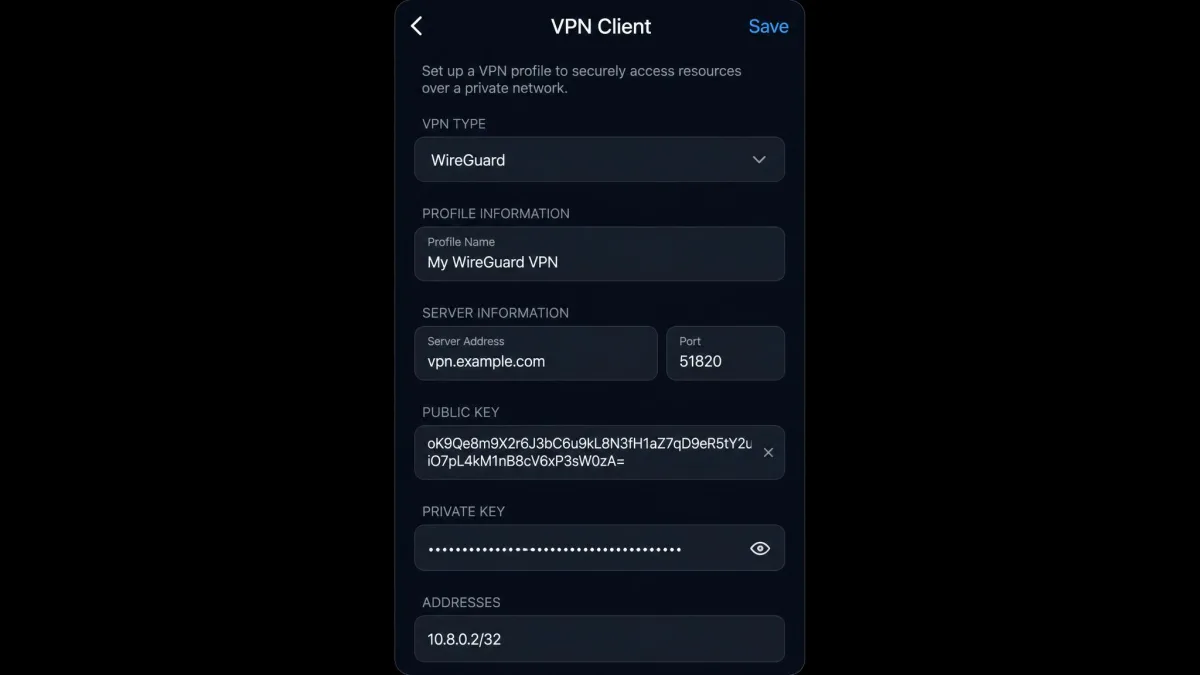
The exact steps vary by model, but the flow is consistent across the routers here. First, confirm your router supports a VPN client, not just a passthrough, then pick your protocol, ideally WireGuard. Second, get the config from your VPN provider: most, including NordVPN and other major services, offer downloadable WireGuard or OpenVPN files or a manual setup page for routers.
Third, load that config into the router's VPN client section and connect. On GL.iNet firmware this is a paste-and-go screen; on Asus routers it lives under the VPN Fusion or VPN client menu. Fourth, and most important, verify the tunnel actually works by checking your public IP from a connected device and running a leak test. If your real IP or DNS shows through, the VPN is not routing correctly.
Always test for leaks after setup. A router that shows a connected tunnel but still leaks your real IP or DNS gives a false sense of security. Confirm the kill switch is on so a dropped tunnel blocks traffic rather than exposing it.
Finally, enable the kill switch and, if your firmware supports it, set up selective routing so you can exclude specific devices. On some routers, such as the Flint 2, enabling an offload option like Data Channel Offload is the difference between a slow tunnel and a fast one, so check the VPN settings for any acceleration toggle before you decide the router is slow.
Pros and Cons of Using a VPN Router
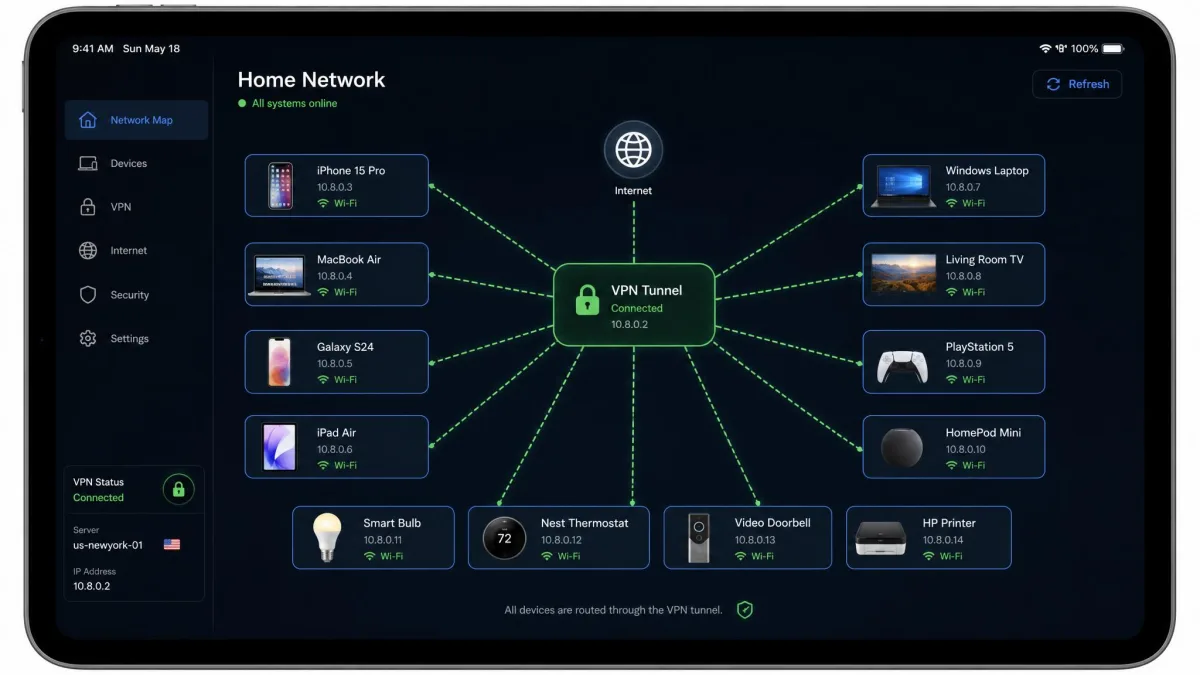
A VPN router is not the right answer for everyone. Here is the honest balance of what you gain and what you give up when you move the VPN off your devices and onto the network.
Pros
- Protects every device on the network, including TVs, consoles, and IoT gear that cannot run a VPN app
- One connection covers the whole home, so there is nothing to switch on per device
- Non-technical family members are protected automatically without installing anything
- A router-level kill switch guards the entire network if the tunnel drops
Cons
- The router's CPU caps VPN speed below what a laptop app can reach
- Changing servers or locations is slower than tapping an app
- Setup is more involved than installing an app, especially on advanced firmware
- Every device shares the router's throughput, so heavy homes can feel the squeeze
Frequently Asked Questions
Can any router be a VPN router?
OpenVPN vs WireGuard, which is better?
Does a VPN slow the router down?
Router VPN vs app VPN, which should I run?
Which devices use the VPN on a router?
Do I still need a VPN subscription for a VPN router?
Final Verdict: Which VPN Router Should You Buy?
Our full reasoning and rating for the Flint 2 sit in the box below, so we will not repeat them here. Instead, a few pointers for buyers whose situation does not fit the default pick.
If the Flint 2 is out of stock or over budget when you shop, the Flint 3 is the natural step up: it runs the same firmware and toolkit, so nothing about the experience changes, you simply pay a little more for tri-band Wi-Fi 7 headroom you may not need yet. If you would rather never open a settings page, jump straight to the ExpressVPN Aircove and accept the subscription and the latency as the price of simplicity. And if you are wiring an office rather than a home, the RT-BE88U is the only pick here built for site-to-site tunnels. Whatever you choose, size the router's VPN throughput to your internet plan first, then worry about everything else.