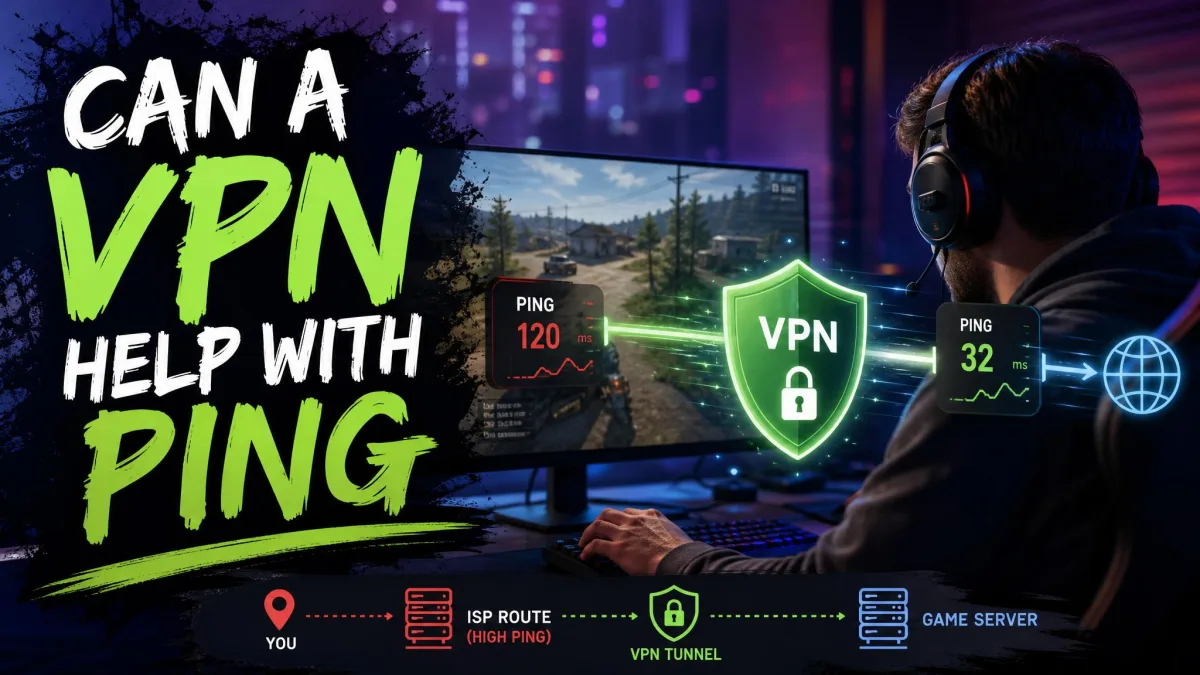
Can a VPN help with ping? In most cases the honest answer is no, a VPN will not lower your ping. There are a few narrow exceptions where it genuinely helps, and this guide walks through every one of them.
We will also be clear about the flip side. Far more often, a VPN adds latency rather than removing it, because your data has to travel an extra leg and get encrypted along the way. Knowing the difference is the whole game.
Our goal here is practical and myth-busting. We connect VPNs to real game servers, watch what happens to the ping number, and report what actually moves it. By the end you will know when a VPN is worth trying and when you are better off fixing something else.
What Is Ping (and What Counts as Good Ping)?
Ping, also called latency, is how long it takes data to travel from your device to a game server and back. It is measured in milliseconds, and lower is always better. When people talk about lag, this number is usually what they mean.
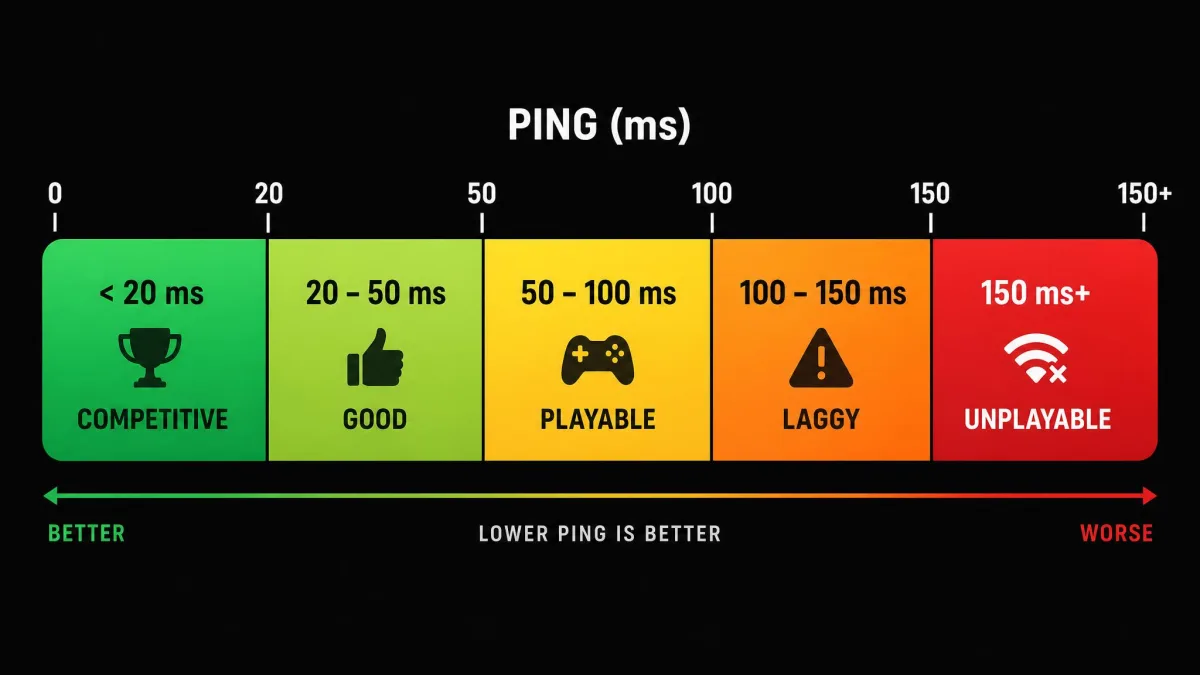
Here is a simple scale we use when we read a ping result. It maps the raw milliseconds onto how the game will actually feel while you play.
- Under 20 ms is competitive-grade. The response feels instant, with no delay you can perceive.
- 20 to 50 ms is good, and smooth for most games.
- 50 to 100 ms is playable, though a slight delay becomes noticeable in fast-paced titles.
- 100 to 150 ms feels laggy, with a visible delay on your actions.
- 150 ms and above is effectively unplayable for anything twitch-based.
As a rule of thumb, you will usually be fine so long as your ping stays below 100 ms. Anything a VPN does to your connection has to be judged against that scale, not against a marketing promise.
How a VPN Affects Your Ping: The Extra Hop Explained
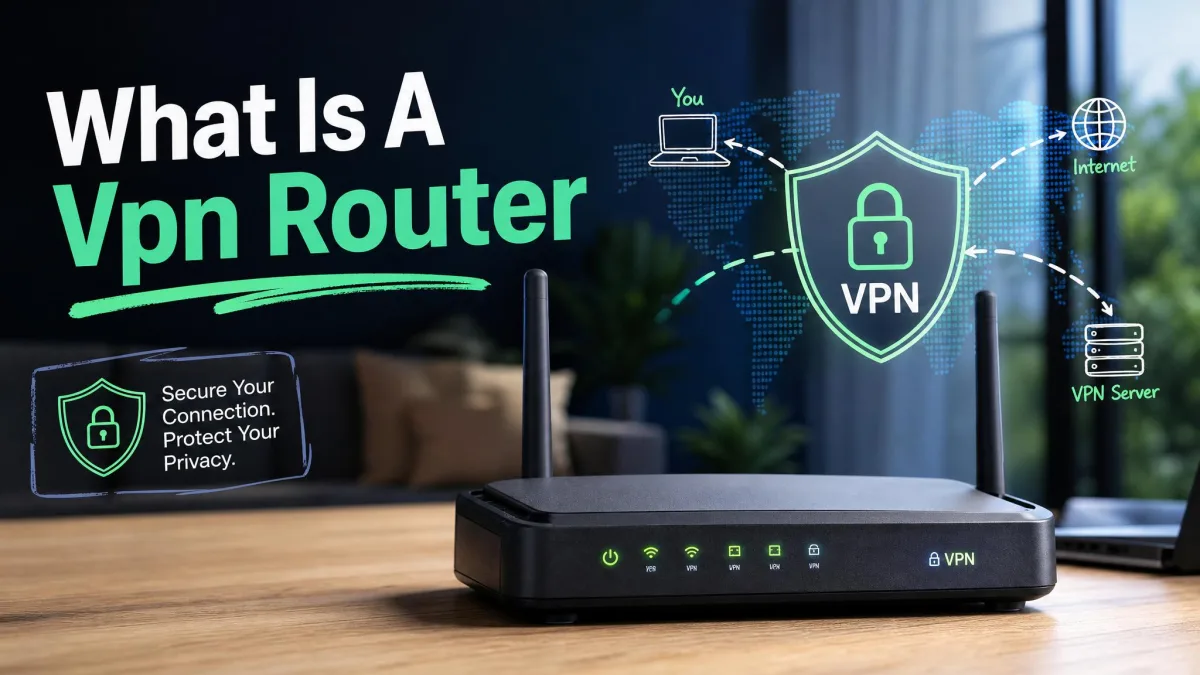
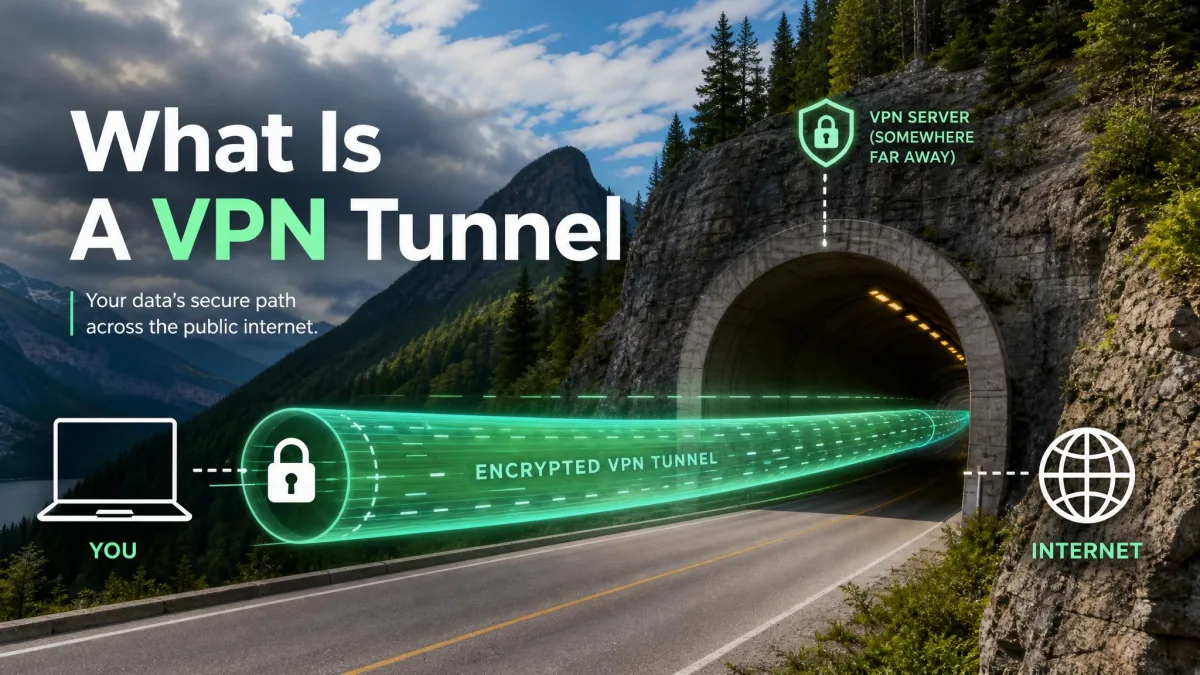
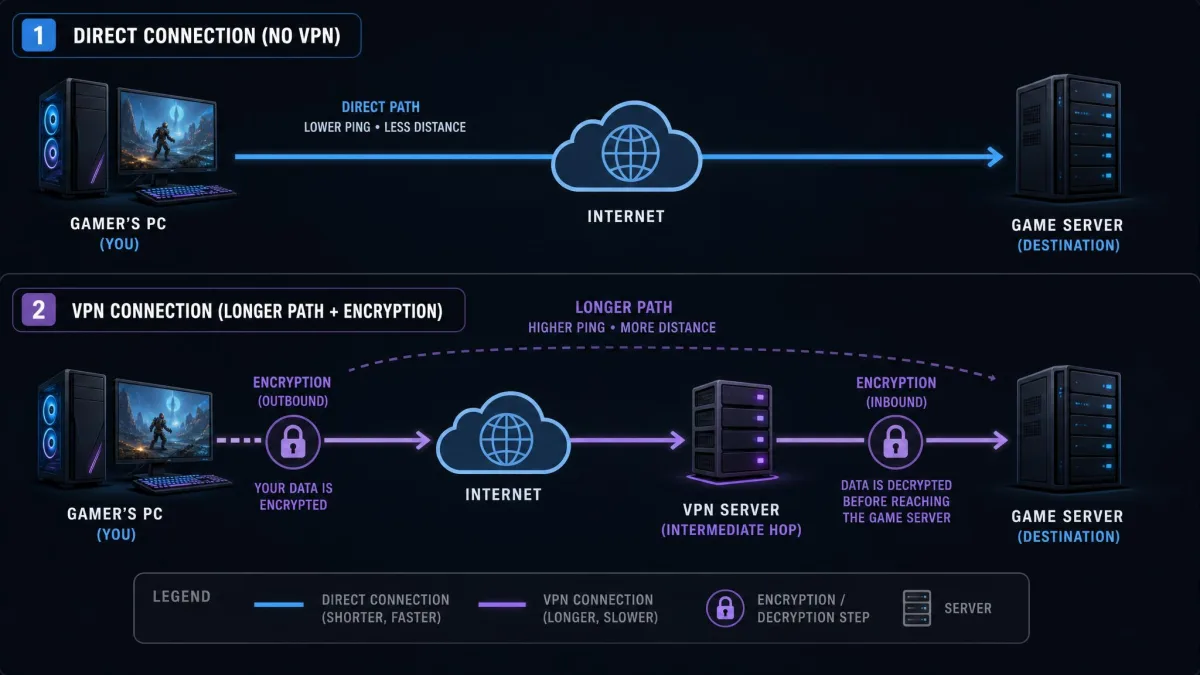
A VPN changes the path your data takes. Instead of going straight from your device to the game server, your traffic goes to the VPN server first, then out to the game, and back again the same way. That is the extra hop, and it is the core reason a VPN usually adds latency.
On top of the detour, the VPN encrypts your data on the way out and decrypts it on the way back. This encryption and decryption work takes a small slice of time at each end. Add the detour and the encryption together, and you get network latency that was not there before.
How much does a VPN add? There is no honest single number, because it depends on the server, the distance, and your hardware. A local server might add only a few milliseconds, while a server overseas can add hundreds. Treat any fixed figure you see with suspicion.
The reason the detour matters so much is physical. Data cannot travel faster than the speed of light, so every extra mile of routing costs real time. A VPN can sometimes find a shorter or cleaner path, but it can never shorten the straight-line distance to the server.
Ping measures round-trip time, the full there-and-back journey. That is why even a small detour on each leg shows up as a bigger number than you might expect.
When a VPN CAN Lower Your Ping
A VPN lowers ping only when it fixes a problem that is already slowing you down. If your normal connection to the game server is clean and direct, a VPN has nothing to improve and will only add its own overhead. The three cases below are the real exceptions, and they are worth checking.
Your ISP Is Throttling Gaming Traffic
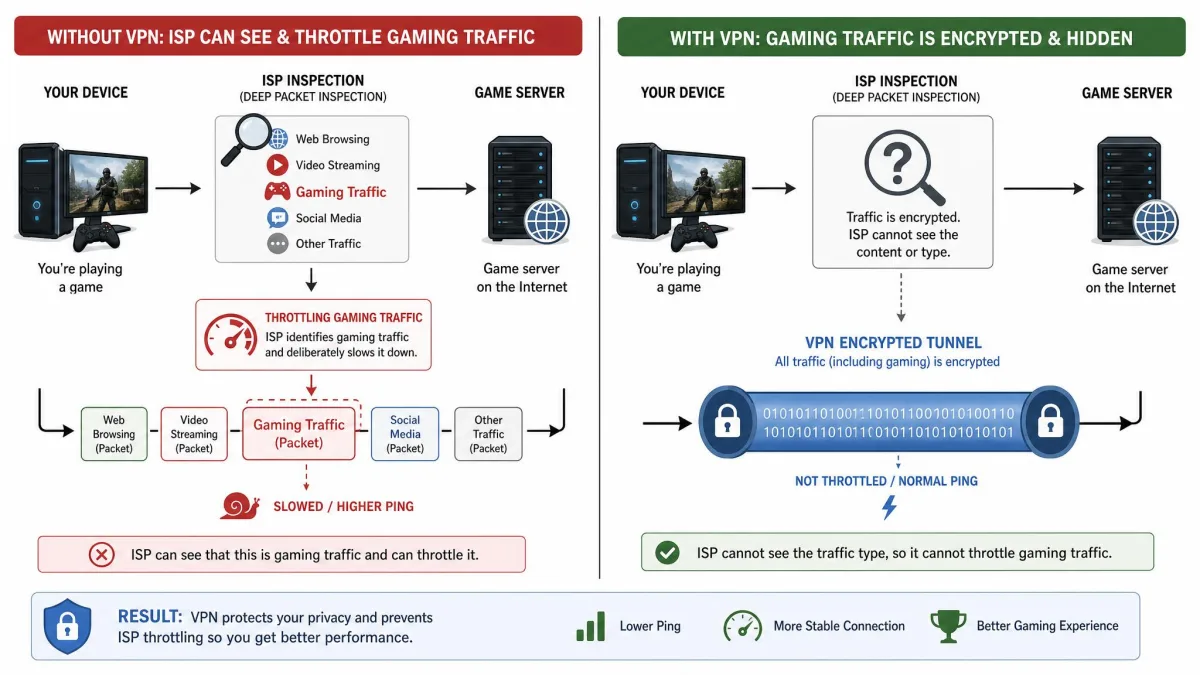
Some internet providers detect gaming traffic and deliberately slow it during busy hours. Because a VPN encrypts your data and hides what type of traffic it is, your ISP can no longer single out your game and throttle it. That can restore the ping you should have had all along.
Be realistic about the size of this win. Even in the best throttling-bypass case, the gain is small, a few milliseconds at best. It matters most when throttling was dragging you well above 100 ms, not when you are already at 30 ms.
Your ISP Routes Your Traffic Inefficiently
Your provider decides the path your data takes to the game server, and that path is not always the shortest one. Sometimes traffic gets sent on a long detour through a distant exchange before it reaches its destination. A VPN can hand your traffic to a better-connected network partway through.
If the VPN exit sits on a faster, more direct route to the game, the total trip can end up shorter than your ISP's default path. This is one of the few cases where the extra hop pays for itself. It is also unpredictable, which is why you have to test it rather than assume it.
You Need to Reach a Different Server Region
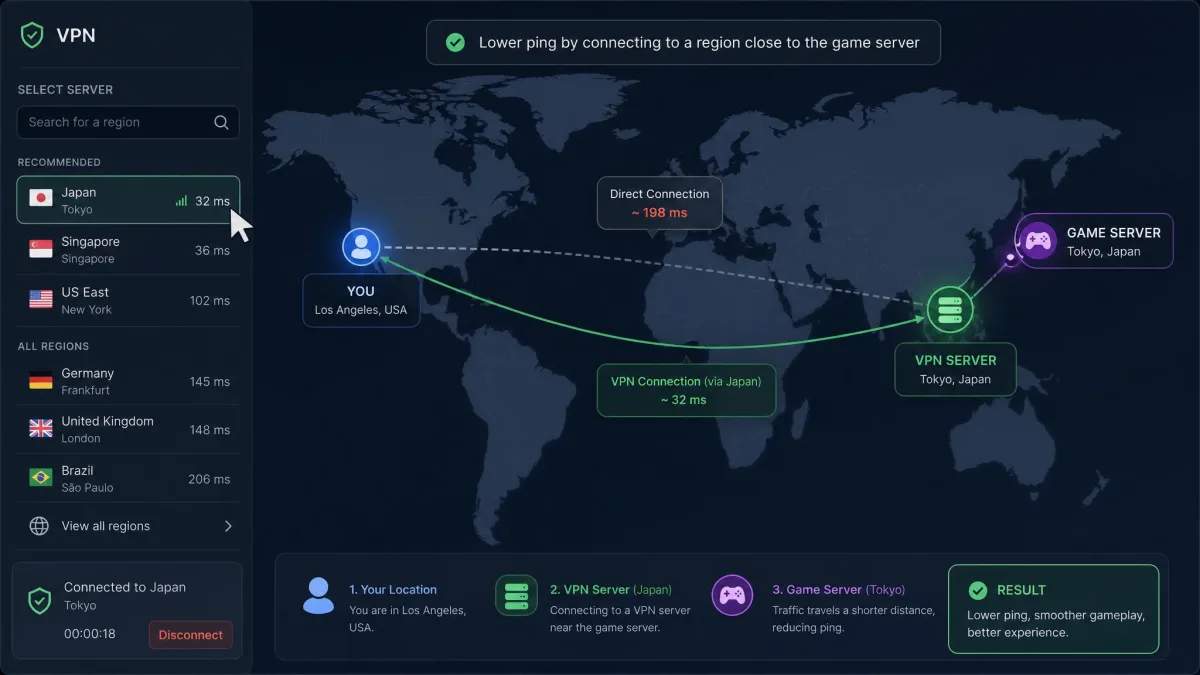
Sometimes the problem is not your connection but where the game puts you. If a title has no official server near you, or matchmaking keeps assigning you to a distant region, a VPN can place your connection closer to the right servers. The result is a lower and more stable ping.
This works only when the VPN server is genuinely network-closer to the game than your home connection is. Pick the wrong region and you make things worse. The value here is access to a better entry point, not magic speed.
Before you buy anything, check whether the game itself lets you choose a region or a matchmaking server. Selecting the closest official region often fixes the exact problem people reach for a VPN to solve, with none of the added overhead.
When a VPN Will Make Your Ping Worse
Most of the time, a VPN is a cost rather than a cure. If none of the three cases above applies to you, the extra hop and the encryption will simply pile latency on top of a connection that was already fine. Here is where that goes wrong.
Server Distance and the Speed of Light
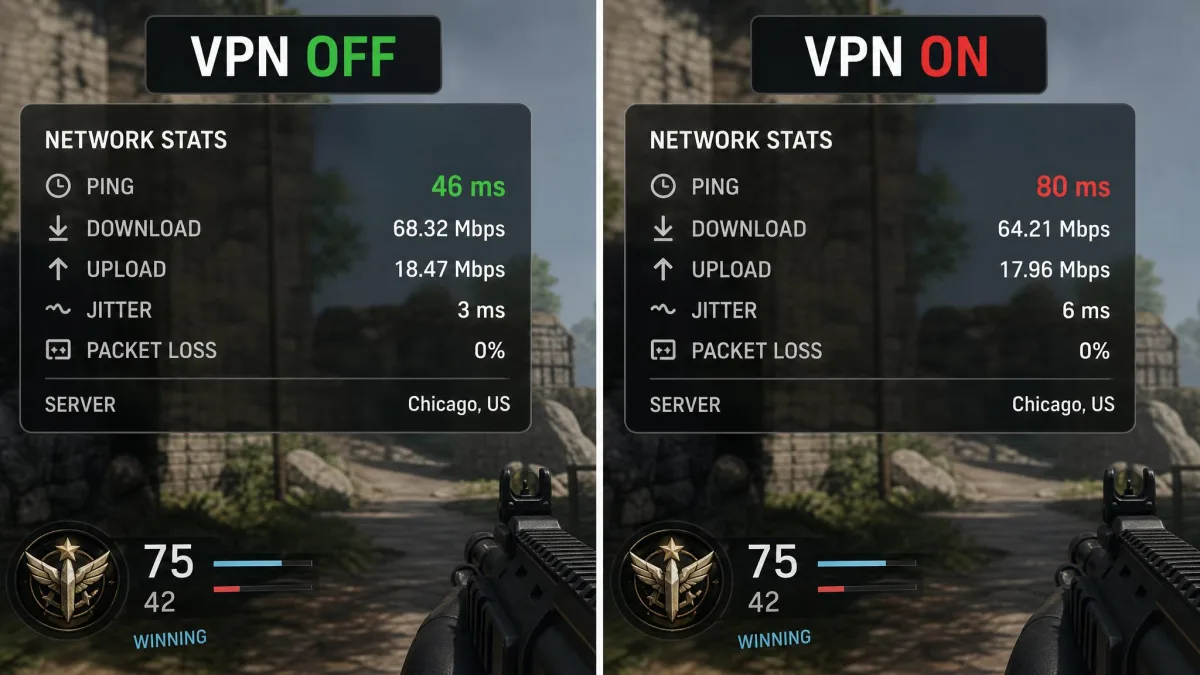
Distance is the biggest ping killer, and no VPN can bend physics. Connecting through a local VPN server typically pushes ping up from around 4 ms to about 20 ms, which is still fine. Connect through a server overseas, though, and the number can climb past 200 ms into unplayable territory.
The lesson is to keep the VPN server close, ideally on the direct line between you and the game. Every extra mile of detour is time your data cannot get back.
Encryption Overhead (WireGuard vs OpenVPN)
The protocol your VPN uses changes how much time the encryption step costs. WireGuard is the lightweight modern option and adds only a small amount of latency, roughly 2 to 5 ms in one common estimate. OpenVPN is older and heavier, and tends to add more, somewhere around 10 to 20 ms.
Switching to WireGuard noticeably cuts the overhead compared with OpenVPN, so it is the protocol we reach for when ping matters. Treat those millisecond figures as rough guides, since the real cost shifts with your server, distance, and hardware.
Overloaded / Free VPN Servers
A VPN server shared by too many people becomes a bottleneck of its own. When a server is congested, ping spikes hard and unpredictably. On overloaded or free servers we have seen numbers climb as high as 800 ms, which turns any game into a slideshow.
Free VPNs are the usual culprits, because they pack heavy loads onto limited servers and rarely prioritize latency. For gaming, a crowded free server is close to the worst thing you can put between yourself and the match.
A free VPN is the wrong tool for lowering ping. Overloaded free servers routinely add hundreds of milliseconds and can push a healthy connection into the unplayable range. If ping is your goal, a crowded free server almost always makes it worse.
How to Test Whether a VPN Helps YOUR Ping (Step by Step)
General claims will not tell you what happens on your connection, your game, and your ISP. The only answer that counts is the one you measure yourself. This takes about ten minutes and settles the question for good.
- Close background apps that eat bandwidth, such as cloud sync, streaming, and big downloads. They skew every reading that follows.
- Run a baseline ping with the VPN off. Note the number inside your actual game if it shows one, or use the game's server browser.
- Connect the VPN to a server near the game server, not near yourself, and re-test the same way.
- Compare the two numbers. If the VPN ping is lower, try a couple of nearby servers to find the best one.
- Confirm in a real match. A menu number is a hint, but live gameplay is the real test.
For a deeper look, a traceroute run with and without the VPN shows the hop counts and where latency spikes appear. If the VPN adds hops without shortening the route, you have your answer. Do all of this inside the money-back window so you can walk away at no cost.
Best VPN Settings for the Lowest Ping (Protocol, Server, Split Tunneling)
If you have decided a VPN helps in your case, a few settings make the difference between a small cost and a large one. The goal is to keep the detour short and the encryption light.
Start with the protocol. WireGuard is the lowest-latency choice for gaming, so select it if your VPN offers it. The table below sums up how the common protocols compare on the overhead that matters for ping.
| Protocol | Typical added latency | Encryption | Gaming suitability |
|---|---|---|---|
| WireGuard | ~2-5 ms | ChaCha20 | Best, lightest option |
| OpenVPN | ~10-20 ms | Configurable (AES) | Slower, heavier |
| IKEv2 | Low to moderate | IPSec (AES) | Good, fast reconnect |
Next, choose the server with intent. Connect to a server that is closest to the game server, not the one closest to you, because the goal is a short path to the match. Test two or three candidates, since the fastest one is rarely obvious from the map.
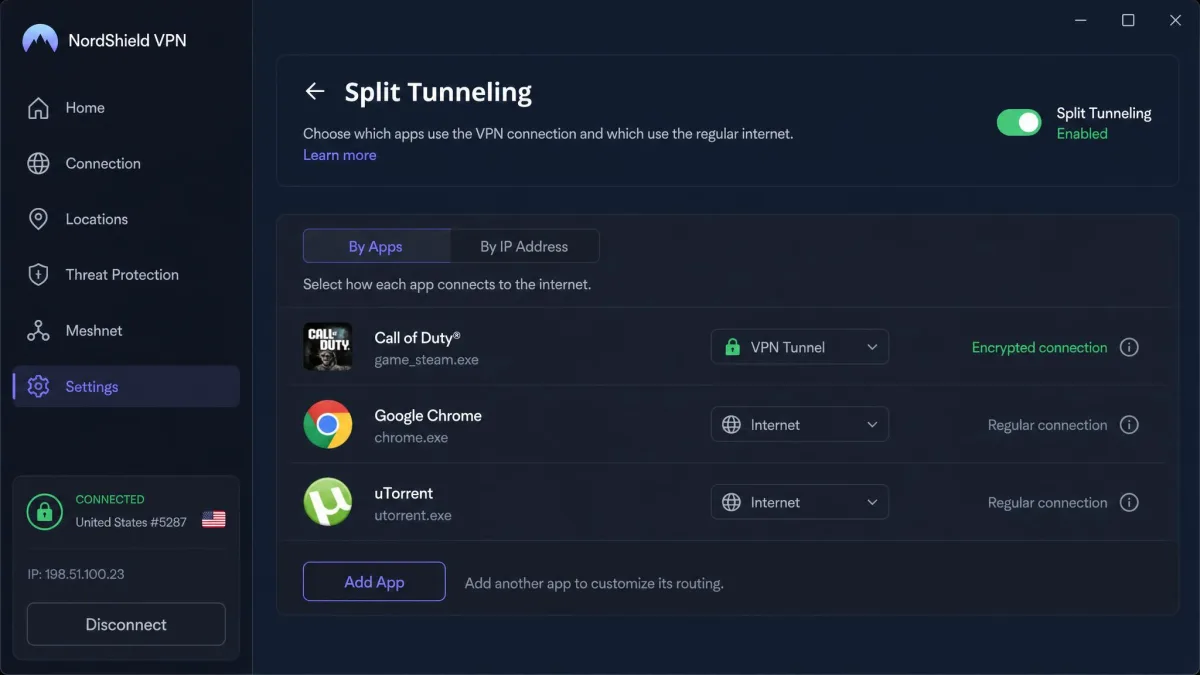
Finally, turn on split tunneling if your VPN supports it. Split tunneling routes only your game through the VPN and lets everything else use your normal connection. That keeps downloads and background traffic from crowding the encrypted tunnel your game depends on.
Test nearby servers before you commit to one. In practice, connecting to a close server still adds a little latency, on the order of 7 ms to a UK server, 9 ms to the Netherlands, or 4 ms to a US server. The best of those small numbers is the one you want.
Other Ways to Reduce Ping (Ethernet, DNS, QoS, Background Apps)
For most players, the biggest ping wins have nothing to do with a VPN. These fixes address the real bottlenecks between you and the game, and most of them are free. Try them before you spend money on a subscription.
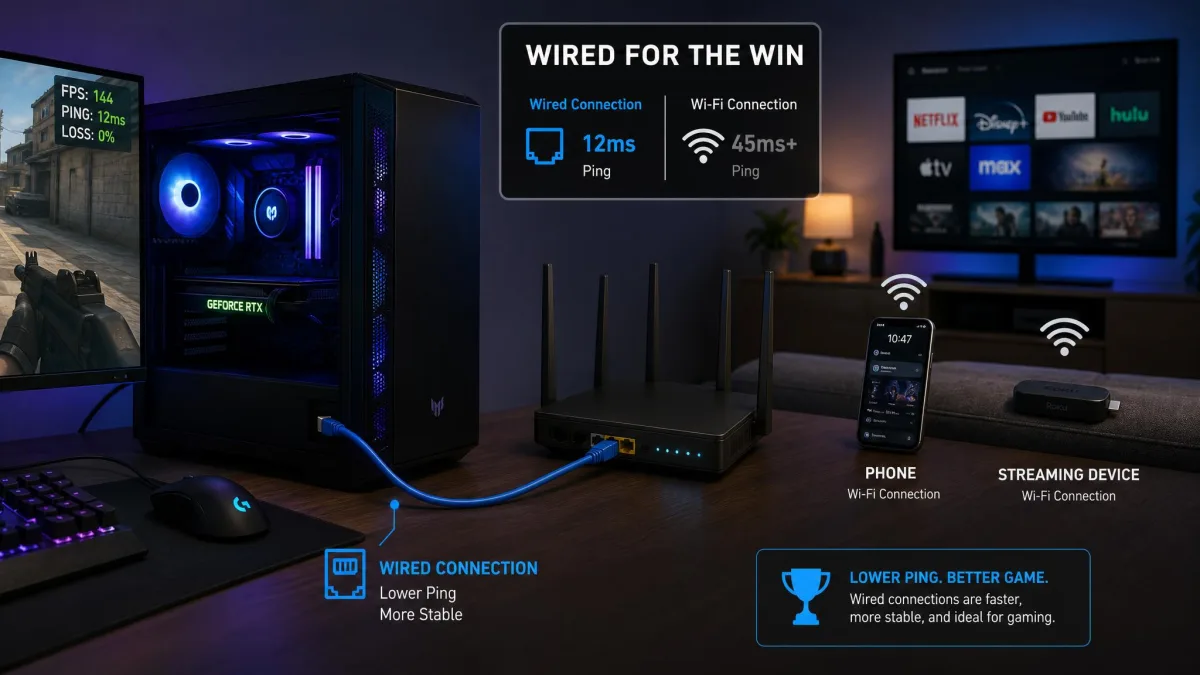
- Use a wired Ethernet connection instead of Wi-Fi. A cable removes wireless interference and dropped packets, which are common lag sources.
- Pick the closest official game region. Matching yourself to the nearest server does directly what a VPN can only do by luck.
- Close bandwidth-heavy background apps. Streaming, cloud backups, and big downloads all steal from the connection your game needs.
- Set up QoS on your router. Quality of Service prioritizes gaming traffic on your home network so a housemate's download does not spike your ping.
- Use a fast, reliable DNS service. It will not lower in-game latency much, but it speeds up how quickly you connect and find matches.
If none of these help, the bottleneck may be your ISP itself, either through a slow plan or congested routing. In that case the fix is a conversation with your provider or a plan change, not a VPN.
The Verdict: Does a VPN Help With Ping?
For most players, a VPN will not lower your ping, and expecting it to is the myth we most often have to bust. The extra hop and the encryption usually add latency to a connection that was already working fine. That is the default outcome, and it is worth accepting up front.
The exceptions are real but narrow. If your ISP throttles or misroutes your gaming traffic, or you need to reach a better game region, a VPN can genuinely help. The only way to know is to measure your own game, keep the server close and on WireGuard, and test inside the money-back window.