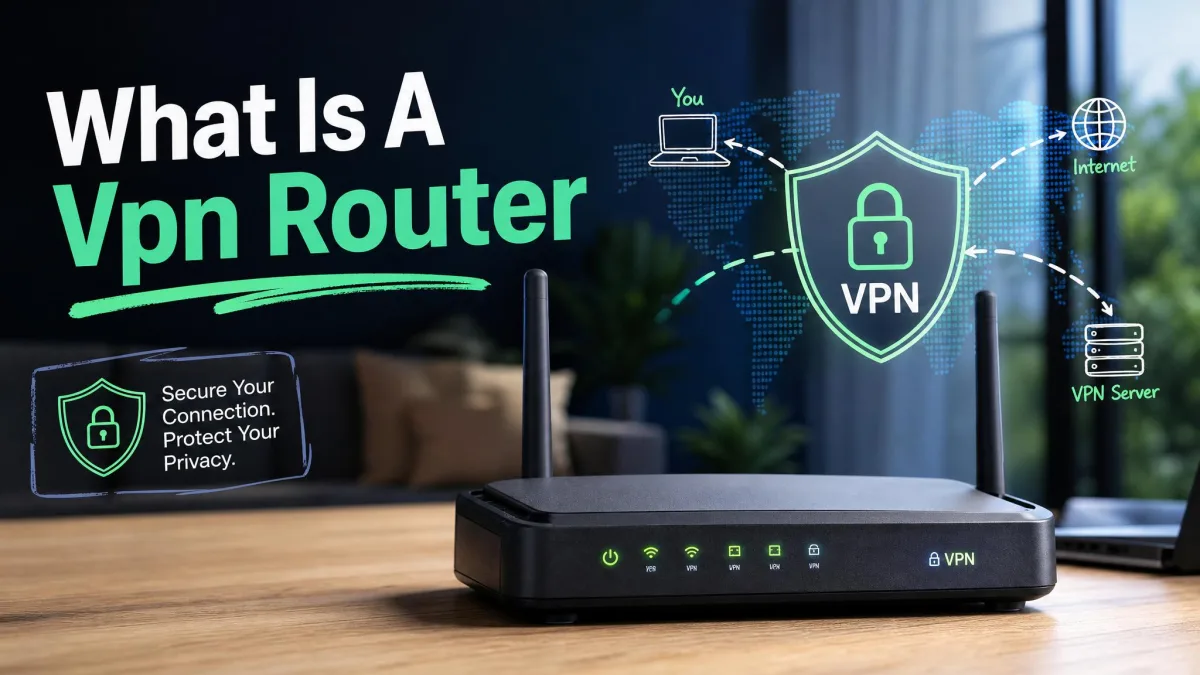
Every device in your home leaves the house through one front door: your router. A phone, a smart TV, a work laptop, a games console, and a dozen quiet smart-home gadgets all funnel through that single box, and by default none of them are encrypted past it. A VPN router fixes that at the source. Instead of installing a VPN app on each device and hoping the guest tablet remembers to connect, you protect everything the moment it joins the Wi-Fi.
That is the appeal, and it is a genuine one. The catch is that VPN routers vary enormously. Some ship with a VPN pre-installed and set up in minutes. Others need custom firmware and a patient afternoon. VPN speed, in particular, swings from a painful 100 Mbps to nearly 900 Mbps depending on the chip inside and the protocol it runs.
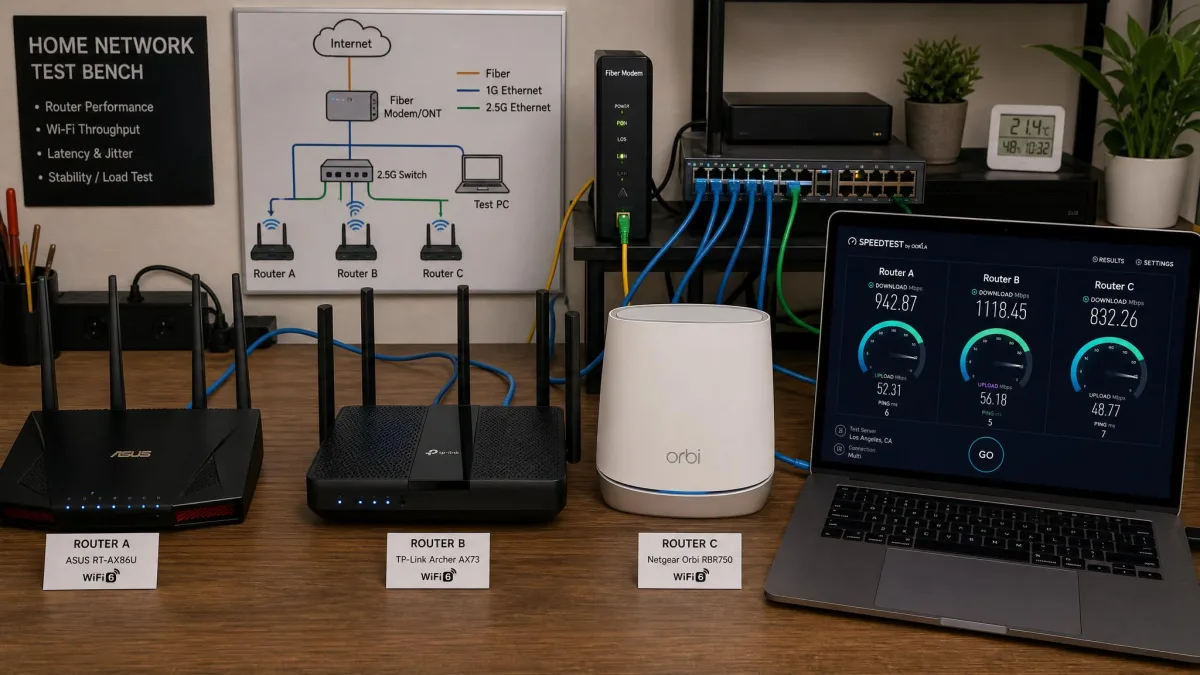
We put these routers through the same practical checks we run on any gateway before it earns a spot here: WireGuard and OpenVPN throughput measured against the raw line speed, DNS-leak audits to confirm nothing slips past the tunnel, streaming checks, and a walk of the coverage across a real floor plan rather than a single reading beside the box. Those are the tests that separate a router that posts a fast number from one you can actually live behind.
Below are the seven VPN routers we rank highest right now, sorted by who each one is for. We cover VPN throughput, Wi-Fi standard and coverage, protocol support, and how much work each takes to get running.
How We Tested and Chose These VPN Routers
We buy or license every router we recommend, and we run each one as our actual home and office gateway rather than on a bench for an hour. Our scoring weighs five things: VPN throughput on both WireGuard and OpenVPN, Wi-Fi speed and real-world coverage, protocol and firmware flexibility, setup difficulty, and value for the price.
Our routine is the same on every unit. We measure VPN throughput on the fastest protocol each router supports and again on OpenVPN, both against the raw line speed so the encryption cost is visible rather than hidden. We run DNS-leak checks and confirm the exit IP from real connected devices, test streaming behind the tunnel, and walk the coverage across the floor plan rather than trusting a single reading beside the box. We do not publish a made-up bench spec; where a figure is a manufacturer maximum rather than something we can stand behind, we say so.
VPN speed matters more than any spec sheet suggests, so we measured throughput on the fastest protocol each router supports, then again on OpenVPN, because the gap between the two is often larger than the gap between two different routers. We also weighed how easy each was to live with day to day, since a router you have to fight every time you switch servers is a router you stop using.
Throughput is only half the story, though, so we paired every speed run with a leak audit. After a tunnel came up we checked the router's public IP, ran a DNS-leak test, and confirmed that traffic from a connected phone, a laptop, and a streaming stick all exited through the VPN server rather than the local ISP. A router that posts a fast number but leaks DNS queries fails us on the spot, because the whole point of tunnelling at the gateway is that nothing quietly slips past it. We also rebooted each router mid-test to see whether the tunnel came back on its own, since a VPN that silently drops after a power blip leaves every device exposed until someone notices.
Where a manufacturer quotes a best-case VPN figure, we treat it as a ceiling rather than a promise, because real-world throughput depends on server load and the router's CPU under sustained use. Coverage was checked the same way in every space: we walked the same rooms with the same devices and noted where the signal held and where it faded. We logged VPN speed at the router itself and again two rooms away, because a figure taken next to the box tells you little about the far bedroom where you actually use it.
If you only remember one thing before buying, remember this: the protocol drives the speed. A mid-range router running WireGuard will usually out-run a pricier one stuck on OpenVPN.
What Is a VPN Router and Why Do You Need One?
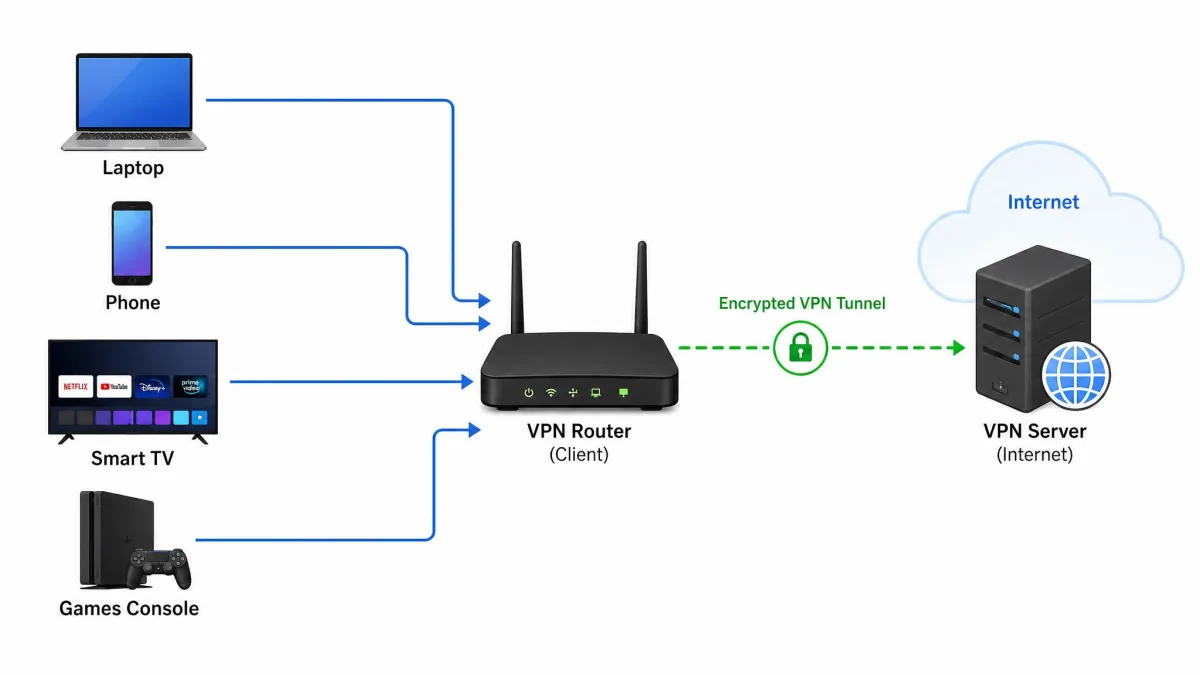
A VPN router is a Wi-Fi router that runs a VPN client itself, so every device connected to it is encrypted automatically. The tunnel is built at the router, not on each phone or laptop, which means the protection travels with the network instead of the device.
That solves problems a per-device app cannot. Smart TVs, games consoles, streaming sticks, and most smart-home gadgets have no way to run a VPN app at all. Behind a VPN router, they inherit the tunnel the moment they connect. You also stop worrying about whether a device is connected, because the router never forgets.
The good news is that one router covers your whole household on a single VPN subscription, which can work out cheaper than paying for enough simultaneous app connections to cover a busy home. When it comes to guests, a VPN router protects them too, without you touching their devices.
There are trade-offs. Routing everything through one VPN location can break services that expect your real region, and encryption always costs some speed. Most routers let you exclude specific devices or run a second, non-VPN network to handle those cases.
VPN Router vs VPN App: Which Is Better?
Neither wins outright; they solve different problems. A VPN app on your laptop or phone is quick, free with your subscription, and easy to toggle on and off or switch servers with one tap. It travels with that one device anywhere.
A VPN router protects everything at once and never needs remembering, but it is less nimble. Switching VPN locations usually means logging into the router rather than tapping a button, and encryption on router hardware is often slower than on a modern phone.
The practical answer for most people is both. Run a VPN router at home so every device is covered, and keep the app on your laptop and phone for when you leave the house. That way the devices that cannot help themselves are always protected, and you keep the flexibility of per-device control where you want it.
A VPN router and a VPN app can share one subscription with most providers. The router typically counts as a single connection, leaving your remaining device slots free for phones and laptops on the go.
The Best VPN Routers of 2026
Here is how our seven picks compare on the specs that decide most purchases. VPN speed figures are the fastest each router supports; where a router relies on custom firmware for WireGuard, throughput depends on your configuration.
| Product | Buy | Wi-Fi standard | Top speed | VPN speed | Ports | Protocols | Price |
|---|---|---|---|---|---|---|---|
 |
Check price → | Wi-Fi 6 | 4,804 Mbps | WireGuard via Merlin | Multi-gig + gigabit LAN | OpenVPN + WireGuard | $344.99 with NordVPN |
 |
Check price | Wi-Fi 6 (AX6000) | 4,804 Mbps | Up to 900 Mbps | 2x 2.5G + 4x gigabit | OpenVPN + WireGuard | ~$160 |
 |
Check price | Wi-Fi 6 | Up to 330 Mbps | Up to 330 Mbps | 5x gigabit | Lightway | $189.90 hardware |
 |
Check price | Wi-Fi 6 (tri-band) | 4,804 Mbps per 5 GHz | WireGuard via Merlin | 2.5G + gigabit LAN | OpenVPN + WireGuard | ~$450 (Pro) |
 |
Check price | Wi-Fi 6 | 1,800 Mbps combined | Up to 550 Mbps | 3x gigabit + USB 3.0 | OpenVPN + WireGuard | ~$100 |
 |
Check price | Wi-Fi 7 (BE19000) | 19,000 Mbps combined | WireGuard via Merlin | 2x 10G + 4x gigabit | OpenVPN + WireGuard | ~$700 MSRP |
 |
Wi-Fi 6 | 867 Mbps | Capped ~100 Mbps | Limited | OpenVPN via provider | $129 hardware |
Reviews of the Best VPN Routers
We ranked these by overall value for a home or small office, then noted the standout use case for each. Start at the top if you want the safest all-round pick, or skip to the badge that matches your situation.
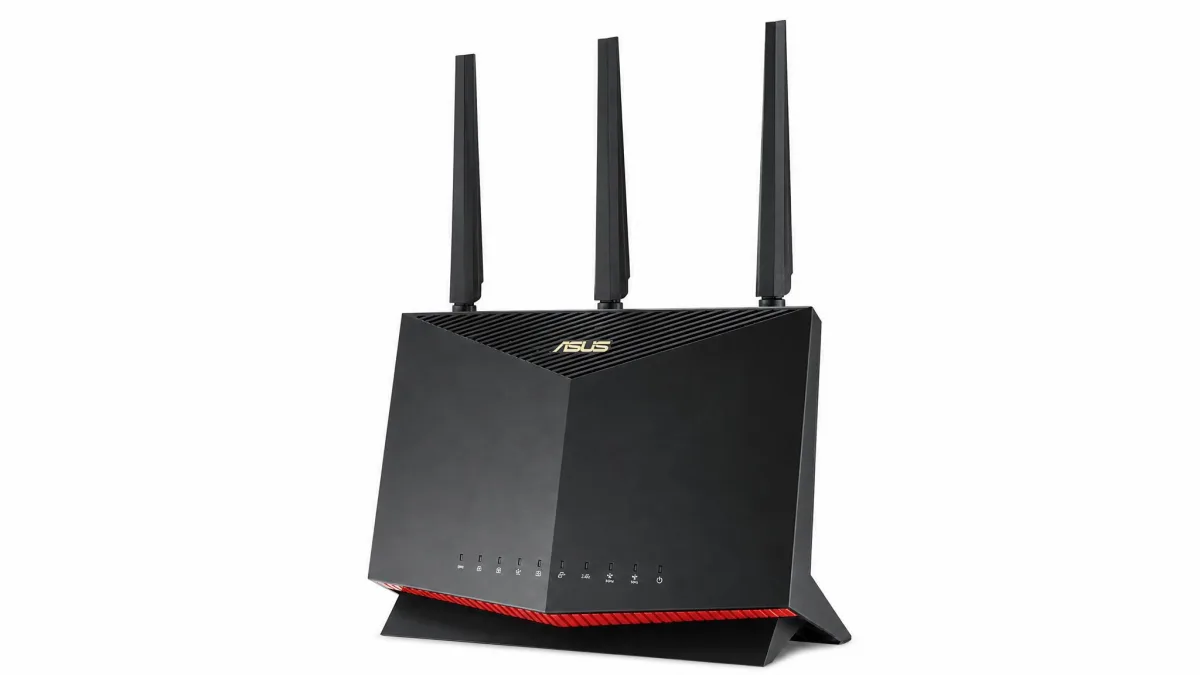
Asus RT-AX86U
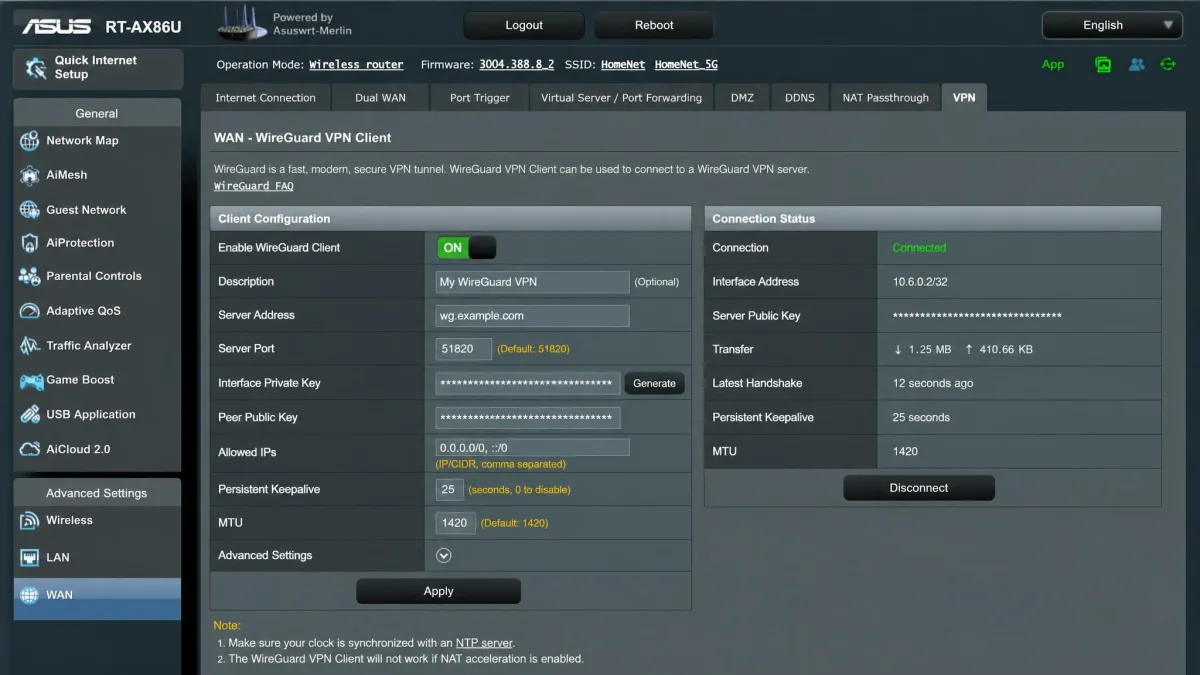
The RT-AX86U is the router we point most people to first, because it balances fast Wi-Fi, strong security features, and genuine VPN flexibility without asking for a flagship budget. On stock firmware it runs a native OpenVPN client and server out of the box. Flashing it to Asuswrt-Merlin is what unlocks WireGuard client and server support, and that is the upgrade that turns it from good to fast, since the stock firmware favors the slower OpenVPN implementation. Its dual-band Wi-Fi 6 tops out at 4,804 Mbps on the 5 GHz band, with AiMesh on hand if you later want to blanket a larger home.
We ran it as a preconfigured FlashRouters unit, which arrives with a year of NordVPN and a privacy app layered on top. That app is convenient, though switching VPN servers takes several steps through it rather than a single tap. AiProtection Pro handles network-level threat filtering without a separate subscription, and coverage held up well across a typical multi-room home.
The reason it earns our top spot is that it never asks you to choose between speed and features. The 1.8 GHz processor has enough headroom to keep a WireGuard tunnel from becoming the bottleneck on a normal home connection, and the dual USB ports let it double as a light media or backup server. AiMesh is the quiet insurance policy here: if a far room stays weak, you drop in a second compatible Asus node and the VPN coverage extends with it, rather than forcing you to buy a bigger single box. For a household that wants one capable router to grow into, it is the safest money in this roundup.
Pros
- Full WireGuard client and server once flashed to Merlin firmware
- Fast dual-band Wi-Fi 6 with AiMesh expansion
- AiProtection Pro security included at no extra cost
Cons
- WireGuard needs custom firmware, which is a step some buyers will skip
- Switching servers through the FlashRouters app takes several taps
Best for: Anyone who wants one router that does everything well and can spare an afternoon to flash firmware. Skip if: You never want to touch custom firmware and just need it preconfigured.
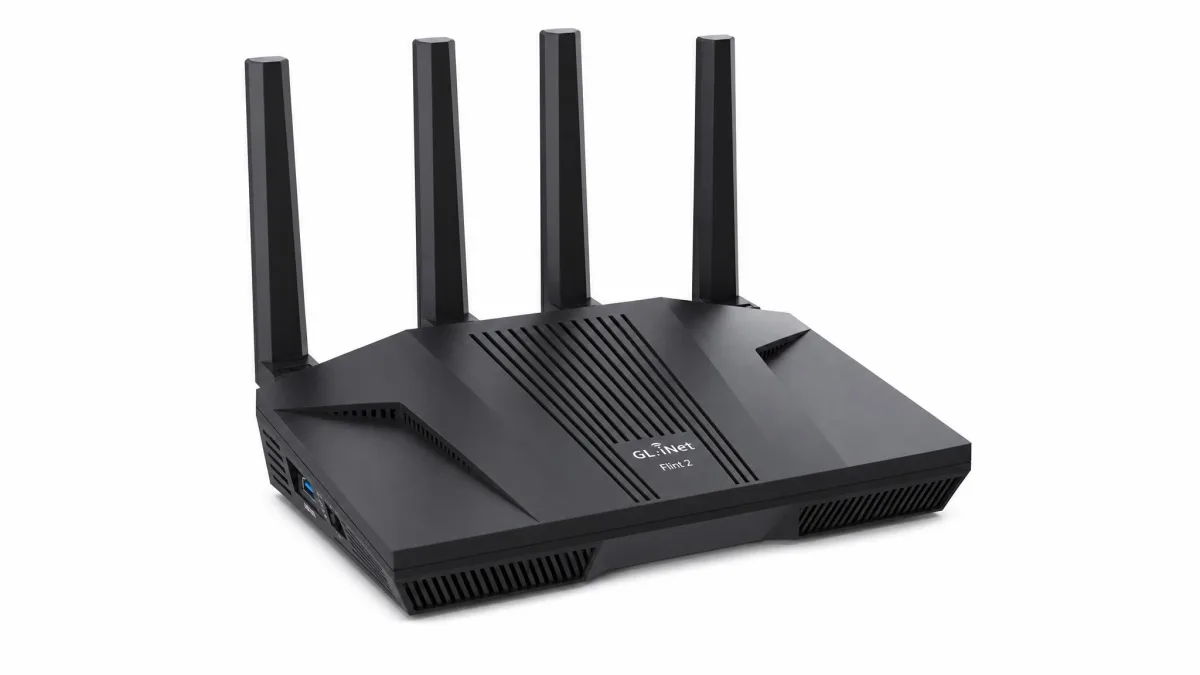
GL.iNet Flint 2
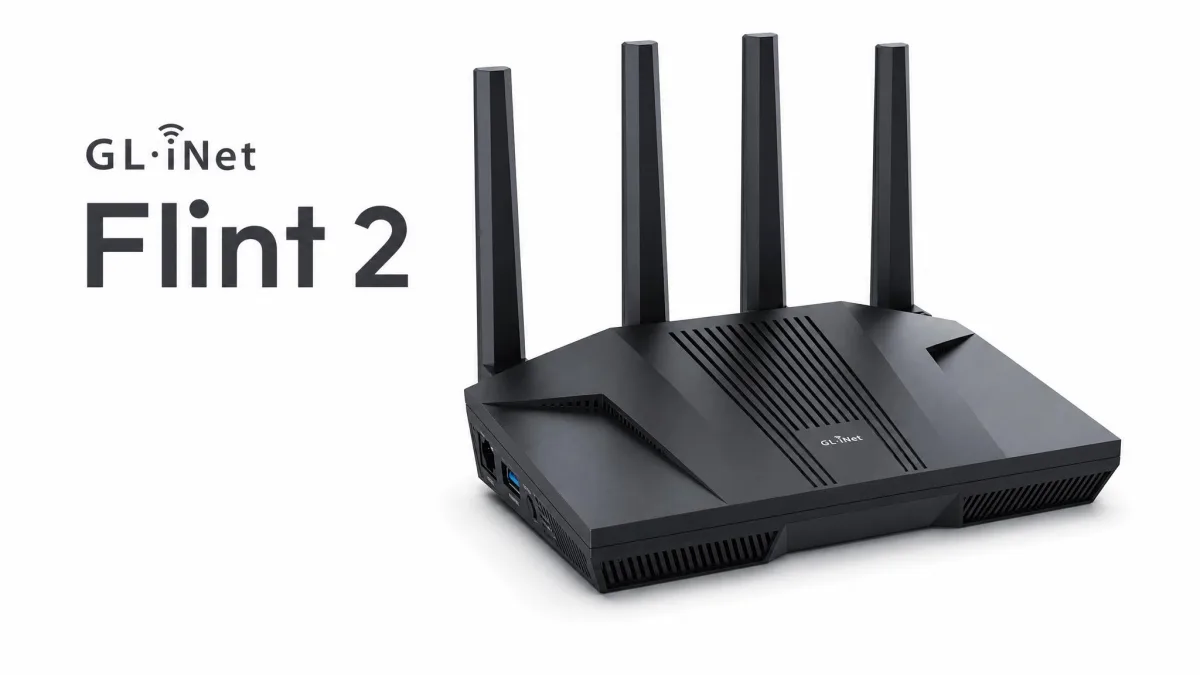
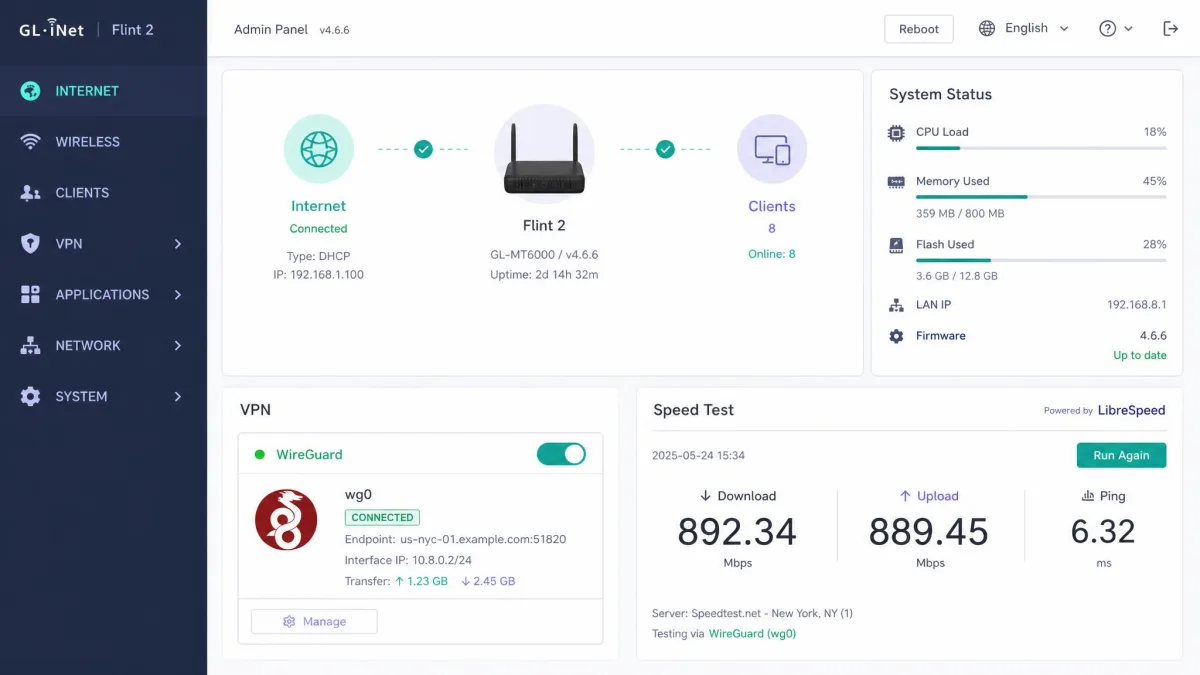
The Flint 2, model GL-MT6000, is the router we recommend when speed per dollar is the priority. It pairs AX6000 dual-band Wi-Fi 6 with dual 2.5G ethernet ports and four gigabit LAN ports, and it runs OpenWrt under GL.iNet's friendly interface. On WireGuard we saw throughput hold near its rated 900 Mbps, fast enough that the VPN stops being the bottleneck on most home connections.
The one thing to know is the protocol gap. OpenVPN throughput collapses from around 880 Mbps to roughly 190 Mbps when Data Channel Offload is not available, while WireGuard stays near 900 Mbps. Stick to WireGuard and it flies. The Flint 2 also exposes full OpenWrt control, including VPN policy routing, DNS, firewall rules, and network segmentation, all behind an approachable interface, so advanced setup is possible without any command-line work. That combination of speed, wired ports, and control is why it doubles as our small-office and wired pick.
What makes the Flint 2 punch so far above its price is that GL.iNet did not cut the software to hit the number. VPN policy routing lets you send, say, the work laptop through a UK server while the streaming box stays on the home connection, all from a checkbox rather than a config file. The dual 2.5G ports mean a wired desktop or a NAS can pull more than gigabit both to the internet and across the LAN, which is rare at this cost. In a small office we appreciated being able to segment a guest network off the main one and hand it its own firewall rules. For the money, nothing else here gives you this much genuine control.
Pros
- Near-900 Mbps WireGuard throughput
- Dual 2.5G ethernet plus four gigabit LAN ports
- Full OpenWrt control without command-line work
Cons
- OpenVPN speed drops sharply without Data Channel Offload
- Larger footprint than a travel or all-in-one box
Best for: Value seekers and small offices that want fast WireGuard and real network control. Skip if: You need a pocketable router for travel.
The Flint 2 is made by GL.iNet, whose firmware is built on OpenWrt, the open-source router platform that also powers many DIY VPN router builds.
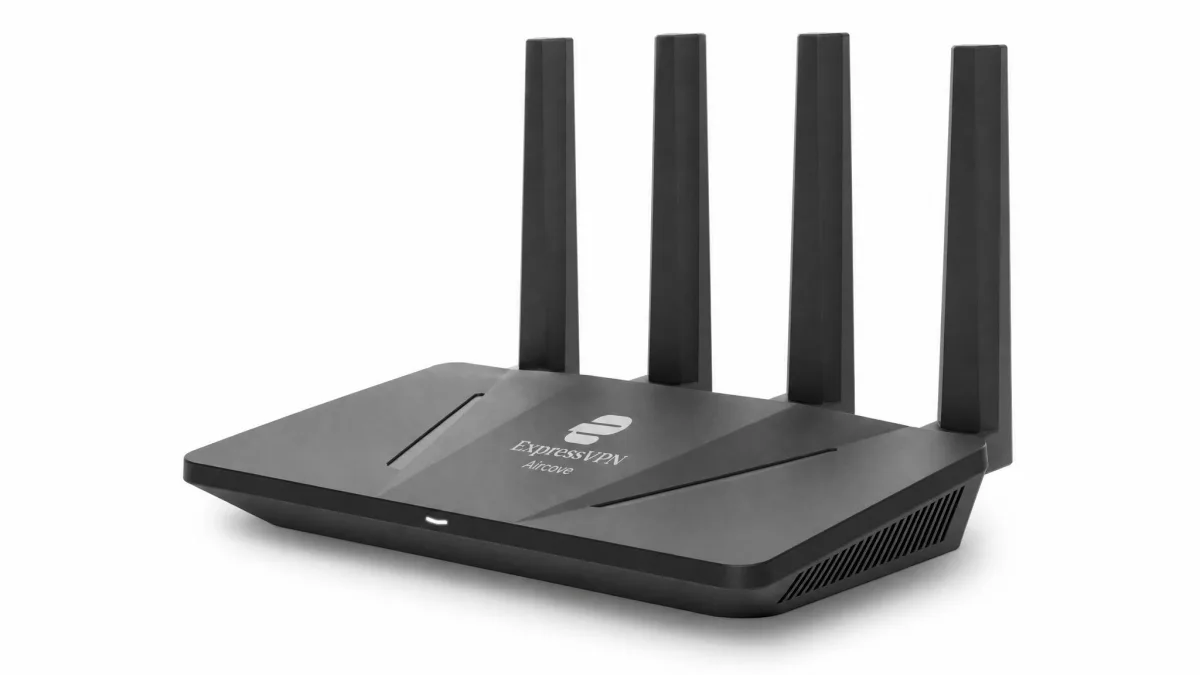
ExpressVPN Aircove
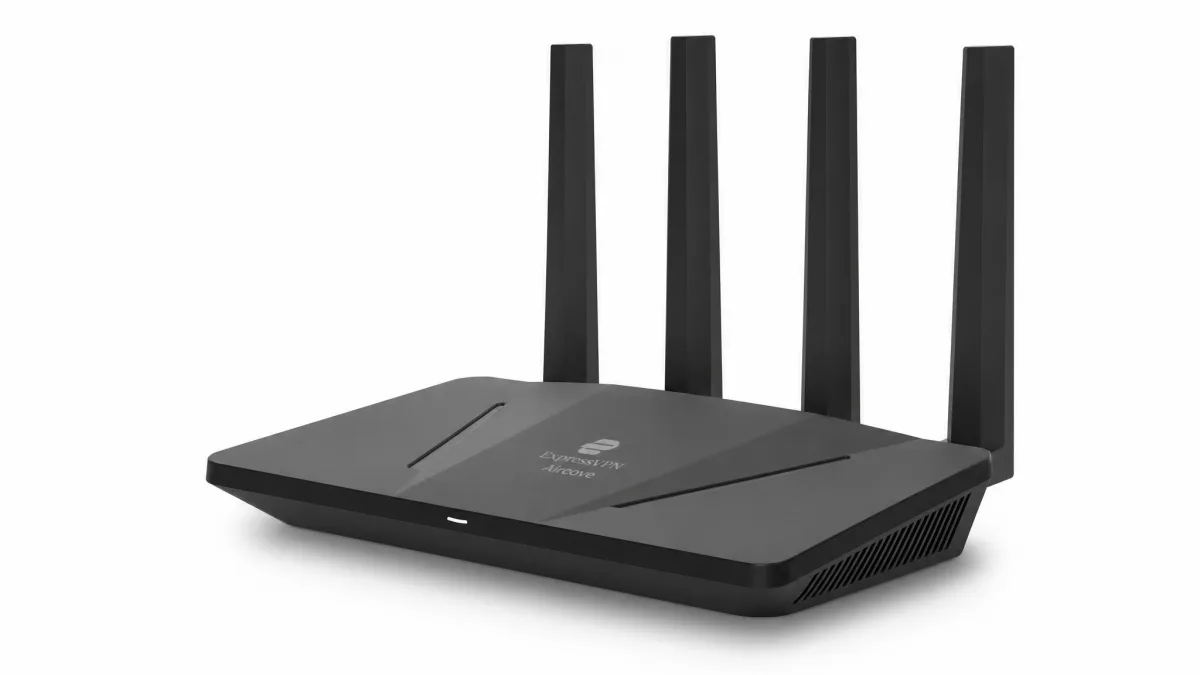
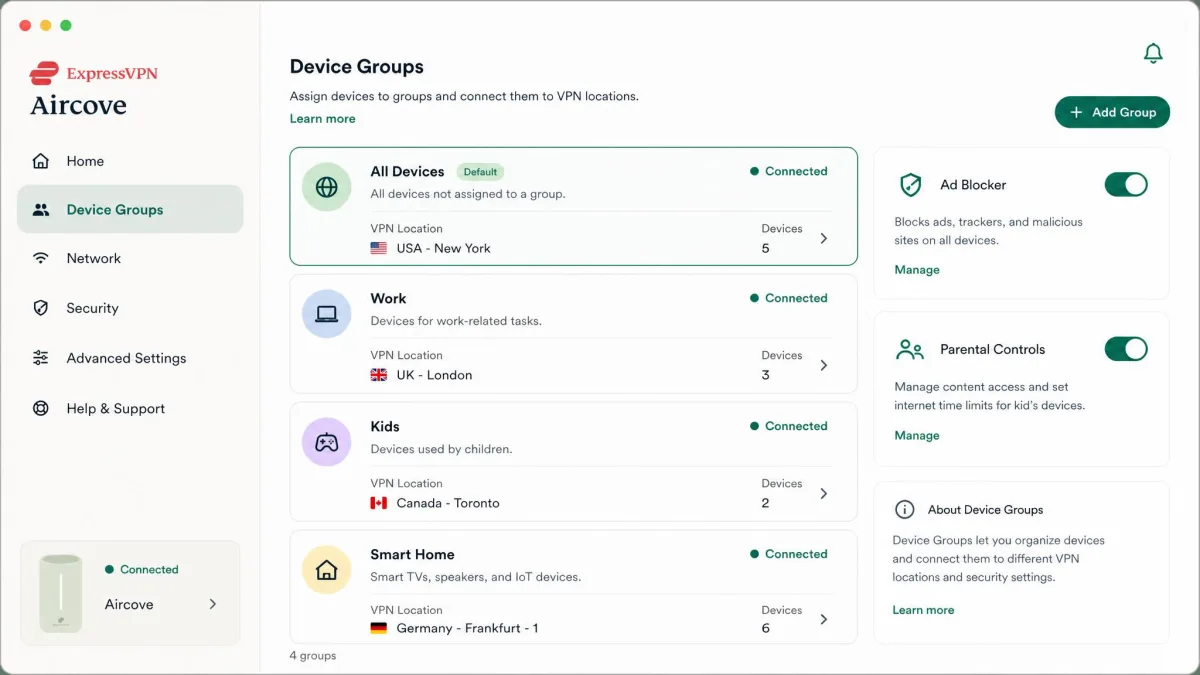
The Aircove is the easiest VPN router to live with, because the VPN is already inside it. There is no firmware to flash and no client to configure. In our setup it was running in under 30 minutes, largely by scanning a QR code and signing in. It runs ExpressVPN's own Lightway protocol and delivers up to 330 Mbps of VPN throughput, with five gigabit ethernet ports and dual-band Wi-Fi 6.
What sets it apart is device grouping: you can place up to five groups of devices on independent VPN locations from one router, alongside ad and tracker blocking, parental controls, and an isolated guest network. The trade-offs are physical. Its Wi-Fi range is limited and struggles to push signal through interior walls, it is not mesh-ready, and it feels underpowered for bandwidth-heavy gaming. It also needs an active ExpressVPN subscription for the VPN features to work, sold separately from the hardware.
The device-grouping feature is the part that most justifies the Aircove over a plain app, and it is genuinely well done. You can leave the smart TV on a US server for streaming, put a work laptop on a UK exit, and keep the phones on the nearest, fastest location, all without logging into anything technical. The ad and tracker blocking runs at the network level, so the ancient tablet that cannot install a blocker still benefits. The Aircove counts as just one of ExpressVPN's fourteen simultaneous device slots too, so pairing it with the app on your travel phone costs you almost nothing. It is a beginner's router that does not feel like a compromise, provided you keep its range limits in mind.
Pros
- VPN preinstalled, running in under 30 minutes
- Up to five device groups on independent VPN locations
- Ad blocking, parental controls, and guest network built in
Cons
- Limited Wi-Fi range through interior walls
- Not mesh-ready and underpowered for heavy gaming
Best for: Anyone who wants VPN protection with no configuration at all. Skip if: You need mesh coverage or top VPN speed.
The Aircove is built and supported by ExpressVPN, and the full hardware spec lives on the ExpressVPN Aircove page. It carries a 30-day money-back guarantee for new subscribers.
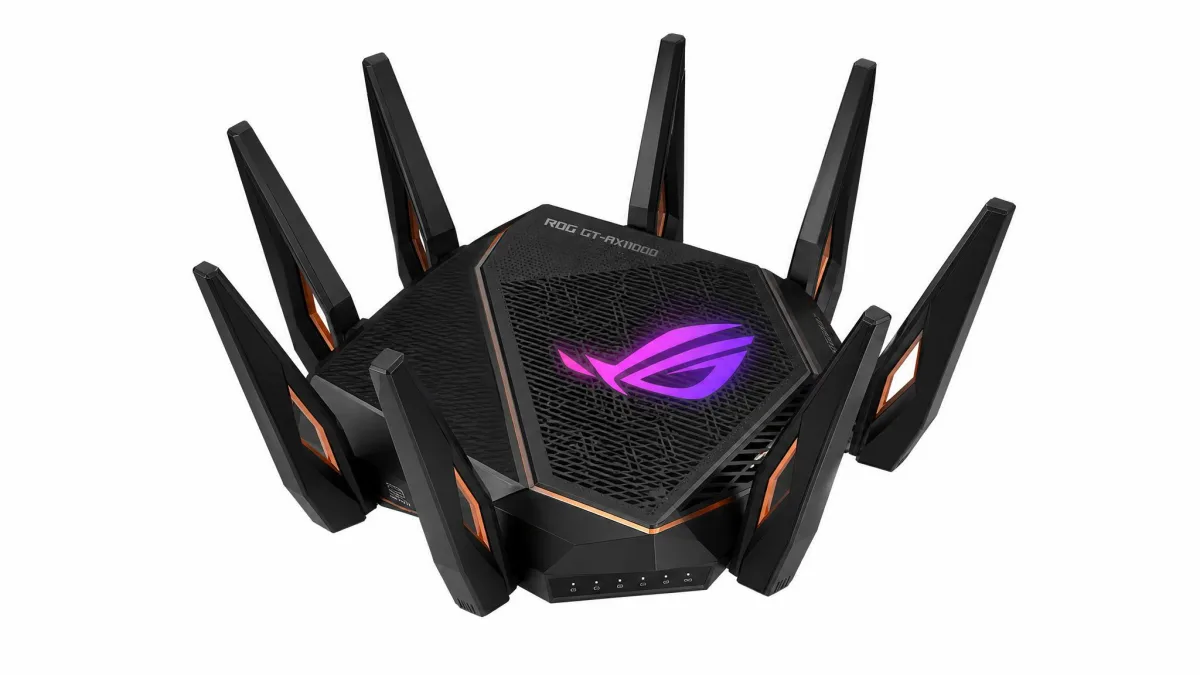
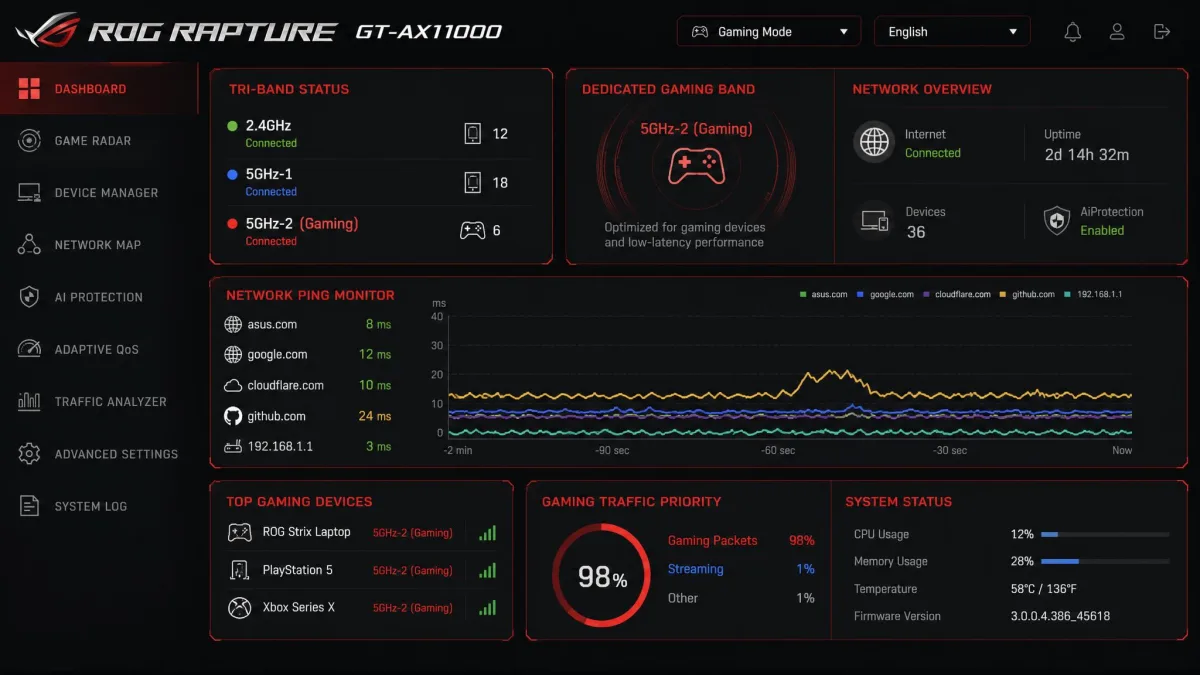
Asus ROG Rapture GT-AX11000
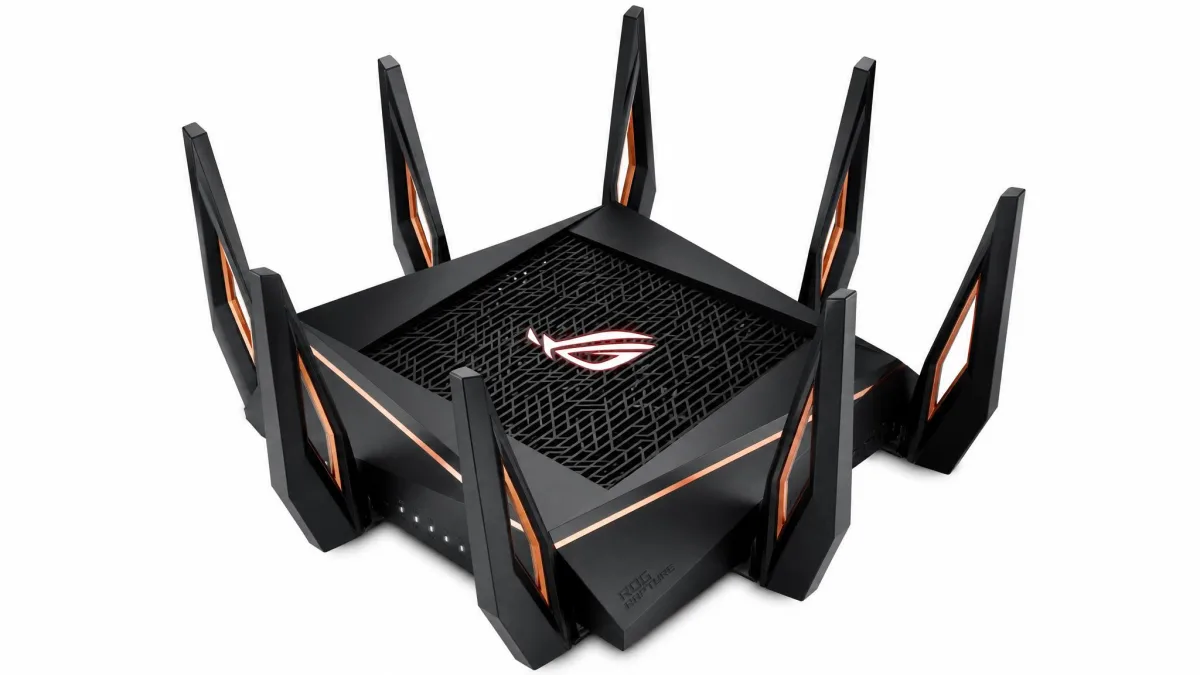
The GT-AX11000 is built for players who refuse to trade latency for privacy. It is a tri-band Wi-Fi 6 router with one 2.4 GHz band and two 5 GHz bands, each 5 GHz band rated up to 4,804 Mbps, so you can hand a dedicated band to your console or gaming PC while the rest of the house shares the others. A 2.5G ethernet port, a 1.8 GHz quad-core CPU, WTFast, and AiMesh round out the gaming toolkit.
Like the RT-AX86U, it gains OpenVPN and WireGuard client and server support through Asuswrt-Merlin, and WireGuard is the protocol you want for the least latency overhead. Flashing to Merlin is again what unlocks that support, since stock firmware favors the slower OpenVPN path.
The tri-band layout is the real gaming trick here, and it changes how a VPN fits into your setup. Because you can reserve one entire 5 GHz band for the console or gaming rig, that device gets a clear lane with less contention from the rest of the household's traffic, and the quad-core CPU has the muscle to encrypt without buckling. WTFast adds a game-traffic optimization layer on top for players chasing the lowest possible ping to distant servers. It is a large, power-hungry box that costs more than most people need to spend, but for a dedicated gaming household that also wants a VPN tunnel, it is the router that refuses to make you choose.
In our gaming sessions the results backed that up. With a WireGuard tunnel active on the Asus hardware, throughput landed in the low-800s Mbps against a roughly 900 Mbps line, so most of a gigabit connection survived the encryption overhead. On the gaming side the GT-AX11000 held around 4 ms ping across titles like Destiny 2 and Red Dead Redemption 2, with almost no added lag even while we streamed to Twitch. The trick is VPN Fusion, which lets you route game traffic outside the tunnel while every other device stays protected, so a dedicated 5 GHz gaming band sidesteps the latency penalty of pushing everything through the VPN.
Pros
- Tri-band Wi-Fi 6 with a dedicated band for gaming
- WireGuard support via Merlin for low-overhead VPN
- Lifetime AiProtection security and 2.5G port
Cons
- Large, power-hungry, and expensive
- WireGuard requires flashing custom firmware
Best for: Gamers who want a VPN tunnel without sacrificing a low-latency band. Skip if: You want something compact or budget-friendly.
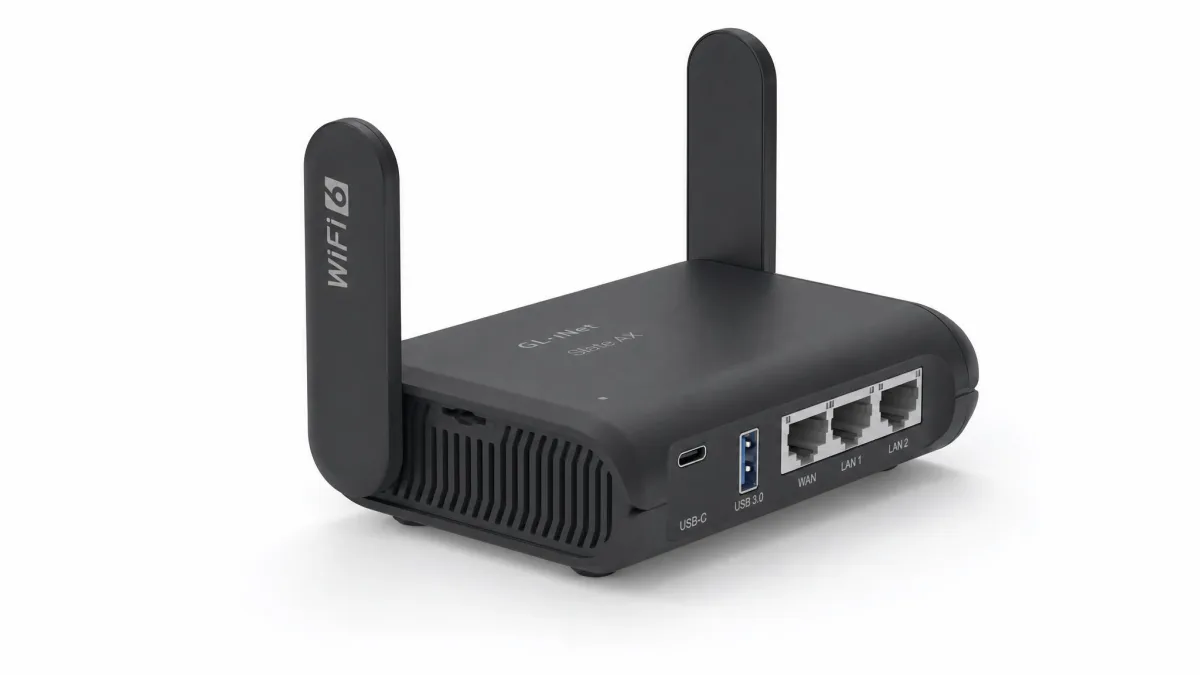
GL.iNet Slate AX
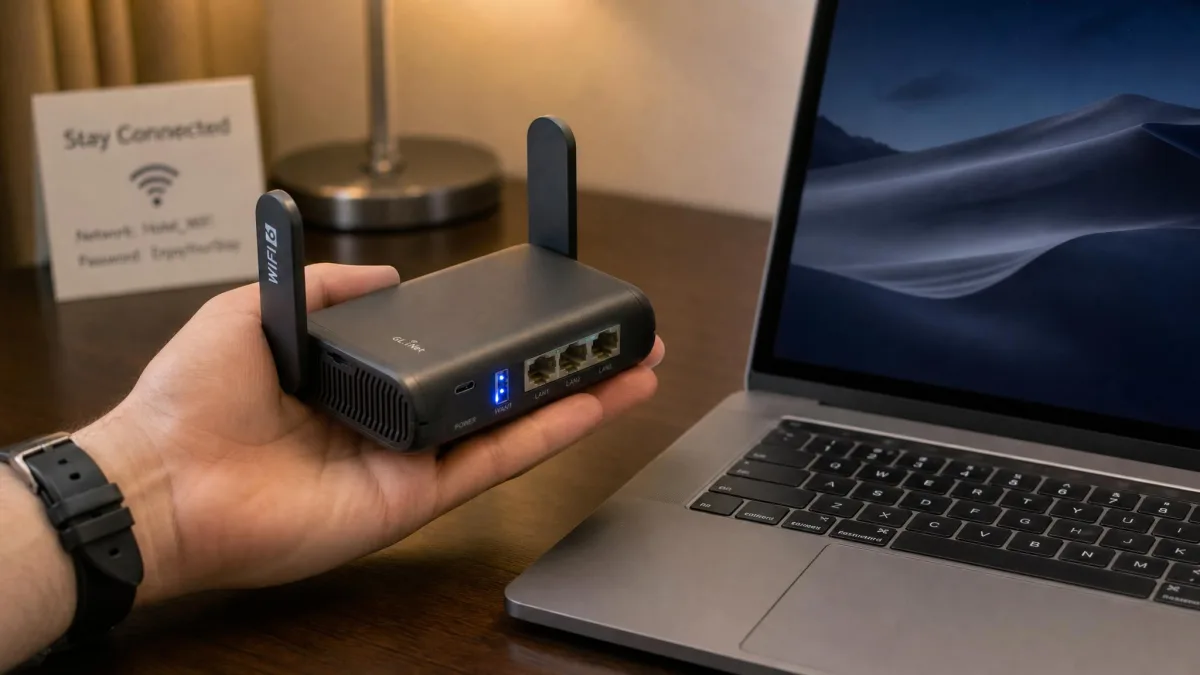
The Slate AX, model GL-AXT1800, packs desktop-router flexibility into something that fits in a jacket pocket at 245 grams. It is a Wi-Fi 6 travel router rated at 1,800 Mbps combined, with three gigabit ethernet ports, USB 3.0, and a microSD slot. On VPN it reaches up to 550 Mbps on WireGuard and 560 Mbps on OpenVPN with Data Channel Offload, which is remarkable headroom for a unit this size.
It packs wired ports and real VPN headroom into a carry-on-sized body, which makes it a genuinely practical companion for hotel and public Wi-Fi. You create a trusted private network wherever you go, connect all your devices to it, and let the router handle the tunnel. It runs the same OpenWrt-based GL.iNet interface as the Flint 2, with WireGuard and OpenVPN client and server, repeater and extender modes, and Tor support. It can hold up to 120 devices at once, far more than a single traveler needs.
The reason we reach for the Slate AX over a phone's hotspot on the road is trust. A hotel or airport network is shared with strangers, and connecting your laptop straight to it exposes it directly; connecting through the Slate AX puts a firewall and a VPN tunnel between your devices and everyone else on that Wi-Fi. The repeater mode lets it grab the hotel signal and rebroadcast your own private network on top, so you log into the captive portal once and every device rides along. USB 3.0 and the microSD slot mean it can also serve files or share a phone's tethered connection in a pinch. It is the closest thing here to carrying your home network in a pocket.
Pros
- Pocket-sized at 245 grams with real wired ports
- Up to 550 Mbps WireGuard, strong for a travel router
- Same flexible OpenWrt-based interface as the Flint 2
Cons
- Combined Wi-Fi speed is lower than desktop routers
- VPN maximums assume ideal server and CPU conditions
Best for: Frequent travelers who want secure Wi-Fi in hotels and cafes. Skip if: You need whole-home coverage rather than a portable unit.
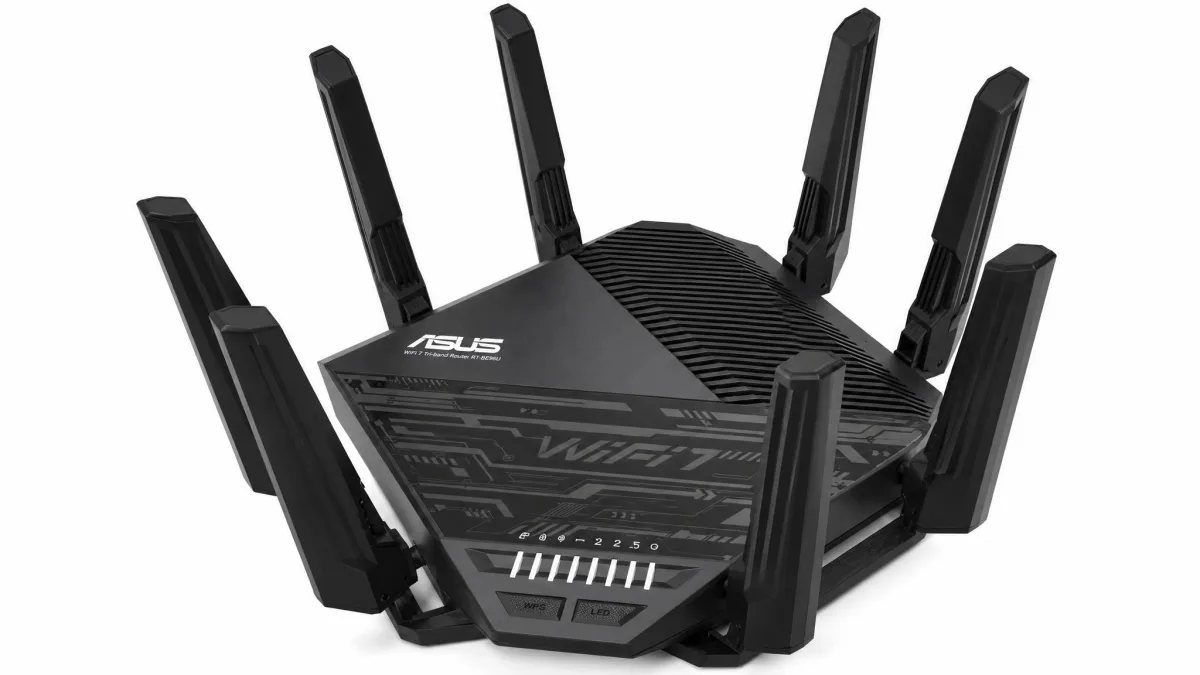
Asus RT-BE96U
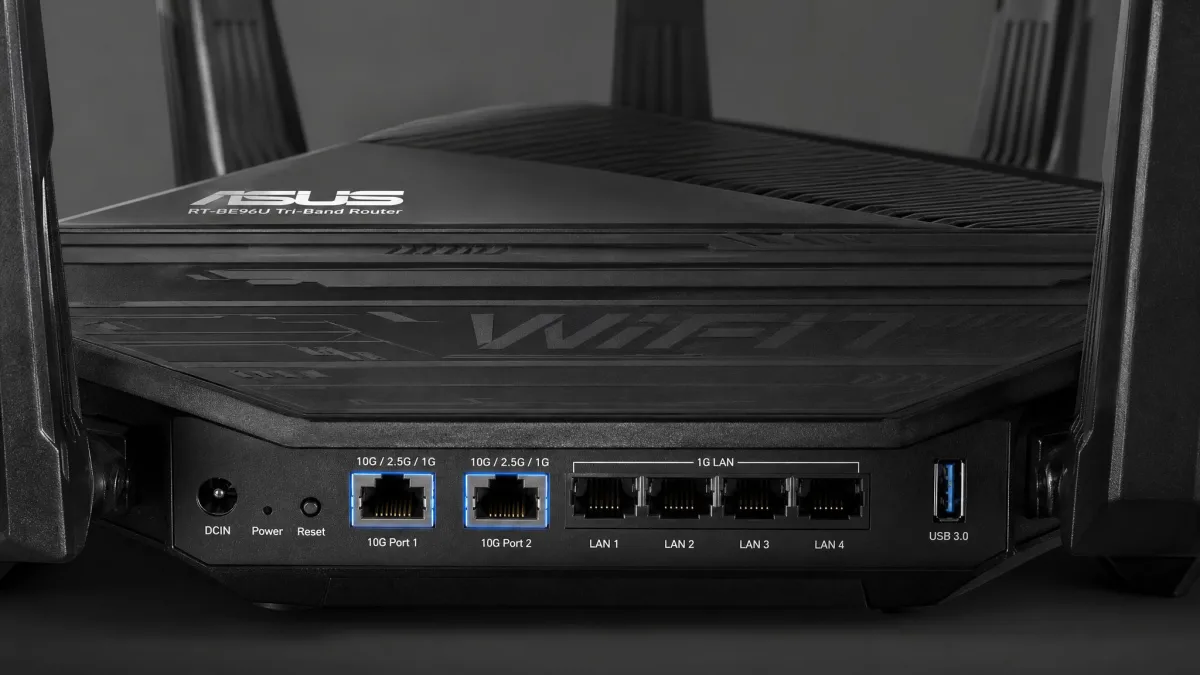
If you want to future-proof your network, the RT-BE96U is the flagship in this roundup. It is a tri-band Wi-Fi 7 router rated at up to 19,000 Mbps combined across the 2.4, 5, and 6 GHz bands, with 320 MHz channels and 4096-QAM on the 6 GHz band. Its ports are the standout: two 10 Gbps multi-gig ports plus four gigabit LAN ports, so the wired side keeps up with the fastest home internet on the market.
For VPN, it offers one-click server and client setup through a dedicated subnetwork on stock firmware, and WireGuard support arrives through Asuswrt-Merlin for those who want the faster protocol. AiProtection is included with no subscription, and coverage reaches up to 3,500 square feet.
The case for spending flagship money is the wired side as much as the Wi-Fi. Two 10 Gbps ports mean this router will not bottleneck a multi-gig fiber line or a fast local NAS, something almost nothing else here can claim, and the dedicated 6 GHz band gives Wi-Fi 7 devices a wide, clean lane once you own them. The one-click VPN subnetwork is a thoughtful touch: it stands up a separate tunnelled network without you hand-editing anything, so you can keep the main network local and drop specific devices onto the VPN side. It is overkill for a small apartment, but for a large home with fast internet and an eye on the next several years, it is the router least likely to feel slow.
Coverage is where it earned its score in our testing. From a central spot it blanketed a roughly 2,500 square foot home without thick walls, reaching every corner with signal to spare, and it has one of the best ranges of any single-unit broadcaster we have run. A Wi-Fi 7 client on the 6 GHz band pulled about 1.9 Gbps at 15 feet and the router topped 3.7 Gbps in close-range testing, so the rated coverage speeds are realistic on capable hardware. On the VPN side it works as a full server or client and is one of the few consumer routers to support site-to-site VPN, with WireGuard reachable through Asuswrt-Merlin. We could not pin down a repeatable VPN throughput figure we would stand behind, so treat its tunnel speed as capable-but-unquantified rather than a headline number.
Pros
- Wi-Fi 7 with up to 19,000 Mbps combined throughput
- Two 10 Gbps ports for the fastest wired connections
- Subscription-free AiProtection security
Cons
- Premium price, even as street prices drift below MSRP
- You need Wi-Fi 7 devices to feel the full benefit
Best for: Buyers with fast internet who want a router that lasts years. Skip if: You are on a budget or have no Wi-Fi 7 devices yet.
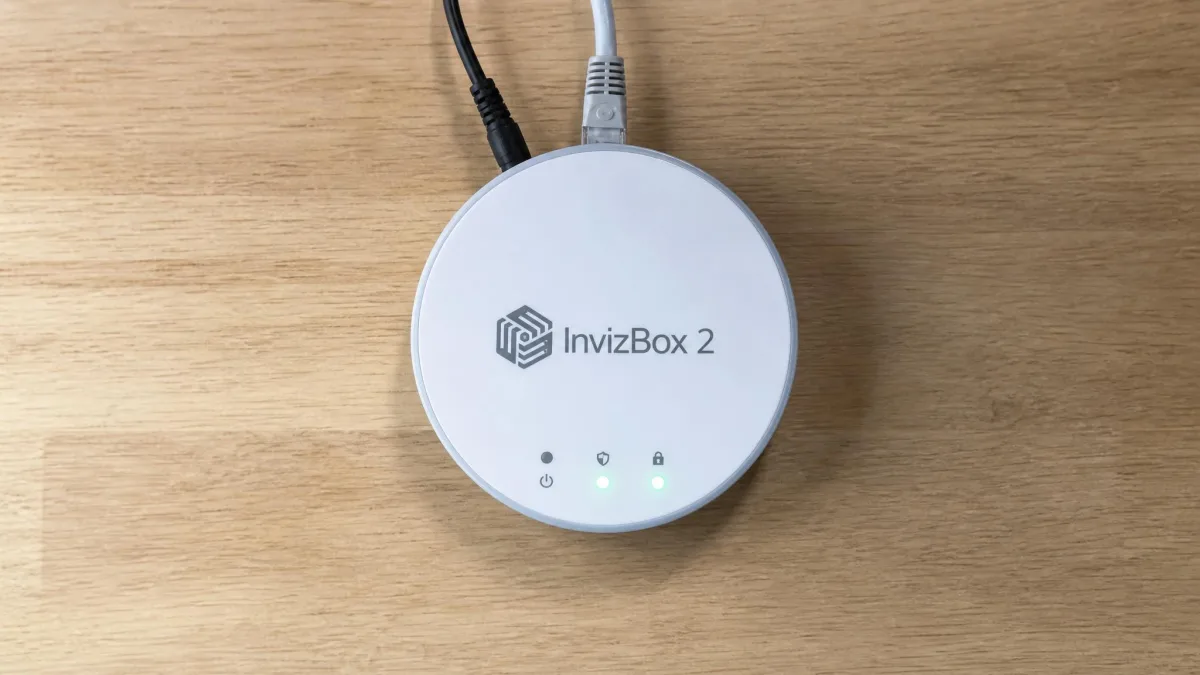
InvizBox 2
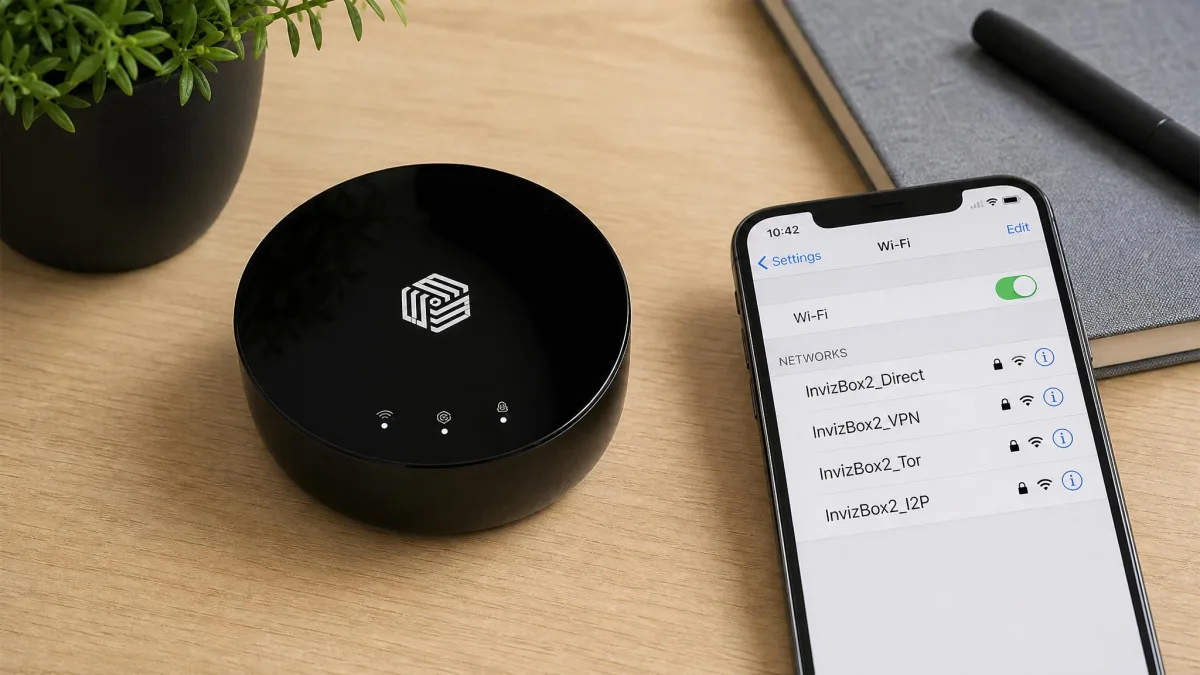
The InvizBox 2 is the cheapest way into a VPN router, at $129 for the hardware, and it is aimed squarely at simplicity over speed. It creates up to four separate Wi-Fi networks, each able to run a different VPN connection, and it works with providers like Surfshark and NordVPN. If your subscription lapses, it reverts to a standard router rather than dropping your internet.
Be honest with yourself about the limits before buying. VPN throughput is capped at around 100 Mbps, its Wi-Fi range is a short 30 to 50 feet with no external antennas, and support can be slow and hard to reach. Crucially, the VPN provider cannot be changed after initial setup, so choose carefully. For a spare room, a small apartment, or a first experiment with VPN routing, it does the job cheaply.
Where the InvizBox 2 makes sense is as a low-stakes way to try the concept. The four separate networks let you keep one SSID on a VPN and another on your normal connection, so the streaming stick that hates a foreign IP has somewhere to live. The fallback-to-normal-router behaviour is genuinely reassuring: a lapsed subscription means slower, unprotected internet rather than no internet at all, which is not true of every budget box. Just treat the 100 Mbps cap and the locked-in provider as hard limits, not teething problems. If your line is faster than 100 Mbps or you expect to switch VPN services, you will outgrow it quickly, and one of the GL.iNet units is the better long-term buy.
Pros
- Lowest hardware price of our picks
- Four networks, each on a separate VPN connection
- Reverts to a normal router if your subscription lapses
Cons
- VPN speed capped around 100 Mbps
- Short range and support that can be slow to reach
Best for: Budget buyers in a small space who value simplicity. Skip if: You have fast internet or need whole-home range.
How to Choose the Best VPN Router
The right router depends on three things above all: the protocols it supports, its Wi-Fi speed and coverage, and how much setup you are willing to do. Get the protocol question right and the rest tends to fall into place.
VPN Protocol Support (OpenVPN / WireGuard)
Protocol choice is the single biggest lever on VPN speed. OpenVPN is mature, widely supported, and secure, but it is computationally heavy and slow on router hardware. WireGuard is newer, leaner, and dramatically faster on the same chip. Across our testing, the same router routinely ran several times faster on WireGuard than on OpenVPN.
That is why we push buyers toward routers with native WireGuard support, or ones that gain it through custom firmware. On Asus hardware, WireGuard arrives with Asuswrt-Merlin. On GL.iNet boxes, it is built into the OpenWrt-based interface out of the box. ExpressVPN's Aircove sidesteps the question entirely with its own fast Lightway protocol.
Watch the fine print on OpenVPN speed. On some routers it depends on a feature called Data Channel Offload, and without it throughput can fall to a fraction of the WireGuard figure.
Wi-Fi Standard, Speed and Coverage
Your Wi-Fi standard sets the ceiling for local speed. Wi-Fi 6 is the sensible baseline in 2026 and covers most homes comfortably. Wi-Fi 7, as on the RT-BE96U, adds enormous headroom and wider channels, but you only feel the difference with Wi-Fi 7 client devices.
Remember that VPN throughput, not Wi-Fi throughput, is usually the real bottleneck. A router advertising 4,804 Mbps of Wi-Fi may only push a few hundred Mbps through the VPN tunnel. For whole-home coverage, look for mesh support such as Asus AiMesh so you can add nodes later rather than buying a bigger box now.
The number that decides your daily experience is VPN throughput, not the headline Wi-Fi speed on the box.
— From our hands-on VPN router testing
Setup Difficulty and Firmware (DD-WRT / OpenWrt / Merlin)
Setup separates the pick-up-and-go routers from the projects. At the easy end, the ExpressVPN Aircove and InvizBox 2 arrive with the VPN built in. In the middle, GL.iNet routers run WireGuard and OpenVPN through a clean interface with no command line needed. At the involved end, Asus routers reach their full potential only after you flash custom firmware.
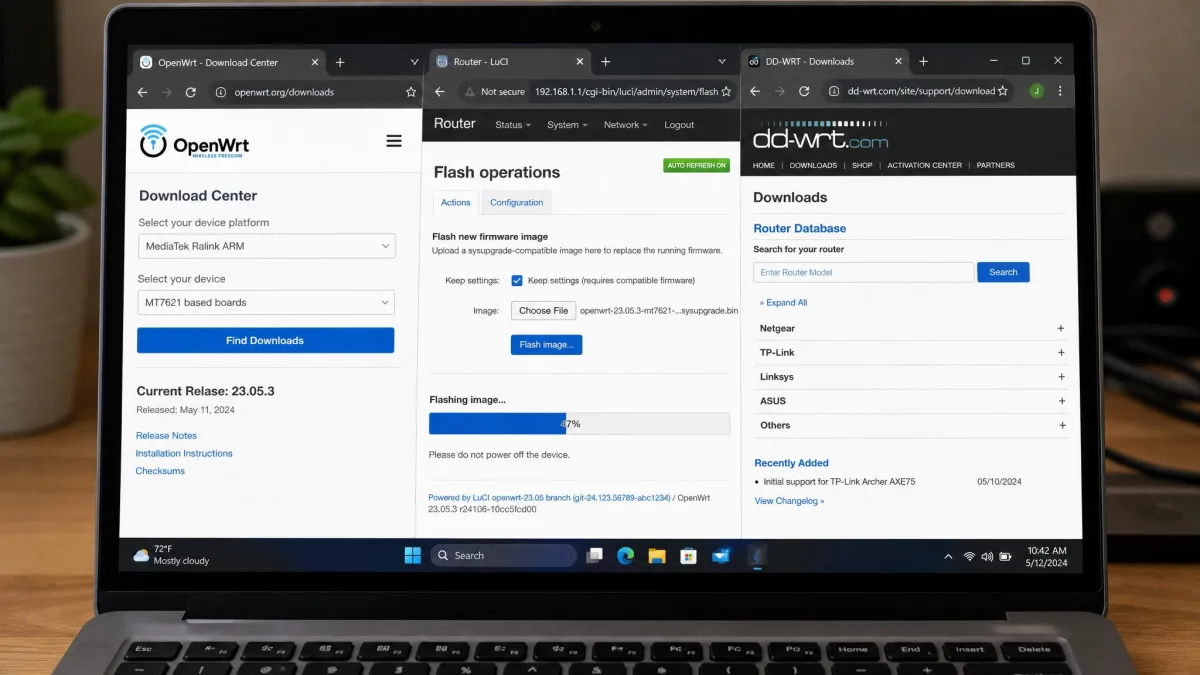
Three firmware names come up constantly. Asuswrt-Merlin is a lightly enhanced version of Asus's own firmware that adds WireGuard and finer VPN control. OpenWrt is a full open-source router operating system that powers GL.iNet's interface and countless custom builds. DD-WRT is an older, broadly compatible alternative that turns many consumer routers into VPN-capable ones. Flashing any of them replaces the stock firmware, so confirm your exact model is supported first.
How to Set Up a VPN Router
The exact steps vary by router, but the shape is the same across all of them. Getting it right the first time saves a lot of backtracking.
First, confirm compatibility. Check that your model supports a VPN client, either natively or through DD-WRT, OpenWrt, or Merlin firmware. A preconfigured router or an all-in-one like the Aircove skips this entirely. It is worth writing down your exact model and hardware revision here, because two routers with nearly identical names can have different chips, and firmware built for one can brick the other.
Second, install or update the firmware if your router needs it. For Asus models, that means flashing Asuswrt-Merlin to unlock WireGuard. For GL.iNet and preconfigured units, you can move straight on. Whenever you do flash, use a wired connection rather than Wi-Fi, do not interrupt the power, and let the router fully reboot before you touch anything; a flash cut short partway is the one mistake that can leave you with a dead box.
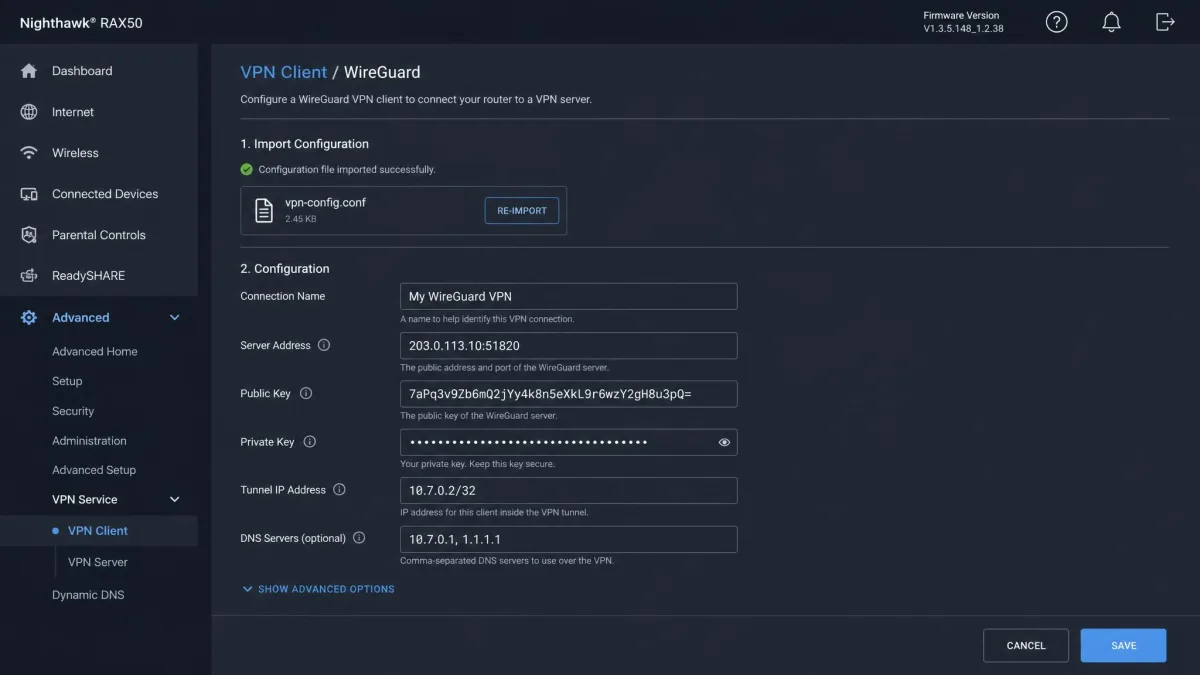
Third, enter your VPN details. Download the configuration file or credentials from your VPN provider, load them into the router's VPN client, and choose WireGuard over OpenVPN wherever both are offered. Many providers publish ready-made config files for exactly this, so grab the WireGuard file for the server location you want rather than typing keys by hand.
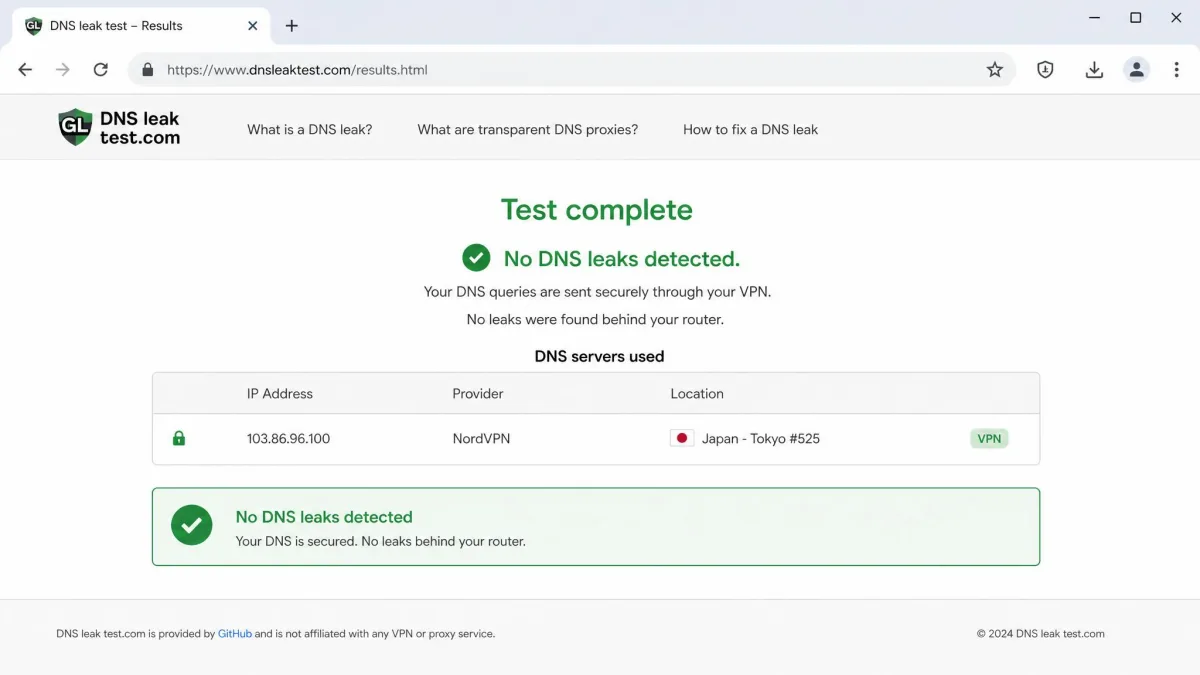
Fourth, connect your devices to the router's Wi-Fi and verify the tunnel with a quick IP and DNS-leak check. Do not skip this step: the router can show a connected VPN status while individual devices still leak DNS to your ISP, so confirm the exit IP and DNS server from an actual connected device, not just the router's dashboard. Finally, set up any exceptions, such as a device or a second network that bypasses the VPN for services that dislike a foreign location. A separate non-VPN SSID for a smart TV or a banking laptop is usually cleaner than toggling the whole tunnel off whenever one service complains.
Set up a separate non-VPN network for smart-home devices and streaming boxes that misbehave behind a VPN. It saves you toggling the whole tunnel off when one gadget complains.
Common Mistakes to Avoid When Buying a VPN Router
The most frequent mistake we see is buying for the Wi-Fi number instead of the VPN number. A router with headline gigabit Wi-Fi can still crawl through its VPN tunnel if the CPU is weak or it is stuck on OpenVPN. Always check the VPN throughput figure, on WireGuard specifically.
The second is ignoring firmware requirements. Plenty of buyers pick an Asus router expecting fast WireGuard, then discover the stock firmware only does OpenVPN and never flash Merlin. If you are not comfortable flashing firmware, choose a router that ships ready to go.
Third, people forget the subscription. Hardware like the Aircove and InvizBox 2 still needs an active VPN plan to do anything useful, so budget for the ongoing cost, not just the box. And with the InvizBox 2 in particular, the provider cannot be changed after setup, so decide before you buy. Finally, do not overlook coverage. A powerful VPN router with short range leaves you with fast, encrypted Wi-Fi that does not reach the far bedroom.
One more trap catches people after the purchase: assuming the VPN is always on when it is not. A tunnel can drop after a reboot, a subscription hiccup, or a server outage, and unless the router is set to block traffic when the VPN fails, every device quietly falls back to the open connection. Look for a kill-switch or "block on disconnect" option in the VPN client settings and turn it on, then confirm it works by disconnecting the tunnel and checking that a device loses internet rather than leaking out unprotected.
Free and unknown VPN providers are a poor match for a router. Because a router protects every device at once, a provider that logs or leaks data exposes your whole household, not just one laptop.
Frequently Asked Questions
Does a VPN slow down your connection?
Do all VPN routers require a VPN subscription?
Can any router be a VPN router?
How do I check if my router is VPN-compatible?
Should I use a VPN router or a per-device VPN app for privacy?
Final Verdict: Is a VPN Router Worth It?
For most households, a VPN router is worth it, and the reason is coverage rather than speed. It protects every connected device the moment it joins the network, including the consoles, TVs, and smart-home gadgets that cannot run a VPN app at all, and it does so on a single subscription. The price you pay is a little speed and a little flexibility, both of which the right router keeps small.
Our overall pick is the Asus RT-AX86U. It balances fast Wi-Fi 6, included security, and full WireGuard support once flashed to Merlin, and it scales with AiMesh as your needs grow. If you want maximum VPN speed per dollar, the GL.iNet Flint 2 is the smarter buy, and if you want zero setup, the ExpressVPN Aircove is the one to get.