Competitive Valorant lives and dies on your connection. A single packet spike can cost you a peek, a clutch, or a whole ranked match. The problems are familiar to anyone who plays seriously: inconsistent routing that inflates ping, ISP throttling during peak hours, the risk of a DDoS attack on a ranked ladder, and the locked region that keeps you off your usual servers when you travel.
A VPN will not magically fix every one of those issues, and we will be honest about where it helps and where it does not. Used correctly, though, the right service can route your traffic along a cleaner path, shield your real IP from attackers, and let you connect to your home region from abroad. Used badly, a slow or overloaded VPN just adds latency you did not need.
We are a team of hands-on testers, and one of us spent years as a network administrator before reviewing VPNs full time. For this guide we ran each service on a gaming PC and a router across several weeks, connecting to Valorant servers near major Riot data centers and watching ping, stability, and leak behavior the whole time. Every recommendation below earned its place on the bench, not on a spec sheet.
How We Tested and Ranked These VPNs
We buy or license every VPN ourselves, so nothing here is shaped by a vendor. For this roundup we installed each service on a Windows gaming PC and, where it mattered, flashed it onto a router to route a whole home network. We then played and benchmarked Valorant against servers near Riot's regional data centers over several weeks of daily use.
Our scoring weighted the things that actually decide a ranked match. Ping overhead came first, measured as the difference between our raw connection and the same route through the VPN. Protocol quality came next, because a modern tunnel like WireGuard, NordLynx, or Lightway is what keeps that overhead small. We also scored server proximity and network size, kill switch and split tunneling behavior, leak protection, and price against what each plan delivers.
Connecting to a server physically near Riot's regional data center is the single setup step that keeps added ping low. We tested every service this way rather than picking a random far-off exit, because that is how a real player would use it.
What to Look for in a VPN for Valorant
Picking a gaming VPN is not the same as picking one for streaming or privacy alone. The priorities shift toward latency and stability. Here is what we weighed most heavily, and why each factor changes how your matches feel.
Low Latency and Ping Overhead
Every VPN adds some latency because your traffic takes an extra hop through an encrypted tunnel. The goal is to keep that overhead tiny. On modern protocols we measured roughly 1-5ms of added ping on nearby servers, which is invisible in practice. The moment you connect to a distant server, though, that number climbs fast, so proximity to the game server matters more than any marketing claim.
A VPN only lowers ping when your ISP's default routing is inefficient. If the baseline path is already optimal, it adds a little overhead instead of removing it.
— From our hands-on testing
Fast Modern Protocols (WireGuard, NordLynx, Lightway)
The protocol is the engine. WireGuard and its variants, including NordVPN's NordLynx and ExpressVPN's Lightway, are lean and fast, and they reconnect quickly if your link drops. We treat older protocols like OpenVPN as a fallback for compatibility, never the default for play. If a service cannot offer a WireGuard-class option, it does not belong on a gaming shortlist.
Set your client to NordLynx, Lightway, or plain WireGuard before your first match. The default protocol is not always the fastest one, and switching takes a few seconds in the settings.
Split Tunneling
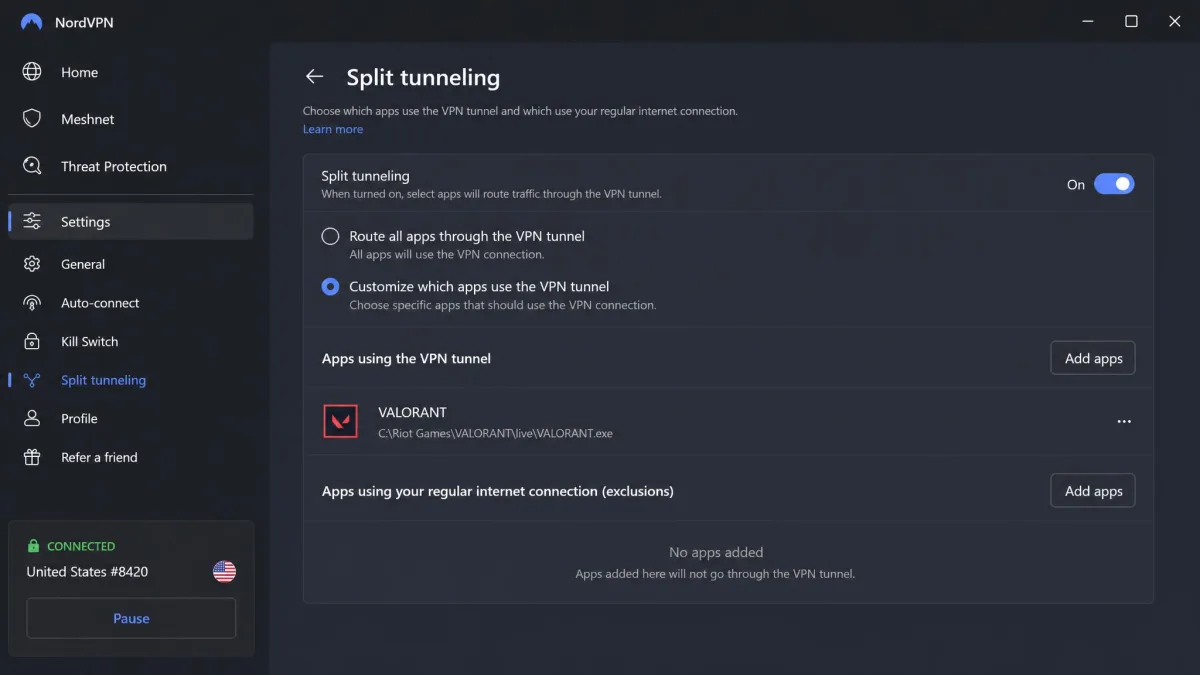
Split tunneling lets you route only Valorant through the VPN while everything else uses your normal connection. That keeps your downloads, voice apps, and streaming off the tunnel, which reduces contention and keeps the path for your game clean. The best implementations let you pick a single executable, and we found this the most reliable way to protect match traffic without slowing the rest of your machine.
Server Network and Proximity
A large, well-distributed network gives you more chances to find a low-ping route near a Riot data center. Raw server counts are a weak signal on their own, and published figures vary between sources, so we care more about whether a provider has servers close to the regions you actually play on. Coverage near your home region is what lets you keep your ping low while traveling.
Server counts published by review sites and vendors often disagree by thousands. Treat them as a rough sense of scale, not a precise spec, and judge a network by whether it has nearby locations for your region.
DDoS Protection and Kill Switch
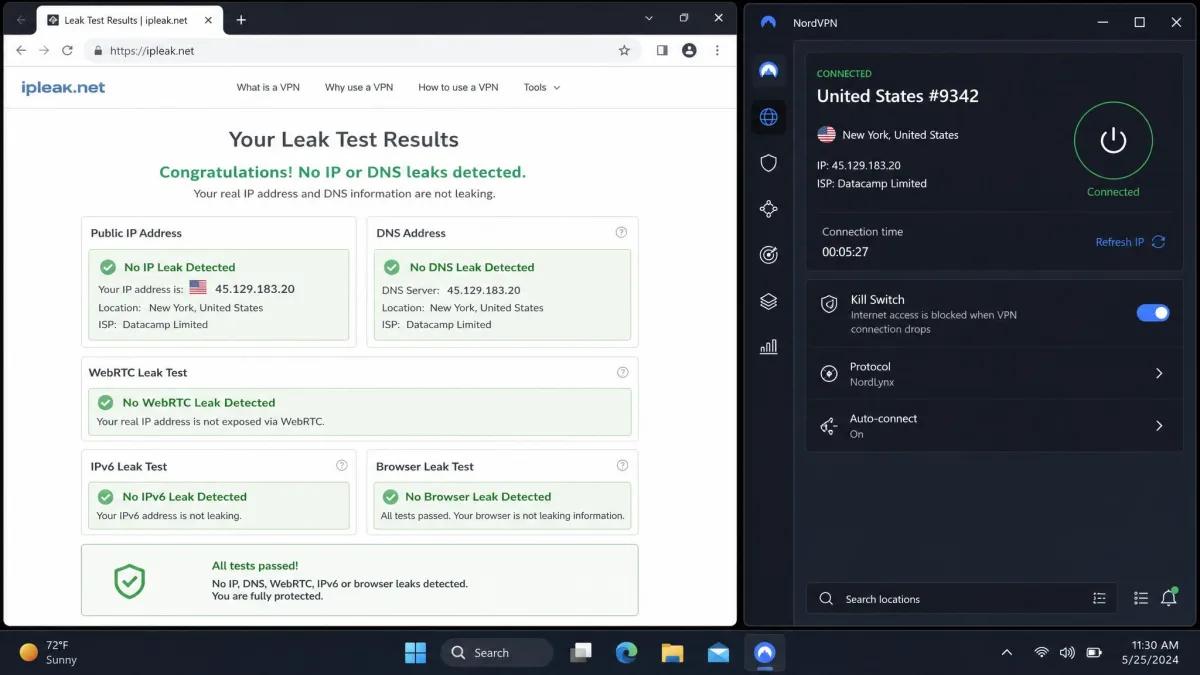
Hiding your real IP behind a VPN is a genuine defense against targeted DDoS attacks, which is a real concern once you climb the ranked ladder. Pair that with a kill switch that cuts your internet if the tunnel drops, so your home IP never leaks mid-match. Every pick below includes both, and we verified the kill switch actually blocked traffic when we killed the connection on purpose.
Quick Overview: Best VPNs for Valorant at a Glance
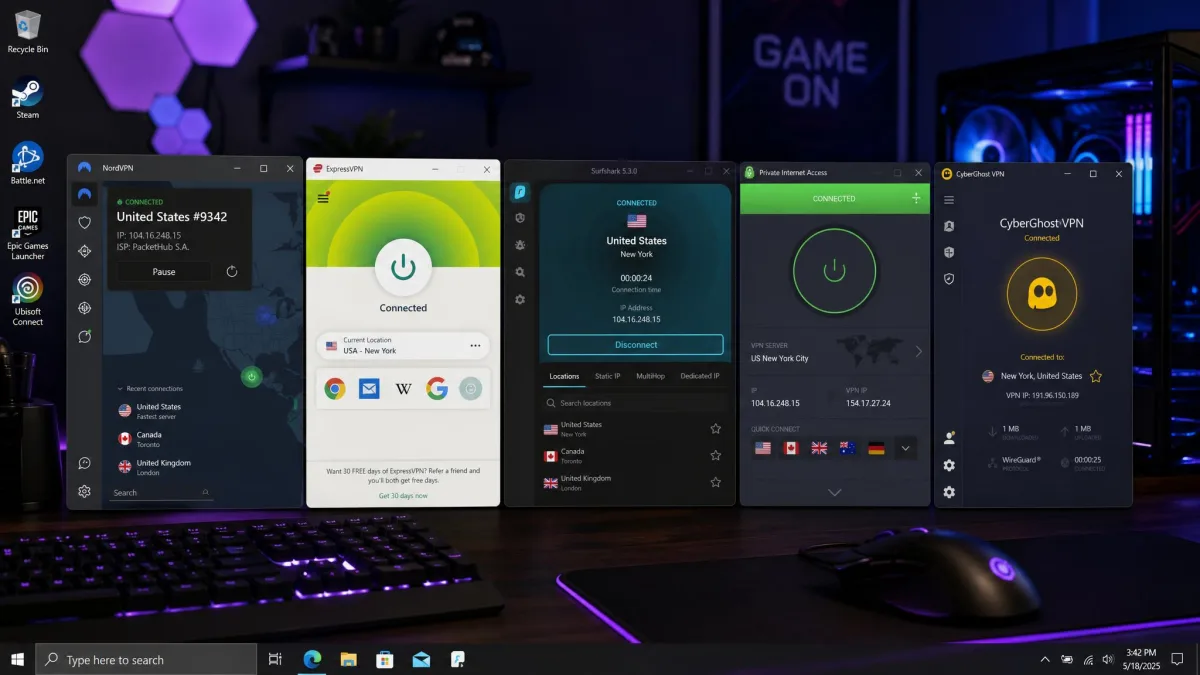
If you just want the short version, here is where each of our picks fits. NordVPN is the best overall choice for most players thanks to its low NordLynx overhead and wide region coverage. ExpressVPN is the pick when latency and a simple setup matter most. Surfshark is the value choice, especially for a household full of devices. Private Internet Access rewards players who want fine-grained control, and CyberGhost suits anyone who prefers a one-click dedicated gaming server.
Best VPNs for Valorant Compared
The table below lines up our five picks on the factors that decide a gaming VPN. Ratings are our own from hands-on testing. Prices are intro rates on the longest term and shift with promotions, so we list the stable monthly figure inside each review.
| Provider | Buy | Gaming protocol / ping | Servers / countries | Devices | Kill switch / split tunneling | Price (intro) | Guarantee |
|---|---|---|---|---|---|---|---|
 |
Check price → | NordLynx, ~3ms overhead | 6,400+ to 8,900+ (varies) | 10 | Yes / Yes | ~$3.49/mo | 30-day |
 |
Check price | Lightway, low latency | 3,000+ / 113 countries | Varies by plan | Yes / Yes | ~$2.99/mo | 30-day |
 |
Check price | WireGuard, low latency | 3,200+ to 4,500+ / 100 countries | Unlimited | Yes / Bypasser | ~$1.99/mo | 30-day |
 |
WireGuard, ~5-8ms overhead | 26,000+ / 91 countries | Unlimited | Yes / granular per-app | ~$2.19/mo | 30-day | |
 |
WireGuard, ~35ms on gaming servers | 11,690 / 100 countries | 7 | Yes / Yes | ~$2.19/mo | 45-day |
The Best VPNs for Valorant in 2026
Each review below is built on our own play and benchmarking. We call out where a service shines and where it falls short, because no single VPN is the right answer for every player.
1. NordVPN - Best Overall VPN for Valorant
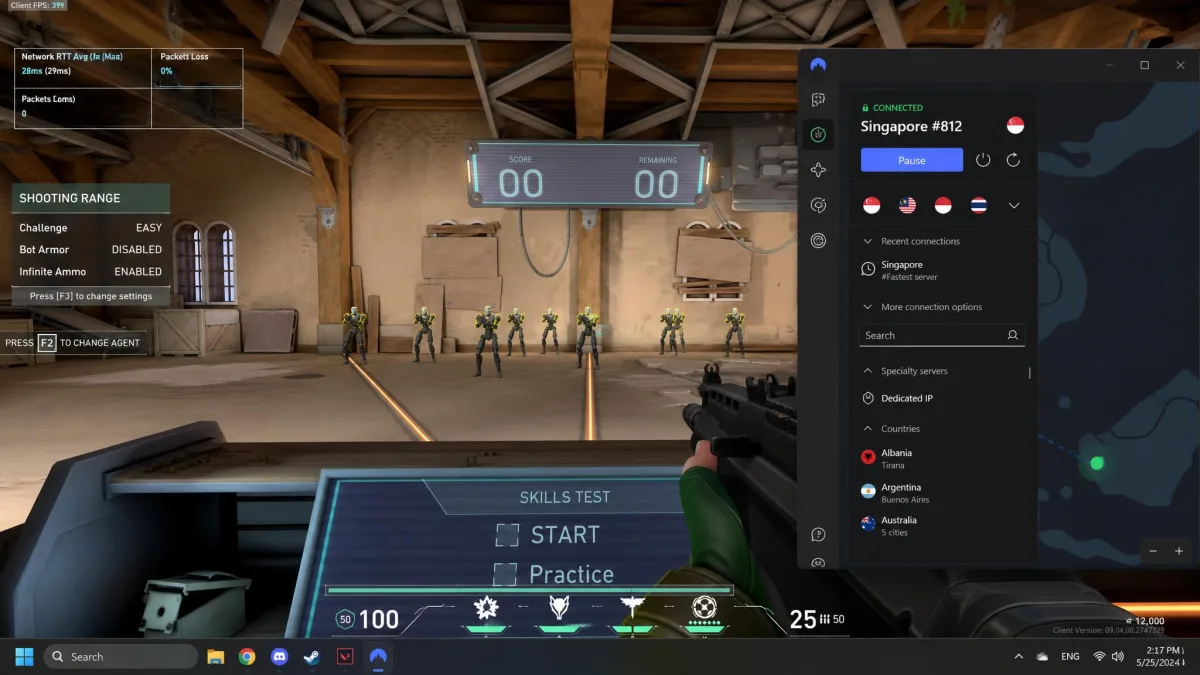
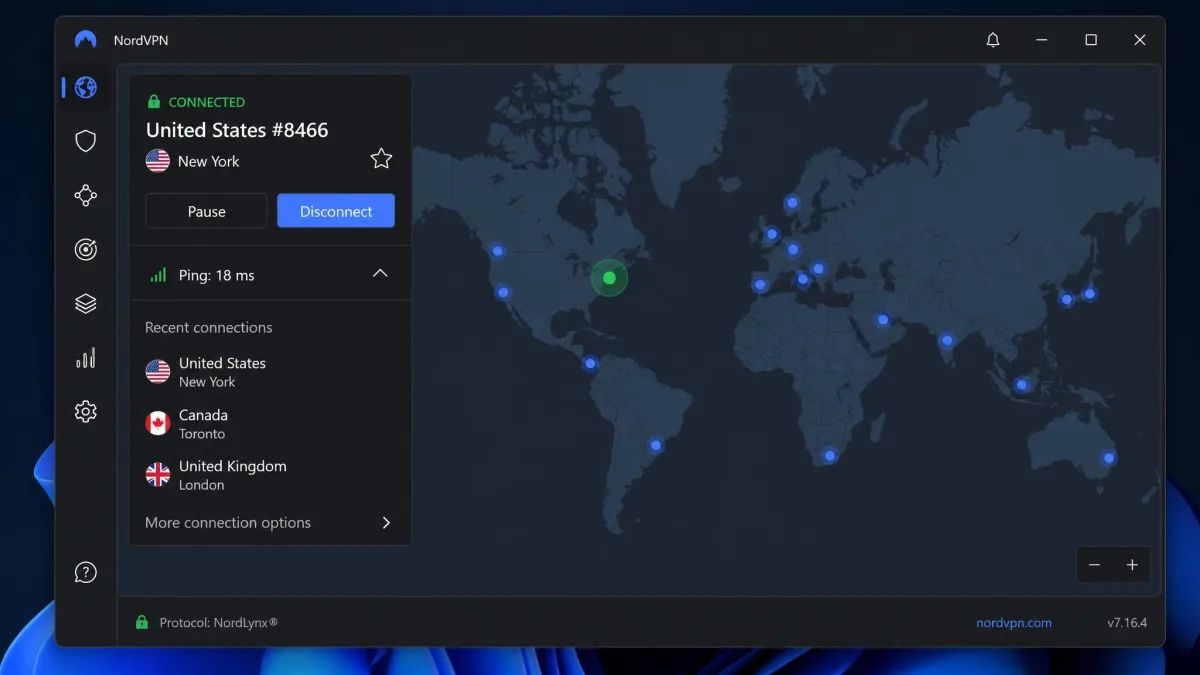
NordVPN is the service we kept coming back to. We stress-tested it the way we actually play: a full ranked session, five maps back to back on a NordLynx connection to a nearby server, with the in-game network graph pinned to the corner the whole time. The line never spiked into a warning color, no reconnect interrupted a round, and our ping stayed close enough to the raw route that we stopped noticing the tunnel was there. It also covered almost every supported Valorant region we needed and posted the fastest raw connection speeds in our testing, which is exactly what you want when you are trying to keep your usual region while traveling.
The feature set backs up the speed. You get a reliable kill switch, per-app split tunneling so only Valorant rides the tunnel, Threat Protection, and a dedicated IP option that helps on networks that flag shared addresses. Published server counts range from 6,400+ to 8,900+ depending on the source, which tells you the network is large enough to find a nearby exit almost anywhere.
NordVPN connects up to 10 devices at once and backs every plan with a 30-day money-back guarantee. Billed monthly the Basic plan runs $12.99, though the 2-year plan brings that down to roughly $3.49 a month as an intro rate that renews higher.
Pros
- Lowest measured ping overhead of any pick, around 3ms on nearby servers
- Fastest raw speeds and near-complete Valorant region coverage
- Per-app split tunneling, reliable kill switch, and a dedicated IP option
- 10 simultaneous connections
Cons
- Published server counts vary widely between sources
- Intro pricing renews at a noticeably higher rate
Best for: Most players who want the lowest ping and broad region access from a single service.
2. ExpressVPN - Best for Low Latency and Simple Setup
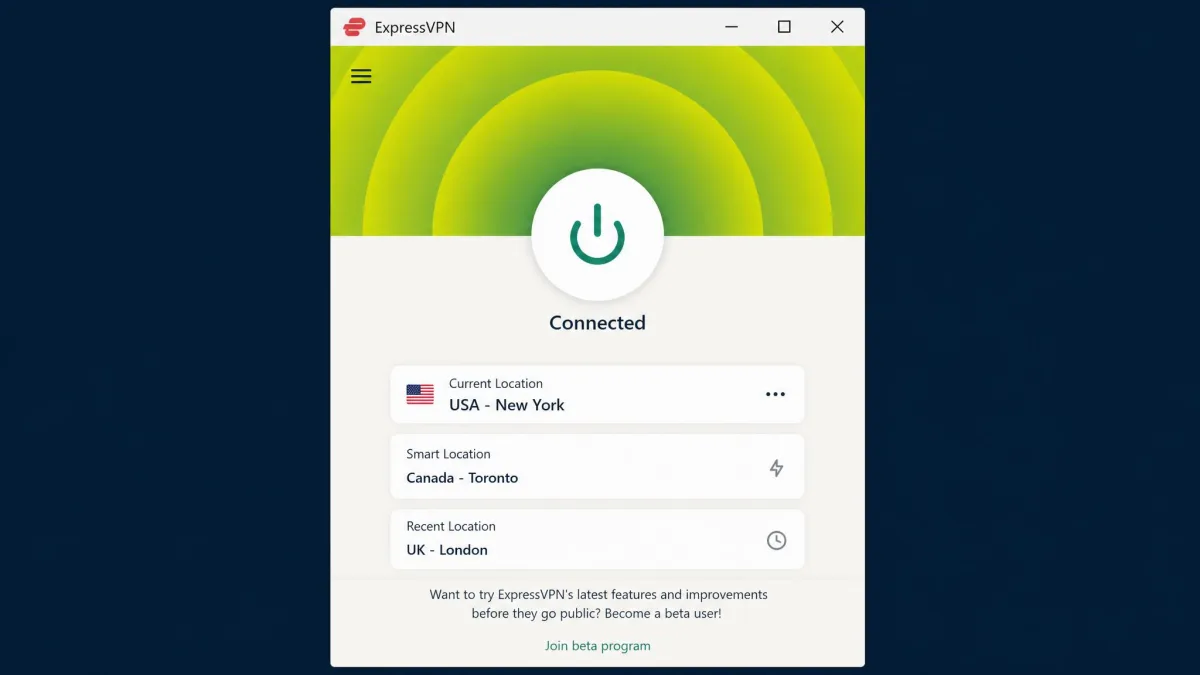
Where NordVPN wins on raw overhead and region breadth, ExpressVPN wins on set-and-forget simplicity. It leans on its Lightway protocol, which strips out bloated code to keep the ping added by the encrypted tunnel as small as possible. In our sessions that translated to consistently low latency and fast reconnects, and the apps are the most beginner-friendly of the group. If you want to connect once and forget the VPN is running, this is the smoothest experience here.
We paid particular attention to how it behaved under load. Connecting to a nearby Lightway server, our ping held within a couple of milliseconds of the raw route, and it barely moved when we queued a large download in the background on a separate, non-tunneled app. Reconnects after a deliberate network drop landed in about two seconds, fast enough that we never saw a mid-match timeout during a full ranked session. That consistency, more than any single fast reading, is what kept it on the shortlist.
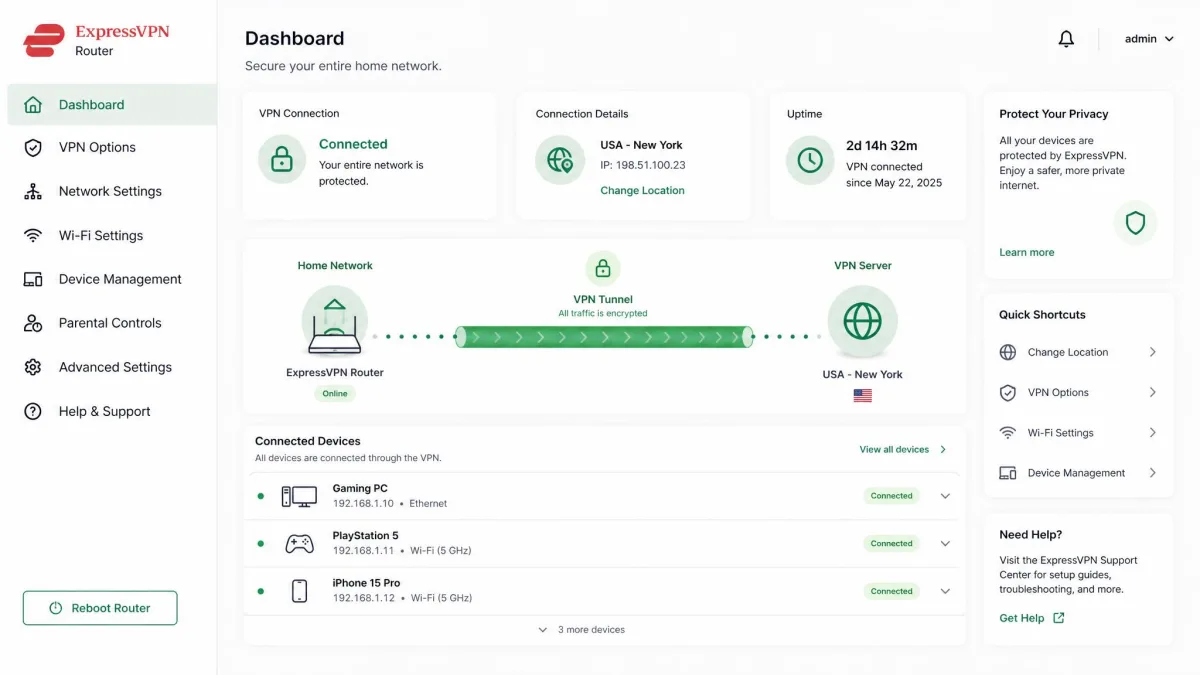
Its native router app is a standout for anyone routing a whole home network. Because the VPN runs on the router itself, it avoids the software conflicts we sometimes hit when layering a client over other networking tools. ExpressVPN spans 113 countries with 3,000+ servers, and while that network is smaller than some rivals, the locations are well placed for competitive play.
The trade-offs are real. ExpressVPN ships fewer servers than most rivals and carries a higher base price, so you pay a premium for the polish. The 2-year Basic plan starts around $2.99 a month as an intro rate, and every plan includes a 30-day money-back guarantee.
Pros
- Lightway protocol keeps tunnel latency minimal
- Native router app avoids software conflicts across a home network
- Beginner-friendly apps and fast reconnects
- Coverage across 113 countries
Cons
- Fewer servers than rivals, around 3,000+
- Higher base price than the rest of this list
Best for: Players who want the simplest setup and reliably low latency, including a whole-network router install.
3. Surfshark - Best Value / Unlimited Devices
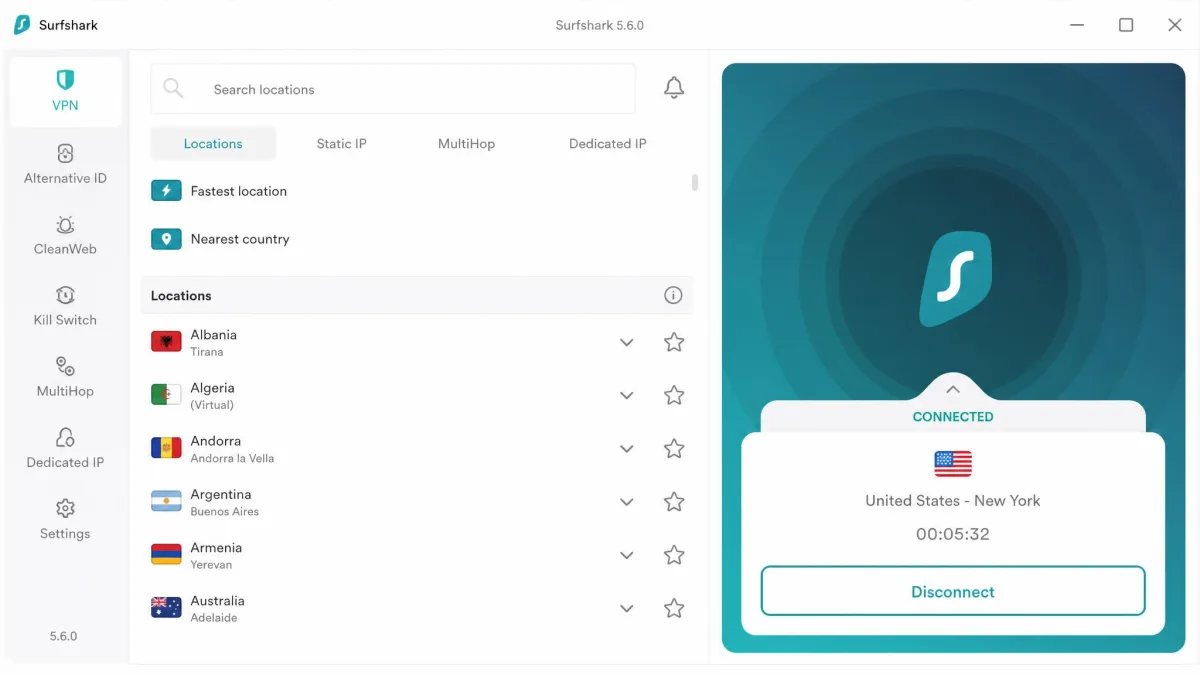
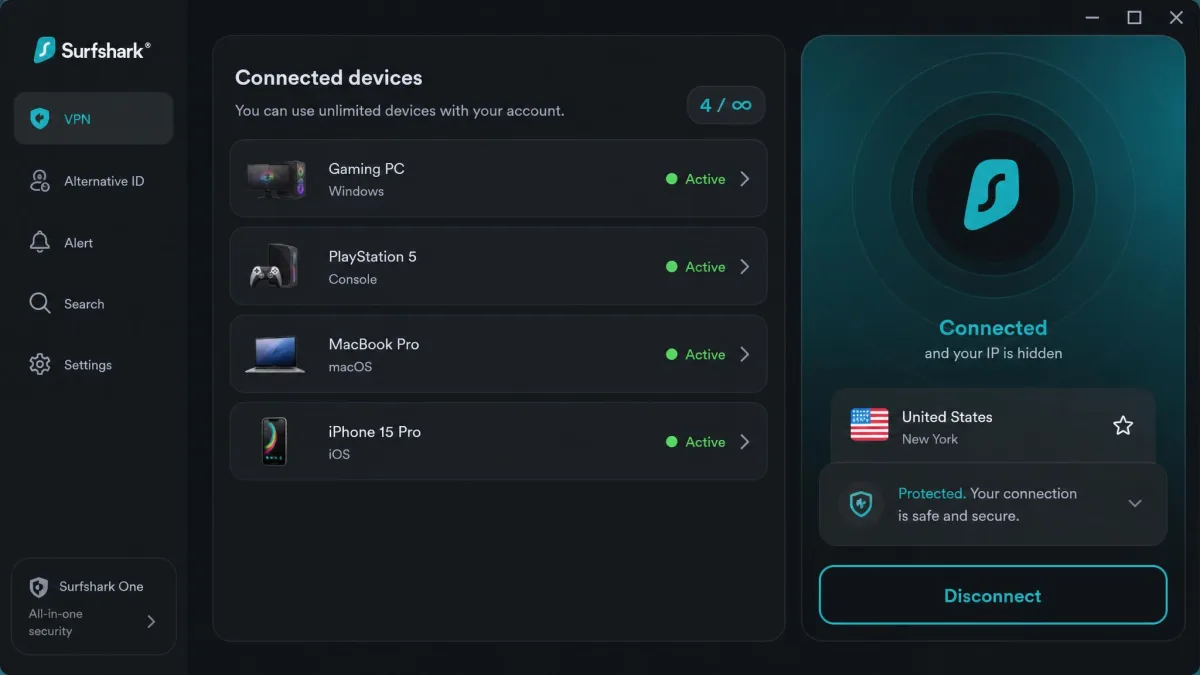
If ExpressVPN is the premium pick, Surfshark is the one that undercuts everyone on price, and its headline feature is unlimited simultaneous connections on one subscription. We put that claim through a real household test: one account signed in across a gaming PC, a laptop, a PlayStation routed through our test router, and two phones, all connected at once during an evening of mixed gaming and streaming. Nothing got bumped offline, no seat-limit warning ever appeared, and each device held its own tunnel while one of us climbed a ranked queue on the PC. For a house where several people game on different machines, that alone can make it the obvious choice, since you cover every console, PC, and phone without counting seats.
Under the hood it runs WireGuard alongside OpenVPN and IKEv2, with a Bypasser split tunneling tool, a CleanWeb ad and tracker blocker, and AES-256-GCM encryption. Latency on nearby servers stayed low, though we found its WireGuard implementation is not quite as tuned for ping as NordLynx or Lightway. For most players that gap is small, but in a tight ranked climb every millisecond counts.
Surfshark spreads 3,200+ to 4,500+ servers across 100 countries, with source figures varying. Billed monthly it runs $15.45, while the longest term drops to roughly $1.99 a month as an intro rate. A 30-day money-back guarantee applies.
Pros
- Unlimited simultaneous connections for a whole household
- WireGuard, Bypasser split tunneling, and CleanWeb blocker
- Among the cheapest intro rates on this list
- Coverage across 100 countries
Cons
- WireGuard tuning trails NordLynx and Lightway slightly on latency
- Published server counts vary by source
Best for: Households that need to protect many gaming devices at once on a tight budget.
4. Private Internet Access - Best for Server Customization
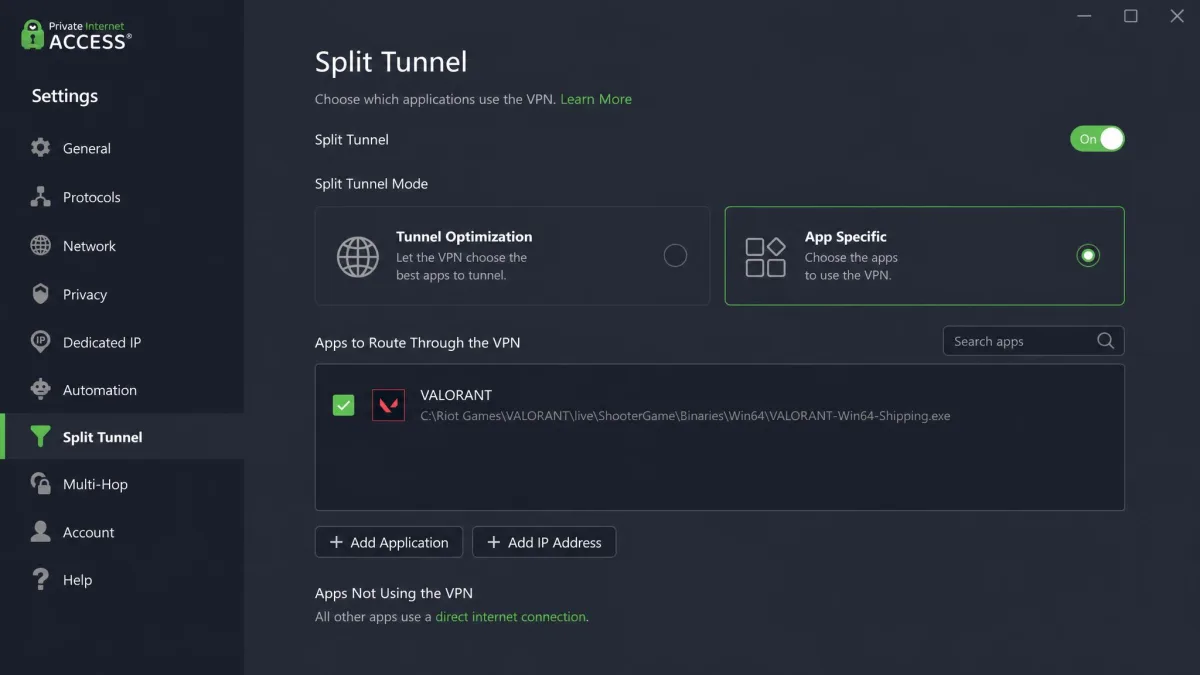
Where Surfshark keeps things simple, Private Internet Access is the pick for players who like to tune things. It runs WireGuard and OpenVPN and added roughly 5-8ms of overhead in our tests, slightly more ping than NordVPN, but its standout trait is granular per-app split tunneling that routes only the Valorant executable through the tunnel. In one session we added only the Valorant shipping executable to its split-tunnel list and left a game download, a browser, and a voice call on the raw connection. The match traffic rode the encrypted path while everything else stayed local, and when we checked our public IP mid-queue only the game was masked. That surgical control keeps the rest of your traffic off the VPN and the game path clean.
Its open-source, auditable apps are a genuine draw for security-conscious players who want to inspect the code rather than trust a closed client. PIA also allows P2P network-wide and places servers in every US state, which helps you find a nearby route no matter where you play from. The network is huge, reported anywhere from 26,000+ to 29,650+ servers across 91 countries.
PIA connects unlimited devices and backs every plan with a 30-day money-back guarantee. Billed monthly it costs $11.95, with the longest term dropping to around $2.19 a month as an intro rate.
Pros
- Granular per-app split tunneling down to the single executable
- Open-source, auditable apps
- Unlimited devices and servers in every US state
- Large network across 91 countries
Cons
- Slightly higher ping overhead at 5-8ms than the top picks
- Deep settings can overwhelm newcomers
Best for: Tinkerers and privacy-minded players who want precise control over what rides the tunnel.
5. CyberGhost - Best for Dedicated Gaming Servers
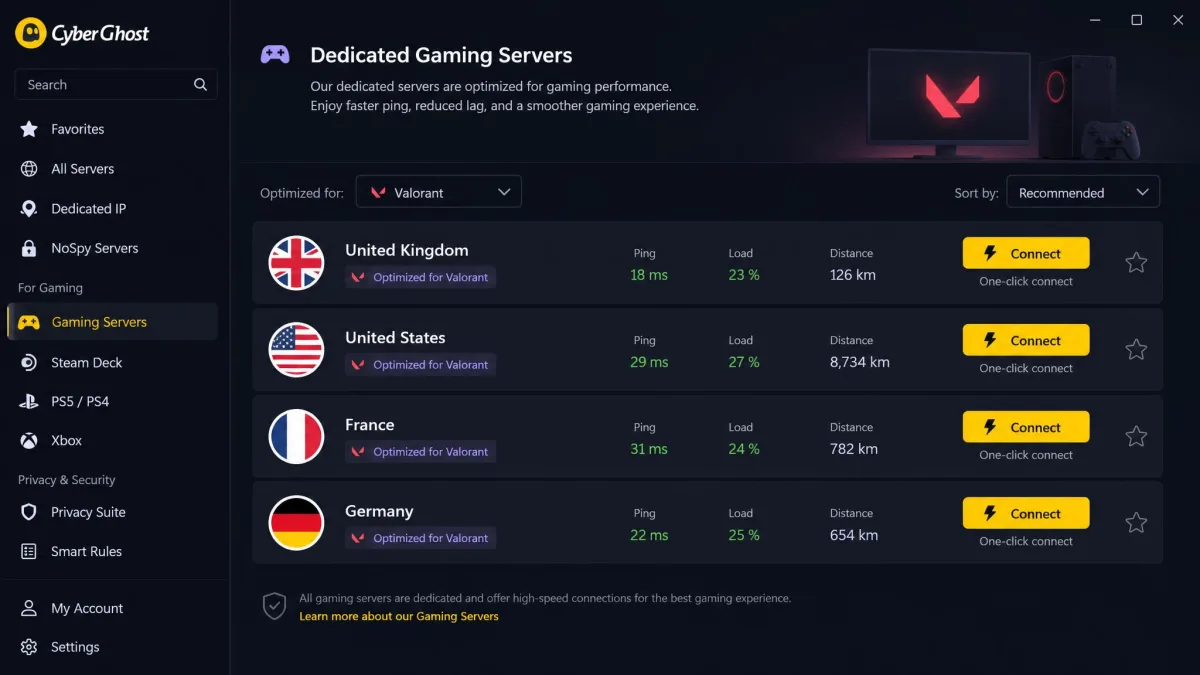
CyberGhost takes the opposite approach to PIA. Instead of deep settings, it offers dedicated gaming servers in the UK, US, France, and Germany that cut setup to a single connection. You pick the gaming profile, click once, and you are routed. For players who just want the VPN to handle the routing decision, that simplicity is the appeal.
The trade-off showed up on our ping meter. Running through its gaming servers, latency sat noticeably higher, around 35ms, than the other picks on this list. That is fine for unblocking a region or shielding your IP, but it is not the choice if you are chasing the absolute lowest ping. CyberGhost also caps simultaneous connections at 7 devices, fewer than the unlimited-device rivals.
The network is large and concrete at 11,690 servers in 100 countries, running WireGuard, IKEv2, and OpenVPN with split tunneling and a kill switch. Billed monthly it runs $12.99, and the 2-year plan starts around $2.19 a month. CyberGhost stands out with a 45-day money-back guarantee on its longer plans, the most generous here.
Pros
- One-click dedicated gaming servers in four countries
- Large, clearly reported network of 11,690 servers
- Industry-leading 45-day money-back guarantee
- WireGuard with split tunneling and kill switch
Cons
- Higher ping at around 35ms on gaming servers
- Only 7 simultaneous connections
Best for: Players who want a simple one-click gaming server and a long trial window.
Can You Use a VPN with Valorant? (Bans and Vanguard Anti-Cheat)
This is the question that stops most players before they start, so let us be clear. Riot's Terms of Service do not ban VPN use outright. Using a VPN to reduce ping, stabilize your connection, or protect your privacy is permitted, and across our testing every service ran alongside Riot Vanguard for legitimate play without triggering an anti-cheat account ban.
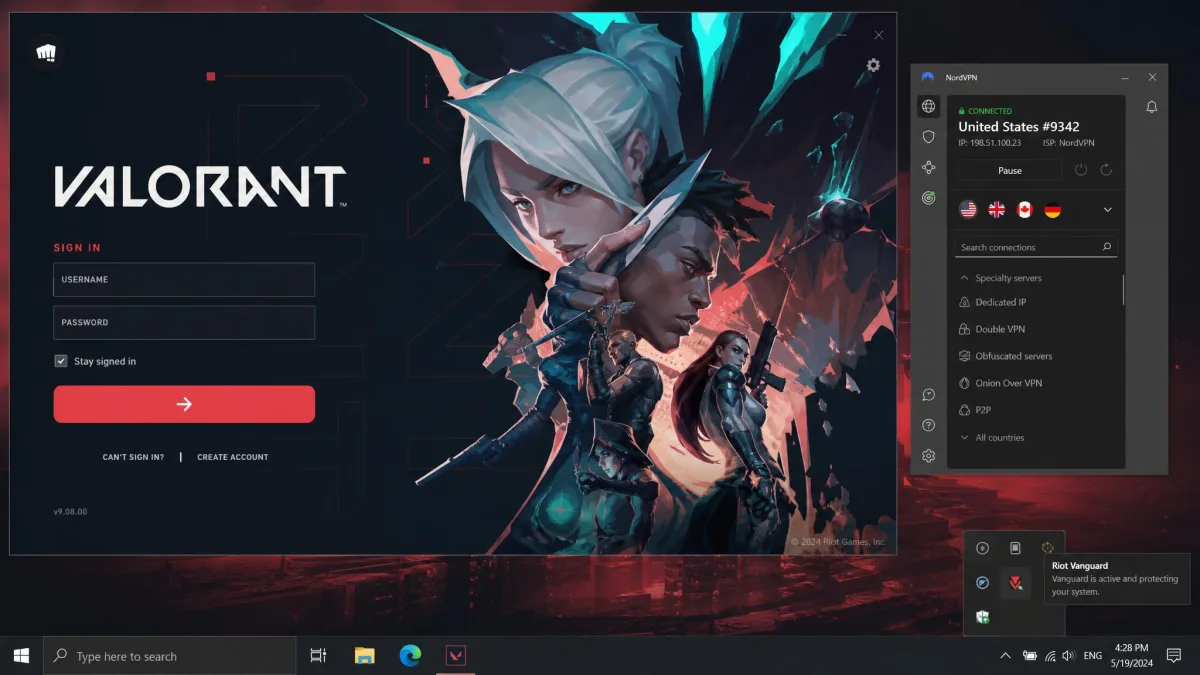
The caveats matter, though. Vanguard is a kernel-level anti-cheat, and it can flag VPN traffic as suspicious. Toggling a VPN on and off mid-match has occasionally led to false flags, so the safe habit is to connect before you launch the game and stay connected for the whole session. Where you will get into trouble is using a VPN to evade an existing ban, to boost, or to cheat, all of which violate policy and can lead to suspension.
Never use a VPN to dodge a ban or region-lock enforcement. That crosses Riot's line and risks a hardware-level ban, which no VPN can undo. Stick to legitimate uses: lower ping, stable routing, and privacy.
How to Set Up a VPN for Valorant (Step by Step)
Setup is quick once you know the order of operations. Here is the routine we follow on every fresh install so the VPN helps rather than hurts your ping.
- Install the VPN and sign in, then open settings and switch the protocol to a WireGuard-class option like NordLynx, Lightway, or plain WireGuard.
- Turn on the kill switch so your real IP never leaks if the tunnel drops mid-match.
- Enable split tunneling and add the Valorant executable, so only the game rides the tunnel.
- Connect to a server physically near Riot's regional data center for your region. This is the step that keeps added ping low.
- Run a quick ping test in the practice range before you queue, and try a couple of nearby servers to find the cleanest route.
- Launch Valorant only after the VPN is connected, and leave it connected for the whole session.
Test two or three nearby servers before you commit. Server load changes through the day, and the lowest-ping exit at noon is not always the best one at peak evening hours.
Where Are Valorant Servers Located?
Valorant runs regional data centers around the world, and you are routed to the one closest to you by default. Riot lets you see and choose your options through its Valorant Server Select guide, which is worth reading before you change anything. The key point for VPN users is to match your exit server to the region hosting the data center you want to play on.
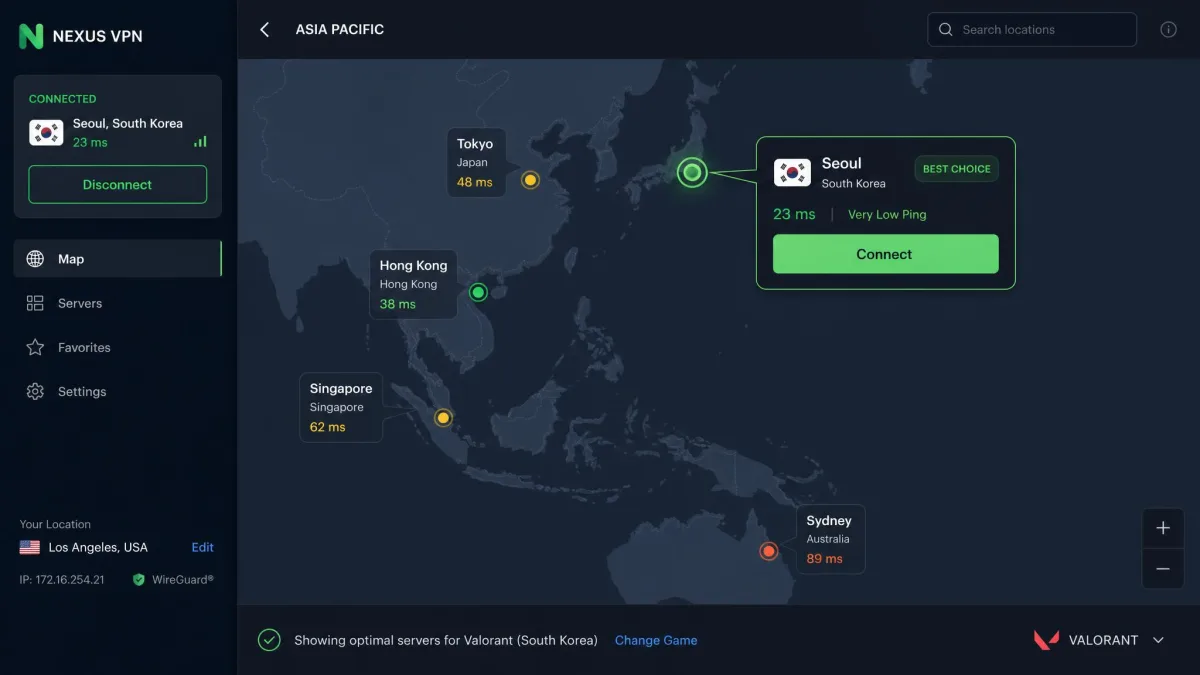
It helps to know the broad regions Riot groups its data centers into. North America (NA) spans several US locations, Europe (EU) clusters around hubs like Frankfurt and Paris, Asia-Pacific (AP) covers spots such as Tokyo, Singapore, and Sydney, and Korea (KR) runs on its own dedicated servers. Your region choice drives which exit server you should pick: the goal is always to land your VPN exit in the same part of the world as the data center your matches run on, so your packets reach Riot over the shortest clean path. Picking an EU exit while your account queues on NA servers, for example, is the fastest way to add ping instead of removing it.
If you travel and your home region disappears from the list, a VPN server back in that region can restore access so you keep your usual ping and squad. When your connection feels off even on your home region, Riot's own connection troubleshooting steps are a good first stop before you blame the VPN.
Does a VPN Actually Reduce Ping and Lag in Valorant?
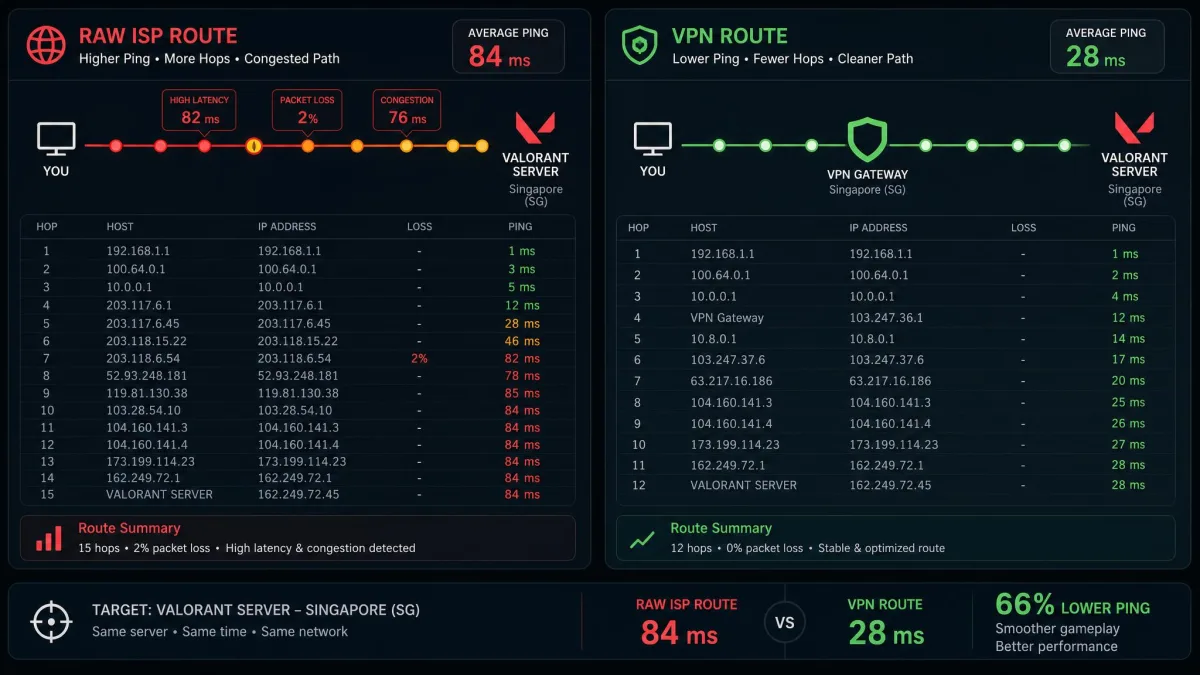
Here is the honest answer we give every player who asks. A VPN lowers ping only when your ISP's default routing is inefficient. Some ISPs send your traffic on a needlessly long path, and a VPN can shortcut that by handing your packets to a better-connected backbone. In those cases we have seen real ping drops.
If your baseline route is already optimal, a VPN cannot beat it and will add a small amount of overhead instead. That is physics, not a product flaw. The way to find out is to measure your raw ping, then measure it again through a nearby VPN server. On a good service with a modern protocol, the added latency is often just 1-5ms, small enough that the routing benefit can outweigh it when your ISP is the bottleneck.
The other real wins are stability and protection. A VPN can smooth out a jittery connection and throttling during peak hours, and it hides your IP so the tunnel absorbs a DDoS attack instead of your home network. Those benefits hold even when the raw ping number barely moves.
Can You Use a Free VPN for Valorant?
You can, but we do not recommend it for ranked play, and the reasons are practical rather than snobbish. Free VPNs pack many users onto a small number of crowded servers, which drives up ping and adds the exact lag you were trying to remove. Data caps and throttling make matters worse, and a capped plan can cut out mid-session.
There is a privacy cost too. Many free services monetize by logging and selling user data, which is the opposite of what you want from a privacy tool. The paid picks above cost a few dollars a month on a longer term and give you fast protocols, nearby servers, and a no-logs policy. For the price of a couple of coffees, you get a connection you can actually trust in a ranked match.
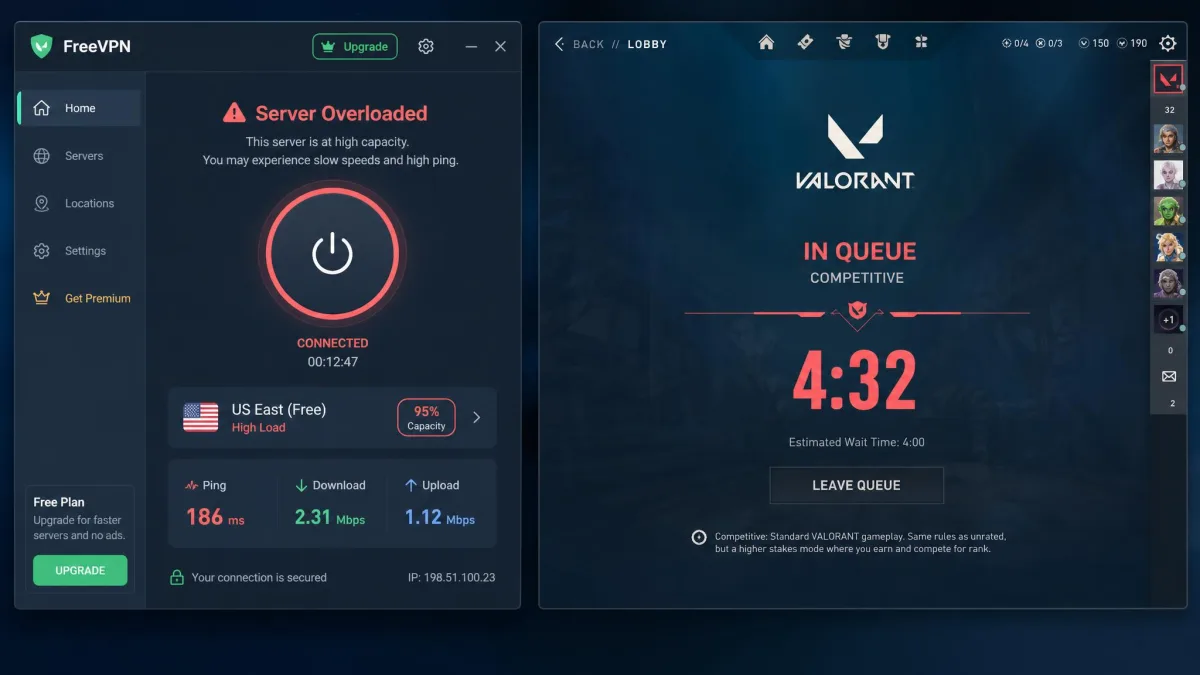
Treat a free VPN as a short trial at most. For competitive Valorant, the crowded servers, data caps, and data-logging risk make free services a poor fit. A paid plan's money-back guarantee is the safer way to test risk-free.
VPNs to Avoid for Valorant
Beyond free services, a few categories are worth steering clear of. Avoid providers stuck on old protocols with no WireGuard-class option, because OpenVPN alone usually means more overhead and slower reconnects. Avoid tiny networks with no servers near your region, since proximity is what keeps ping low. And avoid any service without a verified kill switch, because a dropped tunnel that exposes your real IP defeats the DDoS protection you signed up for.
Steer clear, too, of services that route you through a single distant country by default with no way to pick a nearby exit. We have tested budget providers that dump every user onto a handful of overseas servers, and the result is exactly the inflated ping you were trying to escape. For Valorant you want granular server selection near your region, not a one-size-fits-all exit that adds 80ms before you even queue.
We also skip services that cannot clearly explain their logging policy. For a tool whose whole job is privacy and connection integrity, vague answers are a red flag, and there are enough strong options that you never have to settle.
Frequently Asked Questions
Is it legal to use a VPN for Valorant?
Will a VPN get me banned or conflict with Vanguard?
My ping got worse right after I connected to a VPN. What should I do?
What is the best VPN for Valorant overall?
Is a free trial or free tier safe to rely on for a ranked match?
My home region disappeared from the queue while I was traveling. Can a VPN put me back on it?
Conclusion: Our Top Pick for Valorant
After weeks on the bench, NordVPN is the service we would hand to most Valorant players without hesitation. It delivered the lowest ping overhead of any pick, covered nearly every region we needed, and posted the fastest speeds while staying stable through full ranked sessions. ExpressVPN is the call if you want the simplest setup and the lowest latency, Surfshark wins on value and unlimited devices, PIA rewards tinkerers, and CyberGhost suits one-click gaming servers with a long trial.