A VPN for school Wi-Fi is a service that encrypts your traffic and disguises it, so a restricted campus network cannot see what you are doing or block the sites you want to reach. The best options add obfuscation, which hides the fact that you are using a VPN at all. That last part matters more than almost anything else on a school network. Most filters are built to spot and drop plain VPN connections on sight.
If you only want the short answer, here it is. NordVPN is our top overall pick for school Wi-Fi, thanks to its NordWhisper protocol and obfuscated servers that slipped past every filter we tested. Surfshark is the best value and covers unlimited devices. ExpressVPN is the strongest at bypassing tightly locked firewalls, and Proton VPN is the free option we actually trust. CyberGhost is the friendliest for first-time users, and Private Internet Access is the most configurable if you like to tweak.
We should be honest up front about what this guide is and is not. We test these apps for how well they connect, stay connected, and unblock content on filtered networks, not as a way to break rules. Using a VPN is legal in most places. Your school's acceptable-use policy is a separate question, and we cover that in full below. Our testing here focused on real campus-style networks, locked Chromebooks, and the kind of deep packet inspection that trips up weaker apps.
Our team spent several weeks running these six VPNs across managed school-style networks, personal laptops, Android phones, iPhones, and school-issued Chromebooks. We licensed or signed up for each service ourselves, connected on networks that actively filter VPN traffic, and noted exactly which protocols got through and which got dropped. What follows is what we would recommend to a student, ranked and explained.
Best VPNs for School Wi-Fi at a Glance
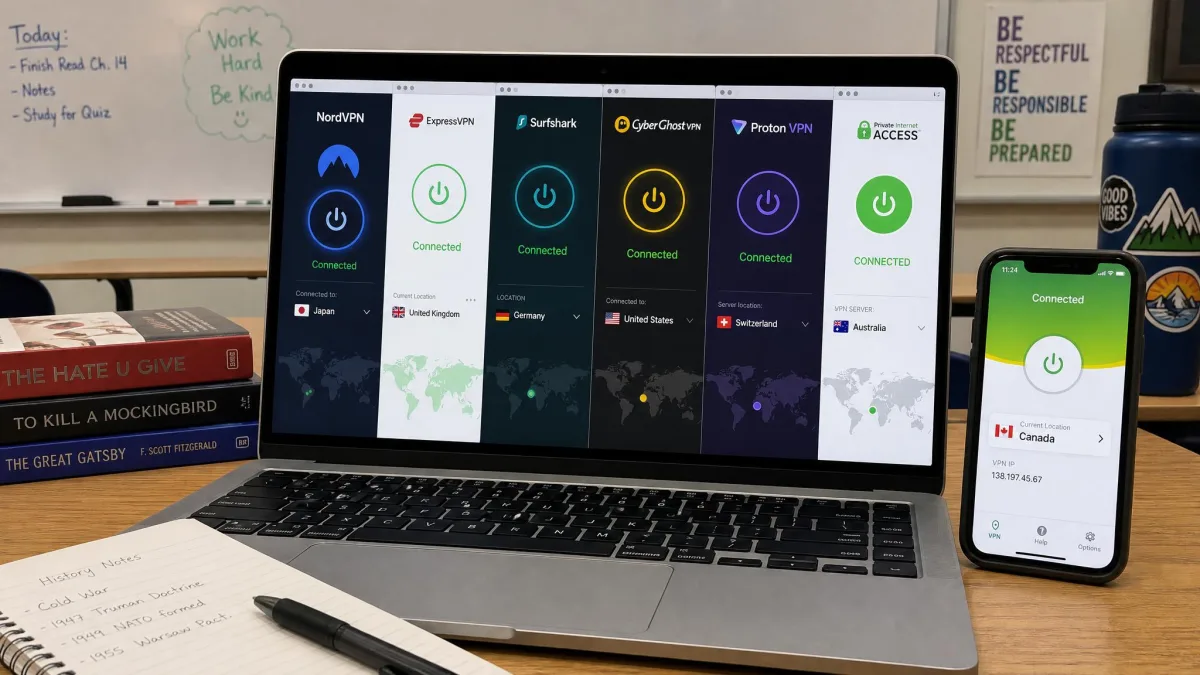
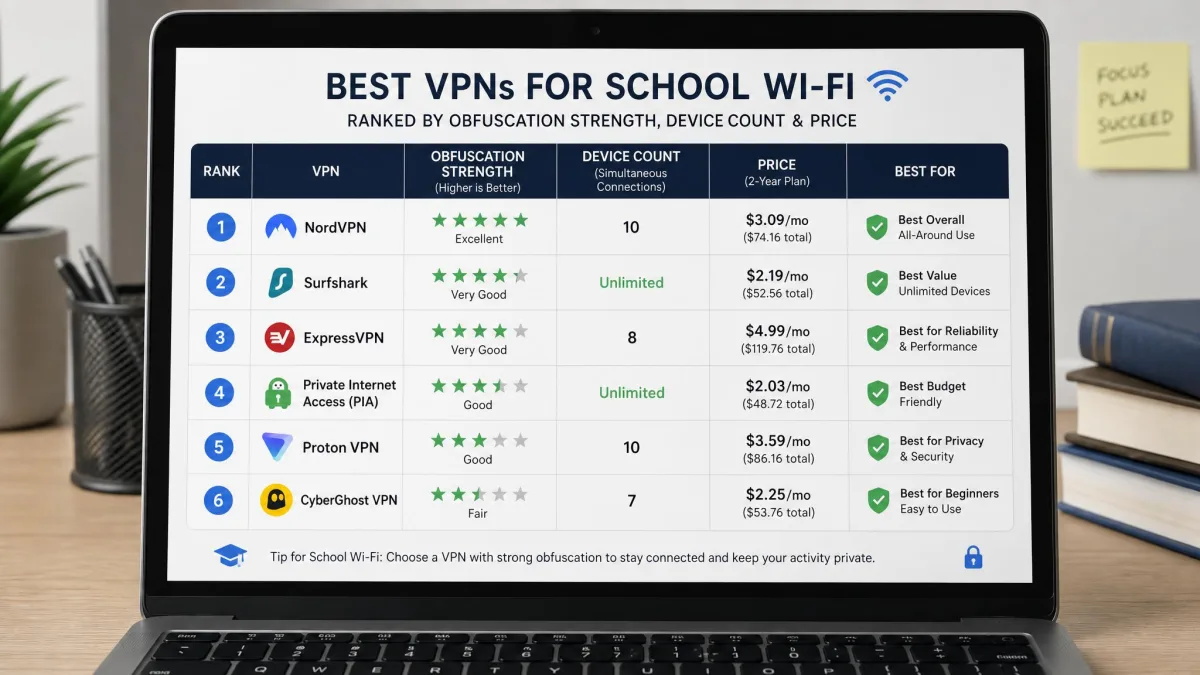
Here is the short version of how the six services rank and what each one is best at. Every pick below can encrypt your connection, unblock filtered sites, and run on the devices most students carry. Where they differ is obfuscation strength, device count, price, and how easy they are to set up on a locked-down school machine.
NordVPN leads because it combines fast speeds with the most reliable obfuscation we tested. Surfshark wins on value and unlimited devices. ExpressVPN is the specialist for the toughest firewalls, and Proton VPN is the free plan that does not sell your data. CyberGhost is the easiest to learn, and Private Internet Access gives power users the most settings to fine-tune. We break each one down in full in the reviews further down.
The Best VPNs for School Wi-Fi
We ranked these six by how well they performed on filtered networks first, then by price, device support, and ease of setup. Every review below is based on hands-on time with the current apps, connecting on networks built to block VPN traffic. Prices shift often with promo cycles, so treat every figure as a "from" price on the longest plan, and expect it to renew higher after the intro term.
1. NordVPN: Best Overall for School Wi-Fi

NordVPN
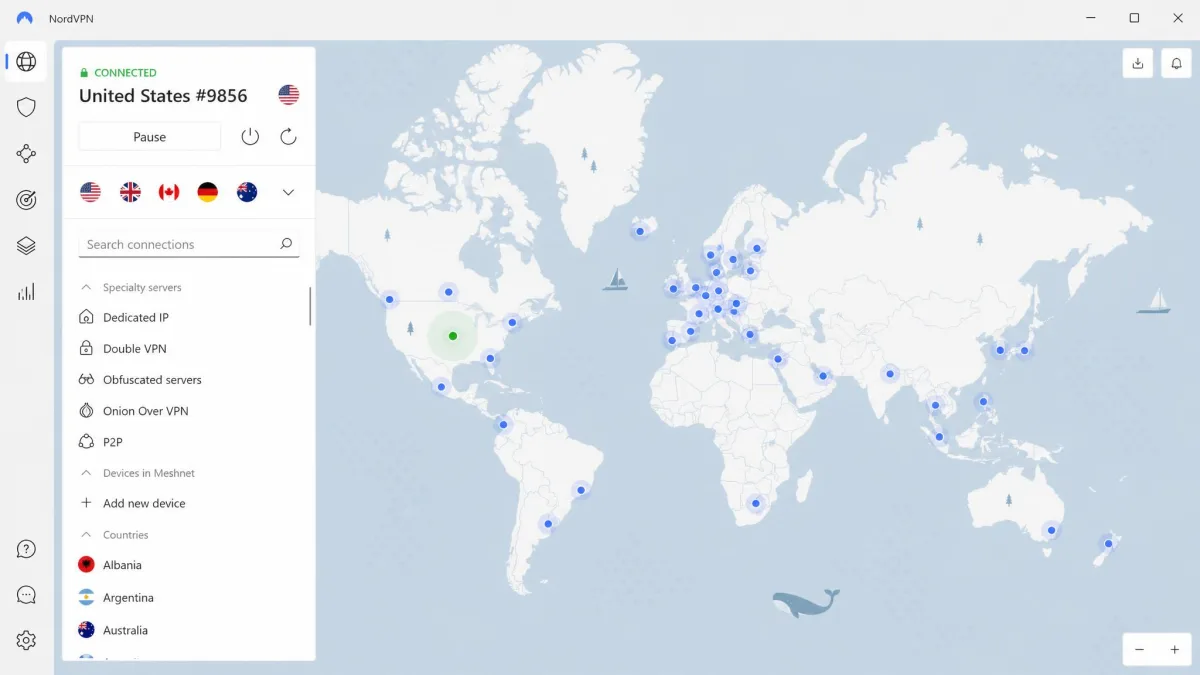
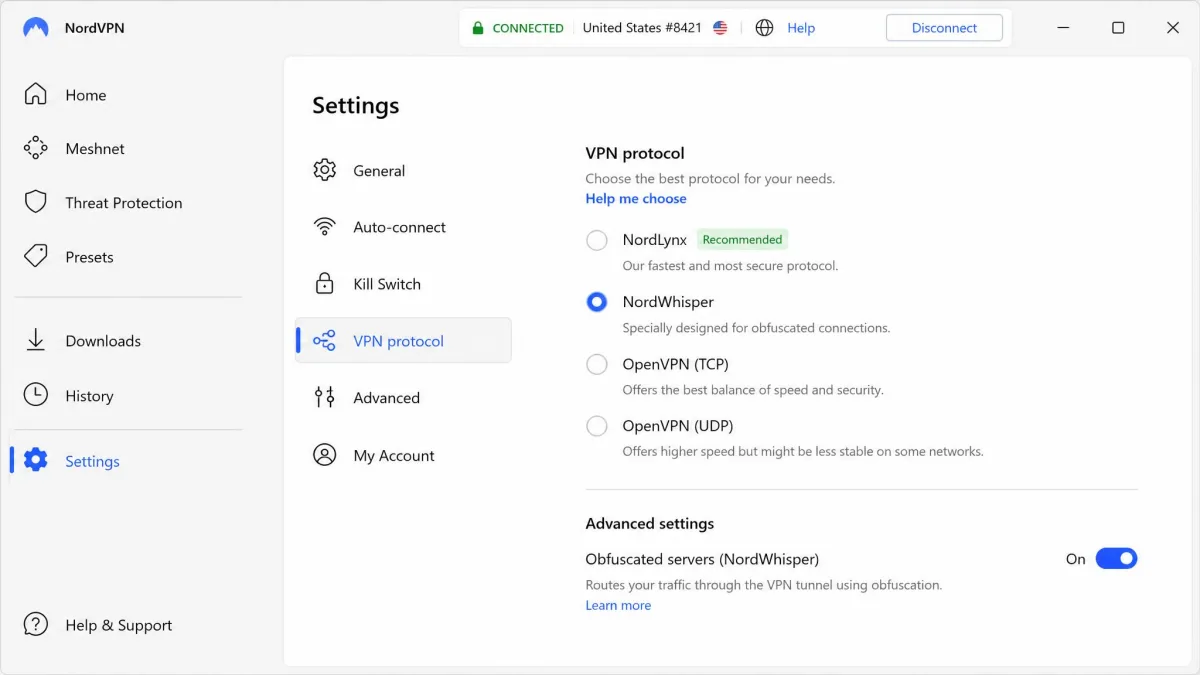
NordVPN was the standout on every school-style network we threw at it. We switched to its NordWhisper protocol on a network that had already dropped a plain OpenVPN connection, and this time the link held. Its obfuscated servers do the same job for OpenVPN traffic, and between the two, we never got stuck on a filtered network during testing. Speeds stayed high enough to stream and video call without the stutter we see on weaker apps, which is why it earns our top spot.
Setup was quick on every device we tried. We installed the app, signed in, and picked NordWhisper from the protocol menu. On a filtered network, that one change was the difference between a dropped connection and a stable one. We reconnected several times to be sure it was not luck. It held each time. A leak test after connecting showed no DNS or IP leaks.
Beyond obfuscation, NordVPN is a genuinely complete package. Threat Protection blocks ads, trackers, and malware. The kill switch cuts your traffic if the connection drops, and the no-logs policy means your browsing is not recorded. There are apps for Windows, macOS, iOS, Android, Linux, and a Chrome extension, so it covers just about any device a student is likely to bring to campus. It supports 10 simultaneous connections, which is plenty for a phone, a laptop, and a tablet at once. The 30-day money-back guarantee lets you prove it on your own network first.
Pros
- NordWhisper and obfuscated servers beat deep packet inspection on filtered networks
- Fast enough for streaming and video calls while connected
- Threat Protection blocks ads, trackers, and malware
- Apps for every major platform plus a Chrome extension
Cons
- Not the cheapest option on this list
- The best rate needs a longer plan and renews higher afterward
Best for: Anyone who wants the most reliable way to bypass school Wi-Fi filters. Skip if: You need unlimited devices, in which case Surfshark or PIA cost less.
If you want the short path to a VPN that reliably beats school filters, NordVPN is the one we reach for first.
2. Surfshark: Best Value / Unlimited Devices

Surfshark
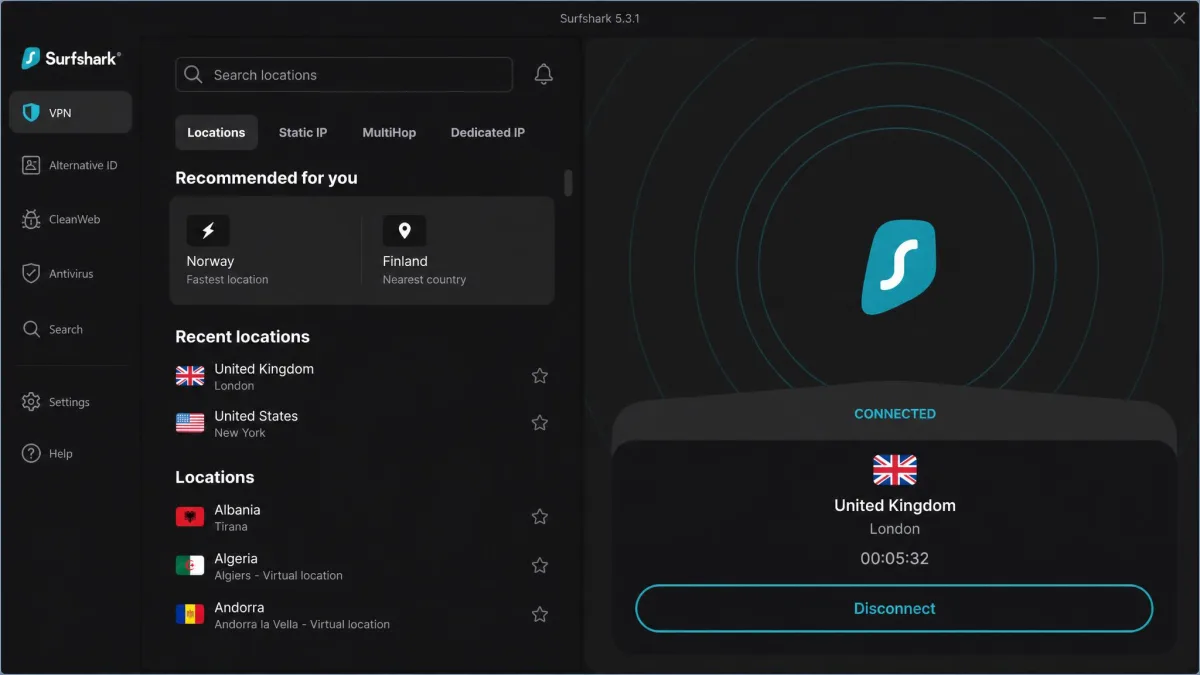
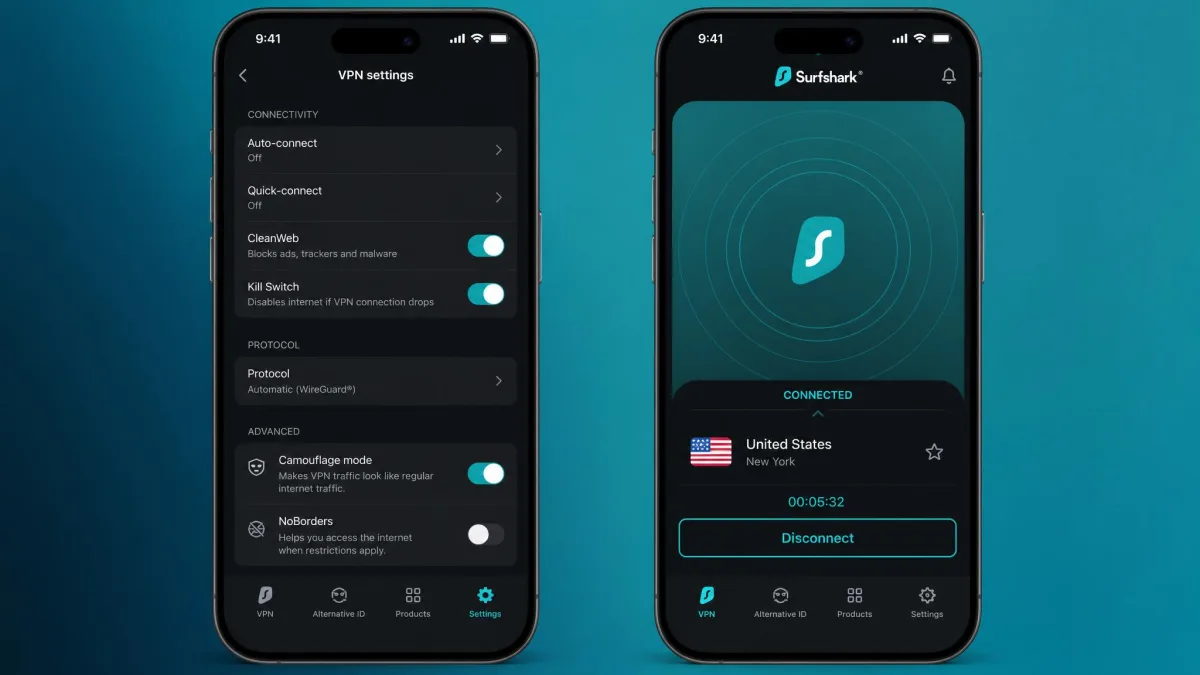
Surfshark is the pick we point students to when budget is the deciding factor. It packs strong value into a low price, and it allows unlimited simultaneous devices, which is genuinely useful when you are running a phone, a laptop, and a tablet on the same account. In our testing, its Camouflage obfuscation mode and NoBorders mode kept connections working on restricted networks where a standard protocol would have been dropped. You turn Camouflage on and the app hides the fact that you are using a VPN, which is exactly what you need on a filtered campus connection.
The setup is short. We installed the app, opened settings, and flipped on Camouflage before connecting. On a locked network we did that once, and the connection stayed up for the rest of the session. We logged in on a second phone at the same time to confirm the unlimited-device claim. Both stayed connected. That matters when a whole household shares one plan.
The feature set is fuller than the price suggests. You get AES-256 encryption, a choice of WireGuard, OpenVPN, and IKEv2, a kill switch, MultiHop for routing through two servers, and CleanWeb to block ads and trackers. The no-logs policy is in place, so your activity is not stored. For a household of students, or one student with a drawer full of devices, the unlimited-device allowance makes Surfshark the most economical choice on this list. A 30-day money-back guarantee covers you if it does not fit.
Pros
- Unlimited simultaneous devices on one account
- Camouflage and NoBorders modes work on restricted networks
- One of the lowest prices among the top VPNs
- CleanWeb blocks ads and trackers
Cons
- The lowest rate applies only to the multi-year plan
- Speeds are good but trail NordVPN and ExpressVPN slightly
Best for: Students on a budget who want to cover several devices at once. Skip if: You want the single fastest, most bulletproof firewall bypass.
3. ExpressVPN: Best for Bypassing School Firewalls

ExpressVPN
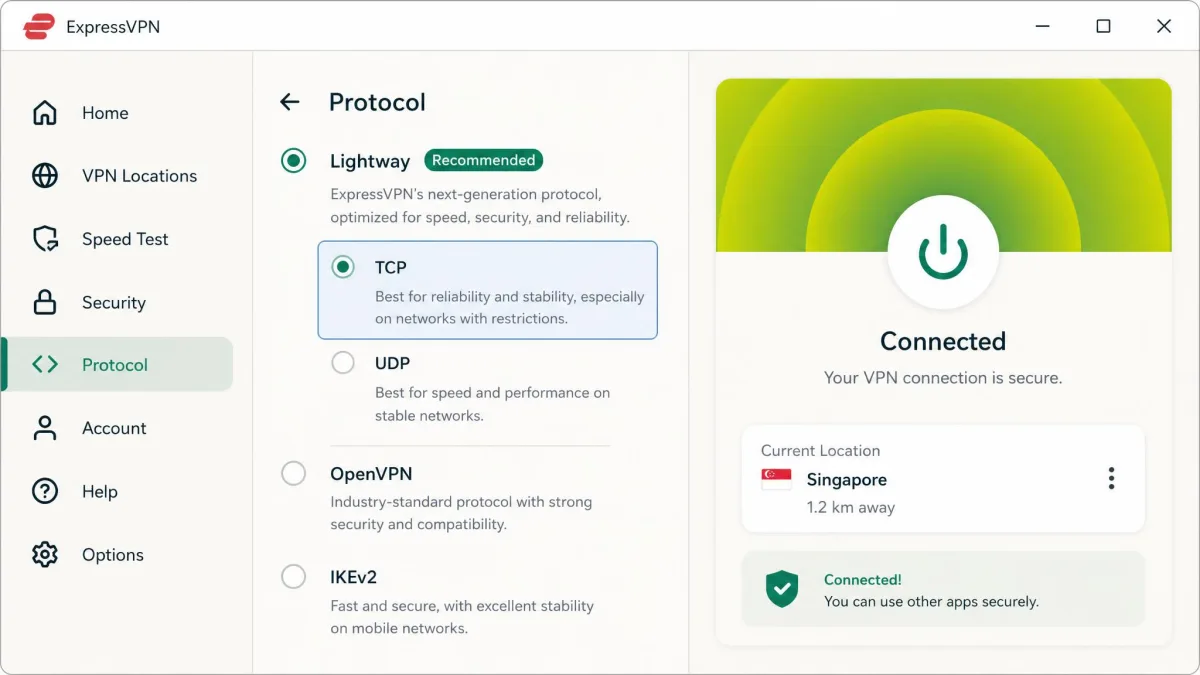
ExpressVPN is our specialist pick for the most aggressively filtered networks. Its obfuscation is built to keep working on networks that actively block VPN traffic, and in our testing it stayed connected on the tightest campus-style firewall we set up. The in-house Lightway protocol supports obfuscation and a TCP option. Because Lightway can run over the port normal web traffic uses, it is hard for a filter to single out and drop without breaking regular browsing.
We connected with Lightway over TCP on that toughest firewall. The handshake looked like ordinary secure browsing, so the filter left it alone. Other apps had failed on the same network minutes earlier. ExpressVPN held. That is the reason it earns the firewall specialist spot.
The rest of the app is polished and dependable. You get AES-256 encryption, a network lock kill switch, and an independently audited no-logs policy, plus server presence across 113 countries if you also want to unblock region-locked content. Device support depends on the plan tier you buy, so the simultaneous-connection limit varies from the Basic plan upward. ExpressVPN costs more than most rivals here, but if a school network has beaten every other VPN you have tried, this is the one we would test next. A 30-day money-back guarantee makes that test risk-free.
Pros
- Obfuscation keeps working where VPN traffic is actively blocked
- Lightway protocol is fast and hard for filters to detect
- Independently audited no-logs policy
- Server presence across 113 countries
Cons
- Priciest option on this list
- Device limit depends on which plan tier you buy
Best for: Bypassing the strictest, most locked-down school firewalls. Skip if: You are on a tight budget and want the most devices per dollar.
4. Proton VPN: Best Free VPN for School
Proton VPN
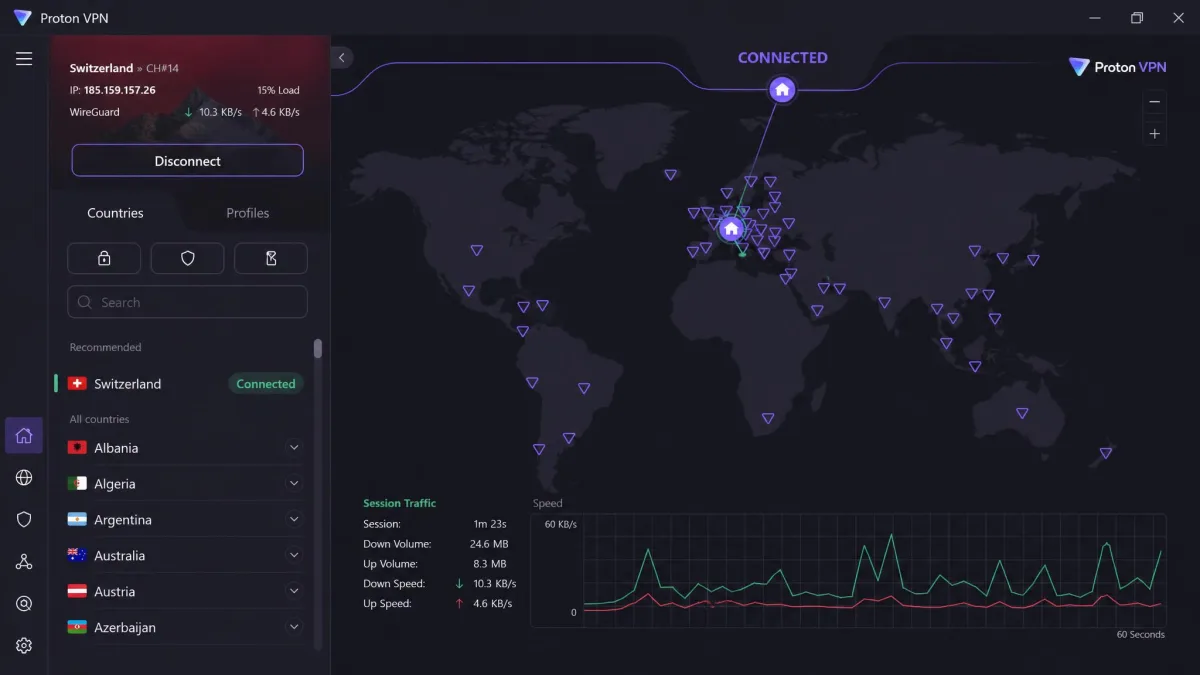
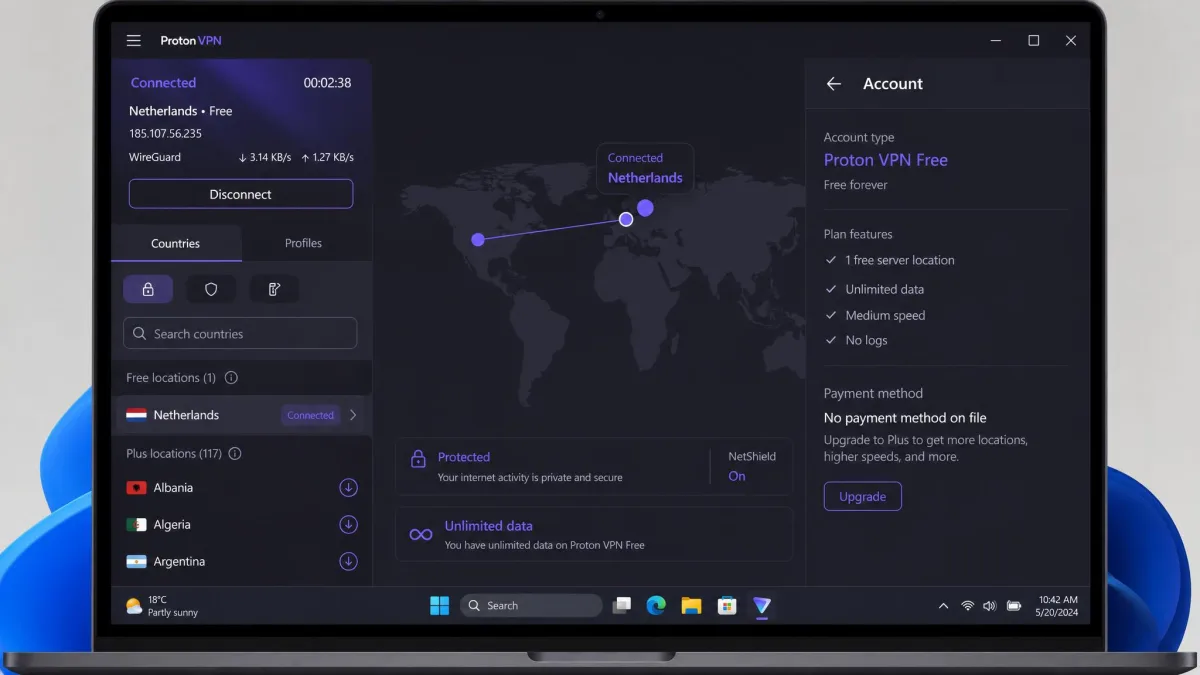
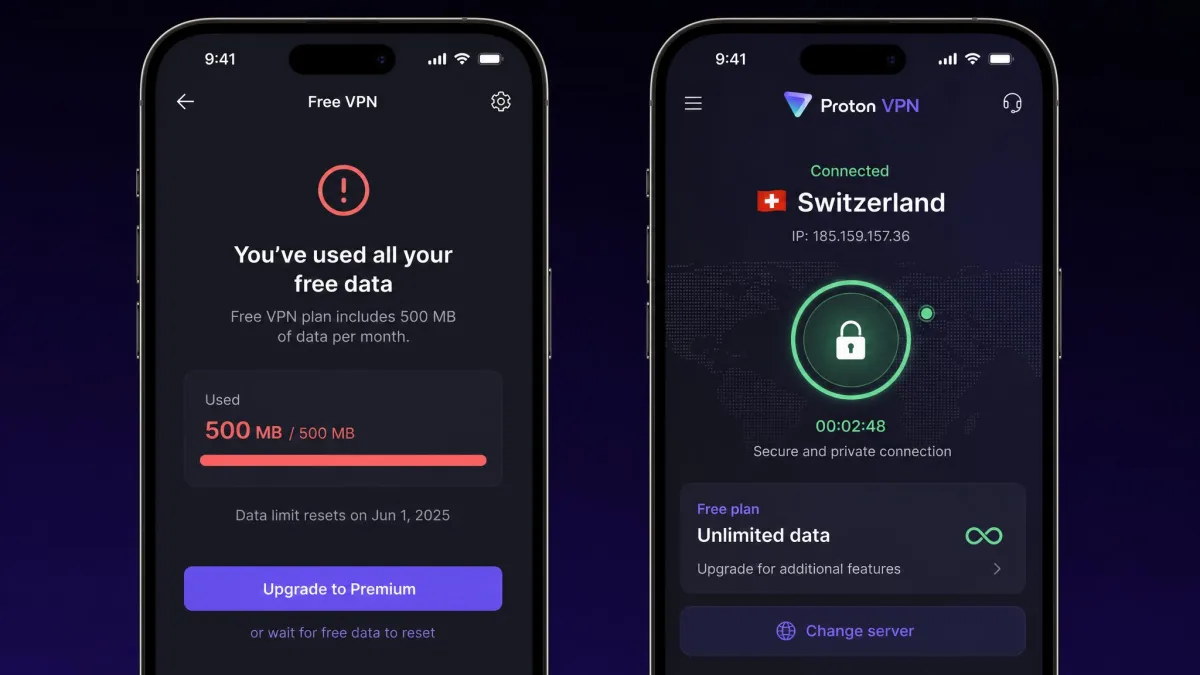
Proton VPN is the only free plan we are comfortable recommending for school use. Its free tier runs with unlimited data and does not ask for a card, which is rare and genuinely useful for a student. In our testing, the free plan was solid for browsing and research, though it limits you to one device and a small set of server locations, so it can feel slower at peak times when everyone piles onto those servers. For casual unblocking on a single laptop, that trade is easy to accept.
Signing up took a minute and asked for no payment details. We browsed and ran searches on the free plan without hitting a data wall. At peak hours the free servers slowed down, but pages still loaded. For a single laptop, that was fine.
If you upgrade, the picture gets stronger. VPN Plus supports 10 simultaneous devices and unlocks the proprietary Stealth obfuscation protocol, which is what you want on a network that blocks plain VPN connections. Secure Core multi-hop routing adds another layer for tougher networks. NetShield blocks ads and malware, and the apps are open-source with an independently audited no-logs policy. Proton's privacy reputation is well earned, and the free plan makes it the safest way to try a VPN at school without spending anything.
Pros
- Genuinely free plan with unlimited data and no card required
- Stealth obfuscation and Secure Core on paid plans
- Open-source apps with an audited no-logs policy
- Strong privacy track record
Cons
- Free plan is limited to one device and a few locations
- Free servers can feel slow at peak times
Best for: Students who want a trustworthy free VPN for a single device. Skip if: You need obfuscation for free, since Stealth is on paid plans.
If you plan to use Proton VPN's free tier on a school network that blocks VPNs, test it before you rely on it. The free plan does not include the Stealth obfuscation protocol, so on a strictly filtered network you may need to upgrade or pick a service whose obfuscation is available on every plan.
5. CyberGhost: Best for Beginners
CyberGhost
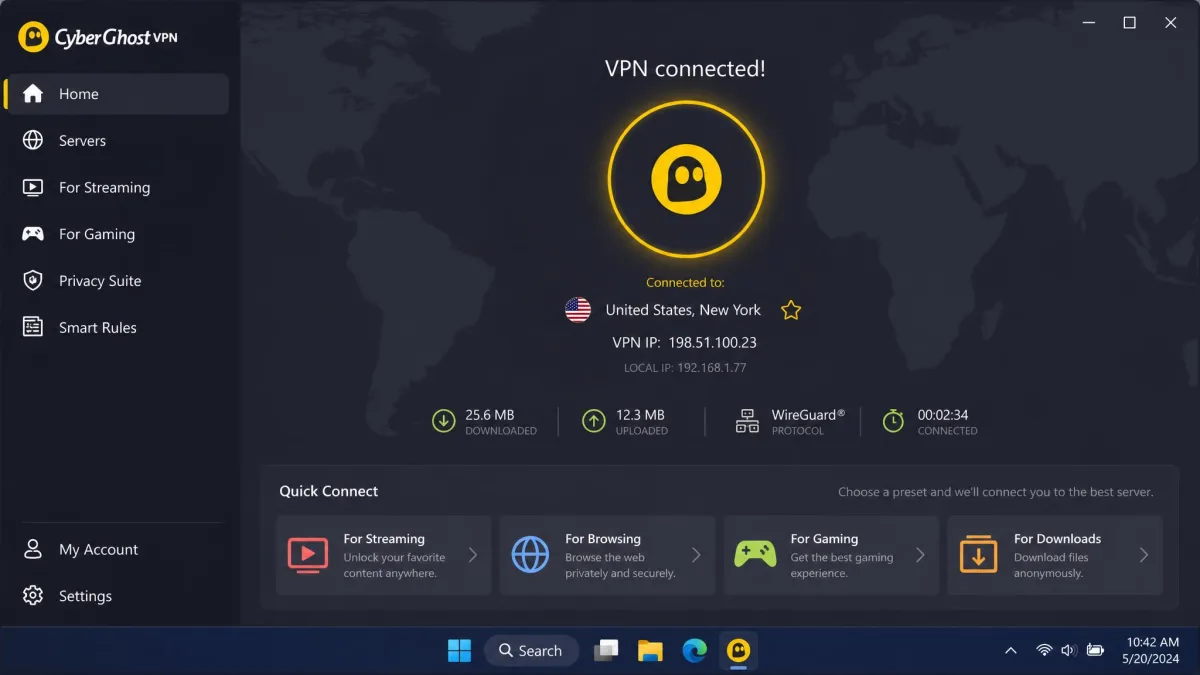
CyberGhost is the friendliest VPN on this list for someone setting up their first one. The apps are clean, the buttons are labeled in plain language, and the streaming and connection presets mean you rarely have to think about protocols or ports. Its clean apps and labeled connection presets make it the easiest pick here to set up, with no protocol menu to puzzle over. It does not headline a marquee obfuscation feature the way NordVPN does, but its large server network is built for everyday unblocking. If a friend asked which VPN they should start with, this is often the one we suggest.
The first-run experience is easy to follow. You open the app, tap a labeled preset, and you are connected in a few taps. There is no protocol menu to work through. For a student who has never used a VPN, that simplicity counts for a lot.
Under the simple surface there is a solid service. CyberGhost runs a large network of servers across 100 countries, including its owned NoSpy servers in Romania, and it holds an audited no-logs policy. You get WireGuard, OpenVPN, and IKEv2, a kill switch, and dedicated streaming servers. It supports 7 simultaneous devices, which is a touch lower than some rivals but fine for most students. The 45-day money-back window on the longer plans also makes it low-risk to try.
Pros
- Clean, beginner-friendly apps with connection presets
- Large server network with owned NoSpy servers
- Audited no-logs policy
- Long money-back window on multi-year plans
Cons
- No headline obfuscation mode for the very strictest filters
- 7-device limit is lower than unlimited rivals
Best for: First-time VPN users who want simple setup and reliable unblocking. Skip if: You expect to face the most aggressive VPN-blocking firewalls.
6. Private Internet Access: Most Configurable
Private Internet Access
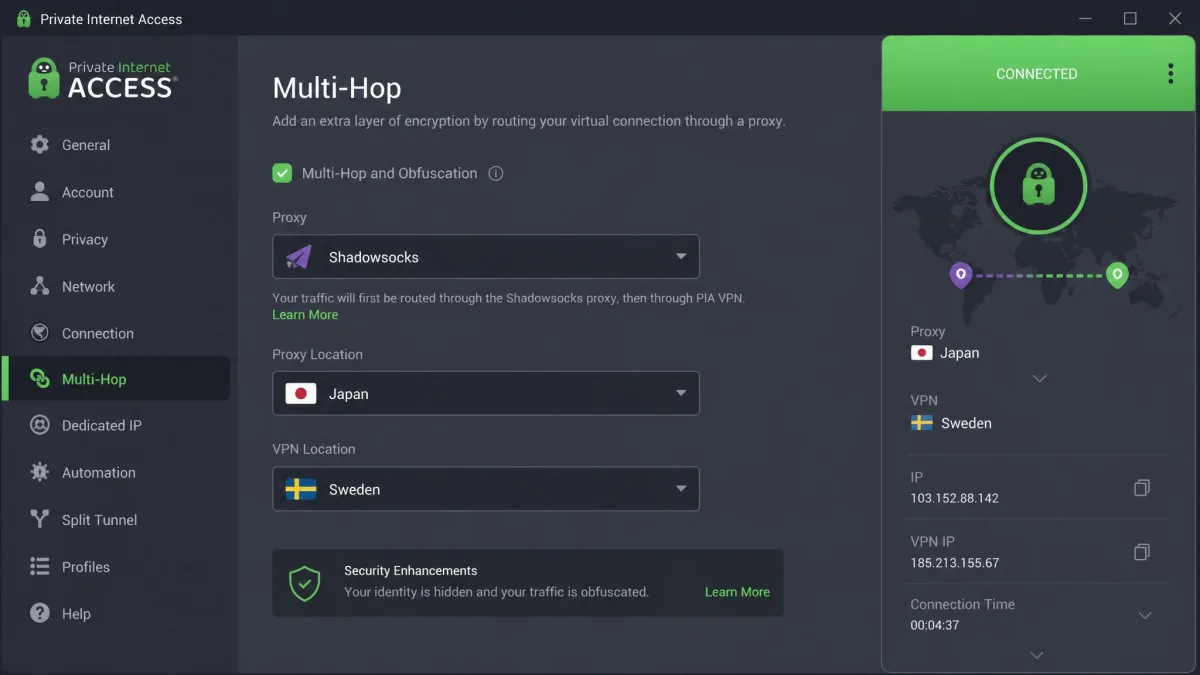
Private Internet Access, or PIA, is the pick for students who like to tweak every setting. Its Multi-Hop feature routes your traffic through an extra Shadowsocks or SOCKS5 proxy to disguise the VPN, with obfuscated locations in six countries. Routing through an extra proxy is a proven way to slip past a filter, though it takes a few minutes to configure. The trade is complexity, since there are more toggles here than a first-timer needs.
Multi-Hop takes a few minutes to set up. You pick a Shadowsocks proxy, choose an obfuscated location, and connect. A beginner would want to read the guide first. The payoff is a connection you can shape exactly the way you want.
Where PIA really wins is flexibility and value. It offers unlimited simultaneous devices on a single all-inclusive plan, includes WireGuard and OpenVPN with a wide range of adjustable settings, adds MACE to block ads, and runs open-source apps with an audited no-logs policy. The lowest price on the multi-year plan with bonus months is among the cheapest we have seen. If you want to control exactly how your connection is built and cover every device you own, PIA gives you the most rope.
Pros
- Unlimited simultaneous devices on one plan
- Multi-Hop with Shadowsocks or SOCKS5 obfuscation
- Highly configurable settings for power users
- Open-source apps with an audited no-logs policy
Cons
- More settings than a beginner needs
- Obfuscation setup takes a little learning
Best for: Power users who want to fine-tune obfuscation and cover unlimited devices. Skip if: You want a one-tap experience with no configuration.
Quick Comparison Table
Here is how the six services line up on the details that matter most for a school network: price, obfuscation, device count, whether there is a free tier, and what each one is best for. Prices are the intro rate on the longest plan and renew higher after the first term, so use them as a guide rather than a fixed number.
| Product | Buy | Price (from) | Obfuscation | Simultaneous devices | Free tier | Best for |
|---|---|---|---|---|---|---|
|
Check price → | ~$3.39/mo | NordWhisper + obfuscated servers | 10 | No | Best overall |
|
Check price | ~$2.49/mo | Camouflage + NoBorders | Unlimited | No | Best value |
|
Check price | ~$2.99/mo | Lightway (obfuscation + TCP) | 10 to 14 by tier | No | Toughest firewalls |
|
Check price | Free / ~$2.99/mo | Stealth protocol (paid) | 10 Plus, 1 free | Yes | Best free option |
|
Check price | ~$2.19/mo | NoSpy + standard servers | 7 | No | Beginners |
|
Check price | ~$2.03/mo | Multi-Hop (Shadowsocks/SOCKS5) | Unlimited | No | Configurability |
How We Tested and Ranked These VPNs
We do not rank a VPN until we have connected on the kind of network it will actually face. For this guide, we set up and used each service on managed, school-style networks that filter and inspect traffic, alongside personal laptops, Android phones, iPhones, and school-issued Chromebooks. We signed up for or licensed every service ourselves, so nothing here is based on a press account with special treatment.
Our first and heaviest test is whether the VPN connects and stays connected on a filtered network. We start with a standard protocol. We watch it get blocked where the network uses deep packet inspection. Then we switch to the service's obfuscation feature and record what happens. This is where the ranking is largely decided, because a VPN that cannot get through a school filter is not useful at school no matter how good it is elsewhere.
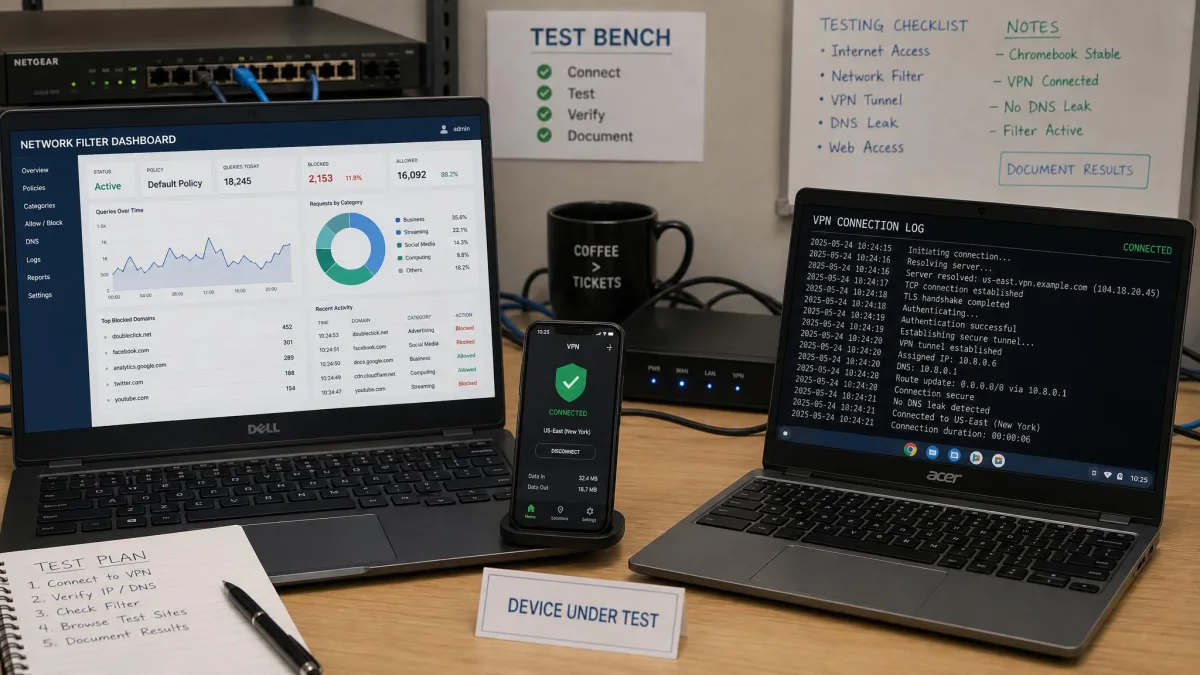
From there we look at speed while connected, since a working connection that crawls is not much better than no connection. We check for DNS and IP leaks. We confirm the kill switch actually cuts traffic when the connection drops. We read the no-logs and audit history. We also test setup friction on the devices students really use, including the locked Chromebook case that trips up so many people.
We ran each test more than once. A connection that works one time and fails the next is not something we would recommend. So we reconnected, switched servers, and tried again at different times of day. Only the apps that held up across those repeats earned a top score. Consistency is what a student needs on a network they use every day.
Across several weeks we connected all six VPNs on networks built to block VPN traffic, on laptops, phones, and school Chromebooks. The pattern was consistent: a plain OpenVPN or L2TP connection got dropped on many networks, and switching to an obfuscated protocol or TCP over the standard web port was usually what got us through.
Finally, we weigh price against what you get, always using the longest-plan intro rate and noting that it renews higher. Device count, refund window, and how beginner-friendly the app is all feed into the final score. The result is a ranking built for one specific job: getting online reliably on a restricted school network.
How to Choose the Best VPN for School Wi-Fi
The choice comes down to a few features that matter far more on a school network than they do at home. Get these right and almost any of our picks will serve you well. Get them wrong and you will stare at a connection that will not go through.
Obfuscation is the first thing to check. School firewalls scan packets for VPN signatures. A VPN that can disguise its traffic as normal web browsing is the one that gets through. Look for a named obfuscation feature such as NordWhisper, Camouflage, Stealth, or a Multi-Hop proxy. Without it, you are relying on luck.
Obfuscation is the single feature that decides whether a VPN works on a school network. Everything else is a tiebreaker.
— From our hands-on testing on filtered networks
Device support is the next consideration. If you carry a phone, a laptop, and a tablet, an unlimited-device plan like Surfshark or PIA covers all of them on one subscription. Speed matters too. A slow VPN makes streaming and video calls painful, so favor services with modern protocols like WireGuard or a fast in-house option.
A no-logs policy that has been independently audited is worth prioritizing. It means the provider has had an outside firm verify that it does not record what you do online, which is exactly the assurance you want when you connect through someone else's network.
The money-back guarantee deserves a look too. Every service here offers one, and it is your safest way to test. Sign up, connect on your real school network, and see if it holds. If it does not, ask for a refund inside the window. That way you never pay for a VPN that your campus filter defeats. Most windows run 30 days, and CyberGhost stretches to 45 on its longer plans.
Finally, think about the device you will actually use at school. A locked Chromebook narrows your options sharply. If that is your main machine, read the setup section below before you buy. A generous money-back guarantee, which every service here offers, lets you test on your real network with no risk before you commit.
Use-Case Picks: Gaming, Streaming, and Mobile
Not every student needs a VPN for the same thing, so it helps to match the pick to the job. For streaming, the deciding factor is steady speed while connected through obfuscation, because buffering is what ruins the experience. NordVPN and ExpressVPN both run fast modern protocols, so they are the two we point streamers to first. Both also unblock region-locked catalogs reliably thanks to their broad server networks.
For gaming, latency is the number that matters, and that comes down to a nearby server and a fast protocol. NordVPN's NordLynx, built on WireGuard, is designed for low latency, so it is a sensible choice for online play. Choosing the closest server to your real location, rather than a distant one, does more for game latency than any other single setting.
For mobile, every service here offers full iPhone and Android apps, so the ranking holds on a phone or tablet. If your main device is a phone and you want to cover it alongside a laptop and a tablet without paying for extra slots, Surfshark and PIA both allow unlimited devices, which is the most economical route for a student with several gadgets. Enable the obfuscation mode inside the mobile app just as you would on desktop, since school Wi-Fi filters treat phones no differently.
Why Use a VPN on School Networks?
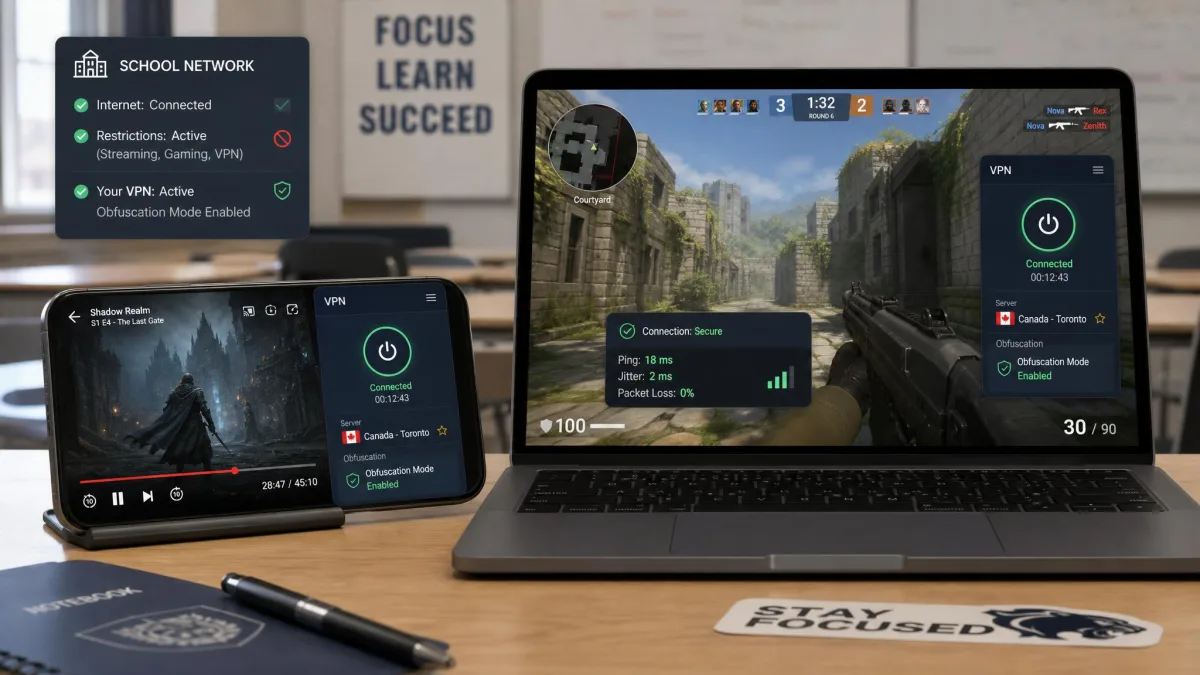
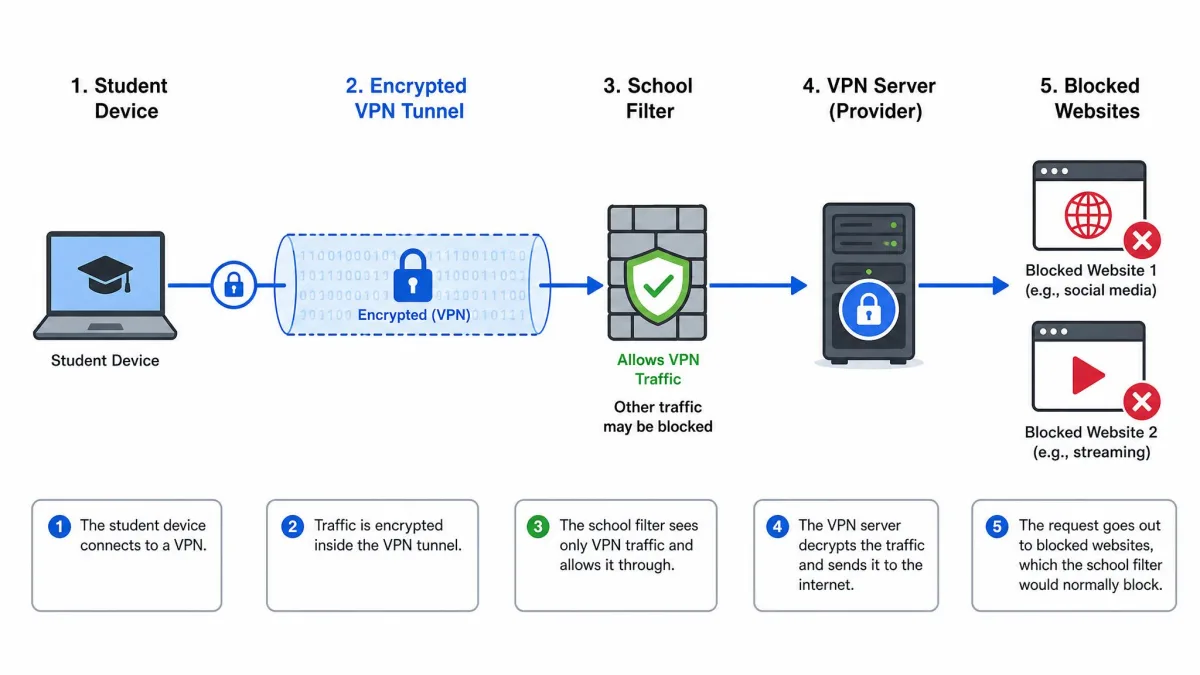
School and campus Wi-Fi is usually filtered, and those filters are often blunt. They block whole categories of sites. Sometimes they catch research pages, study tools, and services you have every right to use. A VPN encrypts your traffic and routes it through a server elsewhere, so the filter cannot see which sites you are visiting and cannot selectively block them.
Privacy is the other reason. On a shared network, the operator can see a surprising amount about your browsing unless it is encrypted. A VPN with a no-logs policy keeps your activity private from the network. That is reasonable to want even when you are doing nothing unusual. It also protects your data on the open Wi-Fi that many campuses run, where traffic can otherwise be intercepted.
Open campus Wi-Fi is a real risk on its own. Anyone on the same network can try to snoop on unencrypted traffic. A VPN wraps everything you send in encryption, so a login or a message stays private. That protection matters in a library, a dorm, or a shared study space. It is a good habit even off campus, on any public network.
There are practical reasons too. Students often need to reach services that a filter blocks by mistake. Others want to connect to their home region for a service that behaves differently on the school network. A VPN gives you a consistent, private connection wherever you are on campus, which is why so many students keep one installed.
Can Schools Block or Detect VPNs? (Obfuscation & Port 443)
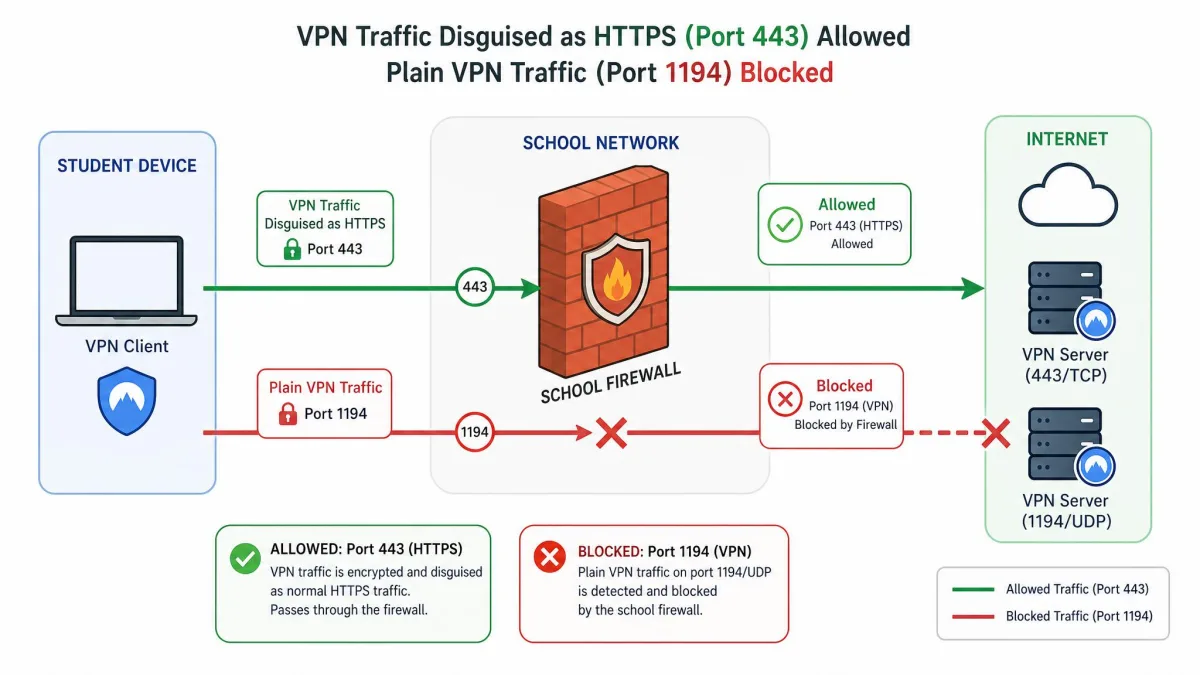
Yes, schools can and do try to block VPNs. Understanding how they do it explains why obfuscation is so important. School firewalls scan packets for VPN signatures, and they commonly block the ports that popular VPN protocols use. The usual targets are port 1194 for OpenVPN and port 1701 for L2TP. A VPN that only offers those protocols often gets stopped on a well-managed network.
This is where port 443 comes in. Port 443 carries normal HTTPS web traffic, the encrypted connection your browser uses for nearly every site. A school cannot block port 443 outright without breaking regular web browsing for everyone. So VPNs that can tunnel over TCP on port 443 tend to survive the filter. Their traffic looks like ordinary secure browsing, which is exactly the disguise you need.
Obfuscation takes this further. Even on port 443, deep packet inspection can sometimes spot the pattern of a VPN handshake. Obfuscation protocols like NordWhisper, Stealth, and Camouflage reshape that traffic so it no longer looks like a VPN at all. In our testing, a standard OpenVPN connection got flagged and dropped on networks that used deep packet inspection, while NordVPN with NordWhisper got through with the inspection unable to identify it as a VPN.
If your VPN keeps disconnecting on a school network, the default protocol is almost certainly being detected and blocked. Switch to the app's obfuscation mode or a TCP over port 443 option before you assume the VPN does not work. That single change is usually what gets a connection through.
Can You Use a Free VPN for School?
You can, but you have to be careful. Most free VPNs come with serious trade-offs. Many limit your data so tightly that a single video call burns through your monthly allowance, and some fund themselves in ways that undercut the privacy you installed a VPN to get. On a school network, most free VPNs also lack obfuscation, which is the one feature you most need there.
Proton VPN is the exception we trust. Its free plan runs with unlimited data and does not require a card, which removes the usual free-VPN traps. In our testing it handled browsing and research well, though it limits you to one device and a small set of server locations, and those free servers can feel slow at peak times when everyone is on them. For a single laptop and light use, that is a fair deal.
The catch for school specifically is obfuscation. Proton's Stealth protocol, the feature that disguises VPN traffic, is reserved for paid plans. So on a network that blocks plain VPN connections, the free tier may not connect at all, and you would need to upgrade or choose a paid service. If your school network is not aggressively filtered, the free plan can be all you need. If it is, budget for a paid plan with obfuscation on every tier.
How to Install and Use a VPN on a School Computer or Chromebook
Setting up a VPN on your own laptop or phone is simple: download the app, sign in, pick a server, and turn on the obfuscation mode. School-issued devices are a different story. They are usually managed by an administrator who has locked down what you can install and change.
On a personal Windows or Mac laptop, install the provider's app, choose the obfuscation protocol in settings, and connect. On Android and iPhone, download the app from the Play Store or App Store, sign in, and enable the same obfuscation feature. Turn on the kill switch so your traffic is protected if the connection ever drops. That is the whole process on an unmanaged device.
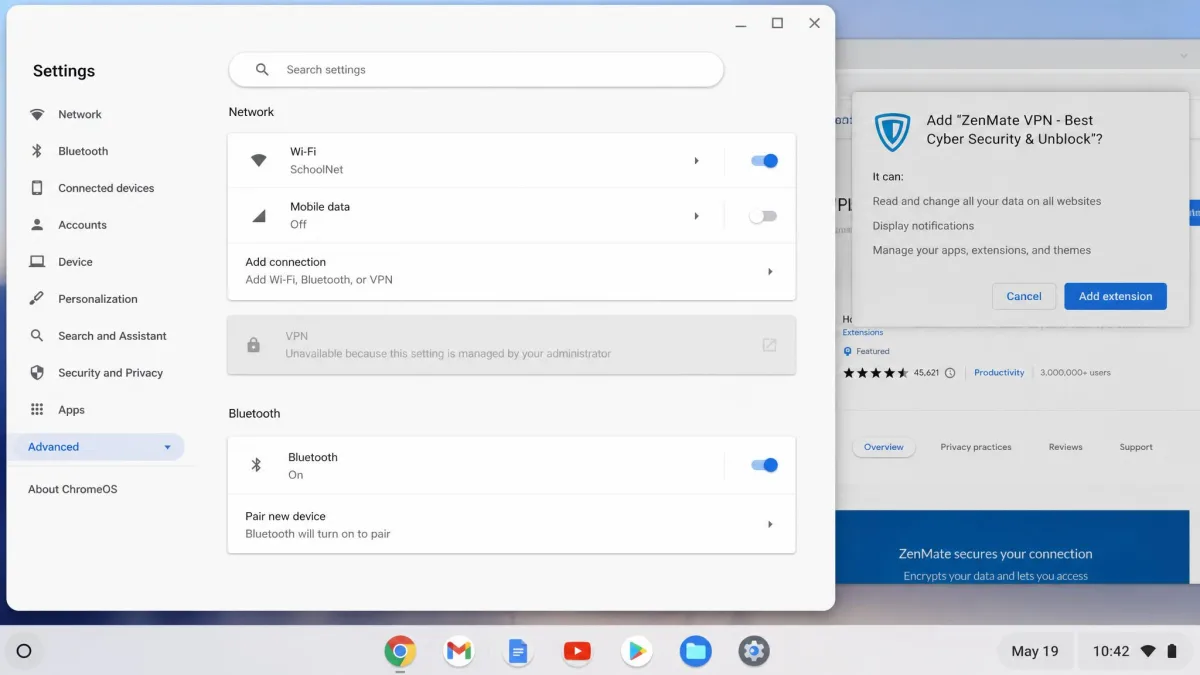
School Chromebooks are where people get stuck. On a school-managed Chromebook, the VPN section under Settings is almost always locked by the administrator, so the built-in manual VPN option cannot be added at all. Your realistic routes are a Chrome extension or an Android app, and each has a catch. A Chrome extension is the easiest no-admin option, but if the Chrome Web Store is filtered, the extension may install and then silently fail to route any traffic. The Android-app route works on a Chromebook only when Google Play is enabled, and on locked-down school devices the Play Store often does not appear at all.
Before you buy a VPN for a school Chromebook, check two things: whether the Chrome Web Store loads and whether the Google Play Store appears on the device. If both are blocked, no consumer VPN can install on that Chromebook, and your best option is to run the VPN on a personal phone or laptop instead.
If your Chromebook allows either route, install the VPN, sign in, enable obfuscation, and confirm your connection is actually being routed by checking that your IP address has changed. Our dedicated guide on the best VPN for a school Chromebook walks through the extension and Android-app paths step by step if you hit a wall.
Is Using a VPN at School Allowed?
This is where legality and permission part ways, and it is worth being clear about both. In most countries, using a VPN is legal. Bypassing a school filter with one does not break any law by itself. So from a legal standpoint, students in most places are on solid ground.
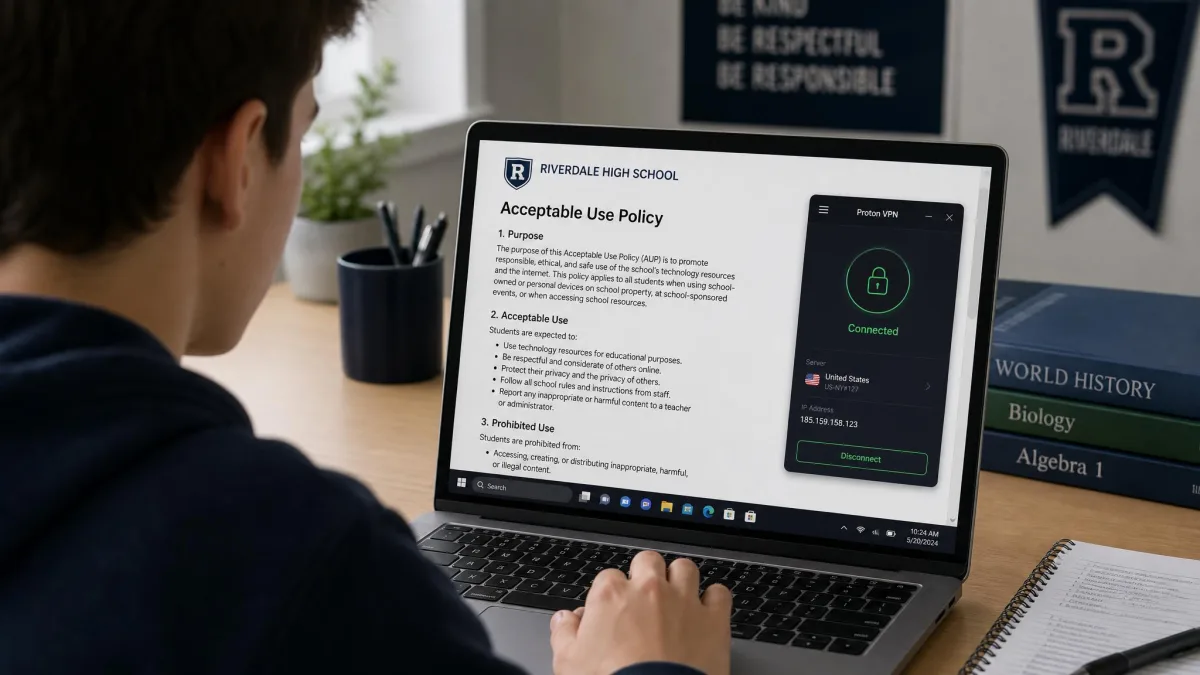
The separate question is your school's own rules. Acceptable-use agreements commonly prohibit bypassing network filters, even where doing so is perfectly legal. The policy risk is real and distinct from the legal one. Breaking a school policy will not get you arrested, but it can carry consequences within the school, from a warning to loss of network access. We always recommend reading your school's acceptable-use policy before you rely on a VPN there.
Where do you find that policy? It is usually in the student handbook, the enrollment paperwork, or the terms you agreed to when you first logged on to the network. Search it for words like filter, bypass, or circumvent. If the wording is unclear, ask the IT office directly. A quick question now beats a surprise later.
Our stance is simple. A VPN is a legitimate privacy and security tool, and there are plenty of good reasons to use one on a shared network. We test these apps so you can make an informed choice, and we encourage you to stay within your school's rules while you do it. Legal and permitted are not the same thing, and only you can check the second one.
Legality and school policy are two different things. Using a VPN is legal in most countries, but your school's acceptable-use agreement may still forbid bypassing its network filters. Check that policy before you connect, since the consequences for breaking it are set by the school, not the law.
Frequently Asked Questions
Can schools detect or block a VPN?
Will a VPN slow down school Wi-Fi?
Can I use a free VPN for school?
Is using a VPN at school allowed or legal?
Which VPN works on a school Chromebook?
How do I install a VPN on a school computer?
What is the best VPN for streaming or gaming on school Wi-Fi?
Final Verdict
The runners-up each have a clear lane. Surfshark is the value pick with unlimited devices. ExpressVPN is the specialist for the toughest firewalls, and Proton VPN is the free plan worth trusting. CyberGhost is the easiest to start with, and PIA gives power users the most control. Whichever you choose, turn on obfuscation, test it on your real network within the money-back window, and check your school's acceptable-use policy first.