ChromeOS is one of the more locked-down operating systems you can buy, and that security is a big part of why people love a Chromebook. What it does not give you is privacy from your internet provider, or access to the streaming libraries and websites that are blocked in your region. A VPN is the piece that fills both gaps.
The good news is that a Chromebook takes a VPN well. Most services install as an Android app straight from Google Play, so the experience is close to what you would get on a phone. The catch is that ChromeOS support is uneven. Some apps run smoothly. Some feel like an afterthought. A few browser extensions barely protect anything at all.
We put the leading services through real-world testing on a ChromeOS device, measuring speed, checking for leaks, and confirming which ones actually unblock streaming. This guide ranks the five we would recommend, explains how to install and set one up, and answers the questions we hear most from Chromebook owners.
We tested every VPN in this guide on a ChromeOS device, installing each one from Google Play the way you would at home. We ran speed and streaming checks over several days on the same Chromebook and the same connection, so the picks below reflect how these apps behave on real hardware, not just their spec sheets.
The Best Chromebook VPNs at a Glance
If you want the short version, here are the five services we recommend and the reader each one suits. The full reviews and the comparison table further down explain how we reached these rankings.
- NordVPN protects the most ground, with the fastest all-round performance and the most consistent streaming access we saw on ChromeOS.
- Surfshark covers unlimited devices for one low price, which makes it the natural choice for a household.
- Proton VPN is the only pick with a free plan we would actually trust, backed by an audited no-logs policy.
- ExpressVPN is the one to reach for if streaming is your main reason to enable a VPN.
- Private Internet Access is the most affordable long-term subscription, with open-source apps and heavy customization.
How We Tested the Best Chromebook VPNs
We licensed or signed up for each service ourselves and installed every one on a ChromeOS device from the Google Play Store, exactly as a reader would. Nothing here runs on a special build or a rooted device.
On that Chromebook we scored four things. First, speed. We measured download and upload throughput on the same connection with the VPN off and then on, so the numbers reflect the real cost of routing your traffic. Second, streaming. We tried to open geo-restricted libraries on the major platforms, including Netflix, BBC iPlayer, and other region-locked catalogs, to see which services got through. Third, privacy and security. We confirmed the no-logs stance, checked that the kill switch worked, and watched for DNS or IP leaks. Fourth, the ChromeOS experience itself, since an Android app built for phones does not always feel right on a laptop.
We weighted daily reliability heavily. A VPN that posts a great top speed but drops the connection is worse than a steady one. So we kept each app running through normal browsing and streaming to see how it held up. We also reconnected after ChromeOS woke from sleep. An app that silently drops its tunnel when the lid opens can leave you exposed without warning. Where a service offered more than one protocol, we tested its WireGuard-based option first, because that is almost always the fastest choice on a Chromebook. We ran each speed test three times per server and took the median, so a single lucky or unlucky sample never decided a ranking.
Before you install anything, open Settings on your Chromebook and confirm the Google Play Store is enabled. Almost every VPN below is an Android app, and without the Play Store you cannot install it.
The Best VPNs for Chromebook (Reviewed)
Each review below is based on our hands-on testing on ChromeOS. We note the reader each service fits, the reader who should skip it, and the current price so you can weigh the deal.

NordVPN
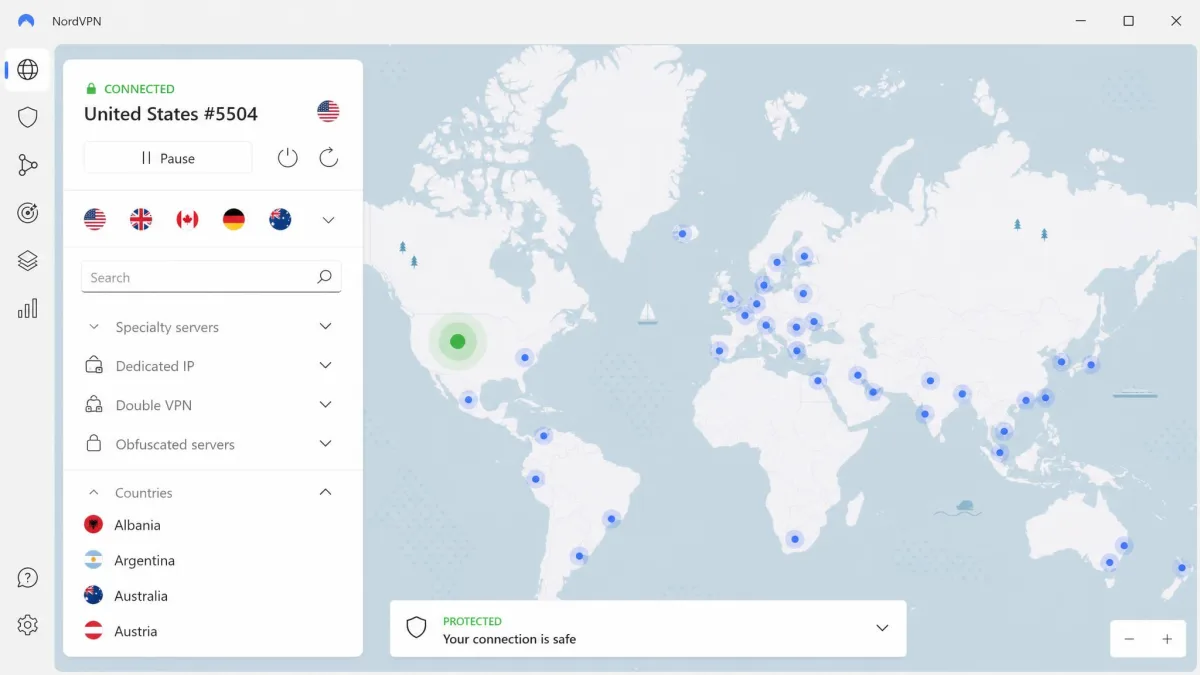
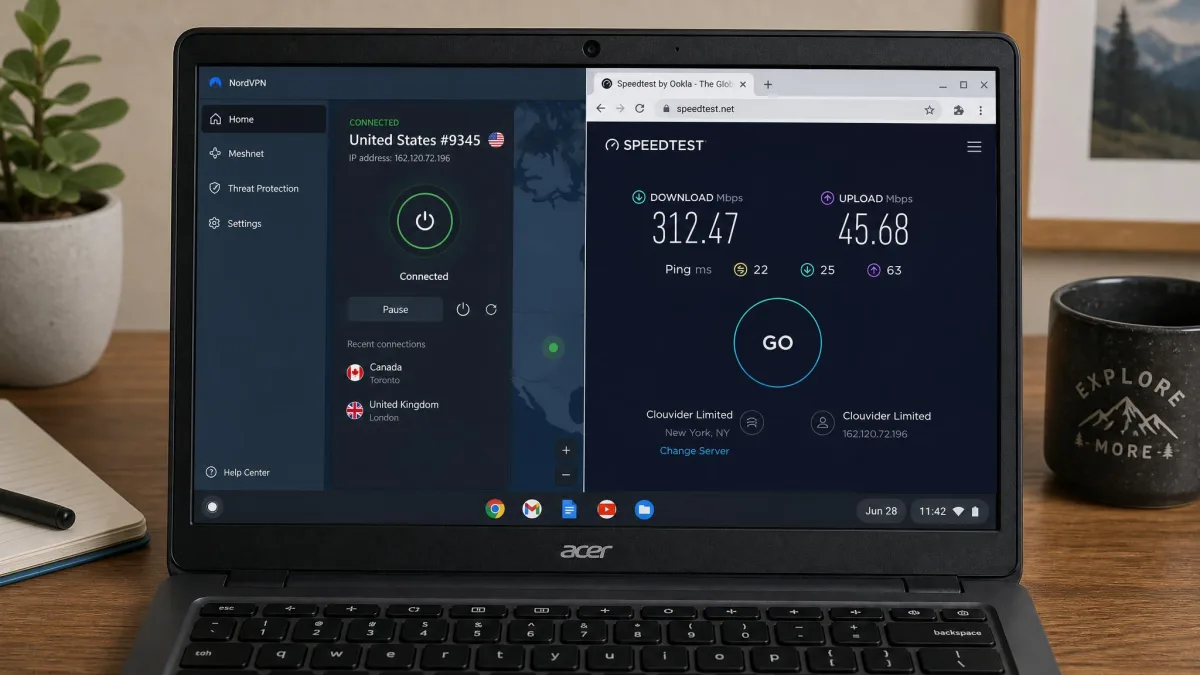
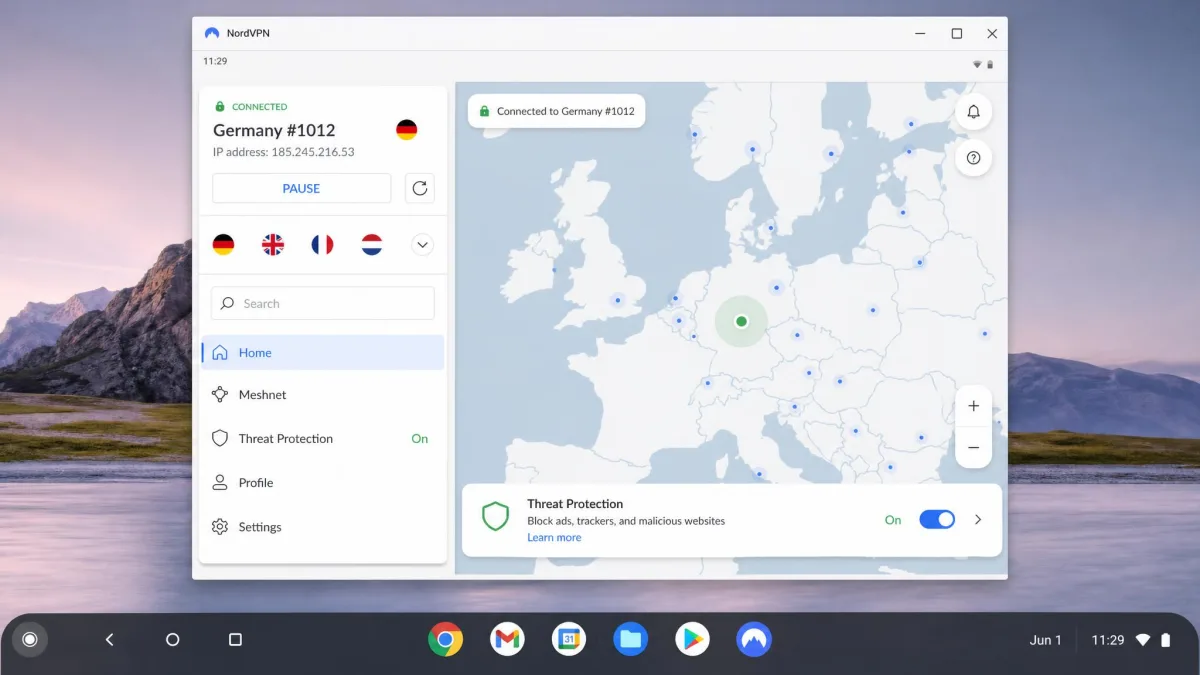
NordVPN was the most complete package we tested on a Chromebook. It runs as an Android app adapted for ChromeOS, and in our speed tests it gave up only a small slice of throughput, around a 6% drop on download. You will not notice that during normal browsing or HD video. It reliably unblocked geo-restricted libraries, including European Netflix. Across the major streaming platforms it got us in on every attempt. The NordLynx protocol, which is Nord's own build of WireGuard, is what keeps it fast. The no-logs policy, kill switch, and split tunneling are all present, and Threat Protection blocks ads and malware at the app level. It also held its tunnel cleanly when we opened the lid after sleep, which not every app here managed. We did hit the occasional connectivity hiccup, and the Double VPN servers run noticeably slower, but those are edge cases rather than daily problems. With a huge server network to choose from, you rarely wait for a fast connection near you.
Pros
- Fast, steady all-round performance on ChromeOS
- Reliable streaming access, including European Netflix
- Large 9,300-server network across 137 countries
- Threat Protection blocks ads and malware
Cons
- Occasional connectivity hiccups in testing
- Double VPN servers run noticeably slower
Best for: Anyone who wants one VPN that does everything well on a Chromebook. Skip if: You only ever need the absolute cheapest long-term plan.

Surfshark
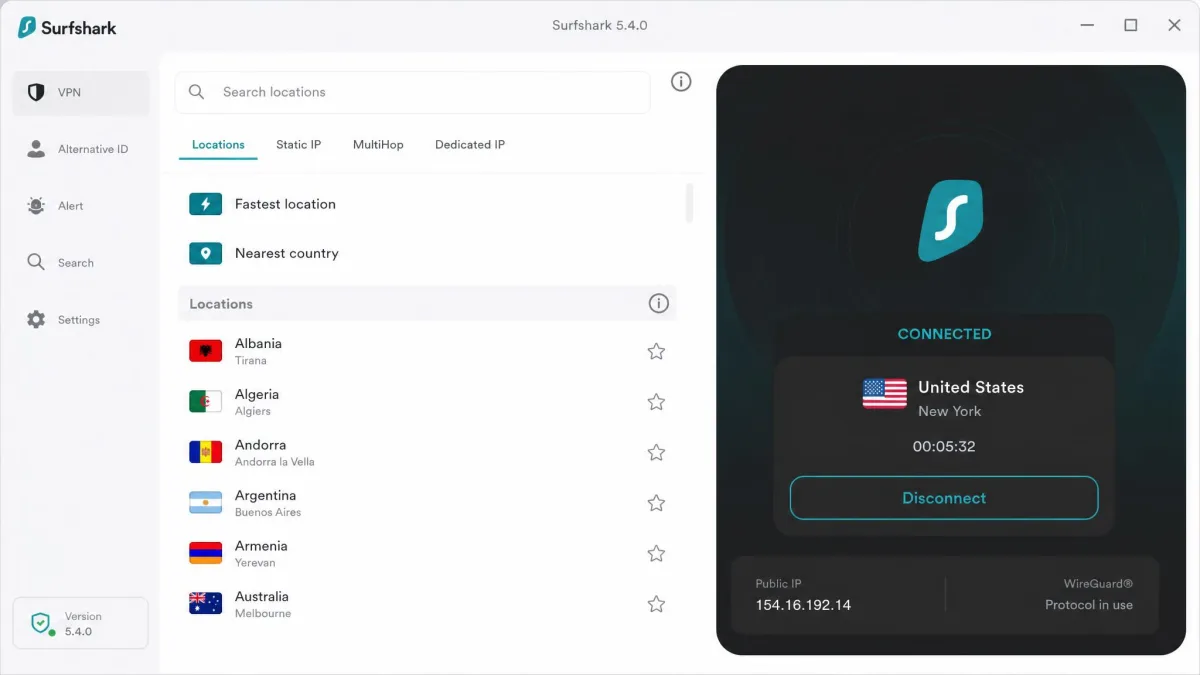
Surfshark is the pick we reach for when budget matters but you do not want to cut corners on protection. It covers unlimited simultaneous connections, so one subscription protects every device in the house. Its ChromeOS speeds held up well. We measured around 273 Mbps on a 350 Mbps line using WireGuard, which is more than enough for 4K streaming and large downloads at once. The app includes CleanWeb ad and malware blocking, a kill switch, split tunneling through its Bypasser feature, and MultiHop routing. It is not flawless. The app design has some rough edges on ChromeOS. It lacks dedicated streaming-optimized servers. Upload throughput can drop sharply compared with download, which matters if you back up files or make video calls. For most people those trade-offs are easy to accept at this price. The plan also bundles a 30-day money-back guarantee plus a short free trial, so you can confirm it works on your hardware first.
Pros
- Unlimited simultaneous connections
- Strong download speed on ChromeOS in testing
- CleanWeb blocks ads and malware
- Very low two-year price
Cons
- App design has rough edges on ChromeOS
- Upload speed can drop sharply
Best for: Households that want to cover every device for one low price. Skip if: You want a polished app and dedicated streaming servers.

Proton VPN
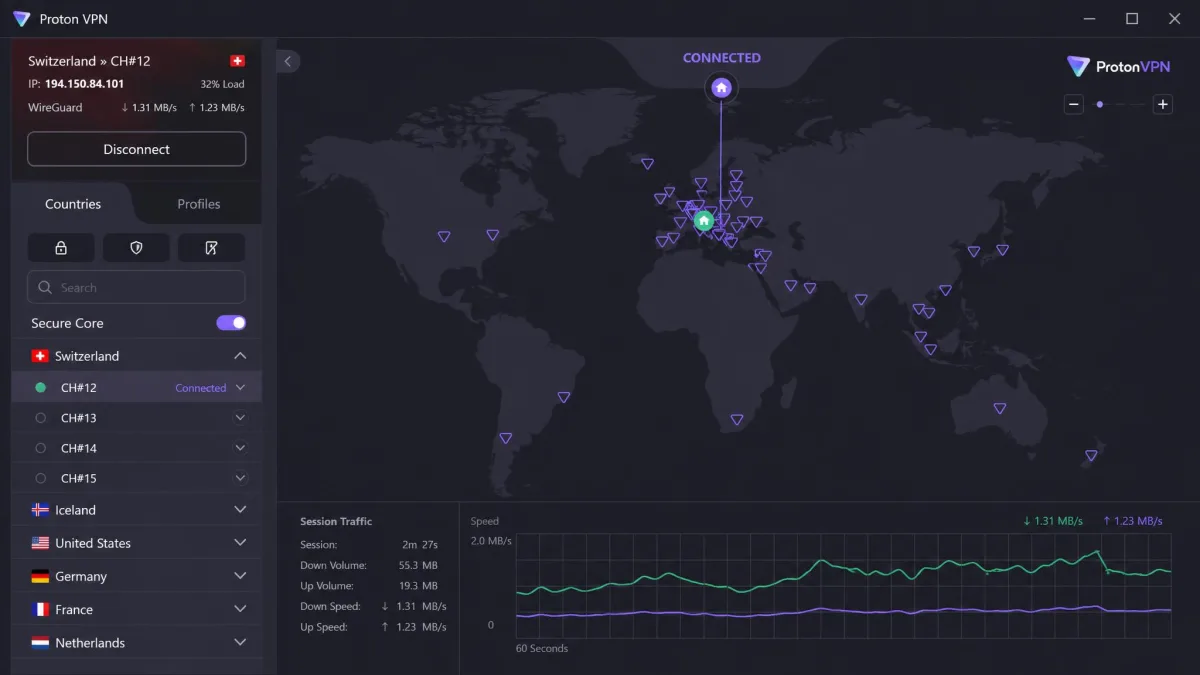
Proton VPN is the rare free VPN we trust, and that trust is earned. The free plan gives you unlimited data with no ads and no credit card required. Almost no competitor matches that. It is backed by an audited no-logs policy and Swiss privacy jurisdiction. On our Chromebook the app was user-friendly and easy to navigate, helped by a dedicated Chromebook download alongside the standard Android app. NetShield blocked over 90% of ads in our testing. VPN Accelerator boosted speeds on distant servers by up to 50%, which is the feature that keeps a far-off server usable. The free tier does have real limits. It works on one device and a small set of countries, so speeds can feel constrained at busy times. If you outgrow it, VPN Plus opens up a much larger server list, up to 10 devices, and the full feature set including Secure Core and Tor over VPN.
Pros
- Genuinely free plan with unlimited data and no ads
- Audited no-logs policy, Swiss jurisdiction
- Easy-to-navigate ChromeOS app
- NetShield blocked over 90% of ads in testing
Cons
- Free plan is limited to one device
- Free plan covers only a small set of countries
Best for: Anyone who wants strong privacy without paying, or a low-cost paid upgrade. Skip if: You need many devices or wide server choice on the free tier.

ExpressVPN
ExpressVPN is the service we would hand to someone whose main goal is watching what they want, wherever they are. On our Chromebook it felt lightning-fast. It handled HD streaming and bandwidth-heavy tasks without stutter. It unblocked even the stubborn platforms like BBC iPlayer and Netflix from ChromeOS, and it did so on the first server we tried each time. Its Lightway protocol is built for speed. The TrustedServer system runs everything in RAM, so no data is written to disk, which supports the no-logs promise. Network Lock is its kill switch, and split tunneling is there too. With servers across 113 countries you have plenty of exit points for region-hopping. The catch is price. ExpressVPN is not the cheapest here, even at its lower two-year rate. You are paying for consistency and streaming access rather than a bargain.
Pros
- Very fast on ChromeOS, HD-ready with no stutter
- Unblocks stubborn platforms like BBC iPlayer
- RAM-only TrustedServer no-logs design
- Simple, reliable app
Cons
- More expensive than the other picks
- Fewer servers than NordVPN
Best for: Streaming fans who want the most reliable unblocking. Skip if: You are on a tight budget.

Private Internet Access
Private Internet Access, or PIA, is the value play for anyone who plans to commit for the long haul. Its three-year plan works out to the lowest monthly cost in this roundup, and it still covers unlimited simultaneous connections. The apps are open source and the no-logs policy is audited, which appeals to the privacy-minded. PIA is also unusually configurable. You can dial encryption strength up or down, and MACE blocks ads and trackers. It runs as an Android app on ChromeOS with servers in around 90 countries. Our main note of caution is stability. PIA can crash or misbehave after major app updates, so you may need to reconnect once an update lands. That habit is easy to build, and for the price we can live with it.
Pros
- Lowest long-term price in this roundup
- Unlimited simultaneous connections
- Open-source, audited apps
- Highly configurable encryption
Cons
- Can crash after major app updates
- Interface is busier than rivals
Best for: Bargain hunters who want deep customization and unlimited devices. Skip if: You want the most polished, hands-off experience.
Chromebook VPN Comparison
Here is how the five services line up on the specs that matter for a Chromebook. Prices reflect the best long-term plan for each service at the time of writing.
| VPN | Buy | Servers | ChromeOS app | Simultaneous devices | Speed | Price |
|---|---|---|---|---|---|---|
|
Check price → | 9,300+ | Android app | 10 | ~6% download drop | $3.49/mo (2yr) |
|
Check price | 3,200+ (varies) | Android app | Unlimited | ~273 Mbps (WireGuard) | $2.49/mo (2yr) |
|
Check price | 15,000+ (Plus) | Chromebook + Android app | 10 paid, 1 free | +50% on distant via Accelerator | Free/ $2.99/mo (2yr) |
|
Check price | 3,000+ | Android app | 10 (Basic) | Very fast, HD-ready | $2.99/mo (2yr) |
|
Check price | 91 countries | Android app | Unlimited | Fast | $2.03/mo (3yr) |
Do You Need a VPN on Your Chromebook?
ChromeOS handles the basics of security well. Sandboxed apps, verified boot, and automatic updates make it a hard target for malware, and that protection works without you doing anything. So if a VPN is not about malware, what is it for?
Two things, mostly. The first is privacy. Without a VPN, your internet provider can see the sites you connect to. Public Wi-Fi in a cafe or airport can expose your traffic to anyone else on the network. A VPN encrypts that traffic and hides your real IP address. The second is access. Streaming services, sports feeds, and some websites serve different content by country, and a few block access entirely from where you are. A VPN lets you appear to browse from another location so you can reach that content.
ChromeOS keeps your device secure, but a VPN is what keeps your connection private and your content unblocked.
— From our hands-on testing
Public Wi-Fi is the clearest case. A cafe or airport network is shared and often unsecured. Anyone on it can try to snoop on your traffic. A VPN encrypts your connection, so that risk drops away. Travel is the next case. Hotel and airport networks change from place to place, and some block sites you use at home. A VPN keeps your access steady wherever you land. There is also throttling. Some providers slow certain traffic, like video or large downloads. A VPN hides what you are doing, so that targeting is harder to apply.
You do not need a VPN for every task. If you are only checking email at home, the value is smaller. But for travel, public Wi-Fi, streaming, or simply keeping your browsing to yourself, a VPN earns its place on a Chromebook.
What to Look For in a Chromebook VPN
Not every VPN treats ChromeOS as a first-class platform. These are the features we weigh most when we recommend one.
ChromeOS Compatibility
The most important box to tick. Because ChromeOS runs Android apps, most VPNs install through Google Play. A few, like Proton VPN, also offer a dedicated Chromebook download. Check that the app is actively maintained and that the ChromeOS experience is not an afterthought. A well-adapted app fills the screen properly and keeps its connection when the laptop wakes from sleep. If an app was clearly built only for a phone, you will feel it. You get cramped menus and buttons that sit off to one side on a wider Chromebook display.
Speed & Server Network
A VPN always costs you some speed, since your data takes a longer path. The best services keep that cost small enough that you never notice it during browsing or HD video. A large server network helps too. More servers spread the load and give you a nearby, fast option. WireGuard-based protocols are the fastest we tested, so pick a service that offers one. Then choose the closest server for everyday browsing, because distance to the server is the single biggest factor in the speed you actually feel.
Streaming Support
If you plan to watch region-locked content, streaming support is not optional. Some services keep dedicated streaming servers or obfuscation that slips past the blocks the platforms put up. In our testing, NordVPN and ExpressVPN were the most consistent at unblocking the stubborn libraries. They got us into Netflix and BBC iPlayer without the buffering or proxy errors that sink weaker services.
Privacy & Security Features (kill switch, split tunneling)
Look for an independently audited no-logs policy so the service is not recording where you go. A kill switch is essential. It cuts your internet if the VPN drops, so your real IP never leaks. Split tunneling is the useful companion. It lets you route some apps through the VPN while others use the direct connection, which is handy when a banking app dislikes a foreign IP. Every pick in this guide includes all three.
A VPN that keeps logs can undo the whole point of using one. Stick to services with an independently audited no-logs policy, which every pick in this guide has.
Android App vs. Chrome Extension: Which Should You Use?
This is the decision that trips up the most Chromebook owners, so it is worth being clear. A Chrome extension and an Android VPN app are not the same thing, and they do not protect you equally.
A Chrome extension is a proxy that only covers traffic inside the Chrome browser. Anything outside Chrome, including Android apps and system connections, is not protected. Many extensions do not encrypt your traffic the way a full VPN does. They are convenient for quickly changing your apparent location for a website, but they are not full protection.
The Android app is the better choice for almost everyone. It creates a system-level VPN connection that covers your entire Chromebook. It encrypts everything, and it gives you the kill switch and split tunneling that extensions lack. Our advice is simple. Install the Android app for real protection, and treat the extension as a lightweight extra, not a replacement.
Some services offer both an Android app and a Chrome extension under one subscription. Install the app first for full-device coverage, then add the extension only if you want a quick in-browser toggle.
How to Set Up a VPN on a Chromebook
Setting up a VPN on ChromeOS is quick once you know which route to take. There are three, and for most readers the first is all you need.
Install an Android VPN App from Google Play
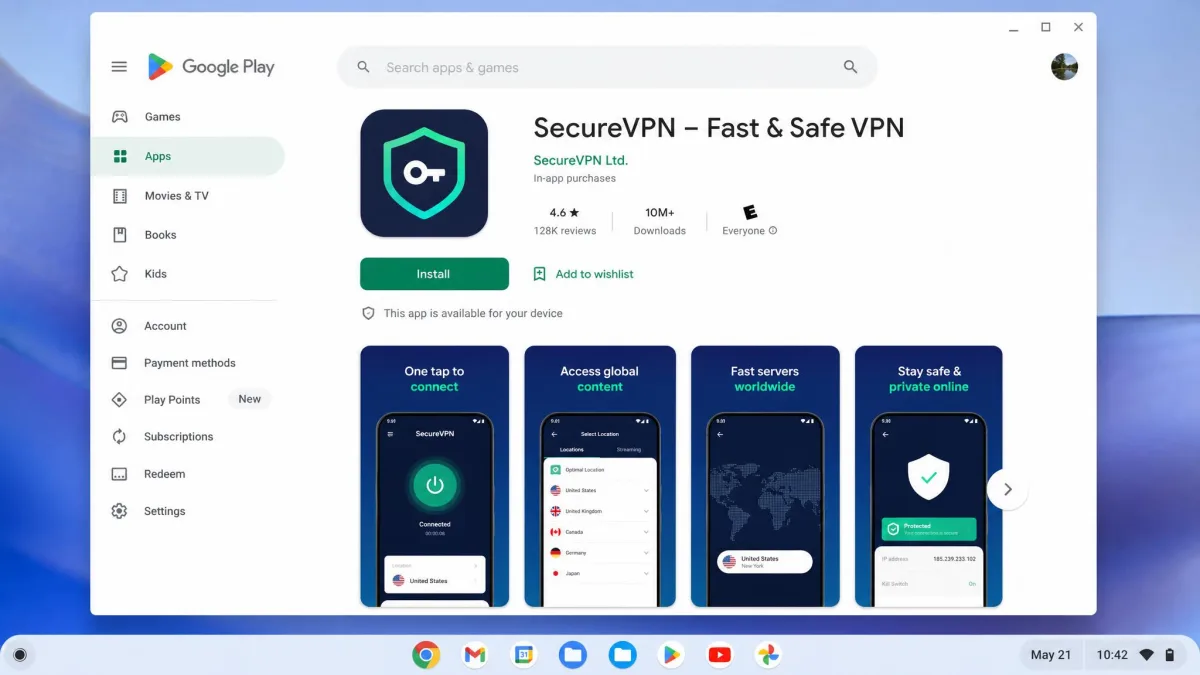
This is the method we recommend. Open Settings and confirm the Google Play Store is enabled, then open the Play Store and search for your chosen VPN. Install it as you would any Android app, open it, sign in with your account, and connect. The app requests permission to set up a VPN connection the first time. Approve it, and your whole Chromebook is protected. ChromeOS also has built-in VPN connection settings if you ever need to set one up by hand.
Use a Chrome VPN Extension
If your VPN offers a Chrome extension, you can add it from the Chrome Web Store, sign in, and toggle it on. Remember that it only protects Chrome traffic. Use this route when you want a fast in-browser location switch, not as your main line of defense.
Sideload via Linux (advanced)
Chromebooks that support the Linux development environment can run a VPN's Linux client or an OpenVPN configuration. This is an advanced route for users who want a command-line client or need to protect Linux apps specifically. Enable Linux in Settings, then install the VPN's Linux package or import its config file. Note one limit here. The Linux container is a separate space on ChromeOS. A VPN you run inside it protects Linux apps, not your whole Chromebook. For full-device coverage you still want the Android app. Reach for this route only when you have a specific Linux need. Most people never need this, but it is there if you do.
Are Free Chromebook VPNs Worth It?
Sometimes, but you have to be careful. Most free VPNs pay for themselves in ways you would not choose: throttled speeds, tiny data caps, aggressive ads, or, at worst, selling your browsing data. That last one turns the tool against its own purpose.
The exception is a free plan from a trusted paid provider. Proton VPN is our example. Its free tier gives you unlimited data with no ads and no credit card, backed by the same audited no-logs policy as its paid plans. The trade-offs are honest ones, a single device and a limited set of countries, rather than hidden costs. If you want free and safe, that is the model to look for. If you want speed, wide server choice, and streaming, a low-cost paid plan is worth the few dollars a month.
Common Mistakes Chromebook VPN Buyers Make
The biggest mistake we see is relying on a browser extension and assuming the whole device is covered. It is not, and anything outside Chrome stays exposed. Install the Android app for real protection.
A second mistake is chasing the lowest headline price without checking the renewal rate. Those cheap monthly figures usually apply to a two or three-year commitment, and the price often jumps when it renews. Note the renewal cost before you commit, and remember every pick here carries a 30-day money-back guarantee, so you can test risk-free.
The last common slip is grabbing a random free VPN from the Play Store. Free apps from unknown developers are where the privacy risks concentrate. Stick to a trusted name, free or paid, and you avoid the trap entirely.
Frequently Asked Questions
Does the best Chromebook VPN change if you mostly travel?
Can I install a VPN directly on a Chromebook?
Why does a VPN slow a Chromebook, and how much is normal?
Is a browser extension enough?
Does a school-managed Chromebook change what you can install?
Does Chrome have a built-in VPN?
Final Verdict
Any of the five services here will protect your Chromebook well, but they suit different readers. Surfshark is the value champion for households. Proton VPN is the free plan worth trusting. ExpressVPN is the streaming specialist. PIA is the cheapest long-term commitment.
For most people, though, NordVPN is the one to get. It was the most complete performer in our ChromeOS testing: fast, with only a small speed cost, consistent at unblocking streaming, and packed with the security features that matter, all in an app that runs cleanly on a Chromebook. It is the VPN we would install on our own device first.