Chrome OS is one of the safer platforms you can browse on, thanks to sandboxing and automatic updates. That security does not make you private, though. Your internet provider, the coffee-shop network, and the sites you visit can still see your address and your traffic. A VPN closes that gap by encrypting your connection and hiding your location, and you do not have to pay to get it.
We spent several weeks putting the leading free services through the same checks: real speed runs, DNS and IP leak tests, and daily browsing on actual Chromebooks. Free tiers cut corners somewhere, so the goal was to find the ones that stay honest about privacy while still being usable. Some limit your data, some limit your servers, and a few quietly log or throttle you.
This guide ranks the five free VPNs we would actually install on a Chromebook today. For each pick you get a plain hands-on review, the pros and cons, and a direct download link. Further down we cover how to set one up, which free apps to avoid, and how free options compare to paid plans and simple proxy extensions.
We ran every VPN below on two Chromebooks, one personal device and one managed school-style account, connecting over both home Wi-Fi and a public network. Every claim about speed, leaks, and streaming comes from those sessions, not a spec sheet.
Best Free VPNs for Chromebook at a Glance
If you only want the short answer, here are the three we reach for most, ranked by how they held up across our privacy, speed, and daily-use tests. Proton VPN is the one we recommend to most Chromebook owners, but the runners-up win on specific needs.
The Best Free VPNs for Chromebook in 2026
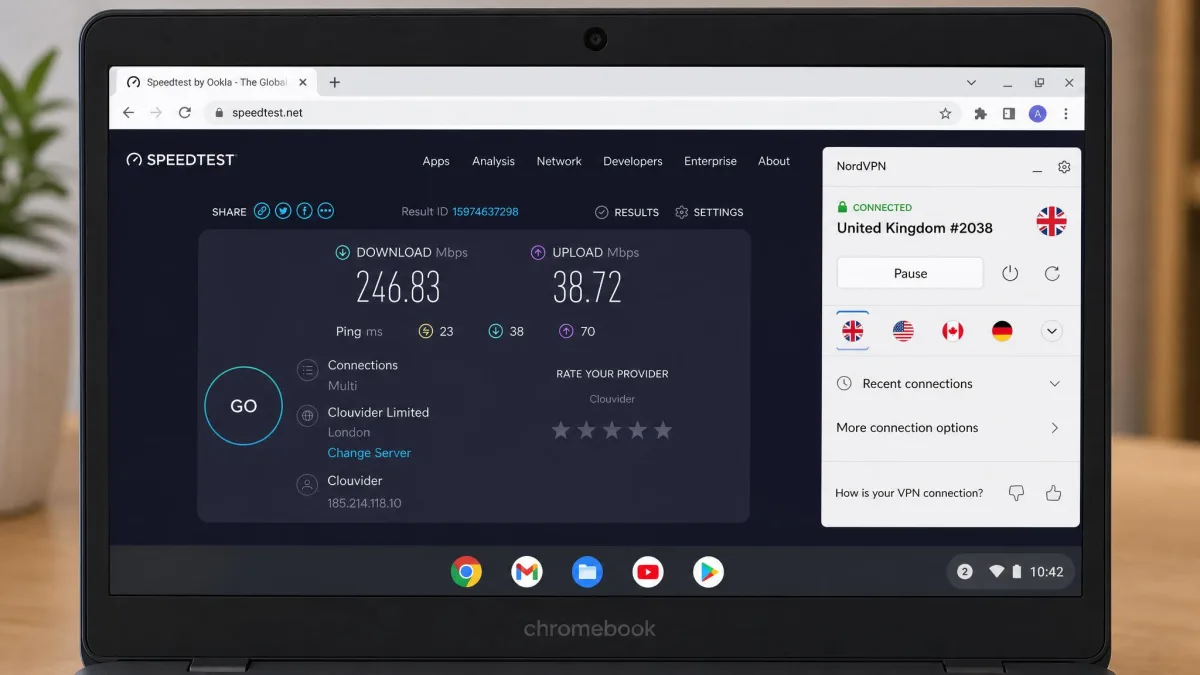
We scored each service on privacy, free-tier limits, speed, and how smoothly it ran on Chrome OS. Below is the full breakdown, starting with our top pick.
1. Proton VPN: Best Overall Free VPN for Chromebook
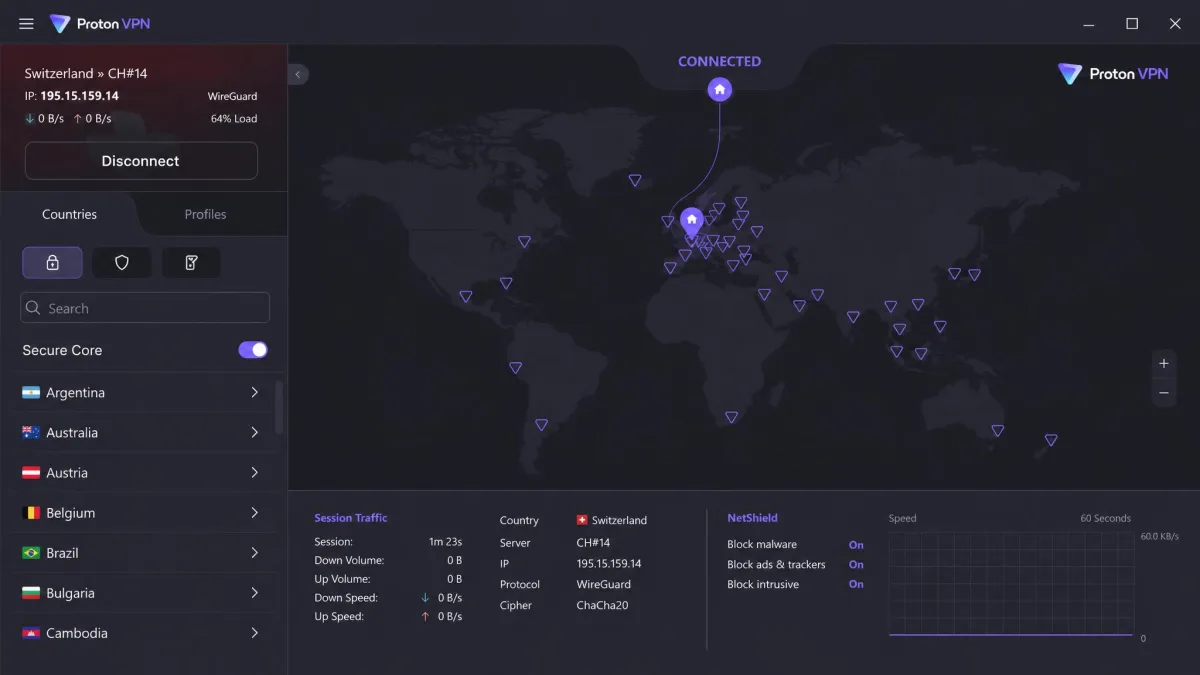
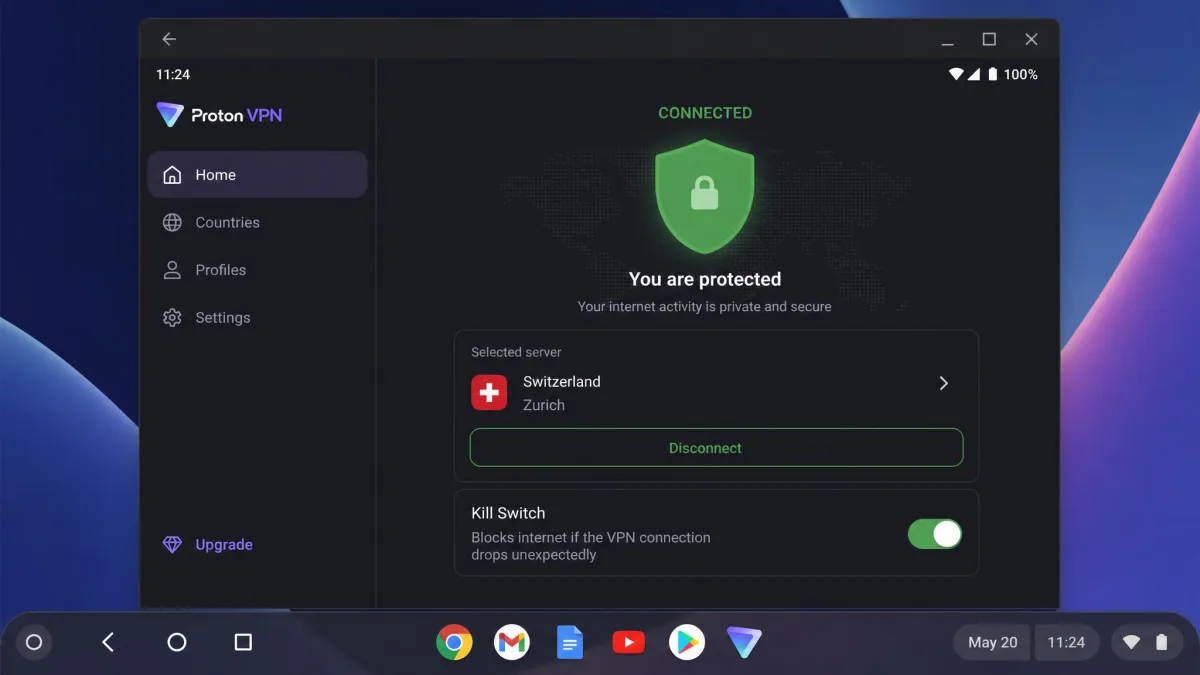
Proton VPN is the rare free service we can recommend without a warning label. On both our Chromebooks it installed straight from the Play Store as an Android app and connected with a single tap. Websites loaded instantly, and HD YouTube played without any buffering wait, which is not something we can say for most free tiers.
The reason it wins is the free plan itself. You get unlimited data with no monthly cap, so you are never rationing your browsing near the end of the month. Proton also promises no artificial speed throttling on the free plan and keeps it ad-free, and in our runs the speeds felt in line with the paid tier for ordinary browsing. Free access covers servers in around 10 countries, though the exact free-country count has shifted over time as Proton expands the tier.
We stressed the free tier the way a real user would, keeping it connected through back-to-back video calls and a long browsing session. Speeds stayed steady across the afternoon, and we never watched a page stall waiting on the tunnel. That consistency is the difference between a VPN you leave on and one you keep toggling off.
Privacy is where Proton pulls clearly ahead. It runs a strict no-logs policy, its apps are open-source and independently audited, and a kill switch cuts all traffic the moment the connection drops. That combination of an audited codebase and a working kill switch is what earns our trust for a service you are not paying for. The catch: the free tier blocks streaming services and torrenting, and it limits you to one device at a time. For private, everyday browsing on a Chromebook, none of that got in our way.
Pros
- Unlimited free data with no monthly cap
- No artificial speed throttling, and no ads
- Open-source, independently audited no-logs apps
- Working kill switch on the free plan
Cons
- No streaming or torrenting on the free tier
- One device at a time
- Free server choice limited to around 10 countries
You can grab the app straight from the store and be connected in under a minute.
2. Windscribe: Best Free VPN for Data Allowance
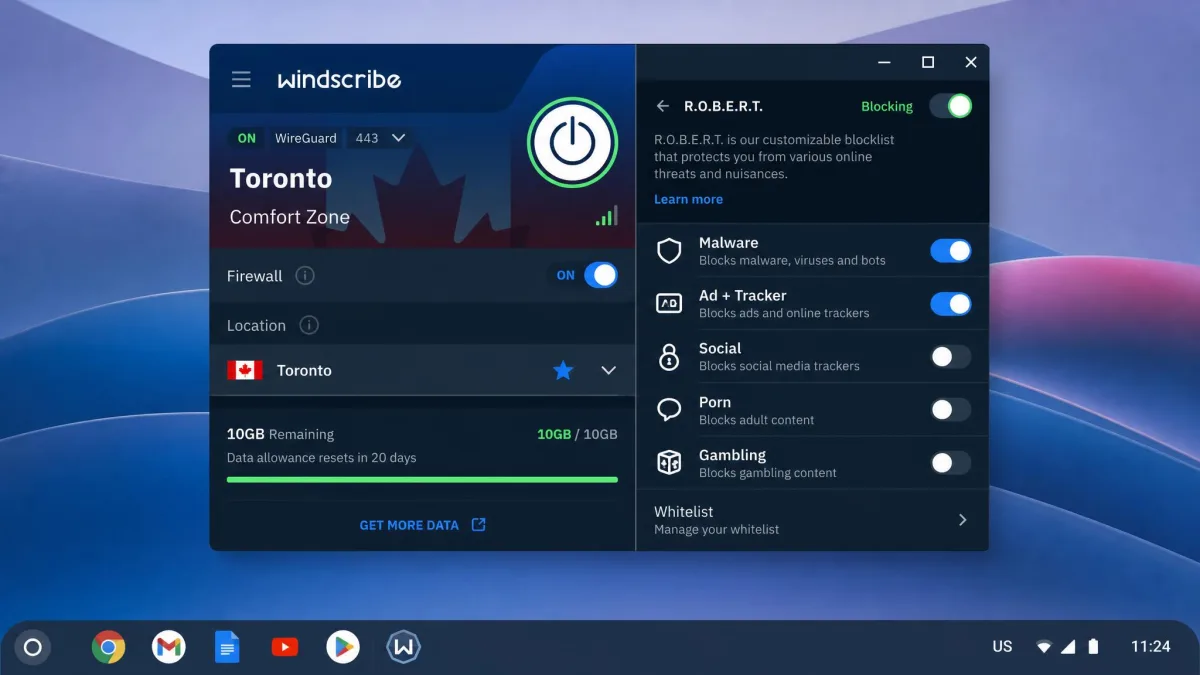
If Proton's server list feels too narrow, Windscribe is the free VPN with the most breathing room. Its free plan is not a stripped-down demo; you get the full app experience with no watered-down feature set, and in our testing the initial connection took under 30 seconds. That matters, because a lot of free tiers hide their best tools behind the paywall.
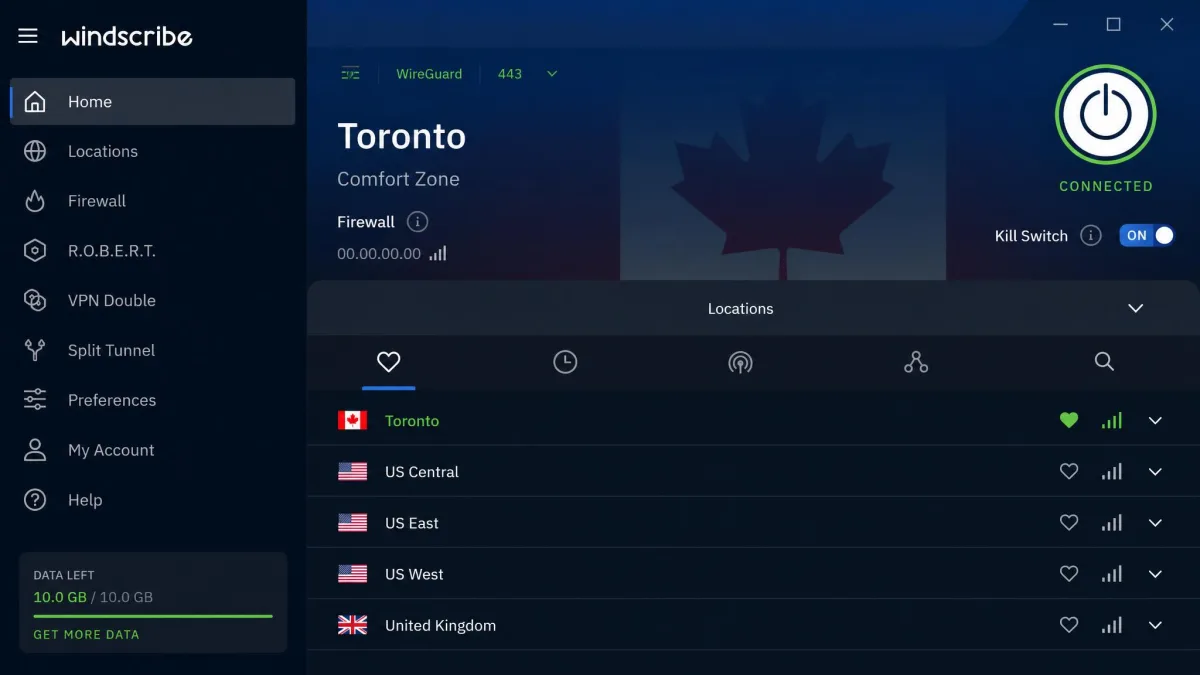
The headline is the data. Windscribe gives you 2GB a month out of the box, and once you confirm your email that jumps to 10GB a month, which is enough for real daily use rather than emergencies. There is also a promotional bonus that can push the ceiling higher, but the exact amount varies by promotion, so we would not count on a fixed number above 10GB. The network spans a large number of countries, though the free tier only opens a subset of them.
Windscribe also gives you unlimited simultaneous connections even on free, which is unusual and handy if you have a Chromebook, a phone, and a tablet. It includes a firewall-style kill switch and the R.O.B.E.R.T. ad and tracker blocker. Two caveats came out of our sessions. First, Windscribe has no dedicated Chromebook app, so on Chrome OS you either install the Android build or use the Chrome extension. Second, the free connection dropped in speed noticeably about twice over a three-hour stretch from server congestion, and each time a quick reconnect to a nearer server pulled the speed back. Streaming on distant servers was inconsistent, so treat it as a browsing tool rather than a Netflix machine.
Pros
- 10GB a month once you confirm your email
- Unlimited simultaneous device connections
- Full feature set on the free plan, including ad blocking
- Both an Android app and a Chrome extension
Cons
- No dedicated Chrome OS app
- Free speeds dip under congestion
- Weak for streaming on distant servers
Sign up, confirm your email, and you unlock the larger allowance immediately.

3. hide.me: Best Free VPN for Security and No-Logs
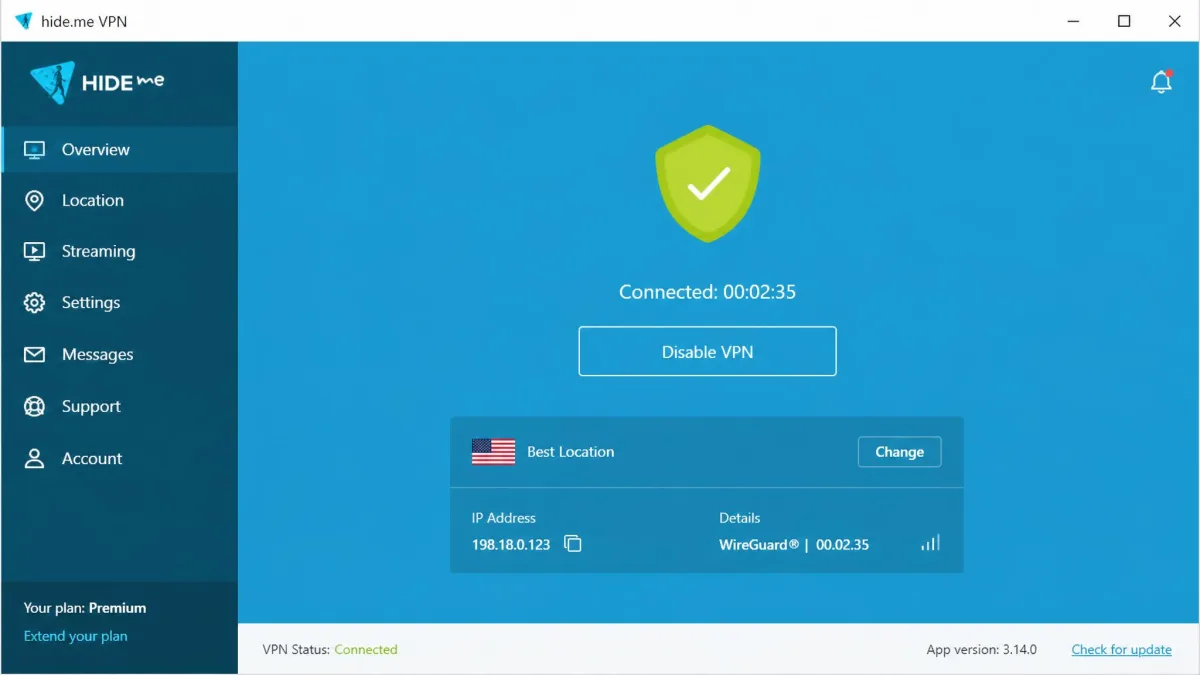
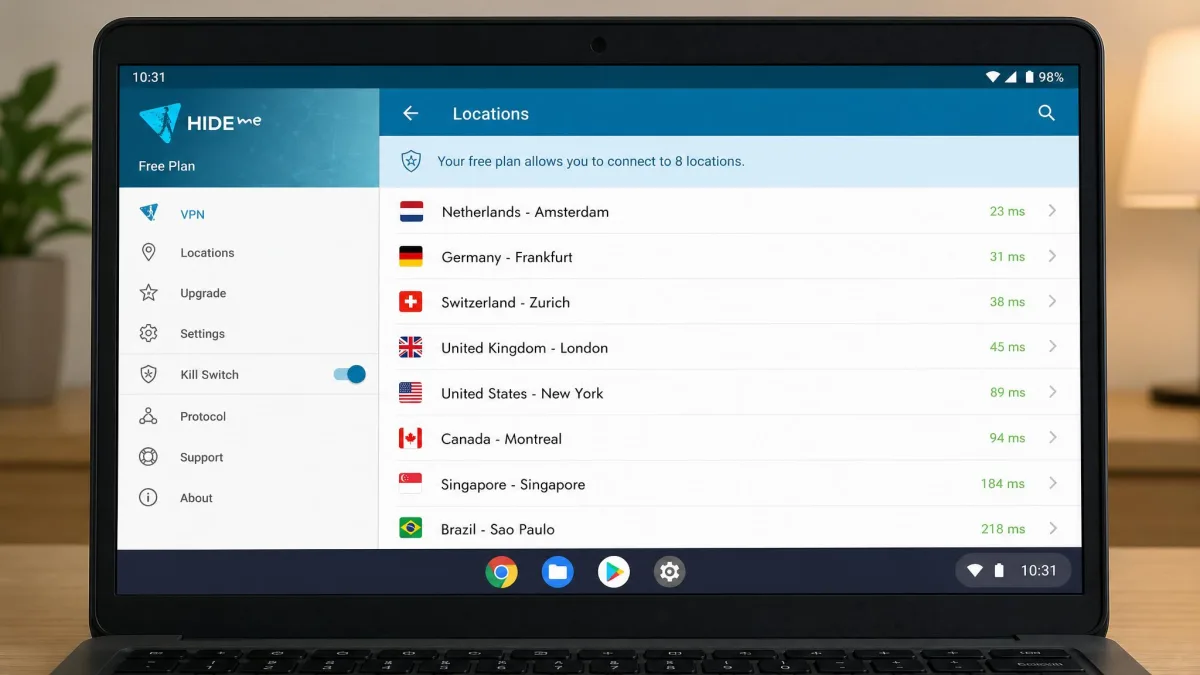
hide.me is the closest challenger to Proton on privacy, and on paper it even matches the data. The free plan now offers unlimited data after the old 10GB cap was removed, it runs an independently audited no-logs policy, and it uses RAM-only servers that wipe on every reboot. There is a kill switch, and the app installs on Chrome OS as an Android app from the Play Store.
In use, hide.me was quick where it counts. Websites loaded instantly and HD video started in about two seconds on our test connection. The interface design feels a bit dated next to Proton's, but it is clear enough and nothing got in the way of connecting.
The trade-offs keep it in third. Free users get servers in eight locations, and those shared locations get congested at peak hours. hide.me also throttles non-paying accounts, so the speeds you see during a busy evening will not match a quiet morning. Its free tier is built around private browsing rather than streaming, and the service indicates streaming and P2P are not supported on the free plan. If audited, RAM-only privacy is your priority and you can live with occasional congestion, hide.me is an easy recommendation.
Pros
- Unlimited free data after the old cap was removed
- Audited no-logs policy on RAM-only servers
- Kill switch included on the free plan
- Fast website and HD video loads in our tests
Cons
- Only eight free locations, and they get congested
- Non-paying accounts are throttled at peak times
- Dated-looking interface
The free plan needs no payment details to start.

4. TunnelBear: Best Free VPN for Beginners
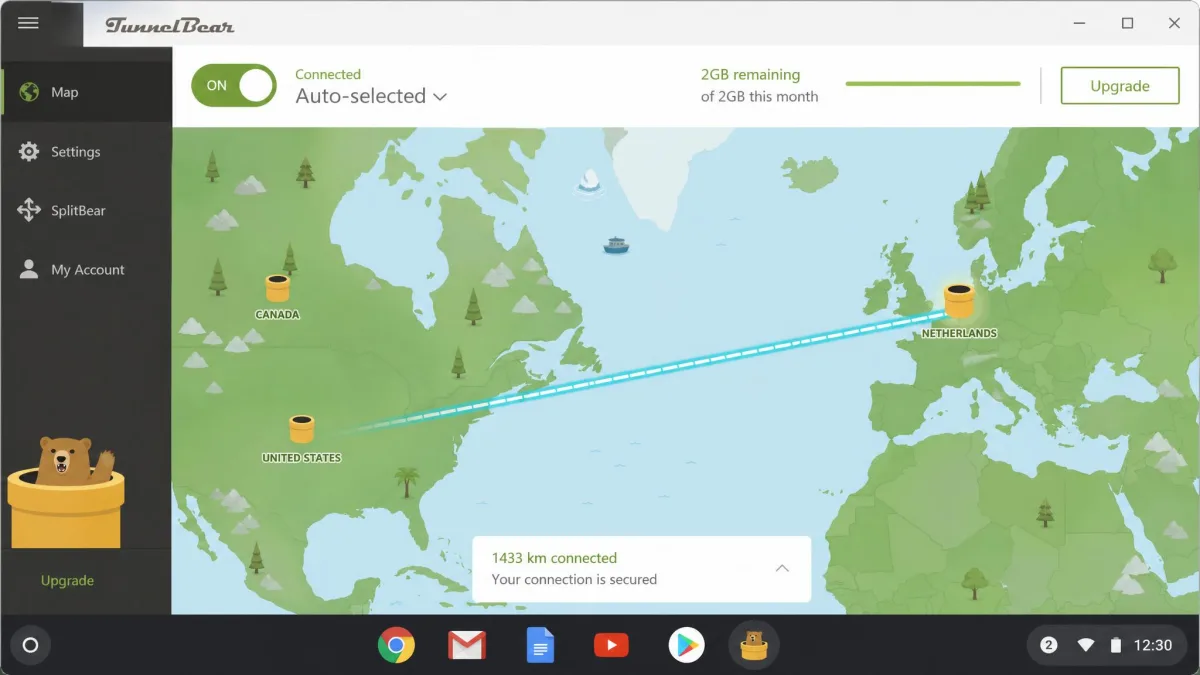
TunnelBear is the friendliest VPN here, and that is the whole point. The playful bear theme hides a serious service: a no-logs policy, the VigilantBear kill switch, and GhostBear obfuscation to help the connection blend in on restrictive networks. It installs on Chrome OS as an Android app or a Chrome extension, so you can pick whichever fits your device. For someone setting up their first VPN, nothing about it is intimidating.
The limits are what hold it back. The free plan gives you 2GB a month, and in practice that is exhausted by roughly a single hour of HD streaming, so it suits light browsing rather than video. The wider network reaches 47 countries, but as of 2026 free users can no longer choose a server; the app auto-selects one for you. That is fine when you just want protection on public Wi-Fi, and frustrating if you wanted a specific country.
We would hand TunnelBear to a family member who wants a safety net on café networks and does not care about servers or streaming. For anyone who browses heavily, the monthly allowance runs out too fast to be a daily driver.
Pros
- Simplest, most beginner-friendly interface
- No-logs policy with a kill switch and obfuscation
- Android app and Chrome extension both available
Cons
- Only 2GB of data a month
- Free users can no longer choose a server
- Allowance runs out fast with any video
The free plan is a quick install for a first-time user.

5. Hotspot Shield: Best Free VPN for Streaming
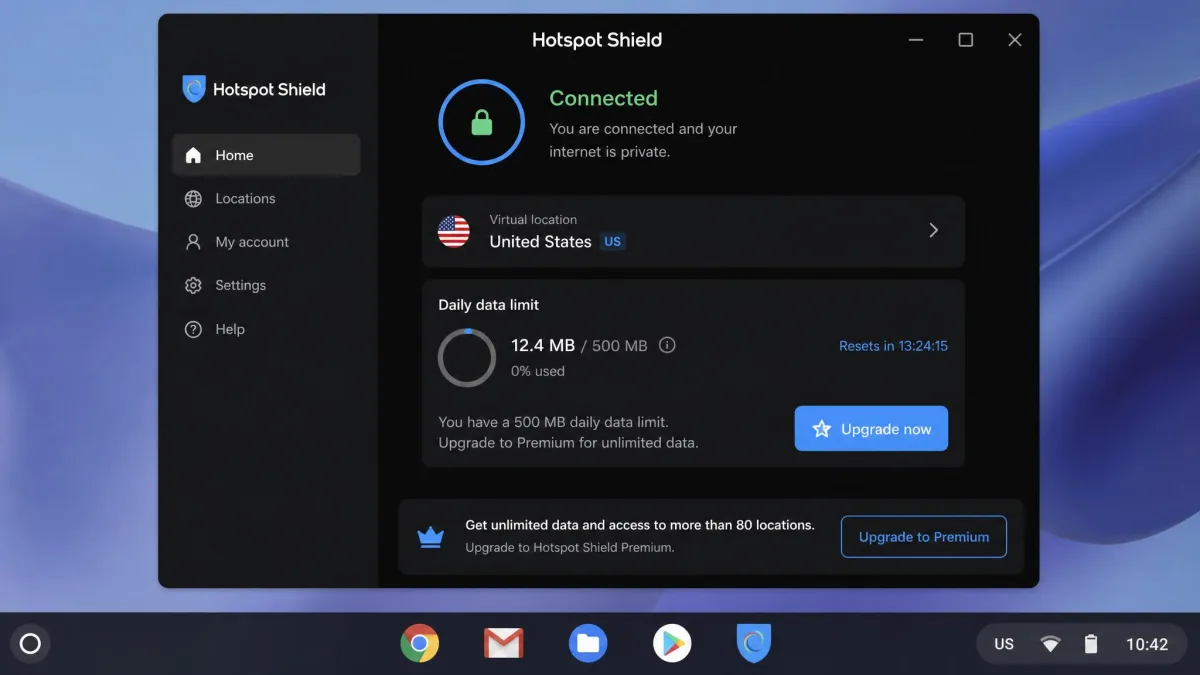
Hotspot Shield earns its spot for occasional streaming, but the free plan is the most constrained on this list, so read the fine print. Its proprietary Hydra protocol is built for throughput, and on a paid plan the network reaches a large server count across many countries. The free experience is a different animal.
On our Chromebook the free plan was severely limited: 500MB of data per day, a speed cap of about 2 Mbps, and a single US-only location. That is enough for light browsing, email, and a short streaming session in standard definition, but you will hit the daily limit quickly if you try to watch much. You also get one device at a time. It installs as an Android app or a Chrome extension, and the app is ad-free.
We keep Hotspot Shield around for the narrow case where you want to check a US-only clip or catch up on email over public Wi-Fi and do not mind the daily reset. For sustained streaming, the 2 Mbps ceiling makes it a non-starter, and any of our top three will serve you better day to day.
Pros
- Fast Hydra protocol built for throughput
- Ad-free app on the free plan
- Android app and Chrome extension both available
Cons
- Only 500MB of data per day
- Speed capped at about 2 Mbps
- Single US-only location, one device
The free plan installs quickly if you only need it now and then.

Comparison of the Best Free VPNs for Chromebook
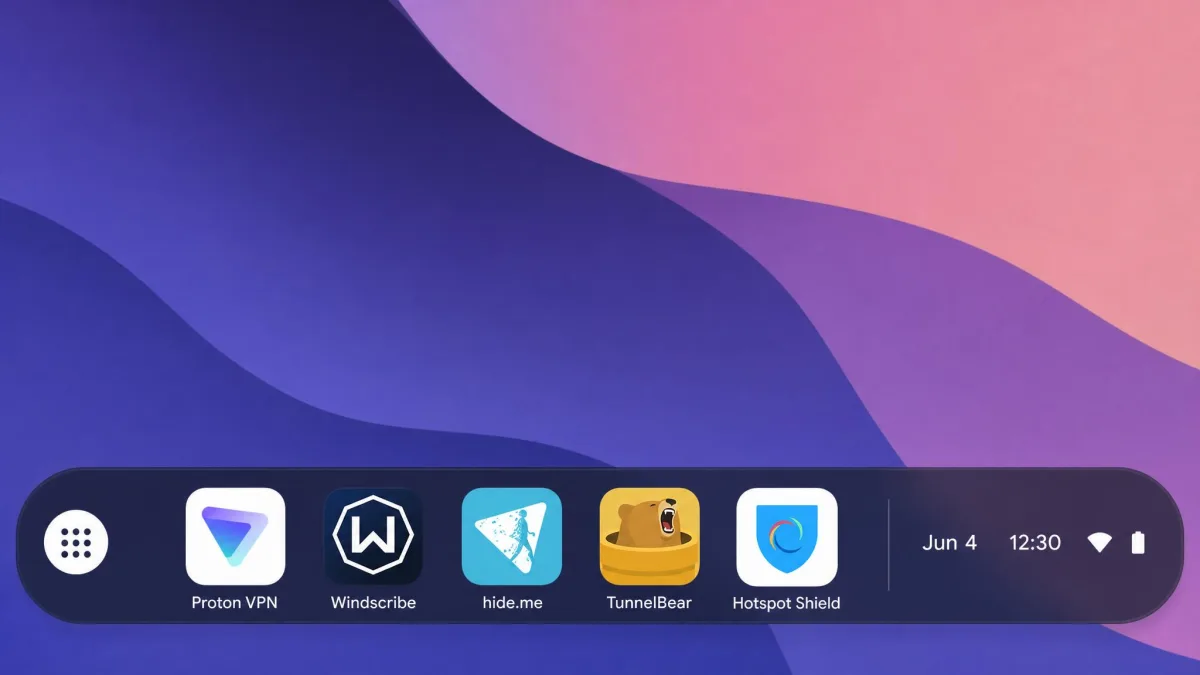
Here is how the five stack up on the numbers that decide most Chromebook purchases: free data, server reach, speed handling, and the privacy essentials. Use it to match a pick to how you actually browse.
| Product | Buy | Free data cap | Servers / countries | Speed | Kill switch | No-logs | ChromeOS support |
|---|---|---|---|---|---|---|---|
|
Get ProtonVPN | Unlimited | ~10 countries | No throttle | Yes | Yes (audited) | Android app |
|
Check price | 10GB/mo (with email) | 69+ (subset free) | No fixed cap | Yes | Yes | Android app + extension |
|
Check price | Unlimited | 8 countries | Throttled (free) | Yes | Yes (audited) | Android app |
|
Check price | 2GB/mo | 47 (auto-select) | No fixed cap | Yes | Yes | Android app + extension |
|
Check price | 500MB/day | 1 (US only) | 2 Mbps cap | Yes | Yes | Android app + extension |
How We Tested and Ranked the Best Free Chromebook VPNs
We do not rank on marketing pages. Every VPN here was installed and used on real Chromebooks over several weeks, and we bought or registered each free account ourselves so nothing was a special reviewer build. Our background is in networking, so the tests lean on measurements rather than impressions.
Four things carried the most weight. First, privacy: we prioritized services with a clear no-logs policy, and we gave extra credit to apps that are open-source and independently audited, because an audit is verifiable where a promise is not. Second, free-tier limits: we recorded the real data caps, device counts, and server access, since those decide whether a free plan is usable or just bait for an upgrade. Third, speed and reliability: we ran repeated connections and watched how each held up under evening congestion, when free servers are busiest. Fourth, Chrome OS fit: we checked whether the app installs cleanly from the Play Store and whether a Chrome extension exists as a fallback.
Alongside the timed runs, we ran DNS and IP leak checks on every connection, because a VPN that leaks your real address is worse than none at all. We tested each tunnel from both Chromebooks, on home Wi-Fi and on a public network, and we repeated the leak check after reconnecting to a new server. We also confirmed the app reconnected cleanly after the Chromebook woke from sleep, since a silent drop is where real addresses slip out. A pick only made this list if it passed those leak tests every time and stayed honest about its limits.
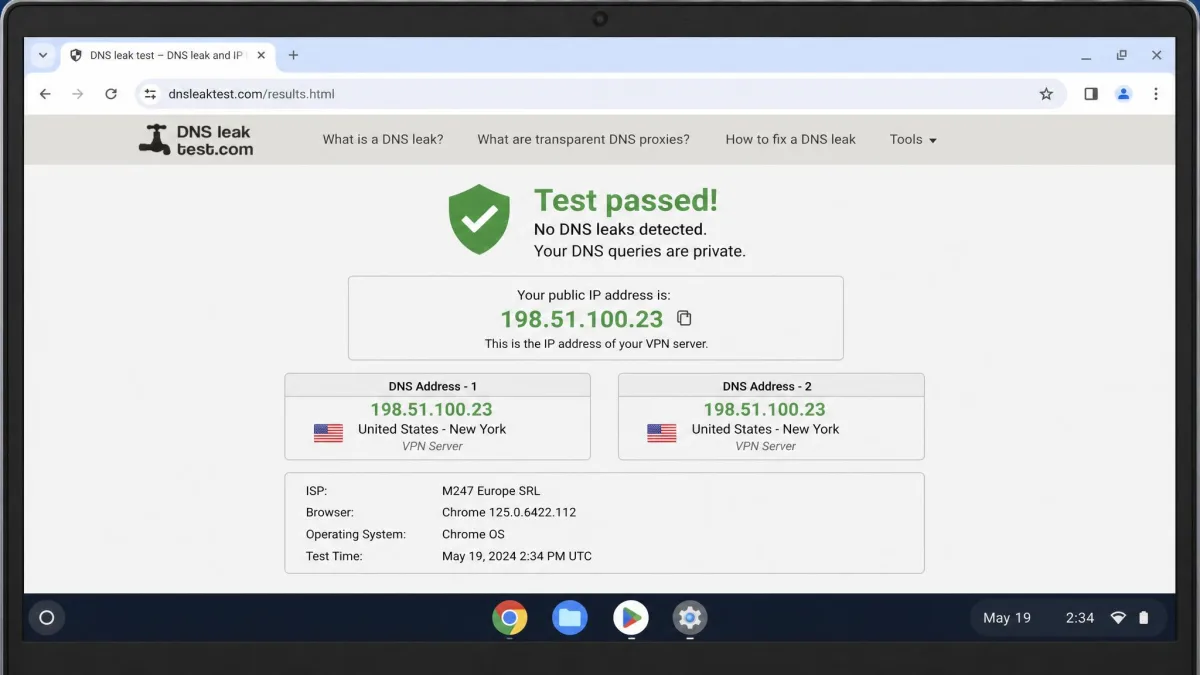
When you first connect any VPN on your Chromebook, run a quick DNS leak test in the browser before you trust it with anything sensitive. If your real location still shows, the tunnel is not fully protecting you.
Risks and Drawbacks of Free VPNs on Chromebook
Free VPNs are not charity, and the good ones fund the free tier from paid subscribers rather than from you. The services on this list do that. The wider free-VPN market does not, and that is the real risk. Independent studies of free Android VPN apps have repeatedly found apps that leak data, embed hidden trackers, or log activity they claim not to. Some of those apps ship with third-party tracking libraries baked in, quietly reporting your usage to advertisers while you believe you are private. Those same apps show up in the Play Store searches you run on a Chromebook, often near the top of the results with polished icons and thousands of reviews.
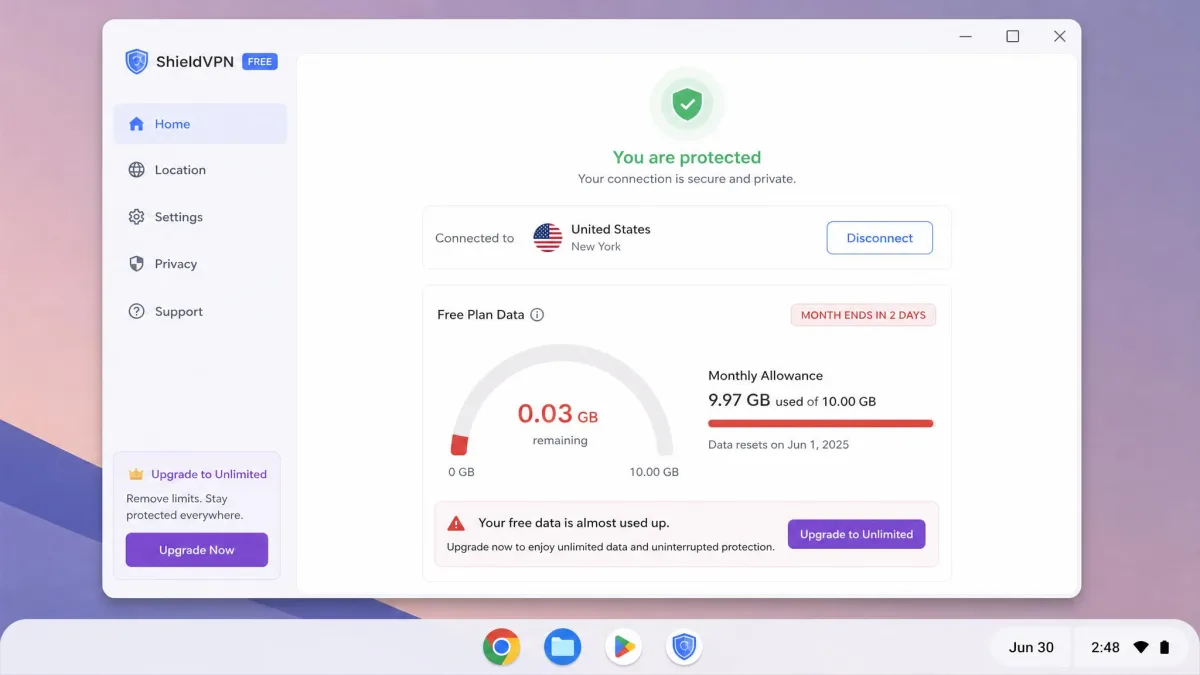
Even among the honest picks, free tiers come with trade-offs you should expect. Data caps are the most common, so heavy browsing or any video will drain a monthly allowance fast. Server choice is often limited or removed on free plans, which affects both speed and which content you can reach. Congestion is the quiet one: free servers are shared by the most users, so evening speeds can drop well below what you measured at a quiet hour. And most free tiers block streaming and torrenting outright.
School-managed Chromebooks add their own wrinkle. Many are locked down by an administrator who disables the Play Store and blocks VPN traffic at the network level, so an app may refuse to install or connect. In that case an approved Chrome extension is sometimes the only route, and even then the school policy may filter it. Check your device's rules before you rely on a VPN for anything, because a managed profile can quietly override the app.
The privacy trade-off is the one that matters most. A VPN routes all your traffic through its servers, so you are trusting that provider more than your internet company. That trust is only earned by a no-logs policy that has been audited, which is exactly why our ranking leans on audited services.
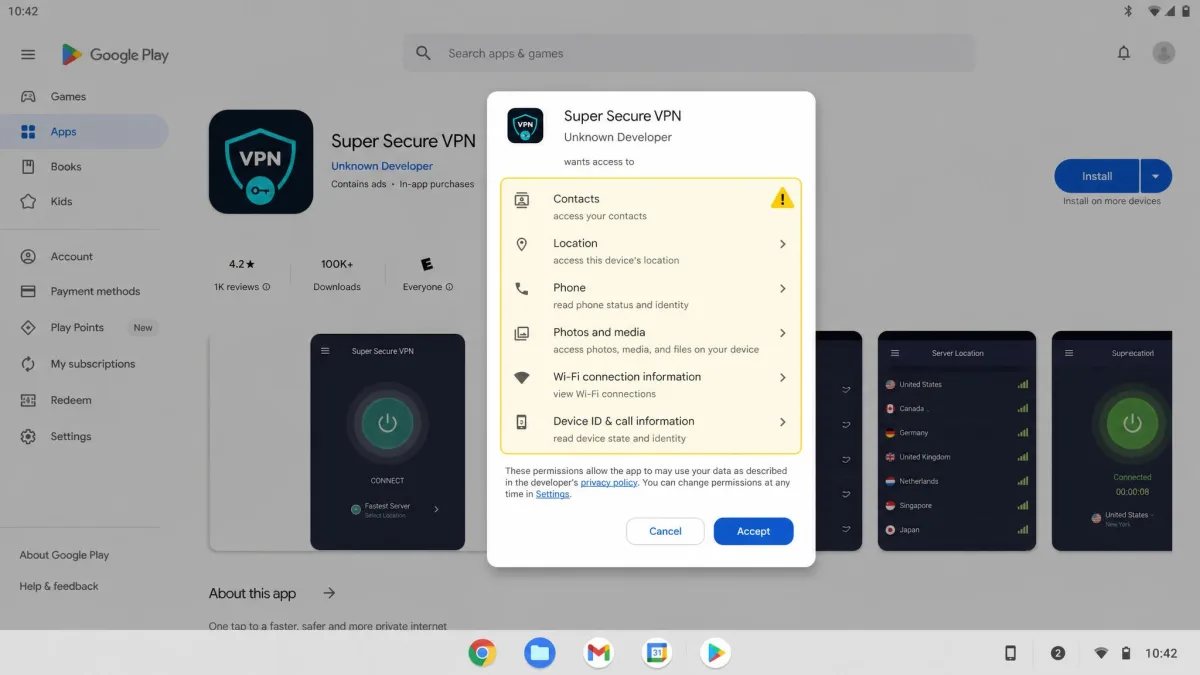
Avoid any free VPN that asks for excessive permissions, shows heavy ads, or has no clear privacy policy. If the app cannot explain how it makes money, assume the answer is your data.
Free Chromebook VPNs to Avoid
Not every free VPN in the Play Store deserves a place on your Chromebook. As a rule, we steer clear of apps with no named company behind them, no privacy policy you can read, or a history of security incidents. Many of the "unlimited free VPN" apps that top the store's search results fall into this group, and their business model is usually selling the very data you installed them to protect.
Be especially cautious with services that route your traffic through other users' devices, bundle aggressive advertising, or demand permissions a VPN has no reason to need, such as your contacts or your microphone. Anything that leaks DNS requests in a quick browser test is an automatic no, regardless of its rating. When in doubt, stick to the five reviewed above or a paid plan from a known provider. A free VPN that harvests your data costs more in the long run than a cheap subscription.
Do You Really Need a VPN on a Chromebook?
Chrome OS is genuinely well protected against malware, so a VPN is not there to stop viruses. It is there for privacy and access, and those needs are real whatever device you own. Without a VPN, your internet provider can see every site you visit, a public Wi-Fi network can expose your traffic, and websites log your real location through your IP address.
A VPN helps in a few everyday situations. On café, airport, or campus Wi-Fi it encrypts your connection so nobody on the same network can snoop. It hides your browsing from your provider, which matters if you would rather your ISP not build a profile of you. And it lets you change your apparent location, which is useful for reaching services that behave differently by region. On a school-managed Chromebook the calculus changes, because the administrator may block VPNs entirely; if the Play Store is disabled, an approved Chrome extension may be your only route.
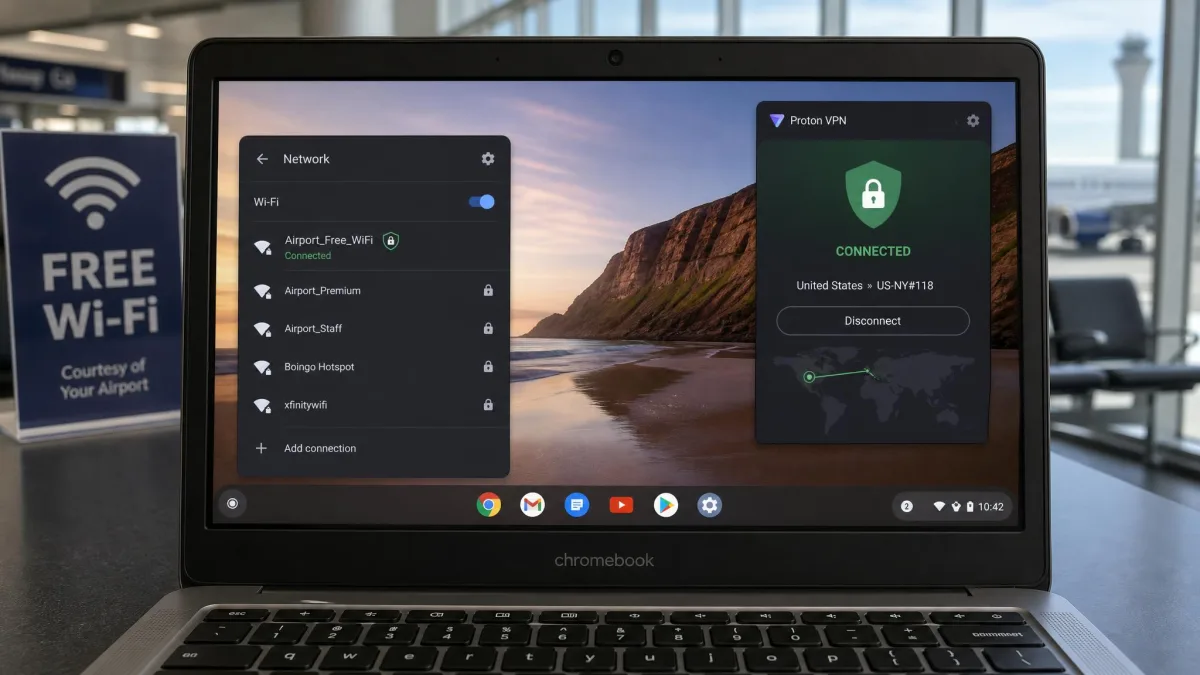
If you mostly browse at home on a trusted network and never touch public Wi-Fi, you can live without one. For everyone who connects away from home, a free VPN is a low-effort layer of privacy worth having.
How to Set Up a Free VPN on a Chromebook
There are three ways to get a VPN running on Chrome OS, and which one you use depends on your device. Most people should start with the Android app, since it is the simplest and gives you the full feature set. If your Chromebook blocks the Play Store, a Chrome extension is the fallback, and advanced users can configure a connection manually. Google's own guide to setting up a VPN on your Chromebook covers the manual path in detail.
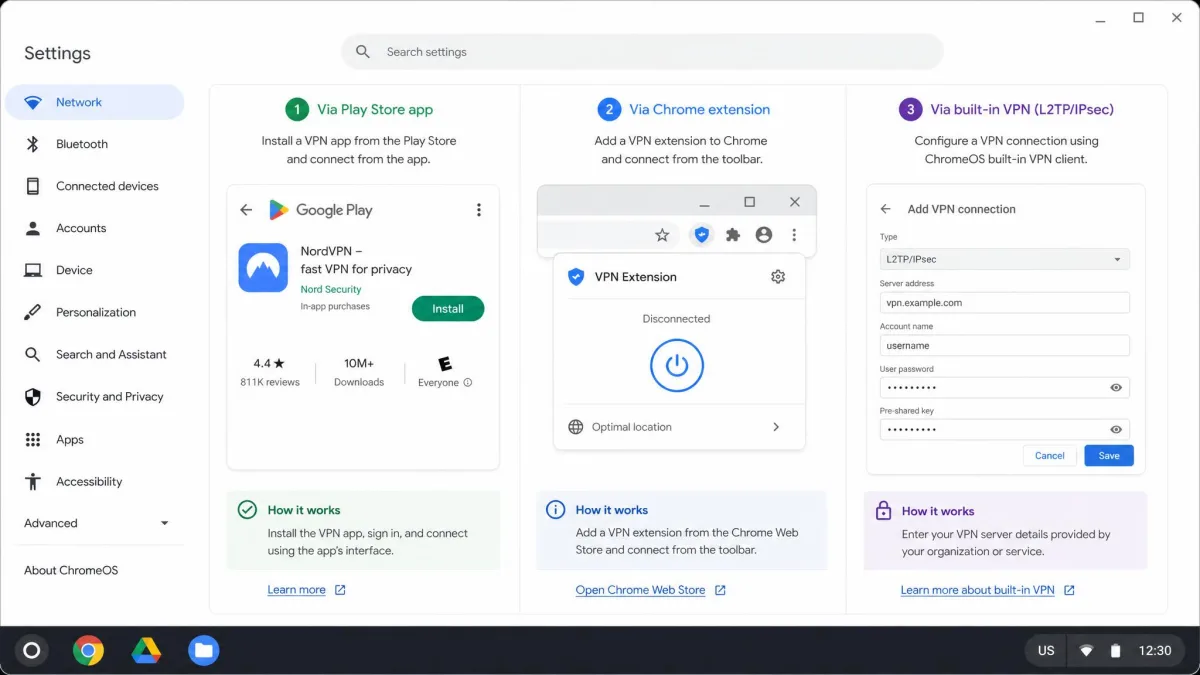
Install an Android VPN App from the Google Play Store
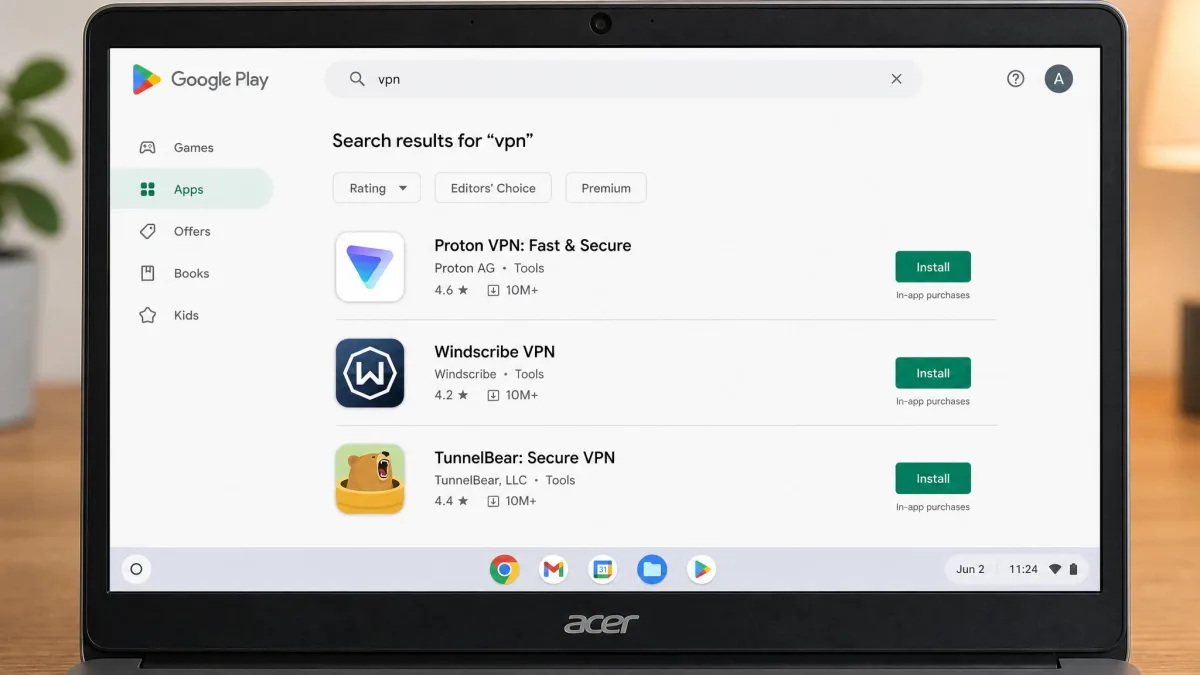
This is the method we used for four of our five picks. Open the Play Store on your Chromebook, search for the VPN by name, and install it like any other app. Launch it, sign in or create a free account, and tap connect. The app runs in its own window and protects your whole device, not just the browser. If the Play Store is missing, your Chromebook may need Google Play enabled in Settings, or it may be managed and locked, in which case use an extension instead.
Install a Chrome VPN Browser Extension
A browser extension protects only your Chrome traffic, not other apps, but it is the fastest route and works when the Play Store is unavailable. Open the Chrome Web Store, search for your VPN, and add the extension. Pin it to the toolbar, click it, and connect. Windscribe, TunnelBear, and Hotspot Shield all offer extensions. Keep in mind that an extension only tunnels what happens inside the browser, so anything outside Chrome stays on your normal connection.
Manually Configure a VPN (OpenVPN / L2TP)
Chrome OS has built-in support for OpenVPN and L2TP connections in Settings, under Network. This route suits people whose provider gives them config files or credentials rather than an app. You add the VPN, enter the server address and your sign-in details, import any certificate the provider supplies, and connect. It is more work than an app, but it keeps the connection at the system level and does not depend on the Play Store being available.
Free vs Paid VPNs vs Proxy Extensions: What's the Difference?
It helps to know what you are actually choosing between. A free VPN encrypts all your traffic and hides your location, but limits you on data, servers, or speed to nudge you toward paying. A paid VPN removes those limits, adds streaming and torrenting support, unlocks the full server network, and usually runs faster because the servers are less crowded. If you browse heavily or want to stream, a cheap paid plan is a better fit than fighting a free cap.
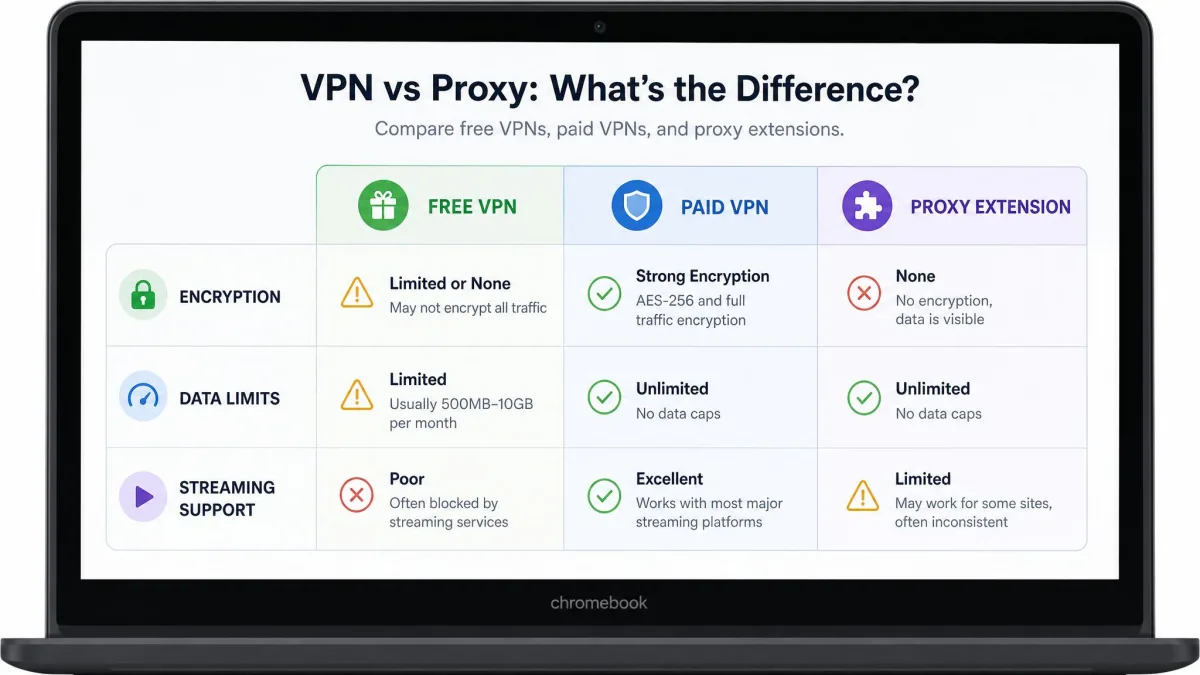
A proxy extension is a different, weaker tool. It reroutes your browser traffic through another server to change your apparent location, but many proxies do not encrypt your data, and they only cover the browser. For genuine privacy on public Wi-Fi, a proxy is not enough; you want the encryption a real VPN provides. Think of a free VPN as the sensible default, a paid VPN as the upgrade for power users, and a proxy as a quick location switch you should not rely on for security.
Frequently Asked Questions
Are free VPNs safe for Chromebook?
How do I set up a VPN on a Chromebook?
Does Chrome or ChromeOS have a built-in VPN?
Do I really need a VPN for Chromebook?
Which free VPN is truly unlimited?
Final Verdict: The Best Free VPN for Chromebook
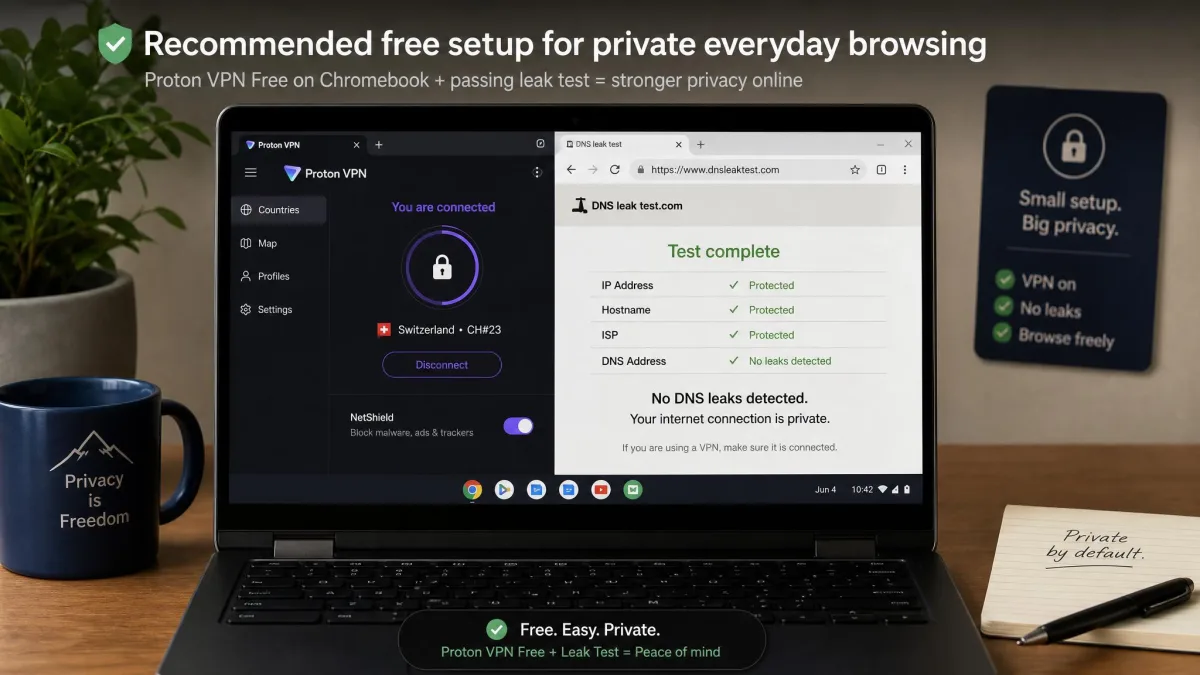
After weeks of testing on real Chromebooks, Proton VPN is the free VPN we recommend to almost everyone. It is the only pick that pairs unlimited data with no speed throttling, a working kill switch, and open-source, independently audited apps, and it installs in one tap from the Play Store. If you want the largest usable allowance, Windscribe's 10GB a month is the runner-up, and hide.me is the choice for audited, RAM-only privacy. Whichever you pick, run a quick leak test after connecting and you will have a real layer of privacy on your Chromebook without spending anything.