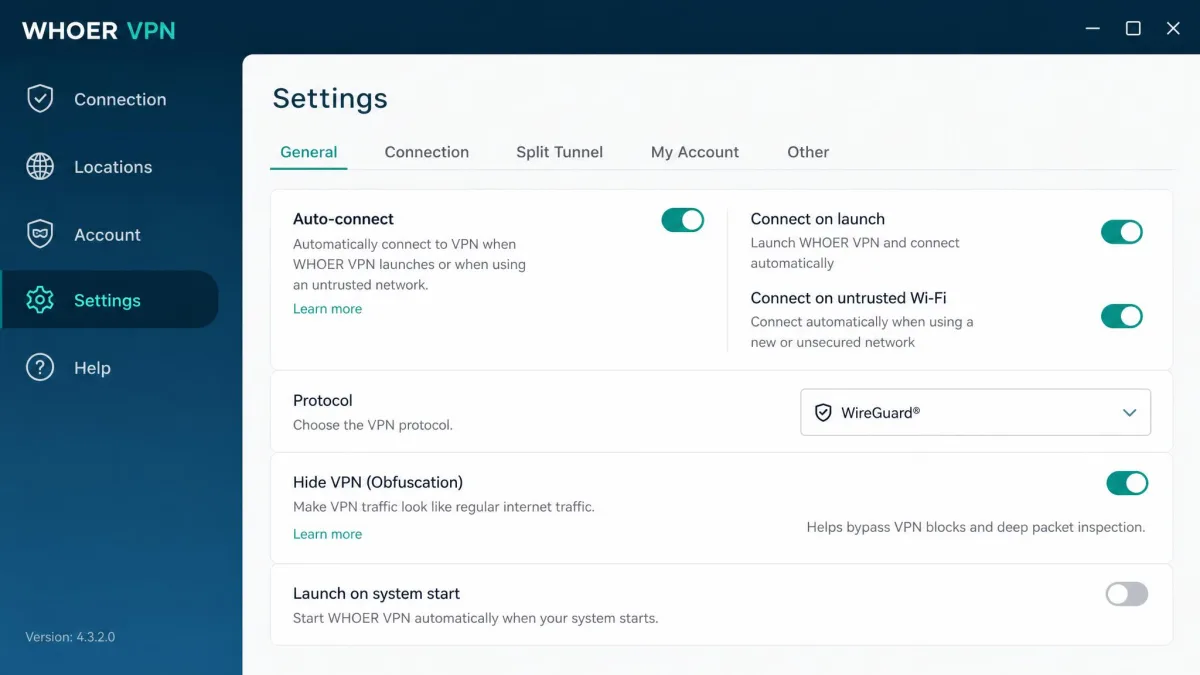
Whoer VPN is a Cyprus-based virtual private network from the same team behind the well-known Whoer.net anonymity checker. It routes your traffic through encrypted servers in about 21 countries, hides your IP address, and offers a free tier alongside its paid plans. It sells itself on privacy and anonymity rather than raw speed or a huge server fleet.
We spent time with Whoer VPN across Windows, macOS, and Android to see how those promises hold up in daily use. The short version: it is a functional privacy tool with real weak spots. Speeds drop sharply, streaming is hit or miss, and the apps can be rough around the edges. It works, but the value is harder to defend once you compare it to the big names.
This review walks through the servers, speed, security, privacy, streaming, and pricing in turn. We finish with how Whoer stacks up against NordVPN, Surfshark, and ExpressVPN, plus our verdict on whether it earns your money in 2026.
Whoer VPN at a Glance (verdict + rating box)
Whoer VPN is a privacy-first service that does the basics without standing out. You get AES 256-bit encryption, servers in around 21 countries, five simultaneous connections, and a free tier if you want to try before you buy. It leans on its anonymity heritage, and the branding around Whoer VPN reflects that focus.
The trouble is that competent basics no longer cut it at this price. Our testing surfaced heavy speed loss, an underpowered server network, and apps that stumble more than they should. It is not a scam, and it is not unusable. It simply asks for mainstream money without mainstream performance.
Pros and Cons
Every VPN involves trade-offs, and Whoer's are sharper than most. It gets the security foundations right and keeps setup simple, but the performance and feature gaps are hard to ignore. Here is how the balance looks after our hands-on time with it.
Pros
- Strong AES 256-bit encryption with RSA 2048 authentication
- Based in Cyprus, outside the 5, 9, and 14 Eyes alliances
- Free tier lets you test the service before paying
- Simple, quick installation on desktop and mobile
- Accepts crypto payments including Bitcoin and Ethereum
Cons
- Heavy speed loss, often 50% or more even on nearby servers
- Small network of about 29 locations in 21 countries
- No WireGuard, split tunneling, or ad blocker
- Streaming is limited and prone to buffering
- Email-only support with no live chat
Servers and Network
A VPN is only as useful as the places it can put you, and Whoer's map is thin. The network prioritizes privacy-friendly regions over global coverage, which shows the moment you go looking for a server near you.
Number of Servers and Locations
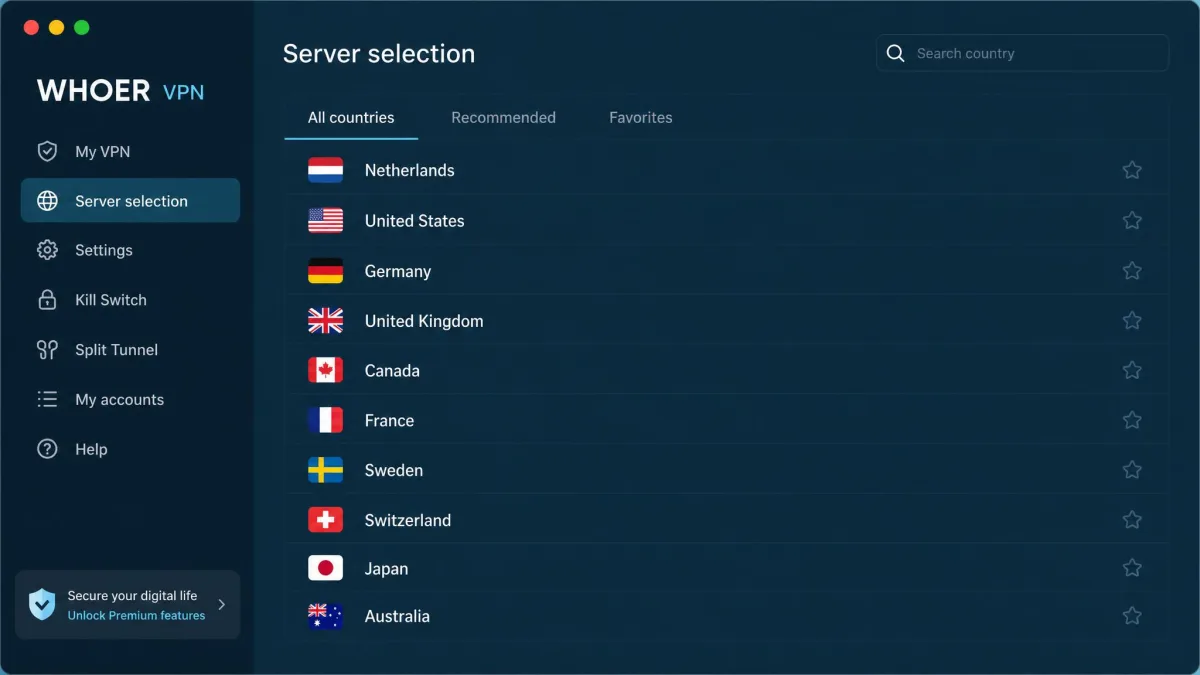
Whoer VPN runs servers in about 21 countries, spread across roughly 29 locations. That is a modest footprint by any modern standard. For comparison, mainstream providers count their servers in the thousands and their countries past the hundred mark.
The coverage skews toward Europe, North America, and a handful of Asian locations. If your priorities sit in those regions, you will find a nearby option. If you need a server in a less common country, you may come up empty. The vendor does not publish a reliable raw server count, so we treat the location figure as the meaningful number.
The server list itself is bare-bones. It shows no ping values, no load indicators, and it cannot be sorted. Picking a fast server becomes guesswork, and you often connect, test, and reconnect until something feels usable. That friction adds up over a session.
Dedicated IP Address
Whoer VPN does not offer a dedicated IP address. Every paid plan puts you on shared IPs alongside other users. For most privacy use that is fine, since shared addresses blend your traffic into the crowd.
But if you need a static IP for remote access, allowlisting, or avoiding repeated CAPTCHAs, Whoer cannot help. Several rivals sell dedicated IPs as an add-on. Here, the option simply does not exist, so plan around it.
Speed and Performance
Speed is where Whoer VPN struggles most, and it is the single biggest reason we hesitate to recommend it. Encryption always costs some throughput, but the losses here go well beyond the normal tax.
Speed Test Results
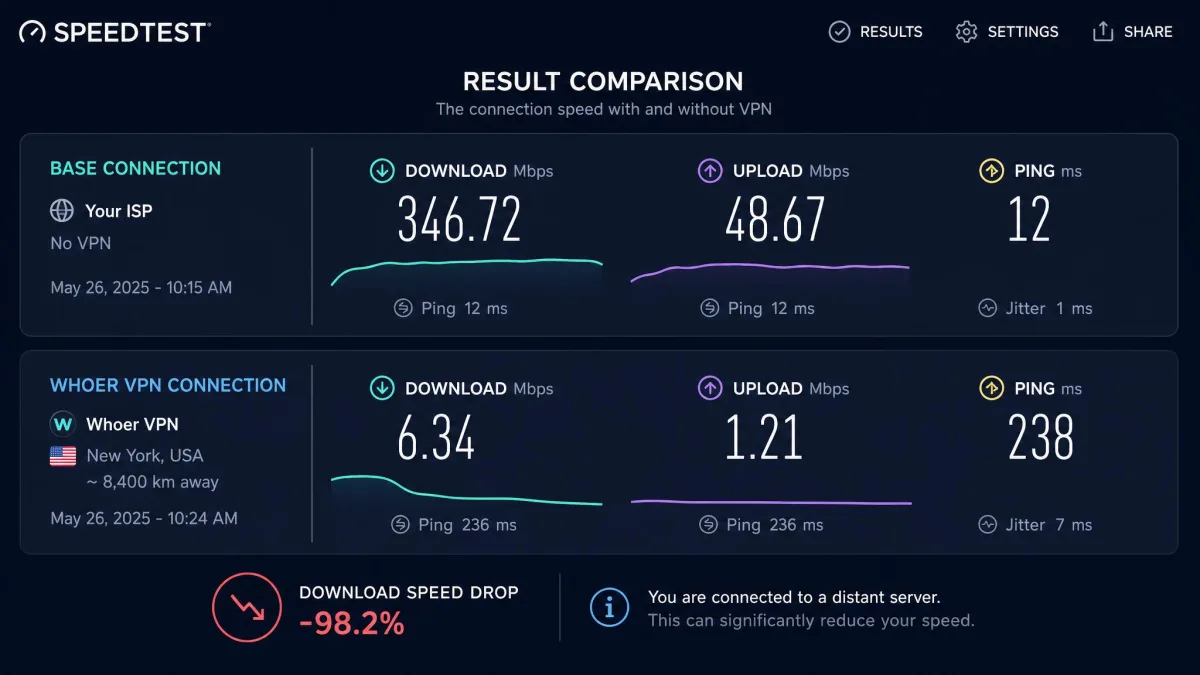
Across our testing, speed loss was heavy. On nearby servers we saw drops in the mid-50% range, which is already steep for a modern VPN. Some measurements were far worse, with reductions passing 90% on certain connections. The exact figure varied a lot by server and distance.
Distance punished us hard. Nearby servers stayed usable, but connections to far-off locations fell into the low single-digit to teens Mbps range. On a fast home line that is a dramatic collapse. The pattern was consistent: stay local and you keep something workable, reach across the world and the connection crawls.
Speed loss with Whoer VPN was heavy across the board, from mid-50% drops on nearby servers to reductions passing 90% on distant ones.
— From our hands-on testing
Connecting was slow too. Connection times ran from around 13 seconds to as long as two minutes on some servers, and it often took several clicks to get connected. That is a poor first impression before any data even moves.
Speed During Daily Use
For everyday browsing on a nearby server, Whoer VPN is serviceable. Loading pages, checking email, and light work all held up well enough. If your needs are basic and you stay local, the speed loss is tolerable.
Heavier tasks are a different story. HD streaming, large downloads, and video calls all felt the drag, especially on anything but the closest servers. The missing WireGuard protocol hurts here, since it would have delivered better speeds than the aging OpenVPN and legacy options Whoer relies on.
If speed is a priority, Whoer VPN will frustrate you. Even nearby servers lose a large chunk of throughput, and distant ones become nearly unusable for anything demanding.
Security
Security is Whoer's strongest area, and it is where the service earns most of its goodwill. The encryption is solid, though some of the advanced features are less certain than the marketing suggests.
Encryption and Protocols
Whoer VPN uses AES 256-bit encryption with RSA 2048 authentication. That is the industry-standard combination and there is nothing to fault about the cipher itself. Your traffic is protected to the same baseline the major providers use.
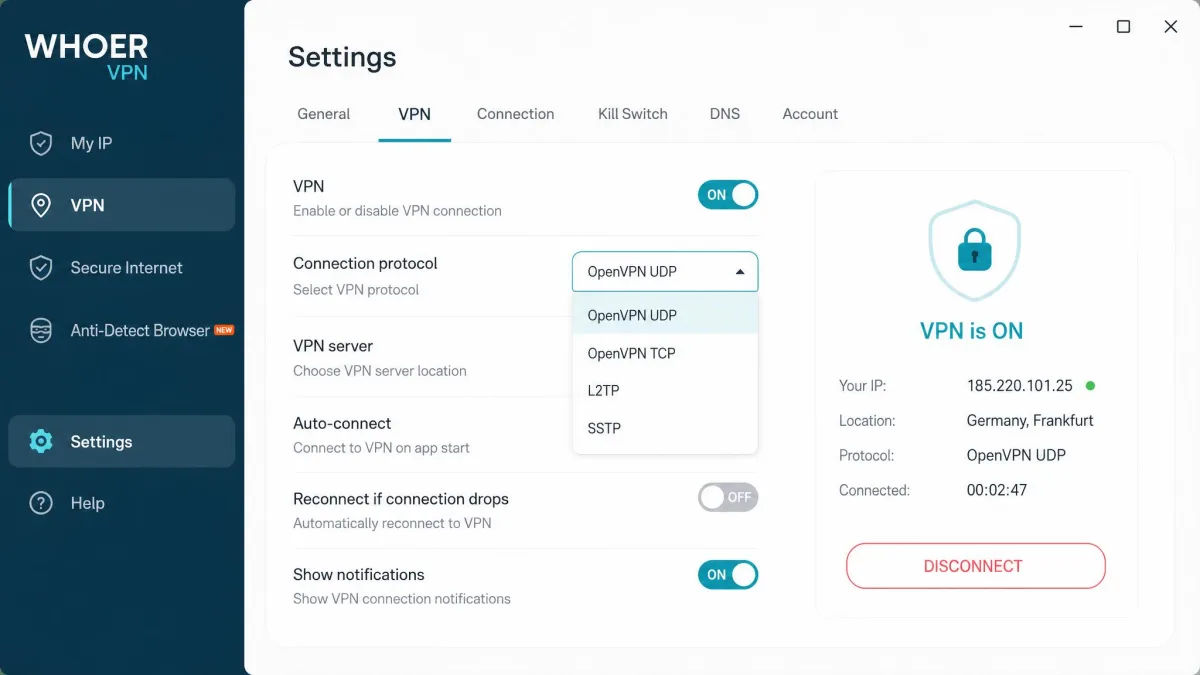
Protocol support is where age shows. Whoer offers OpenVPN over UDP and TCP, plus the legacy L2TP, SSTP, and PPTP options. There is no WireGuard, which is the fast, modern protocol most competitors now default to. Desktop apps also include a Hide VPN obfuscation feature to disguise VPN traffic.
Kill Switch and Double VPN
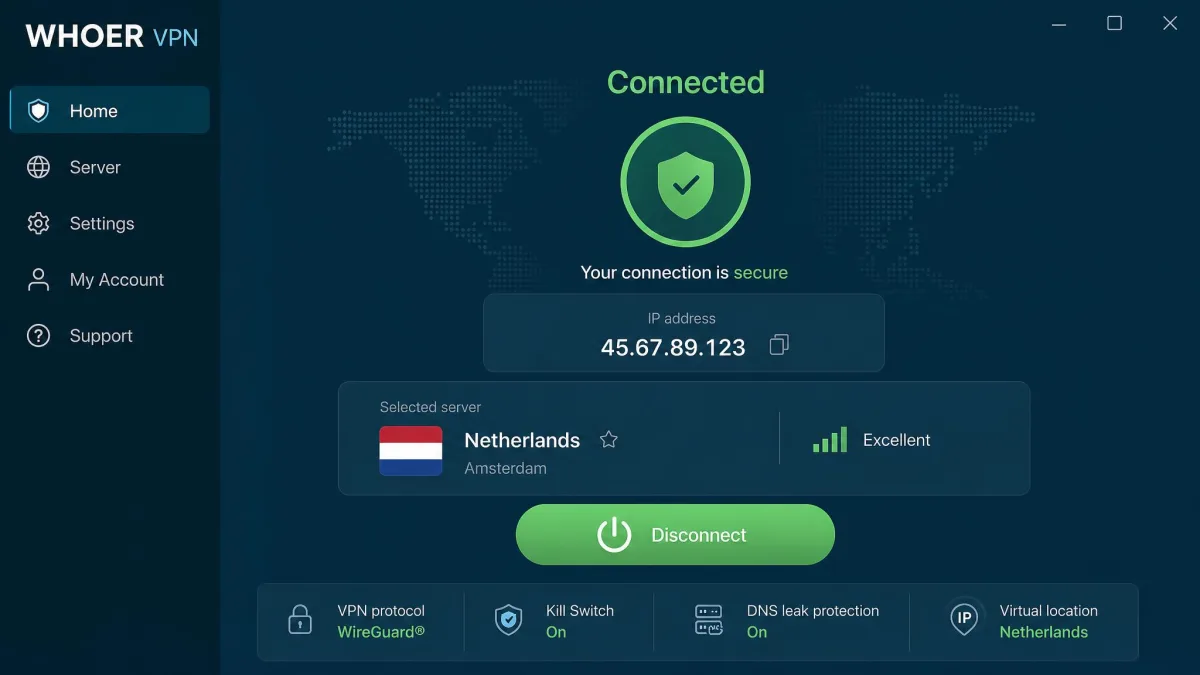
A kill switch blocks your traffic if the VPN connection drops, preventing accidental leaks. Whoer's kill switch is inconsistent. Where it appears, it is off by default, and coverage across the apps is uneven. You should confirm it is present and enabled before trusting it.
Double VPN, or multi-hop, routes your traffic through two servers for extra privacy. Whoer advertises it, but whether it actually works in the apps is disputed. We would not count on it as a reliable feature. If multi-hop matters to you, treat it as unproven here rather than a selling point.
Leak Tests
Whoer includes DNS leak protection, which is essential for keeping your real location hidden. Given the company's background in the Whoer.net anonymity checker, leak prevention is an area you would expect it to handle well. The DNS protection is built in rather than an afterthought.
That said, the absence of a dependable kill switch undercuts the leak story. Leak protection works while connected, but if the tunnel drops without a kill switch to catch it, your real IP can slip out. The pieces are there; the safety net is not always.
Privacy and Logging
Privacy is Whoer's headline pitch, and its home base helps that case. But the no-logs claim comes with an asterisk that buyers should understand before they rely on it.
No-Logs Policy and Jurisdiction (Cyprus)
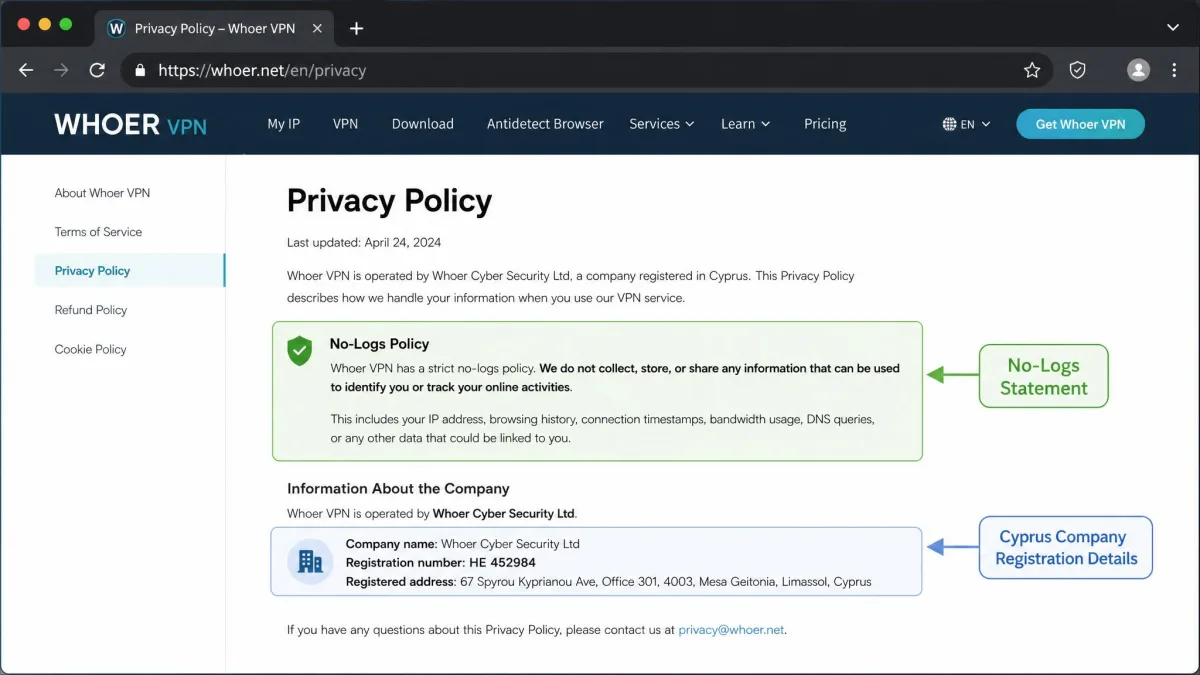
Whoer VPN is based in Cyprus, which sits outside the 5, 9, and 14 Eyes intelligence-sharing alliances. That is a genuine privacy advantage, since there is no obligation to hand data to those groups. Jurisdiction is one area where Whoer clearly beats some bigger rivals.
The no-logs policy is murkier. Whoer advertises a no-logs stance, but the service appears to retain some minimal account data, such as your email, license keys, and OS version, and the exact extent is unclear. Crucially, the policy has never been independently audited, so the claim rests on trust alone.
No independent audit of Whoer's no-logs policy exists. Take the privacy claims as unverified promises rather than confirmed practice, and weigh them accordingly.
Streaming
Plenty of people buy a VPN to watch content from other regions, so streaming performance matters. Whoer VPN can do it in a narrow way, but this is not a streaming-first service.
Netflix and Disney+
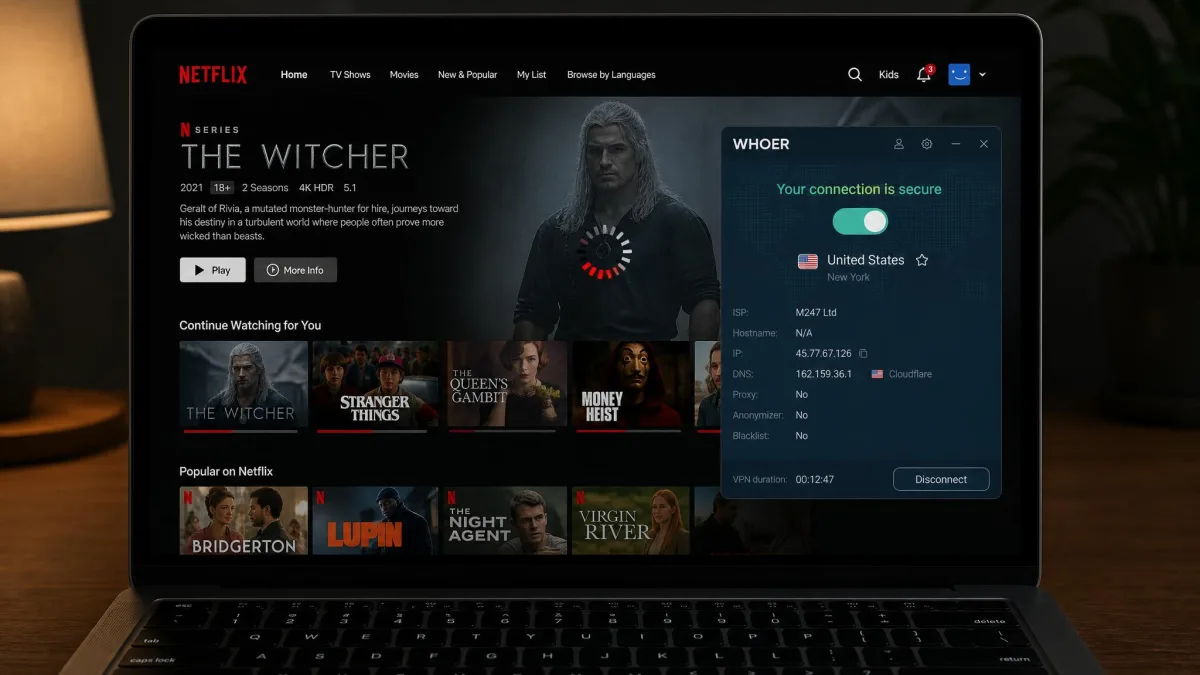
In our testing, Whoer VPN unblocked Netflix, but with noticeable buffering that interrupted playback. It works if you are patient, though the experience falls short of smooth. Disney+ was a struggle, loading slowly and inconsistently when it loaded at all.
The buffering ties back to the speed problem. Streaming needs sustained throughput, and Whoer's heavy speed loss leaves little headroom for HD. You can watch, but you will notice the compromises.
Hulu, BBC iPlayer, Amazon Prime, HBO Max
Beyond Netflix and Disney+, streaming support falls away quickly. Whoer VPN commonly fails on Hulu, BBC iPlayer, Amazon Prime Video, and HBO Max. These services run aggressive VPN detection, and Whoer's small network gives it few IPs to rotate through.
If unblocking a specific platform is your goal, check whether Whoer supports it before you commit. For broad, reliable streaming across many services, this is not the tool. The rivals we compare it to below handle far more platforms without the fuss.
Torrenting and P2P
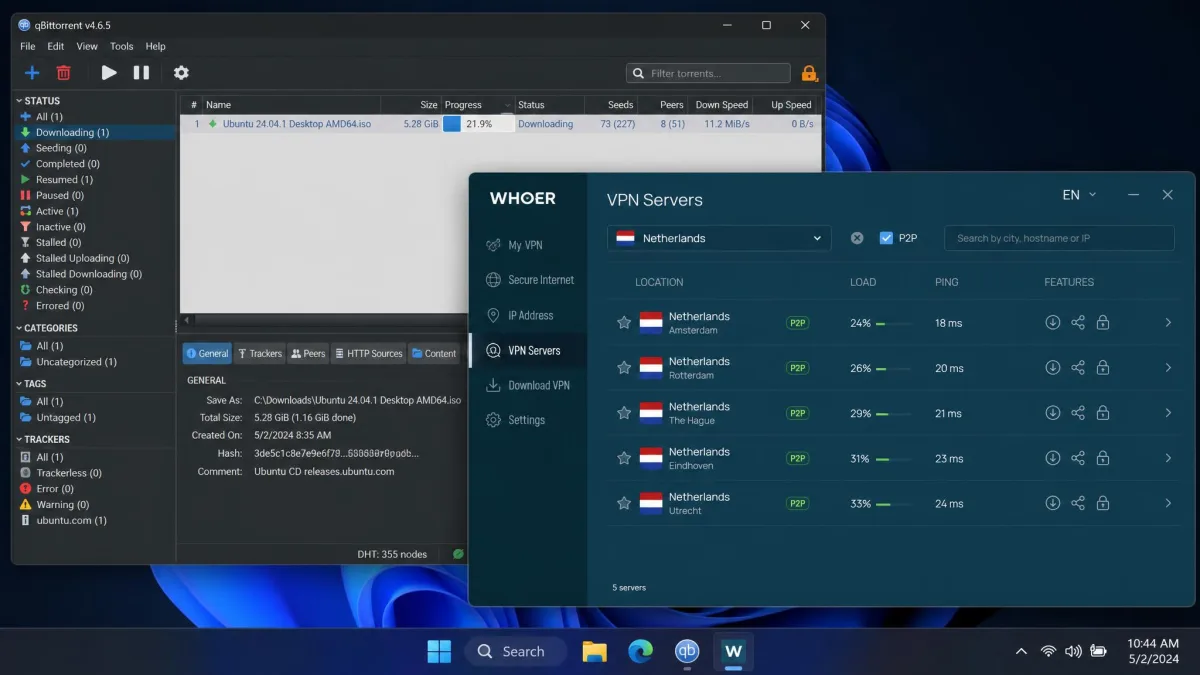
Whoer VPN allows P2P traffic, but only on a limited set of servers. In practice that means locations in Russia, Ukraine, and the Netherlands. You have to connect to one of those to torrent, which narrows your options.
The bigger catch is speed. Torrenting benefits from throughput, and Whoer's heavy speed loss makes large transfers slow. It will work for occasional, light P2P use on a supported server. For heavy torrenting, the limited servers and sluggish speeds make it a poor fit.
Does Whoer VPN Work in China?
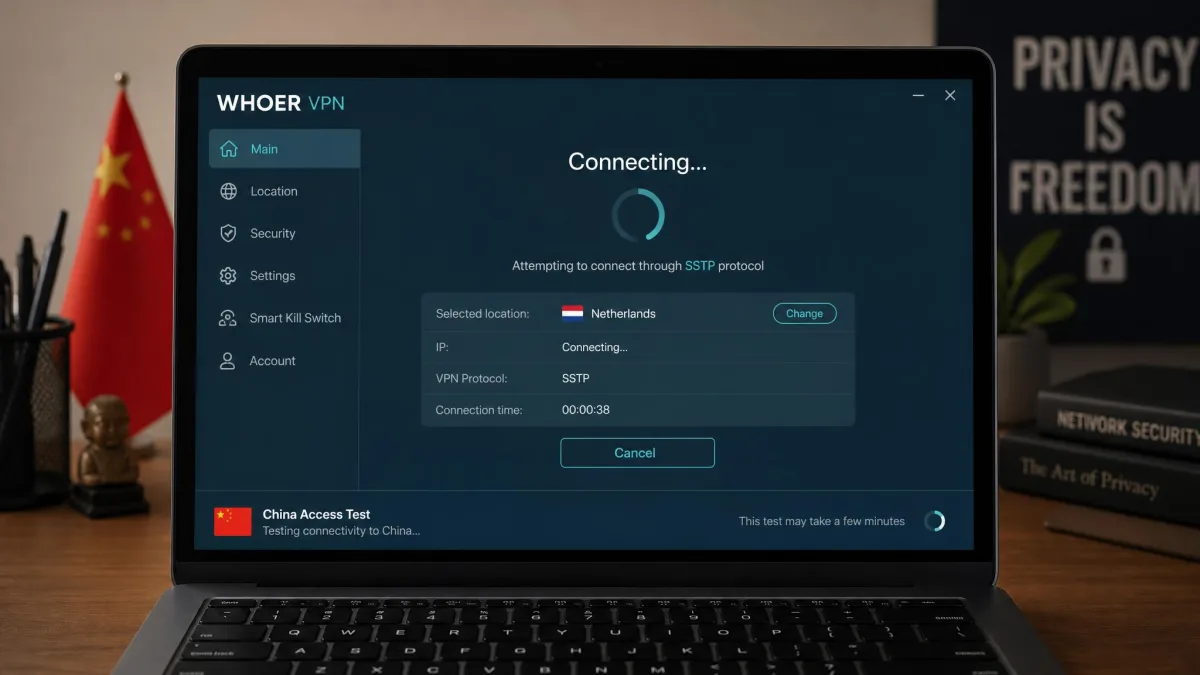
China is one of the hardest environments for any VPN, thanks to the Great Firewall of China that actively detects and blocks VPN traffic. Whoer's results there are unreliable.
Connections sometimes get through using the SSTP or L2TP protocols, and sometimes fail entirely. There is no consistent, supported method, and Whoer does not market China access as a guaranteed feature. If you are traveling to or living in China, do not rely on Whoer as your primary tool. Choose a VPN with a proven China track record and keep a backup ready.
Device Compatibility and Setup
Getting a VPN running should be painless, and here Whoer does better. Setup and the apps themselves are simple and quick to install across the main platforms, which is a genuine bright spot.
Desktop, Mobile, and Browser Extensions
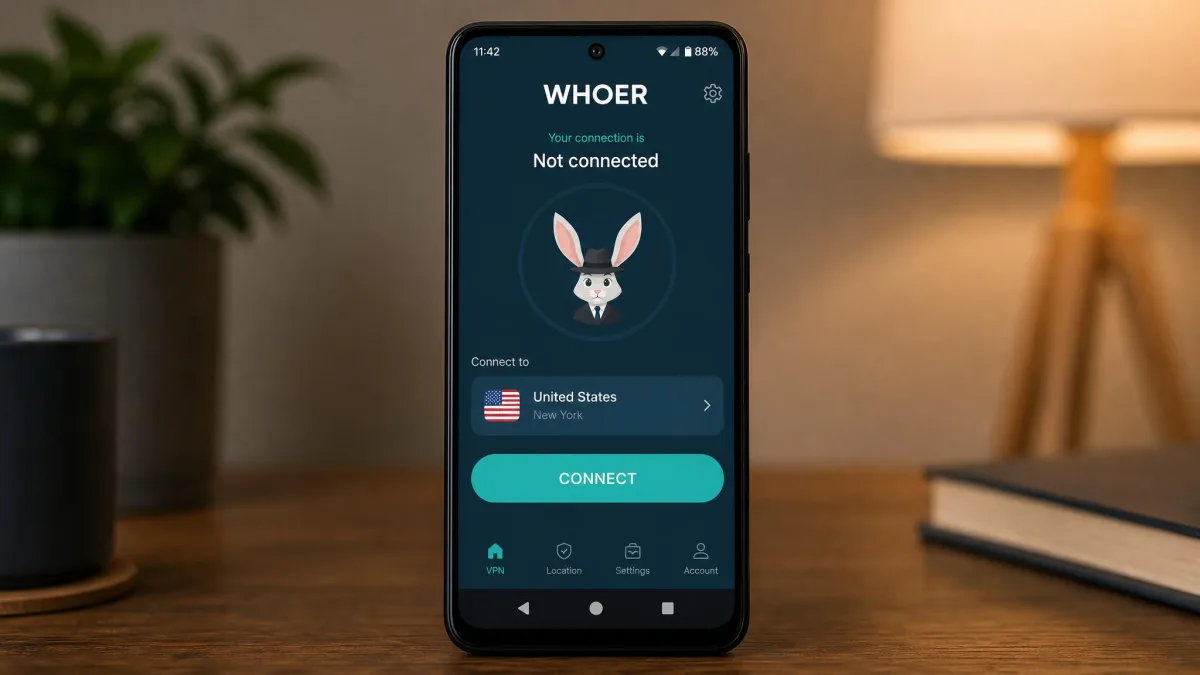
Whoer VPN covers the major bases with apps for Windows, macOS, Android, and iOS, plus browser extensions. Installation was fast and the interface is clean and easy to navigate, so newcomers will not feel lost.
The apps are not flawless, though. The Android app crashed frequently in our testing, especially at startup, which is frustrating on a platform where many people expect their VPN. The desktop apps were steadier. As noted, the server list also lacks ping and load data, so choosing the best server takes trial and error.
Simultaneous Connections
A single Whoer VPN account covers five simultaneous device connections. That is enough for one person's phone, laptop, and tablet, or a small household with modest needs. It matches the older industry standard.
It no longer leads, however. Some rivals allow ten connections, and others place no limit at all. If you have many devices or a larger family, five can feel tight. For an individual user it is perfectly adequate.
Customer Support
Support is another weak spot. Whoer VPN offers email-only help with no live chat, which already puts it behind competitors that staff round-the-clock chat. When you hit a problem, you wait.
In practice the email support can be slow or unresponsive, so do not expect quick fixes. There is a knowledge base for self-service, which covers common setup questions. But for anything urgent or complex, the lack of live support is a real limitation you will feel at the worst moment.
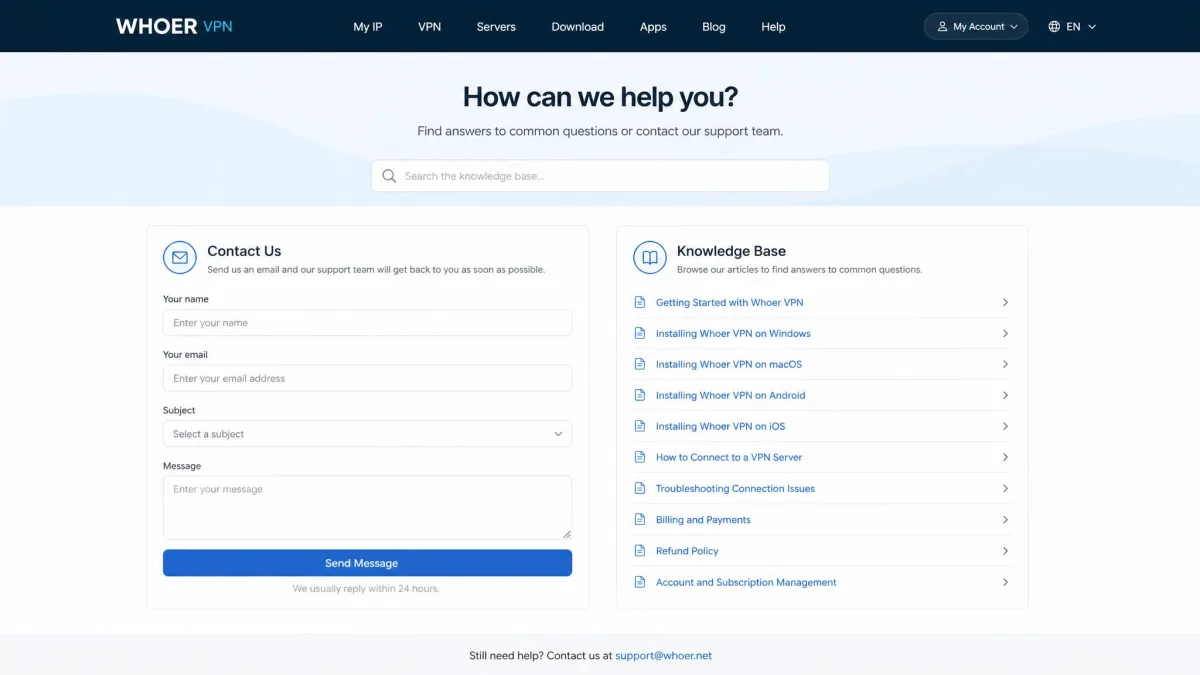
Before you subscribe, work through the free tier and the knowledge base to solve setup issues yourself. With email-only support, self-service is often the faster route to an answer.
Pricing and Plans
Pricing is where Whoer VPN has to justify itself, and this is where it stumbles hardest. The service costs about the same as faster, better-equipped rivals, which makes the value proposition tough.
The monthly plan runs $9.90 a month, which is standard for a short commitment. A six-month plan brings that down to about $6.50 a month. The annual plan lands at roughly $3.90 a month, or around $46.90 a year, though promotional pages have shown lower intro rates depending on the offer running at signup.
There is a free tier, which is a fair way to test the service. It is heavily limited, capped at 1 Mbps, a single Netherlands server, and one connection. It is enough to sample the interface and confirm the apps run on your devices, not to use day to day.
Whoer accepts crypto payments, including Bitcoin, Ethereum, Litecoin, and Dash, which suits privacy-focused buyers. A 30-day money-back guarantee is offered, but it is conditional and requires a valid technical reason. Refunds can be difficult to obtain, and cancelling the subscription is not always smooth, so read the terms carefully before you pay.

Whoer VPN Alternatives (comparison table)
Whoer VPN does not exist in a vacuum, and the comparison is not kind to it. At a similar price, NordVPN, Surfshark, and ExpressVPN each offer far larger networks, faster speeds, and broader streaming support. The table below lays out the gap, and our roundup covers more Whoer VPN alternatives.
| Product | Buy | Price (lowest term) | Servers | Streaming | Simultaneous devices |
|---|---|---|---|---|---|
|
Check price → | ~$3.90/mo (annual) | ~29 locations, 21 countries | Netflix/Disney+ only, with buffering | 5 |
 |
Read review | ~$3.49/mo (2-yr) | 9,300+ in 137 countries | Broad unblocking | 10 |
 |
Read review | ~$2.49/mo (2-yr) | 4,500+ in 100 countries | Broad unblocking | Unlimited |
 |
Read review | ~$2.99/mo (2-yr) | 3,000+ in 113 countries | Broad unblocking | 10 |
The pattern is clear. NordVPN gives you a 9,300-server network for less per month on a two-year plan. Surfshark costs even less and allows unlimited devices. ExpressVPN pairs a large network with a strong streaming record. All three are based on no-logs policies, and all three run faster than Whoer did in our testing.
Whoer's one clear edge is jurisdiction. Cyprus sits outside the surveillance alliances, while Surfshark is based in the Netherlands, a Nine Eyes member. But an audited no-logs policy from a larger provider arguably offers more real-world assurance than an unaudited claim from a smaller one.
Our Verdict: Is Whoer VPN Worth It?
Whoer VPN is a competent privacy tool that arrives a step behind the field. It nails the security foundations with strong encryption and a favorable Cyprus jurisdiction, and its free tier is an honest way to try it. Setup is quick and the apps are simple to learn.
The problems are the ones that matter most day to day. Speeds fall hard, the network is small, streaming is limited, support is thin, and the apps can crash. None of that would sink a budget option, but Whoer is not priced like one. At around $3.90 a month it competes directly with faster, larger, better-supported rivals.
Bottom line: Whoer VPN works for basic privacy on a nearby server, and the free tier is worth a look if its jurisdiction appeals to you. For most people, though, NordVPN or Surfshark deliver more for the same money. We would only choose Whoer if its specific Cyprus base and crypto payment options outweighed everything it gives up on speed and features.