For this VyprVPN review, we treated the app the way we treat every VPN that lands on our test bench: we installed it fresh, connected across a mix of nearby and distant servers, and put its headline feature, the Chameleon protocol, against the kind of restrictive networks that trip up ordinary connections. We tested the paid subscription with WireGuard, OpenVPN and Chameleon on Windows, then repeated the core checks on iOS and Android so we could see how the service behaves on the devices most people actually connect from.
VyprVPN has a long history and a genuinely useful trick up its sleeve, but it also carries some baggage in 2026. The jurisdiction question is contested, the last public no-logs audit is old, and the speeds lag well behind the fastest names in the category. This review walks through what we found, where the service earns its keep, and where you should think twice before you pay.
We paid for our own access and connected on our own hardware, so nothing here is filtered through a vendor demo. The goal is simple: help you decide whether VyprVPN is the right choice for your money, or whether one of its rivals fits your needs better.
We tested VyprVPN hands-on across Windows, iOS and Android, switching between WireGuard, OpenVPN and the proprietary Chameleon protocol. We measured connection reliability, streaming access, torrenting behaviour and how the apps hold up in daily use, rather than leaning on marketing claims. Where a number varies too much to pin down, such as raw speed, we say so plainly instead of quoting a figure we cannot stand behind.
VyprVPN at a Glance (Key Takeaways / Scorecard)
VyprVPN is a self-owned VPN service built by Golden Frog, first launched in 2009. It runs its own server network of more than 700 servers across nearly 70 countries, encrypts traffic with AES-256, and includes a kill switch, VyprDNS and the Chameleon obfuscation protocol that sets it apart from most rivals. If you connect from a network that actively blocks VPN traffic, that obfuscation is the single best reason to look at VyprVPN.
Pros and Cons
Before we get into the detail, here is the shape of what we found across a week of hands-on use.
Pros
- Chameleon protocol defeats VPN blocks that stop ordinary connections
- Self-owned server network, so no third party handles the hardware
- Torrenting and P2P allowed on every server, with strong download performance
- Beginner-friendly setup that takes only a few minutes on any platform
- Kill switch, VyprDNS and public Wi-Fi protection included
Cons
- Below-average speeds with heavy loss on distant servers and high latency
- Streaming access is inconsistent, and Netflix needs a specific server
- Jurisdiction is contested and the only no-logs audit is from 2018
- Thinner feature set than rivals, with no multi-hop and no crypto payments
- Support can be slow and answers often feel scripted
What Is VyprVPN and Who Is It For?
VyprVPN is a consumer VPN service that Golden Frog founded in 2009, originally in response to the company's own concerns about online surveillance. From the start it took an unusual path: rather than renting capacity from data centres, it built and runs its own network, which means no outside party touches the servers your traffic passes through. That self-owned model is still one of its clearest selling points in 2026.
The service is aimed at everyday users who want privacy on public Wi-Fi, a way around regional content blocks, and a connection that keeps working on networks that try to filter VPNs. It is not built for power users who want a deep bag of tricks. The feature set is thinner than what NordVPN or Surfshark offer, so if you want multi-hop routing or crypto payments, you will find VyprVPN comes up short.
Who should look hardest at it? People who travel to or live in places with aggressive network filtering, and anyone who values the obfuscation that Chameleon provides. If your main goal is fast streaming or low-latency gaming, you are better served elsewhere, and we will explain why as we go.
Features Overview
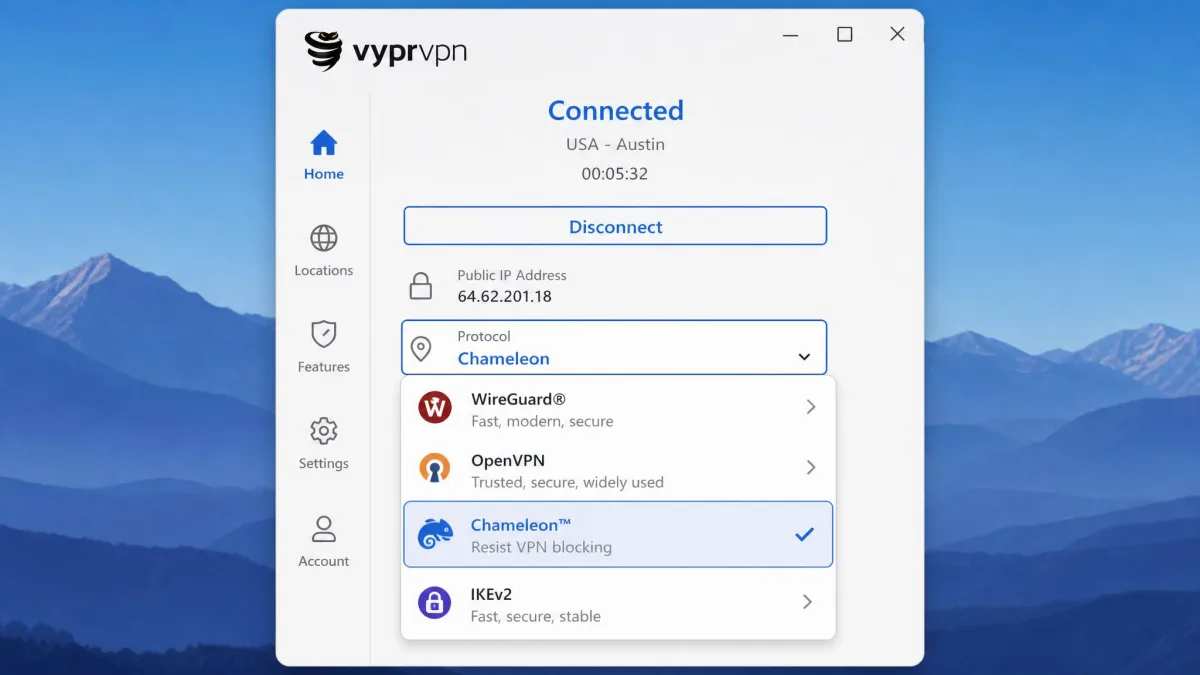
VyprVPN's feature list is focused rather than sprawling. You get AES-256 encryption, a choice of WireGuard, OpenVPN, IKEv2 and the proprietary Chameleon protocol, a kill switch, VyprDNS, and public Wi-Fi protection that connects automatically on untrusted networks. Apps cover Windows, macOS, iOS and Android, plus Apple TV, Fire TV, Android TV and routers, so you can protect a living-room setup as well as your laptop and phone. We test the ones that matter to you rather than trusting the spec sheet, and in practice the core apps did what they promised.
What you will not find is the long menu of extras that some rivals bundle. There is no multi-hop, no cryptocurrency payment option, and the split-tunnelling and ad-blocking tools are limited compared with the category leaders. For a lot of people that focus is fine. The features that are here are the ones most users touch, and they work without fuss.
One detail we appreciated in daily use is how little the apps get in your way. The protocol switcher is easy to find, and moving between WireGuard for speed and Chameleon for stealth takes a couple of taps rather than a trip into a buried menu. That matters more than a long feature list, because a tool you can adjust quickly is a tool you will actually use the way you intend.
Chameleon Protocol and Obfuscation
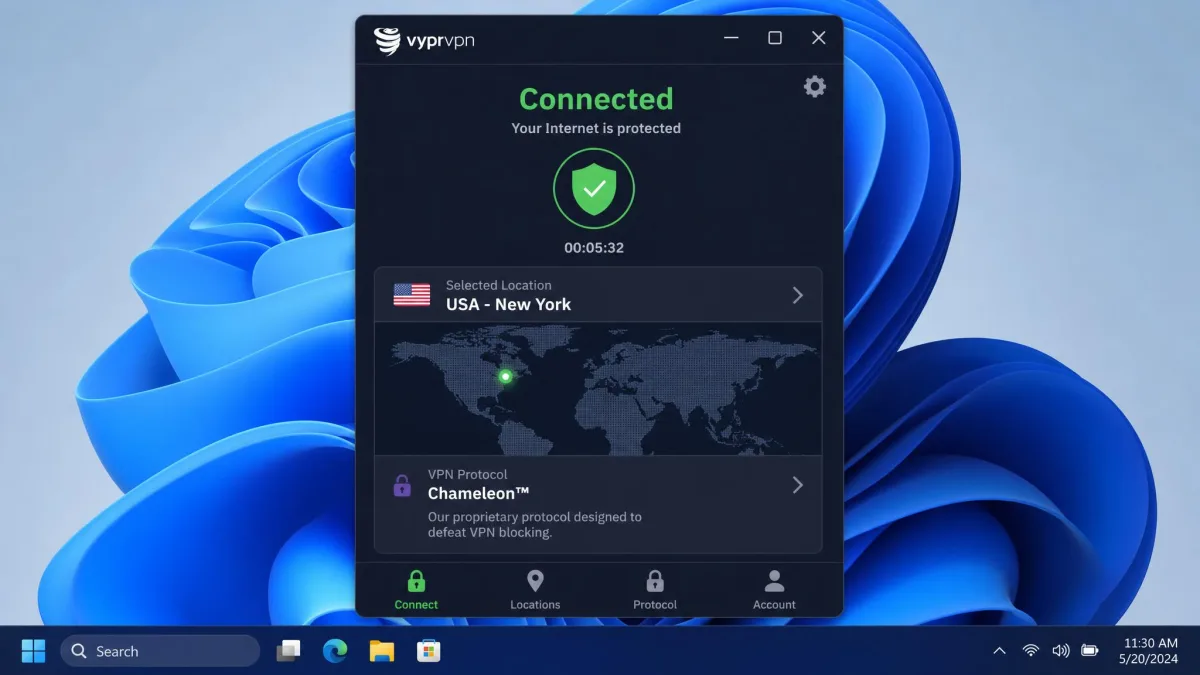
Chameleon is the reason VyprVPN still stands out. It is a proprietary protocol that scrambles OpenVPN packet metadata so that networks and firewalls cannot easily recognise the traffic as VPN traffic. In plain terms, it hides the fact that you are using a VPN at all, which is exactly what you need on a network that blocks VPNs outright.
In our testing, Chameleon reliably defeated VPN blocks and kept working on restrictive networks where standard protocols got detected and cut off. That is a real, practical advantage. If you regularly connect from a place that filters VPN connections, this feature alone can be the difference between a connection that holds and one that never establishes. The trade-off is speed, since obfuscation adds overhead, but for the situations Chameleon is built for, a working connection beats a fast one.
Chameleon is built on OpenVPN, so it is available on the platforms where VyprVPN ships a full app. If raw speed matters more than getting past a block, switch to WireGuard instead, and save Chameleon for the networks that actually need it.
Kill Switch and Additional Tools
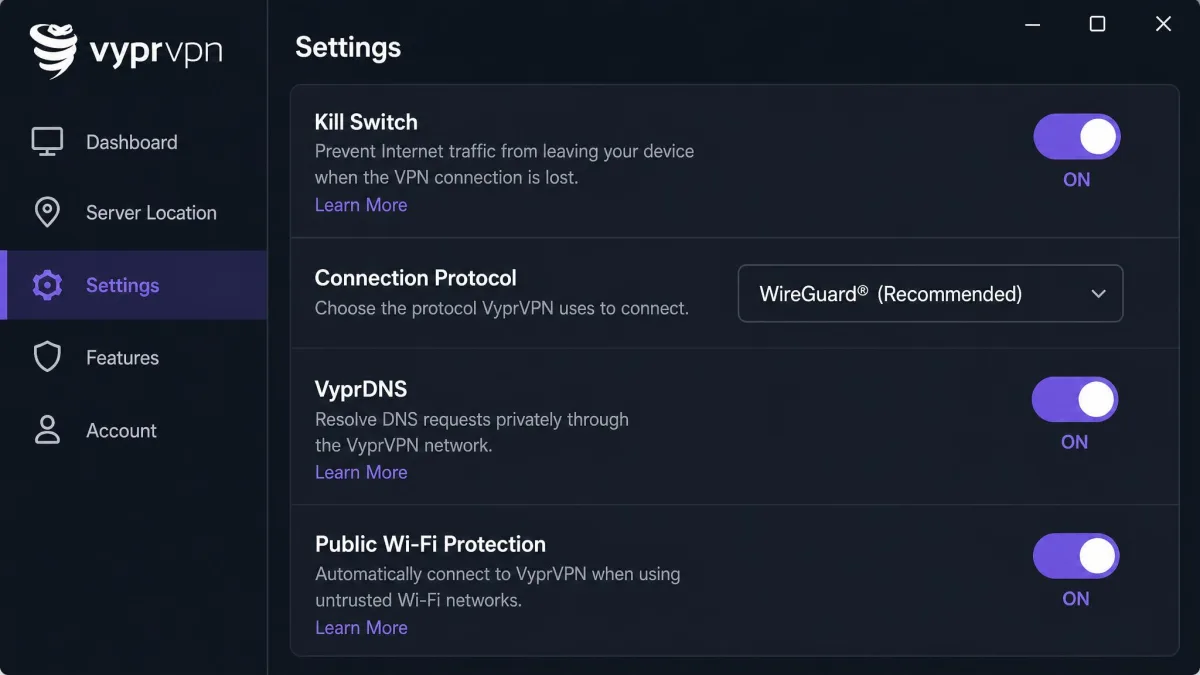
The kill switch is the safety net that matters most, and VyprVPN includes it across its desktop and mobile apps. When the VPN connection drops, the kill switch blocks all traffic so nothing leaks over your normal connection while the app reconnects. It is the kind of protection you want running quietly in the background, and having it on every platform means you stay covered whether you connect from a laptop or a phone.
Beyond the kill switch, you get VyprDNS, the company's own DNS service that keeps lookups inside the VPN and reduces the chance of DNS-based tracking, plus public Wi-Fi protection that can connect automatically when you join an untrusted network. These are sensible, useful tools. They are not flashy, but they cover the basics that a privacy-focused user actually needs day to day.
Speed and Performance
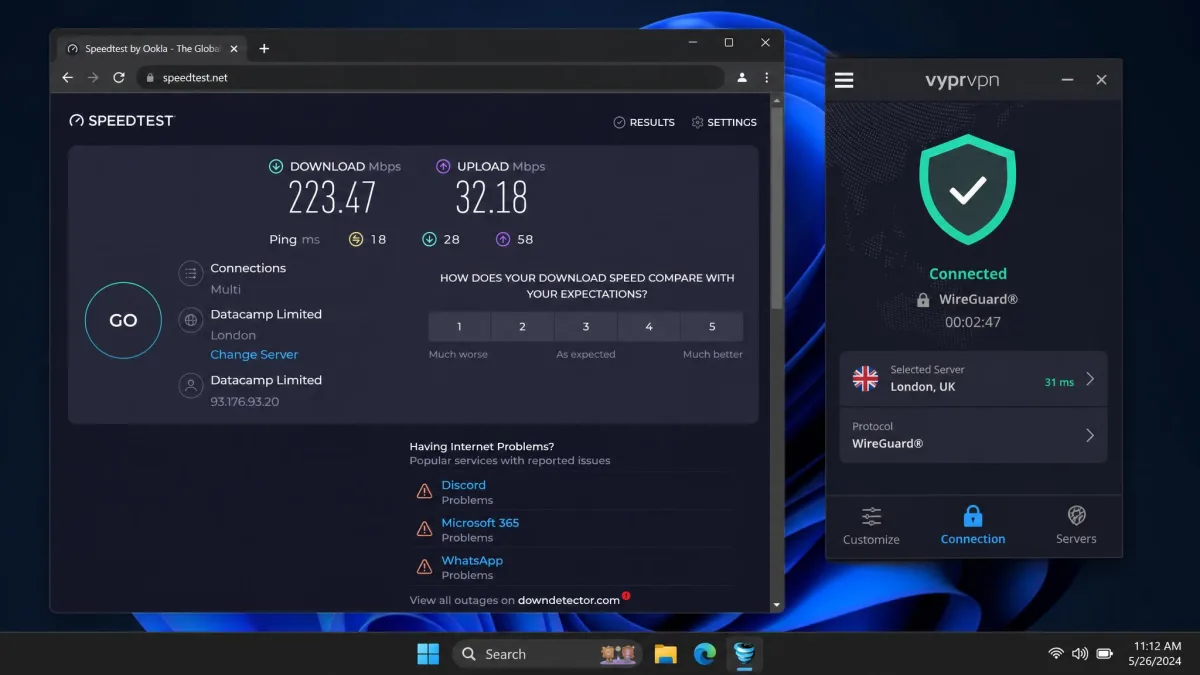
Speed is where VyprVPN falls behind, and there is no way to dress it up. In our testing, WireGuard held up reasonably well on nearby servers, delivering the kind of throughput most people need for browsing, video calls and HD streaming. The problem is that the picture degrades quickly as you move away from that ideal case.
It helps to walk through the results protocol by protocol, because the experience changes sharply depending on what you pick. WireGuard is the one to reach for when speed is the priority, and on a local server it felt close to our unprotected baseline. IKEv2 sat a step behind WireGuard but stayed usable for everyday browsing and calls on nearby locations. OpenVPN was the clear laggard, and Chameleon, which layers obfuscation on top of OpenVPN, sat slower still because that extra scrambling costs you throughput.
Switch to OpenVPN and speeds drop dramatically, sometimes falling to the low tens of Mbps even on a decent connection. Move to a distant server and the loss is heavier still, with high latency that makes the service a poor choice for gaming or anything that needs a snappy round trip. That high latency is the kind of penalty you feel on any task that depends on a quick round trip, from competitive play to remote-desktop work. Compared with the fastest names in the category, VyprVPN simply does not keep pace.
We are deliberately not quoting a single headline speed number, because the figures vary wildly by protocol, server distance and test rig, and no one discrete value would tell you the truth. The honest summary is this: fine for everyday use on a close WireGuard server, disappointing on OpenVPN and over long distances. If you want a VPN you never have to think about for speed, this is not it.
WireGuard on a nearby server is fine for everyday use, but OpenVPN and distant servers drag VyprVPN well behind the fastest VPNs we test.
— From our hands-on testing
One more practical note: connecting can be slow. On several attempts, establishing a session took upwards of a minute, noticeably slower than rivals that connect almost instantly. It is not a dealbreaker, but it is the kind of small daily friction you will notice if you connect and disconnect often.
To put the performance in context, it helps to separate two questions. Can VyprVPN carry the everyday load of browsing, calls and streaming on a good server? Yes, comfortably. Will it feel as fast as the category leaders, or hold up for competitive gaming and large distant transfers? No. If you keep those two answers straight, you will not be surprised by what the service does once you connect. Our advice is to pick the closest server that meets your needs, stick to WireGuard unless a block forces your hand, and treat the long-distance locations as a fallback rather than a default.
Pricing and Plans
VyprVPN's pricing follows the familiar VPN pattern: a higher month-to-month rate and a cheaper effective price if you commit to a longer term. The monthly plan runs around $10 per month. Commit to an annual plan and the effective rate drops to roughly $5 per month, though the exact figure moves with whatever promotion is running when you sign up.
That per-month annual rate is worth a caveat. Intro promotions rotate, and depending on the term and the current offer, the effective price has been reported anywhere from about $3 to $5 per month. Check the live price on VyprVPN before you commit, because the headline number on the page may differ from what you saw quoted elsewhere.
Set against the competition, VyprVPN is not a bargain. Surfshark and NordVPN both undercut it on their long-term plans while offering larger networks, so you are paying a slight premium for VyprVPN's obfuscation and self-owned hardware rather than for raw value. Whether that premium is worth it depends entirely on how much you need Chameleon.
Is There a Free Trial or Money-Back Guarantee?
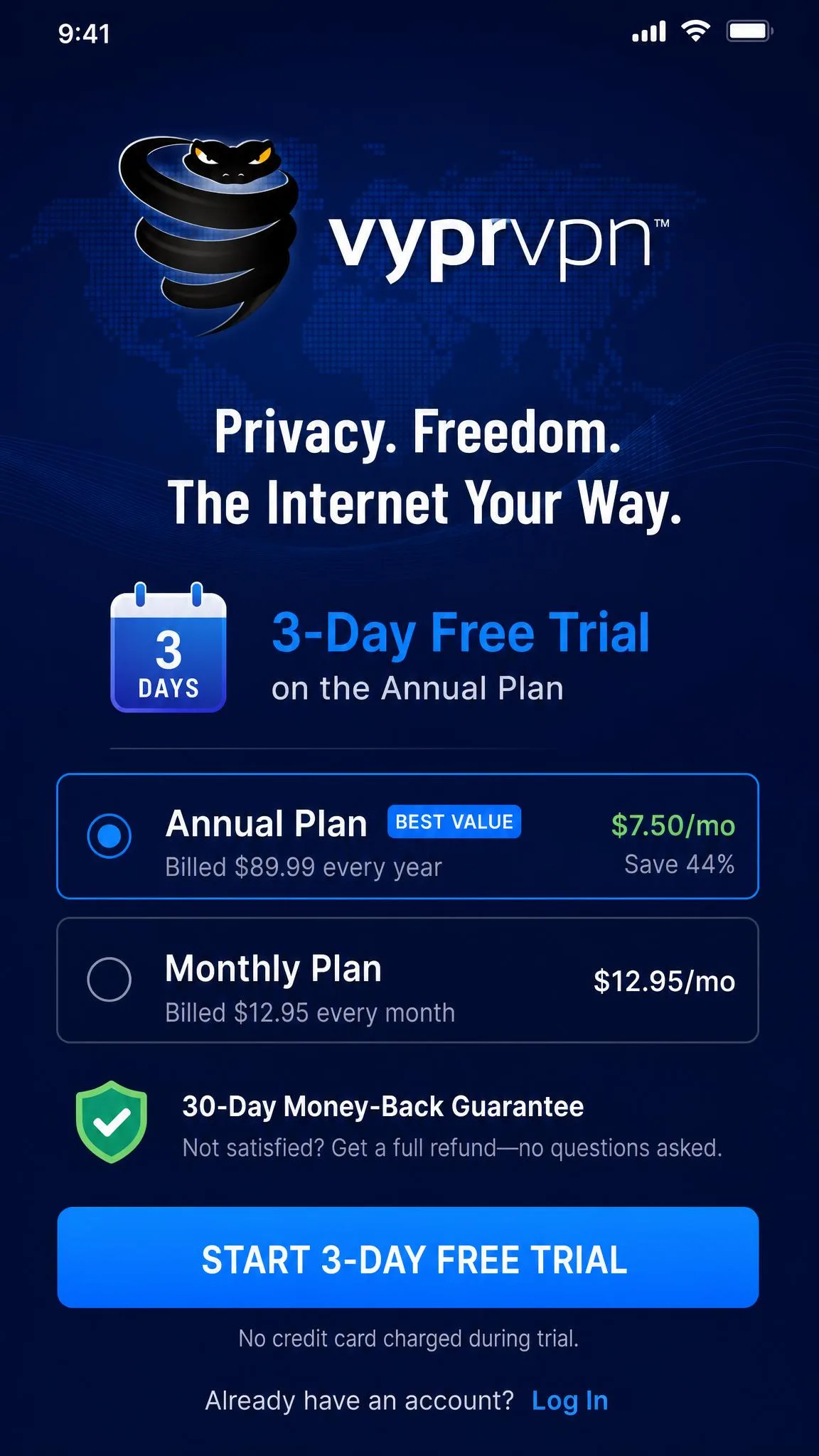
Yes to both, with a caveat on each. VyprVPN offers a 3-day free trial on its mobile apps, which is a genuinely useful way to test Chameleon and streaming on your own network before you spend anything. It is mobile-only, so you cannot trial it the same way on desktop.
On top of the trial, every paid plan comes with a 30-day money-back guarantee. That gives you a proper window to run the service through your real-world use: your streaming services, your torrent client, your restrictive work or travel network. We would use that window actively. Sign up, test the specific things you need in the first few weeks, and request a refund if it falls short. One thing to watch is that refunds and reactivation billing can be troublesome, a recurring theme in Trustpilot feedback, so keep your cancellation confirmation.
Privacy and Security
Privacy is a mixed picture for VyprVPN, and it is the area where you need to weigh the details most carefully. The technical foundations are solid, but the surrounding questions of jurisdiction and audit age complicate the story.
Encryption and Protocols
On the technical side, VyprVPN does the right things. Traffic is protected with AES-256 encryption, the same standard the rest of the industry uses, and you can choose between WireGuard, OpenVPN, IKEv2 and Chameleon depending on whether you want speed or stealth. VyprDNS keeps DNS lookups inside the tunnel, and the kill switch blocks leaks if the connection drops.
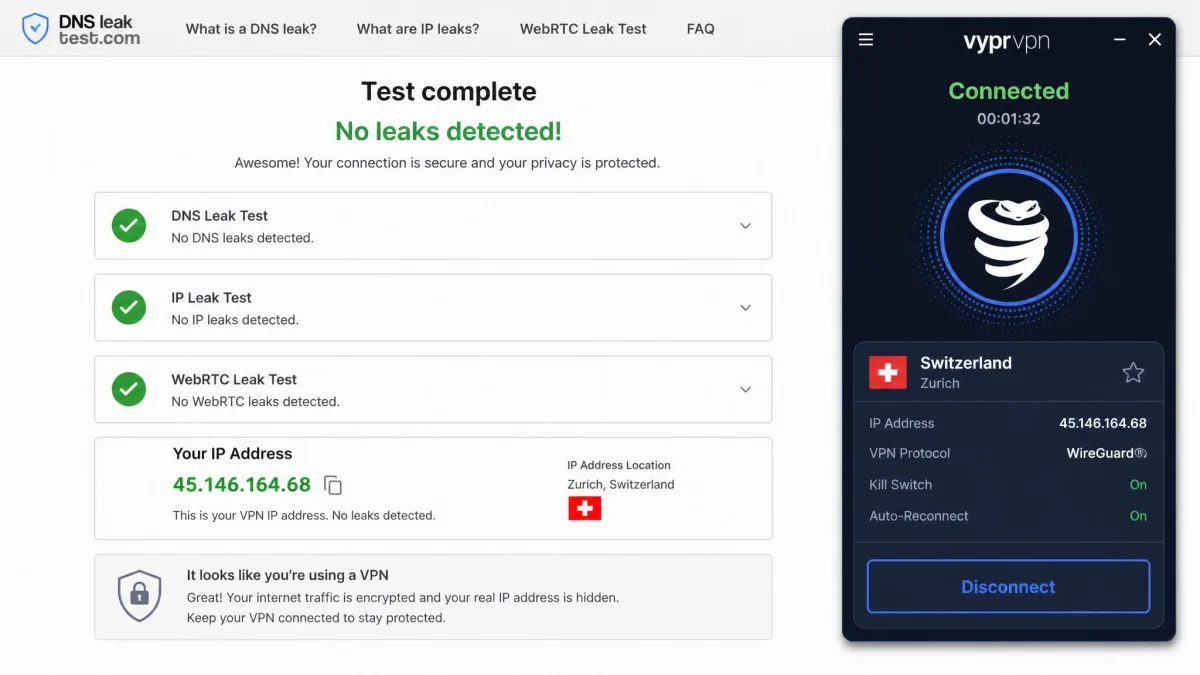
With VyprDNS keeping lookups inside the tunnel and the kill switch guarding against drops, the leak surface is small by design. As with any VPN, we would still run your own leak test in the first few minutes to confirm your real address stays hidden on your particular setup. The protocol choice is the key lever here: WireGuard for everyday speed, Chameleon when you need to get past a block. That flexibility is one of the service's stronger points, and building a quick leak check into your first session is a habit worth keeping.
No-Logs Policy and Audits
VyprVPN operates a no-logs policy, and it backed that policy with an independent audit by Leviathan Security Group in 2018. At the time, that put it ahead of many rivals that made no-logs claims with nothing to support them. The company also publishes its stance in the Golden Frog privacy policy, which is the document to read if you want the specifics of what is and is not retained.
The problem is age. That 2018 audit is now several years old, and the industry has moved on to regular, repeated audits. A single audit from 2018 is not nothing, but it is not the ongoing verification that the strongest privacy VPNs now provide. Rivals such as NordVPN and ExpressVPN now commission fresh independent audits every year or two, which is the bar VyprVPN has yet to meet again. For context, there was a website breach in 2023 tied to a group called Ninja Defenders, though the VPN infrastructure itself was not compromised in that incident. Together, the stale audit and the past website breach are reasons to treat the privacy claims with measured trust rather than blind faith.
Jurisdiction and Ownership (US vs Switzerland, Track Record)
Jurisdiction is the most contested part of VyprVPN's story in 2026, and it deserves your attention because it directly affects the privacy calculation.
VyprVPN's jurisdiction is genuinely disputed. Ownership records and recent reviews place the service under Certida, based in Texas, USA, after a move away from Switzerland around 2023. Yet the marketing and older reviews still describe it as Switzerland-based. A US jurisdiction sits inside the Five Eyes intelligence-sharing framework, which matters if that is part of your threat model. On top of this, the only independent no-logs audit dates to 2018, so the no-logs claim rests on a verification that is now several years old. Confirm the current ownership and jurisdiction yourself before you rely on either.
We are not going to assert one answer as settled, because the sources genuinely disagree. What we can say is that if jurisdiction is central to your decision, the Swiss branding you may remember is no longer a safe assumption. A US base does not automatically mean your data is exposed, since a genuine no-logs service has nothing to hand over, but it does place the company inside a wider intelligence-sharing arrangement than Switzerland offers. Read the current ownership details for yourself and decide how much weight that carries for your needs.
Streaming and Unblocking (Netflix, Disney+, BBC iPlayer)
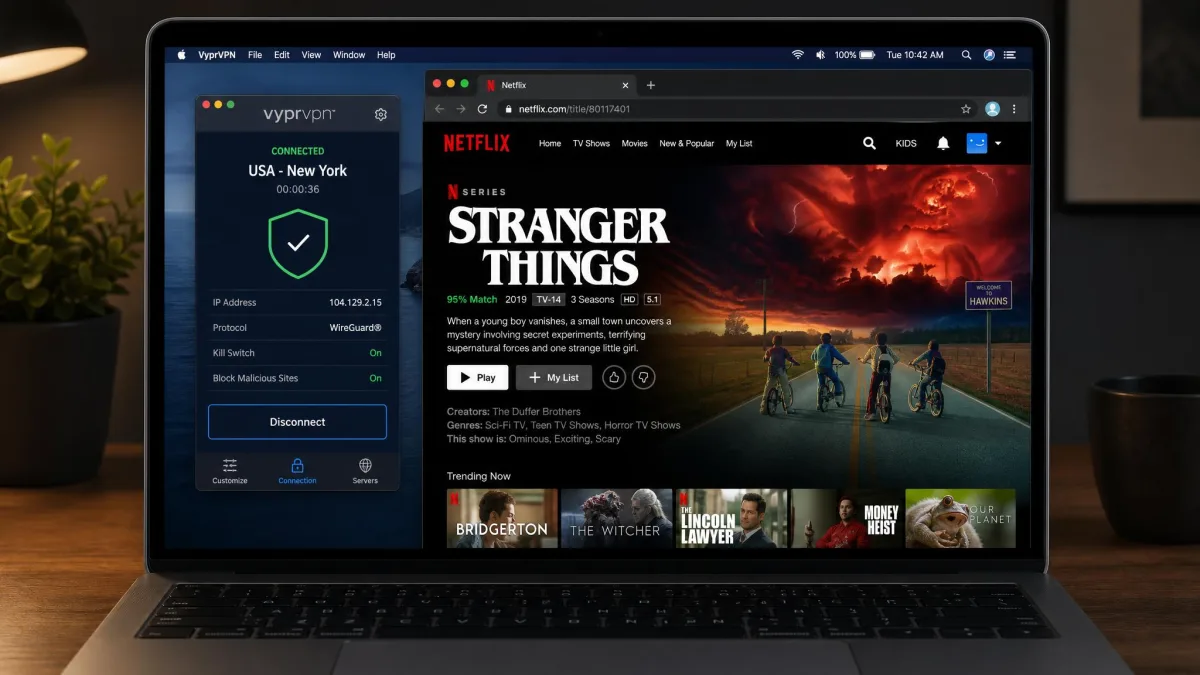
Streaming is another area where VyprVPN is inconsistent, and how much that bothers you depends on what you watch. In our testing, Netflix worked only on a limited set of servers, and finding one that reliably unblocks it often meant contacting support to ask which location to use. That is more effort than the best streaming VPNs demand, where almost any server just works.
Beyond Netflix, the results were uneven, so it helps to go service by service. Disney+ connected on the first try in most of our attempts and streamed without buffering once it loaded. Hulu behaved similarly, playing reliably on the US servers we tested. HBO Max also came through without much trouble. BBC iPlayer was the frustrating one, working on one attempt and then failing on the next with the same server, and Amazon Prime Video showed the same hit-or-miss pattern. If a specific service is the reason you are buying a VPN, that inconsistency is a real risk.
The honest takeaway: VyprVPN can unblock a good range of content, but it is not a set-and-forget streaming tool. You may need to switch servers, and occasionally ask support which one to try, before a stubborn service loads. If streaming is your primary use case, one of the rivals in our comparison below will frustrate you less, since the leading streaming VPNs unblock the major services on nearly any server.
Torrenting and P2P
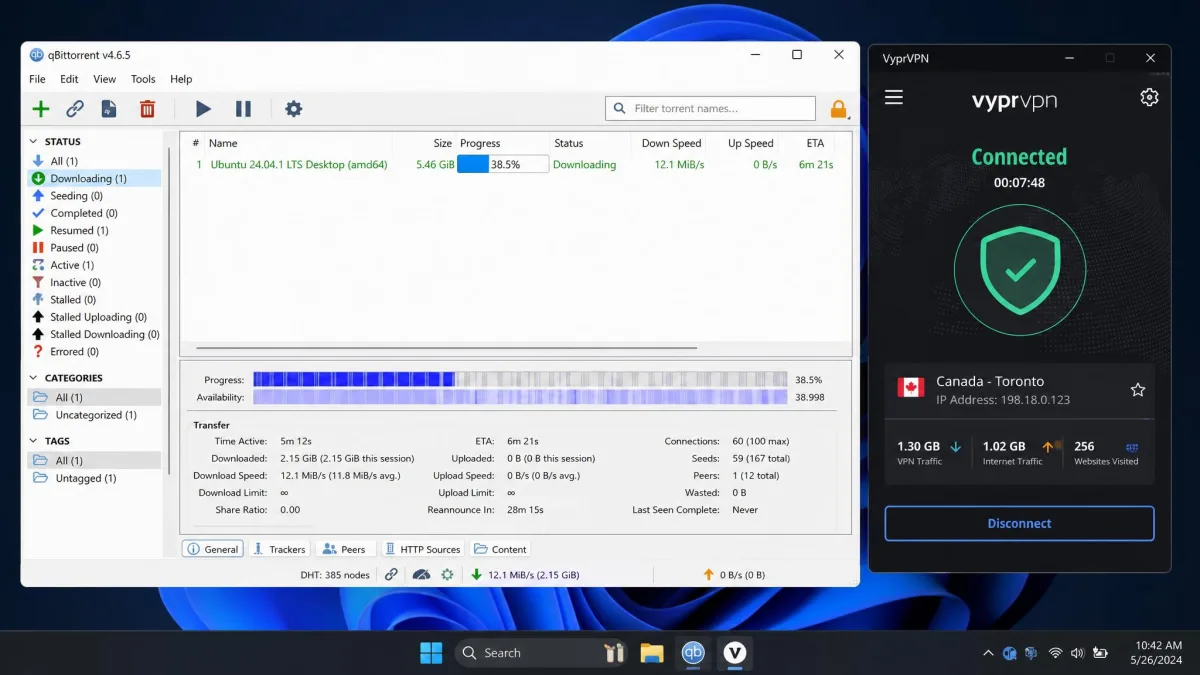
Here VyprVPN does better. Torrenting is allowed on every server, with no special P2P-only subset to hunt for, and in our testing the download performance held up well. Combined with the kill switch and the self-owned network, that makes it a reasonable choice for P2P, provided you are connecting over a nearby server where speeds are healthy.
The usual speed caveat still applies. If you torrent over a distant server, you will feel the same throughput drop that affects everything else. Pick a close location, keep the kill switch on, and P2P is one of the areas where VyprVPN quietly does the job.
Server Network and Countries
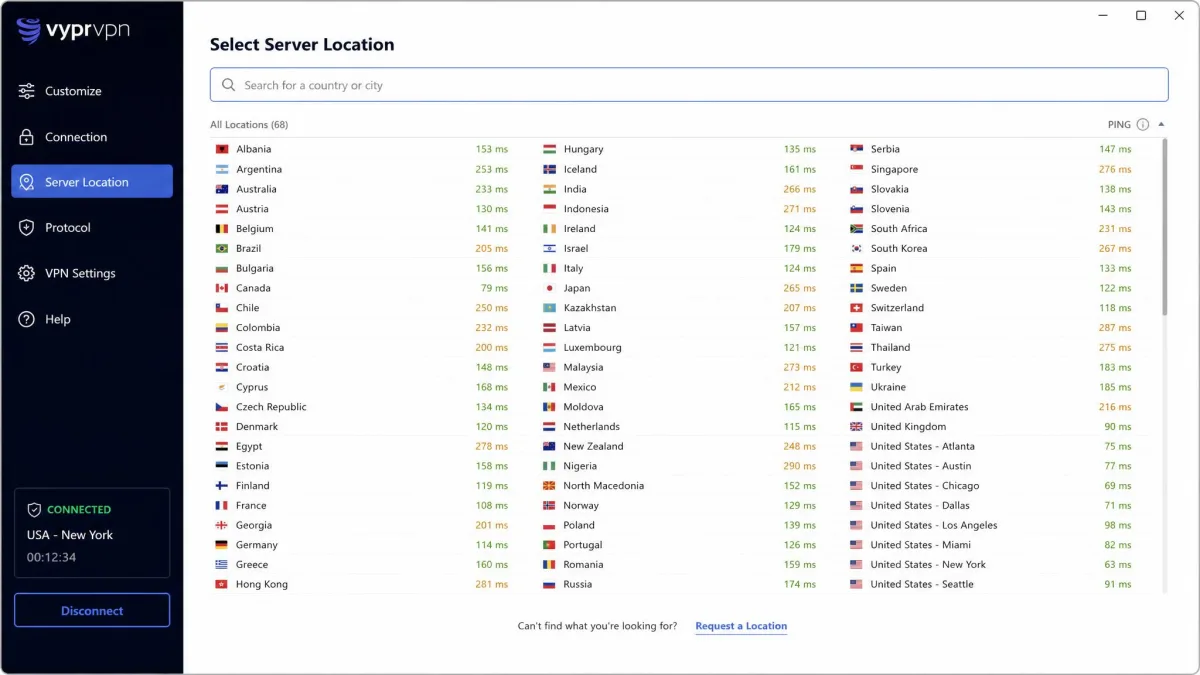
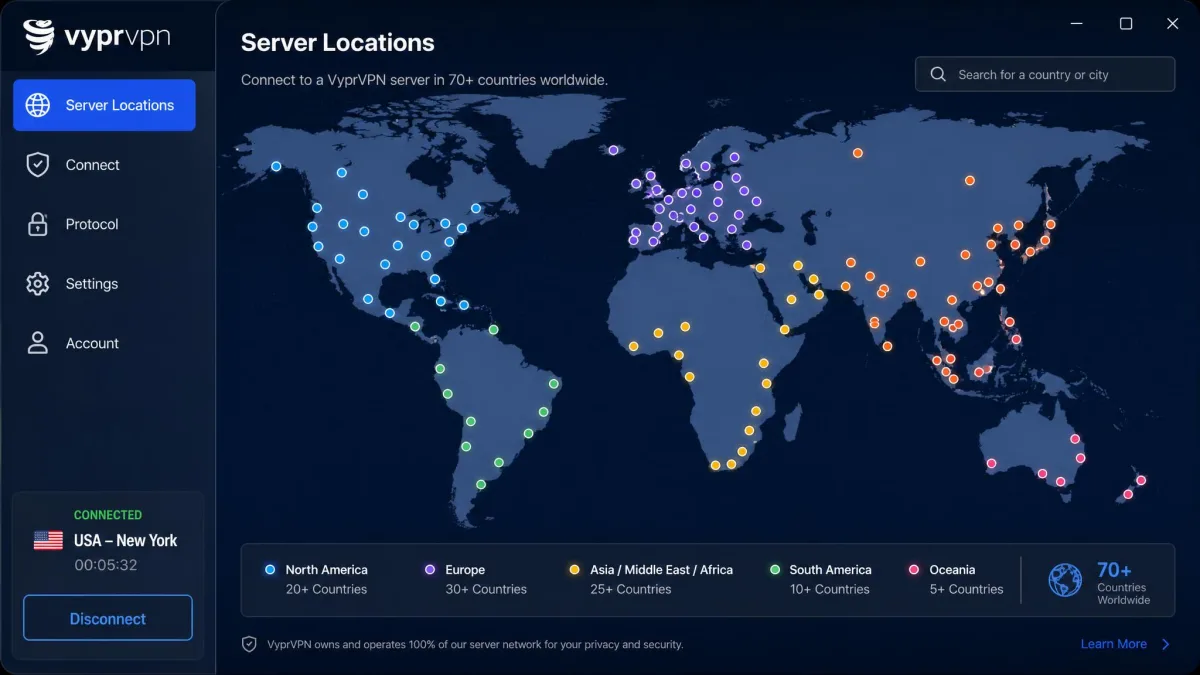
VyprVPN runs more than 700 servers spread across nearly 70 countries, backed by over 300,000 IP addresses. The country figure is worth a small caveat, since reports range from about 60 to 73 depending on the source and on how virtual locations are counted, but the practical coverage lands close to 70. That is a modest network by 2026 standards, well short of the thousands of servers that NordVPN and Surfshark operate.
Coverage is strongest where most users need it. North America and Europe are well represented, with multiple locations across the United States and the major western European countries. Asia-Pacific coverage is thinner but present, with locations in places such as Japan, Singapore and Australia that give travellers in the region something nearby to connect to. Latin America, Africa and the Middle East are lighter still, so if you need a server in one of those regions, check the list before you buy rather than assuming it is there.
The self-owned model is the counterweight. Because Golden Frog owns and runs the hardware, there is no third-party data centre in the chain, which is a genuine privacy plus even if the raw server count is smaller. The trade-off shows up in granularity: city-level server selection is limited, and you only get that finer location choice in a couple of countries. For most users the country-level list is enough, but if you need a specific city, VyprVPN may not offer it. That matters for streaming a regional channel or getting a local IP in a particular metro, where rivals let you pick between several cities in a single country.
Apps and Platform Compatibility
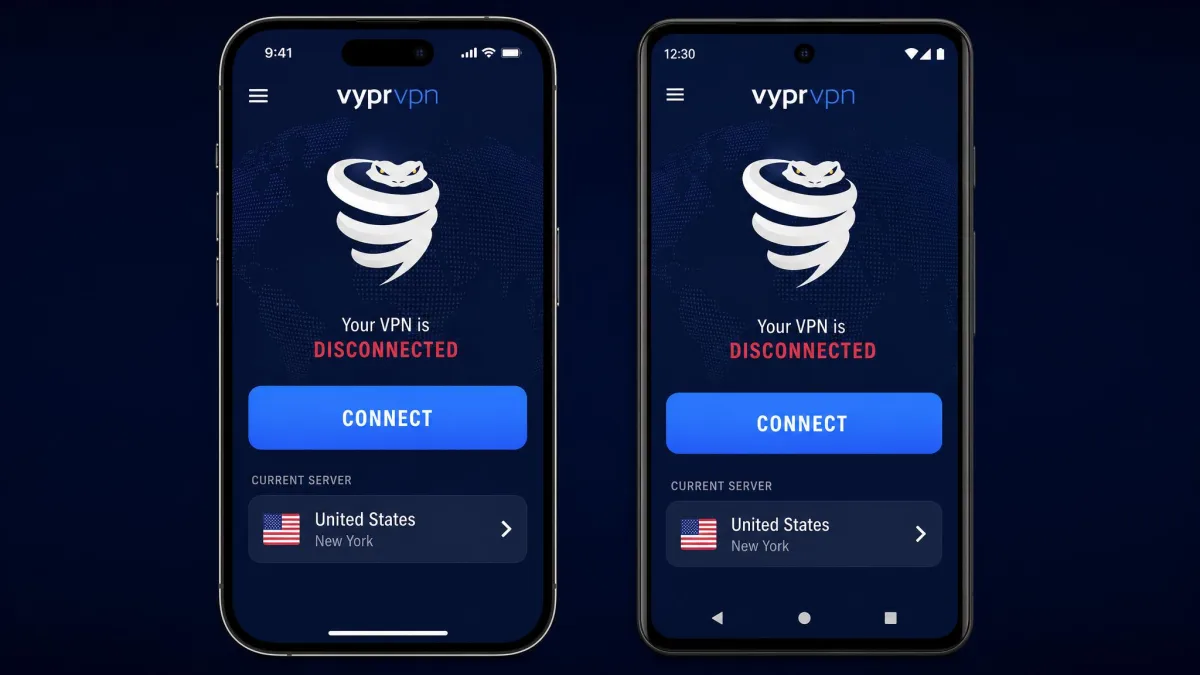
VyprVPN's apps cover the platforms that matter: Windows, macOS, iOS and Android, plus Apple TV, Fire TV, Android TV and router support for whole-home coverage. Across the board the apps look consistent and behave predictably, which counts for a lot when you are switching between devices.
The one moving target is how many devices you can connect at once. The simultaneous-connection limit has changed over time and is reported variously as 5, 10, or a legacy 30, depending on the source and the plan. We would not rely on any single figure here. If you need to cover a large household of devices, confirm the current cap directly before you sign up, because it is the kind of detail that has shifted more than once.
Ease of Use
Setup is one of VyprVPN's quiet strengths. In our testing, installing and connecting took only a few minutes across Windows, iOS and Android, and the layout is beginner-friendly enough that you do not need to understand protocols to get protected. Pick a location, hit connect, and you are running.
The main usability wrinkle is connection time. As noted earlier, establishing a session sometimes took upwards of a minute, which feels sluggish next to rivals that connect almost instantly. Once connected, the apps are stable and easy to live with, but that initial wait is a small recurring annoyance.
Customer Support
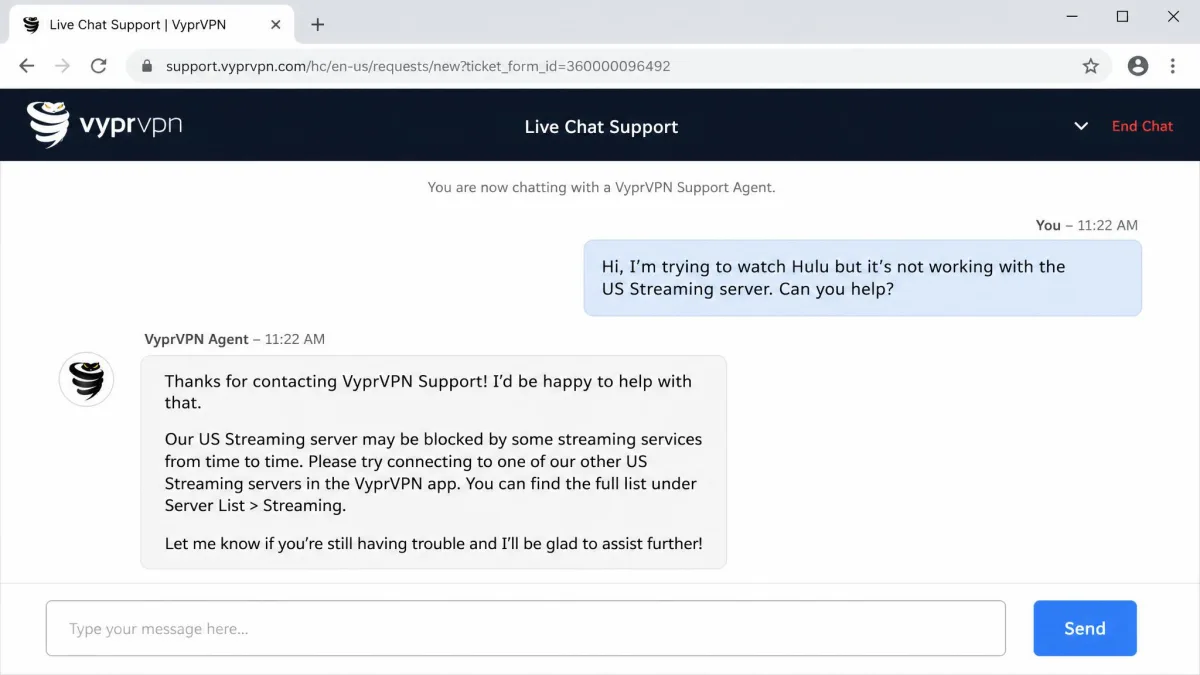
Support is an area where VyprVPN underwhelmed. It offers live chat and a knowledge base, which is the right setup on paper. In practice, we found responses could be slow, and agents often gave scripted answers that missed the substance of deeper technical questions. For a simple billing or setup query, that is fine. For a nuanced question about protocols or a specific streaming server, you may find yourself going in circles.
Given that Netflix access can require asking support which server to use, this is not a small weakness. The one place where responsive, knowledgeable support would help most is exactly where we found it thinnest. If self-service and community troubleshooting are things you are comfortable with, you will cope. If you lean on support heavily, factor this in.
What Do Users Say? (Community Feedback)
Community sentiment lines up reasonably well with our own findings. On the mobile app stores, VyprVPN scores well, with a 4.6 out of 5 rating on the Apple App Store and 4.4 out of 5 on Google Play, which reflects the smooth setup and solid everyday experience we saw. Those are strong numbers for the day-to-day mobile app.
The picture is cooler on Trustpilot, where VyprVPN holds a TrustScore of about 3.0 out of 5 across roughly 400 reviews. Digging into that feedback, the recurring complaints are that the VPN sometimes fails to mask location and that refunds and reactivation billing can be troublesome. Those billing gripes echo the refund caution we raised earlier, so keep your paperwork if you plan to test and cancel.
Taken together, the split makes sense: people who install the app and connect are largely happy, while a subset run into billing and reliability friction that pulls the aggregate score down. Read the app-store and Trustpilot scores as two halves of the same story rather than a contradiction.
VyprVPN Alternatives
VyprVPN's biggest problem is that the competition is strong and often cheaper. If Chameleon is not essential to you, one of the many VyprVPN alternatives will likely serve you better on speed, streaming and value. Here is how it stacks up against three of the most popular alternatives.
| Product | Buy | Platform | Price | Key spec |
|---|---|---|---|---|
 |
Check price → | Win, macOS, iOS, Android, TV | ~$5/mo(varies) | Chameleon obfuscation; 700+ servers |
 |
Check price | Win, macOS, iOS, Android, TV | $3.09/mo(2-yr) | 8,000+ servers; 10 connections |
 |
Check price | Win, macOS, iOS, Android, TV | $1.99/mo(2-yr) | 4,500+ servers; unlimited connections |
 |
Check price | Win, macOS, iOS, Android, TV | $2.79/mo(2-yr) | 105+ countries; 8 connections |
The pattern is clear. NordVPN and Surfshark both beat VyprVPN on price, network size and speed, while ExpressVPN pairs strong streaming with wide country coverage. NordVPN brings more than 8,000 servers, and Surfshark runs over 4,500 servers with unlimited simultaneous connections, so both dwarf VyprVPN's 700-server network while charging less per month. VyprVPN's counter-argument is Chameleon and its self-owned network. If you need to get past VPN blocks, that is a reason to choose it. If you do not, the alternatives are simply better all-rounders for less money.
Verdict: Is VyprVPN Worth It?
VyprVPN is a specialist, and the answer to whether it is worth the price depends on whether you need its specialty. It earns its 6.8/10 on the strength of Chameleon, backed by a self-owned network, a solid kill switch and all-server torrenting. For someone connecting from a network that filters VPNs, that focused core earns its place.
For everyone else, the value case is harder. This is really a buy for one kind of user: the traveller, remote worker or student who regularly connects from a network that blocks VPNs and needs Chameleon to punch through. If that is you, use the trial and 30-day guarantee to confirm it works on your specific network before you commit. If it is not you, look first at NordVPN for the best all-round balance, or Surfshark if price is the deciding factor, since both cost less and do more of what most users actually want.