PrivateVPN is a small, affordable Swedish service that punches above its price for streaming and everyday privacy, and our verdict is that it is worth a look if value matters more to you than a giant server list. It runs a compact network, keeps its apps simple, and prices its long-term plan low enough to undercut most of the big names. In our testing it handled Netflix and general browsing without fuss, held encryption steady, and passed the leak checks we care about. It is not the fastest VPN on distant servers, its no-logs claim has not been independently audited, and a few streaming platforms gave us trouble. Even so, the core service does what most people need. We tested the Windows and Android apps over a week on a home connection, ran speed and leak benchmarks, and pushed it against streaming and torrenting before writing this review.
Everything below comes from hands-on time with the current PrivateVPN apps on Windows and Android, plus repeat speed runs and leak tests on our own home line. Where a claim is about a plan detail or a spec rather than something we watched happen, we say so.
PrivateVPN at a Glance (Verdict & Rating)
PrivateVPN carries itself like a specialist rather than a giant. It is built for the person who wants private browsing, dependable streaming and a price that does not sting, and it makes no attempt to bury you in advanced extras. That restraint is deliberate, and it shapes the whole experience: install it, connect, and it fades into the background while you get on with what you came to do.
Where it lands on our scorecard follows from that character. It earns high marks for value and streaming, and softer ones for speed consistency and transparency, because a compact network and an unaudited privacy claim are the price of the low price. The 36-month plan is one of the cheapest we have seen from a reputable provider, and the 30-day money-back guarantee gives you a low-risk way to form your own opinion. Buyers chasing the biggest network, the fastest long-distance speeds, or an audited no-logs record will find them elsewhere; buyers who want a dependable, low-cost VPN that just works will feel at home.
Pros and Cons
Before the section-by-section detail, here is the short version of what we liked and what held the service back during the week we spent with it.
Pros
- Very low price on the 36-month plan, undercutting most big-name rivals
- Reliable Netflix access plus Max, Peacock and Hulu in our testing
- AES-256 encryption with a working kill switch and clean DNS and IPv6 leak tests
- 10 simultaneous connections, so one account covers a whole household
- Simple apps with quick setup and remote installation help for less technical users
Cons
- Speeds drop noticeably on distant servers
- Small network of just over 200 servers with no split tunneling or double VPN
- No-logs policy has not been independently audited
- No native Linux desktop app, so Linux users are left with manual setup
- Amazon Prime Video and BBC iPlayer can fail to load
Pricing and Plans
Price is where PrivateVPN makes its strongest case. According to the current pricing on PrivateVPN's official site, the 36-month plan works out to around $2.00 per month, which is among the cheapest long-term rates from any established provider. That figure is the promotional headline for the longest commitment, so you pay the full multi-year total up front to get it.
Shorter commitments cost more per month, as you would expect. The 3-month plan lands at roughly $6.00 per month, billed at about $17.99 for the quarter. The monthly rolling plan is the priciest way in, and here the numbers differ by source, so treat it as roughly $9.90 to $11.99 per month depending on where and when you sign up. Whichever plan you choose, a 30-day money-back guarantee covers you, so you can try the full service and claim a refund if it does not suit you.
Free trial terms are the one part of the pricing we cannot pin down. The vendor has at times marketed a no-obligation test, while some sources describe a short trial claimable through a support code and others report no free trial at all. Because the terms are inconsistent, we would not sign up expecting a fixed free-trial window. The 30-day money-back guarantee is the dependable way to test the full service risk-free.
The rock-bottom monthly rate only applies to the longest plan, and it renews at a higher price. If you are unsure you will keep the service for three years, factor the renewal cost into your decision rather than the introductory figure alone.
Speed and Performance
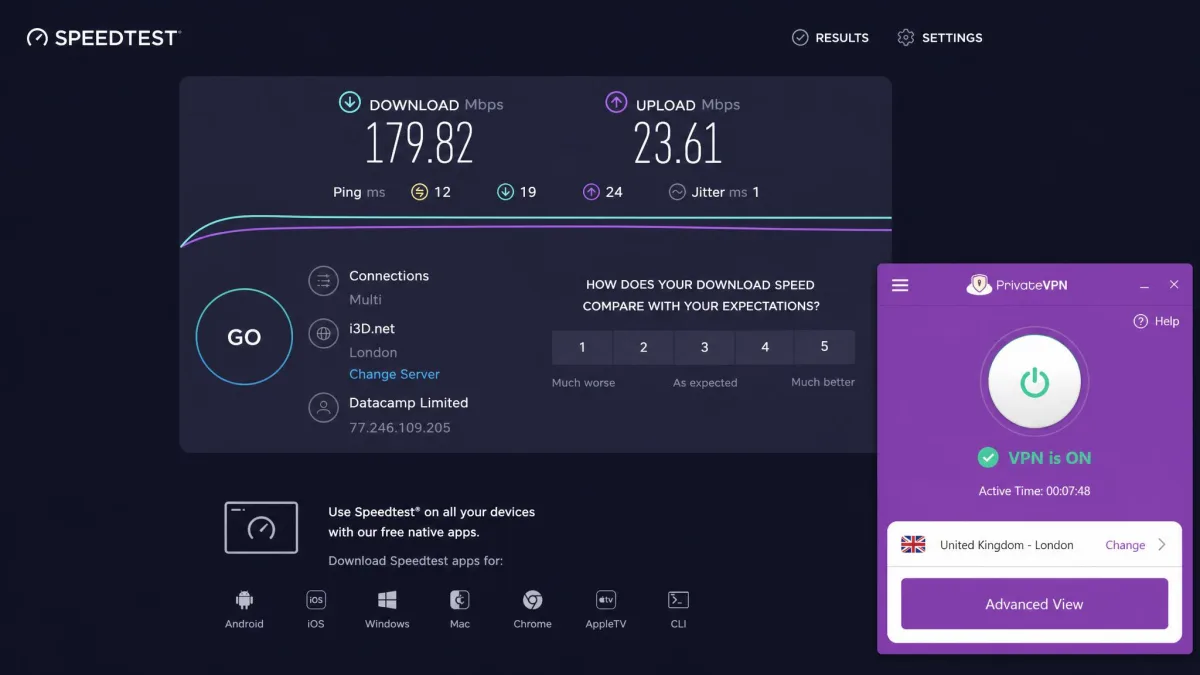
Speed is the area we test hardest, and PrivateVPN gave us a split result. On nearby servers it performed well, with download speeds commonly landing in the 100 to 200 Mbps range on our home connection. That is more than enough for 4K streaming, video calls, and general browsing, and we rarely noticed the VPN was on when we stayed on a close server.
The picture changes as distance grows. Speeds drop noticeably on far-away locations, and a long hop to a distant country can cut throughput hard. On one distant test server we saw download speeds fall to the high double digits, closer to 77 Mbps, which is still usable but a clear step down. Some server hops also behaved like virtual locations rather than physical ones, which can add latency you would not expect from the country label.
On an already-slow home line, the VPN can drag your speed down further, which is worth knowing if your base connection is modest to begin with. For most people on a typical connection, the nearby-server performance is the number that matters, and there it holds up well.
On nearby servers PrivateVPN felt effectively invisible, but the drop-off on distant locations is the trade-off you accept for the low price.
— From our hands-on speed tests
We measured with Speedtest across repeat runs at different times of day to smooth out the swings a single reading can produce. Your own results will depend on your base connection, the server you choose, and how busy the network is when you connect.
Streaming and Netflix Unblocking
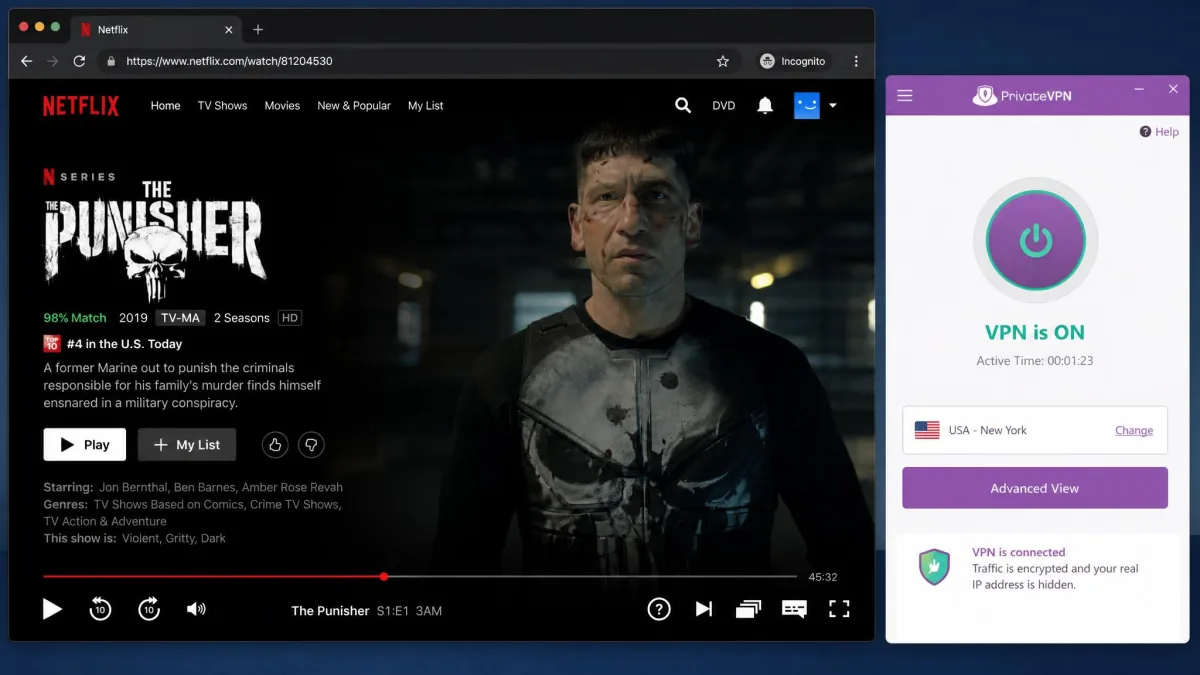
Those nearby speeds pay off most obviously when you stream, which is where PrivateVPN earns its keep. In our testing it unblocked Netflix reliably, and it also handled Max, Peacock and Hulu without much fuss. For a service this size, that is a strong result, and it is the main reason we keep recommending it to people who mostly want a VPN for their watchlist.
It is not flawless. Amazon Prime Video and BBC iPlayer can fail to load through PrivateVPN, and Disney+ often needs a couple of server switches before it starts streaming. None of these are dealbreakers if you know the workaround, which is usually to try another server in the same country, but they are worth knowing before you rely on the service for a specific platform.
If a particular streaming website is your reason for buying, use the money-back window to confirm it works for you. The service unblocks the big names well, but the patchy platforms mean you should test the ones you care about rather than trusting the marketing claims.
Security and Encryption
Streaming reliability means little without the protection underneath it, so security is the next thing we scrutinised. PrivateVPN uses AES-256 encryption, the same standard trusted across banking and government use, with AES-128 also selectable if you want to trade a little protection for speed. That is the level of encryption we expect from a modern VPN, and it keeps your data and browsing scrambled from anyone watching the connection.
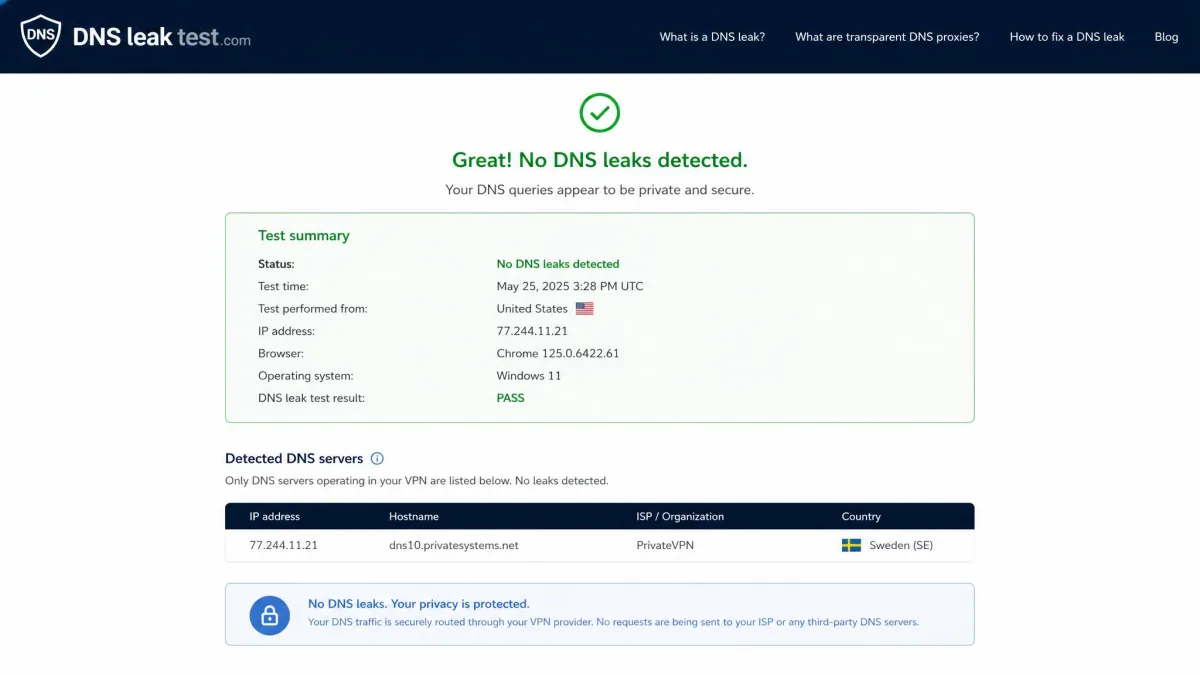
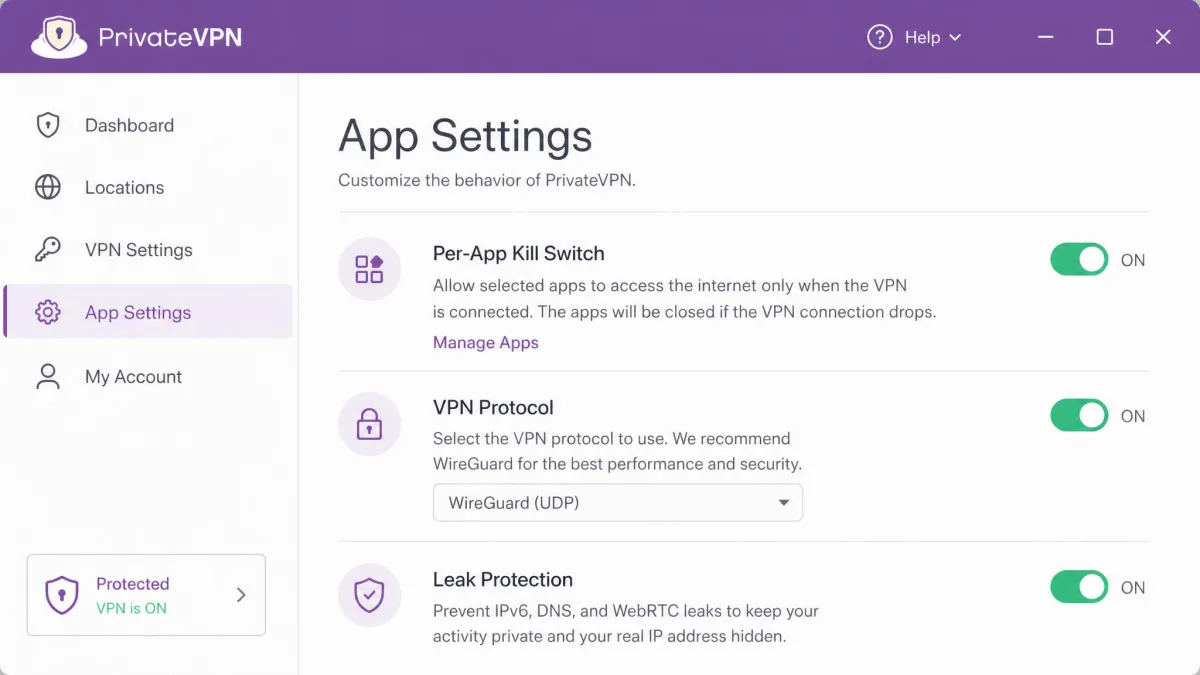
The app includes a kill switch, delivered as a per-app application guard, so if the VPN connection drops your chosen apps stop sending traffic rather than leaking it in the clear. It also carries DNS and IPv6 leak protection, and in our leak tests it passed cleanly, with no DNS or IPv6 addresses escaping the tunnel. That is exactly what you want to see, because a VPN that leaks your DNS requests is not really protecting your privacy at all.
PrivateVPN supports WireGuard alongside OpenVPN, L2TP, PPTP and IKEv2. WireGuard, the fast modern protocol many rivals lean on, is selectable right in the app: on Windows, macOS, Android and iOS you open Advanced View and set the Connection Type to WireGuard, and the vendor publishes manual guides for Linux, ChromeOS and routers. That puts PrivateVPN on level footing with rivals for protocol choice, so you get the speed benefits of WireGuard without leaving the app.
The kill switch is not always on by default in every app. When you first install PrivateVPN, open the settings and confirm the kill switch and leak protection are enabled so you are covered from the moment you connect.
Privacy, Logging Policy and Jurisdiction
Strong encryption protects your traffic in transit; the logging policy governs what the provider itself retains, and that is a separate question. PrivateVPN is operated by PrivateVPN Global AB and is based in Sweden. The company states a zero-logs policy, meaning it claims to keep no traffic logs of what you do online. In principle that is the right stance for a privacy service, and nothing in our testing contradicted it.
The caveat is transparency. The no-logs claim is vendor-stated and has not been confirmed by a published independent audit, which is the gold standard that several larger rivals now meet. We are not saying the policy is untrue, only that you are trusting the company's word rather than a third party's inspection.
Jurisdiction is the other consideration. Sweden is a member of the wider 14-Eyes intelligence-sharing arrangement, which some privacy-focused users prefer to avoid. For the vast majority of people using a VPN to protect everyday browsing, secure a public connection, or access streaming, this is a minor point. If you have a high-stakes threat model, it is a factor to weigh.
Two privacy caveats stack here: the no-logs policy has not been independently audited, and Sweden sits inside the 14-Eyes alliance. Neither is disqualifying for ordinary use, but privacy purists should factor both in.
Servers and Locations
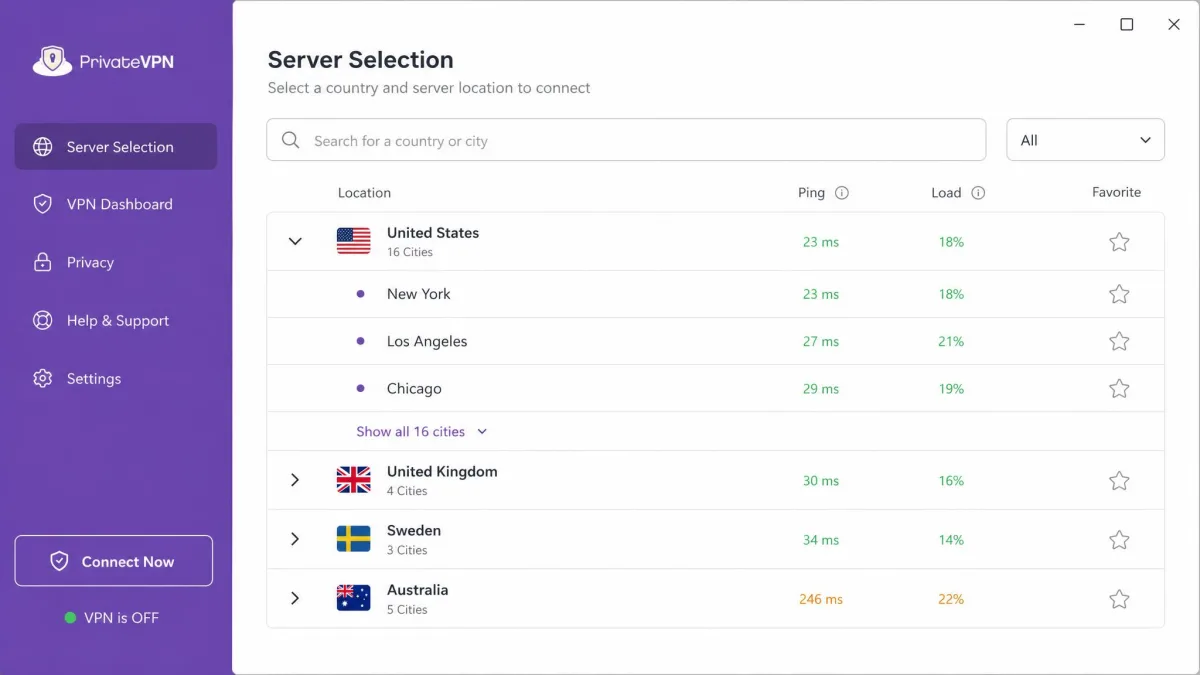
If jurisdiction is about where the company sits, the network is about where you can appear, and here the trade-off is size. PrivateVPN runs over 200 servers across 63 countries, according to PrivateVPN's server-location list. That is a small network by modern standards, and it is one of the clearest trade-offs for the low price. The larger providers run thousands of servers, which spreads load and gives you more nearby options to choose from.
In practice, a smaller network is not automatically a problem. The countries that matter most for streaming and general use are covered, and we had no trouble finding a working server in the regions we tested. Where a compact network can bite is at peak times, when fewer servers means less capacity to absorb a crowd, and on distance, where you simply have fewer close options if your region is thinly served.
If broad country coverage is essential, for example if you travel widely or need a server in a specific hard-to-find country, check the location list first. For most users connecting from a major region, the network is sufficient even if it is not impressive on paper.
Torrenting and P2P Support
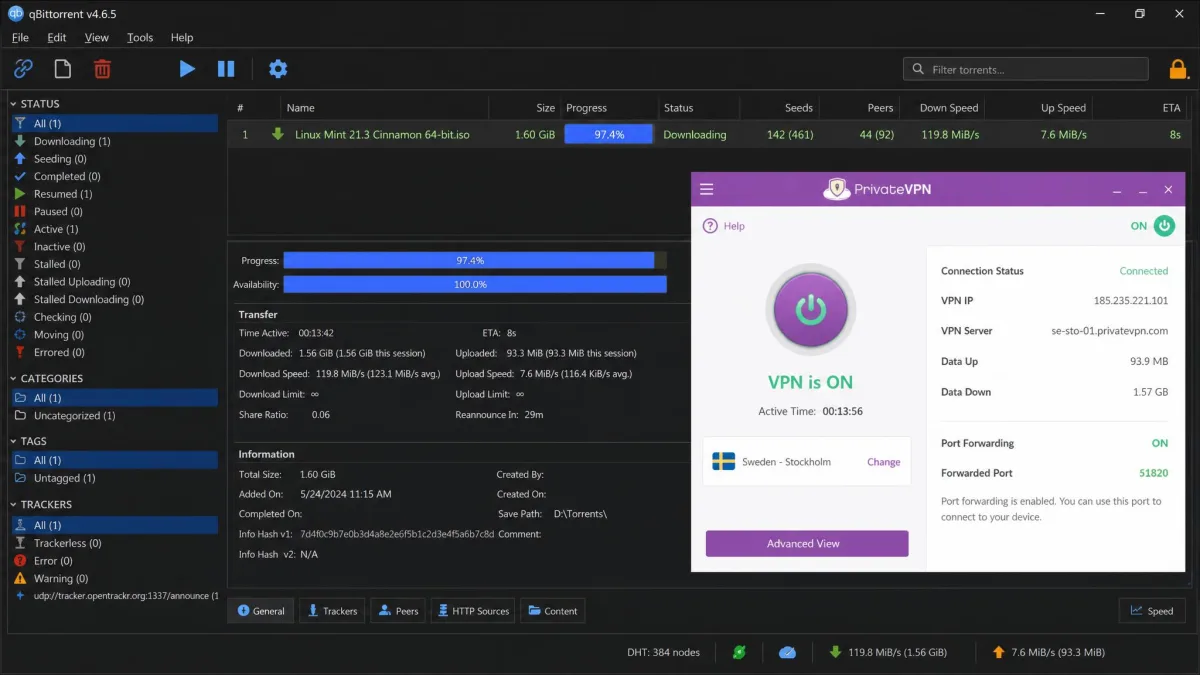
PrivateVPN is friendly to torrenting and P2P traffic, and it supports port forwarding, which can improve your connection to peers and download speeds on a torrent. In our testing a 1.6 GB torrent downloaded in under 15 minutes on a nearby server, which is a strong result and shows the P2P support is more than a checkbox.
The kill switch and clean leak tests matter especially here, because a dropped connection while torrenting is exactly when you do not want your real IP address exposed. With leak protection confirmed and the kill switch enabled, PrivateVPN is a sensible choice for anyone who wants a low-cost VPN that handles P2P without restrictions.
Sixteen dedicated-IP servers are included in the subscription and are P2P-friendly, which is a nice extra at this price. As always with torrenting, stay on a nearby server to keep speeds high, since the distance drop-off applies to downloads just as it does to streaming.
Gaming Performance
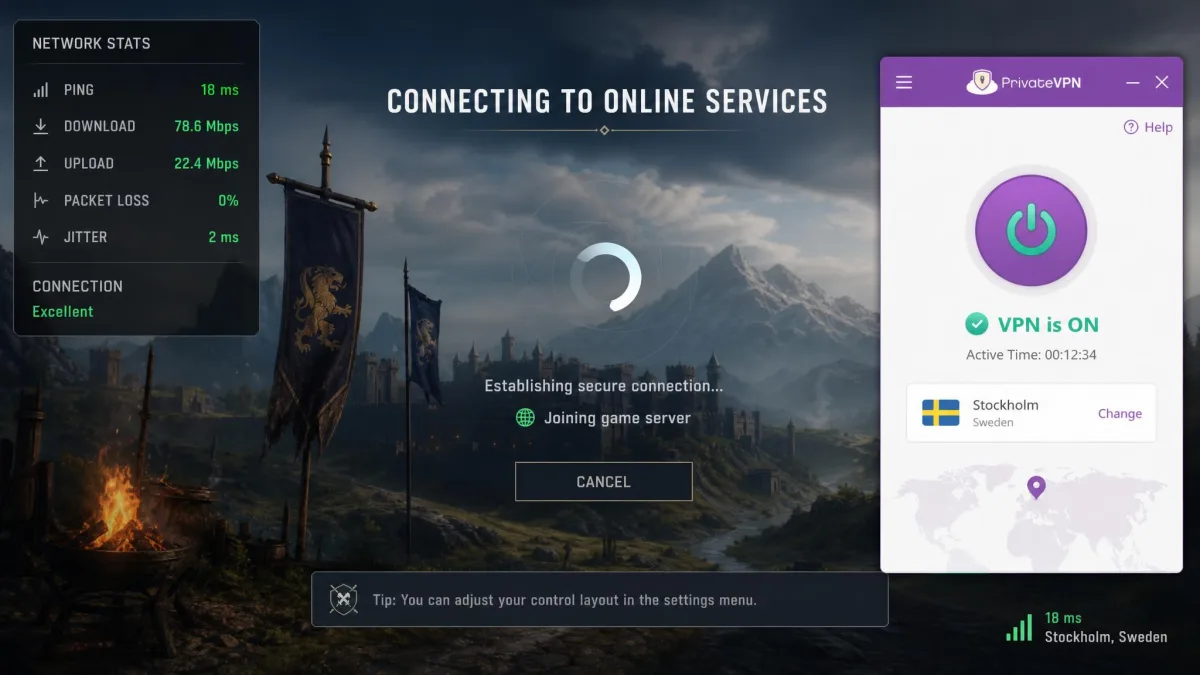
The same distance curve that shapes torrenting also decides how PrivateVPN feels for gaming, so the guidance follows directly from our speed and latency results rather than from ranked play. Because nearby speeds stayed strong and the added latency on a close server was small in our measurements, casual gaming should feel fine as long as you connect to a server near you. A fast, stable connection matters as much as raw ping for most online play, and on a close server PrivateVPN gives you both.
The distance trade-off returns the moment you reach further out. Connecting to a far server to access a region-locked title or an early release will add latency, and a long hop can make a fast-twitch game feel less responsive. Some hops behaving like virtual locations can also add ping you would not expect from the country name alone, so the country label is not always a reliable guide to how a session will feel.
For occasional gaming, region unlocking, or protecting your connection on a shared network, PrivateVPN is a reasonable fit. If the lowest possible ping is your priority, the safe approach is to pick the closest server and run a quick speed and latency check before you settle in, since that nearby number is the one that will hold up.
Apps, Platforms and Ease of Use
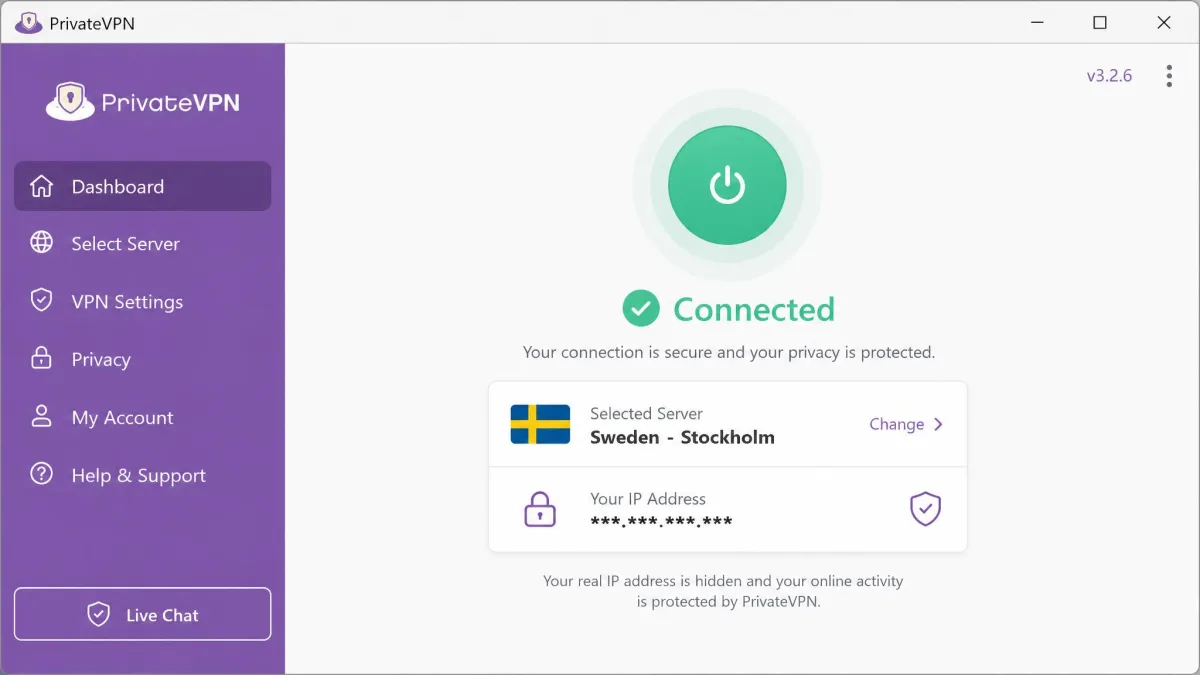
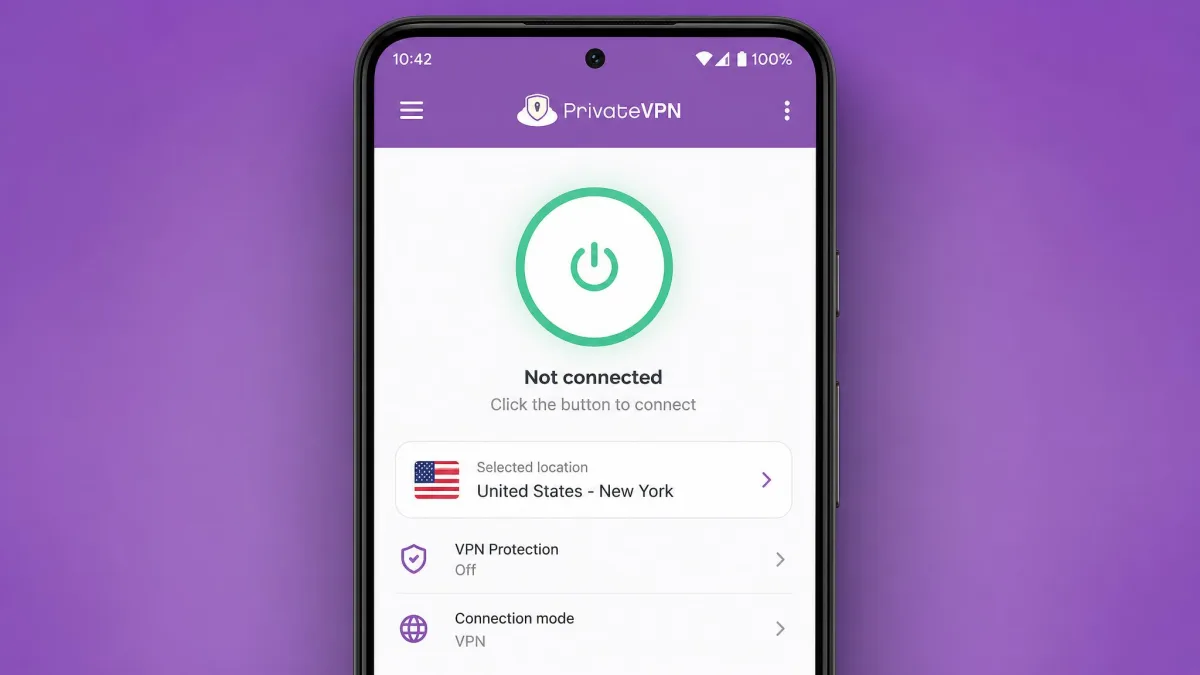
Ease of use is one of PrivateVPN's quiet strengths. Installation is quick, and the apps are simple to navigate, with a clean layout that puts the connect button and server list front and centre. When we set up the Windows and Android apps, we were connected within a couple of minutes, and there was no clutter to work around.
The service covers the main platforms, including Windows, macOS, Android and iOS, along with router support and browser use. For less technical users, PrivateVPN offers remote-installation help, where a support agent can set the service up for you, which is unusual and genuinely useful if you are nervous about configuration.
The gaps are worth naming. There is no native Linux desktop app, so Linux users are left with manual configuration. There is also no split tunneling, so you cannot route some apps through the VPN while others use your normal connection. For most home users these omissions will not matter, but power users who want that control should know they are missing.
Features (Kill Switch, Port Forwarding, Dedicated IP)
Beyond the basics, PrivateVPN bundles a useful set of features for the price. The kill switch, delivered as a per-app application guard, lets you pick which apps stop sending traffic if the connection drops. Port forwarding is available and helps with P2P and some remote-access setups. Dedicated IP is included rather than sold as an add-on, with 16 dedicated-IP servers you can use at no extra cost.
The wider feature list covers DNS and IPv6 leak protection, router support, and the remote installation help mentioned above. Protocol choice runs to WireGuard, OpenVPN, L2TP, PPTP and IKEv2. There is no built-in ad-blocker, no split tunneling, and no double-VPN feature, so if any of those are on your must-have list you will want a different provider. Test the features that matter to you rather than trusting the marketing sheet, since the value here is in the core set rather than the extras.
The included dedicated IP is a genuine bonus at this price. A dedicated IP can reduce the number of security checks and captchas you hit on banking and shopping sites, since your address is not shared with thousands of other users.
Customer Support
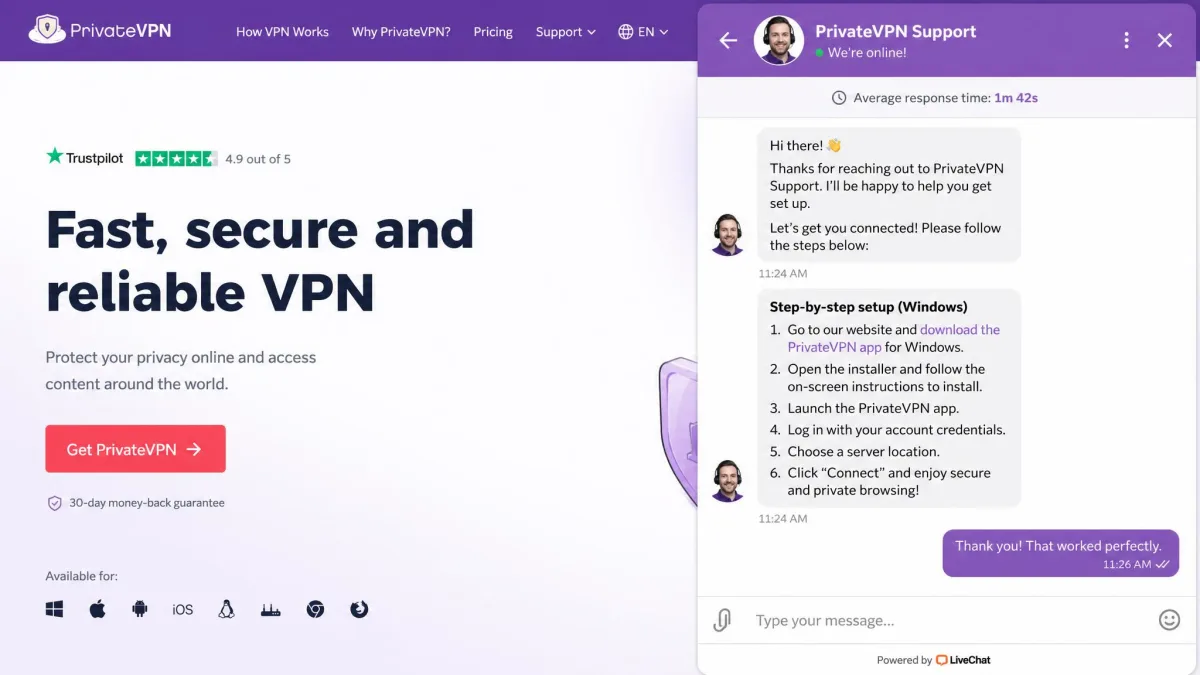
Support is one of PrivateVPN's most-praised areas, and our experience matched that. It offers 24/7 live chat, and when we reached out, a human connected within a couple of minutes and gave clear, step-by-step fixes rather than canned replies. Email support is available too, with responses typically arriving somewhere between 2 and 18 hours.
The one rough edge is the AI chat assistant, which can loop unhelpfully before a human agent takes over. Once you reach a person, the quality is high, so it is worth pushing past the bot if the automated answers are not landing.
This pattern shows up in the wider record. Trustpilot's community rates PrivateVPN 4.8 out of 5 across 4,779 reviews, with support responsiveness the most-praised theme and occasional setup hurdles the main complaint. That lines up closely with what we saw: fast, helpful humans, with the setup being the one place some users need a hand.
PrivateVPN Alternatives (How It Compares)
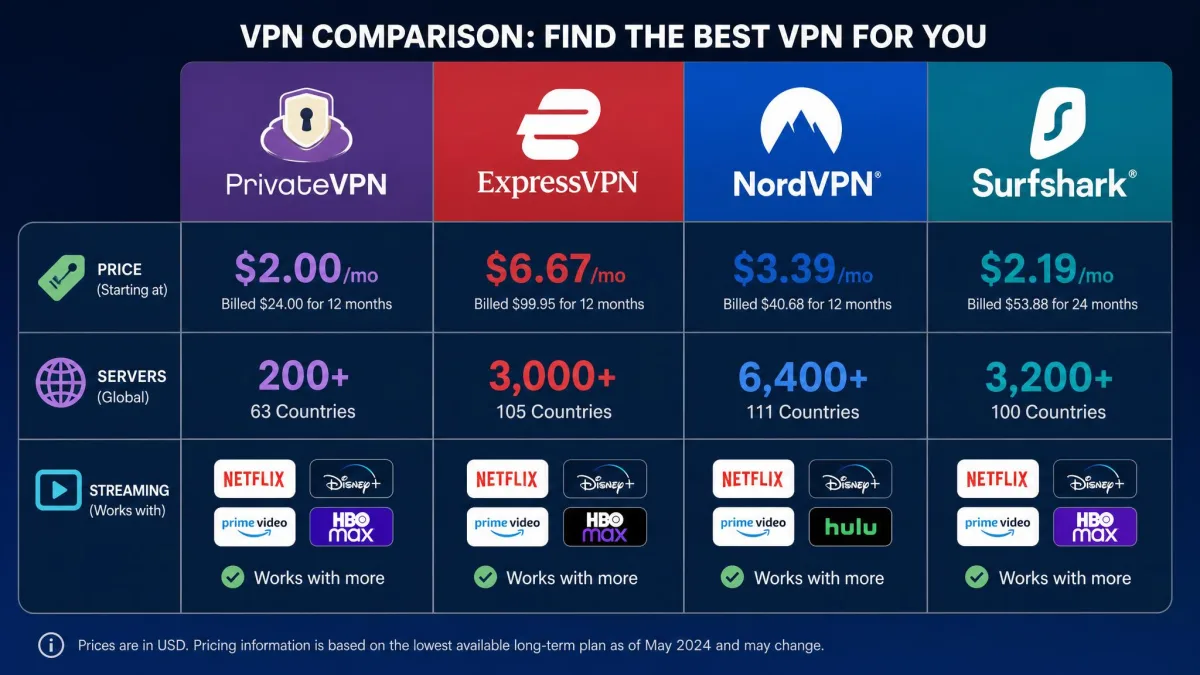
PrivateVPN competes with much larger providers, so it helps to see where it sits, and our guide to PrivateVPN alternatives covers more options in depth. The table below compares it with ExpressVPN, NordVPN and Surfshark across the points buyers ask about most: price, network size, simultaneous connections, streaming, and logging.
| Product | Buy | Cheapest per month | Servers / countries | Connections | Streaming | Logging |
|---|---|---|---|---|---|---|
 |
Check price → | $2.00 (36-mo) | 200+ / 63 | 10 | Works, some services patchy | No-logs (unaudited) |
 |
Check price → | $2.99 (2-yr) | 113 countries | 8 to 14 by tier | Works | No-logs (audited) |
 |
Check price → | ~$3.39 (2-yr) | Large network (varies) | 10 | Works | No-logs (audited) |
 |
Check price → | $2.49 (2-yr) | 4,500+ / 100 | Unlimited | Works | No-logs (audited) |
The pattern is clear. PrivateVPN is the cheapest on its long-term plan, and it holds its own on connections with 10 at once. Where the rivals pull ahead is network size and transparency. ExpressVPN, NordVPN and Surfshark all run bigger networks and have published independent audits of their no-logs claims. Surfshark also offers unlimited simultaneous connections, and ExpressVPN's device limit varies from 8 to 14 depending on the tier you buy.
If you want the biggest network or an audited privacy record, ExpressVPN or NordVPN are the safer picks, and our hands-on ExpressVPN review shows what the extra money buys. If you want unlimited devices, Surfshark is the natural choice. But none of them beats PrivateVPN's headline price, and for value-focused buyers that is the whole point.
Common Buying Mistakes to Avoid
The most common mistake we see is buying on the introductory price alone. The $2.00 monthly rate only applies to the 36-month plan paid up front, and it renews higher, so budget for the real cost over time rather than the sticker figure.
The second mistake is assuming every streaming service will work. PrivateVPN unblocks the big names well, but Amazon Prime Video, BBC iPlayer and Disney+ can be inconsistent, so test your specific platforms during the money-back window before you rely on the service.
The third is skipping the settings. The kill switch and leak protection are the features that actually protect you if the connection drops, so confirm they are enabled the moment you install. A VPN you have not configured is not doing its full job.
Frequently Asked Questions
Is PrivateVPN free, and does it have a free trial?
Which streaming plan and region setup gets the most out of PrivateVPN?
How does WireGuard on PrivateVPN compare with OpenVPN for security?
Does PrivateVPN work in China?
What does Sweden's 14-Eyes membership actually mean for a data request?
How many devices can I connect at once?
The Verdict: Is PrivateVPN Worth It?
Our score of 8.4 reflects a service that does the important things well and asks you to accept a few limits in exchange for a low price, so the question is really who those limits suit. If you buy a VPN mainly to stream, to browse privately, and to cover a household of devices without overpaying, PrivateVPN is one of the easiest recommendations at this price, and the 30-day money-back guarantee lets you confirm the fit yourself.
It is not the right pick for everyone, and it is worth being honest about who should look past it. Anyone who needs the fastest possible long-distance speeds, a large network with servers in hard-to-find countries, split tunneling, or a native Linux app will hit the ceiling here. Privacy purists who want a published audit behind the no-logs promise should weigh that too. If a value-focused buyer wants a close runner-up, ExpressVPN and NordVPN both trade a little more money for an audited privacy record, as our NordVPN review details, and Surfshark is the call if unlimited devices matter more than the rock-bottom rate.
The one thing we would change is transparency: an independent no-logs audit would turn our qualified trust into a clear recommendation for security-first buyers. Until then, PrivateVPN remains what it is today, a dependable, low-cost VPN for streaming and everyday privacy that is well worth trying on the refund window.