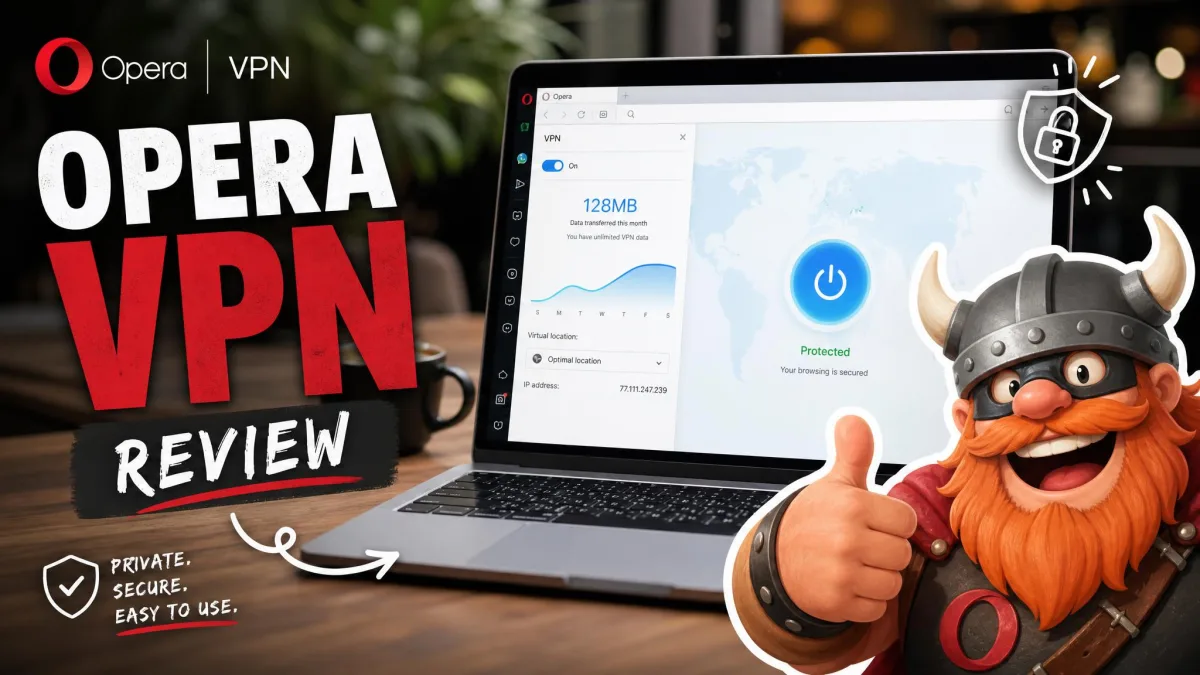
Opera has built a free VPN into its browser since 2016, and it costs nothing, needs no account and has no data cap. The catch is scope: the free VPN only protects traffic inside the Opera browser, and it lets you pick a broad region rather than a specific country. Everything else on your device keeps using your normal internet connection.
That gap shaped how we chose the replacements. We started with Opera's own VPN as the baseline and ruled out anything that couldn't cover the whole device. Then we compared every alternative on price, free-plan limits, speed, streaming and audited privacy, starting from the scores in our full reviews.
Opera VPN alternatives at a glance
The eight picks below are listed in our ranked order, with Opera's free VPN in the last row as the browser-only baseline.
| Product | Buy | Free plan | Price/month | Simultaneous connections | Coverage | Streaming |
|---|---|---|---|---|---|---|
 |
Check price → | No | $3.49(2-yr) | 10 | System-wide apps | Netflix, Prime Video, Hulu, Disney+, BBC iPlayer |
 |
Check price | No (7-day mobile trial) | $2.19(2-yr) | Unlimited | System-wide apps | Netflix, Hulu, iPlayer; may need a server switch |
 |
Check price | No (7-day mobile trial) | About $2(3-yr) | Unlimited | System-wide apps | Netflix US; Hulu and iPlayer patchy |
 |
Check price | No | About $2(26-mo) | 7 | System-wide apps | Labelled streaming servers |
 |
Check price | No (7-day mobile trial) | $2.99(2-yr) | 10 to 14 by plan | System-wide apps | Netflix, BBC iPlayer, Disney+, Prime Video, Hulu |
 |
Check price | Yes, no data cap | Free(Plus about $2.99 to $3.49 on 2-yr) | 1 (10 on Plus) | System-wide apps | Not on the free plan |
 |
Check price | Yes, 10GB/month | Free(Pro $5.75 on 1-yr) | Unlimited | System-wide apps | Free: limited; Pro: wider |
 |
Check price | Yes, 2GB/month | Free($3.33 on 3-yr) | Unlimited (paid) | System-wide apps | Max and Peacock; Netflix blocked |
 |
Yes, no data cap | Free(VPN Pro $4 on 1-yr) | Opera browser only | Browser only (Pro: entire device) | Unreliable, no country choice |
Best paid Opera VPN alternatives
1. NordVPN: best all-round replacement
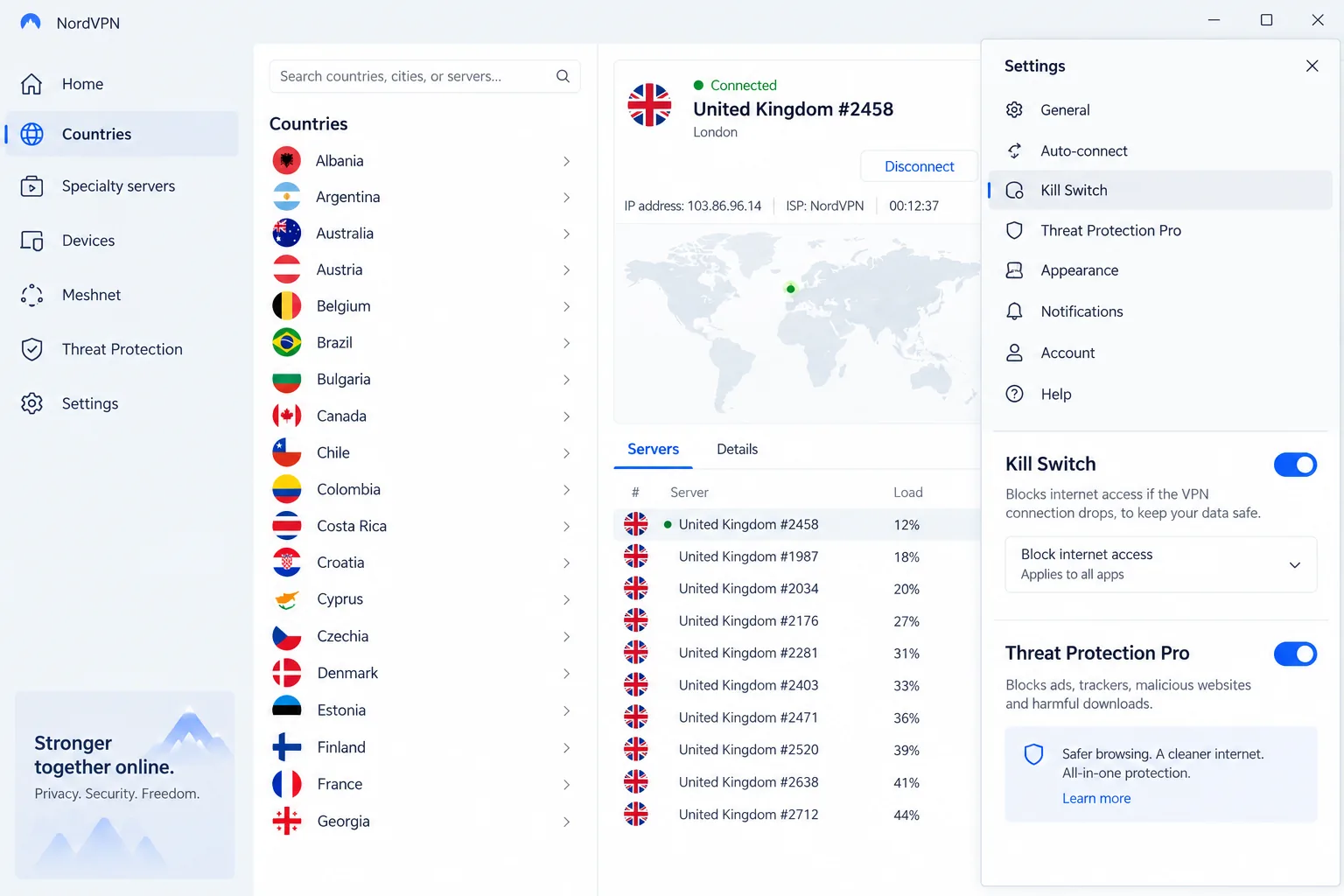
NordVPN is the replacement we would hand most Opera users first, and it scores 9.0 in our NordVPN review. Where Opera's free VPN stops at the browser, NordVPN runs as a full app on Windows, macOS, Linux, Android, iOS, Android TV, Fire TV, Apple TV and routers, so every app on the device goes through the tunnel.
Speed is where it pulled ahead of Opera's VPN. On nearby servers our downloads dropped by only about 7 percent, and 4K streams and video calls ran without buffering. Regular servers unblocked Netflix, Prime Video, Hulu, Disney+ and BBC iPlayer without any hunting for special streaming servers. Double VPN was the exception: it cost us roughly half our speed or more on a fast line, so we keep it for high-risk sessions.
Basic costs $3.49 a month on the 2-year (+3 months) plan, billed as $94.23 for the first 27 months, or $14.99 on monthly billing. There is no free plan, but a 30-day money-back guarantee covers you. NordVPN is based in Panama, and PwC and Deloitte have verified its no-logs policy six times. One subscription covers 10 connections across servers in 130-plus countries.
Pros
- Whole-device apps for every major platform, including TVs and routers
- Kill switch, split tunneling, Meshnet and Threat Protection Pro
- Six independent no-logs verifications
Cons
- No free plan
- Renews at $139.08 a year, with auto-renewal on by default
- The map-based interface feels clunky on smaller screens
2. IPVanish: unlimited devices for the whole household
IPVanish is the paid pick for anyone who wants to move every device in the house off Opera's browser-only VPN on one plan. Every plan allows unlimited simultaneous connections, and the apps run on Windows, macOS, iOS and Android, plus a dedicated, stable Fire TV app. Games, torrent clients and messaging apps all go through the tunnel, not just your tabs.
Where Opera gives you three broad regions, IPVanish lets you pick from roughly 3,200+ servers in about 100+ countries. Speeds held up in our testing: nearby servers showed only a small drop from baseline, WireGuard was the fastest and most stable protocol, and distant servers stayed usable for HD streaming. It also fills Opera's feature gaps with a kill switch, split tunneling, Threat Protection ad and malware blocking, and Scramble obfuscation, and it passed our IP, DNS and WebRTC leak tests across multiple continents. Streaming is less predictable. Netflix, Disney+, Hulu, HBO Max and BBC iPlayer unblocked in our current testing, but Netflix has been unreliable at times and we sometimes had to switch servers.
The 2-year Essential plan costs $2.19 a month ($52.56 up front) and renews at $89.99 a year, while monthly billing runs roughly $12.99 to $14.99. The 30-day money-back guarantee covers annual and 2-year plans only, and refunds can need persistent follow-up. The iOS and Android apps offer a 7-day free trial. IPVanish is based in the United States, a Five Eyes country. In 2016, under previous ownership, it handed connection logs to US authorities despite a no-logs claim, and its current policy has since been audited by Leviathan Security Group in 2022 and Schellman in 2025.
Pros
- Unlimited simultaneous devices
- Kill switch, split tunneling and Scramble obfuscation
- No-logs policy audited in 2022 and 2025
Cons
- Based in the US, with a 2016 logging case under past owners
- Netflix sometimes needs a server switch
- No refund on monthly plans
3. Private Internet Access: unlimited devices and deep settings
Private Internet Access suits a different user: someone who wants to tune every setting. It scores 8.4 in our PIA review and, like IPVanish, allows unlimited simultaneous devices. That makes it a strong fit for a household moving several phones and laptops off Opera.
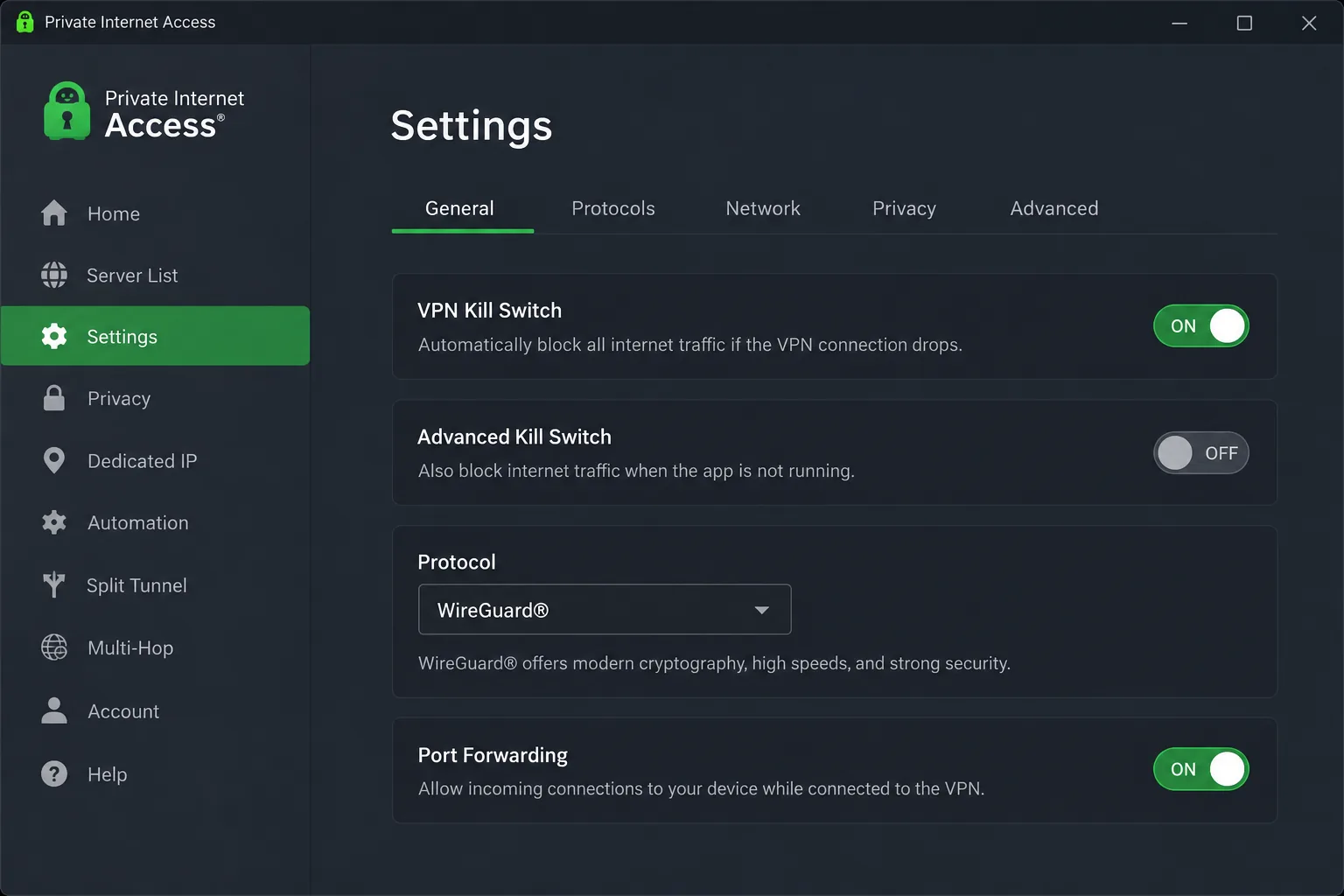
The apps expose two kill switch modes, protocol and encryption choices, port forwarding, split tunneling and the MACE tracker blocker, yet the layout stayed clean. Speed was the inconsistent part. Some of our runs lost about 12 percent, others showed a median loss near 48 percent, and distant servers were slowest. Netflix US streamed on the first attempt, while Hulu and BBC iPlayer sometimes refused to load on standard servers. When we had questions, live chat answered quickly and knew the product well.
The 3-year (+3 months) plan works out to about $2 a month, though the exact rate shifts with seasonal promotions. The 1-year plan is $3.99 a month ($47.88 billed), and monthly billing is $11.95. A 30-day money-back guarantee applies, and the mobile apps offer a 7-day free trial. PIA is based in the United States and has been owned by Kape since 2019. Deloitte audited its no-logs policy in 2022 and 2024, and the claim has also held up in US court cases. Servers sit in 90-plus countries.
Pros
- Unlimited simultaneous devices
- Open-source apps with port forwarding and configurable encryption
- No-logs policy audited by Deloitte and tested in court
Cons
- Speeds vary widely between servers
- Based in the US, a Five Eyes country
4. CyberGhost: best for beginners who stream
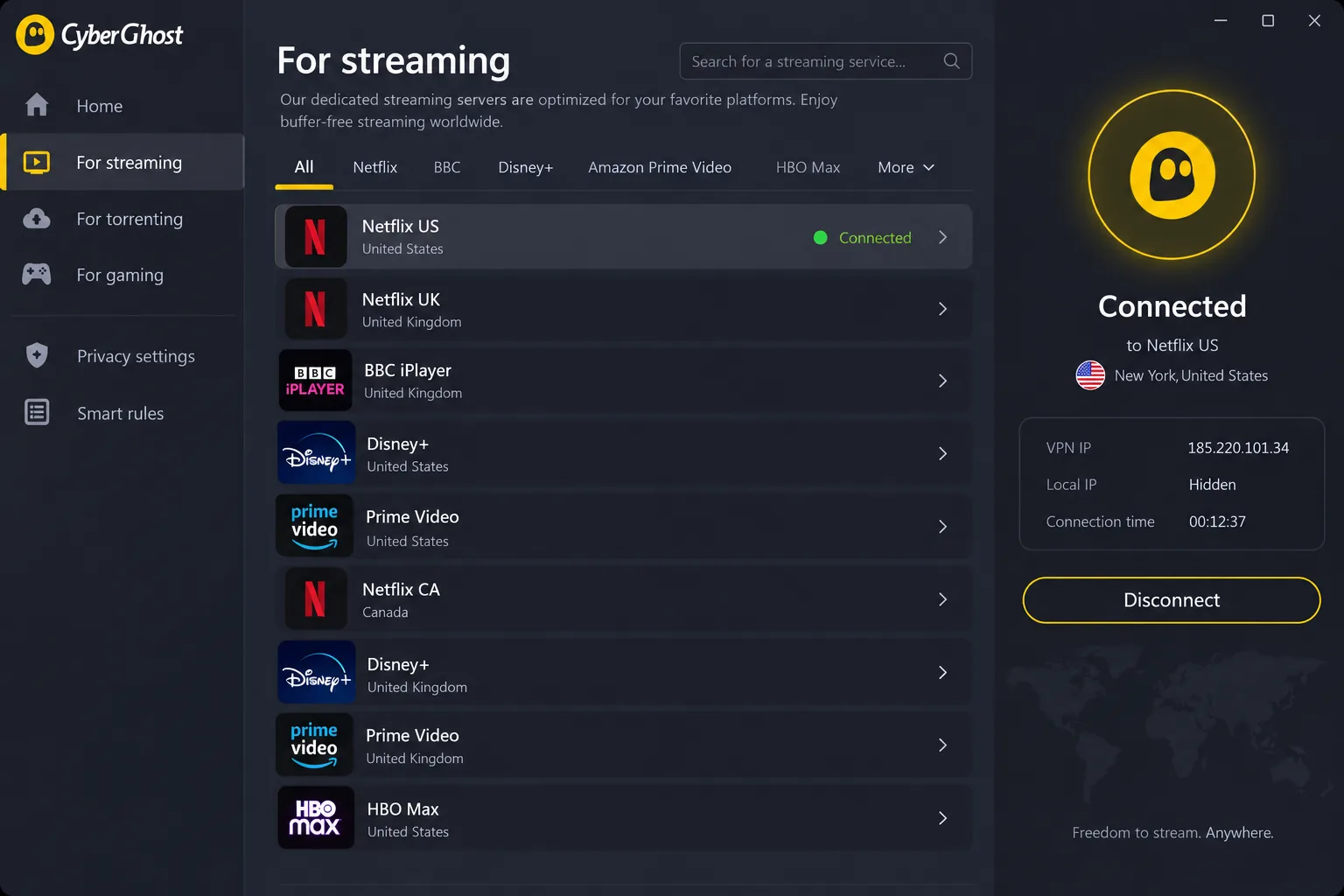
CyberGhost makes streaming simpler than PIA does, because it labels its servers by platform. It scores 8.4 in our CyberGhost review, level with PIA. Its dedicated servers for Netflix US, BBC iPlayer, Disney+ and Prime Video loaded on the first try for us, with no server-hopping. Reaching a specific service that easily is exactly the problem Opera's region picker can't solve. On first launch, the app connected to a nearby server in under ten seconds.
Distance is CyberGhost's weak spot. Nearby servers cost us about 20 percent of our download speed, but servers in Australia and South Africa cut it by more than 55 percent.
The 2-year (+2 months) plan runs about $2 a month, moving between roughly $1.99 and $2.19 with promotions, and monthly billing is $12.99. The 45-day money-back guarantee on the 6-month and 26-month plans is the longest on this list, while monthly plans get 14 days. CyberGhost operates from Romania and has servers in 100+ countries. Kape has owned it since 2017. Deloitte has audited its no-logs policy three times, most recently in a report published February 24, 2026.
Pros
- Streaming servers labelled by service
- 45-day money-back guarantee on longer plans
- NoSpy and RAM-only servers
Cons
- 7 connections fill up fast in a household with phones, laptops, a TV stick and tablets
- The long plan renews yearly at the same dollar amount, roughly doubling the monthly rate
5. ExpressVPN: easiest apps for streaming
ExpressVPN rounds out our paid picks. It trades some of NordVPN's extras for the simplest apps on this list, and it scores 8.2 as an Opera VPN replacement, with the full test results in our ExpressVPN review. Each app opens on one large connect button with a Smart Location pick. That layout makes it an easy step up for anyone used to Opera's one-click toggle.
The simple design doesn't cost speed. On a gigabit line, its Lightway protocol held roughly 450 to 720 Mbps on US and UK servers in our testing. Netflix, BBC iPlayer, Disney+, Prime Video and Hulu unblocked across many regions without buffering. During our sessions, ExpressVPN's Network Lock kill switch blocked traffic correctly each time a server timed out or the network changed.
Basic costs $2.99 a month on the 2-year + 4-month term ($83.72 for the first 28 months), then renews at $99.95 a year. Basic covers 10 devices, Advanced 12 and Pro 14. The mobile apps offer a 7-day free trial, and every plan carries a 30-day money-back guarantee. ExpressVPN has servers in 113 countries and is based in the British Virgin Islands. Kape Technologies has owned it since 2021. A KPMG assessment published in 2025 checked its no-logs claims.
Pros
- One-button apps that are easy for beginners
- Network Lock kill switch and RAM-only TrustedServer setup
- KPMG-assessed no-logs policy
Cons
- No free plan, only a 7-day mobile trial
- Advanced and Pro renew at $119.95 and $199.95 a year
Best free Opera VPN alternatives
Opera's VPN is free, so it is fair to ask whether a free replacement can match it. These three protect the whole device at no cost, but each sets a limit Opera doesn't: Proton caps you at one device, while Windscribe and TunnelBear cap your monthly data.
6. Proton VPN (Free): best free replacement
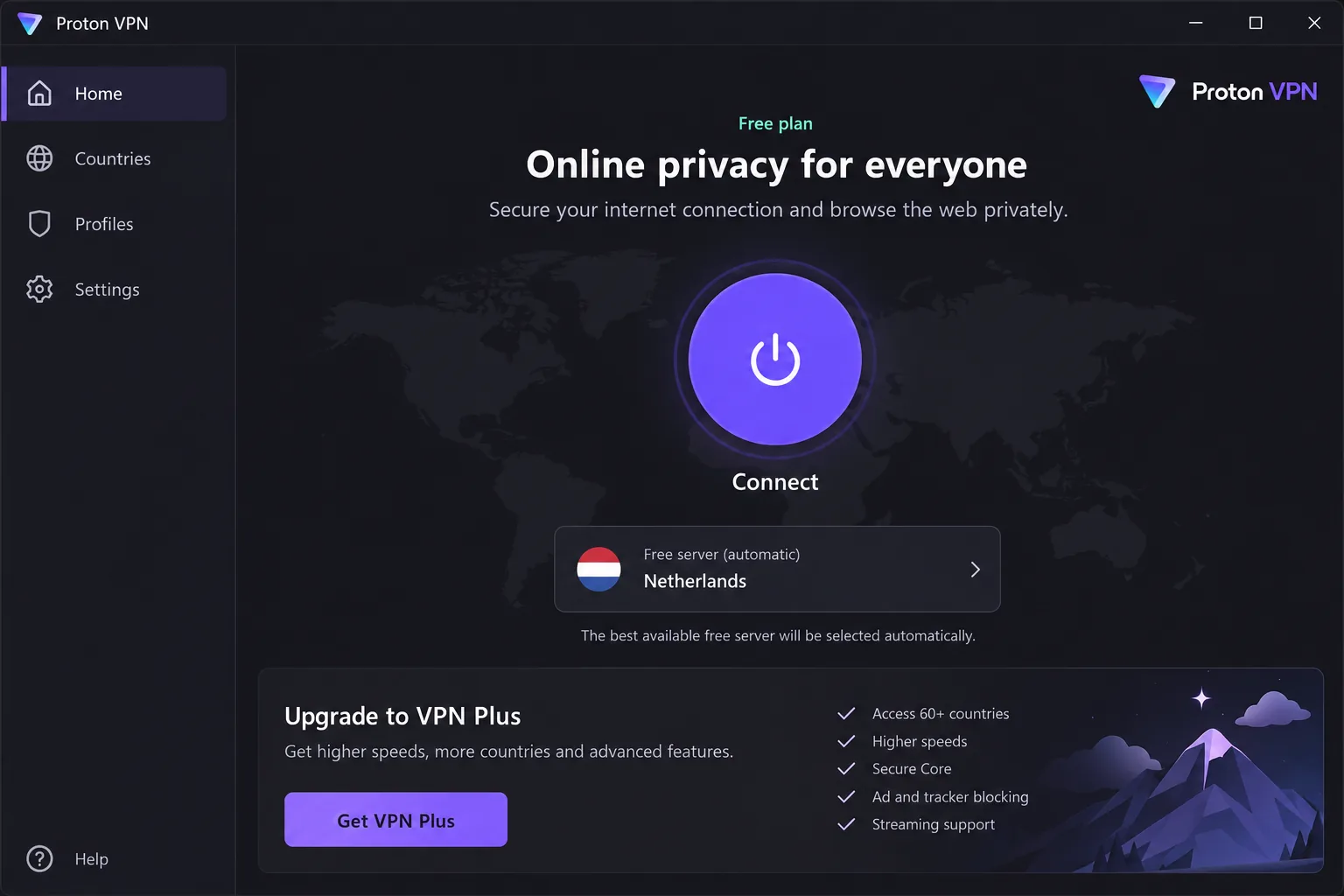
Proton VPN's free plan is the closest like-for-like swap for Opera's VPN, and the full service scores 9.0 in our Proton VPN review. Like Opera, it has no data cap and no ads. Unlike Opera, it runs as a full app on Windows, macOS, Linux, Android, iOS and TV platforms, so it protects every app on one device. You don't need a credit card to sign up.
The app installed in under two minutes and explained each setting in plain language, which made it the gentlest move away from Opera's toggle. Our DNS, IPv6 and WebRTC leak tests stayed clean across dozens of countries. On the free plan, Proton picks the server for you from 10 countries, and those servers run slower than the paid ones. Live chat is closed to free users, and our email questions took two days or more to get a reply.
Proton AG is based in Switzerland, and Securitum has audited its no-logs policy every year from 2022 to 2026. If you outgrow the free plan, VPN Plus costs $9.99 on monthly billing, or about $2.99 to $3.49 a month on a two-year plan depending on the current promotion. Plus adds 10 devices, servers in 140+ countries and a 30-day money-back guarantee.
Pros
- No data cap and no ads on the free plan
- Clean DNS, IPv6 and WebRTC leak results
- Plain-language app that installs quickly
Cons
- One device only on the free plan
- No server choice, streaming or torrenting on the free plan
- No live chat for free users
7. Windscribe: best free plan for several devices
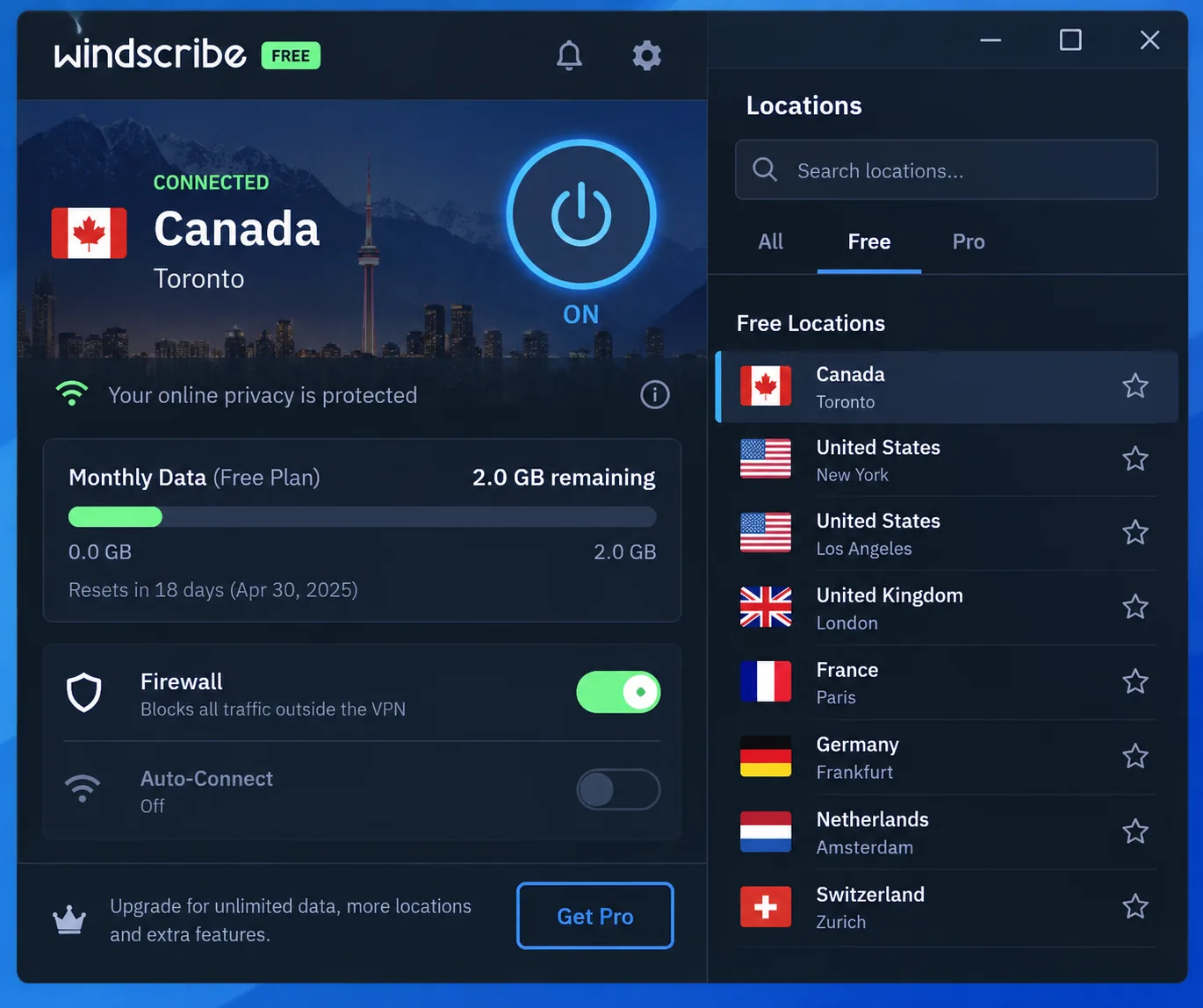
Windscribe takes the opposite approach to Proton: it caps your data but not your devices. It scores 8.5 in our Windscribe review. The free plan gives you 10GB a month once you confirm an email address (2GB without one), servers in 10 countries and unlimited simultaneous connections.
In practice, 10GB goes quickly. One evening of HD streaming can use the whole allowance, so we treat the free plan as cover for browsing and public Wi-Fi. The free tier also slowed by up to 90 percent roughly twice every three hours of use, while paid servers held steady. Its always-on firewall impressed us most: it blocks all traffic outside the tunnel, and when we ended the VPN process our real IP never showed. The desktop app is packed with menus and networking jargon, though the mobile apps are simpler. Support starts with an AI chatbot, and our tickets took around 18 hours to get an answer.
Windscribe Pro costs $9.00 a month or $69 a year ($5.75 a month), and it renews at the same $69. Build a Plan lets you pay $1 per location per month, with a $3 minimum. Pro opens servers in 69 countries. Windscribe offers a 7-day refund window, which ends once you use more than 10GB. The company is based in Canada.
Pros
- Unlimited devices, even on the free plan
- Always-on firewall that blocks traffic outside the tunnel
- Pro renews at the same price, or you can buy single locations
Cons
- 10GB runs out fast if you stream
- Desktop app is heavy on jargon
- No live chat with a human
8. TunnelBear: simplest free app for light use
TunnelBear is the friendliest app here to hand to a non-technical user, and it scores 7.5 in our TunnelBear review. It is a Canadian provider, and McAfee bought TunnelBear in 2018.
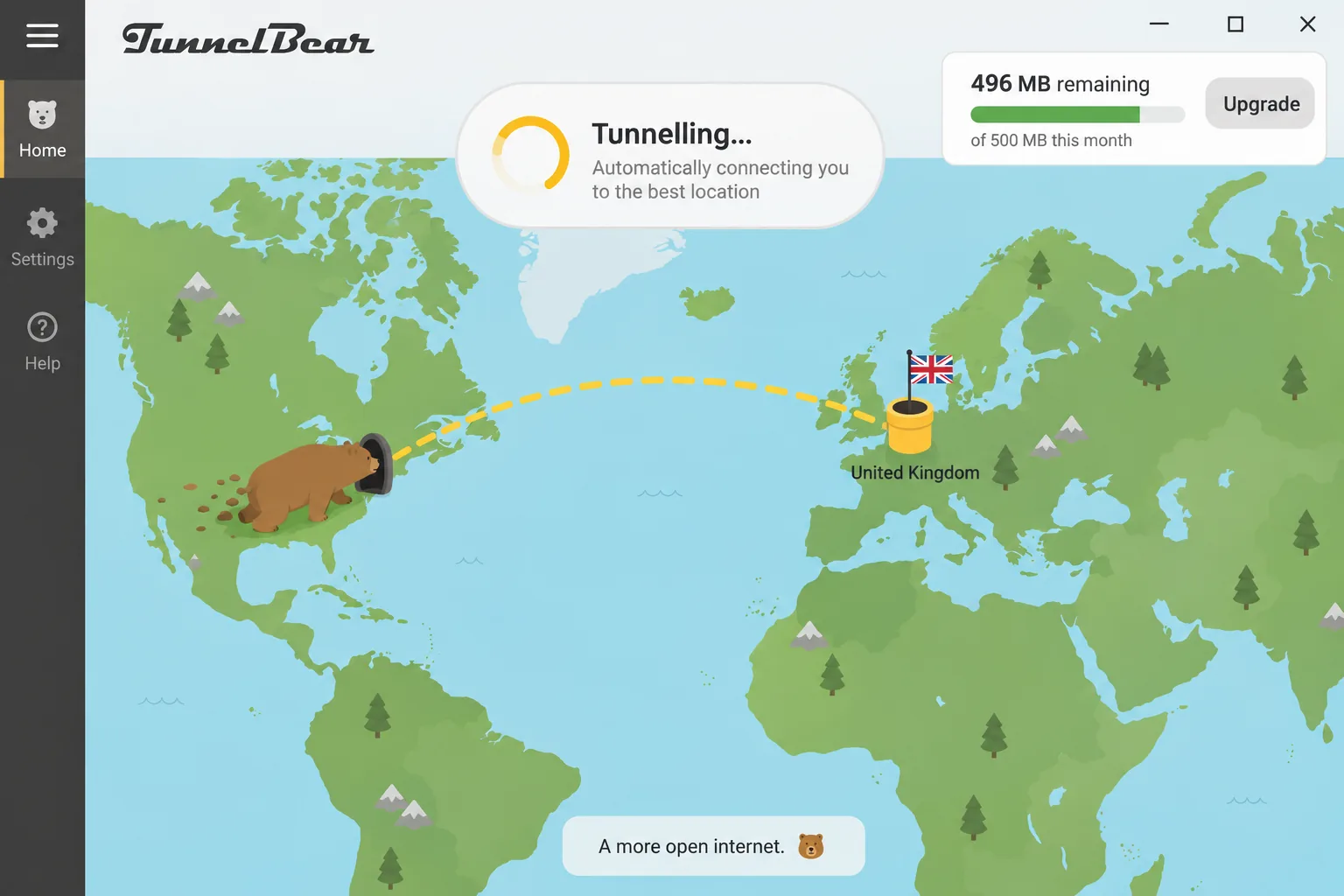
The free plan is the tightest on this list at 2GB a month. That covers light browsing and email, but in our testing it ran out in roughly 20 minutes of HD playback. Since January 26, 2026, free users can't pick a country either. The app assigns a location automatically, and SplitBear split tunneling moved to paid plans. Together, those changes remove the free plan's use for geo-unblocking. Even on paid plans, Netflix, Prime Video, Hulu, Disney+ and BBC iPlayer stayed blocked for us, while HBO Max and Peacock worked.
Speeds were good close to home. We saw about 245 Mbps on a nearby US server and about 128 Mbps to Japan. The occasional overloaded server dropped to single-digit Mbps, and reconnecting to another one fixed it. Paid Unlimited costs $3.33 a month on the 3-year plan ($120 billed) or $9.99 month-to-month. It covers unlimited devices, with servers in about 47 countries. Annual plans bought directly from TunnelBear carry a 30-day money-back guarantee.
Pros
- The simplest app on this list
- Unlimited devices on paid plans
- Kill switch and GhostBear obfuscation
Cons
- Only 2GB of free data a month
- Free users can't choose a country
- No live chat or phone support
How we picked and tested these alternatives
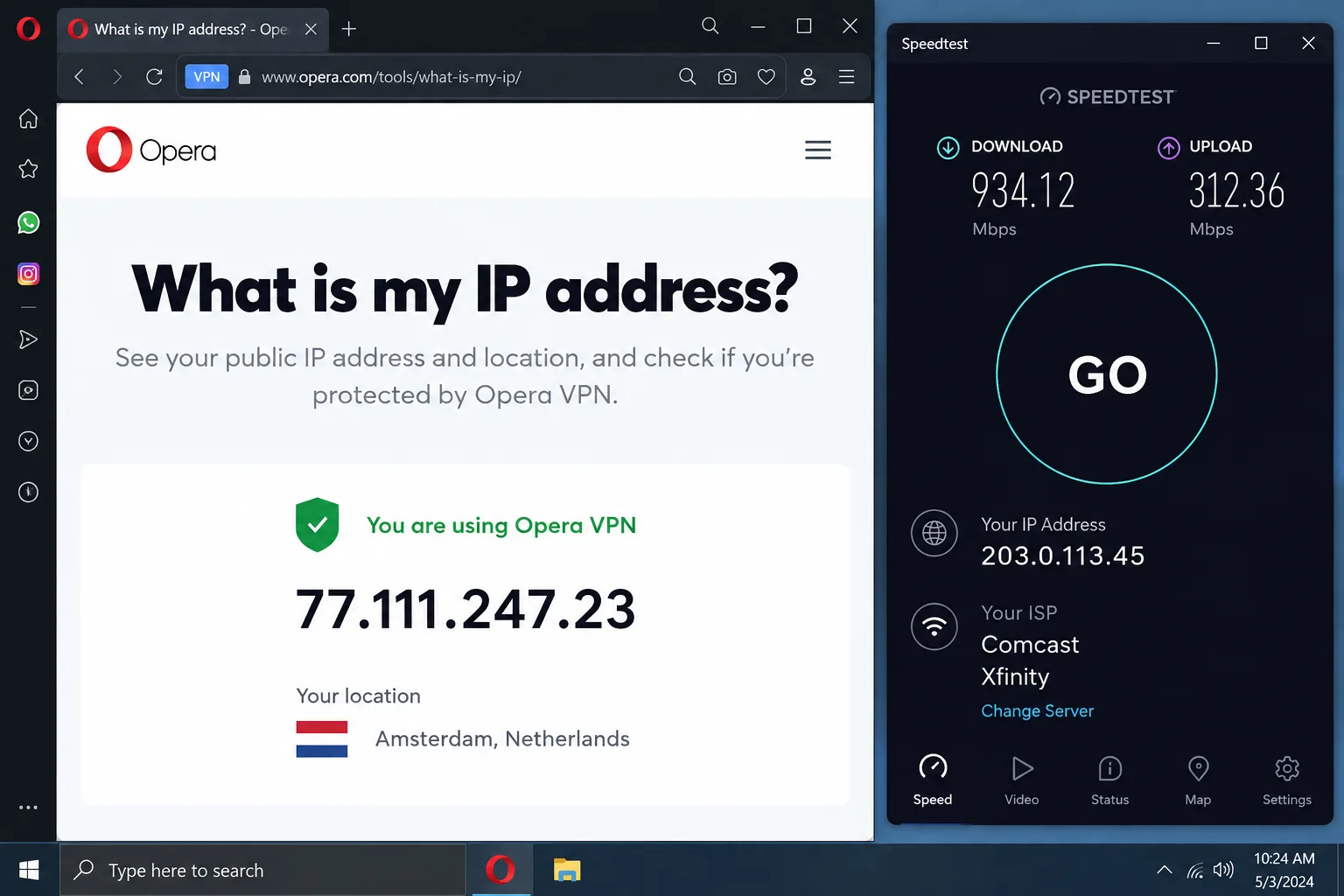
We judged every alternative against the gaps Opera's free VPN leaves. The first check was simple: with Opera's VPN switched on, a speed-test app running outside the browser still showed our real IP address. That made system-wide coverage a hard requirement, so every pick here runs as a full app that tunnels all traffic on the device.
From there, we compared each VPN on speed to nearby and distant servers, streaming access, kill switch behaviour and leak protection. We also weighed independent no-logs audits, the limits of any free plan, and the full price, including what you pay at renewal rather than only the intro rate. The ratings in the table are our scores for each service as an Opera VPN replacement.
We split the list into paid and free picks because they answer different questions. The paid group suits readers ready to spend a few dollars a month on the best protection. The free group is for anyone who wants to keep paying nothing but cover more than one browser.
Why look for an Opera VPN alternative?
Opera's free VPN only covers the browser
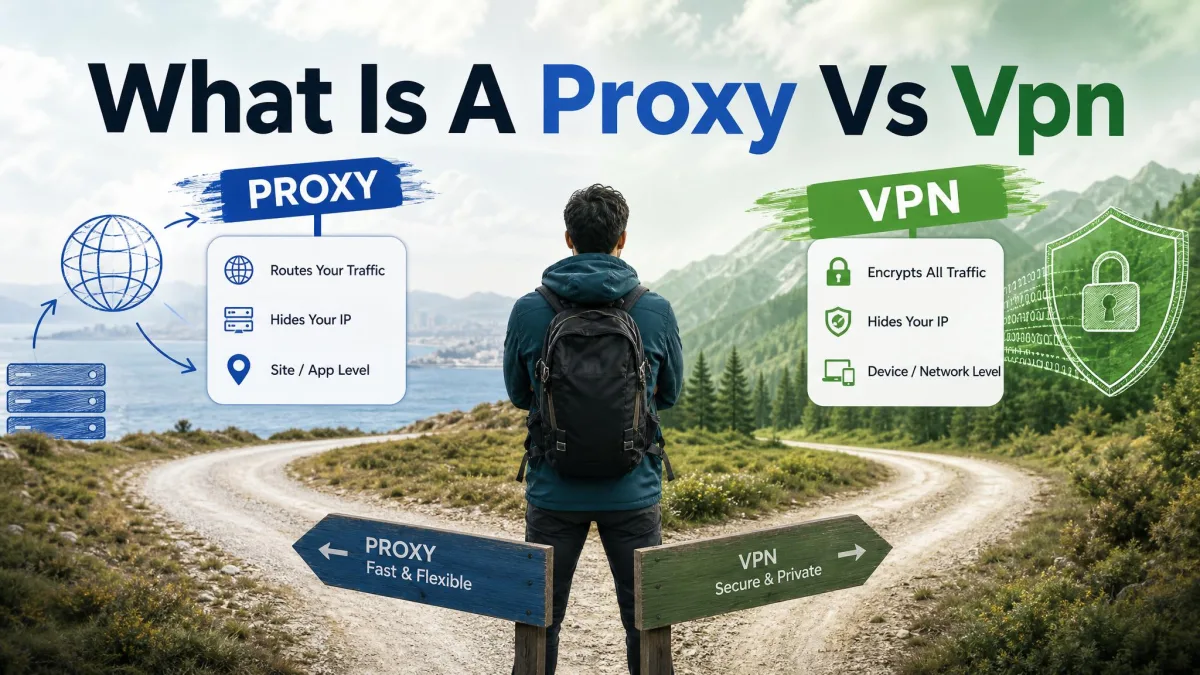
According to Opera's free VPN page, the free VPN protects all activity inside the Opera browser, while other apps on the device keep using your normal connection. It encrypts that browser traffic with AES-256, so it works more like a secure proxy than a full VPN. Our explainer on the difference between a proxy and a VPN covers why that distinction matters.
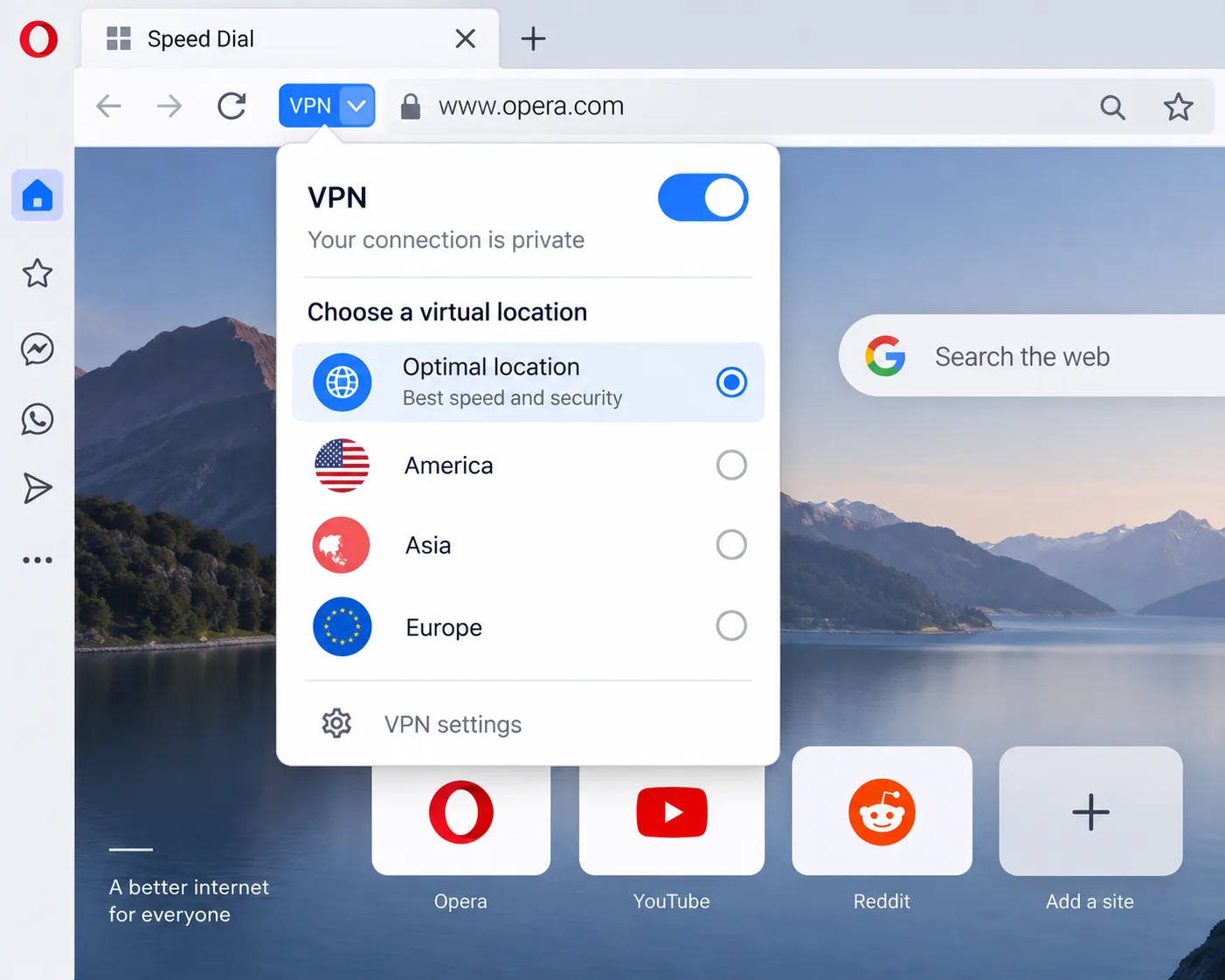
Location choice is the second limit. You get three regions (America, Asia and Europe) plus an Optimal location default that picks the fastest one. Behind them sit server hubs in Ashburn in the US, Amsterdam and Singapore, but you can't choose a country. On Netflix that showed up quickly: the free VPN often triggered Netflix's proxy error, and a US-region IP could land us in a different country's catalogue.
The free VPN also has no kill switch and no split tunneling. When the connection drops, your browsing carries on unprotected.
Opera's free VPN works at the browser level. A game, torrent client or messaging app on the same computer still connects with your real IP address, even while the VPN badge in Opera is switched on.
Opera VPN Pro vs the free browser VPN
Opera VPN Pro is a different product. Launched in 2022, it is a paid VPN that covers your entire device, including apps, games and file sharing. Opera's VPN Pro page lists it at $4 a month on the 1-year plan ($48 a year), $5 a month on six months ($30) and $8 on monthly billing. All three plans carry a 30-day money-back guarantee.
One subscription covers six devices and about 45 locations, and you can choose a country, though not a city or a specific server. Pro runs on Android and desktop, and the desktop version requires the Opera browser. There is no iOS app, no kill switch and no split tunneling, which leaves it short of every paid pick on our list.
Should you just keep using Opera's VPN?
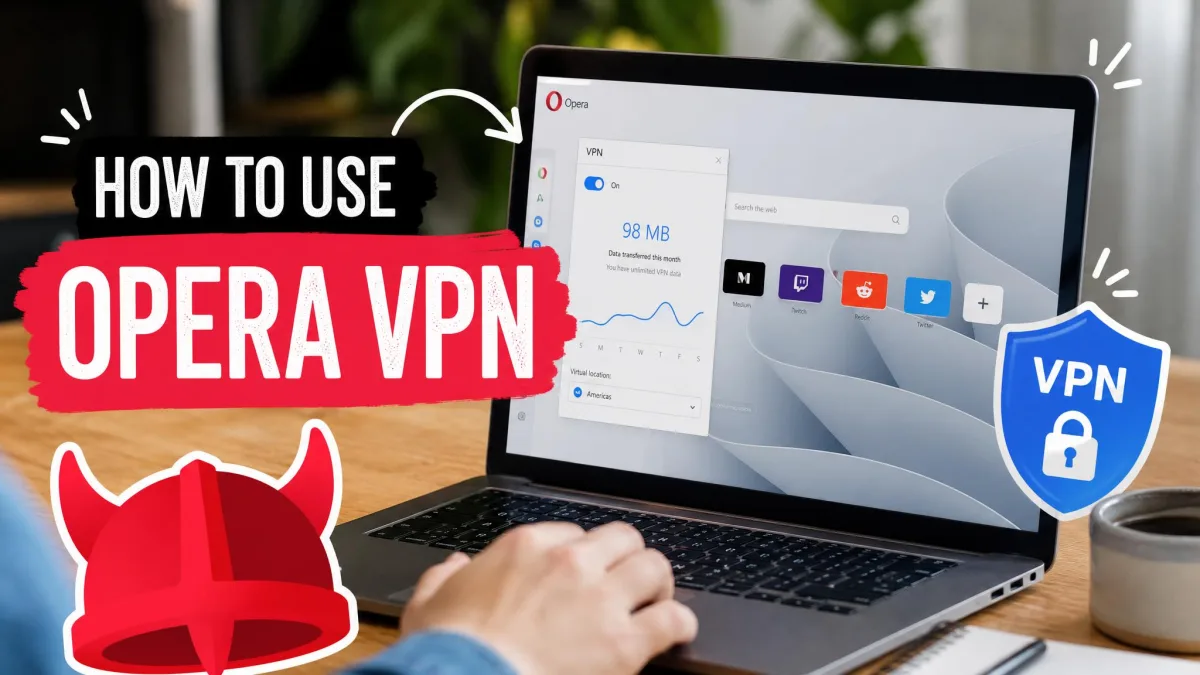
For plenty of people, yes. If you mainly want to hide your browsing on public Wi-Fi or reach a site that blocks your region, the free VPN does the job with no account, no data cap and a single toggle. Setup takes seconds, and the region picker sits behind the VPN badge in the address bar.
Speed is fine for everyday browsing. On a 100 Mbps line it held about 93 Mbps on the Europe region and Optimal location, and about 77 Mbps on the Americas. Asia was the outlier at about 33 Mbps. Results did swing by time of day and region, and some sessions were barely usable. The VPN itself rarely failed; most of the sluggishness we saw came from Opera stuttering under heavy multi-tab use.
It's time to switch if you need protection for apps outside the browser, a specific country for streaming, or a kill switch. Opera retired its standalone iOS and Android VPN apps on April 30, 2018, so today the free VPN lives inside the Opera browser on Windows, macOS, Linux, iOS and Android. Our Opera VPN review scores it 6.0. If you plan to stay, our guide on how to turn on Opera's VPN walks through setup, and Opera GX users can follow our steps to turn on the Opera GX VPN.
Switching browsers instead? Private browsers with VPN-like features
If you're leaving Opera altogether, two browsers come up most often. Brave sells a paid Brave VPN from inside the browser, and it protects the whole device rather than just your tabs. Our Brave VPN review covers how it performs.
Tor Browser goes the other way. It routes your browser traffic through the Tor network for strong anonymity, at a heavy speed cost. Like Opera's free VPN, it leaves your other apps alone. Neither browser replaces a standalone VPN for streaming or whole-device privacy, which is why every pick above is a VPN service.
How to choose the right Opera VPN replacement
Start with whatever Opera's free VPN couldn't do for you, then match it to a pick:
- A free swap with no data cap: Proton VPN's free plan is the closest match, as long as one device is enough.
- Free coverage on several devices: Windscribe's unlimited connections and 10GB allowance fit better.
- Streaming: choose NordVPN, CyberGhost or ExpressVPN. None of the free plans here is built for it.
- A large household on one plan: IPVanish and PIA both allow unlimited devices, which beats CyberGhost's limit of 7.
- Long-term cost: compare renewal prices, not intro rates. NordVPN Basic renews at $139.08 a year and ExpressVPN Basic at $99.95, while Windscribe Pro renews at the same $69.
Check the refund window before you pay. CyberGhost's 45-day guarantee gives you the most time to test, while Windscribe's refund ends once you pass 10GB of data.
If none of these fit, a few other services are worth a look. Our Surfshark review, Mullvad review and hide.me review cover three more options we didn't rank here.
Opera VPN alternatives FAQ
Is Opera's free VPN a real VPN?
Are free Opera VPN alternatives safe to use?
Can free VPN alternatives unblock streaming services?
Is Opera VPN Pro worth it?
Who owns Opera, and does it matter for privacy?
Final verdict
NordVPN is the best paid Opera VPN alternative, and Proton VPN's free plan is the best free one. Proton keeps what people like about Opera's VPN (no data cap and no ads) and also protects the whole device. If you need free coverage on several devices, Windscribe is the better fit. Our paid runner-up, IPVanish, covers unlimited devices for $2.19 a month, though it is US-based. Large households will also do well with PIA's unlimited devices, and anyone who wants the simplest apps can look at ExpressVPN.