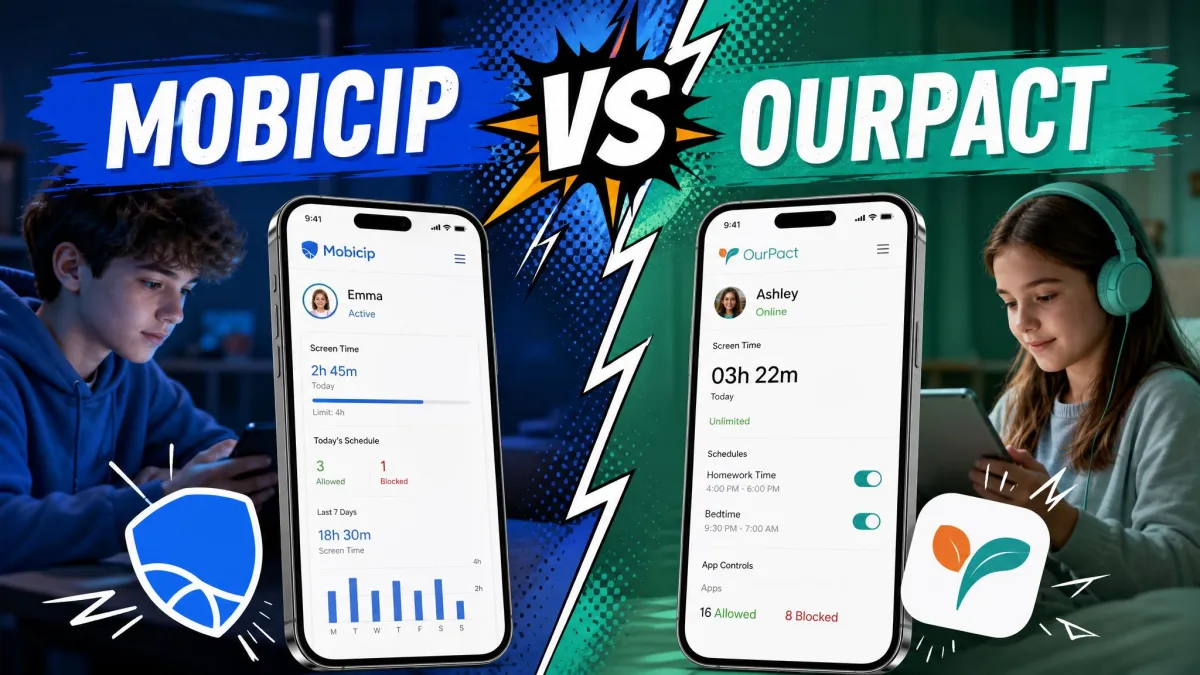
Mobicip is the better choice for a mixed-device household that needs web filtering across phones, laptops and Chromebooks, and OurPact is the better choice for an iPhone-and-Android family whose main problem is app access and screen time rather than websites. That is the short version, and the rest of this comparison shows the pricing, the platform gaps and the daily-use behaviour behind it. We compared the two apps on the current published plans from both vendors, on the platforms each one actually supports, and against the filtering, blocking and location features parents ask about most.
Neither app is flawless, and both have failure patterns worth knowing before you pay. Mobicip's filtering is broad on paper but leaky in specific places, and OurPact's iOS blocking depends on a management profile that can drop out from under you. We have kept those limits in plain view rather than burying them under feature lists.
Mobicip vs OurPact: The Short Answer
Mobicip wins on breadth. It runs on iPhone, iPad, Android, Kindle Fire, Mac, Windows and Chromebook, and its plans scale from 5 devices up to 20. If your children move between a school laptop, a tablet and a phone, that coverage settles the question quickly, and Mobicip's official site is upfront that the desktop clients are part of the package rather than an add-on.
OurPact wins on control of apps and location. It works only on iPhone, iPad and Android. Within that space it blocks apps one by one and alerts you when a new one appears. It schedules blocks, locks a device on the spot, tracks live location with geofencing, and on the top tier captures screenshots for content monitoring. OurPact has built its product around the moment a parent wants a device to stop being interesting, and it does that part well.
Whichever you land on, budget some maintenance time. Both apps drift out of true after operating system updates, and the sections below show where each one tends to slip.
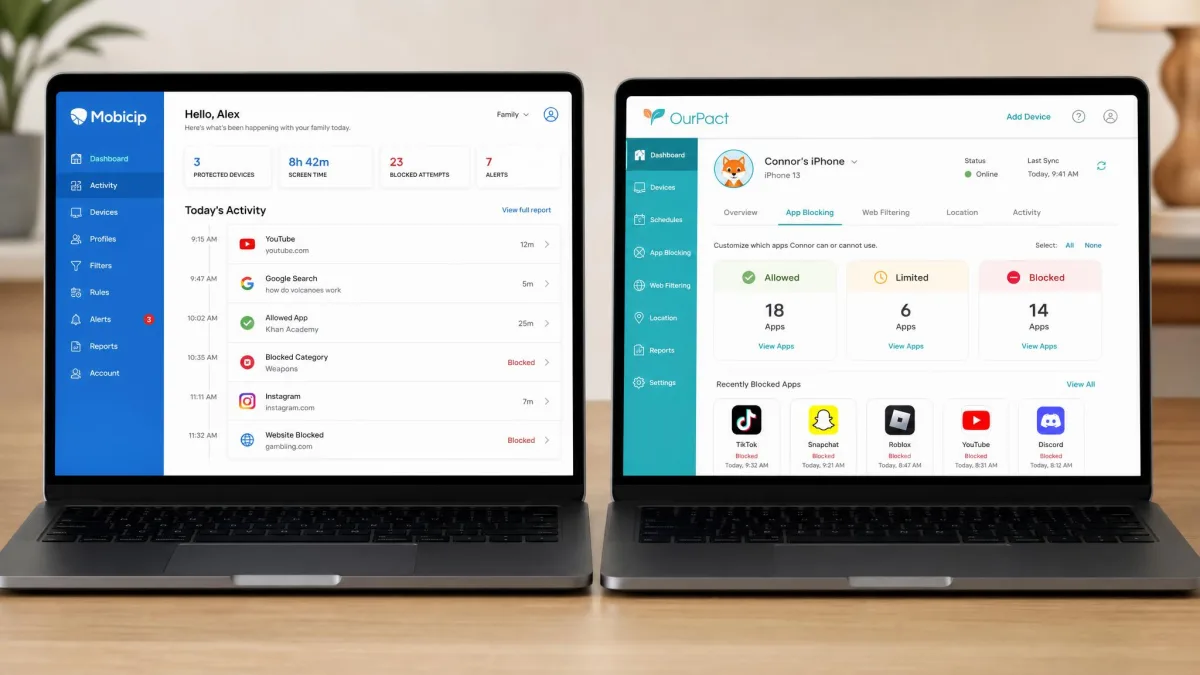
Head-to-Head Comparison Table
Here is the at a glance view of how the two parental control apps line up on the features families ask about most.
| Product | Buy | Entry price | Devices per plan | Platforms | Free trial |
|---|---|---|---|---|---|
 |
Check price → | $2.99/mobilled annually | 5, 10 or 20 by tier | iOS, iPadOS, Android, Kindle Fire, Windows, Mac, Chromebook | 7-day |
 |
Check price | $69.99/yr | 20 on both tiers | iOS, iPadOS, Android only | 14-day |
| Feature | Mobicip | OurPact |
|---|---|---|
| Top tier | $7.99/month billed annually (Premium) | $99.99 per year (Premium+) |
| Screen time scheduling | Multiple schedules plus daily limits | Block schedules, allowances, instant lock |
| App blocking | By app and by category, with uninstall protection | Per-app, with new app alerts and App Rules |
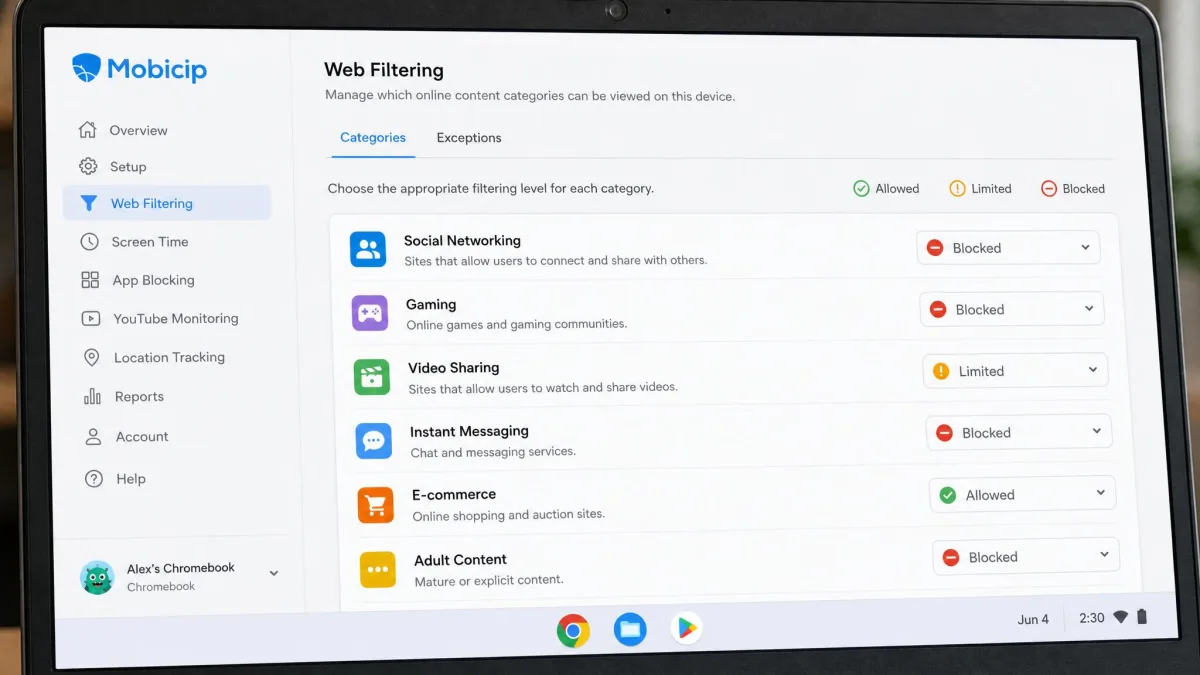
| Web filtering | Category filtering, on iOS via the Mobicip Safe Browser | Web filter and adult content blocking |
| Location tracking | Family locator with geofencing | Live location, history, geofencing alerts |
| Activity reports | Daily activity feed with per-app time stamps | Screen Time View, weaker on iOS |
| Social and text monitoring | Social media monitoring | Screenshots and AI content flagging on Premium+, no message log |
| Free tier | Not listed on the pricing page | Not listed on the pricing page |
Pricing and Plans Compared
Both companies publish their plans openly, and both quote a per-month figure that is really an annual commitment, so read the billing line carefully before you compare the two numbers.
Mobicip pricing
Mobicip runs three tiers that differ mainly by how many devices they cover. Lite is $2.99 per month billed annually for up to 5 devices, Standard is $4.99 per month billed annually for up to 10 devices, and Premium is $7.99 per month billed annually for up to 20 devices. Every tier comes with a 7-day free trial, and the published feature list is the same across all three, so you are buying capacity rather than capability.
One caveat on the headline numbers: the per-month figures on the Mobicip pricing page are annual-billing rates, so paying month to month costs more. Monthly subscriptions do exist, but only as in-app purchases through the App Store and Google Play, and no month-to-month price is published anywhere, so you will not know what you are paying until you reach the store checkout. Whether social media monitoring is included on the lower tiers or reserved for Premium is described differently by the vendor and by reviewers, so confirm it during the trial if that feature is the reason you are buying.
OurPact pricing
OurPact keeps it to two tiers. Premium is $6.99 per month billed monthly, or $69.99 billed annually, which works out to $5.83 per month. Premium+ is $9.99 per month billed monthly, or $99.99 billed annually, which works out to $8.33 per month. Both tiers cover up to 20 child devices per account, and both come with a 14-day free trial with full feature access.
The gap between the tiers is content monitoring. Premium+ adds the screenshot-based Content Monitor, AI flagging of harmful content, custom detection triggers and 30 days of location history instead of 14 days. If you only want blocking and schedules, Premium is enough. Be clear-eyed about the exit, though. OurPact does not refund or credit its digital subscriptions, and the 14-day free trial stands in place of a money-back guarantee. A purchase made directly on ourpact.com may be reviewed case by case within 30 days, but outcomes depend on where you bought the subscription, since App Store and Google Play purchases fall under the store's own policy rather than OurPact's. Use the trial properly and you will not need to test that.
Which is better value per device
At the entry point, Mobicip is much cheaper in absolute terms: roughly $36 per year for 5 devices against $69.99 for OurPact. At the top of each range the picture narrows, because Mobicip Premium is about $96 per year for 20 devices and OurPact Premium+ is $99.99 for the same 20 devices, with content monitoring included.
So the value answer depends on family size. Small families with one or two children are better served by Mobicip Lite. Larger households, or families who want screenshots and AI flagging, get more per dollar from OurPact Premium+.
Start on the free trial with the plan one tier above what you think you need. Both apps make it easy to drop a tier later, and running out of device slots mid-setup is the most common reason parents give up on the first evening.
Device and Platform Support
Platform support is the single biggest difference between these two apps, and for many families it decides the comparison before any feature does.
iOS and iPadOS
Both apps work on iPhone and iPad, and both are constrained by what Apple permits. OurPact's iOS setup installs an MDM profile, which can feel invasive and which can clash with a school-issued MDM profile already on the device. That profile can also drop after a major iOS update, at which point blocking quietly stops applying until you reinstall it. OurPact supports removal prevention on iOS 18, which helps once the profile is in place.
Mobicip's iOS limitation is different. Its web filtering only applies inside the Mobicip Safe Browser, so a child who opens a different browser slips past the filter entirely. That is a meaningful hole if websites are your main concern and your child is on an iPhone.
Apple's own Screen Time controls are the layer both apps sit alongside rather than replace. Leaving Safari restricted at the operating system level closes the gap that a third-party browser otherwise opens.
Android
On Android both apps have more room to work, and both use a VPN-style profile to do filtering. Mobicip on Android is prone to battery drain and VPN connection drops, and managing a long list of apps in the dashboard is slow going. OurPact's VPN profile also disconnects at random on some devices, and the parent app can lose its connection to the child's phone with no warning.
Android is where OurPact's reporting is at its best, because Screen Time View is thinner and less dependable on iOS than on Android thanks to Apple's constraints.
Windows, Mac and Chromebook
This is where the comparison stops being close. Mobicip has clients for Windows, Mac and Chromebook, and OurPact has none. If homework happens on a laptop, OurPact simply cannot see it.
Mobicip's desktop coverage has one important gap of its own. On macOS it does not monitor or filter browsing in Google Chrome, only in Safari, and it does not cover Incognito windows. That is worth knowing before you assume a Mac is covered.
Mixed-device families
If your household runs a mix of phones, tablets and computers, Mobicip is the only one of the two that can cover all of it from one account. Families who are entirely on iOS and Android can pick on features instead, and that is the fairer fight.
Screen Time Limits and Scheduling
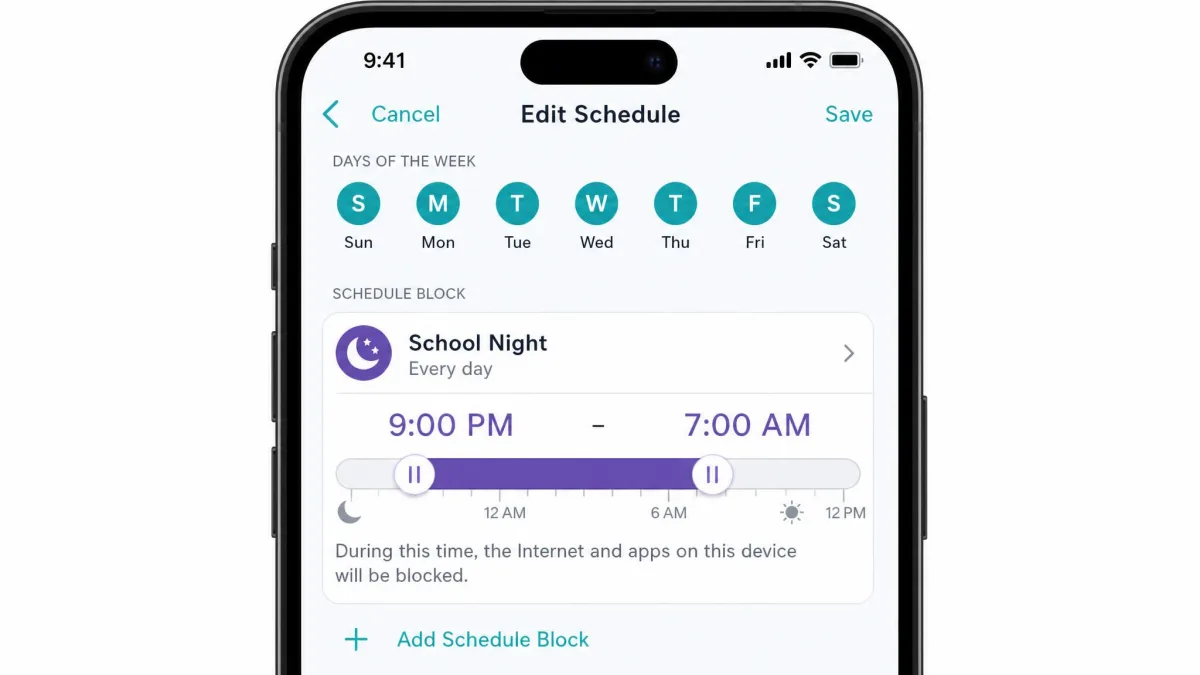
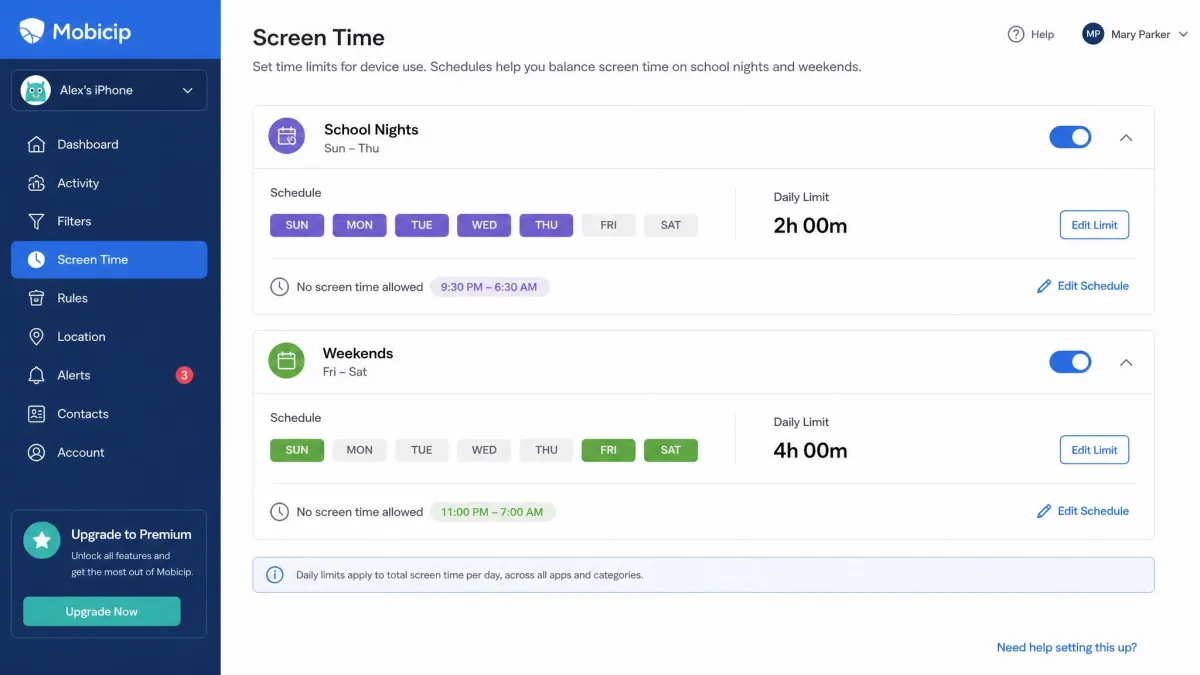
Scheduling is where the two products stop looking alike. Mobicip lets parents set several separate screen time schedules, so a school-night pattern and a weekend pattern can coexist without editing anything twice. Daily limits sit on top of those schedules, which is the arrangement most parents expect.
OurPact approaches the same problem with block schedules, allowances and an instant lock button that stops a device immediately. The instant lock is the feature parents reach for most, because it works without planning ahead.
Both apps have the same weakness here. Mobicip screen time locks sometimes fail to engage at their scheduled time with no obvious pattern, and OurPact scheduled blocks sometimes fail to trigger at the set time as well. Neither app is dependable enough to be the only thing standing between a child and a midnight phone, and a written family media plan does more durable work than either scheduler.
App Blocking and App Management
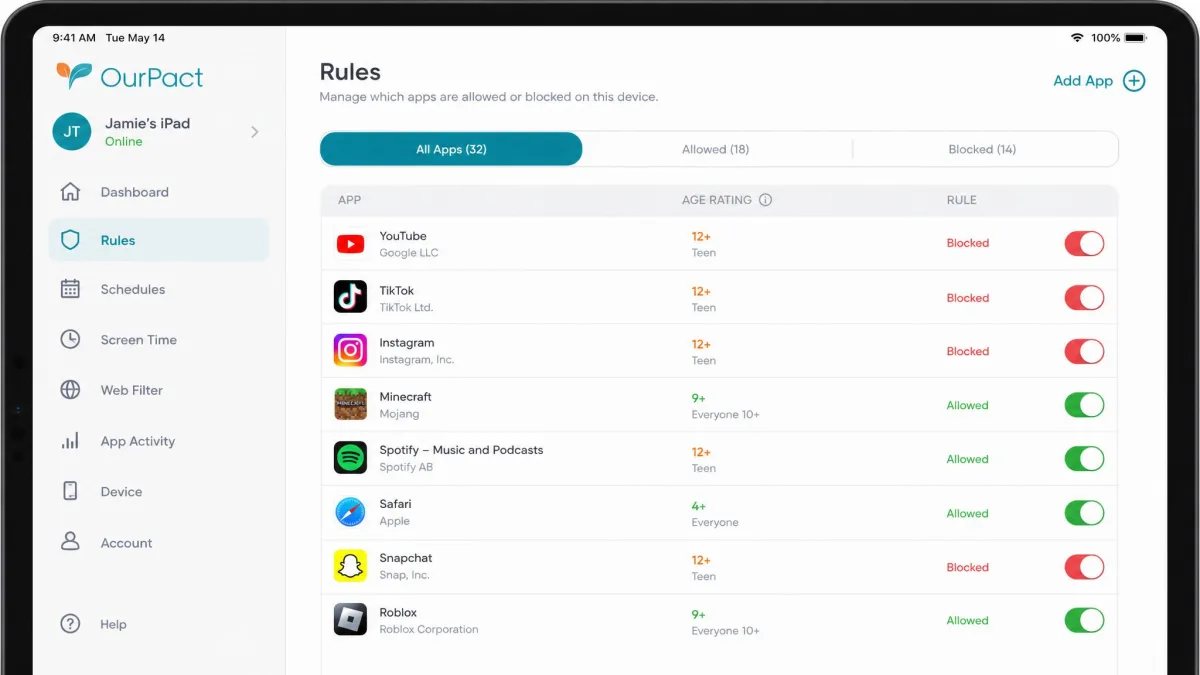
OurPact is the stronger app manager. It blocks apps individually, alerts you when a new app appears on the device, and provides an App Rules dashboard that shows store age ratings so you can decide quickly. On iPhone, blocked apps reappear on the home screen only briefly and vanish again once the screen turns off, which makes the blocking behaviour confusing to watch and heavy on battery.
Mobicip blocks apps too, and adds uninstall protection, but its app limits apply to whole categories rather than single apps. Capping one game means capping every game, and blocking an entire category can sweep in apps you did not intend to restrict. For younger children that bluntness is fine. For a teenager who needs one messaging app and not another, it is a daily annoyance.
Web Content Filtering and Safe Search
If OurPact wins on the granularity of app control, Mobicip claims the opposite corner. It is built around filtering, with category-based blocking and age-appropriate presets, and on desktop that filtering is the reason to choose it. The execution is uneven, though. Mobicip's blacklist is inconsistent, with blacklisted sites blocked on some attempts and still loading on others. Combined with the Chrome gap on macOS and the Safe Browser requirement on iOS, the filter needs checking rather than trusting.
OurPact includes a web filter with adult content blocking, which handles the obvious cases, but it is a simpler tool with fewer categories to tune. Families who mainly want to keep the worst of the internet away from a young child will find it sufficient, and families who want granular control over content categories will not.
Test the filter yourself before you rely on it. Open the child device, try three sites you expect to be blocked, and repeat that check a week later. Mobicip settings can reset after an app update, and previously blocked content becomes reachable again without any notification.
Location Tracking and Geofencing
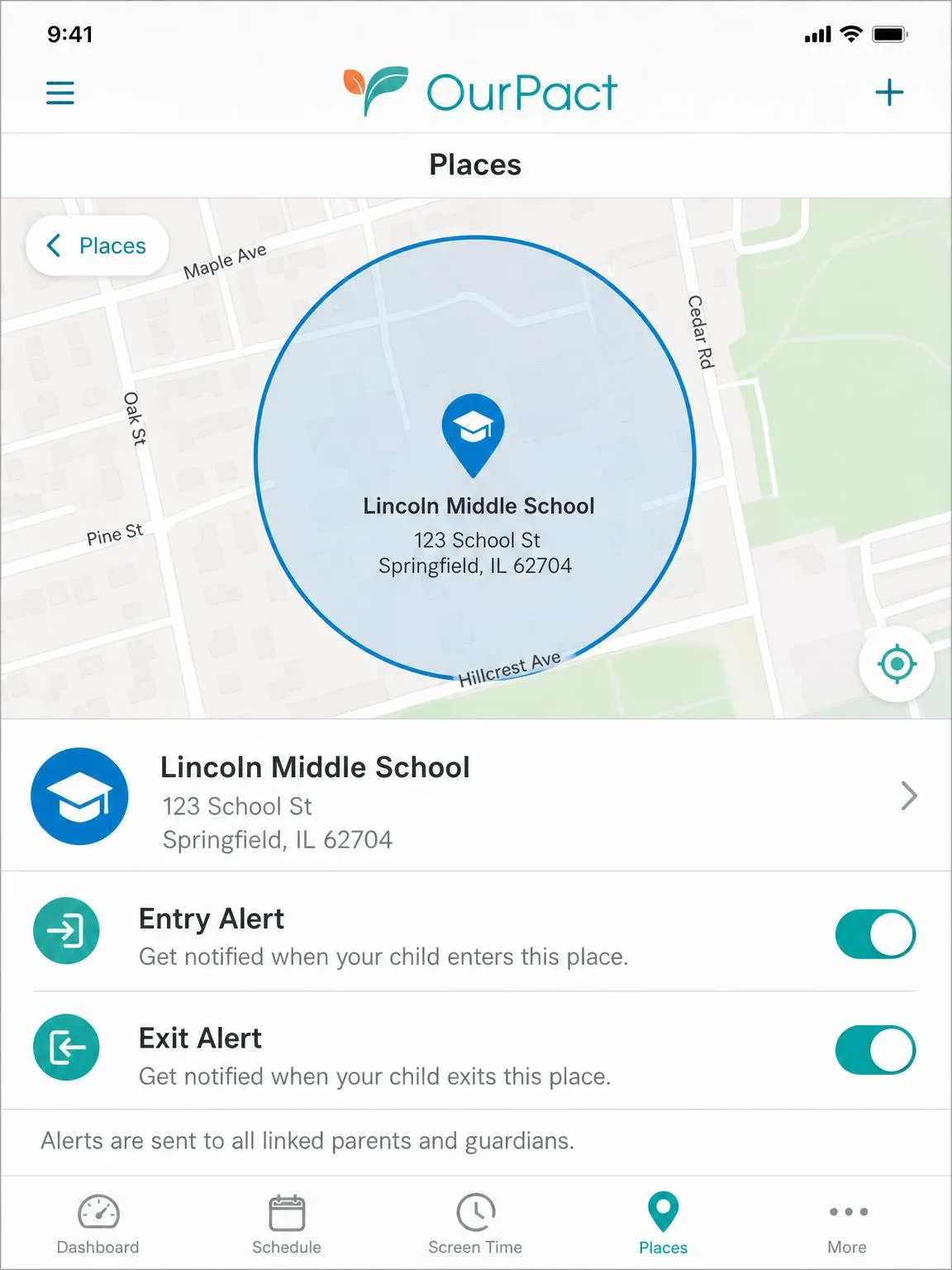
OurPact has the more complete location toolkit. It offers live location, location history of 14 days on Premium and 30 days on Premium+, and geofencing alerts through its Places feature. Setting a place means typing an address and dragging a radius, then choosing which children it applies to and whether to alert on entry, exit or both. The one real-time complaint is that the Family Locator refreshes the child's position more slowly than parents expect.
Mobicip includes a family locator with geofencing as part of every tier, which is enough for the basic question of where a child is. It does not offer the multi-day location history that OurPact provides, so if you want to look back at last Tuesday, OurPact is the app that answers.
Activity Reports, Alerts and Monitoring
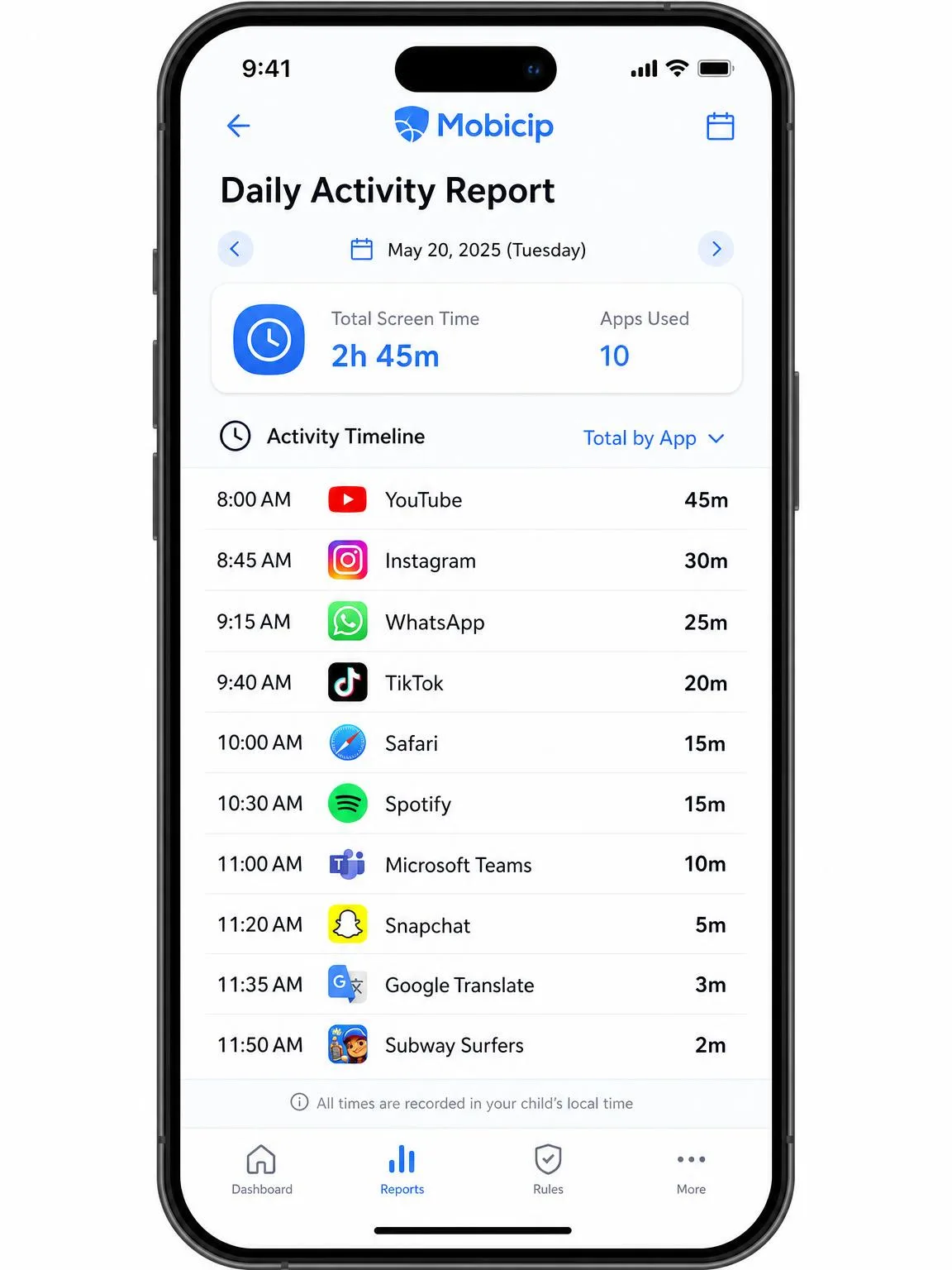
Location data tells you where a child is, and reporting tells you what they did. Here the ranking flips. Mobicip's daily activity feed is the better reporting surface. It lists each app the child used with a time stamp, which turns a vague sense that the phone is always on into something you can actually discuss. Alerts cover new activity and blocked attempts, and the dashboard collects it in one place.
OurPact's Screen Time View covers similar ground, but it is thinner and less dependable on iOS than on Android because of Apple's management constraints. On Android it is fine, and on iPhone you should expect gaps.
Social Media and Message Monitoring
Reporting stops at app names and time stamps, which leaves the question parents actually worry about. Mobicip advertises social media monitoring across its tiers, though the vendor and reviewers describe its tier availability differently, so confirm it in the trial. It is oriented toward flagging activity rather than reproducing conversations.
OurPact takes the screenshot route on Premium+. Content Monitor captures instant and automated screenshots, and AI flagging sorts them into sexual, profanity, violence and substance categories, with custom detection triggers if you want to watch for something specific. There is no message log in the traditional sense. No current OurPact tier reads text messages or exposes the child's contact list. What it does instead is switch iMessage and SMS off entirely on iOS and Android, so the only glimpse you ever get of a conversation is whatever fragment happens to land in a Premium+ screenshot.
Neither app should be sold to you as a way to read your child's texts.
Setup and Everyday Use for Parents
Both setups take a similar shape: create the parent account, install the child app on each device, then grant permissions. Open the Mobicip parent dashboard, then choose Screen Time to set your first schedule. In OurPact, open the parent app, choose the child, then set a block schedule from the manage view.
Support is the weaker half of both experiences. Mobicip support replies politely but slowly, and fixing one problem sometimes surfaces another. OurPact support can take days to respond, which is painful when the blocking itself has stopped working.
Do the install with the child present and explain what each permission does. Setup goes faster with cooperation, and it is much harder for a child to justify removing something they helped configure.
Can Kids Bypass Mobicip or OurPact?
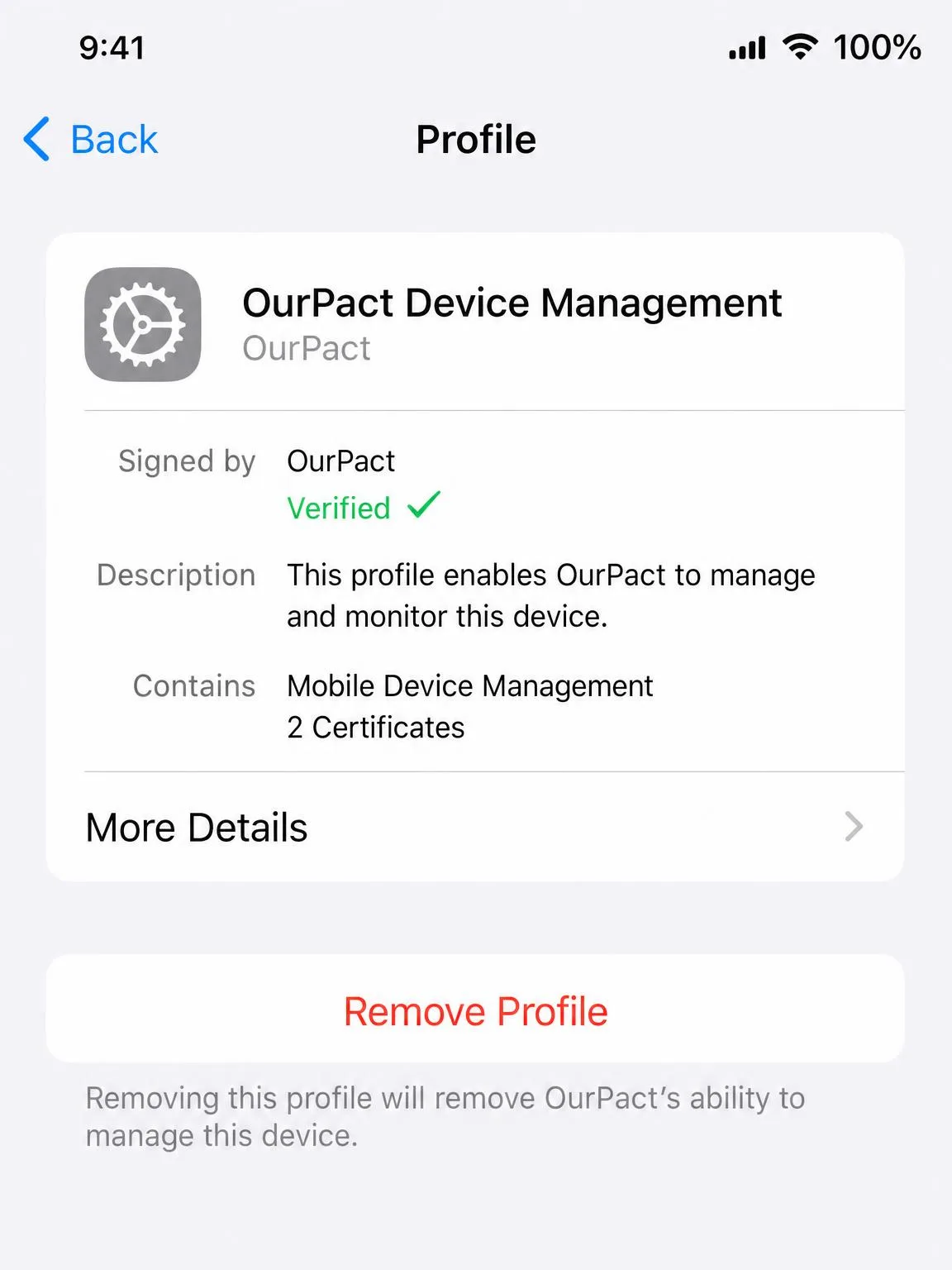
Yes, both, with enough motivation. Mobicip controls can be defeated by changing the device clock, disabling the VPN profile or uninstalling the app outright. OurPact's iOS blocking stops applying if the management profile drops after an update, which is a bypass a child does not even have to engineer.
OurPact's removal prevention on iOS 18 and Mobicip's uninstall protection both raise the bar. Neither makes the app tamper-proof, and a determined tech-savvy teenager will find the seam, so it pays to know how kids bypass parental controls.
Privacy, Transparency and Responsible Use
Covert monitoring is the wrong default. Screenshot capture in particular collects a great deal about a child's private life, and it works best as a declared arrangement with a stated purpose and an end date. The Children's Online Privacy Protection Rule governs what services may collect from children, and it is a useful frame for what you are consenting to on your child's behalf.
There is also a reason to keep the goal modest rather than total. Heavier preteen screen use has been linked to later depression and anxiety, which argues for controls that shape habits rather than controls that surveil. Read that alongside either app's marketing.
Pros and Cons
Mobicip pros and cons
Pros
- Covers Windows, Mac, Chromebook and Kindle Fire as well as phones
- Every tier includes the desktop and Chromebook clients rather than charging extra
- Daily activity feed lists every app with time stamps
- Same feature set on all three tiers, so you pay for device count alone
Cons
- Blacklist blocking is inconsistent from one attempt to the next
- No Chrome or Incognito filtering on macOS
- App limits apply to whole categories, not single apps
- Battery drain and VPN drops on Android
Our longer hands-on write-up is in our Mobicip review, including the tier differences in more detail.
OurPact pros and cons
Pros
- Best per-app blocking of the two, with alerts when a new app appears
- 14-day free trial with full feature access
- Live location and geofencing alerts, with history you can look back through
- 20 devices included on both paid tiers
Cons
- No Windows, Mac or Chromebook support at all
- iOS blocking can stop working after a major iOS update
- Screen Time View reporting is thin on iOS
- Slow support responses when blocking breaks
Our full assessment is in our OurPact review.
Which Should You Choose?
Choose Mobicip if...
Run the test on your own household. Count the screens your children actually use in a week, and if any of them is a laptop, a desktop or a Chromebook, OurPact cannot see it and the question is settled for you. Then ask what the argument in your house is really about. If it is what your child is reading and watching on the open web, filtering is the job you are hiring for, and you want the app whose whole design starts there.
Choose OurPact if...
Apply the same two tests and see where they land. If every screen in the house is a phone or a tablet, the platform question falls away and stops deciding anything for you. And if the friction at home is about which apps are open and when, rather than which sites are loading, you want the tool built around app-level control and whereabouts instead of categories of website.
Alternatives, Including Free Built-In Controls
Before paying anything, try the controls you already own. Apple's Screen Time and Google Family Link both handle app limits, downtime and content restrictions at no cost, and for a younger child they are often enough on their own.
If you want more than the built-in tools but neither app here fits, our comparisons of Mobicip vs Qustodio, Mobicip vs Bark and Kaspersky Safe Kids vs OurPact cover the closest rivals.
How We Compared These Apps
We compared both apps on their current published plans, the platforms each vendor supports, and the everyday behaviour families see over months of use rather than in a first-day demo. Our scoring weighted five things. Filtering has to hold up, and screen time locks have to fire when they are scheduled rather than most of the time. App management is judged on how finely a parent can cut it. Location and reporting are judged on whether the data is detailed enough to act on. The fifth weight is maintenance, meaning how much of your evening the app takes back after each update.
Where the two vendors disagree with what happens on the device, we followed the device. That is why the inconsistent blacklist, the macOS Chrome gap and the dropped iOS management profile carry more weight here than any feature list does.
Both apps were assessed against published vendor plans as of August 2026 and against documented behaviour on iOS, Android, macOS and Chromebook. Prices change often, so check the vendor pages before you buy.
Final Verdict
Before you commit, look at how each app has landed with the parents already paying for it. Trustpilot's community rates Mobicip 3.8 out of 5, and a full quarter of those ratings sit at one star, which is a lot of people who felt let down by something they had installed on their children's devices. OurPact carries a 4.4 rating across more than 56,600 app store reviews, a friendlier headline that mostly reflects how well the blocking works on the day you set it up. Neither number should be read as a promise. The pattern behind both is the same. These apps drift after operating system updates, and the parents who stay happy are the ones who go back and re-check.