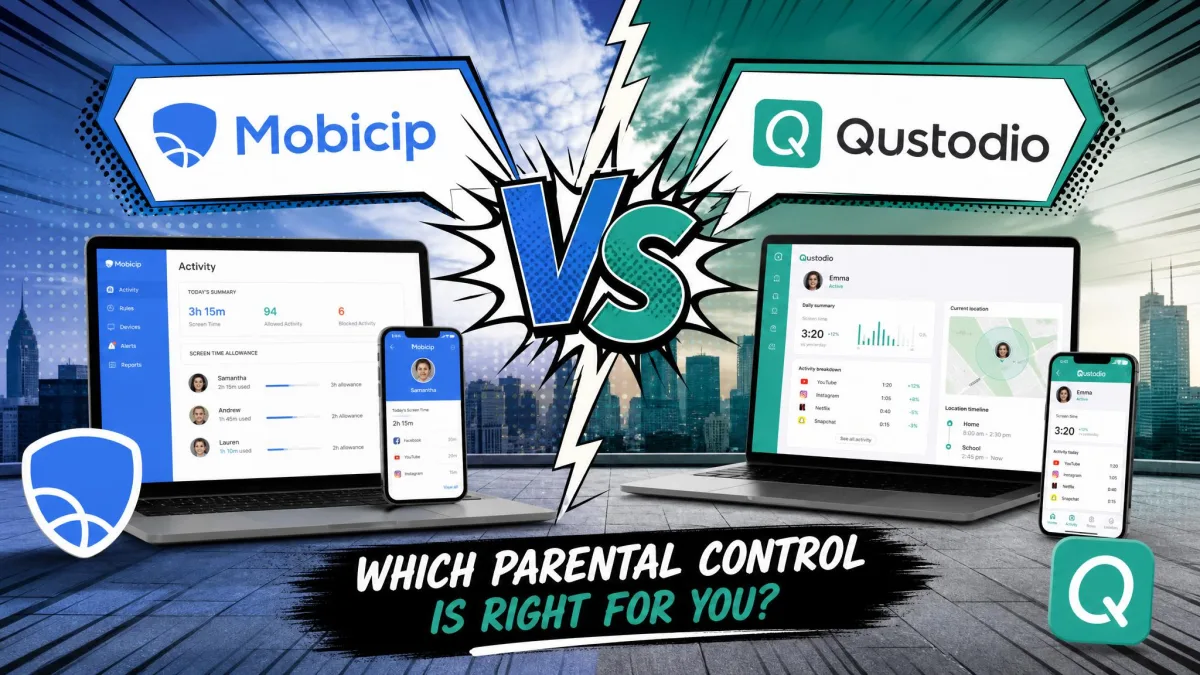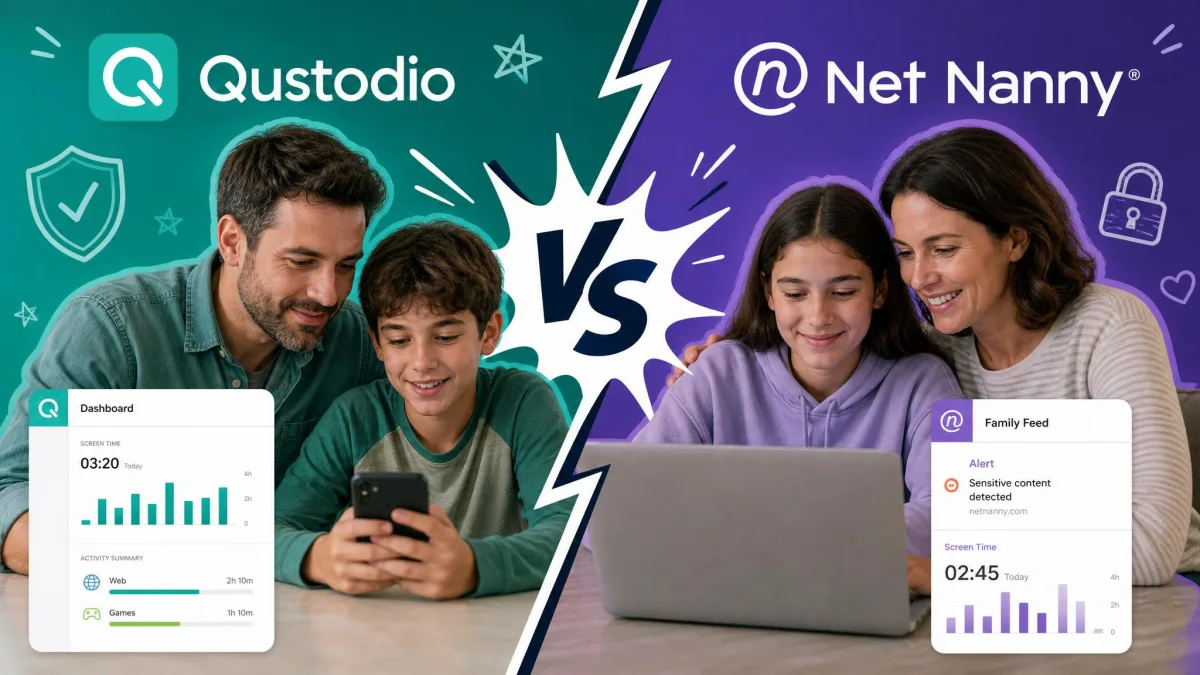
On a feature grid these two parental control apps look almost identical, which is exactly why the choice feels harder than it should be. Both promise web filtering, screen time limits, app blocking and location tracking, and both ask you to commit for a year before you really know how they behave on your family's devices. The short answer: Mobicip wins for most households in 2026 because it covers more platforms for less money, while Net Nanny is the better filter on text-heavy web content if every device in your home is a Windows PC, a Mac or an iPhone. We spent time in both parent dashboards on real family devices, and the gap that mattered was not filtering quality. It was which devices each app could reach at all.
Mobicip vs Net Nanny at a Glance
Mobicip's entry plan lands under $36 a year for up to 5 devices, and its Premium tier stretches to 20 devices. Net Nanny sells by the year instead: $49.99 for one desktop, $79.99 for a 5 Device Family Pass and $129.99 for 20 devices. That is the headline, and for a family with more than one child it is close to decisive.
The second difference is platform reach. Mobicip runs on every major platform, including Android and Chromebook. Net Nanny's own support documentation for Net Nanny 10 lists Windows 10 and above, macOS and iOS 11 and higher, with Android, Kindle Fire and Chromebook marked as not supported. Net Nanny's own support documentation is the list to trust, and it is worth rechecking before you subscribe.
Mobicip offers a free Basic plan with no credit card required that covers 2 managed devices, plus a 7-day free trial of the paid features. Net Nanny advertises no free trial, but it does have a 14-day return policy on direct purchases.
The Main Differences Between Mobicip and Net Nanny
Three differences do the real work in this comparison, and everything else is detail.
Platform coverage is the first. Mobicip reaches Android phones, Chromebooks and Kindle Fire tablets, which are the devices most kids actually carry and most schools actually issue. If Net Nanny cannot install on the device your child uses all day, the quality of its filter is beside the point.
Filtering philosophy is the second. Net Nanny reads pages in real time, and its category filtering holds up well on text-based pornography, violence and hate speech. Mobicip leans on an AI category filter plus your own blacklist and whitelist, which gives you more control but a less consistent result.
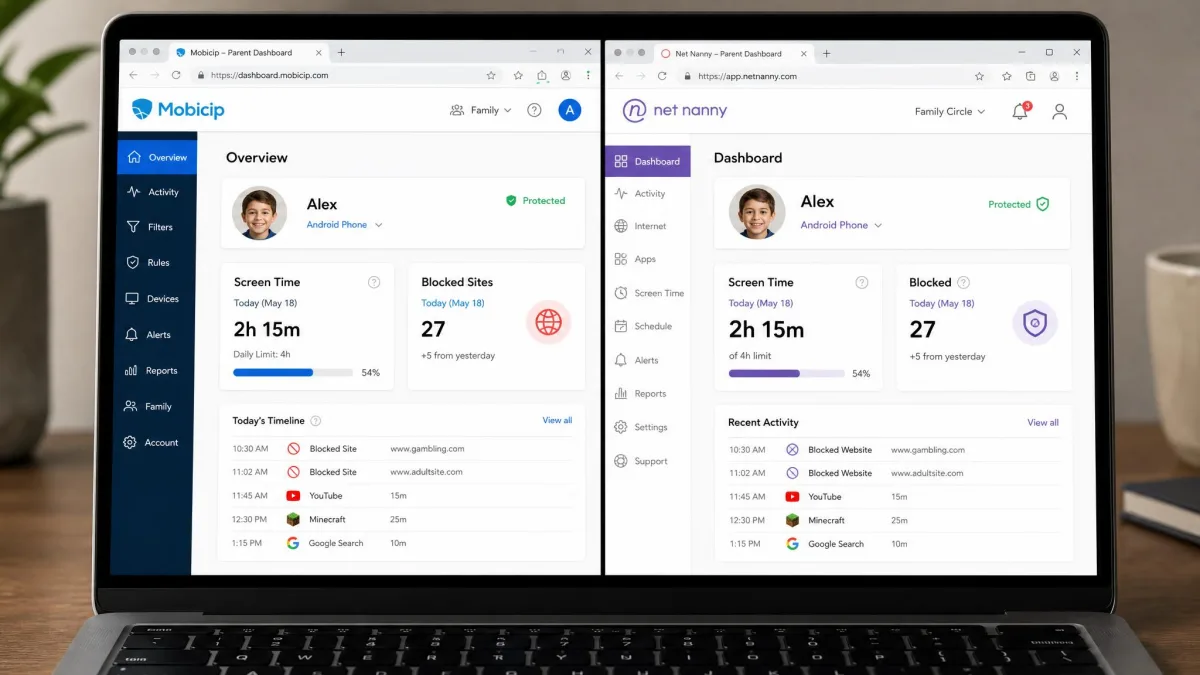
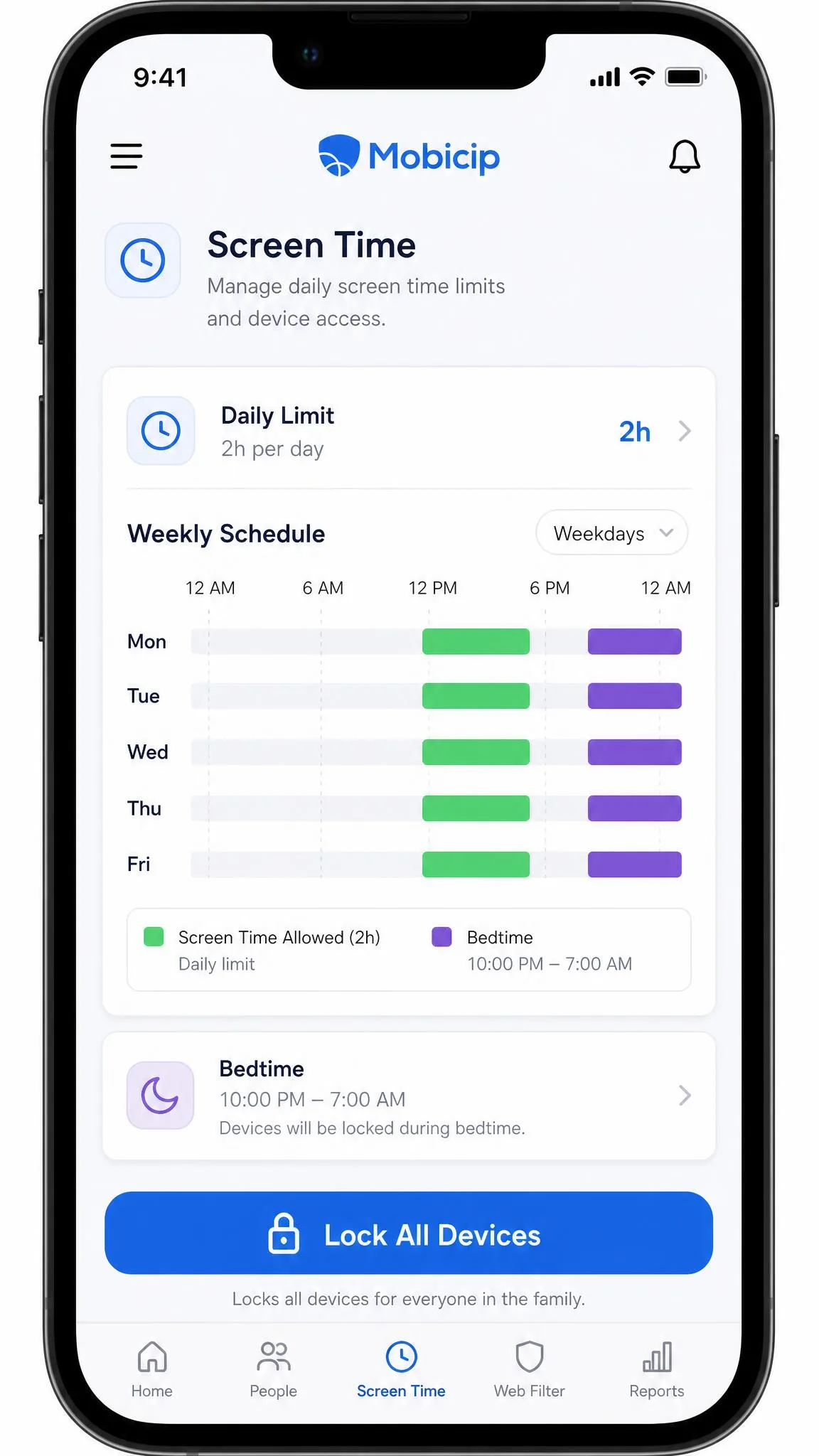
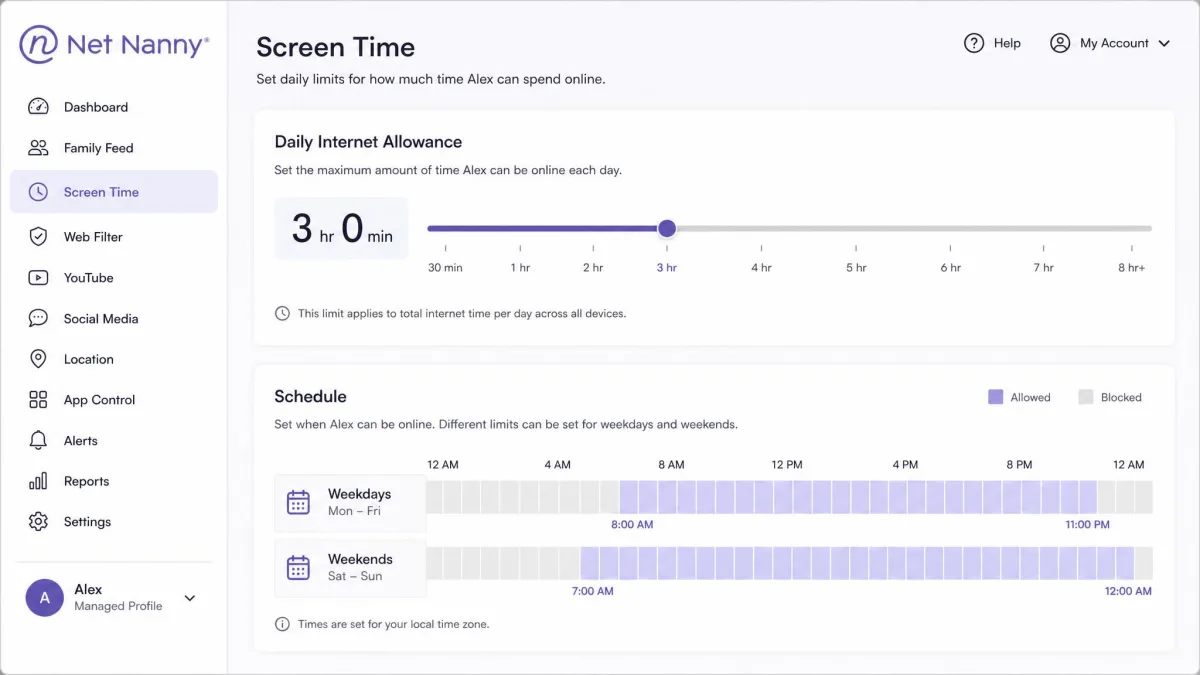
Screen time enforcement is the third. Mobicip gives you daily and weekly schedules plus per-app limits, and it locks a phone within seconds of a limit expiring. Net Nanny uses blunt daily caps: once the limit lands, internet access stops entirely, with no carve-out for schoolwork apps and no per-app limits.
Net Nanny's cheapest tier costs $49.99 per year and covers exactly one PC or Mac. All twelve of its listed features appear on every plan, but feature parity is not coverage parity, because that single-desktop tier drops mobile devices completely.
Mobicip Overview
Of the two, Mobicip is the one built for mixed-device households, and our full Mobicip review tests each feature in depth. The parent app covers app blocking, uninstall protection, a website blocker, screen time limits, managed schedules, a family locator with geofencing, remote device locking, activity reports, a social media monitor and per-app limits, and all of it is managed from one dashboard rather than one console per platform.
In daily use, the strongest parts are screen time and location. Screen time enforcement is fast and firm, and a Lock All Devices button pauses every family device at once, which is the single most useful button in either app at dinner time. Real-time location reads accurately, and geofences drawn around a marked place fire enter and exit alerts promptly.
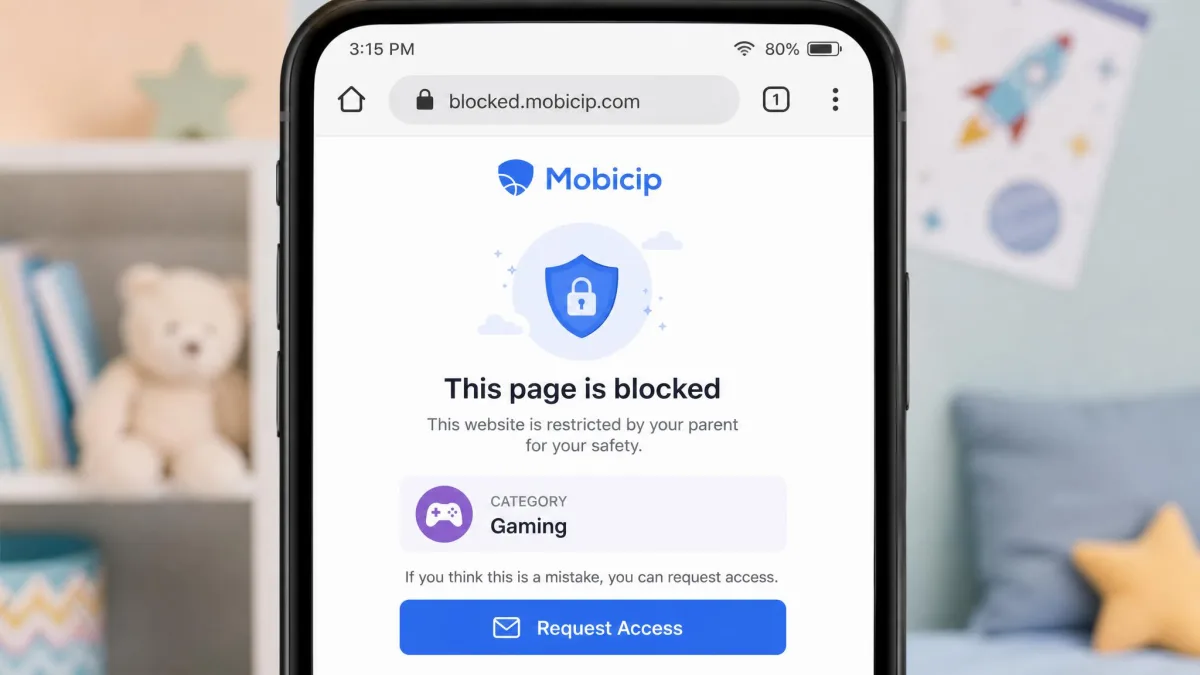
The weakest part is the filter's consistency. Blacklisted sites are blocked on most attempts but occasionally load anyway, and the AI filter over-blocks, catching harmless pages while some inappropriate content still slips through. Apps you explicitly allow can still end up blocked, and YouTube can open even after the app is disabled and blacklisted. The filter category names are vague enough that it is hard to predict what a given category will actually block, so expect to spend a day tuning it.
Mobicip Pros and Cons
Pros
- Covers every major platform from one dashboard, including Android and Chromebook
- Cheapest of the two at every comparable device count
- Free Basic plan for 2 managed devices, no credit card required
- Per-app limits plus instant device locking across the whole family
- Accurate location tracking with resizable geofences and prompt alerts
- 7-day free trial and a 30-day money-back guarantee
Cons
- Web filtering is inconsistent, over-blocking some pages and missing others
- Setup is slow, especially on iOS and Android
- Social media monitoring is narrow, with no TikTok coverage
- Filter category names are vague, so tuning takes trial and error
- Support can be slow to respond to tickets
Mobicip Pricing and Plans
Mobicip's tiers are set by device count rather than by feature: Lite is $2.99 per month billed annually for up to 5 devices, Standard is $4.99 per month for up to 10, and Premium is $7.99 per month for up to 20 devices, with a custom quote above that. There is a 7-day free trial with full feature access and a 30-day money-back guarantee. Mobicip's family plan pricing page leads with monthly-equivalent figures, so the numbers worth budgeting against are the annual totals: $35.88 for Lite, $59.88 for Standard and $95.88 for Premium.

Net Nanny Overview
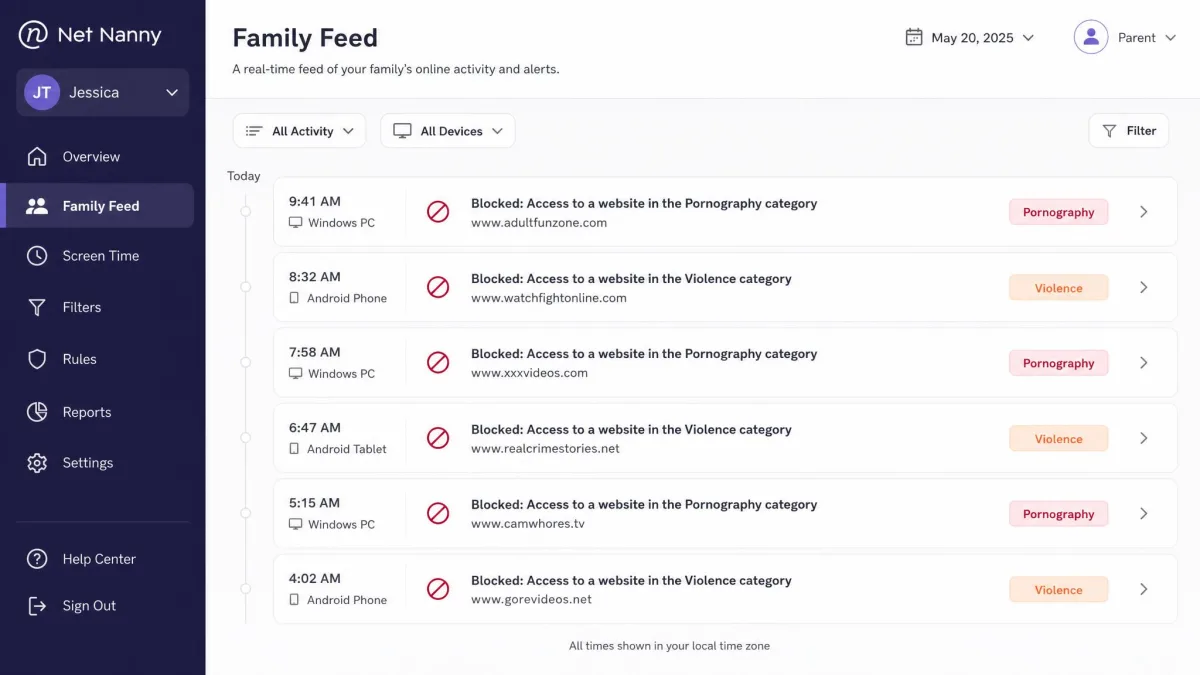
Where Mobicip's pitch is reach, Net Nanny's is the filter itself, and it has been making that pitch since 1996. Its AI-powered real-time content filtering, pornography blocking, website blocker, app blocking, screen time management, location tracking, YouTube monitoring, social media protection, Family Feed and parent dashboard are joined by alerts on drug, weapon and self-harm content, which is a genuinely useful set of triggers for parents of older teens.
The filter earns its reputation on text. Category filtering holds up well on written pornography, violence and hate-speech pages, and it makes decisions as the page loads rather than checking a static list. Where it loses accuracy is on video-heavy and image-driven feeds, where there is little text for it to read and context is hard to judge.
Two things hold it back for family use, and our full Net Nanny review covers both in depth. The install flow and dashboard are fragmented enough to overwhelm a non-technical parent, and reporting is retrospective rather than predictive, with no app-usage analytics and no call or text monitoring.
Net Nanny Pros and Cons
Pros
- Strong real-time filtering on text-based adult, violent and hate-speech pages
- Alerts on drug, weapon and self-harm content
- Every listed feature appears on every plan
- YouTube monitoring and a readable Family Feed activity timeline
- Long track record, in the market since 1996
Cons
- Android, Kindle Fire and Chromebook are listed as unsupported on Net Nanny 10
- Cheapest plan covers one desktop only, at $49.99 per year
- Screen time caps are blunt, with no per-app limits
- Filtering weakens on video and image-driven feeds
- Setup and dashboard are fragmented for a non-technical parent
- No advertised free trial
Net Nanny Pricing and Plans
Net Nanny sells three annual plans: 1 Desktop at $49.99 per year, the 5 Device Family Pass at $79.99 and the 20 Device Family Pass at $129.99. Discounted pricing of $39.99, $54.99 and $89.99 has been shown during a limited-time 30 percent promotion, though those promotional prices revert to list without notice.
There is no advertised trial. Instead there is a 14-day return policy on purchases made direct from netnanny.com, while App Store and Google Play orders follow those stores' own policies, and refunds inside that window are requested by email to support rather than from the account dashboard.

Feature-by-Feature Comparison
| Feature | Mobicip | Net Nanny |
|---|---|---|
| Web and content filtering | AI category filter plus custom blacklist and whitelist | AI real-time page filtering, strongest on text pages |
| Screen time limits | Daily and weekly schedules, per-app limits, instant device lock | Daily caps and scheduled blocks, no per-app limits |
| App blocking | Yes, by category and per app | Yes |
| Social media monitoring | Snapchat and Facebook confirmed, no TikTok | Social media protection, no Snapchat, no real-time alerts |
| Location tracking | Real-time tracking, history, resizable geofences | GPS tracking with history, limited geofencing |
| Activity reports and alerts | Activity reports plus real-time alerts | Family Feed, alerts and reporting |
| Supported platforms | iOS, Android, Windows, macOS, Chromebook, Kindle Fire | Windows 10 and above, macOS, iOS 11 and higher |
| Devices per plan | 5 / 10 / 20, free tier covers 2 | 1 / 5 / 20 |
| Starting price per year | $2.99 per month billed annually | $49.99 per year list |
| Free trial | 7-day full-feature trial plus a free Basic plan | No advertised trial, 14-day refund window |
Web and Content Filtering
Net Nanny takes this category, but not by as much as its marketing suggests. Its filter reads a page as it loads and blocks written adult content, violent material and hate speech reliably. Put it in front of a video-heavy or image-driven feed and the accuracy drops, because there is far less text for it to interpret.
Mobicip's approach is a category filter plus your own blacklist and whitelist, and the custom lists are the part worth using. The automated side is uneven: harmless pages get caught while some inappropriate content still gets through, and blacklisted sites are blocked on most attempts but occasionally load anyway.
Whichever app you pick, spend the first day browsing on the child device yourself and adjusting categories as you go. Both filters make their worst mistakes in the first 24 hours, before you have corrected them.
Screen Time Limits and Scheduling
Mobicip wins this outright. You get daily and weekly schedules, per-app limits and a lock that lands within seconds of a limit expiring, plus one button that pauses every device in the family at once.
Net Nanny gives you daily caps and scheduled blocks, and when the cap lands, internet access stops entirely. There is no carve-out for a homework app and no way to say that 30 minutes of a reading app is fine while 30 minutes of a game is not.
App Blocking
Both apps block apps, and both do it by category. Mobicip catches games reliably, but its categories are broad enough that educational apps get swept up with entertainment ones, so expect to whitelist a few by hand. Net Nanny's app blocking is present on every plan, though it inherits the same platform limitation as the rest of the product: an app you cannot install on Android is not blocking anything there.
Social Media Monitoring
Neither app is a monitoring specialist, and if this is your main need, look at a dedicated tool. Mobicip's social media monitor confirmed Snapchat and Facebook in testing, and the vendor also lists Instagram, but TikTok is not covered. Social platform coverage varies by device OS and shifts between app updates, so confirm the list before buying for a TikTok-heavy household.
Net Nanny offers social media protection and YouTube monitoring, but no Snapchat coverage and no real-time social alerts, and it does not monitor calls or texts at all.
Location Tracking and Geofencing
Geofencing is the clearest split in this pair. Mobicip's Family Locator includes geofencing, and in use the real-time position reads accurately while geofences drawn around a marked place fire enter and exit alerts promptly. You can draw a zone anywhere on the map and resize it afterwards, which matters when a school pickup point turns out to be a block from where you first dropped the pin.
Net Nanny includes GPS tracking with location history, but its geofencing is the thinner implementation: zones are tied to places the child has already visited and cannot be resized. Net Nanny's own documentation does not spell the behaviour out, so confirm it in the app if geofencing is the reason you are buying.
Activity Reports and Real-Time Alerts
Mobicip pairs activity reports with real-time alerts, so you hear about a blocked attempt while it is happening rather than the next morning. Net Nanny's Family Feed presents the same kind of history in a clean timeline and adds alerts on drug, weapon and self-harm content, which is a category of warning Mobicip does not match. What Net Nanny does not give you is app-usage analytics, so its reporting tells you what already happened rather than where a habit is heading.
Supported Devices and Platform Compatibility
That platform gap, stated plainly. Mobicip supports iOS, Android, Windows, macOS, Chromebook and Kindle Fire. That list covers essentially every screen a school-age child touches, including the school-issued Chromebook and the hand-me-down Fire tablet.
Net Nanny 10's support documentation lists Windows 10 and above, macOS 10.13 through 11.x, and iOS 11 and higher, with Android, Kindle Fire and Chromebook marked as not supported pending a newer release. That "pending a newer release" wording is the vendor's own, so treat the list as a snapshot rather than a permanent boundary and recheck it at the point of purchase. The macOS range also stops short of recent releases: the published Mac requirement caps at macOS 11.x, and while the Mac App Store listing muddies that by asking for macOS 11.0 or later on Apple silicon, newer releases are neither listed nor ruled out, so confirm compatibility for your Mac before you buy.
The missing Android coverage is the biggest practical blocker in this comparison. Excellent filtering does not help you on the device your child actually carries, and in most households that device runs Android.
Pricing and Value: Which Costs Less Per Child?
Run the numbers per device and the gap widens. Net Nanny's 5 Device Family Pass at $79.99 per year works out to about $16 per device. Mobicip's Lite plan covers the same 5 devices for under $36 a year, or roughly $7 per device. At the top tier the pattern holds: 20 devices costs $129.99 on Net Nanny and $95.88 on Mobicip Premium.
Two caveats keep this from being a clean sweep. Net Nanny's homepage has displayed list prices and a 30 percent sale at the same time, so what you actually pay depends on when you buy. And Mobicip's pricing page quotes monthly-equivalent figures rather than the annual charge, so read the checkout total before you confirm.
| Plan tier | Mobicip | Net Nanny |
|---|---|---|
| Entry | Free Basic, 2 managed devices | 1 Desktop, $49.99/yr, one PC or Mac |
| Mid | Lite, $2.99/mo, 5 devices | 5 Device Family Pass, $79.99/yr |
| Upper | Standard, $4.99/mo, 10 devices | Not offered |
| Top | Premium, $7.99/mo, 20 devices | 20 Device Family Pass, $129.99/yr |
| Try before you buy | 7-day trial, 30-day refund | 14-day refund, no advertised trial |
If you only need to cover two devices and want to test the workflow before spending anything, start on Mobicip's free Basic plan. It needs no credit card, and it will tell you within a week whether the dashboard suits how you parent.
Ease of Use and Setup
Neither app installs itself in five minutes, and you should plan an evening for whichever one you choose.
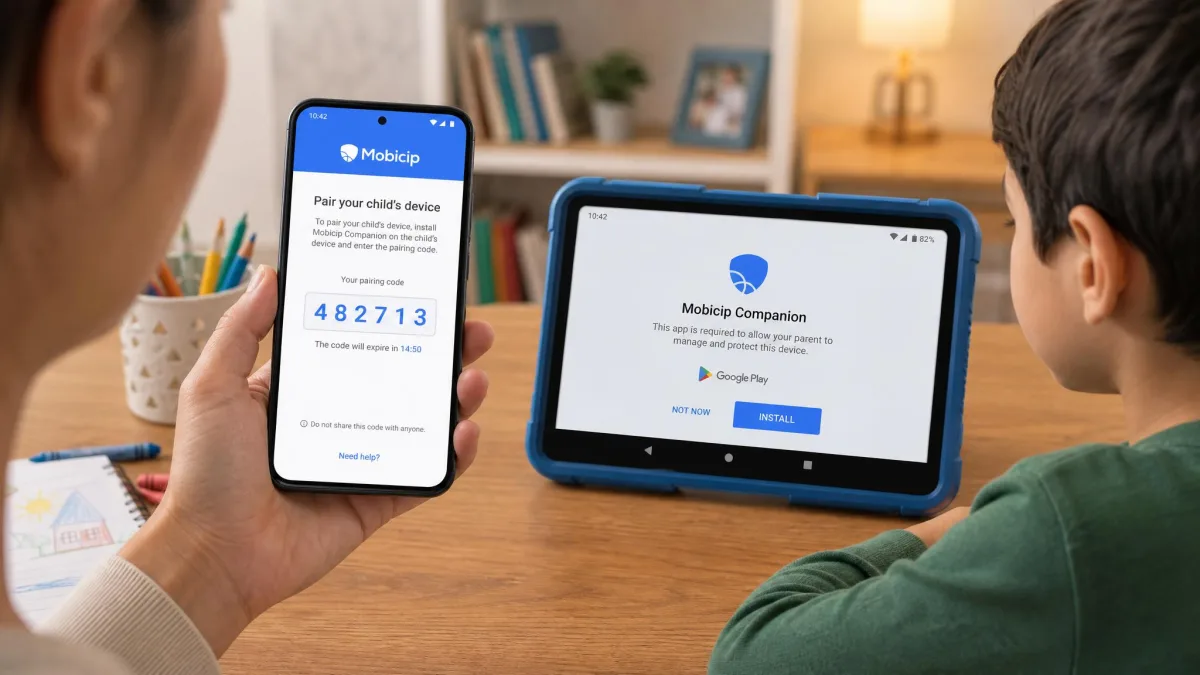
Mobicip's setup is the slow part of an otherwise tidy product. An iOS install means sorting out Apple Family Sharing and removing any existing MDM profile first, an Android install means turning off Google Family Link, and a tablet install can crawl for around ten minutes. Pairing the parent app with the child app can take several attempts before the two devices connect. Once it is running, the dashboard is the easier of the two to live in day to day.
Net Nanny's difficulty is spread differently. The install flow and the dashboard are fragmented enough to overwhelm a parent who is not comfortable with settings screens, and the parts of the product live in more places than they need to.
We set both apps up on a mixed household of an iPhone, an Android phone and a Windows laptop. The evening we spent on Mobicip was frustrating and then finished. The evening on Net Nanny ended with one device still outside the system entirely.
Which One Should You Choose?
Choose Mobicip If
Pick Mobicip if your family runs on more than one operating system, which is most families. It is the better choice when there is an Android phone, a school Chromebook or a Kindle Fire in the house, when you have three or more devices to cover and the per-device price matters, and when you want per-app limits rather than one blunt daily cap. It is also the safer first purchase, because the free plan and the 7-day trial let you test the experience before you commit.
Best for mixed-device families who want broad coverage and granular screen time control at the lowest price per child.
Choose Net Nanny If
Pick Net Nanny if every device in your home is a Windows PC, a Mac or an iPhone, and if web filtering quality is the thing you care about most. Its real-time filter is the better protection against text-based adult content, and the drug, weapon and self-harm alerts are worth having if you are parenting a teenager rather than a seven-year-old. Tech-savvy kids will find gaps in both, but Net Nanny's page-level filtering is harder to walk around than a static blacklist.
Best for single-platform households focused on content filtering over device management.
Alternatives to Mobicip and Net Nanny
If neither fits, two names come up constantly for good reason. Qustodio sits between these two, with broad platform support and reporting that is more detailed than Net Nanny's. Bark takes the opposite approach, watching for concerning content in messages and social accounts rather than blocking sites, which suits older teens where a hard filter causes more conflict than it prevents.
It is also worth stepping back from the software question. Filtering is one layer among several, alongside conversation and clear household rules. The screen-time research on children and adolescents, and the American Heart Association's youth sedentary behaviour statement, both point the same way: total daily hours matter as much as what is on the screen. Any app that helps you see those hours is doing useful work even when its filter misses.

Frequently Asked Questions
Is Mobicip any good?
Which is better for multi-platform families, Mobicip or Net Nanny?
Does Mobicip filter YouTube?
Does Net Nanny track text messages?
Can a tech-savvy teenager get around either app?
Which one supports Chromebook?
How do Mobicip and Net Nanny compare on pricing?
What does Mobicip's free plan leave out, and what happens when a subscription lapses?
Final Verdict
Both of these are year-long commitments, so it is worth knowing what leaving one costs. After a year you will have built child profiles, category exceptions, whitelists and a weekly schedule per child, and none of that travels with you. Moving from Net Nanny to Mobicip means rebuilding the lot by hand and re-enrolling every device, which is the same slow evening you spent on the first install, only with more devices in the house than you started with. Moving the other way is worse, because any Android phone or Chromebook simply falls out of coverage and has to be handled some other way. That asymmetry is a reason to start with the wider reach even if you are not certain yet, since adding a platform later costs nothing on one app and is impossible on the other.
There is one condition under which the recommendation flips. If every screen in your house is an iPhone, an iPad or a Mac, device management stops being the deciding factor, because Apple's own Screen Time already covers a good deal of it and what you are really buying is a filter. In that household, Net Nanny's page-level reading of content is the better protection, and the drug, weapon and self-harm alerts are the kind of early warning that matters more with a fifteen-year-old than any schedule does. Outside that case, a stronger filter does not offset a device you cannot reach at all.