Mobicip and Norton Family are both subscription parental control apps that filter the web, cap screen time and report back on what a child does online, and the real decision between them comes down to which devices your family actually owns. Mobicip covers Mac and Chromebook and sells device allowances in tiers. Norton Family skips macOS and Chrome OS entirely, but markets a single subscription that stretches across a household of Windows, Android and iOS devices. Our pick for most families is Norton Family, because its filtering is more dependable in daily use and its first-year price is easier to justify. Mobicip wins outright for anyone with a Mac or a school Chromebook in the house.
To compare the two, we worked through both vendors' current plan documentation, mapped every feature claim against hands-on findings for each app, and paid particular attention to the places where the marketing and the lived experience diverge.
Mobicip vs Norton Family at a Glance
Mobicip is an independent parental control app built around a device management profile and a filtering VPN. It is sold in three tiers, and the tier you buy decides how many devices you can enroll. Norton Family comes from the same company as Norton 360, and it behaves like an enterprise supervision tool that has been softened for home use, with supervision modules for web, search, video, time, apps and location.
The two apps overlap heavily on the basics. Both block content by category, both let you set daily limits and schedules, both track a child's location, and both send you activity reports by email. Where they part company is platform coverage, per-app control and the way each one handles a determined, tech-savvy teenager.
Side-by-Side Feature Comparison
| Feature | Mobicip | Norton Family |
|---|---|---|
| Price per year | $35.88 / $59.88 / $95.88 (Lite / Standard / Premium) | $49.99 first year |
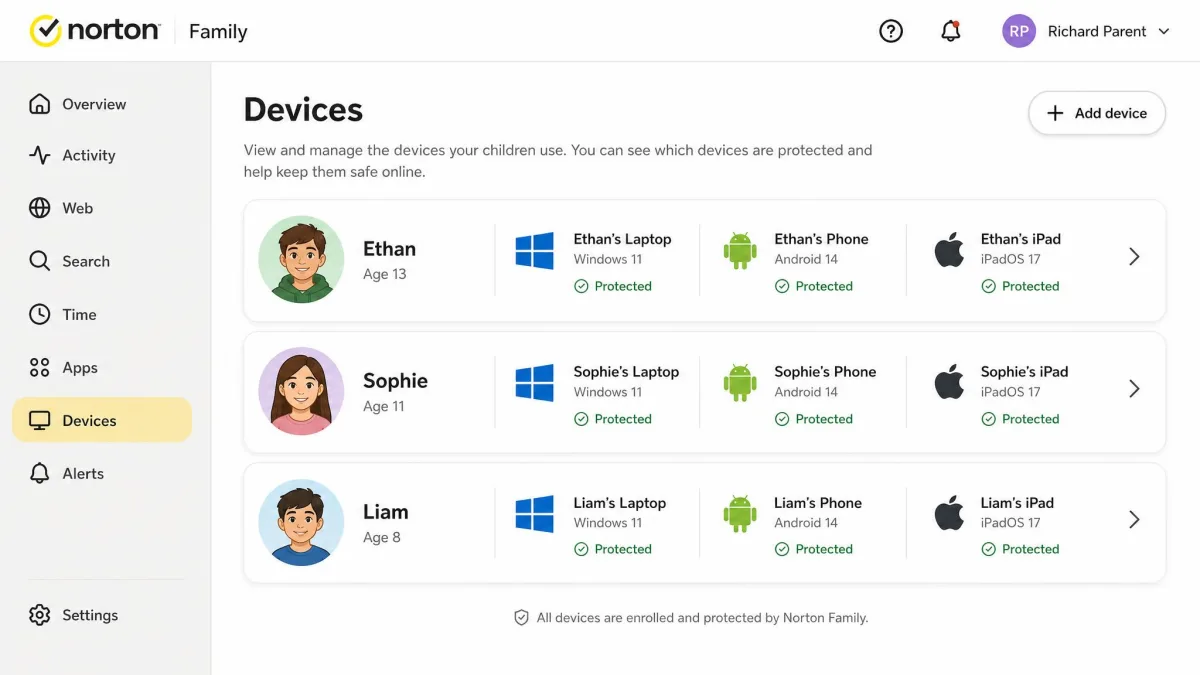
| Device limit | 5 / 10 / 20 by tier | Marketed as unlimited devices |
| iOS | Yes | Yes, reduced feature set |
| Android | Yes | Yes, Android 8.0 or later |
| Windows | Yes | Yes, Windows 7 SP1 and later |
| Mac | Yes | No |
| Chromebook | Yes | No |
| Web filtering | 15+ categories, keyword filters, allow and block lists | 45+ categories with Access Request appeals |
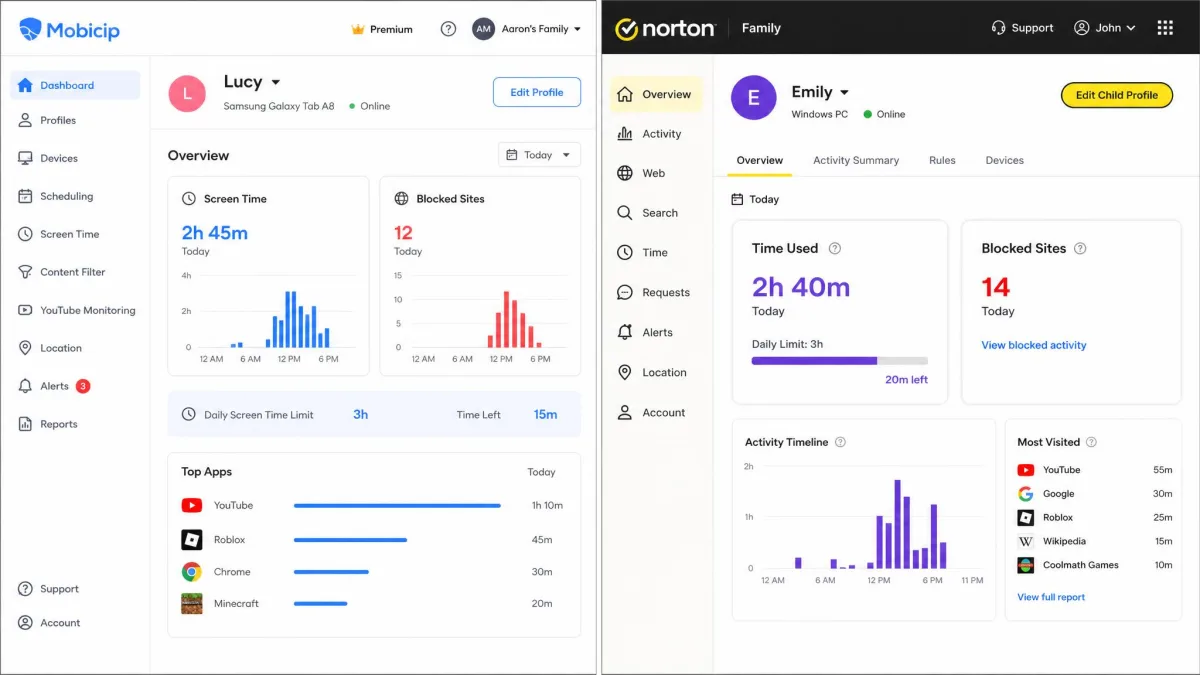
| Screen time scheduling | Daily limits, schedules and per-app timers | Daily limits and schedules, device-wide only |
| App blocking | Yes, with app timers | App Supervision, no per-app time limits |
| Location tracking | Family locator | Location Supervision with 30 days of history |
| Social media monitoring | Snapchat and Facebook | None |
| Message monitoring | No | No |
| Activity reports | Yes, with alerts | Email alerts, weekly and monthly reports |
| School Time | No dedicated mode | School Time |
| Free trial | 7-day | 30-day |
| Bypass resistance | Management profile blocks removal, but filtering gaps let some blocked sites load | Uninstall needs parent credentials, but removal can go unreported |
Device Limits and Platform Support
Platform coverage is where this comparison is usually decided, so it is worth being precise about what each app runs on and what it can actually do once it is there.
iPhone and iPad
Both apps supervise iPhones and iPads, and both are constrained by the same ceiling. Norton Family offers noticeably fewer features on iOS than it does on Windows or Android, a limit that follows from what Apple's supervision framework permits rather than from anything Norton chose. Mobicip works around some of that by installing a filtering profile, which gives it a little more reach over browsing.
On iOS, no third-party app can read a child's iMessages, see inside another app's content, or reliably time-limit an individual app without Apple's own Screen Time doing the enforcement. Any parental control app that promises full iPhone visibility is describing something the platform does not allow. Judge both apps on web filtering, location and reporting on iOS, and expect app-level control to be thinner than it is on Android.
Android Phones and Tablets
Android is where both apps have the most freedom. Norton Family needs Android 8.0 or later, and its Android build carries the full supervision set. Mobicip leans on VPN-based filtering and background monitoring on Android, which is effective but has a cost: we saw higher battery use, occasional slowdowns, delayed syncing and dropped connections on enrolled Android handsets.
Windows, Mac and Chromebook
Norton Family supports Windows 7 SP1 and later, excluding Windows 10 in S mode. It does not support macOS or Chrome OS at all, and there is no workaround. Mobicip covers iOS, Android, Windows, Mac, Chromebook and Kindle Fire, which makes it the only realistic choice for a family whose children use MacBooks or school-issued Chromebooks.
Mixed-Device Families
Most homes are mixed, and this is where the pricing models diverge sharply. Mobicip charges by device count: 5 devices on Lite, 10 on Standard and 20 on Premium. Norton Family is marketed as covering unlimited devices on one subscription, though coverage is framed per child in some of Norton's plan copy and per device in others, so the practical ceiling depends on how many child profiles you create. For a family of three children with a phone, a laptop and a tablet each, Norton Family is the cheaper route provided none of that hardware is a Mac.
Web Filtering and Content Blocking
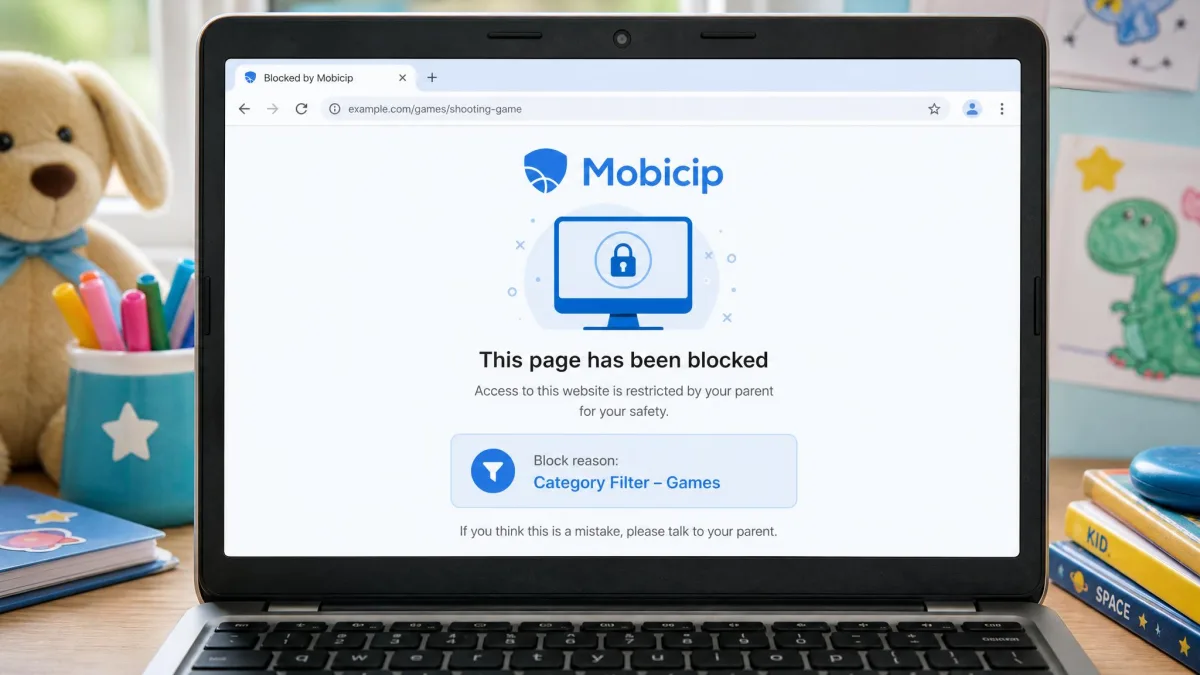
Filtering is the job most families are really buying these apps for, and it is where the two separate most clearly. Norton Family filters content across 45 categories, including bullying, sexual content and hate speech, and it pairs that with Access Request appeals so a child can ask for a specific site rather than simply hitting a wall. In use, the filtering and search monitoring hold up: blocked categories stayed blocked, and alerts about attempted access arrived quickly.
Mobicip covers 15 predefined content categories plus keyword filtering and per-site allow and block lists, which sounds flexible and mostly is. The problem is consistency. Mobicip's blacklist let some explicitly blocked URLs load anyway, and YouTube opened straight from its app icon even after the app had been disabled and blacklisted. It also blocks harmless sites by mistake often enough to notice, and its broad category labels such as Utilities or Government and Society give little clue what sits inside them.
A filter that blocks the wrong things occasionally is an annoyance. A filter that lets through what you explicitly blocked is a different problem, and it is the one that decided this comparison for us.
If content filtering is the single job you are buying the app for, Norton Family is the more dependable of the two.
Screen Time Limits and Scheduling
Both apps do the core work here. You can set a daily allowance, build a weekly schedule, and carve out blocks such as homework hours or bedtime. Norton Family's Time Supervision handles daily limits and schedules cleanly, and its Instant Lock button stops a device on demand.
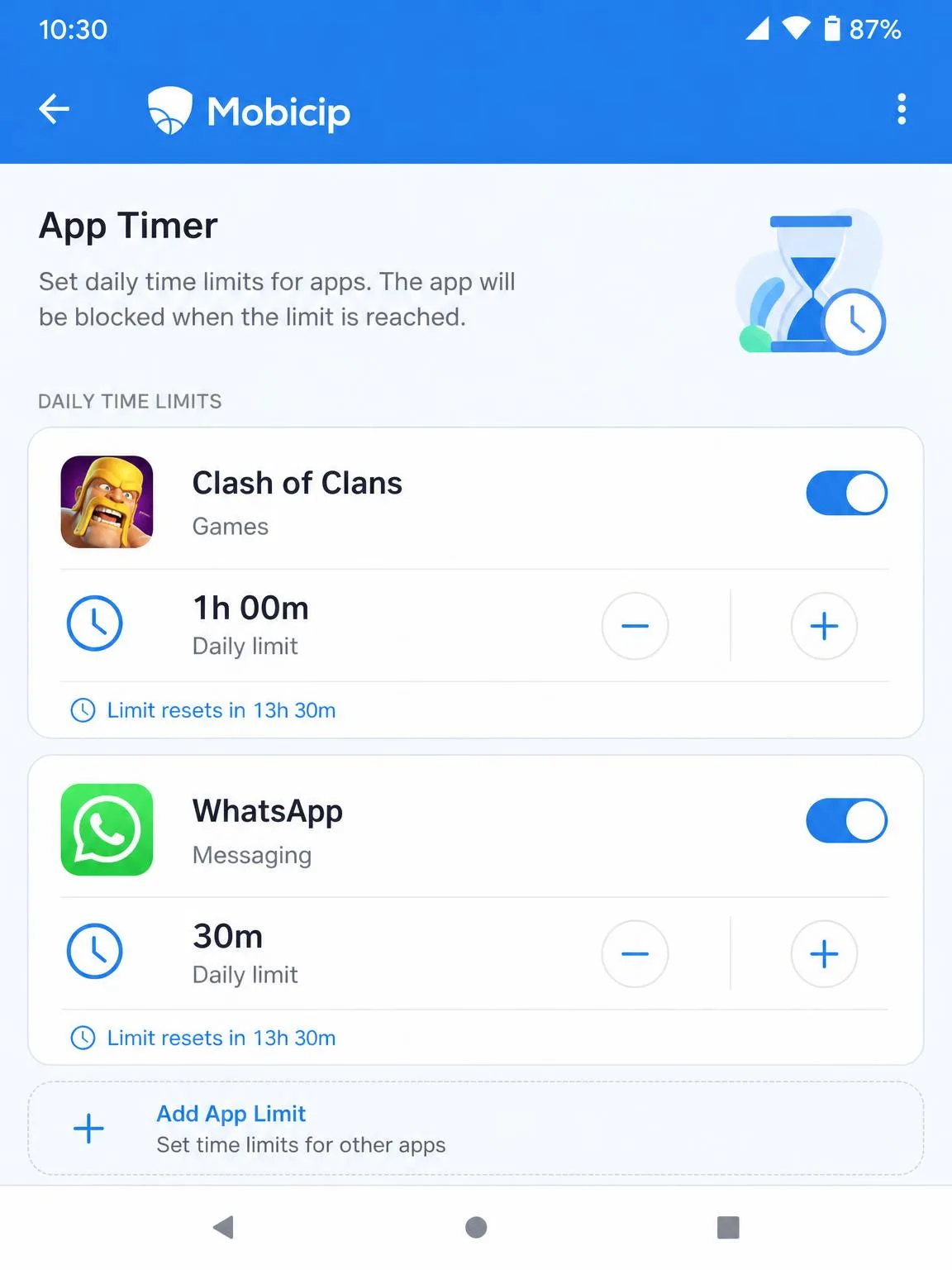
The gap is granularity. Norton Family cannot set screen time limits for individual apps, only for the device as a whole, so a child who has used up the day's hour has used it up everywhere. Mobicip offers app timers alongside its device limits, which lets you allow an hour of a homework app and twenty minutes of a game inside the same allowance. For younger children that distinction matters less. For a teenager who needs their phone for schoolwork, it matters a great deal.
App Blocking and App Management
Norton Family's App Supervision lists the apps installed on a child's device and lets you block any of them, which is straightforward and effective on Android. Mobicip does the same and adds the per-app timers described above, so its app management is the more complete of the two on paper.
In practice, Mobicip's app blocking has the same reliability wobble as its web filter. Blocking an app in the dashboard did not always stop the app opening, which undermines the feature you are paying the higher tier for. Norton Family does less here, but what it does, it does consistently.
Activity Reports, Alerts and the Parent Dashboard
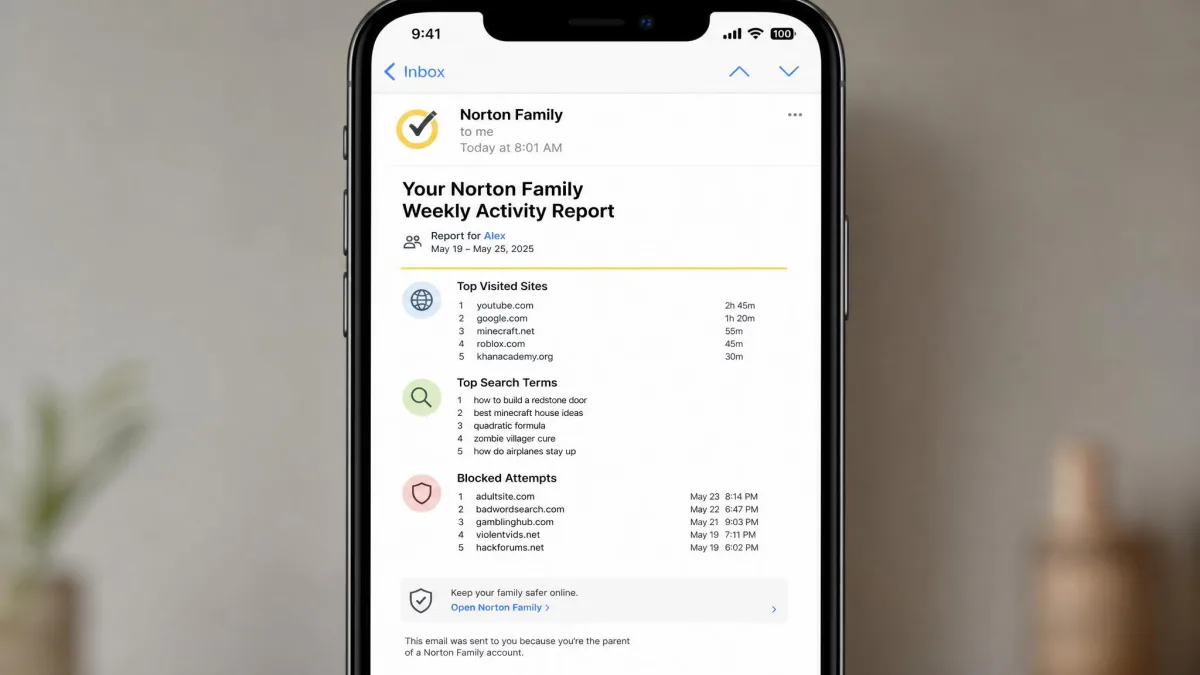
Norton Family sends email alerts and weekly or monthly reports, and the parent portal breaks activity down by supervision type, so you can see search terms, blocked attempts and time used without hunting for them. Video Supervision covers YouTube, but only through the Norton browser or a Windows extension, which means viewing inside the YouTube app itself goes unrecorded. That is a meaningful blind spot given where most children watch video.
Mobicip's dashboard shows activity summaries, blocked attempts and alerts, and the information itself is good. The interface is the weak point: it rarely explains what a setting actually does, so several of the filters have to be learned by trial and error. Once you have your filters and limits configured, though, Mobicip runs unattended and needs no technical knowledge to manage day to day.
We would rather have a plainer report we trust than a richer one we have to second-guess. Norton Family's reports are the ones we would leave running for a term without checking the settings again.
Social Media and Message Monitoring
Neither app is a message monitor, and this is the most common mismatch between what parents expect and what these tools do. Norton Family does no text, email or social media message monitoring of any kind. Mobicip's social media monitoring covers Snapchat and Facebook, which leaves out TikTok and Instagram, the two platforms most families ask about first. Social monitoring is a Premium-tier feature despite plan copy that implies otherwise, so confirm the tier before you buy.
Reading a teenager's private messages is a decision with consequences beyond the software. Covert monitoring, when discovered, tends to end the conversation you were hoping to protect. Talk about the boundaries before you turn anything on, and keep supervision visible rather than secret.
If message monitoring is your requirement, neither of these apps will meet it and you should compare purpose-built alternatives instead.
Location Tracking and Geofencing
Norton Family's Location Supervision keeps 30 days of location history on Android and iOS and supports geofenced Favorite Locations, so you can be alerted when a child reaches school or gets home. Those geofence alerts fired as configured for us, and remote lock behaved the same way. Location tracking is less dependable on some Android handsets, so do not make it your only tracker.
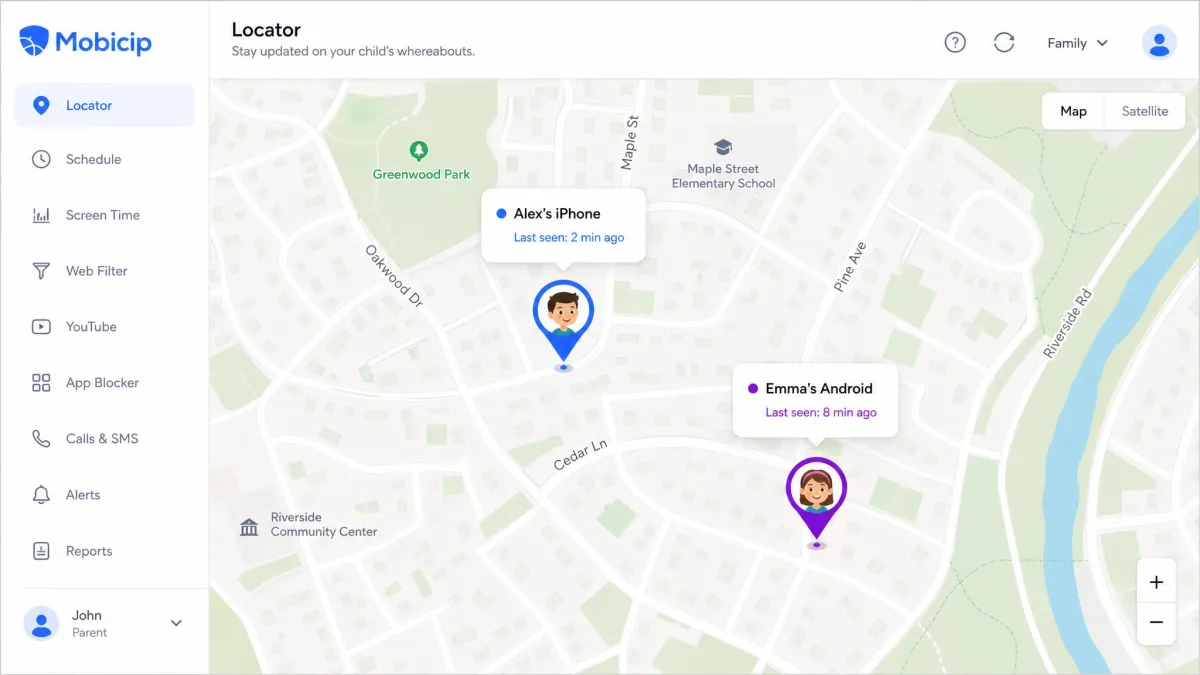
Mobicip includes a family locator that shows current device location on a map, and it is the simpler of the two systems to read at a glance. You can name safe zones such as home or school and get a notification whenever a child enters or leaves one. Zones open with a 100 metre default boundary that has to be widened by hand for anything larger than a single building, and it stretches to 1,000 metres if you need it to.
School Time and Homework Features
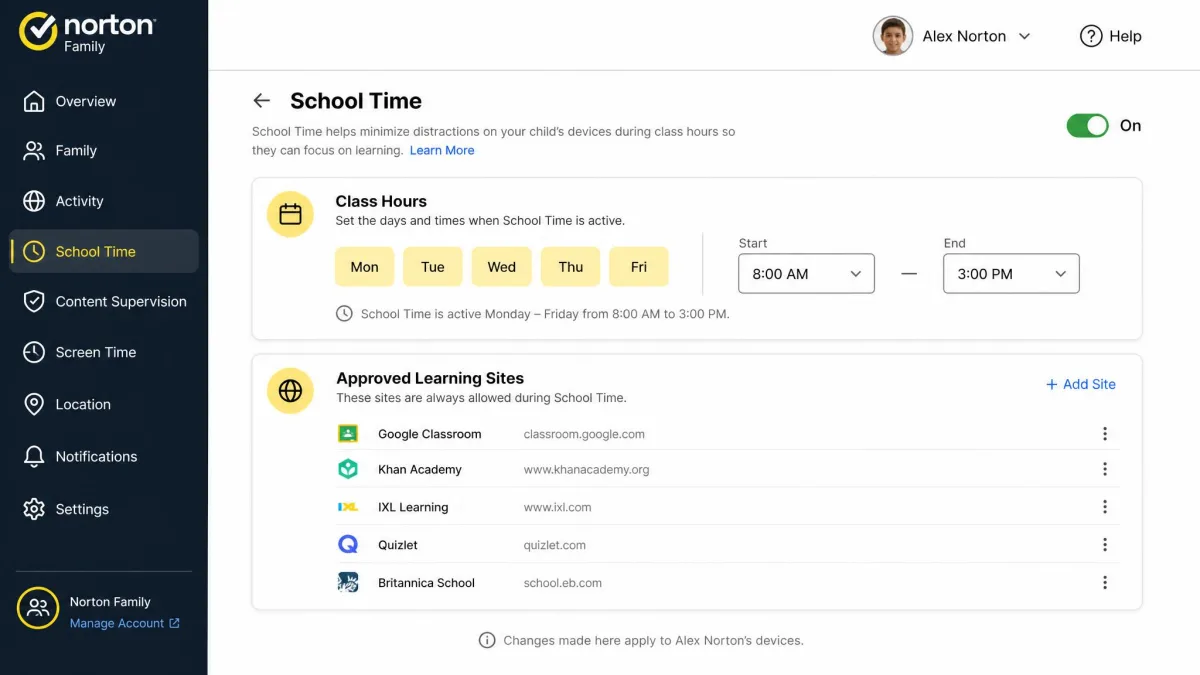
Scheduling leads naturally into the school day, and only one of these two treats it as a mode of its own. Norton Family includes School Time, a dedicated mode that opens up the sites and apps a child needs for remote learning while keeping everything else closed during class hours. It is the clearest single feature advantage Norton Family holds, and for households with remote or hybrid schooling it can be the whole argument.
Mobicip has no dedicated school mode. You can approximate it with a scheduled profile that allows your child's learning sites and blocks the rest, but you build it yourself and you maintain it yourself as the term's tools change.
Pricing and Plans Compared
Mobicip Pricing Tiers
Mobicip sells three annual plans. Lite runs $2.99 a month billed annually, which works out to $35.88 a year for up to 5 devices. Standard is $59.88 a year for up to 10 devices. Premium is $95.88 a year for up to 20 devices, which is the top consumer tier, and beyond that Mobicip quotes an enterprise plan. There is a 7-day free trial with access to premium features and a 30-day money-back guarantee. Mobicip does not publish a renewal rate, so treat year two as an open question.

Norton Family Pricing
Norton Family is $49.99 for the first year as a standalone subscription, with a 30-day free trial that asks for payment details up front and a 60-day money-back guarantee, the longer of the two. It renews at $49.99 a year, the same as the first-year price, for unlimited devices, so there is no second-year jump to plan around. It is also included at no extra cost with Norton 360 Deluxe, which is the cheapest way in if you were buying security software anyway.

Cost Per Device: The Real Annual Math
At 5 devices, Mobicip Lite costs $35.88 against Norton Family's $49.99, so Mobicip is roughly $14 cheaper for the first year. At 10 devices, Mobicip Standard is $59.88 and Norton Family is still $49.99. At 20 devices, Mobicip Premium is $95.88, nearly double Norton Family's first-year price. The crossover sits between five and ten devices: below it Mobicip is cheaper, above it Norton Family pulls ahead and keeps pulling ahead. Add a single Mac to the list, however, and the math stops mattering, because Norton Family will not run on it.
Setup and Ease of Use
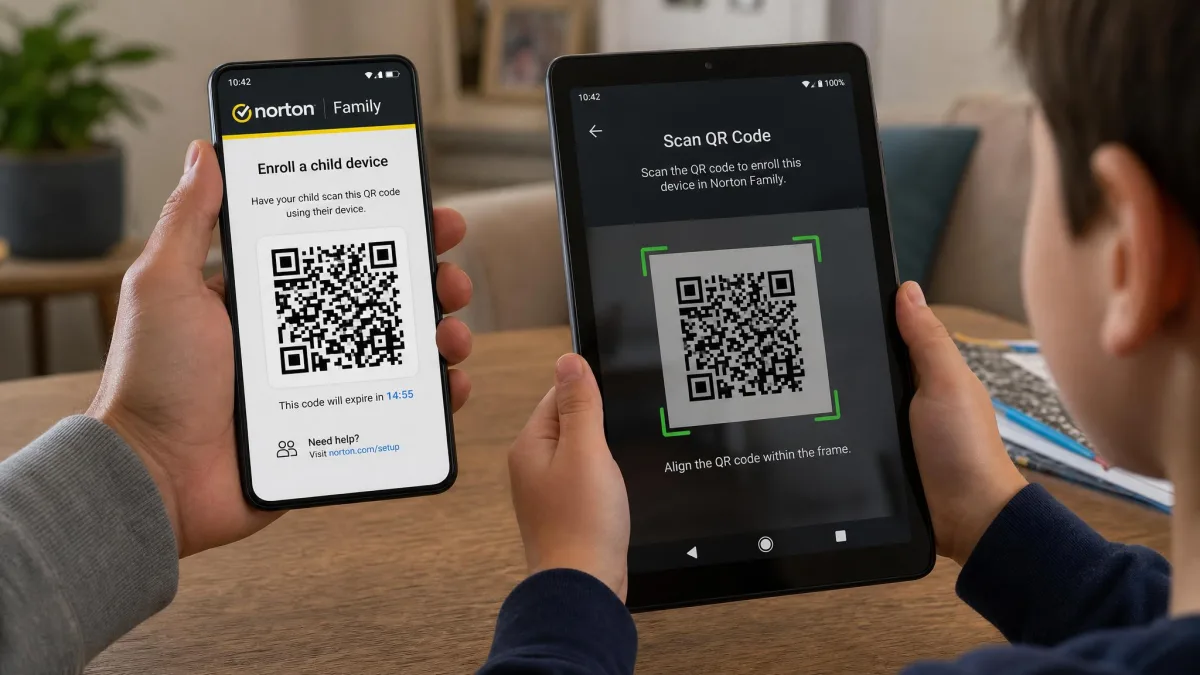
Norton Family enrolls a child device by scanning a QR code, which keeps the process short and hard to get wrong. That said, enrollment can stall on older child devices, so budget a little patience.
Mobicip's setup is the rougher of the two. Installation stalls when the child device already carries an MDM profile or an existing VPN profile, and those have to be deleted by hand before setup will continue, which is easy to miss if you do not know to look. On Android, the setup progress bar can sit almost still for ten minutes or more, long enough that you will wonder whether it has frozen. Support is email only, with no live chat or phone line, so an urgent setup problem waits for a reply.
Before you start either installation, remove any old parental control app, VPN or device management profile from the child's device and make sure you know its passcode. Nearly every stalled setup we have seen traces back to one of those three.
Can Kids Bypass Mobicip or Norton Family?
No consumer parental control app survives a truly determined, tech-savvy teenager, but the two fail in different ways, and knowing how helps you plan around it.
Mobicip's management profile makes the app itself hard to remove, which is the right design. Its weakness is the filter rather than the install: a child does not need to get around Mobicip so much as walk into the gaps it leaves. Norton Family inverts that. Its supervision holds up in daily use, but a determined teenager can remove the app from their own device without the parent being notified, even though uninstalling asks for parent login credentials.
The practical answer for either app is to check in on the reports rather than assume silence means compliance. A child profile that suddenly reports no activity at all is telling you something.
Pros and Cons
Mobicip Pros and Cons
Pros
- Supports Mac, Chromebook and Kindle Fire alongside iOS, Android and Windows
- Per-app time limits, not just device-wide caps
- Cheapest entry point at $35.88 a year for 5 devices
- Keyword filtering and per-site allow and block lists
- Runs unattended once configured, with no technical knowledge needed
Cons
- Blacklist is inconsistent, and some blocked sites and apps still open
- Occasional false blocks on harmless sites, with vague category labels
- VPN-based Android monitoring raises battery use and causes sync delays
- Dashboard rarely explains what a setting does
- Email-only support, and a short 7-day trial
Norton Family Pros and Cons
Pros
- Filtering across 45 content categories, with Access Request appeals
- Marketed as unlimited devices on one $49.99 first-year subscription
- School Time mode for remote and hybrid learning
- 30 days of location history plus geofenced Favorite Locations
- QR-code enrollment, a 30-day trial and a 60-day money-back guarantee
Cons
- No macOS or Chrome OS support at all
- Screen time limits are device-wide only, never per app
- YouTube viewing inside the app goes unrecorded
- No message, email or social media monitoring
- A teen can uninstall it without the parent being alerted
Privacy, Transparency and Talking to Your Kids
Whichever of the two you land on, the same duty of care comes with it. Both apps collect a substantial record of a child's online life, and both fall under COPPA, which governs information collected from children under 13. The parallel question, how much oversight is appropriate at a given age, is one Harvard's Center for Digital Thriving addresses with research rather than fear.
Our own position is simple. Tell the child what is being monitored and why, review the settings together as they get older, and reduce the supervision on a schedule rather than waiting for a fight about it. Norton Family's Access Request feature suits that approach well, because it turns a blocked site into a conversation instead of a dead end.

Alternatives to Mobicip and Norton Family
If neither app fits, the field is wide. Bark and Qustodio lead on message and social monitoring, Net Nanny is strong on real-time filtering, and Canopy focuses on blocking explicit images on the device itself. We have compared several of these head-to-head, including Mobicip against Qustodio, Mobicip against Bark and Canopy against Norton Family.
Free options deserve a look before you spend anything. Google Family Link and Apple Screen Time are built into the platforms your children already use, they cost nothing, and for a single-platform household with younger children they cover most of the same ground. Their limitation is that they stop at the edge of their own ecosystem, which is exactly the gap paid apps such as these two are sold to fill.
Quick Verdict: Which One Should You Pick?
Choose Mobicip If
Your family uses a Mac or a Chromebook, since Norton Family simply will not run on either. The same route applies if you need per-app time limits rather than one device-wide allowance, if keyword filtering and granular allow lists are part of your plan, or if you have five or fewer devices and want the lowest annual price. Support is email only, so factor in a wait if something goes wrong mid-week.
Choose Norton Family If
Your household runs on Windows, Android and iOS, you have more devices than a cheap tier covers, or School Time would help during the school week. The same goes if you already pay for Norton 360 Deluxe, because it is bundled in at no extra cost. Plan around the limits: macOS and Chrome OS are out, time limits apply to the whole device, and YouTube watched inside the app is invisible to it.