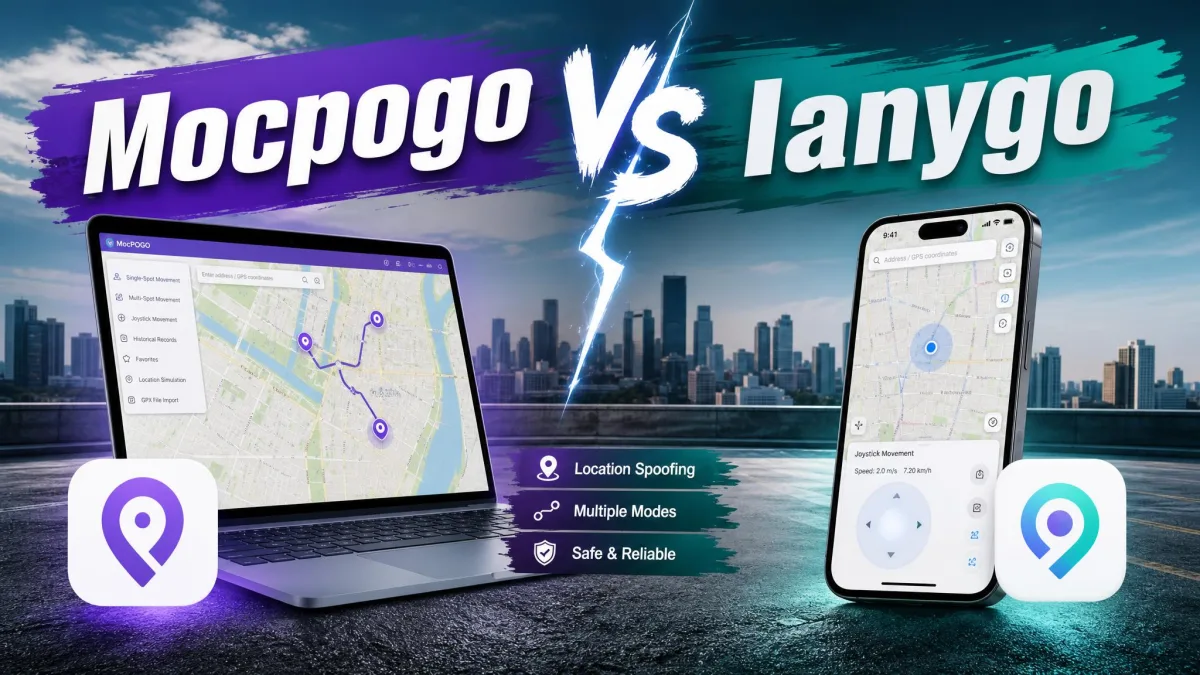
If you are choosing between MocPOGO and PoKeep, you are choosing a location changer that sits between your phone's GPS and every app that reads it. Both are desktop tools that set a fake GPS location anywhere in the world, then let you walk, drive or teleport around it in Pokemon GO, Life360, Tinder or Google Maps.
Neither one asks you to jailbreak or root anything. MocPOGO is the busier of the two, with a 15-phone licence and the wider OS range. PoKeep is the leaner one, with a 25-use free trial and a cooldown timer that does the arithmetic for you.
This comparison covers price, movement modes, platform support, ban risk and the traps waiting at each checkout.
MocPOGO vs PoKeep at a Glance
MocPOGO and PoKeep do the same job and split on the details. The grid sets their capabilities side by side.
| Feature | MocPOGO | PoKeep |
|---|---|---|
| Teleport, one-click change | Yes | Yes |
| Two-spot movement | Yes | Yes |
| Multi-spot, custom routes | Yes | Yes |
| Jump teleport | Yes | Auto-hops after cooldown |
| Joystick control | 360-degree | 360-degree, W/A/S/D keys |
| Cooldown timer | Advisory display | Calculated from distance |
| GPX import and export | Import only | Import and export |
| Route and location history | Paid tiers only | Every tier |
| Favourites | Saved Spots, paid only | Favourite routes |
| Realistic speed control | 3.6 to 100 km/h | Walk, cycle, drive, fluctuation |
| Multi-device limit | 15 phones | 10 phones, 1 PC |
| Connection methods | USB, Wi-Fi, Bluetooth 5.0 | USB, Wi-Fi, Bluetooth |
| Jailbreak or root required | No | No |
| Supported iOS range | Up to iOS 27 | Up to iOS 26 |
| Supported Android range | Up to Android 17 | Android 6.0 to 16 |
| Free trial | 1 device, a few runs | Up to 25 uses |
Two rows do most of the work. PoKeep hands you 25 free uses, and MocPOGO hands you 15 phones per licence.

What MocPOGO and PoKeep Actually Do
Both tools run on a computer and push a fake position to a phone connected to it. Neither is an app you install on the handset alone.
What Is MocPOGO?
MocPOGO is a desktop location changer sold in separate Windows, Mac, iOS and Android editions, and MocPOGO's official site fronts all four. It moves your GPS location anywhere in the world with a single click, and one licence drives 15 phones. Our full MocPOGO review covers the app in more depth.
What Is PoKeep?
PoKeep is the newer arrival, and PoKeep's official site sells one product with Windows and Mac builds rather than four editions. It adds a Cooldown Assistant, GPX import and export, and 25 free uses, and our PoKeep review digs into the app on its own.
Feature-by-Feature Comparison
The feature lists overlap almost completely. What separates these two is how much you can reach without paying, and how much thinking each one does for you.
Teleport and One-Click Location Change
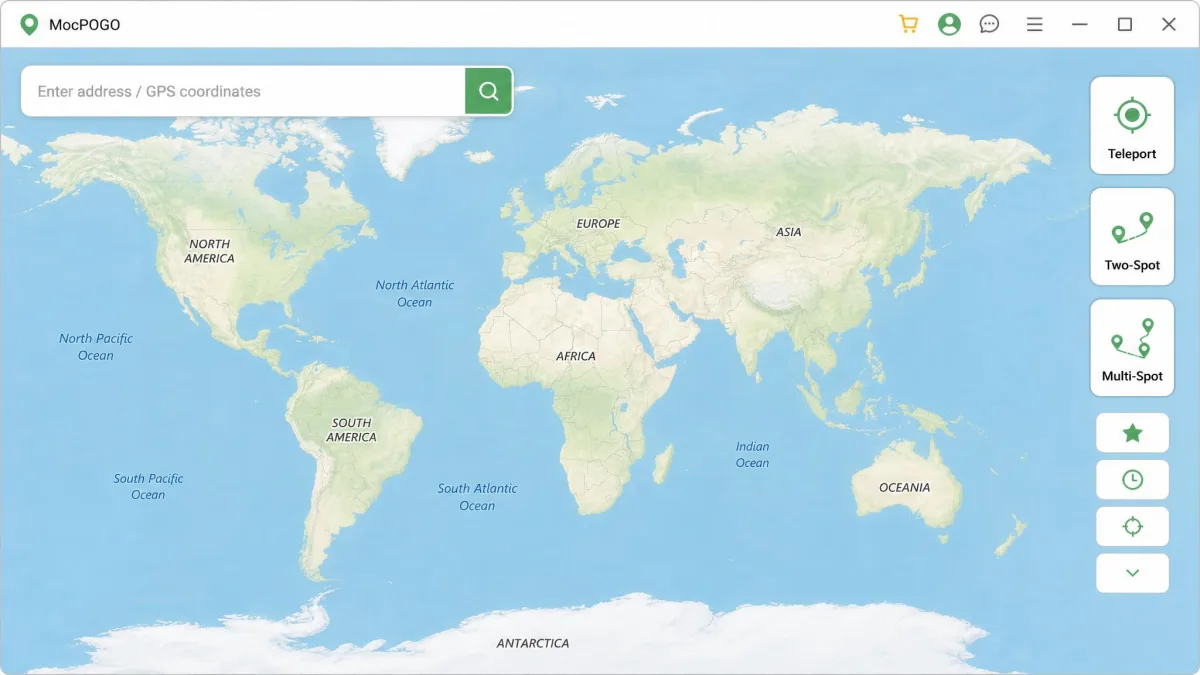
You drop a pin or search an address, and the phone then reports that spot to every app that asks for GPS location. MocPOGO applies it with a single click, and PoKeep adds a jump teleport that hops between saved spots once the cooldown clears.
Movement Modes: Joystick, Two-Spot, Multi-Spot and Custom Routes
Both give you a 360-degree joystick, two-spot movement and multi-spot routes, and PoKeep maps its joystick to the W, A, S and D keys. MocPOGO sets any pace from 3.6 km/h to 100 km/h, so you can hatch eggs without walking at a speed that still looks plausible. PoKeep offers walk, cycle and drive presets plus a fluctuation mode.
Cooldown Timer and Soft-Ban Protection
Teleport too far and too fast, and Pokemon GO quietly stops giving you loot. MocPOGO shows the cooldown as a reminder rather than a lock, while PoKeep's Cooldown Assistant works the wait out from the distance travelled. Both are advisory, so a soft ban is still reachable if you jump early.
Let the timer run out before your next jump, and turn on PoKeep's fluctuation mode or set a believable speed in MocPOGO. Nothing you can buy protects an account that crosses a continent every ten minutes.
Multi-Device Control, GPX Import and Route History
MocPOGO drives 15 phones from one computer, and PoKeep covers 1 PC and 10 phones, iOS and Android mixed. MocPOGO only imports GPX files, while PoKeep imports and exports and gives every user the location records and favourite routes that MocPOGO paywalls.
Which Games and Apps Each Tool Supports
Both list Pokemon GO first and Monster Hunter Now second, and both work with Life360, WhatsApp, Tinder and Google Maps. MocPOGO adds Grindr, Waze and Find My Friends and claims 50-plus location-based apps, while PoKeep names Snapchat instead.
MocPOGO leans hard towards games, so if you are changing your GPS location for privacy or app testing, its feature set was built for someone else.
Platforms, Devices and Setup Requirements
Both tools need a computer. The phone is one of the devices being driven, not the machine doing the work.
Supported iOS and Android Versions
MocPOGO supports iPhones up to iOS 27 and Android up to Android 17 as of 8 August 2026. Its own pages disagree on the floor, and MocPOGO's technical FAQ and the homepage quote it as both iOS 12 and iOS 13.
PoKeep reaches iOS 26 and Android 6.0 up to Android 16. Ignore its advertised iOS 5 floor, because PoKeep's own guide makes Developer Mode mandatory and that toggle only exists from iOS 16.
Jailbreak, Root and Developer Mode
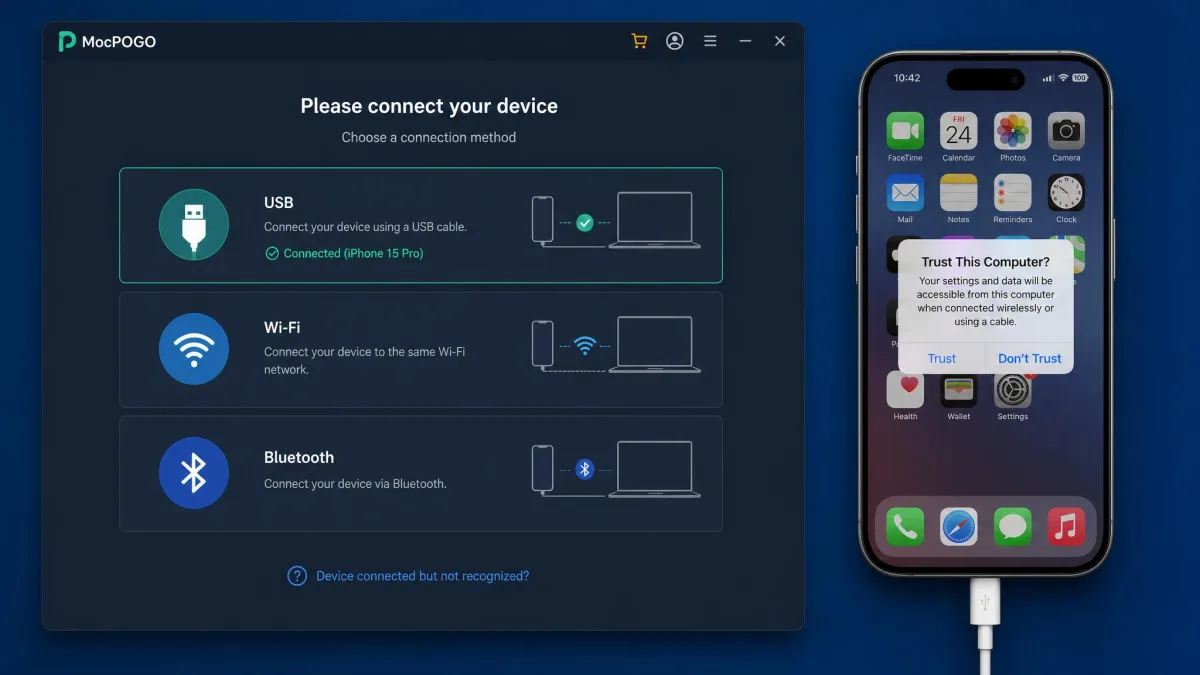
Neither tool asks for a jailbreak or a root, and both work through Developer Mode on iOS and mock location on Android instead. Getting an iPhone ready means enabling Developer Mode under Settings, then Privacy and Security, followed by a reboot. Android needs Build Number tapped seven times and USB debugging switched on.
Connection Options: USB, Wi-Fi and Bluetooth
We default to a USB cable on MocPOGO, because Wi-Fi pairing is fiddly enough that the cable saves more time than it costs. Its Bluetooth mode needs an adapter rated 5.0 or higher.
PoKeep's iOS Game Mode pairs over Bluetooth instead, and it wants Location Services, cellular data and Wi-Fi off for ten seconds before any jump over 20km.
Safety, Legitimacy and Ban Risk
Neither of these is illegal software, and neither is malware. What they are is a direct breach of the rules of the game most people buy them for.
Niantic's terms of service now redirect to the Scopely Explore terms that govern Pokemon GO. Those terms forbid "using any techniques to alter or falsify a device's location (for example through GPS spoofing)". They allow suspension "at any time and without notice", with no obligation to refund what you lose.
Spoofing puts your Pokemon GO account at risk of suspension, and the terms say you are owed nothing back for what that costs you. Cooldown timers reduce the risk. They do not remove it.
No independent count of suspensions exists for either tool. Vendor claims about anti-ban technology are marketing rather than measurement, and the accounts circulating in the r/PokemonGoSpoofing community are anecdotes.
The money side has a clearer record. MocPOGO's Trustpilot rating stands at Average, 3.2 out of 5 across 48 reviews. The complaints cluster around refunds and cancellation rather than spoofing, while PoKeep's 4.0 TrustScore rests on only three ratings.
Pricing and Plans Compared
Both vendors run rotating discount banners, so the number you see depends on the day. Every figure below was checked on 8 August 2026.
| Plan | MocPOGO | PoKeep |
|---|---|---|
| Monthly | $9.95 Windows, $12.95 Mac, $19.95 iOS | $12.95 |
| Quarterly | Figure moves with the banner | $19.95 to $29.95 |
| Annual | Around $49.95 Windows | $39.95 to $69.95 |
| Lifetime | $55.97 to $79.95, Windows | $89.95 |
| Device cap | 15 phones, 1 computer | 10 phones, 1 PC |
| Licence portability | Windows and Mac separate; only iOS bundles both | Windows and Mac bought separately |
| Auto-renew default | On, except lifetime | On, except lifetime |
| Refund terms | 30-day, paid in 7-10 business days | 30-day, every tier |
MocPOGO Pricing and Subscription Traps
MocPOGO's entry price is the lowest here, at $9.95 per month for Windows against a $19.95 list. The Mac app is a separate $12.95 product, and only the iOS plan, at $19.95, bundles both desktop builds.
Plans renew automatically. The refund policy turns down renewals charged when no cancellation was asked for, and it turns down buyers who skipped the free trial.
PoKeep Pricing and Free Trial
PoKeep charges $12.95 per month against a $18.50 list, and the lifetime licence costs $89.95 once. Its quarterly and annual tiers swing with the banner, rendering at $19.95 or $29.95 for three months and $39.95 or $69.95 for a year on 8 August 2026.
Those 25 free uses cover teleport, joystick and route modes across more than one phone. MocPOGO's free tier is one device, with history and favourites locked.
Which One Is Better Value?
Over a single month, MocPOGO's Windows tier is cheaper by three dollars. Over a year the answer flips with whichever banner is live.
PoKeep's free uses let you find out whether the software works on your own phone before you pay. MocPOGO's thin trial does not.
How to Change Your Location, Step by Step
The sequence is similar in both apps and the button labels are not. Here is what each one asks of you.
Changing Location with MocPOGO
Installing MocPOGO and making the first change is straightforward enough for a beginner, and the same install handles several phones in a row without complaint.
- Install the desktop app on your Windows PC or Mac, then open it.
- Connect the phone by USB cable and tap "Trust" when iOS asks.
- Switch on Developer Mode under Settings, then Privacy and Security, and reboot. On Android, tap Build Number seven times and enable USB debugging.
- Wait for the map to load, then choose "Teleport Mode" from the toolbar.
- Search an address or drop a pin, then click "Move" to apply the change.
If the map never finishes loading, close the app and reconnect the cable.
Changing Location with PoKeep
PoKeep asks you to choose a mode first, because Universal Mode and Game Mode connect in different ways.
- Install PoKeep and pick "Universal Mode" or "Game Mode" on the opening screen.
- Connect over USB for Universal Mode, or pair over Bluetooth for iOS Game Mode.
- Enable Developer Mode and reboot the iPhone, or on Android enable USB debugging and pick the PoKeep helper under "Select mock location app".
- Search your destination and click "Move Here", or click the joystick icon and steer with the W, A, S and D keys.
- Before any jump over 20km in Game Mode, switch off Location Services, cellular data and Wi-Fi for ten seconds.
The first connection can take about ten minutes to establish, and sessions run cleanly once it holds.
Pros and Cons
Both vendors publish their own comparison pages, and both conclude in their own favour. Here is the honest version.
MocPOGO Pros and Cons
MocPOGO buys you reach. It costs you certainty about what you are paying for.
Pros
- Lowest entry price here, $9.95 a month for Windows
- One licence drives up to 15 phones at once
- Widest OS coverage, reaching iOS 27 and Android 17
- Custom speed from 3.6 km/h to 100 km/h
Cons
- Windows and Mac sold as separate products
- Desktop app can crash mid-session or fail to push a change
- Movement mode buttons are hard to tell apart before you pick one
- Average Trustpilot standing, driven by refunds and cancellations
PoKeep Pros and Cons
PoKeep buys you a way to check before you commit. It costs you some ceiling.
Pros
- Up to 25 free uses before payment
- Cooldown Assistant calculates the wait from distance
- GPX import and export, not import alone
- History and favourite routes on every tier
Cons
- The $89.95 lifetime licence is the dearer of the two
- Quarterly and annual prices swing with the banner
- Android Game Mode needs the official game uninstalled
- Almost no independent track record to check
Common Problems and How to Fix Them
Activation and billing errors turn up in a minority of MocPOGO setups rather than being the normal experience. A card can be charged while the software still fails to activate, and getting that money back means working through a support queue that does not always answer quickly.
MocPOGO also needs updating often, because game-side detection keeps shifting underneath it. Check for an update before you open a ticket.
PoKeep fails elsewhere. Android Game Mode wants the official game uninstalled first, and Universal Mode dies mid-session when its helper app is not excluded from battery optimisation.
The pattern running through complaints about both tools is not the spoofing. It is the checkout. Pay monthly first, confirm the software really connects to your phone, and only then decide whether a longer licence is worth buying.
Other Alternatives Worth Considering
None of them changes the underlying calculation about ban risk. Our roundups of the best Pokemon GO spoofer and the best virtual location changers cover more of the field.
Verdict: MocPOGO or PoKeep?
With the features, the prices and the risks all on the table, the decision comes down to one thing. How much are you willing to pay before you know the software works?
Neither tool wins on the spec sheet alone, and a discount banner can close the price gap between them on any given day.

Who Should Choose MocPOGO
Choose MocPOGO if you are running more than ten phones from one computer, or if your iPhone is already on iOS 27. Buy it monthly first, and cancel before the renewal date if it will not hold a connection.
Who Should Choose PoKeep
Choose PoKeep if you have never spoofed before, or if you want to test the software on your own phone before paying. Skip the $89.95 lifetime tier until you have run the 25-use trial.
Frequently Asked Questions
These are the questions we field most often, with the answers the product pages tend to leave out.