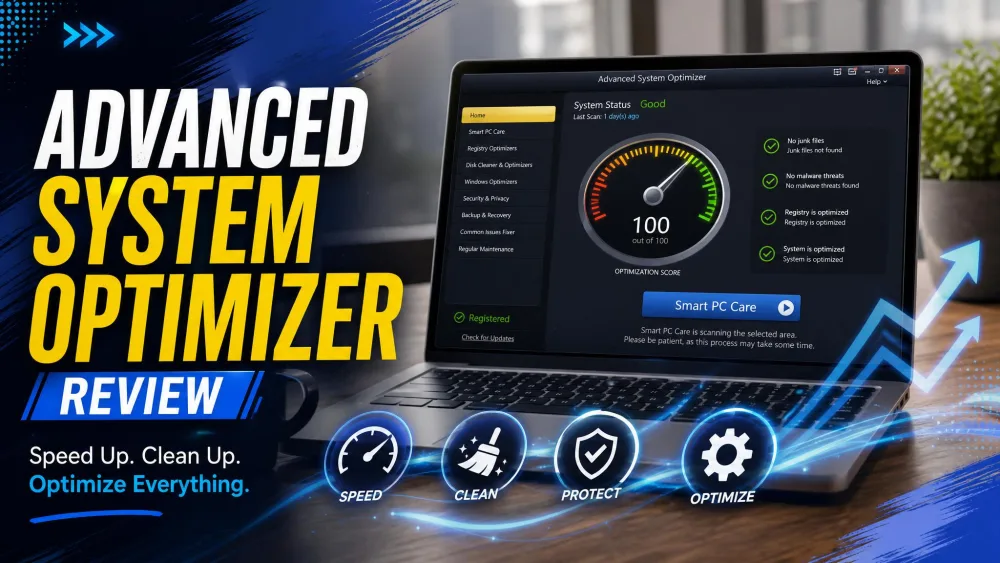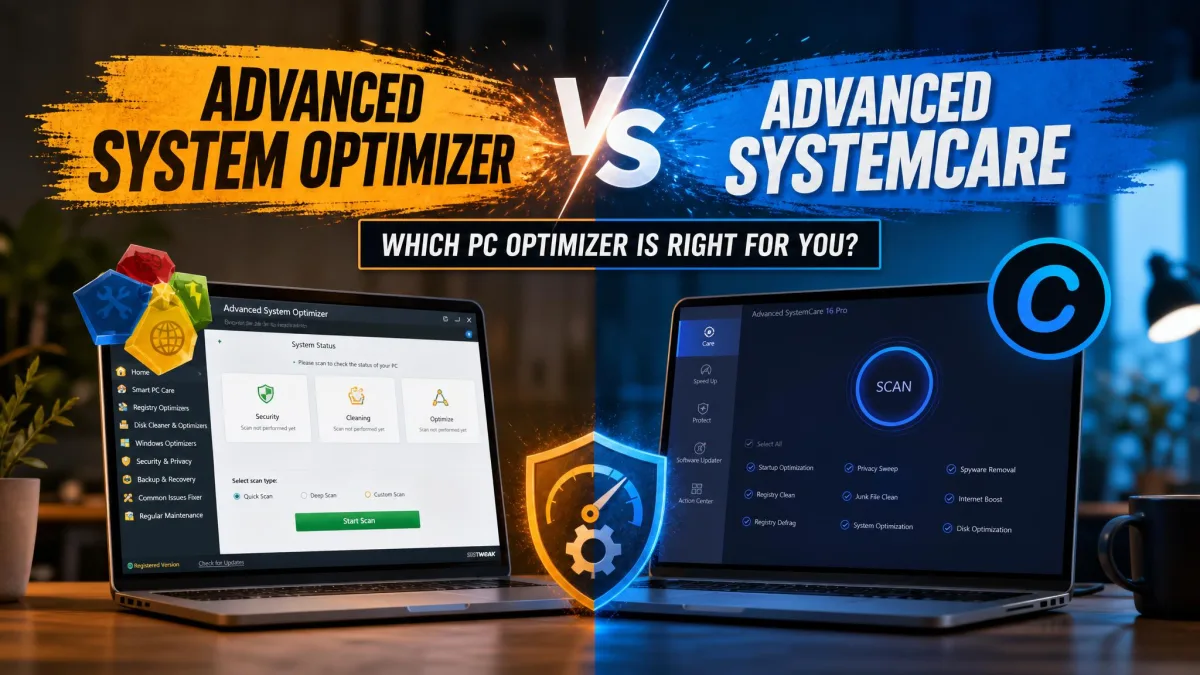
A Windows PC that once booted in seconds starts to drag after a year or two of daily use. Temp files pile up, the registry fills with orphaned entries, and startup programs multiply until the desktop takes a full minute to settle. Two names come up again and again when people go looking for a fix: Systweak's Advanced System Optimizer and Piriform's CCleaner.
One quick point first. Advanced System Optimizer is the Systweak product, not IObit's similarly named Advanced SystemCare, and the two get confused constantly. We tested the Systweak tool here, running both apps through real before-and-after cleanup scenarios on our Windows test machines to see which one earns a place on your PC.
Advanced System Optimizer vs CCleaner: Quick Verdict
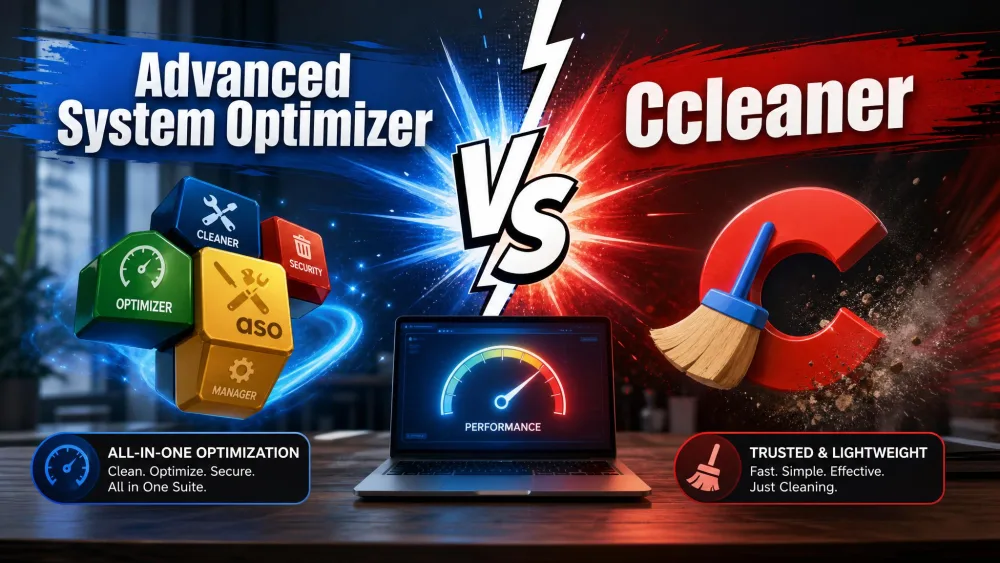
CCleaner is the better pick for most people: fast, cross-platform on Windows, macOS, and Android, and backed by a genuinely useful permanent free tier. Advanced System Optimizer makes more sense if you want one Windows license that bundles a driver updater, duplicate finder, secure delete, and backup tools, and you do not mind its dated interface and short trial.
What Is Advanced System Optimizer?
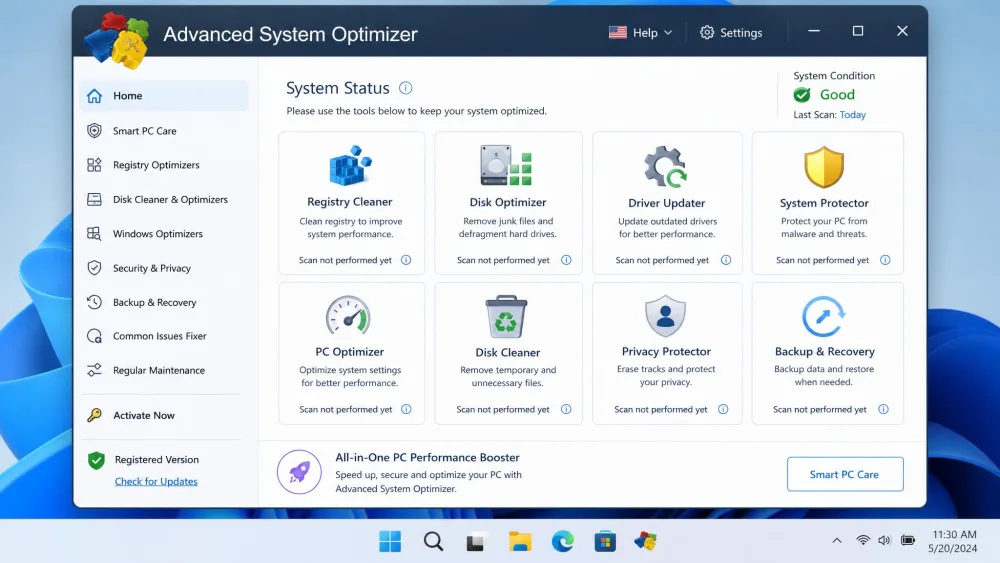
Advanced System Optimizer is Systweak's all-in-one Windows maintenance suite. Rather than doing one thing well, it packs more than 15 modules into a single dashboard and asks you to treat it as your whole toolbox.
Key Features
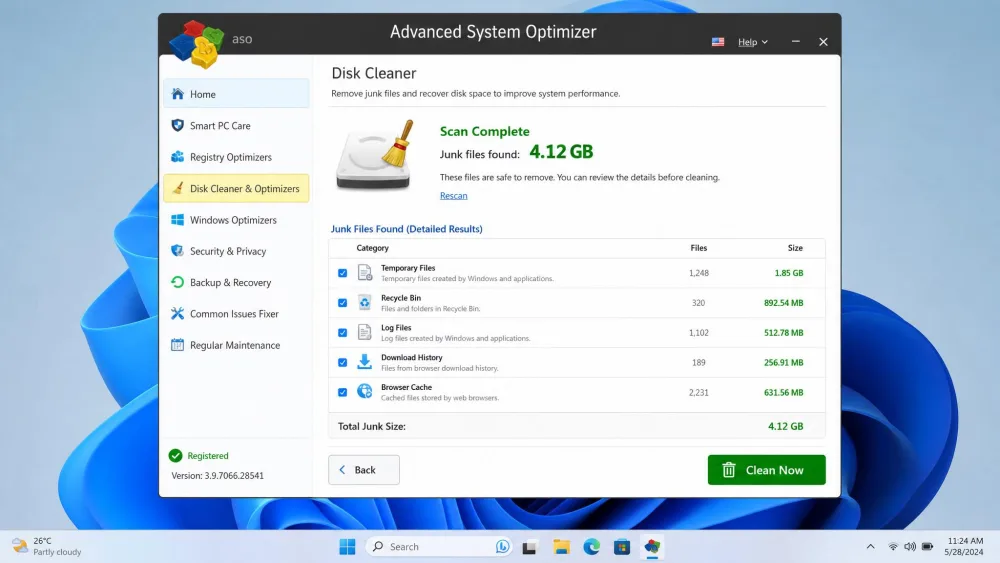
The lineup is broad. You get a Registry Cleaner and Optimizer, a System Cleaner, a Disk Optimizer, and Disk Tools for the basics, plus a Driver Updater with backup, a System Protector malware scanner, a Privacy Protector, Secure Delete and Secure Encryptor, a Duplicate File Remover, a Startup Manager, a Backup Manager, and a Scheduler. In our testing, the disk cleanup cleared more than 4GB of junk in a single run, and the machine felt noticeably quicker to boot afterward. The System Protector also flagged trojans that some better-known tools had missed.
Pros and Cons
Pros
- Broad toolset: driver updater, duplicate finder, secure delete, and backup in one license
- Deep disk cleanup that freed several gigabytes in our runs
- System Protector caught malware other scanners missed
Cons
- Interface looks dated and lacks clear progress indicators during scans
- The 24-hour trial expires far too fast to test the full suite
- Aggressive-upsell reputation, and support can be slow and bot-driven
Pricing
Advanced System Optimizer runs $49.95 per year, discounted from a $69.95 list price, on a one-year license that auto-renews. Systweak backs it with a 60-day money-back guarantee, which is generous. The catch is the free option: it is a 24-hour fully functional trial rather than a lasting free tier, and only a few features keep working once that day is up. The official page does not state how many PCs a single license covers, so confirm the device count at checkout.
What Is CCleaner?
CCleaner is the tool most people picture when they think "PC cleaner." It has been around for years, and its focus is narrower: find junk and privacy leftovers, then clear them out quickly.
Key Features
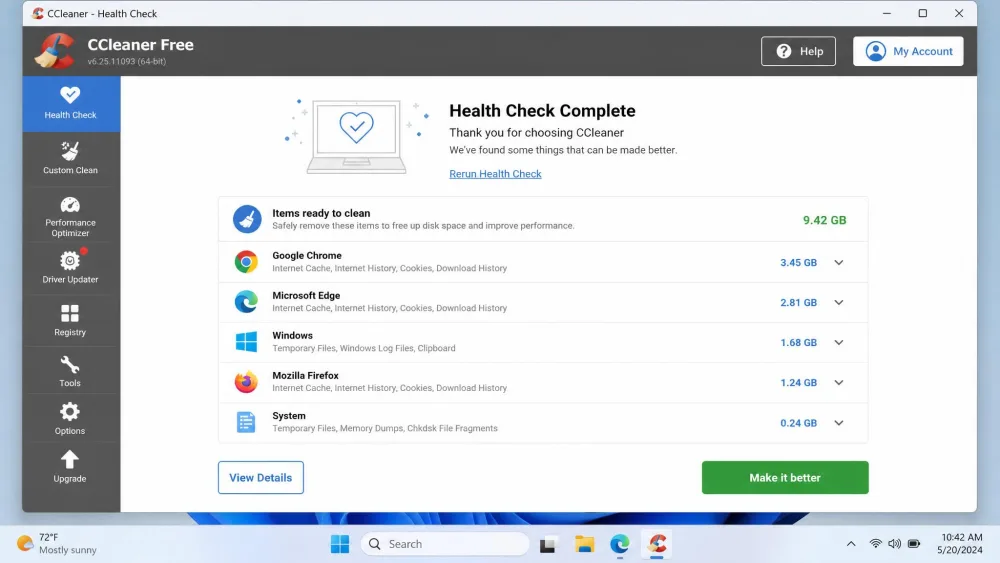
The core Cleaner handles junk and temp files, browser cache, and cookies. Around it sit a registry cleaner, a Performance Optimizer, Health Check for a guided one-click pass, scheduled cleaning, and privacy protection. Paid tiers add real-time monitoring, a Driver Updater, and a software updater. In our testing, the standard Cleaner scan finished in well under a minute and flagged several gigabytes of cache and temp files. On Windows 11 24H2, clearing those files tidied up clutter but did not measurably change boot times or responsiveness. CCleaner is hygiene, not a performance booster.
Pros and Cons
Pros
- Very fast scans that finish in under a minute
- A permanent, genuinely useful free tier
- Runs on Windows, macOS, and Android
Cons
- Cleaning is hygiene only; do not expect real speed gains
- A steady stream of prompts to upgrade to Professional gets tiresome
- Reputation baggage from the 2017 hack and Avast data history
Pricing
CCleaner keeps a real Free tier with standard cleaning, standard privacy protection, and a basic Health Check. Paid plans start at Professional, listed around $44.95 per year for one device, though CCleaner discounts so often that the checkout price frequently lands lower. Above that, Professional Plus and a Premium Bundle both sit around $64.95 per year, covering more devices and, in the bundle's case, adding Recuva Pro, Speccy Pro, and Kamo. Paid tiers come with a 30-day money-back guarantee.
Advanced System Optimizer vs CCleaner: Feature-by-Feature Comparison
Here is how the two stack up on the jobs people actually buy a cleaner to do.
| Feature | Advanced System Optimizer (Systweak) | CCleaner |
|---|---|---|
| Price/licensing | $49.95/year (from $69.95), 1-year auto-renew | Free; Pro $44.95/yr (1 device); Pro Plus $64.95/yr |
| Free version | 24-hour full trial only | Yes, permanent free tier |
| Junk/temp cleanup | System Cleaner and Disk Optimizer | Core Cleaner, scan under a minute |
| Registry cleaner | Yes (Registry Cleaner and Optimizer) | Yes (use with caution) |
| Privacy protection | Privacy Protector, Secure Delete, Secure Encryptor | Privacy protection plus Kamo (Premium) |
| Duplicate finder | Yes (Duplicate File Remover) | No |
| Driver updater | Yes (Driver Updater and Backup) | Yes (Pro) |
| Startup manager | Yes | Yes |
| Real-time/scheduled optimization | Scheduler | Scheduled cleaning plus real-time monitoring (Pro) |
| Platform support | Windows only | Windows, macOS, Android |
| Safety/reputation | Aggressive-upsell reputation; smaller brand | 2017 supply-chain hack; Avast data history |
Junk and Disk Cleaning
Both tools clear junk well, but they feel different in practice. CCleaner is built for speed, its scan done almost before you have read the results. Advanced System Optimizer takes longer but digs deeper, surfacing several gigabytes of clutter in a single pass. For everyday speed, CCleaner wins; for a heavier sweep, Systweak's suite edges ahead.
Registry Cleaning and Repair
Both include a registry cleaner, and both deserve the same caution. Registry cleaning rarely delivers the speed boost people hope for, and a careless pass can cause more trouble than it fixes. Back up first, keep the default scan depth, and treat it as tidying rather than tuning whichever tool you use. Neither should be your reason for buying.
Speed and Performance Optimization
This is where the two products diverge most. CCleaner is honest hygiene: it removes files, but on modern Windows it did not measurably change how fast the machine booted or responded. Advanced System Optimizer leans harder into performance, adding a Memory Optimizer, a Game Optimizer, and disk defragmentation, and our test machine did feel snappier to boot after a deep cleanup run. How much it helps depends on how cluttered your PC was to begin with.
Privacy and Security Tools
Systweak stacks up well here. Advanced System Optimizer adds a Privacy Protector, Secure Delete for shredding files beyond recovery, a Secure Encryptor, and the System Protector malware scanner that caught trojans in our testing. CCleaner covers privacy cleaning and, on its Premium bundle, adds the Kamo anti-tracking tool, but it does not try to be an antivirus. If layered privacy and file-shredding matter to you, Advanced System Optimizer offers more in one place.
User Interface and Ease of Use
CCleaner is the easier tool to live with. Its layout is clean, Health Check gives newcomers a guided one-click path, and nothing feels buried. Advanced System Optimizer's dashboard, by contrast, looks dated, and it could use clearer progress indicators during scans. That busier interface is the price of having 15-plus tools in one window.
System Impact and Resource Use
Neither tool is heavy in normal use, but their footprints match their ambitions. CCleaner is light and quick, spinning up, scanning, and getting out of the way. Advanced System Optimizer, with its always-available suite and Scheduler, is a larger install that sits more permanently on the system.
Platform and Compatibility
Advanced System Optimizer runs on Windows 11, 10, 8.1, 8, and 7 in both 32-bit and 64-bit builds, but it is Windows only. CCleaner also covers Windows and adds macOS and Android apps, so if you want one brand across a mixed set of devices, CCleaner is the only option of the two.
Pricing and Value Compared
On headline price the two are close: Advanced System Optimizer is $49.95 per year from $69.95, and CCleaner Professional lists around $44.95 per year, often less after a discount. The real difference is what each price represents.
Advanced System Optimizer's value is not any single standout module; it is packing 15-plus tools into one license, from driver updater to secure delete to backup.
CCleaner's strength is its free tier. Most people can start free, turn off telemetry, and only pay if they want scheduling and automation. Advanced System Optimizer has no lasting free option, only a 24-hour trial, so you are effectively buying blind unless that single day convinces you. Systweak's 60-day money-back guarantee softens that risk, and it is twice as long as CCleaner's 30-day window.


Reputation and Safety
Both products carry history worth knowing before you install. CCleaner suffered a 2017 supply-chain hack in which malware was distributed through its official installer, and its later owner, Avast, drew criticism over selling user data. Piriform has since tightened its security, and the current app is safe to use, but the episode is a fair reason to keep telemetry off. Advanced System Optimizer has a cleaner security record, though Systweak carries an aggressive-upsell reputation, and activation-code delays with slow, bot-driven support are a known frustration.
Download either tool only from its official vendor page. Bundled installers from third-party sites are the most common way these utilities pick up unwanted extras. Given CCleaner's 2017 incident and Avast's data history, switch off any telemetry the first time you run it.
Across our cleanup sessions the pattern held: CCleaner was the one we reached for when we just wanted junk gone quickly, and Advanced System Optimizer was the one we opened when we wanted a duplicate sweep, a driver check, and a secure-delete pass in one place.
Which Should You Choose?
Choose Advanced System Optimizer If...
You want one Windows license that covers far more than cleaning. If a driver updater, duplicate finder, secure file deletion, disk defragmentation, and backup tools in a single dashboard appeal to you, Systweak delivers real breadth, and the 60-day guarantee lets you try it properly despite the short trial. It suits tinkerers who like everything in one place.
Choose CCleaner If...
You want fast, no-fuss cleaning that just works, or you run more than one operating system. CCleaner's free tier handles the essentials well, its scans are quick, and it is the only one of the two available on macOS and Android. For most people asking which cleaner to install, this is the answer.
Frequently Asked Questions
Does Advanced System Optimizer slow down your PC?
Is CCleaner safe to use now?
Will cleaning the registry break my installed programs?
Is there a free version of each?
What are good alternatives?
Conclusion
So how do you decide? Start with the question you are actually trying to answer. If it is keeping a PC tidy without fuss, ideally for free and maybe across a Mac and a phone too, you already have your tool. If instead you want a single license that also handles driver updates, duplicate files, secure deletion, and backups, and you can live with a dated interface, the breadth tips the other way. Weigh how much of that extra toolkit you would genuinely use before paying, and lean on each vendor's money-back window to try before you commit. For deeper background, see our Advanced System Optimizer review.