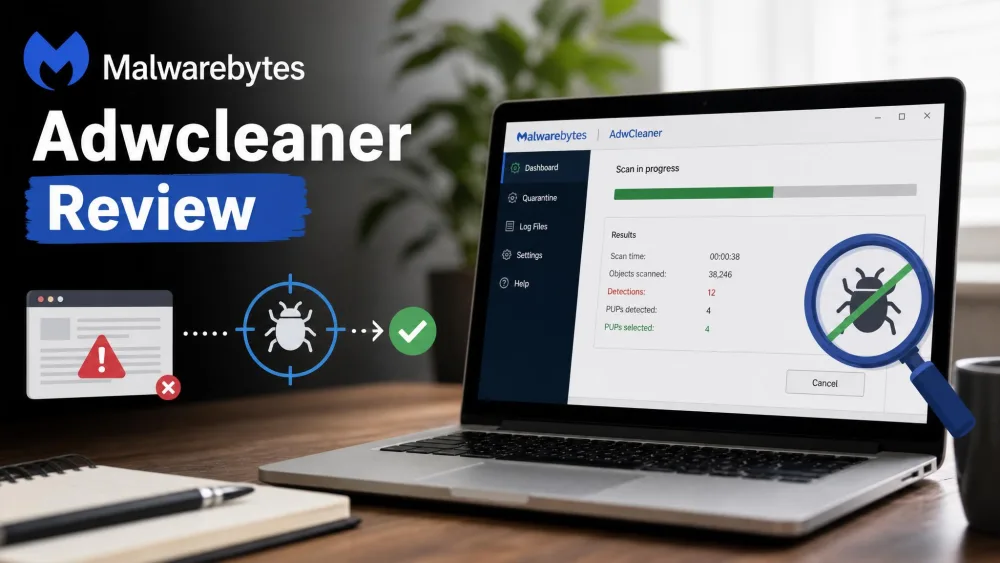
Junk files pile up and startup drags. Then one morning the browser opens on a search page you never set, and that is when most people start hunting for a PC cleaner, with two names surfacing again and again: AdwCleaner and Advanced SystemCare.
We installed both tools ourselves and ran them side by side on our test machines. Advanced SystemCare ran in its paid Pro edition; AdwCleaner ran in its free build. We used an older, cluttered laptop and a newer, well-maintained desktop, tracking what each removed, what it cost in speed, and what it left behind.
AdwCleaner vs Advanced SystemCare at a Glance
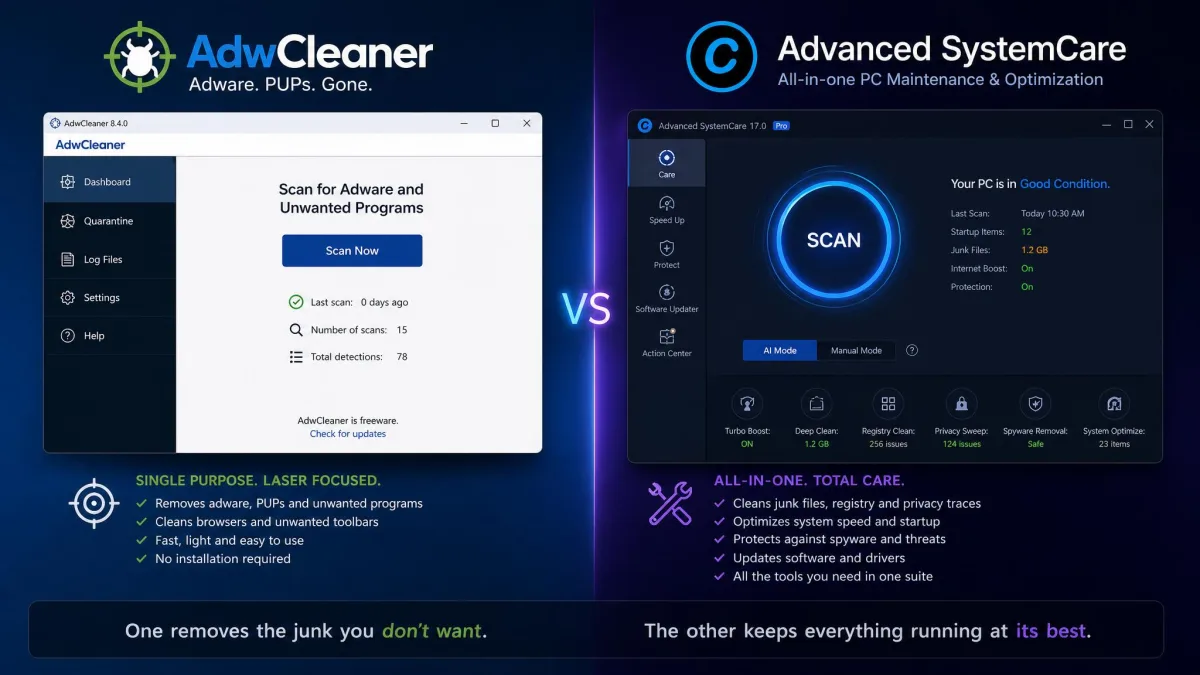
The short version: AdwCleaner removes adware and browser hijackers. Advanced SystemCare is an all-in-one maintenance suite that cleans, tunes, and protects. This comparison lines them up on the features that decide the choice.
| Feature | AdwCleaner | Advanced SystemCare |
|---|---|---|
| Primary purpose | Adware, PUP, and browser-hijacker removal | All-in-one tune-up: cleaning, boosting, protection |
| Scan type | On-demand manual scans; no scheduled scans | 1-Click AI Mode plus scheduled cleaning |
| Real-time protection | None; on-demand only | Pro and Ultimate only (plus Safe Folder) |
| Registry cleaning | Repairs registry entries left by adware | Dedicated Registry Cleaner (restore point included) |
| Scheduling | None | Scheduled maintenance in paid tiers |
| Price / free tier | $0, free for everyone | $0 free tier; Pro from about $19.99/year |
| OS support | Windows 7-11 (32/64-bit), portable | Windows 7-11 (also Vista, XP) |
| Best for | Stubborn adware, hijacked search, toolbar purges | One-click ongoing maintenance on slow PCs |

What Is AdwCleaner?
AdwCleaner began in 2011 as a project by three French 17-year-old students. It grew into one of the most used adware removal tools on Windows. Malwarebytes, founded in 2008, acquired it in 2016 and has kept it free. The current build is 8.8.1, it runs on 32-bit and 64-bit versions of Windows 7 through Windows 11, and a portable build is available.
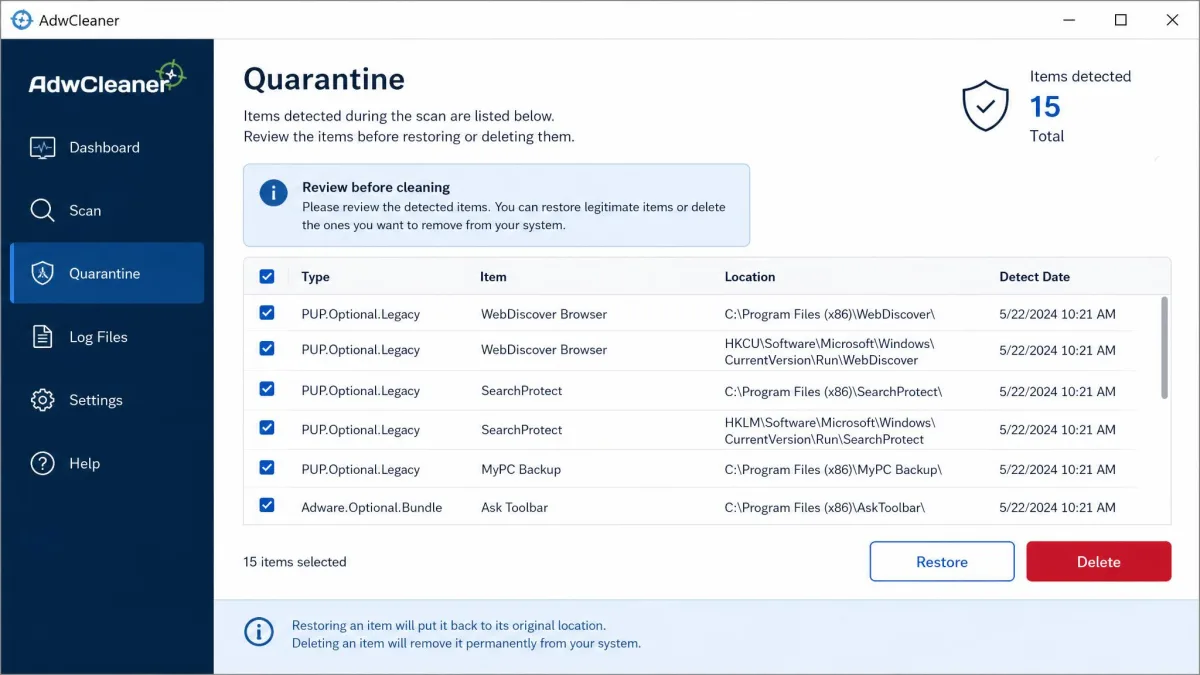
The tool has one job, and it is relentless about it. It finds and removes adware, potentially unwanted programs, browser hijackers, and toolbars, plus the leftovers they leave behind in files, folders, registry entries, services, and scheduled tasks. It is aggressive by design, though. During one pass it highlighted applications we would consider safe, including a paid video converter it wanted to remove, and we restored it from quarantine, which is how we learned to review the results list before cleaning anything. Cleaning also closes open programs and forces a restart before removal finishes, so we schedule it for a moment when an interruption does not matter.
Key Features
- Portable, no-install design that runs from a USB stick
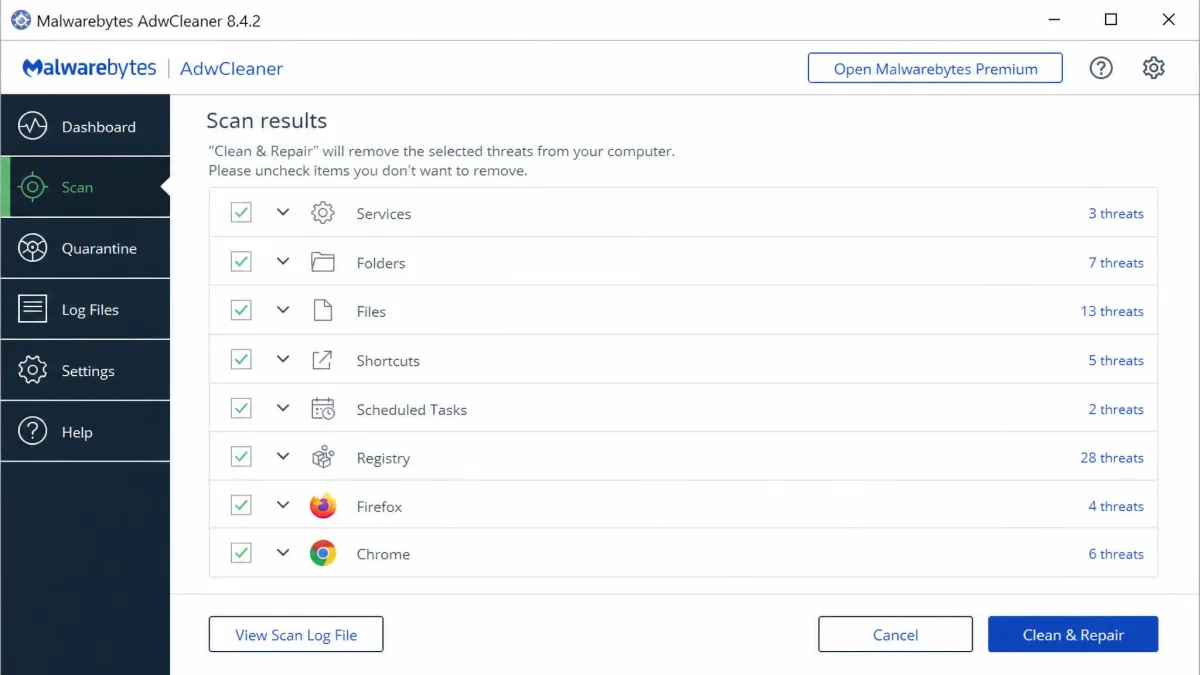
- On-demand scans with results grouped by category (Services, Folders, Files, Shortcuts, Scheduled Tasks, Registry, Firefox, Chrome)
- Quarantine with selective restore before anything is deleted
- Scan and clean logs for reviewing what was removed
- Optional system repairs for proxy, winsock, TCP/IP, firewall, and browser policies
- Regularly updated detection signatures
Pros and Cons
Pros
- The strongest adware detection of the free tools we tested
- Portable build runs from a USB stick, no install needed
- Lightweight, with nothing running in the background
- Quarantine lets you undo a detection before deletion
Cons
- No real-time protection, so it cannot stop an infection as it happens
- No scheduled scans; threats can sit unnoticed between runs
- Detection lists need a careful pass before you quarantine
- Cleaning closes open programs and forces a restart

What Is Advanced SystemCare?
Where AdwCleaner is a specialist, Advanced SystemCare is the opposite. It is a single program that tries to handle everything. IObit, founded in 2004 by two programmers, built its first hit as Advanced WindowsCare in 2005 and later renamed it. The official Advanced SystemCare page lists the current version at 19.5.0. IObit says the suite is used by 250 million people across 220 countries, a figure we could not verify.
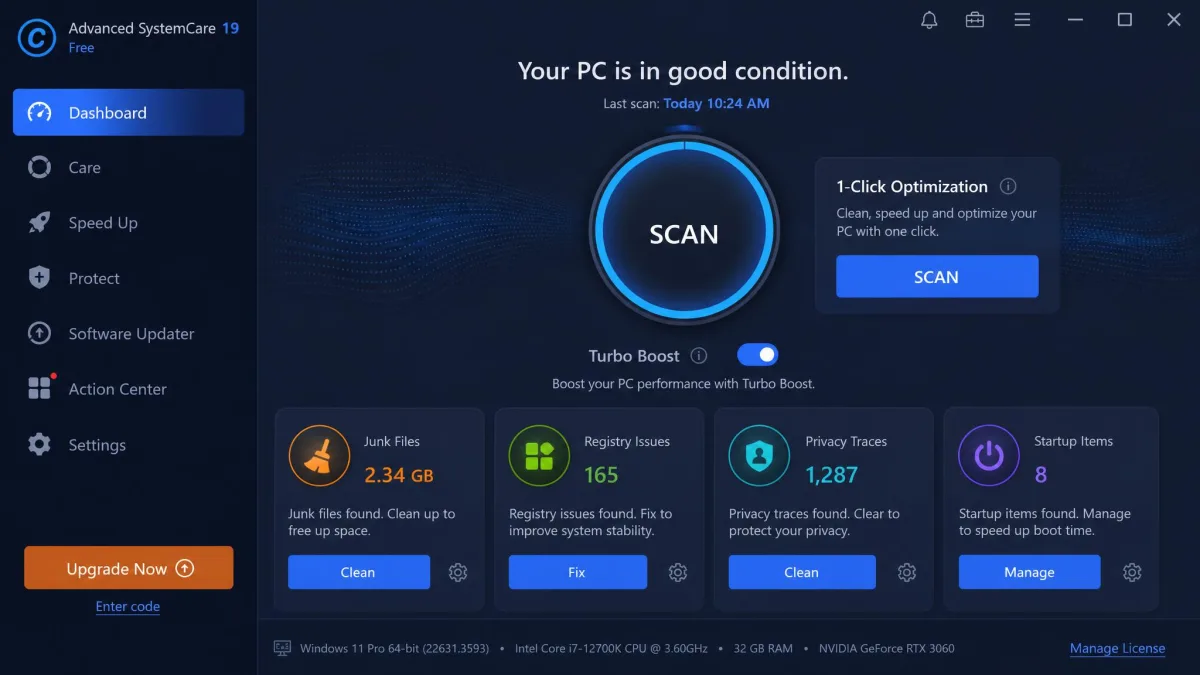
The suite includes junk-file cleaning, registry cleaning, privacy sweeps, startup optimization, disk defragmenting, and a software updater behind one dashboard. Its free version covers the basic cleaning. Real-time protection, deep optimization, and the full software updater sit behind the paid tiers.
Key Features
- AI Mode with 1-Click optimization for guided cleaning
- Junk-file cleaner, privacy sweep, and startup optimizer
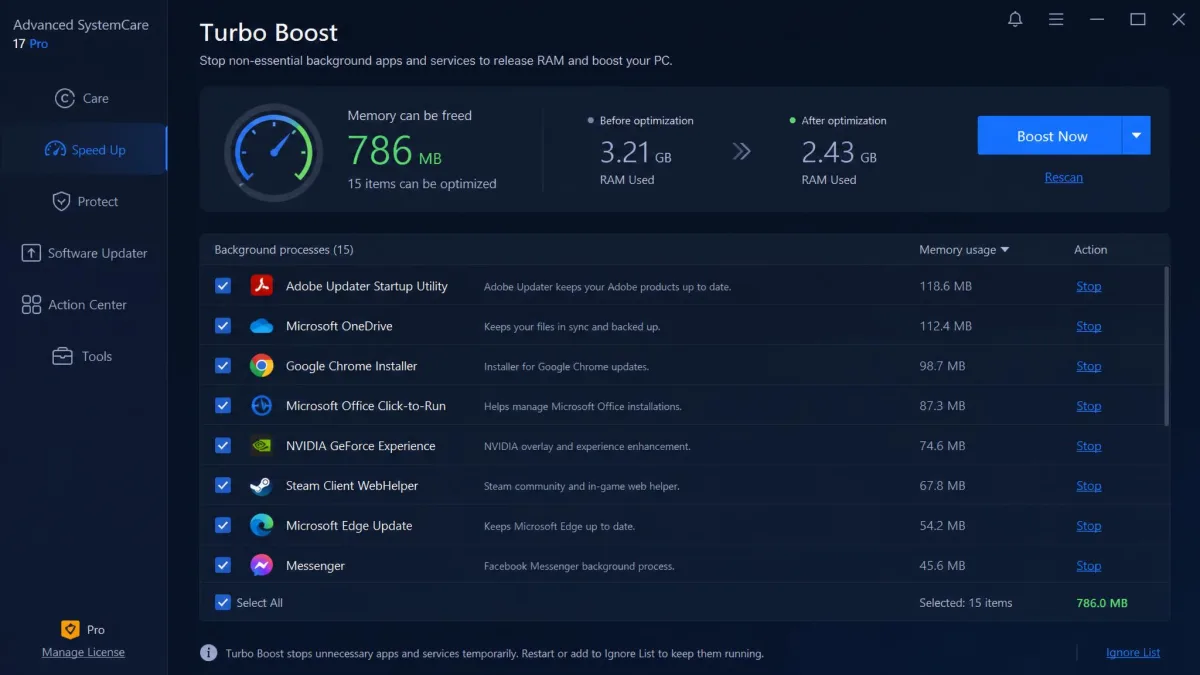
- Turbo Boost, which stops background processes to free memory
- Registry cleaner with a built-in restore point
- Scheduled cleaning in the paid tiers
- Software updater and 20-plus bundled tools in the paid tiers
Pros and Cons
Pros
- Generous free tier that covers everyday maintenance
- Real performance gains on older, neglected PCs
- 1-Click mode is approachable for beginners
- 60-day money-back guarantee on paid editions
Cons
- Relentless upsell pop-ups and pre-checked bundle offers in the free version
- Always-on background services consume CPU and RAM
- Uninstall can leave scheduled tasks and registry keys behind
- A busy dashboard and bundled tools can overwhelm new users
AdwCleaner vs Advanced SystemCare: Head-to-Head
Now that you know what each tool does, here is how they compare on the details that decide the choice.
Purpose and What Each Removes
AdwCleaner removes things you did not ask for: adware, potentially unwanted programs, browser hijackers, and toolbars, plus all their leftover files and entries. It is a purge tool, not a maintenance suite. Advanced SystemCare removes things you no longer need: junk files, registry clutter, privacy traces, and startup bloat. Its boosters stop background processes and update old software.
Scanning and Detection Effectiveness
AdwCleaner has the detection record here. Cybernews' hands-on testing named it the best free adware removal tool, scoring 66.7% in adware blocking tests, the highest catch of any tool tested. In our runs the scan took about a minute, with results grouped by category. Its weakness is scheduling. Infections can sit undetected between runs, and a stubborn hijacker can survive the first pass, with a few cleaning cycles sometimes needed before it stays gone. Advanced SystemCare scans from the maintenance side, finding junk files, registry issues, privacy traces, and startup items. It is not an adware detector.
Ease of Use and Interface
AdwCleaner is the simpler tool by a wide margin. There is one Scan button, and results come in clear categories. The portable build runs from a USB stick with no installation. A beginner can run it without reading a manual, and the whole workflow fits in three clicks: scan, review, clean. Advanced SystemCare is more powerful and busier. The 1-Click AI Mode makes the basics approachable, but the dashboard is dense and the Performance Monitor overlay is noisy.
System Performance and Speed
On our older, cluttered laptop, the first Advanced SystemCare scan took about three minutes. The cleanup recovered roughly 6.2 GB of junk, and boot time dropped from 52 seconds to 41 seconds after Startup Optimizer and Turbo Boost did their work. On our newer, well-maintained desktop, the same scan finished in under 90 seconds and found only about 800 MB, while boot time hardly moved. The gains are measurable, but they concentrate on neglected machines.
There is a cost to that always-on service. IObit's always-on monitoring consumes CPU and RAM when you are not cleaning, and the optimizer can feel like the thing slowing the PC down. Its memory boost also has a ceiling. Windows already reclaims cached RAM on its own, and flushing it forcefully can slow the next app launch. AdwCleaner's footprint is close to zero. The download runs about 4 to 10 MB, nothing runs in the background, and a scan is over in about a minute.
Registry Cleaning
Advanced SystemCare includes a dedicated Registry Cleaner. In our testing it was cautious: it never broke an application, and every clean was reversible. That matters, because the benefits are debated. Community testing has shown a clean can slow a boot, in one case from 1:10 to 2:12. Windows manages most of its own registry housekeeping. AdwCleaner does not offer general registry cleaning at all. It repairs the entries adware leaves behind, which is a sensible division of labor.
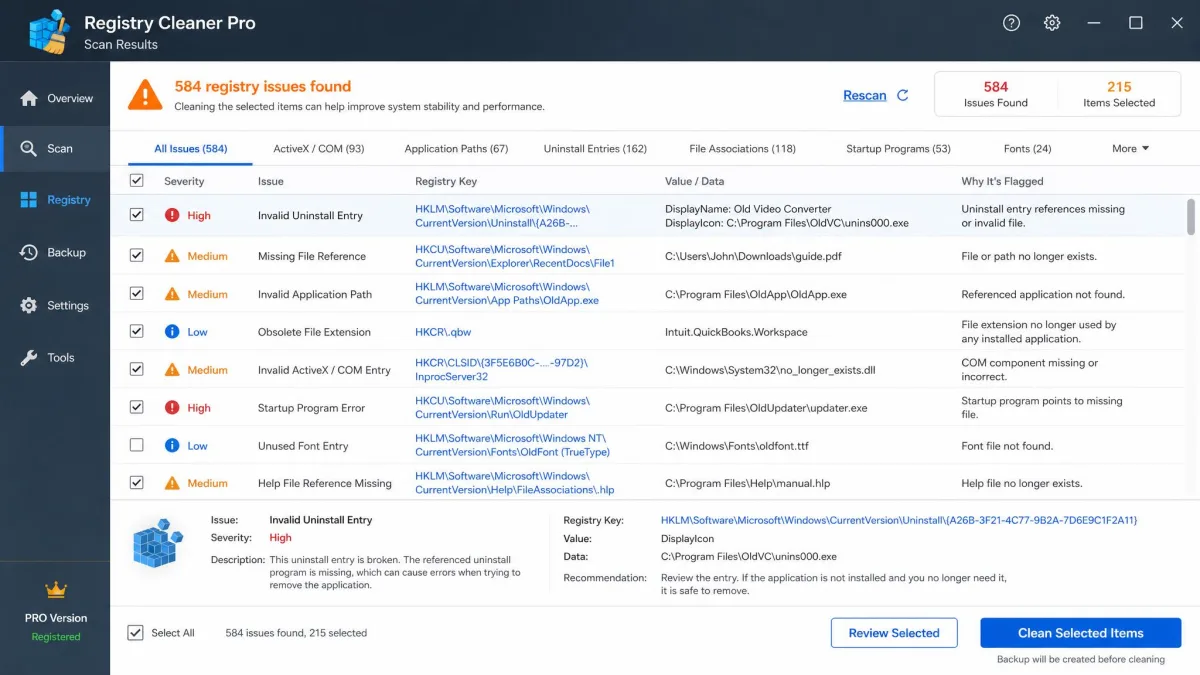
Registry cleaning touches entries that Windows and your applications rely on. Review every item before you clean, and let the tool create a restore point if it offers one. A careful pass can save you a system restore later.
Pricing and Plans
AdwCleaner costs $0, with no trial and no paid tier; its page simply cross-sells Malwarebytes Premium Security. Advanced SystemCare's free version is also $0, but it covers basic cleaning only. Pro lists around $19.99 to $29.99 per year, depending on license count and promotion window. The real annual cost lands between about $17 and $30. Ultimate adds a full antivirus engine, usually discounted to about $30 for a three-PC license. All paid editions carry a 60-day money-back guarantee.
The free build earns that pitch aggressively. In our testing it pushed the upgrade relentlessly, with upsell pop-ups and pre-checked bundle offers during installation, and uninstalling left behind scheduled tasks, a Performance Monitor widget, and registry keys. Decline the add-ons on every installer screen, and the software works fine at a reasonable price. Support responses come in about twelve hours. Trustpilot's IObit pages sit at 1.9 and 2.9 out of 5. Complaints there center on re-subscribe prompts, extra programs arriving with installs, and hard-to-cancel auto-renewals.
Safety, Privacy, and Reputation
AdwCleaner's record is the cleaner one by a wide margin. Malwarebytes has owned it since 2016, its page carries a 4.8-star average across more than 20,000 reviews, and CNET users rate it 4 out of 5 from 144 votes. It quarantines before deleting, which makes its aggressive flagging the only real caution.
IObit's history has one incident that still gets cited. In 2009 Malwarebytes publicly accused IObit of copying its anti-malware definitions database into IObit's Security 360 and filed DMCA takedowns with download sites. IObit removed the definitions, about 40 percent of its database, and its detection rate dropped from above 70 percent to below 20 percent. It denied the copying and never acknowledged the theft. Third-party review scores still diverge sharply, from roughly 2.9 out of 10 to 4.3 out of 5.
The category's own record has a cautionary chapter that still gets cited: the trojanized builds of CCleaner 5.33.6162 and CCleaner Cloud 1.07.3191 were downloaded about 2.27 million times before Cisco Talos disclosed the compromise in September 2017, and the company rolled out a fix. In 2020, after an investigation into how Avast and AVG collected and sold browsing data, Avast wound down its Jumpshot data-selling subsidiary. Beside that history, the two tools here look tame. AdwCleaner's caution is aggressive flagging, and IObit's is a 2009 definitions dispute, an ethics question rather than a security breach.
Can You Use AdwCleaner and Advanced SystemCare Together?
You can, and many people do, because the two tools solve different problems. AdwCleaner runs on demand and leaves nothing running when it finishes. Advanced SystemCare handles ongoing maintenance, so nothing about the two actually conflicts. The practical cost is maintaining two utilities instead of one.
If your PC is acting up, run AdwCleaner first, then follow with an Advanced SystemCare maintenance sweep. Keep a real-time antivirus running underneath, and review every detection list before you quarantine.
Which Should You Choose?
The right choice comes down to what kind of care your PC actually needs. Choose AdwCleaner if you have symptoms of adware: a hijacked search page, toolbars you never installed, pop-ups, or unfamiliar programs in your start menu. That is the problem the tool exists to solve.
Choose Advanced SystemCare when the problem is ordinary slow-motion neglect: years of accumulated junk, a long startup, a drive full of leftovers. If your PC is newer and well-maintained, skip it; our test desktop showed how little there is to find on a healthy machine. If you would rather try the manual route before installing anything, our guide to fixing a slow computer covers the free fixes.
If we had to install one first, it would be AdwCleaner: adware is the more urgent problem and the least forgiving. Advanced SystemCare earns its place when maintenance, not adware, is the job.
Frequently Asked Questions
Is Advanced SystemCare safe to use?
Is AdwCleaner safe?
Which is better for beginners?
Do I need both?
Does Advanced SystemCare slow down my PC?
Does AdwCleaner remove viruses?
Conclusion
The right answer costs nothing to try: both tools have real free tiers. Start with the free options, keep a real-time antivirus in place, and pay for Advanced SystemCare Pro only if the workflow earns it. If neither one suits your machine, our roundup of the best free computer cleaners covers the wider field.