Temporary files, browser leftovers and installer junk pile up quietly on every Windows PC until a low-disk-space warning forces the issue. Two free tools keep coming up as the fix, and they take very different approaches. CCleaner is a broad optimization suite that cleans, tidies the registry, manages startup entries and uninstalls programs. Wise Disk Cleaner does less, but goes deeper at the one job it exists for, and charges nothing for any of it. We ran both on the same machine, on the same day, to see how far apart they really are on space recovered, safety and everyday handling.
CCleaner vs Wise Disk Cleaner: The Short Answer
Wise Disk Cleaner frees substantially more space, costs nothing, and includes a real defragmenter. CCleaner clears less junk on a default pass but does far more besides cleaning, and its interface is easier to read on day one.
What Each Cleaner Is Built For
CCleaner: all-in-one PC optimization suite
CCleaner first shipped from Piriform in 2004 and has grown into a general maintenance suite rather than a pure cleaner. The free build clears temp files and browser data, cleans the registry, manages startup programs, uninstalls software, wipes free space, shreds files securely and finds duplicates. Paid tiers layer on scheduled cleaning, Smart Cleaning, a driver updater and a performance optimizer.
Reach is the other selling point. Current releases support Windows 10 and later, macOS Sierra and later, Android 10 and later, and iOS 16 and later, so one licence can follow you across devices.
Wise Disk Cleaner: focused disk cleanup and defrag
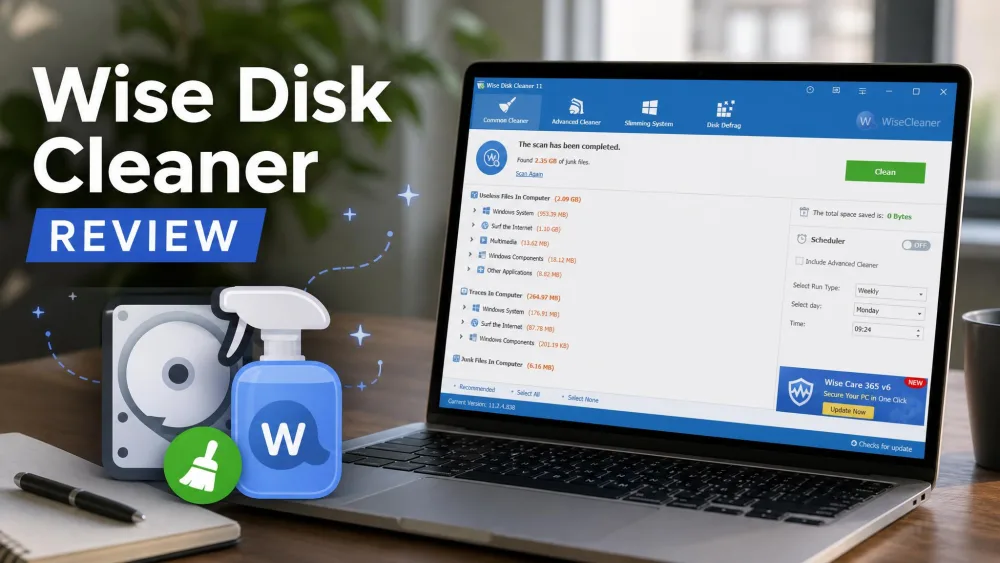
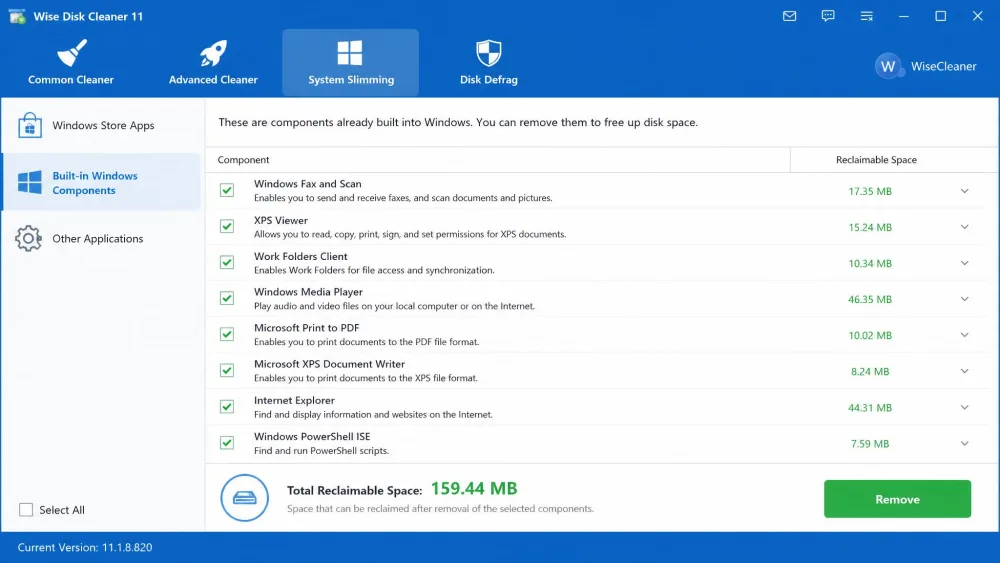
Wise Disk Cleaner Free is a Windows-only utility with a much tighter brief. Common Cleaner handles temp files, system junk and uninstall leftovers. Advanced Cleaner runs drive-specific deep scans for .chk, .tmp and .dmp files. System Slimming strips out built-in Windows components you never use, and there is a genuine HDD defragmenter with SSD TRIM support alongside it.
The current release is version 11.3.6, and the installer is a modest 11.8 MB. It is listed for Windows 11 and Windows 10 only, with no Mac or mobile version at all.
Cleaning Power: How Much Each One Actually Frees
Same-machine test results
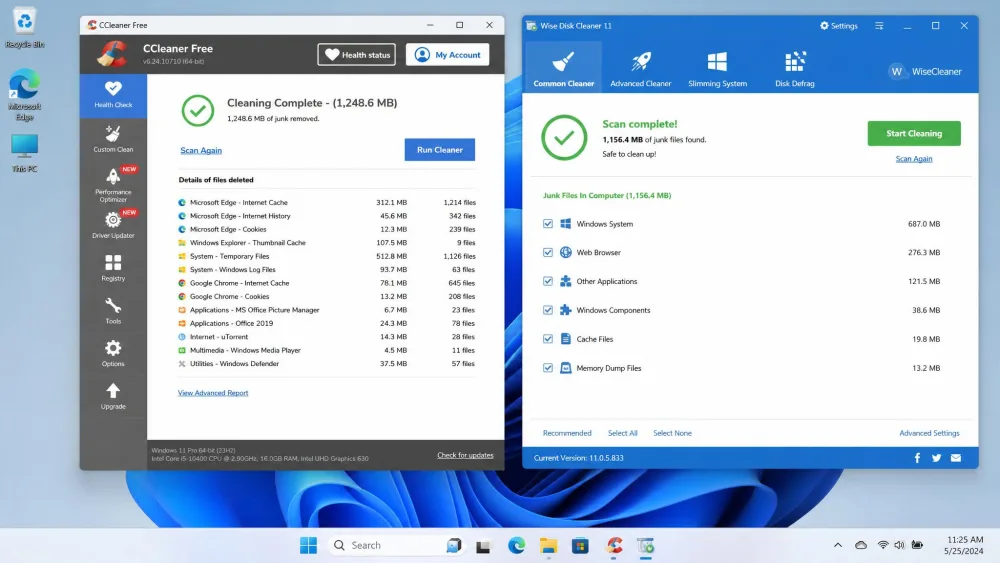
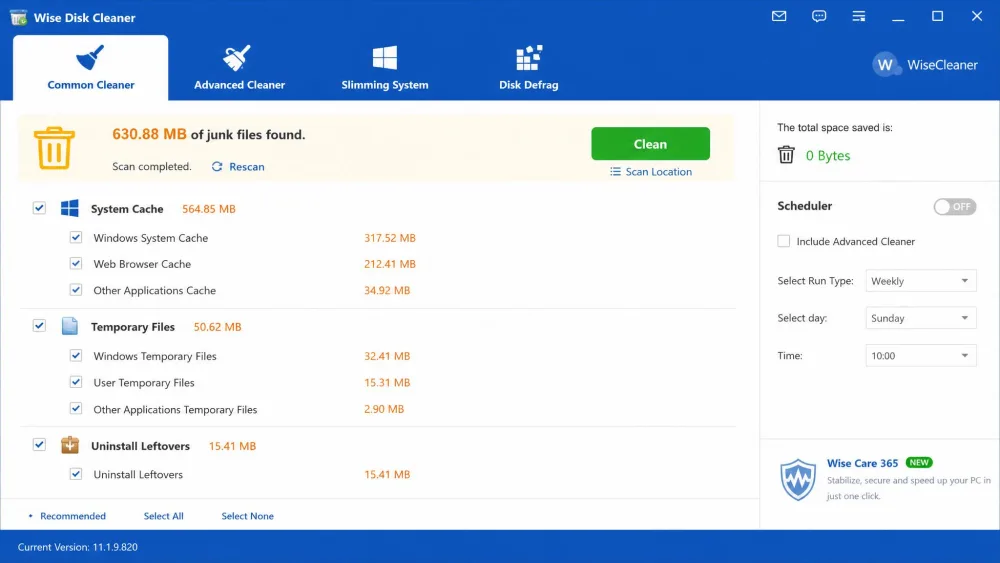
Those two feature lists set expectations in opposite directions, so we let the scans settle it. We installed both tools on one Windows PC and ran each one's default scan before touching any settings. Wise Disk Cleaner's Common Cleaner reported 630.88 MB of junk. CCleaner's default scan reported 273 MB on the same machine, roughly a third of the total. Each full cleanup ran in about two minutes.
Running the portable builds widened the gap rather than closing it. Wise flagged 2.50 GB against CCleaner's 688 MB.
| Measure | CCleaner | Wise Disk Cleaner |
|---|---|---|
| Default scan, same PC | 273 MB | 630.88 MB |
| Portable build scan | 688 MB | 2.50 GB |
| Deep scan extras | Not offered | 169.8 MB |
| System component removal | Not offered | About 460 MB |
The default pass is not the ceiling on the Wise side. Turning on Advanced Cleaner as well pushed a single Wise sweep past 800 MB, and running System Slimming afterwards reclaimed roughly another 460 MB on top of that.
What each tool deletes, and what it leaves behind
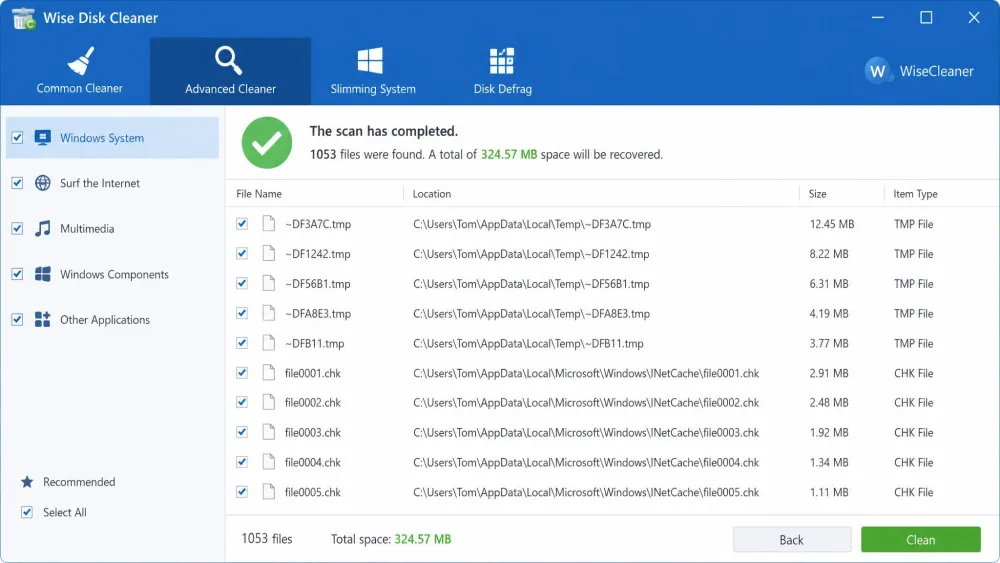
The difference is mostly scope. Wise Disk Cleaner sweeps Windows system junk and uninstall leftovers hard by default, and its Advanced Cleaner reaches .chk, .tmp and .dmp files that Common Cleaner skips entirely.
CCleaner is more conservative out of the box and more granular about it. It exposes far more per-application file-type categories, so you can clear one browser's cache while leaving its saved sessions alone. Wise Disk Cleaner offers fewer categories, which makes per-application cleaning coarser.
That aggression cuts both ways. Wise Disk Cleaner's deep scans flag files worth keeping often enough that the results list deserves a look before you press Clean.
Whitelist the cookies for sites you stay signed in to before your first clean, in both apps. Otherwise your next session starts with a round of logins you did not ask for.
Features Compared
Space recovered is only one column of the scorecard, and it is the column where the two tools diverge least in what they are actually trying to do.
Registry, startup and uninstall tools
This is CCleaner's clearest advantage. It includes a registry cleaner, a startup manager and a program uninstaller, all in the free build. Wise Disk Cleaner has none of them, because WiseCleaner sells those functions separately in Wise Registry Cleaner and Wise Care 365.
Wise Disk Cleaner also gives no detail about what a startup or System Slimming entry actually does before you disable it, which turns that work into guesswork for anyone who is not technical.
Browser and privacy cleanup
Both clear browsing history, cache, cookies and recent-file lists across the usual browsers. Wise Disk Cleaner adds Quick Access and recent-item cleanup on the Windows side. CCleaner reaches further into individual applications and adds cloud cleaning for Google Drive and OneDrive, plus a drive wiper and secure file shredding that Wise Disk Cleaner does not offer at all.
Scheduling, automation and portable builds
Wise Disk Cleaner's AutoClean runs daily, weekly, monthly, at logon or when the PC is idle, and it costs nothing. CCleaner locks scheduled cleaning and Smart Cleaning behind Pro, so free users are back to running cleans by hand. Both ship portable versions: there is a portable build of CCleaner from Piriform, and Wise Disk Cleaner is distributed through PortableApps.
One gap on the Wise side: there is no scheduling for automatic defragmentation, so defrag stays a manual job even when cleaning is automated.
Ease of Use and Interface
Feature counts and cleaning totals are only half the story if the app is hard to drive on a Tuesday evening.
CCleaner interface
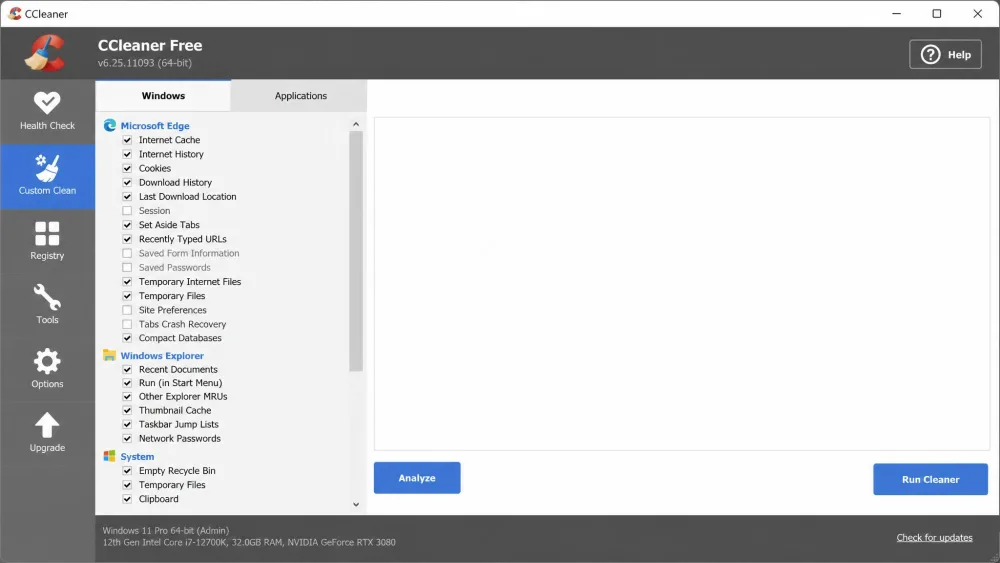
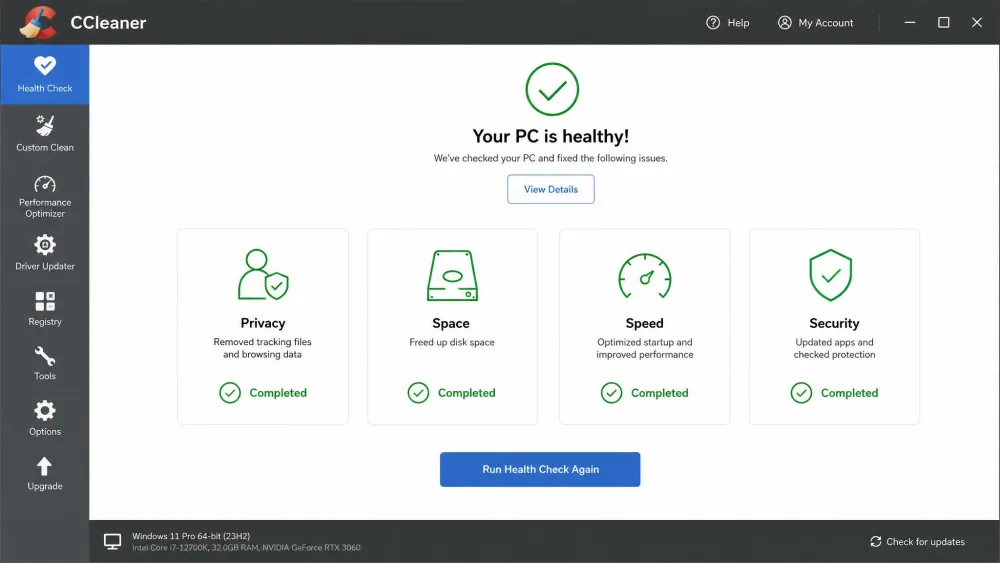
CCleaner's left-hand navigation bar and bold icons make it the easier of the two to read at a glance. Health Check gives newcomers a single button that runs a sensible default pass, and the Custom Clean panel is there when you want to argue with its choices.
The friction is in the installer. CCleaner's setup flow includes trial and upsell prompts, and you need to read the screens rather than click through them.
Wise Disk Cleaner interface
Wise Disk Cleaner puts its navigation across the top and looks complicated on first launch, even though the functions underneath are straightforward. Once you know that Common Cleaner is the everyday tab and everything else is optional, it runs smoothly. It ships in 22 languages with light and dark modes and 100 to 200% scaling.
Its setup carried no bundled third-party software and no surprise toolbars. The nudging happens in-app instead, with occasional prompts to upgrade to Wise Care 365.
Both installers deserve a slow read. CCleaner's flow presents trial and upsell screens during setup, and Wise Disk Cleaner surfaces Wise Care 365 offers once you are inside the app. Neither is malicious, but clicking Next quickly can leave you with more than you wanted.
Speed and System Impact
Neither tool wins on wall-clock speed. A full Wise Disk Cleaner cleanup finishes in under two minutes, and its Advanced Cleaner deep scans wrap in seconds. A standard CCleaner cleanup also takes about two minutes.
Wise Disk Cleaner is the lighter install by a wide margin at 11.8 MB, and it does not run a background monitoring service unless you switch one on. CCleaner's real-time junk monitoring is withheld from the free build anyway, so free users get no resident process either.
Safety and Trust
Neither feature list mentions the one event that still shapes CCleaner's reputation, so it is worth setting out plainly.
The 2017 CCleaner supply-chain incident
In September 2017, attackers compromised Piriform's build process and shipped CCleaner 5.33 carrying the Floxif trojan. About 2.27 million installations received the backdoored build, and around 40 machines received a second-stage payload aimed at technology companies including Samsung, Sony, Asus and Intel. Piriform shipped a clean 5.34 on September 13, 2017. The full account of the 2017 CCleaner supply-chain attack is worth reading for the detail.
Avast had acquired Piriform in July 2017, weeks before the incident surfaced, and the product now sits under Gen Digital. There was a second wobble in 2018, when version 5.45's Active Monitoring re-enabled itself through a code error; the feature was later renamed Smart Cleaning and given proper user control over data collection.
None of that makes CCleaner unsafe to install today, and Wise Disk Cleaner has no comparable incident on its record. If CCleaner's background components bother you, our guide on stopping CCleaner from launching with Windows walks through switching them off.
Is registry cleaning worth the risk?
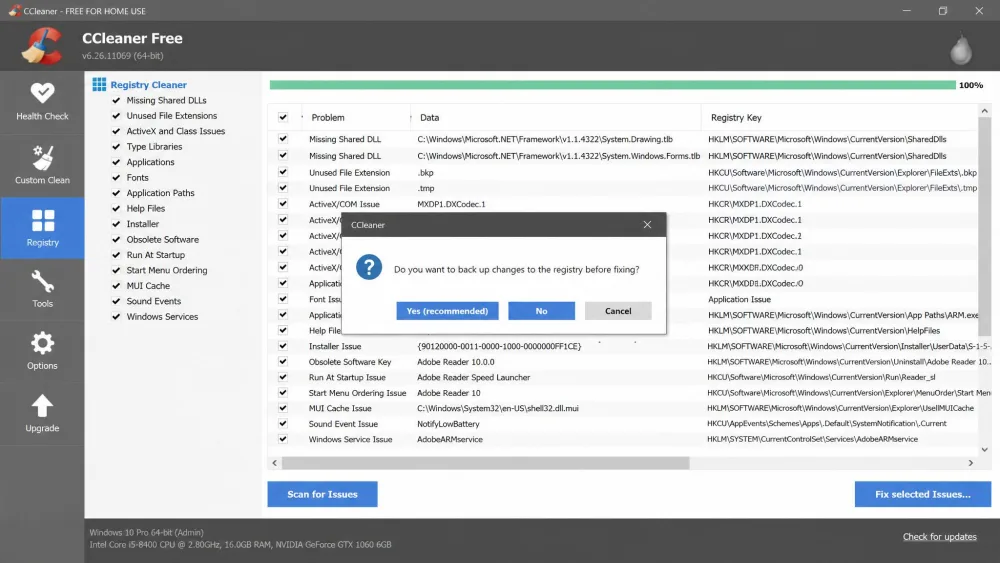
Honestly, not for most people. Registry cleaning delivers little measurable speed benefit on a modern Windows install, and a bad entry removal can break an application in ways that are tedious to trace.
If you do run CCleaner's registry cleaner, accept the backup prompt it offers before applying any fixes. That backup is the difference between a five-minute undo and a repair install.
Pricing: Free vs Paid
Trust settled, the money question is lopsided in a way that few head-to-heads are.
CCleaner Free vs Professional
CCleaner Free covers cleaning, privacy protection and a basic Health Check, which is enough for most people. CCleaner Professional lists at $44.95 per year for one device, though the tier is discounted heavily and the price varies by region and promotion, so the checkout figure often lands lower. Pro Plus is listed at $64.95 per year for up to 3 devices, and the Premium Bundle covers 5. All paid plans carry a 30-day money-back guarantee.
Pro is worth it only if you specifically want scheduled and automatic cleaning, the driver updater or multi-device coverage. The cleaning results themselves do not improve.
Wise Disk Cleaner: free, and what WiseCleaner sells instead
Wise Disk Cleaner is 100% free with no paid Pro tier, despite what several download directories imply. Scheduling, defrag, deep scans and System Slimming are all included. WiseCleaner's paid products are separate: Wise Care 365 Pro runs around $29.96 for 1 year and 3 PCs, although WiseCleaner rotates promotional pricing on that bundle, so the order page figure moves.
Head-to-Head Comparison Table
| Feature | CCleaner | Wise Disk Cleaner | Winner |
|---|---|---|---|
| Price / free tier | Free tier; Pro from $44.95/yr list | 100% free, no paid tier | Wise Disk Cleaner |
| Disk space recovered in our test | 273 MB default scan; 688 MB portable | 630.88 MB default scan; 2.50 GB portable | Wise Disk Cleaner |
| Scan speed | About 2 minutes for a standard clean | Under two minutes; deep scans in seconds | Tie |
| Registry cleaning | Yes | No, sold separately | CCleaner |
| Browser and app coverage | Broader per-app file-type control | Fewer file-type categories | CCleaner |
| Secure wipe and shredding | Drive Wiper and file shredding | Not offered | CCleaner |
| Defrag | Not offered | HDD defrag plus SSD TRIM | Wise Disk Cleaner |
| Scheduling and automation | Pro only | AutoClean, free | Wise Disk Cleaner |
| Portable version | Yes | Yes, via PortableApps | Tie |
| OS support | Windows 10+, macOS, Android, iOS | Windows 11 and Windows 10 only | CCleaner |
| Bundled offers during install | Trial and upsell prompts | No third-party bundles | Wise Disk Cleaner |
| Safety track record | 2017 compromise of build 5.33 | No comparable incident | Wise Disk Cleaner |
Pros and Cons
CCleaner pros and cons
Pros
- Registry cleaner, startup manager and uninstaller in one app
- Clearest interface of the two on first launch
- Secure drive wiping and file shredding
- Runs on Windows, macOS, Android and iOS
- Fine-grained control over per-application cleaning
Cons
- Recovered noticeably less space than Wise on the same PC
- Scheduling and automatic cleaning are Pro-only
- Installer includes trial and upsell screens
- Carries the 2017 supply-chain compromise on its record
- No defragmenter of any kind
Wise Disk Cleaner pros and cons
Pros
- Recovered the larger share of junk on our test machine
- Completely free, with scheduling included
- Real HDD defrag plus SSD TRIM support
- Tiny 11.8 MB installer with no bundled software
- System Slimming reclaims built-in components CCleaner cannot touch
Cons
- Windows only, with no Mac or mobile build
- Deep scans flag files you may want to keep
- No registry cleaner, startup manager or uninstaller
- Gives no explanation of what an entry does before you disable it
- Defragmentation cannot be scheduled
Verdict: Which One Should You Choose?
CCleaner is the stronger all-round optimizer on features and polish, and it scores 7.9/10 from us. Wise Disk Cleaner is the better answer for a single Windows PC on a zero budget, and it takes 8.2/10. The useful question is not which one is better in the abstract, but which of the two profiles below is yours.
Choose CCleaner if...
You want one app that cleans, manages startup entries, uninstalls software and shreds files. You maintain a Mac or an Android phone as well as a PC. You value an interface you can read without a learning curve, and you are willing to skip the registry module.
Choose Wise Disk Cleaner if...
You want the most disk space back for nothing, on a Windows machine, with scheduling included. You still run a mechanical hard drive and want a defragmenter. You are comfortable reviewing a results list before clicking Clean.
If neither fits: other options worth a look
Windows already includes a competent cleaner of its own. Windows Disk Cleanup and Storage Sense handle temp files, old update caches and the recycle bin without installing anything. For everything else, our roundup of the best computer cleaning software covers the wider field, including open-source options and full optimization suites.