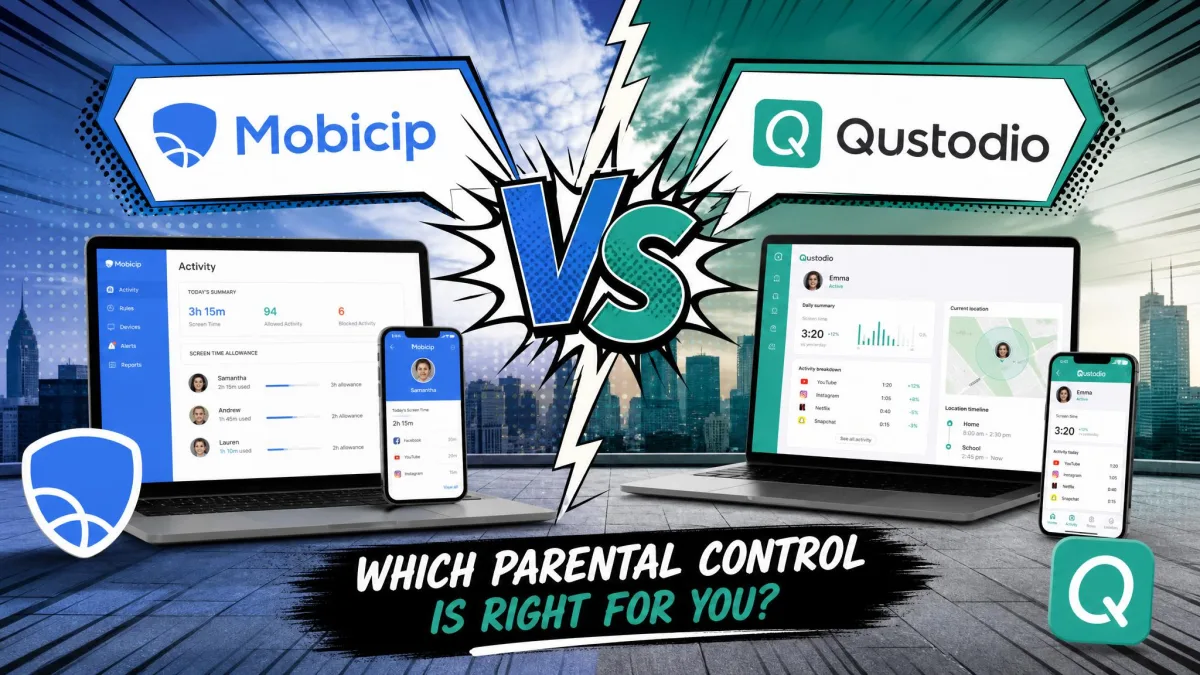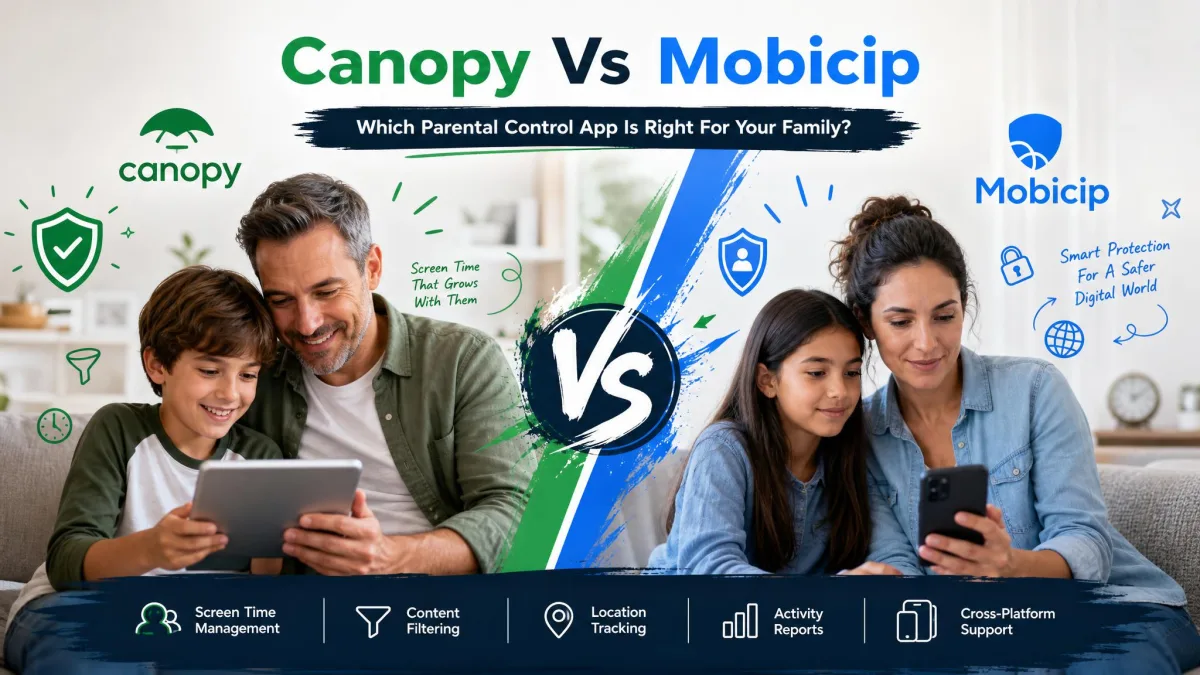
Most parents hit the same wall. You want to keep explicit content away from a child's phone without turning yourself into a full-time surveillance operator, and the two apps that keep coming up in that search are Canopy and Mobicip.
They are not the same kind of tool. Canopy is a real-time filtering app that scans images, video and text as they load and strips out explicit material before it reaches the screen. Mobicip is a broader family management app built around screen time scheduling, category-based web filtering, app blocking and activity reports. One is a content shield. The other is a household control panel.
Below we compare both on filtering, screen time, app blocking, location tracking, monitoring, platform support, setup and price, then say plainly which family should buy which.
Canopy vs Mobicip at a Glance
| Product | Canopy | Mobicip |
|---|---|---|
| Price, entry tier | $8.33/month billed annually | $2.99/month billed annually |
| Price, top tier | $12.50/month billed annually | $7.99/month billed annually |
| Free trial | one-week trial | 7-day trial |
| Free plan | None | Free Basic plan, 2 devices |
| Refund | 30-day money-back guarantee | 30-day money-back guarantee |
| Filtering type | Real-time AI image, video and text filtering | Category-based filtering in a managed browser |
| Screen time controls | Internet downtime scheduling | Daily and weekly scheduler with app limits |
| App blocking | Yes | Yes |
| Location tracking | Location alerts and geofencing | Family locator, 1,000 meters geofence radius |
| Monitoring and alerts | Sexting alerts, social media risk alerts | Activity reports, social media monitoring |
| iOS support | iOS 12 or higher | Yes, with Apple platform limits |
| Android support | Android 5.0 or higher | Yes |
| Windows, Mac and Chromebook | Windows and macOS, Chrome OS disputed | Windows, Mac, Chromebook, Kindle Fire |
| Device limit | 1 to 10 by plan | 2 free, then 5, 10 or 20 by plan |
| Uninstall protection | Removal prevention built in | Limited on Android |
Quick Verdict: Who Should Choose Which
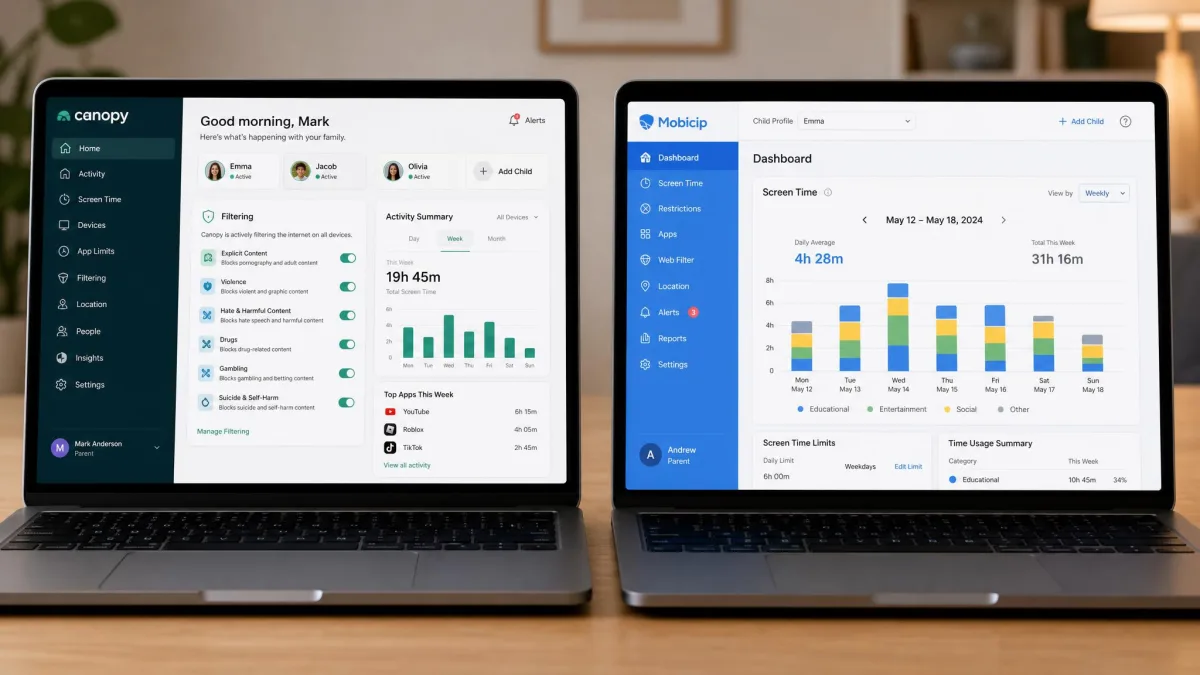
Canopy is the app to buy when your single biggest worry is explicit images and video reaching a young child, and when sexting alerts matter more to you than a tidy weekly report. Its filtering approach is more ambitious than anything Mobicip attempts, and it extends to AI chatbots such as ChatGPT, Gemini, Grok and Claude.
Mobicip is the better all-round family app. It costs less, covers more devices, includes a genuinely useful free tier, and its screen time scheduling is the most complete of the two. If you have three children on five devices and you want limits, schedules and activity reports in one place, this is the practical choice.
Content Filtering and Blocking
Filtering is where these two apps differ most, and it is the reason the choice between them is not really about price.
Canopy's Real-Time AI Filtering
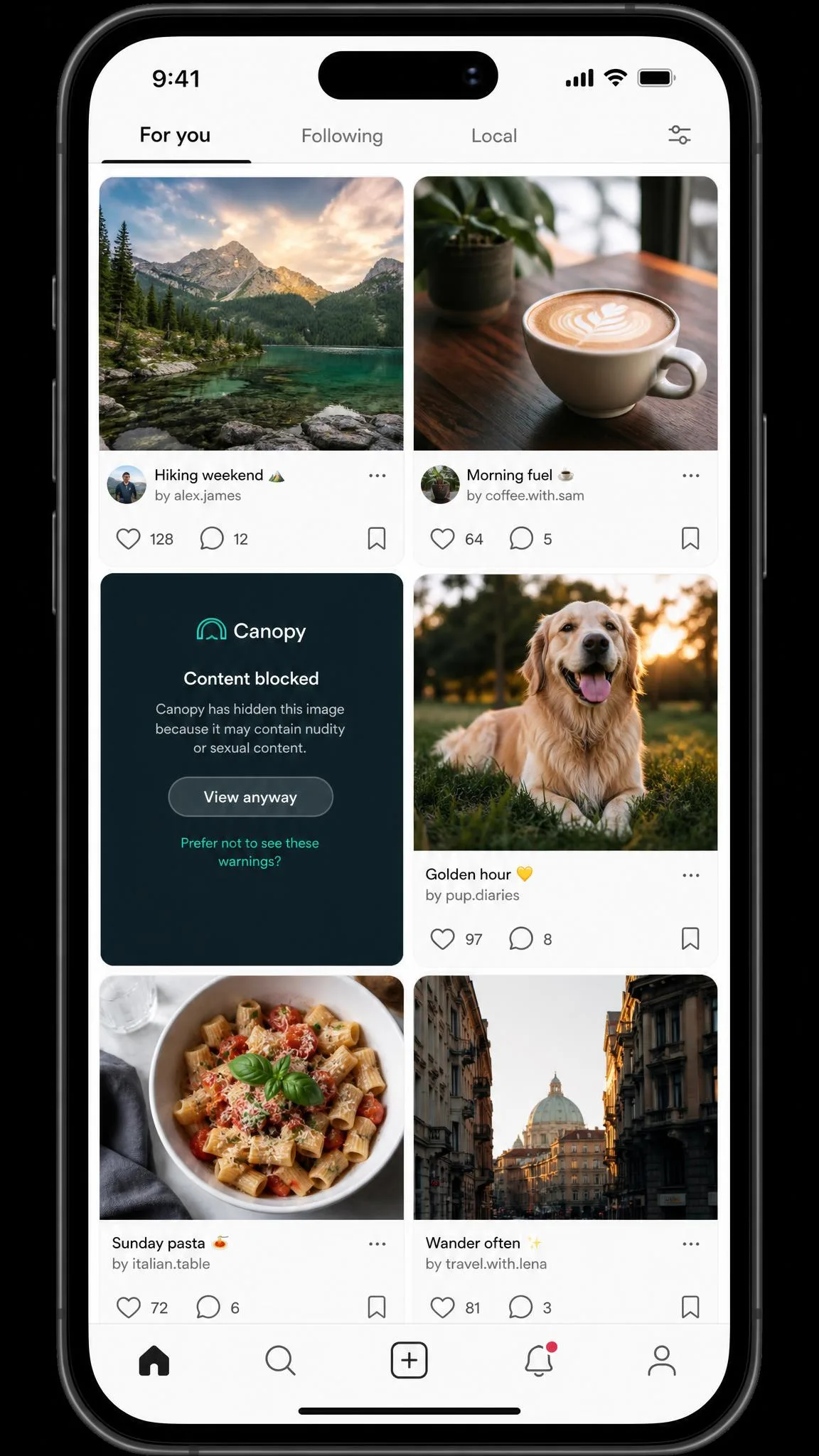
Canopy inspects content as it loads. Explicit images, video and text are detected on the fly and removed from the page rather than the whole site being blocked, so a child can still use a service while the worst of it is filtered out. That same engine covers AI chatbot conversations, and it powers a sexting prevention feature that flags explicit photos taken or received on the device.
The approach is more ambitious than category blocking, and it is also less predictable. We pushed the sexting prevention settings to their strictest level on the child device and then put a bikini photo in front of the filter to see what it would do. Nothing happened: the photo went through untouched, with no alert on the parent phone and no sign on the dashboard that anything had been examined. That is the wider pattern with Canopy, where the app looks like it is working normally while explicit content keeps reaching the screen even with settings configured correctly, so treat it as a strong first line of defence rather than a guarantee.
No filter catches everything, and both of these apps prove it. Keep talking to your child about what they see online instead of assuming the app has it covered.
Mobicip's Category-Based Web Filter
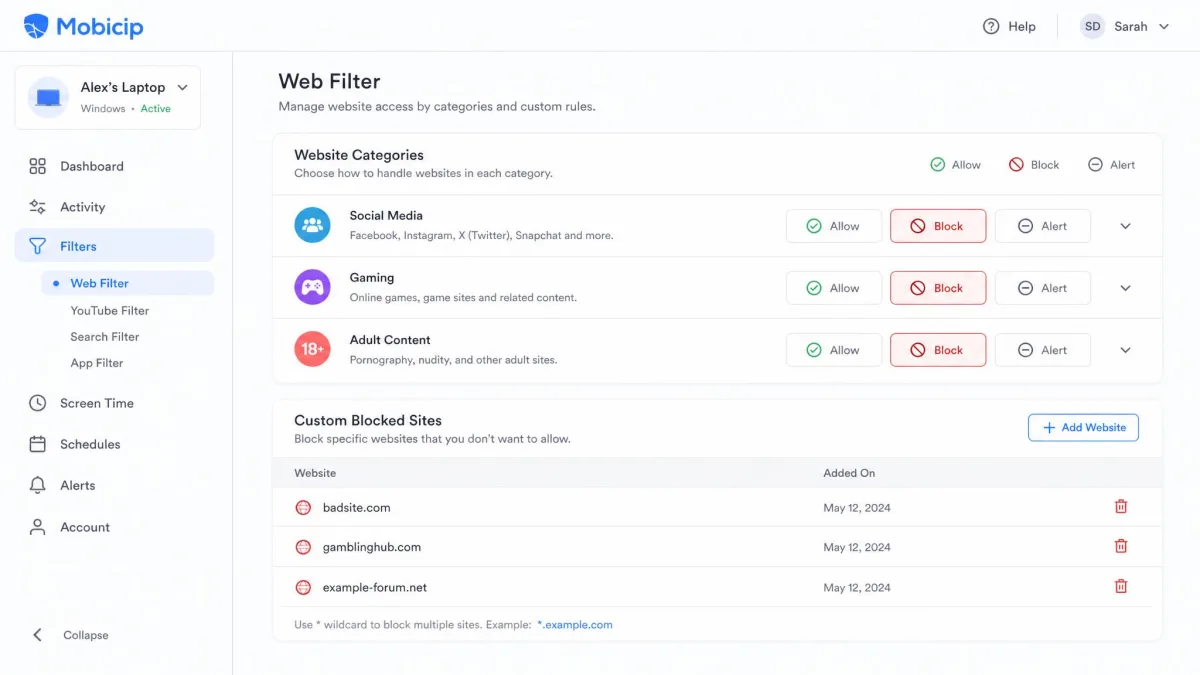
Mobicip works the traditional way. You choose categories of websites to allow or block, add your own allow and block lists, and the child browses through Mobicip's managed browser. It is easy to understand and easy to explain to a child, which counts for a lot with older kids who resent controls they cannot see the shape of.
The execution is uneven. Blacklist blocking is inconsistent in practice, with some blocked sites opening normally while perfectly safe sites get filtered out, and apps explicitly set to allowed can still end up blocked. There is a bigger structural gap too: the web filtering only applies inside Mobicip's own browser, so a child who opens any other unblocked browser walks straight around it.
Which Filters Better
For explicit content specifically, Canopy. Real-time image and video analysis catches material that never appears on a category blocklist, and nothing in Mobicip's toolkit is aimed at photos on the device itself.
For everyday web control across a household, Mobicip. Category filtering plus app blocking is easier to manage across several children, and the results are more predictable even when they are imperfect.
Screen Time Limits and Scheduling
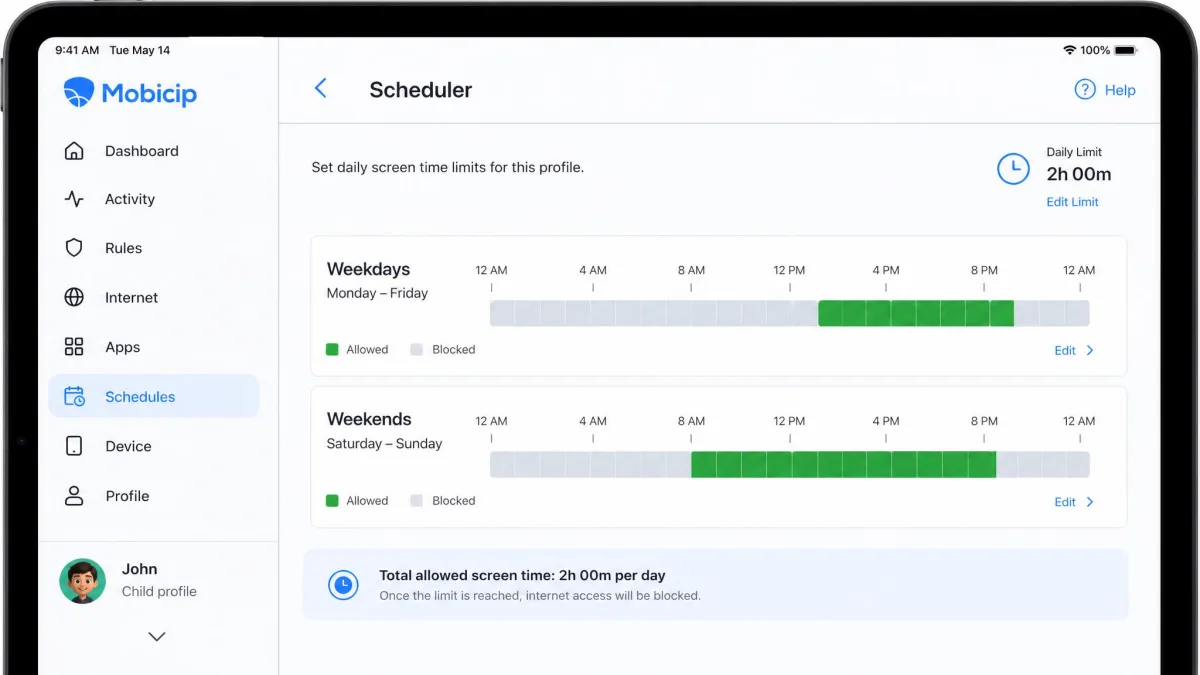
Filtering is only half of what parents actually buy these apps for, and on the other half Mobicip wins clearly. Its scheduler is its strongest area, with granular daily and weekly rules, per-app limits, an instant pause button and a vacation mode on paid plans. You can set different rules for schooldays and weekends without rebuilding the schedule each time, and the child gets a self-regulation dashboard showing where their own time went.
Canopy's screen time offering is narrower. It centres on internet downtime, meaning scheduled windows where the connection is switched off on the child's device. On Android that scheduling runs smoothly alongside app blocking and the child request system. On iPhone it is far less dependable: scheduled downtime does not always switch on, and the screen time reports can show stale data even after a manual refresh.
Set screen time limits with your child in the room and let them pick which hour comes off. Rules you agree together get tested less often than rules that appear overnight.
App Blocking and Device Controls
Schedules only hold if the apps themselves respect them, which brings us to blocking. Both apps block apps, and both do it well enough on Android. Canopy adds removal prevention so the app is harder to delete, plus a request system where a child can ask for temporary access and you approve or refuse from your phone. That request loop worked reliably for us on Android and is one of Canopy's better everyday features.
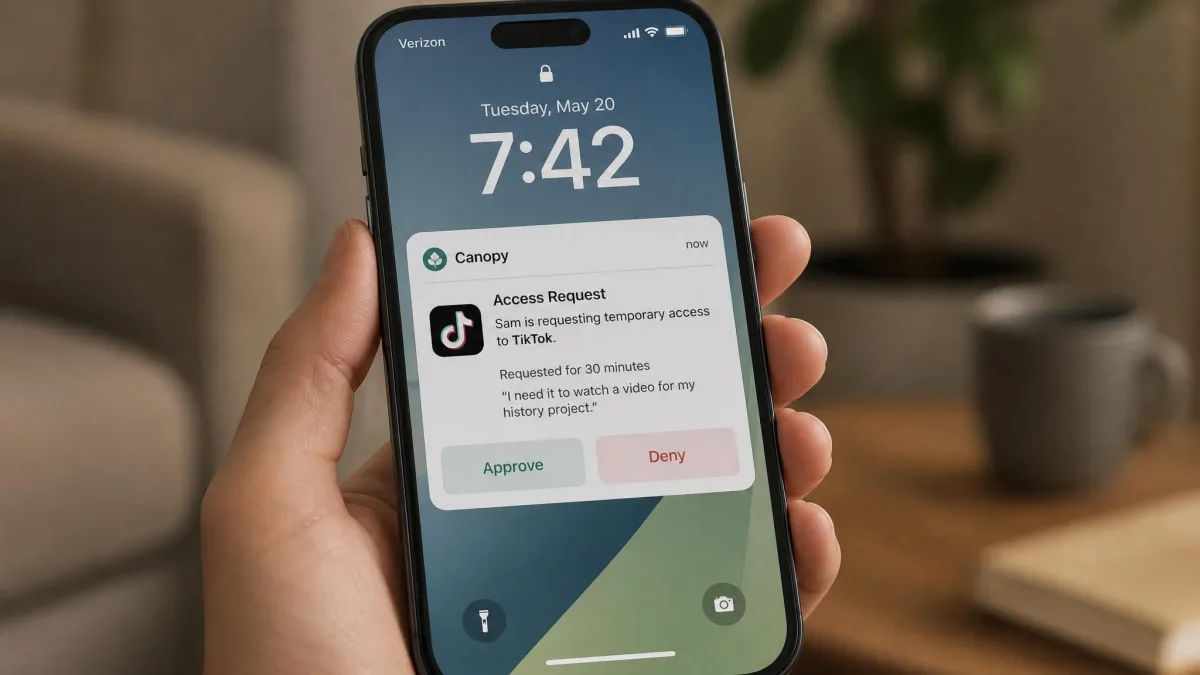
The trouble is on Apple hardware. On the iPhone we set up, Canopy's restrictions repeatedly failed to take effect, and blocked apps opened as though nothing had been configured at all. Then it went the other way: Pinterest and the App Store vanished from the home screen without either one ever being selected for restriction. We went back into the dashboard to check our own settings, found them exactly as we had left them, and were left with the kind of behaviour that generates a complaint from your child you cannot immediately explain.
Mobicip's app blocking is more consistent, with the caveat that allowed apps sometimes get caught anyway. On iOS, Apple's own operating system limits mean Mobicip cannot do per-app time allocation, SMS monitoring or deep app management, so what you get on an iPhone is a smaller feature set than the marketing implies.
Apple restricts what any third-party parental control app can reach on iOS. If a feature list looks identical across platforms, check the iPhone details before you pay, because the differences are genuine and they are not the vendor's fault.
Monitoring, Alerts and Activity Reports
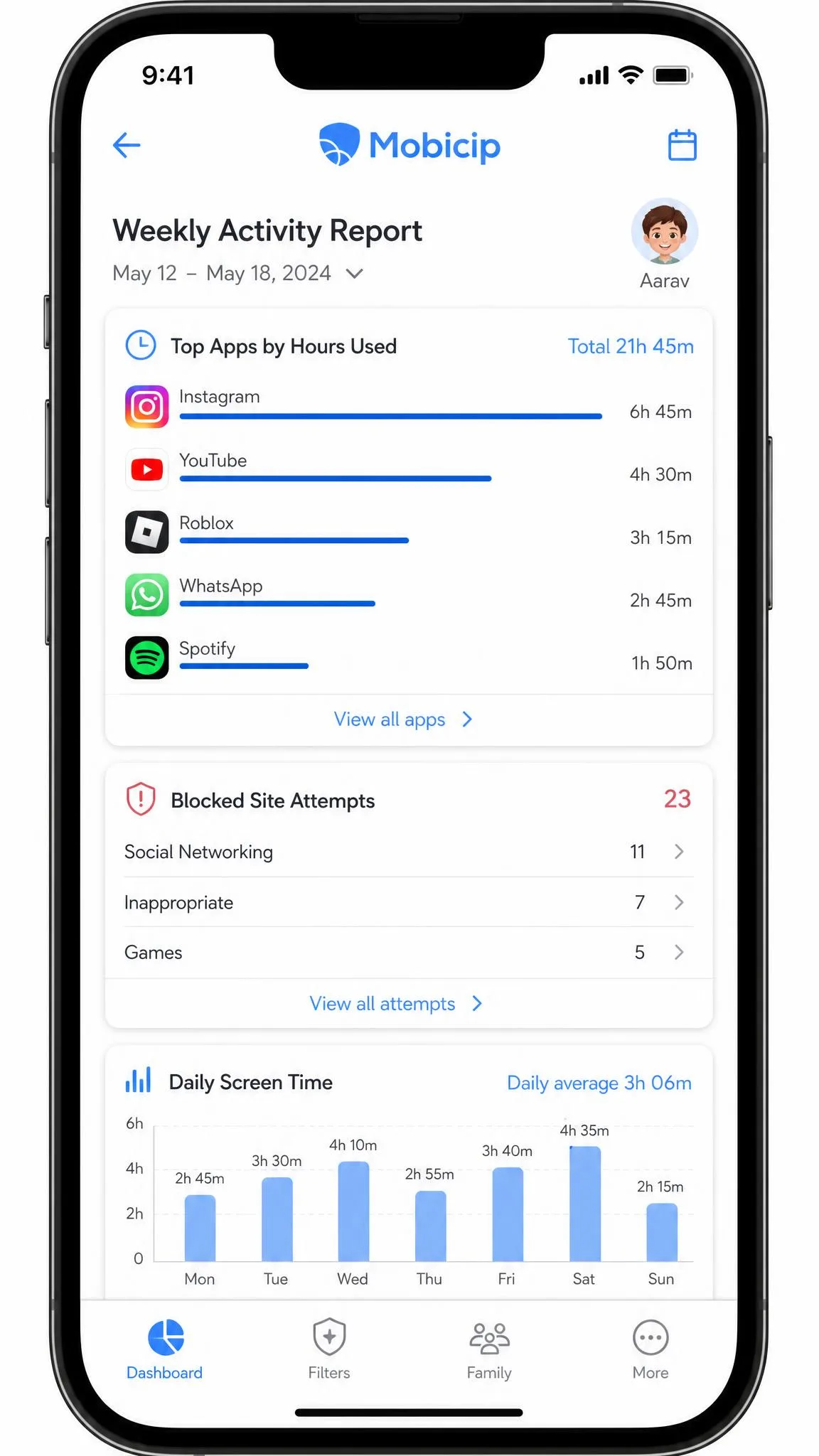
Blocking tells a child what they cannot do; monitoring tells you what they did. Mobicip is the stronger monitor of the two. Activity reports show visited sites, app use and search behaviour over time, social media monitoring flags concerning posts, there is an emergency SOS button for the child, and multiple guardians can share one account so both parents see the same information.
It has gaps worth knowing about. There is no YouTube activity visibility in the dashboard, which is a strange omission given how much of a child's screen time lands there. There is also no call or SMS monitoring at all, so text keyword alerts and call logs are unavailable on any platform.
Canopy takes a different approach: fewer reports, more alerts. It notifies you about explicit photos, and it monitors social media for bullying, drug and alcohol risk signals. That suits a parent who wants to know when something is wrong rather than read a weekly summary. The reporting side stays fairly basic compared with dedicated monitoring apps, and we found the screen time analytics thin.
Location Tracking
Alerts about content are one thing; alerts about where a child actually is are the feature parents open the app for most often. Both apps track location and both support geofencing, which tells you when a child arrives at or leaves a named place.
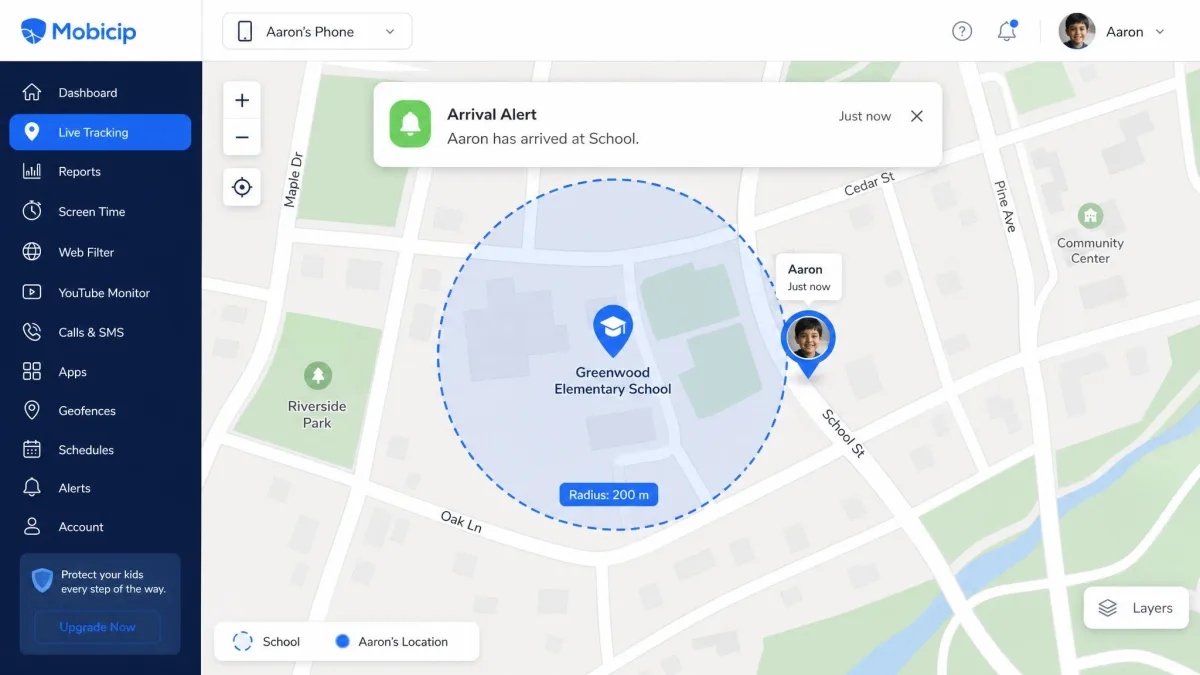
Mobicip's family locator is the more dependable of the two in our experience, sending arrival and departure alerts for places like school without needing to be re-armed. Its geofence radius is 1,000 meters, though, which is wide enough to be nearly useless in a dense city where school, a friend's flat and a shopping centre all sit inside the same circle.
Canopy offers location alerts and geofencing on paper, but the alerts can stay silent when a device leaves the mapped area, which is exactly when you need them. If location is a main reason you are buying, that unreliability matters more than the feature checklist suggests.
Device and Platform Support
iPhone and iPad
Canopy needs iOS 12 or higher and installs through a profile-based setup. Mobicip covers iPhone and iPad too, within the Apple limits described above. Neither app is at its best on iOS, but Mobicip's iPhone behaviour is the more predictable of the two.
Android Phones and Tablets
Canopy requires Android 5.0 or higher, and Android is where it performs best. Setup instructions are accurate, downtime scheduling and app blocking work as described, and the parent-child request flow is smooth. The one cost is speed: Canopy slows internet performance on Android, while iPhone performance stays unaffected.
Mobicip runs well on Android too, and its scheduler and filtering behave the same way on a phone as they do on a tablet, which makes a mixed-device household easier to run from one dashboard.
Windows, Mac and Chromebook
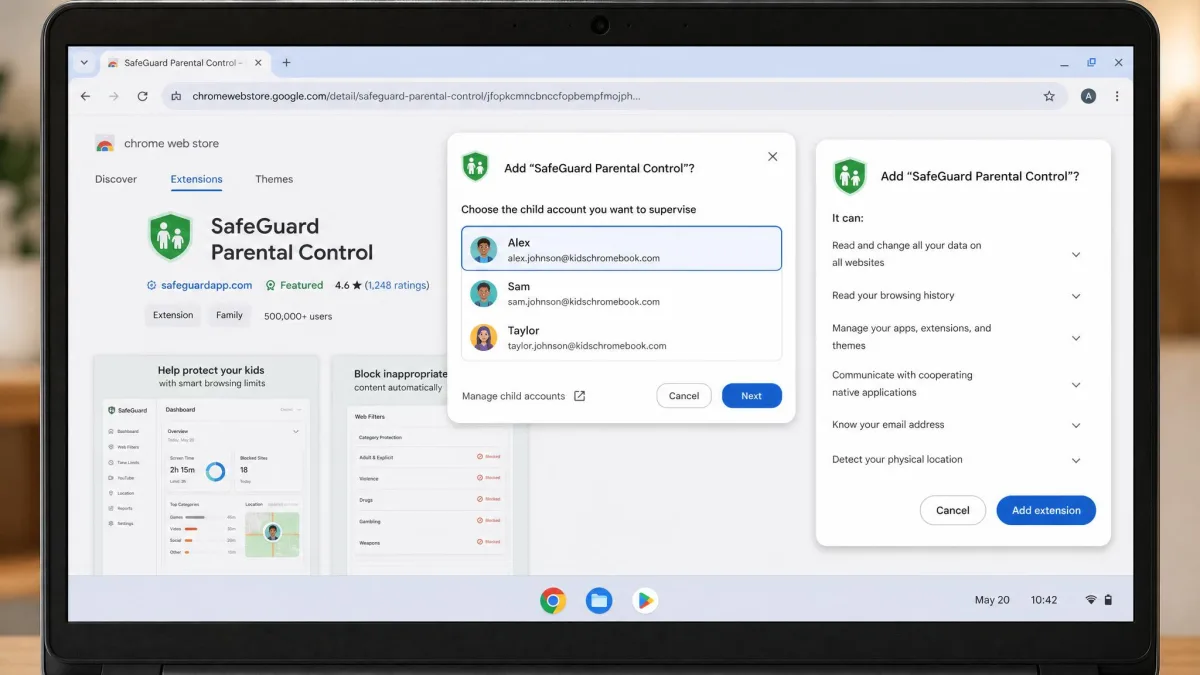
Mobicip is the broader family here, covering Windows, Mac, Chromebook and Kindle Fire alongside phones and tablets. Canopy lists Windows, macOS and Chrome OS clients on its own site, but Chromebook coverage is claimed on Canopy's own site and described as absent elsewhere, so Chrome OS support is worth confirming before you buy for a school laptop.
Setup and Ease of Use
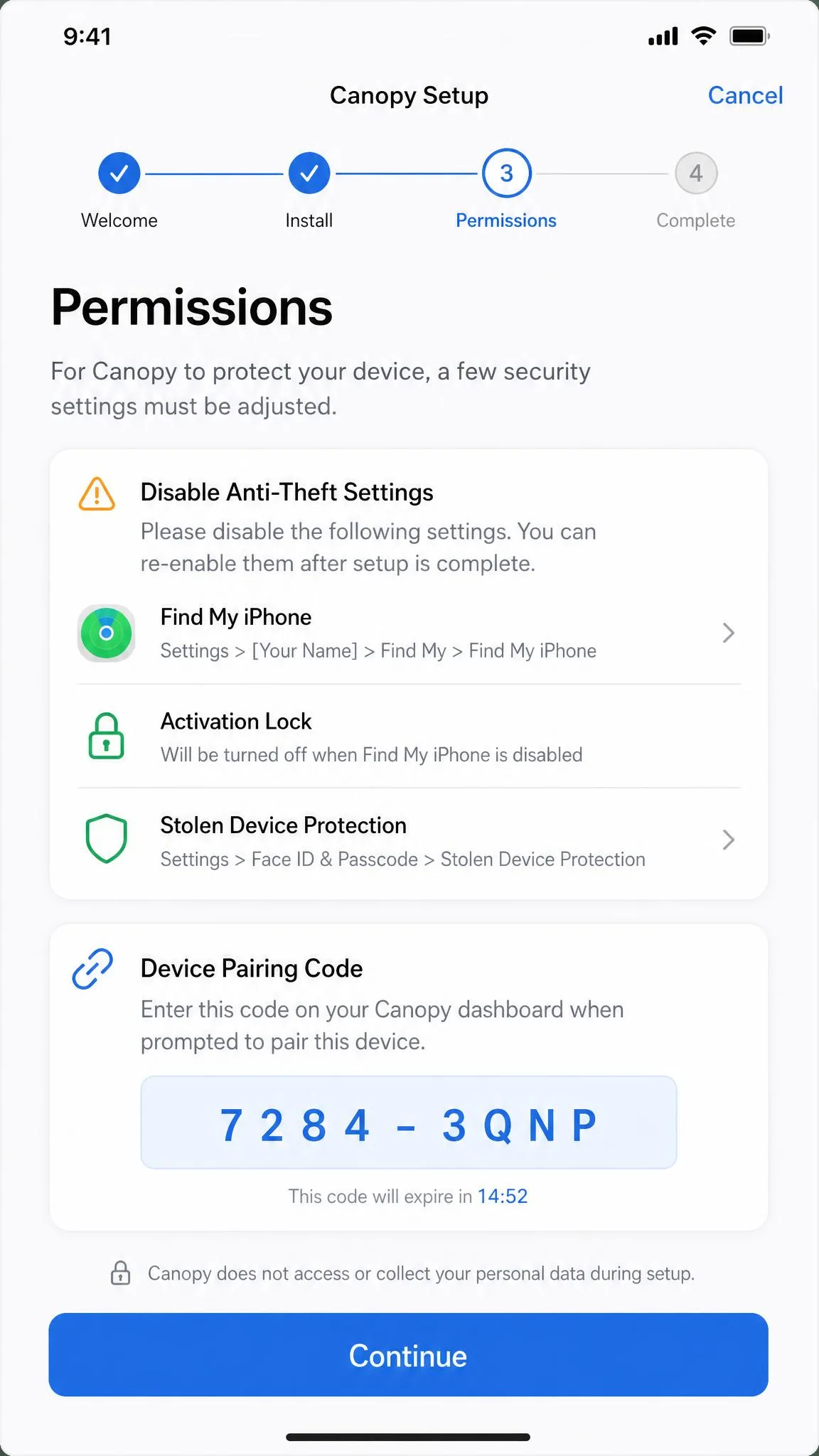
Platform coverage counts for little if the install defeats you on the first evening. Canopy's web dashboard and setup wizard are straightforward once a device links correctly, and getting there on iOS is the problem. The install sends an incorrect setup link and asks you to disable anti-theft settings with directions that do not match what is on screen, which stretched setup to roughly 20 minutes just to find the right settings. Android setup is noticeably smoother, with accurate step-by-step instructions.
Mobicip's dashboard is clean and the scheduler is the most pleasant part of it to use. Pairing the parent and child apps can hit connection problems during setup, and if you need help, expect to wait, because Mobicip's support can be slow to respond. Canopy's support is the better of the two, replying quickly and usually resolving time-management glitches when contacted.
Both apps ask for permissions that feel heavy the first time you grant them. Decide how much monitoring is appropriate for your child's age before you grant them, and tell an older child what you have installed rather than hiding it.
Pricing and Plans Compared
Canopy Pricing
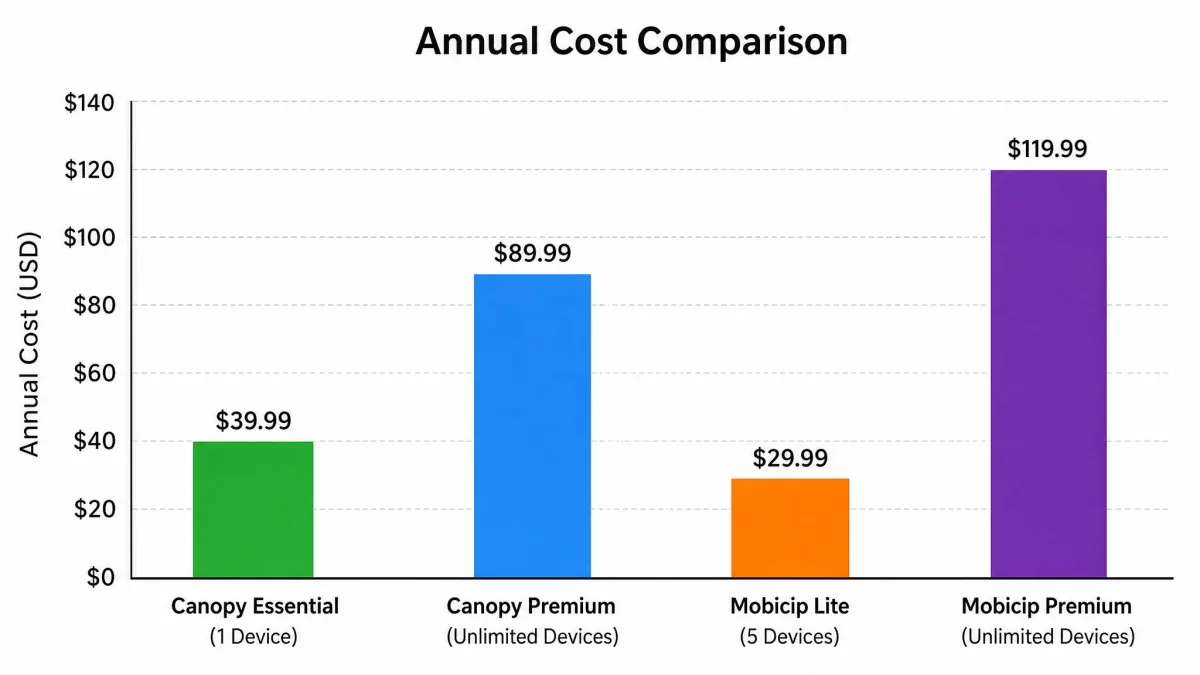
Canopy's Essential plan is $8.33 per month billed annually and covers 1 device. Plus is $9.99 per month billed annually for up to 3 devices. The top Premium tier is $12.50 per month billed annually, though Canopy's top tier device allowance is described inconsistently on its own plan page, which calls the tier both unlimited and capped at 10 devices. That works out at about $99.96 per year for the single-device Essential plan, but Canopy advertises a monthly-equivalent rate rather than a published annual total, so the yearly figure is derived and can differ at checkout.

Mobicip Pricing
Mobicip Lite is $2.99 per month billed annually for up to 5 devices. Standard is $4.99 per month billed annually for up to 10 devices. Premium is $7.99 per month billed annually and covers 20 devices, which is the largest allowance either app offers.

Which Is Better Value
Mobicip, and it is not close on paper. Its cheapest paid plan covers five devices for roughly a third of what Canopy charges for one, and its most expensive plan still costs less per month than Canopy's entry tier. For a family with several children, the gap over a year is substantial.
Canopy's price is defensible only if real-time filtering is the specific thing you are paying for. Nothing in Mobicip's cheaper plans does that job, so the comparison is less about value per device and more about whether you need that feature at all.
Can Kids Bypass Canopy or Mobicip?
Assume a determined teenager will try. Mobicip is the easier of the two to defeat, in two ways. A second browser sidesteps the web filter entirely, because filtering only applies inside Mobicip's managed browser. And on Android, uninstall protection is weaker than tools built on Samsung Knox, so a tech-savvy child can get the app off the device altogether.
Canopy is harder to shake off thanks to built-in removal prevention, but it has its own credibility problem. Recent Google Play reviews cluster at one and two stars, with complaints that monitoring and location tracking do not work and that children can remove the app anyway.
Check the app is still installed and still reporting every couple of weeks. Both of these apps can look active on the parent dashboard while doing nothing useful on the child's device.
Free Trials, Refunds and Free Options
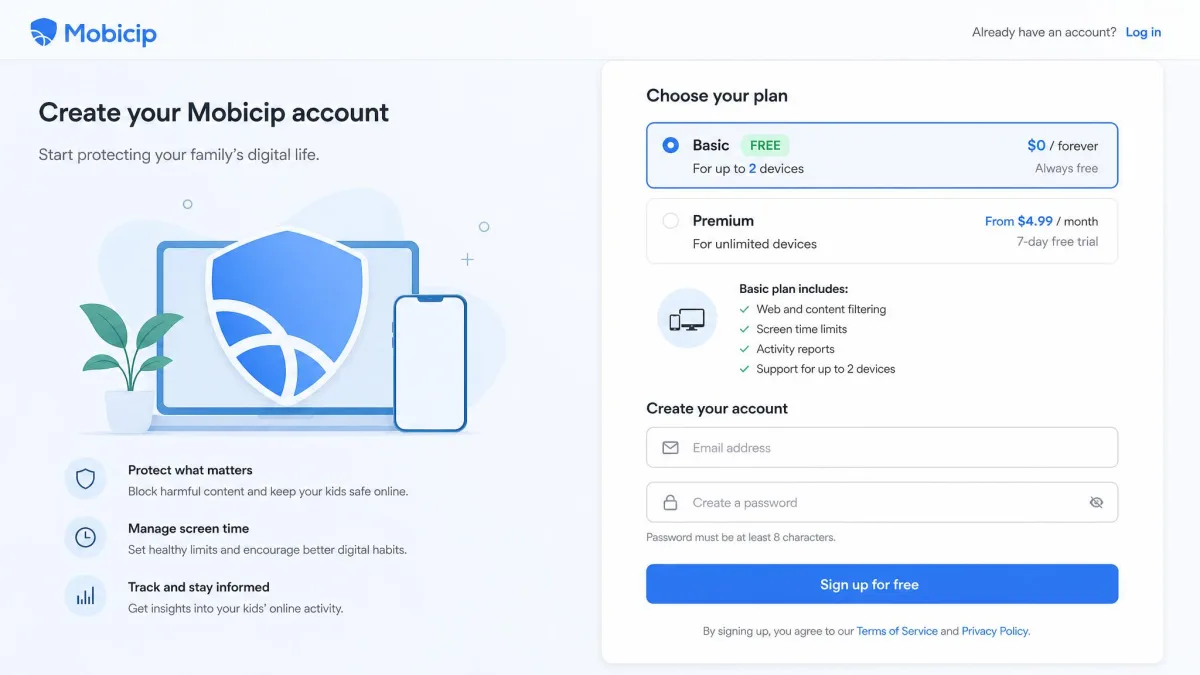
Mobicip has the more generous entry point. Its free Basic plan manages 2 devices with no credit card required, including app and website blocking and instant pause, though activity reports are limited to the current day and vacation mode is excluded. Above that sits a 7-day free trial with full premium features and no charge during the trial.
Canopy has no free plan. It gives you a one-week free trial that starts automatically on signup and can be cancelled free before it ends. Both apps back their paid plans with a 30-day money-back guarantee, and Mobicip handles refunds by contacting support rather than through a self-serve button.
If you want to try before committing without any card details, start with Mobicip's free tier. If you want to test Canopy's filtering properly, a week is enough time to see how it behaves on your child's actual device, which is the only test that counts.
Pros and Cons
Canopy Pros and Cons
Pros
- Real-time filtering of explicit images, video and text rather than whole-site blocking
- AI chatbot filtering covering ChatGPT, Gemini, Grok and Claude
- Sexting prevention with photo detection alerts
- Removal prevention makes the app harder for a child to delete
- Fast, helpful customer support
Cons
- Costs more than Mobicip at every tier, with fewer devices covered
- iPhone restrictions can fail to apply, and unselected apps can be blocked by mistake
- Location alerts can stay silent when a device leaves a geofence
- Slows internet speed on Android
- No free plan, and screen time reporting stays basic
Mobicip Pros and Cons
Pros
- Cheapest plans of the two, from $2.99 per month billed annually
- Free Basic plan for 2 devices with no credit card required
- Excellent screen time scheduling with daily and weekly limits
- Covers Windows, Mac, Chromebook and Kindle Fire as well as phones
- Reliable geofencing alerts for school and other named places
Cons
- Web filtering only works inside its own browser, so another browser bypasses it
- Blacklist blocking is inconsistent, and allowed apps sometimes get blocked
- No YouTube activity visibility, no call or SMS monitoring
- Weak uninstall protection on Android
- Support can be slow to respond
Which App Is Right for Your Family?
The honest answer depends on your child's age and devices, and on which risk actually keeps you up at night.
Choose Canopy If
Your child is young, your main concern is explicit images and video, and you want alerts the moment something appears rather than a report at the end of the week. Canopy is also the better pick if your child is on Android, where it behaves considerably better than it does on iPhone, and if you want sexting detection or AI chatbot filtering, neither of which Mobicip offers.
Choose Mobicip If
You are managing several children across several devices, screen time is the daily battle, and you want reports rather than alarms. It is also the more age-appropriate option for teenagers, who tend to accept visible, negotiable limits more readily than invisible content filtering, and the self-regulation dashboard gives an older child something to manage themselves.
If neither fits, Google Family Link covers basic screen time and app approval free on Android, and Net Nanny sits closer to Canopy on filtering strength at a mid-range price.