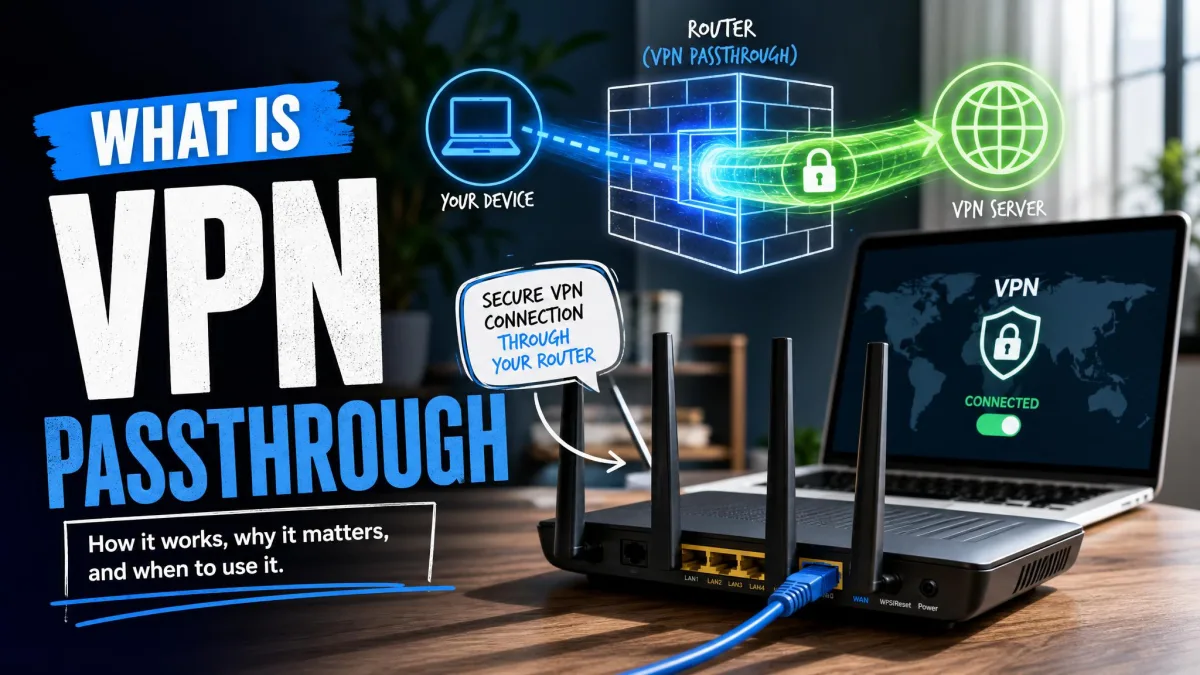
VPN passthrough is a router feature that lets VPN traffic from a device on your home network cross the router's NAT and firewall on its way out. The router does not build the encrypted tunnel itself. It simply steps aside, or more precisely, it keeps track of a few protocol details that plain NAT would otherwise mangle.
The setting exists because three older VPN protocols were designed before home routers shared one public IP address across a house full of devices. Those protocols are PPTP, L2TP and IPsec.
If you use a modern VPN app on your phone or laptop, this toggle almost certainly does not affect you. Most people can leave it exactly as they found it.
What Is VPN Passthrough?
VPN passthrough is a compatibility helper built into your router's firewall. It allows an outbound VPN connection from a laptop, phone or console to reach a VPN server on the internet, even though the router is rewriting address information on every packet that leaves your home.
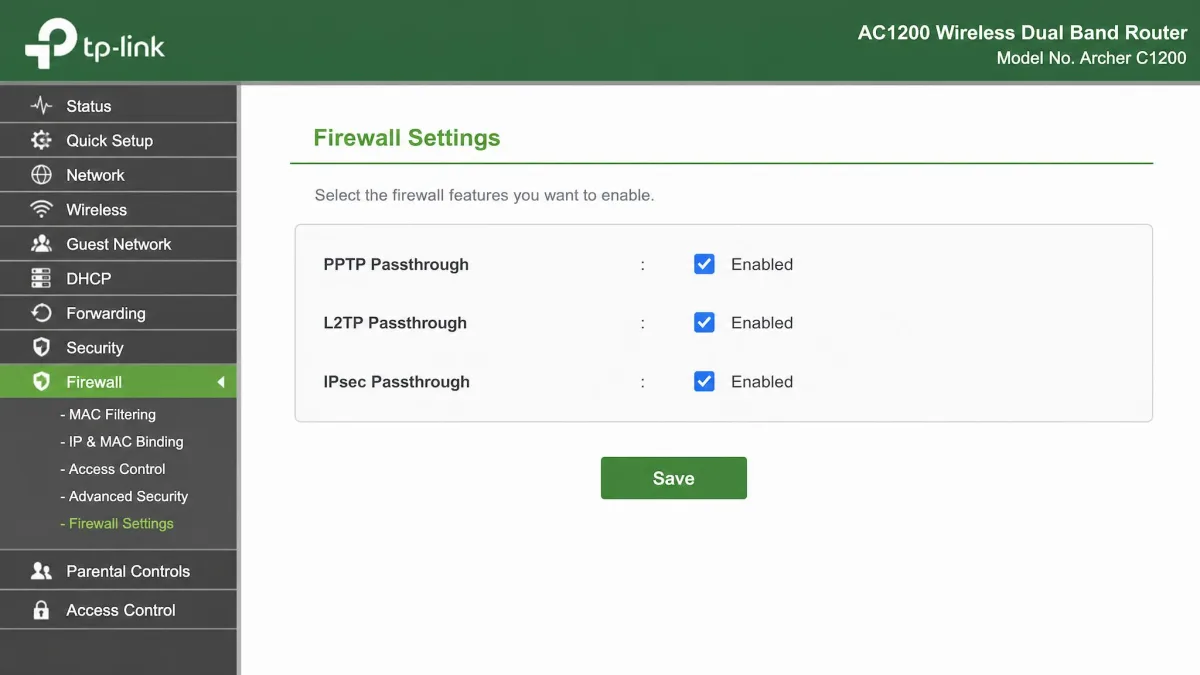
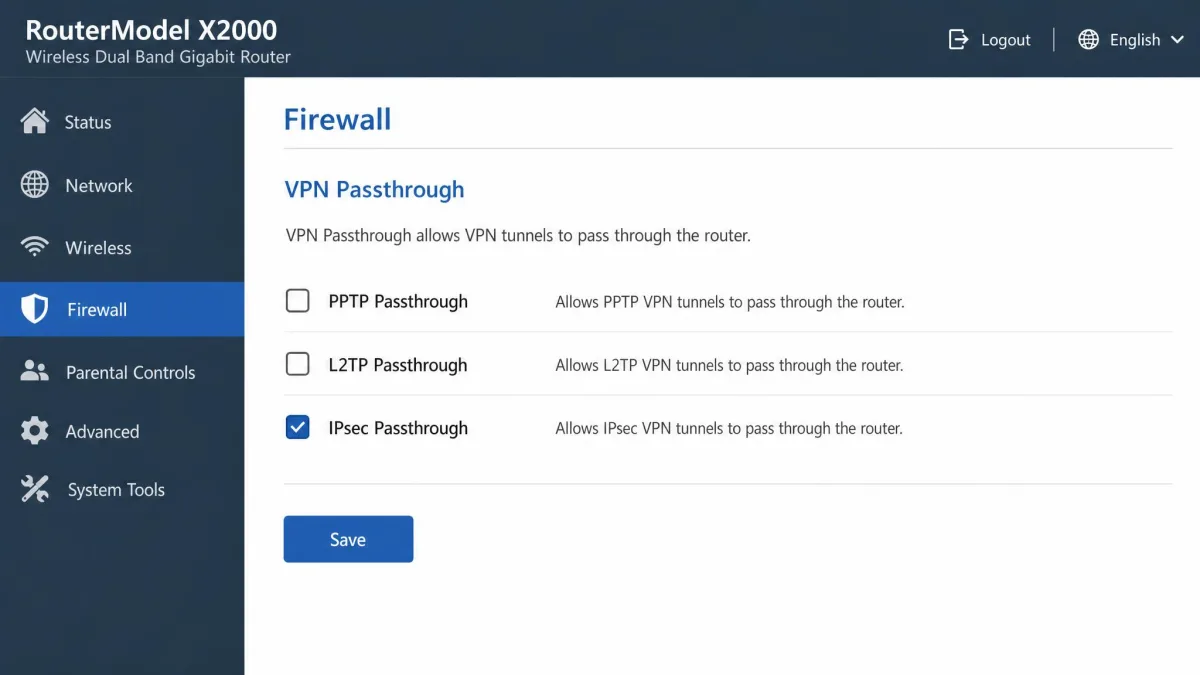
The feature usually appears as two or three separate checkboxes in the router admin panel. You will see PPTP passthrough, L2TP passthrough and IPsec passthrough listed one after another. Each one covers a different legacy protocol, and each one can normally be switched on or off independently.
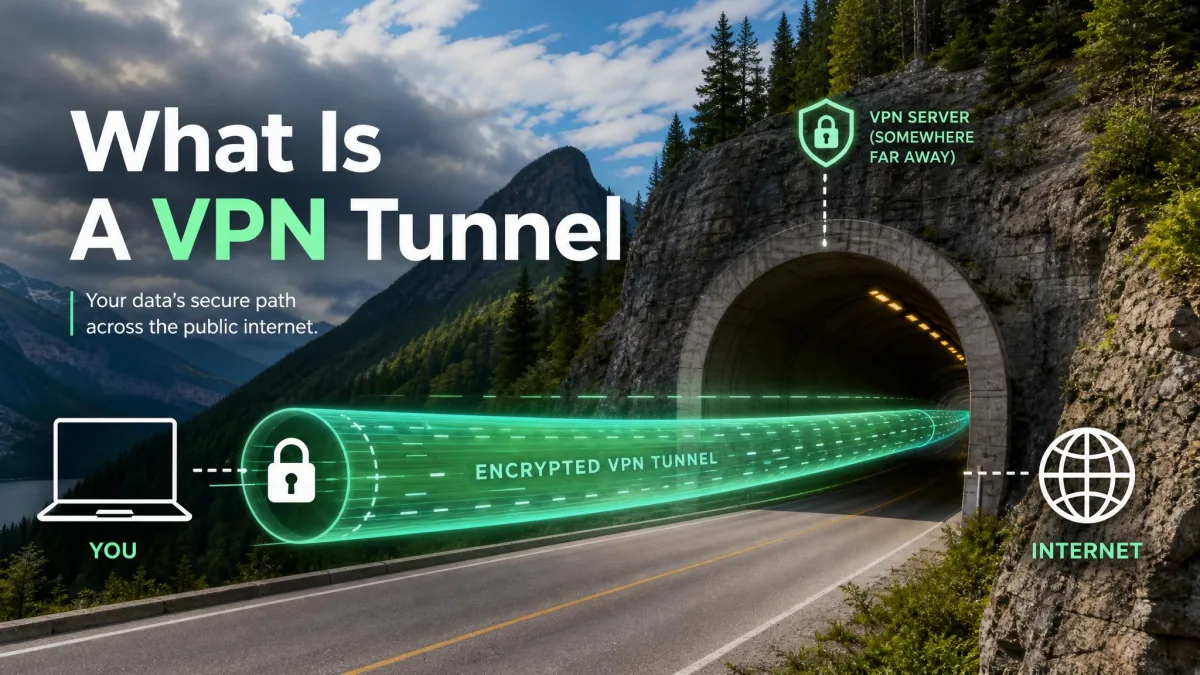
What passthrough does not do is create a VPN. Your router is not connecting to anything and not encrypting anything. It only makes sure the connection your device initiates does not get broken in transit.
VPN passthrough vs. a VPN connection
A VPN connection is the encrypted tunnel itself, running between a client and a VPN server. If you are new to the idea, our explainer on what is a VPN? covers the fundamentals.
Passthrough is the router permitting that tunnel to exist. Think of it as the difference between a doorway and the person walking through it. The doorway does not travel anywhere.
This matters for a common misunderstanding. Turning passthrough on gives you no privacy and no encryption. Nothing is protected until a device on your network actually runs VPN software and connects.
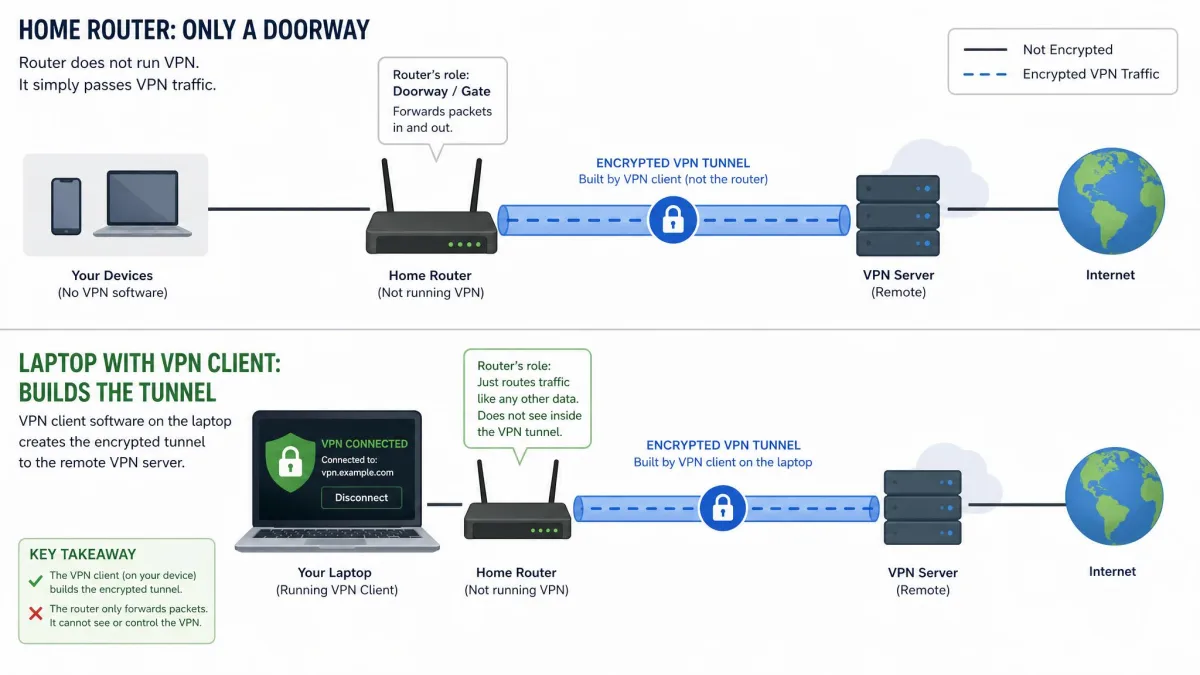
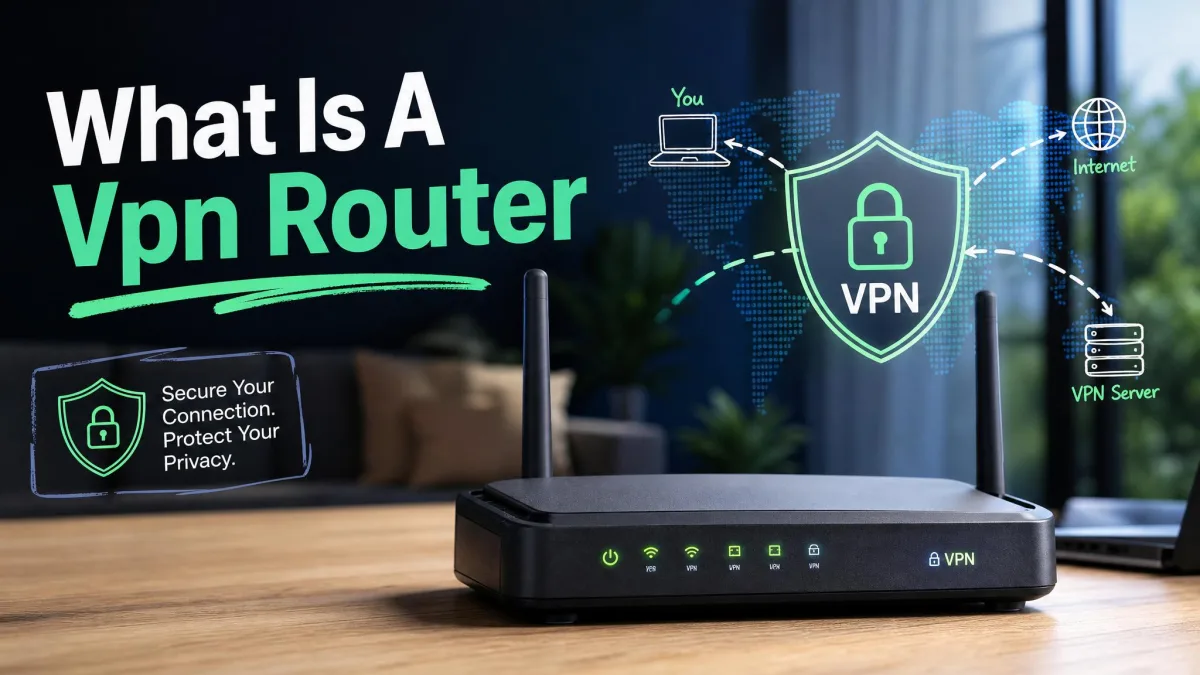
Some router listings describe a model as supporting "VPN passthrough only". That wording means the router permits VPN traffic from your devices, but the router cannot act as a VPN client or a VPN server on its own.
Why Does VPN Passthrough Exist? The NAT Problem
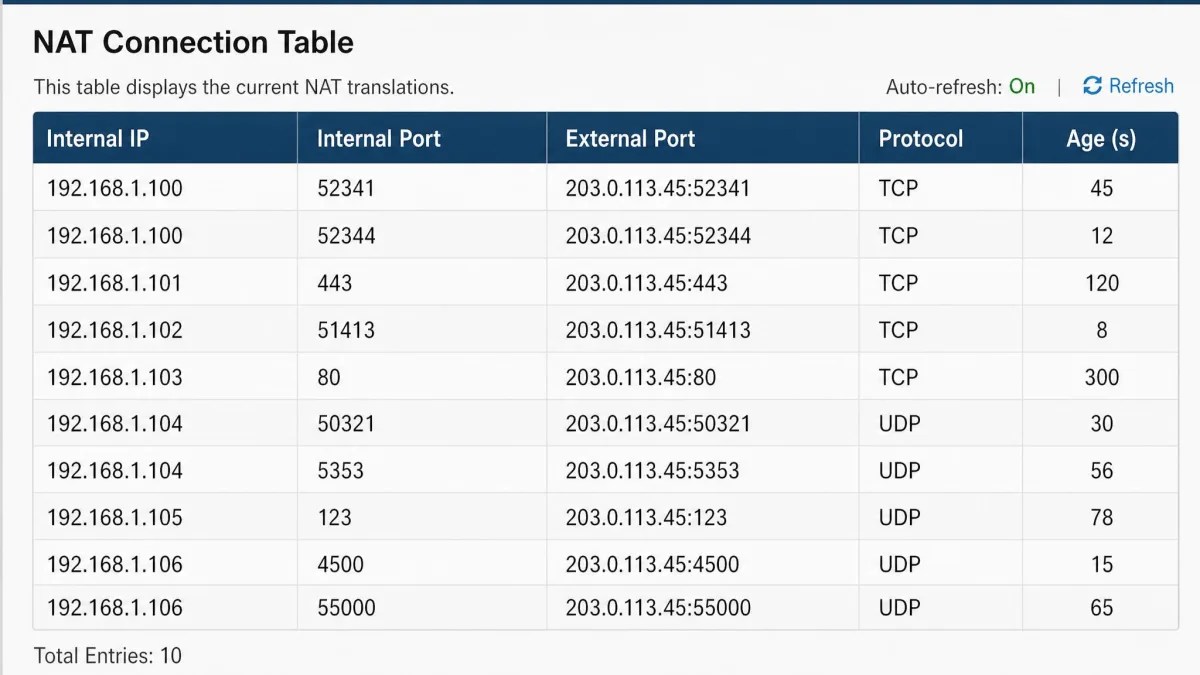
The feature exists because of Network Address Translation, the mechanism that lets every device in your home share one public IP address. When a packet leaves your network, the router rewrites the source address and records the source port so it knows where to send the reply.
That bookkeeping depends on port numbers. NAT builds its return-path table by pairing an internal device and port with an external port, and the port is the only thing distinguishing one conversation from another.
Older VPN protocols break this. They carry their payload inside IP protocols with no port field at all, so plain NAT has nothing to key the mapping on.
Two protocol numbers explain nearly all of the trouble here. GRE, the wrapper PPTP uses for its data, is IP protocol 47. ESP, the wrapper IPsec uses, is IP protocol 50, and its sibling AH is protocol 51. None of the three carries a port number.
How NAT breaks PPTP and IPsec
PPTP opens a normal TCP control connection, then sends the actual data in an enhanced GRE encapsulation. The control channel maps through NAT without complaint. The GRE data stream has no port for NAT to substitute, so return traffic has no obvious owner.
Passthrough solves this by tracking the GRE Call ID and substituting it the way NAT would normally substitute a port number. That single trick is most of what PPTP passthrough actually is.
IPsec has the same problem with ESP, and firmware works around it by tracking the Security Parameter Index and the IKE cookies instead of ports. AH is worse still, because it authenticates the outer IP header, and any NAT rewrite invalidates that signature.
The classic failure case is two devices behind the same router trying to reach the same PPTP server. GRE has no port field to differentiate the two sessions, so the router cannot reliably tell the two return streams apart.
What NAT traversal (NAT-T) changed
The standards world fixed this properly rather than leaving it to router vendors. NAT traversal for IKE and IPsec is specified in RFC 3947, published in 2005.
NAT-T wraps ESP packets inside ordinary UDP. Once a NAT device is detected during negotiation, both ends move from UDP port 500 to UDP port 4500, which IANA registers as ipsec-nat-t. From there the traffic looks like any other UDP flow and NAT handles it without help.
That is why IPsec passthrough matters far less than it once did. If both ends support NAT-T, the router has nothing special to do.
How Does VPN Passthrough Work, Step by Step?
Here is what happens when you connect to a legacy work VPN from a laptop at home.
- Your laptop sends the first packets toward the VPN server's public address.
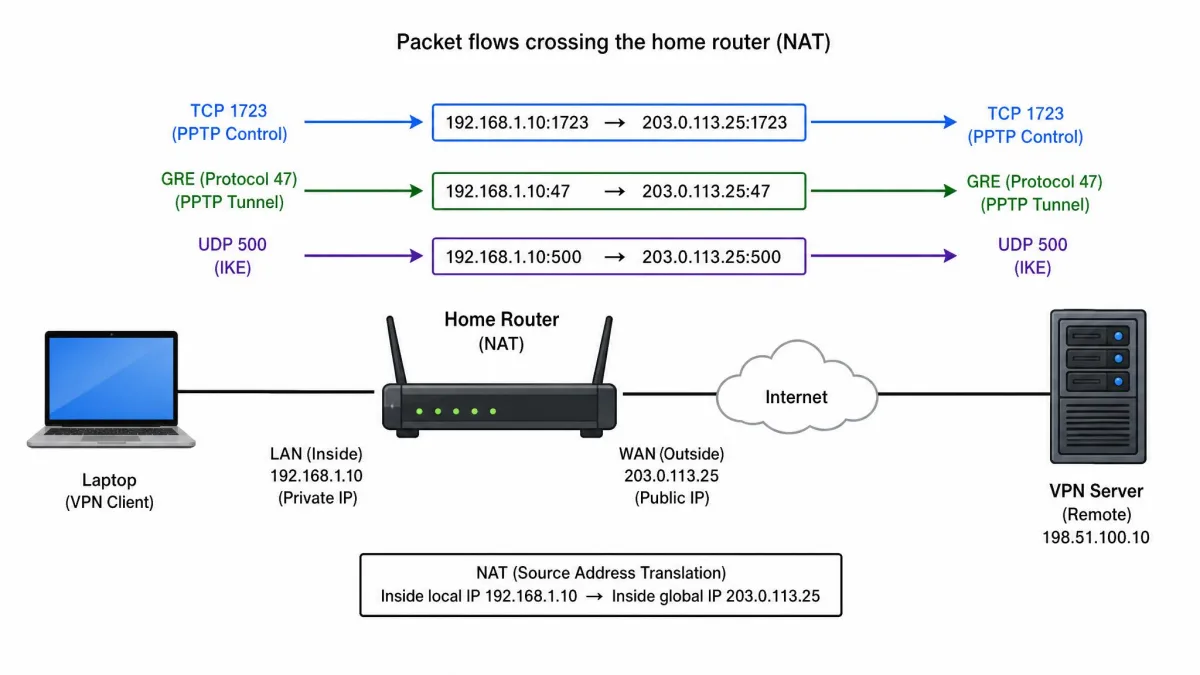
- The router recognises a VPN related protocol, such as TCP 1723 for PPTP or UDP 500 for IPsec key exchange.
- The passthrough helper records the identifiers that protocol does carry, such as the GRE Call ID or the IPsec SPI.
- Outbound packets leave with the router's public address, and the helper notes which internal device owns the session.
- Return packets arrive with no port to match on, so the router looks up the recorded identifier and forwards them on.
- The tunnel comes up, and every application on the laptop can use it normally.
None of those steps involves decryption. The router never reads the tunnel's contents, and it does not need the keys.
What Are the Three Types of VPN Passthrough?
Router firmware almost always splits the feature into three toggles, one per legacy protocol. They are not interchangeable, and enabling one does nothing for the others.
PPTP passthrough (GRE, port 1723)
PPTP is the oldest of the three, specified in RFC 2637 and published in 1999. Its control connection is a TCP session to port 1723, and its payload rides in GRE.
PPTP passthrough handles the GRE half by tracking Call IDs, and it is the toggle most likely to decide whether a legacy connection works at all.
PPTP should not be treated as private traffic. MS-CHAPv2, the authentication behind most PPTP deployments, was reduced to a single DES key by chapcrack and CloudCracker in 2012, with a 100% crack success rate. Enabling passthrough makes a PPTP tunnel work again. It does not make it secure.
L2TP passthrough (UDP 1701)
L2TP is specified in RFC 2661, also from 1999, and it uses UDP port 1701. Because it runs over UDP with a real port number, plain NAT copes with it better than it copes with PPTP.
The catch is that L2TP provides no encryption of its own. In practice it is almost always paired with IPsec as L2TP/IPsec, which is why the L2TP and IPsec toggles usually need to match each other.
IPsec passthrough (IKE on UDP 500, ESP)
IPsec is the one you are most likely to meet on a corporate network. Key exchange runs over UDP port 500, and the encrypted payload travels in ESP, IP protocol 50.
IPsec passthrough tracks the SPI and cookie values so return traffic finds its way home. Modern clients negotiate NAT-T and move to UDP 4500 instead, which sidesteps the issue.
VPN Passthrough vs. VPN Router vs. VPN App: What's the Difference?
These three are constantly confused, and only one of them actually encrypts anything.
| Row | VPN passthrough | VPN router | VPN app on the device |
|---|---|---|---|
| What it does | Lets outbound VPN traffic cross the router's NAT and firewall | Runs the VPN client itself and tunnels the whole network | Runs the VPN client on one device |
| Which protocols | PPTP (TCP 1723 plus GRE 47), L2TP (UDP 1701), IPsec (UDP 500/4500, ESP 50) | Whatever the firmware supports, often OpenVPN or WireGuard | OpenVPN, WireGuard, IKEv2 and vendor protocols |
| Where it runs | On the router, as a NAT helper only | On the router, as a VPN client | On the phone, laptop or console |
| Effort to set up | One toggle, usually already on | Firmware, config files and keys | Install the app and sign in |
| Who it suits | Anyone connecting to a legacy work VPN | Whole-home coverage and devices with no VPN app | Almost everyone in 2026 |
One combination causes real confusion. A router already running its own VPN client, plus a VPN app on a device behind it, produces double encryption and slowdowns nobody can account for. Pick one layer and stick with it.
Do OpenVPN and WireGuard Need VPN Passthrough?
No. Both protocols were designed for a world where NAT already existed everywhere, so they ride ordinary UDP or TCP ports that NAT maps like any other traffic.
OpenVPN runs on UDP port 1194 by default, and it is commonly configured on TCP 443 so it blends in with normal HTTPS. WireGuard sends everything over UDP, conventionally on port 51820, and its persistent keepalive interval of 25 seconds is documented as working across a wide variety of firewalls and NAT devices.
IKEv2 sits in the same category once NAT-T is in play. If your VPN app uses any of these, the toggles are simply not part of the connection.

Do You Actually Need VPN Passthrough Anymore?
Only if something on your network still speaks PPTP, L2TP or bare IPsec. That usually means a work VPN, a site-to-site link to an office, or an older NAS.
For everyone else, enabling passthrough makes no visible difference, because modern VPN apps never touch those protocols. The setting is more often a thing to verify during troubleshooting than a thing to change.
Pros
- Keeps legacy work VPNs and older site-to-site links working behind NAT
- Costs nothing to leave enabled, and adds no overhead of its own
- Usually already switched on, so there is nothing to configure
- Separate toggles let you allow IPsec while blocking PPTP
Cons
- Does nothing at all for OpenVPN, WireGuard or IKEv2 connections
- Provides no encryption, no privacy and no protection by itself
- Can keep a cryptographically broken PPTP tunnel alive
- Multiple devices reaching the same PPTP server still collide
How Do You Enable or Disable VPN Passthrough on Your Router?
Open a browser on a device connected to your network and go to your router's admin address, typically 192.168.1.1 or 192.168.0.1. Sign in with the credentials printed on the router label, then look for a firewall, security or NAT section.
Inside it you are looking for the three checkboxes. Tick or untick what you need, save, and reconnect. Some firmware reboots to apply the change, so do this when nobody is mid call.
If you are setting up a tunnel at the same time, our guide on how to use a VPN walks through the client side.
Finding the setting on TP-Link, Netgear, Asus and Linksys
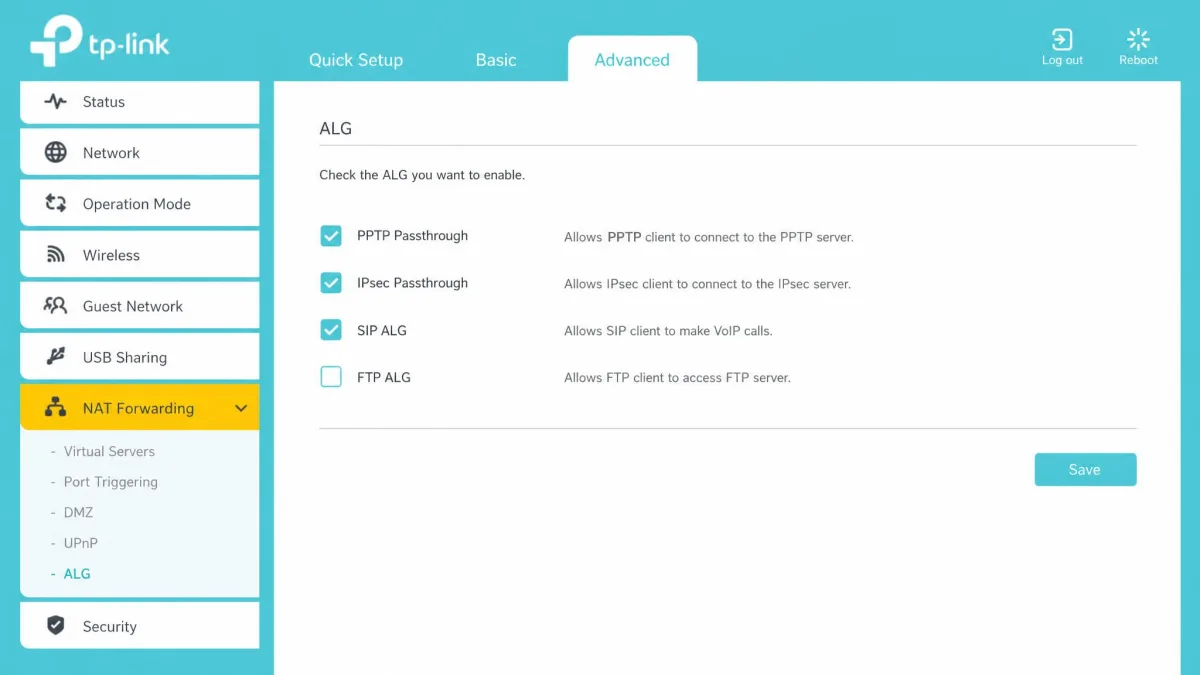
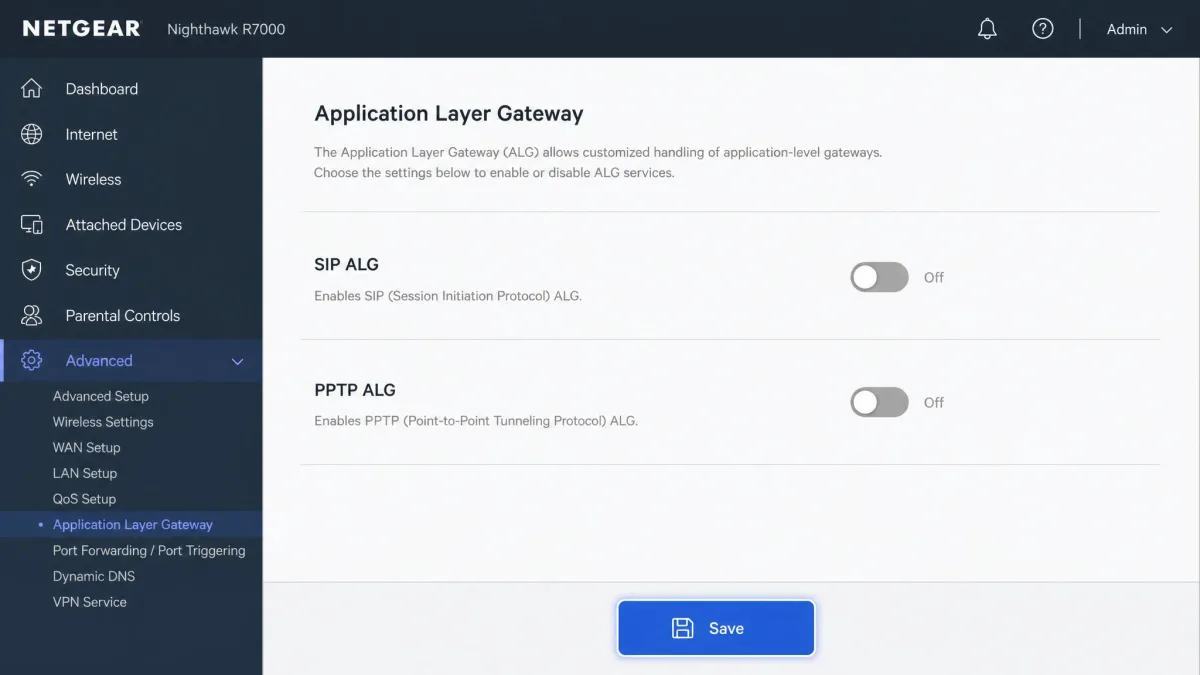
Menu wording shifts between firmware revisions and model lines, so treat these as starting points rather than fixed paths. Linksys generally files the toggles under Security, then VPN Passthrough. Asus puts them under Advanced Settings, then VPN. TP-Link tends to hide them under Advanced, then NAT Forwarding, then ALG. Netgear varies most, with some units exposing them under Advanced, then Setup, then WAN Setup, and others exposing nothing at all.
In practice the toggles are not always where the brand's own help pages say they are. On newer firmware they migrate between the Security, Firewall, NAT Forwarding and WAN Setup menus, so it is worth reading every page in that area before concluding the setting is missing.
If the menus defeat you, use your browser's find-on-page search for the word "passthrough" or "ALG" on each settings screen. That is faster than clicking through every submenu, and it catches toggles buried inside collapsed panels.
What to do when the setting isn't there
Plenty of current routers expose no such setting, because the NAT helpers run automatically and cannot be switched off. That is not a fault, and there is nothing to fix.
Try the connection first. If a legacy tunnel comes up and stays up, the helper is doing its job silently. If it fails, forward the ports to one internal device, or ask whoever runs the VPN server whether it supports NAT-T.
Why Isn't My VPN Working With Passthrough On? Common Failures
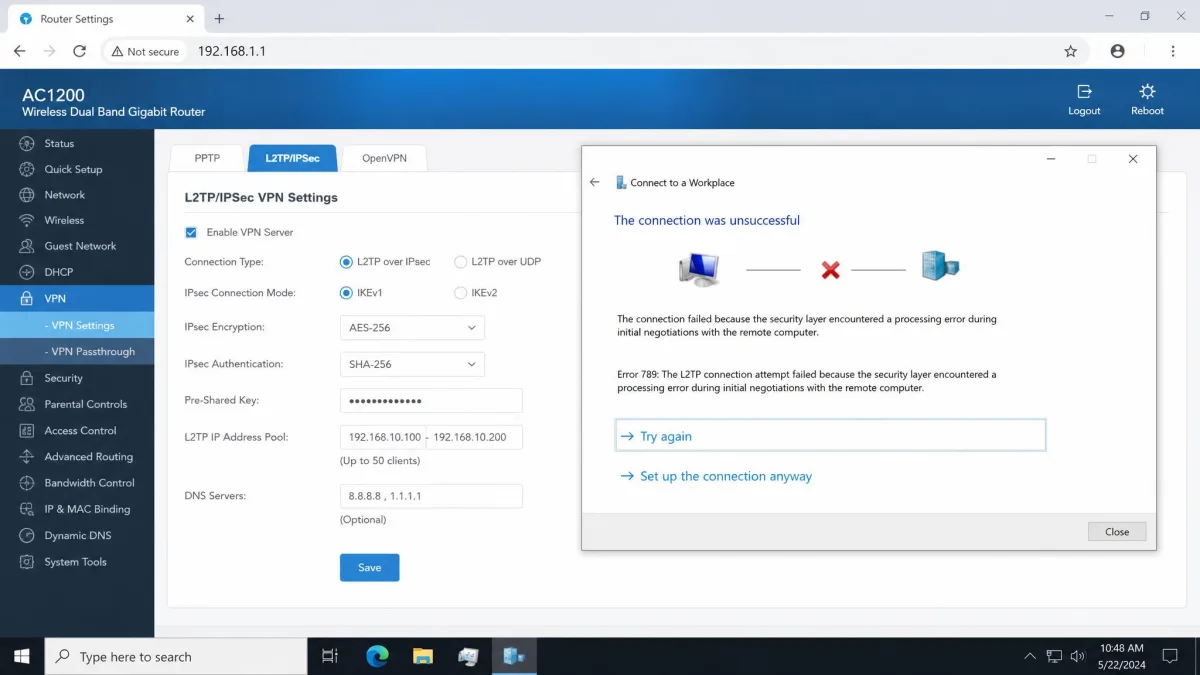
A failed legacy connection behind NAT usually shows up in one of two shapes. Either the tunnel never comes up at all, or it connects and then drops within seconds. The first points at a blocked protocol, the second at a broken return path.
Work through these in order.
- Check the right toggle. Enabling IPsec passthrough does nothing for a PPTP connection, and vice versa.
- Turn off the ALG helper. When a VPN connects but no data moves, the router's Application Layer Gateway is a common culprit, and switching it off can restore the tunnel.
- Try one device at a time. Two simultaneous PPTP sessions to the same server will collide regardless of your settings.
- Ask about NAT-T. If the far end supports it, IPsec will move to UDP 4500 and the whole problem disappears.
- Watch the session count. Router manufacturers document connection limits that depend on the model's capacity, how many VPN gateways are involved, and whether the gateway supports NAT traversal detection.
- Rule out double tunnelling. A router-level VPN client plus a device-level app will fight each other.
If none of that helps, connect the same device through a phone hotspot and try again. A tunnel that works there and fails at home confirms the router is the problem.
Is VPN Passthrough Secure? Risks and Considerations
Passthrough is not a security feature, and it is not a security hole either. It permits traffic your device was going to send anyway, and it never handles keys or plaintext.
The real risk is what it enables. Turning passthrough on does not make the underlying protocol safer, and a PPTP tunnel that now works is still a tunnel with broken authentication. If you have a choice, move that connection to IKEv2, OpenVPN or WireGuard rather than reviving it.
There is also a mild firewall argument. Every enabled helper is one more code path in your router's firmware, so leaving unused toggles off is reasonable hygiene. It is a small win, and it will not protect you from anything specific.
One thing passthrough does not do is slow you down. It changes how packets are routed, not how much data can move, so enabling it does not by itself change connection speed or stability. The ALG helpers that sit next to it are a different story, and those can interfere with a tunnel.
What Are the Alternatives to VPN Passthrough?
If passthrough is missing, broken or simply the wrong tool, you have four practical routes.
Switching protocols is the cleanest. Moving the connection to WireGuard, OpenVPN or IKEv2 removes the NAT problem entirely, because those protocols already live on ordinary ports.
Port forwarding is the manual version. You forward TCP 1723 or UDP 500 and 4500 to one internal device, which works well for a single machine and badly for several.
Running the VPN client on the router itself covers every device, including consoles and smart TVs with no VPN app. It costs you a firmware flash and some config work.
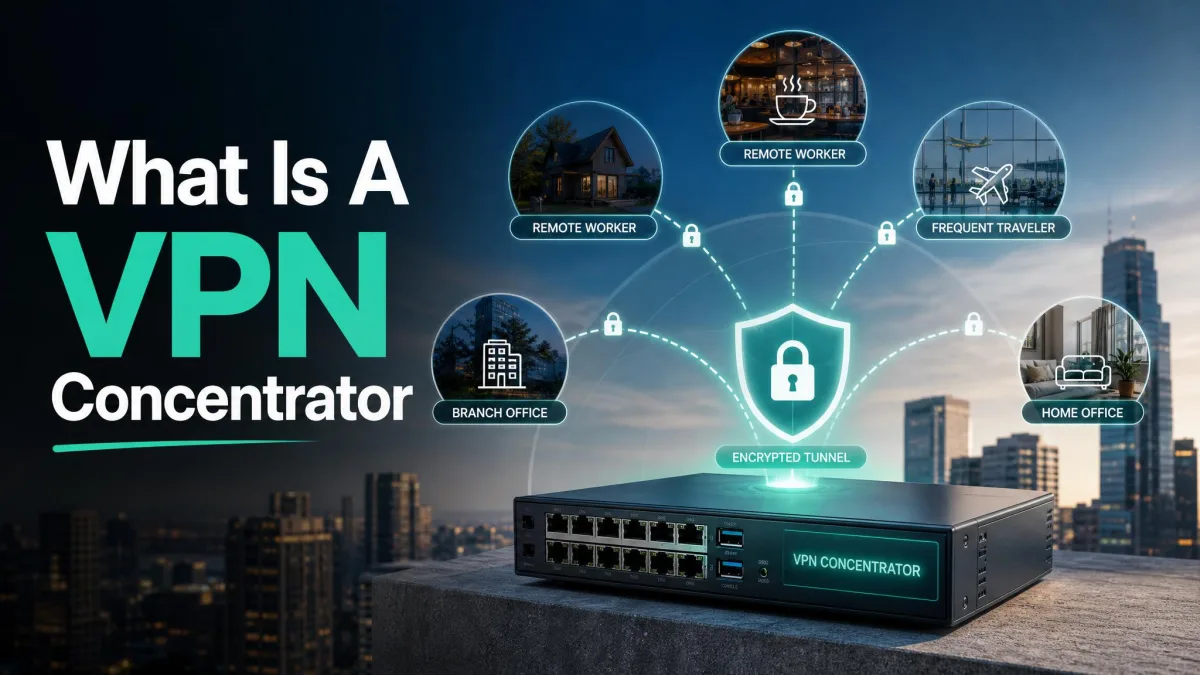
For anyone terminating many tunnels at once, dedicated hardware is the answer. Our explainer on what is a VPN concentrator? covers where that fits.
Frequently Asked Questions
Is VPN passthrough the same as port forwarding?
What is NAT passthrough?
Does VPN passthrough slow down my connection?
What happens if VPN passthrough is disabled?
Do all routers support VPN passthrough?
Can I use VPN passthrough on more than one device at once?
Should I disable VPN passthrough for security reasons?
The Bottom Line
VPN passthrough is a workaround for older protocols, not a privacy feature. It lets PPTP, L2TP and IPsec traffic cross your router's NAT, and that is the whole of its job.
If you use a mainstream VPN app in 2026, you can leave the toggles alone. They are usually enabled by default, they cost nothing, and your connection does not use them.
If you are wrestling with a legacy work VPN, check the toggle that matches your protocol, then check the ALG setting next to it. And if the choice is yours, move that tunnel to a modern protocol instead of keeping a broken one alive.