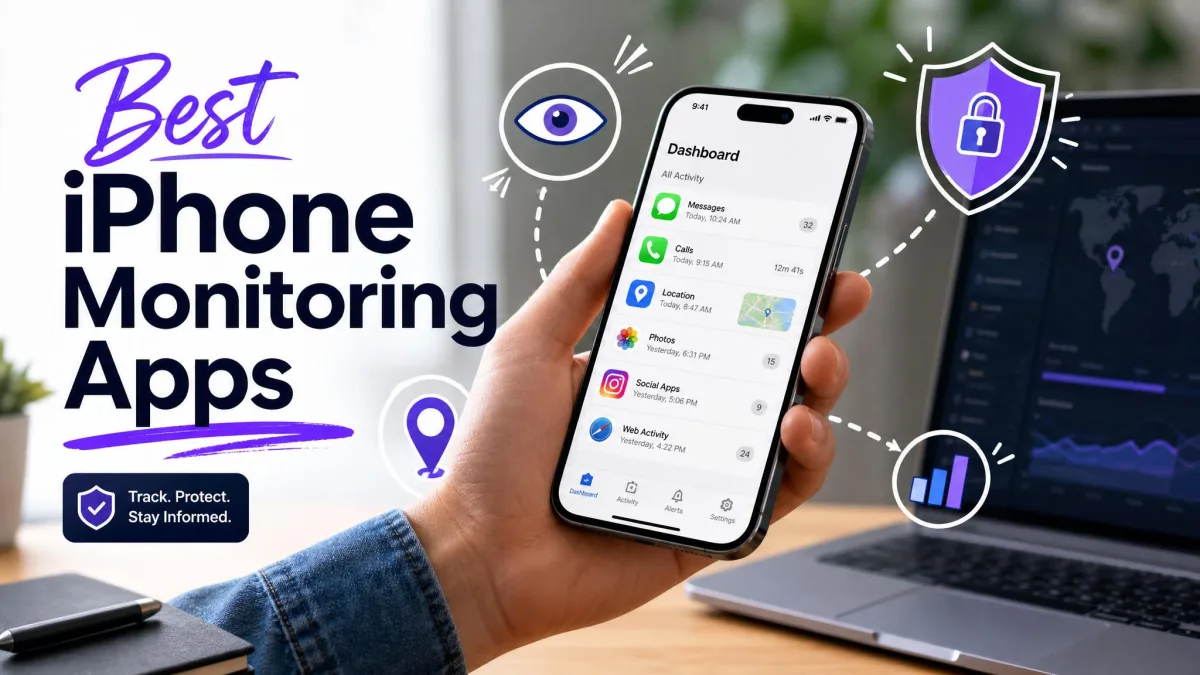
Most parents who search for an iPhone monitoring app want one of three things: to see where their child is, to limit screen time, or to know when a conversation turns risky. iOS is far more locked down than Android, so no single app does all three equally well. Some tools set rules on the phone itself. Others pull messages from a computer backup or a linked cloud account, and the data they return can be thin.
In this guide we compare eight options by what they can actually show on an iPhone, what setup they demand, and what they cost. We separate monitoring reports from device controls, because the two get mixed up in marketing copy. You will also see the access each app needs, the limits that matter, and the apps we would skip.

How We Evaluate iPhone Monitoring Apps
We judge each app on five things: the iPhone data it can really show, its setup and access requirements, the controls alongside its reports, its full-year cost, and how the vendor's documentation compares with our findings from each setup route. We read the official setup guides for every route and note where they contradict the marketing page.
We compare monitoring reports and device controls separately, because an app can be strong at one and weak at the other. Where our notes on an interface differ from a vendor's feature list, we go with what the interface did. We avoid giving any app a numerical score, since the iPhone data each one returns depends so heavily on the route you choose.
We also do not treat a long feature list as proof of iPhone support. Many lists blend Android and iOS abilities. Where a claim could not be confirmed for an iPhone workflow, we say so in the entry.
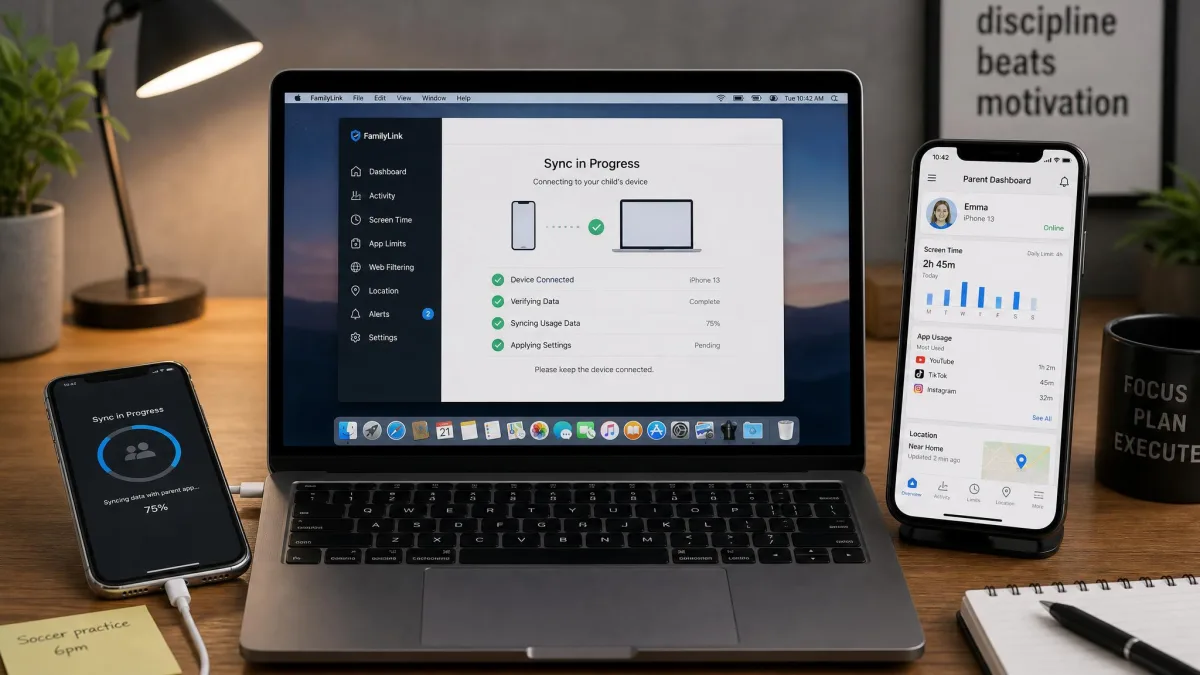
The 8 Best iPhone Monitoring Apps
We ranked these by how much useful iPhone coverage each one gives a family, weighing capabilities and ease of use. Eyezy comes first because it offers the broadest feature list and a cloud sign-in route that skips the cable and the computer. mSpy follows for its compatibility with the widest range of iPhones, and Qustodio is the better pick when web filtering, routines and controls matter more than message data. Prices below are USD and reflect what the vendors listed in November 2026.
1. Eyezy
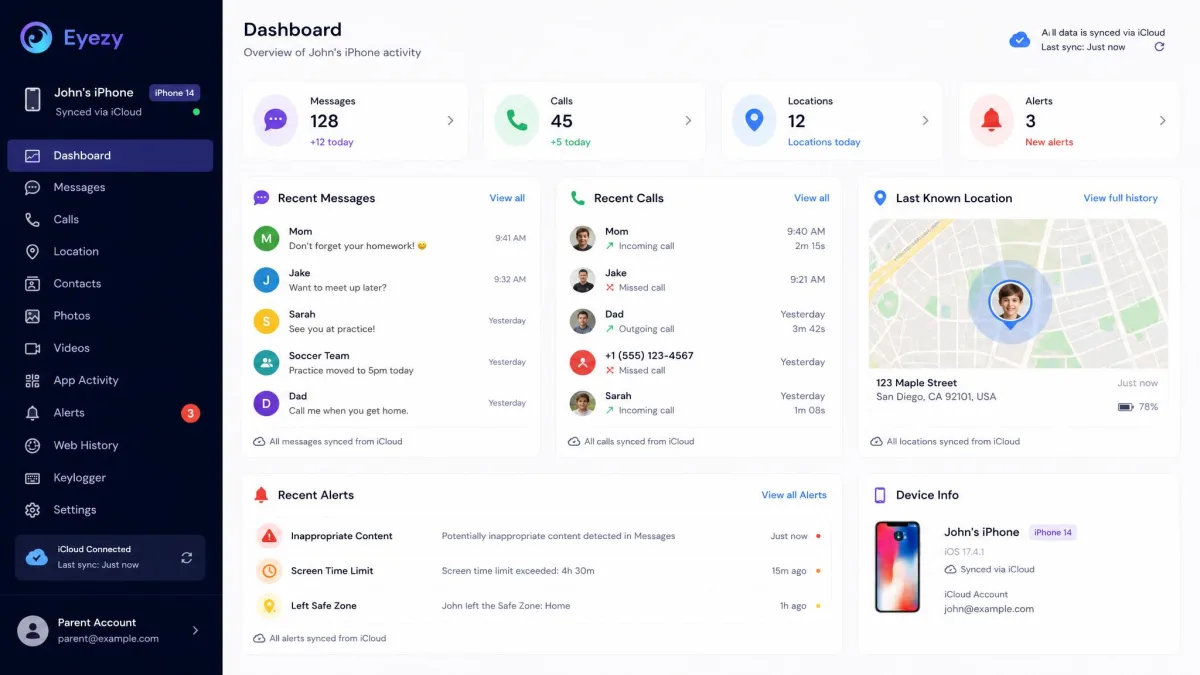
Eyezy takes the top spot for the breadth of what it can show on an iPhone and for how little setup its cloud route demands. Its advertised portfolio includes messages, social activity, calls and contacts, location, browsing, files, and keyword and geofence alerts, which is the widest list in this guide for a paid parent-facing app. You can connect through iCloud, local Wi-Fi sync or device management, and the supported functions depend on the route you choose.
Ease of use is the other reason. The iCloud route needs no cable and no computer: you sign in with the Apple account and wait for the dashboard to fill. That is a lighter start than the computer-backup route that Qustodio, Bark, MMGuardian and FamiSafe rely on. The local route needs initial pairing with a computer, with the phone on the same Wi-Fi as the PC or Mac. If a sync fails, unlock the phone, reconnect the cable or restart both devices.
One caution keeps this from being a flat recommendation: the results vary by route. Our notes show that an iCloud sign-in can display contacts while media and other sections stay empty. The iPhone iCloud route can provide basic call and SMS records, but the first sync can be slow and social-chat detail is much narrower than on Android. A local computer installation can fail before synchronization starts, so a successful sign-in does not establish full data availability. Run a first sync and check what populates before you rely on it.
Premium covers 1 device and the Family Kit covers up to 3. Pricing is regional and promotional, and the long-term rates shown are monthly equivalents rather than month-to-month charges. Renewals are at full price, so read the order page for your country. The FAQ offers a demo rather than a live free trial, and it says physical access is required. Refunds are conditional within a 14-day window on the first subscription, and compatibility failures, lost credentials and certain connection failures are excluded.
Pros
- Broad advertised feature list with keyword and geofence alerts
- Multiple connection routes
- Family Kit covers up to 3 devices
Cons
- Data returned varies sharply by route
- Local install can fail before syncing starts
- Price and renewal depend on region and offer
Best for: Parents who want the broadest data coverage and the simplest start, and who will check what a first sync returns. Skip if: You need guaranteed message and social coverage on iPhone.
2. mSpy
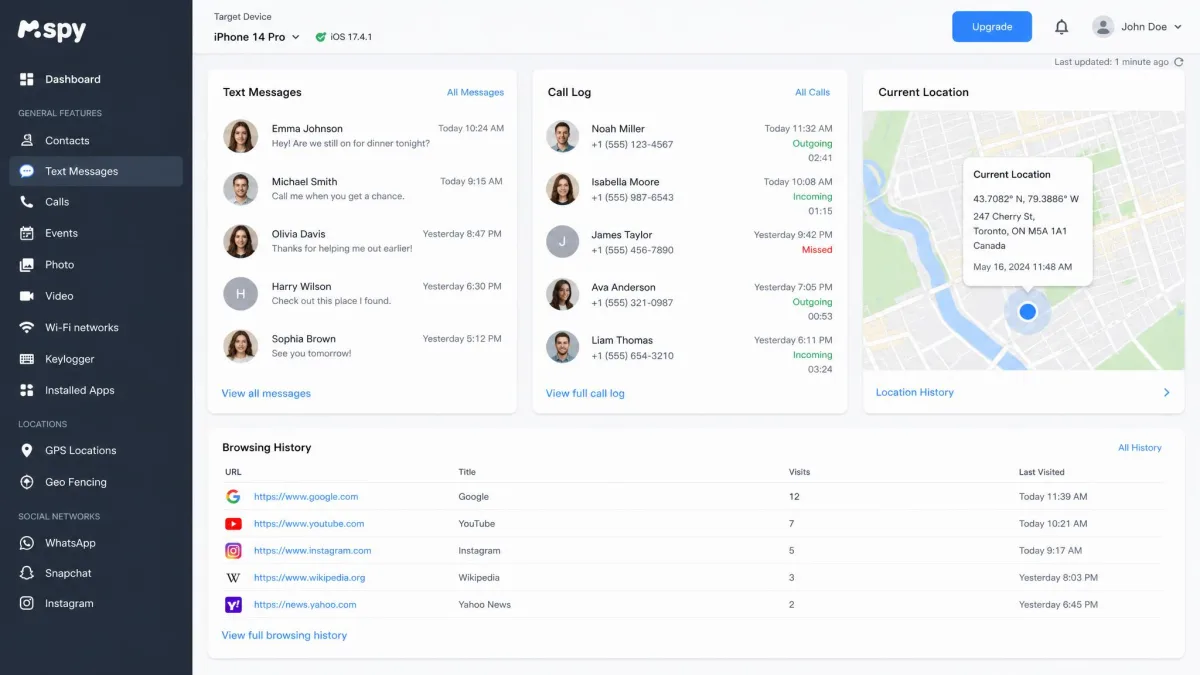
Eyezy leads on ease, and mSpy comes second because it works with the widest range of iPhones of any app here. Its site states that it is compatible with all iPhones, and no other entry makes a claim that broad. It also has the most ways onto a phone: a cloud route with the child's Apple credentials, Wi-Fi Sync and Local Sync, the last two offered without a jailbreak. Its advertised portfolio includes messages, iMessages, calls, contacts, photos, browsing history, bookmarks, location, social chats and alerts. Each route exposes a different set of data, and the vendor does not publish a clear table of what each one returns, so a broad feature list does not establish identical coverage on every iPhone. The site gives no version-by-version table, so confirm your child's iOS version on the vendor's compatibility policy before you buy.
At $48.99 a month for one child device, mSpy is the priciest entry here, and it is more of a data-inspection tool than a family controls suite.
Open the parent dashboard and the first impression is a crowded screen. In our testing notes the dense logging feels like a lot to sort through rather than something you can act on at once. Setup on the child's device is more demanding than navigating the parent interface, and advanced feature availability is hard to determine before purchase. Support can provide generic plan information instead of answering your specific question, and upselling can complicate troubleshooting.
In practice you either enter the child's Apple credentials for the cloud route or hold the phone and pair it for the local route. Account-based monitoring needs Apple account credentials. Local workflows need authorized access to the iPhone. An iPhone cannot be monitored just by entering a phone number. Data freshness depends on the sync method you pick and on connectivity, so do not read the vendor's 24-hour interval as a promise of live updates.
Pros
- Wide advertised data range, including calls, contacts and photos
- No-jailbreak Wi-Fi Sync and Local Sync routes
- Demo available
Cons
- Crowded dashboard
- Hard to know which features you get before paying
- Highest monthly price here and one child device
- Past breach, and generic support answers
Premium costs $48.99 for a monthly subscription and covers 1 child device. Longer terms are advertised as monthly equivalents of $27.99 for a quarterly term and $11.66 for an annual term, but those are prepaid amounts, so check the checkout total and the renewal price. A demo is available, but we found no live free trial. Refunds are conditional within a 14-day window. Missing access, incompatible devices and several connection failures are excluded.
Security history matters with a tool this invasive. A breach in 2015 exposed device-use tracking information stored by mSpy, as Have I Been Pwned's mSpy entry records.
Best for: Narrow data-inspection needs where you have authorized access. Skip if: You want screen-time rules, filtering or a clear price.
3. Qustodio
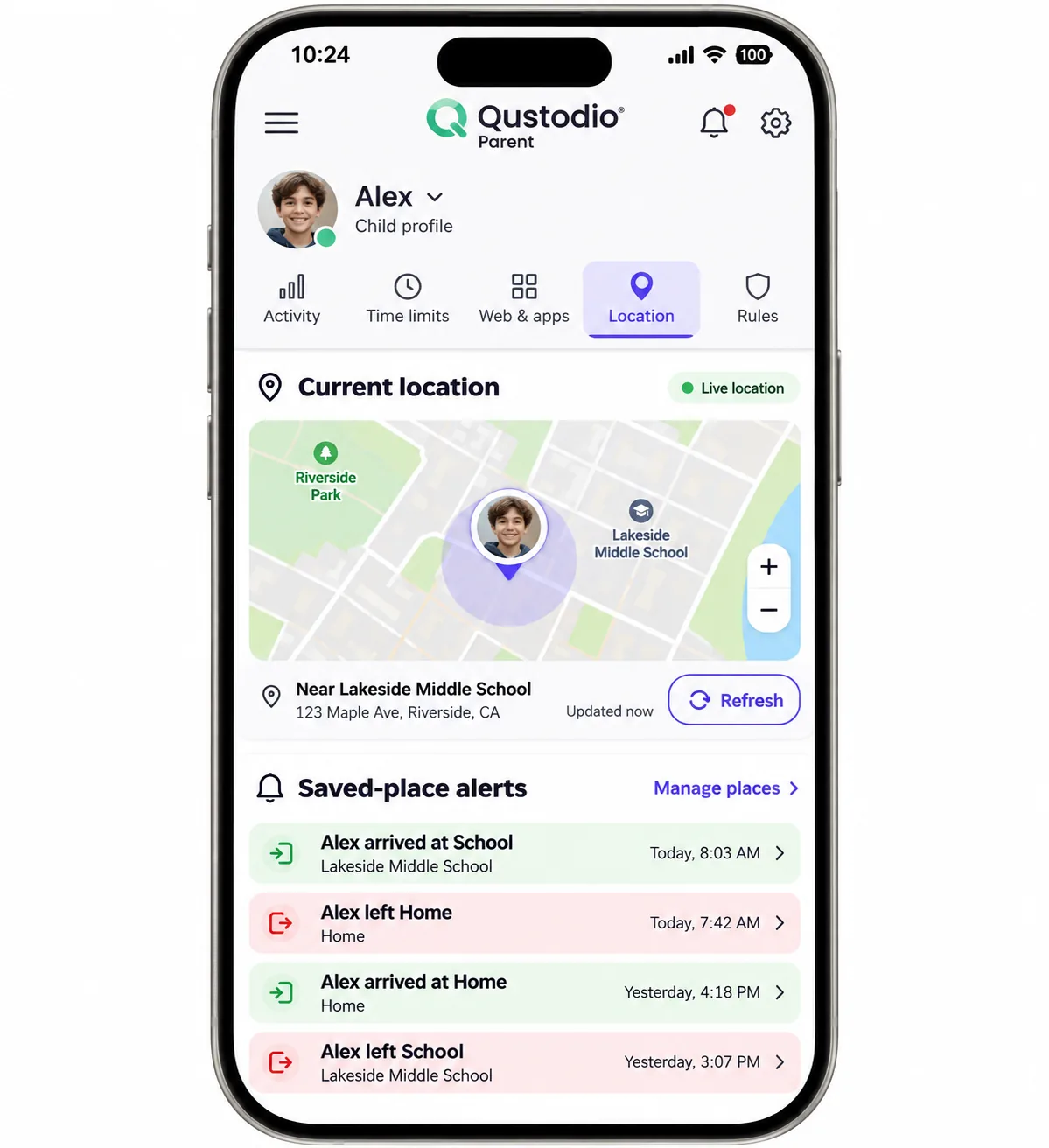
Where Eyezy and mSpy lead with data, Qustodio is the strongest general-purpose paid pick for a family that wants controls, reports and optional message review in one place. Its interface makes common controls easy to find, with helpful explanations and quick actions beside each setting. Switching routines is straightforward, and the mobile location view is useful for checking a child's movements and manually refreshing a position. The web dashboard is less useful for location lookups, so the parent app is the better place for that.
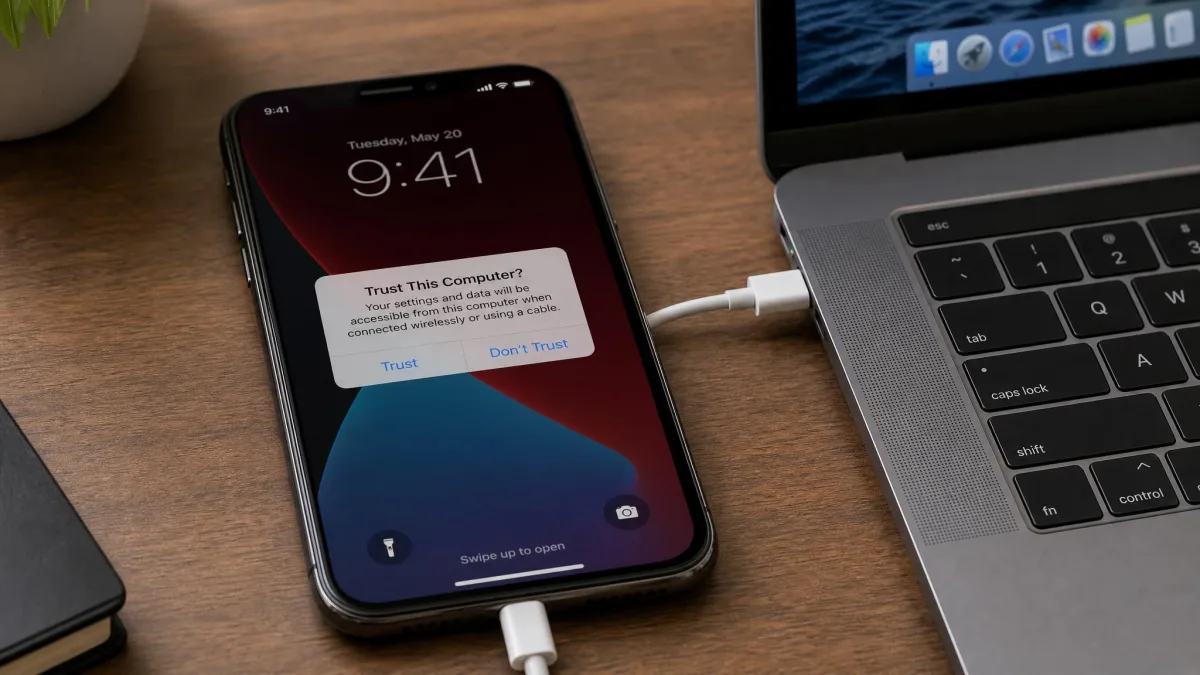
The catch is that monitoring iPhone calls and messages takes more than a simple install. It requires Qustodio's documented iOS setup: iOS 15 or later, a protected child device, a Premium subscription and a computer. The walkthrough runs like this: you plug the phone into the computer by cable, unlock it, tap Trust on the prompt, and enter an encrypted-backup password if one is requested. After that, calls and messages update hourly, but only while both devices share Wi-Fi and the computer app stays running.
What you see on the iPhone is SMS and iMessage content, call metadata and concerning WhatsApp or LINE snippets. Message alerts for Instagram, TikTok, Snapchat and X, plus the panic button, are Android-only. Qustodio's geofence areas are also relatively small, which is limiting if you want to mark a large school campus.
Basic costs $59.95 a year, as listed on Qustodio's Premium page, and protects up to 5 devices. Complete covers unlimited family devices, but the published annual amount differs between sources, so confirm it at checkout. A 30-day money-back guarantee applies. For a longer look at the app, see our Qustodio review.
Pros
- Easy to find controls with helpful explanations
- Web filtering, routines and time limits in one app
- Optional iPhone SMS, iMessage and call review
- Free tier for one device
Cons
- Small geofence areas
- Social message alerts are Android-only
Best for: Families with mixed devices who want rules and reports together. Skip if: You want live message access without a computer.
4. Bark
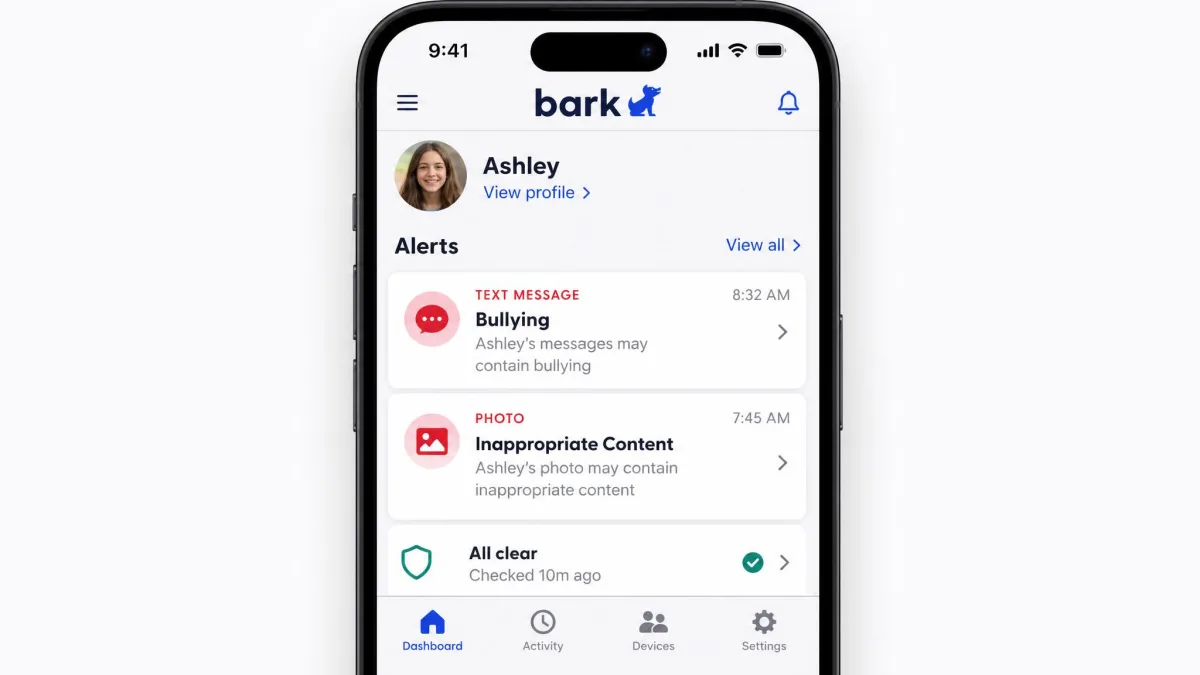
Where Qustodio gives you logs and rules in one place, Bark is built around alerts rather than constant surveillance. Its interface reduces the need to read through continuous conversation logs, because it flags concerning text, image and video content and leaves the rest alone. For parents who do not want to read every chat, this is a calmer approach. It also supports WhatsApp and Kik, connected accounts, screen-time schedules, website and app restrictions, and location tracking with alerts.
There are two things to know. First, Bark's highest sensitivity settings can flag harmless material, so the number of alerts a parent must inspect goes up. Second, Bark can spot concerning message and image content, but an alert may arrive after the interaction rather than during it. Desktop scans are retrospective, not real time.
Setup has two parts. The Bark Kids app covers on-device controls and location. For message and media monitoring, you use either Bark Sync or the Windows and Mac companion. The desktop route needs a cable, a trust prompt and the phone passcode, and the computer must stay awake on the same Wi-Fi. Connected social accounts may need their own credentials.
The Bark app costs $14 a month or $99 a year, as listed on Bark's pricing page, and a family subscription covers unlimited children, devices and accounts. Bark Sync is an extra $49 a year. A 7-day free trial is available. Support for unlimited accounts does not mean support for every app. Refund terms for subscriptions are restrictive, and purchases through resellers follow their own payment terms. Our fuller notes are in our Bark review.
Pros
- Alert-first design means less reading
- Unlimited children and devices on one plan
- Covers texts, photos, videos, WhatsApp and Kik
- 7-day free trial
Cons
- High sensitivity can flag harmless content
- Alerts may arrive after the fact
- Sync costs extra and the desktop route is retrospective
Best for: Parents who want to be warned about risk, not read every message. Skip if: You need a full transcript of every conversation.
5. MMGuardian
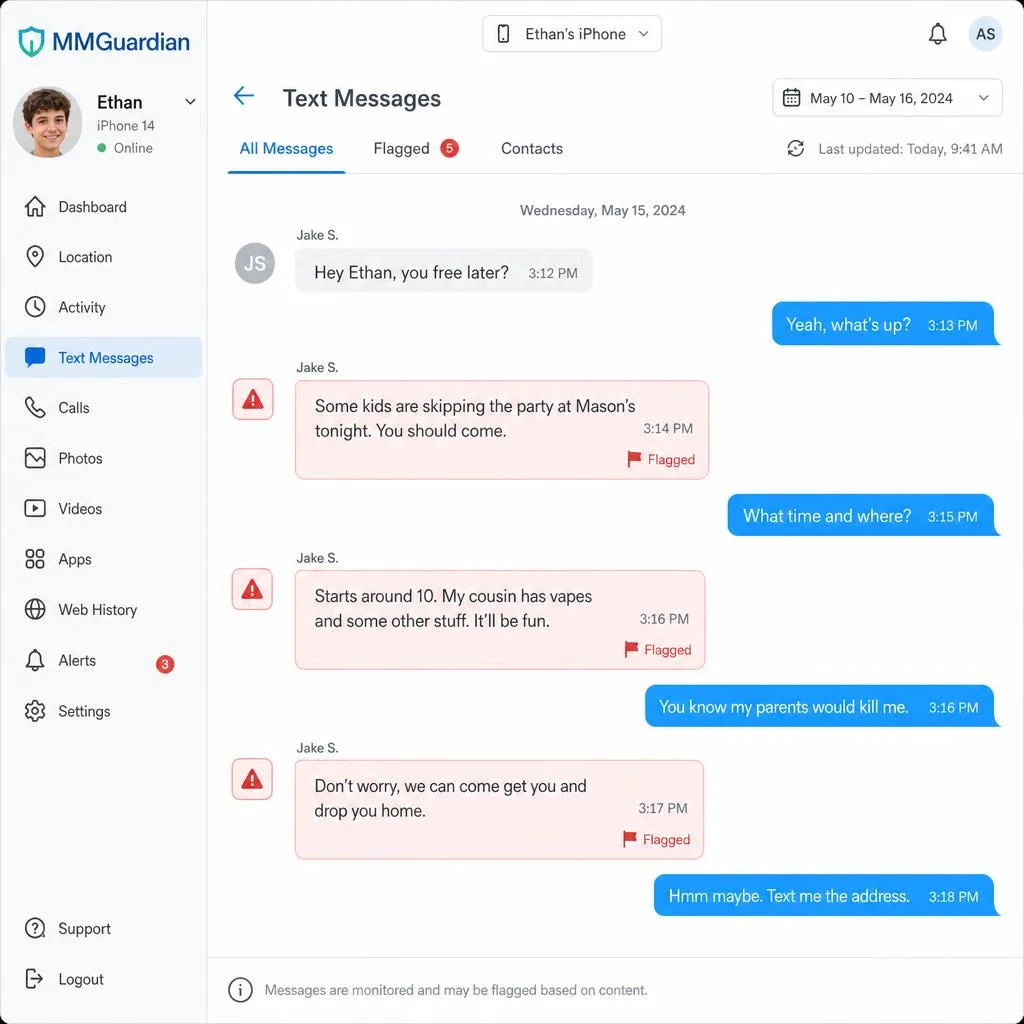
Where Bark warns you about risk and stops there, MMGuardian suits parents whose main goal is reviewing iPhone text messages. It offers SMS and iMessage reporting with risk alerts, WhatsApp and Kik monitoring, location tracking and a safe browser for web filtering. The interface looks dated, but its settings and main web controls are generally easy to navigate. Browsing report history can involve lengthy scrolling, and the split between Phone Usage and Reports makes deeper investigation less intuitive.
Web filtering on iPhone is restrictive in practice, because protection relies on MMGuardian's own safe browser. In our assessment, that is the trade-off to understand before buying: filtering only applies while your child uses that browser. The broader Android social-app support does not apply to iPhone.
For message retrieval, you install the Sync App on a Windows or Mac computer, pair the phone with a cable, approve the trust prompt and complete a backup. Later syncs need the same Wi-Fi and an awake computer. A backup attempt may ask for the device passcode even on a trusted computer, so unattended message retrieval is not guaranteed.
A single child phone costs $4.99 a month or $49.98 a year, before local sales tax. The family plan costs $9.99 a month or $99.98 a year and covers up to 5 child devices. A 14-day free trial is offered. For refunds, report a software defect within 72 hours of purchase. Plans auto-renew, and the rules differ by purchase channel, so check the cancellation steps before you pay.
Pros
- Low entry price for a single child
- SMS and iMessage reporting with risk alerts
- 14-day free trial
- Parent apps on both Android and iPhone
Cons
- Web filtering depends on its own safe browser
- Report history is awkward to dig through
- Needs a computer, cable and sometimes the passcode
Best for: Parents focused on reviewing texts at a modest price. Skip if: You want filtering inside Safari or any browser your child likes.
6. FamiSafe
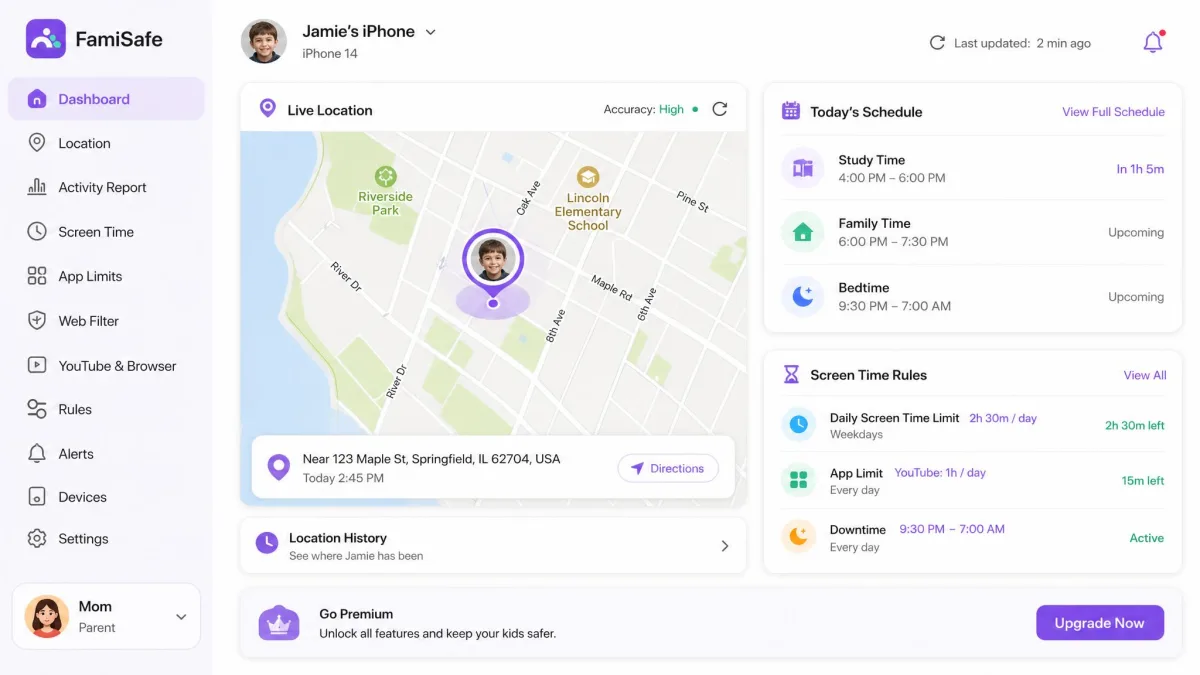
Where MMGuardian centers on texts, FamiSafe is best known for location and routine controls. Location history and geofences work well, and app rules are straightforward to adjust for different times and household routines. Its web and search filters need manual tuning, though, and can miss inappropriate content outside the words you configure. Social monitoring on iPhone is comparatively limited. Support resources can take work to locate even though the knowledge base holds useful guides.
Calls and messages are the weak spot. Monitoring supported iOS calls and messages requires FamiSafe Connect, Control Mode, an initial backup and Wi-Fi syncing. On FamiSafe, Calls & Messages is unavailable on iOS 27, with no confirmed compatibility date. Check this before you buy if your child's phone has updated. iOS app restrictions can also hide app icons, which your child will notice. Reporting on activity, browser history and app use varies by iOS version and installation mode, so do not assume the long feature list applies to an ordinary iPhone install.
Pros
- Useful location history and geofences
- Easy-to-adjust schedules and app rules
- Lowest monthly price among the family plans here
Cons
- Filters need manual tuning
- Social monitoring is limited on iPhone
The family plan is $9.99 a month, $19.99 billed quarterly or $59.99 billed annually. The monthly plan covers up to 5 devices, while device allowances on quarterly and annual plans differ between FamiSafe's own pages. A 3-day trial comes with the annual plan, and a 7-day money-back guarantee applies to direct purchases. App Store purchases use Apple's refund process. Plans auto-renew, so read the renewal terms for your chosen order. More detail is in our FamiSafe review.
Best for: Families who mainly want location and schedules. Skip if: Message review is your main reason to buy.
7. Apple Screen Time and Find My
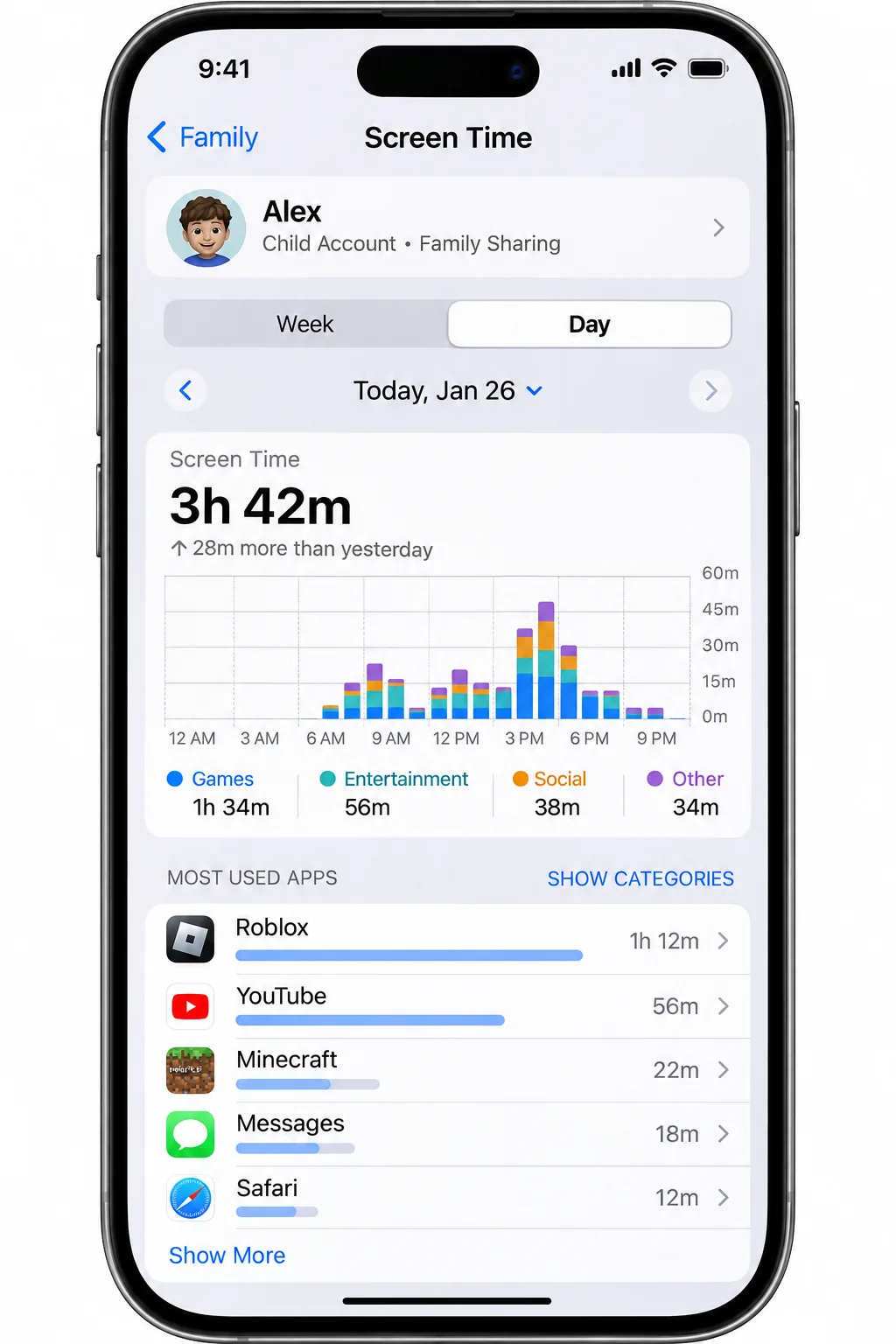
Where FamiSafe charges for location and schedules, Apple's built-in tools offer a free option. For many families, they are the right first step. Built-in parental controls cost $0, with no separate monitoring subscription. Screen Time covers app and site restrictions, usage reports, limits, Downtime, communication controls and content and privacy settings. Find My handles shared family locations, location-change notifications and lost-device help. Apple's family location-sharing instructions walk through turning that on.
In our assessment the Family Sharing setup is straightforward, and the app-use breakdowns make it easy to see which apps are eating time. Limits and Downtime work without a separate service. What you do not get is a transcript viewer for messages or social chats, and nothing here offers deep conversation analysis.
To set it up, you create the child's Apple account, add it to your Family Sharing group and set a Screen Time passcode. Remote control uses Family Sharing and your child's own Apple account, managed by an organizer or parent on Apple hardware. Set a Screen Time passcode. Find My needs Location Services and location sharing, and family members receive a sharing notification. Child settings may prevent changes to sharing. Family Sharing supports up to 6 members, including the organizer, and that is a people limit rather than a device license.
Screen Time is more convenient inside an Apple household than when a parent needs to administer an iPhone from Android, and child settings can limit location sharing. There is no message or social chat viewer, so treat it as the foundation rather than the whole answer. For a broader look at free and paid time-limit tools, see our screen time app guide for iPhone.
Best for: Apple households that want limits and location at no cost. Skip if: You need to see message content or manage from Android.
8. SpyX
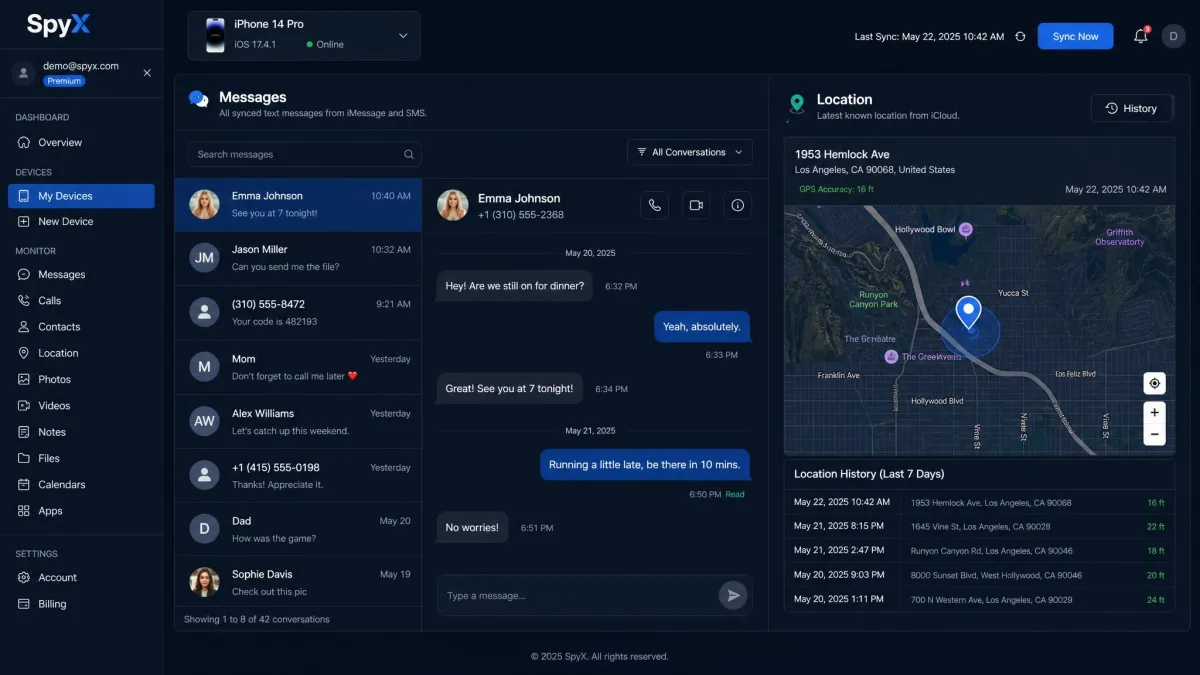
Where mSpy at least offers several routes, SpyX is the hardest iPhone purchase to justify on this list. It is a cloud-linked dashboard. Our notes show that its iPhone cloud connection can populate only contacts, reminders and calendar, even after account verification succeeds. Messages, calls, media and social data are advertised, but coverage depends on the method you buy. Its feature labels make evaluation difficult, because desired message features can be marked EXTREME without a clear complete price.
It also lacks the everyday screen-time and filtering controls that make conventional parental apps useful for setting boundaries. The setup sequence is short: enter the Apple credentials, complete account verification, and wait for the dashboard to fill. A phone number alone is not enough.
The standard subscription covers 1 monitored device. Base pricing is $49.98 monthly and about $11.66 a month on an annual plan, but the base charge may exclude the iPhone message features you want, so the real total is unresolved. Refund windows are disputed, with figures of 14 or 15 days, and deductions apply, so this is not an unconditional guarantee.
The security record is the other concern. SpyX experienced a June 2024 breach that exposed almost two million email addresses along with account and device information and plaintext Apple credentials. That count is not the number of monitored children, but exposed Apple credentials are a serious problem for a tool that asks for them.
What you actually get from the iCloud route:
- A cloud dashboard with no app on the child's phone
- Contacts, reminders and calendar populated, in our notes
- Sparse results elsewhere, unclear extra charges and no everyday filtering or screen-time controls
- A request for your child's Apple credentials, which the breach above makes a real risk
Best for: Almost no one. If you try it, test the free demo path first. Skip if: You care about price clarity, controls or data security.
Best iPhone Monitoring Apps Compared
The table shows what each app needs and returns on an iPhone. "Verified price" is the base figure we could confirm. Where published sources conflict, we say so instead of picking a number.
| App | Buy | Monitoring workflow | Accessible iOS data | Controls | Setup access | Devices | Verified price |
|---|---|---|---|---|---|---|---|
|
Check price → | iCloud, local or Wi-Fi route | Basic data that varies sharply by route | Exact iOS control scope unresolved | Phone or account access; paired PC or Mac for local | Premium 1; Family Kit 3 | Regional offer; renewal depends on region |
 |
Check price → | Cloud, local or Wi-Fi route | Selected messages, calls and media; route dependent | Exact iOS control scope unresolved | Authorized phone or account, or paired computer | Premium 1 | $48.99/month; long-term varies |
 |
Check price → | Child app; companion for messages | SMS, iMessage, call metadata, WhatsApp and LINE risk snippets | Web, app and time rules, routines | Installed app; extra steps for messages | Basic 5; Complete unlimited family | $59.95/year Basic; Complete amount differs by source |
 |
Check price → | Kids app; Sync or computer for device content | Risk alerts on supported messages, media and linked accounts | Schedules, web and app blocks | Child app; passcode and cable plus computer, or Sync | Unlimited family | $14/month or $99/year; Sync extra |
 | Child app; computer Sync App | SMS, iMessage, supported WhatsApp and Kik | Safe-browser filtering | Phone passcode, cable, awake computer | Single or up to 5 | $49.98/year single; $99.98/year family | |
 | Child controls; Connect for supported messages | Location and history; message sync is version dependent | App, web and schedule restrictions | Phone permissions; computer for message sync | Monthly 5; annual and quarterly differ | $9.99/month, $19.99/quarter, $59.99/year | |
 | Native family controls and location sharing | Usage summaries and shared locations; no chat viewer | App, site, time and communication limits | Child Apple account, Family Sharing, Apple parent device | Family group up to 6 people | $0 | |
 | Account-linked cloud | Contacts, calendar, reminders observed; wider scope unresolved | No verified conventional iPhone controls | Apple credentials and verification | Standard 1 | Base $49.98/month; full iPhone price unresolved |
How iPhone Monitoring Apps Work
Now that we have compared the apps, their workflows explain most of the differences. Monitoring on iOS falls into three different workflows, and they are not interchangeable. On-device controls limit apps, sites and time. Location reporting shares where the phone is. Message and activity review pulls data from a connected cloud account or from a computer backup of the phone. Seeing which workflow an app uses explains most of what it can and cannot do.
App permissions and on-device controls
iOS restricts what any installed app can see. A child app can apply filters, schedules and location sharing once you grant the permissions it asks for. It cannot simply read every other app's content. That is why tools offering message review rely on the other two workflows. Apple's own controls are the cleanest example, because they run at the system level with a Screen Time passcode.
Computer sync, backups and account access
Qustodio, Bark, MMGuardian and FamiSafe all read messages from a backup the phone makes to a Windows or Mac computer. The first pairing needs a cable, an unlocked phone and a trust prompt. Later syncs happen over Wi-Fi, so the computer has to stay awake and running. A passcode prompt can interrupt a sync without warning. The cloud-account alternative, used by mSpy, Eyezy and SpyX, needs the child's Apple credentials instead, and the results are thinner, as the entries above show. Neither route is live.
Retrospective scans are the norm on iPhone. A computer sync runs hourly at best, and an alert may reach you after the conversation has ended. Treat these tools as a review, not a live feed.
No-jailbreak versus jailbreak monitoring
All eight options here work without a jailbreak, and we would not recommend jailbreaking a child's phone for any of them. A jailbreak removes protections Apple built in and leaves the phone more exposed. No-jailbreak methods can still require physical access or credentials; they do not guarantee uninterrupted live data. Some advanced mSpy functions depend on a jailbreak, which is a reason to treat its broader claims with care.
How to Choose an iPhone Monitoring App
Now that you know how the routes work, turn to your own situation. Start with the problem you are solving, then check whether the app can solve it on an iPhone. The same feature name can mean very different things between Android and iOS.
Messages, call logs and social media coverage
On iPhone, text, iMessage and call logs are the realistic goal. Qustodio and MMGuardian offer the most message content, and Bark gives alerts on risky material across texts, photos, videos, WhatsApp and Kik. Social media coverage is much narrower than on Android for nearly every app. If a vendor claims full coverage of Instagram, TikTok or Snapchat on iPhone, ask for the iPhone-specific compatibility table.
Do not enter your child's Apple ID password into any tool unless you understand how it is stored. Use unique passwords and turn on two-factor authentication where the app allows it.
Location tracking, screen time and web filtering
Apple's own tools handle location and screen time at no cost, so paid apps need to add something. FamiSafe adds geofences and schedules, Qustodio adds routines and web filtering, and MMGuardian filters through its own browser. Web filtering is the area where iPhone limits show most. A filter that works only in one browser leaves gaps, and a keyword filter misses what you did not list.
An iPhone monitoring app is only as good as the route it uses to get data off the phone, so check the route before you check the feature list.
Subscription costs, device limits and refund terms
Compare the full-year cost, not the headline monthly rate. Long-term prices for mSpy, Eyezy and SpyX are monthly equivalents of a prepaid term, and renewal amounts can differ from the first charge. Per-device pricing also adds up: mSpy and SpyX cover one device, while Bark covers unlimited children. Check refund terms before paying, because several exclude missing access, lost credentials or an incompatible phone. For many families, the cheapest sensible approach is to start with Apple Screen Time and Find My, then add one paid tool to fill the gap.
Privacy, Consent and Data Security
Monitoring a child is different from monitoring another adult. Unauthorized surveillance apps can expose location and private communications and can enable abuse. Parental ownership of a phone is not a universal exemption for monitoring every person or conversation, and laws differ by place and by age. Use these tools only on devices you are authorized to manage, and avoid them on any adult's phone.
The better habit is openness. Tell your child what the app does, explain why, and agree on what you will and will not check. Apple's tools are designed this way: family members get a notification when location sharing starts. We do not recommend concealing an app from a child, and we cannot confirm that any of these eight is invisible.
On data security, remember that these apps hold some of the most sensitive information a family has. We could not verify encryption, retention periods, audits or a clean breach record across all eight, and security badges on a sales page prove nothing. Two of the options have documented breaches, which is worth weighing before you hand over credentials.
How to Set Up Monitoring on an Authorized iPhone
The steps are similar across the computer-sync apps. Choose your tool, then work through these in order.
- Start with Apple's own controls. Set up Family Sharing, create or link the child's Apple account, and add a Screen Time passcode.
- Install the app's child component on the phone and grant the permissions it requests.
- For message review, install the companion on a Windows or Mac computer, connect the phone by cable, unlock it and tap Trust.
- Enter the passcode and any backup password if prompted, then let the first backup finish. Free disk space and the size of the backup affect how long this takes.
- Put the computer and phone on the same Wi-Fi so later syncs can run, and keep the computer awake.
- Open the parent app and confirm that messages, calls and location actually appear before you rely on it.
Run the first sync while your child is home and the phone is in your hands. A locked phone, a missing passcode or a computer that goes to sleep will interrupt a sync, so check those three first.
Frequently Asked Questions
What should I do if a sync keeps failing?
How do I cancel, and what happens to the data?
Do iOS updates break syncing?
Can an app monitor an iPhone using only a phone number?
Final Verdict: Which iPhone Monitoring App Fits Your Needs?
For families who want the widest coverage with the simplest start, Eyezy is our top pick. It offers the longest feature list of any paid app here, and its iCloud route skips the cable and the computer, though what comes back varies by route, so run a first sync and check what populates. If your child's iPhone is older or you want the widest compatibility, mSpy is the runner-up, though it costs the most. If controls and filtering matter more than message data, Qustodio is the better starting point, and its free tier lets you try the interface first. If you mainly want to be warned about risky content, Bark is the calmer pick. If text review at a lower price is the goal, MMGuardian fits, and FamiSafe suits location and routines.
Apple Screen Time and Find My should be your first step anyway, since they cost nothing and cover limits and location. Choose mSpy only if you have a data-inspection need, can test the sync route, and accept the workflow caveats. We would skip SpyX, for the reasons in its entry.
Whatever you pick, keep the conversation with your child going. An app can report what happened. Only you can explain why the limits exist.