
SpyX Review 2026: Is It Legit & Does It Really Work?
Choosing a phone tracker is hard because almost every vendor promises the same thing and few let you test-drive it first. SpyX is one of the most advertised names in the space, sold as a no-install tool that pulls data through a cloud account. We tested it on real devices, watched what synced, and read the complaints other users left behind.
What Is SpyX? (Overview)
SpyX is a cloud-based monitoring service that lets you read messages, view call logs, track location, and follow social media activity from a web dashboard. It markets itself to parents protecting their kids and people watching over loved ones, though the same tools are sold for employee monitoring.
The headline pitch is that you never touch the target iPhone. SpyX taps into the device's iCloud account, so there is no app to install and no jailbreak required. Android works differently, as we explain below.
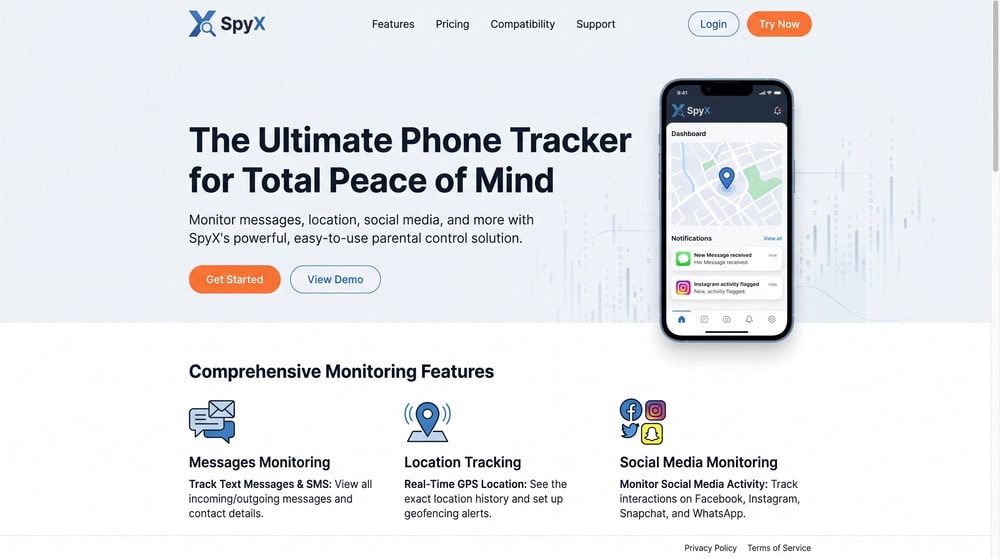
SpyX Key Features
SpyX markets monitoring of 40+ data types across iOS and Android: texts, call logs, real-time GPS location, browser history, photos, contacts, calendars, and the major social apps. That breadth is competitive on paper, but a few tools rivals include are missing. Here is how each held up.
Call & message monitoring
Call logs and texts were the most reliable part. We saw incoming and outgoing numbers, timestamps, and full SMS threads, and iMessage synced through iCloud on the iPhone. One limitation: SpyX does not record calls. If call audio is a requirement, look elsewhere.
Location tracking & geofencing
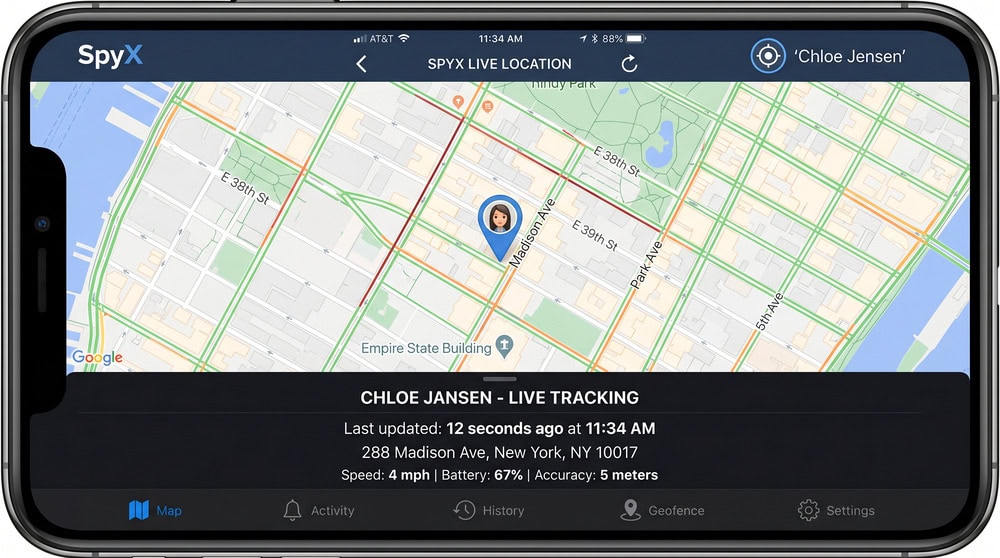
Real-time GPS location worked, plotting the device on a map with current timestamps. Geofencing is a different story. SpyX's own site and most independent reviews describe only live GPS tracking, with no enter-or-exit zone alerts when the phone leaves a set area. AllAboutCookies and SafetyDetectives both report those boundary alerts are not there, and only one reviewer claims true geofences exist. We treat geofencing as a gap, not a feature: you can see where the device is, but SpyX will not alert you when it crosses a boundary you set.
Social media & app monitoring
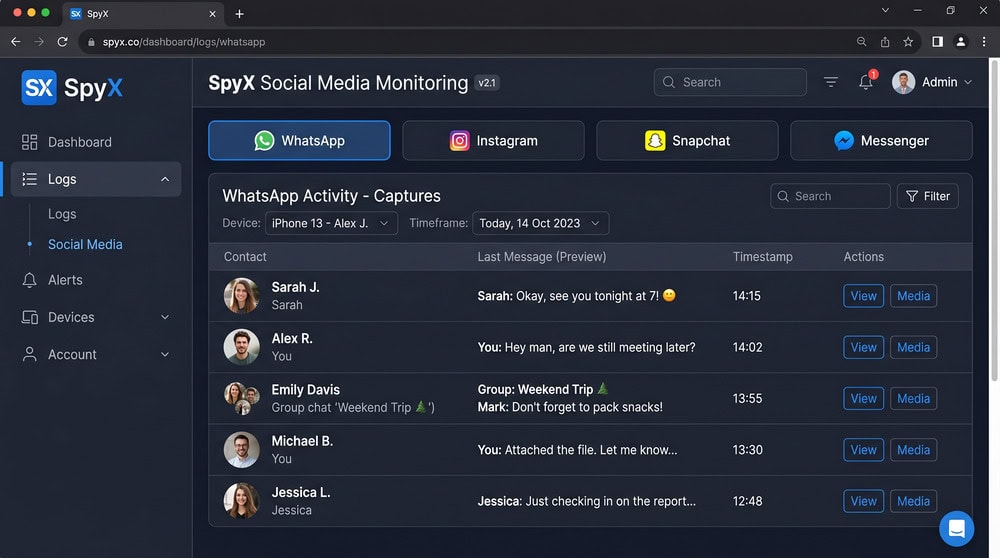
This is where SpyX earns its keep. We could view activity on the big platforms, including WhatsApp, Messenger, Instagram DMs, and Snapchat, with SpyX advertising coverage of 16+ social and messaging apps. Some of this is screenshot-based rather than a live feed, so you see snapshots instead of a continuous log, which is common in this category.
Browsing history & keystrokes
Browser history synced cleanly, with visited URLs and timestamps. Keystroke logging is the biggest gap: SpyX has no keylogger, which both mSpy and Eyezy include. If you want to capture everything typed, you will not get it here.
Stealth mode
SpyX runs in stealth mode with no app icon on the iPhone, since nothing is installed there. On Android, the app stays hidden after setup.
Remote dashboard access
Everything funnels into one web dashboard you log into from any browser. It is the strongest part of the product: navigation is logical, data is grouped by category, and you never need the target phone once monitoring is live.
SpyX Pricing & Plans
SpyX uses the same three-tier structure as most rivals: a pricey monthly plan, a mid-length quarterly plan, and a cheaper annual plan billed per month. There is no free trial, only a live demo before paying.
| Plan | Price | Best for |
|---|---|---|
| 1-month | $49.98 | Short-term monitoring |
| 3-month | $28.32/month | Medium commitment |
| 12-month | $11.66/month | Lowest per-month cost |
The 1-month plan is the most expensive at $49.98 total, while the annual plan drops the cost sharply: the 12-month tier comes to about $139.92 billed up front, or $11.66 a month. The quarterly plan lands between at roughly $28.32 a month, about $85 billed at once, though the exact per-month figure varies by source. Reviewers also report each subscription covers just one device, so two phones means two subscriptions; SpyX's own pricing page is often down, so we could not confirm that limit on a loadable official page.
On refunds, SpyX offers a 15-day money-back window from purchase, but the conditions are strict. A 9% deduction covers banking fees, the refund issues only once, and it is denied if data has already been acquired or if a connection loss came from a factory reset, OS update, or internet outage. The window exists, but qualifying is harder than the headline suggests.
How Does SpyX Work? (Setup & Installation)
How SpyX works depends on the target's operating system, the key thing to grasp before buying.
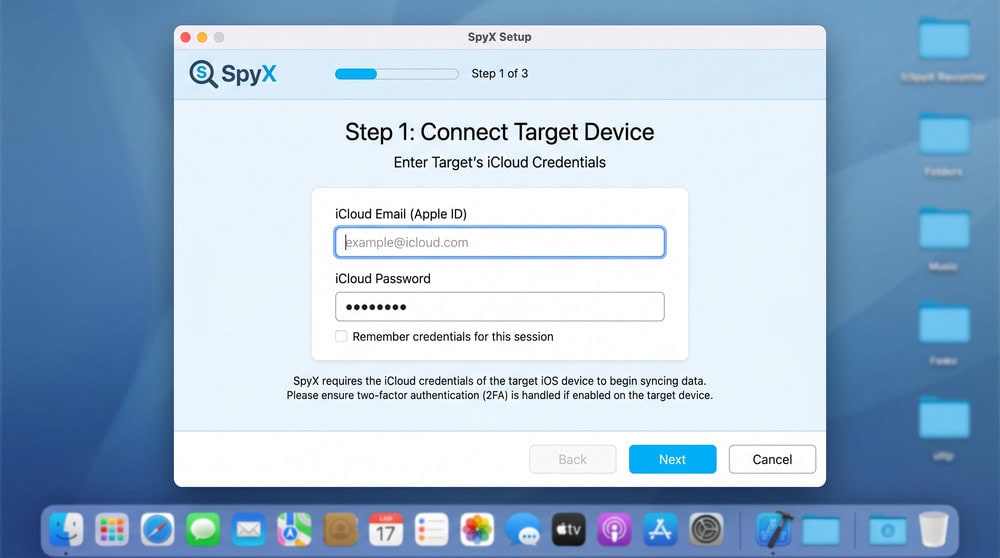
For iPhones, monitoring works through the target's iCloud account credentials, with no jailbreak and no on-device app. You enter the iCloud login, SpyX syncs the data, and monitoring begins. This is the cleanest path and the main reason people choose it.
For Android, monitoring requires installing the SpyX APK on the target device, so you need physical access at least once. SpyX claims a two-minute, three-step setup, though that is a vendor figure we could not time.
Ease of Use & User Interface
If SpyX has a standout strength, it is usability. The web dashboard is well organized, and you do not need to be technical to find what you want. Data is sorted into clear categories, and switching between sections takes one click.
The iCloud-based iOS setup is about as painless as monitoring gets. The Android route asks more, since installing an APK and enabling permissions is fiddly. Once connected, the experience is the same clean dashboard on either platform.
Stealth & Detectability
SpyX is built to stay hidden. On iOS there is no app on the target phone at all, so there is nothing to spot in the app drawer. The trade-off is that the connection relies on iCloud credentials and an account that stays signed in, so a password change or two-factor prompt can break monitoring.
On Android, the installed app hides its icon after setup. No tool is truly invisible, though: data-usage spikes or battery drain can reveal it, so "undetectable" is always relative.
Is SpyX Safe, Legit & Legal?
SpyX is a real, functioning product rather than a scam, and it does what it advertises for core monitoring. But "legit" and "legal" are not the same question, and this part you cannot skip.
Reception among reviewers is split. Some testers rate SpyX highly, while others, including at least one major review site, call it limited and not worth the money, citing missing features and disputing how easy refunds are. We call the picture mixed, which is why we did not lean on any single outside score. The other consideration is that the iOS method relies on holding another person's iCloud credentials, which is sensitive by nature.
SpyX Pros and Cons
After our hands-on time, the picture comes down to a few clear strengths and gaps.
Pros
- Genuinely install-free setup on iPhone through iCloud credentials
- Clean, well-organized web dashboard that non-technical users can navigate
- Broad coverage marketed at 40+ data types, including the major social apps
- Reliable call log, SMS, and location syncing in our testing
- Stealth mode with no visible app icon on iOS
Cons
- No keylogger and no call recording, which key rivals include
- No true geofencing: live GPS only, with no enter-or-exit zone alerts
- Strict refund terms: 15-day window, 9% fee, and many disqualifying conditions
- No free trial, only a demo
- Each plan covers a single device, so multiple phones cost more
SpyX vs Alternatives
SpyX sits in a crowded field. We lined it up against mSpy, which our mSpy review covers in depth, plus Eyezy and uMobix. The biggest differences are the keylogger gap and refund conditions, not core monitoring.
| Feature | SpyX | mSpy | Eyezy/uMobix | Notes |
|---|---|---|---|---|
| Price (1-month) | $49.98 | $48.99 | Eyezy ~$47.99 / uMobix $49.99 | Monthly tier is most expensive |
| Price (12-month, per month) | $11.66 | ~$11.67 | Eyezy ~$9.99 / uMobix ~$11.66–$12.49 | Longest plan is cheapest; rival figures promo-dependent |
| Stealth mode | Yes | Yes | Yes | Standard across the category |
| No-jailbreak iOS | Yes (iCloud) | Yes (iCloud) | Yes (both, iCloud) | Credential-based across all |
| Data types | 40+ marketed | Broad, incl. keylogger | Broad, incl. keylogger | SpyX comparable minus keylogger |
| Free trial / demo | Demo only | Demo only | Demo only | No real free trials |
If you need a keylogger or call recording, mSpy, Eyezy, and uMobix all pull ahead. If the install-free iPhone path matters most, SpyX is competitive. On annual price, Eyezy's discounted tier is often the cheapest.
Customer Support
SpyX offers support mainly through live chat and email. Responses to our setup questions arrived within a reasonable window. Support is adequate rather than a selling point, and rivals like mSpy win more praise for their help.
Real User Reviews & Our Testing Experience
Public sentiment is uneven. SpyX's Trustpilot profile carries a few hundred reviews, roughly 350 by recent counts, and the rating sits at about two stars, near 2.1 out of 5, with most reviews landing at one star. The exact figure drifts between snapshots and mirrors, but the shape is consistent: a low average dragged down by one-star complaints, mostly about setup friction and refunds.
That matches what we saw. The core experience, reading messages, checking location, and following social activity from one dashboard, worked. Friction showed up at the edges: the Android APK install took patience, the missing keylogger was a real omission, and the refund conditions are strict. We tested with consenting accounts and devices we control, and urge you to do the same.
SpyX FAQ
Is SpyX legit, or is it a scam?
SpyX is a real, functioning service, not a scam. It delivers core tracking, though reviewer opinions on its value are mixed and some testers find it underpowered next to rivals.
Does SpyX really work?
Yes. In our testing the core features worked: messages, call logs, location, and social media activity all reached the dashboard. The main letdowns are the missing keylogger and call recording.
Is SpyX safe to use?
It functions safely as software, but the iOS method requires holding another person's iCloud credentials, which is sensitive. The bigger question is legal: monitoring someone without consent can break the law.
How much does SpyX cost?
SpyX runs $49.98 for the 1-month plan, $28.32 per month on the 3-month plan, and $11.66 per month on the 12-month plan. There is no free trial, only a live demo.
Can SpyX be detected?
On iPhone there is no app on the target, so nothing appears in the app drawer. On Android the app hides its icon, but no tracker is truly undetectable, since data usage or battery drain can hint at it.
Does SpyX need the target phone?
For iPhone, no physical install is needed, only the target's iCloud credentials. For Android, you must install the SpyX APK on the target device, which requires hands-on access at least once.
Is SpyX better than mSpy?
It depends. SpyX matches mSpy on the install-free iPhone path and a clean dashboard, but mSpy adds a keylogger and is more praised for support. For advanced monitoring, mSpy edges ahead.
How do I install SpyX?
For iPhone, you enter the target's iCloud login and SpyX syncs the data with no on-device install. For Android, you install the SpyX APK on the target phone, then sign in to your dashboard.
Final Verdict - Is SpyX Worth It?
SpyX is a capable, easy-to-use phone tracker that nails the basics: an install-free iPhone setup, a clean dashboard, and reliable monitoring of messages, calls, location, and social apps. For a parent watching over an iPhone-using child, it is a reasonable pick.
It is not, however, the strongest value in 2026. The missing keylogger and call recording, the absence of true geofencing, and the restrictive refund terms hold it back, and rivals like mSpy and Eyezy match its core strengths while adding what SpyX leaves out. That is why we land at 6.5 out of 10: it works, it just does not lead. If the no-install iPhone approach is what you want and your monitoring is lawful, SpyX is worth a look. For the deepest feature set, shop the alternatives first.
Try SpyX
 eyeZy Review for iPhone & Android
 FlexiSPY Review | iPhone and Android Spy App
 Hoverwatch Review
 mSpy Review for iPhone & Android
 Cocospy Review
 Spyera Review