Finding a free VPN for Android that respects your privacy and does not quietly sell your data is harder than it should be. The Google Play Store is full of apps that promise fast, unlimited, secure browsing, and most of them fail on at least one of those promises. Some throttle you to a crawl. Some log your activity. A few are outright unsafe.
We wanted to cut through that noise. Over several weeks, we installed and ran the leading free Android VPNs on real phones, then measured how they behaved day-to-day: connection speed, server choice, leak protection, and whether streaming actually worked. This guide is the result. Below are the five free VPNs we would trust on our own devices, plus honest notes on their limits.
Every pick here comes from a provider with a real no-logs stance and a working free tier, not a trial that expires in a week. We paid for or registered each account ourselves, tested on Android, and ranked them on the things that matter when you are relying on a free app for security.
We tested each of these free VPNs on Android over several weeks, connecting from home and on public Wi-Fi, running repeated speed and leak checks, and trying common streaming services on the free servers. The notes in each review reflect what we actually saw, not the marketing copy.
Best Free VPNs for Android at a Glance
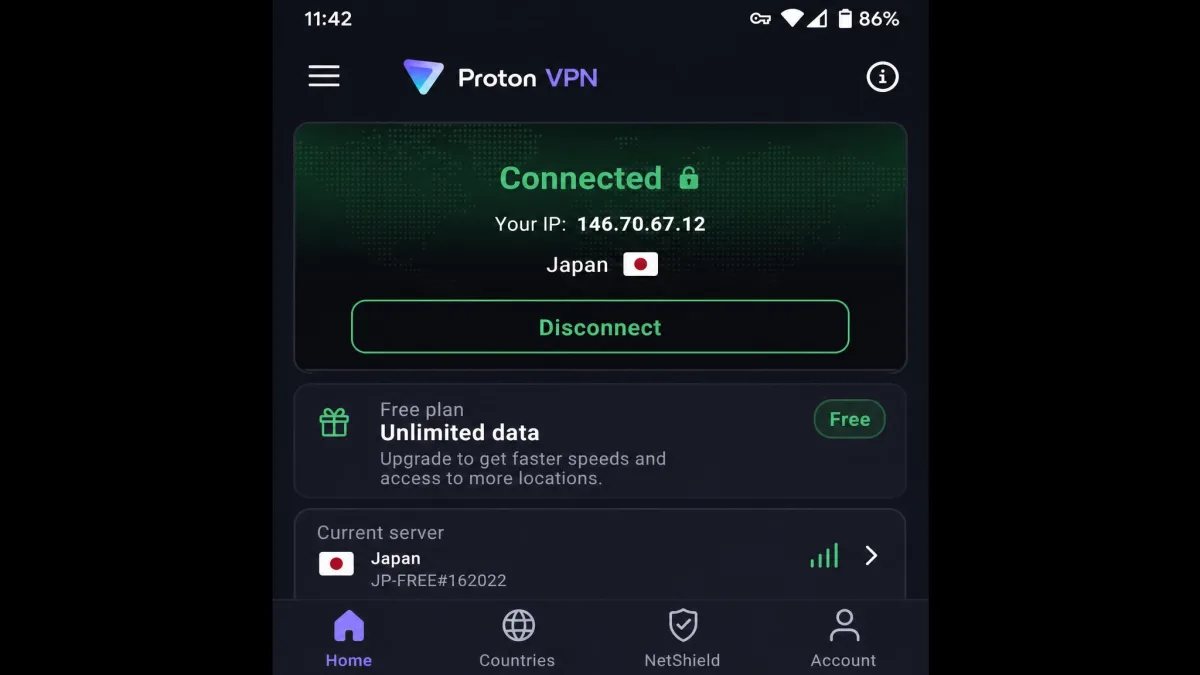
If you want the short version, here is where each free VPN lands. Proton VPN is our overall winner because it is the only pick with genuinely unlimited data and an independently audited no-logs policy. PrivadoVPN is the one to grab if you want to stream, since it reliably unblocks Netflix. Windscribe is the most configurable, hide.me is the best no-registration option, and TunnelBear is the friendliest for first-time VPN users.
| Product | Free data cap | Servers | No-logs / audited | Streaming | Buy |
|---|---|---|---|---|---|
 |
Unlimited | ~10 countries | Yes, audited, open source | Not guaranteed | Get it free → |
 |
10GB/mo high-speed | 13 locations | Yes, no audit yet | Reliably unblocks Netflix | Get it free |
 |
10GB/mo (with email) | ~10 locations | Yes | Inconsistent | Get it free |
 |
Unlimited | ~8 locations | Yes | Not viable | Get it free |
 |
2GB/mo | 47 countries | Yes, annual audits | Only Max | Get it free |
1. Proton VPN Free: Best Overall Free Android VPN
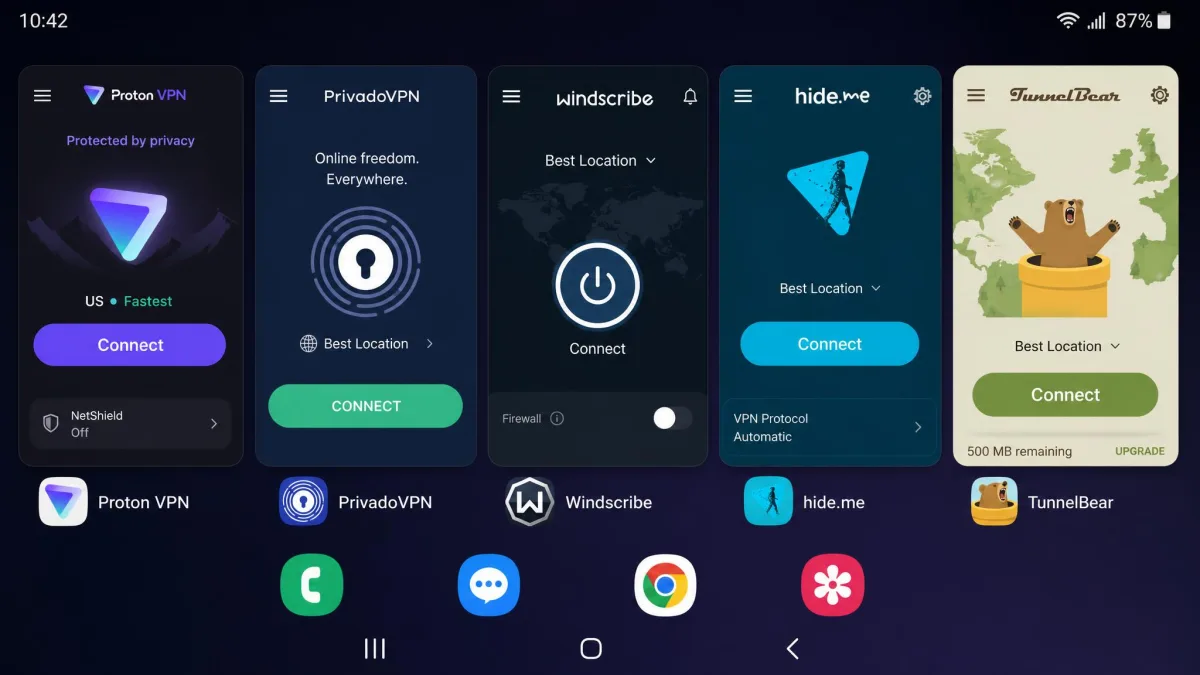
Proton VPN is the free Android VPN we recommend to almost everyone. It is the rare free tier with no data cap at all, which alone puts it ahead of every other app on this list. There are no ads, no bandwidth throttling, and the apps are open source and independently audited. That combination is why it earns our top spot.
The company behind it also makes Proton Mail, and it applies the same Swiss-based, privacy-first approach here. The free plan gives you unlimited data across free servers in about 10 countries, a strict no-logs policy, and a kill switch. You can read the full details on the official Proton VPN Android page.
Pros
- Genuinely unlimited data on the free tier, with no speed caps
- No ads and an independently audited, open-source app
- Strict no-logs policy from a Swiss-based provider
- Reliable, consistent speeds across regions
Cons
- Free plan auto-assigns your server, so you cannot pick a location
- Streaming is not guaranteed on the free tier
- Covers only a single device
- No P2P or torrenting on the free plan
Hands-On Testing: Speed, Servers & Streaming
In our testing, Proton VPN Free delivered remarkably consistent speeds across regions, holding around 18+ Mbps on the free servers. That is slightly slower than a paid Proton account, but it stayed steady enough for browsing, email, and standard-definition video without the sudden stalls we saw on lesser free apps. What set it apart was not a single peak number but how rarely the speed sagged. On the capped apps we tested, throughput would spike and collapse as free servers filled up, but Proton held a usable floor from morning through evening. That consistency is what makes it feel less like a compromise and more like a real connection you can leave on all day.
The main trade-off is control. The free plan auto-assigns you to a server, so there is no manual location picking. That keeps setup simple, and for pure privacy on public Wi-Fi it barely matters, since any of the free countries hides your real IP just fine. It only becomes a real limitation when you want to appear in one specific country, because you cannot chase a location. Speaking of which, streaming works sometimes on the free tier, though Proton does not guarantee it, and geoblocked catalogs are only promised on paid plans. In practice we would not lean on the free tier for reliable streaming access. The free plan also does not support P2P or torrenting, so if downloading is your reason for wanting a VPN, this is not the pick.
We ran Proton VPN Free on Android for two weeks as a daily driver. Unlimited data meant we never once hit a wall mid-day, which is a genuinely different experience from every capped app here. The lack of a manual server picker was the only thing that regularly annoyed us.
Who Should Use It
Choose Proton VPN Free if you want a trustworthy, no-cost VPN for everyday privacy and unlimited browsing on one Android device. It is the best pick for anyone who values a proven no-logs policy over streaming access. If you need to unblock Netflix, look at PrivadoVPN instead.
2. PrivadoVPN Free: Best Unlimited-Data Free VPN
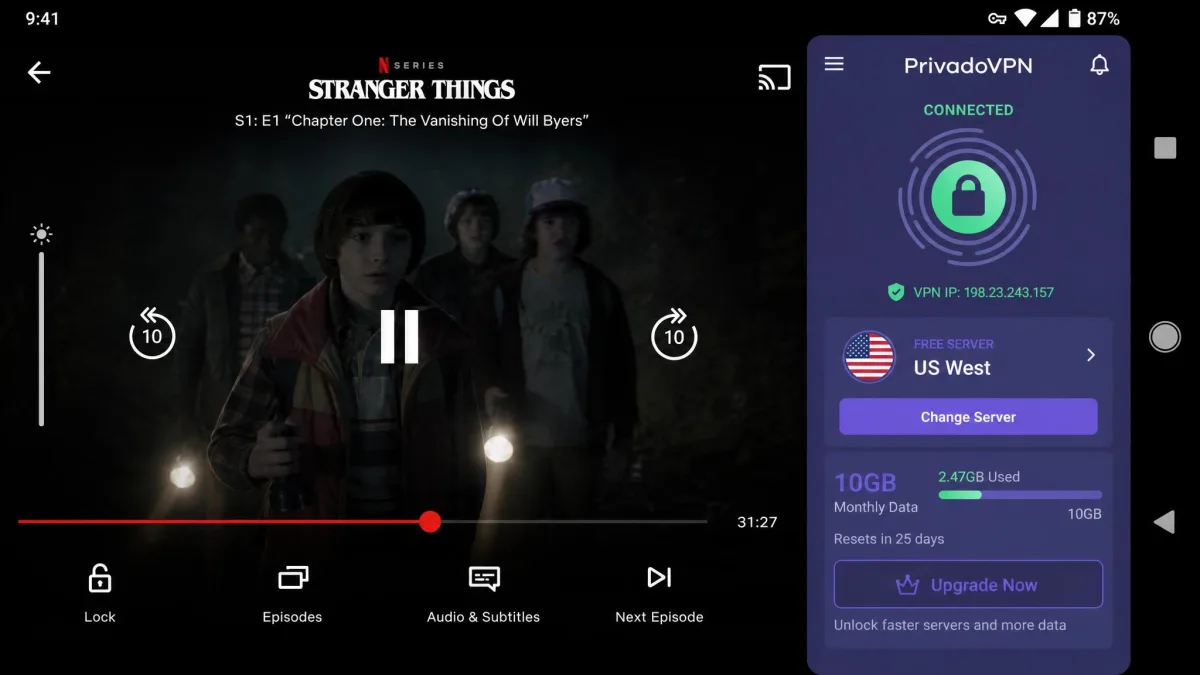
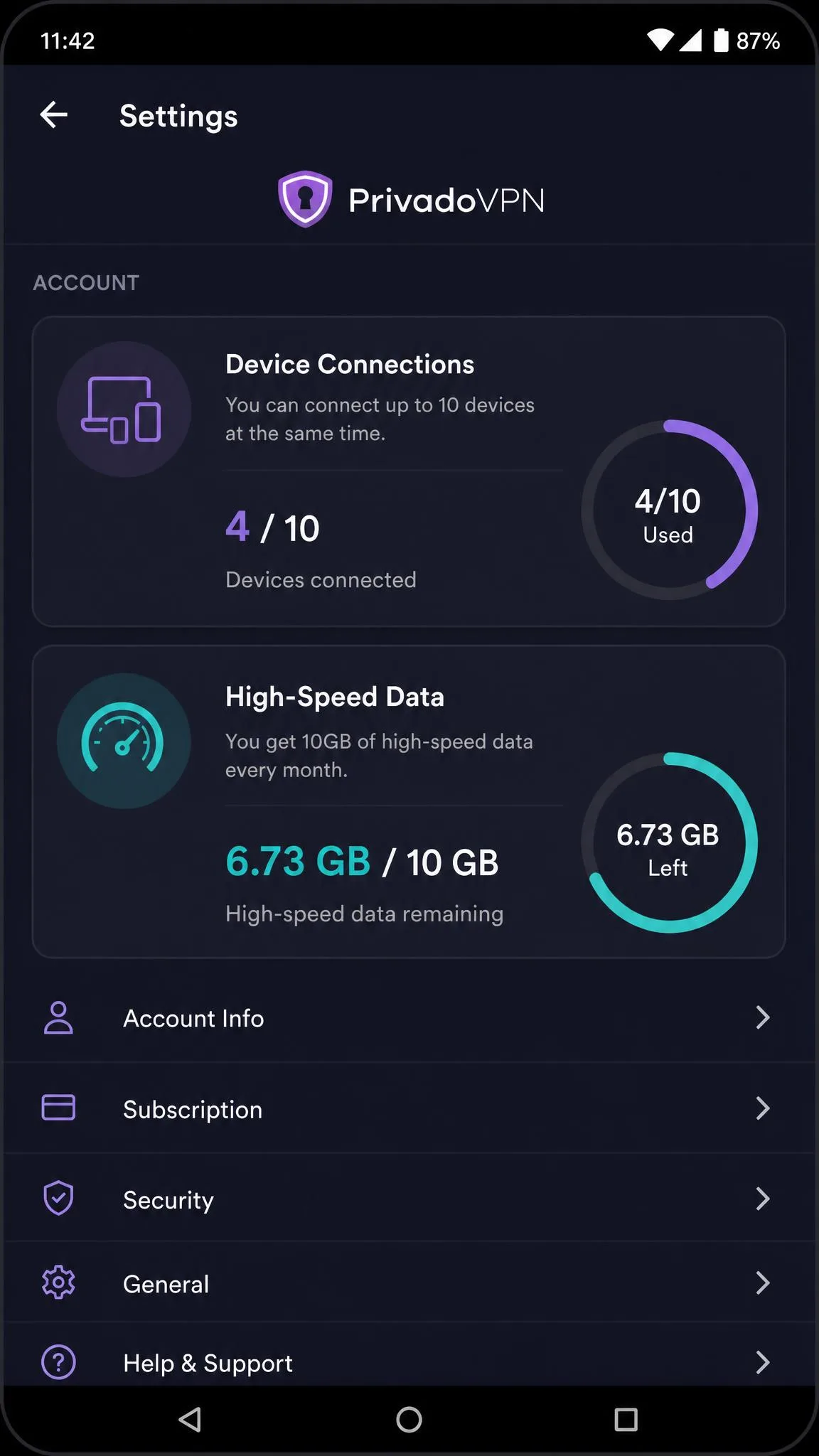
PrivadoVPN Free is the pick to grab when streaming matters. Among every free app we tested, it was the only one that reliably unblocked Netflix, which is unusual for a no-cost tier. It gives you 10GB of high-speed data per month, then keeps you connected at reduced speed, so you are never fully cut off. No credit card is required to sign up. You can register on the official PrivadoVPN site.
The free plan also allows up to 10 simultaneous device connections, which is generous, and it keeps a no-logs policy with a built-in kill switch. Server choice covers 13 free locations across about 10 countries.
Pros
- Reliably unblocks Netflix on the free tier, the best streamer here
- 10GB of high-speed data per month
- Up to 10 simultaneous device connections
- No credit card required, no-logs policy, kill switch
Cons
- Speeds drop noticeably once the 10GB high-speed cap is used up
- Server choice is restricted after the cap
- No published independent audit yet
Hands-On Testing
PrivadoVPN kept fast, stable connections right up until the 10GB high-speed allowance ran out. After that, speeds dropped noticeably and our server choices narrowed, which is the honest trade for a free plan that never fully disconnects you. We liked that the app does not simply lock you out when the meter hits zero, because it means an emergency browsing session still works at the end of the month. The standout result was streaming: PrivadoVPN Free was the only free pick that reliably unblocked Netflix in our testing, and it did so without the endless reconnecting that plagued the other apps when we pointed them at a US catalog.
That 10GB budget goes quickly if you stream in HD, so we treated it as a "save it for what matters" allowance rather than an all-day connection. A single evening of high-definition video can swallow most of it, so in daily use we kept PrivadoVPN reserved for the moments where its Netflix unblocking actually paid off and used an unlimited pick for background browsing. Manage it that way and the 10GB stretches across a month comfortably; treat it as an always-on VPN and you will hit the throttle within days.
We used up the 10GB testing Netflix on PrivadoVPN Free, and it held a watchable stream where other free apps just spun. Once the high-speed data was gone, browsing still worked, but video was no longer realistic until the monthly reset.
Who Should Use It
Pick PrivadoVPN Free if streaming and multi-device use are your priorities and you can live within a 10GB high-speed budget each month. It is the free VPN we would hand to someone who mainly wants to watch geo-locked content on their phone.
3. Windscribe Free: Best for Configurable Security
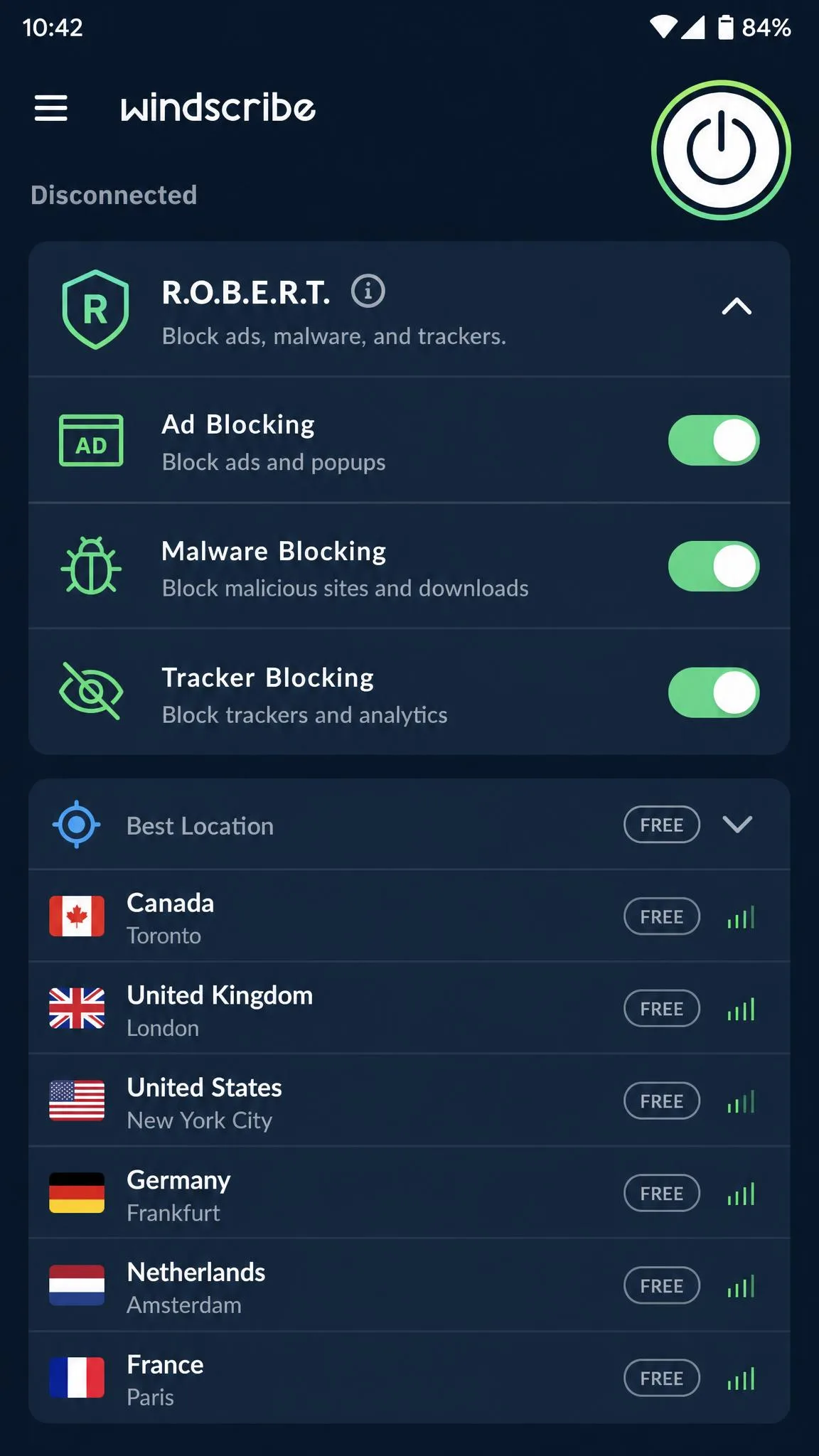
Windscribe Free is the choice for people who like to tinker. It packs in more security controls than any other free app here, including R.O.B.E.R.T., its configurable ad, malware, and tracker blocker, along with split tunneling and a choice of protocols. The free plan gives you 10GB per month once you confirm your email, or 2GB per month before you do. Best of all, it allows unlimited simultaneous device connections. Details are on the Windscribe site.
Free servers span roughly 10 locations, including the US, Canada, UK, France, and Germany. The no-logs policy and the extra blockers make it a strong privacy tool if you are willing to spend a few minutes in the settings.
Pros
- R.O.B.E.R.T. blocks ads, malware, and trackers, and is configurable
- Unlimited simultaneous device connections
- 10GB per month with a confirmed email
- Split tunneling and a choice of protocols
Cons
- Interface feels busy and mixes premium servers into the free list
- Streaming unblocking is inconsistent
- Data allowance disappears fast across multiple devices
Hands-On Testing
Windscribe delivered solid overall speeds in our testing, and the extra blockers noticeably cut the ads on the sites we visited. R.O.B.E.R.T. is the feature that earns Windscribe its spot here, because it lets you block ads, malware, and trackers at the network level and then tune exactly what gets filtered, which is a level of control no other free app on this list offers. The catch is the interface: it feels busy, and it mixes premium servers into the free list, which created navigation friction every time we picked a location. More than once we tapped a promising-looking server only to be told it was reserved for paid users, and that small annoyance repeats often enough to notice. Streaming was the weak spot, and unblocking was inconsistent across the services we tried, so we would not choose Windscribe if watching geo-locked video is the goal.
The unlimited-device perk is genuinely useful, and it is rare on any free tier, but keep in mind that the shared 10GB allowance gets used up quickly once you connect several devices at once. Ten gigabytes spread across a phone, a tablet, and a laptop is not the same as ten gigabytes on one handset, so the two headline perks pull against each other in practice. We got the most out of Windscribe by treating it as a carefully configured single-device tool rather than a whole-household VPN.
We spent the most time in Windscribe's settings of any app here, tuning R.O.B.E.R.T. and testing split tunneling. Power users will enjoy that. Anyone who just wants one tap to connect will find the layout more cluttered than it needs to be.
Who Should Use It
Go with Windscribe Free if you want fine-grained control over blocking and protocols, or if you need to cover many devices at once. It rewards people who like to configure their tools and does not mind a busier app.
4. hide.me: Best No-Registration Free VPN
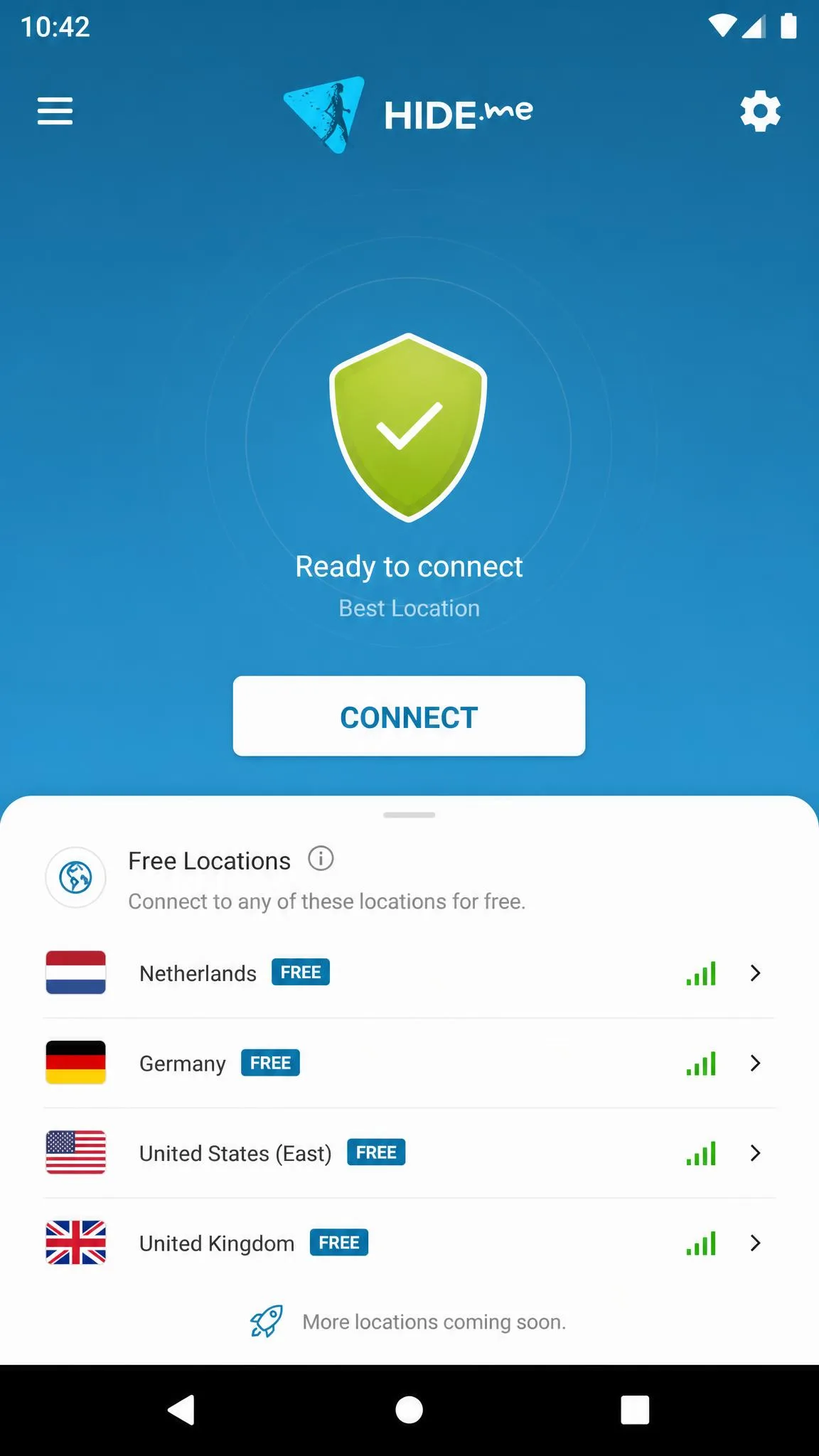
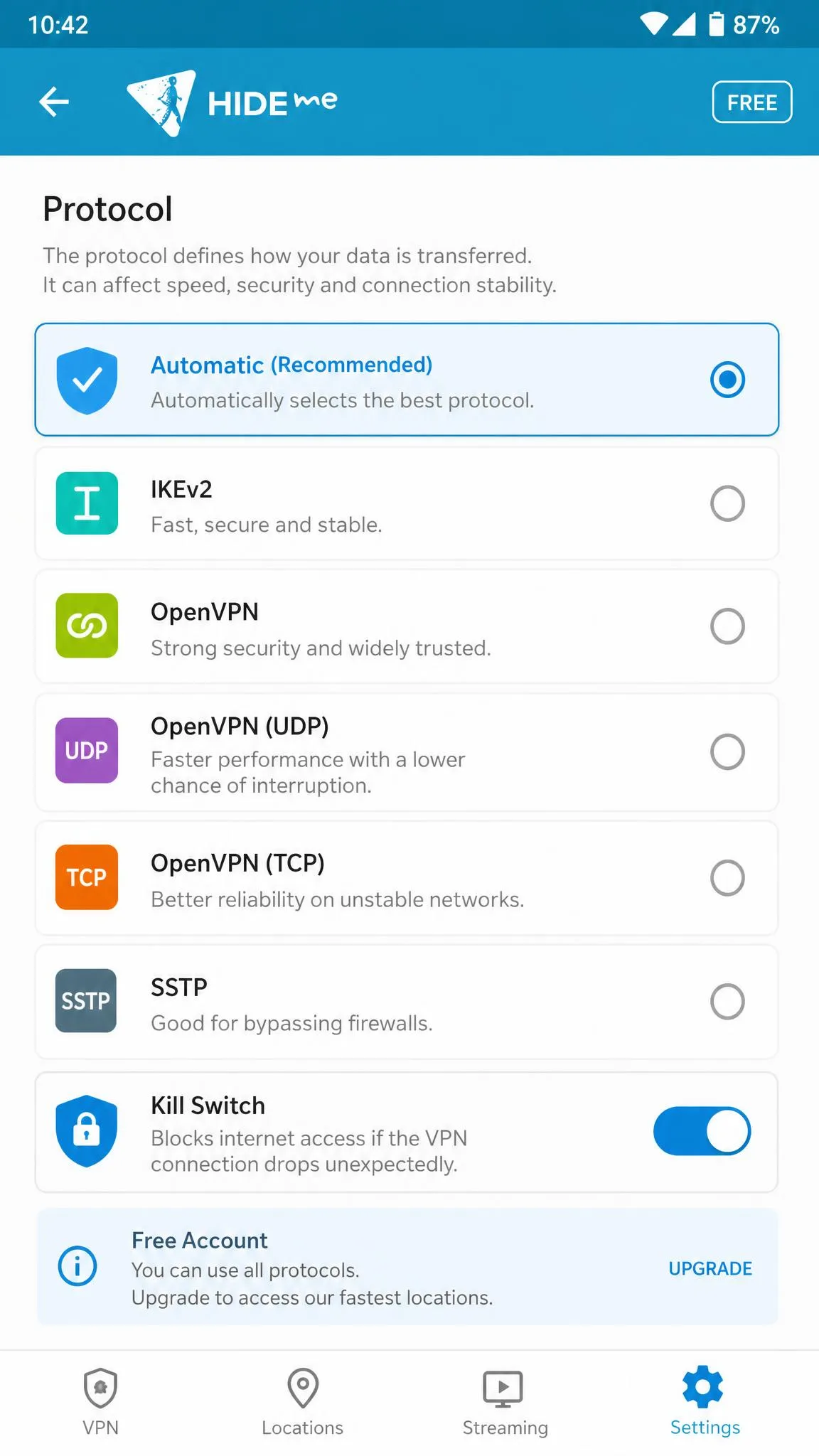
hide.me stands out for one reason: you do not need to sign up. The free plan requires no registration and no email, so you can install the app, connect, and get privacy in seconds. That makes it ideal for one-off tasks where you do not want to hand over any personal details. Its no-logs policy, kill switch, and split tunneling round out a solid security set. You can find it at hide.me.
Free server locations sit at around 8, and the free plan now comes with unlimited data, so there is no monthly cap to watch.
Pros
- No sign-up and no registration required to use the free plan
- Unlimited data on the free plan, with no monthly cap
- No-logs policy, kill switch, and split tunneling
- Multiple protocol options
Cons
- Speeds are inconsistent and throttle at peak hours
- Not a viable option for streaming
Hands-On Testing
hide.me needed no sign-up and worked well for one-off privacy tasks, exactly as advertised. Being able to install the app, tap connect, and be protected without ever creating an account is a real privacy advantage, because there is no email tying the session back to you. Speeds were pretty good but inconsistent in our testing, and it was not a viable streaming option, so we would not reach for it when the goal is watching video. We also found that free accounts get throttled and congested at peak hours, so the speed you get depends a lot on the time of day. A midday connection felt noticeably brisker than the same server in the evening, which is worth planning around if you have a time-sensitive task.
The free plan gives you unlimited data, with no monthly cap to plan around. That makes hide.me one of only two picks here, alongside Proton VPN, that will not cut you off no matter how much you browse. If your priority is anonymous, no-strings privacy for quick sessions rather than sustained speed, that combination of no registration and no data ceiling is genuinely hard to beat at zero cost.
We used hide.me for quick, no-account privacy checks on public Wi-Fi, and it was the fastest app here to get connected from a cold install. Evening speeds were clearly slower than what we saw at midday, which matches its reputation for peak-hour congestion.
Who Should Use It
Choose hide.me if you value anonymity at sign-up and mainly need a VPN for short, occasional privacy tasks rather than streaming or heavy daily use. The no-registration approach is its real selling point.
5. TunnelBear: Best for Beginners
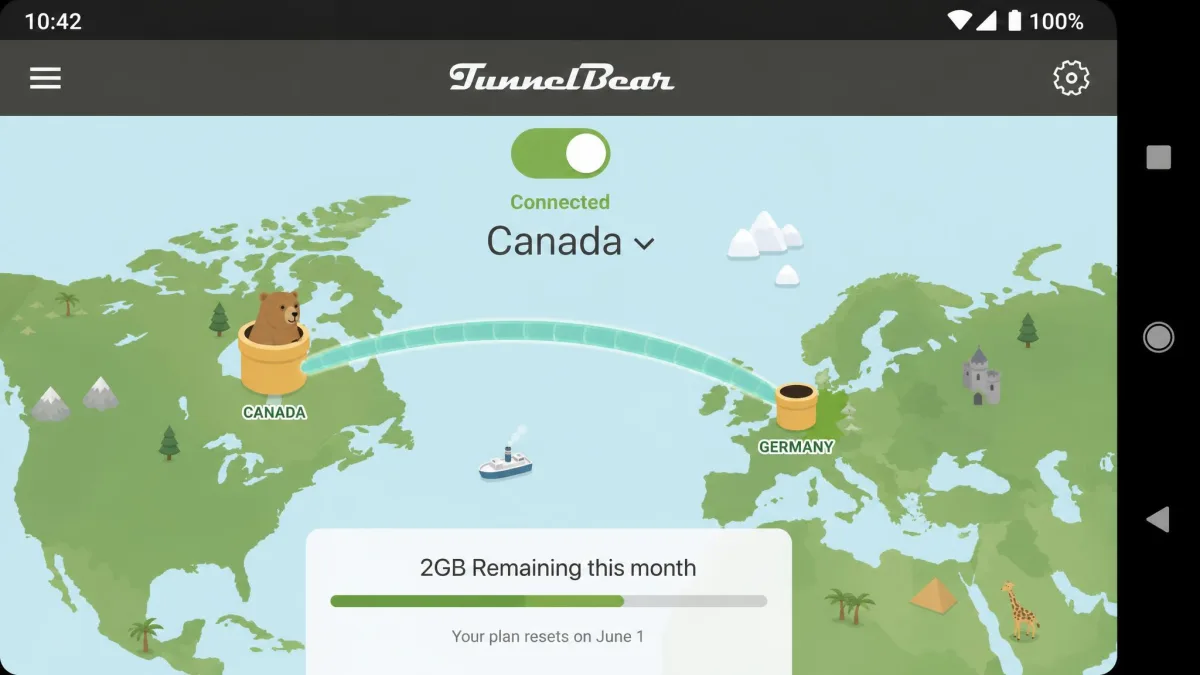
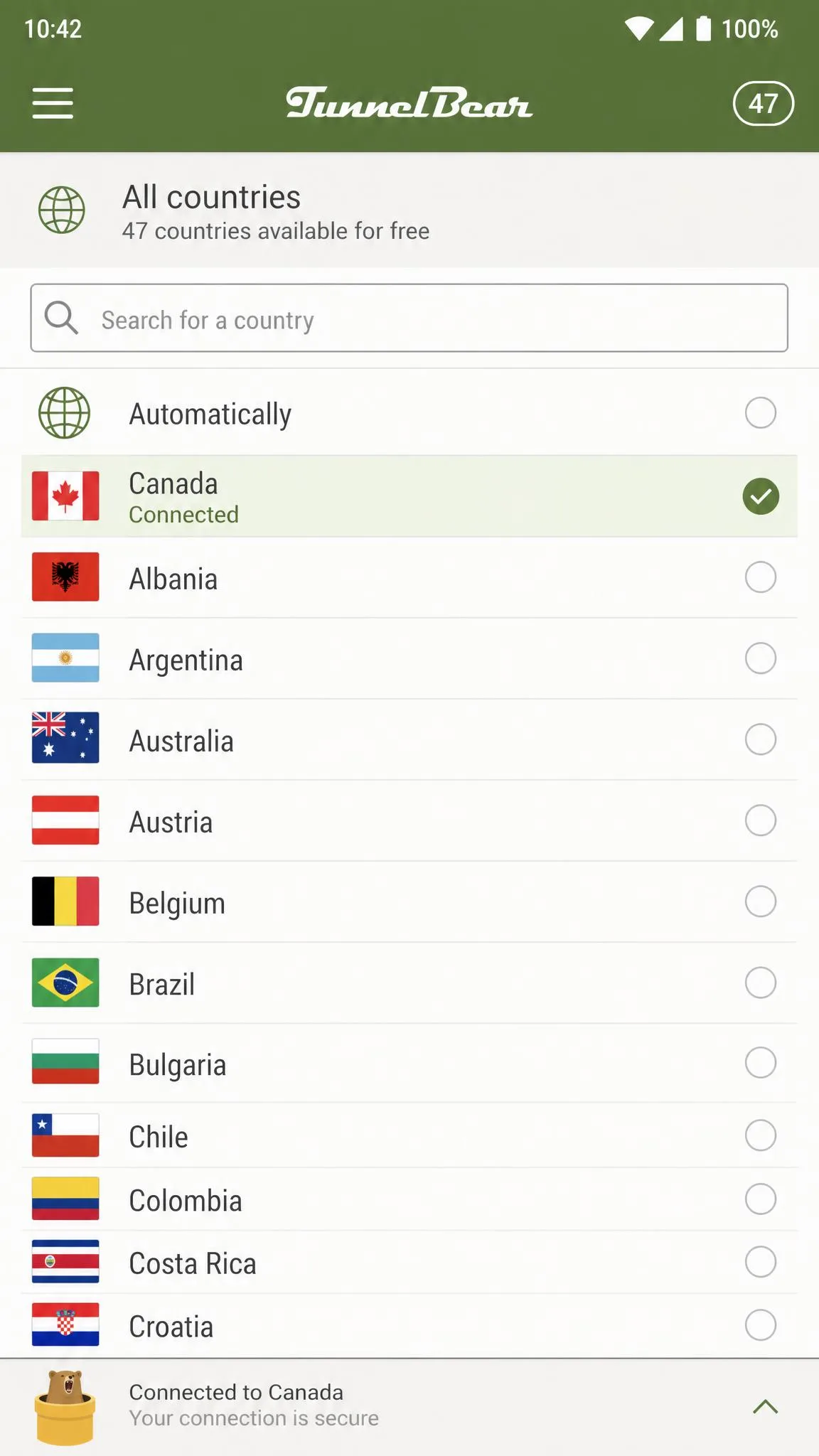
TunnelBear is the friendliest free VPN we tested, and the easiest to recommend to someone installing their first VPN. It connects with a single tap, the interface is playful and clear, and its full 47-country server network is available even to free users. The catch is the data: the free plan gives you just 2GB per month. You can grab it at TunnelBear.
Security is reassuring for a free app, with AES 256-bit encryption, a no-logs policy, and independent annual audits. That audit track record is why we trust it despite the small data allowance.
Pros
- The most beginner-friendly app, connecting with a single tap
- Full 47-country server network on the free tier
- Independent annual security audits
- AES 256-bit encryption and a no-logs policy
Cons
- Only 2GB of data per month
- Slower overall speeds, around 7.6 Mbps in testing
- Limited streaming, unblocking only Max
Hands-On Testing
TunnelBear was the most intuitive app to set up, connecting with a single tap and minimal lag, which is exactly what a first-time VPN user wants. There is no jargon to wade through and no settings you have to understand before you are protected, and that approachability is TunnelBear's whole appeal. The trade-offs showed up in performance: it ran slower overall, around 7.6 Mbps in our download tests, and the 2GB monthly cap limits video streaming and gaming. That download figure is the slowest of our five picks, and combined with the tiny data budget it rules TunnelBear out as an everyday connection. Among streaming services, it unblocked only Max, so it is not the app to choose if a specific Netflix or streaming catalog is what you are after.
The 47-country network is the widest free choice on this list, so if you want to appear in a specific country for browsing, TunnelBear gives you the most options, as long as you stay within that small data budget. We found the country map genuinely useful for quick, deliberate location changes, and for a beginner who wants to understand what a VPN does, being able to see the connection hop to another country is a nice touch. The independent annual audits are the other reason we keep it on the list, because they back up the no-logs promise with outside verification that many free apps never bother to obtain.
We handed TunnelBear to a first-time VPN user during testing, and they were connected in under a minute with no help. The 2GB cap, though, meant the app was more of a light-duty tool than something to leave running all day.
Who Should Use It
TunnelBear Free is best for beginners who want the simplest possible setup and access to a wide range of countries for light browsing. If 2GB a month sounds tight, and it will if you stream, one of the higher-cap picks above will serve you better.
Honorable Mentions (Hotspot Shield and a Free-Trial Alternative)
Two names come up often in this category that deserve a clear-eyed mention.
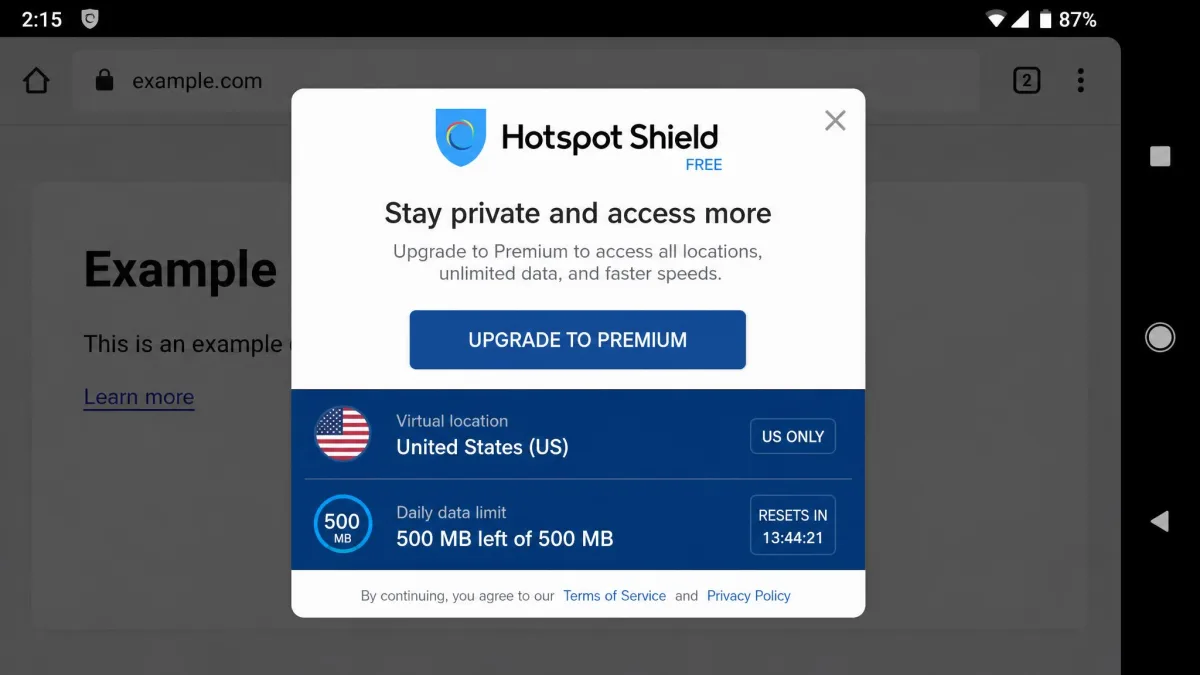
Hotspot Shield Free is usable but limited. The free plan gives you 500MB of data per day, restricts you to US-only servers, and covers a single device. In our testing its Android free app showed pop-up ads while browsing and capped speeds around 2Mbps, which felt very slow even on a phone. It works in a pinch, but the daily cap and ads keep it off our main list.
Atlas VPN frequently appears on older "best free VPN" lists, so it is worth being direct: Atlas VPN shut down on April 24, 2024, and its users were migrated to NordVPN by Nord Security. It is no longer a live option, so do not go looking for it on the Play Store.
If you want a paid-grade experience without paying, a better route than a sketchy free app is a reputable provider's free trial or money-back guarantee. ExpressVPN's Android app and NordVPN both offer money-back windows you can use to test the full service risk-free.
A free trial backed by a money-back guarantee gives you the full paid feature set, including guaranteed streaming and faster servers, for the length of the trial. If you only need a VPN for a short trip or a specific task, that can beat every free tier here.
Free VPN Comparison Table
Here is how the five free Android VPNs compare on the specs that matter most when you are choosing.
| Product | Free data cap | Servers / countries | Devices | No-logs / audited | Streaming | Buy |
|---|---|---|---|---|---|---|
|
Unlimited | ~10 countries | 1 | Yes, audited, open source | Not guaranteed | Get it free → |
|
10GB/mo high-speed | 13 locations | 10 | Yes, no audit yet | Reliably unblocks Netflix | Get it free |
|
10GB/mo (with email) | ~10 locations | Unlimited | Yes | Inconsistent | Get it free |
|
Unlimited | ~8 locations | Not specified | Yes | Not viable | Get it free |
|
2GB/mo | 47 countries | Not specified | Yes, annual audits | Only Max | Get it free |
How We Tested These Free Android VPNs
We take a hands-on, practical approach. We installed each app from the Google Play Store on real Android phones, created the free accounts ourselves where registration was required, and used every VPN for everyday tasks over several weeks. Nothing here is based on marketing claims alone.
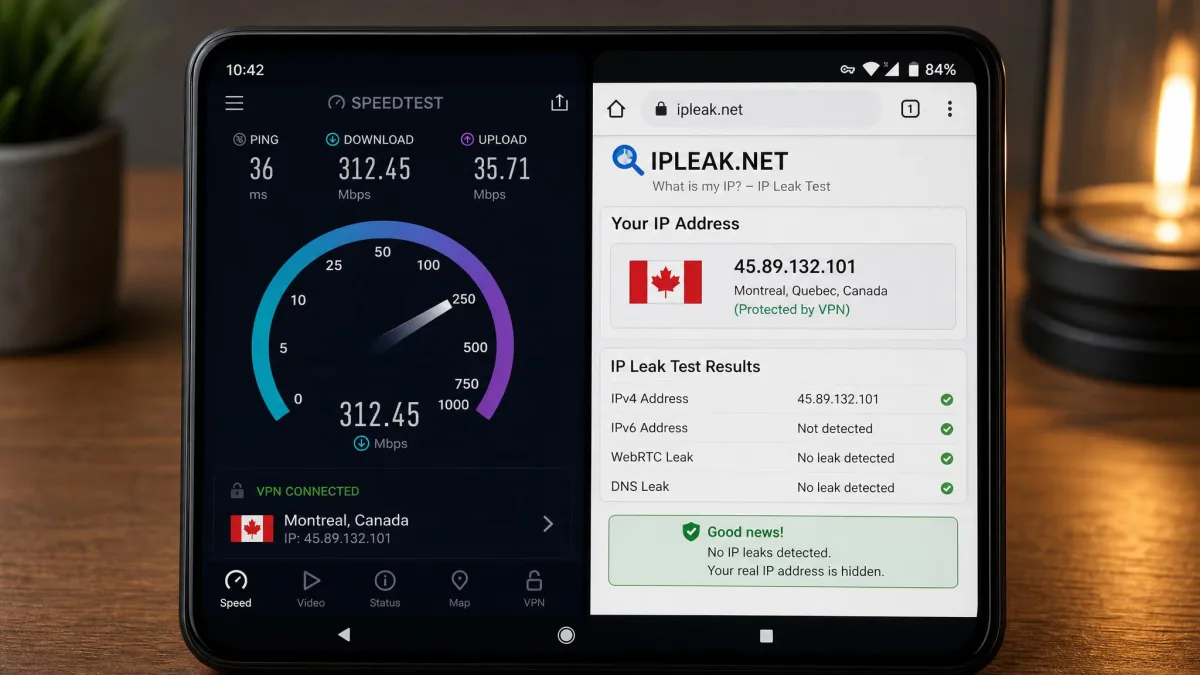
For each app we measured download speed on nearby and distant servers, checked for DNS and IP leaks, tested the kill switch, and tried common streaming services to see what actually unblocked. We also paid attention to the details that shape day-to-day use: how many taps it takes to connect, whether the free server list is clear, and how the app behaves when you switch from Wi-Fi to mobile data. Those small frictions matter more on a free tier than on a paid one, because a free VPN only earns a permanent spot on your phone if using it never becomes a chore.
We scored each VPN on data allowance, speed, server choice, privacy and no-logs credibility, leak protection, and ease of use. A free tier that logs your activity or leaks your real IP fails immediately, no matter how fast it is. We weighted privacy above raw speed throughout, because a fast VPN that quietly records where you go defeats the entire reason for installing one in the first place.
When you test a free VPN yourself, run a quick leak check at a site like ipleak.net right after connecting. If your real location or DNS shows through, uninstall the app. A VPN that leaks is worse than no VPN, because it gives you false confidence.
How to Choose the Best Free Android VPN
The right free VPN depends on what you actually need it for. Someone who wants to stream should choose differently from someone who just wants privacy on public Wi-Fi. When it comes to picking, focus on a few concrete features rather than the biggest promise on the store listing.
What to Look For (data caps, servers, no-logs, leak protection)
Data caps are the first thing to check. A free VPN with unlimited data, like Proton VPN or hide.me, can run all day. A 2GB plan, like TunnelBear, is a light-duty tool that you will exhaust in an afternoon of video. Match the cap to your habits, and remember that HD video eats data fast, so a plan that looks generous on paper can vanish in a couple of streaming sessions. If you want a VPN you never have to think about, an unlimited tier is the only setup that truly delivers that.
Servers and countries matter if you want to access content from a specific place. TunnelBear's 47 countries give the most choice, while Proton's free tier auto-picks for you. More locations also tend to mean less crowding and better speeds, because your traffic is spread across more machines rather than piling onto a handful of overworked free servers. If a provider offers only two or three free locations, expect those servers to slow down at peak hours.
A no-logs policy is the whole point of a VPN. Look for providers that publish their policy and, ideally, have it independently audited. Proton VPN and TunnelBear both back their claims with audits, which is why we trust them with a free account. An audit is the difference between a company promising it keeps no records and an outside firm confirming it, and on a free plan, where you are not the paying customer, that outside confirmation matters even more.
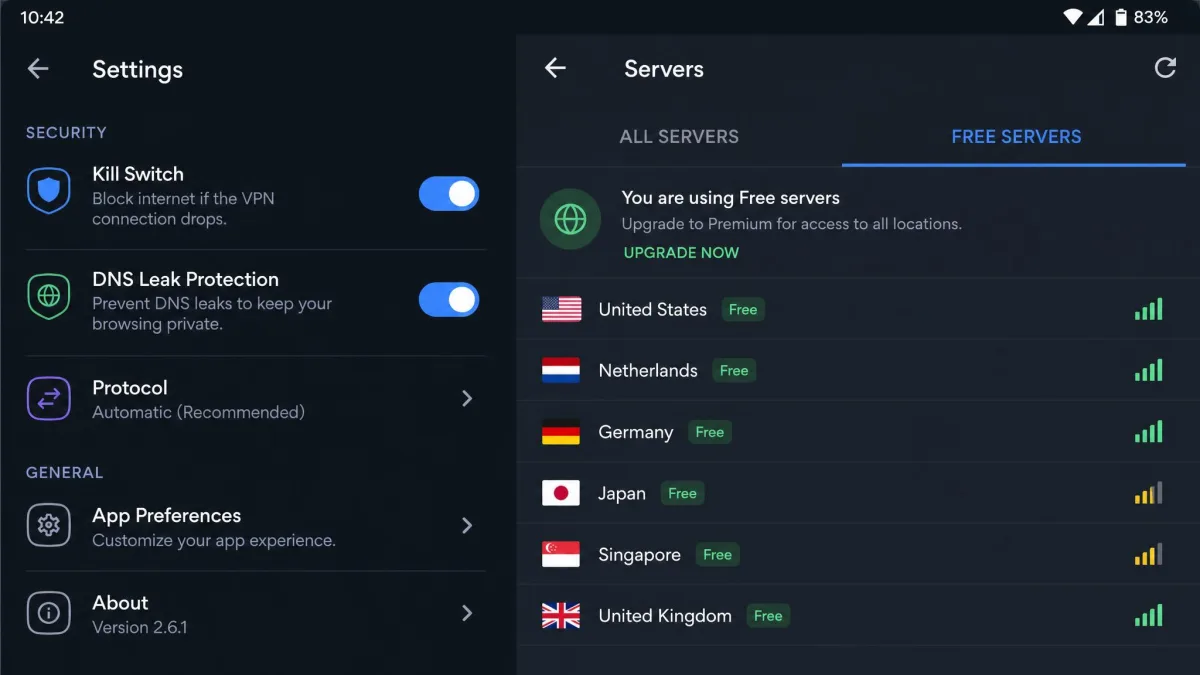
Leak protection and a kill switch keep your real IP hidden if the connection drops. Every pick on this list includes both, and we verified they worked. A good free VPN should also block DNS leaks so your browsing does not slip out to your provider. Without those safeguards, a momentary drop on mobile data can expose your real address for just long enough to undo the protection you installed the app for.
A free VPN that logs your activity or leaks your real IP is worse than no VPN at all, because it trades your privacy for a false sense of security.
Free VPNs You Should Avoid on the Play Store
Not every free VPN on Google Play is safe. Many unknown apps make money by logging and selling your browsing data, injecting ads, or bundling trackers, which defeats the purpose entirely. Be wary of any app with millions of downloads but a vague privacy policy, no named company behind it, or a flood of generic five-star reviews. A high download count is not a safety signal on its own, since the riskiest apps are often the ones that market hardest.
Avoid free VPN apps that demand excessive permissions, show constant pop-up ads, or cannot tell you where the company is based. If an app's business model is not obvious, you and your data are probably the product. Stick to the established providers in this guide.
Limits and Risks of Free VPNs
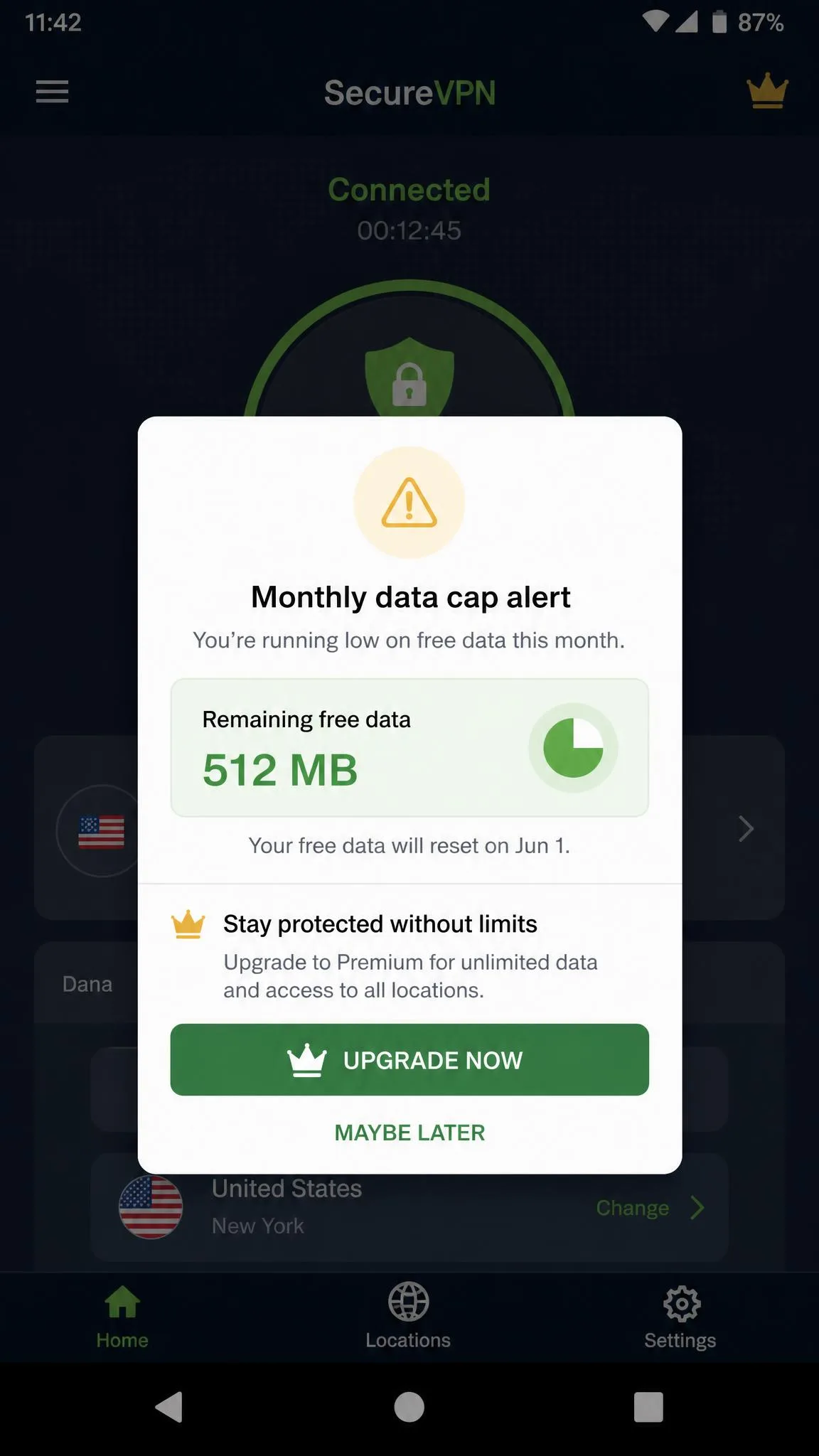
It helps to be realistic about what free gets you. Even the best free VPNs cap your data, limit your server choice, or hold back guaranteed streaming for paying users. That is the deal: the provider gives you a taste and hopes you upgrade. The reputable ones here fund the free tier honestly, using it as a shop window for their paid plans, which is why we trust them. When a free VPN has a clear paid product behind it, you can see how the company makes money, and that transparency is exactly what the risky apps lack.
The real risk lives in the long tail of unknown apps. A free VPN that logs and sells your data, or leaks your DNS, actively harms your privacy rather than protecting it, because it routes everything you do through a party you have no reason to trust. The safe move is to stick with providers that have a public no-logs policy, ideally audited, and a real company name attached. Every app in this guide clears that bar, which is precisely why it made the list while dozens of higher-ranked Play Store results did not.
Keep in mind, too, that free plans are slower and busier than paid ones. Servers get crowded at peak hours, and the fastest servers are usually reserved for subscribers. We saw this most clearly with hide.me, where evening congestion dragged speeds well below the midday figures. If speed is critical to what you do, a free tier will frustrate you day-to-day, and a paid plan or a money-back trial will serve you far better.
Free VPN vs. Free Trials and Money-Back Guarantees
If a free tier's limits frustrate you, a free trial or money-back guarantee is often the smarter play. Providers like ExpressVPN and NordVPN let you use the full paid service, then claim a refund within a set window if you cancel in time. You get guaranteed streaming, faster servers, and unlimited data during that period, which is a genuinely different experience from any free tier, because none of the usual compromises apply while the trial runs.
The trade-off is that you usually need a payment method to start, and you have to remember to cancel before the window closes or you will be charged. For a one-week trip, a house move, or a single project where you need dependable speed and streaming, that can be a better deal than any free plan. For ongoing, no-commitment privacy that you never have to manage, a genuine free tier like Proton VPN is still the more sensible choice, since there is no clock running and no card on file. Think of the two as answers to different questions: the free trial is for a burst of full-strength use, and the free tier is for quiet, permanent protection. You can learn more about how VPNs work in general from this overview of virtual private networks.
Final Thoughts
After weeks of testing, Proton VPN Free is the best free VPN for Android for most people. Unlimited data, no ads, and an audited no-logs policy make it the one we would install without hesitation. If streaming is your goal, PrivadoVPN Free earns the nod for reliable Netflix access. Windscribe suits tinkerers, hide.me is best for quick no-account privacy, and TunnelBear is the gentlest introduction for beginners.
Whichever you choose, match the app to what you actually do on your phone, verify it does not leak, and remember that a trustworthy free VPN is one you never have to think about. That is exactly why Proton VPN sits at the top of our list.