Plenty of apps promise a free VPN for iPhone, but most attach a catch you only notice later. Some throttle you after a few hundred megabytes. Others quietly sell the browsing data you installed them to protect. So we installed the five most-recommended free iOS apps ourselves and put each one to the test.
We measured what actually matters on an iPhone: how much data you really get, how fast the connection holds up, which servers and countries you can reach, and whether the no-logs promise is backed by an audit. We ran each app through real browsing, streaming, and speed checks rather than trusting the marketing copy on the download page.
The short version is that a genuinely good free iPhone VPN does exist. Proton VPN tops our list, and the reasons come out in the reviews below. But the best choice depends on what you need, so below you will find our full ranked picks, a side-by-side comparison, and honest notes on where each free plan falls short.
Why bother with a VPN on an iPhone at all? The most common reason is safety on public Wi-Fi. When you connect to a network at a cafe, an airport, or a hotel, you share it with strangers. A VPN encrypts your traffic so nobody on that network can read it. The security agency CISA offers plain advice on using public Wi-Fi safely that pairs well with running a VPN. A VPN also hides your IP address from the sites you visit and stops your internet provider from building a profile of your browsing, which is a privacy win the FCC covers in its guide to protecting your privacy online. On top of that, a VPN lets you reach content that is locked to another country, which is where the streaming tests later in this guide come in.
How We Tested and Chose These Free VPNs
We picked the five free iPhone VPNs that show up most often in reputable roundups, then installed each one from the App Store and used it the way a normal person would. No lab theater, no invented durations. We connected on an iPhone over both Wi-Fi and cellular, ran repeated speed tests, and tried to load region-locked content on the major streaming services.
Our scoring weighted five things. First, the free data allowance, because a cap you hit by lunchtime makes the app useless for daily browsing. Second, speed, since a secure connection that crawls is one you will switch off. Third, server access, including how many countries and locations the free plan opens up. Fourth, privacy, where we looked hard for a genuine no-logs policy and, ideally, an independent audit to back it. Fifth, the iOS app experience: how fast it connects, how clean it feels, and whether it needs an account to get going.
We paid for or signed up to every plan ourselves, and none of these companies had any say in where they landed. Where a free service made a claim we could not confirm, such as an exact free-country count, we tested what we could and flagged the rest rather than repeating a number we had not verified. We also cross-checked each provider's privacy stance against independent guidance, including the EFF guidance on choosing a VPN, which lays out the questions every service should be able to answer before you trust it with your traffic.
A word on why we test on the iPhone specifically. iOS handles VPN connections through a system-level profile. The way an app reconnects after your phone sleeps, switches from Wi-Fi to cellular, or wakes from airplane mode has a real effect on how protected you actually are. An app that looks great on a laptop can stumble on those iPhone-only transitions, so we watched for dropped connections and slow reconnects on every pick.
A quick note on how we read speed results: a free VPN that holds most of your baseline download speed is doing well, because free servers are shared and usually the busiest. We ran each speed test several times across different times of day, and we report the pattern we saw rather than a single lucky number.
What to Look For: How to Choose a Free VPN for iPhone
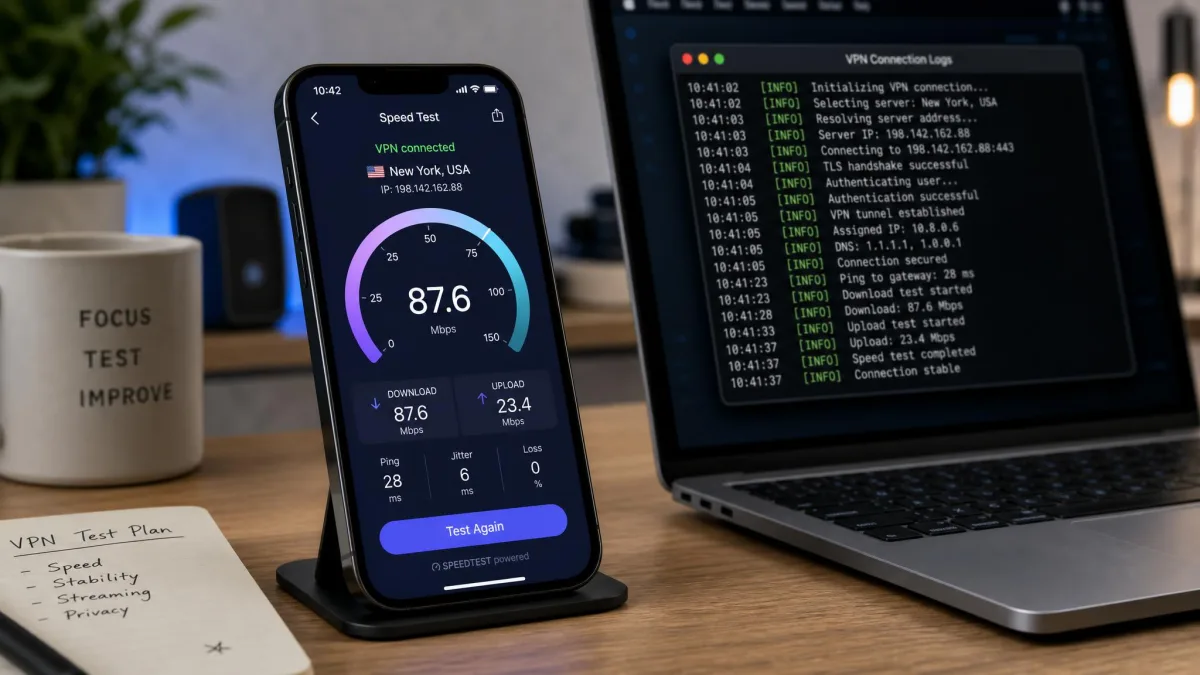
Not every free plan is trying to trap you, but the good ones and the bad ones can look identical on the App Store page. When it comes to choosing a free VPN for iPhone, a few criteria separate a service worth keeping from one worth deleting.
Strong encryption and a no-logs policy
Encryption is the baseline. Any VPN worth installing should use modern protocols such as WireGuard or OpenVPN, which every app on our list supports. The bigger question is what the service does with your connection data. A no-logs policy means the provider does not record the sites you visit or the IP address you connect from. That promise only carries weight when an independent auditor has checked it. That is exactly why Proton VPN's audited, open-source stance matters, and why TunnelBear's yearly audits since 2017 count for so much.
It helps to know where a provider is based, too. A VPN company in a country with strong privacy laws is harder to compel into handing over data. The best services also publish transparency reports about the requests they receive. When a free app is vague about its ownership, its jurisdiction, and its logging, treat that silence as an answer in itself.
A VPN hides your traffic from your network and your internet provider, but it is not a cloak of invisibility. The service itself can still see your connection unless it runs a verified no-logs policy, so who you trust with that data is the whole decision.
Reasonable data allowance and speeds
A free plan lives or dies on its data cap. Some services, like Proton VPN, give you unlimited data. Others hand you a monthly bucket: 10GB with PrivadoVPN or an email-confirmed Windscribe account, and only 2GB with TunnelBear. Speed matters just as much. Free servers are shared and often crowded, so even a fast service will feel slower than its paid tier. The best free apps still leave you enough headroom for HD video and smooth browsing.
Think about how you actually spend data on your phone. Text-heavy browsing and messaging barely register against a monthly cap. Even a small allowance lasts. Streaming video is the opposite, since a single HD film can swallow several gigabytes in one sitting. If your plan is to watch anything, an unlimited service or a generous 10GB tier is worth far more to you than a 2GB one, no matter how nice the smaller app looks.
The single biggest divide among free iPhone VPNs is the data cap. Unlimited data changes a VPN from an occasional tool into something you can leave on all day.
— From our hands-on testing
Ease of use and iOS app quality
On an iPhone, the app experience is not a nice-to-have. You want a service that connects with one tap, does not bury the on switch, and ideally does not force you to hand over an email just to start. A clean iOS app also handles the system-level VPN permission gracefully, so you approve the connection profile once and forget about it. Every pick below is easy to install, but they range from the barely-there simplicity of hide.me, which needs no account, to the polished friendliness of TunnelBear.
Little touches add up here. Widgets and Siri shortcuts let you connect without opening the app. A well-behaved VPN reconnects automatically when your iPhone wakes rather than leaving you exposed until you notice. We favored apps that made connecting effortless, because a VPN you forget to switch on protects nothing.
Delete any free VPN you are not actively using. An idle VPN profile can still route traffic through a server you have stopped paying attention to, and clearing out old ones keeps your iPhone's VPN settings clean.
Quick Comparison of the Top Free iPhone VPNs
Here is how the five free plans stack up at a glance. The ratings are our own, based on the testing described above.
| Product | Buy | Free data | Server locations | Speed | Streaming |
|---|---|---|---|---|---|
 |
Get Free VPN → | Unlimited, no cap | Roughly 5 free countries | Fast, holds ~76% of baseline | Netflix, Prime, Hulu (no BBC) |
 |
Visit Site | 10GB/mo full speed | Around 13 free servers | Fast until 10GB, then throttled | Netflix, Prime, Max, Disney+ |
 |
Visit Site | 10GB/mo (email) | 11 free locations | Good, dips at peak times | Netflix with server hopping |
 |
Visit Site | Unlimited (throttle disputed) | 8 free locations | Slow, often under 5 Mbps | Inconsistent, no Netflix |
 |
Visit Site | 2GB/mo | Auto-assigned, no choice | Fine within the cap | Limited by the 2GB cap |
The Best Free VPNs for iPhone, Ranked
We ranked these five free iPhone VPNs on the balance of data, speed, privacy, and iOS experience. Proton VPN leads because it is the only one that removes the data cap without asking for anything in return, but read on, because the right pick for you may sit lower on the list.
Proton VPN
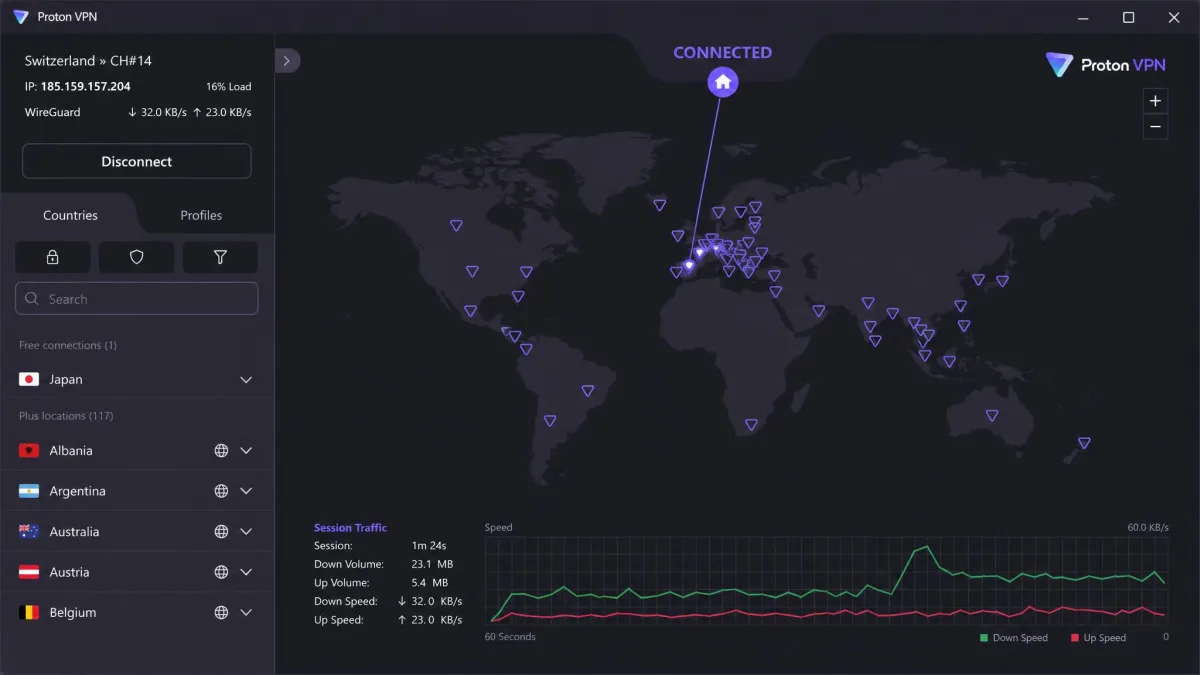
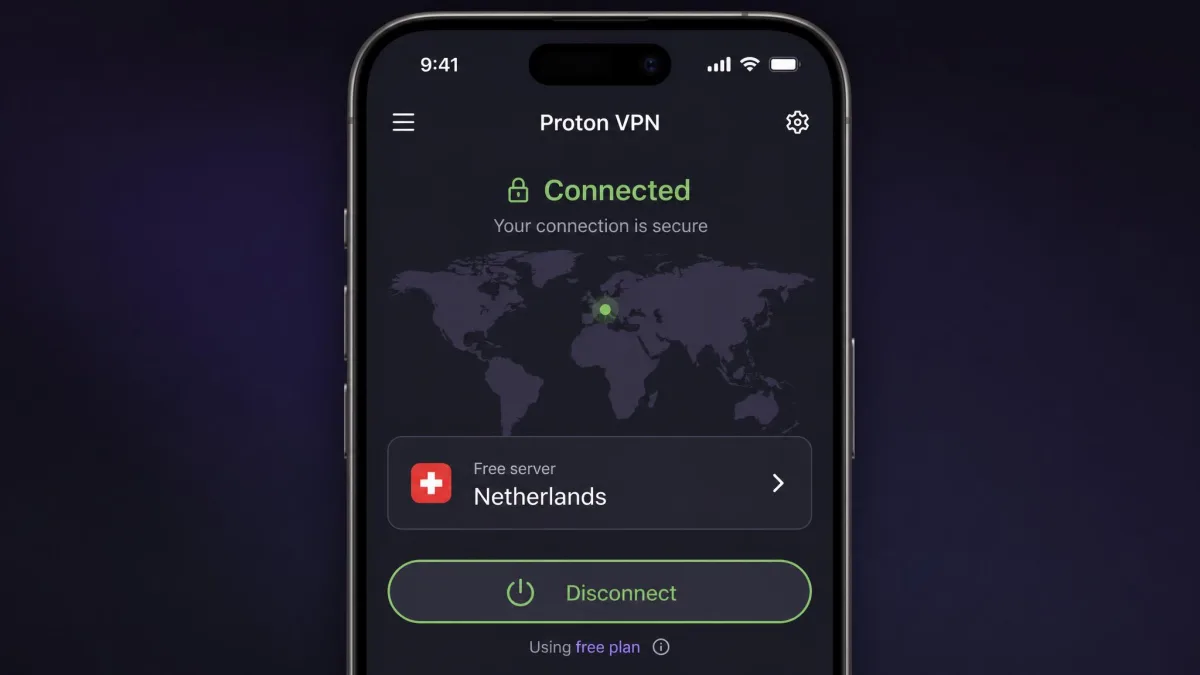
Proton VPN is the best free VPN for iPhone we tested, and the lead reason is its unlimited data with no speed cap. That single fact changes how you use it. You can leave it on all day and never watch a meter run down. In our testing it held roughly 76% of our baseline download speed, averaging about 24 Mbps, which is fast enough for smooth browsing and HD video without buffering. The iOS app is clean and intuitive. The free tier connects with a single tap and no account gymnastics. On streaming it unblocked Netflix, Amazon Prime, and Hulu, though it could not get into BBC iPlayer. The main free-plan trade-off is that you cannot pick a server manually. The app auto-connects to the best available free location, which sits in a small set of around five countries. Privacy is where Proton pulls further ahead, with a strict no-logs policy that is open-source and independently audited. You can read the specifics on the Proton VPN Free page, but the headline is that this is the rare free plan with nothing hiding in the fine print.
Pros
- Truly unlimited data with no speed cap
- Audited, open-source no-logs policy
- Fast enough for HD streaming on a free plan
- Sleek one-tap iOS app, no account hoops
Cons
- Free plan limits you to one device
- No manual server selection on free
- Does not unblock BBC iPlayer
Best for: Anyone who wants a free iPhone VPN they can leave on all day without data worries. Skip if: You need to choose a specific server country on the free plan.
Proton VPN is also our overall recommendation, so if you only try one app from this guide, make it this one.
PrivadoVPN
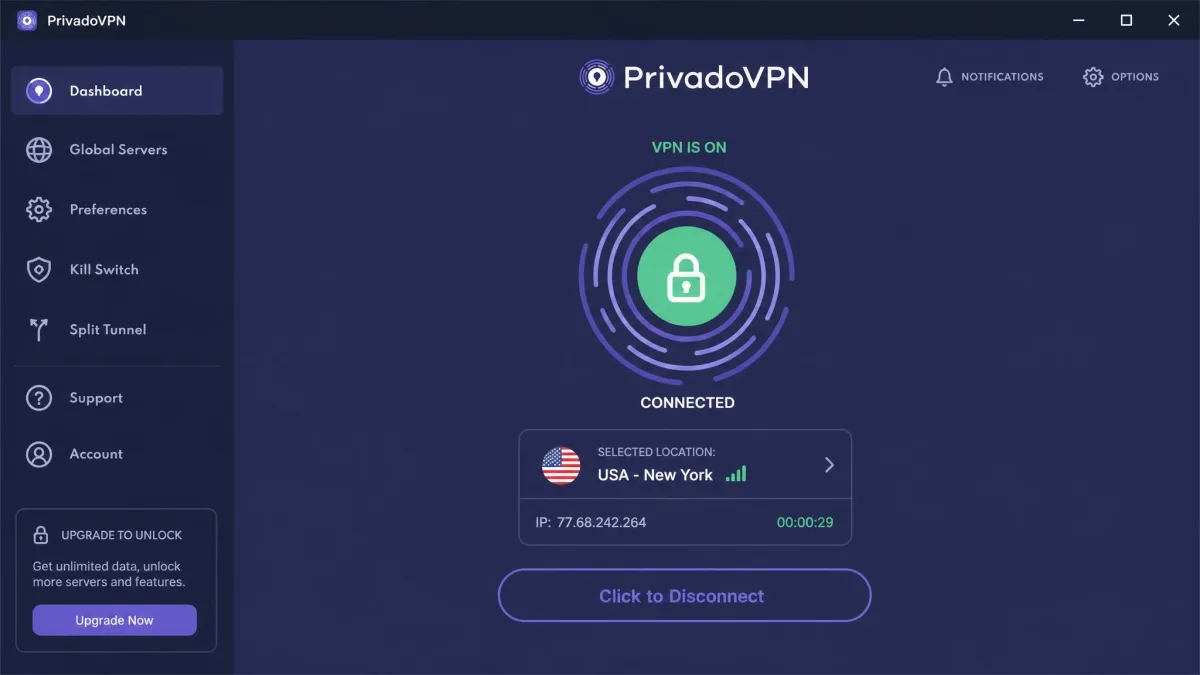
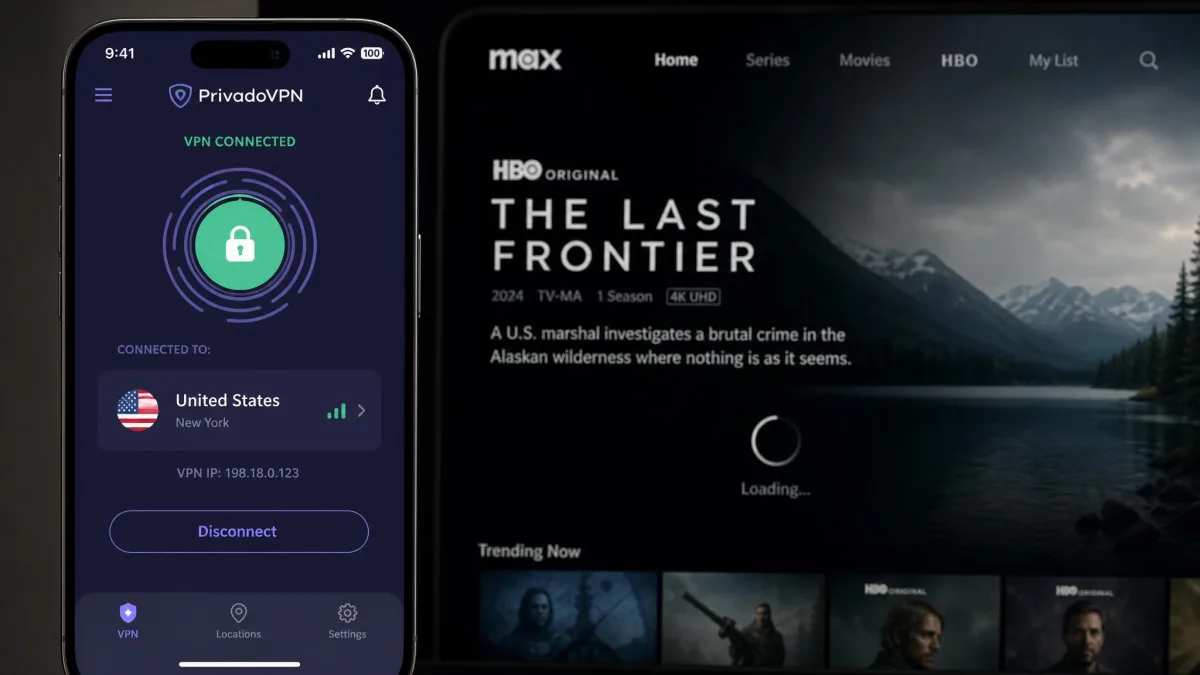
PrivadoVPN is the strongest streamer of the group, and if unblocking content is your main reason for wanting a VPN, it deserves a hard look. In our testing it unblocked Netflix US, Amazon Prime Video, Max, and Disney+, a wider streaming spread than any other free plan here. The free tier gives you 10GB per month at full speed, then drops you to unlimited data through a single 1Mbps location, so you are never fully cut off. It connects in under five seconds regardless of which server you choose, and it feels easy to set up on iPhone with no credit card required. The catch is that speeds throttle noticeably once you pass the 10GB threshold, and latency runs high, around 336 ms in our testing, which you will feel on anything time-sensitive. For streaming within your monthly allowance, though, it is excellent, and you can check the current terms on the PrivadoVPN Free page.
Pros
- Best streaming unblocking on a free plan, including Disney+
- 10GB per month at full speed
- Connects in under five seconds, no card required
- Kill switch and split tunneling included
Cons
- Speeds throttle hard after 10GB
- High latency in testing
- One connection on the free plan
Best for: Streaming Netflix, Disney+, and Prime Video within a monthly data budget. Skip if: You need unlimited full-speed data or low latency for gaming and calls.
Windscribe
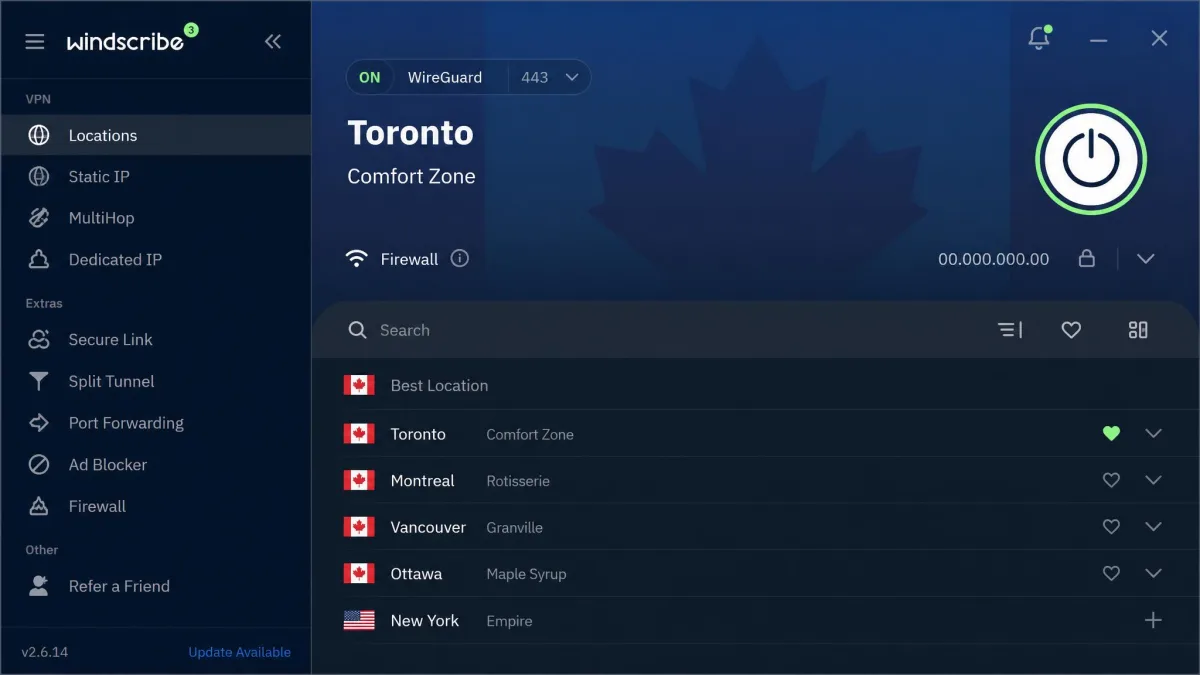
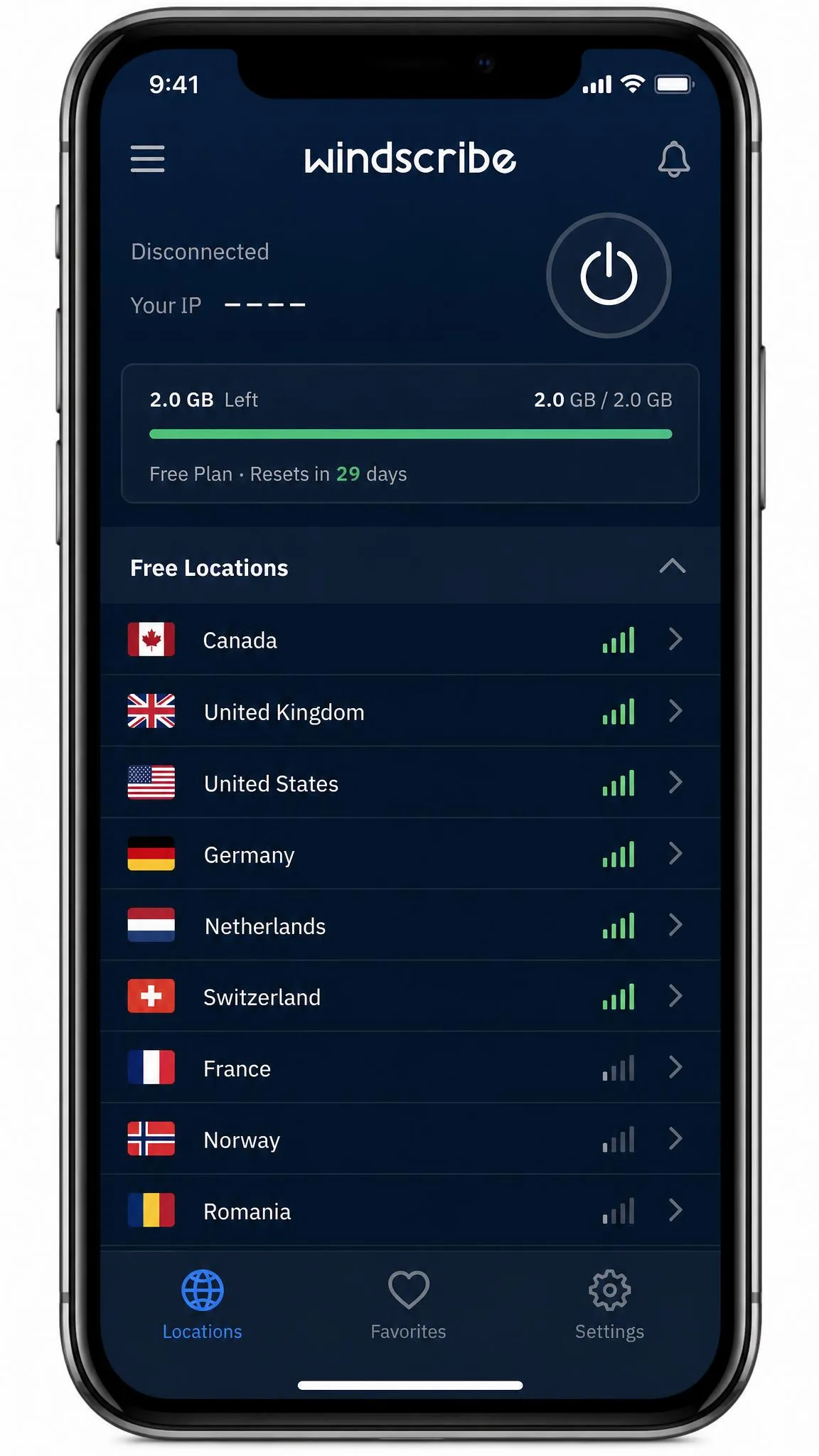
Windscribe is the free iPhone VPN to choose if you want to cover more than just your phone, because its free plan allows unlimited simultaneous device connections. That is rare on a free tier, where one device is the norm. You get 10GB per month once you confirm your email, or 2GB without confirmation, spread across 11 free server locations including the US, UK, Canada, and several European countries. For streaming, it can play full Netflix libraries, though it often requires switching servers a few times before a region unblocks. Free speeds are fine for most everyday tasks. They dip during busy periods because free users share fewer server locations. It also bundles P2P support and a built-in ad and tracker blocker called R.O.B.E.R.T., which is a nice extra on a free plan. The Windscribe Free page lists exactly what the tier includes.
Pros
- Unlimited simultaneous device connections on free
- 11 free server locations to choose from
- P2P allowed, plus a built-in ad blocker
- Full Netflix libraries with some effort
Cons
- Netflix often needs a few server switches
- Speeds dip at peak times
- Full 10GB requires email confirmation
Best for: Covering several devices from one free account, or occasional P2P. Skip if: You want the fastest possible free connection at all hours.
hide.me
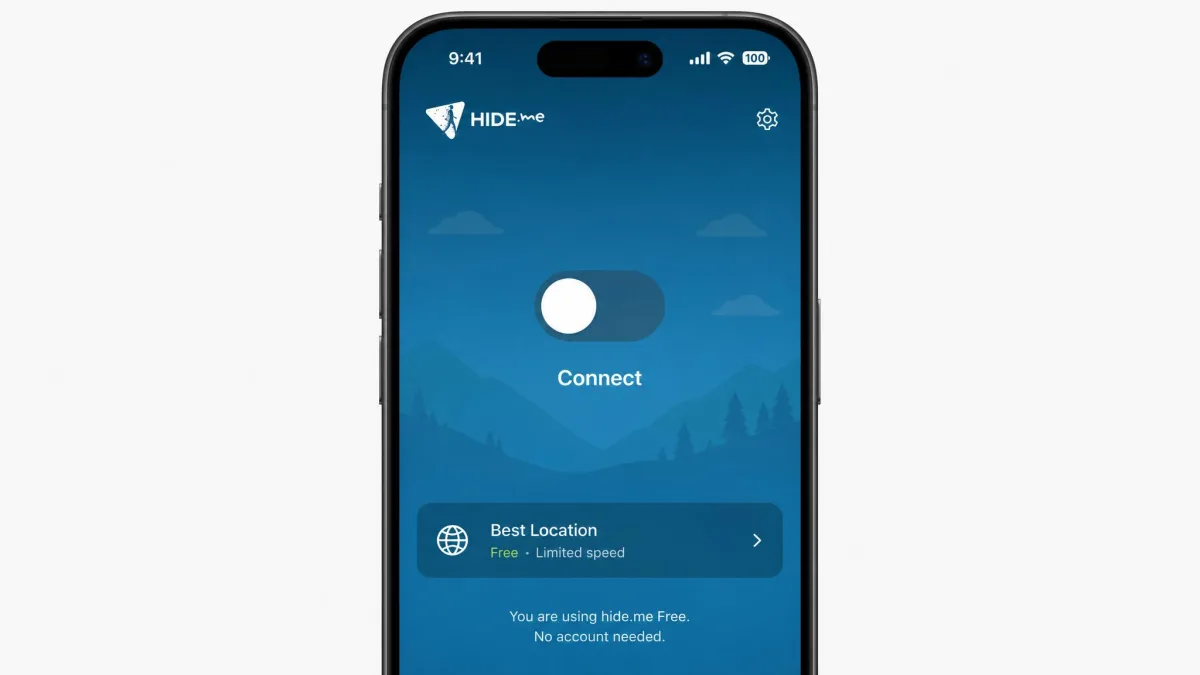
hide.me is the easiest free VPN to start using, because it needs no account to get going on the free tier, and the iOS app is clean and streamlined. That no-signup approach is a genuine privacy win, since you hand over nothing to begin. The free plan now advertises unlimited data, although sources disagree on whether it is truly uncapped or throttled after a 10GB threshold, and behavior varies in practice. What we can say is that the free servers are slow, with downloads often under 5 Mbps, so streaming works best in lower resolution to avoid buffering. There are 8 free server locations, but after 10GB of use the app switches to random server selection, so you lose control over which location you land on. It is a solid, no-strings option for light, privacy-conscious browsing rather than heavy streaming.
The no-account setup is what keeps hide.me on our list despite its slow servers, and it is worth spelling out why. Most free VPNs make you create an account before you can connect, which means handing over an email that ties your identity to your traffic from the very first tap. hide.me skips that step entirely on the free tier, so there is no login to leak and no profile to build. For anyone whose main reason for wanting a VPN is to leave less of a trail rather than to stream in HD, that trade of speed for anonymity is a fair one, and it is the kind of design choice we wish more free apps copied. Just go in knowing the random-server behavior after 10GB means you cannot rely on landing in a specific country, so it is a poor fit if you need a consistent exit location week to week.
Pros
- No account needed to use the free tier
- Clean, streamlined iOS app
- Solid no-logs stance and 8 free locations
- Advertised unlimited data
Cons
- Slow free servers, often under 5 Mbps
- Loses manual server choice after 10GB
- Does not reliably unblock Netflix
Best for: Privacy-first users who want to start with zero signup and browse lightly. Skip if: You want fast speeds or dependable streaming.
TunnelBear
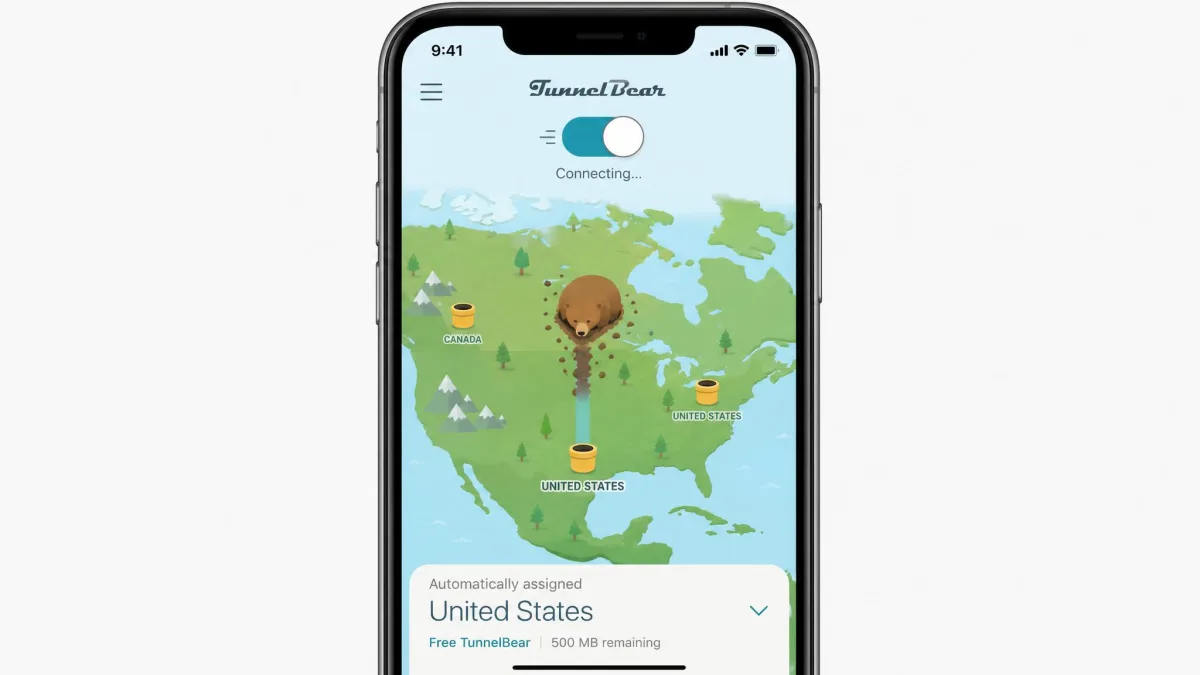
TunnelBear remains the most polished and beginner-friendly app of the group, with a friendly design that makes a VPN feel approachable rather than technical. It also has one of the strongest privacy track records here, with independent security audits every year since 2017. Two things hold it back on the free plan. The data cap is just 2GB per month, which runs out fast and makes it best for occasional use rather than daily browsing. More damaging, as of 26 January 2026 free users can no longer choose a country. A location is assigned automatically, and the SplitBear split-tunneling feature was removed from free too. That change undercuts the app's main appeal, since picking your country was a big part of why people reached for it. It is still a lovely first VPN, just a more limited one than it used to be. To put the 2GB cap in perspective, it is enough for a few weeks of light messaging and web browsing, but a single evening of streaming would wipe it out and then some. Where it still shines is as a gentle introduction to what a VPN does: the illustrated interface and plain-language prompts make the whole idea click for someone who has never used one. If a friend asks which free VPN to try first just to understand the concept, this is the one we point them to, with the caveat that the January 2026 loss of country selection has turned a flexible little app into a much more restricted one.
Pros
- The most polished, beginner-friendly app here
- Independent audits every year since 2017
- Unlimited devices on the free plan
Cons
- Only 2GB of free data per month
- Free users can no longer choose a country
- Split tunneling removed from free in 2026
Best for: First-time VPN users who want the friendliest possible app for light use. Skip if: You need to pick a specific country or want more than 2GB a month.
The Risks and Limitations of Free VPNs
A free VPN can be genuinely useful, but the category has earned its bad reputation. The apps on our list are the exceptions, chosen precisely because they do not fall into the traps below. Knowing how a free service can go wrong is the best way to keep yourself on the safe side.
How free VPNs make money, and the data-selling trap
Running a VPN costs money, so every free service has to fund itself somehow. The trustworthy ones use the free plan as a sample of a paid product, hoping you upgrade. The dangerous ones do the opposite: they treat you as the product. That can mean injecting ads, logging your browsing, or selling your data to third parties, which defeats the entire point of installing a VPN. This is why a verified no-logs policy is not a bonus feature but the deciding one.
The App Store review process weeds out some of the worst offenders, but not all. Plenty of shady free VPNs still slip through with polished screenshots and a wall of five-star reviews. Because the app looks legitimate, you have no easy way to tell from the listing alone whether it is quietly logging you. The only reliable defense is to stick to named providers with a published privacy policy and an audit history, which is exactly the list you are reading now.
Never install an unknown free VPN just because it is free. Some log your activity and sell it, and a few have shipped with outright malware. Stick to services with a published, independently audited no-logs policy, and treat any app that will not say how it makes money as a red flag.
iOS-specific limits: kill switch and always-on
The iPhone adds its own wrinkles. A kill switch, which blocks traffic if the VPN drops so nothing leaks, behaves differently on iOS than on a computer, and not every free plan exposes it. Apple's always-on VPN, which forces all traffic through the tunnel, generally requires a device managed through a configuration profile, so most consumers cannot enable it from a normal free app. In practice this means a free iPhone VPN may briefly leak traffic during a reconnect. It is another reason to choose a service that handles the iOS VPN profile cleanly and reconnects fast.
There is also a background-activity limit worth knowing about. iOS is aggressive about suspending apps to save battery, and a VPN that gets suspended can silently disconnect while your screen is off. The better apps use an on-demand rule that reconnects the moment you resume, but the weaker ones leave you unprotected until you reopen the app. We watched for this during testing, because a VPN that quietly drops is worse than no VPN, since it lulls you into a false sense of security.
Free vs. Paid VPNs: Is a Premium VPN Worth It?
Free is the right answer more often than the VPN industry would like to admit, especially with a service like Proton VPN that does not cap your data. For casual use, occasional streaming, and public Wi-Fi safety, a good free plan covers you. But paid plans exist for real reasons, and it is worth knowing what your money buys.
A premium VPN typically removes the data cap entirely. It opens up dozens of countries instead of a handful, allows many simultaneous connections, and delivers faster, less crowded servers. Paid tiers also tend to unblock streaming more reliably, including services like BBC iPlayer that free plans struggle with. Most reputable providers back their paid plans with a 30 day money-back guarantee, so you can test the full service risk-free before committing. If you travel often, stream in HD daily, or need to protect several devices at once, the upgrade usually pays for itself in saved frustration. If you just want privacy on the occasional coffee-shop connection, a free plan is genuinely enough.
It helps to make the difference concrete rather than abstract. On Proton VPN's free tier you connect to a handful of countries with the server chosen for you. The paid plan opens up dozens of countries you can pick by hand, which matters the moment you need to appear in a specific region. PrivadoVPN's free plan cuts you to a single 1Mbps location once you burn through 10GB. Paying lifts that ceiling so the throttle never arrives. TunnelBear's free users are stuck with 2GB a month and an auto-assigned country, but its paid tier restores both the data and the country picker that the January 2026 change stripped away. In each case the money is not buying a different app. It is buying back the limits the free version imposes, which is a cleaner way to think about the upgrade than comparing feature lists.
There is a middle path many people miss. Because the strong free plans here come from companies that also sell paid tiers, you can start free, live with the limits, and upgrade only if you keep bumping into them. That way you never pay for capacity you do not use. Proton VPN and Windscribe both make this easy, since the free and paid apps are the same, so upgrading is a switch rather than a fresh install. Starting free and letting your own habits tell you whether to pay is smarter than guessing up front.
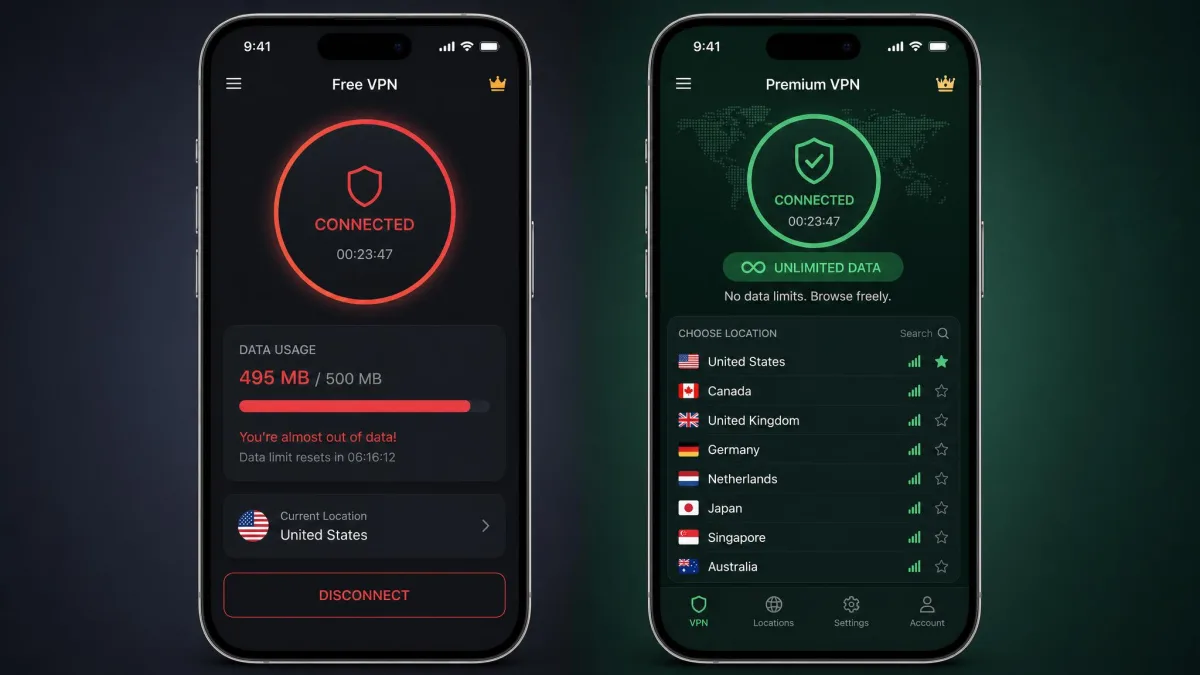
How to Set Up a Free VPN on Your iPhone, Step by Step
Getting a free VPN running on an iPhone takes about two minutes, and the flow is the same for every app on this list. Follow these steps and you will be connected without touching any confusing settings.
- Open the App Store, search for your chosen VPN, and tap to download the app. All five picks here are available directly from the App Store.
- Open the app and, if the service requires it, create a free account. With hide.me you can skip this, since the free tier needs no account.
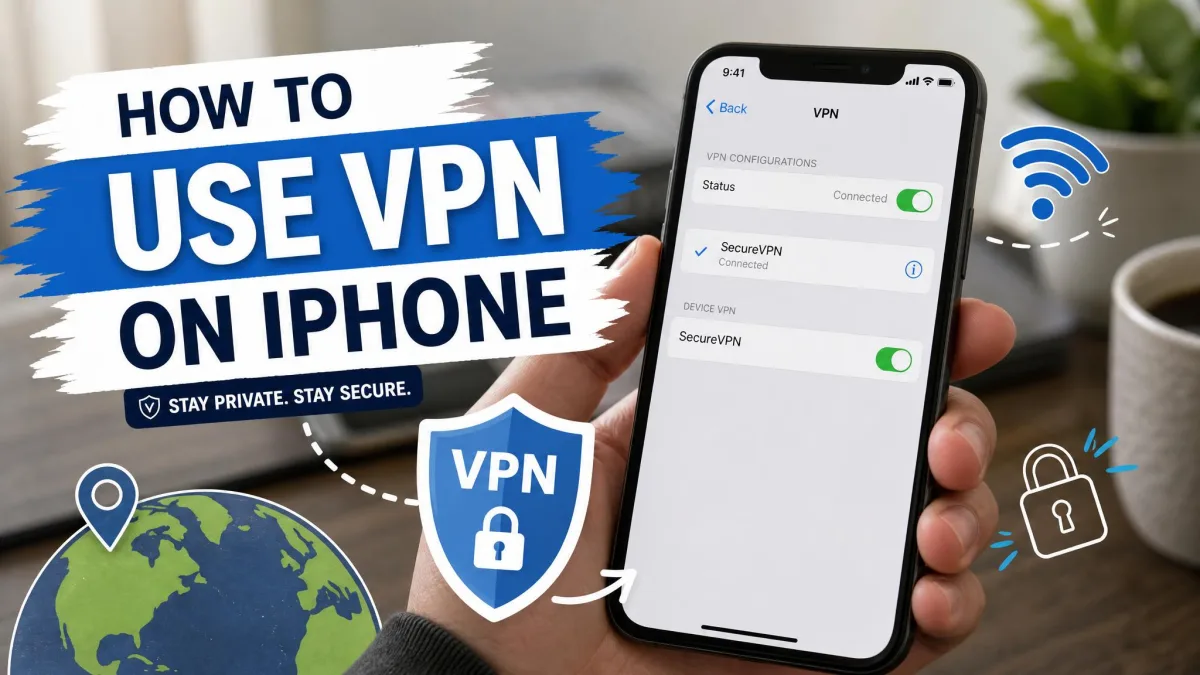
- Tap the main connect button. The app will ask permission to add a VPN configuration to your iPhone.
- Approve the VPN profile using Face ID or your passcode when prompted. This is the system-level permission iOS requires, and you only grant it once per app.
- Watch for the VPN icon at the top of your screen, which confirms you are connected and your traffic is now encrypted.
To check or remove a VPN later, open Settings, then tap General, then VPN & Device Management. From there you can switch connections on or off and delete any profiles you no longer use. Keeping that list tidy is good housekeeping, especially if you try several free apps before settling on one. If you want the VPN to reconnect automatically after your phone sleeps, look for an on-demand or auto-connect toggle inside the app's own settings and turn it on.
Can You Stream With a Free iPhone VPN?
Yes, but streaming is where free plans show their limits most clearly, so set your expectations before you start. Streaming services actively block VPN servers, and free servers are the easiest for them to spot and blacklist. Data caps also work against you. HD video burns through an allowance fast, which is why an unlimited plan like Proton VPN or a generous 10GB tier suits streaming better than TunnelBear's 2GB.
In our testing, PrivadoVPN was the standout, unblocking Netflix, Prime Video, Max, and Disney+ within its 10GB full-speed window. Proton VPN handled Netflix, Prime, and Hulu but could not reach BBC iPlayer. Windscribe played full Netflix libraries, though it often took a few server switches to find one that worked. hide.me was the least reliable for streaming and did not consistently unblock Netflix. If watching region-locked content is your priority, choose your service around that first, and remember that free-VPN streaming access changes month to month as the platforms and providers play cat and mouse.
It is worth being specific about what each service means for your evening watch. The differences are larger than the ratings suggest. If you want the broadest catalog, PrivadoVPN is the only free plan here that reliably opened Disney+ and Max alongside Netflix and Prime. A household that hops between those services will get the most from it, as long as the viewing fits inside 10GB of full-speed data. Proton VPN is the better pick for pure Netflix and Prime watching, because its unlimited data means you never have to ration episodes, even if it leaves BBC iPlayer fans out in the cold. Windscribe sits in the middle. It can reach full Netflix libraries but expects you to do the work of cycling through servers until one sticks, which is fine for a patient viewer and maddening for an impatient one. hide.me and TunnelBear we would not lean on for streaming at all, the first because its servers are too slow to hold an HD stream and the second because 2GB disappears before the credits roll.
One practical tip: streaming apps sometimes cache your real location, so if a title will not load after you connect, force-quit the streaming app and reopen it, or clear its data, before you assume the VPN has failed. A free plan that unblocks a service one week may lose access the next, so keeping a second app installed as a backup is a reasonable habit if streaming really matters to you.
Free VPNs for iPhone to Avoid
The apps on our list are the ones we trust. The wider App Store is full of free VPNs we would steer you away from, and they tend to share a few tells. Avoid any VPN that does not clearly state a no-logs policy, or that will not explain how it funds a free service. Be wary of apps loaded with aggressive ads, since ad revenue and your privacy usually pull in opposite directions. Watch out for services with no named company behind them, no audit history, and a flood of suspiciously identical five-star reviews.
A useful rule of thumb: if a free VPN is not one of the established names covered here or in comparable, reputable roundups, do not install it just because it is available and free. The download costs you nothing up front, but a data-selling VPN can cost you far more later. When you are unsure, the safest choice is a known, audited free plan, even if its data cap is smaller than an unknown app's tempting promise of unlimited everything.
Be especially cautious with free VPNs that ask for permissions a VPN has no business needing, such as your contacts, your photos, or your location when the app is closed. A VPN needs to install a network profile and little else. When an app reaches for more, it is usually collecting data to sell, and the free price is exactly what pays for that collection.
Final Verdict: The Best Free VPN for iPhone
After testing all five, Proton VPN is our winner, and the verdict below lays out why. The runner-ups matter, though, if your needs are specific. Pick PrivadoVPN instead if streaming is your priority, since it unblocks the widest set of services within its 10GB full-speed allowance. Choose Windscribe if you need to cover several devices at once, thanks to its unlimited free connections. hide.me suits privacy-first users who want zero signup, and TunnelBear remains the friendliest first VPN, if you can live with a 2GB cap and no country choice. Match the plan to how you actually use your iPhone, and you will get real protection without paying a cent.