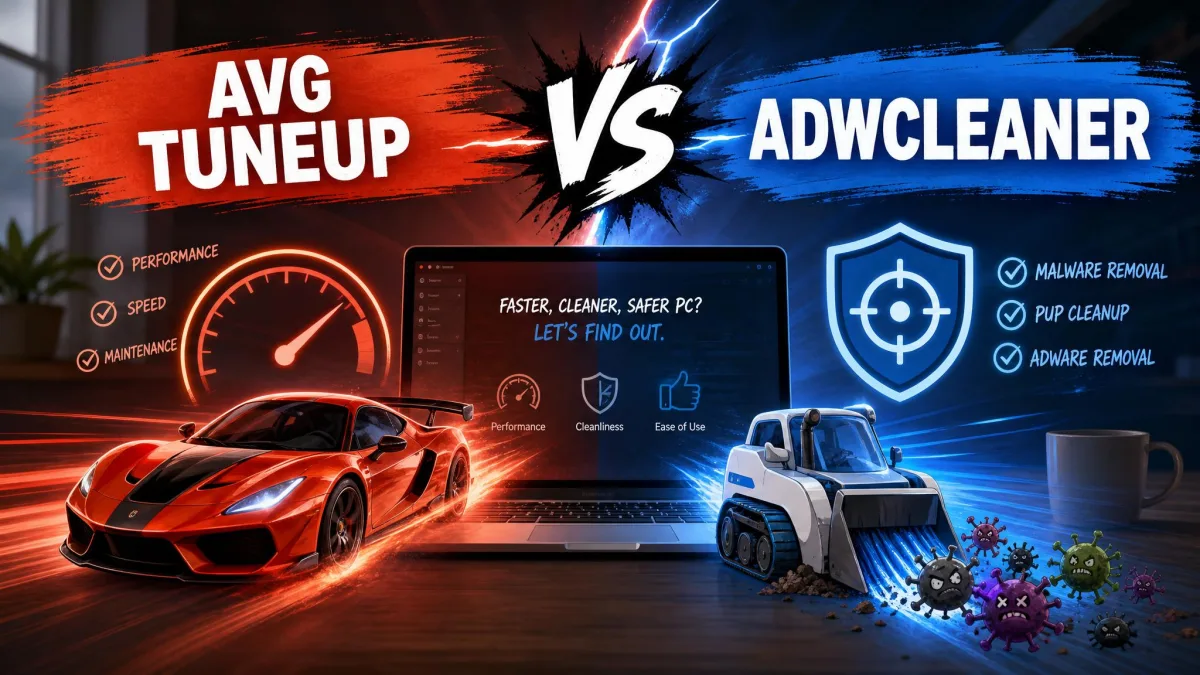
Your PC has gone sluggish, a search bar you never installed is sitting in your browser, and you are trying to decide between two names that keep coming up. The awkward truth about AVG TuneUp vs AdwCleaner is that they are not really competitors. AVG TuneUp is a paid maintenance suite that cleans junk files, tidies the registry and manages startup programs. Malwarebytes AdwCleaner is a free, single-purpose scanner that hunts adware, toolbars and browser hijackers, and does nothing else at all. So the honest verdict is a fork in the road rather than a winner: if your machine is cluttered and slow, AVG TuneUp is the tool with the features to fix it, and if something has hijacked your browser, AdwCleaner will clear it in a few minutes for nothing. We ran both on Windows to see where each one earns its place.
AVG TuneUp vs AdwCleaner at a Glance (Quick Verdict + Comparison Table)
The short version: AVG TuneUp is the broader tool and the only one of the two that will free up space or speed up your PC. AdwCleaner is the sharper tool, and for the specific problem of adware it is both faster and free. Most readers who arrive at this comparison actually have an adware problem, which is why we point so many of them at the free download first.
| Product |  |
 |
|---|---|---|
| Purpose | All-in-one PC optimizer and maintenance suite | Targeted adware and PUP remover |
| Price | $65.99/yr (1 PC), $79.99/yr (10 devices) | Free |
| Free version | 7 days free trial only | Free, no paid tier |
| Junk/disk cleanup | Yes | No |
| Registry cleaning | Yes | Registry entries left by adware only |
| Adware/PUP removal | No dedicated adware scanner | Yes, core function |
| Startup optimization | Yes, plus Sleep Mode | No |
| Software updater | Yes | No |
| Real-time protection | No | No, on-demand scan only |
| Platforms | Windows 7 through 11, macOS 10.10+, Android 10+ | Windows only (8.5 and later is Windows 10/11) |
| Best for | Ongoing maintenance on an older, cluttered PC | A one-off cleanup of adware, toolbars and hijacked browsers |
| Buy | Check price → | Free download |
They Are Not the Same Kind of Tool
Search engines put these two products on the same page because both get described as "PC cleaners", but that phrase is doing a lot of unearned work. One is a subscription suite with a dashboard full of features. The other is a 10 MB executable with one job.
Ask what is actually wrong before you pick. Slow boot, full hard drive and too many startup programs point to AVG TuneUp. Pop-ups, a changed search engine or a toolbar you did not install point to AdwCleaner.
What AVG TuneUp Is (paid PC optimizer and maintenance suite)
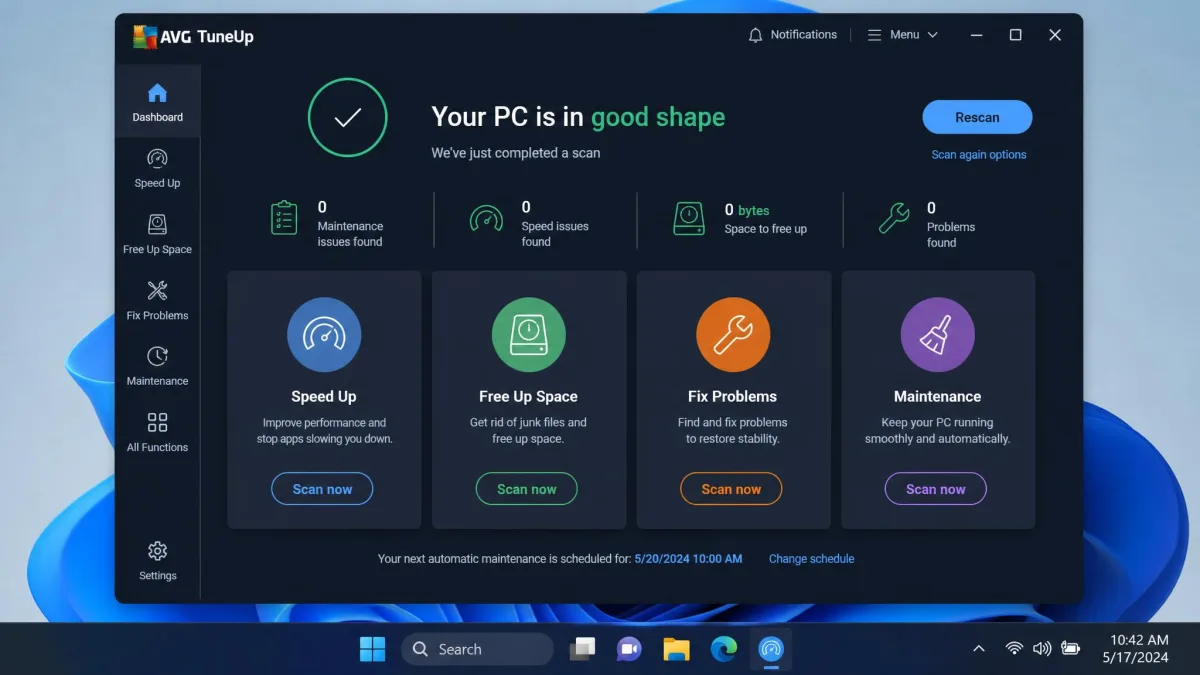
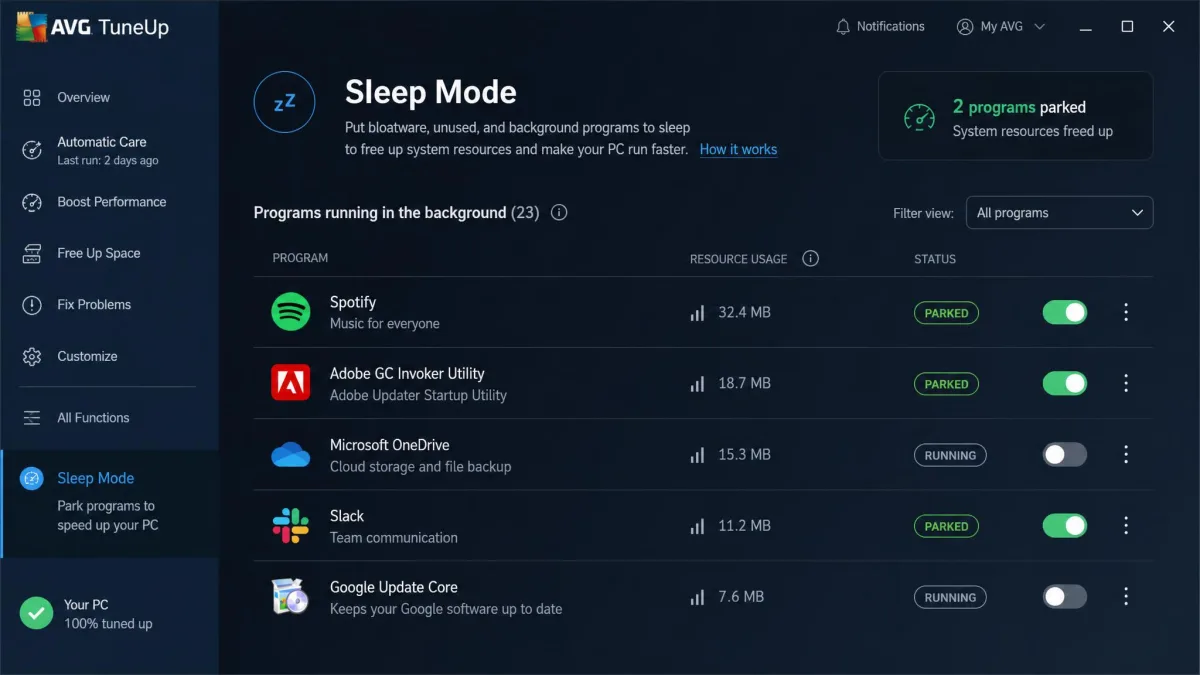
AVG TuneUp is the maintenance product from AVG Technologies, and it bundles a disk and junk cleaner, a registry cleaner, browser cleanup, a startup optimizer, a software uninstaller for bloatware, an automatic Software Updater, and background maintenance that runs on a schedule. Its signature feature is Sleep Mode, which parks background apps until you need them rather than simply disabling them at startup. Windows has no equivalent for that, and it is the single strongest argument for the subscription.
What AVG TuneUp is not is an antivirus. It is a maintenance and optimization suite, and AVG's malware protection sits in its separate security products. That matters here, because plenty of people install a tune-up tool expecting it to remove an infection.
What AdwCleaner Is (free adware and PUP remover from Malwarebytes)
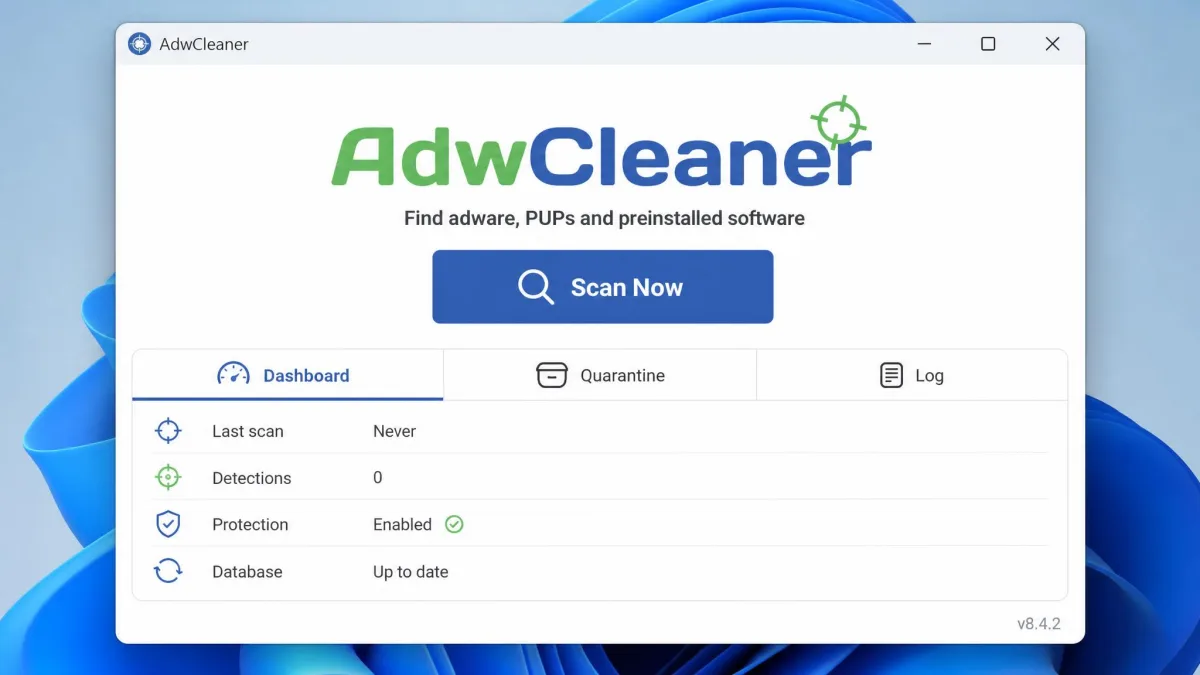
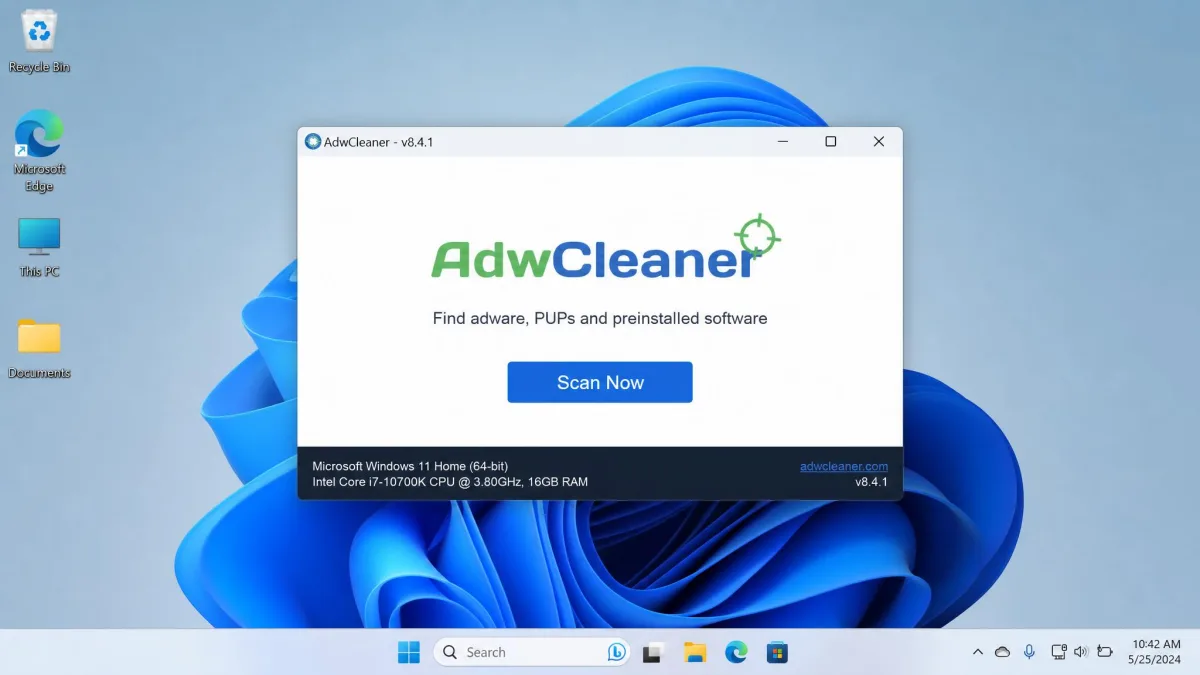
Malwarebytes AdwCleaner targets adware, potentially unwanted programs, browser hijackers and toolbars. It is a portable single-file scanner with no installation step, it keeps a quarantine you can selectively restore from, it writes plain-text scan logs, and it can reset browsers and repair Winsock and proxy settings that adware has meddled with. It is designed to sit alongside whatever antivirus you already run rather than replace it.
Version 8.5 and later supports Windows 10 and 11 only. If you are still on Windows 7 or 8 you need the older 8.4 build, and the hardware bar is low enough to be irrelevant on any machine from the last fifteen years: an 800 MHz SSE2 processor, 512 MB of RAM and 10 MB of free disk space.
Which Problem Are You Actually Trying to Fix?
Here is the test we use. Open Task Manager and look at the startup tab and the disk usage. If the machine is simply carrying years of accumulated software, that is a maintenance problem and AVG TuneUp is built for it. If your homepage keeps resetting itself or ads appear where they never used to, that is an adware problem, and no amount of junk-file cleanup will touch it. AdwCleaner does nothing about junk files, disk space or startup programs, so a slow but otherwise clean PC looks exactly the same after a run.
We tested both tools on Windows machines with real clutter rather than clean lab images, because the difference between these two products only shows up when you know which problem you are trying to solve.
Features Compared
Junk and Disk Cleanup
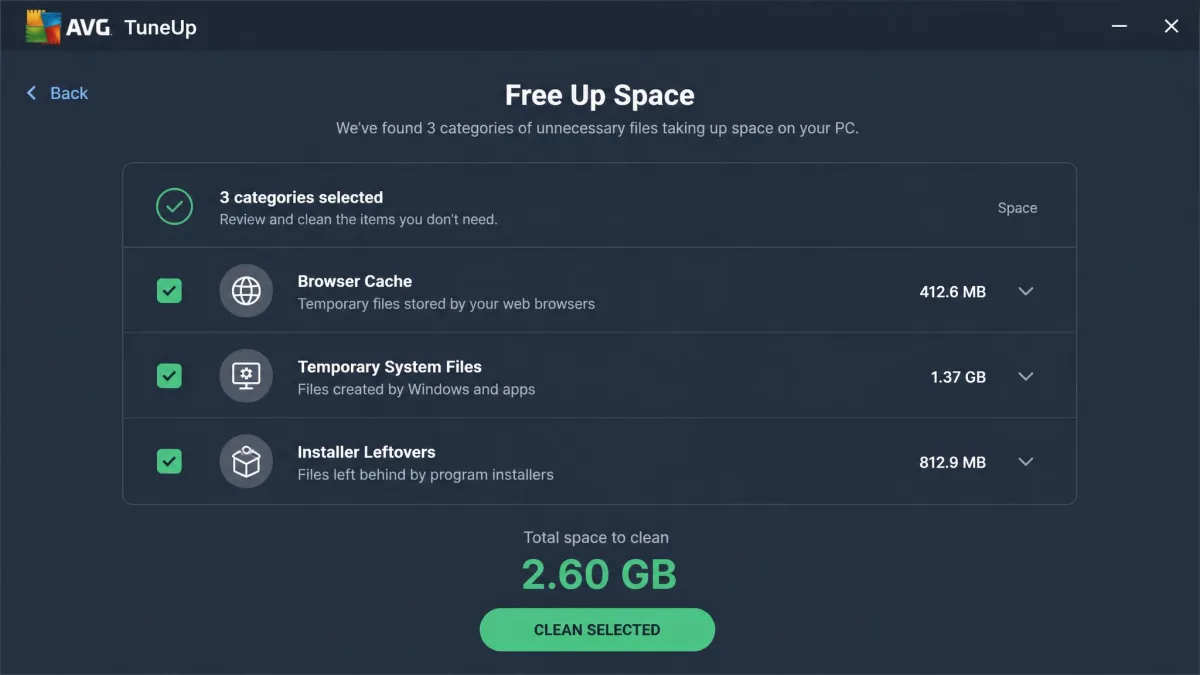
This is AVG TuneUp's home ground and AdwCleaner's blind spot. TuneUp's cleaner sweeps browser caches, temporary files, installer leftovers and duplicate downloads, and it can run on a schedule so you never think about it. It reliably frees up space on a machine that has not been touched in years.
The caveat is that a large share of this work overlaps with what Windows already does through Storage Sense and the built-in Disk Cleanup tool. On raw hard drive space reclaimed, AVG TuneUp also trails CCleaner, though it keeps a simpler interface and stronger automatic maintenance in exchange. If your only goal is to clean up your computer once, the free options get you most of the way.
AdwCleaner has no junk cleaner at all. It removes the files and folders belonging to adware it detects, and that is the whole of its disk footprint work.
Adware, PUPs, and Browser Hijacker Removal
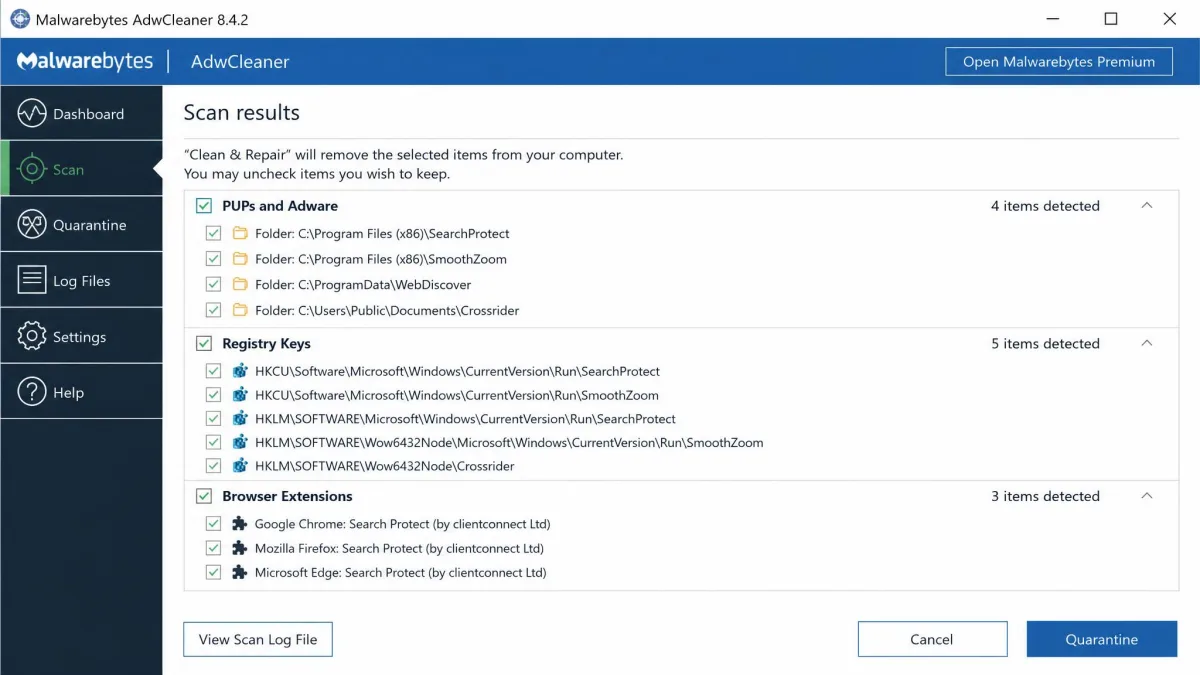
Now the roles reverse. AdwCleaner is purpose-built for the category, and it goes after the pieces adware leaves behind that a general cleaner ignores: browser extensions, altered search providers, scheduled tasks, services, and the registry keys that put a hijacked homepage back after every reboot. The browser reset and the Winsock and proxy repair tools are the parts that matter most, because a hijack that survives an uninstall is usually living in exactly those settings.
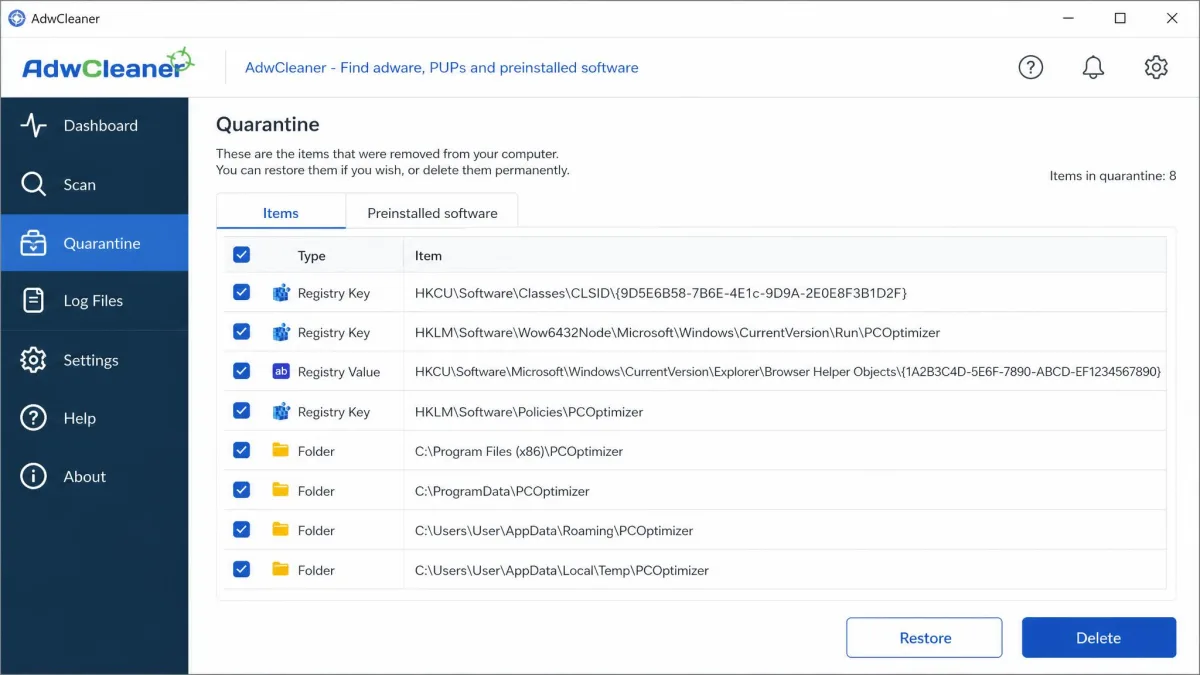
Detected items are deactivated and moved to quarantine, then listed with checkboxes so you can restore or permanently delete each one. That list is not decoration. AdwCleaner occasionally flags a legitimate program as unwanted, and the quarantine is your undo button when it does. We read the list before confirming, every time.
AVG TuneUp has no dedicated adware scanner. Its browser cleanup clears tracking cookies and cached data, which is useful housekeeping, but it will not identify a hijacker or remove a malicious extension.
Registry Cleaning
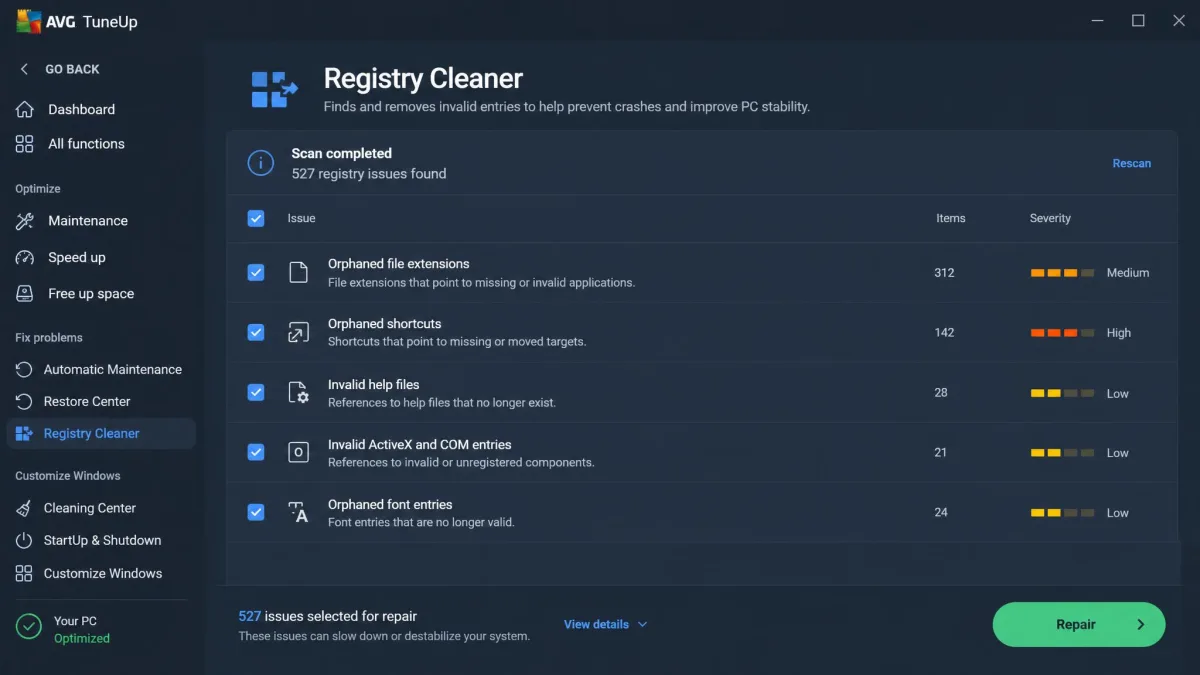
AVG TuneUp includes a registry cleaner that finds orphaned keys left behind by uninstalled programs. We will be plain about it: this is the part of the suite that does the least work, and it rarely produces a measurable speed change on modern Windows. Registry cleaning is also the one tool here with any real risk attached, so back up before a sweep and skip it entirely if the PC is otherwise stable. Treat it as tidiness, not performance.
AdwCleaner touches the registry only where adware has written to it, which is narrower and, for this purpose, more useful.
Performance and Startup Optimization (Sleep Mode vs one-off scan)
AVG TuneUp's startup optimizer lists programs that load with Windows and lets you disable the ones you do not need. Sleep Mode goes further by suspending background apps you are not using and waking them when you open them, which is where most of the responsiveness comes from on a busy machine.
AdwCleaner has nothing in this space. It is a one-off scan, run when you have a problem, closed when you are done. Comparing the two on startup performance is not really a fair contest; it is a category difference.
Extra Tools (software updater, uninstaller, browser cleanup)
The Software Updater keeps common third-party programs patched automatically, which is a genuine security benefit rather than a speed one. The uninstaller catches bloatware and preinstalled trial software that the standard Windows uninstaller leaves fragments of. Browser cleanup handles cookies and cached files across your installed browsers. None of these are unique to AVG, but having them behind one dashboard is the practical value of the subscription.
Scan and Cleanup Performance
Speed and System Impact
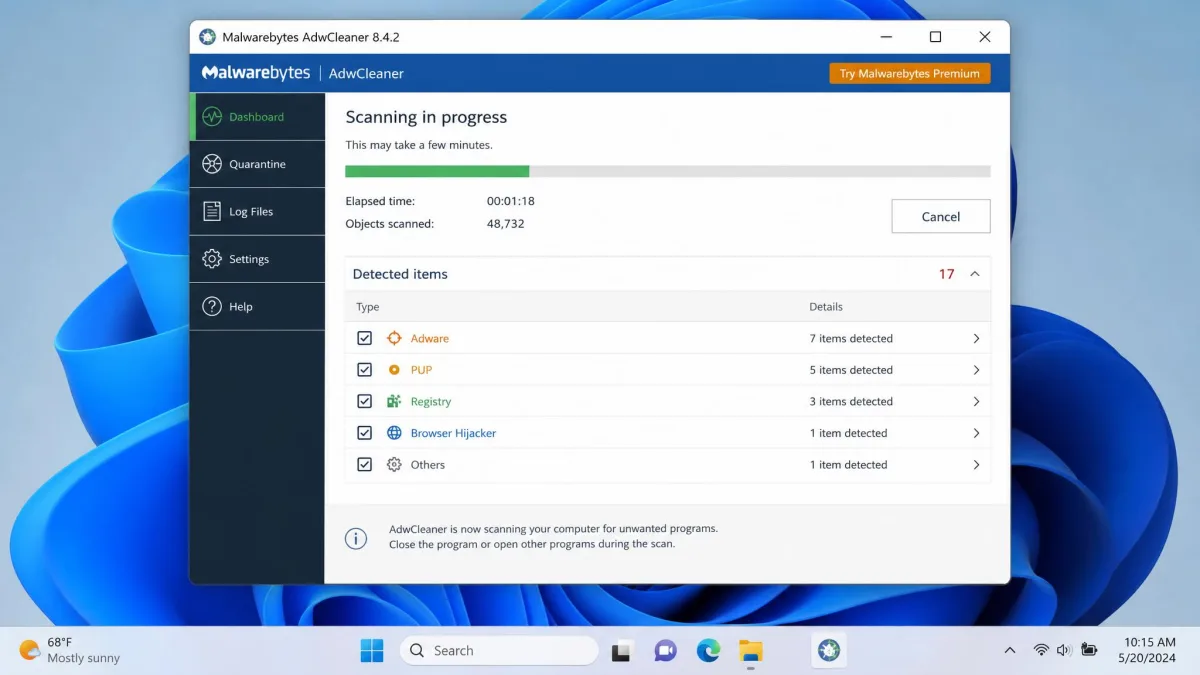
AdwCleaner is the quicker of the two by a wide margin. It runs straight from the downloaded executable with no installation step, so cleanup can begin within a minute of the download finishing, and a scan finishes in a couple of minutes with a plain-text log of everything it touched. Two things to know before you start it: it closes running browsers and other applications before cleaning, so save your work first, and it asks for a reboot to finish, sometimes even when the scan found nothing that obviously requires one.
AVG TuneUp is a heavier proposition. It installs quickly and then runs its maintenance passes in the background over time rather than in a single sitting, which is the point of it. The performance gains are most noticeable on older machines. On a recent, already tidy PC the difference is much harder to feel, and that is the honest test of whether the subscription is for you.
What Each Tool Actually Finds and Removes
On a cluttered machine, AVG TuneUp surfaces temporary files, browser caches, broken shortcuts, redundant startup entries and out-of-date programs, and it presents them as one queue you can work through. On the same machine, AdwCleaner may report nothing at all, because there was no adware to find. Run them in the other order on a hijacked browser and the results flip completely. Neither result means a tool has failed; it means you picked the tool that matched the symptom.
Ease of Use and Interface
AVG TuneUp
AVG TuneUp installs quickly and drops you into a labelled dashboard where the main tools are obvious without a manual. Tiles are grouped by intent (speed up, free up space, fix problems, maintain), which is the right way round for people who know their symptom but not the jargon. Nothing here needs technical knowledge, and that is the strongest thing we can say about the interface.
AdwCleaner
AdwCleaner's interface is almost aggressively simple: a scan button, a results list, a quarantine tab and a log. There is no installation, no account and no upsell page. The only place a newcomer hesitates is the results list, where the safe habit is to read the detections before clicking clean. If in doubt, quarantine rather than delete, because you can restore from quarantine and you cannot undo a permanent deletion.
Safety, Privacy, and Reputation
Both come from established security vendors, and both are safe to download from their official pages rather than a mirror. AdwCleaner carries a 4.8-star average across more than 20,000 reviews on CNET and TOOLSLIB according to Malwarebytes' own page. Trustpilot rates AVG Technologies "Excellent" at 4.6 out of 5, while ConsumerAffairs' much smaller AVG panel skews heavily toward billing complaints, so read the AVG picture as a good product with a billing reputation problem rather than a bad one.
That billing point deserves its own line. AVG subscriptions renew automatically at full price, and cancelling or claiming inside the guarantee window can take a long support conversation. Some refund requests are answered with a partial offer rather than the full amount. Set a calendar reminder before your renewal date.
Quarantine on AdwCleaner has had rough edges across releases, including empty or incomplete quarantine entries that the 8.7.1 update set out to fix. It is worth running a current build rather than an old copy sitting in your downloads folder.
Pricing and Value
AVG TuneUp Pricing (single-PC vs 10-device)
AVG TuneUp is $65.99 per year for one PC, or $79.99 per year covering up to 10 devices. If you look after more than one machine, the multi-device licence is the obvious buy, since two single-PC subscriptions cost more than the family plan. There is a 7 days free trial with no credit card needed, and a 30-day money-back guarantee after purchase. First-year promotional pricing is often much lower, around $29.99 for a single PC, though AVG's introductory price rotates by season and region, so the first-year figure moves.
AdwCleaner: Free, Forever
AdwCleaner is free, with no paid tier for the tool itself and no feature held back. Malwarebytes uses it as a shop window for its paid security software, which is a fair trade for a tool that solves a specific, unpleasant problem at no cost. There is no licence to manage and nothing to cancel.

Do You Need Either One Over Windows' Built-In Tools?
Honestly, sometimes not. Storage Sense and Disk Cleanup handle most junk files, Task Manager handles startup programs, and Windows Update handles Microsoft's own patches. On a well-maintained machine that overlap makes the AVG subscription hard to justify, and we would rather say so than pretend otherwise. What Windows does not have is Sleep Mode, automatic third-party software updating, or a single dashboard that a non-technical user can work through without guesswork. Those three things are what you are paying for.
Windows also has no built-in adware remover in the sense AdwCleaner means. Microsoft Defender catches malware, but the toolbars, hijackers and bundled junk that AdwCleaner specialises in often sit just below the threshold Defender acts on. Since AdwCleaner is free, there is no cost-benefit argument to have.
Pros and Cons
AVG TuneUp Pros and Cons
Pros
- Broad feature set in one interface: junk cleanup, registry, startup, uninstaller and updater
- Sleep Mode has no Windows equivalent and helps most on busy machines
- Automatic background maintenance means you can set it and forget it
- Runs on Windows, macOS and Android, with 10 devices on one plan
- 7 days free trial with no credit card, plus a 30-day money-back guarantee
Cons
- $65.99 a year is a lot for work Windows partly does for free
- Auto-renews at full price, and refunds can take persistence
- Registry cleaning rarely delivers a measurable speed change
- No adware, PUP or malware removal at all
- Gains are hard to feel on a newer, already tidy PC
AdwCleaner Pros and Cons
Pros
- Completely free with no paid tier and no feature limits
- Portable single executable, no installation, scanning within a minute
- Scans finish in a couple of minutes and produce a readable log
- Quarantine with selective restore protects you from false positives
- Browser reset plus Winsock and proxy repair fix hijacks other tools miss
Cons
- Does nothing for junk files, disk space or startup programs
- Windows only, and version 8.5 onward drops Windows 7 and 8
- On-demand scanning only, with no real-time protection
- Closes your open browsers and apps before it cleans
- Asks for a reboot even when the scan found little
Head-to-Head Summary Table
| Product | AVG TuneUp | AdwCleaner |
|---|---|---|
| Price | $65.99/yr | Free |
| Speeds up a slow PC | Yes | No |
| Removes adware and hijackers | No | Yes |
| Time to first result | Install, then ongoing | Under 5 minutes |
| Platforms | Windows, macOS, Android | Windows 10 and 11 |
| Ongoing commitment | Annual subscription | None |
Which One Should You Choose?
Choose AVG TuneUp If...
Your PC is more than three or four years old, the hard drive is filling up, boot time has crept past a minute, and you would rather have one dashboard handle it on a schedule than learn which Windows tool does what. Choose it too if you look after several machines or a relative's laptop, because the 10-device plan turns an expensive subscription into a reasonable one.
Choose AdwCleaner If...
Your browser has changed behind your back, ads are appearing in places they should not, or you installed a free program and something came along with it. Choose it also if you simply want a second opinion alongside your antivirus, since it costs nothing and takes five minutes.
Why You Might Want Both
These tools do not conflict, and there is no argument for choosing only one on principle when half the pairing is free. The sensible pattern we would follow is to run AdwCleaner first to clear anything unwanted, then let AVG TuneUp handle the ongoing maintenance if the machine still feels slow afterwards. Doing it in that order stops you paying for a tune-up to fix a problem a free scan would have solved.
The most frequent mistake we see is paying for an optimizer to fix a symptom that is actually adware, then concluding the optimizer was a waste of money. The second is letting an AVG subscription roll over unnoticed for a second year at full price on a PC that has since been replaced. The third is downloading either tool from a software portal rather than the vendor's own page, which is precisely how bundled junk gets on a machine in the first place. AVG's own setup documentation is worth a glance if the installer behaves unexpectedly.