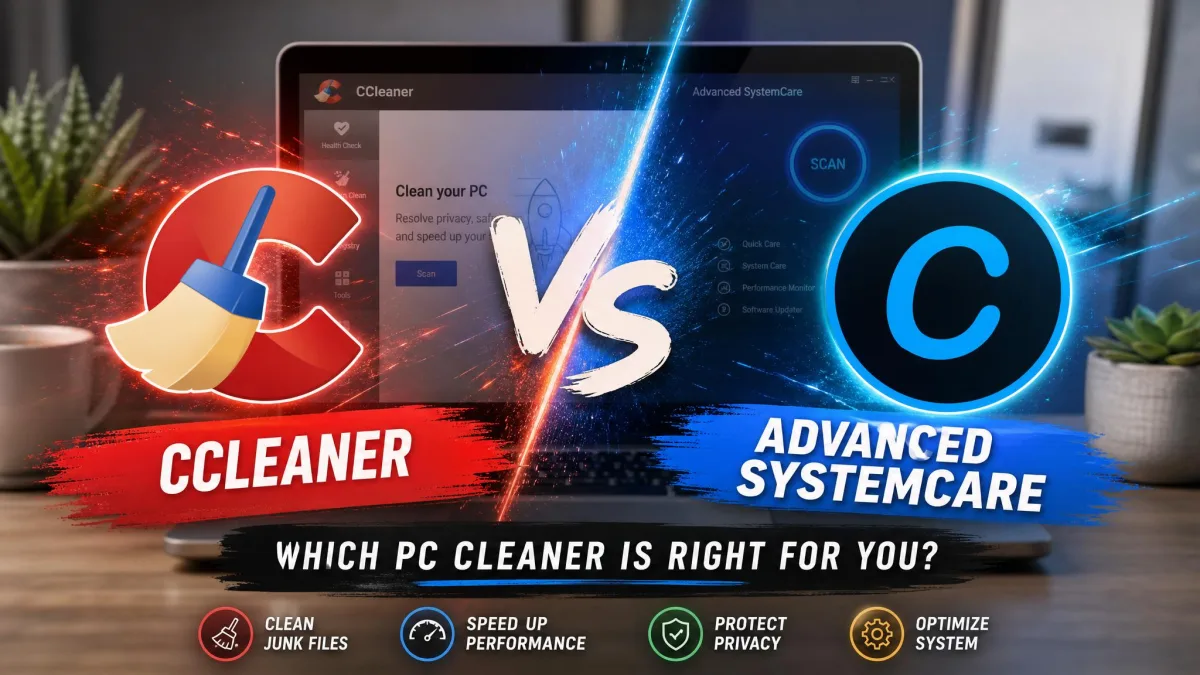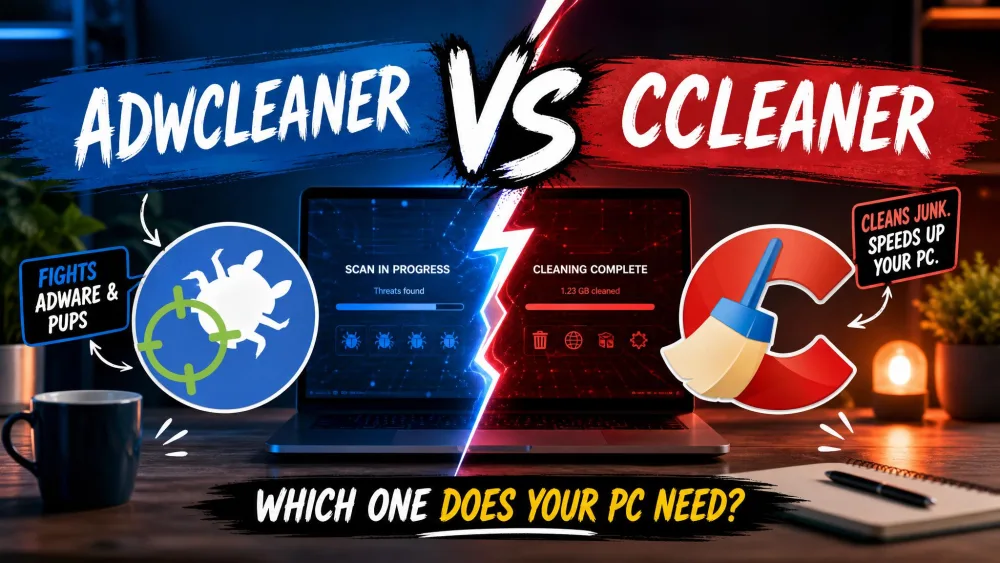
People often line these two tools up as rivals, but they were built to solve different problems. AdwCleaner hunts adware, toolbars, and potentially unwanted programs. CCleaner clears junk files and manages the registry to keep a PC tidy. Picking between them is less about which is "better" and more about what is actually wrong with your machine.
That distinction gets lost in most head-to-head write-ups, so we ran both tools through our own before-and-after cleanup scenarios to sort it out. We installed and licensed each one ourselves on Windows 11 test machines, then put them through the everyday tasks a normal user throws at a cleaner: a browser cluttered with hijackers, a drive full of temporary files, and a startup list gone long.
This comparison lays out what each tool removes, how the features stack up, how effective the scans are, and what you pay. By the end you will know whether you need one, the other, or both.
AdwCleaner vs CCleaner at a Glance
Here is the short version before we get into the details. The table below maps the core differences we care about most: purpose, scan behavior, protection, registry handling, scheduling, price, and who each tool suits.
| Feature | AdwCleaner | CCleaner |
|---|---|---|
| Primary purpose | Adware, PUP, browser-hijacker removal | Junk cleaning, registry, optimization |
| Scan type | On-demand adware/PUP scan | On-demand junk and registry scan; scheduled on paid tiers |
| Real-time protection | No (on-demand only) | No (paid tiers add scheduled/Smart cleanup) |
| Registry cleaning | Scans registry for adware, no dedicated cleaner | Yes, dedicated registry cleaner |
| Scheduling | No | Paid tiers only |
| Price / free tier | Free (no paid tier) | Free; Professional around $44.95/yr, Plus $64.95/yr |
| OS support | Windows 10 and Windows 11 | Windows 7, 8.1, 10, 11 |
| Best for | Removing adware, toolbars, PUPs | General PC junk cleanup and optimization |
What Is AdwCleaner?
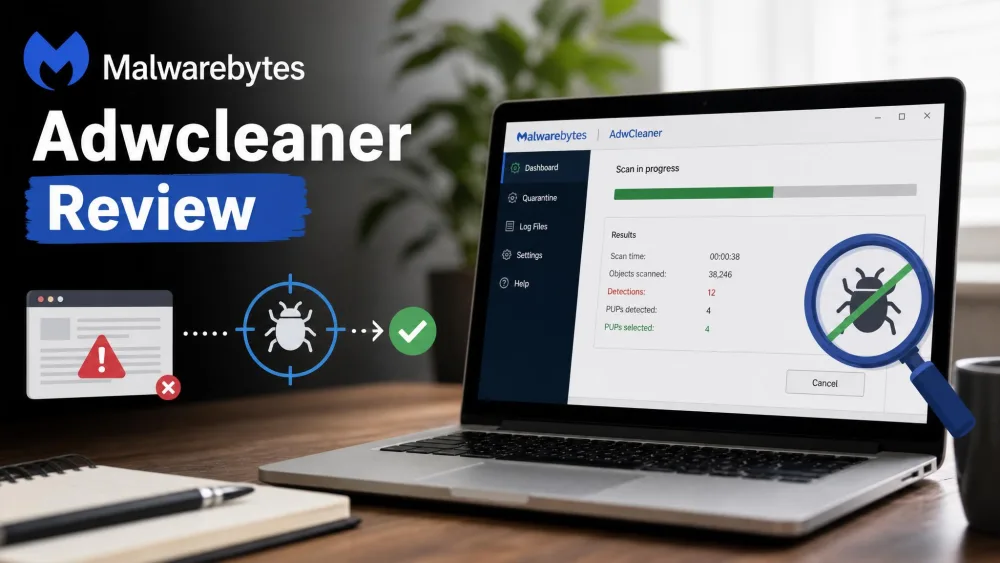
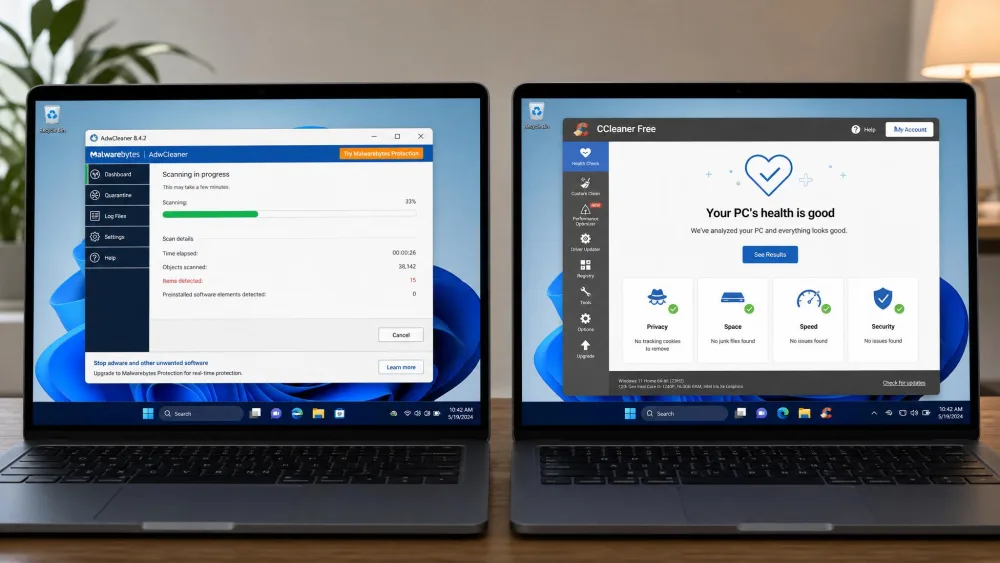
AdwCleaner is a free adware and PUP remover from Malwarebytes. It targets the stuff that piggybacks onto your system during software installs: adware, potentially unwanted programs, browser hijackers, toolbars, and general junkware. It does not try to be a full antivirus, and it does not sweep up temporary files. Its whole job is cleaning out unwanted programs that a general antivirus often ignores.
One detail we appreciated right away: AdwCleaner ships as a single portable EXE with no install. You can keep it on a USB stick and run it on demand across several machines, which makes it handy for cleaning up a relative's laptop. It is completely free with no paid tier at all.
Key Features
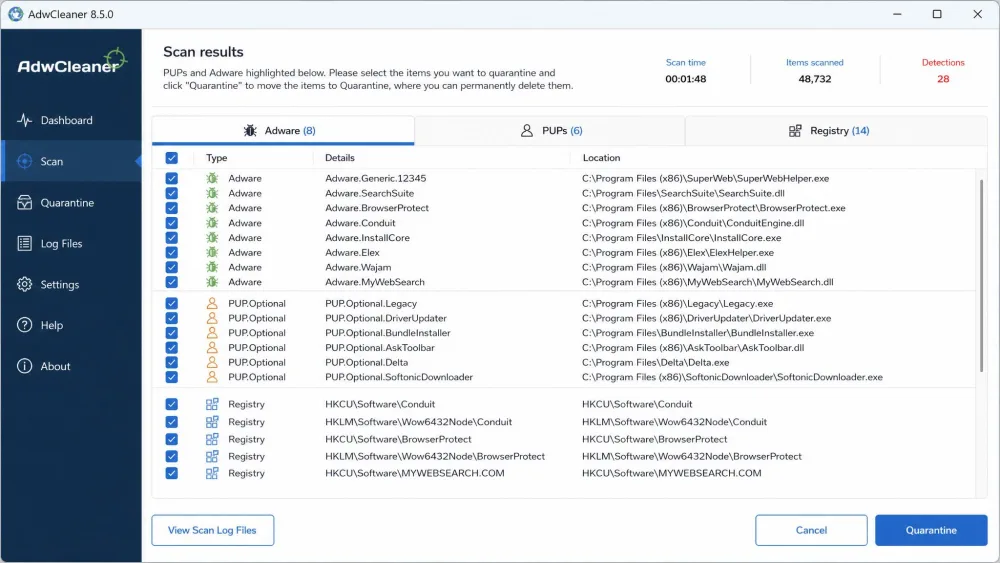
The tool runs an on-demand scan across your browsers, files, and registry entries to find adware and PUPs. Anything it removes goes to a quarantine, so you can restore items later if a removal causes trouble. When adware digs into services or locked registry keys, AdwCleaner schedules a reboot-time removal to finish the job at boot.
It supports Windows 10 and Windows 11 on current builds. There is no scheduling, no background component, and no real-time shield, so it does nothing between the scans you launch yourself.
Pros and Cons
On one test machine carrying a bundled browser toolbar, AdwCleaner's scan pulled it out along with the registry entries it had planted, then sent everything to quarantine so we could restore anything removed by mistake.
Pros
- Completely free with no paid tier or upsell
- Portable single EXE, runs from a USB stick without installing
- Strong adware and PUP detection across browsers, files, and registry
- Quarantine lets you restore anything removed by mistake
Cons
- On-demand only, so you have to remember to launch scans yourself
- No junk-file cleaning or system optimization
- Sometimes flags legitimate programs as unwanted
- Often needs a reboot to finish removing stubborn items
What Is CCleaner?
CCleaner is the long-running PC optimization suite from Piriform. Its focus is housekeeping: clearing junk files, cleaning the registry, uninstalling programs, and managing startup entries. Paid tiers add tools like a Disk Space Analyzer, a Driver Updater, and scheduled cleaning. It is the tool you reach for when a machine feels cluttered rather than infected.
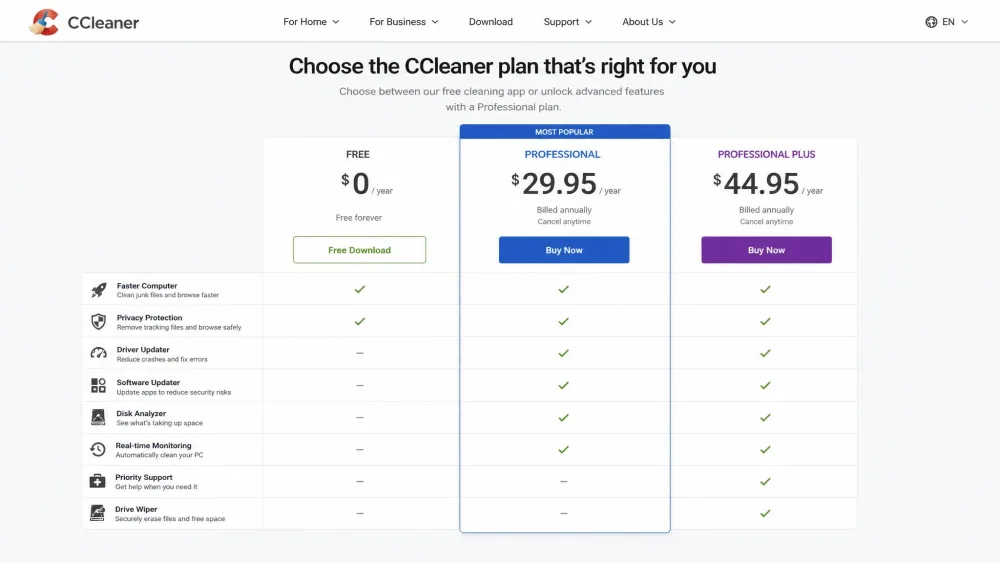
CCleaner Free covers one device and handles the core cleanup jobs. If you want the extras, Professional is listed at around $44.95 a year for one device, and Professional Plus runs $64.95 a year for up to three devices. Those list prices move around with regional pricing and frequent promotions.
Key Features
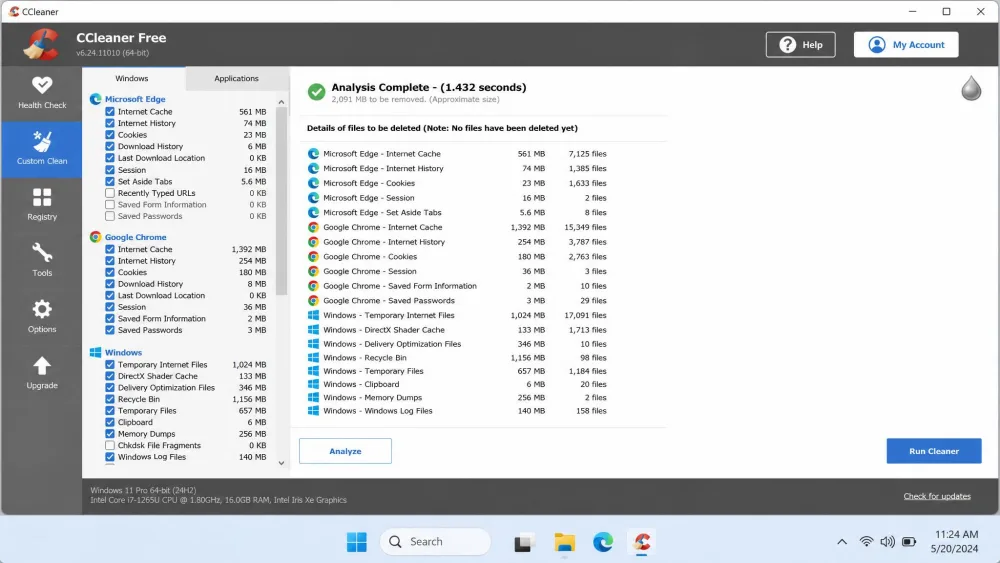
The free version includes standard and custom cleanup, Easy Clean, a registry cleaner, an Uninstaller, a Startup manager, and Health Check. Paid tiers unlock the Disk Space Analyzer, Driver Updater, and scheduled cleaning that runs without you opening the app. It supports Windows 7, 8.1, 10, and 11 in both 32-bit and 64-bit versions, so it reaches back to older hardware that AdwCleaner no longer covers.
Pros and Cons
On the cluttered test drive we pointed it at, CCleaner's junk scan finished in about 38 seconds but surfaced only around 3.48 GB to clear, the smallest haul of any cleaner we ran that drive through.
Pros
- Broad toolkit: junk cleaning, registry, uninstaller, startup manager
- Free tier covers the core cleanup jobs
- Supports older Windows versions back to Windows 7
- Fast junk scans that finish in seconds
Cons
- Interface is dense and can overwhelm new users
- Best tools are gated behind the paid tiers
- Registry cleaner is risky for non-technical users
- Free version pushes background notifications and upgrade prompts
AdwCleaner vs CCleaner: Head-to-Head
Now that you know what each tool is, here is how they compare on the points that decide which one belongs on your machine.
Purpose and What Each Removes
This is the fork in the road. AdwCleaner removes adware, PUPs, browser hijackers, and toolbars. It is a targeted cleaner for unwanted software that sneaks in. CCleaner removes junk files, cleans the registry, and manages what runs at startup. It is a general optimizer for a machine that has grown cluttered over time.
Put simply, if your browser keeps opening a strange homepage or ads appear where they should not, that is an AdwCleaner problem. If your drive is filling up with cache and temporary files, that is a CCleaner problem. Neither tool does the other's job well, and neither is an antivirus.
AdwCleaner cleans out what should not be on your PC. CCleaner cleans up what has simply piled up on it.
Scanning and Detection Effectiveness
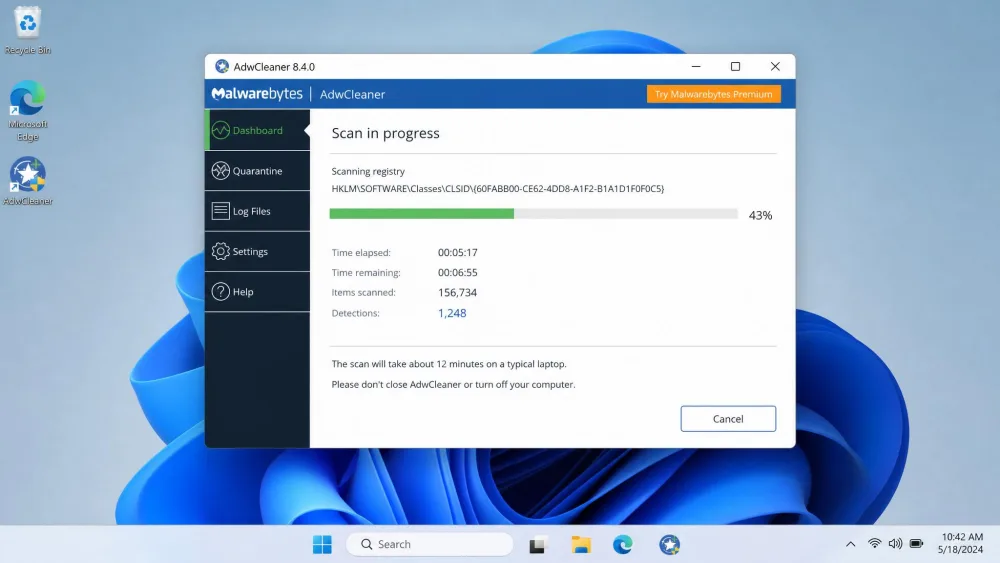
AdwCleaner scans browsers, files, and the registry for adware and PUPs, and in comparative testing it posted the highest PUP detection rate. In our own runs a full scan finished in roughly 12 minutes on a typical laptop and stayed lightweight without bogging the system down. It leans thorough over fast, which is what you want when hunting hidden junkware.
CCleaner's detection works differently because it is looking for junk, not threats. Its junk scan finished in well under a minute in our testing, though the amount of junk it surfaced was on the smaller side. The registry cleaner finds orphaned entries, but the tool itself warns you to use it only if you know exactly what you are doing.
CCleaner's registry cleaner can remove entries that a program still relies on. If you are not comfortable troubleshooting Windows, skip it or accept the backup prompt before you clean.
Ease of Use and Interface
AdwCleaner is about as simple as software gets. You open it, hit scan, review what it found, and clean. Because there is only one real job, there is very little to learn. The main friction is that a reboot is often needed to finish removal, so you plan the cleanup around a restart.
CCleaner packs far more into its window, and that density is the trade-off. New users can find the interface busy, with cleanup, registry, tools, and health check all competing for attention. It is not hard once you learn it, but it asks more of a first-time user than AdwCleaner does.
System Performance and Speed
Both tools are light on resources during a run. AdwCleaner's scan took longer at around 12 minutes, but it stayed out of the way while it worked. CCleaner's junk scan was near-instant, finishing in seconds, which fits its role as a quick weekly tidy.
The bigger performance story is what happens after cleaning. AdwCleaner restores performance by pulling out adware that was slowing browsers and hijacking searches. CCleaner frees disk space and trims startup entries so the machine boots and runs a little leaner. They improve performance from opposite directions.
Pricing and Plans
Pricing is one of the clearest wins in this whole comparison. AdwCleaner is Free, with no paid tier, no upsell, and no locked features. Everything the tool does is available to everyone.
CCleaner uses a freemium model. CCleaner Free handles core cleanup on one device, while Professional adds scheduled cleaning, Smart cleanup, and priority support. Professional is listed around $44.95 a year, and Professional Plus runs $64.95 a year for up to three devices, with list prices that shift with promotions. If you only need basic cleanup, the free tier is enough for most people.
Safety and Privacy
AdwCleaner is safe to run, with the caveat that it sometimes flags a legitimate program as unwanted. The quarantine feature is your safety net there, since you can restore anything it removed by mistake. Because it is on-demand and portable, it leaves nothing running in the background.
CCleaner carries more history. It still draws reputational baggage from the 2017 supply-chain attack that followed Avast's acquisition, and reviewers have pushed for more transparency around its data collection. The free version also nudges you with background notifications and upgrade prompts. None of that makes it unsafe to use today, but it is worth knowing before you install.
Can You Use AdwCleaner and CCleaner Together?
Yes, and honestly this is the answer for a lot of people. The two tools do not overlap. AdwCleaner removes adware and PUPs, and CCleaner clears junk and manages the registry, so running both covers a machine from two angles.
A sensible routine is to run AdwCleaner first to strip out any unwanted programs, reboot if it asks, then run CCleaner to sweep up the leftover junk and tidy the registry. Neither tool interferes with the other, and both are free at the level most home users need.
Think of them as complementary, not competing. AdwCleaner handles the adware and PUP side; CCleaner handles the junk and optimization side. Keeping both on hand covers more ground than either alone.
Which Should You Choose?
If your machine is misbehaving because of adware, a hijacked browser, or programs you never meant to install, AdwCleaner is the tool to reach for. It is free, portable, focused, and strong at detection. There is no reason not to keep a copy on a USB stick for exactly this kind of cleanup.
If your machine is simply cluttered, slow to boot, or low on space, CCleaner is the better fit. It clears junk, manages startup items, and gives you a broader maintenance toolkit, with a free tier that covers the essentials. Most users do not need the paid tiers.
And if you cannot decide, use both. They solve different problems, and together they cover the full cleanup job.
You can grab the general cleaner from the official CCleaner site if junk cleanup and optimization are what you actually need.
Frequently Asked Questions
Which is better for beginners?
Do I need to uninstall AdwCleaner after I use it?
How many devices does each CCleaner tier cover?
Is CCleaner safe, and does it still bundle extras?
Can Windows 7 users still run these tools?
Does either tool remove viruses?
Conclusion
AdwCleaner and CCleaner are not really rivals. One removes the unwanted software that sneaks onto a PC, and the other clears the junk that naturally builds up on it, which is exactly why they sit so comfortably side by side in a maintenance kit.
Treat them as a cadence rather than a choice: a quick AdwCleaner pass whenever a browser starts acting strange, and a CCleaner sweep every few weeks to keep the junk from piling back up, and your PC stays clean from both directions.