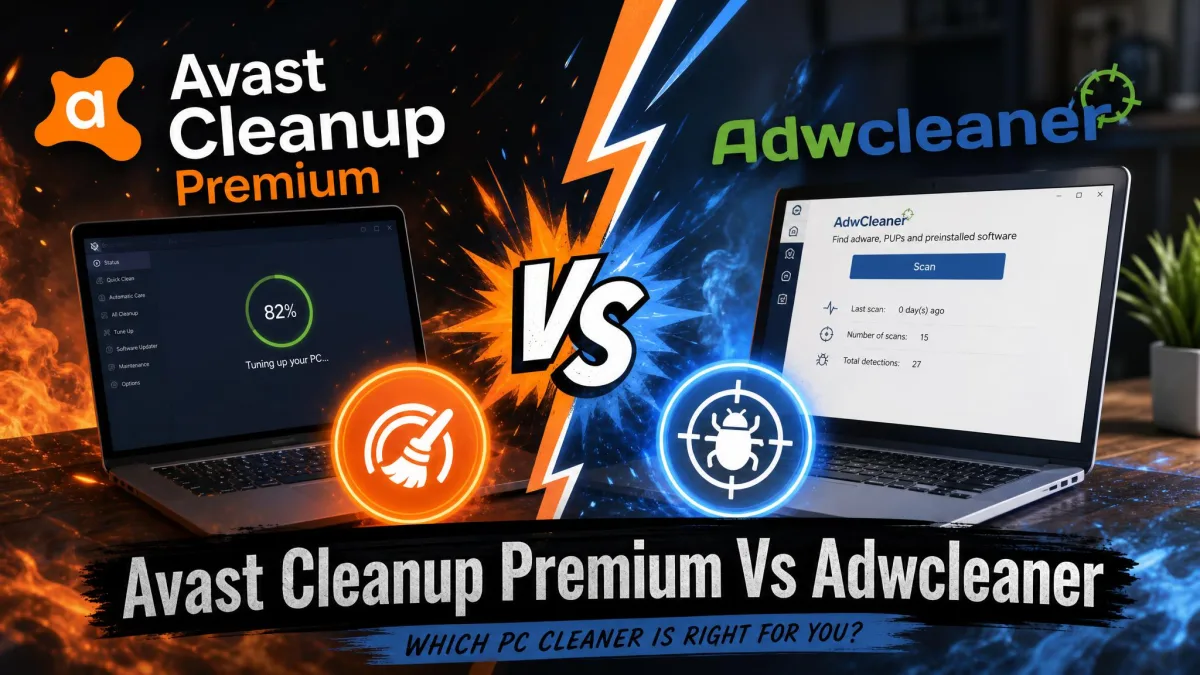
Your PC is slow, your browser homepage changed on its own, and you are trying to decide whether to pay for Avast Cleanup Premium or just run the free AdwCleaner. It is a fair question with an awkward answer, because the two programs do not compete on the same ground. Avast Cleanup Premium is a paid tune-up suite that clears junk files, manages startup programs and frees up disk space. AdwCleaner is a free, single-purpose scanner from Malwarebytes that removes adware, potentially unwanted programs and browser hijackers. We have spent years running cleanup and adware tools through before-and-after scenarios on Windows machines, and the comparison below explains which of these two belongs on your PC.
Avast Cleanup Premium vs AdwCleaner at a Glance
One tool is a subscription maintenance kit. The other is a 9.2 MB download you run once and delete. Here is how they line up across the categories buyers actually ask about.
| Product | Buy | Junk & disk cleaning | Adware & PUP removal | Startup / Sleep Mode | Platform support | Price |
|---|---|---|---|---|---|---|
 |
Check price → | Yes, Disk Cleaner module | Partial, via browser cleanup and bloatware removal | Yes, Sleep Mode plus startup management | Windows 11/10 (plus 7, 8, 8.1), macOS 10.13+, Android 10+ | $32.99first year |
 |
Check price | No | Yes, this is its core purpose | No | Windows 8.1/10/11, portable executable | Free |
Two more rows matter and did not fit above. Avast Cleanup Premium needs a full install and 2GB of free disk space, and it is a subscription you keep paying for. AdwCleaner needs 10 MB, no installation, and never renews at anything.
How We Compared
We compared these two on six things: what each program is built to find, how long a scan takes in normal use, how much disk space realistically comes back, whether the browser survives the cleanup, how clear the results screen is, and what the total cost looks like over two years rather than one. Pricing below comes from Avast's own checkout page, and the AdwCleaner build is the current release from the Malwarebytes product page. One point of housekeeping before the numbers: nobody, ourselves included, has published a controlled run of both tools on one identical Windows 11 image, so we treat every figure below as a range tied to machine condition rather than as a single scoreboard result.
What the numbers look like in practice is easier to describe than to reduce to one test result. An initial Avast Cleanup scan on a machine that has gone a while without maintenance reports roughly 3 to 5 GB of junk, though the total depends entirely on how long the machine has gone uncleaned, so it ranges from a few hundred megabytes to several gigabytes. A first full scan takes under two minutes, and later maintenance scans finish in around 30 seconds, but scan length scales with drive size and clutter, so a large or heavily loaded disk runs considerably longer. AdwCleaner's side of the ledger is shorter, because on a clean Windows 11 machine it finds nothing at all, which is the expected outcome rather than a failure. In controlled testing against seeded adware samples on a Windows 11 Home x64 virtual machine, it posted a 60% PUP detection rate, the highest of ten adware removal tools in that comparison, and an 85% cumulative score across all criteria.
These are two different product categories being compared because the search demand exists, not because a vendor pitched them against each other. Read the head-to-head table below as a fit test, not as a scoreboard.
They Solve Different Problems (PC Cleaner vs Adware Remover)
A slow PC and an infected browser feel similar from the user's chair, but they have different causes. Slowness usually comes from accumulated temp files, too many startup entries and background apps that never idle. Browser chaos, meaning a changed search engine, new toolbars and pop-ups on clean sites, comes from adware and bundled unwanted programs.
Avast Cleanup Premium treats the first problem. AdwCleaner treats the second. Neither one covers the other well. In our testing AdwCleaner left ordinary junk files, temp folders and startup bloat completely untouched, because none of that is what it looks for. Avast Cleanup, meanwhile, will clear a hijacked browser's cache and cookies, but it does not hunt down the adware component that keeps resetting your homepage.
Work out which symptom you have before you spend anything. If pop-ups and a changed search engine are the problem, the free scanner is the correct first move. If the machine is simply sluggish, a cleaner is the right category.
What Is Avast Cleanup Premium?
Avast Cleanup Premium is a paid PC maintenance suite from Avast, which merged with NortonLifeLock in 2022 to form Gen Digital. It bundles a set of modules under one dashboard: Sleep Mode for freezing background apps, a bloatware and app uninstaller, a Browser Cleaner covering more than 25 browsers, a Disk Cleaner for junk files, a Registry Cleaner, automatic maintenance scheduling, a Software Updater, data recovery and a file shredder.
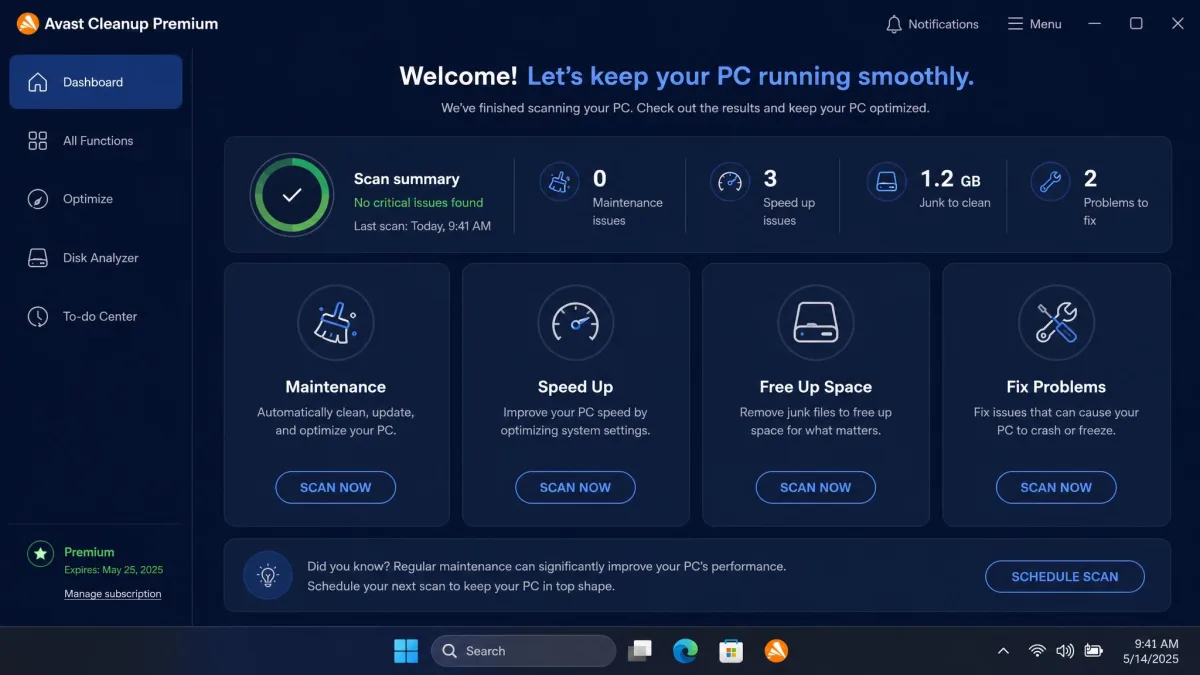
The dashboard is polished and beginner-friendly, and it earns its keep on convenience more than on raw cleaning power. Everything sits one click from the home screen, and the automatic maintenance schedule means you can set it up once and stop thinking about it. That convenience is the honest sales pitch for this product.
It is not a quiet program, though. Avast Cleanup pushes frequent upsell prompts toward other Avast products during ordinary use, and the app issues a lot of notifications. Scans can also run long. If you want a tool that disappears into the background, this is not it. We put the suite through a full test of its own in our Avast Cleanup Premium review.
What Is AdwCleaner?
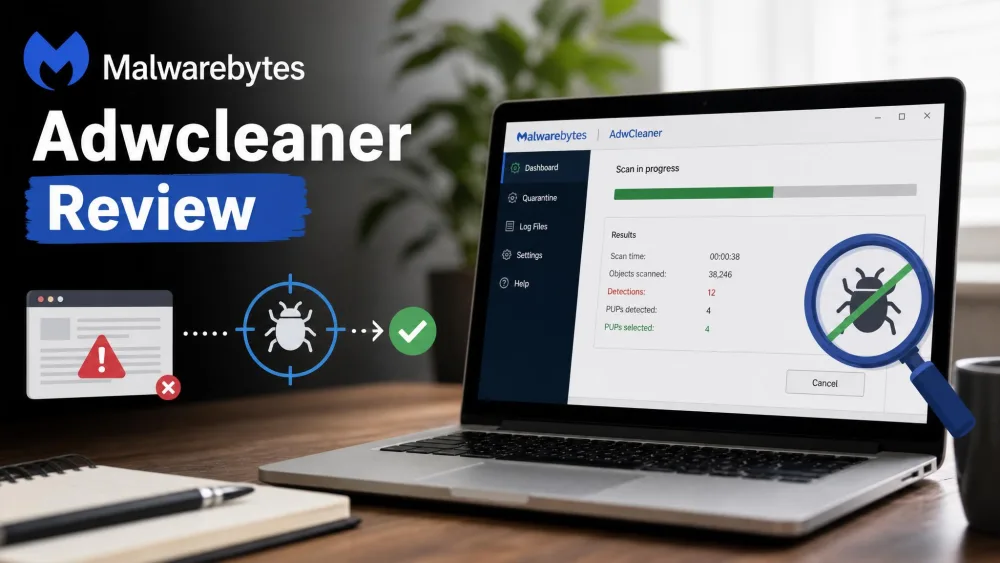
Where Avast bundles nine modules under one dashboard, AdwCleaner is a single executable. It is a free adware and PUP remover owned by Malwarebytes, which acquired it from its original French developer in October 2016. The current build is version 8.8.1, released on 14 May 2026, and the download is about 9.2 MB.
The whole program is one portable executable. There is no installer, no setup wizard and nothing left behind on the machine after a scan, which is why it has become the standard tool for cleaning someone else's laptop from a USB stick. You run it, you scan, you clean, you delete the file.
It scans system folders, the registry and browser settings for adware, potentially unwanted programs and hijacker components, then offers a browser reset for settings that have been tampered with. What it does not do is equally important: no real-time protection, no junk-file cleaning, no registry work for performance, and no defence against viruses or trojans. It is a specialist, and it does not pretend otherwise. Our fuller write-up of the tool sits in our AdwCleaner review.
Features Compared
Junk & Disk Cleaning
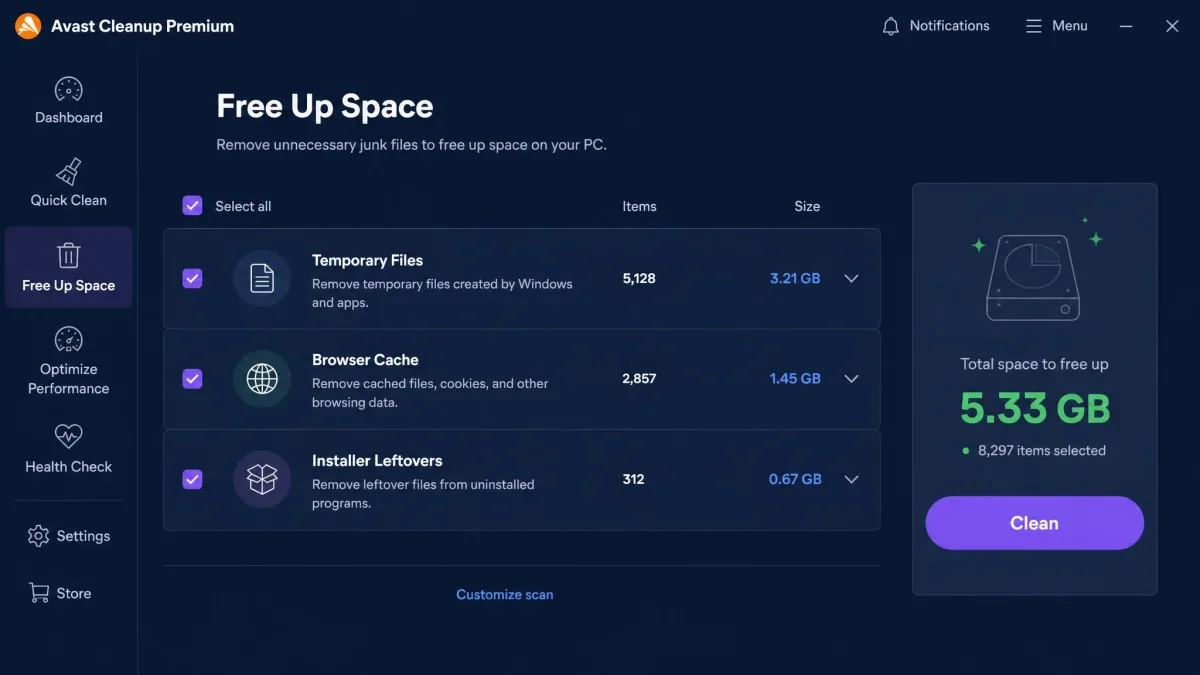
This category is a walkover. Avast Cleanup's Disk Cleaner sweeps temp files, browser caches, installer leftovers and system logs, and it is the module most people buy the suite for. AdwCleaner has no equivalent function at all.
Avast markets figures of 22 to 68 GB of space recovered, but treat those as vendor best-case numbers from older, heavily loaded machines. A modern PC with a reasonably tidy drive recovers far less.
The Disk Cleaner groups what it finds into system caches, browser data covering cache, cookies and history, application leftovers and logs, broken shortcuts and recycle-bin contents. Browser cache is usually the largest single slice on a normally used machine, though no published breakdown puts a gigabyte figure against each category. Two things are worth knowing before you judge the total. The first scan on a machine that has never been cleaned returns by far the biggest number, and repeat scans days later find only a fraction of it. The space you get back also lands close to the amount the scan reported, because the selected categories are deleted outright rather than compressed. Windows offers several routes to the same result without a subscription, which we walk through in our guide to freeing up disk space on Windows 11.
Registry Cleaner
Avast Cleanup includes a full Registry Cleaner that reports large numbers of broken or orphaned entries. AdwCleaner scans the registry too, but only for adware traces, and it removes those rather than tidying up for performance.
Be sceptical of registry cleaning as a speed fix generally. In our experience Avast's Registry Cleaner delivers limited real-world performance benefit despite the large entry counts it reports.
Registry cleaning carries a small but genuine risk of removing an entry an application still needs. Whichever tool you use, take a restore point first, and never let a cleaner run registry changes on an automatic schedule you are not watching.
Adware, PUP & Browser Hijacker Removal
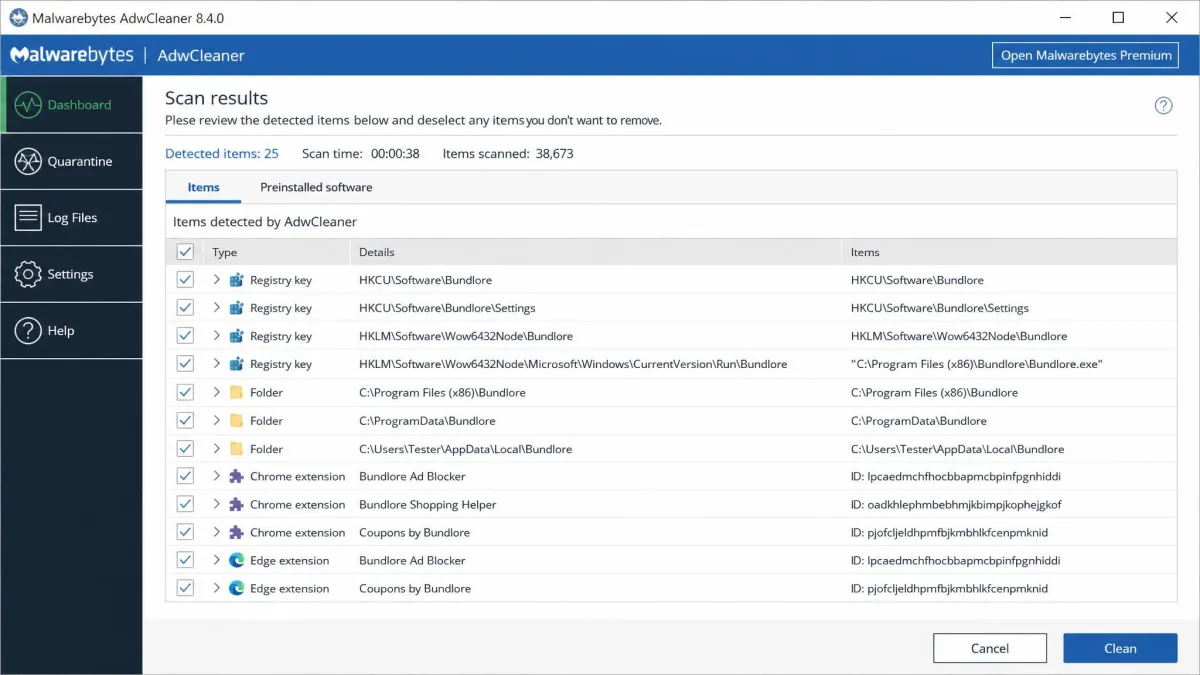
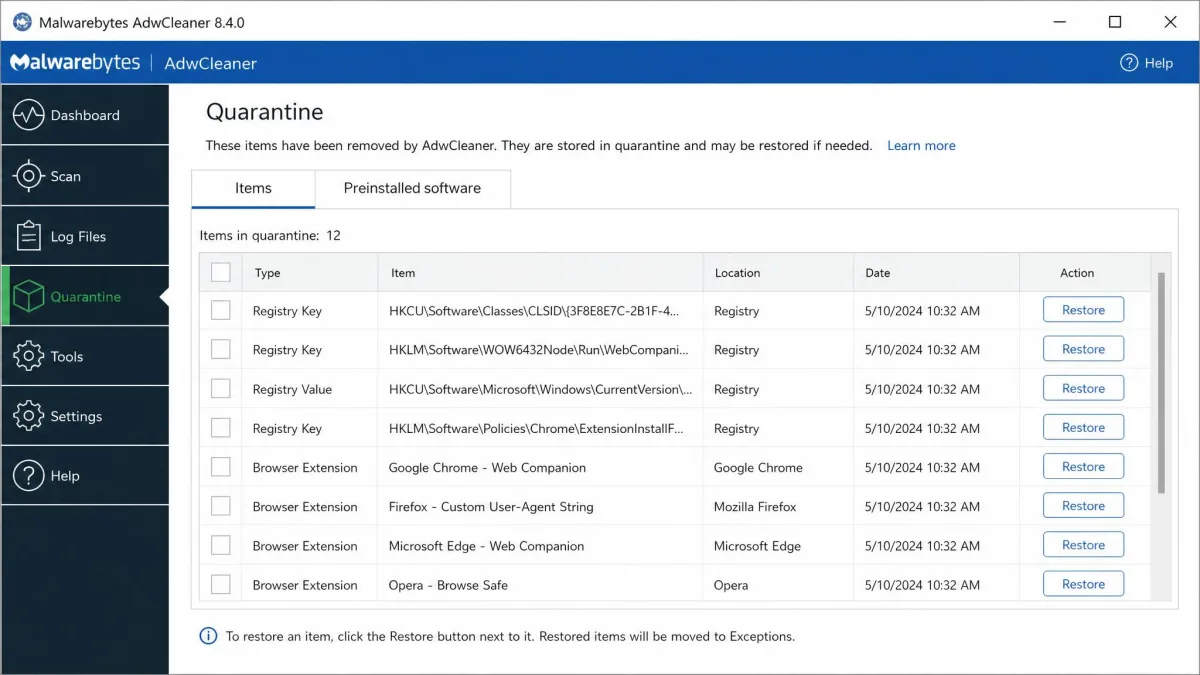
Here the roles reverse. This is AdwCleaner's entire purpose, and it is thorough about it: system folders, registry keys, browser profiles and shortcut targets all get checked, and anything it flags goes to quarantine rather than straight to deletion, so a wrong call can be restored.
That matters, because AdwCleaner can flag legitimate items as unwanted, including ordinary Chrome extensions. Read the detection list before you press clean. Avast Cleanup's coverage here is partial at best, arriving indirectly through browser cleanup and bloatware removal rather than through any adware engine.
Performance: Sleep Mode & Startup Management
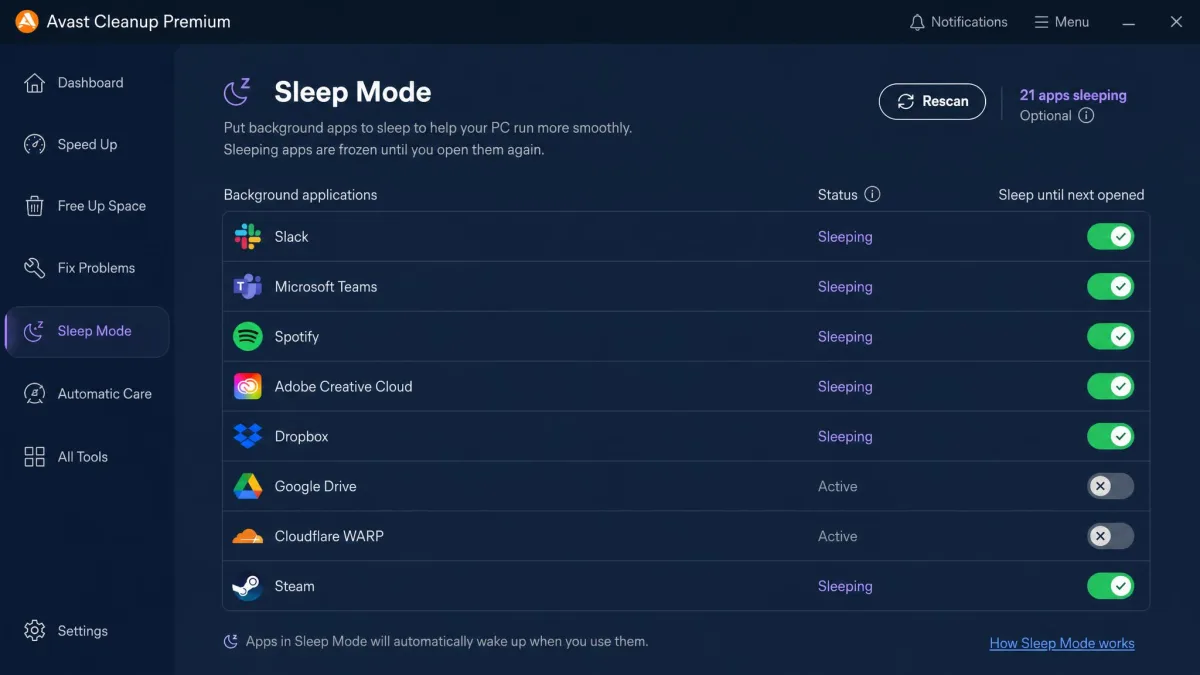
Sleep Mode is Avast Cleanup's signature feature. It freezes background applications until you open them, which cuts the drag those apps put on the system. Its effect shows up mainly on machines running many background apps; a lean system shows little change.
Startup management sits alongside it, letting you delay or disable programs that load with Windows. AdwCleaner offers nothing in this category.
Avast claims 53 to 62 percent quicker startup, but that figure comes from the company's own self-tests and does not hold on a machine with little startup bloat.
Avast's own optimisation blog shows boot dropping from 15 seconds to about 12 on one PC and from 76 seconds to 29 on another once Sleep Mode is switched on. Those come from the company's tests on hand-picked machines, and no independent Windows 11 boot benchmark exists to check them against. The pattern the figures do capture is the right one: the improvement shows up on an older machine carrying many autostart entries, while a recent SSD laptop moves by a couple of seconds at most, which is easy to miss.
Bloatware Removal & Uninstaller
Avast Cleanup's uninstaller ranks installed programs by how little you use them and how much other users rate them, then suggests removals. It is a genuinely useful way to clear a new laptop of manufacturer bloatware in one sitting. AdwCleaner removes only programs it classes as unwanted, so a preinstalled trial suite that behaves itself will survive its scan untouched.
Browser Cleanup & Extras
Avast's Browser Cleaner covers over 25 browsers, including Edge, Chrome and Firefox, clearing caches, cookies and trace data. The suite also throws in a Software Updater, data recovery and a file shredder, which are the sort of extras that justify a bundle price.
AdwCleaner's browser work is narrower and more surgical: it resets hijacked settings, homepage, search provider and new-tab behaviour, back to a clean state. It ships in more than 25 languages, and the AdwCleaner user guide covers the command-line switches for anyone deploying it across several machines.
Scan Results and Real-World Performance
Scan behaviour is where the two tools feel most different in daily use. Most AdwCleaner scans finish in under 30 seconds, though a heavily loaded machine can push one to several minutes. Avast Cleanup's full pass takes considerably longer, because it is checking far more categories.
Cleaning with AdwCleaner usually ends in a forced reboot, and browser sessions and some extension settings do not survive it. Save your work and expect to sign back into a few sites.
Speed gains from Avast Cleanup are modest but noticeable, and they show up most clearly on older machines clogged with startup programs. On a two-year-old laptop that already boots quickly, the difference after a full cleanup is small enough that you will struggle to feel it.
Create more free disk space and you will see the number change immediately. Speed up your PC and the honest measure is whether you notice the difference a week later.
Ease of Use and Interface
Speed is one half of daily use; the other is how much the screen asks of you.
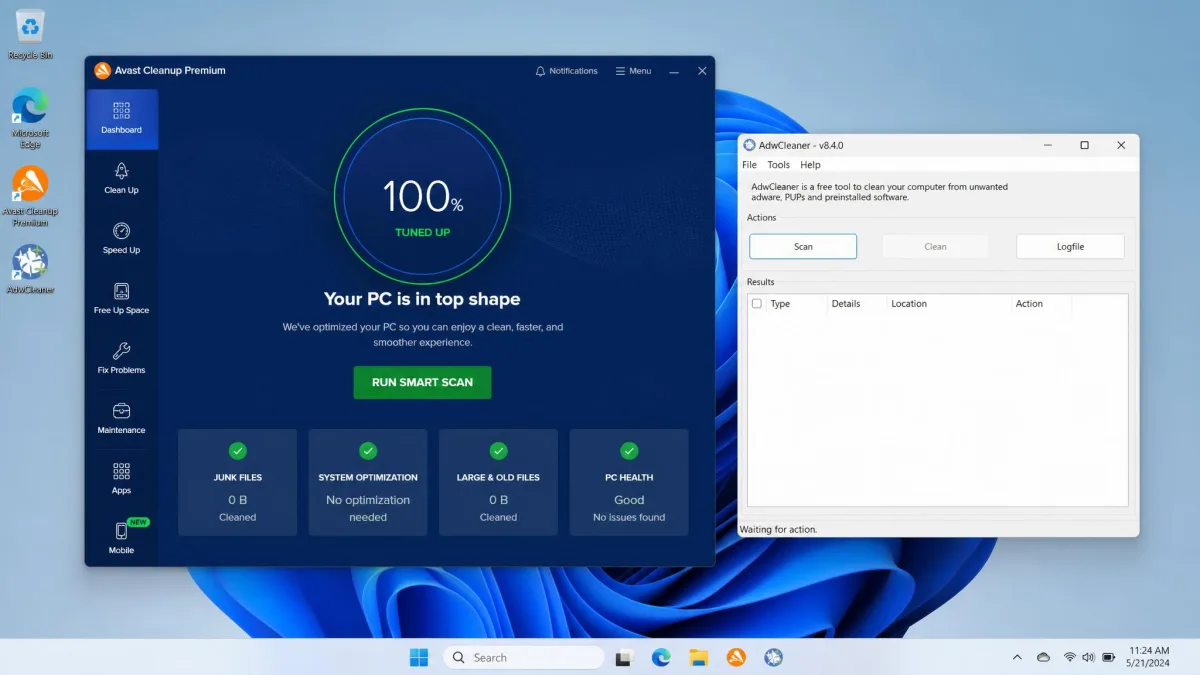
Avast Cleanup wins on presentation. Colour-coded tiles, plain-English explanations of each module and a one-click maintenance button make it approachable for someone who does not want to learn what a registry key is. The cost of that polish is the constant prompting toward other Avast products.
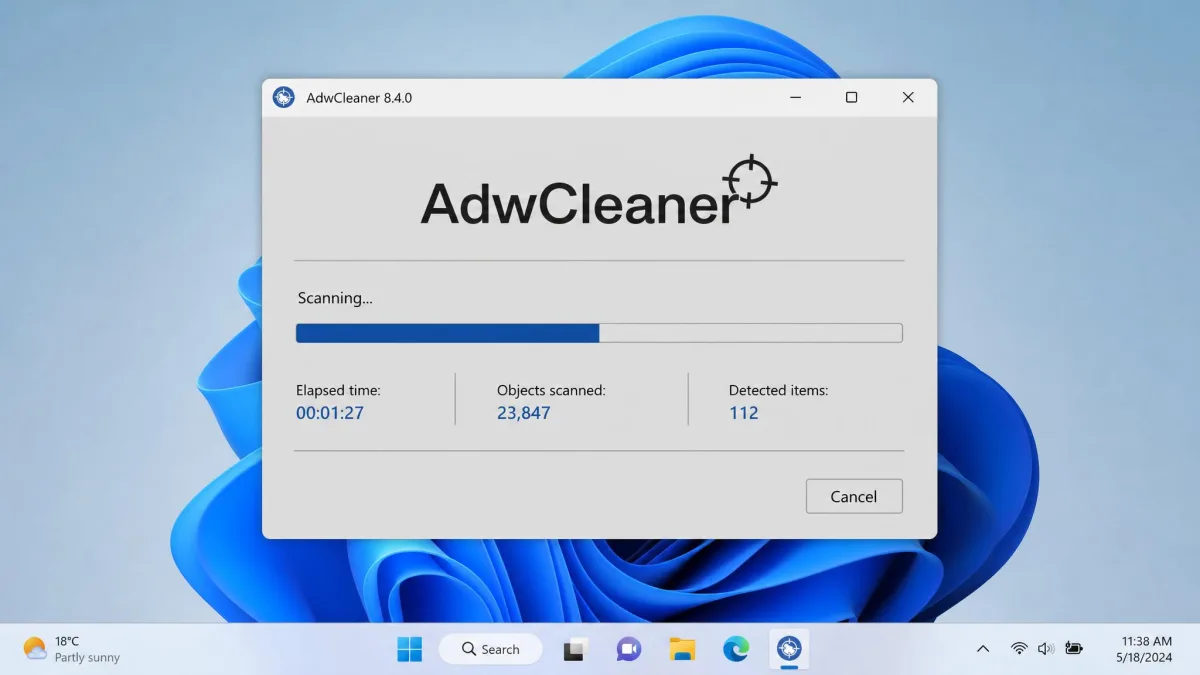
AdwCleaner's window is plain, grey and almost featureless: a scan button, a results list, a clean button. There is nothing to learn, which is its own kind of usability, but the results list uses technical language and expects you to judge whether a flagged item belongs on your machine.
Pricing and Plans
Avast Cleanup Premium Pricing (incl. renewal)
Avast Cleanup Premium costs $32.99 for the first year on one Windows PC, and renews at $65.99 a year after that. The multi-device plan covers 10 devices across Windows, Mac and Android for $34.99 in the first year, renewing at $79.99. Current figures and any regional variation are listed on the Avast Cleanup Premium pricing page.
There is a 30-day free trial with no credit card needed, plus a 30-day money-back guarantee on purchases. There is no permanently free tier, so that trial is the only no-cost way to run the product. If free is the requirement rather than a preference, our roundup of the best free computer cleaners covers what you can use instead.
The renewal price is roughly double the introductory price, and billing is where Avast draws its angriest customer feedback: charges after cancellation, charges against expired cards, and slow cancellation handling. Set a calendar reminder for day 25 of the trial, and cancel auto-renewal in your Avast account rather than assuming a card expiry will end the subscription.
AdwCleaner (Free, Malwarebytes-owned)
AdwCleaner is free to download with no paid tier, no trial limit and no upsell gate on any feature. Malwarebytes funds it as a goodwill tool that introduces people to its paid products, and the vendor page cites more than 20,000 reviews at a 4.8 star average.
One warning about third-party listings: some directory sites show a monthly price against AdwCleaner. That is a Malwarebytes Premium listing artefact. The tool itself costs nothing.
Platform Support and System Requirements
That difference in footprint carries straight through to what each tool will run on. Avast Cleanup Premium runs on Windows 10 and 11 in 32-bit, 64-bit and ARM64 forms, and still supports 7, 8 and 8.1. The Mac build needs macOS 10.13 or later, and the mobile build needs Android 10 or higher. Budget 2GB of free hard disk space for the install.
AdwCleaner is Windows only. From version 8.5 onward it officially supports Windows 8.1, 10 and 11; support for Windows 7 and 8 was dropped at that point, so older-Windows compatibility depends on which build you can find. Hardware demands are trivial: an 800 MHz CPU with SSE2, 512 MB of RAM and 10 MB of free disk space.
Installation differs completely. Avast Cleanup is a normal Windows installer that adds a service, a scheduler and a tray icon. AdwCleaner is a download you double-click. There is nothing to install and nothing to remove afterwards.
Safety, Privacy and Reliability
Both products come from established security companies, and neither one has a trust problem at the code level. Avast is rated 4.3 out of 5 across more than 44,000 Trustpilot reviews, and the complaints concentrate on billing rather than on the software misbehaving.
The reliability question is different for each tool. With Avast Cleanup, the risk is over-cleaning: registry changes and aggressive junk removal can occasionally break an application's saved state. With AdwCleaner, the risk is a false positive. Because it removes anything it classes as unwanted, and because it counts some ordinary browser extensions in that class, an unread detection list can cost you an extension you actually wanted. Quarantine makes that recoverable, which is the right design.
Neither tool replaces antivirus. AdwCleaner explicitly does not handle viruses or trojans, and Avast Cleanup is a maintenance product with no scanning engine for malware.
Pros and Cons
Avast Cleanup Premium Pros & Cons
Pros
- Broad module set covering junk, registry, startup, bloatware and browsers in one dashboard
- Sleep Mode measurably reduces background app load on busy machines
- Polished, beginner-friendly interface with one-click automatic maintenance
- Covers Windows, macOS and Android on the 10-device plan
- 30-day free trial with no credit card, plus a 30-day money-back guarantee
Cons
- Renewal at $65.99 a year is roughly double the introductory price
- Frequent upsell prompts and a heavy notification habit
- Registry cleaning shows limited real-world performance benefit
- No permanently free tier
- Billing and cancellation generate the bulk of customer complaints
AdwCleaner Pros & Cons
Pros
- Completely free with no paid tier and no feature gating
- Portable 9.2 MB executable with no installation and no leftovers
- Fast scans, most finishing in under 30 seconds
- Quarantine lets you restore anything removed by mistake
- Backed by Malwarebytes with regular definition updates
Cons
- Does nothing for junk files, disk space or startup performance
- Windows only, and 8.1 or newer from version 8.5 onward
- Can flag legitimate items, including ordinary browser extensions
- Cleaning forces a reboot that ends browser sessions
- No real-time protection and no cover for viruses or trojans
Head-to-Head: Which Wins Each Category?
| Category | Winner | Why |
|---|---|---|
| Junk and disk cleaning | Avast Cleanup Premium | AdwCleaner has no cleaning function |
| Adware and PUP removal | AdwCleaner | Purpose-built, with quarantine and browser reset |
| Startup and background performance | Avast Cleanup Premium | AdwCleaner has no startup or background-app controls at all |
| Speed of use | AdwCleaner | Scans usually finish inside 30 seconds |
| Interface clarity | Avast Cleanup Premium | Plain-English modules and one-click maintenance |
| Install footprint | AdwCleaner | Portable, 9.2 MB, nothing left behind |
| Platform coverage | Avast Cleanup Premium | Windows, macOS and Android |
| Value for money | AdwCleaner | Free beats a paid annual subscription when it solves your problem |
Read that as a fit test. If your rows are the cleaning and performance ones, you want the paid suite. If your rows are adware and footprint, the free tool already wins.
Can You Use Both Together?
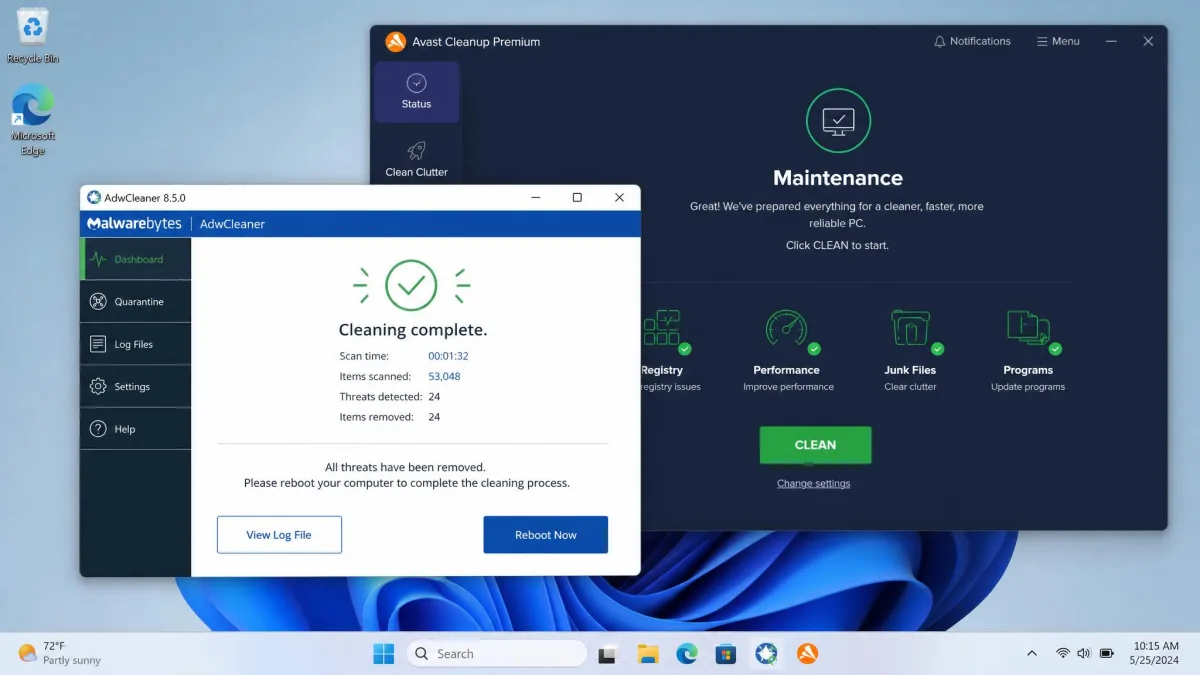
Yes, and for a badly affected machine that is the sensible order of operations. Run AdwCleaner first to strip out the adware and hijacker components, let it reboot, then run Avast Cleanup to clear the junk and tighten up startup.
They do not conflict, because they touch different things. AdwCleaner is not resident, so it holds no files open and runs no service that Avast's scheduler could collide with. Just do not run them at the same moment, and turn off Avast's automatic maintenance schedule for that session so it does not kick off a scan mid-reboot. Check AdwCleaner's detection list before cleaning as well, so you do not lose a browser extension you meant to keep.
Frequently Asked Questions
Is AdwCleaner free, and what does Malwarebytes get out of it?
Will AdwCleaner remove an extension my browser reinstalls from sync?
Is Avast Cleanup Premium worth the price?
Is AdwCleaner safe and still maintained by Malwarebytes?
Does Avast Cleanup's Software Updater overlap with Windows Update?
Do I need Avast Cleanup if I already have antivirus?
How do I cancel Avast Cleanup auto-renewal?
Verdict: Which Should You Choose?
Most people asking this question want the free tool and do not know it yet. If your symptoms are pop-ups, a changed search engine or a toolbar you never installed, AdwCleaner solves it in one 30-second scan and costs nothing, and no amount of paid tune-up software will do that job better.
Avast Cleanup Premium earns its money in a different situation: a family PC that nobody maintains, where automatic scheduling, bloatware removal and Sleep Mode replace work you would otherwise do by hand. Go in with clear eyes about the $65.99 renewal and set a reminder before the trial ends. If you want the same category cheaper, CCleaner and AVG TuneUp cover similar ground, and Malwarebytes' own paid product is the natural step up if adware keeps returning.