
Avast Cleanup Premium Review

If your Windows PC feels sluggish and low on disk space, Avast Cleanup Premium promises to clear junk files, speed up your system, and reclaim storage from one dashboard. It bundles tools you would otherwise piece together from several utilities, but the question is whether that convenience justifies a subscription that renews well above its first-year price.
We installed Avast Cleanup Premium on a Windows 11 test machine and ran it through its full toolset. This review covers what it does, how it performs, what it costs, whether it is safe, and how it compares with CCleaner.
What Is Avast Cleanup Premium? (Overview)
Avast Cleanup Premium is a PC maintenance suite from Avast Software, the Czech company best known for antivirus. It packages cleanup and tuning tools behind one interface to remove junk, manage startup programs, clean the registry, and hibernate heavy apps without separate utilities.
The Premium tier is the paid product; there is no permanently free version, only a 30-day free trial. It runs across Windows, macOS, Android, and iOS, so one subscription can cover more than your desktop, though the toolset differs by platform.
Is Avast Cleanup Premium Worth It? (Quick Verdict + Rating)
Avast Cleanup Premium is a capable, beginner-friendly cleaner that does what it claims, and its polish is the real draw: one dashboard handles tasks you would otherwise scatter across several free utilities. Whether that convenience earns a paid subscription is the call every buyer has to make.
Avast Cleanup Pros and Cons
Pros
- Clean, task-based interface that is easy for beginners
- Sleep Mode hibernates demanding apps instead of just closing them
- Automatic Maintenance runs scheduled cleanups with no input
- Covers Windows, macOS, Android, and iOS under one subscription
- 30-day free trial, no credit card, plus a 30-day money-back guarantee
Cons
- Renewal price jumps to $65.99/year after the first year
- No permanently free version, unlike several rivals
- Registry cleaning offers limited real-world performance benefit
- Some tools overlap with what Windows already does for free
- Frequent upsell prompts toward other Avast products
Key Features of Avast Cleanup
Avast Cleanup bundles a wide range of tools. We worked through each to see which earn a place.
Speed Up Scan & Sleep Mode
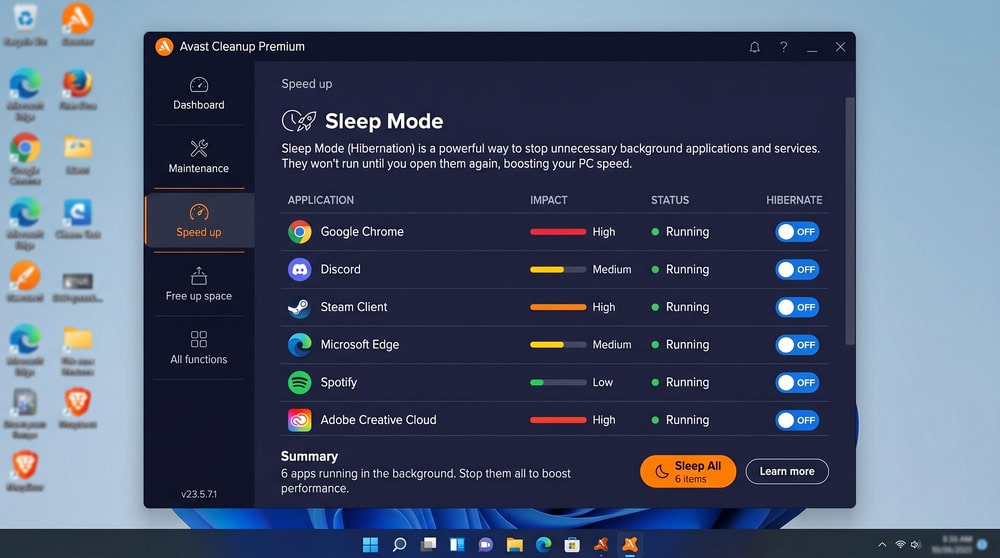
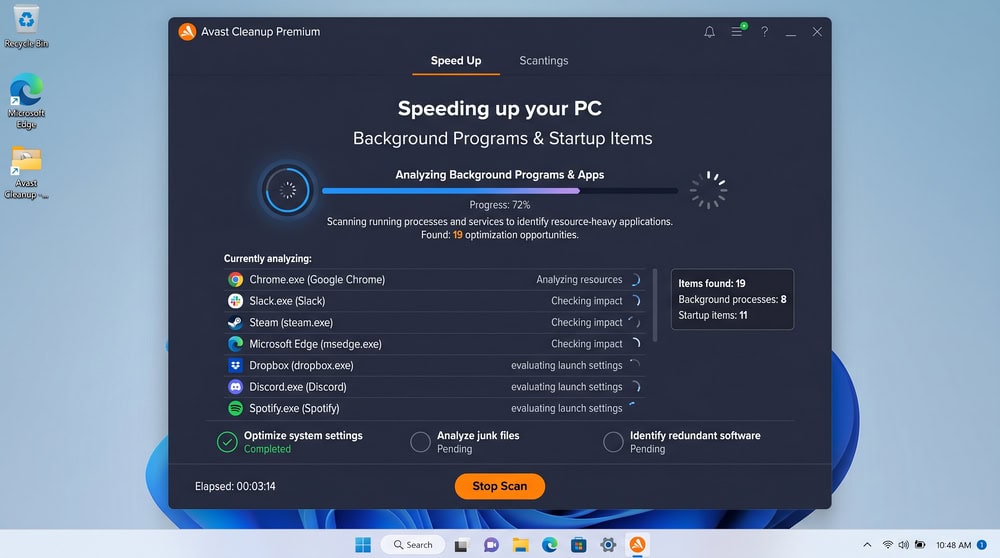
Sleep Mode is the feature Avast leans on hardest, and the one we found most worthwhile. Rather than just closing a background program, it hibernates resource-heavy apps and wakes them only when needed, freeing RAM and CPU. The Speed Up scan flags heavy startup items so you can sleep them in two clicks.
Disk Cleaner & Junk File Cleanup
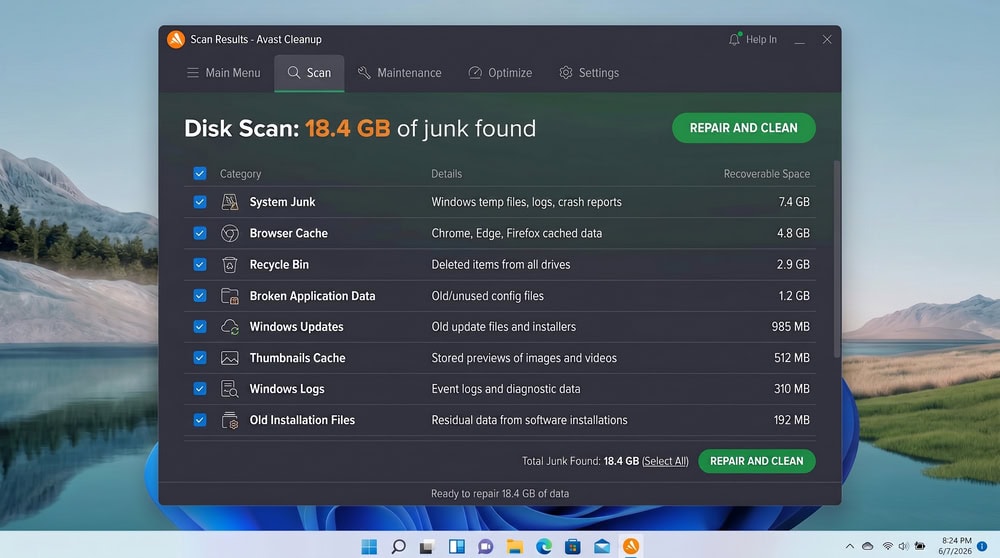
The Disk Cleaner is the core of the product. It scans for junk such as temporary data, installer caches, and browser leftovers, then removes them to free space. Cleanup was quick and itemized in our scan.
Registry Cleaner
The Registry Cleaner scans for orphaned and broken entries and offers to repair them. It is sold as a way to speed up your PC, but registry cleaning rarely produces a measurable gain on a modern system; Wikipedia's registry-cleaner overview explains why the benefit is marginal. We treat it as a tidy-up tool, not a speed booster; Avast backs it up first. If you want a dedicated tool rather than a bundled one, our roundup of the best registry cleaners for Windows covers the safer options.
Browser Cleaner
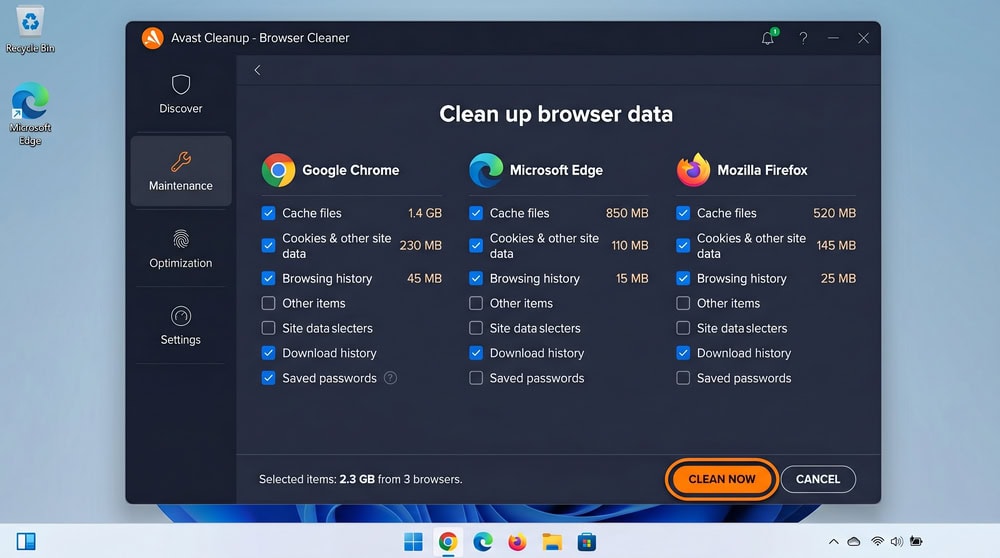
The Browser Cleaner clears cookies, cache, and history across installed browsers. It duplicates what your browser offers; its value is rolling that into scheduled maintenance.
Bloatware Removal & Uninstall
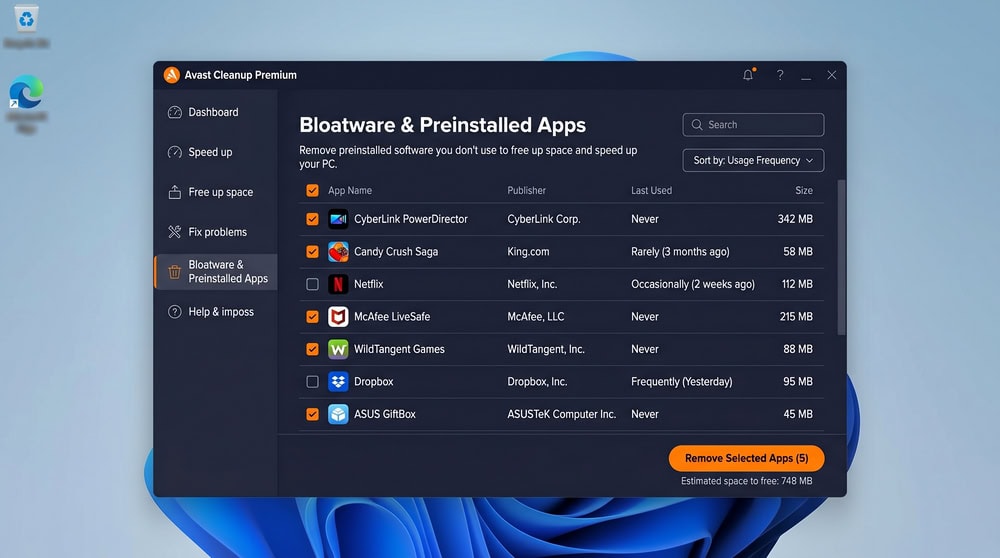
The Bloatware Removal tool flags preinstalled and rarely used programs, and the App Uninstaller clears leftovers a standard uninstall leaves behind. It is sensible on a new laptop loaded with extras and worked cleanly for us.
Duplicate & Similar Photo Finder
This is where platform matters. The Duplicate Finder and Similar Photos cleanup belong to Avast Cleanup for Mac, not the core Windows set, scanning for duplicate files and near-identical or low-quality photos. Avast cites the average Mac user as carrying about 8 GB of junk, 7 GB of bad photos, and 3 GB of duplicates, though those are the vendor's own figures. Windows users get no dedicated photo finder, so a standalone duplicate file finder is the workaround there.
Shortcut Cleaner & Automatic Maintenance
The Shortcut Cleaner removes broken desktop and Start menu shortcuts. Automatic Maintenance is the glue: it schedules the disk, browser, and registry cleanups to run on their own, keeping the PC tidy hands-off.
Performance: Does Avast Cleanup Actually Speed Up Your PC?
This is the claim that sells the product, so we tested it.
Before-and-After Scan Results
Avast Cleanup removed a meaningful batch of junk and freed disk space in our testing, and Sleep Mode noticeably reduced memory pressure when we hibernated background apps. What we did not see was a dramatic boost to general speed on already-healthy hardware. Avast's own testing claims far larger numbers: its performance-test page cites up to 51% faster office and multimedia performance (via PCMark), 53–62% quicker startup, and 22–68 GB recovered. But those are Avast's self-tests on machines from 2008 to 2017, not independent benchmarks, so we treat them as a best-case ceiling, not what a maintained, modern PC will feel. In our hands the gains were real but modest, most visible on older machines clogged with startup bloat.
Resource Usage
Avast Cleanup is reasonably light: it used CPU during scans, but at rest it stayed quiet and did not slow the system it is meant to optimize.
Interface and Ease of Use
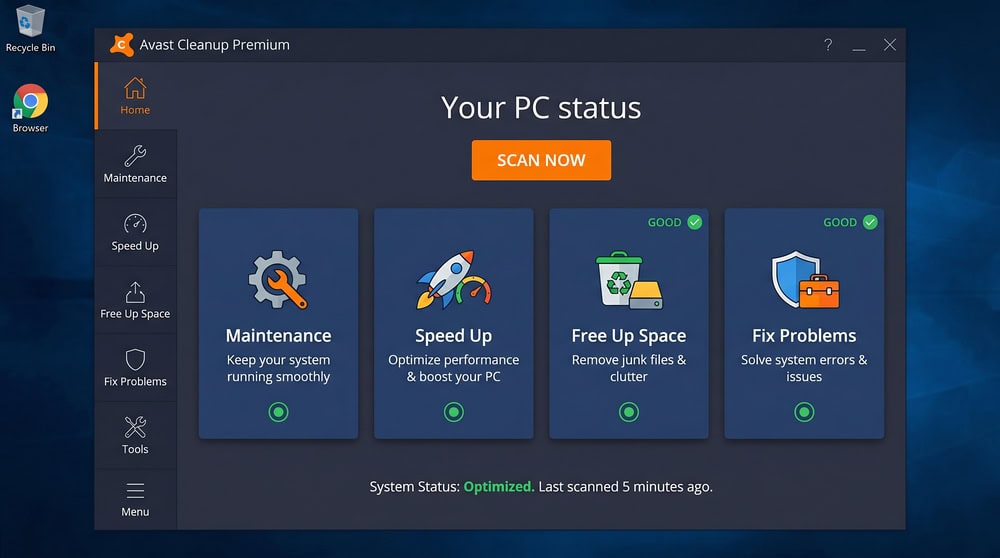
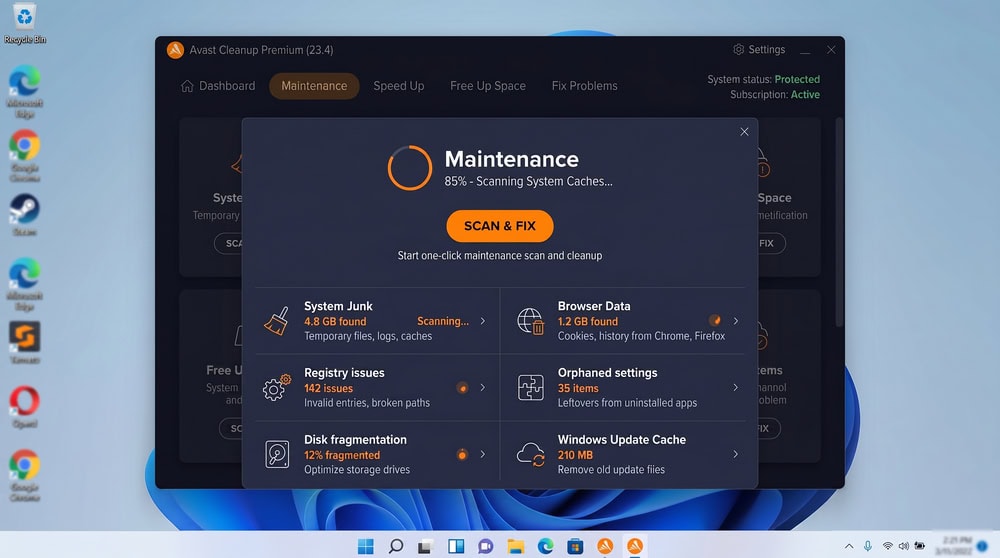
The interface is the product's strongest asset. Avast Cleanup organizes everything into four task tiles, Maintenance, Speed Up, Free Up Space, and Fix Problems, so you can act without the jargon. Results are itemized in plain language, and every destructive action previews what it removes, so a first-timer can run a full cleanup in a minute. The only friction is the occasional upsell.
Pricing and Plans
Pricing is where the decision gets harder. Avast Cleanup Premium is subscription-only, and renewal sits well above the intro rate.
Free Version vs Premium
There is no permanently free Avast Cleanup, just a 30-day free trial with no credit card required, after which you subscribe or lose access. That differs from CCleaner and other rivals, which keep a free tier.
Subscription Tiers (1 Device vs Multi-Device)
The single-device plan covers one Windows PC; the multi-device plan covers up to 10 devices, the better household value.
| Plan | First year | Renewal |
|---|---|---|
| 1 device | $32.99 | $65.99/year |
| 10 devices | $34.99 | $79.99/year |
The renewal roughly doubles the intro price, so weigh the long-term cost rather than the headline first-year figure.
Free Trial and Money-Back Guarantee
The 30-day free trial lets you run the full product before paying, and a 30-day money-back guarantee covers purchases, a low-risk way to decide.
Customer Support
Avast offers support through standard channels: a web support form and ticketing system, a knowledge base, an in-app contact option, and live chat for paid users. Avast says it typically replies within about two business days, with no faster guarantee tied to a paid Cleanup tier. True 24/7 phone support is not bundled with Cleanup Premium; it requires the separate paid Avast Care add-on, which covers Avast Cleanup Premium for Windows. The documentation is thorough enough that most users never open a ticket, and we did not need support during testing.
Is Avast Cleanup Safe and Legit?
Avast Cleanup is a legitimate product from an established security company, not malware or scareware. Its destructive actions are reversible or preview-gated: the registry tool backs up first, and cleanups preview the file list before removal. The main caution is value, not safety.
Does Avast Store Your Data?
Avast Cleanup operates locally; cleaning happens on your machine, not in the cloud. Like any vendor, Avast collects some product and diagnostic data under its privacy policy, so review it if data handling concerns you.
Avast Cleanup Premium vs CCleaner
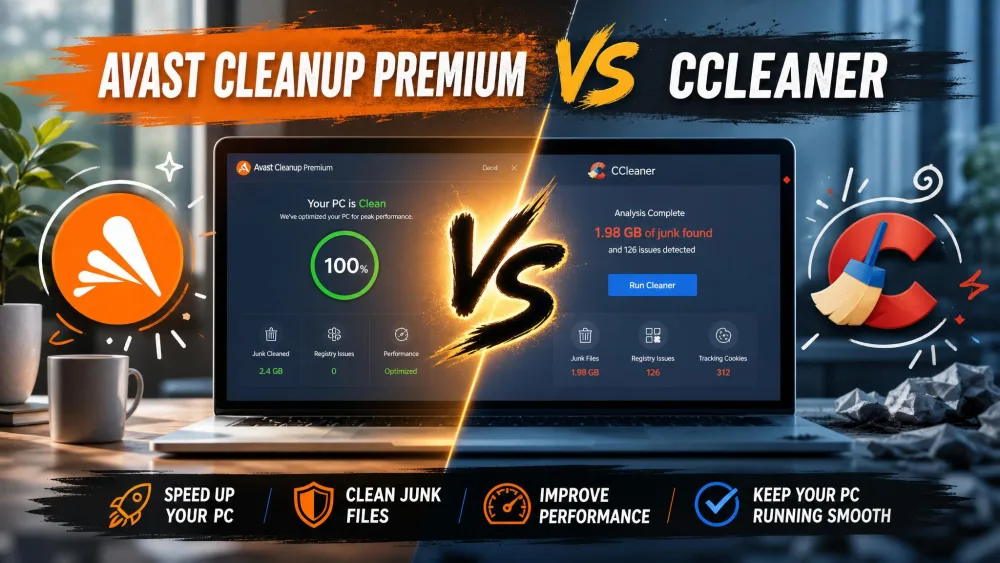
CCleaner is the cleaner most people compare Avast against. It keeps a permanently free version alongside its paid tiers, while Avast is trial-then-pay.
| Feature | Avast Cleanup Premium | CCleaner Professional |
|---|---|---|
| Free version | No (30-day trial only) | Yes (permanent free tier) |
| First-year price (1 device) | $32.99 | $44.95 |
| Renewal price (1 device) | $65.99/year | $44.95/year |
| Multi-device plan | $34.99 first yr / $79.99 renewal | $64.95/year Pro Plus (3 devices) |
| Free trial | 30 days | 14 days |
| Money-back guarantee | 30 days | 30 days |
| Sleep Mode (app hibernation) | Yes | No (real-time monitoring) |
| Registry Cleaner | Yes | Yes |
| Browser Cleaner | Yes | Yes |
| Bloatware / Uninstall | Yes | Limited |
| Duplicate / Photo Finder | Mac only | No |
| Driver Updater | No | Yes |
CCleaner's first-year price is higher, but it renews at the same rate and keeps a free tier, while Avast renews high. Avast counters with Sleep Mode and a friendlier interface; CCleaner answers with a Driver Updater and a free option. Want hibernation and hand-holding? Avast wins. Want a free baseline or a flat renewal? CCleaner does. Our full Avast Cleanup vs CCleaner comparison works through the two tool by tool.
Alternatives to Avast Cleanup
Your best pick depends on platform and budget.
CCleaner
CCleaner is the closest Windows alternative. Its free version covers basic junk and browser cleanup, and the paid Professional tier adds scheduled cleaning, real-time monitoring, and a Driver Updater. It is the obvious pick if a free baseline matters; our full CCleaner review goes deeper.
CleanMyPC, MacBooster & Other Options
On Windows, CleanMyPC takes a similar one-dashboard approach. On Mac, the field shifts to macOS-native tools: see our CleanMyMac review and MacBooster review. For a Windows suite with active protection, our IObit Advanced SystemCare review covers a comparable all-in-one; demand for these tools keeps growing as storage fills, a trend in Statista's device data.
Who Should (and Shouldn't) Use Avast Cleanup
Avast Cleanup fits non-technical Windows users who want one dashboard to keep a PC tidy and will use Sleep Mode and Automatic Maintenance, plus anyone managing a few household machines on the multi-device plan.
It is the wrong choice if you are comfortable with free utilities, only need occasional cleanup, or treat a steep renewal as a dealbreaker. Power users wanting granular control will find it limiting.
FAQ
If I uninstall Avast Cleanup, does it undo its changes or restore files it deleted?
No. Uninstalling does not bring back files it already cleaned, with one exception: Avast backs up the registry before each repair, so restore that backup before uninstalling if a change caused trouble.
Will Avast Cleanup conflict with my antivirus, or with Avast Antivirus if I run both?
It should not. Avast Cleanup is a maintenance tool, not a real-time scanner, so it runs the same beside Avast Antivirus, Windows Defender, or a third-party suite.
How do I cancel Avast Cleanup before the auto-renewal bills me?
Open your Avast Account or the Order & Subscription portal and switch off automatic renewal so the plan lapses at term end; inside the 30-day money-back window after a charge, request a refund instead.
Does Avast Cleanup overlap with Windows Storage Sense and built-in Disk Cleanup?
On the basics, yes, since both clear temporary files and caches, and you can run Disk Cleanup in Windows for free. Avast adds what Windows omits, including Sleep Mode hibernation, bloatware removal, and cross-browser cleanup, so only the disk results overlap.
Is the Mac version worth it for the Duplicate and Photo Finder the Windows version lacks?
It can be if your Mac is short on space from photo clutter, since the Mac edition adds a Duplicate Finder and photo cleanup the Windows product omits; use the trial to gauge how much they reclaim.
Conclusion: Final Verdict
Avast Cleanup Premium delivers on its core promise: it clears junk, frees space, and keeps a Windows PC tidy through an easy interface. The catch is value, since rivals like CCleaner do the essentials free and Avast's renewal climbs steeply after year one.
Get Avast Cleanup
 Avast Cleanup vs CCleaner
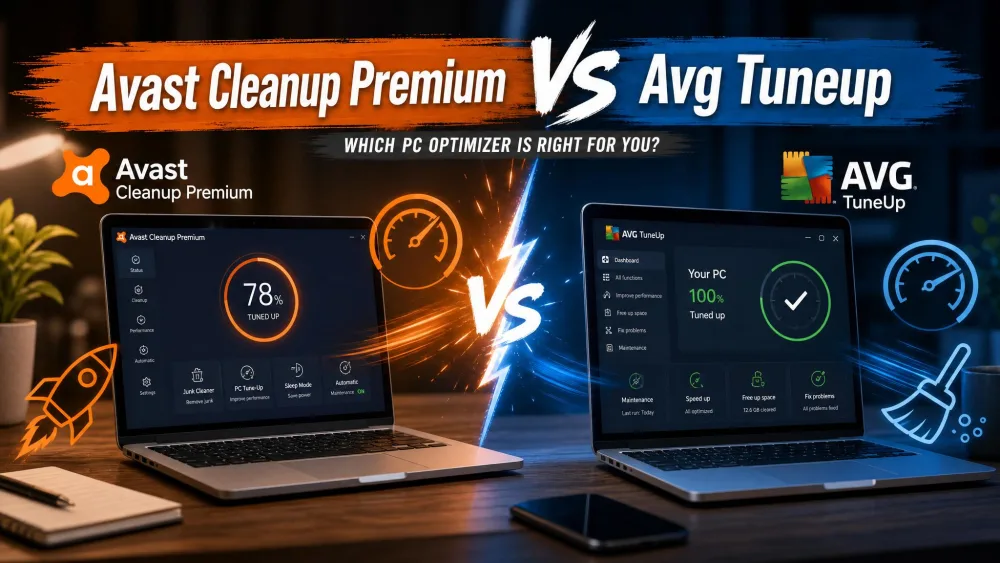 Avast Cleanup vs AVG TuneUp
 Avast Cleanup vs BleachBit
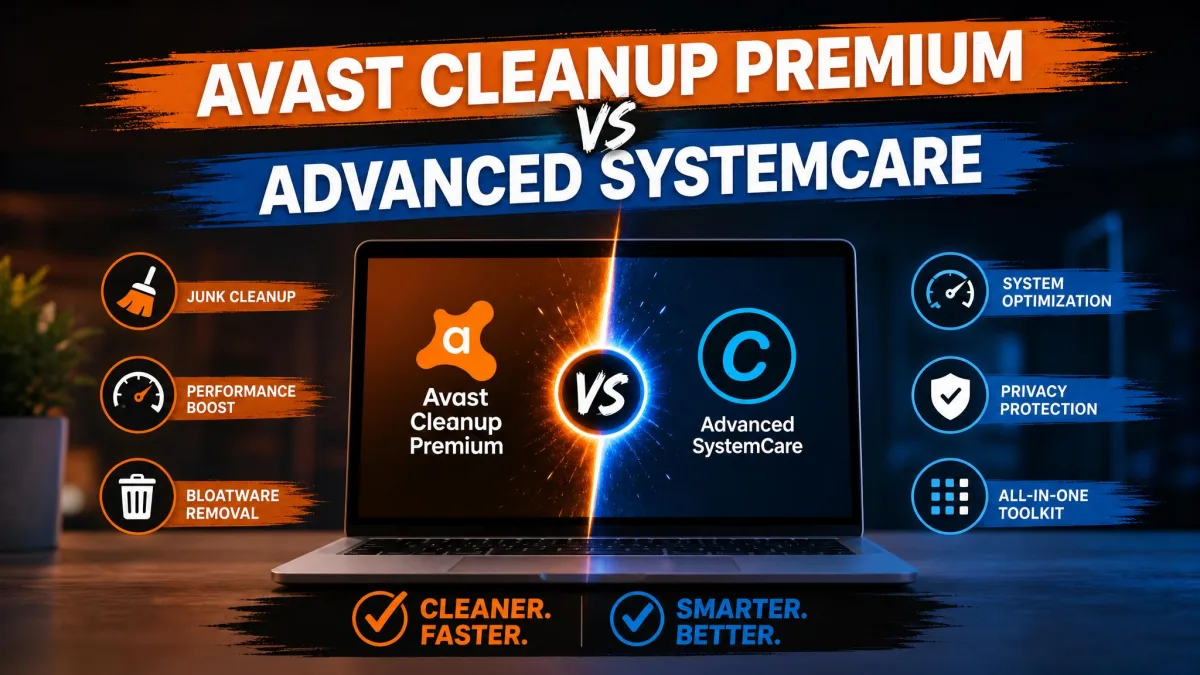 Avast Cleanup vs Advanced SystemCare
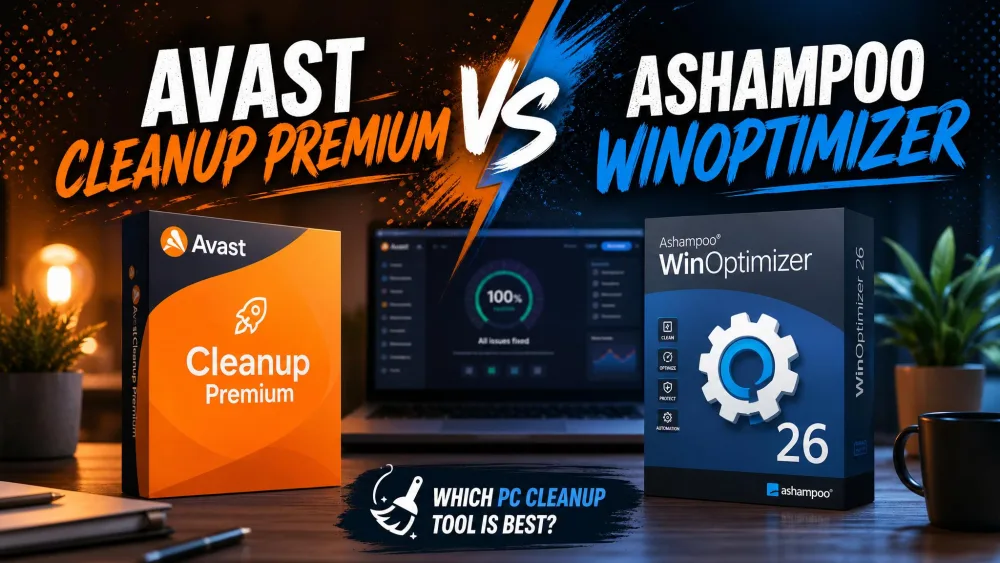 Avast Cleanup vs Ashampoo WinOptimizer
 Avast Cleanup vs Glary Utilities
 CCleaner Review
 Best Computer Cleaner