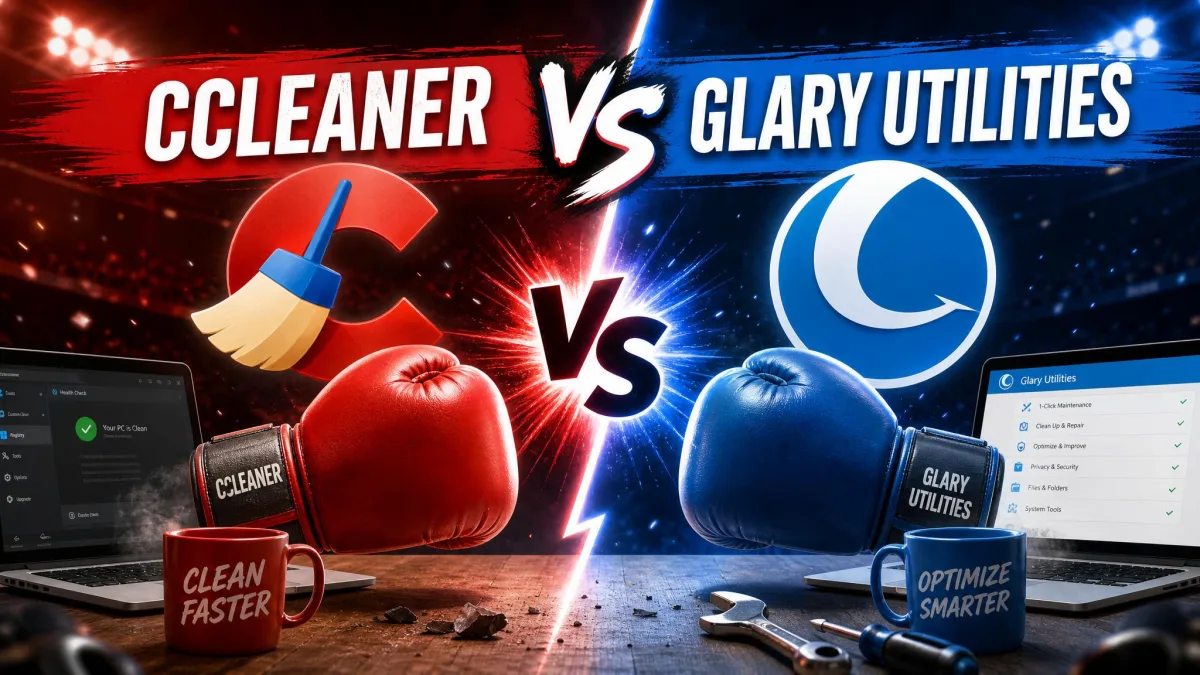
You have a sluggish PC, two well-known cleanup tools in the tab bar, and one question: which one is actually worth paying for? Avast Cleanup Premium and CCleaner both promise a faster, tidier machine, but they charge for it in very different ways, and they do not clean the same things equally well. We ran both through real before-and-after cleanup passes to sort the marketing from the results.
The short version: one leans on a polished, categorized tune-up, and the other gives you a capable free tier plus a deeper registry tool. This guide walks through junk cleaning, the registry, performance, pricing, safety, and the platforms each covers, then names a winner for each type of user.
We tested Avast Cleanup Premium and CCleaner Professional side by side on the same Windows 11 laptops, running each tool's junk scan, registry scan, and startup tools against the same cluttered systems so the results would line up cleanly.
What Is Avast Cleanup Premium?
Avast Cleanup is a paid maintenance suite built around a modern dashboard and a signature Sleep Mode that pauses background apps you are not using. Alongside the disk cleaner, it bundles a Browser Cleaner covering 25 or more browsers, a Registry Cleaner, Bloatware Removal, an App Uninstaller, Automatic Maintenance, a Software Updater, a Data Shredder, and a disk defragmenter.
There is no permanent free tier. Instead you get a 30-day free trial, after which the tool moves to a yearly subscription. It runs on Windows 7 SP1 and up, macOS 10.13 or later, Android 10 or later, and iOS, though the feature set varies by platform.
What Is CCleaner?
CCleaner is the veteran of the category, first launched in 2004 by Piriform. It runs on a freemium model: a free version for home use plus paid Professional and Professional Plus tiers. The free build handles the core junk and browser cleanup that made the tool famous, while paid tiers add real-time monitoring, scheduled cleaning, a Performance Optimizer, a Driver Updater, and Software Updater.
CCleaner also folds in a Registry Cleaner, a Duplicate Finder, and Privacy Protection, with Recuva and Speccy included in Professional Plus. The interface is functional and well-organized, if visibly older than Avast's.
Are Avast Cleanup and CCleaner the Same Program?
No, but they share a corporate parent, which is the source of a lot of confusion. Piriform, the maker of CCleaner, was acquired by Avast in July 2017, and both brands now sit under Gen Digital, the company formed when Avast merged with NortonLifeLock.
Avast Cleanup and CCleaner are separate products with separate codebases and separate pricing, even though Gen Digital owns both. Buying one does not get you the other.
So the two tools are corporate siblings, not the same app. They overlap heavily on junk cleaning and the registry, then diverge on the extras, which is exactly where the buying decision gets interesting.
Avast Cleanup Premium vs CCleaner at a Glance
| Feature | Avast Cleanup Premium | CCleaner Professional |
|---|---|---|
| Junk / disk cleaning | Yes, categorized selective cleanup | Yes, fast one-click |
| Registry cleaner | Yes (fewer items surfaced) | Yes (more items, with backup) |
| Real-time maintenance | Automatic Maintenance | Active and scheduled cleaning |
| Defrag / disk | Disk defragmenter included | No defragmenter |
| Browser / privacy | Browser Cleaner (25+ browsers) | Browser cleaning + Privacy Protection |
| Sleep Mode / startup / performance | Sleep Mode + startup management | Startup and Performance Optimizer |
| Bloatware / uninstaller | Bloatware Removal + App Uninstaller | No dedicated bloatware removal |
| Duplicate / photo finder | Not on Windows | Duplicate Finder |
| Platform support | Windows, Mac, Android, iOS | Windows, Mac, Android, iOS |
| Free version | Trial only, no free tier | Yes, free for home use |
| Price / renewal | $32.99 intro, $65.99 renewal (1 PC) | Around $44.95 list, heavy promo variance |
| Trial length | 30-day | 14-day |
How We Compared
We installed both tools on matched Windows 11 machines carrying the usual clutter: months of browser cache, leftover installers, temp files, and a crowded startup list. Then we ran each tool's cleanup, registry, and performance features in turn and recorded what each one surfaced, removed, and left behind. Where a figure comes from the vendor's own marketing rather than our bench, we flag it as such.
Features Compared
Junk & Disk Cleaning
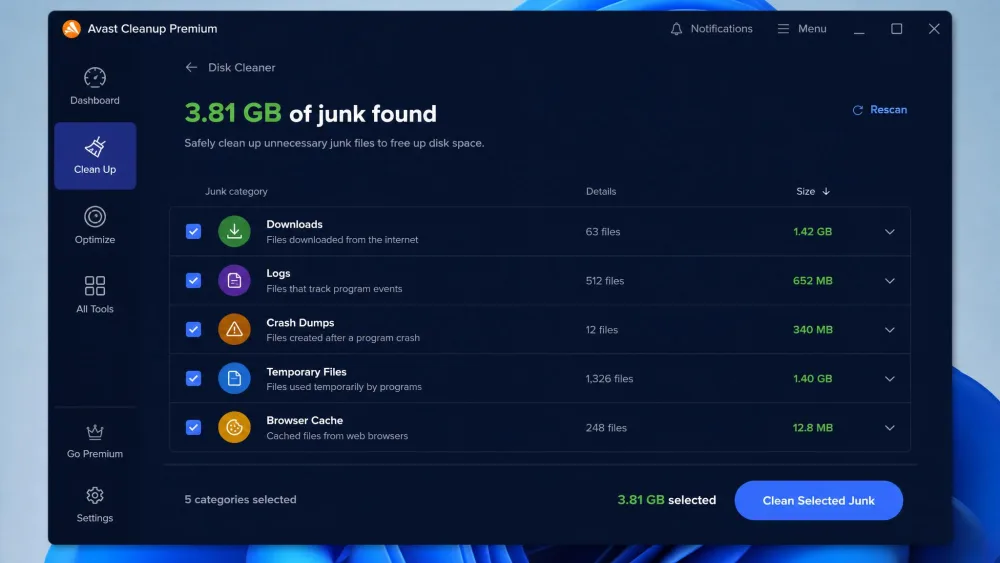
Both tools clear the same broad categories of junk, but they present the job differently. Avast Cleanup breaks its results into detailed buckets, downloads, backups, logs, crash dumps, and temp files, so you can pick exactly what to delete. CCleaner leans the other way, toward a faster one-click sweep that gets you back to work sooner.
Neither approach is wrong. If you like to review what is going before it goes, Avast's categorized view is reassuring. If you just want the space back, CCleaner's speed is the draw.
Registry Cleaner
This was the widest gap in our testing. On the same machine, CCleaner's registry scan surfaced far more items than Avast's maintenance scan did, in one comparable pass CCleaner flagged over a thousand registry issues where Avast's scan found under a hundred. CCleaner also lets you back up deleted registry entries before it cleans, a safety net that matters if the PC misbehaves afterward.
A bigger registry issue count is not automatically better. Aggressive registry cleaning rarely speeds up a modern PC, and it carries some risk. Always keep CCleaner's backup option enabled before you clean.
Performance / Sleep Mode & Startup Management
Avast's headline performance feature is Sleep Mode, which suspends background apps until you need them. Avast claims up to 79% quicker startup on its own test bench, though that is a vendor figure, not an independent benchmark. CCleaner counters with a Performance Optimizer and claims up to a 34% speed boost, again a marketing number rather than a lab result.
In our hands-on runs, both tools handled background and startup programs effectively, and startup management performed similarly between them. The daily experience was close enough that this category comes down to which dashboard you prefer.
Bloatware Removal & Uninstaller
Here Avast pulls ahead. It ships a dedicated Bloatware Removal tool and an App Uninstaller that flags preinstalled junk and lets you clear it in a batch. CCleaner has no dedicated bloatware remover, so removing manufacturer preloads is more of a manual job. Avast also includes a disk defragmenter that CCleaner lacks entirely.
Duplicate/Photo Finder & Extras
CCleaner wins the extras column on Windows. It includes a Duplicate Finder for tracking down repeated files, plus a Driver Updater that flagged several outdated drivers in our testing. Avast Cleanup has no built-in driver updater and no duplicate finder on Windows, which is a real gap if reclaiming space from repeated files is your goal.
Avast gives you the cleaner cleanup and the better bloatware tools, while CCleaner gives you the deeper registry scan, a duplicate finder, and a driver updater the paid Avast plan simply does not have.
Ease of Use and Interface
Avast Cleanup has the more modern face. Its dashboard is clean, well-signposted, and the categorized results make it easy to understand what each action will do. CCleaner's interface feels dated by comparison, but it stays well-organized and intuitive to navigate, so long-time users will feel at home immediately.
For a first-time cleanup, we found Avast's layout slightly friendlier. For someone who already knows CCleaner, the familiarity outweighs the older styling.
Pricing and Plans
Avast Cleanup Premium Pricing (incl. renewal)
Avast Cleanup Premium starts at $32.99 for the first year on one Windows PC, though that intro price shifts with promotions and region, and third-party listings have quoted both higher and lower. The number that matters most is the renewal: after the intro year it climbs to $65.99 per year for one PC. A 10-device plan runs about $34.99 intro and renews near $79.99. That renewal jump is the single most common complaint we see about Avast Cleanup.

CCleaner Pricing (Free vs Pro)
CCleaner's biggest pricing advantage is the CCleaner free tier, which covers core junk and browser cleanup for home users at no cost. Professional adds real-time monitoring, scheduling, and the extra utilities. The Pro list price sits around $44.95 per year, but CCleaner runs frequent promotions, and we have seen one-PC quotes swing between roughly $10.95 and $24.95. Treat the exact figure as a moving target and buy on promotion. A 14-day trial of Professional is available, per third-party listings.
Platform Support (Windows, Mac, Android)
Both tools span the major platforms, but the depth differs. Avast Cleanup runs on Windows 7 SP1 and later, macOS 10.13 or later, Android 10 or later, and iOS. CCleaner covers Windows 10 and up, macOS Sierra and later, Android 10 and up, and iOS 16 or later.
On Android, CCleaner has a longer track record as a standalone cleanup app, while Avast's mobile experience is tied more closely to its broader security lineup. If Android cleanup is your priority, CCleaner is the safer default, though both do the core job.
Safety and Reliability
Any tool that edits the registry and deletes system files deserves scrutiny. The most important safety note here is historical: in September 2017, the 2017 CCleaner breach saw version 5.33 compromised with the Floxif trojan, affecting around 2.27 million machines before Piriform issued a clean 5.34 build on September 13. It was patched quickly, and current builds are unaffected, but it is worth knowing the history before you install.
Whichever tool you choose, take a restore point before your first deep clean, and keep the registry-backup option turned on. A cleanup tool should never be your only safety net.
In day-to-day use, both tools were stable and predictable for us. CCleaner's registry backup gives it a slight edge on the "undo a mistake" front, while Avast's categorized deletion makes it easier to avoid the mistake in the first place.
Pros and Cons
Avast Cleanup Premium Pros & Cons
Pros
- Modern, categorized dashboard that is easy to read
- Sleep Mode plus effective startup management
- Bloatware Removal, App Uninstaller and a disk defragmenter
- Selective, category-by-category junk cleaning
Cons
- No permanent free version, trial only
- Steep renewal at $65.99 per year after the intro price
- No duplicate finder on Windows
- No built-in driver updater
CCleaner Pros & Cons
Pros
- Genuinely useful free tier for home users
- Deeper registry scan with a backup safety net
- Duplicate Finder and Driver Updater included
- Frequent, deep promotional discounts on Pro
Cons
- Interface looks dated next to Avast
- No real-time monitoring in lower tiers
- No disk defragmenter or dedicated bloatware removal
- Aggressive cache cleaning can slow the first page loads afterward
Head-to-Head: Which Wins Each Category?
Junk cleaning is a near tie, with Avast winning on control and CCleaner on speed. Registry goes to CCleaner for depth and its backup option. Performance and startup management are effectively even. Bloatware removal, the uninstaller, and defragmentation go to Avast. Duplicate finding and driver updates go to CCleaner. Interface goes to Avast, and value goes to CCleaner on the strength of its free tier and discounts.
Add it up and the pattern is clear: Avast is the more refined single-app tune-up, while CCleaner is the more flexible, better-value toolkit.
Frequently Asked Questions
Are Avast Cleanup and CCleaner the same program?
Does CCleaner have a free version?
Is CCleaner Professional worth paying for?
Which is better for Android?
How much does Avast Cleanup cost to renew?
Verdict: Which Should You Choose?
There is no single winner here, because the two tools are built for different buyers. If you want the most polished experience, a categorized junk cleaner, Sleep Mode, bloatware removal, and a defragmenter in one modern dashboard, Avast Cleanup Premium is the better tune-up, provided you can stomach the $65.99 renewal.
If you care about value and depth, CCleaner is the smarter pick. The free tier handles everyday cleanup for nothing, and Professional adds a deeper registry scan, a duplicate finder, and a driver updater that Avast's paid plan does not match, often at a fraction of Avast's renewal cost. For most people watching their spending, we would start with CCleaner's free version and only pay when a specific paid feature earns it. Choose Avast if the cleaner interface and the extra maintenance tools are worth a premium to you.