PC cleaners earn their keep only when they free up real disk space and speed up startup without touching anything you wanted to keep. Ashampoo WinOptimizer and Wise Disk Cleaner both promise exactly that, but they approach the job from opposite ends of the market. Ashampoo sells a paid tuning suite with a free tier, while Wise Disk Cleaner is a free, single-purpose utility, so the real question is how much of your system you want to optimize.
We ran both tools through the same cleanup passes on our test machines, checking what each scan found, how long the sweep took, and what changed afterward. The comparison below covers features, pricing, cleaning power, safety, and the results that matter.
At a Glance: Ashampoo WinOptimizer vs Wise Disk Cleaner
Best-PC-cleaner roundups in 2026 split the field into two camps: free single-purpose cleaners and paid full suites, and these two represent each camp well. Ashampoo WinOptimizer is the suite, a dozen-plus tools in one program; Wise Disk Cleaner is the free specialist, sitting alongside utilities like BleachBit and Glary Utilities in the budget half of most roundups. Our best disk cleaner software guide maps the wider market; the table below stacks the pair head to head.
| Criteria | Ashampoo WinOptimizer | Wise Disk Cleaner |
|---|---|---|
| Pricing | $30 one-time for the 2026 edition | ✓ 100% free, no paid tier |
| Free tier | Yes, core modules; account required | ✓ Yes, the full product |
| Junk cleaning | ✓ Deeper coverage across installed applications | About 50 junk types; fast full sweeps |
| Registry cleaning | ✓ Registry Optimizer in paid editions only | None; separate Wise Registry Cleaner |
| Performance tuning | ✓ One-Click Optimizer plus a full tuning toolbox | Disk level only: HDD defrag and SSD TRIM |
| Ease of use | Clean but dense | ✓ Simple wizard, one-click widget, lightweight |
| System requirements | ✓ Windows 11, 10, 8, or 7 | Windows 11, 10 (official) |
| Verdict | Best for full-system tuning and registry work | Best free pick for fast disk cleanup |
| Check price → | Check price |
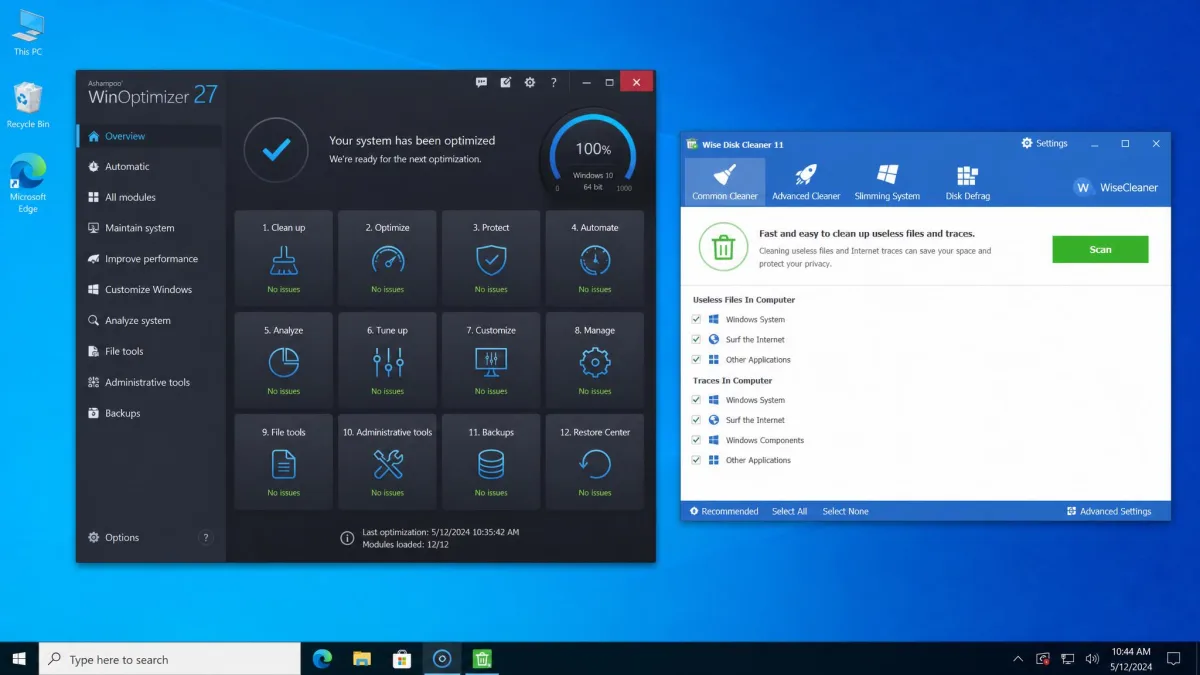
Ashampoo WinOptimizer at a Glance
The broader tool and the one built to tune rather than just tidy. You get the One-Click Optimizer, drive and internet cleaning, startup and service managers, a duplicate finder, privacy controls, and a registry optimizer reserved for paid editions. Choose it when you want one program for the whole maintenance routine.
Wise Disk Cleaner at a Glance
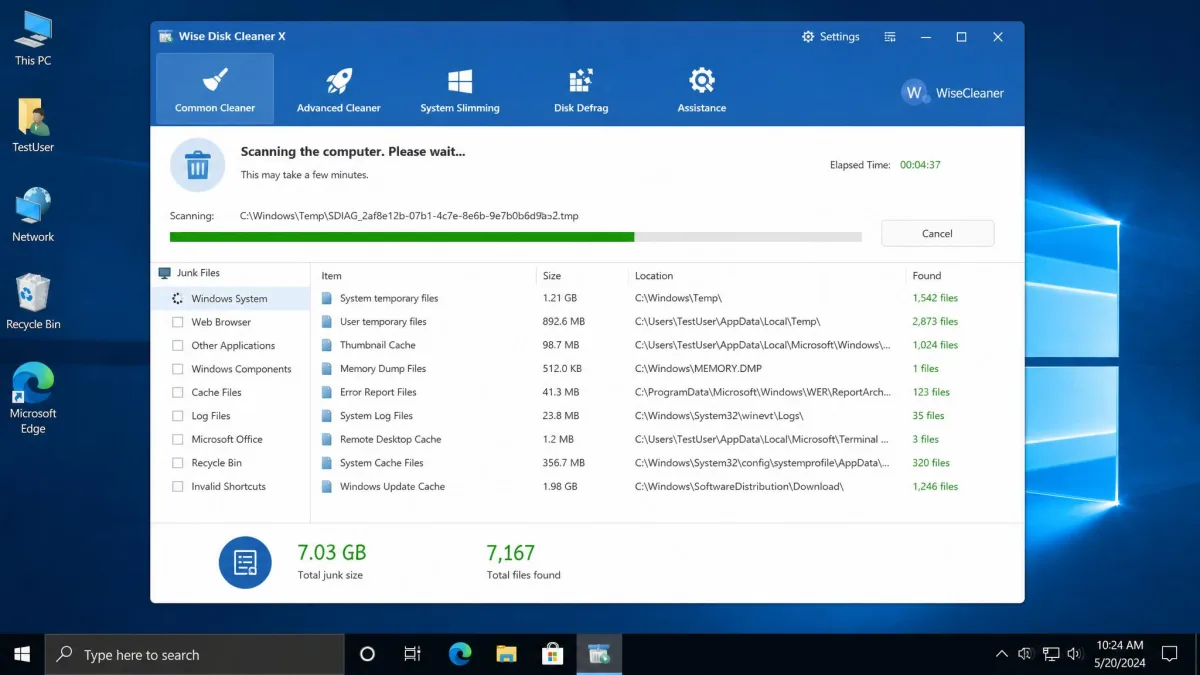
The opposite bet: free, fast, and focused. Wise Disk Cleaner removes junk and privacy traces in about a minute per sweep, adds disk defragmentation and SSD TRIM for drive health, and stops there. Choose it when you want a no-cost cleanup tool with almost nothing to learn.
What Is Ashampoo WinOptimizer?
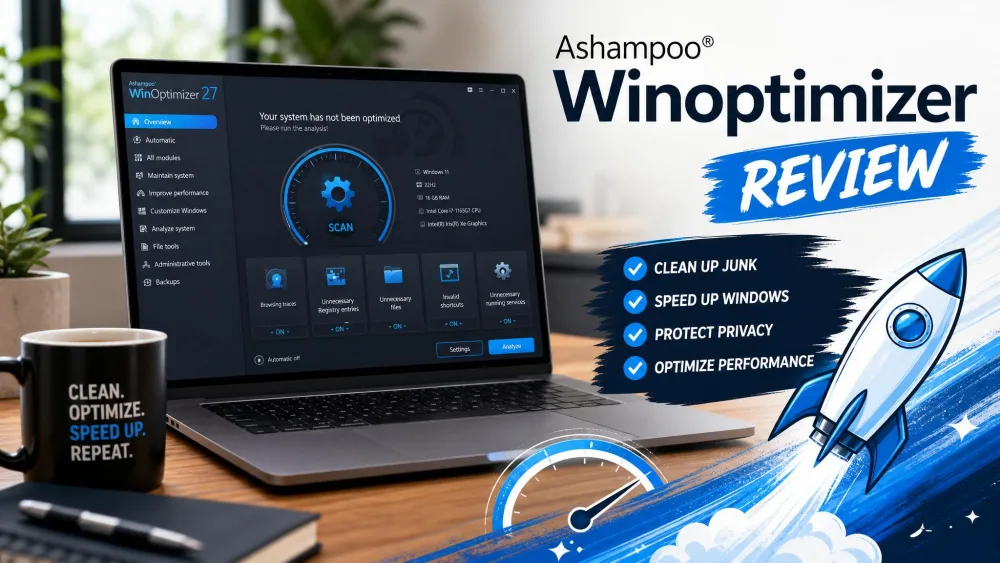
Ashampoo WinOptimizer is a full system-tuning suite from the German company that has shipped Windows system software since 1999. The current release, WinOptimizer 26, bundles more than a dozen tools behind one interface. Download Ashampoo WinOptimizer and the free edition gives you the core cleaning and optimization modules, while the paid edition adds the registry optimizer and the deeper tuning tools. Our longer Ashampoo WinOptimizer review covers the suite in more depth.
Key Features
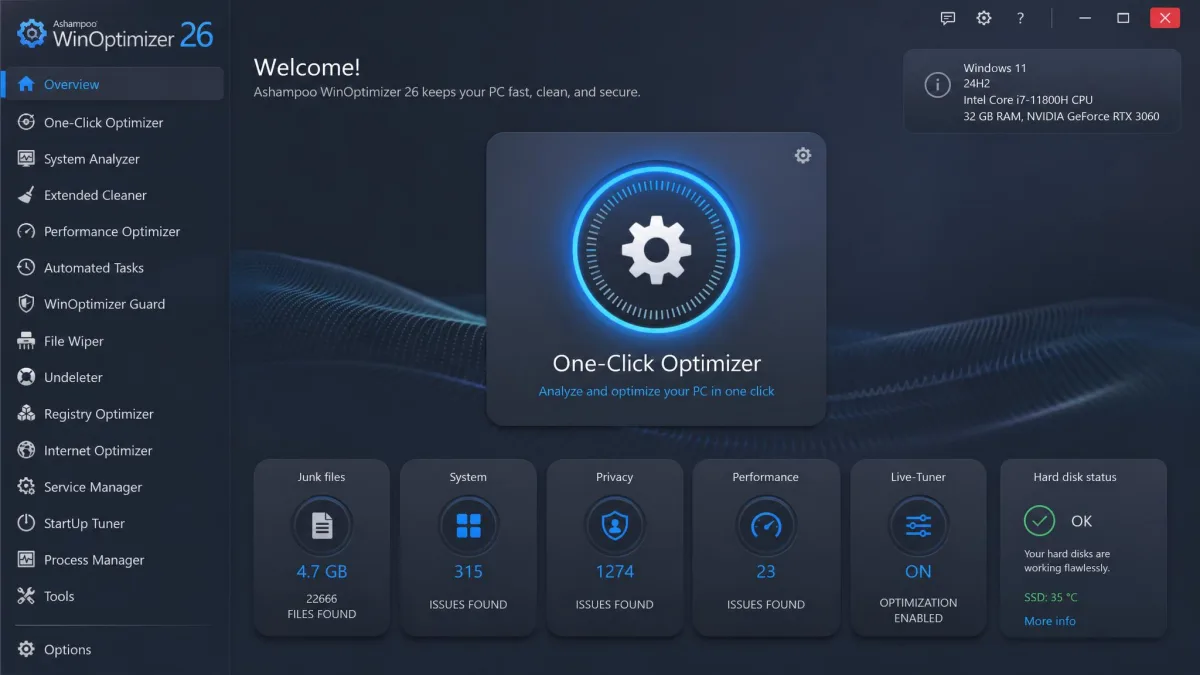
The One-Click Optimizer is the centerpiece and runs the suite's main cleaning and tuning modules in a single pass. Around it sit the Drive Cleaner, Internet Cleaner, Registry Optimizer, Startup Manager, Service Manager, RAM Optimizer, Boot Process Optimizer, Defrag Manager, and a Duplicate File Finder. Privacy work lives in AntiSpy and the Win10 Privacy Control, and the file tools include a secure wiper, basic file recovery, and a built-in uninstaller. Auto-Clean runs background maintenance on a schedule, and light and dark themes are built in.
Pricing and Plans
WinOptimizer 2026 retails at $30 for a single license, with a 30-day money-back guarantee on paid editions. The Ashampoo WinOptimizer free edition is 100% free and keeps the core cleaning and optimization modules, but it requires an Ashampoo Account before first use, and the Registry Optimizer stays in paid editions. The paid trial runs 10 to 30 days depending on the edition and current promotion.
What Is Wise Disk Cleaner?
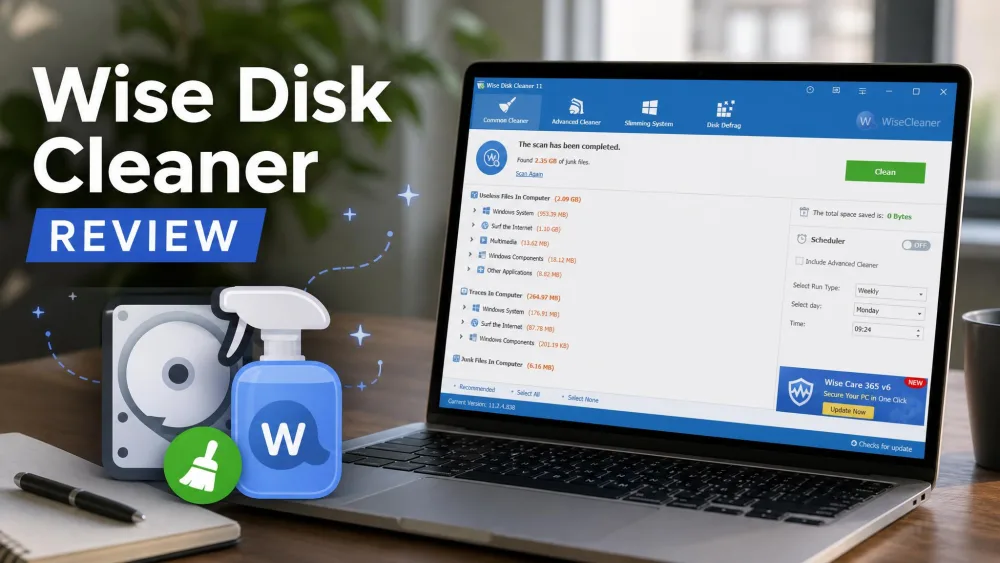
Wise Disk Cleaner is a free disk-cleanup utility from WiseCleaner, and it has stayed deliberately narrow: it removes junk files and privacy traces, keeps the drive healthy, and stops there. The current build, 11.3.7, updated in July 2026, officially supports Windows 11 and 10. Wise Disk Cleaner has earned a regular place in free-cleaner roundups and holds a 4 out of 5 rating from SnapFiles for editor and user scores alike. Our longer Wise Disk Cleaner review covers the finer details.
Key Features
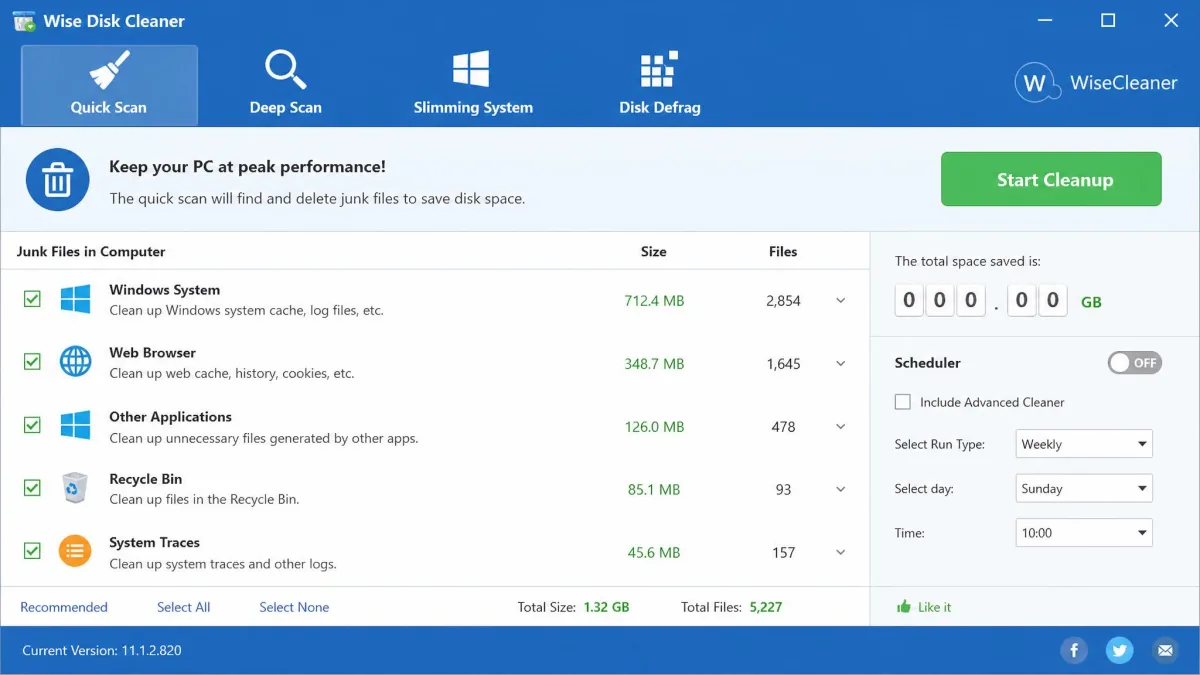
Junk removal splits into three modes: regular, advanced, and System Slimming, which reaches deeper than the default scan. Privacy cleaning covers browser cache, history, cookies, and Quick Access records. Safe Deletion mode overwrites deleted data so it cannot be recovered. AutoClean schedules sweeps daily, weekly, monthly, at logon, or when the PC is idle. Light and dark modes cover 100 to 200 percent scaling, and portable and command-line versions exist for advanced use.
Pricing and Plans
Wise Disk Cleaner is completely free to download and use, with no paid tier for the cleaner itself. There are no license keys and no trial clock, and the full feature set sits in the free version. The paid side of the WiseCleaner family lives in Wise Care 365, a separate suite you do not need for disk cleaning.
Ashampoo WinOptimizer vs Wise Disk Cleaner: Key Differences
The two share a category but almost no surface area. Ashampoo WinOptimizer is a dozen-tool suite with a paid edition, while Wise Disk Cleaner is a free utility with a single focus.
Cleaning Capabilities
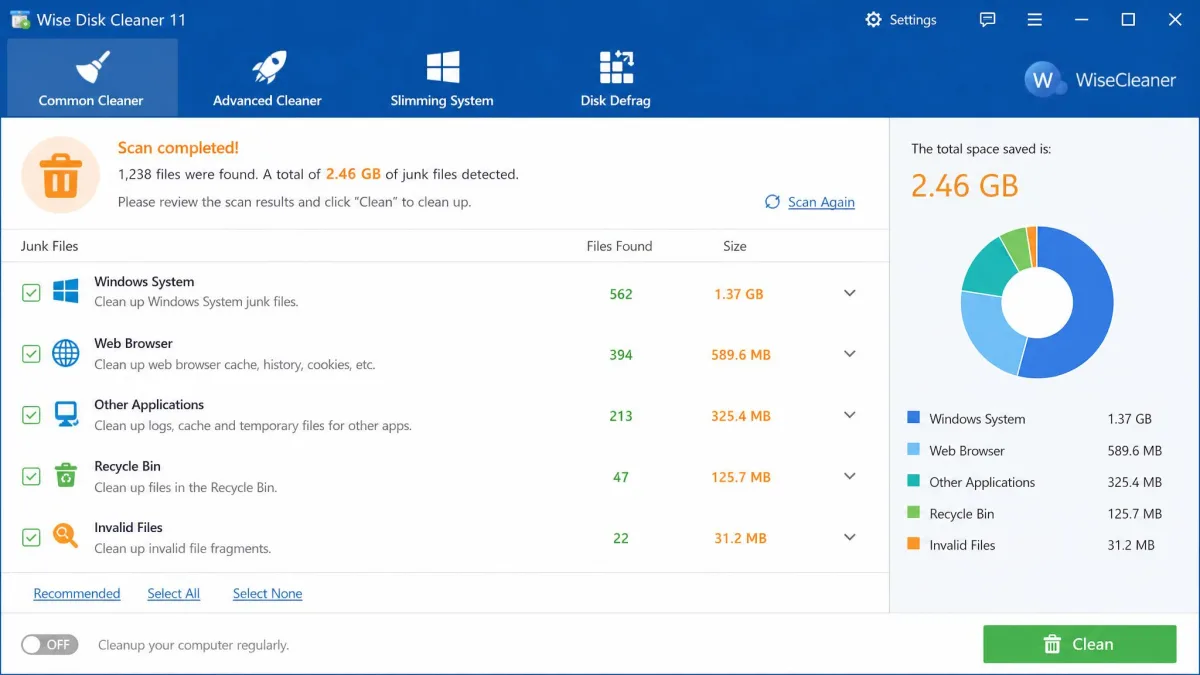
Both tools clear the everyday junk: temp files, browser cache and history, cookies, logs, and leftover installer files. Ashampoo's Drive Cleaner reaches deeper across installed applications, and one test scan surfaced 2.3 GB of junk that cleaned up fast and uneventfully. Wise Disk Cleaner recognizes about 50 junk file types by default and its full sweep takes about a minute, which made it the fastest single-purpose cleaner in a 2026 roundup of seven tools. Safe Deletion mode overwrites deleted data, and System Slimming reaches Windows update leftovers most cleaners skip. One caveat applies to both: a first scan can miss items, and a couple of passes were sometimes needed to find everything. Beware the aggressive end: Wise's Advanced Cleaner mode can delete game caches and browser sessions unless you uncheck them.
Performance Optimization and System Tuning
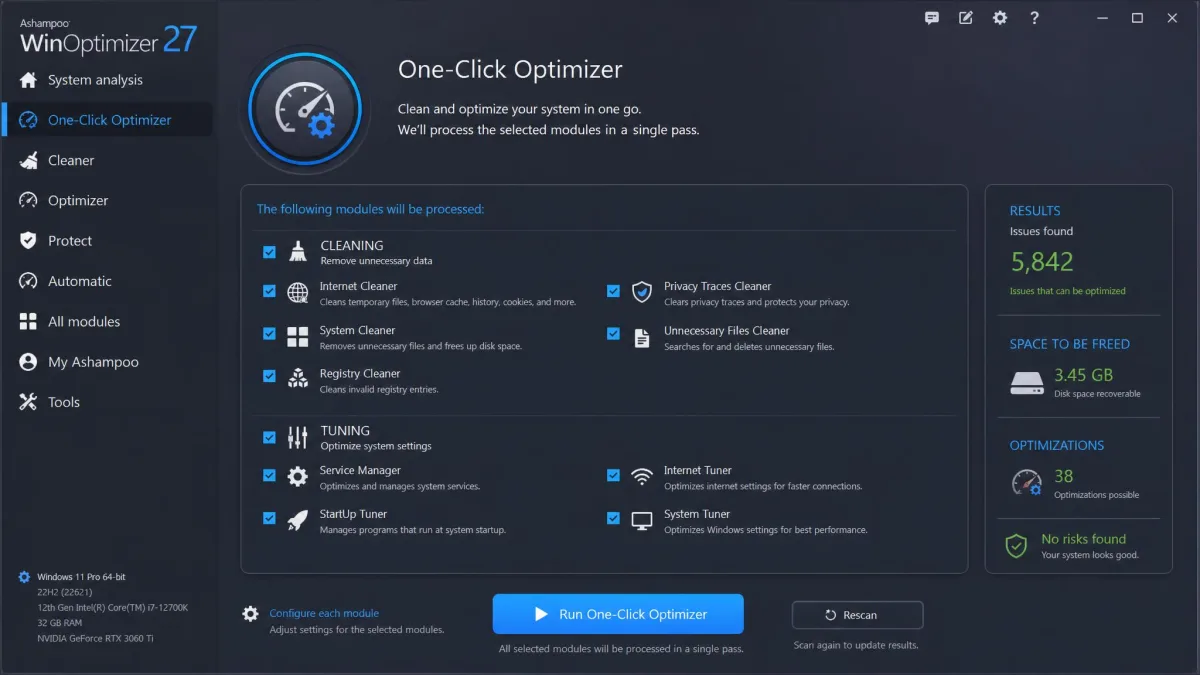
This is where the two diverge most. Wise Disk Cleaner's performance work stays at the disk level: HDD defragmentation and SSD TRIM, both schedulable, and nothing that touches startup, services, or memory. Ashampoo WinOptimizer treats optimization as a system-wide job, with the One-Click Optimizer running the suite's cleaning and tuning modules in one pass and separate tools managing startup entries, services, RAM, and boot process. In our testing, boot times improved on every test machine after a cleanup run, most noticeably on older PCs, with modest but measurable gains. Two caveats: the RAM Optimizer and most registry fixes may not move the needle on modern Windows, and the Boot Process Optimizer made little visible difference on an already-fast machine. If tuning is the goal, Ashampoo is the only real option of the two.
Ease of Use and Interface
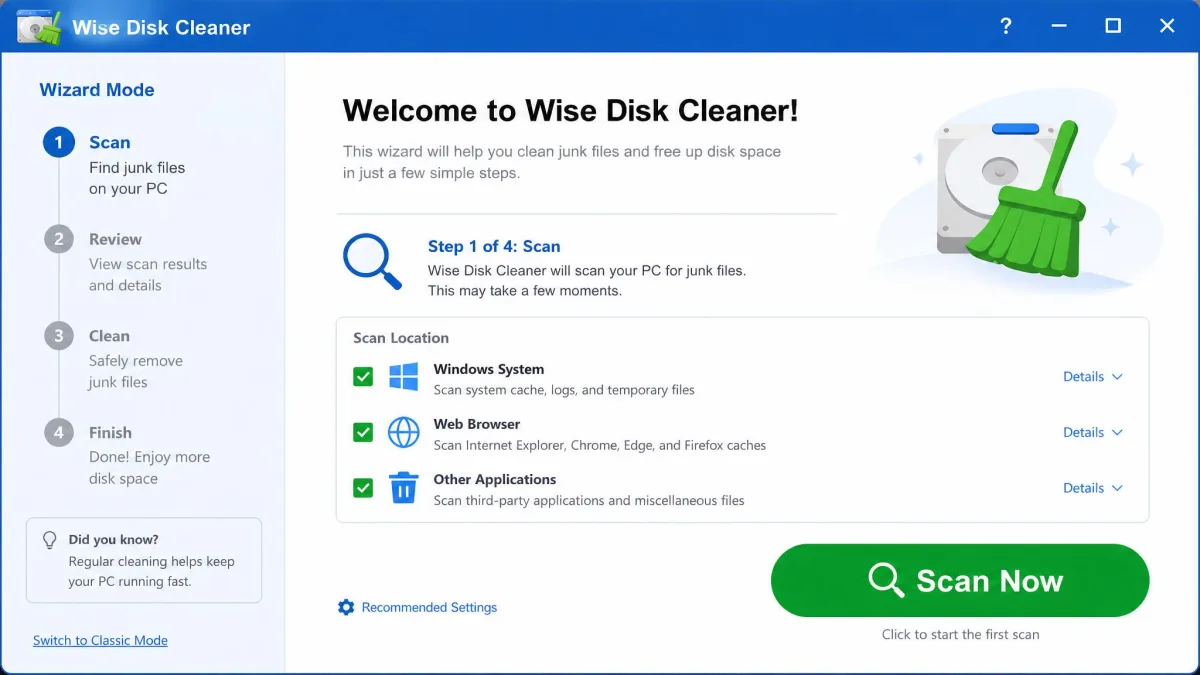
Wise Disk Cleaner is the easier tool to live with. Its wizard mode carries a first-time user through the first scan, the one-click widget handles routine sweeps, and the program stays light on an already-struggling PC. Ashampoo's interface is clean and logical but dense, with more than a dozen modules competing for attention; beginners can run the One-Click Optimizer without worry, while the power tools can feel overwhelming. The suite compensates with guided walkthroughs that explain each detected problem before recommending an action, which is more educational but slower than the one-click approach of CCleaner or Advanced SystemCare.
Safety and Registry-Cleaning Risks
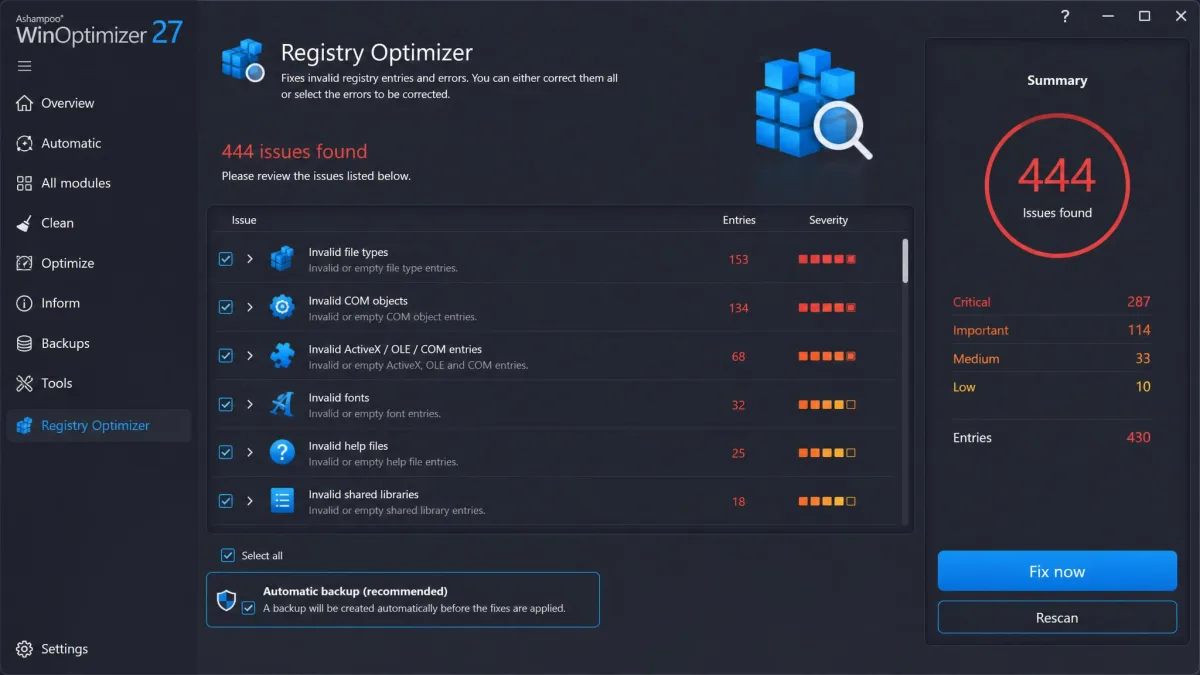
Neither tool has a malware problem, and both come from established vendors, but registry work deserves its own caution. The Microsoft support policy for registry cleaning utilities (KB 2563254) states that the Windows registry is not designed to be accessed or edited, that Microsoft does not support registry cleaning utilities, and that a damaged registry can require a full OS reinstall; Microsoft recommends backing up and creating a restore point first. That policy matters here because the two tools differ sharply on registry work. Ashampoo WinOptimizer includes a Registry Optimizer, but only in paid editions, and it creates automatic backups before changes. Wise Disk Cleaner has no registry cleaning at all; that job belongs to a separate product called Wise Registry Cleaner. Watch what the one-click tools select, too, since Ashampoo's One-Click Optimizer can clear data you may want to keep, such as browsing history, alongside the junk.
How They Compare With CCleaner
CCleaner is the reference point for any PC cleaner comparison. Its free tier covers junk, cache, and registry cleaning, and the Professional subscription runs $29.95 a year at renewal. Its history includes the 2017 supply-chain breach and the Avast-era data-collection controversies, which still pushes people toward alternatives. CCleaner Professional also freed more disk space than any other cleaner in a controlled test where a system image was restored before each run. Advanced SystemCare is the other one-click rival and the suite Ashampoo most resembles, with one notable difference: Ashampoo has no software updater module. Where CCleaner cleans in one fast pass, Ashampoo walks you through each problem, and Wise undercuts all three on price. Our Ashampoo WinOptimizer vs CCleaner comparison goes deeper.
Getting Started: How to Use Each Tool
Both tools start quickly, and the workflows differ mostly in how much you review before the first clean. With Ashampoo WinOptimizer, download the free edition, create the Ashampoo Account it asks for, and run the One-Click Optimizer, reading the list of what it will touch before you start. Uncheck anything you want to keep, then let the suite do the rest. With Wise Disk Cleaner, the first run opens the wizard with everything pre-selected. Review the categories and uncheck anything that matters to you, especially in the Advanced Cleaner mode. The one-click desktop widget then handles daily sweeps.
Ashampoo WinOptimizer Pros and Cons
The case for and against the suite, weighed across our test runs.
Pros
- Full tuning suite: registry, startup, services, duplicates, and privacy tools in one program
- One-time $30 purchase with a 30-day money-back guarantee
- Automatic backups before registry changes
- Educational walkthroughs that explain each problem before fixing it
Cons
- Free version requires an Ashampoo Account before first use
- Dense interface can overwhelm beginners
- Support is email-only, with replies ranging from minutes to hours
- No software updater module
- RAM Optimizer and many registry fixes rarely move the needle on modern Windows
Wise Disk Cleaner Pros and Cons
The case for and against the free specialist, from the same test runs.
Pros
- Completely free, with the full feature set in the free version
- Lightweight enough for an already-struggling PC
- Cleanly clears browser traces with privacy cleaning built in
- Light and dark modes with scalable interface
Cons
- No system tuning; disk-level maintenance only
- Advanced Cleaner can delete game caches and browser sessions if left checked
- Older builds could leave Chrome cache files behind even when Chrome cleaning was checked
Which Should You Choose?
Start with an honest question: do you want a cleaner or an optimizer? If the problem is a full hard drive and browser clutter, Wise Disk Cleaner removes both for free, with nothing to learn and nothing to pay. If you want startup management, registry work with automatic backups, duplicate finding, and privacy controls, those jobs belong to Ashampoo WinOptimizer, and its one-time price compares well with the subscription model of most rivals. You can run the free edition before committing anything.
How We Tested and Compared
Both tools went through the same cleanup passes, so the results line up directly. Ashampoo WinOptimizer testing spanned weeks on several different Windows computers, with gigabytes of junk found on every test machine and boot-time gains across the board, most noticeably on older PCs. The Wise Disk Cleaner side of the comparison came from months of continued use, and a standard cleanup finished in under two minutes every time. The single machine with fully disclosed specs was a Windows 11 desktop with an Intel i5, 16 GB of RAM, and a 512 GB SSD, where a controlled benchmark had Wise Disk Cleaner trim boot time by 8 seconds and free about 900 MB of space.
Full-system analysis scans in Ashampoo WinOptimizer ran surprisingly fast, and one test scan surfaced 2.3 GB of junk that cleaned up quickly and uneventfully. The Registry Optimizer flagged 847 issues in a test run and fixed them quickly, and the Duplicate File Finder turned up 156 duplicate files totaling 1.8 GB. Wise Disk Cleaner's full sweep took about a minute, and a 40 GB test disk scan finished in about 30 seconds. We measured boot time before and after each cleanup pass; a benchmark of an older Ashampoo edition measured Geekbench climbing from 5,914 to 6,233 and boot time dropping from 50.2 to 31.6 seconds. One finding tempers the enthusiasm: a first scan can miss items. For market context, a controlled image-restored test showed CCleaner Professional freeing the most disk space of any cleaner in the group.
Frequently Asked Questions
Is Ashampoo WinOptimizer safe to use?
Will it really speed up my computer?
Do I need to buy it every year?
Are PC cleaners safe?
Do I need to back up before optimizing?
Which one is better for freeing disk space?
Conclusion
Both tools earn a place on a Windows PC, and the free tiers make the final call cheap. Run Ashampoo WinOptimizer's free edition and see whether the suite's depth justifies the purchase, or keep Wise Disk Cleaner if a fast, free sweep is all you need. A tidy PC starts faster, and both tools deliver that: one for free, one for a one-time price.