Wise Disk Cleaner is a free Windows utility that finds and removes junk files so your drive keeps its space. Glary Utilities is a full system-tools suite with more than 20 utilities for cleaning, optimizing, and securing a PC. Both have been around for years, and both start free. The difference is scope: Wise Disk Cleaner does one job, free of charge, while Glary Utilities bundles a shelf of separate tools into one program. We installed both on a Windows 11 test machine and compared them on junk-file cleaning, registry work, ease of use, pricing, and platforms.
Wise Disk Cleaner at a Glance
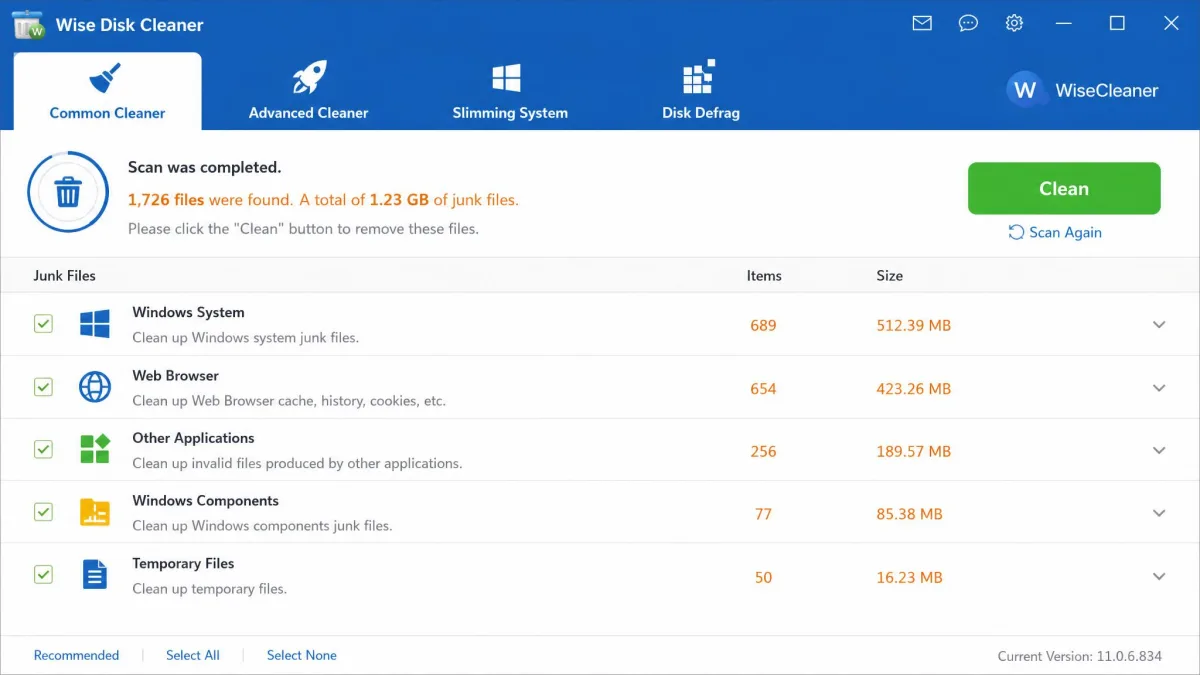
WiseCleaner has been building Windows utilities since 2005, and Wise Disk Cleaner is its focused cleaner. The current release, version 11.3.7, is an 11.8 MB download. The main screen holds four modules: Common Cleaner for everyday junk, Advanced Cleaner for deep scans, System Slimming for Windows leftovers, and Disk Defrag for hard drives, which asks before touching an SSD; we still keep SSDs out of any defrag run.
What Wise Disk Cleaner Does Best
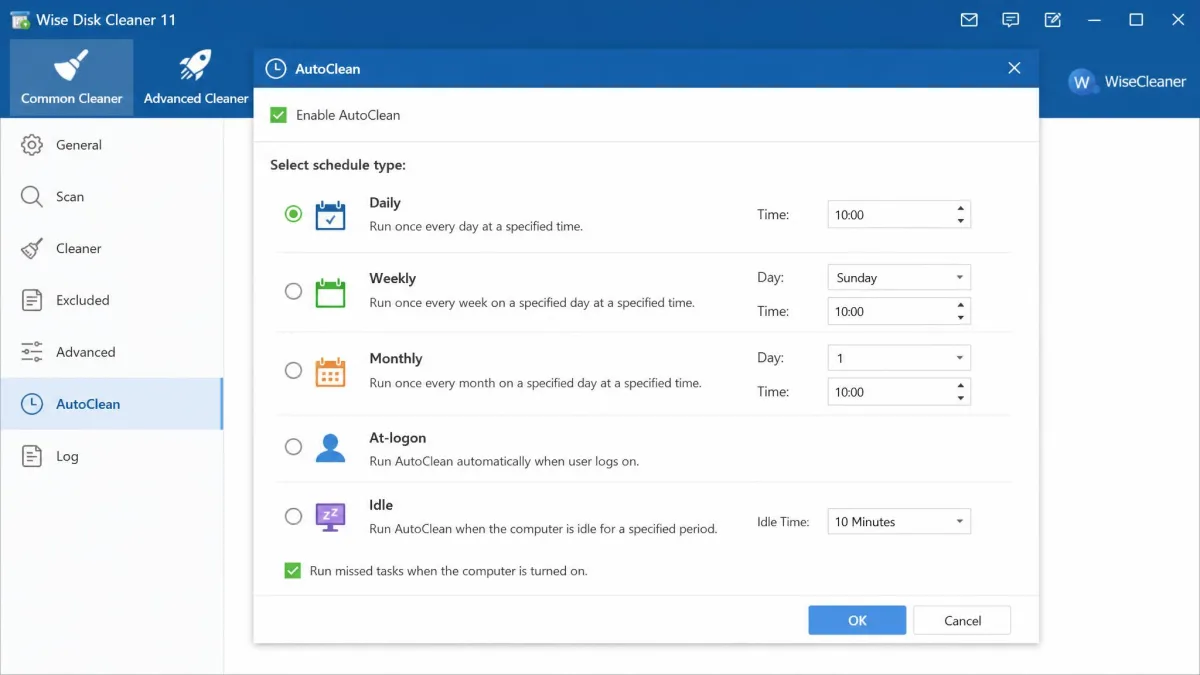
Common Cleaner handles system temp files, browser cache, history, cookies, logs, and uninstall residues. Advanced Cleaner digs for leftover .tmp and .bak files a normal pass misses. System Slimming targets Windows update leftovers, installer caches, wallpapers, and unused language files, and in our testing that is where the biggest space gains come from. Results are grouped by category with item counts and sizes, so you can untick anything you want to keep. AutoClean schedules daily, weekly, monthly, at logon, or when idle, and a desktop widget cleans with one click.
Pricing and Platforms
Wise Disk Cleaner is free. WiseCleaner earns its money through a separate suite, Wise Care 365, offered as an opt-in step in the installer, and the tool is officially listed for Windows 11 and 10 only. Wise Disk Cleaner's official page lists the current build.
Glary Utilities at a Glance
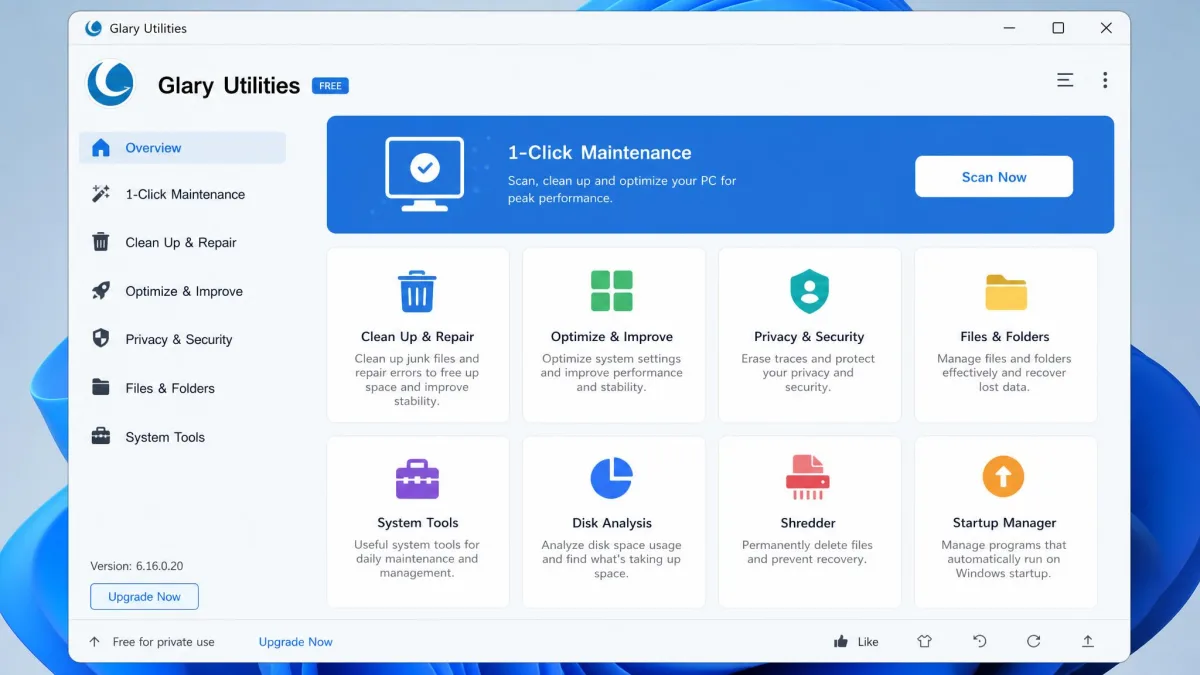
Glary Utilities takes the opposite approach: one program, more than 20 tools. The current build, version 6.46, is a free download of about 13 MB. The main window shows the whole toolbox at once: registry cleaner, disk cleanup, startup manager, uninstall manager, duplicate finder, and more.
The 20+ Tool Suite
The headline feature is 1-Click Maintenance, which runs the registry cleaner, shortcuts fixer, disk repair, tracks eraser, temp-file cleaner, and startup manager in one pass. In our testing, one pass finished in under a minute and found 267 registry issues, 86 broken shortcuts, and 1.78 GB of temporary files.
Pricing and Platforms
Glary Utilities is free for personal use. Pro costs about $39.95 per year for up to three PCs, though listings vary between $39.95 and $39.99 and promotions discount the rate. The suite runs on Windows 11, 10, 8, and 7, plus an Android app. Review aggregates differ by platform: SourceForge 3.5/5, Trustpilot 3.6/5, GetApp 4.6/5. Glary Utilities' official site carries the free download.
The Glary Utilities installer pre-checks third-party offers such as Malware Hunter. Choose Custom install and deselect anything you did not ask for; Glarysoft's own setup guidance recommends exactly that.

Wise Disk Cleaner vs Glary Utilities: Feature Comparison
| Criteria | Wise Disk Cleaner | Glary Utilities |
|---|---|---|
| Junk-file cleaning | Common and Advanced cleaners plus System Slimming | Disk Cleanup (temp files, installers, logs, browser cache) |
| Registry cleaning | None; separate Wise Registry Cleaner product | Registry Cleaner and Registry Defrag |
| Disk defrag | HDD defrag plus SSD TRIM, with an SSD prompt | Disk defrag utility, optimized in the 6.4x releases |
| One-click maintenance | AutoClean scheduler plus desktop widget | 1-Click Maintenance, six scans in under a minute |
| Extra tools | Privacy cleaner, Safe Deletion shredder, scheduling | Startup manager, uninstaller, duplicate finder, file recovery, shredder, software updater, disk space analyzer |
| Platforms | Windows 11 and 10 only | Windows 11, 10, 8, 7; Android app |
| Price | Free, no paid tier | Freemium; Pro about $39.95 a year for up to 3 PCs |
| Bundleware/adware risk | Clean installer; opt-in Wise Care 365 offer | Pre-checked offers such as Malware Hunter; Custom install needed; Pro upsells |
| User ratings | No user reviews on SourceForge as of August 2026 | SourceForge 3.5/5, Trustpilot 3.6/5, GetApp 4.6/5 |
Disk and Junk-File Cleaning
Both tools clear the usual daily junk: temp files, browser cache and history, cookies, logs, and leftover installers. Wise Disk Cleaner splits the work between Common and Advanced cleaners, while System Slimming reaches Windows update leftovers and unused language packs most cleaners skip. Glary covers the same basics in one Disk Cleanup module.
Registry Cleaning and Defragmentation
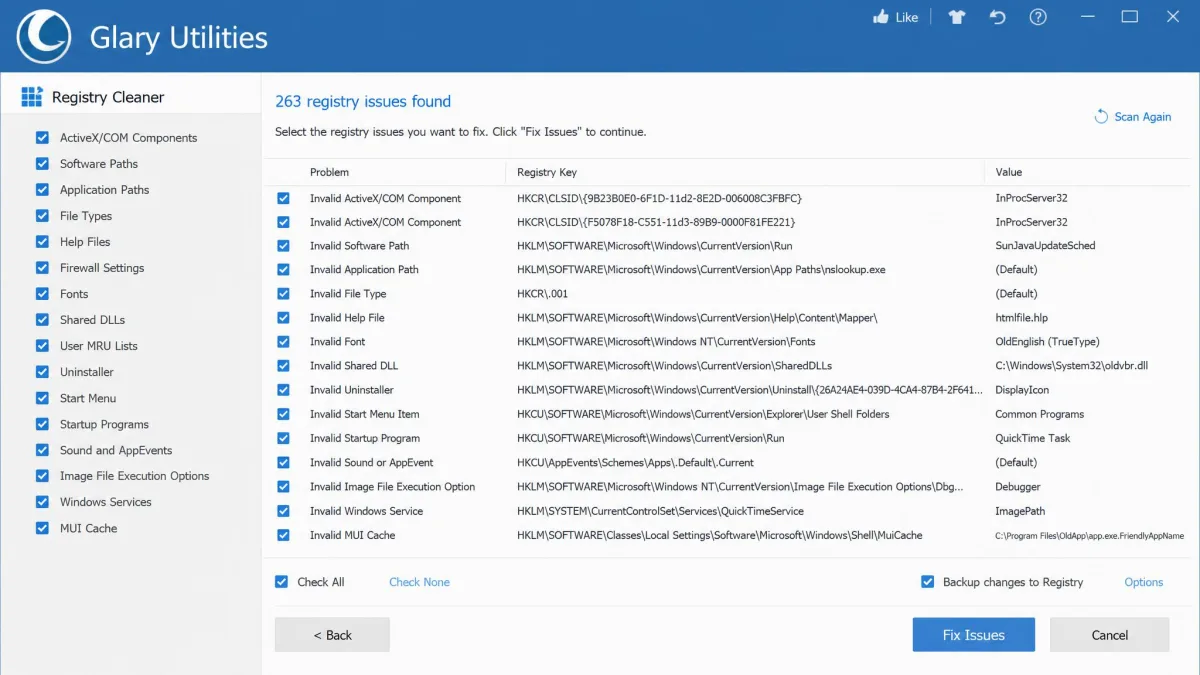
Registry work is where the two part ways. Wise Disk Cleaner has no registry module at all. Glary Utilities handles registry work in-suite, and 1-Click Maintenance runs the registry tools alongside its other scans. Registry cleaning stays a debated feature, because deleting the wrong key can destabilize Windows.
Ease of Use and Interface
Wise Disk Cleaner is the simpler of the two. Navigation sits in a few tabs, settings are plain checkboxes, and light and dark themes are built in. Glary Utilities keeps a dated Windows 7-era look, but every tool stays visible in its module grid, so nothing hides behind nested menus. A first-time user can understand Wise Disk Cleaner in one sitting; Glary takes longer, though 1-Click Maintenance gives beginners one clear entry point.
Extra Tools and Advanced Features
Beyond cleaning, Wise Disk Cleaner adds a privacy-trace cleaner, a Safe Deletion mode that overwrites deleted data so it cannot be recovered, and command-line support with folder and file-type exclusions. Glary Utilities counters with the full suite: a startup manager with community ratings, an uninstall manager that strips residual files, a disk space analyzer, a duplicate finder, a software updater, file recovery, a file shredder, a tracks eraser, and an empty-folder finder. Its 1-Click Maintenance wraps the most useful scans into a single one-click maintenance pass.
Wise Disk Cleaner vs Glary Utilities: Pros and Cons
Here are the pros and cons of each tool from our testing.
Wise Disk Cleaner Pros
- Free with no paid tier and no locked features
- System Slimming reaches Windows update leftovers, where the biggest space gains sit
- Light footprint; scans finish quickly on low-spec machines
- Categorized results you can review file by file before deletion
Wise Disk Cleaner Cons
- No registry cleaning; that job lives in the separate Wise Registry Cleaner
- The Include Advanced Cleaner checkbox reverts to checked after a restart
- No suite extras such as startup management or file recovery
Glary Utilities Pros
- More than 20 utilities in one suite
- 1-Click Maintenance runs six scans in under a minute
- Free tier is enough for weekly maintenance, with no nag screens
- Repair results are reviewable item by item before anything is applied
Glary Utilities Cons
- Duplicate Finder missed most of the duplicates in our testing
- Software Updater returns repeated false positives in the free edition
- Support complaints: AI-driven loops and Pro renewal billing
Which Should You Choose?
Pick Wise Disk Cleaner If...
You want a free tool that clears junk files without asking for anything in return, you care about Windows update leftovers and hidden space hogs, or you want scheduled, hands-off cleanup without the weight of a full suite.
Pick Glary Utilities If...
You want one program that also manages startup entries, uninstalls software cleanly, finds duplicates, updates installed software, and recovers deleted files. Pro covers up to three machines, so the suite suits multi-PC households.
The Bottom Line
For plain junk-file cleaning, Wise Disk Cleaner is the pick: it is free, fast, and focused, and System Slimming walks into Windows leftovers most suite tools pass by. Glary Utilities wins when you want the wider toolbox: registry, startup, uninstall, and recovery tools in one window.