VPNSecure is a long-running, Australia-founded VPN that leans on OpenVPN, AES encryption, and a set of power-user controls most rivals hide. It promises solid privacy at a low three-year price, and on paper it reads like a capable budget option. In practice, it sits in an awkward middle. The security fundamentals hold up, but the network is small, streaming barely works, and a rocky ownership change has left a trail of unhappy long-term buyers.
We spent time putting VPNSecure through the same checks we run on every VPN: real speed tests over short and long distances, DNS and WebRTC leak scans, streaming attempts across the major platforms, and a close read of the trial and refund terms. This review lays out where it earns its keep, where it frustrates, and who should look elsewhere. Our verdict below is first-hand and not a summary of anyone else's scorecard.
VPNSecure Review: Quick Verdict
VPNSecure clears the security bar and stumbles almost everywhere else. Encryption, leak protection, and the kill switch all behaved in our checks, and the granular settings give advanced users room to tune the connection. The trouble starts with everyday use: speeds fall hard over distance, Netflix and most streaming services stay blocked, and the server list is a fraction of what mainstream names offer. Buyer sentiment is another warning sign, with a Trustpilot score of just 1.2 out of 5 across more than 700 reviews.
We tested VPNSecure the way we test every VPN: connecting from a fixed home line, running back-to-back speed tests on nearby and distant servers, checking for DNS and WebRTC leaks, toggling the kill switch on desktop and mobile, and trying to load Netflix, Prime Video, and a handful of other services. We also read the pricing, trial, and refund terms line by line, because that is where VPNSecure has drawn the most complaints. Nothing here is lab theater. Where the picture is genuinely disputed, we say so instead of pretending to a single clean number.
Pros and Cons
The short version is that VPNSecure is competent at the plumbing and weak at the things most people actually buy a VPN to do. The security stack is real and the price is low, but the streaming, speed, and support gaps are hard to ignore.
Pros
- Strong security defaults with AES 256-bit encryption and OpenVPN
- Clean DNS and WebRTC leak tests, plus a working kill switch
- Granular, customizable controls for advanced users
- Low three-year price and a cheap first-month intro rate
- Broad payment options, including several cryptocurrencies
Cons
- Netflix and most major streaming services stay blocked
- Speeds fall sharply on distant, long-distance servers
- Small server network limits your location choices
- Inconsistent, sometimes slow customer support
- Low buyer trust after the 2023 lifetime-plan fallout
Security and Privacy
Security is where VPNSecure looks most like a serious product. The core protections are present, sensibly chosen, and they held up when we checked them. The concerns here are less about the technology and more about who now runs the company and what happened in the past.
Encryption and Protocols (OpenVPN)
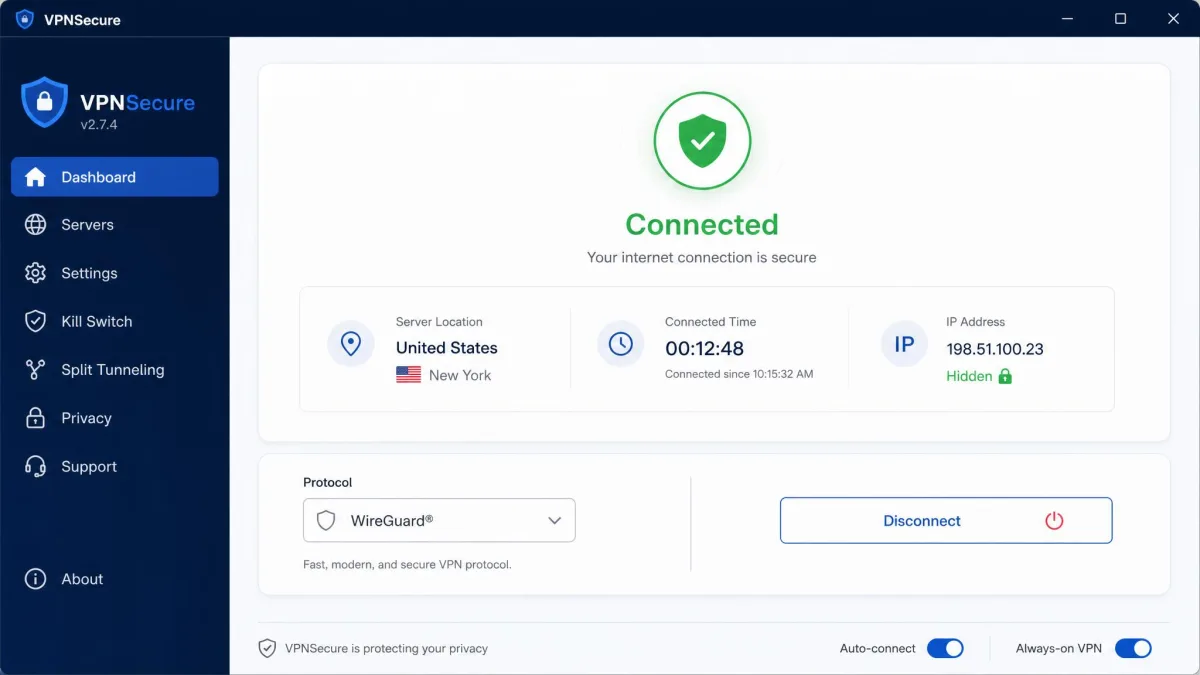
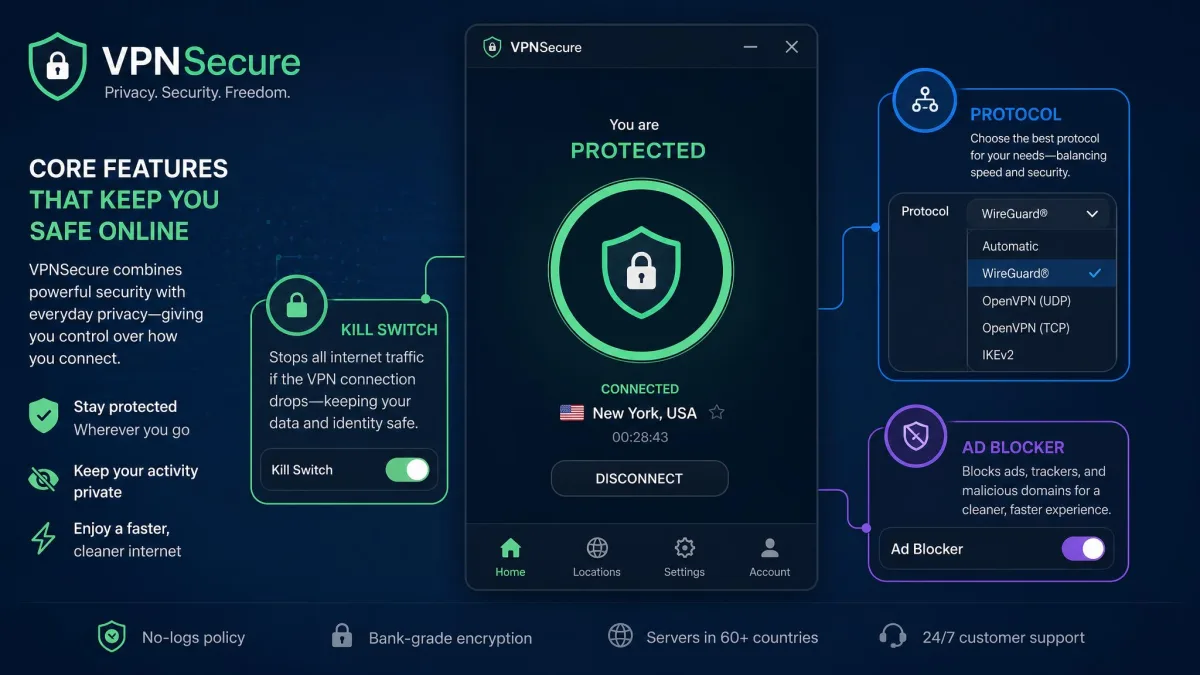
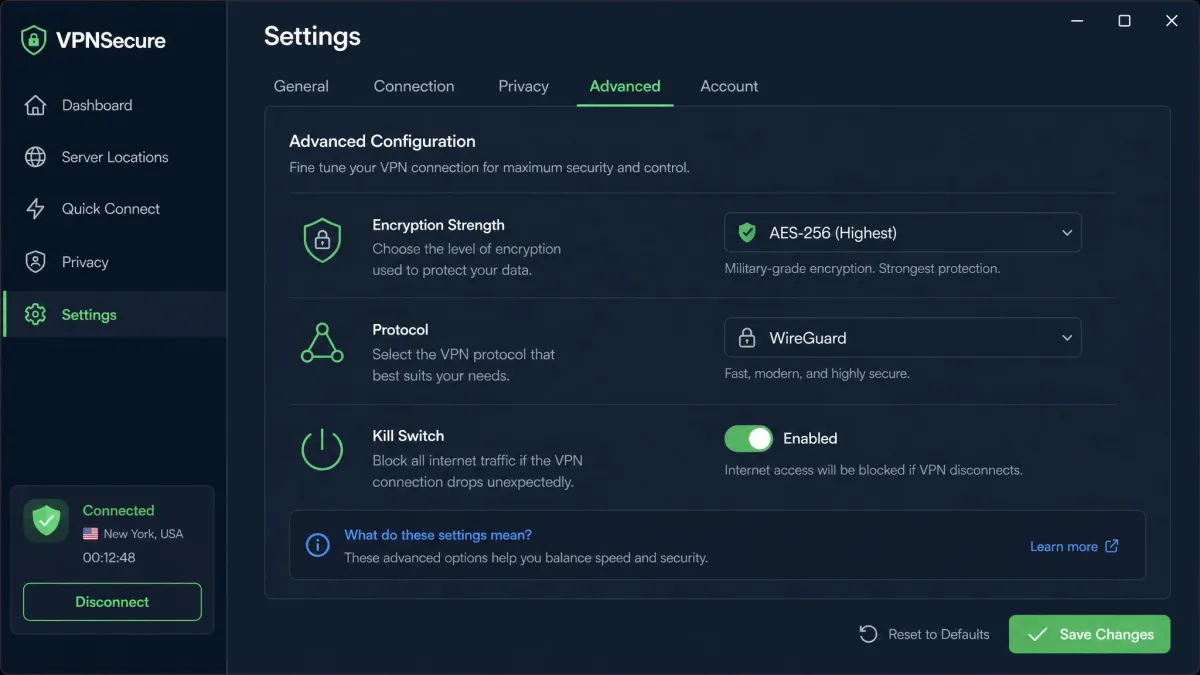
VPNSecure runs on OpenVPN and defaults to strong encryption. You can configure the cipher up to AES 256-bit, and that is the setting we would pick for anything sensitive. Worth noting: the app ships with a lighter 128-bit default, so it is on you to bump it up. The service also lists WireGuard support alongside OpenVPN, plus StealthVPN obfuscation for networks that try to block VPN traffic.
The flip side of all this choice is friction. Setup exposes granular controls over encryption strength, protocol, and routing, which advanced users will appreciate and beginners may find fiddly. If you just want one button that says connect, the extra knobs get in the way. We spent longer than usual in the settings screen just deciding what to change, which is fine for a tinkerer and off-putting for anyone who wants defaults that are already correct.
Logging Policy and Jurisdiction (Australia / 5 Eyes)
VPNSecure advertises a zero-logging policy, and the detail backs it up reasonably well. It does not log IP addresses, connection timestamps, bandwidth, or DNS requests. It does store your username, an encrypted password, and your email, which is normal for account management and not the kind of data that identifies your browsing.
Jurisdiction is messier. Historically the company was based in Australia, which is a member of the Five Eyes intelligence alliance. After the 2023 acquisition by InfiniteQuant Ltd, some sources place its legal home in the United Arab Emirates instead. The current jurisdiction is genuinely unsettled, so if a specific legal base matters to you, confirm it before you buy. For most casual users the logging policy carries more weight than the flag on the paperwork, but privacy purists will want a clearer answer than the company currently gives.
VPNSecure disclosed a security breach in 2020. It is old news, but combined with the ownership change it is a fair reason to weigh how much you trust the company with your traffic.
Kill Switch and Leak Tests (DNS / WebRTC)
This is the part that reassured us most. Our DNS and WebRTC leak tests came back clean, with no address leaking outside the tunnel. We ran the checks on more than one server to be sure the result was not a fluke, and they held each time. The kill switch also did its job, cutting the connection on both desktop and mobile when we forced a drop, so your real IP does not slip out if the tunnel fails. For a service with this many rough edges, the leak protection is genuinely solid and does what it claims.
Servers and Locations
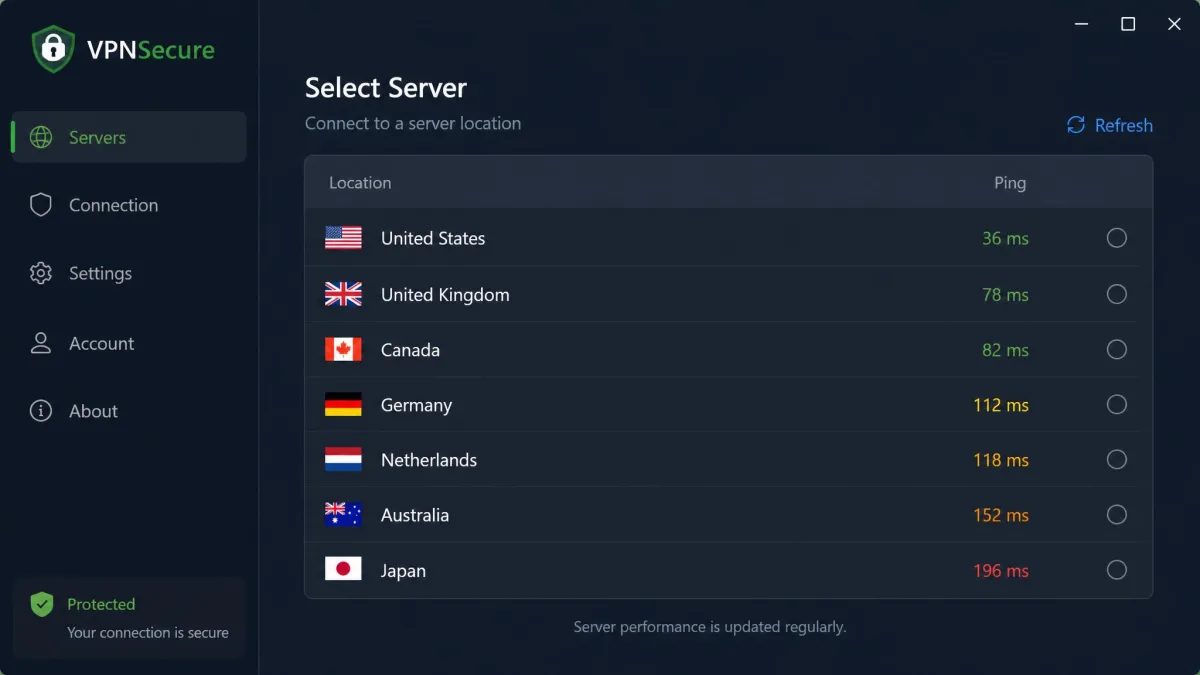
The server network is VPNSecure's structural weakness. It is small. Depending on which count you trust, the network sits somewhere between roughly 58 and 100 servers, and the figures appear to be shrinking rather than growing. Country coverage is quoted at 40-plus, and some sources push it closer to 50, but the raw server total is what limits you day to day.
A small network matters for two reasons. Fewer servers means fewer nearby options, which hurts speed, and it means more people sharing each location, which hurts consistency. Mainstream rivals run thousands of servers across their fleets, so the gap in location choice is stark. If you need a specific city or a lightly loaded endpoint, VPNSecure often will not have one.
There is a practical side to this too. When we wanted a server in a particular country, the list frequently offered one option rather than a spread of cities, so there was no fallback when a location performed poorly. On a large network you simply switch to the next nearby node. Here you often cannot, and that lack of a plan B is what the raw server count really costs you. For a niche use case with a nearby endpoint it is fine. For flexible, everyday coverage across regions, the thin roster shows quickly.
Speed and Performance
Speed is where the daily experience falls apart. Nearby servers are usable, but the drop grows fast as distance increases. Across our long-distance connections, download losses ran around half your bandwidth on average, and the worst cases were far steeper.
One test made the problem plain. On a long US-to-Philippines route, a 24 Mbps line collapsed to under 1 Mbps, with ping spiking past 200 ms. That is not a connection you can stream or video-call on. The high latency alone would break a voice call before bandwidth even entered the picture. For local browsing and light tasks on a close server, VPNSecure is fine. For anything demanding over distance, the overhead is punishing.
The takeaway is that VPNSecure is a regional tool, not a global one. If your work sends you across oceans to reach a specific country, the losses stack up in a way that faster rivals largely avoid. Plan around a nearby server and the experience is acceptable. Reach for a distant one and you feel every mile.
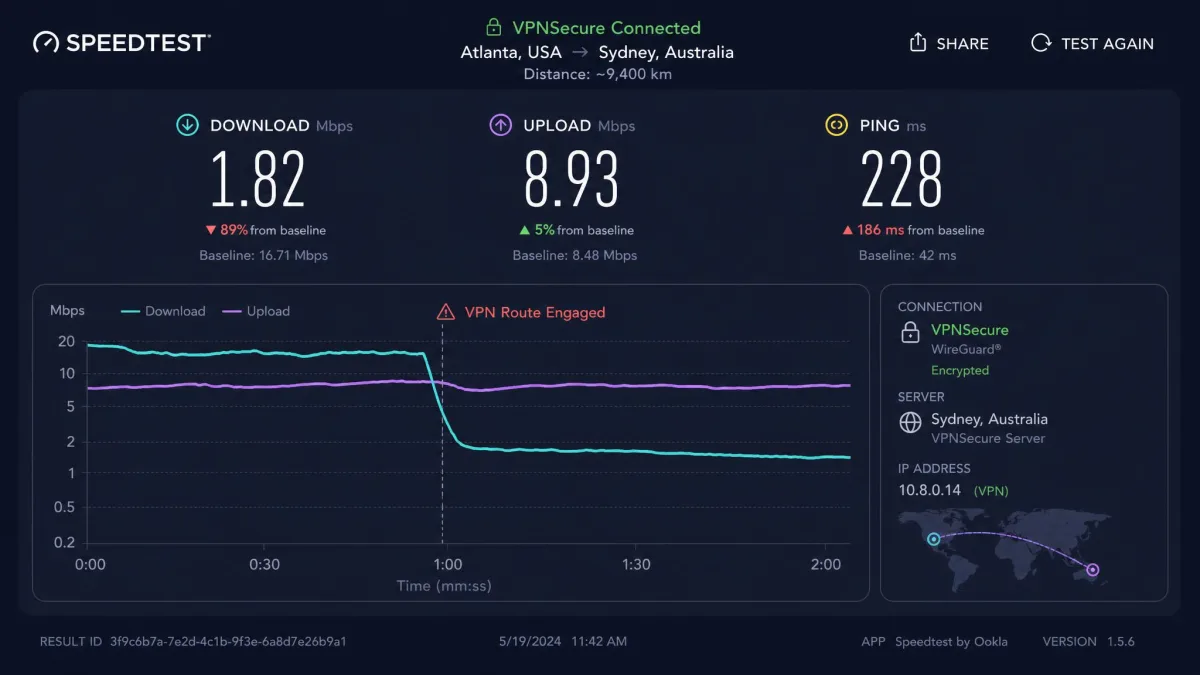
If you only connect to a server in your own region, speeds are tolerable. The steep losses show up on long-haul routes, so match the server to the task and keep it close when you can.
Streaming (Netflix and SmartDNS)
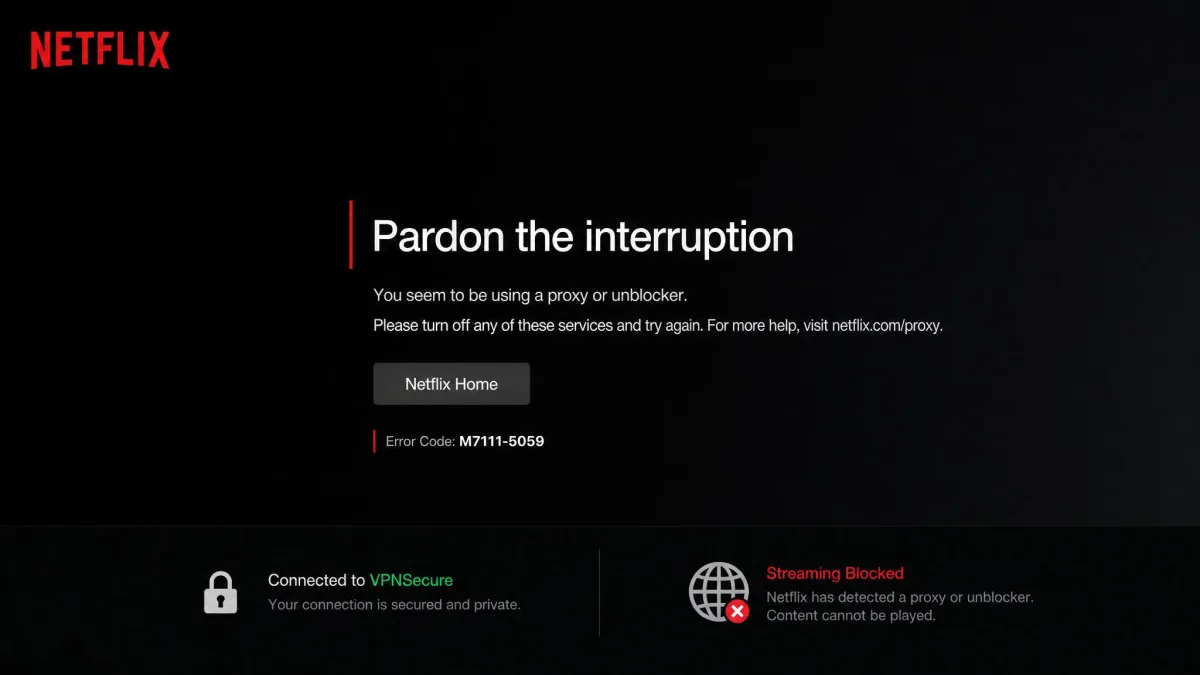
Streaming is the reason many people buy a VPN, and here VPNSecure disappoints. In our attempts, Netflix detected and blocked the connection almost immediately, and BBC iPlayer and HBO did the same. The block came fast, with the connection flagged within seconds of loading the app, which usually means the service knows the server's addresses and has already blacklisted them.
Support across the wider catalog is thin. Netflix, Amazon Prime Video, Hulu, Max, and ITVX all stayed blocked. Only Disney+ in standard definition and Peacock got through cleanly in testing. VPNSecure does offer a SmartDNS feature aimed at streaming on devices that cannot run the app, but it did not rescue the major services for us. If unblocking Netflix is on your list, this is not the tool, and no amount of switching servers changed that outcome.
Torrenting and P2P
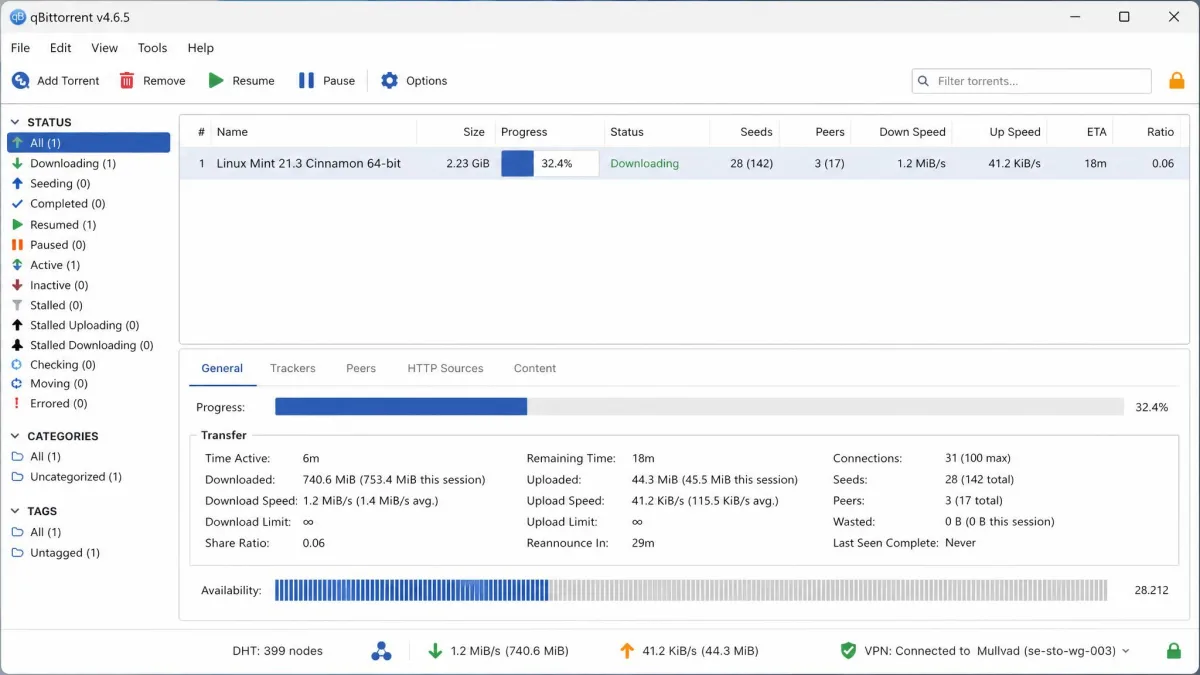
Torrenting fares a little better than streaming, but only just. P2P traffic is allowed on roughly 90% of the servers, so you are not boxed into a tiny subset. The catch is speed. P2P download rates are slow, and there are no dedicated P2P-optimized servers to lean on.
The result is a service that permits torrenting without being good at it. A large download that would finish in minutes elsewhere drags out here, and with no P2P-tuned endpoints there is no obvious way to speed it up. Combined with the disputed jurisdiction and the small network, we would not choose VPNSecure as a torrenting VPN when faster, P2P-focused options exist for similar money.
Pricing and Plans
Pricing is where VPNSecure looks most tempting, and also where the terms get slippery. The headline monthly rate is $9.95 a month. The long commitment is far cheaper, landing at $2.99 a month on the three-year plan, sourced from VPNSecure's pricing page. There is also a $1 intro offer for the first month before it reverts to the standard monthly rate.
The annual plan is harder to pin down. Billed yearly, the per-month rate lands somewhere around $4.99 to $6.66 depending on the promotion running and the exact plan. Confirm the current billed figure at checkout rather than trusting a headline number, because it moves. The three-year rate is the only price that makes VPNSecure look genuinely cheap, and locking in three years with this company is a bigger ask than the sticker suggests.
The 2023 acquisition ended previously sold lifetime subscriptions, and many long-time buyers report losing access without compensation. If you are shopping partly on price, factor that history into how much you trust a long prepaid commitment here.
Free Trial and Money-Back Guarantee
VPNSecure advertises a 30-day free trial, which is generous on paper. Read the fine print, though. The trial may be capped by data, protocol, and server selection depending on how you claim it, so it is not always the full product for 30 days. Test the features that matter to you during that window rather than assuming the trial mirrors the paid tier exactly.
The money-back guarantee is quoted inconsistently. Most sources list a 30-day window, but some terms show a shorter 7-day window, and refunds can be refused if the stated reason is not accepted. That conflict is not academic. If you sign up expecting a full month to change your mind and the terms you actually agreed to grant only a week, you can miss the window before the long-distance speed problems even show themselves. Treat the guarantee as a soft safety net rather than a no-questions-asked promise, keep your own records, and screenshot the refund terms shown on the page you buy through in case they differ later.
Payment Methods
Payment options are a genuine strength. VPNSecure accepts PayPal, Visa, Mastercard, Amex, Discover, and UnionPay, along with a wide range of cryptocurrencies including Bitcoin, Ethereum, USDT, Litecoin, and Dogecoin. If paying with crypto for privacy reasons matters to you, the coverage here is broader than most, and it fits the security-minded audience the product otherwise targets.
Device Compatibility and Ease of Use
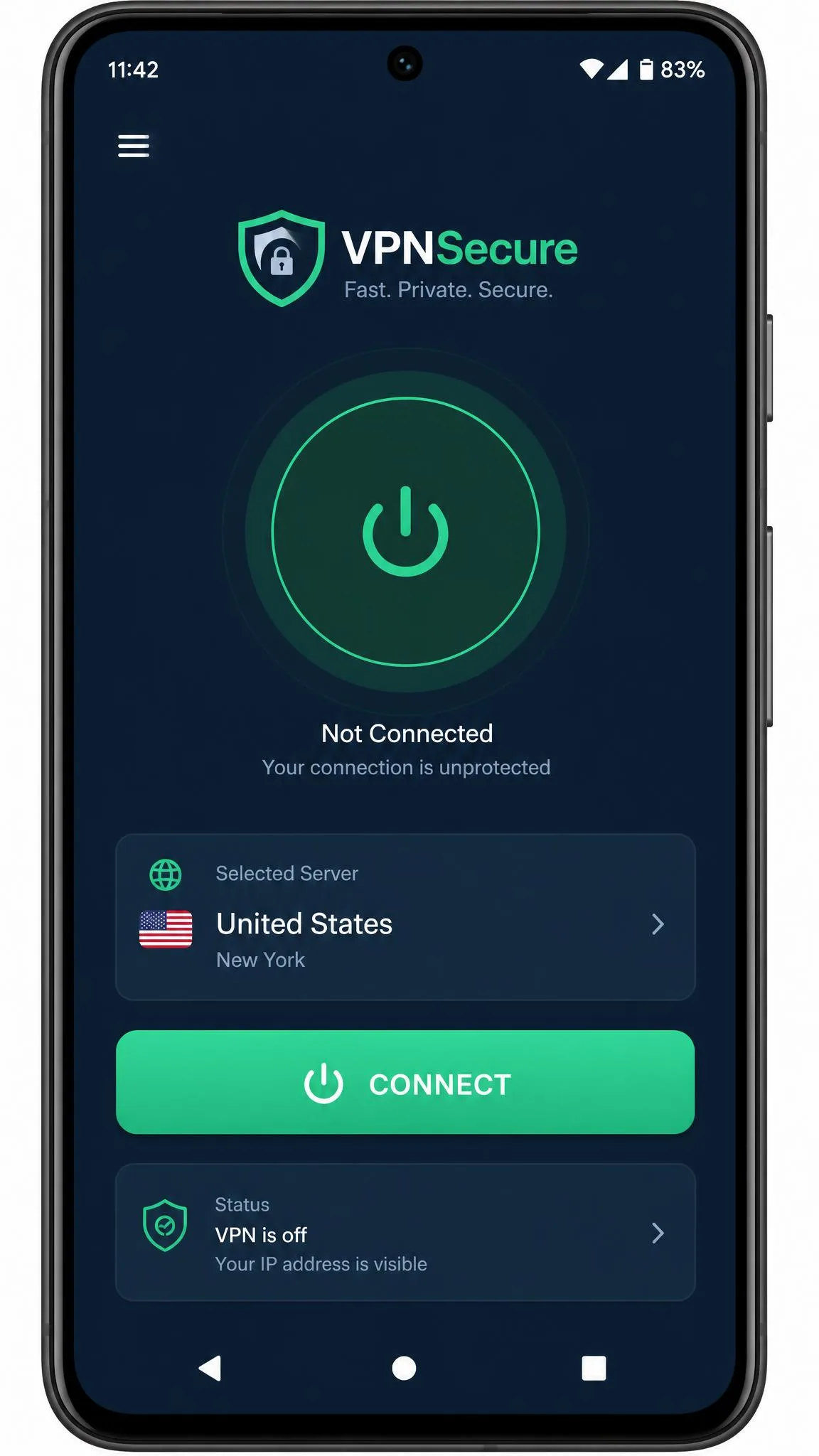
VPNSecure covers the platforms you would expect. There are apps for Windows, macOS, Linux, iOS, and Android, browser extensions for Firefox and Chrome, and support for routers and Firestick. That router support is useful for covering devices that cannot run a VPN app directly, and it is the natural way to stretch a low device limit across a whole household.
The simultaneous-connection limit is the frustrating part. It is quoted inconsistently as 5, 10, or even unlimited devices across different sources, so verify the number against your current plan terms before you count on it. Ease of use lands at intermediate. The apps work and connect quickly, but the emphasis on granular controls means the experience rewards tinkerers more than newcomers. Someone comfortable choosing a protocol and cipher will feel at home; someone who wants a clean one-tap connection will find more here than they asked for.
Customer Support
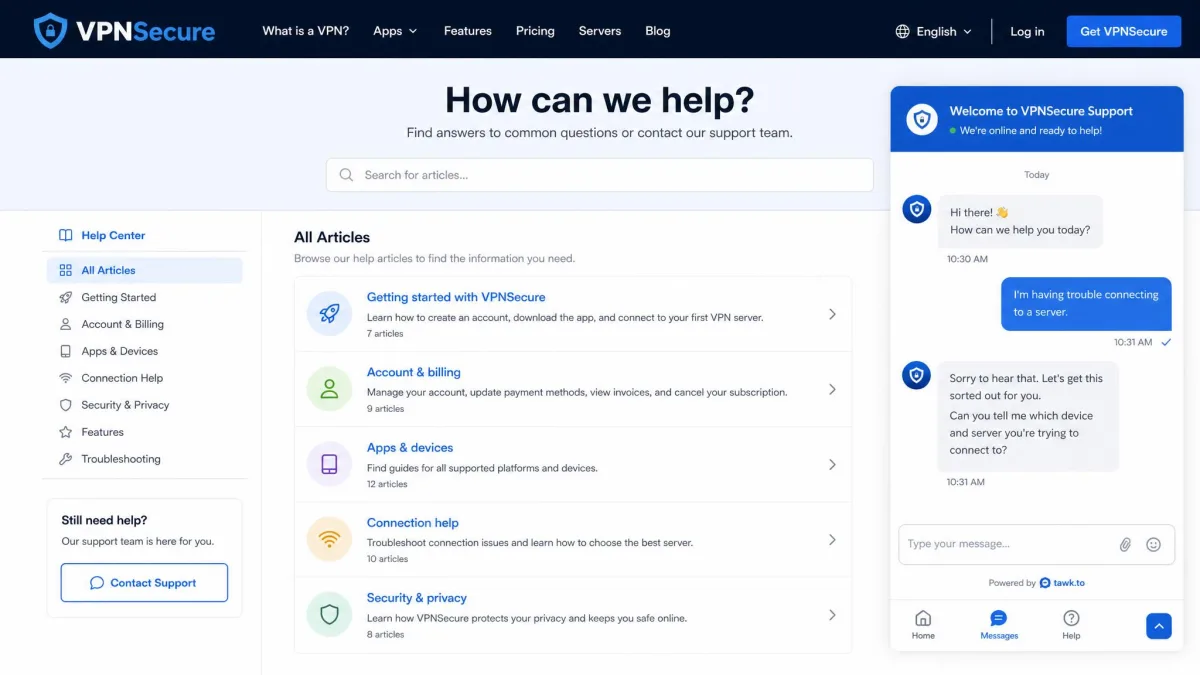
Support is uneven, and the experience seems to depend on when and how you reach out. In some cases, live chat answers within minutes. In others, you land in an email ticket queue with slow replies and little urgency. Buyer feedback leans negative, with a recurring complaint that support can be dismissive and slow to resolve real problems. That gap is not trivial. A slow ticket queue on a VPN can leave you disconnected for days while the subscription keeps billing, and the buyer complaints repeatedly single out refund requests and account-access problems that dragged on with little follow-up.
Given how much the ownership change has shaken buyer trust, responsive support would go a long way here. Right now it is a coin flip, and that inconsistency is hard to recommend around. When something goes wrong with a VPN, the speed of a real answer often matters more than any spec, and VPNSecure cannot promise that answer will come quickly.
VPNSecure Alternatives
If VPNSecure's gaps are dealbreakers, and for streaming and speed they will be for most people, the mainstream names solve exactly those problems. NordVPN, ExpressVPN, and Surfshark all run far larger networks, unblock Netflix reliably, and hold speed better over distance. The table below shows how VPNSecure stacks up on the specs that matter.
| Product | Buy | Price | Servers | Countries | Netflix |
|---|---|---|---|---|---|
 |
Check price → | ~$2.99/mo (3-yr) | ~58 to 100 | 40+ | Blocked |
 |
Check price → | $3.49/mo (2-yr) | 9,300+ | 110+ | Yes |
 |
Check price → | ~$2.79/mo | Undisclosed | 105+ | Yes |
 |
Check price → | $2.49/mo (2-yr) | ~4,500 | 100 | Yes |
The pattern is clear. VPNSecure is competitive on the sticker price and nothing else. NordVPN and Surfshark cost about the same or less per month, run vastly bigger networks, and actually stream. Surfshark even lifts the device cap to unlimited, which sidesteps VPNSecure's muddled connection limit entirely. For most buyers, the mainstream trio is the more sensible place to spend the money.
Frequently Asked Questions
Is VPNSecure safe to use?
Which streaming services actually work with VPNSecure?
Is VPNSecure good for torrenting?
Is VPNSecure free?
Is VPNSecure fast enough for video calls and 4K?
What happened to VPNSecure's lifetime subscriptions?
Final Verdict
VPNSecure is a hard product to recommend to a general audience, even though it does some things genuinely well. If you are an advanced user who wants configurable encryption, clean leak protection, and crypto payment options, and you rarely stream, it can serve at a low three-year price. For that narrow profile, it is defensible.
Everyone else should look at the alternatives first. If streaming or reliable speed is anywhere on your list, NordVPN is the safer pick at a comparable price, and Surfshark is the value choice with unlimited devices. VPNSecure's small network, blocked streaming, and shaky post-acquisition reputation are too much to overlook when better-rounded options cost about the same.