You're here because you keep seeing VPN ads and sponsorships everywhere, and you want a straight answer: do you actually need one, or is it just another subscription? It's a fair question. The honest response is that it depends on what you do online and where you do it.
Here's the short version before we get into the detail. If you use public Wi-Fi often, travel a lot, or want to keep your browsing away from your internet provider, a VPN is worth it. If you mostly browse modern secure sites from your home network, you can probably skip it. Neither answer is wrong, and this guide will help you land on the one that fits your life.
We've run VPNs through speed and streaming tests and lived with them day to day. So what follows is what we've actually seen rather than marketing copy. That hands-on time shapes everything below, and it's why we spend as much space on the limits as on the benefits.
What a VPN actually does
A VPN, or virtual private network, routes your internet traffic through an encrypted tunnel to a server run by the VPN provider. To any website, network, or observer between you and that server, your data looks scrambled and your real IP address is hidden behind the server's address.
In practice, that gives you a few concrete things. It encrypts your traffic so people on the same network can't read it, it masks your real location by swapping your IP for the server's, it hides your browsing from your internet provider, and it lets you connect as if you were in a different country. Those last two are why VPNs get tied to both privacy and streaming.
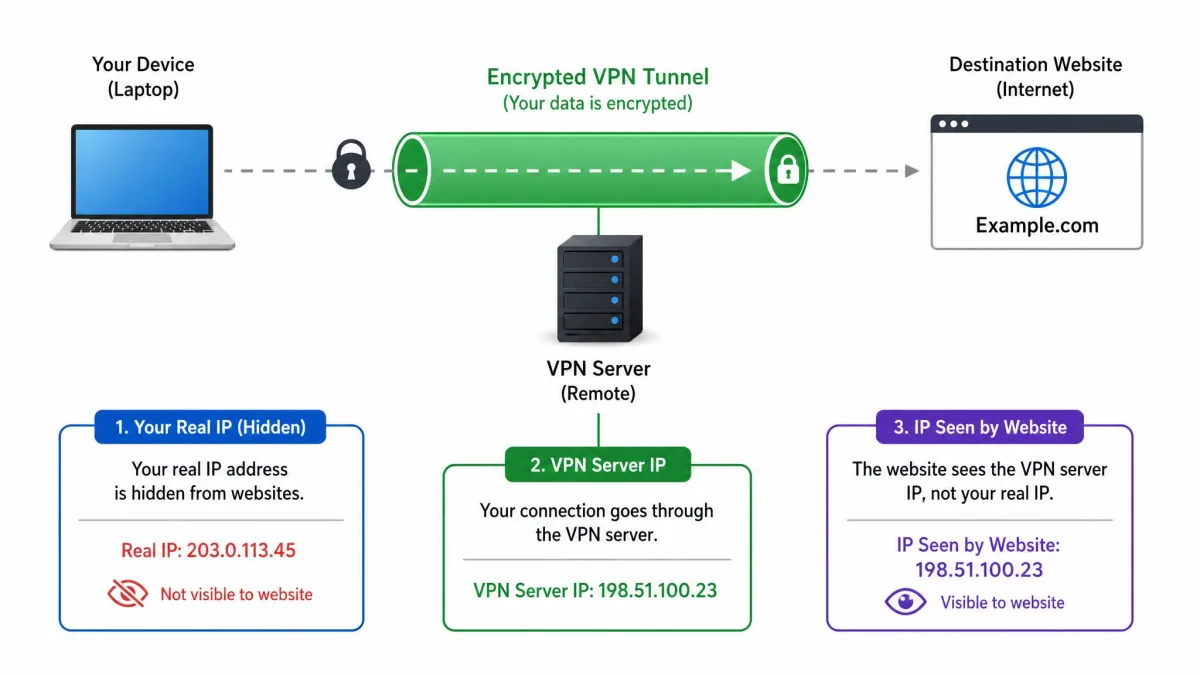
Think of it as an extra layer of security wrapped around your connection. It doesn't change what you do online, it changes who can see it and where the internet thinks you are. That's the whole idea, and understanding that boundary is the key to deciding whether you need one.
For a deeper look at the mechanics, the EFF's guide to choosing a VPN walks through how the encryption and trust model works before you commit to any provider.
Should you get a VPN? The short answer
It depends on your threat model, which is a fancy way of saying it depends on what you're trying to protect and from whom. There's no universal yes or no here, and anyone who tells you otherwise is usually selling something.
Ask yourself one honest question: do I regularly use networks I don't control, or want my provider and the sites I visit to know less about me? If the answer is yes, a VPN earns its place. If you're a homebody on a private network visiting sites that already use HTTPS, the security benefit is smaller than the ads suggest. Most everyday browsing on modern sites is already encrypted at the connection level, so the gap a VPN fills is narrower than it once was.
So the decision comes down to your habits, not fear. The sections below sort out exactly who gains the most, so you can match the tool to your actual life instead of a worst-case scenario.
Who really needs a VPN
Some people get real, tangible value from a VPN every day. Others buy one and forget it's running. These are the groups where we'd say the case is strongest, based on what the tool is genuinely good at.
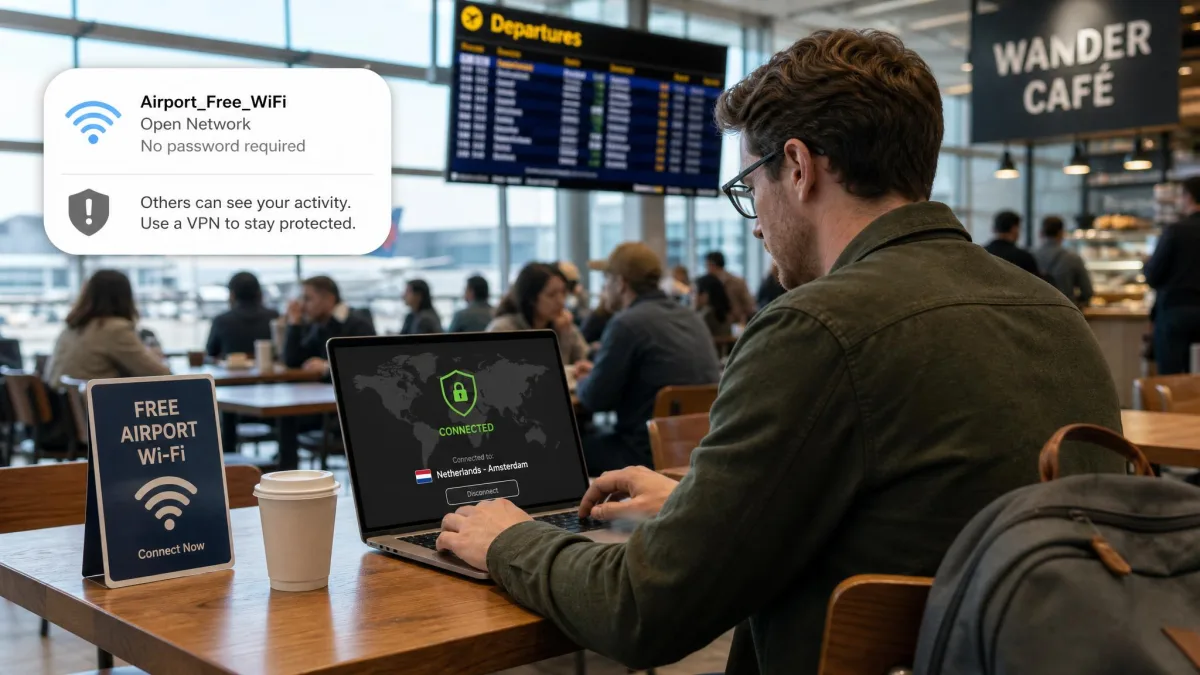
Public Wi-Fi users and remote workers
Open networks at airports, hotels, and coffee shops are the classic case. You don't control who else is on that network, and a VPN keeps your traffic encrypted so a stranger on the same connection can't snoop on it. This is the single most widely-agreed reason to use one.
Remote workers get the same benefit with a bonus: many jobs require a VPN to reach internal company systems safely. If you handle client data or log into work tools from different locations, that encrypted tunnel is doing real work every time you connect.
Travelers and streamers
When you travel, a VPN lets you connect through a server back home, so region-locked banking apps, news sites, and streaming libraries behave the way they do on your own couch. It also helps on the sketchy hotel and airport networks you'll rely on abroad.
Streaming is where expectations need a reality check. Services actively block VPN server addresses, so a server that unblocks a catalog one day can quietly stop working the next. In our testing this is a constant cat-and-mouse game, and switching servers is the usual fix when a stream suddenly refuses to load.
If a streaming service or site stops working while your VPN is on, switch to a different server in the same country before assuming the VPN is broken. Data-center addresses get blocked in batches, and a fresh server often clears it.
Journalists, activists, and privacy-conscious users
For people working around censorship or surveillance, a VPN can be genuinely important. It helps you reach blocked content and keeps your browsing private from a network operator or provider that's watching. In countries that filter the internet, it can be the difference between reaching a site and hitting a wall.
That said, a VPN is one tool in a bigger kit here, not a magic shield. Anyone whose safety depends on it should pair it with other practices, because shifting your trust to the VPN provider is still shifting trust to someone. If your risk is high, treat the VPN as a starting layer rather than the whole plan.
The benefits of using a VPN (pros)
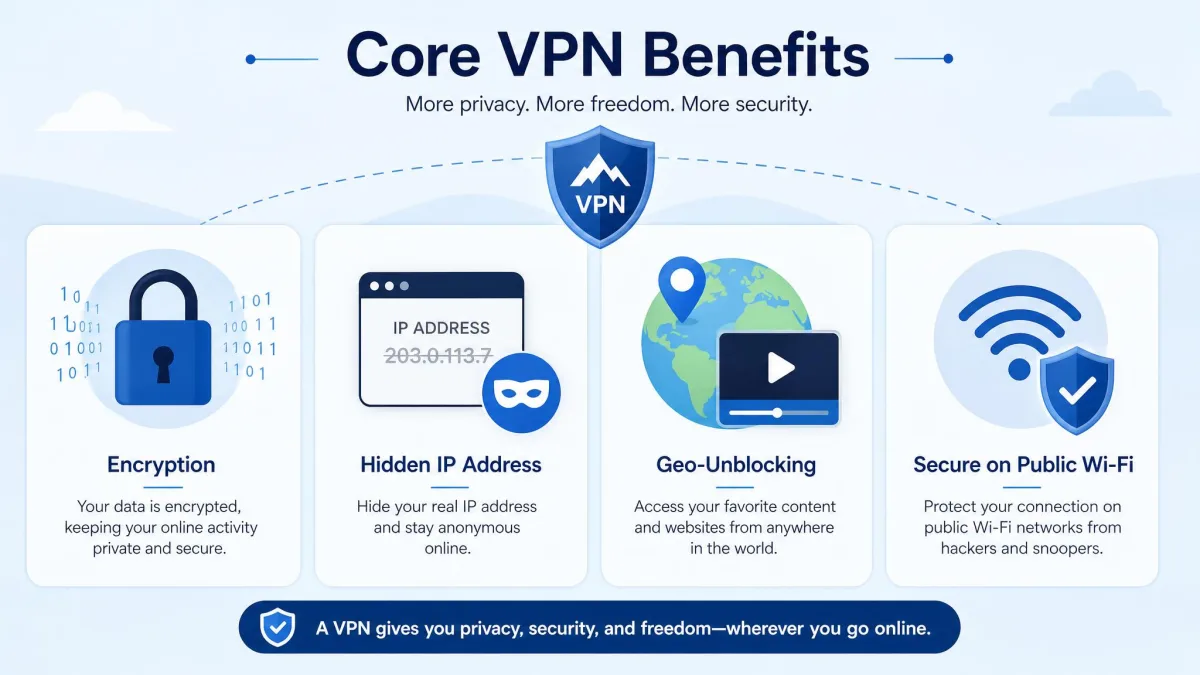
The upsides are real and easy to describe. A VPN gives you privacy on networks you don't control, strong encryption for everything you send, the ability to unblock geo-restricted content, and a way to stop your internet provider from throttling or logging specific activity.
Pros
- Encrypts your traffic so others on public Wi-Fi can't read it
- Hides your IP address and real location from the sites you visit
- Unblocks geo-restricted streaming, news, and services while traveling
- Stops your internet provider from seeing and throttling your activity
- Adds a useful layer of security for remote work and sensitive tasks
Cons
- It's an ongoing cost, and cheap intro prices jump at renewal
- It slows your connection, though usually only a little on a good provider
- It can create a false sense of total anonymity that isn't real
- Some sites, streaming services, and banks actively block VPN traffic
The downsides and limitations (cons)
Every VPN has trade-offs, and pretending otherwise does you no favors. The first is speed. Routing your traffic through an extra server adds overhead, and testing across a broad range of services puts the average speed loss at about 20%.
The good news is that a strong provider barely registers. Premium services running a modern protocol on a nearby server typically lose under 10% of your baseline speed. A 5 to 15% drop is normal and effectively unnoticeable for browsing, 4K streaming, and video calls. The slowdown becomes obvious mainly when you connect to a far-away server or lean on a congested free one.
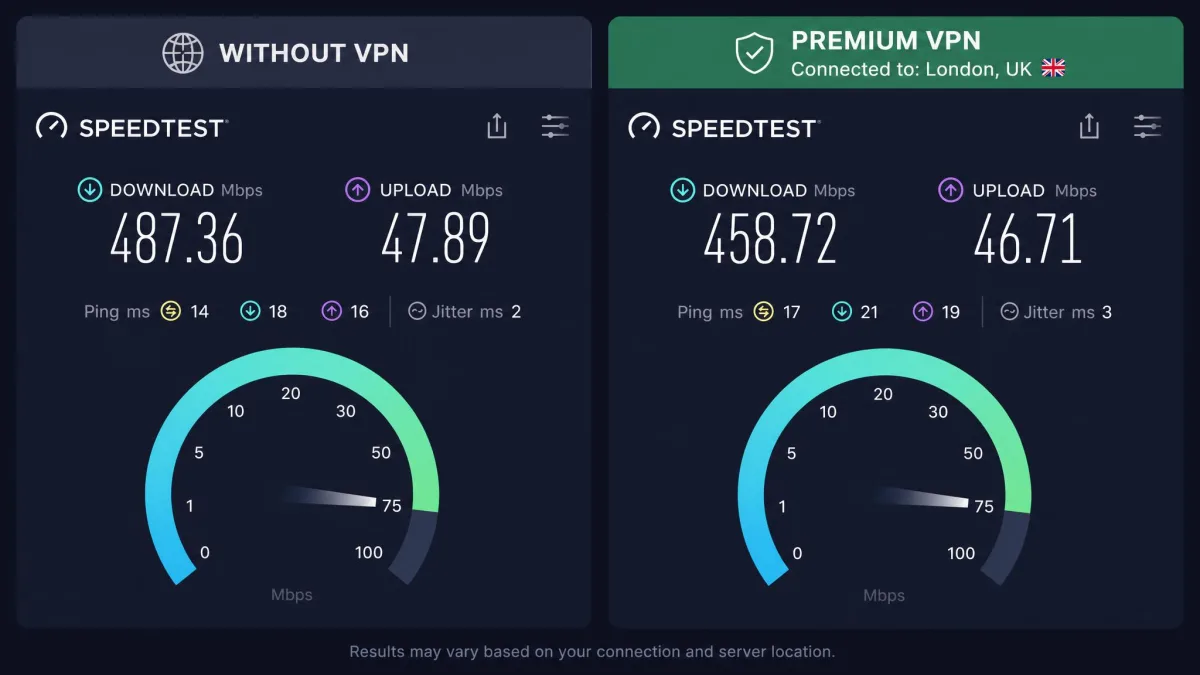
The second downside is cost, which we'll break down below. The third is subtler: a VPN can breed overconfidence, tempting people to relax the everyday defenses it was never built to cover. The fourth is friction. Using a VPN can trigger repeated captchas and Cloudflare challenges on sites like Reddit, where the data-center addresses VPNs use get caught in anti-abuse filters.
A premium VPN on a nearby server is effectively invisible in daily use. Browsing, 4K streaming, and video calls feel unchanged, which is the clearest sign you've picked a good one.
— From our hands-on VPN testing
When you probably don't need a VPN
If you spend most of your time on your own home network browsing sites that already use HTTPS, the day-to-day security gain is modest. Modern browsers and websites encrypt the connection itself, so the "anyone can see everything you do" pitch doesn't hold up the way it did a decade ago.
You also don't need one running constantly just because you own it. Plenty of people leave a VPN on out of habit and trade speed and the occasional captcha for protection they aren't actually using at that moment. If you're reading email at home on a trusted network, there's little to gain.
Most casual users on modern sites and home networks don't strictly need a VPN for everyday browsing. That doesn't make it useless. It just means you should turn it on for the situations that call for it rather than treating it as always-on insurance.
What a VPN can't do
This is where a lot of buyers get the wrong idea, so it's worth being blunt. A VPN is not a full anonymity or security guarantee. It hides your IP and encrypts your traffic, but it does not make you invisible.
It won't stop malware or phishing, because those arrive through what you click and download, not through your IP. It doesn't block cookies or browser fingerprinting, which sites use to track you regardless of your address. It can't hide your identity from any service you log into, since you've told them who you are. And it is not a failsafe against a determined government.
Don't let a VPN lull you into risky behavior, because it protects your connection, not your habits. It won't save you from a malicious download, a phishing email, or logging into a fake site, so keep using strong passwords, two-factor authentication, and a healthy dose of skepticism.
Free vs. paid VPNs: what to expect
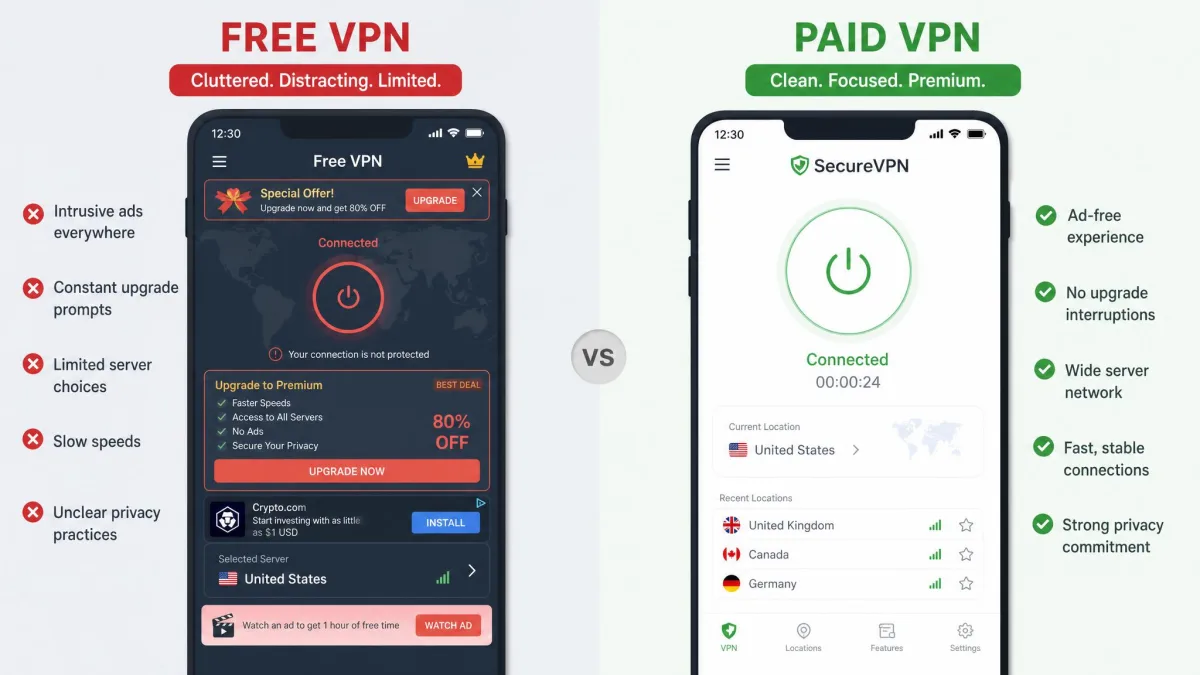
The gap between free and paid VPNs is bigger than most people expect. It usually comes down to what the free service does to cover its costs, because when you're not paying money, you're often paying with your data instead.
| Row | Paid VPN (premium) | Free VPN |
|---|---|---|
| Effective monthly cost | About $2.50 to $3.50 on long-term plans | $0 upfront |
| Typical speed loss | Under 10%, with 5 to 15% normal | 30% to 70% |
| Data caps | Usually unlimited | Common caps, with Proton VPN Free a notable exception |
| Streaming and geo-unblocking | Works, though blocks are a moving target | Frequently blocked |
| Privacy risk | Audited no-logs providers | High: studies flag malware and data-selling |
Paid services give you fast servers, no data caps, and a business model that doesn't depend on selling your activity. Free ones frequently come with data caps, crowded slow servers, and aggressive data collection, so "free" often costs your privacy instead of your money. There's one widely-cited exception worth knowing: Proton VPN Free offers unlimited data and a real no-logs stance.
In our testing, the difference is immediate. A good paid VPN on a nearby server feels like the VPN isn't even there, while free apps often crawl on congested servers and nag you toward an upgrade. That contrast is the clearest argument for paying.
How to choose the right VPN
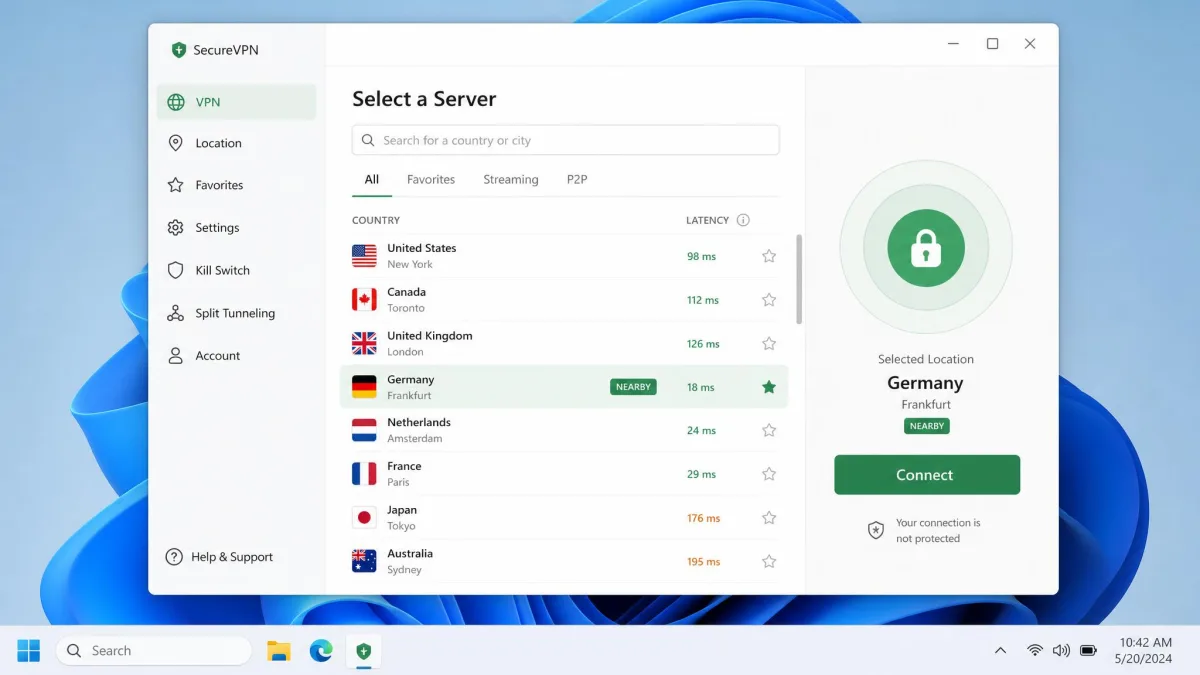
Once you've decided you want one, the choice comes down to a handful of criteria that actually matter. It starts with the privacy policy. You want an audited no-logs provider, ideally one that's published an independent security review, because that's the whole point of shifting your trust to them.
From there, look at server locations near you and in the countries you care about, connection speed on a modern protocol, and whether the apps cover every device you use. A working money-back guarantee matters too, so you can test streaming and speed on your own connection before you commit. Independent testers like Consumer Reports are a useful sanity check against marketing claims.
Skip anything that's vague about who owns it, where it's based, or how it makes money. A provider that hides its ownership is asking you to trust a stranger with everything you do online, and that's exactly the thing a VPN is supposed to prevent.
How much should you pay?
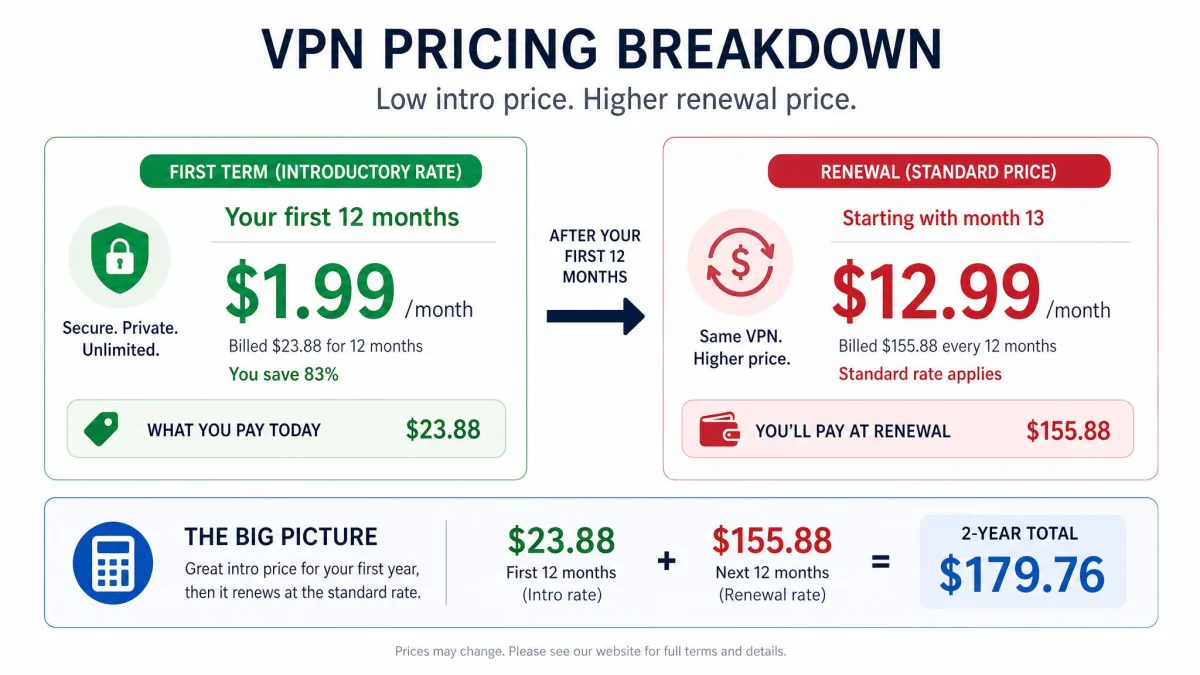
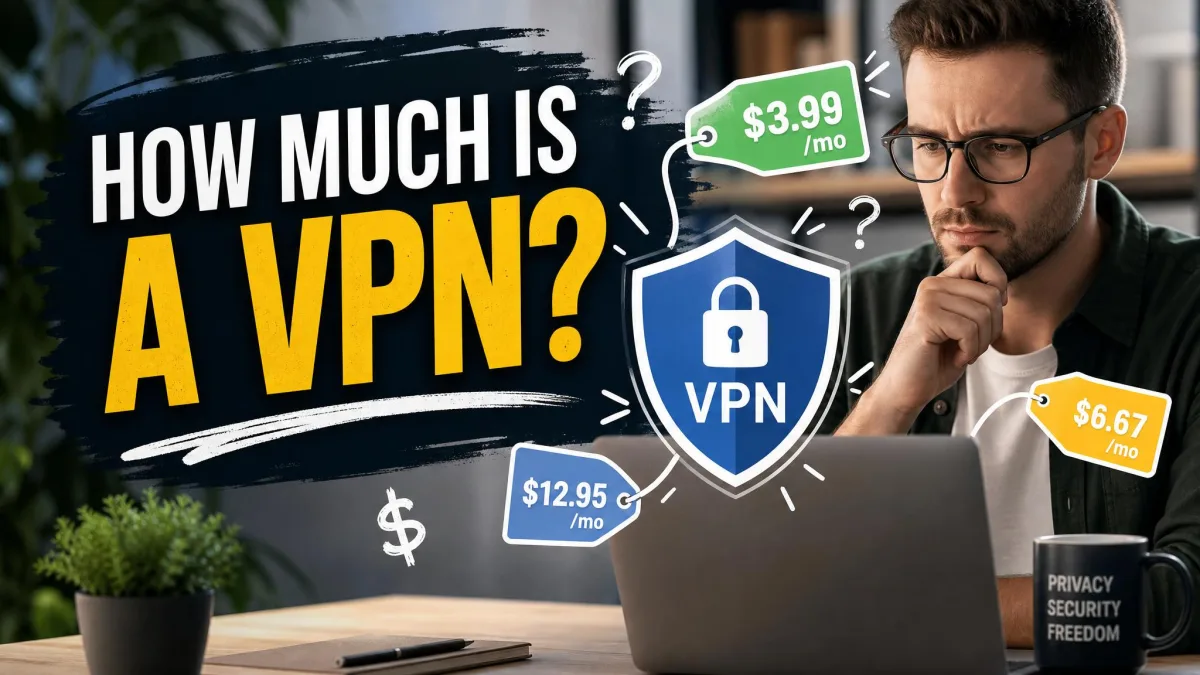
Pricing is where VPN marketing gets slippery, so know the pattern before you buy. Standalone month-to-month plans from mainstream providers run roughly $13 to $20 a month, which is the most expensive way to buy. Commit to a one or two year plan, though, and the effective price drops to around $2.50 to $3.50 a month.
Here's the catch we've watched trip people up: that cheap headline rate is an intro price. Discounted multi-year plans renew at the full annual rate once the first term ends, commonly $79 to $100 or more per year. The month-to-month plan can cost several times the long-term per-month rate, which is how the low numbers in the ads work.
When you buy a long-term VPN plan, set a calendar reminder a week before it renews. That's the moment to cancel, switch, or renegotiate before the discounted rate jumps to full price.
Our practical advice: pick a provider with a solid guarantee, buy a longer term once you're happy, and treat the renewal date as a decision point rather than an autopilot charge.

Common mistakes people make
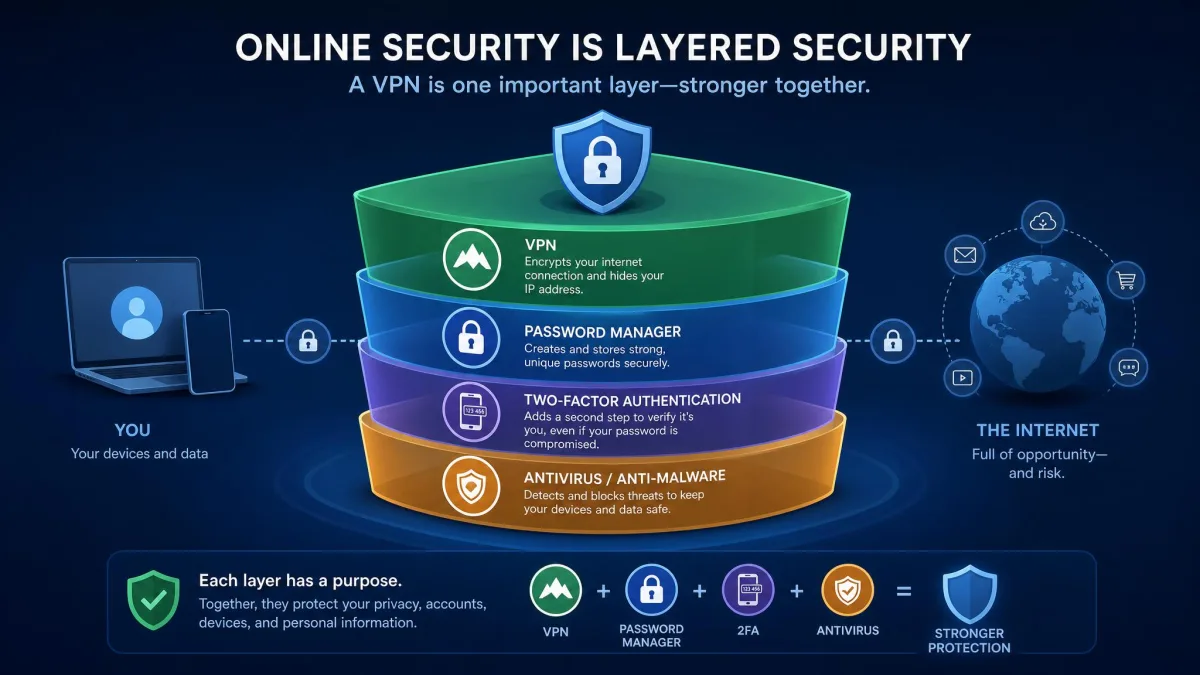
The biggest mistake is treating a VPN as a force field and letting the other defenses lapse. That false confidence is where people actually get burned, so keep your passwords, two-factor, and antivirus in play alongside it.
The second is grabbing a random free app from the store because it's free, which is the riskiest corner of the market, and the risks are well documented. Third, people forget the renewal trap and end up paying full price for years without noticing. Fourth, they blame the VPN when a site breaks instead of simply switching servers, which is usually the quick fix.