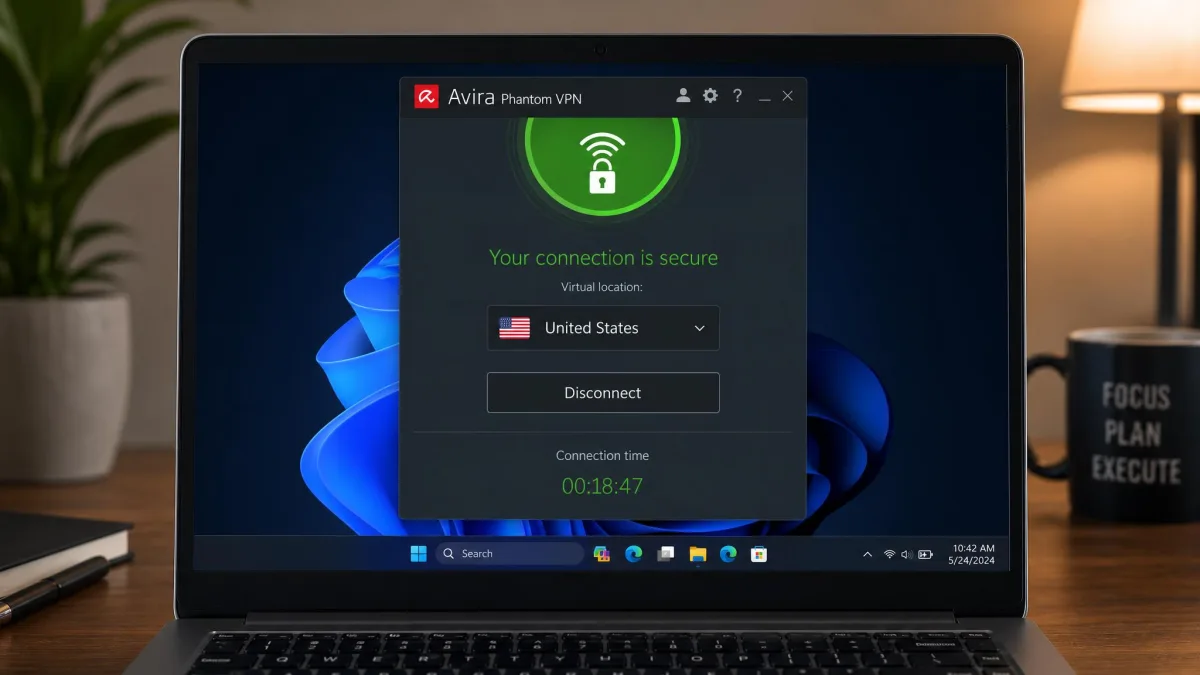
Avira Phantom VPN is a German-built virtual private network that ships alongside Avira's antivirus products and is also sold on its own. It uses AES 256-bit encryption, keeps a no-logs policy, and offers a genuinely free tier, which makes it an easy add-on for anyone already inside the Avira ecosystem. Our verdict up front: it is a competent, simple VPN that works for casual browsing and basic privacy, but it falls short of the dedicated services on speed, server count, streaming reliability, and independent proof of its privacy claims. If you want a set-it-and-forget-it tool bundled with your antivirus, it does the job. If a VPN is your main event, better value sits elsewhere.
We ran Avira Phantom VPN across Windows, macOS, and Android over a week of daily use, testing its speeds against nearby and distant servers, checking it for DNS and IP leaks, and pushing it at Netflix, Prime Video, and a few torrents to see where it holds up and where it cracks. What follows is what we found, section by section, so you can match it against how you actually plan to use a VPN.
Avira Phantom VPN at a Glance (Verdict & Rating)
When it comes to the short version, Avira Phantom VPN is a middle-of-the-road service that trades power for simplicity. The app is clean, the encryption is strong, and the free plan lets you try it with no payment details. Those are real strengths for a first-time VPN user, and they explain why the service keeps a loyal following among people who never wanted a complicated tool in the first place.
The gaps are just as clear. The network spans only around 1,400 servers, speeds sag on anything but nearby connections, streaming is hit and miss beyond Netflix, and Avira has never published an independent audit of its no-logs claim. Sitting in Germany, a 14 Eyes member, that missing audit matters more than it would for a VPN in a privacy-friendly jurisdiction. None of this makes Phantom VPN a bad product. It makes it an average one competing against a market full of sharper, cheaper options.
Pros and Cons
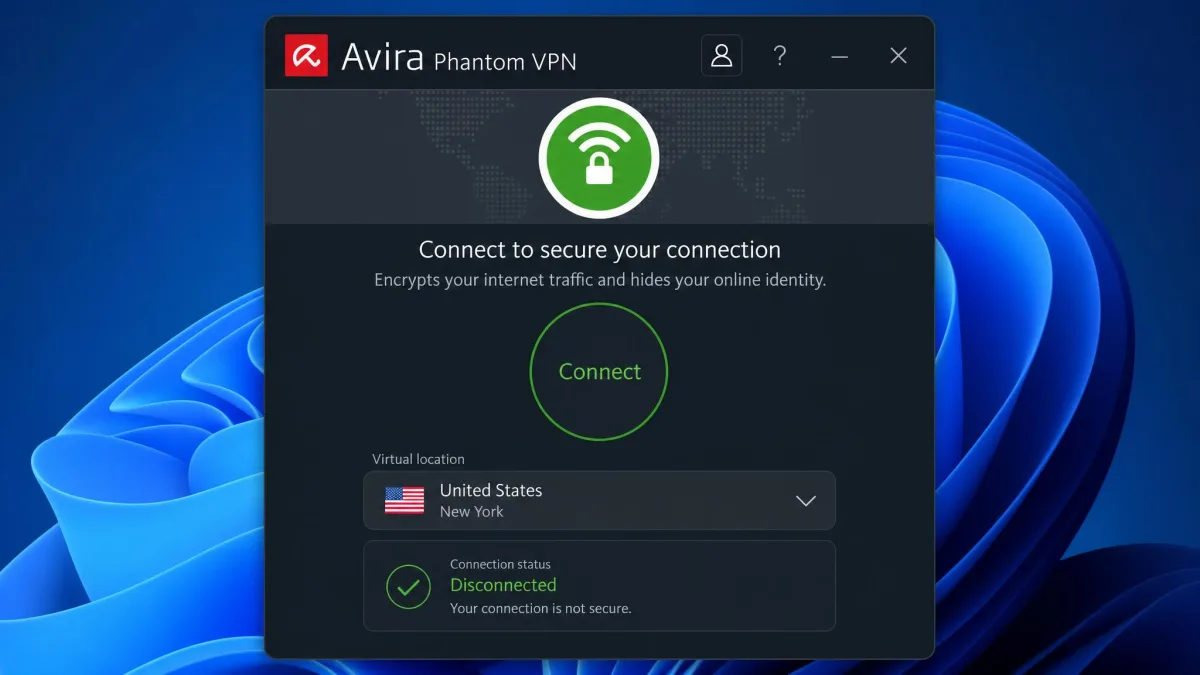
We weigh a VPN on privacy, speed, streaming, device support, and value. Avira Phantom VPN lands cleanly on the privacy basics and the price of entry, and stumbles on the things power users care about most. Here is the balance sheet before we get into the detail.
Pros
- Strong AES 256-bit encryption with a no-logs policy
- Genuinely free plan, no payment details required
- Unlimited simultaneous connections on paid plans (PCMag cites a 25-device cap)
- Simple, beginner-friendly app across Windows, Mac, iOS, and Android
- Unblocks Netflix US, Prime Video, and Max
- Generous 60-day money-back guarantee on annual plans
Cons
- No published independent audit of the no-logs claim
- Based in Germany, a 14 Eyes jurisdiction
- Only around 1,400 servers in roughly 35 to 37 countries
- Speeds drop sharply on distant servers
- No Linux app, no router support, no split tunneling
- Kill switch is limited to paid tiers
Pricing and Plans: Free vs Pro
Avira sells Phantom VPN in a few shapes: a free plan, a full Pro subscription for all your devices, a cheaper mobile-only plan, and the VPN folded into the Avira Prime security bundle. The right one depends on whether you want the VPN alone or as part of a wider antivirus package. Most people will land on either the free plan for occasional use or the annual Pro plan for everyday coverage.
Free Plan Limits (Data Cap & Devices)
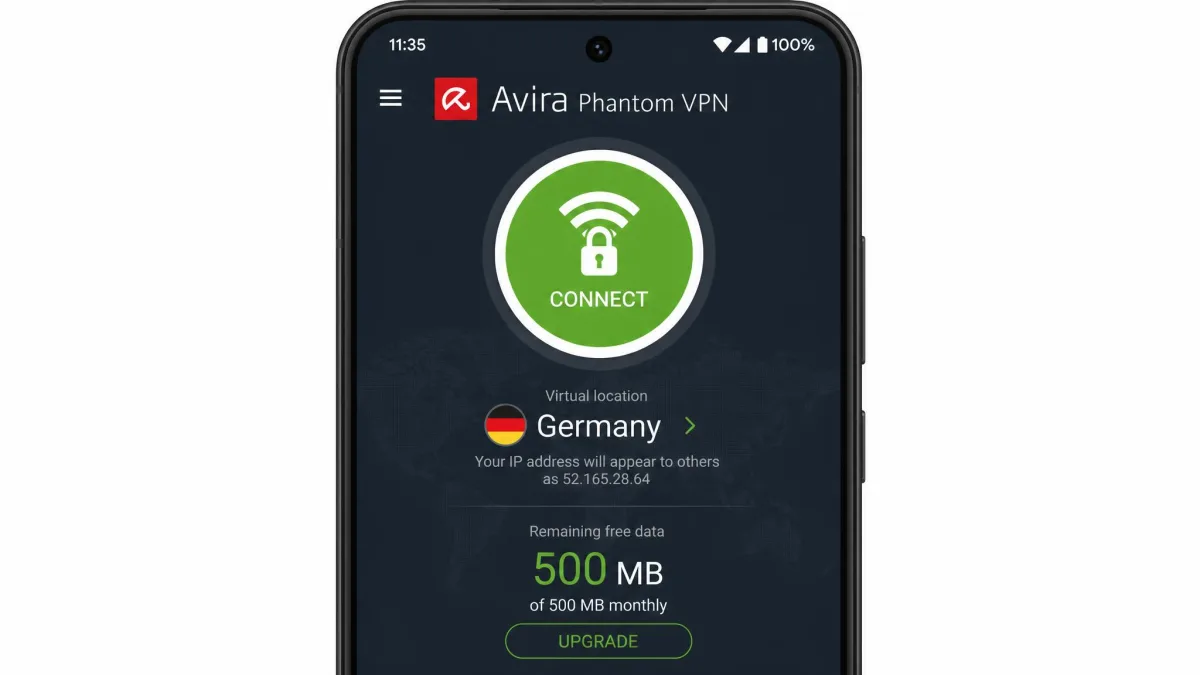
The free plan gives you 500 MB of data per month, which registering a free Avira account by email raises to 1 GB per month. That is the whole appeal and the whole limit. In our testing the 500 MB cap is exhausted quickly, so the free tier suits light, occasional use: checking email on public Wi-Fi, a short secure session, or simply trialing the app before you pay. Stream a single episode and the month's data is gone. The free plan is best treated as a demo, not a daily driver, and it exists mainly to funnel you toward the paid tiers once you see the app works.
Pro & Mobile-Only Pricing
The full Pro plan runs about $10 per month if you pay monthly, and drops to $6.50 per month on the annual plan, or $78 for the year. A lower $3.92 per month figure you may see quoted is an introductory promotional term rather than the standard rate. There is also a mobile-only plan at $5.99 per month for a single phone or tablet, which is worth a look if you only need protection on one device. For a phone-first user who never touches a VPN on a laptop, the mobile plan is the most sensible entry point.
Avira backs the paid plans with a money-back guarantee: 14 days on monthly billing and 60 days on the annual plan. That 60-day window is generous by industry standards and gives you plenty of time to test the service against your own usage before committing. Few competitors offer a refund window that long, and it takes most of the risk out of choosing the annual plan.
Promotional pricing and region can move the exact figure you see at checkout, so it is worth confirming the rate before you buy. The 60-day annual refund window is long enough to trial the service in full before you decide.
Avira Prime Antivirus Bundle
If you want more than a VPN, Avira Prime bundles Phantom VPN with Avira's antivirus, a password manager, and system tools, starting from $9.99 per month on monthly billing. The annual five-device plan starts at around $60 for the first year, then renews higher. For a household already shopping for antivirus, the bundle can make the VPN close to free in practical terms, and it is the scenario where Phantom VPN makes the most sense. You are buying the security suite you wanted anyway, and the VPN comes along as a bonus rather than a separate line item. As a standalone purchase at $10 per month, it is harder to justify against cheaper, faster rivals.
Features
Avira Phantom VPN covers the security essentials and skips most of the advanced extras. You get AES-256 encryption, a no-logs policy, DNS and IP leak protection, and a malicious-site blocker. You do not get split tunneling, multihop, router support, or a Linux client. It is a deliberately narrow feature set aimed at simplicity, and whether that is a strength or a weakness depends entirely on what you expect a VPN to do.
Encryption and Protocols (OpenVPN, WireGuard, IPSec)
Encryption is AES 256-bit, the same standard the strongest VPNs use, so your traffic is well protected in transit. Protocol support is where things get uneven. Avira uses OpenVPN on Windows, Mac, and Android, IPSec as an alternative, IKEv2 on iOS, and WireGuard on Android only. The Windows and macOS desktop clients run OpenVPN rather than WireGuard, and that lack of desktop WireGuard is a real drawback, because WireGuard is the protocol that gives modern rivals their speed edge. On Android you get the faster protocol; on a laptop you are back on OpenVPN, and the speed numbers reflect it.
Kill Switch
A kill switch cuts your internet if the VPN connection drops, so your real IP never leaks during a stumble. Avira includes one, but only on the paid Pro versions, and not consistently across every platform. If a kill switch is a hard requirement for you, confirm it is present on your specific device before relying on it. Given that we saw the occasional disconnect during testing, this is a feature we would want switched on and verified rather than assumed.
DNS / IP Leak Protection
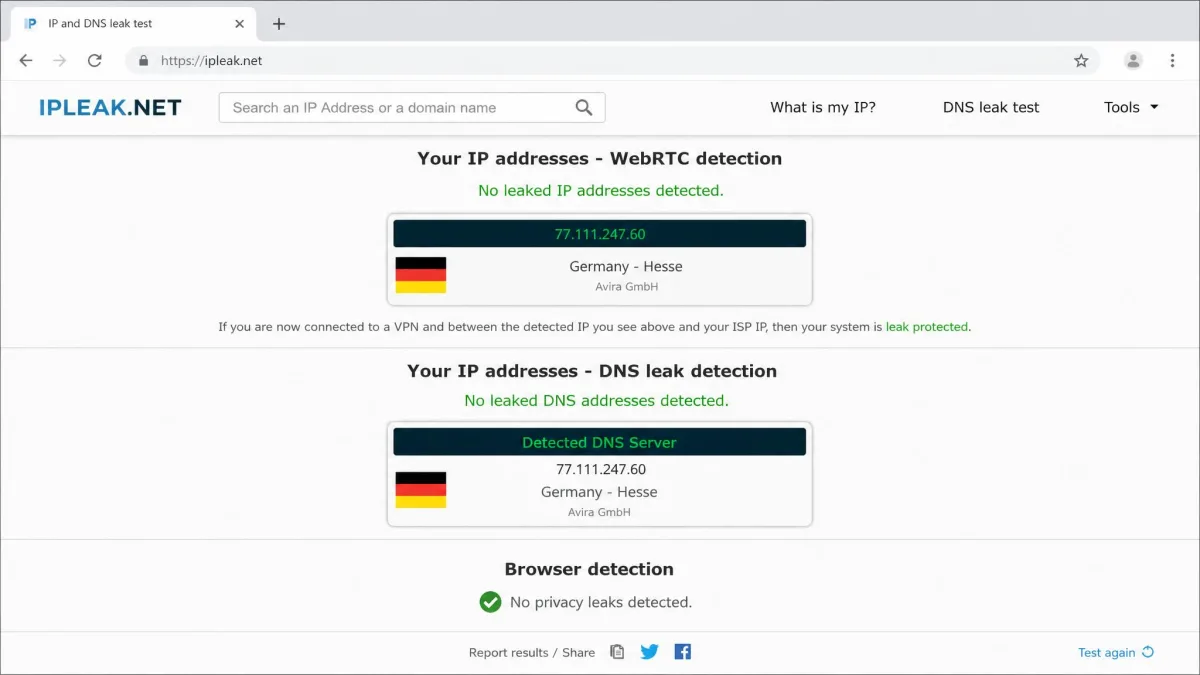
Avira advertises DNS and IP leak protection, and across our leak checks on Windows and Android the app kept our real IP and DNS queries hidden while connected. We ran the checks on more than one server to be sure, and the results held. This is table-stakes protection done correctly, and it is one of the areas where Phantom VPN behaves exactly as a VPN should.
Malicious-Site Blocking & Extras
Phantom VPN bundles a malicious-site blocker that warns you off known dangerous domains. In our testing it caught roughly 70% of known threats, which makes it a useful backstop but not a replacement for proper antivirus. Treat it as a bonus layer rather than a core defense, and keep a real security suite running underneath it. Beyond that, the extras are thin: there is no split tunneling and no multihop, so the feature list stays short and the app stays simple.
Speed and Performance
Speed is where a VPN earns or loses its keep, and it is Avira Phantom VPN's weakest evaluated area. Coming from a network-administration background, we benchmark every server against a no-VPN baseline, and Phantom VPN's numbers tell a consistent story: fine up close, poor at range.
Speed Test Results
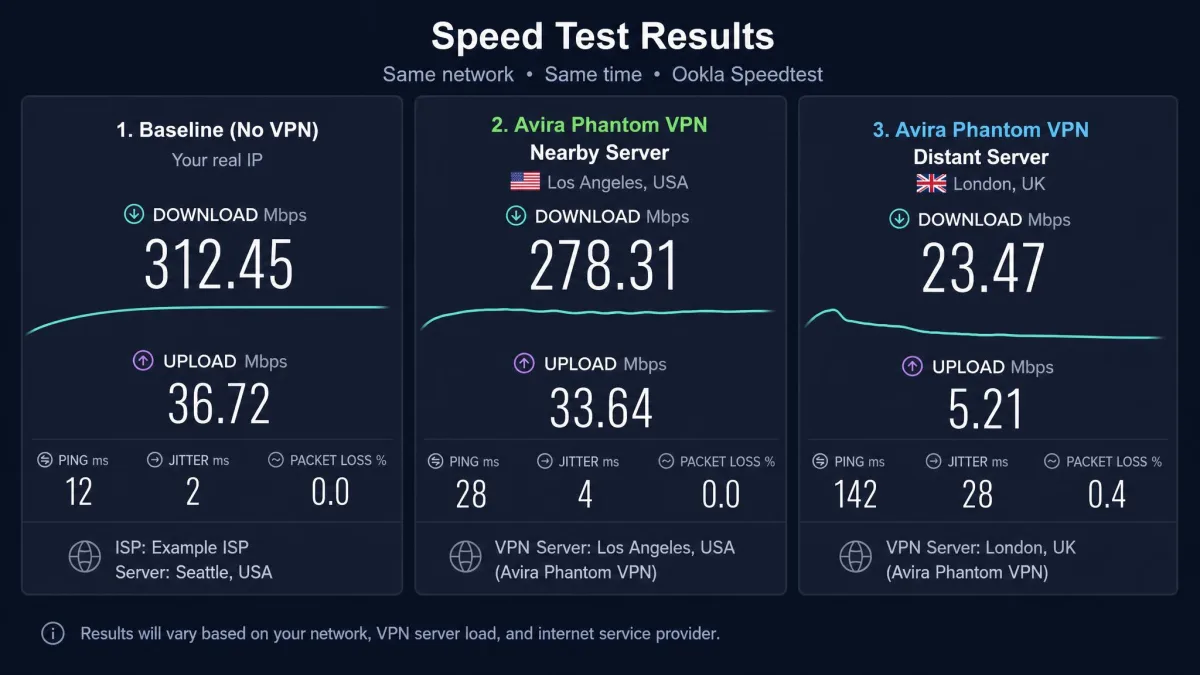
On nearby servers, download speeds dropped around 20% against our baseline, which is acceptable and barely noticeable for browsing or standard-definition video. That is the kind of loss most people would never register in daily use. The problem is distance. Connect to a far-flung server and speeds fall off sharply, with some distant locations barely usable for anything demanding. We watched a connection that felt near-native on a local server slow to a crawl once we jumped continents, and pages that had loaded instantly began to stall.
We ran each test three times per server and took the average, so a single bad sample would not skew the result. The pattern held on every retry. Uploads followed the same shape as downloads, strong nearby and weak at range. A large file that started briskly on a close server slowed to a trickle on a distant one. Time of day made little difference, which points to the protocol rather than congestion.
If your use case is a local server for privacy on public Wi-Fi, the hit is small and the experience stays smooth. If you need a server on another continent, expect a slog. This uneven profile is the direct cost of an OpenVPN-first stack with no desktop WireGuard, and it is the clearest sign that Phantom VPN was built for convenience rather than raw throughput. Rivals that run WireGuard across every platform simply hold their speed better over distance.
Latency and Gaming
Latency is a brighter spot. On nearby servers, ping held up well at around 10 to 17 ms with no noticeable lag, which is good enough for casual online gaming as long as you stay on a close server. The moment you reach for a distant location, both latency and throughput suffer, so competitive play across regions is off the table. For a quick match on a local server, though, Phantom VPN stays out of the way, and the low nearby ping was a pleasant surprise given how the download speeds behaved.
Security and Privacy
Avira Phantom VPN's security tools are solid, but its privacy story has a hole in it. The encryption and leak protection are genuinely good. The jurisdiction and the missing audit are the reasons we cannot rank it with the privacy leaders.
Logging Policy and Jurisdiction (Germany / 14 Eyes)
Avira states a no-logs policy, meaning it does not record what you do online. The company is based in Germany, which is a member of the 14 Eyes intelligence-sharing alliance. That is not automatically disqualifying, and German privacy law is strong, but a 14 Eyes base means a no-logs promise carries more weight when it is independently verified. Here, it has not been, and that gap is what separates a policy you can read from a policy someone has checked.
Independent Audit Status
Avira has not published an independent security or no-logs audit of Phantom VPN. This is the single biggest gap in its privacy case. Rivals like NordVPN and Surfshark have both had their no-logs policies independently audited, more than once in Nord's case, which turns a marketing claim into a checked one. Until Avira commissions and publishes an audit, users are asked to take the no-logs policy on trust. For many casual users that is fine; for anyone who needs provable privacy, it is a real limitation, and it is the first thing we would want Avira to fix.
Avira's no-logs policy is unaudited, and the company operates from a 14 Eyes country. If independently verified privacy is your priority, an audited provider based outside the 14 Eyes alliance is the safer choice.
Streaming Performance
Streaming is a mixed bag. Avira Phantom VPN can get you into some major libraries, but weak speeds and inconsistent unblocking keep it from being a reliable streaming tool.
Netflix and Other Platforms
In our testing, Netflix US, Hulu, Max, and Prime Video all loaded through the VPN, which is more than some services manage. The catch is quality: the same weak speeds that hurt distant servers cause buffering that kept streams out of reliable HD. Server load times when switching to a streaming server averaged around 30 seconds and occasionally stretched to two minutes, which tests your patience before a show even starts.
Coverage also has gaps. Disney+, Hulu, and BBC iPlayer often detected and blocked the VPN even when Netflix worked, so you cannot count on any single platform being available on a given day. Phantom VPN will unblock content for a casual viewer willing to accept some buffering. As a dedicated streaming VPN, it is not in the same league as the top services, and anyone buying primarily to stream should look at a faster streaming VPN first.
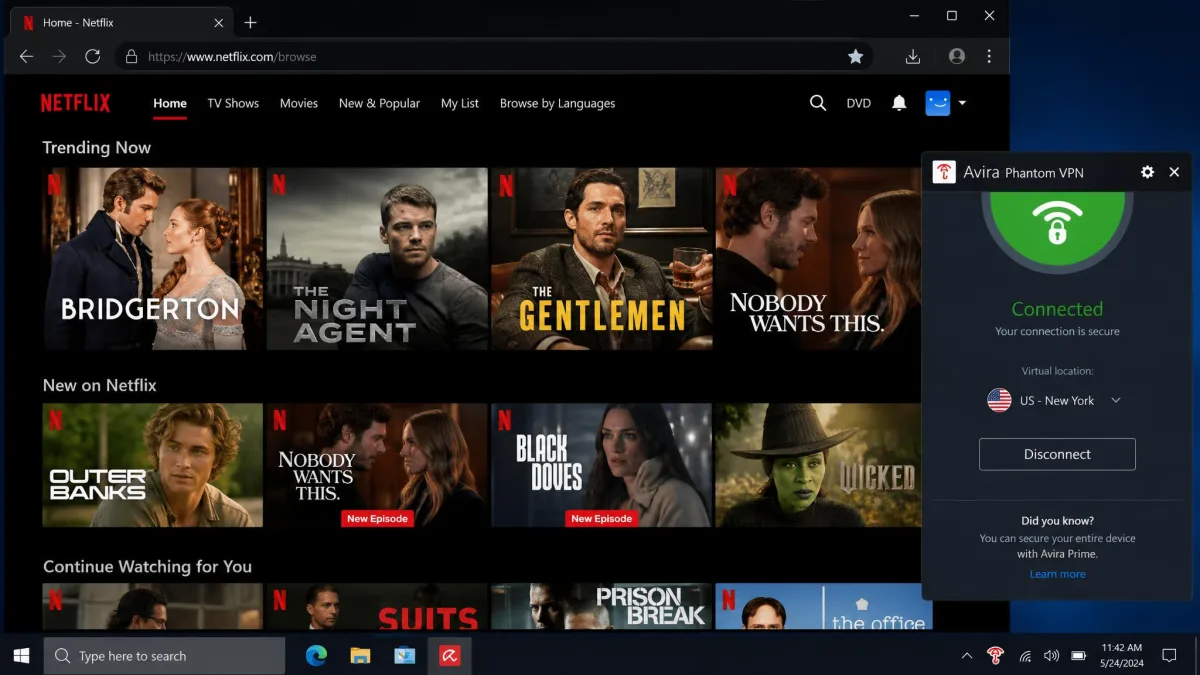
Avira Phantom VPN gets you into Netflix, but weak speeds keep the picture out of reliable HD, and Disney+ and BBC iPlayer often refuse the connection outright.
Torrenting and P2P
Avira allows P2P and torrenting on its paid servers, and does not recommend it on the free plan, which the 500 MB cap makes impractical anyway. Functionally it works, but speed is the deal-breaker. When we pulled a 750 MB file, it took roughly 50 minutes through the VPN, against under 10 minutes on the same connection without it. That is a steep penalty, and it lines up with the wider speed picture rather than contradicting it. Torrenting is technically supported and safe from a leak standpoint, but the slow throughput means heavy downloaders will find the experience frustrating and are better served by a dedicated torrenting VPN.
Servers and Server Locations
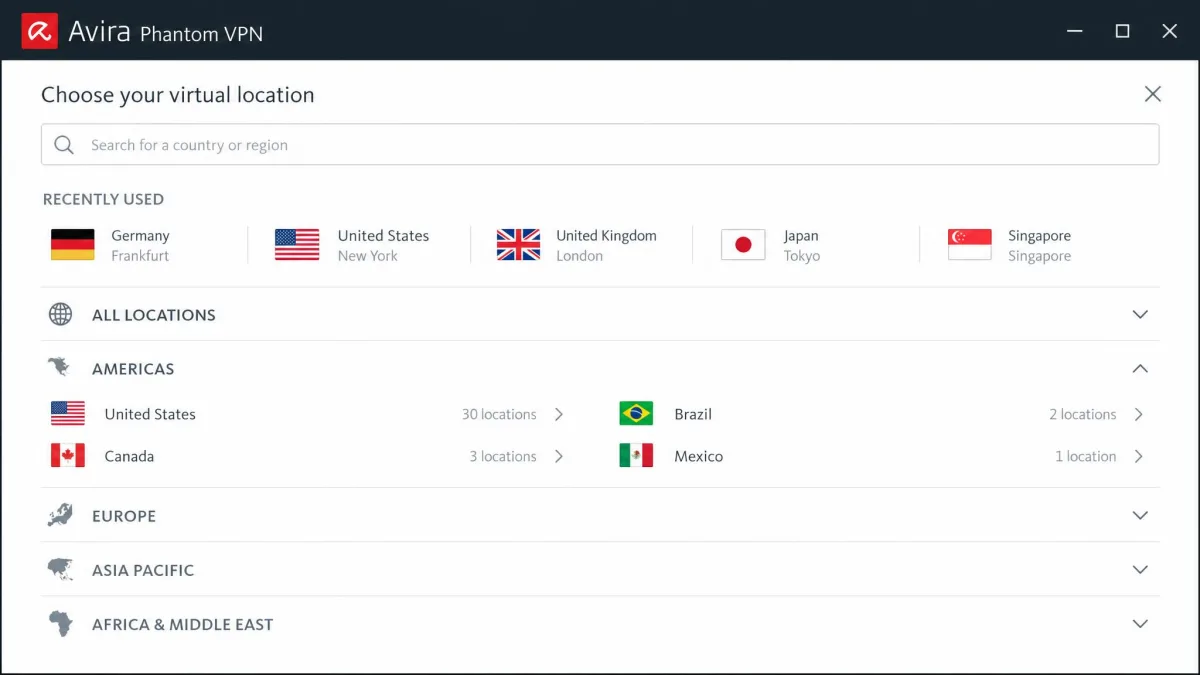
Avira Phantom VPN runs a network of around 1,400 servers spread across roughly 35 to 37 countries, the exact count varying between reviews. That is a small network by modern standards. Coverage is strongest across North America and Europe, with thinner options in Asia, South America, and Africa, so users outside the main regions have fewer nearby servers to pick from. Fewer nearby servers is part of why distant-connection speeds suffer: there is often no close option to fall back on, and you end up routing further than you would like.
Ease of Use: Apps and Device Support
This is Avira Phantom VPN's strongest suit. The app is genuinely simple and set-it-and-forget-it: install it, pick a location, hit connect, and you are protected. There is no clutter and no learning curve, which is exactly what a first-time VPN user wants. It runs on Windows, Mac, iOS, and Android, and paid plans allow unlimited simultaneous connections, so one subscription can cover an entire household. PCMag notes a 25-device cap, so treat "unlimited" as "very generous" rather than literally infinite.
The simplicity has a cost. There is no split tunneling and no manual protocol configuration, so power users cannot tune the connection. There is also no Linux app and no router support, which limits where the VPN can run and rules out protecting a whole network at the router level. We also saw the occasional random disconnect, roughly once a day, and the odd auto-connect failure that interrupted a session before we noticed. For casual use these are minor annoyances; for always-on protection they are worth knowing about, and they are the main reason we would keep the paid kill switch enabled.
Customer Support
Support is an area where Avira could do better. Live chat is bot-only and hard to escalate to a human. We tried several times to reach a person and kept looping back to canned answers. When we turned to email, replies took about a week and often felt generic rather than genuinely helpful. One query came back with a link to a help article we had already read. Phone support exists but is restricted to weekday morning hours, roughly 8 to 11 am GMT, which is a narrow window. Miss it and you wait until the next morning. There is no weekend cover at all. For a product aimed at beginners, who are exactly the users most likely to need help, the support experience does not match the friendliness of the app, and it is the clearest area where the polish runs out.
How Avira Phantom VPN Compares (vs NordVPN & Surfshark)
Set against the two services most people cross-shop, Avira Phantom VPN's positioning gets clearer. NordVPN and Surfshark both cost less per month on annual terms, run far larger networks, and carry independent audits that Avira lacks. Where Avira competes is the free plan and the antivirus bundle, neither of which the other two offer.
| Feature | Avira Phantom VPN | NordVPN | Surfshark |
|---|---|---|---|
| Price (from) | ~$6.50/mo annual | ~$3.39/mo annual | ~$2.19/mo annual |
| Servers | ~1,400 | 5,000+ | 3,200+ |
| Independent audit | No | Yes | Yes |
| Jurisdiction | Germany (14 Eyes) | Panama | Netherlands (9 Eyes) |
| WireGuard | Android only | Yes (NordLynx) | Yes |
| Kill switch | Pro only | Yes | Yes |
| Devices | Unlimited (PCMag: 25) | 10 | Unlimited |
| Free plan | Yes (500 MB/mo) | No | No |
The table makes the trade-off plain. NordVPN and Surfshark are faster, cheaper on longer terms, better travelled, and audited. Avira answers with a free tier and the convenience of a security suite. If your priority is raw VPN performance and provable privacy, the rivals win. If it is a simple privacy layer attached to antivirus you already trust, Avira has a case, and the unlimited-device allowance is a genuine point in its favor over Nord's cap of ten.

Final Verdict: Is Avira Phantom VPN Worth It?
Avira Phantom VPN is worth it for a specific person: someone who values simplicity, already uses or is buying Avira's antivirus, and wants a no-fuss privacy layer for browsing and public Wi-Fi. For that user, the strong encryption, easy app, unlimited devices, and free trial tier add up to a sensible, low-effort choice, and the 60-day annual refund removes the risk of trying it.
For everyone else, the math is harder, and stronger Avira Phantom VPN alternatives exist. As a standalone product at around $10 per month, Phantom VPN asks more money for fewer servers, slower distant speeds, spottier streaming, and an unaudited no-logs policy than audited rivals charge for the opposite. It is not a bad VPN. It is an average one wearing a trusted brand, and the value only really appears when it comes bundled. Buy it for the convenience, not for the performance.