If you are deciding between MocPOGO and LocaChange to change your GPS location on iPhone or Android, the difference comes down to three things: what you pay, how many devices you control at once, and how much polish you get when the software is running.
Both are desktop tools that move your phone's coordinates anywhere in the world without a jailbreak or root, and both drive Pokemon GO, Life360, Find My and dating apps with a joystick, a cooldown timer and route simulation.
The gap opens on price and on reliability. MocPOGO is cheaper on entry and controls more devices, while LocaChange charges one flat price across every platform and behaves more predictably once connected.
Here is how the two compare, feature by feature, and which one we would pay for in 2026.
MocPOGO vs LocaChange at a Glance
| Product | Buy | Platforms | Devices at once | Joystick | Monthly price | Trustpilot |
|---|---|---|---|---|---|---|
 |
Check price → | Windows 11/10/8/7, macOS 10.12+, iOS 13-27, Android to 17 | Up to 15 | 360-degree with keyboard control | $9.95 desktop, $14.95 Android, $19.95 iOS | About 3.5/5 |
 |
Check price | Windows 11/10/8/7, macOS 10.9-26, iOS 14-27 Beta, Android 8-17 | Up to 10 | 360-degree, 3.6 to 120 km/h | $19.99 all platforms | About 4/5 |
The short version is that MocPOGO is the value pick and LocaChange is the smoother pick. Everything below explains what that trade actually costs you.
What MocPOGO Is and Who It Suits
MocPOGO is a desktop location changer that connects your phone to a Windows or Mac computer and rewrites the coordinates the handset reports to every app on it. It suits players who run more than one account, and anyone who wants the lowest monthly entry price in this category. Our full MocPOGO review covers the app in more depth.
Key MocPOGO Features
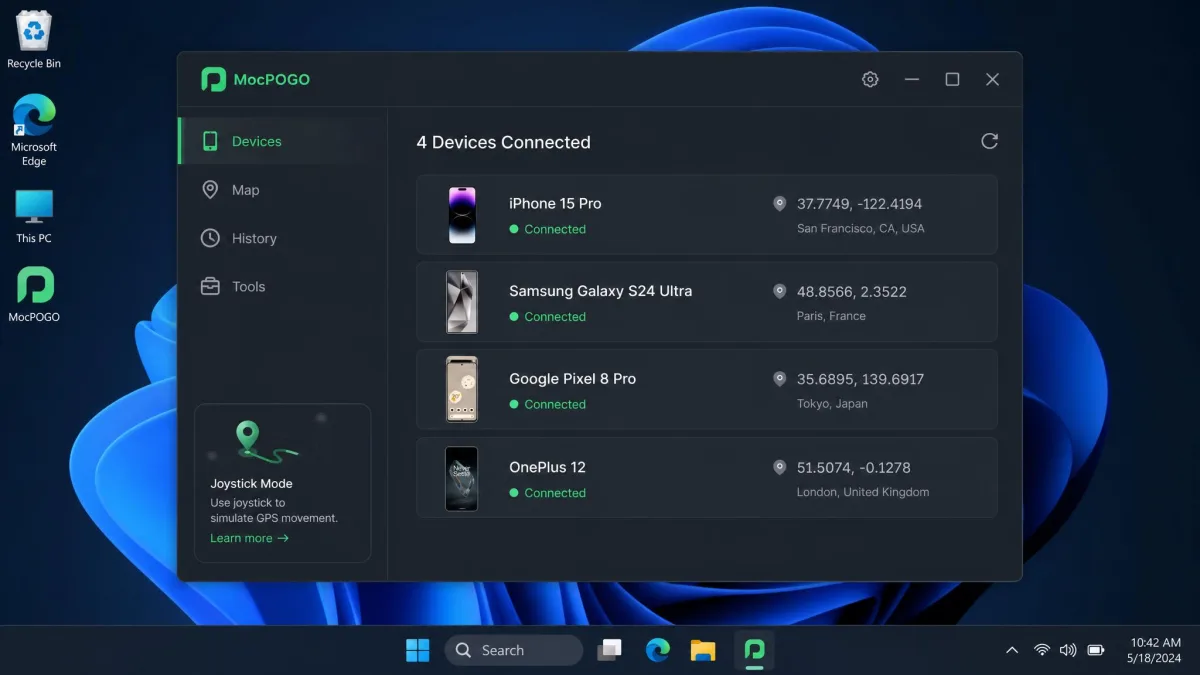
The mode list is broad. You get one-click teleport, a two-spot mode built for hatching eggs, multi-spot custom routes, a 360-degree joystick you can drive from the keyboard, adjustable movement speed, an on-screen cooldown timer, GPX route import, and saved favourites with a history of past locations.
Two extras stand out. The first is multi-device control, which lets one computer drive several phones at the same time. The second is Bluetooth Pro Mode, which spoofs the official Pokemon GO client rather than requiring a cracked version of the game.
Connection is flexible too. You can attach a device by USB cable, over Wi-Fi, or through that Bluetooth mode.
Supported Devices and OS Versions
MocPOGO supports iOS 13 through iOS 27 and Android up to Android 17. On the desktop side it runs on Windows 11, 10, 8 and 7, and on macOS 10.12 or later.
It spoofs up to 15 iOS or Android devices simultaneously from one PC or Mac, which is the highest figure of the two apps by a wide margin.
What LocaChange Is and Who It Suits
LocaChange takes the same desktop-plus-phone approach but sells it as one cross-platform licence. It suits people who want a single purchase to cover a Windows machine, a Mac, an iPhone and an Android phone without buying anything twice. Our fuller write-up of the app sits in our LocaChange review.
Key LocaChange Features
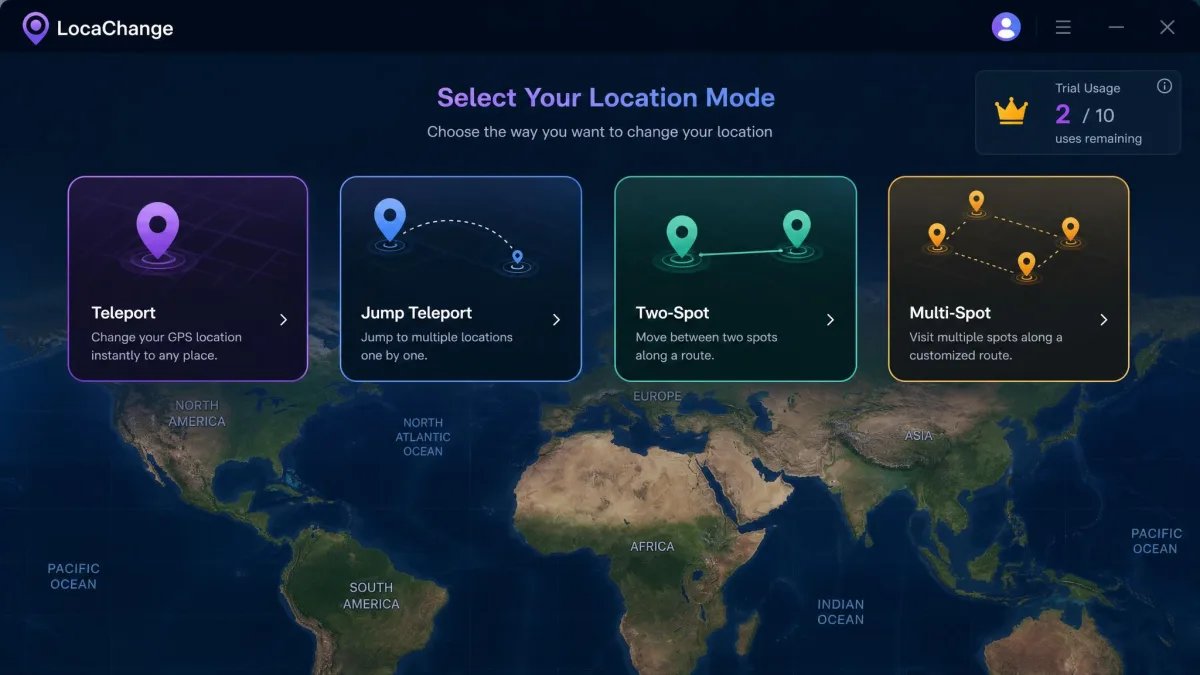
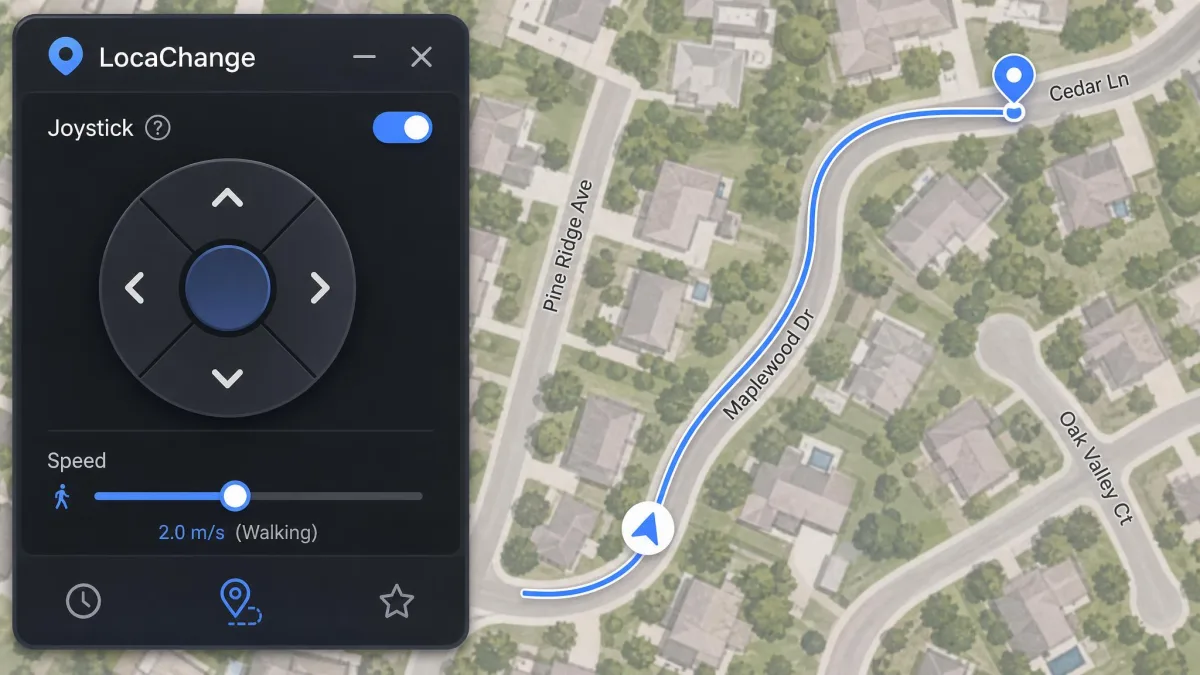
LocaChange offers teleport, jump teleport, two-spot and multi-spot movement modes, plus a 360-degree joystick with speed adjustable from 3.6 km/h up to 120 km/h. Route simulation includes a fluctuation mode that varies your pace instead of holding a constant speed.
A cooldown timer is built in. So is PoGo Atlas, a live map with Pokemon information search, which is genuinely useful if the game is your main reason for buying.
The company also markets anti-detection technology and free automatic updates, both of which matter more than they sound, because location apps break when the games they target change.
Supported Devices and OS Versions
LocaChange supports iOS 14 through iOS 27 Beta and Android 8 through Android 17. Desktop support covers Windows 11, 10, 8 and 7, and macOS 10.9 through macOS 26.
Up to 10 devices can be bound to a single plan and spoofed through the PC or Mac app.
Feature-by-Feature Comparison
On paper the two feature sets overlap almost completely. The differences are in the details, and the details are where money gets wasted.
Teleport and Multi-Spot Route Modes
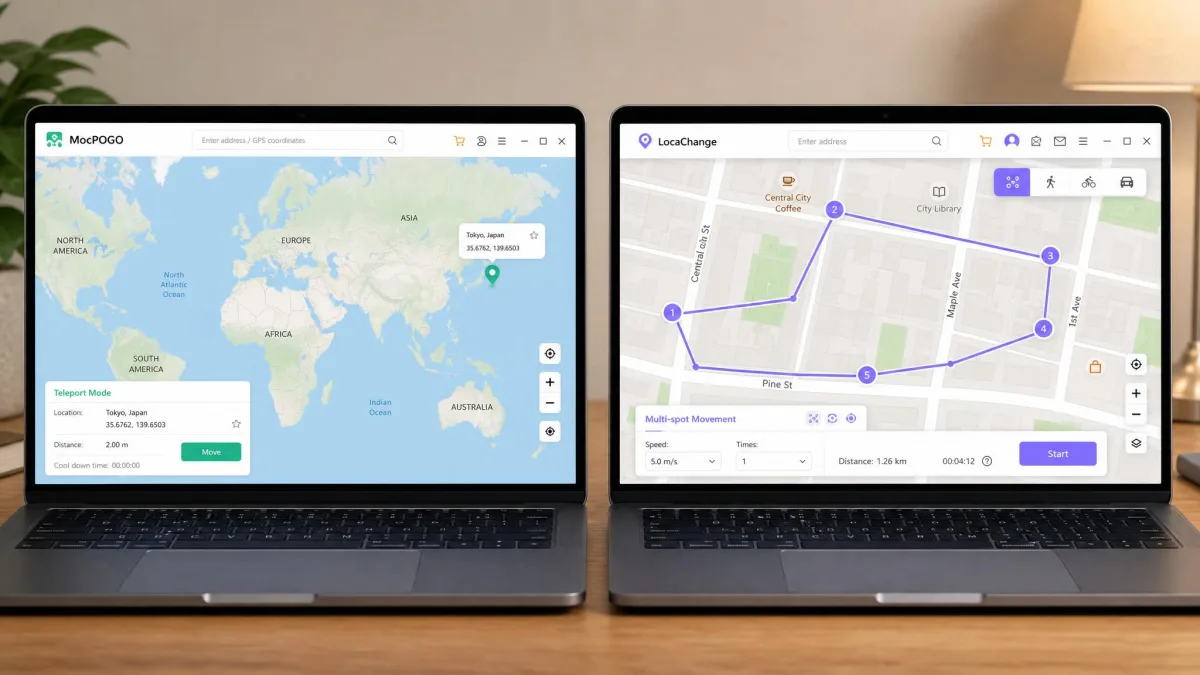
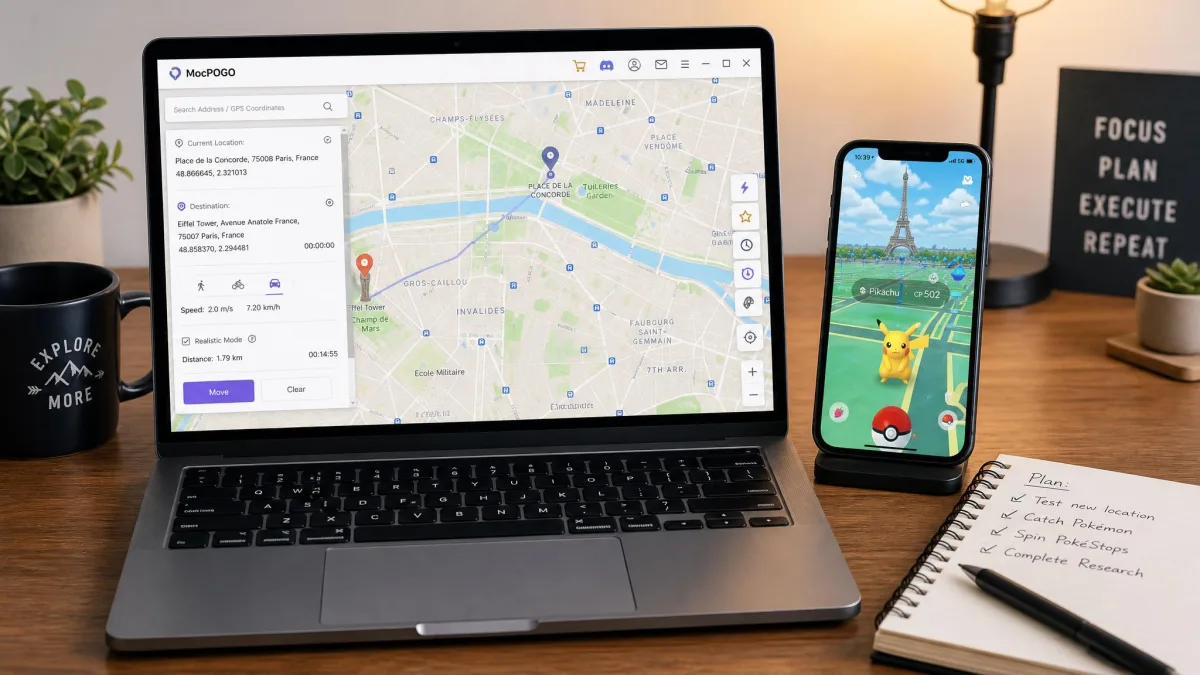
Both apps teleport instantly to any coordinates you name. MocPOGO's flow is quick and legible: search a place name or type coordinates, hit teleport, and the map confirms the move. LocaChange adds a jump teleport option alongside standard teleport, which gives you a second way to hop without drawing a route.
Multi-spot routes are available on both. MocPOGO adds GPX file import, so a route recorded elsewhere can be replayed exactly.
Joystick Control and Movement Speed
MocPOGO's joystick is a 360-degree control you can drive with the keyboard, with speed you set before you start walking. LocaChange publishes its range openly, from 3.6 km/h to 120 km/h, and layers a fluctuation mode on top.
That fluctuation setting is the meaningful difference. LocaChange's route simulation moves at a convincingly human pace rather than the robotic straight-line drift cheaper tools produce, and a walk that looks like a walk is the whole point of simulating movement in the first place.
Cooldown Timer and Route Simulation Accuracy
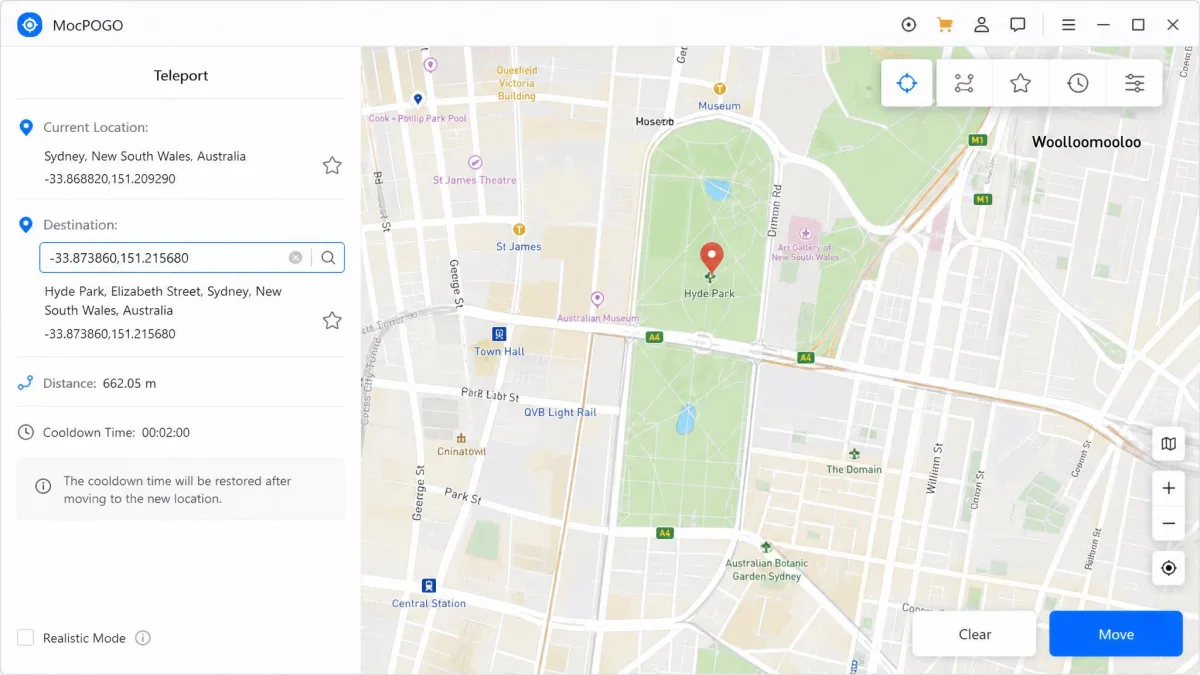
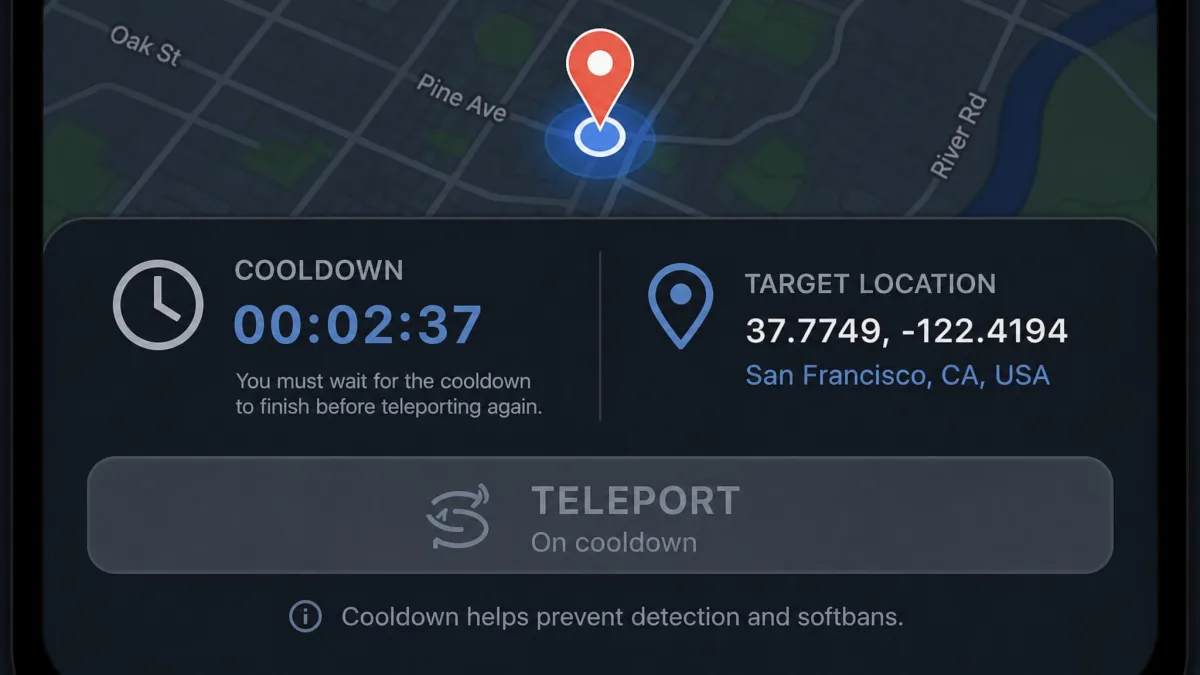
Both apps include a cooldown timer. MocPOGO's surfaces on screen after every jump, which makes it obvious how long to wait before your next action, and that visibility is worth more than a timer buried in a settings panel.
LocaChange keeps its timer built in and pairs it with the fluctuation pacing described above. For route realism LocaChange has the edge; for cooldown discipline MocPOGO's presentation is clearer.
Whichever app you pick, treat the cooldown timer as a hard rule rather than a suggestion. Teleporting again before the clock clears is the single most common way players trigger a soft ban.
Multi-Device Support
MocPOGO controls up to 15 devices simultaneously from one computer. LocaChange binds up to 10 to a plan.
If you are running a single phone, this row does not matter. If you are running a family's worth of handsets, MocPOGO gives you five more slots for less money per month.
App Compatibility (Pokemon GO, Life360, Find My, Dating Apps)
MocPOGO works with Pokemon GO, Monster Hunter Now, Tinder, WhatsApp, Life360, Find My and more than 50 other location-based apps. LocaChange covers 50+ location-based games plus the same social, dating and tracking apps, including Pokemon GO, Life360 and Find My.
Compatibility is effectively a tie. The tiebreaker for game players is MocPOGO's Bluetooth Pro Mode, which spoofs the official client without a modified game install.
Pricing and Value Compared
This is where the two apps genuinely separate. MocPOGO charges per edition, at MocPOGO pricing of $9.95 per month for the Windows and macOS desktop plan, $14.95 per month for the Android app plan, and $19.95 per month for the iOS plan, which bundles the Windows and macOS versions. Lifetime licences run $79.95 for Windows and $119.95 for iOS.
LocaChange pricing is flatter: $19.99 per month, $39.99 per quarter, $79.99 per year, or $119.99 once for a lifetime licence. One plan covers the PC, Mac, iOS and Android versions with no separate purchase per operating system.
So MocPOGO wins on entry price and LocaChange wins on simplicity. LocaChange sits above the market average on price, and the gap is widest on the monthly plan.
Read the LocaChange pricing page carefully, because it presents cost as a per-day figure, which makes the real monthly outlay harder to read at a glance.
MocPOGO's quarterly listing needs the same caution, because its figure is a promotional price that moves with whichever coupon is live. Check the checkout total before paying.
Free Trials and Refund Policies
LocaChange's free trial gives you one use each of Teleport, Jump Teleport, Two-Spot and Multi-Spot, plus 15 minutes of Joystick mode. That is capped tightly enough to demonstrate the interface without proving the tool across a real play session.
MocPOGO's free download unlocks almost nothing, so the modes cannot really be evaluated before paying. That makes the refund window your actual trial.
Both carry a 30-day money-back guarantee, and MocPOGO's buy page states its 30-Day Money-Back Guarantee explicitly. MocPOGO's monthly and yearly plans auto-renew by default and can be cancelled at any time from the account page.
Safety, Privacy, and Ban Risk
Neither app is malware, and neither app makes spoofing safe. Those are separate questions and buyers often merge them.
Both tools change coordinates locally through a desktop connection, so nothing about the process requires handing over your game credentials. What they cannot do is hide the behaviour from the game.
Neither tool removes ban risk, because spoofing still breaches game terms of service, and accounts can be suspended regardless of how carefully you observe cooldowns.
Changing your GPS location in Pokemon GO violates Niantic's terms of service, and enforcement ranges from a soft ban to a permanent account termination. No location changer, including these two, can prevent that outcome. If your account matters to you, spoof on one you can afford to lose.
One more point of hygiene. Automated trust-scanner sites assign mocpogo.com a low domain-reputation score, but those are algorithmic ratings of a website, not tests of the software, and they are not evidence that the app is malicious.
Does Either App Need Jailbreak or Root?
No. MocPOGO requires no jailbreak or root and no phone reboot, and LocaChange requires no jailbreak or root either.
There is one setup asymmetry worth knowing. MocPOGO's iPhone setup adds a step most rivals skip, because developer mode has to be enabled on the handset before the first connection succeeds.
What Real Users Report
Public feedback is where the two diverge most sharply, and it lines up with what we found using them.
MocPOGO Reliability Issues
Crashes and billing problems are MocPOGO's weak spots, and both are worth weighing before you commit to a lifetime licence.
The pattern is consistent. MocPOGO can crash mid-session, and the desktop client is the part that tends to fall over rather than the phone app. Licence activation can fail after a successful payment, leaving a paid account unable to spoof until support steps in, and support can be slow to respond, with refund requests hit hardest by that delay.
Device detection can lag on first connect, so the desktop app sometimes needs a replug or a second attempt before the phone appears.
LocaChange User Feedback
Trustpilot's community rates LocaChange around 4 out of 5 across roughly 174 reviews, a better score across a larger sample. Note that the rating differs depending on whether you read the Trustpilot listing or the figure the vendor quotes on its own site, so use the independent number.
The caveat is depth rather than sentiment. LocaChange's public feedback base is thin compared with the bigger spoofing brands, so there is less independent evidence of how it behaves over months of daily use.
Two details shaped our verdict more than any spec row. MocPOGO's on-screen cooldown timer after every jump is the best cooldown presentation of the two, and LocaChange's fluctuation pacing produces the more believable walk. Set against that, MocPOGO's desktop client is the component that crashes, and its licence activation is the step most likely to leave a paying customer stuck.
Ease of Setup: How Each App Changes Your Location
Both apps follow the same shape: install on the computer, connect the phone, pick a mode, and set your virtual location.
How to Change Location With MocPOGO
Install MocPOGO on your Windows PC or Mac and open it. Connect your iPhone or Android phone by USB cable, Wi-Fi or Bluetooth, and trust the computer when the phone prompts you.
On iPhone, enable developer mode first, because the connection will not complete without it. Select Teleport Mode, search a place name or enter coordinates, then click the teleport button and watch the map confirm the new position.
For movement, choose Multi-Spot or the joystick, set your speed, and start walking the route without walking anywhere yourself. Wait for the on-screen cooldown timer to clear before the next jump.
How to Change Location With LocaChange
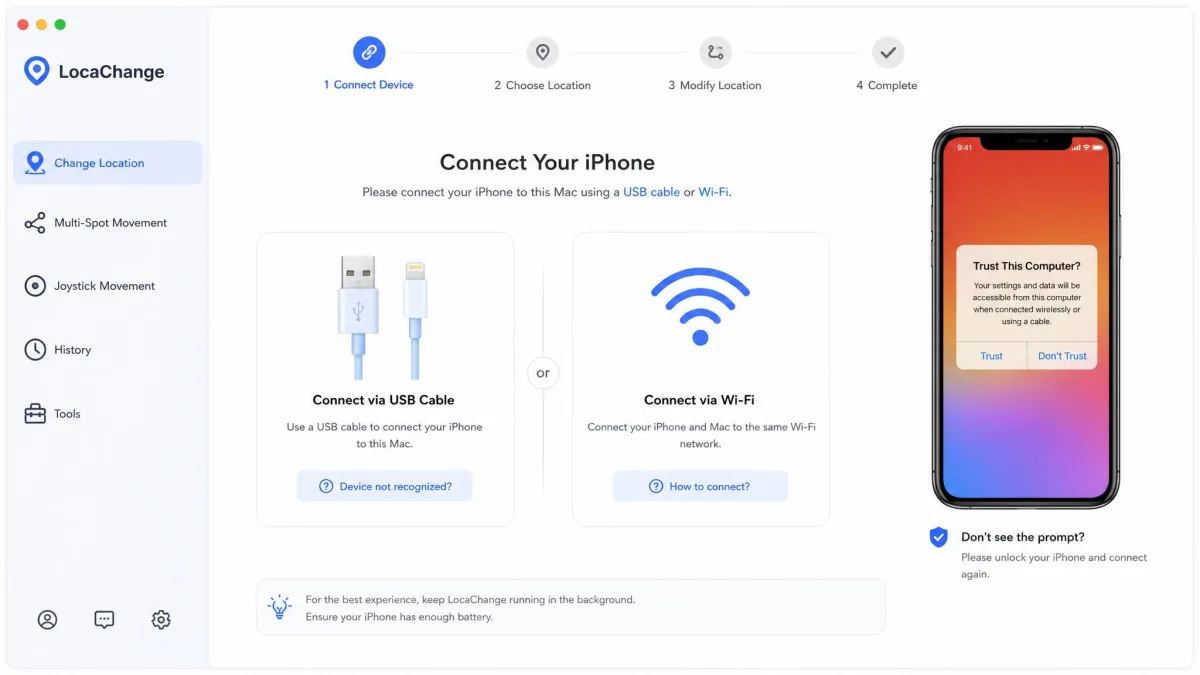
Install LocaChange, open it, and connect your phone over USB or Wi-Fi in the three prompts the app walks you through.
Choose Teleport Mode, search your destination, and confirm the move. For routes, pick Two-Spot or Multi-Spot, drop your points on the map, set the speed and enable fluctuation mode for a more natural pace.
Give yourself a few minutes with the mode names on first run, because telling Jump Teleport from Two-Spot from Multi-Spot is not obvious until you have tried each one.
Pros and Cons of MocPOGO
Pros
- Lowest entry price of the two at $9.95 per month for desktop
- Spoofs up to 15 devices at once from one computer
- Bluetooth Pro Mode spoofs Pokemon GO without a cracked client
- On-screen cooldown timer after every jump
- GPX route import for replaying recorded routes
- 30-Day Money-Back Guarantee
Cons
- Desktop client can crash mid-session
- Licence activation can fail after payment
- Support responses can be slow, especially on refunds
- Device detection sometimes needs a replug on first connect
- Free download unlocks almost nothing before you pay
- Priced per edition, so iOS and Android cost extra
Pros and Cons of LocaChange
Pros
- One plan covers PC, Mac, iOS and Android
- Route simulation with fluctuation mode looks convincingly human
- Joystick speed adjustable from 3.6 km/h to 120 km/h
- PoGo Atlas live map and Pokemon search built in
- Better Trustpilot standing across a larger review base
- 30-day money-back guarantee
Cons
- $19.99 per month is above the market average
- Pricing shown as a per-day figure, which obscures the real cost
- Mode names are opaque on first run
- Free trial is capped at one use per mode plus 15 minutes of joystick
- Caps out at 10 bound devices
- Thin independent feedback base for long-term reliability
Which One Should You Choose?
Best for Pokemon GO Players
MocPOGO, mainly for Bluetooth Pro Mode and the visible cooldown timer. Playing from home on the official client, with the wait clearly displayed after each jump, is the safest workflow either app offers. Our list of the best Pokemon GO spoofers compares it with the wider field.
Best for Social and Dating Apps
LocaChange. Life360 and Find My do not care about cooldowns, they care whether your movement looks plausible, and fluctuation pacing is exactly that feature.
Best for Budget Buyers
MocPOGO at $9.95 per month if you only need the desktop edition. If you need iOS and Android too, LocaChange's single $19.99 plan is cheaper than stacking MocPOGO editions.
Alternatives Worth Considering
If neither app fits, the category is crowded. iMyFone AnyTo, iAnyGo and MockGo cover the same ground with different pricing structures, and SourceForge's side-by-side comparison is a quick way to line up specs across several tools at once.
Frequently Asked Questions
Is MocPOGO safe and legit?
Is LocaChange free?
Do either need jailbreak or root?
Will spoofing get me banned in Pokemon GO?
Which works with Life360 and Find My?
How many devices can I use at once?
Can I cancel the subscription and get a refund?
Which is better for Android versus iPhone?
The Verdict
MocPOGO takes it, but not by a landslide, and not for everyone.
It wins on the things that decide most purchases: a lower entry price, five more device slots, GPX route import, and a cooldown timer you cannot ignore. Against that, its desktop client is the less stable of the two and its billing and support record is the weaker one.
LocaChange is the better-behaved app. If you want realistic movement for Life360 or Find My, or you want one licence covering every platform you own, pay the extra and buy it instead.