You want to fake your location on your phone, and two desktop tools keep showing up in the same search. Foneazy MockGo is an iOS-only GPS location changer. FonesGo Location Changer covers iPhone and Android. If you only own an iPhone, MockGo is the smoother buy. If Android is anywhere in your household, FonesGo wins by default.
Both apps run on a Windows PC or a Mac, connect to your phone, and move your reported GPS position anywhere on the map with one click. Both can also simulate movement along a route you draw yourself, at a speed you set.
The differences that matter are narrower than the marketing suggests. They come down to platform support, how many devices one license covers, what the trial actually lets you do, and how each one behaves when you want your real location back.
MockGo vs FonesGo: The Short Answer
MockGo is the tool we would install first on an iPhone. It costs less over the long run, it is easier to learn, and its route and speed controls are the more precise pair.
FonesGo earns its place for one clear reason. It supports Android, and MockGo does not.
Our comparison draws on documented hands-on findings for both apps across iOS and Android handsets, plus each vendor's published specifications for pricing, supported OS versions and license limits.
MockGo vs FonesGo at a Glance
Here is how the two location changers line up on the specifications that decide most purchases.
| Product | Buy | Platforms | Devices per license | Movement speed | Free trial | Price | Refund |
|---|---|---|---|---|---|---|---|
 |
Check price → | iOS 9 to iOS 26, Windows 11 and macOS 10.12+ | 5 | 3.6 to 108 km/h | Yes, capped | $9.95/mo, $39.95/yr, $59.95 lifetime | 30-day money-back guarantee |
 |
Check price | iOS 13+, Android 14+, Windows 7+ and macOS 10.12+ | 15 | Up to 100 km/h | Yes, limited features | $9.95/mo desktop, $14.95/mo Android, $19.95/mo iOS | 30-day money-back guarantee, conditions apply |
What Each Tool Actually Does
Both are desktop apps that sit between your computer and your phone. Neither runs alone on the handset, so a PC or Mac has to be switched on and connected whenever you want to change location.
Foneazy MockGo
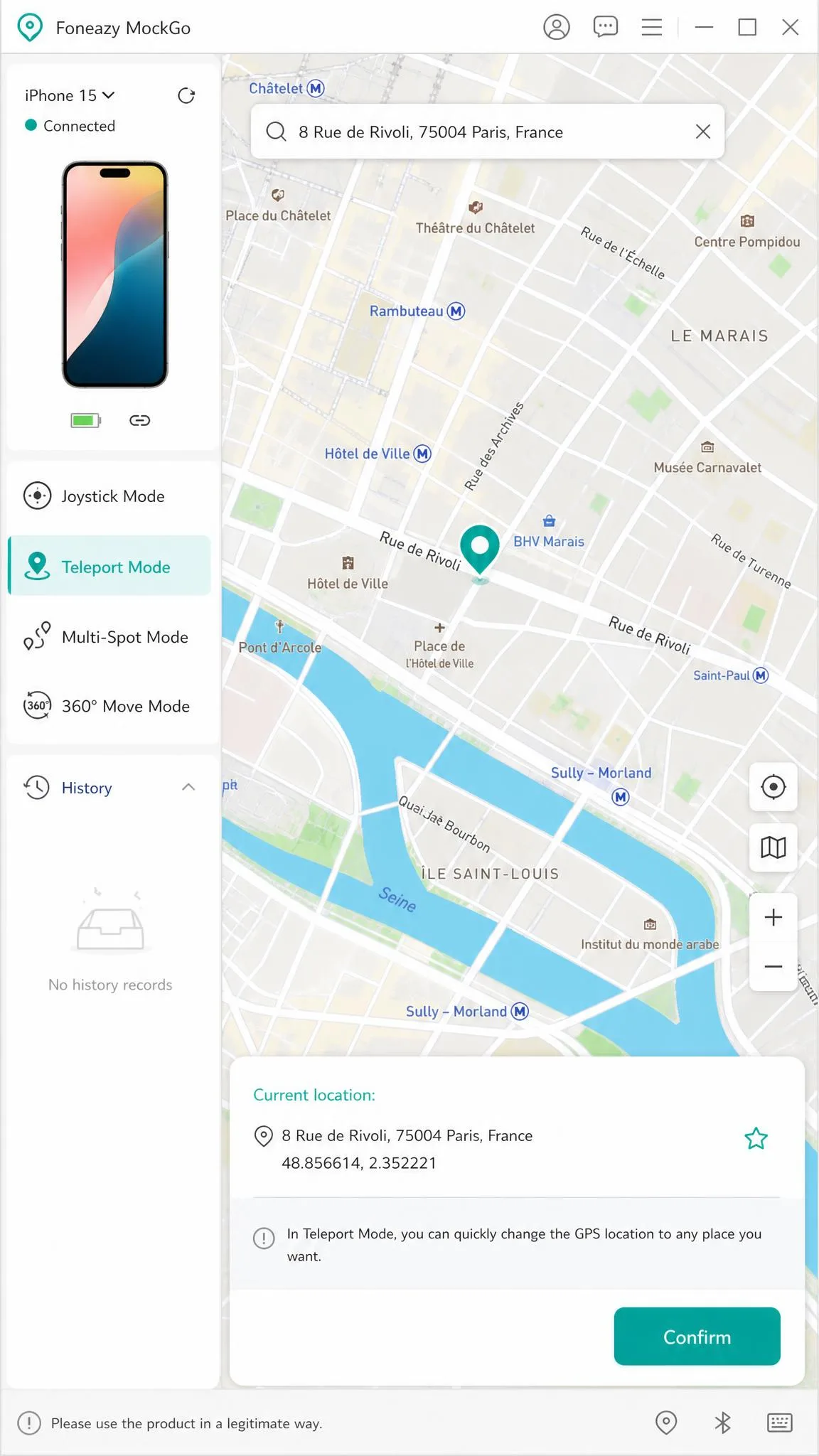
Foneazy MockGo changes the GPS location your iPhone reports to every app on it. You pick a point on the map, click once, and the phone believes it is there.
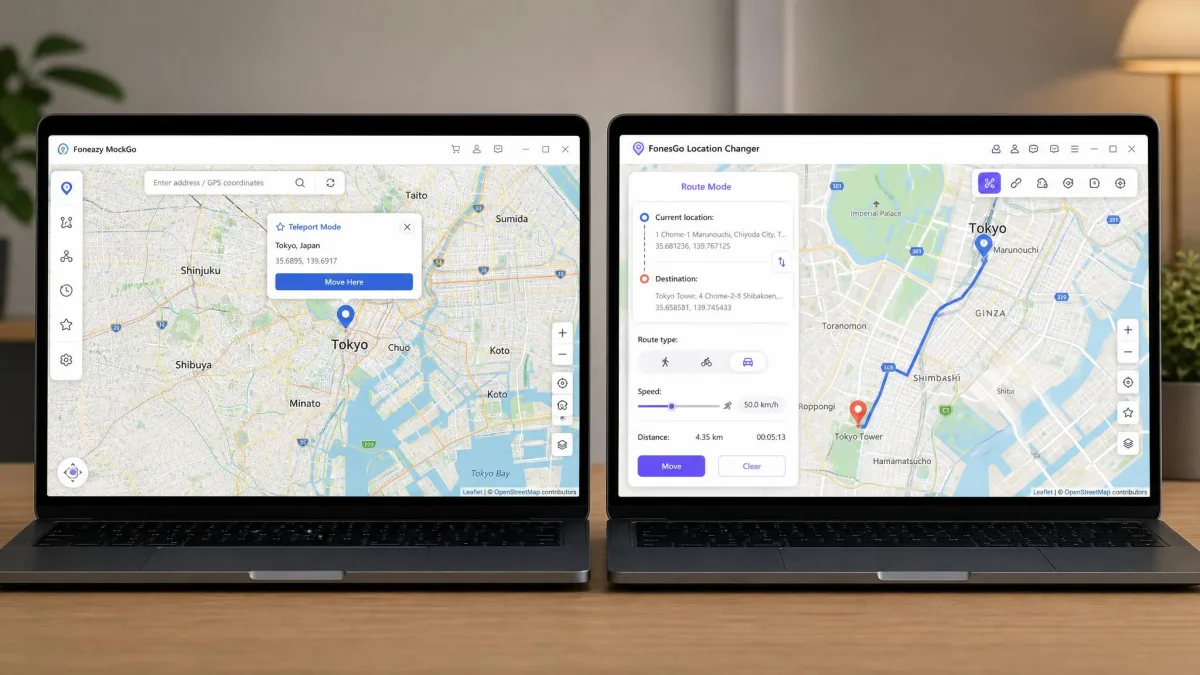
Beyond plain teleporting, it offers jump teleport with a cooldown timer, one-stop routes that follow real roads, multi-stop routes with waypoints, joystick control on WASD and the arrow keys, GPX track import, a favorites list and a history of past locations.
MockGo recognises an iPhone automatically the moment you plug it into a USB port, with no driver hunting. It connects over USB or Wi-Fi, though Wi-Fi pairing needs both machines on the same network, so USB stays the dependable route.
FonesGo Location Changer
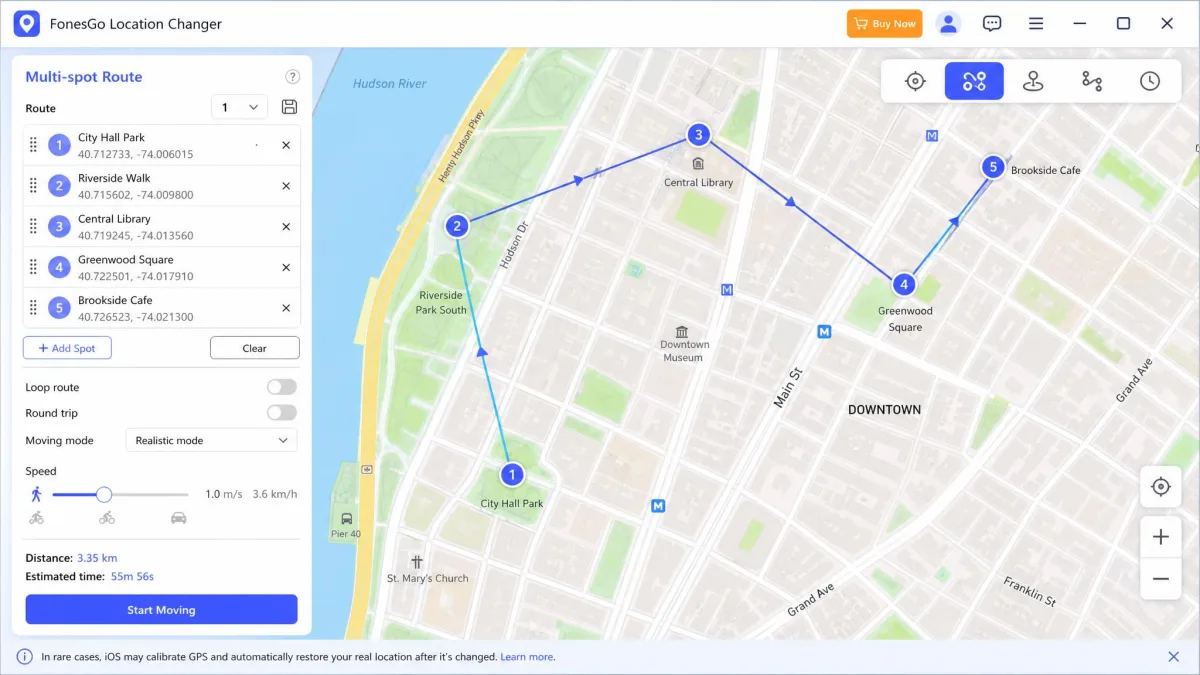
FonesGo Location Changer does the same job across a wider set of devices. One-click teleport, jump teleport, two-spot routes, multi-spot routes and an on-screen joystick are all present.
It adds walking, biking and driving speed presets, a cooldown timer, GPX import, favorites, history and path looping. It works on social, dating and location-based game apps without jailbreak or root.
FonesGo also ships mobile apps, including a FonesGo Android app listing on the Play Store. In practice you still want the desktop app for anything beyond a quick teleport.
Feature-by-Feature Comparison
On paper the feature lists overlap almost completely. The gaps open up in the detail.
Teleport and Single-Point Spoofing
Both apps teleport in a click. You search a place name or drop a pin, confirm, and every app on the phone reads the new coordinates.
MockGo's map interface looks and behaves like Google Maps, so a first spoof needs no manual. FonesGo's map is functional and clearly labelled, and its Teleport Mode is the first option in the mode bar.
One difference shows up afterwards. Getting back to your real GPS position after MockGo requires rebooting the phone, and the fix can take a few minutes to settle. Rapid jumps across long distances also leave the handset needing time to recalibrate before location reads true again.
Reboot the phone and give it a few minutes on Wi-Fi before you judge whether your real location has come back. Apple's location stack refreshes on its own schedule.
Route Simulation and Movement Speed
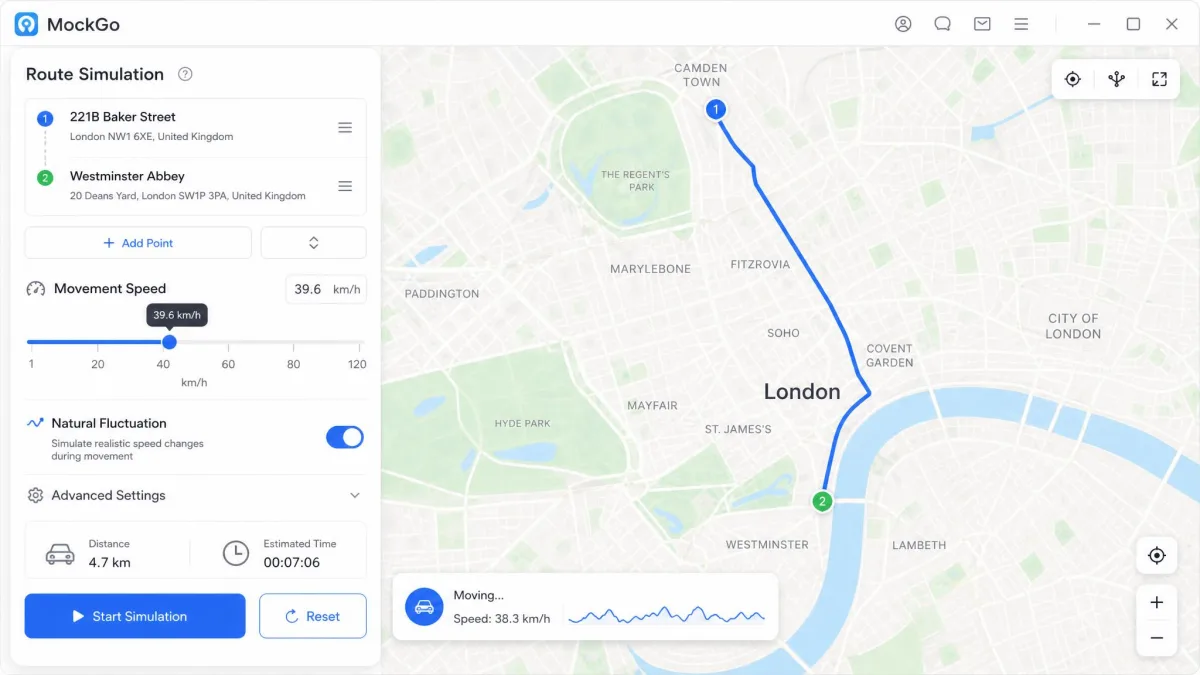
This is where MockGo pulls ahead for anyone who cares about looking natural. Its speed is adjustable from 3.6 to 108 km/h, and you can switch on a plus or minus 30% fluctuation so the pace is not suspiciously constant.
FonesGo caps out at 100 km/h and leans on walking, biking and driving presets instead. The presets are quicker to pick. They give you less control.
MockGo's single-stop and multi-stop routes move smoothly between points, and travel speed is adjustable per run. It can also lag or glitch part way through a simulated route, which is worth knowing before you rely on a long run.
Joystick and Manual Control
MockGo maps the joystick to WASD and the arrow keys, which suits anyone already used to keyboard movement. FonesGo puts an on-screen joystick under the mouse.
Neither is obviously better. The keyboard option feels more precise for fine movement, and the on-screen control is easier to hand to someone who has never used a location changer before.
Multi-Device Support
FonesGo covers up to 15 devices spoofed at the same time on one license. MockGo covers up to 5 iOS devices at the same time.
Five is plenty for a family of iPhones. Fifteen matters if you are running a larger set of handsets.
Ease of Use: Setup and Your First Spoof
Both apps are installable in a couple of minutes. The friction is in the phone-side steps, and they differ by platform.
Changing Your Location in MockGo
Install MockGo on your Windows PC or Mac, plug the iPhone in over USB, and unlock the handset when it asks you to trust the computer. MockGo picks the device up on its own.
Choose Teleport Mode, type a place into the search box, click the map, then confirm. Your iPhone reports the new position to every app that asks for it.
For movement, switch to one-stop or multi-stop mode, click your start and end points, set the speed, then start the run. The pin moves along real roads rather than in a straight line.
Changing Your Location in FonesGo
FonesGo's guided setup runs in a few minutes. Connect the phone over USB, follow the on-screen prompts, and pick Teleport Mode.
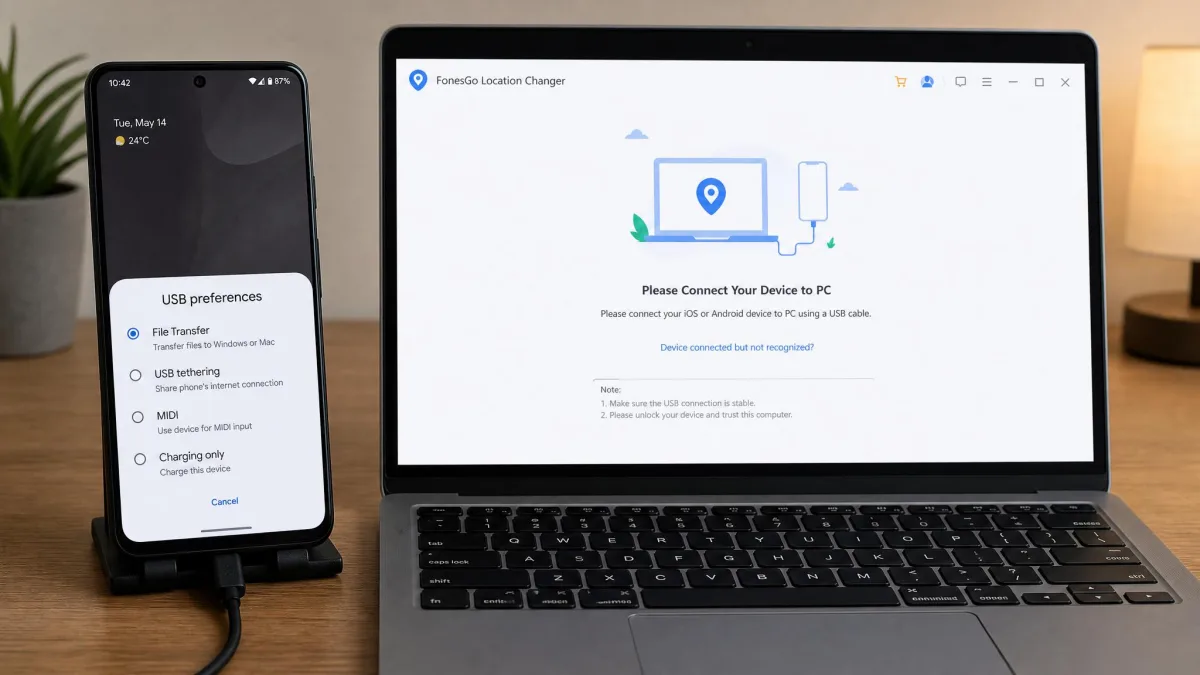
On Android there is one extra step that catches people out. FonesGo will not see the phone unless you switch the USB connection mode from Charging Only to File Transfer.
You will also need to enable Developer Options and select a mock location app on the handset. Open Settings, tap About phone, then tap Build number seven times, and Developer Options appears in the system menu.
Android exposes mock locations through Android's LocationManager mock provider API, which is why the Developer Options step is unavoidable. iOS has no equivalent switch, so iPhone spoofing is handled entirely from the desktop side.
Platform and Device Compatibility
Platform support is the single biggest difference between these two apps, and it decides the purchase for a lot of people before price ever comes up.
iOS Support
MockGo supports iOS 9 through iOS 26, covering iPhone 5s through iPhone 16, plus iPad and iPod touch. That is an unusually long tail, and it matters if you are spoofing an old spare handset.
FonesGo supports iOS 13 and newer, listed up to iOS 27. The top of that range moves each release cycle, so the newest build may lag a fresh iOS version.
Both work without jailbreaking. Neither installs anything permanent on the phone, since they drive location through the same channels described in Apple's Core Location documentation.
Android Support
FonesGo supports Android, including Android 14 and later builds. MockGo is iOS-only, so treat Android as out of scope rather than as a feature that might arrive.
There is a practical reason to prefer a desktop-driven spoofer on Android. Newer Android releases make plain mock-location setups unstable, producing rubber-banding and movement errors that a desktop-driven app avoids.
Windows and Mac Requirements
MockGo runs on Windows 11, 10, 8.1, 8, 7 and older, and on macOS 10.12 Sierra through macOS 15 Sequoia. FonesGo asks for Windows 7 through 11 and macOS 10.12 or later.
The requirements are effectively identical. Any computer from the last decade will run either one.
Pricing and License Comparison
MockGo's pricing is the simpler of the two. It is $9.95 per month on auto-renew, $19.95 for a 3-month plan, $39.95 for one year, or $59.95 for a lifetime plan.
FonesGo splits its pricing by where you run it. The Windows and Mac desktop app is $9.95 per month against a $19.95 regular price, the Android app is $14.95 per month, and the iOS app is $19.95 per month with Windows and Mac access bundled in.
A one-year FonesGo desktop license is $39.95, matching MockGo exactly. FonesGo's lifetime tier is quoted around $79.95, though that figure moves with promotional pricing and is not shown on the vendor's own monthly-first buy page.
On trials, MockGo's is usable but capped. One-stop and multi-stop modes work once each, and teleport and joystick are limited to 3 uses. FonesGo offers a free trial on desktop and through the iOS and Android app stores, but it gates most modes, so it shows you the interface rather than a full working spoof.
Both advertise a 30-day money-back guarantee. FonesGo's carries conditions, and payouts short of a full refund have been documented.
Performance and Reliability in Real Use
FonesGo held a stable device connection without crashes or GPS drift across iOS and Android handsets, and spoofed positions showed instantly in Google Maps and Snapchat. That is the behaviour you want.
It is not flawless. FonesGo occasionally throws bugs in normal use, and it does not behave identically on every handset.
MockGo's routes are the smoother of the two when they run clean, but it can lag or glitch mid-route during simulated movement. Neither app is a set-and-forget tool for a long simulated journey.
The shared limitation is worth repeating. Both tools need a PC or Mac running alongside the phone, so neither is a standalone phone app in practice.
Both apps change GPS location reliably in a click. What separates them is which phones they support, not how well they spoof.
User Reviews and Ratings
Public feedback on both tools is thin, which is itself a finding.
Neither Foneazy MockGo nor FonesGo Location Changer has any user reviews on SourceForge. AlternativeTo's community lists iToolab AnyGo above both tools, with FonesGo Location Changer carrying only a single like.
Trustpilot carries 14 reviews of fonesgo.com. The negative ones centre on refunds and on the software not working with a current iOS release.
Refund friction is the recurring theme. Requests to FonesGo can come back as a partial offer rather than the full amount, even within a day of purchase. FonesGo customer support responses are also inconsistent, so budget for a slower back-and-forth than you would like.
That review count is small enough that a single bad month moves the whole picture, so we read the individual reviews rather than lean on an overall score.
Location-Based Games: Pokemon Go and Beyond
This is the use case people ask about most, and it is also the one with the most risk attached.
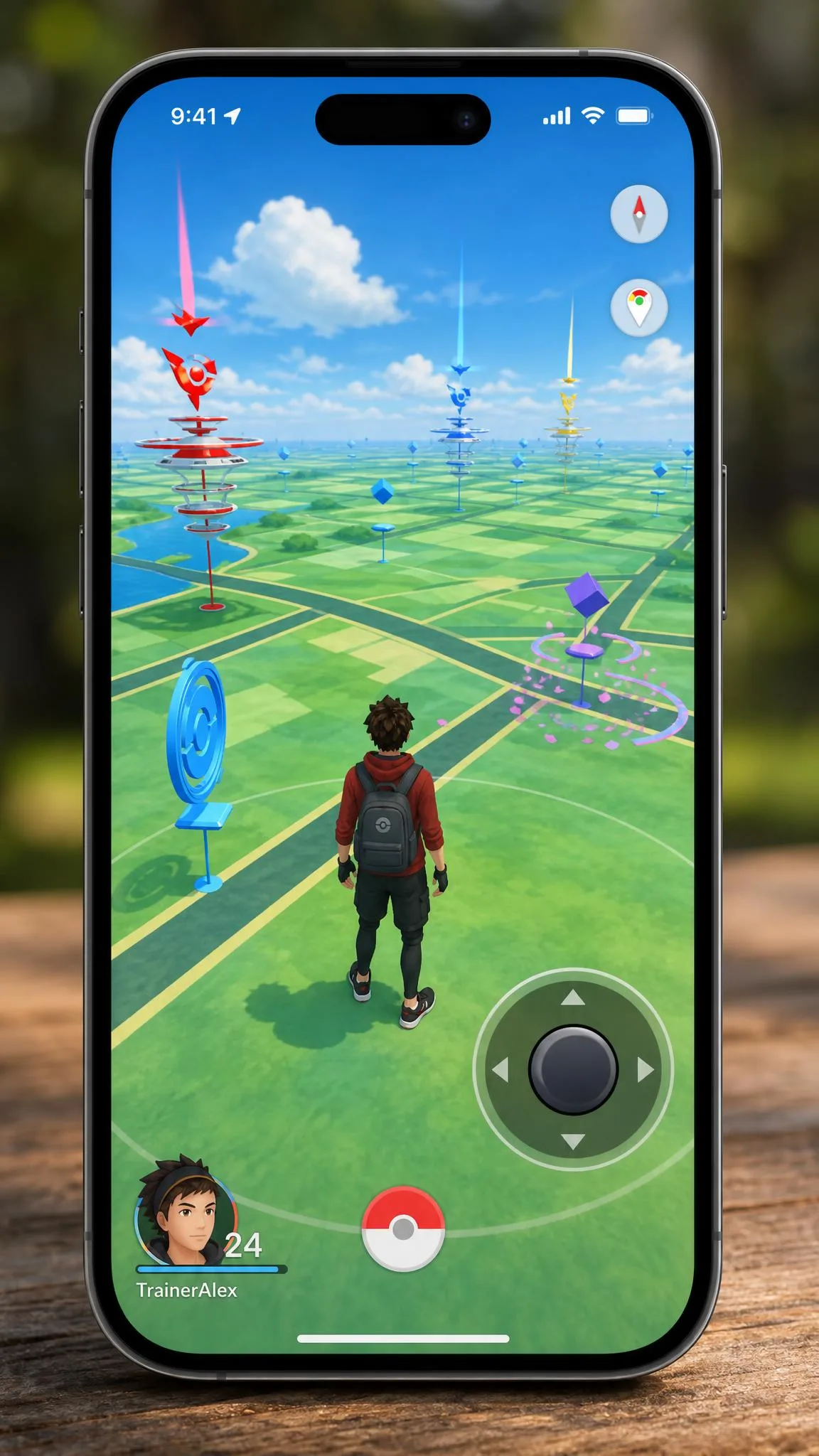
FonesGo works on location-based game apps without jailbreak or root, and it includes a cooldown timer so you do not teleport further than the game considers plausible. Its joystick is the more natural fit for walking a character around.
MockGo works with location-based games including Pokemon GO, and its Teleport mode shows a cooldown countdown so a long jump can be waited out before the game is reopened. Treat that as conditional rather than settled: Niantic's detection changes between game updates, so spoofing can stop working or trigger a ban at any time even when the tool itself is functioning. Location-based games can detect desktop GPS spoofers, and what follows is usually an account warning or a ban rather than the app simply failing.
Niantic's anti-cheat has tightened, and spoofing tools can draw warnings, suspensions or permanent bans. Read Niantic's terms on third-party software and spoofing before you use either app on a game account you care about.
Social and Dating Apps: Changing Location Safely
Changing your location for social and dating apps is the quieter half of this market. FonesGo's spoofed positions showed instantly in Google Maps and Snapchat, and dating apps read the same location feed.
Move in believable steps. A profile that jumps between continents in an hour looks exactly like what it is, and most social platforms treat that pattern as a signal worth acting on.
Set a walking or driving speed rather than teleporting between distant cities, and give the phone time to settle after each change. That single habit does more for plausibility than any app setting.
Risks, Bans, and What to Watch Out For
Every app on your phone reads the same location, so changing GPS location changes it everywhere at once. Your maps, your weather, your delivery apps and your photo geotags all follow the fake position.
That has practical consequences. Ride-hailing, banking and food delivery apps can behave oddly, and some services flag a mismatch between GPS and network location.
Account bans are the more serious risk, and they are not limited to games. Any service whose terms prohibit falsifying location can suspend you for it.
The recovery step is the one people forget. On MockGo you need to reboot the phone to get your real position back, and it can take a few minutes to settle after a long-distance jump.
Pros and Cons
MockGo Pros and Cons
Pros
- Cheapest long-term option at $59.95 for a lifetime plan
- Widest iOS range, from iOS 9 to iOS 26 and iPhone 5s onward
- Finest speed control, 3.6 to 108 km/h with optional 30% fluctuation
- Recognises the iPhone automatically over USB, no driver hunting
- Map interface behaves like Google Maps, so the first spoof needs no manual
Cons
- No Android support at all
- Requires a phone reboot to return to your real GPS location
- Can lag or glitch mid-route during simulated movement
- Free trial capped at 3 teleport and joystick uses
FonesGo Pros and Cons
Pros
- Supports both iOS and Android, including Android 14 and later
- Up to 15 devices spoofed at the same time on one license
- Stable connection with no crashes or GPS drift across iOS and Android handsets
- Walking, biking and driving presets plus path looping
- Guided setup runs in a few minutes
Cons
- Pricing split across three app tiers, up to $19.95 per month for iOS
- Refunds can come back as a partial offer rather than the full amount
- Customer support responses are inconsistent
- Occasional bugs, and behaviour varies between handsets
- Android setup needs the USB mode switched to File Transfer before it sees the phone
Alternatives Worth Considering
Neither app is the only way to fake location on a phone. iToolab AnyGo, iMyfone AnyTo Location Changer, MocPoGo Location Changer, iLocGo and Tenorshare iAnyGo all cover the same ground.
iToolab AnyGo is the one to look at first if you want a third opinion, since AlternativeTo's community ranks it above both tools compared here. The others are close enough in features that price and platform support should decide it.
If you want a broader view before committing, our roundup of the best location changers for PC covers the wider field, and our MockGo review goes deeper on the app that wins this comparison.
Which One Should You Choose?
The decision is simpler than the feature lists make it look, so here is the short version.
Buy MockGo if every device you want to spoof runs iOS. It is cheaper over time at $59.95 for life, it gives you finer speed control, and it is the easier of the two to learn.
Buy FonesGo if you need Android, or if you want one license to cover a lot of handsets. Fifteen simultaneous devices is a genuine advantage, and its cross-platform reach is the reason to accept the split pricing and the refund friction.
If you are undecided and own only an iPhone, start with MockGo's capped free trial. Three teleports is enough to tell you whether the app does what you need.